fog light MERCEDES-BENZ SPRINTER 2017 MY17 Operator’s Manual
[x] Cancel search | Manufacturer: MERCEDES-BENZ, Model Year: 2017, Model line: SPRINTER, Model: MERCEDES-BENZ SPRINTER 2017Pages: 286, PDF Size: 4.36 MB
Page 171 of 286
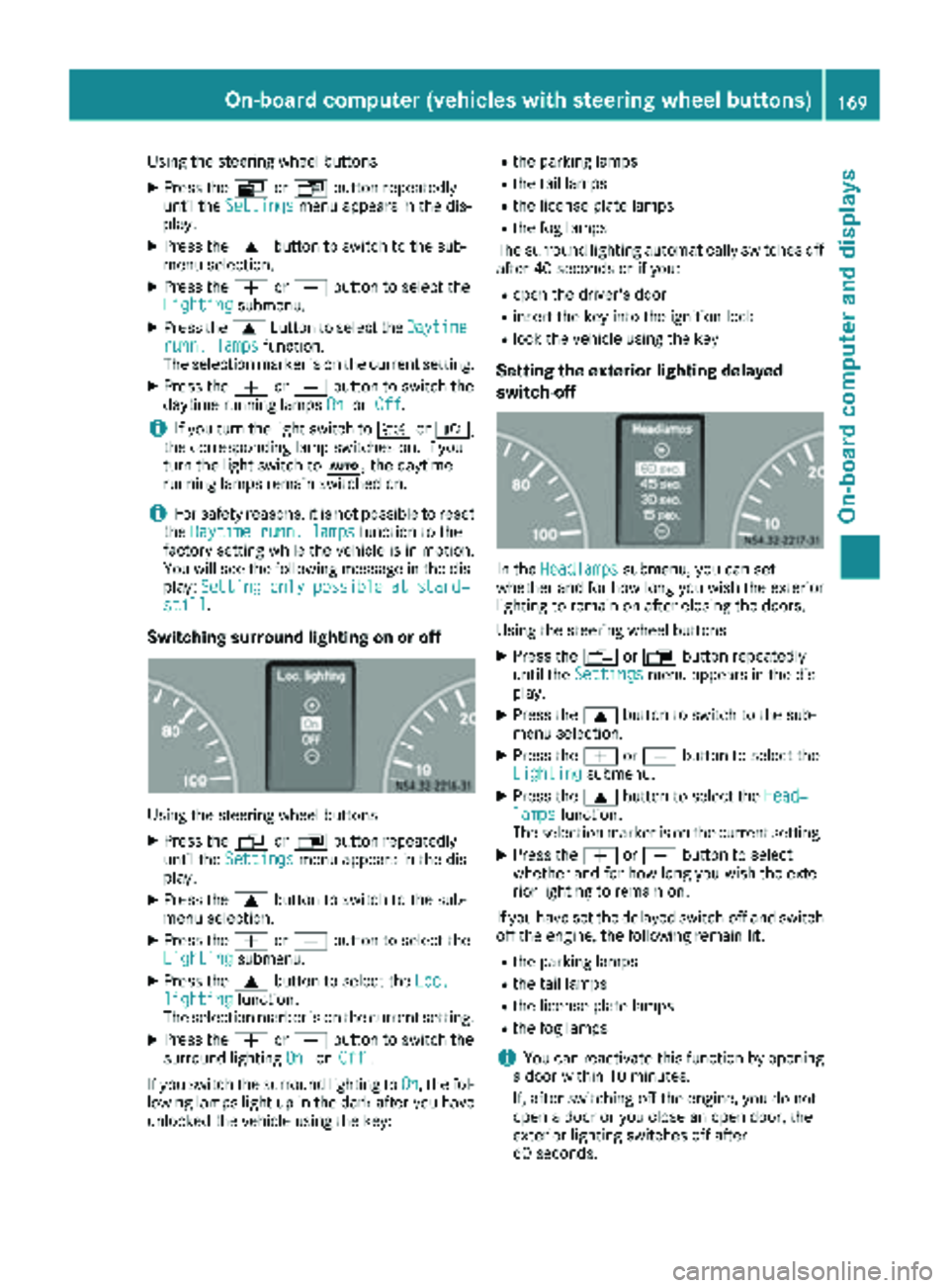
Using the steering wheel buttons
XPress theVorU button repeatedly
until the Settingsmenu appears in the dis-
play.
XPress the 9button to switch to the sub-
menu selection.
XPress the WorX button to select the
Lightingsubmenu.
XPress the 9button to select the Daytimerunn. lampsfunction.
The selection marker is on the current setting.
XPress the WorX button to switch the
daytime running lamps OnorOff.
iIf you turn the light switch to TorL,
the corresponding lamp switches on. If you
turn the light switch to Ã, the daytime
running lamps remain switched on.
iFor safety reasons, it is not possible to reset
the Daytime runn. lampsfunction to the
factory setting while the vehicle is in motion.
You will see the following message in the dis-
play: Setting only possible at stand‐
still.
Switching surround lighting on or off
Using the steering wheel buttons
XPress the VorU button repeatedly
until the Settingsmenu appears in the dis-
play.
XPress the 9button to switch to the sub-
menu selection.
XPress the WorX button to select the
Lightingsubmenu.
XPress the 9button to select the Loc.lightingfunction.
The selection marker is on the current setting.
XPress the WorX button to switch the
surround lighting OnorOff.
If you switch the surround lighting to On
, the fol-
lowing lamps light up in the dark after you have
unlocked the vehicle using the key:
Rthe parking lamps
Rthe tail lamps
Rthe license plate lamps
Rthe fog lamps
The surround lighting automatically switches off
after 40 seconds or if you:
Ropen the driver's door
Rinsert the key into the ignition lock
Rlock the vehicle using the key
Setting the exterior lighting delayed
switch-off
In the Headlampssubmenu, you can set
whether and for how long you wish the exterior
lighting to remain on after closing the doors.
Using the steering wheel buttons
XPress the VorU button repeatedly
until the Settingsmenu appears in the dis-
play.
XPress the 9button to switch to the sub-
menu selection.
XPress the WorX button to select the
Lightingsubmenu.
XPress the 9button to select the Head‐lampsfunction.
The selection marker is on the current setting.
XPress the WorX button to select
whether and for how long you wish the exte-
rior lighting to remain on.
If you have set the delayed switch-off and switch
off the engine, the following remain lit:
Rthe parking lamps
Rthe tail lamps
Rthe license plate lamps
Rthe fog lamps
iYou can reactivate this function by opening
a door within 10 minutes.
If, after switching off the engine, you do not
open a door or you close an open door, the
exterior lighting switches off after
60 seconds.
On-board computer (vehicles with steering wheel buttons)169
On-board computer and displays
Z
Page 178 of 286
Display messagesPossible causes/consequences andMSolutions
In addition,th eyellow ;CheckEngin eindicator lamp and th eyel-
low å DEFindicator lamp ligh tup in th einstrumen tcluste rand a
warning tone sounds.
You canno tdrive th evehicl eat aspeed exceedin g 5mph (8 km/h).
XVisit aqualified specialist workshop immediately.
Errflashes for 5seconds, in addition th eà indicator lamp flashes in
th einstrumen tcluste rand then lights up yellow continuously.
Lan eKeepin gAssis tis deactivated and temporarily inoperative.
Possibl ecauses are:
RThere are no lan emarking spresent.
RThe camera' sfunctionalit yis impaire ddue to heav yrain ,snow or
fog .
RThe camera canno trecogniz eth eroa dmarkings:
-It is to odark .
-The lan emarking sare wor nor are covered, for example, by dir tor
snow.
RThe windshield is dirty in th ecamera' sfield of vision .
XStop thevehicl epayin gattention to roa dand traffic conditions.
XSecur eth evehicl eto preven tit from rollin gaway (Ypage 127).
XClean th ewindshield (Ypage 231), particularly in th ecamera' s
field of vision .
If th eà indicator lamp goe sout ,Lan eKeepin gAssis tis opera-
tional again .
If th eproblem persists ,visit aqualified specialist workshop .
Errflashes for5seconds ,th e_ indicator lamp also flashes and then
goe sout .
Highbea mAssis tis deactivated and temporarily no toperational or
Highbea mAssis tis malfunctioning .
Possibl ecauses are:
RThe camera' sfunctionalit yis impaire ddue to heav yrain ,snow or
fog .
RThe windshield is dirty in th ecamera' sfield of vision .
XStop thevehicl epayin gattention to roa dand traffic conditions.
XSecur eth evehicl eto preven tit from rollin gaway (Ypage 127).
XClean th ewindshield (Ypage 231), particularly in th ecamera' s
field of vision .
If th e_ indicator lamp goe sout ,Highbea mAssis tis operational
again .
If th eproblem persists ,visit aqualified specialist workshop .
176Display messages
On-board computer and displays
Page 185 of 286
Display messagesPossible causes/consequences andMSolutions
b
Highbea mright
The right high beam headlamp is fault y3.
XReplaceth ebulb as soo nas possibl e (Ypage 88).
b
Licenseplate lam p
Alicense plat elamp is fault y3.
XReplaceth ebulb as soo nas possibl e (Ypage 91).
b
Switch off lights
You haveforgotte nto switch off th elights when leaving th evehicle.
XTurn th eligh tswitch to $.
b
Foglampfront lef t
The left-han dfron tfog lamp is faulty.3
XHav eth ebulb replace das soo nas possibl eat aqualified specialist
workshop .
b
Foglampfront right
The right-hand fron tfog lamp is fault y3.
XHaveth ebulb replace das soo nas possibl eat aqualified specialist
workshop .
b
Rearfoglam p
The rear fog lamp is fault y3.
XReplaceth ebulb as soo nas possibl e (Ypage 90).
b
Parkinglam pfrontlef t
The fron tlef tparking lamp/standin glamp is fault y3.
XReplaceth ebulb as soo nas possibl e (Ypage 88).
b
Parkinglam pfrontright
The fron tright parking lamp/standin glamp is fault y3.
XReplaceth ebulb as soo nas possibl e (Ypage 88).
b
Reverselam p
Abackup lamp is fault y3.
XReplaceth ebulb as soo nas possibl e (Ypage 90).
b
Taillam plef t
The left-han dtai llamp is faulty.3
XReplac eth ebulb as soo nas possibl e (Ypage 90).
b
Taillam pright
The right-hand tai llamp is faulty.3
XReplac eth ebulb as soo nas possibl e (Ypage 90).
b
Marker lam p
Aperimete rlamp is faulty.3
XReplac eth ebulb as soo nas possibl e (Ypage 92).
3Dependin gon th eequipment, th ebulb-failure indicato rmay no tbe featured for any lamp sother than th etur n
signals.
Display messages18 3
On-board computer and displays
Z
Page 186 of 286
Display messagesPossible causes/consequences andMSolutions
Highbeam AssistinoperativeHighbeamAssis tis faulty.
XVisit aqualified specialist workshop .
HighbeamAssisttem‐porarily unavaila‐ble
Highbea mAssis tis deactivated and temporarily inoperative.
Possibl ecauses are:
RThe camera' sfunctionalit yis impaire ddue to heav yrain ,snow or
fog .
RThe windshield is dirty in th ecamera' sfield of vision .
XStop thevehicl epayin gattention to roa dand traffic conditions.
XSecur eth evehicl eto preven tit from rollin gaway (Ypage 127).
XClean th ewindshield (Ypage 231), particularly in th ecamera' s
field of vision .
If th emalfunction has been rectified, th eHighbeam Assist
available againmessage appears.
Engine
Display messagesPossible causes/consequences and MSolutions
Check DieselExhaustFluid SeeOperator' sManual
The DE Fsupply has dropped belo w1.5US gal (5. 5l).
XAd dDE Fsupply (Ypage 126).
The display message only disappear swhen th evehicl eis stationary,
at th elatest after 20 seconds, as soo nas you switch on th eignition
or start th eengin eafter refueling.
å
XX starts remaining
Three short warning tone salso sound.
Afte rth emessage appear sfor th efirst time, th eremaining DE Fsupply
will last for approximately 1200 mile s(1900 km). The engin ecan then
only be started another 16 times .
The number of remaining engin estart sxx
(16to 0)is shown in th e
message every time th eengin eis started.
XAd dat least 1. 5US gal (5.5l)of DEF (Ypage 126).
å
Idle Mode
The yellow ;Check Engine indicator lamp also lights up and three
short warning tones sound.
You cannot drive the vehicle at a speed exceeding 5 mph (8 km/h).
XAdd at least 1.5 US gal (5.5 l)of DEF (Ypage 126).
The display message and the yellow ;Check Engine indicator
lamp only disappear when the vehicle is stationary, at the latest
after 20 seconds as soon as you switch on the ignition or start the
engine after refueling.
Check DieselExhaust Fluid SeeOperator's Manual
In addition, the yellow ;DEF indicator lamp lights up and a warning
tone sounds.
The DEF reducing agent is contaminated, diluted or is not compliant
with ISO 22241.
XHave the DEF tank cleaned and refilled at a qualified specialist
workshop as soon as possible.
184Display messages
On-board computer and displays
Page 189 of 286
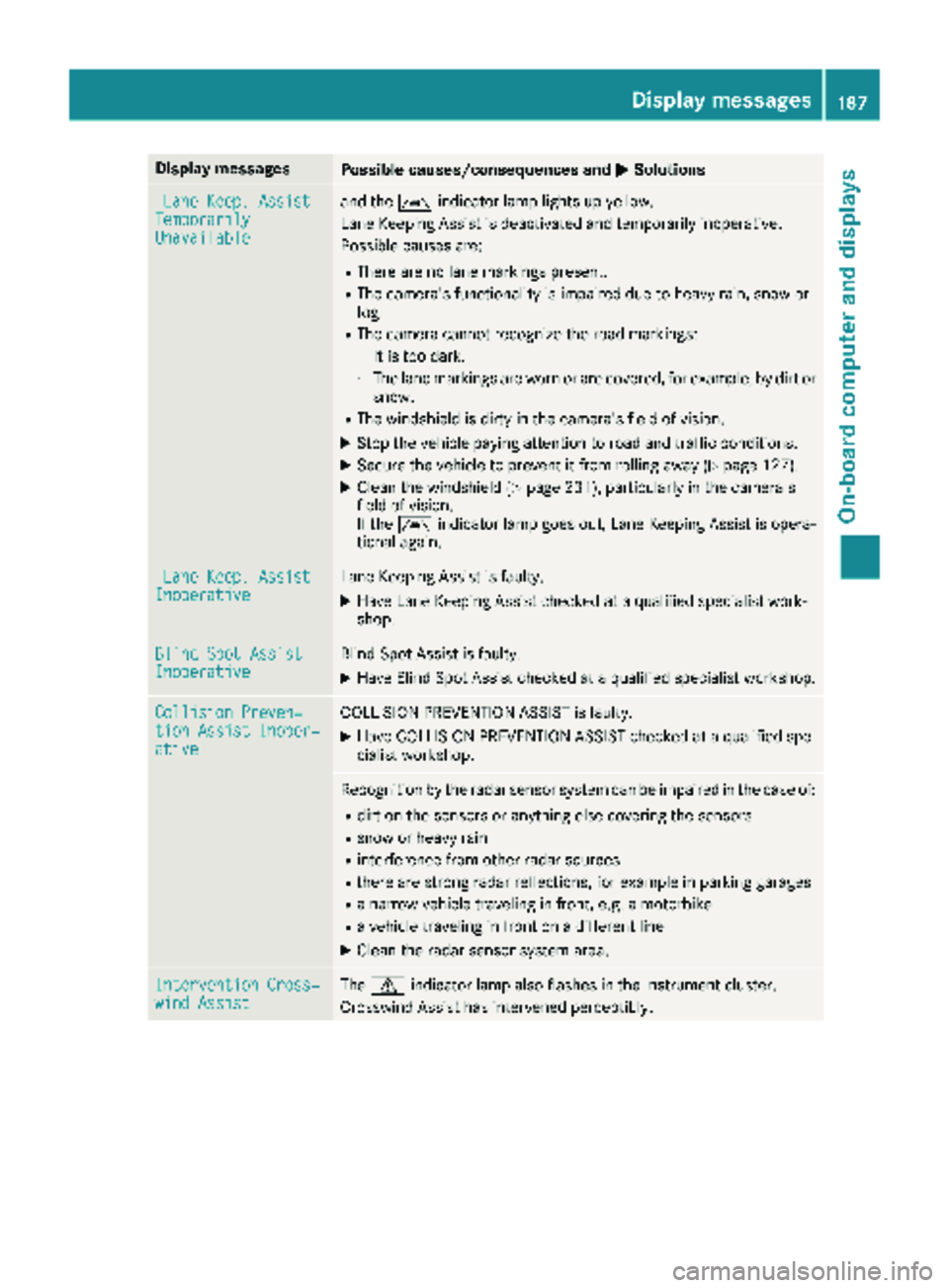
Display messagesPossible causes/consequences andMSolutions
LaneKeep. AssistTemporarilyUnavailable
and th eà indicator lamp lights up yellow.
Lan eKeepin gAssis tis deactivated and temporarily inoperative.
Possibl ecauses are:
RThere are no lan emarking spresent.
RThe camera' sfunctionalit yis impaire ddue to heav yrain ,snow or
fog .
RThe camera canno trecogniz eth eroa dmarkings:
-It is to odark .
-The lan emarking sare wor nor are covered, for example, by dir tor
snow.
RThe windshield is dirty in th ecamera' sfield of vision .
XStop thevehicl epayin gattention to roa dand traffic conditions.
XSecur eth evehicl eto preven tit from rollin gaway (Ypage 127).
XClean th ewindshield (Ypage 231), particularly in th ecamera' s
field of vision .
If th eà indicator lamp goe sout ,Lan eKeepin gAssis tis opera-
tional again .
LaneKeep. AssistInoperativeLan eKeepin gAssis tis faulty.
XHav eLan eKeepin gAssis tchecke dat aqualified specialist work-
shop.
Blind Spo tAssistInoperativeBlind Spot Assis tis faulty.
XHav eBlind Spot Assis tchecke dat aqualified specialist workshop .
Collision Preven‐tionAssist Inoper ‐ative
COLLISION PREVENTION ASSIST is faulty.
XHaveCOLLISION PREVENTION ASSIST checke dat aqualified spe -
cialist workshop .
Recognition by th eradar sensor system can be impaire din th ecas eof:
Rdir ton th esensor sor anythin gelse covering th esensor s
Rsnow or heav yrain
Rinterferenc efrom other radar source s
Rthere are strongradar reflections, for exampl ein parking garages
Ranarrow vehicl etraveling in front, e.g. amotorbik e
Ravehicl etraveling in fron ton adifferen tlin e
XClean th eradar sensor system area .
Intervention Cross‐windAssistThe d indicator lamp also flashes in th einstrumen tcluster.
Crosswin dAssis thas intervened perceptibly.
Display messages18 7
On-board computer and displays
Z