brake MERCEDES-BENZ SPRINTER 2017 MY17 Operator’s Manual
[x] Cancel search | Manufacturer: MERCEDES-BENZ, Model Year: 2017, Model line: SPRINTER, Model: MERCEDES-BENZ SPRINTER 2017Pages: 286, PDF Size: 4.36 MB
Page 145 of 286
The brightness of the indicator/warning lamps
is adjusted automatically according to the
brightness of the ambient light.
Collision warning
If a vehicle is detected in the monitoring range of
Blind Spot Assist and you switch on the corre-
sponding turn signal, a double warning tone
sounds once. Red warning lamp:flashes. If
the turn signal remains on, detected vehicles
are indicated by the flashing of red warning
lamp :. There are no further warning tones.
Activating/deactivating Blind Spot Assist
iBlind Spot Assist is activated when you
switch on the ignition.
XTurn the SmartKey to position 2in the ignition
lock.
Warning lamps :in the exterior mirrors light
up red for approximately 1.5 seconds and
then turn yellow.
XTo deactivate: press thekbutton in the
center console (Ypage 36).
The yellow indicator lamp in exterior mirror :
first flashes and then lights up continuously.
XTo activate: press thekbutton in the
center console again (Ypage 36).
The yellow indicator lamp in exterior mirror :
flashes initially. If you exceed 20 mph
(30 km/h) while driving, the yellow indicator
lamp in exterior mirror :goes out.
Towing a trailer
If you attach a trailer, make sure that you have
correctly established the electrical connection.
This can be accomplished by checking the trailer
lighting. Blind Spot Assist is deactivated as a
result. The indicator lamp in the exterior mirrors
lights up yellow.
On vehicles with steering wheel buttons, the
Blind Spot Assist Deactivated
message
also appears in the display.
Lane Keeping Assist
General notes
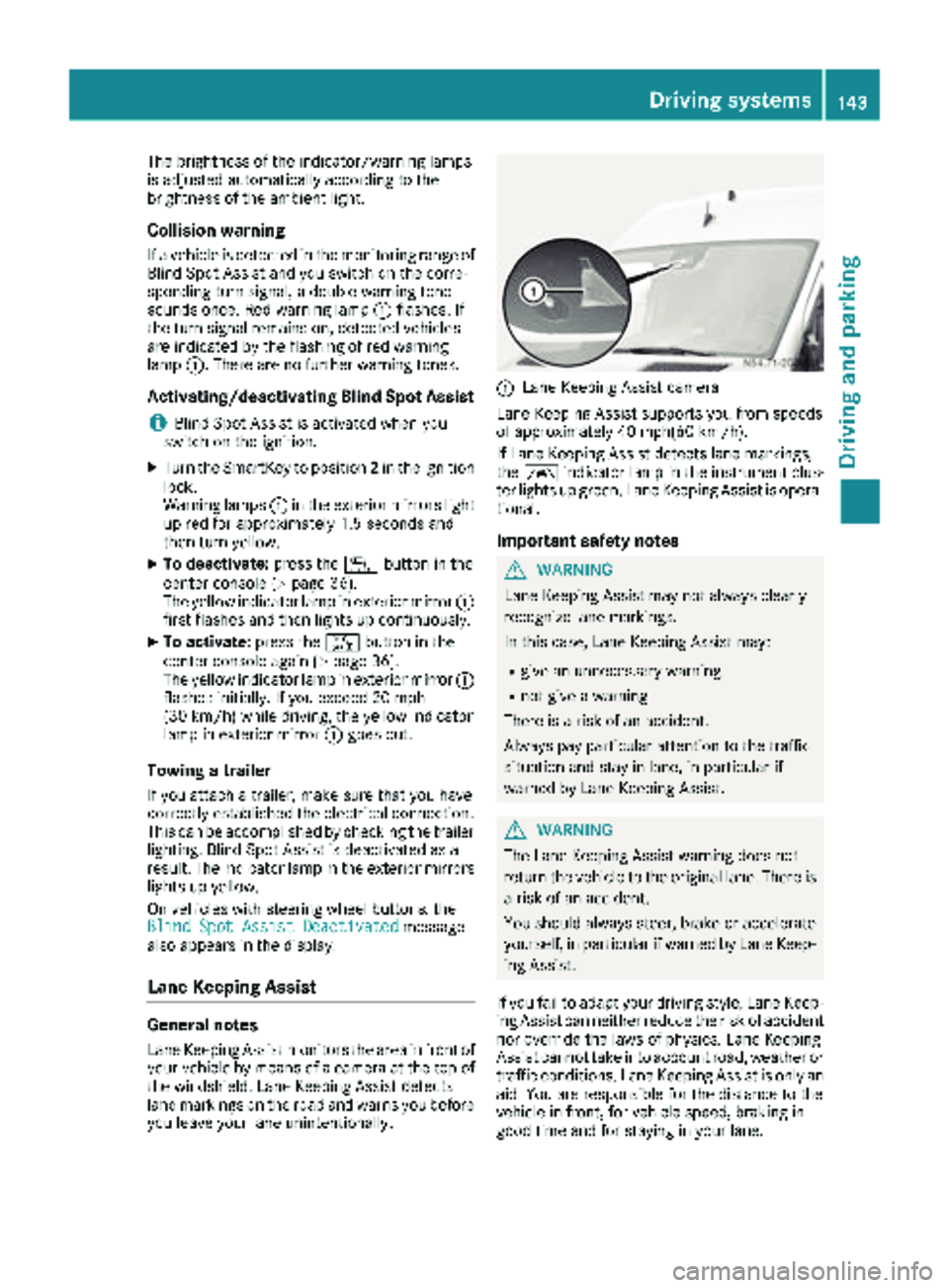
Lane Keeping Assist monitors the area in front of
your vehicle by means of a camera at the top of
the windshield. Lane Keeping Assist detects
lane markings on the road and warns you before
you leave your lane unintentionally.
:Lane Keeping Assist camera
Lane Keeping Assist supports you from speeds
of approximately 40 mph(60 km/h).
If Lane Keeping Assist detects lane markings,
the à indicator lamp in the instrument clus-
ter lights up green. Lane Keeping Assist is opera-
tional.
Important safety notes
GWARNING
Lane Keeping Assist may not always clearly
recognize lane markings.
In this case, Lane Keeping Assist may:
Rgive an unnecessary warning
Rnot give a warning
There is a risk of an accident.
Always pay particular attention to the traffic
situation and stay in lane, in particular if
warned by Lane Keeping Assist.
GWARNING
The Lane Keeping Assist warning does not
return the vehicle to the original lane. There is
a risk of an accident.
You should always steer, brake or accelerate
yourself, in particular if warned by Lane Keep-
ing Assist.
If you fail to adapt your driving style, Lane Keep-
ing Assist can neither reduce the risk of accident
nor override the laws of physics. Lane Keeping
Assist cannot take into account road, weather or traffic conditions. Lane Keeping Assist is only an
aid. You are responsible for the distance to the
vehicle in front, for vehicle speed, braking in
good time and for staying in your lane.
Driving systems143
Driving and parking
Z
Page 146 of 286
Lane Keeping Assist does not keep your vehicle
in its lane.
The system may be impaired or may not function
if:
Rif the vehicle is incorrectly loaded
(Ypage 208)
Rthere is poor visibility, e.g. due to insufficient
illumination of the road, or due to snow, rain,
fog or spray
Rthere is glare, e.g. from oncoming traffic, the
sun or reflection from other vehicles (e.g. if
the road surface is wet)
Rthe windshield is dirty, fogged up, damaged or
covered, for instance by a sticker, in the vicin-
ity of the camera
Rno, or several, unclear lane markings are pres-
ent for one lane, e.g. in a construction area
Rthe lane markings are worn away, dark or cov-
ered up, e.g. by dirt or snow
Rthe distance to the vehicle in front is too small
and the lane markings thus cannot be detec-
ted
Rthe lane markings change quickly, e.g. lanes
branch off, cross one another or merge
Rthe road is narrow and winding
Rthere are highly variable shade conditions on
the road
A warning may be given if a front wheel passes
over a lane marking. In addition, a warning tone
sounds and the Ãindicator lamp in the
instrument cluster flashes red.
Activating/deactivating Lane Keeping
Assist
Lane Keeping Assist is automatically activated
when you start the engine.
XTo deactivate: press thejbutton in the
center console (Ypage 36).
On vehicles without steering wheel but-
tons:
OFF
flashes briefly in the display and the Ã
indicator lamp in the instrument cluster
flashes yellow and then lights up continu-
ously.
On vehicles with steering wheel buttons:
The Lane
Keep.AssistDeactivatedmes-
sage appears in the display and the Ã
indicator lamp in the instrument cluster
flashes yellow and then lights up continu-
ously. Lane Keeping Assist is deactivated.
XTo activate:
press thejbutton in the
center console again (Ypage 36).
On vehicles without steering wheel but-
tons:
on
flashes briefly in the display and the Ã
indicator lamp in the instrument cluster goes
out. If a lane marking is detected, the Ã
indicator lamp lights up green.
On vehicles with steering wheel buttons:
The Lane Keep. Assist Activated
mes-
sage appears in the display and the Ã
indicator lamp in the instrument cluster goes
out. If a lane marking is detected, the Ã
indicator lamp lights up green.
Lane Keeping Assist is activated.
A Lane Keeping Assist warning is suppressed if:
Ra driving safety system intervenes, such as
ABS, BAS or ESP®.
Ryou have set the turn signal and a lane change is detected. In this case, the warnings are
suppressed for a certain period of time.
Ryou accelerate hard, e.g. kickdown on vehi-
cles with an automatic transmission.
Ryou brake hard.
Ryou steer actively, e.g. swerve to avoid an
obstacle or change lane quickly.
Ryou cut the corner on a sharp bend.
In order that you are warned only when neces-
sary and in good time if you cross the lane mark-
ing, the system recognizes certain conditions
and warns you accordingly.
Lane Keeping Assist warns you earlier if:
Ryou approach the outer lane marking on a
bend.
Rthe road has very wide lanes, e.g. a freeway.
Rthe system recognizes solid lane markings.
Warnings are given later if:
Rthe road has narrow lanes.
Ryou cut the corner on a bend.
All-wheel drive
Important safety notes
!Never tow the vehicle with one axle raised.
This may damage the transfer case. Damage
of this sort is not covered by the Mercedes-
Benz Limited Warranty. All wheels must
144Driving systems
Driving and parking
Page 147 of 286
remain either on the ground or be fully raised.
Observe the instructions for towing the vehi-
cle with all wheels in full contact with the
ground.
!A function or performance test should only
be carried out on a two-axle dynamometer.
Before you operate the vehicle on such a
dynamometer, please consult a qualified
workshop. You could otherwise damage the
drive train or the brake system.
If you fail to adapt your driving style or if you are
inattentive, the all-wheel drive system can nei-
ther reduce the risk of an accident nor override
the laws of physics. The all-wheel drive system
cannot take road, weather and traffic conditions
into account. The all-wheel drive system is only
an aid. You are responsible for the distance to
the vehicle in front, for vehicle speed and for
braking in good time.
4ETS ensures permanent drive for all four
wheels, and together with ESP
®it improves the
vehicle's traction.
If a driven wheel spins due to lack of traction:
RWhen pulling away, make use of the traction
control integrated in ESP®. Depress the
accelerator pedal as far as necessary.
RWhile driving, slowly take your foot off the
accelerator pedal
In wintry driving conditions, always use winter
tires (M+S tires) and if necessary, snow chains
(
Ypage 246). This is the only way to get the full
benefit from the all-wheel drive system.
For information on "Driving off-road", see
(
Ypage 135).
Engaging all-wheel drive
Conditions for engaging/disengaging
All-wheel drive can only be engaged or disen-
gaged if:
Rthe engine is running
Rthe vehicle is stationary
If it is not possible to engage all-wheel-drive:
Rmove the selector lever to position N
Rrelease the brake pedal
Rpress the;button
Rmove the selector lever from Nto Dor R
Engaging/disengaging all-wheel drive
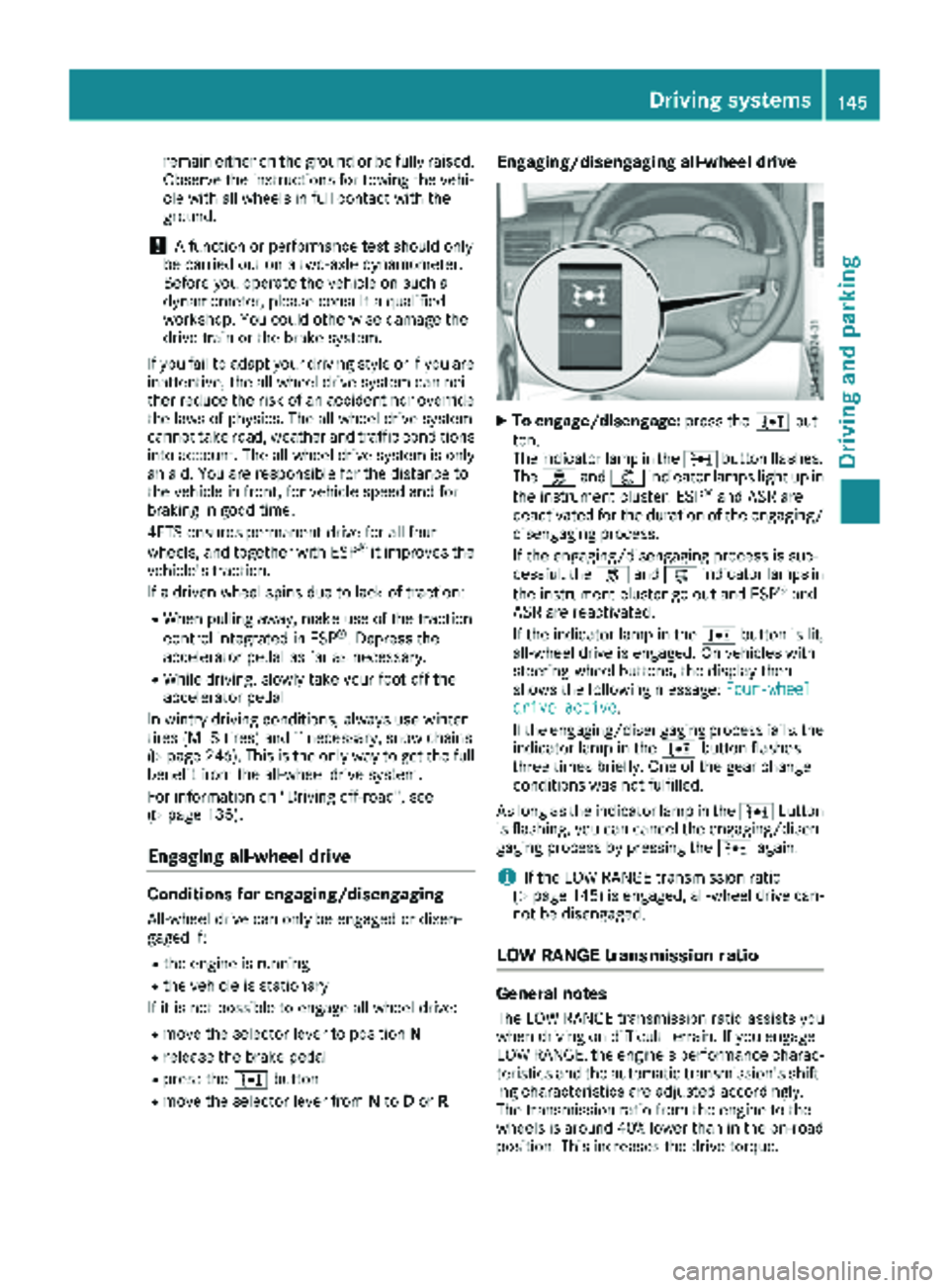
XTo engage/disengage: press the;but-
ton.
The indicator lamp in the ;button flashes.
The h and: indicator lamps light up in
the instrument cluster. ESP
®and ASR are
deactivated for the duration of the engaging/ disengaging process.
If the engaging/disengaging process is suc-
cessful, the hand: indicator lamps in
the instrument cluster go out and ESP
®and
ASR are reactivated.
If the indicator lamp in the ;button is lit,
all-wheel drive is engaged. On vehicles with
steering-wheel buttons, the display then
shows the following message: Four-wheel
drive active.
If the engaging/disengaging process fails, the indicator lamp in the ;button flashes
three times briefly. One of the gear change
conditions was not fulfilled.
As long as the indicator lamp in the ;button
is flashing, you can cancel the engaging/disen-
gaging process by pressing the ;again.
iIf the LOW RANGE transmission ratio
(Ypage 145) is engaged, all-wheel drive can-
not be disengaged.
LOW RANGE transmission ratio
General notes
The LOW RANGE transmission ratio assists you
when driving on difficult terrain. If you engage
LOW RANGE, the engine's performance charac-
teristics and the automatic transmission's shift-
ing characteristics are adjusted accordingly.
The transmission ratio from the engine to the
wheels is around 40% lower than in the on-road position. This increases the drive torque.
Driving systems145
Driving and parking
Z
Page 148 of 286
Conditions for engaging/disengaging
LOW RANGE can only be engaged or disengaged
if:
Rthe engine is running
Rthe vehicle is stationary
Rthe brake pedal is depressed
Rthe selector lever of the automatic transmis-
sion is in positionPor N
Rall-wheel drive is engaged
Engaging and disengaging LOW RANGE
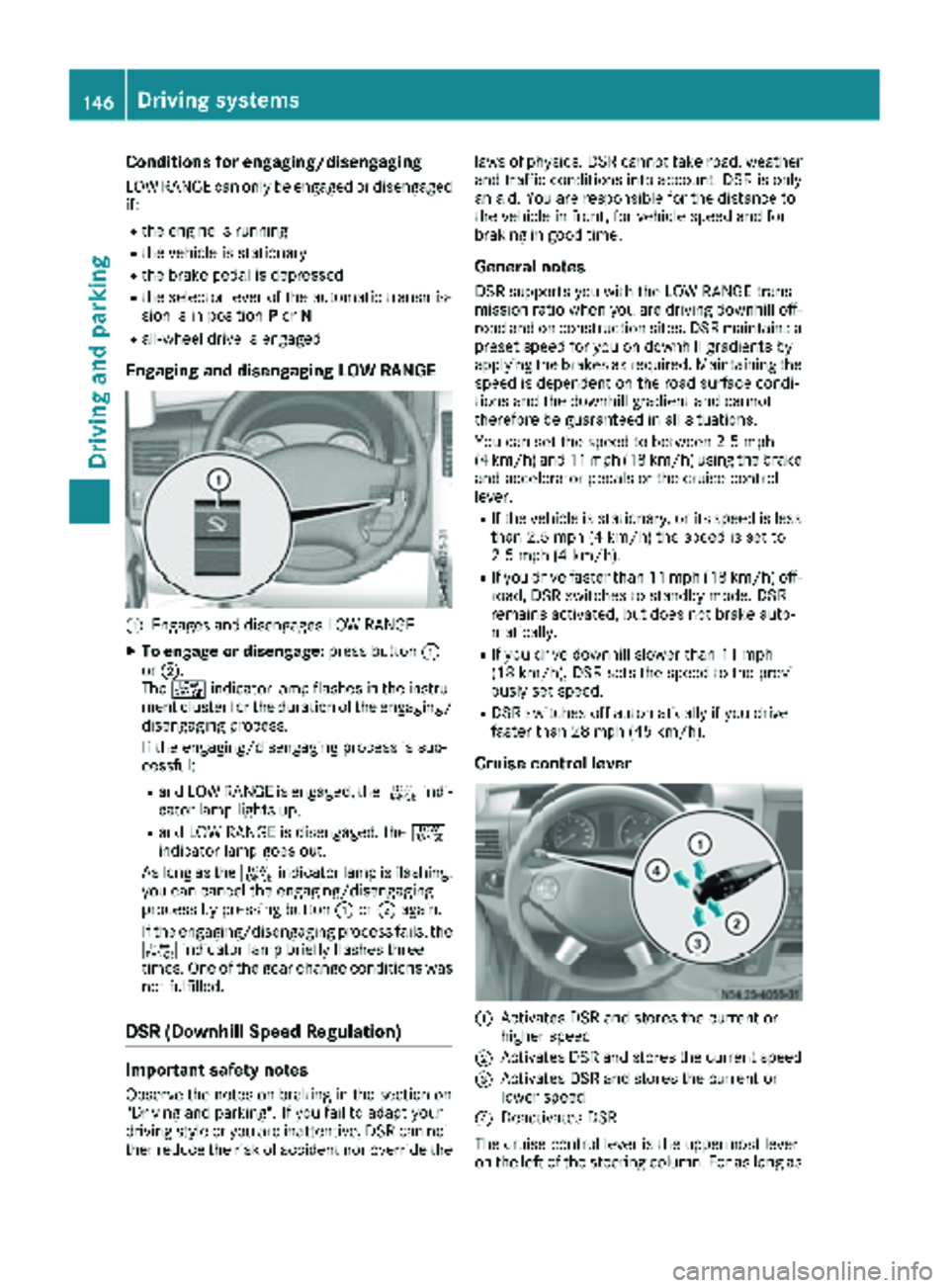
:Engages and disengages LOW RANGE
XTo engage or disengage: press button:
or ;.
The + indicator lamp flashes in the instru-
ment cluster for the duration of the engaging/
disengaging process.
If the engaging/disengaging process is suc-
cessful:
Rand LOW RANGE is engaged, the +indi-
cator lamp lights up.
Rand LOW RANGE is disengaged, the +
indicator lamp goes out.
As long as the +indicator lamp is flashing,
you can cancel the engaging/disengaging
process by pressing button :or; again.
If the engaging/disengaging process fails, the + indicator lamp briefly flashes three
times. One of the gear change conditions was
not fulfilled.
DSR (Downhill Speed Regulation)
Important safety notes
Observe the notes on braking in the section on
"Driving and parking". If you fail to adapt your
driving style or you are inattentive, DSR can nei-
ther reduce the risk of accident nor override the laws of physics. DSR cannot take road, weather
and traffic conditions into account. DSR is only
an aid. You are responsible for the distance to
the vehicle in front, for vehicle speed and for
braking in good time.
General notes
DSR supports you with the LOW RANGE trans-
mission ratio when you are driving downhill off-
road and on construction sites. DSR maintains a
preset speed for you on downhill gradients by
applying the brakes as required. Maintaining the
speed is dependent on the road surface condi-
tions and the downhill gradient and cannot
therefore be guaranteed in all situations.
You can set the speed to between 2.5 mph
(4 km/h) and 11 mph (18 km/h) using the brake
and accelerator pedals or the cruise control
lever.
RIf the vehicle is stationary, or its speed is less
than 2.5 mph (4 km/h) the speed is set to
2.5 mph (4 km/h).
RIf you drive faster than 11 mph (18 km/h) off-
road, DSR switches to standby mode. DSR
remains activated, but does not brake auto-
matically.
RIf you drive downhill slower than 11 mph
(18 km/h), DSR sets the speed to the previ-
ously set speed.
RDSR switches off automatically if you drive
faster than 28 mph (45 km/h).
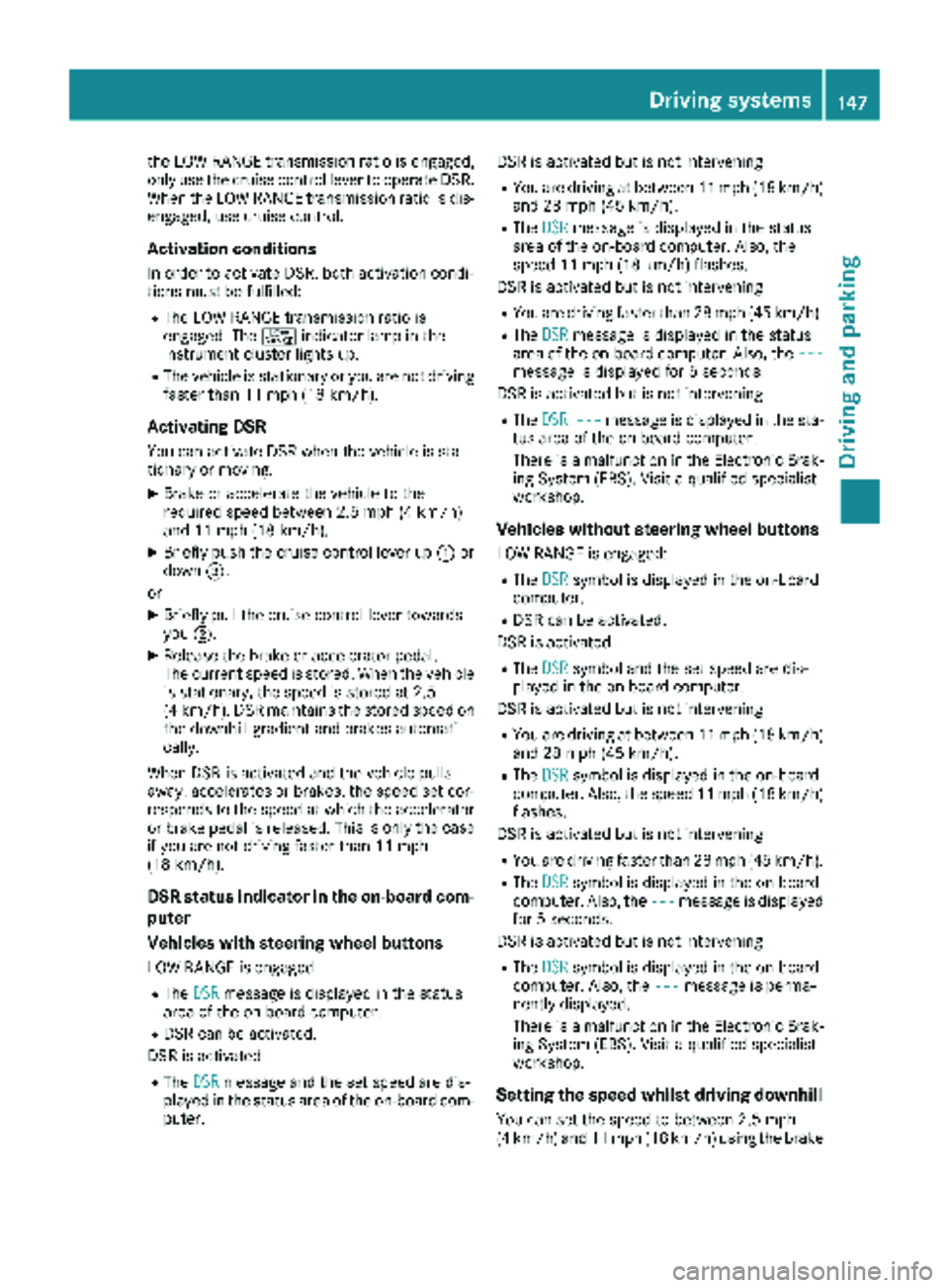
Cruise control lever
:Activates DSR and stores the current or
higher speed
;Activates DSR and stores the current speed
=Activates DSR and stores the current or
lower speed
?Deactivates DSR
The cruise control lever is the uppermost lever
on the left of the steering column. For as long as
146Driving systems
Driving and parking
Page 149 of 286
the LOW RANGE transmission ratio is engaged,
only use the cruise control lever to operate DSR.
When the LOW RANGE transmission ratio is dis-
engaged, use cruise control.
Activation conditions
In order to activate DSR, both activation condi-
tions must be fulfilled:
RThe LOW RANGE transmission ratio is
engaged. The+indicator lamp in the
instrument cluster lights up.
RThe vehicle is stationary or you are not driving faster than 11 mph (18 km/h).
Activating DSR
You can activate DSR when the vehicle is sta-
tionary or moving.
XBrake or accelerate the vehicle to the
required speed between 2.5 mph (4 km/h)
and 11 mph (18 km/h).
XBriefly push the cruise control lever up :or
down =.
or
XBriefly pull the cruise control lever towards
you ;.
XRelease the brake or accelerator pedal.
The current speed is stored. When the vehicle
is stationary, the speed is stored at 2.5
(4 km/h). DSR maintains the stored speed on
the downhill gradient and brakes automati-
cally.
When DSR is activated and the vehicle pulls
away, accelerates or brakes, the speed set cor-
responds to the speed at which the accelerator
or brake pedal is released. Thi s i
s only the case
if you are not driving faster than 11 mph
(18 km/h).
DSR status indicator in the on-board com-
puter
Vehicles with steering wheel buttons
LOW RANGE is engaged
RThe DSRmessage is displayed in the status
area of the on-board computer.
RDSR can be activated.
DSR is activated
RThe DSRmessage and the set speed are dis-
played in the status area of the on-board com-
puter. DSR is activated but is not intervening
RYou are driving at between 11 mph (18 km/h)
and 28 mph (45 km/h).
RThe
DSRmessage is displayed in the status
area of the on-board computer. Also, the
speed 11 mph (18 km/h) flashes.
DSR is activated but is not intervening
RYou are driving faster than 28 mph (45 km/h).
RThe DSRmessage is displayed in the status
area of the on-board computer. Also, the ---
message is displayed for 5 seconds.
DSR is activated but is not intervening
RThe DSR---message is displayed in the sta-
tus area of the on-board computer.
There is a malfunction in the Electronic Brak-
ing System (EBS). Visit a qualified specialist
workshop.
Vehicles without steering wheel buttons
LOW RANGE is engaged:
RThe DSRsymbol is displayed in the on-board
computer.
RDSR can be activated.
DSR is activated
RThe DSRsymbol and the set speed are dis-
played in the on-board computer.
DSR is activated but is not intervening
RYou are driving at between 11 mph (18 km/h)
and 28 mph (45 km/h).
RThe DSRsymbol is displayed in the on-board
computer. Also, the speed 11 mph (18 km/h)
flashes.
DSR is activated but is not intervening
RYou are driving faster than 28 mph (45 km/h).
RThe DSRsymbol is displayed in the on-board
computer. Also, the ---message is displayed
for 5 seconds.
DSR is activated but is not intervening
RThe DSRsymbol is displayed in the on-board
computer. Also, the ---message is perma-
nently displayed.
There is a malfunction in the Electronic Brak-
ing System (EBS). Visit a qualified specialist
workshop.
Setting the speed whilst driving downhill
You can set the speed to between 2.5 mph
(4 km/h) and 11 mph (18 km/h) using the brake
Driving system s147
Driving an d parking
Z
Page 150 of 286
and accelerator pedals or the cruise control
lever.
XBrake or accelerate the vehicle to the
required speed on the downhill gradient.
XRelease the brake or accelerator pedal. The
current speed is stored.
or
XBriefly push the cruise control lever up :to
increase the speed or down =to reduce the
speed.
The last speed stored is increased or reduced
incrementally.
XRelease the cruise control lever. The current
speed is stored.
or
XPress and hold the cruise control lever up :
or down =until the desired speed has been
reached.
XRelease the cruise control lever.
The current speed is stored.
iIt may take a moment before the vehicle
brakes to the set speed. Take this delay into
account when setting the speed with the
cruise control lever.
Deactivating DSR
XBriefly press the cruise control lever
forward ?.
or
XAccelerate and drive faster than 28 mph
(45 km/h).
DSR deactivates automatically if:
Ryou are driving faster than 28 mph (45 km/h).
Ryou disengage th eLOW RANGE transmission
ratio.
Rthere is amalfunction in th eES P®or AB Ssys-
tem.
PARKTRONIC
Gene ral notes
PARKTRONI Cis an electronic parkin gaid. The
system is equipped wit hultrasonic sensor sin
th efron tand rear bumpers to monitor th earea
around your vehicle. PARKTRONI Cindicate svis -
ually and audibl yth edistanc ebetween your
vehicl eand an object.
Your vehicl efeatures tw oseparat esoun demit-
ters wit hdifferen tfrequencie sfor th ewarnin gtones. The warnin
granges in fron tof and behind
th evehicl eare indicate dby differen twarnin g
tones.
PARKTRONI Cis activated automatically when
you:
Rtur nth eke yto position 2in th eignition loc k
Rrelease theparkin gbrak eand
Rmov eth eselector lever to D,Nor R.
PARKTRONI Cis deactivated at speeds abov e
11 mph (18 km/h). PARKTRONI Cis reactivated
at speeds belo w10 mph (16 km/h).
Impor tant safety notes
PARKTRONI Cis only an aid. It canno treplac e
your own awareness of th eimmediat esurround-
ings. You are responsibl efor saf emaneuvering,
parkin gand pullin gaway. Whe nmaneuvering,
parkin gand pullin gaway, mak esur ethat there
are no persons, animals or objects in th emaneu-
verin garea .
!Pay particular attention to obstacles abov e
or belo wthesensor swhen parking, suc has
flower pot sor trailer towbars. PARKTRONI C
does no trecogniz esuc hobjects when they
are in th eimmediat evicinit yof th evehicle.
You could damage th evehicl eor objects .
PARKTRONI Ccan suffer interferenc efrom:
Rultrasonic source ssuc has atruck's
compressed-air brakes, an automati ccar
wash or apneumati cdrill
Rattachments to th evehicle, e.g. rear moun -
te dracks
Rnumber plates (vehicle license plates) that
are no taffixe dflat against th ebumper
Rdirty or icy sensor s
Remove adetachable trailer couplin gif it is no
longer required. PARKTRONI Cmeasures th e
minimum detection range to an obstacle from
th ebumper, no tth eball coupling.
Range ofthe sensor s
PARKTRONI Cdoes no taccoun tfor obstacles
that are:
Rbeneat hits detection range, e.g. persons, ani -
mals or objects
Rabov eits detection range, e.g. overhangin g
loads ,overhang sor truck loading ramps
148Driving systems
Driving and parking
Page 153 of 286
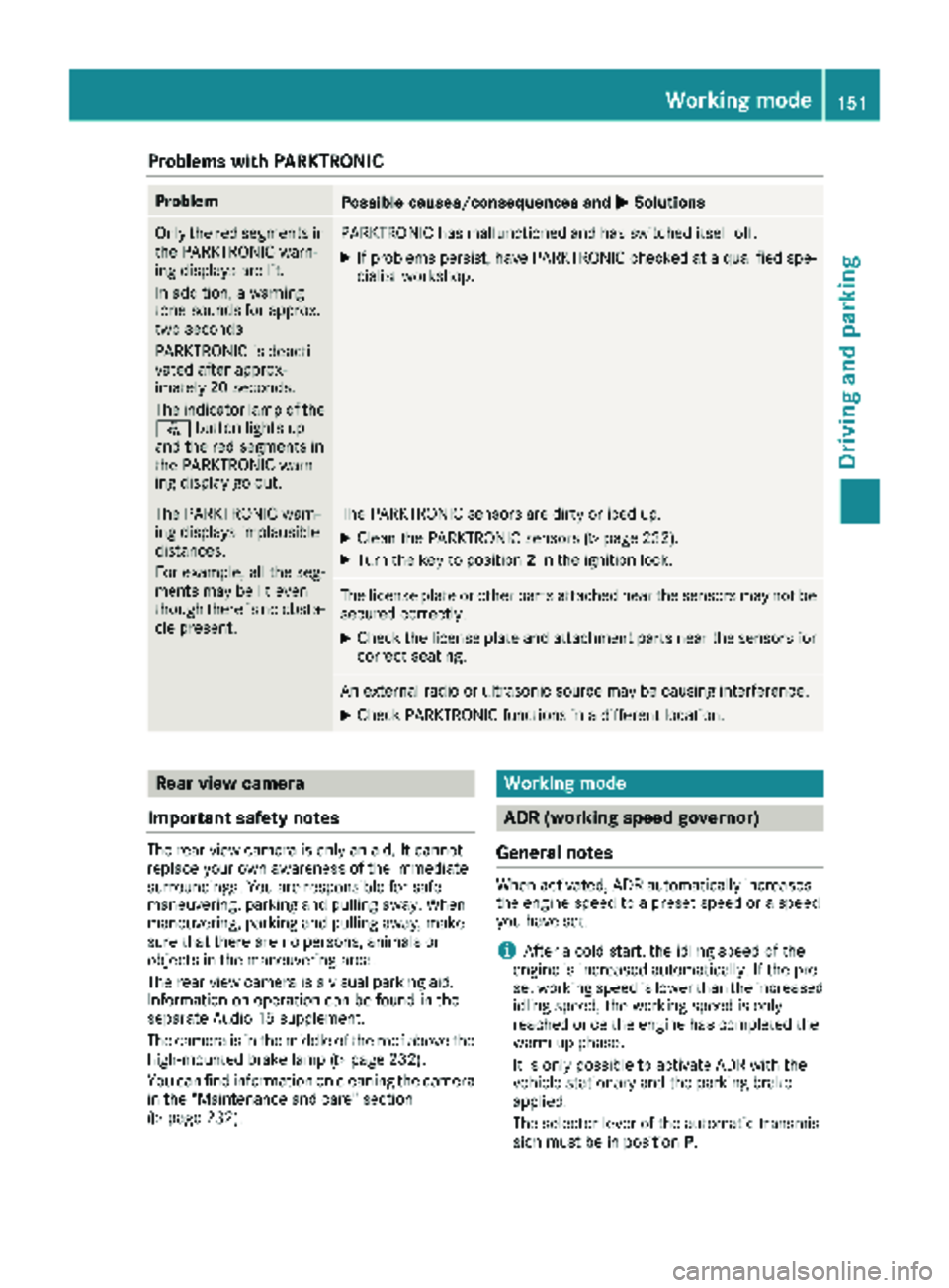
Problems with PARKTRONIC
ProblemPossible causes/consequences andMSolutions
Only the red segments in
the PARKTRONIC warn-
ing displays are lit.
In addition, a warning
tone sounds for approx.
two seconds
PARKTRONIC is deacti-
vated after approx-
imately 20 seconds.
The indicator lamp of the
f button lights up
and the red segments in
the PARKTRONIC warn-
ing display go out.PARKTRONIC has malfunctioned and has switched itself off.
XIf problems persist, have PARKTRONIC checked at a qualified spe- cialist workshop.
The PARKTRONIC warn-
ing displays implausible
distances.
For example, all the seg-
ments may be lit even
though there is no obsta-
cle present.The PARKTRONIC sensors are dirty or iced up.
XClean the PARKTRONIC sensors (Ypage 232).
XTurn the key to position 2in the ignition lock.
The license plate or other parts attached near the sensors may not be
secured correctly.
XCheck the license plate and attachment parts near the sensors for
correct seating.
An external radio or ultrasonic source may be causing interference.
XCheck PARKTRONIC functions in a different location.
Rear view camera
Important safety notes
The rear view camera is only an aid. It cannot
replace your own awareness of the immediate
surroundings. You are responsible for safe
maneuvering, parking and pulling away. When
maneuvering, parking and pulling away, make
sure that there are no persons, animals or
objects in the maneuvering area.
The rear view camera is a visual parking aid.
Information on operation can be found in the
separate Audio 15 supplement.
The camera is in the middle of the roof above the
high-mounted brake lamp (
Ypage 232).
You can find information on cleaning the camera
in the "Maintenance and care" section
(
Ypage 232).
Working mode
ADR (working speed governor)
General notes
When activated, ADR automatically increases
the engine speed to a preset speed or a speed
you have set.
iAfter a cold start, the idling speed of the
engine is increased automatically. If the pre-
set working speed is lower than the increased idling speed, the working speed is only
reached once the engine has completed the
warm-up phase.
It is only possible to activate ADR with the
vehicle stationary and the parking brake
applied.
The selector lever of the automatic transmis-
sion must be in position P.
Working mode151
Driving and parking
Z
Page 154 of 286
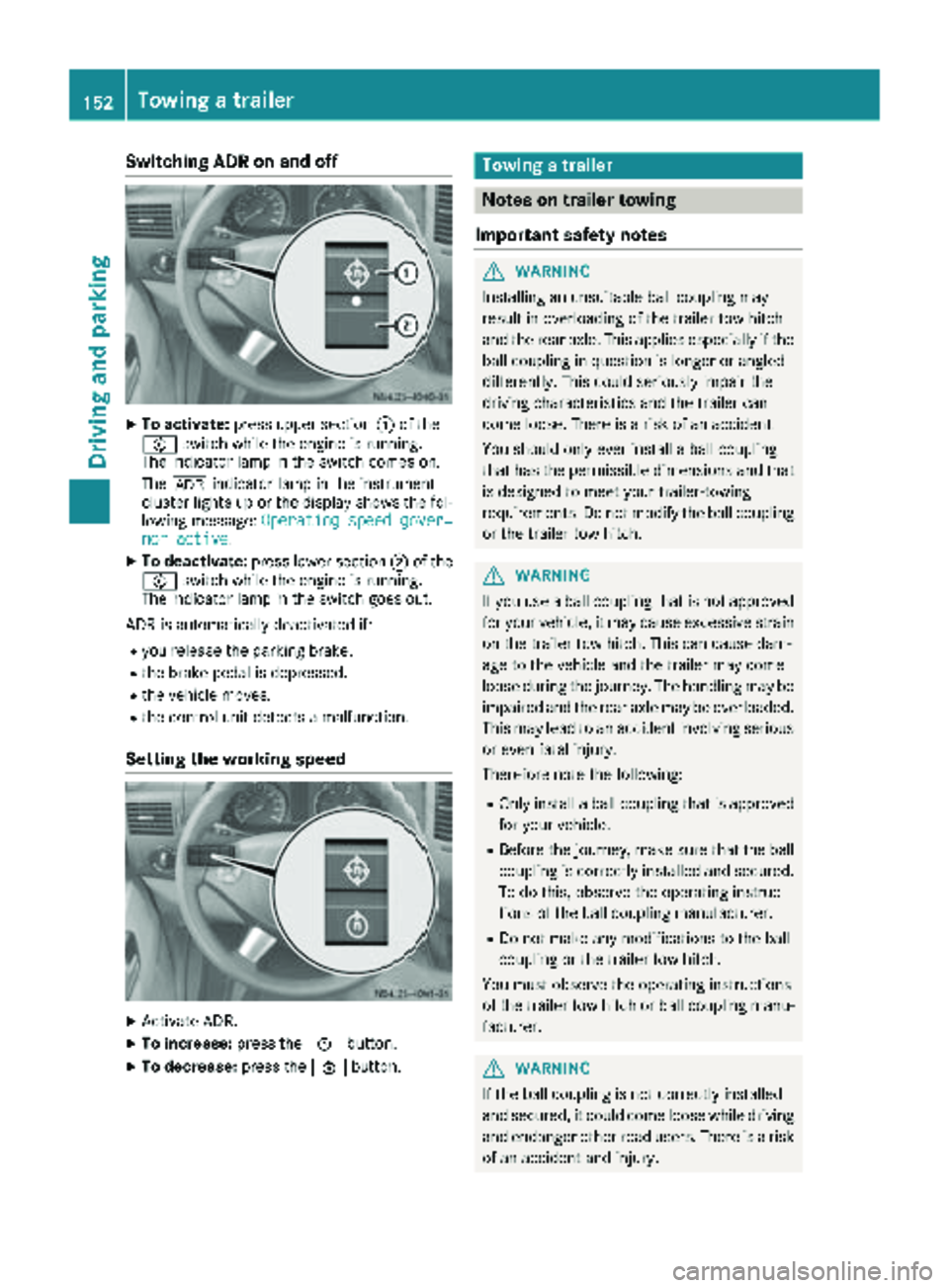
Switching ADR on and off
XTo activate:press upper section :of the
E switch while the engine is running.
The indicator lamp in the switch comes on.
The K indicator lamp in the instrument
cluster lights up or the display shows the fol-
lowing message: Operating speed gover‐
nor active.
XTo deactivate:press lower section ;of the
E switch while the engine is running.
The indicator lamp in the switch goes out.
ADR is automatically deactivated if:
Ryou release the parking brake.
Rthe brake pedal is depressed.
Rthe vehicle moves.
Rthe control unit detects a malfunction.
Setting the working speed
XActivate ADR.
XTo increase: press theEbutton.
XTo decrease: press theFbutton.
Towing a trailer
Notes on trailer towing
Important safety notes
GWARNING
Installing an unsuitable ball coupling may
result in overloading of the trailer tow hitch
and the rear axle. This applies especially if the ball coupling in question is longer or angled
differently. This could seriously impair the
driving characteristics and the trailer can
come loose. There is a risk of an accident.
You should only ever install a ball coupling
that has the permissible dimensions and that
is designed to meet your trailer-towing
requirements. Do not modify the ball coupling
or the trailer tow hitch.
GWARNING
If you use a ball coupling that is not approved
for your vehicle, it may cause excessive strain
on the trailer tow hitch. This can cause dam-
age to the vehicle and the trailer may come
loose during the journey. The handling may be
impaired and the rear axle may be overloaded.
This may lead to an accident involving serious
or even fatal injury.
Therefore note the following:
ROnly install a ball coupling that is approved for your vehicle.
RBefore the journey, make sure that the ballcoupling is correctly installed and secured.
To do this, observe the operating instruc-
tions of the ball coupling manufacturer.
RDo not make any modifications to the ball
coupling or the trailer tow hitch.
You must observe the operating instructions
of the trailer tow hitch or ball coupling manu-
facturer.
GWARNING
If the ball coupling is not correctly installed
and secured, it could come loose while driving and endanger other road users. There is a risk
of an accident and injury.
152Towing a trailer
Driving and parking
Page 155 of 286
Install and secure the ball coupling as descri-
bed in the ball coupling manufacturer's instal-
lation instructions. Make sure that the ball
coupling is correctly installed and secured
before every journey.
GWARNING
When the vehicle/trailer combination begins
to lurch, you could lose control of it. The vehi- cle/trailer combination could even rollover.
There is a risk of an accident.
On no account should you attempt to
straighten up the vehicle/trailer combination
by increasing the speed. Reduce vehicle
speed and do not countersteer. Apply the
brake as necessary.
Always observe the operating instructions pro-
vided by the manufacturers of the trailer cou-
pling and the ball coupling.
Couple and decouple the trailer carefully. When backing up the towing vehicle, make sure
nobody is standing between the vehicle and the
trailer.
A trailer which is incorrectly coupled to the tow-
ing vehicle could break away. A correctly cou-
pled trailer must be positioned horizontally
behind the towing vehicle.
Ensure that the following weights are not excee-
ded:
Rthe permissible noseweight
Rthe permissible trailer load
Rthe permissible rear axle load of the towing
vehicle
Rthe permissible gross weight of both the tow-
ing vehicle and the trailer
Rthe permissible gross combination weight
The applicable permissible values that may not
be exceeded can be found:
Rin your vehicle documents
Ron the type plates for the trailer tow hitch
Ron the type plates for the trailer
Ron the vehicle identification plate
(Ypage 272).
Where the values differ, the lowest is valid.
You will find values approved by the manufac-
turer on the identification plates and those for
the towing vehicle in the "Permissible trailer loads and trailer drawbar noseweights" section
(
Ypage 156).
Your vehicle behaves differently with a trailer
than without one.
The vehicle/trailer combination:
Ris heavier
Ris restricted in its acceleration and gradient-
climbing capability
Rhas an increased braking distance
Ris more susceptible to strong crosswinds
Rrequires more sensitive steering
Rhas a larger turning circle
This may impair the handling characteristics.
When towing a trailer, always adjust your speed
to suit the road and w
eather conditions. Drive
carefully. Maintain a safe distance.
If you require any further explanation of the
information contained in the Operator's Manual,
please contact an authorized Sprinter dealer.
General notes
RObserve the legally prescribed maximum
speed for vehicle/trailer combinations in the
relevant country, state or Canadian province. Before setting off, check the vehicle docu-
ments of the your trailer to find out the per-
missible maximum speed.
This reduces the risk of accidents.
RInstall only an approved trailer coupling on
your vehicle. Only use a ball coupling that is
approved for your vehicle and Sprinter trailer
tow hitch. More information on the availabil-
ity, mounting and installation of the trailer
electrics is available at any qualified specialist
workshop.
RThe trailer coupling is one of the most impor-
tant vehicle parts with regard to road safety.
The notes on operation, care and mainte-
nance issued by the manufacturer should be
observed.
RThe bumpers of your vehicle are not suitable
for installing detachable trailer couplings.
RDo not attach rented trailer tow hitches or
other detachable trailer tow hitches to the
bumper.
RMinimize the risk of damage to the ball cou-
pling. If you do not require the ball coupling,
remove it from the ball coupling recess.
Towing a trailer153
Driving and parking
Z
Page 156 of 286
Weight information can be found in the “Per-
missible trailer and drawbar noseweights” sec-
tion (
Ypage 156).
iThe height of the ball neck changes accord-
ing to the load on the vehicle. If this is case,
use a trailer with a height-adjustable trailer
drawbar.
Driving tips
The maximum permissible speed for vehicle/
trailer combination depends on the type of
trailer. Before setting off, check the vehicle
documents of the your trailer to find out the
permissible maximum speed. Observe the
legally prescribed maximum speed for vehicle/
trailer combinations in the relevant country,
state or Canadian province.
When towing a trailer, your vehicle's handling
characteristics will be different in comparison to when driving without a trailer and it will con-
sume more fuel.
On long, steep downhill slopes you must select
shift range 3,2or 1in good time.
iThis also applies if cruise control is activa-
ted.
This enables you to utilize the engine's braking
effect and you do not need to brake so heavily to
keep the correct speed. which protects the
brake system and prevents the brakes from
overheating and wearing too quickly. If you need to brake additionally, to not depress the brake
pedal constantly, but periodically.
Driving tips
If the trailer begins to swing from side to side:
XDo not accelerate.
XDo not counter-steer.
XBrake if necessary.
iYou can reduce the risk of the trailer swing-
ing and rocking by retrofitting anti-roll bars or trailer stability programs. More information is
available from your authorized Sprinter
Dealer.
RMaintain a greater distance than you would
when driving without towing a trailer.
RAvoid sudden braking. Apply the brakes gen-
tly at first to allow the trailer brake to overrun.
Then, increase the brake force quickly.
RThe figures for the gradient climbing capabil-
ities from a standstill refer to sea level. When
driving in mountainous areas, note that the
power output of the engine, and with it its
gradient climbing capability, decrease with
increasing altitude.
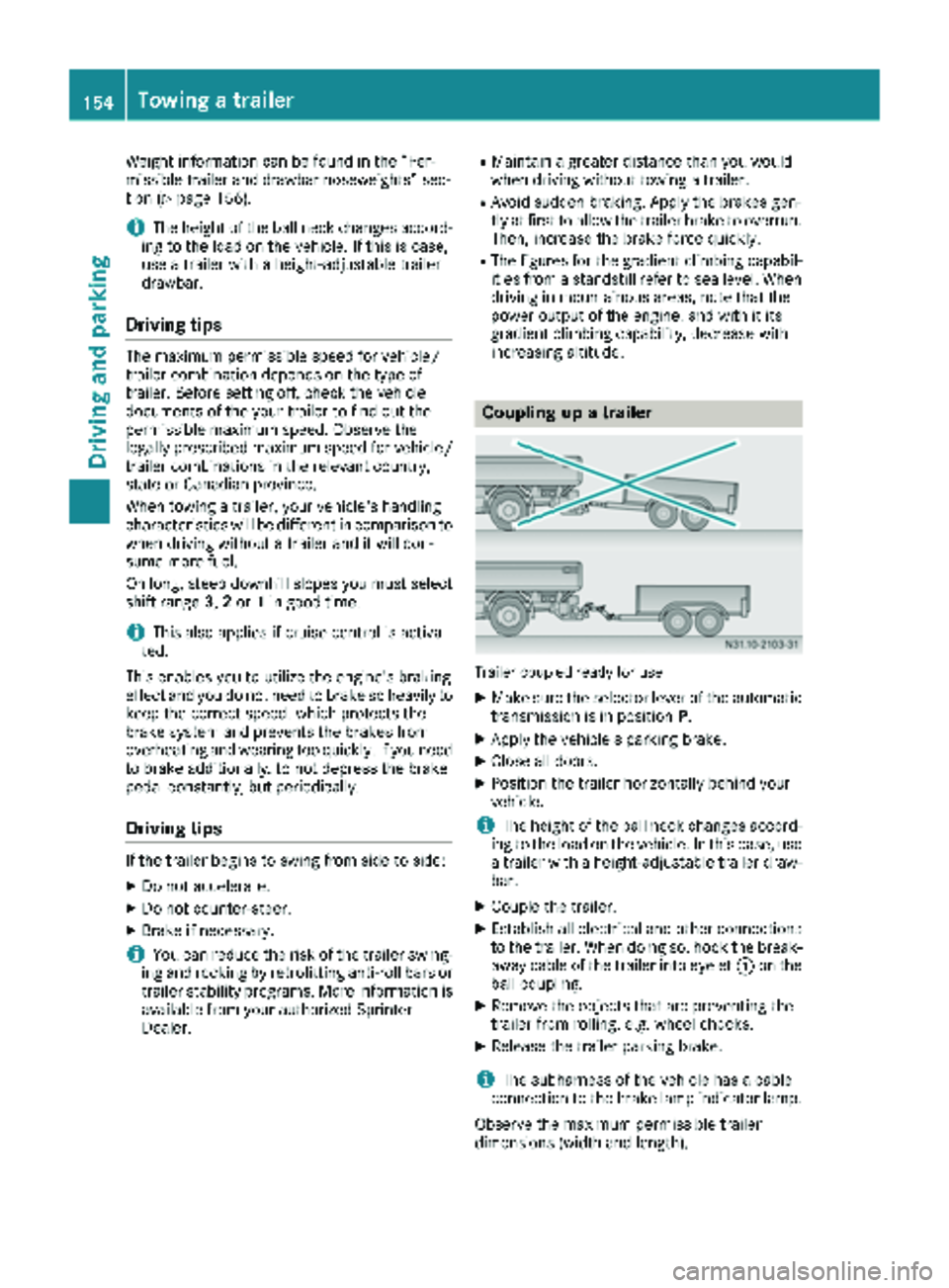
Coupling up a trailer
Trailer coupled ready for use
XMake sure the selector lever of the automatic
transmission is in position P.
XApply the vehicle's parking brake.
XClose all doors.
XPosition the trailer horizontally behind your
vehicle.
iThe height of the ball neck changes accord-
ing to the load on the vehicle. In this case, use
a trailer with a height-adjustable trailer draw-
bar.
XCouple the trailer.
XEstablish all electrical and other connections to the trailer. When doing so, hook the break-
away cable of the trailer into eyelet :on the
ball coupling.
XRemove the objects that are preventing the
trailer from rolling, e.g. wheel chocks.
XRelease the trailer parking brake.
iThe subharness of the vehicle has a cable
connection to the brake lamp indicator lamp.
Observe the maximum permissible trailer
dimensions (width and length).
154Towing a trailer
Driving and parking