radio MERCEDES-BENZ SPRINTER 2018 MY18 Operator’s Manual
[x] Cancel search | Manufacturer: MERCEDES-BENZ, Model Year: 2018, Model line: SPRINTER, Model: MERCEDES-BENZ SPRINTER 2018Pages: 294, PDF Size: 4.36 MB
Page 195 of 294
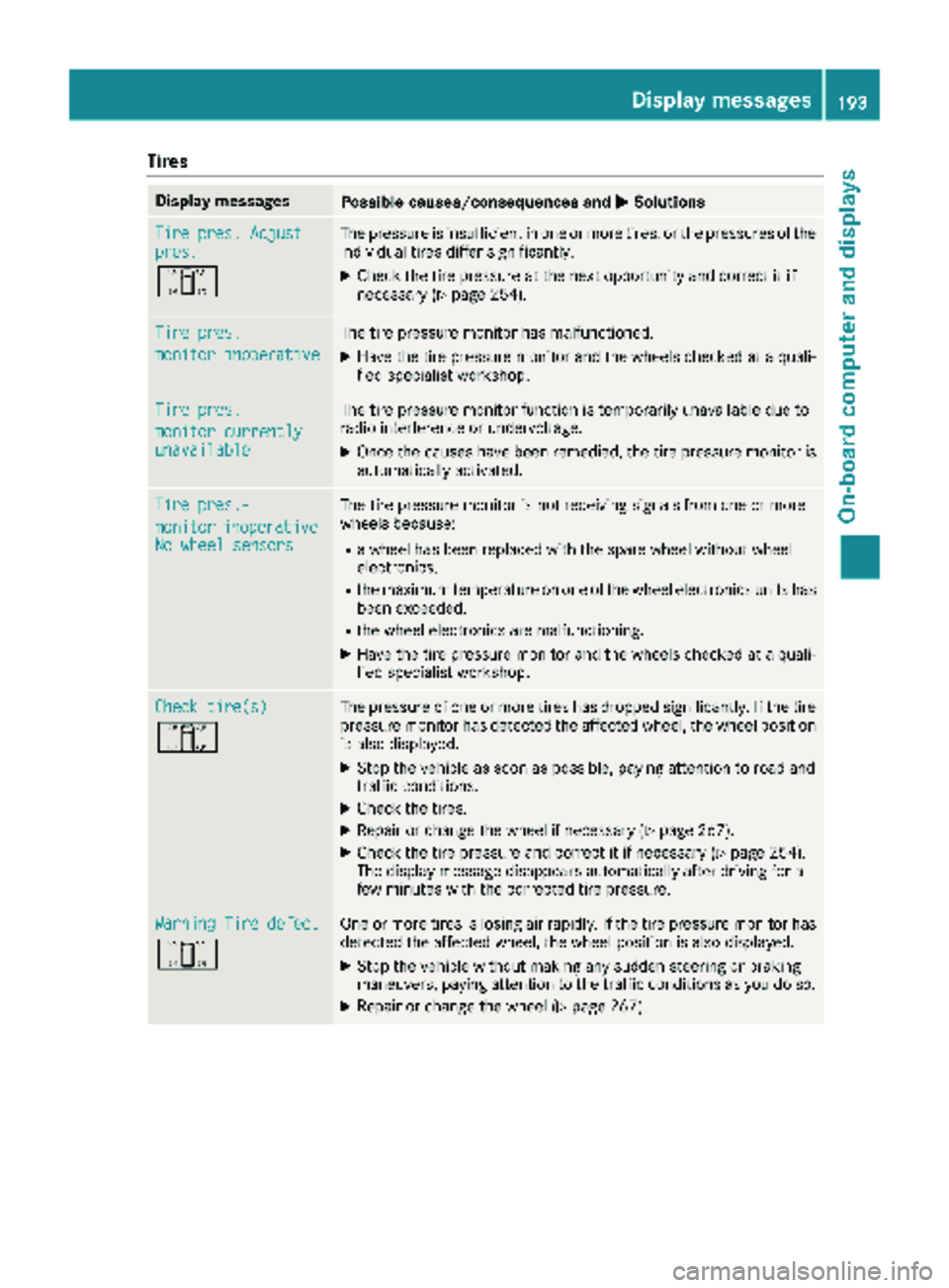
Tires
Display messagesPossible causes/consequences andMSolutions
Tire pres. Adjustpres.
O
The pressure is insufficient in one or more tires, or the pressures of the
individual tires differ significantly.
XCheck the tire pressure at the next opportunity and correct it if
necessary (Ypage 254).
Tire pres.
monitor inoperative
The tire pressure monitor has malfunctioned.
XHave the tire pressure monitor and the wheels checked at a quali-
fied specialist workshop.
Tire pres.
monitor currentlyunavailable
The tire pressure monitor function is temporarily unavailable due to
radio interference or undervoltage.
XOnce the causes have been remedied, the tire pressure monitor is
automatically activated.
Tire pres.-
monitorinoperativeNo wheel sensors
The tire pressure monitor is not receiving signals from one or more
wheels because:
Ra wheel has been replaced with the spare wheel without wheel
electronics.
Rthe maximum temperature on one of the wheel electronics units has
been exceeded.
Rthe wheel electronics are malfunctioning.
XHave the tire pressure monitor and the wheels checked at a quali-
fied specialist workshop.
Check tire(s)
O
The pressure of one or more tires has dropped significantly. If the tire
pressure monitor has detected the affected wheel, the wheel position
is also displayed.
XStop the vehicle as soon as possible, paying attention to road and
traffic conditions.
XCheck the tires.
XRepair or change the wheel if necessary (Ypage 267).
XCheck the tire pressure and correct it if necessary (Ypage 254).
The display message disappears automatically after driving for a
few minutes with the corrected tire pressure.
Warning Tire defect
O
One or more tires is losing air rapidly. If the tire pressure monitor has
detected the affected wheel, the wheel position is also displayed.
XStop the vehicle without making any sudden steering or braking
maneuvers, paying attention to the traffic conditions as you do so.
XRepair or change the wheel (Ypage 267).
Displa y messages193
On-board computer and displays
Z
Page 214 of 294
bracket and in the separate operating instruc-
tions for the mobile phone pre-installation.
iThe mobile phone battery is charged
depending on the condition of charge and the
position of the key in the ignition lock. The
mobile phone display indicates the charging
process.
Additional communications equip-
ment
Important safety notes
GWARNING
If you operate mobile communication equip-
ment when driving, you may be distracted
from the traffic situation. You could also lose
control of the vehicle. There is a risk of an
accident.
Only operate this equipment when the vehicle
is stationary.
Observe the legal requirements for the country
in which you are currently driving when operat-
ing mobile communication equipment.
Please remember, a navigation system does not
supply information on the load-bearing capacity of bridges or the overhead clearance of under-
passes. The driver remains responsible for
safety at all times.
You and others can suffer health-related dam-
age through electromagnetic radiation. By using
an exterior antenna, a possible health risk
caused by electromagnetic fields, as discussed
in scientific circles, is taken into account. Only
have the exterior antenna installed by a qualified
specialist workshop.
You will find information on installing electrical
or electronic equipment in the “Vehicle elec-
tronics” section (
Ypage 276).
Installation for PND mobile navigation
devices
You can secure a personal navigation device
(Personal Navigation Device PND) using a com-
mercially available adapter.
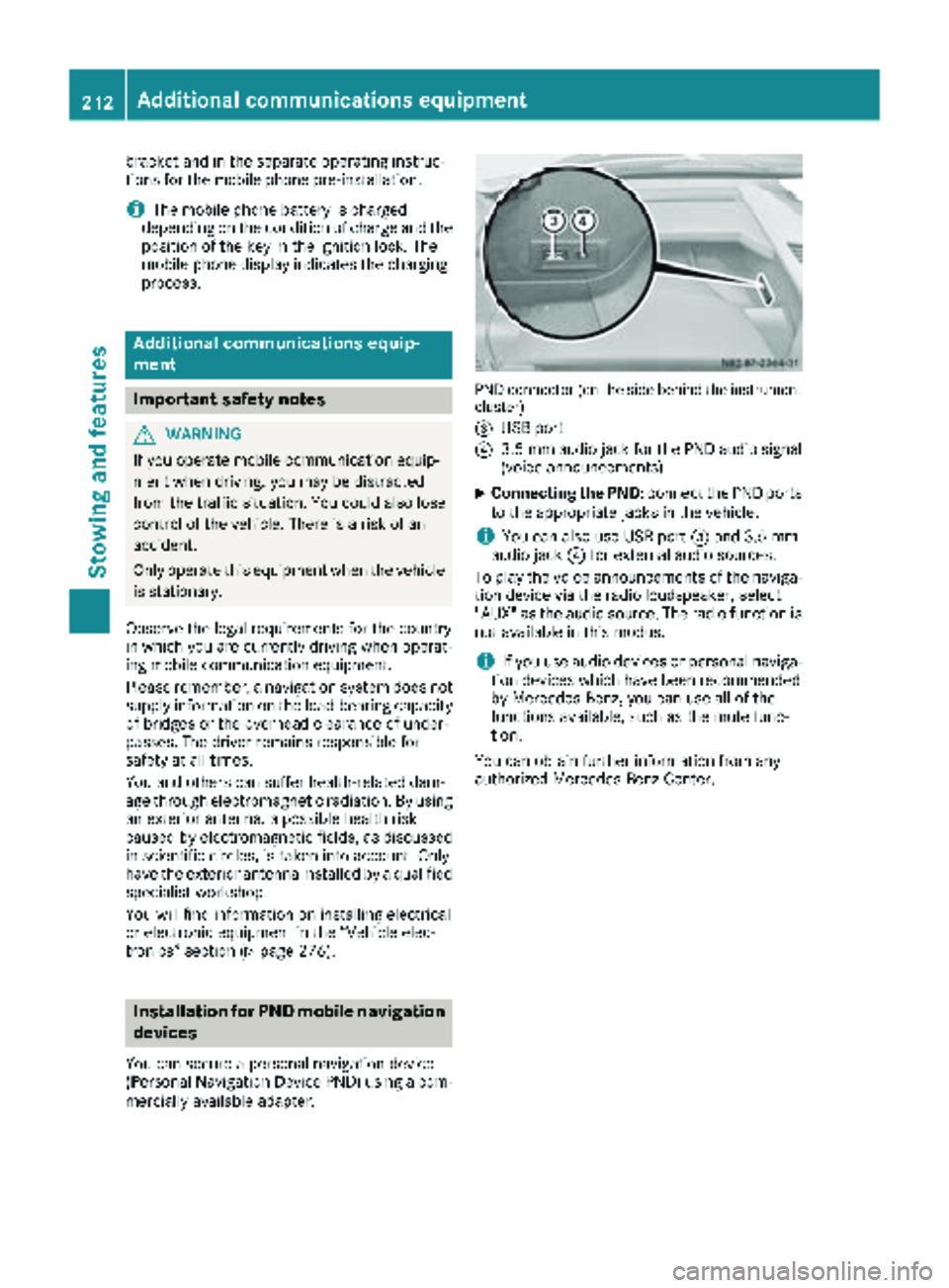
PND connector (on the side behind the instrument
cluster)
=
USB port
?3.5 mm audio jack for the PND audio signal
(voice announcements)
XConnecting the PND: connect the PND ports
to the appropriate jacks in the vehicle.
iYou can also use USB port =and 3.5 mm
audio jack ?for external audio sources.
To play the voice announcements of the naviga-
tion device via the radio loudspeaker, select
"AUX" as the audio source. The radio function is
not available in this modus.
iIf you use audio devices or personal naviga-
tion devices which have been recommended
by Mercedes-Benz, you can use all of the
functions available, such as the mute func-
tion.
You can obtain further information from any
authorized Mercedes-Benz Center.
212Additional communications equipment
Stowing and features
Page 257 of 294
flated tire causes the tire to overheat and canlead to tire failure. Underinflation also
reduces fuel efficiency and tire tread life, and
may affect the vehicle's handling and stop-
ping ability.
Please note that the TPMS is not a substitute
for proper tire maintenance, and it is the driv-
er's responsibility to maintain correct tire
pressure, even if underinflation has not
reached the level to trigger illumination of the
TPMS low tire pressure telltale.
USA only:
Your vehicle has also been equipped with a
TPMS malfunction indicator to indicate if the
system is not operating properly. The TPMS
malfunction indicator is combined with the
low tire pressure telltale. When the system
detects a malfunction, the warning lamp will
flash for approximately a minute and then
remain continuously illuminated. This
sequence will be repeated every time the vehi-
cle is started as long as the malfunction
exists.
When the malfunction indicator is illuminated,
the system may not be able to detect or signal
low tire pressure as intended. TPMS malfunc-
tions may occur for a variety of reasons,
including the mounting of incompatible
replacement or alternate tires or wheels on
the vehicle that prevent the TPMS from func-
tioning properly. Always check the TPMS mal-
function telltale after replacing one or more
tires or wheels on your vehicle to ensure that
the replacement or alternate tires and wheels
allow the TPMS to continue to function prop-
erly.
Vehicles with a tire pressure monitor are equip-
ped with sensors in the wheels that monitor the
tire pressure of all four tires. The tire pressure
monitor monitors the pressure in all four tires;
you set this pressure when you activate the tire pressure monitor. The tire pressure monitor
warns you when the pressure drops in one or
more of the ti
res. The tire pressure monitor only
functions if the corresponding sensors are
installed on all wheels. You should always adjust the tire pressure
according to the vehicle load. Restart the tire
pressure monitor if you change the tire pres-
sure.
The tire pressure monitor does not warn you if a
tire pressure is incorrect. Observe the notes on the recommended tire pressure (
Ypage 251).
The tire pressure monitor is not able to warn you
of a sudden loss of pressure, e.g. following pen- etration by a foreign object. In this event, brake
the vehicle until it comes to a standstill. Do not
carry out any sudden steering maneuvers.
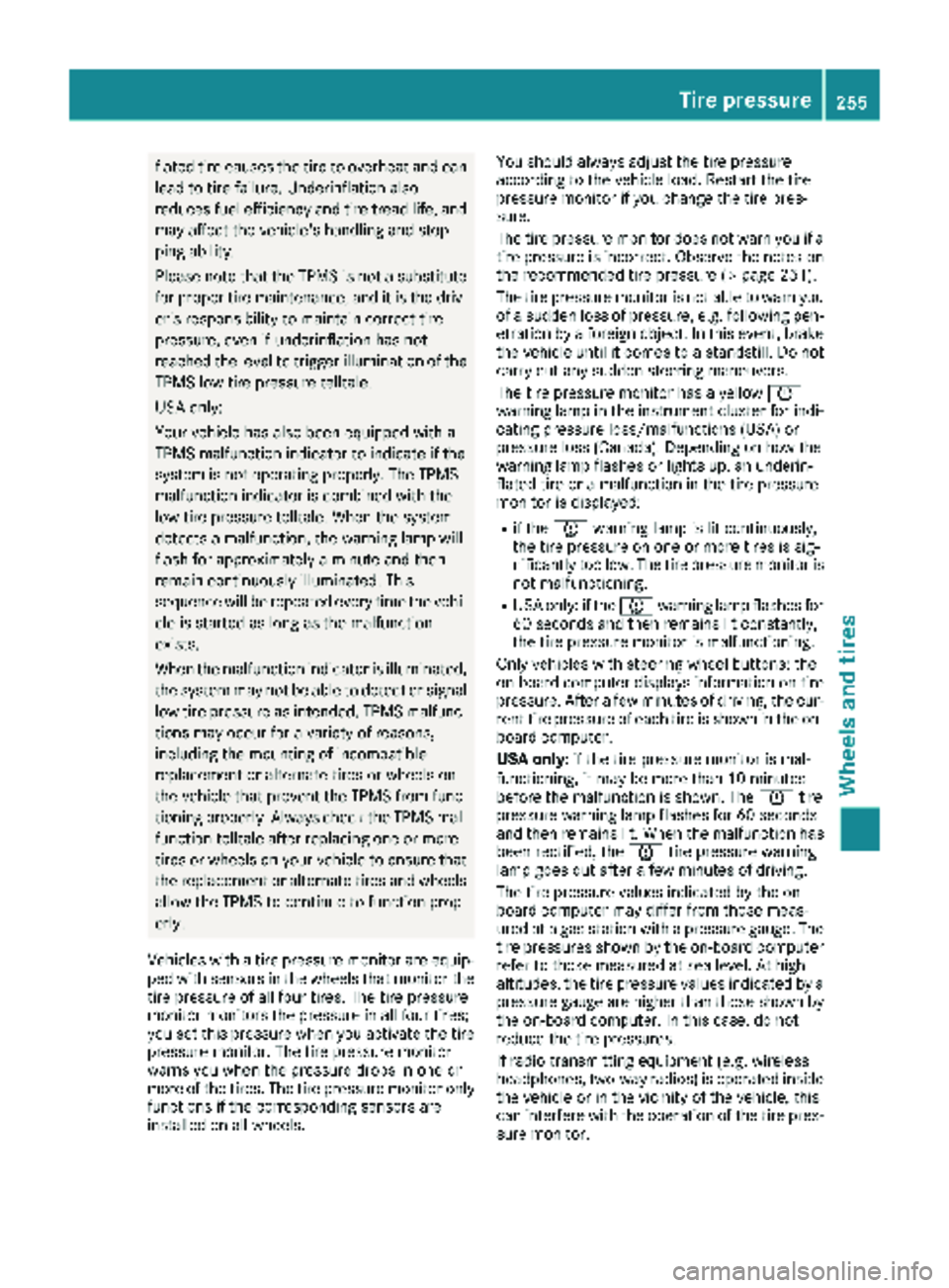
The tire pressure monitor has a yellow h
warning lamp in the instrument cluster for indi-
cating pressure loss/malfunctions (USA) or
pressure loss (Canada). Depending on how the
warning lamp flashes or lights up, an underin-
flated tire or a malfunction in the tire pressure
monitor is displayed:
Rif the h warning lamp is lit continuously,
the tire pressure on one or more tires is sig-
nificantly too low. The tire pressure monitor is
not malfunctioning.
RUSA only: if the hwarning lamp flashes for
60 seconds and then remains lit constantly,
the tire pressure monitor is malfunctioning.
Only vehicles with steering wheel buttons: the
on-board computer displays information on tire
pressure. After a few minutes of driving, the cur-
rent tire pressure of each tire is shown in the on-
board computer.
USA only: if the tire pressure monitor is mal-
functioning, it may be more than 10 minutes
before the malfunction is shown. The htire
pressure warning lamp flashes for 60 seconds
and then remains lit. When the malfunction has been rectified, the htire pressure warning
lam p goes ou
t after a few minutes of driving.
The tire pressure values indicated by the on-
board computer may differ from those meas-
ured at a gas station with a pressure gauge. The
tire pressures shown by the on-board computer
refer to those measured at sea level. At high
altitudes, the tire pressure values indicated by a pressure gauge are higher than those shown by
the on-board computer. In this case, do not
reduce the tire pressures.
If radio transmitting equipment (e.g. wireless
headphones, two-way radios) is operated inside
the vehicle or in the vicinity of the vehicle, this
can interfere with the operation of the tire pres-
sure monitor.
Tire pressure255
Wheels and tires
Z
Page 278 of 294
Useful information
This Operator's Manual describes all models as
well as standard and optional equipment of your
vehicle that were available at the time of going
to print. Country-specific variations are possi-
ble. Note that your vehicle may not be equipped
with all of the described functions. This also
applies to systems and functions relevant to
safety.
Read the information on qualified specialist
workshops (
Ypage 27).
Vehicle electronics
Tampering with the engine electron-
ics
!
Only have engine electronics and the corre-
sponding parts, such as control units, actua-
tors, sensors or connector leads, serviced at a
qualified specialist workshop. Otherwise, the
vehicle parts may wear more quickly. This can
lead to loss of the New Vehicle Limited War-
ranty.
Installing electrical or electronic
equipment
You and others can suffer health-related dam-
age through electromagnetic radiation. By using
an exterior antenna, a possible health risk
caused by electromagnetic fields, as discussed
in scientific circles, is taken into account. Only
have the exterior antenna installed by a qualified specialist workshop.
Electrical and electronic devices may have a
detrimental effect on both the comfort and the
operating safety of the vehicle. If equipment of
this kind is installed, its electromagnetic com-
patibility must be checked and verified.
If these devices are linked to functions associ-
ated with resistance to interference, they must
have type approval. This applies to the device or
its interfaces to the vehicle electronics, e.g.
charging brackets.
A telephone or two-way radio to be installed in
the vehicle must be approved. Further informa-
tion can be obtained from any Sprinter Dealer.
For operation of mobile phones and two-way
radios, Mercedes-Benz recommends connec- tion to an approved exterior antenna. This is the
only way to ensure optimum reception quality
inside the vehicle and to minimize mutual inter-
ference between the vehicle electronics, mobile
phones and two-way radios.
The transmission output of the mobile phone or
two-way radio may not exceed the following
maximum transmission output (PEAK):
Frequency rangeMaximum trans-
mission output
(PEAK)
Shortwave
(f < 50 MHz)100 W
4 m waveband30 W
2 m waveband50 W
Trunked radio/Tetra35 W
70 cm waveband35 W
GSM/UMTS/LTE10 W
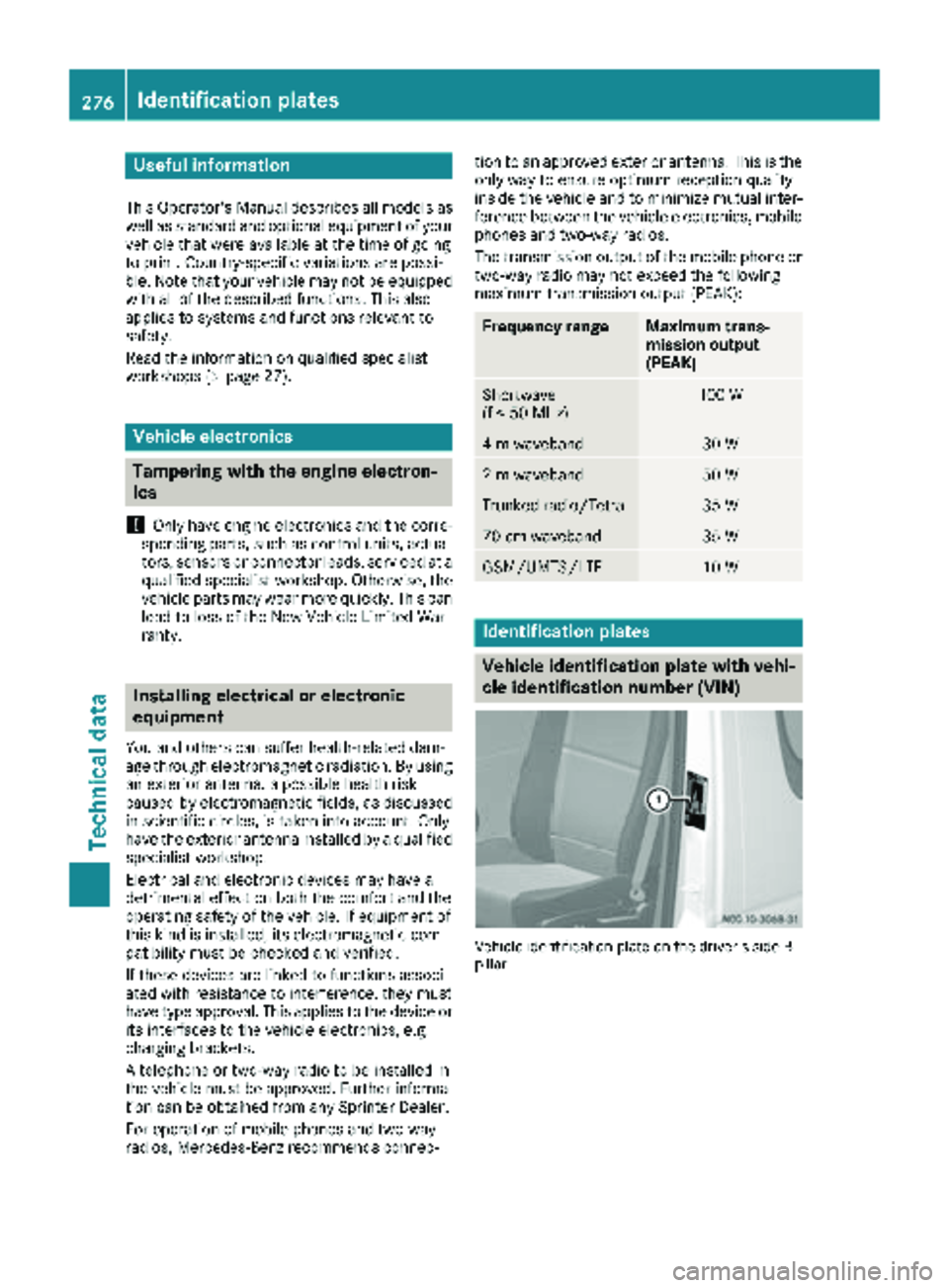
Identification plates
Vehicle identification plate with vehi-
cle identification number (VIN)
Vehicle identification plate on the driver's side B-
pillar
276Identification plates
Technical data