ignition MERCEDES-BENZ SPRINTER 2018 MY18 Operator’s Manual
[x] Cancel search | Manufacturer: MERCEDES-BENZ, Model Year: 2018, Model line: SPRINTER, Model: MERCEDES-BENZ SPRINTER 2018Pages: 294, PDF Size: 4.36 MB
Page 85 of 294
The daytime running lamps function must be
activated using the on-board computer:
Rvehicles with steering wheel buttons
(Ypage 170)
Rvehicles without steering wheel buttons
(Ypage 163)
XTo switch on:turn the light switch to the
$ position.
The low-beam headlamps, parking lamps and
license plate lamp are switched on when the
engine is running. The Lindicator lamp in
the instrument cluster lights up.
iUSA only:
If you turn the light switch to the TorL
position, the parking lamps or low-beam
headlamps switch on. If you turn the light
switch to the Ãposition, the daytime run-
ning lamps remain switched on.
iCanada only:
If you turn the light switch to the Lposi-
tion, the low-beam headlamps are switched
on. If you turn the light switch to the Tor
à position, the daytime running lamps
remain switched on.
Automatic headlamp mode
GWARNING
When the light switch is set to Ã, the low-
beam headlamps may not be switched on
automatically if there is fog, snow or other
causes of poor visibility due to the weather
conditions such as spray. There is a risk of an
accident.
In such situations, turn the light switch to
L.
Automatic headlamp mode is only a driving aid.
You are responsible for the vehicle lighting at all
times.
Depending on ambient light, the rain and light
sensor automatically switches on the parking
lamps, low-beam headlamps and the license
plate lamp. This excludes weather-related
impairments to visibility, such as snow, fog or
spray.
If there is fog, snow or spray, turn the light
switch quickly from ÃtoL. You could
otherwise briefly interrupt operation of the
headlamps.
XTo switch on automatic headlamp mode:
turn the light switch to Ã.
Key in position 1in the ignition lock: the park-
ing lamps switch on or off automatically
depending on the ambient light.
When the engine is running: if you activate the
"daytime running lamps" function using the
on-board computer, the daytime running
lamps are switched on. The parking lamps and
low-beam headlamps also switch on or off
automatically, depending on the ambient
light.
When the low-beam headlamps are switched
on, the Lindicator lamp in the instrument
cluster lights up.
Fog lamps/rear fog lamp
GWARNING
If you suspect that driving conditions will be
foggy, turn the light switch to Lbefore you
start your journey. Your vehicle may other-
wise not be visible and you could endanger
yourself and others.
GWARNING
In low ambient lighting or foggy conditions,
only switch from position ÃtoL with
the vehicle at a standstill in a safe location.
Switching from ÃtoL will briefly
switch off the headlamps. Doing so while driv-
ing in low ambient lighting conditions may
result in an accident.
XTurn the key to position 2in the ignition lock
or start the engine.
XTurn the light switch to LorT.
iIf your vehicle is only equipped with one rear
fog lamp, you must turn the light switch to
L.
iWhen the light switch is set to Ãyou
cannot switch on the front and rear fog lamps.
XTo switch on the front fog lamp: pull the
light switch out to the first detent.
The green Nindicator lamp on the light
switch lights up.
Exterior lighting83
Lights and windshield wipers
Z
Page 86 of 294
XTo switch on the rear fog lamp:pull the light
switch out to the second detent.
The yellow Rindicator lamp on the light
switch lights up.
XTo switch off the front and rear fog lamps:
push in the light switch to the stop.
The R andN indicator lamp on the light
switch go out.
Combination switch
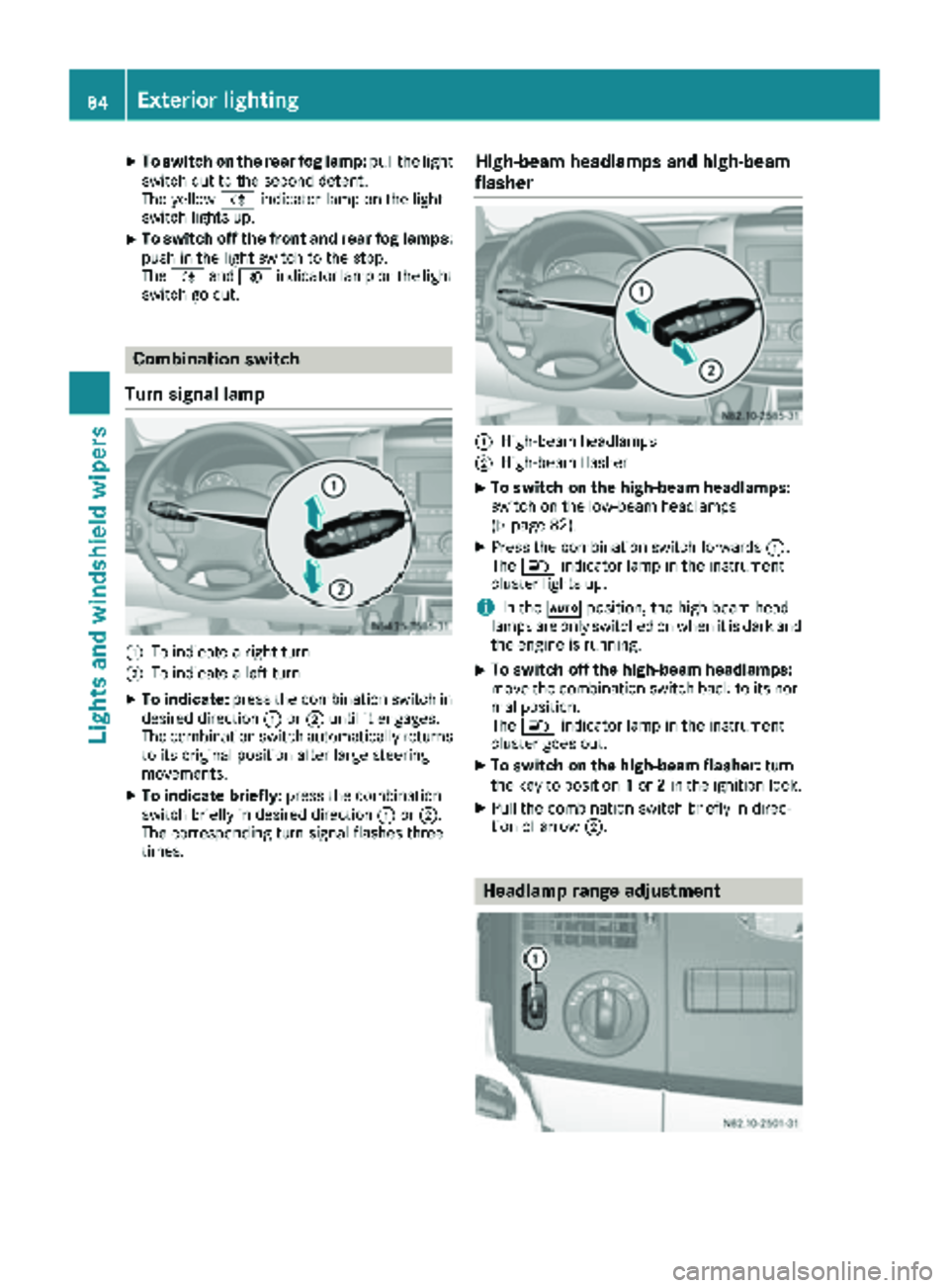
Turn signal lamp
:To indicate a right turn
;To indicate a left turn
XTo indicate: press the combination switch in
desired direction :or; until it engages.
The combination switch automatically returns
to its original position after large steering
movements.
XTo indicate briefly: press the combination
switch briefly in desired direction :or;.
The corresponding turn signal flashes three
times.
High-beam headlamps and high-beam
flasher
:High-beam headlamps
;High-beam flasher
XTo switch on the high-beam headlamps:
switch on the low-beam headlamps
(
Ypage 82).
XPress the combination switch forwards :.
The K indicator lamp in the instrument
cluster lights up.
iIn the Ãposition, the high-beam head-
lamps are only switched on when it is dark and
the engine is running.
XTo switch off the high-beam headlamps:
move the combination switch back to its nor-
mal position.
The K indicator lamp in the instrument
cluster goes out.
XTo switch on the high-beam flasher: turn
the key to position 1or 2in the ignition lock.
XPull the combination switch briefly in direc-
tion of arrow ;.
Headlamp range adjustment
84Exterior lighting
Lights andwindshield wiper s
Page 87 of 294
The headlamp range control is used to adapt the
downward angle of the headlamp beams in
accordance with the load on your vehicle. The
cone of light from the headlamps changes if
seats are occupied or if the cargo compartmentis being loaded or unloaded. This can impair vis-
ibility and cause glare to oncoming traffic.
You can only adjust the headlamp range while
the engine is running.
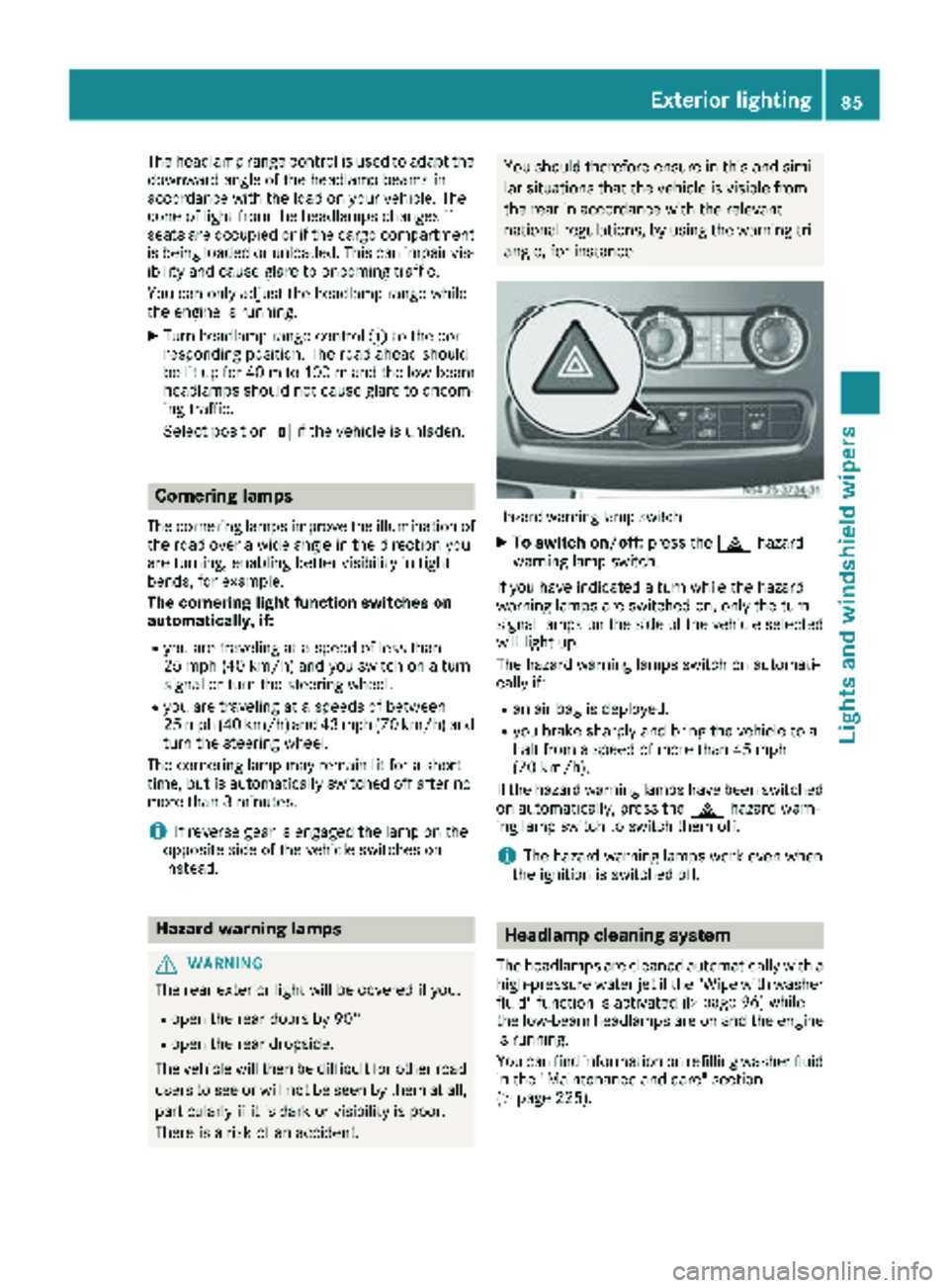
XTurn headlamp range control :to the cor-
responding position. The road ahead should
be lit up for 40 mto 100 mand the low-beam
headlamps should not cause glare to oncom-
ing traffic.
Select position gif the vehicle is unladen.
Cornering lamps
The cornering lamps improve the illumination of
the road over a wide angle in the direction you
are turning, enabling better visibility in tight
bends, for example.
The cornering light function switches on
automatically, if:
Ryou are traveling at a speed of less than
25 mph (40 km/h) and you switch on a turn
signal or turn the steering wheel.
Ryou are traveling at a speeds of between
25 mph (40 km/h) and 43 mph (70 km/h) and
turn the steering wheel.
The cornering lamp may remain lit for a short
time, but is automatically switched off after no
more than 3 minutes.
iIf reverse gear is engaged the lamp on the
opposite side of the vehicle switches on
instead.
Hazard warning lamps
GWARNING
The rear exterior light will be covered if you:
Ropen the rear doors by 90°
Ropen the rear dropside.
The vehicle will then be difficult for other road users to see or will not be seen by them at all,
particularly if it is dark or visibility is poor.
There is a risk of an accident.
You should therefore ensure in this and simi-
lar situations that the vehicle is visible from
the rear in accordance with the relevant
national regulations, by using the warning tri-
angle, for instance.
Hazard warning lamp switch
XTo switch on/off: press the£hazard
warning lamp switch.
If you have indicated a turn while the hazard
warning lamps are switched on, only the turn
signal lamps on the side of the vehicle selected
will light up.
The hazard warning lamps switch on automati-
cally if:
Ran air bag is deployed.
Ryou brake sharply and bring the vehicle to a
halt from a speed of more than 45 mph
(70 km/h).
If the hazard warning lamps have been switched
on automatically, press the £hazard warn-
ing lamp switch to switch them off.
iThe hazard warning lamps work even when
the ignition is switched off.
Headlamp cleaning system
The headlamps are cleaned automatically with a
high-pressure water jet if the "Wipe with washer
fluid" function is activated (
Ypage 96) while
the low-beam headlamps are on and the engine is running.
You can find information on refilling washer fluid
in the "Maintenance and care" section
(
Ypage 225).
Exterior lighting85
Lights and windshield wiper s
Z
Page 89 of 294
Interior lighting
Switching the dashboard lighting on/
off
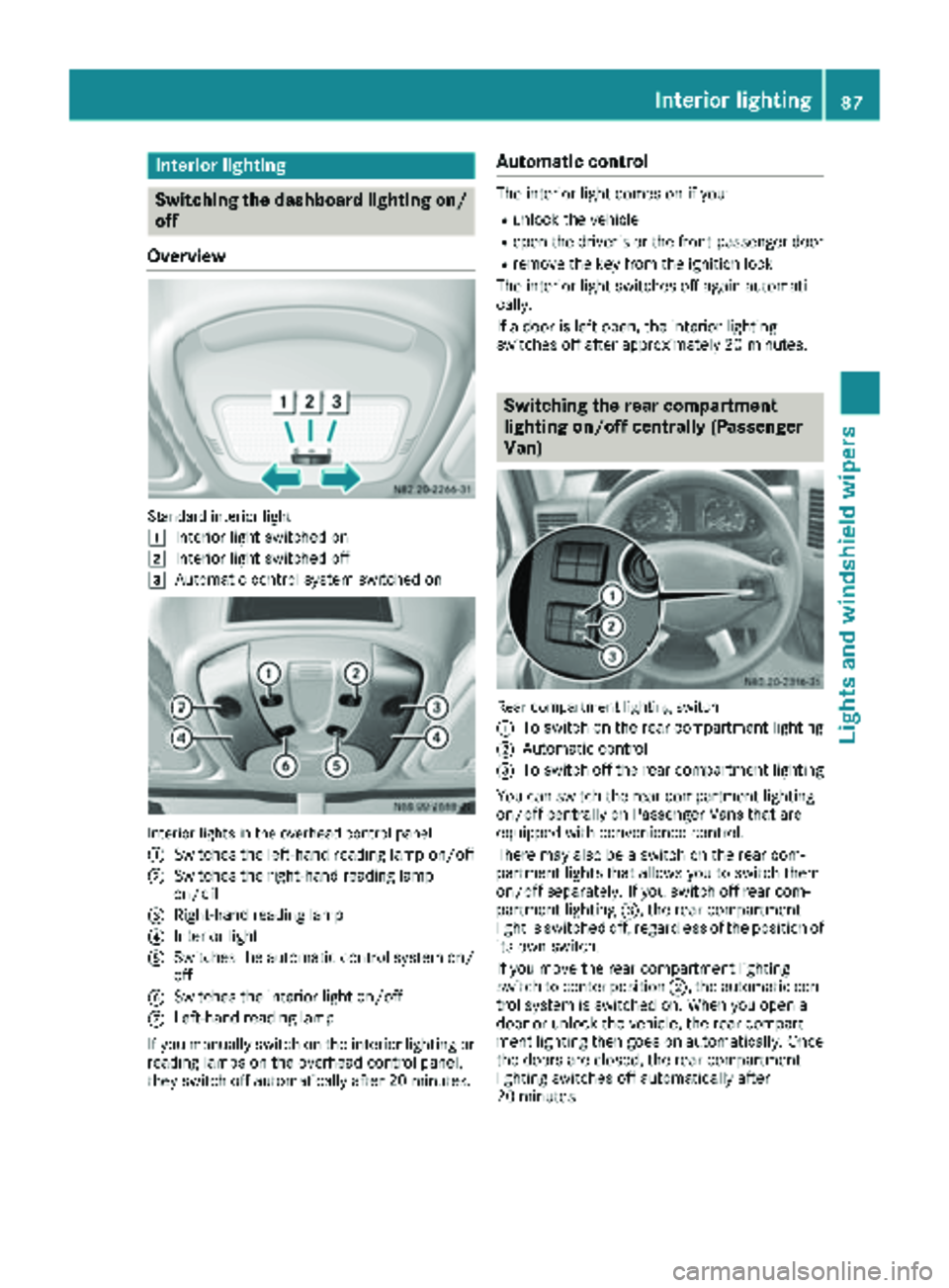
Overview
Standard interior ligh t
1
Interio rligh tswitched on
2Interio rligh tswitched off
3Automatic control system switched on
Interio rlights in th eoverhead control panel
:
Switches th eleft-han dreading lamp on/off
;Switches th eright-hand reading lamp
on/off
=Right-hand reading lamp
?Interio rligh t
ASwitches th eautomatic control system on /
off
BSwitches th einterio rligh ton/off
CLeft-han dreading lamp
If you manually switch on th einterio rlighting or
reading lamp son th eoverhead control panel,
they switch off automatically after 20 minutes.
Automatic control
The interior ligh tcomes on if you:
Runlock th evehicl e
Ropen th edriver' sor th efront-passenger door
Rremove th eke yfrom th eignition loc k
The interior ligh tswitches off again automati-
cally.
If adoor is lef topen ,th einterior lighting
switches off after approximately 20 minutes.
Switching the rear compartment
lighting on/off centrally (Passenger
Van)
Rear compartmen tlighting switch
:
To switch on th erear compartmen tlighting
;Automatic control
=To switch off th erear compartmen tlighting
You can switch th erear compartmen tlighting
on/off centrally on Passenger Van sthat are
equipped wit hconvenience control .
Ther emay also be aswitch on th erear com-
partmen tlights that allows you to switch them
on/off separately. If you switch off rear com-
partmen tlighting =,therear compartmen t
ligh tis switched off ,regardless of th eposition of
it s own switch .
If you mov eth erear compartmen tlighting
switch to center position ;,theautomatic con-
trol system is switched on .When you open a
door or unlock th evehicle, th erear compart-
men tlighting then goes on automatically. Once
th edoor sare closed, th erear compartmen t
lighting switches off automatically after
20 minutes.
Interior lighting87
Lights and windshield wipers
Z
Page 90 of 294
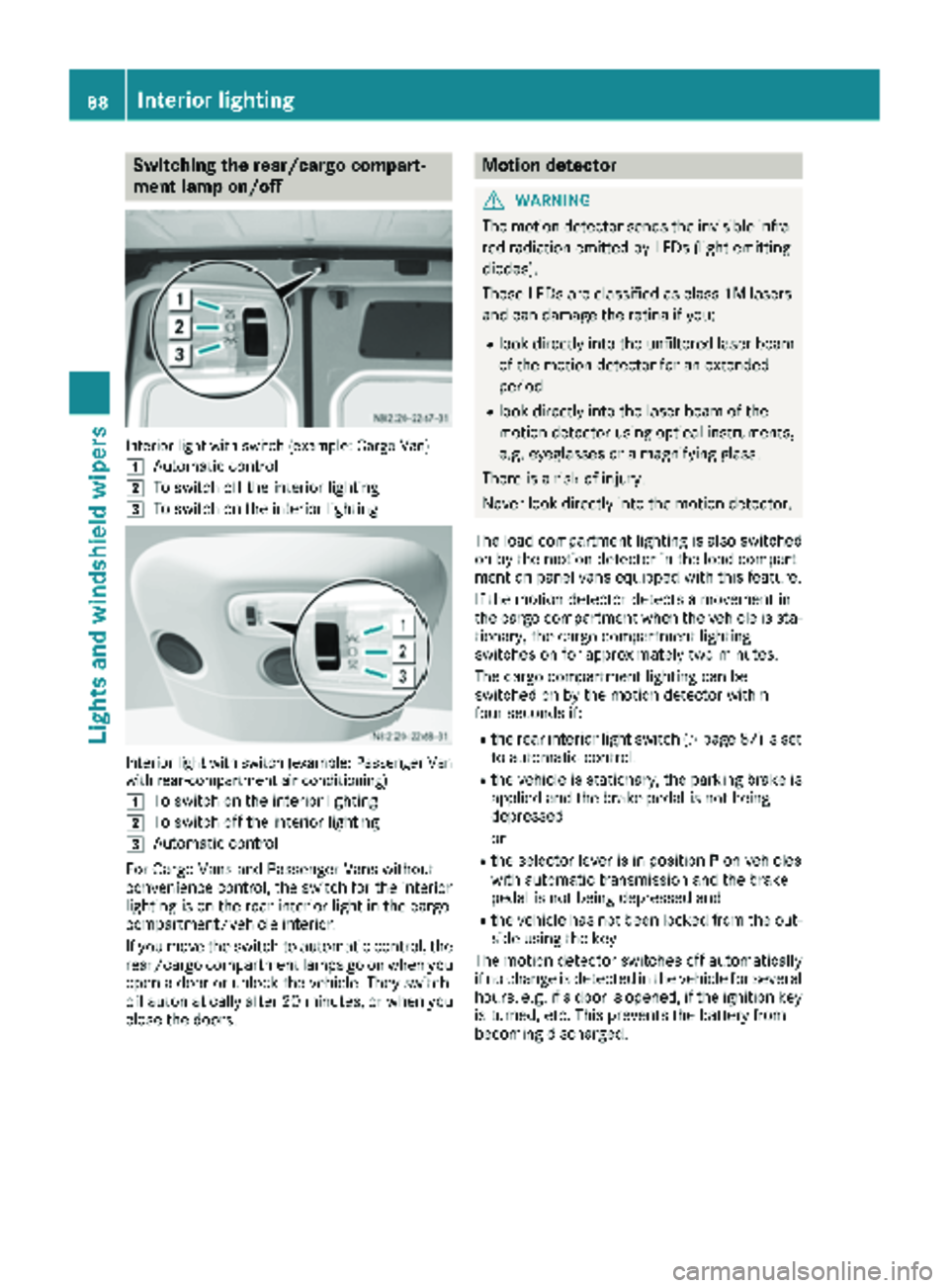
Switching the rear/cargo compart-
ment lamp on/off
Interior light with switch (example: Cargo Van)
1
Automatic control
2To switch off the interior lighting
3To switch on the interior lighting
Interior light with switch (example: Passenger Van
with rear-compartment air conditioning)
1
To switch on the interior lighting
2To switch off the interior lighting
3Automatic control
For Cargo Vans and Passenger Vans without
convenience control, the switch for the interior
lighting is on the rear interior light in the cargo
compartment/vehicle interior.
If you move the switch to automatic control, the
rear/cargo compartment lamps go on when you
open a door or unlock the vehicle. They switch
off automatically after 20 minutes, or when you
close the doors.
Motion detector
GWARNING
The motion detector sends the invisible infra- red radiation emitted by LEDs (light emitting
diodes).
These LEDs are classified as class 1M lasers
and can damage the retina if you:
Rlook directly into the unfiltered laser beam
of the motion detector for an extended
period
Rlook directly into the laser beam of the
motion detector using optical instruments,
e.g. eyeglasses or a magnifying glass.
There is a risk of injury.
Never look directly into the motion detector.
The load compartment lighting is also switched
on by the motion detector in the load compart-
ment on panel vans equipped with this feature.
If the motion detector detects a movement in
the cargo compartment when the vehicle is sta-
tionary, the cargo compartment lighting
switches on for approximately two minutes.
The cargo compartment lighting can be
switched on by the motion detector within
four seconds if:
Rthe rear interior light switch (Ypage 87) is set
to automatic control.
Rthe vehicle is stationary, the parking brake is
applied and the brake pedal is not being
depressed
or
Rthe selector lever is in position Pon vehicles
with automatic transmission and the brake
pedal is not being depressed and
Rthe vehicle has not been locked from the out-
side using the key
The motion detector switches off automatically
if no change is detected in the vehicle for several
hours, e.g. if a door is opened, if the ignition key
is turned, etc. This prevents the battery from
becoming discharged.
88Interior lighting
Lights and windshield wipers
Page 98 of 294
XFold protective cover?back into place.
XPosition lamp housing :on the left-hand
side and engage.
iVehicles with LED lighting: if an LED is
faulty, consult a qualified specialist work-
shop.
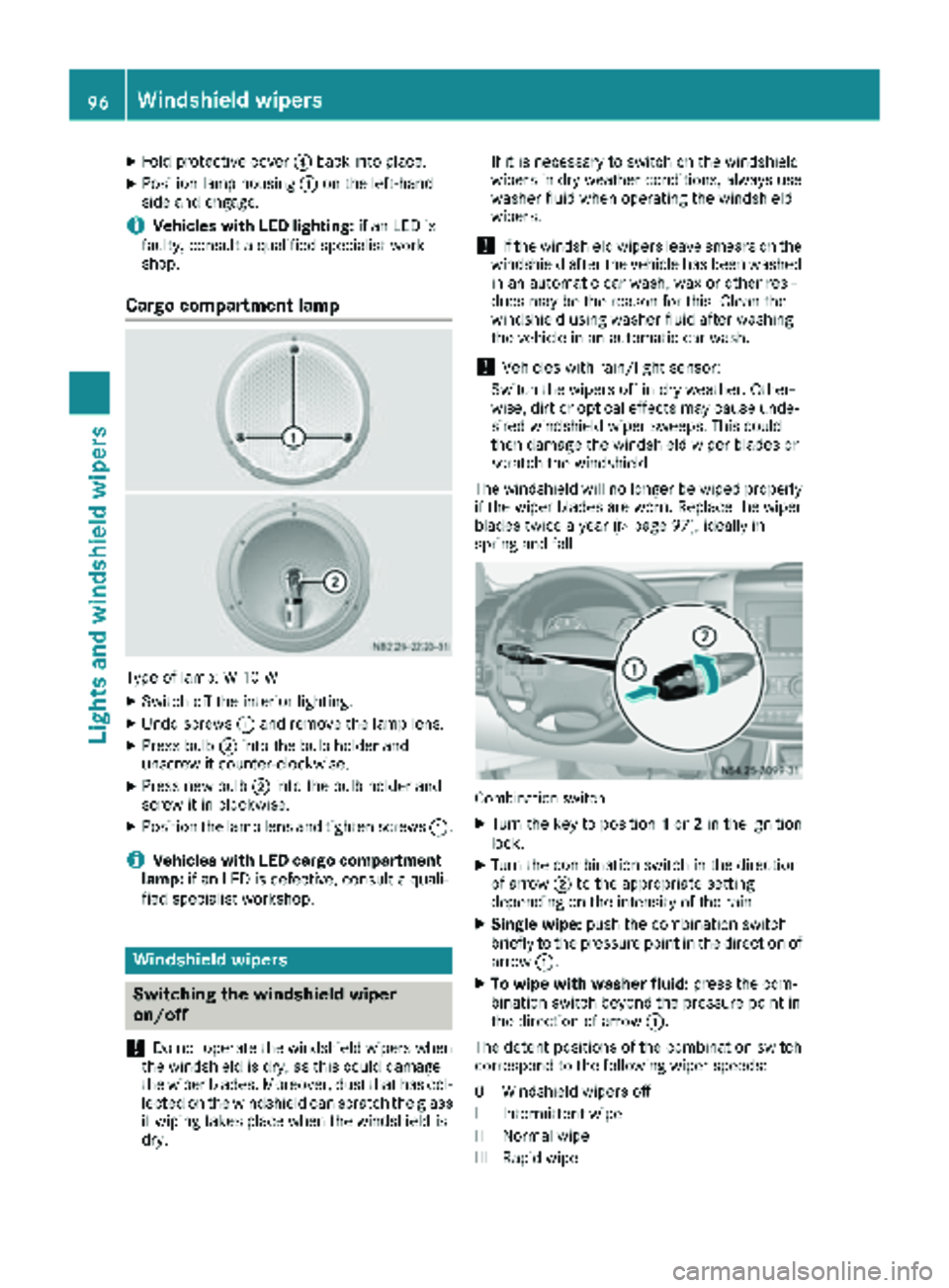
Cargo compartment lamp
Type of lamp: W 10 W
XSwitch off the interior lighting.
XUndo screws :and remove the lamp lens.
XPress bulb ;into the bulb holder and
unscrew it counter-clockwise.
XPress new bulb ;into the bulb holder and
screw it in clockwise.
XPosition the lamp lens and tighten screws :.
iVehicles with LED cargo compartment
lamp: if an LED is defective, consult a quali-
fied specialist workshop.
Windshield wipers
Switching the windshield wiper
on/off
!
Do not operate the windshield wipers when
the windshield is dry, as this could damage
the wiper blades. Moreover, dust that has col-
lected on the windshield can scratch the glass
if wiping takes place when the windshield is
dry. If it is necessary to switch on the windshield
wipers in dry weather conditions, always use
washer fluid when operating the windshield
wipers.
!If the windshield wipers leave smears on the
windshield after the vehicle has been washed
in an automatic car wash, wax or other resi-
dues may be the reason for this. Clean the
windshield using washer fluid after washing
the vehicle in an automatic car wash.
!Vehicles with rain/light sensor:
Switch the wipers off in dry weather. Other-
wise, dirt or optical effects may cause unde-
sired windshield wiper sweeps. This could
then damage the windshield wiper blades or
scratch the windshield.
The windshield will no longer be wiped properly
if the wiper blades are worn. Replace the wiper
blades twice a year (
Ypage 97), ideally in
spring and fall.
Combination switch
XTurn the key to position 1or 2in the ignition
lock.
XTurn the combination switch in the direction
of arrow ;to the appropriate setting
depending on the intensity of the rain.
XSingle wipe: push the combination switch
briefly to the pressure point in the direction of arrow :.
XTo wipe with washer fluid: press the com-
bination switch beyond the pressure point in
the direction of arrow :.
The detent positions of the combination switch
correspond to the following wiper speeds:
0W indshield wipers off
II ntermittent wipe
II Normal wipe
III Rapid wipe
96Windshield wipers
Lights and windshield wiper s
Page 99 of 294
iCanada only:
If the wind shield wiper s areswitched on and
you stop the veh icle, the windshield wiper
speed isreduced. For example, ifyou have
selected level IIand stop the veh icle,wipin g
continues with intermittent wipe whilethe
veh icle is stationary. Ifintermittent wipe is
selected, the intervals become longer.
Vehicles with a rain and light sensor: you
can use level Ias the universal setting. The
rain and light sensor sets the appropriate wip-
ing frequency automatically, according to the
intensity of the rain. When you stop the veh i-
cle, leve lsIII and IIare swit ched down to
level Iautomatically.
The wind shield wiper will return to the original
level when you drive faster than 5 mph
(8 km/h).
You can adjust the sensitivit y of the rain and
light sensor using the on-board computer
(
Ypage 171).
In formation on checking the washer fluid level
can befound inthe "Maintenance and care"
section (
Ypage 225).
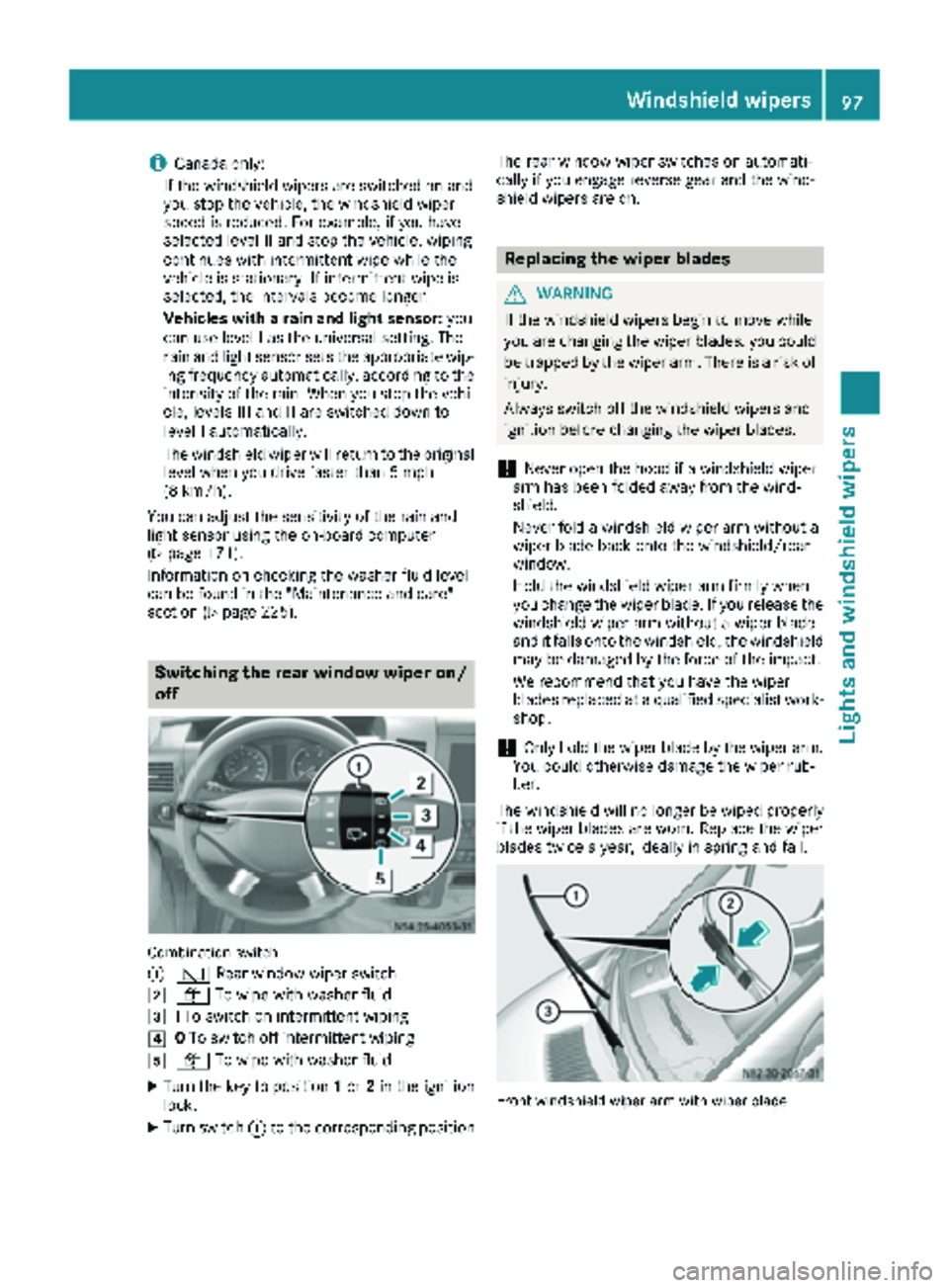
Switching the rear window wiper on/
off
Combination switch
:
è Rearwindowwiper swit ch
2ôTowipe wit h washer fluid
3ITo swit ch on intermittent wiping
40To swit ch off intermittent wiping
5ô Towipe wit h washer fluid
XTurn the key to position 1or 2in the ignition
lock.
XTurn switch: to the corresponding position The rear window wiper
switches on automati-
cally if you engage reverse gear and the wind-
shield wiper s are on.
Replacing the wiper blades
GWARNING
If the wind shield wipers begin to move while
you are changing the wiperblades, you could
be trapped by the wiper arm. There isa risk of
injury.
Always switch off the windshield wipers and
ignition before changing the wiper blades.
!Never open the hood if a windshield wiper
arm has been folded away from the wind-
shield.
Never fold a windshield wiper armwithout a
wiper blade back onto the windshield/rear
wind ow.
Hold the windshield wiper arm firmly when
you change the wiper blade. If you release the
windshield wiper arm without a wiperblade
and itfalls onto the windshield, the windshield
may be damaged by the force of the impact.
We recommend that you have the wiper
blades replaced at a qualified specialist work-
shop.
!Only hold the wiperblade by the wiperarm.
You could otherwise damage the wiper rub-
ber.
The wind shield will no longerbe wipedproperly
if the wiper blades are worn. Replace the wiper
blades twice a year, ideally in spring and fall.
Fron twindshield wiper arm wit hwiper blade
Windshield wipers97
Lights and windshield wipers
Z
Page 100 of 294
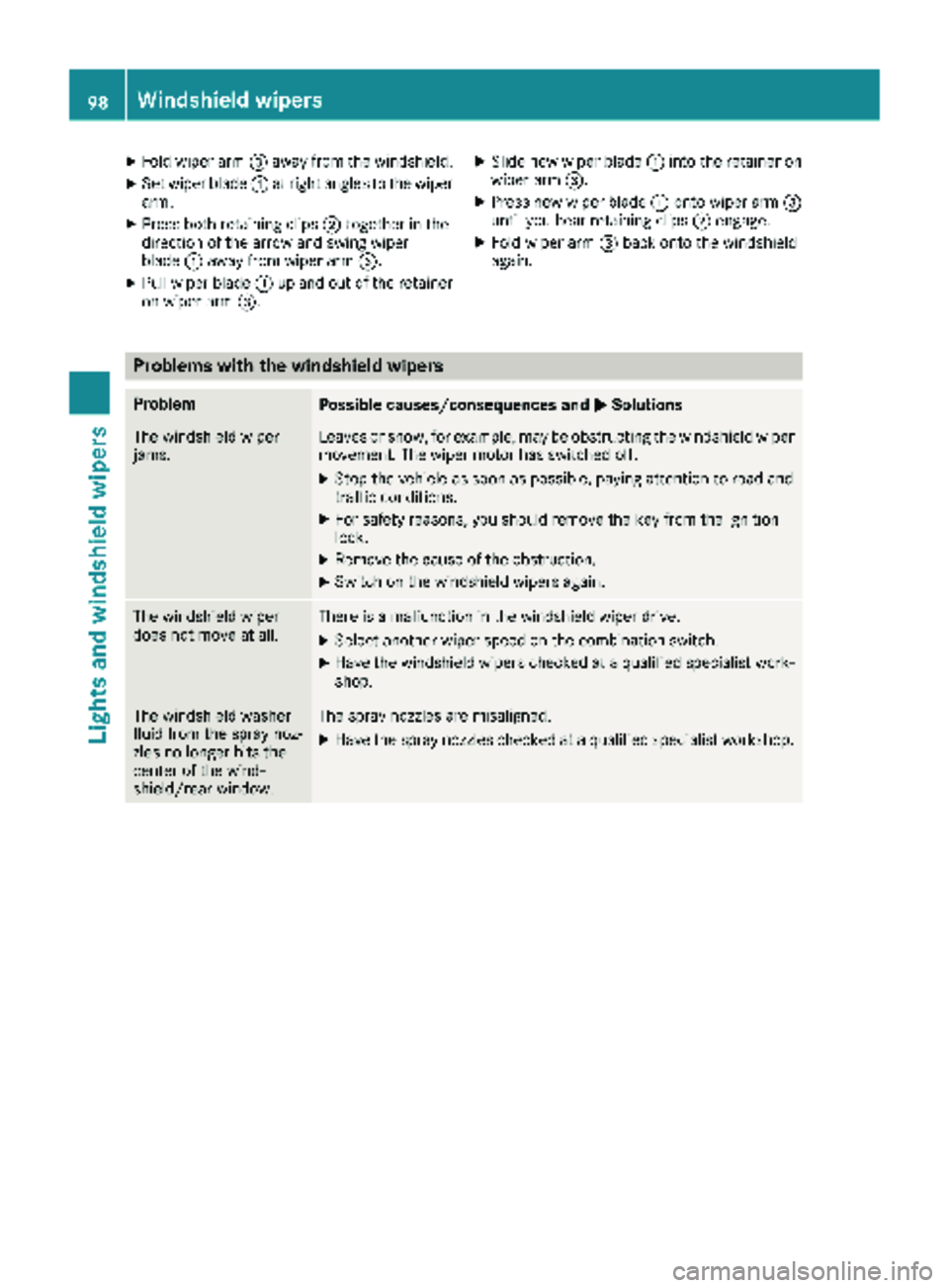
XFold wiper arm=away from the windshield.
XSet wiper blade :at right angles to the wiper
arm.
XPress both retaining clips ;together in the
direction of the arrow and swing wiper
blade :away from wiper arm =.
XPull wiper blade:up and out of the retainer
on wiper arm =.
XSlide new wiper blade :into the retainer on
wiper arm =.
XPress new wiper blade :onto wiper arm =
until you hear retaining clips ;engage.
XFold wiper arm =back onto the windshield
again.
Problems with the windshield wipers
ProblemPossible causes/consequences and MSolutions
The windshield wiper
jams.Leaves or snow, for example, may be obstructing the windshield wiper
movement. The wiper motor has switched off.
XStop the vehicle as soon as possible, paying attention to road and
traffic conditions.
XFor safety reasons, you should remove the key from the ignition
lock.
XRemove the cause of the obstruction.
XSwitch on the windshield wipers again.
The windshield wiper
does not move at all.There is a malfunction in the windshield wiper drive.
XSelect another wiper speed on the combination switch.
XHave the windshield wipers checked at a qualified specialist work-
shop.
The windshield washer
fluid from the spray noz-
zles no longer hits the
center of the wind-
shield/rear window.The spray nozzles are misaligned.
XHave the spray nozzles checked at a qualified specialist workshop.
98Windshield wipers
Lights and windshield wipers
Page 104 of 294
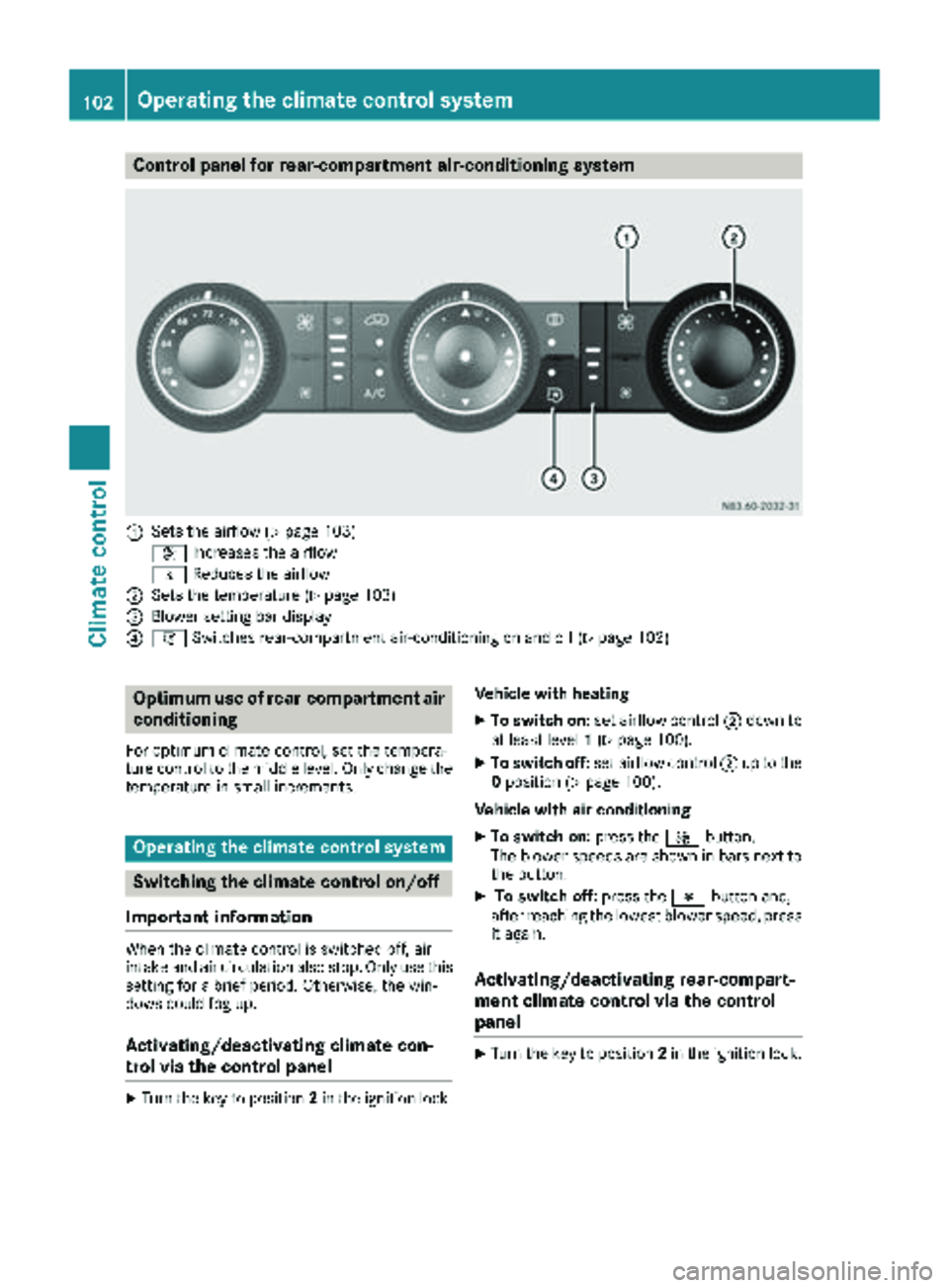
Control panel for rear-compartment air-conditioning system
:Sets the airflow (Ypage 103)
K Increases the airflow
I Reduces the airflow
;Sets the temperature (Ypage 103)
=Blower setting bar display
?iSwitches rear-compartment air-conditioning on and off (Ypage 102)
Optimum use of rear-compartment air
conditioning
For optimum climate control, set the tempera-
ture control to the middle level. Only change the
temperature in small increments.
Operating the climate control system
Switching the climate control on/off
Important information
When the climate control is switched off, air
intake and air circulation also stop. Only use this
setting for a brief period. Otherwise, the win-
dows could fog up.
Activating/deactivating climate con-
trol via the control panel
XTurn the key to position 2in the ignition lock. Vehicle with heating
XTo switch on:
set airflow control ;down to
at least level 1(Ypage 100).
XTo switch off: set airflow control ;up to the
0 position (Ypage 100).
Vehicle with air conditioning
XTo switch on: press theKbutton.
The blower speeds are shown in bars next to
the button.
XTo switch off: press theIbutton and,
after reaching the lowest blower speed, press
it again.
Activating/deactivating rear-compart-
ment climate control via the control
panel
XTurn the key to position 2in the ignition lock.
102Operating the climate control system
Climate control
Page 111 of 294
Outside tempera-
tureEngine runtime
Above 32 ‡ (0 †)at least 10 minutes
32 ‡ (0 †) to 14 ‡
(Ò10 †)at least 15 minutes
Below 14 ‡ (Ò10 †)at least 20 minutes
Before switching on
XCheck the fuel level and top up if necessary.
The auxiliary heating is operated directly
using the vehicle's fuel. The tank must be at
least a quarter full to ensure that the auxiliary
heating functions.
XSwitch on climate control (Ypage 102).
XSet the temperature control to the desired
temperature (Ypage 103).
XSet the air distribution as required
(Ypage 103).
XOpen the center (Ypage 106) and side air
vents (Ypage 107) and set them to the middle
position.
iThe auxiliary heating automatically switches
to heater booster mode after the engine is
started.
Operating with the button (control
panel)
iSwitch the heater booster function on or off
with the ¢button (Ypage 112).
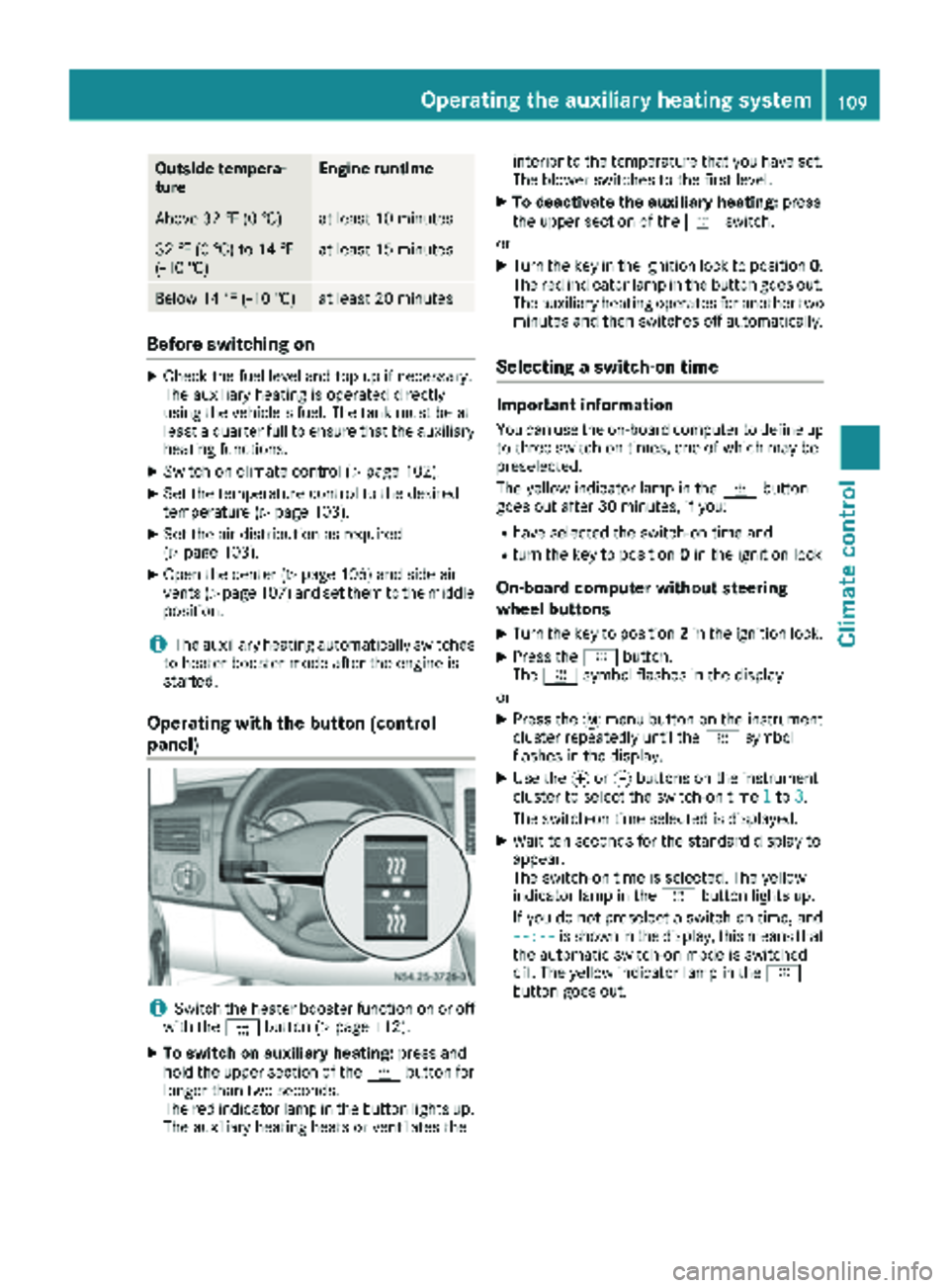
XTo switch on auxiliary heating: press and
hold the upper section of the ybutton for
longer than two seconds.
The red indicator lamp in the button lights up.
The auxiliary heating heats or ventilates the interior to the temperature that you have set.
The blower switches to the first level.
XTo deactivate the auxiliary heating:
press
the upper section of the yswitch.
or
XTurn the key in the ignition lock to position 0.
The red indicator lamp in the button goes out.
The auxiliary heating operates for another two
minutes and then switches off automatically.
Selecting a switch-on time
Important information
You can use the on-board computer to define up
to three switch-on times, one of which may be
preselected.
The yellow indicator lamp in the ybutton
goes out after 30 minutes, if you:
Rhave selected the switch-on time and
Rturn the key to position 0in the ignition lock
On-board computer without steering
wheel buttons
XTurn the key to position 2in the ignition lock.
XPress the ybutton.
The y symbol flashes in the display.
or
XPress the 4menu button on the instrument
cluster repeatedly until the ysymbol
flashes in the display.
XUse the forg buttons on the instrument
cluster to select the switch-on time 1to3.
The switch-on time selected is displayed.
XWait ten seconds for the standard display to
appear.
The switch-on time is selected. The yellow
indicator lamp in the ybutton lights up.
If you do not preselect a switch-on time, and
--:--
is shown in the display, this means that
the automatic switch-on mode is switched
off. The yellow indicator lamp in the y
button goes out.
Operating the auxiliary heating system109
Climate control
Z