instrument panel MERCEDES-BENZ SPRINTER 2018 MY18 Operator’s Manual
[x] Cancel search | Manufacturer: MERCEDES-BENZ, Model Year: 2018, Model line: SPRINTER, Model: MERCEDES-BENZ SPRINTER 2018Pages: 294, PDF Size: 4.36 MB
Page 4 of 294
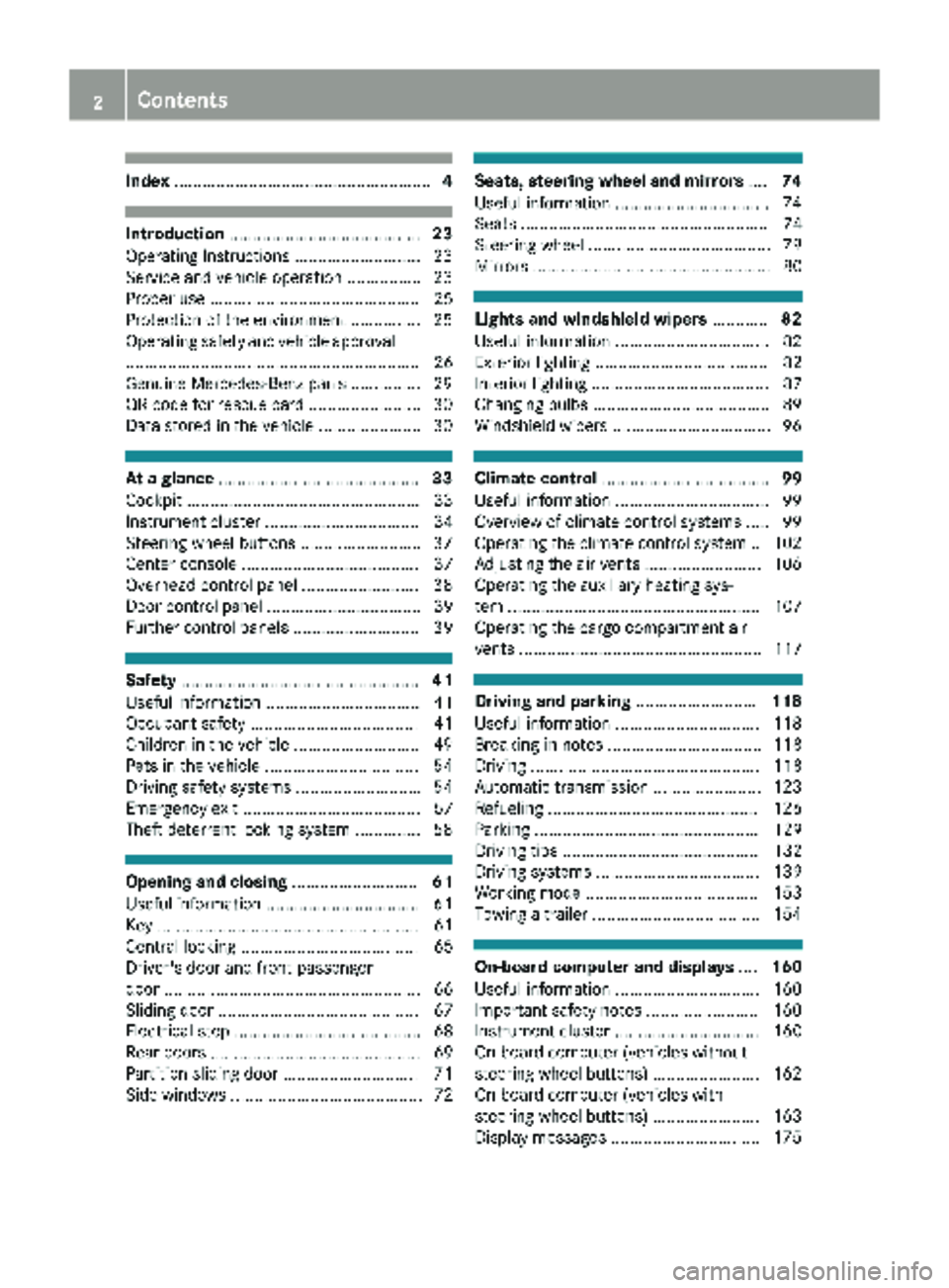
Index....................................................... 4
Introduction......................................... 23
Operating Instructions .......................... .23
Service and vehicle operation ................ 23
Proper use ............................................. 25
Protection of the environment ............... 25
Operating safety and vehicle approval
............................................................... 26
Genuine Mercedes-Benz parts ............... 29
QR code for rescue card ........................ 30
Data stored in the vehicle ...................... 30
At a glance ........................................... 33
Cockpit .................................................. 33
Instrument cluster ................................. 34
Steering wheel buttons .......................... 37
Center console ...................................... 37
Overhead control panel ......................... 38
Door control panel ................................. 39
Further control panels ........................... 39
Safety ................................................... 41
Useful information ................................. 41
Occupant safety .................................... 41
Children in the vehicle ........................... 49
Pets in the vehicle ................................. 54
Driving safety systems ........................... 54
Emergency exit ...................................... 57
Theft deterrent locking system .............. 58
Opening and closing ...........................61
Useful information ................................. 61
Key ........................................................ 61
Central locking ...................................... 65
Driver's door and front-passenger
door ....................................................... 66
Sliding door ........................................... 67
Electrical step ........................................ 68
Rear doors ............................................. 69
Partition sliding door ............................. 71
Side windows ......................................... 72
Seats, steering wheel and mirrors ....74
Useful information ................................. 74
Seats ..................................................... 74
Steering wheel ....................................... 79
Mirrors ................................................... 80
Lights and windshield wipers ............82
Useful information ................................. 82
Exterior lighting ..................................... 82
Interior lighting ...................................... 87
Changing bulbs ...................................... 89
Windshield wipers .................................. 96
Climate control .................................... 99
Useful information ................................. 99
Overview of climate control systems ..... 99
Operating the climate control system .. 102
Adjusting the air vents ......................... 106
Operating the auxiliary heating sys-
tem ...................................................... 107
Operating the cargo compartment air
vents .................................................... 117
Driving and parking ..........................118
Useful information ............................... 118
Breaking-in notes ................................. 118
Driving ................................................. 118
Automatic transmission ....................... 123
Refueling ............................................. 126
Parking ................................................ 129
Driving tips .......................................... 132
Driving systems ................................... 139
Working mode ..................................... 153
Towing a trailer .................................... 154
On-board computer and displays ....160
Useful information ............................... 160
Important safety notes ........................ 160
Instrument cluster ............................... 160
On-board computer (vehicles without
steering wheel buttons) ....................... 162
On-board computer (vehicles with
steering wheel buttons) ....................... 163
Display messages ................................ 175
2Contents
Page 10 of 294
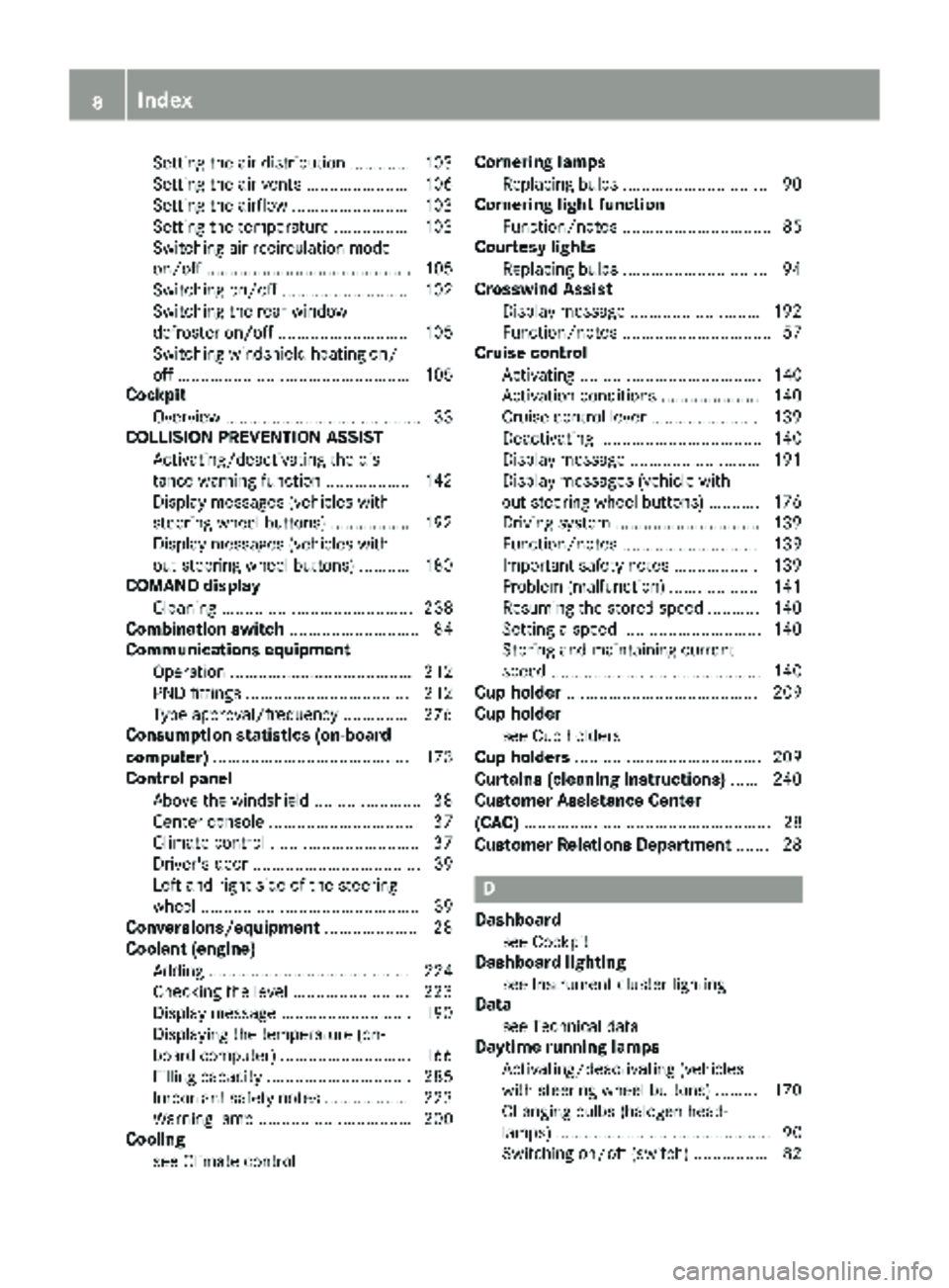
Setting the air distribution ............. 103
Setting the air vents ...................... 106
Setting the airflow ......................... 103
Setting the temperature ................ 103
Switching air-recirculation mode
on/off ............................................ 105
Switching on/off ........................... 102
Switching the rear window
defroster on/off ............................ 105
Switching windshield heating on/
off .................................................. 105
Cockpit
Overview .......................................... 33
COLLISION PREVENTION ASSIST
Activating/deactivating the dis-
tance warning function .................. 142
Display messages (vehicles with
steering wheel buttons) ................. 192
Display messages (vehicles with-
out steering wheel buttons) ........... 180
COMAND display
Cleaning ......................................... 238
Combination switch ............................ 84
Communications equipment
Operation ....................................... 212
PND fittings ................................... 212
Type approval/frequency .............. 276
Consumption statistics (on-board
computer) .......................................... 173
Control panel
Above the windshield ....................... 38
Center console ................................ 37
Climate control ................................ 37
Driver's door .................................... 39
Left and right side of the steering
wheel ............................................... 39
Conversions/equipment .................... 28
Coolant (engine)
Adding ........................................... 224
Checking the level ......................... 223
Display message ............................ 190
Displaying the temperature (on-
board computer) ............................ 166
Filling capacity ............................... 285
Important safety notes .................. 223
Warning lamp ................................. 200
Cooling
see Climate control Cornering lamps
Replacing bulbs ............................... 90
Cornering light function
Function/notes ................................ 85
Courtesy lights
Replacing bulbs ............................... 94
Crosswind Assist
Display message ............................ 192
Fu
nction/notes ................................ 57
Cruise control
Activating ....................................... 140
Activation conditions ..................... 140
Cruise control lever ....................... 139
Deactivating ................................... 140
Display message ............................ 191
Display messages (vehicle with-
out steering wheel buttons) ........... 176
Driving system ............................... 139
Function/notes ............................. 139
Important safety notes .................. 139
Problem (malfunction) ................... 141
Resuming the stored speed ........... 140
Setting a speed .............................. 140
Storing and maintaining current
speed ............................................. 140
Cup holder ......................................... 209
Cup holder
see Cup holders
Cup holders ........................................ 209
Curtains (cleaning instructions) ...... 240
Customer Assistance Center
(CAC) ..................................................... 28
Customer Relations Department ....... 28
D
Dashboard
see Cockpit
Dashboard lighting
see Instrument cluster lighting
Data
see Technical data
Daytime running lamps
Activating/deactivating (vehicles
with steering wheel buttons) ......... 170
Changing bulbs (halogen head-
lamps) .............................................. 90
Switching on/off (switch) ................ 82
8Index
Page 35 of 294
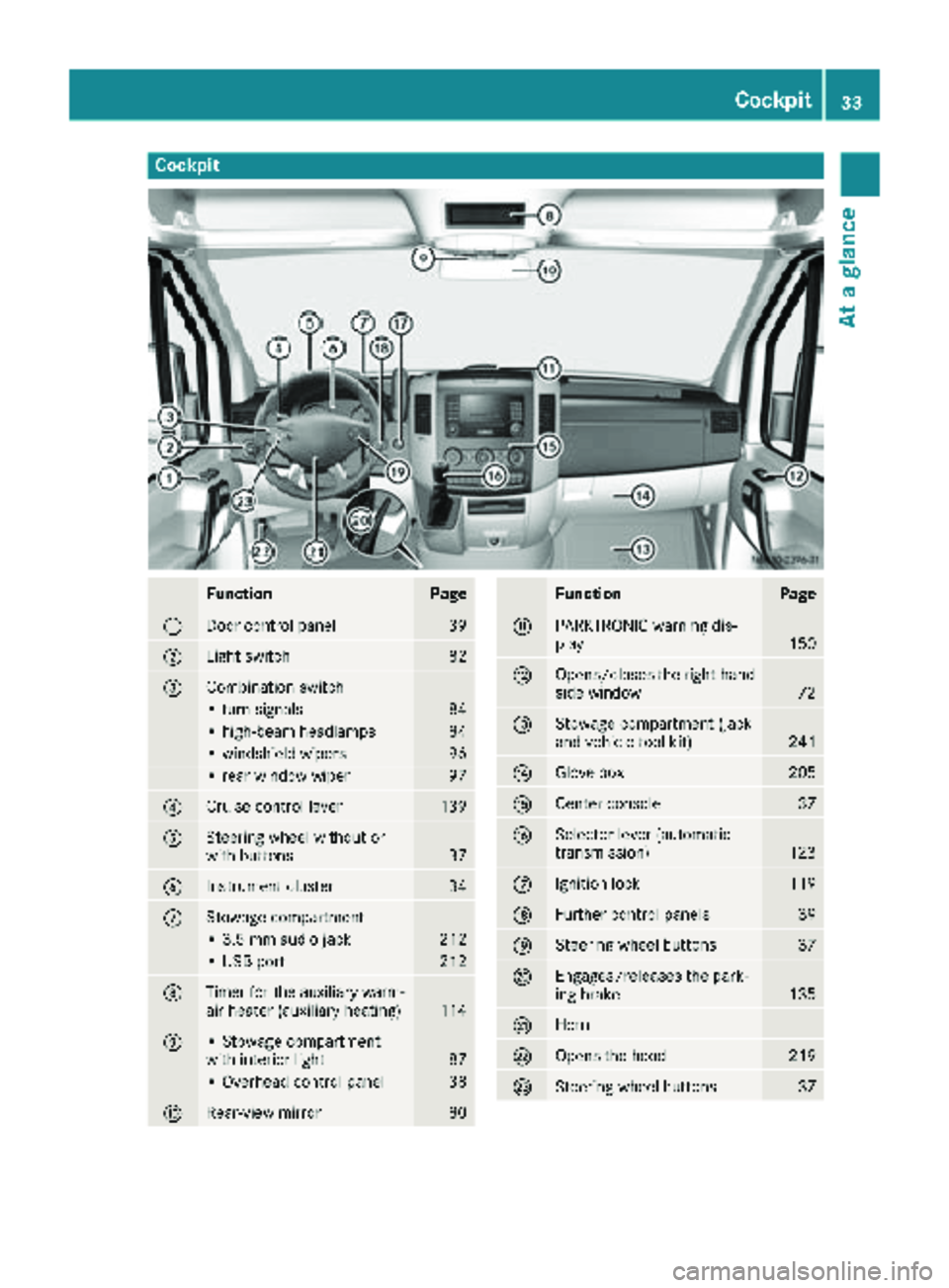
Cockpit
FunctionPage
:Door control panel39
;Light switch82
=Combination switch
• turn signals84
• high-beam headlamps84
• windshield wipers96
• rear window wiper97
?Cruise control lever139
ASteering wheel without or
with buttons37
BInstrument cluster34
CStowage compartment
• 3.5 mm audio jack212
• USB port212
DTimer for the auxiliary warm-
air heater (auxiliary heating)114
E• Stowage compartment
with interior light87
• Overhead control panel38
FRear-view mirror80
FunctionPage
GPARKTRONIC warning dis-
play150
HOpens/closes the right-hand
side window72
IStowage compartment (jack
and vehicle tool kit)241
JGlove box205
KCenter console37
LSelector lever (automatic
transmission)123
MIgnition lock119
NFurther control panels39
OSteering wheel buttons37
PEngages/releases the park-
ing brake135
QHorn
ROpens the hood219
SSteering wheel buttons37
Cockpit33
At a glance
Page 88 of 294
Highbeam Assist
General notes
You can use this function to set the headlamps
to change between low beam and high beam
automatically. The system recognizes vehicles
with their lights on, either approaching from the
opposite direction or traveling in front of your
vehicle, and consequently switches the head-
lamps from high beam to low beam.
Once the system no longer detects any other
vehicles, it reactivates the high-beam head-
lamps.
The system's optical sensor is located behind
the windshield near the overhead control panel.
Important safety notes
GWARNING
Highbeam Assist does not recognize road
users:
Rwho have no lights, e.g. pedestrians
Rwho have poor lighting, e.g. cyclists
Rwhose lighting is blocked, e.g. by a barrier
In very rare cases, Highbeam Assist may fail to
recognize other road users who have lights, or
may recognize them too late. In this or similar situations, the automatic high-beam head-
lamps will not be deactivated or will be acti-
vated regardless. There is a risk of an acci-
dent.
Always carefully observe the traffic conditions
and switch off the high-beam headlamps in
good time.
Highbeam Assist cannot take into account road,
weather or traffic conditions. Highbeam Assist
is only an aid. You are responsible for adjusting
the vehicle's lighting to the prevailing light, vis-
ibility and traffic conditions.
In particular, the detection of obstacles can be
restricted if there is:
Rpoor visibility, e.g. due to fog, heavy rain or
snow
Rdirt on the sensors or anything else covering
the sensors
Activating/deactivating Highbeam
Assist
XTo activate: switch on the Highbeam Assist
function using the on-board computer
(
Ypage 170).
XTurn the light switch to the Ãposition.
XPress the combination switch beyond the
pressure point in the direction of arrow :
(
Ypage 84).
Highbeam Assist is active.
The _ or
indicator lamp in the
multifunction display lights up when it is dark
and the light sensor activates the low-beam
headlamps.
If you are driving at speeds above approx-
imately 22 mph (35 km/h) and no other road
users have been detected:
The high-beam headlamps are switched on
automatically. The Kindicator lamp in the
instrument cluster also lights up.
If you are driving at speeds below approx-
imately 19 mph (30 km/h), other road users
have been detected or the roads are ade-
quately lit:
The high-beam headlamps are switched off
automatically. The Kindicator lamp in the
instrument cluster goes out. The _or
indicator lamp in the multifunction
display remains lit.
XTo deactivate: move the combination switch
back to its normal position or move the light
switch to another position.
The _ or
indicator lamp in the
multifunction display goes out.
Headlamps fogged up on the inside
The headlamps may fog up on the inside if there is high atmospheric humidity.
XSwitch on the low-beam headlamps and drive
off.
The level of moisture diminishes, depending
on the length of the journey and the weather
conditions (humidity and temperature).
If the level of moisture does not diminish:
XHave the headlamps checked at a qualified
specialist workshop.
86Exterior lighting
Lights and windshield wipers
Page 90 of 294
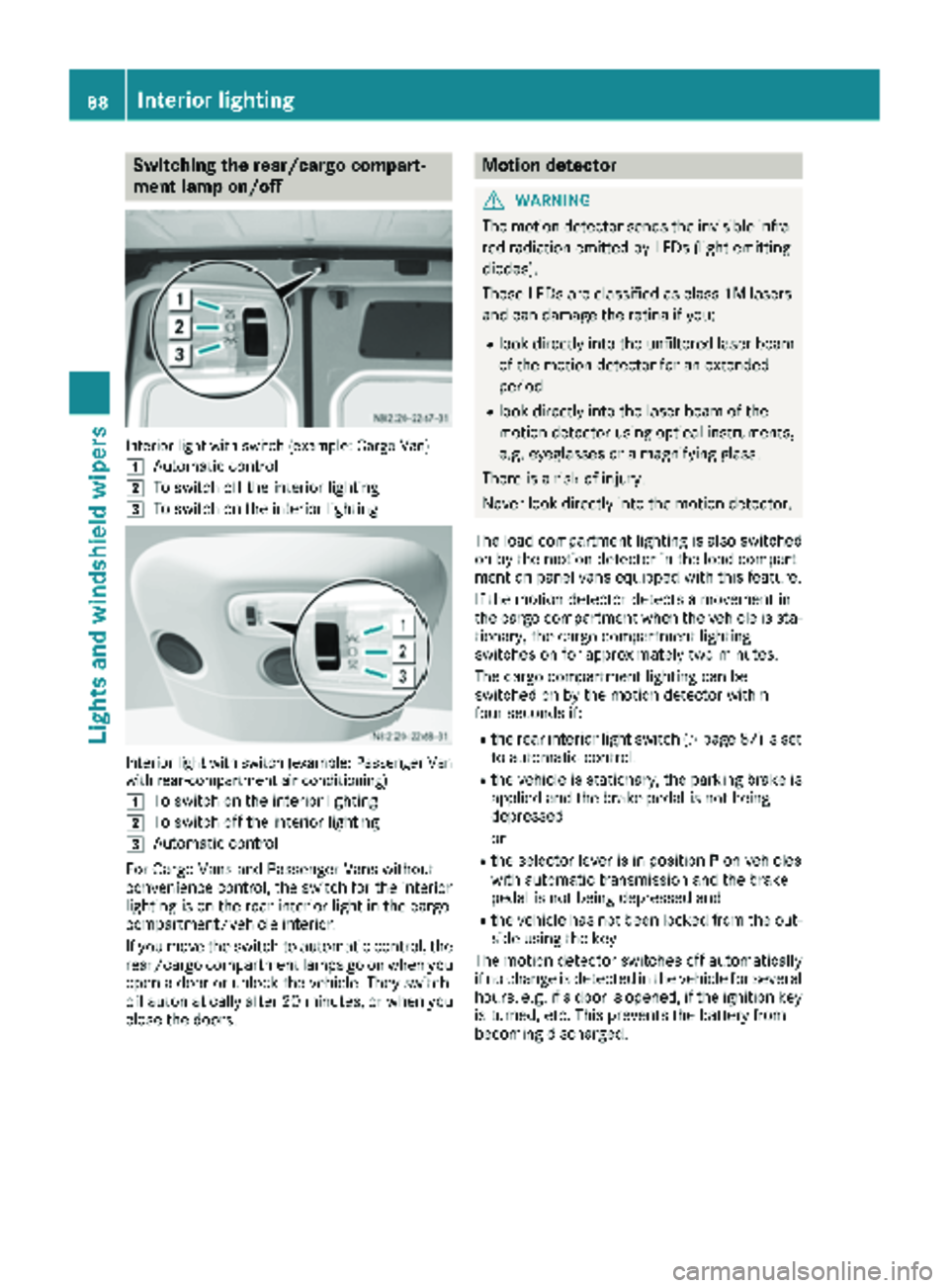
Switching the rear/cargo compart-
ment lamp on/off
Interior light with switch (example: Cargo Van)
1
Automatic control
2To switch off the interior lighting
3To switch on the interior lighting
Interior light with switch (example: Passenger Van
with rear-compartment air conditioning)
1
To switch on the interior lighting
2To switch off the interior lighting
3Automatic control
For Cargo Vans and Passenger Vans without
convenience control, the switch for the interior
lighting is on the rear interior light in the cargo
compartment/vehicle interior.
If you move the switch to automatic control, the
rear/cargo compartment lamps go on when you
open a door or unlock the vehicle. They switch
off automatically after 20 minutes, or when you
close the doors.
Motion detector
GWARNING
The motion detector sends the invisible infra- red radiation emitted by LEDs (light emitting
diodes).
These LEDs are classified as class 1M lasers
and can damage the retina if you:
Rlook directly into the unfiltered laser beam
of the motion detector for an extended
period
Rlook directly into the laser beam of the
motion detector using optical instruments,
e.g. eyeglasses or a magnifying glass.
There is a risk of injury.
Never look directly into the motion detector.
The load compartment lighting is also switched
on by the motion detector in the load compart-
ment on panel vans equipped with this feature.
If the motion detector detects a movement in
the cargo compartment when the vehicle is sta-
tionary, the cargo compartment lighting
switches on for approximately two minutes.
The cargo compartment lighting can be
switched on by the motion detector within
four seconds if:
Rthe rear interior light switch (Ypage 87) is set
to automatic control.
Rthe vehicle is stationary, the parking brake is
applied and the brake pedal is not being
depressed
or
Rthe selector lever is in position Pon vehicles
with automatic transmission and the brake
pedal is not being depressed and
Rthe vehicle has not been locked from the out-
side using the key
The motion detector switches off automatically
if no change is detected in the vehicle for several
hours, e.g. if a door is opened, if the ignition key
is turned, etc. This prevents the battery from
becoming discharged.
88Interior lighting
Lights and windshield wipers
Page 111 of 294
Outside tempera-
tureEngine runtime
Above 32 ‡ (0 †)at least 10 minutes
32 ‡ (0 †) to 14 ‡
(Ò10 †)at least 15 minutes
Below 14 ‡ (Ò10 †)at least 20 minutes
Before switching on
XCheck the fuel level and top up if necessary.
The auxiliary heating is operated directly
using the vehicle's fuel. The tank must be at
least a quarter full to ensure that the auxiliary
heating functions.
XSwitch on climate control (Ypage 102).
XSet the temperature control to the desired
temperature (Ypage 103).
XSet the air distribution as required
(Ypage 103).
XOpen the center (Ypage 106) and side air
vents (Ypage 107) and set them to the middle
position.
iThe auxiliary heating automatically switches
to heater booster mode after the engine is
started.
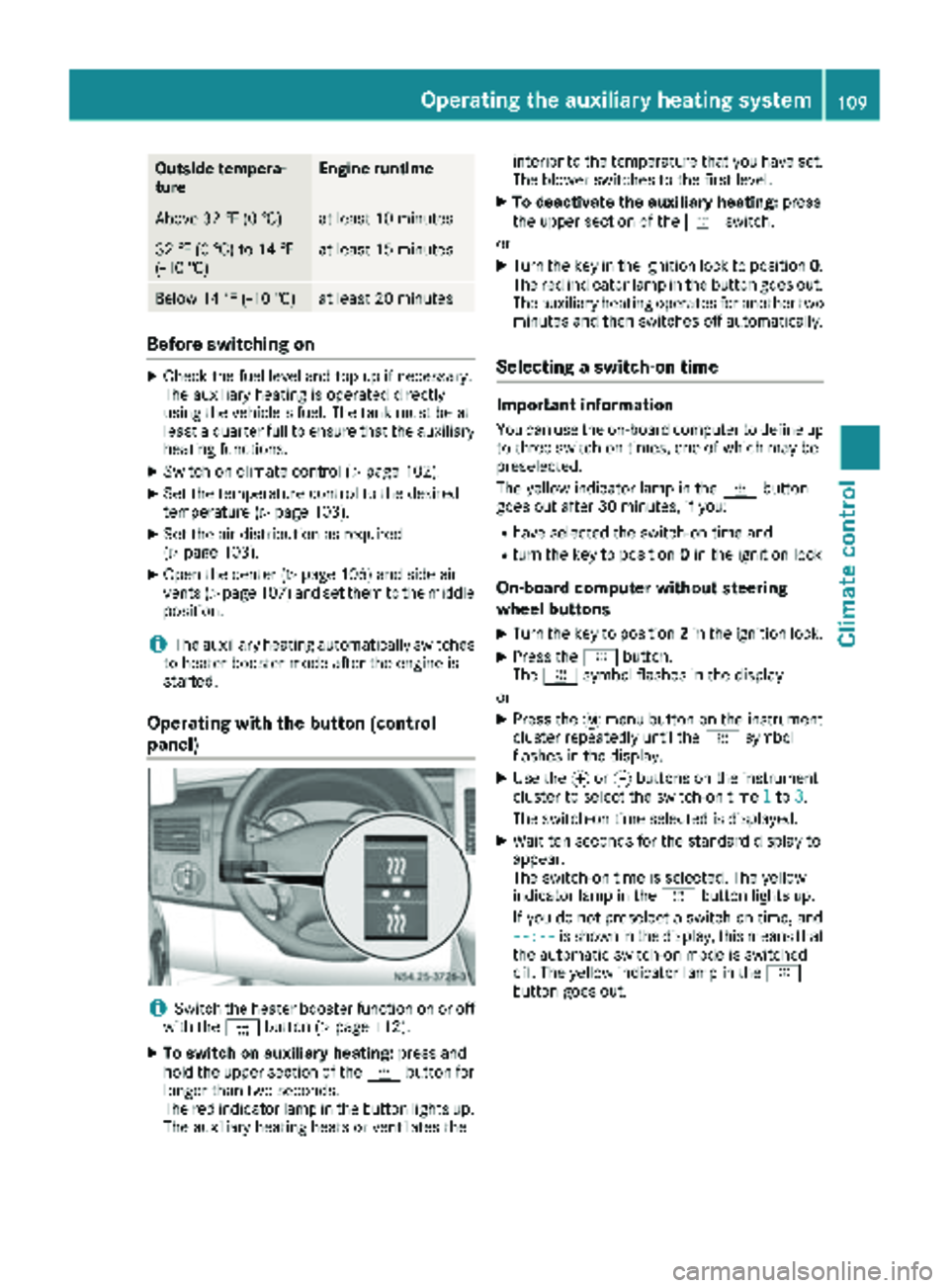
Operating with the button (control
panel)
iSwitch the heater booster function on or off
with the ¢button (Ypage 112).
XTo switch on auxiliary heating: press and
hold the upper section of the ybutton for
longer than two seconds.
The red indicator lamp in the button lights up.
The auxiliary heating heats or ventilates the interior to the temperature that you have set.
The blower switches to the first level.
XTo deactivate the auxiliary heating:
press
the upper section of the yswitch.
or
XTurn the key in the ignition lock to position 0.
The red indicator lamp in the button goes out.
The auxiliary heating operates for another two
minutes and then switches off automatically.
Selecting a switch-on time
Important information
You can use the on-board computer to define up
to three switch-on times, one of which may be
preselected.
The yellow indicator lamp in the ybutton
goes out after 30 minutes, if you:
Rhave selected the switch-on time and
Rturn the key to position 0in the ignition lock
On-board computer without steering
wheel buttons
XTurn the key to position 2in the ignition lock.
XPress the ybutton.
The y symbol flashes in the display.
or
XPress the 4menu button on the instrument
cluster repeatedly until the ysymbol
flashes in the display.
XUse the forg buttons on the instrument
cluster to select the switch-on time 1to3.
The switch-on time selected is displayed.
XWait ten seconds for the standard display to
appear.
The switch-on time is selected. The yellow
indicator lamp in the ybutton lights up.
If you do not preselect a switch-on time, and
--:--
is shown in the display, this means that
the automatic switch-on mode is switched
off. The yellow indicator lamp in the y
button goes out.
Operating the auxiliary heating system109
Climate control
Z