fog light MERCEDES-BENZ WAGON 2015 S212 User Guide
[x] Cancel search | Manufacturer: MERCEDES-BENZ, Model Year: 2015, Model line: WAGON, Model: MERCEDES-BENZ WAGON 2015 S212Pages: 426, PDF Size: 8.27 MB
Page 150 of 426
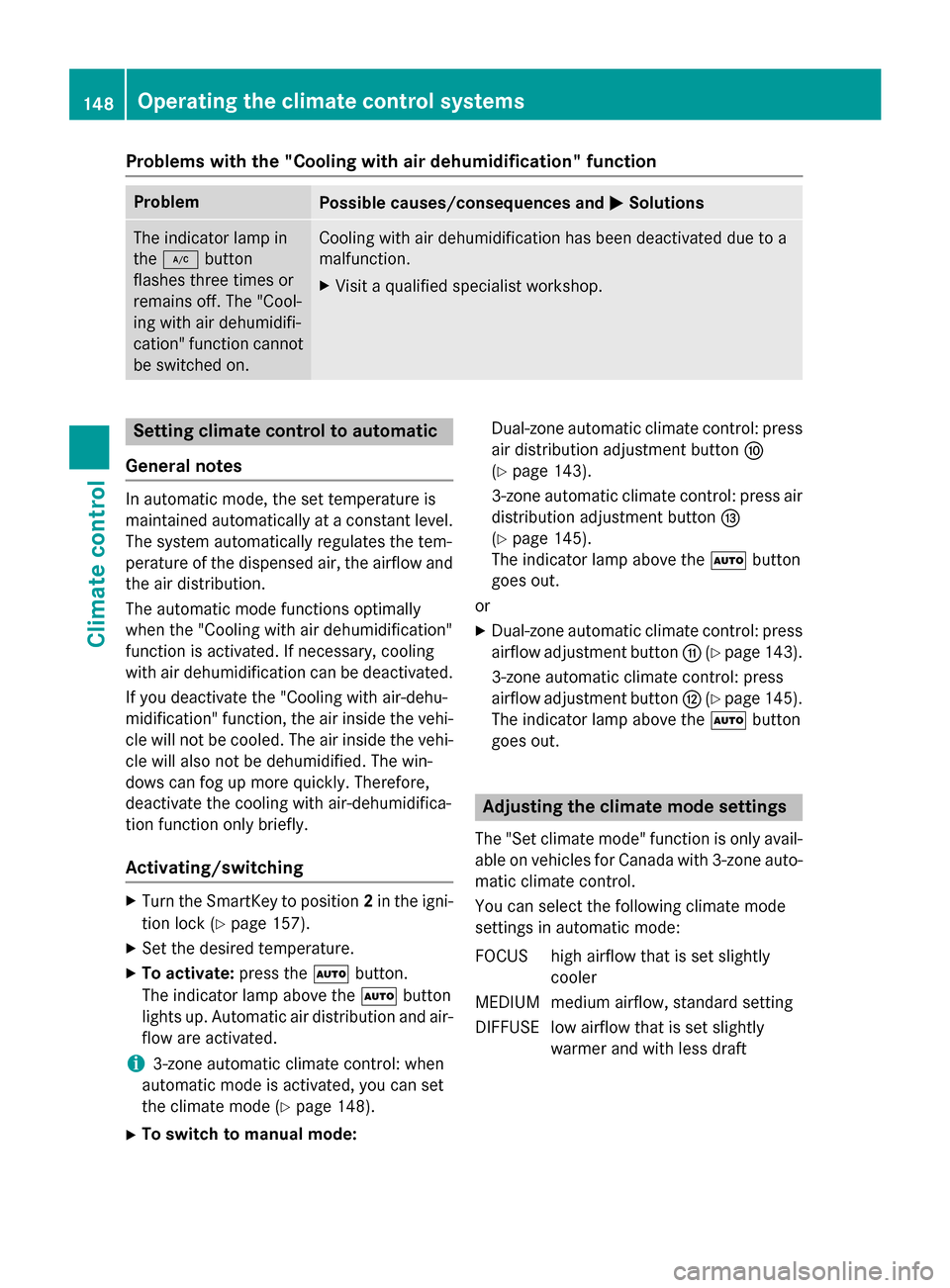
Problems with the "Cooling with air dehumidification" function
Problem
Possible causes/consequences and
0050
0050Solutions The indicator lamp in
the
005A button
flashes three times or
remains off. The "Cool-
ing with air dehumidifi-
cation" function cannot
be switched on. Cooling with air dehumidification has been deactivated due to a
malfunction.
X Visit a qualified specialist workshop. Setting climate control to automatic
General notes In automatic mode, the set temperature is
maintained automatically at a constant level.
The system automatically regulates the tem-
perature of the dispensed air, the airflow and
the air distribution.
The automatic mode functions optimally
when the "Cooling with air dehumidification"
function is activated. If necessary, cooling
with air dehumidification can be deactivated.
If you deactivate the "Cooling with air-dehu-
midification" function, the air inside the vehi-
cle will not be cooled. The air inside the vehi- cle will also not be dehumidified. The win-
dows can fog up more quickly. Therefore,
deactivate the cooling with air-dehumidifica-
tion function only briefly.
Activating/switching X
Turn the SmartKey to position 2in the igni-
tion lock (Y page 157).
X Set the desired temperature.
X To activate: press the0058button.
The indicator lamp above the 0058button
lights up. Automatic air distribution and air-
flow are activated.
i 3-zone automatic climate control: when
automatic mode is activated, you can set
the climate mode (Y page 148).
X To switch to manual mode: Dual-zone automatic climate control: press
air distribution adjustment button 006E
(Y page 143).
3-zone automatic climate control: press air
distribution adjustment button 0071
(Y page 145).
The indicator lamp above the 0058button
goes out.
or
X Dual-zone automatic climate control: press
airflow adjustment button 006F(Ypage 143).
3-zone automatic climate control: press
airflow adjustment button 0070(Ypage 145).
The indicator lamp above the 0058button
goes out. Adjusting the climate mode settings
The "Set climate mode" function is only avail-
able on vehicles for Canada with 3-zone auto- matic climate control.
You can select the following climate mode
settings in automatic mode:
FOCUS high airflow that is set slightly cooler
MEDIUM medium airflow, standard setting
DIFFUSE low airflow that is set slightly warmer and with less draft 148
Operating the climate control systemsClimate control
Page 153 of 426
X
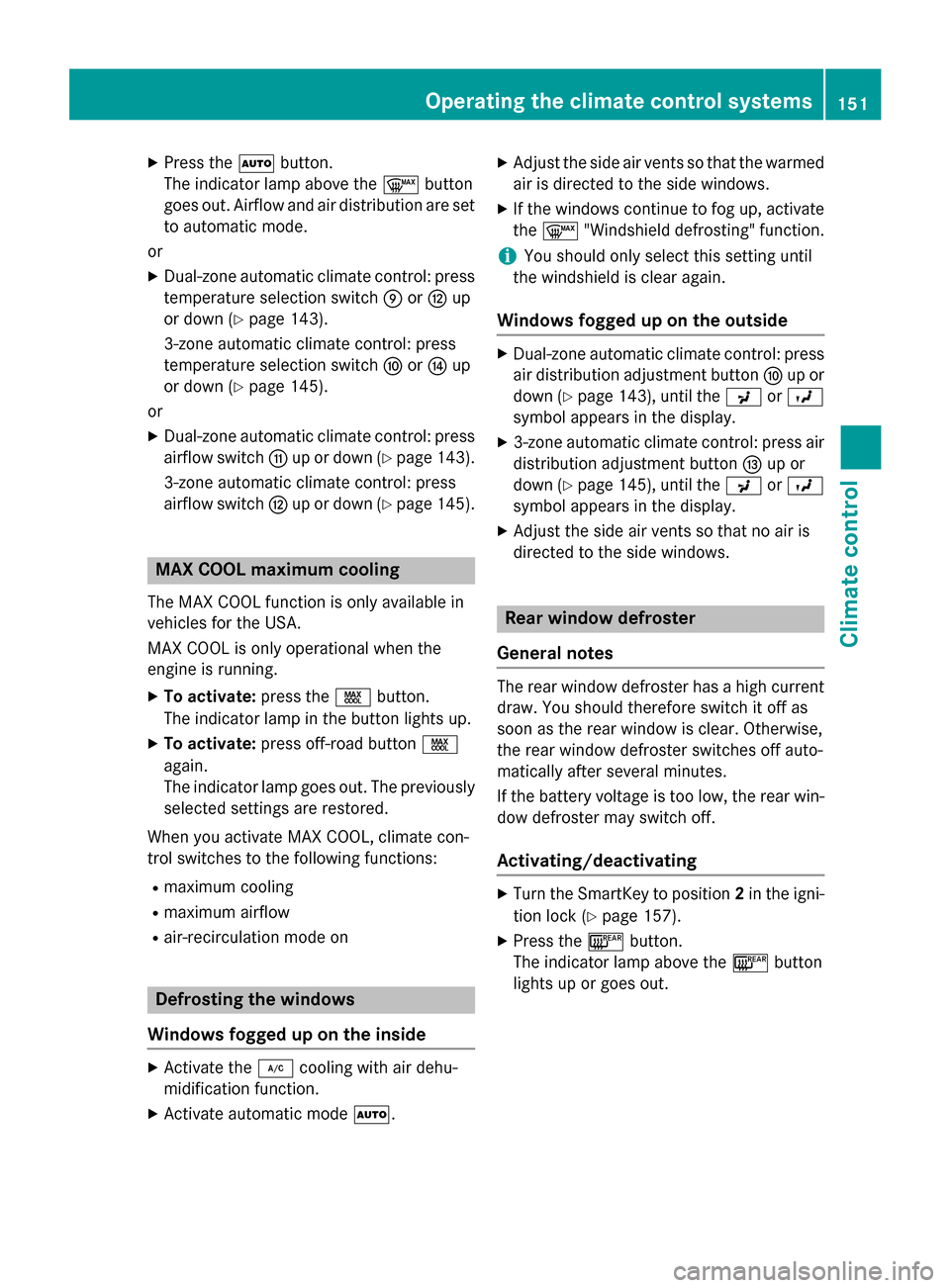
Press the 0058button.
The indicator lamp above the 0064button
goes out. Airflow and air distribution are set to automatic mode.
or
X Dual-zone automatic climate control: press
temperature selection switch 006Dor0070 up
or down (Y page 143).
3-zone automatic climate control: press
temperature selection switch 006Eor0072 up
or down (Y page 145).
or X Dual-zone automatic climate control: press
airflow switch 006Fup or down (Y page 143).
3-zone automatic climate control: press
airflow switch 0070up or down (Y page 145). MAX COOL maximum cooling
The MAX COOL function is only available in
vehicles for the USA.
MAX COOL is only operational when the
engine is running. X To activate: press the00C9button.
The indicator lamp in the button lights up.
X To activate: press off-road button 00C9
again.
The indicator lamp goes out. The previously selected settings are restored.
When you activate MAX COOL, climate con-
trol switches to the following functions:
R maximum cooling
R maximum airflow
R air-recirculation mode on Defrosting the windows
Windows fogged up on the inside X
Activate the 005Acooling with air dehu-
midification function.
X Activate automatic mode 0058.X
Adjust the side air vents so that the warmed
air is directed to the side windows.
X If the windows continue to fog up, activate
the 0064 "Windshield defrosting" function.
i You should only select this setting until
the windshield is clear again.
Windows fogged up on the outside X
Dual-zone automatic climate control: press
air distribution adjustment button 006Eup or
down (Y page 143), until the 009Cor009B
symbol appears in the display.
X 3-zone automatic climate control: press air
distribution adjustment button 0071up or
down (Y page 145), until the 009Cor009B
symbol appears in the display.
X Adjust the side air vents so that no air is
directed to the side windows. Rear window defroster
General notes The rear window defroster has a high current
draw. You should therefore switch it off as
soon as the rear window is clear. Otherwise,
the rear window defroster switches off auto-
matically after several minutes.
If the battery voltage is too low, the rear win-
dow defroster may switch off.
Activating/deactivating X
Turn the SmartKey to position 2in the igni-
tion lock (Y page 157).
X Press the 006Cbutton.
The indicator lamp above the 006Cbutton
lights up or goes out. Operating the climate control systems
151Climate control
Page 154 of 426
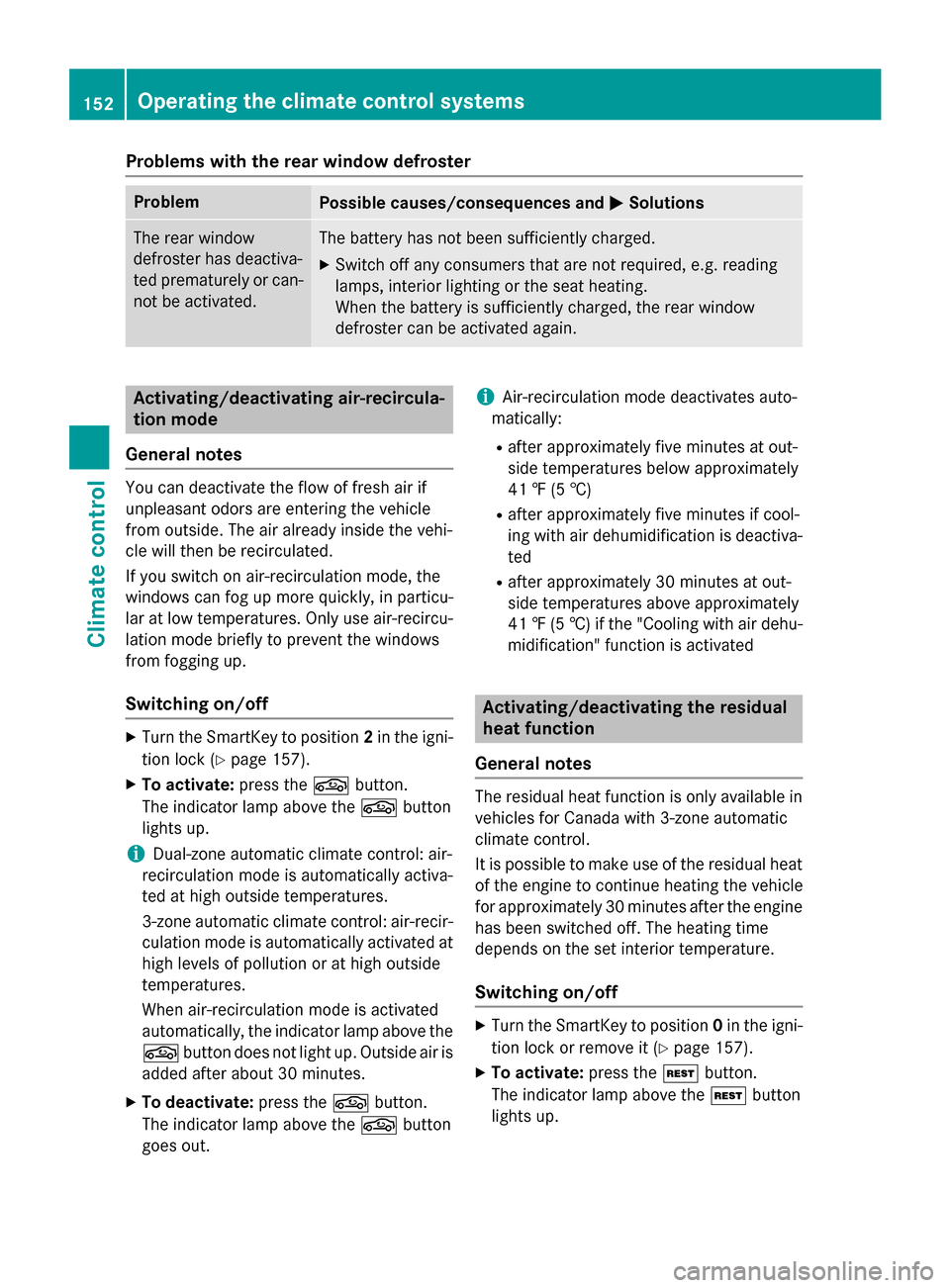
Problems with the rear window defroster
Problem
Possible causes/consequences and
0050
0050Solutions The rear window
defroster has deactiva-
ted prematurely or can-
not be activated. The battery has not been sufficiently charged.
X Switch off any consumers that are not required, e.g. reading
lamps, interior lighting or the seat heating.
When the battery is sufficiently charged, the rear window
defroster can be activated again. Activating/deactivating air-recircula-
tion mode
General notes You can deactivate the flow of fresh air if
unpleasant odors are entering the vehicle
from outside. The air already inside the vehi-
cle will then be recirculated.
If you switch on air-recirculation mode, the
windows can fog up more quickly, in particu-
lar at low temperatures. Only use air-recircu-
lation mode briefly to prevent the windows
from fogging up.
Switching on/off X
Turn the SmartKey to position 2in the igni-
tion lock (Y page 157).
X To activate: press the0072button.
The indicator lamp above the 0072button
lights up.
i Dual-zone automatic climate control: air-
recirculation mode is automatically activa-
ted at high outside temperatures.
3-zone automatic climate control: air-recir- culation mode is automatically activated at
high levels of pollution or at high outside
temperatures.
When air-recirculation mode is activated
automatically, the indicator lamp above the 0072 button does not light up. Outside air is
added after about 30 minutes.
X To deactivate: press the0072button.
The indicator lamp above the 0072button
goes out. i
Air-recirculation mode deactivates auto-
matically:
R after approximately five minutes at out-
side temperatures below approximately
41 ‡ (5 †)
R after approximately five minutes if cool-
ing with air dehumidification is deactiva-
ted
R after approximately 30 minutes at out-
side temperatures above approximately
41 ‡ (5 †) if the "Cooling with air dehu-
midification" function is activated Activating/deactivating the residual
heat function
General notes The residual heat function is only available in
vehicles for Canada with 3-zone automatic
climate control.
It is possible to make use of the residual heat
of the engine to continue heating the vehicle
for approximately 30 minutes after the engine
has been switched off. The heating time
depends on the set interior temperature.
Switching on/off X
Turn the SmartKey to position 0in the igni-
tion lock or remove it (Y page 157).
X To activate: press the004Bbutton.
The indicator lamp above the 004Bbutton
lights up. 152
Operating the climate control systemsClimate control
Page 200 of 426
DISTRONIC PLUS with Steering Assist
and Stop&Go Pilot General notes
DISTRONIC PLUS with Steering Assist and
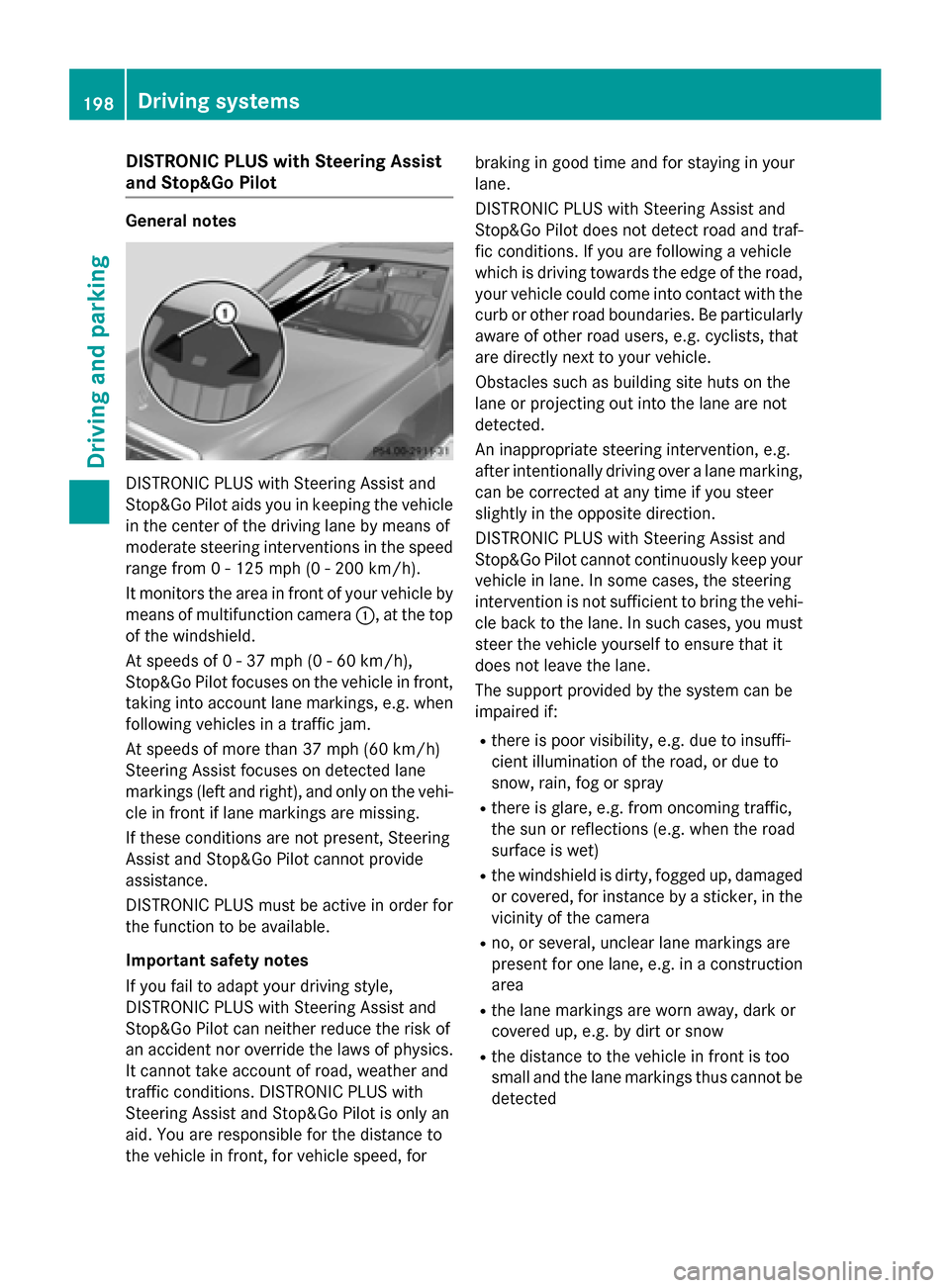
Stop&Go Pilot aids you in keeping the vehicle in the center of the driving lane by means of
moderate steering interventions in the speed
range from 0 - 125 mph (0 - 200 km/h).
It monitors the area in front of your vehicle by means of multifunction camera 0043, at the top
of the windshield.
At speeds of 0 - 37 mph (0 - 60 km/h),
Stop&Go Pilot focuses on the vehicle in front,
taking into account lane markings, e.g. when following vehicles in a traffic jam.
At speeds of more than 37 mph (60 km/h)
Steering Assist focuses on detected lane
markings (left and right), and only on the vehi- cle in front if lane markings are missing.
If these conditions are not present, Steering
Assist and Stop&Go Pilot cannot provide
assistance.
DISTRONIC PLUS must be active in order for
the function to be available.
Important safety notes
If you fail to adapt your driving style,
DISTRONIC PLUS with Steering Assist and
Stop&Go Pilot can neither reduce the risk of
an accident nor override the laws of physics.
It cannot take account of road, weather and
traffic conditions. DISTRONIC PLUS with
Steering Assist and Stop&Go Pilot is only an
aid. You are responsible for the distance to
the vehicle in front, for vehicle speed, for braking in good time and for staying in your
lane.
DISTRONIC PLUS with Steering Assist and
Stop&Go Pilot does not detect road and traf-
fic conditions. If you are following a vehicle
which is driving towards the edge of the road,
your vehicle could come into contact with the
curb or other road boundaries. Be particularly aware of other road users, e.g. cyclists, that
are directly next to your vehicle.
Obstacles such as building site huts on the
lane or projecting out into the lane are not
detected.
An inappropriate steering intervention, e.g.
after intentionally driving over a lane marking,
can be corrected at any time if you steer
slightly in the opposite direction.
DISTRONIC PLUS with Steering Assist and
Stop&Go Pilot cannot continuously keep your vehicle in lane. In some cases, the steering
intervention is not sufficient to bring the vehi-
cle back to the lane. In such cases, you must
steer the vehicle yourself to ensure that it
does not leave the lane.
The support provided by the system can be
impaired if:
R there is poor visibility, e.g. due to insuffi-
cient illumination of the road, or due to
snow, rain, fog or spray
R there is glare, e.g. from oncoming traffic,
the sun or reflections (e.g. when the road
surface is wet)
R the windshield is dirty, fogged up, damaged
or covered, for instance by a sticker, in the
vicinity of the camera
R no, or several, unclear lane markings are
present for one lane, e.g. in a construction
area
R the lane markings are worn away, dark or
covered up, e.g. by dirt or snow
R the distance to the vehicle in front is too
small and the lane markings thus cannot be
detected 198
Driving systemsDriving and parking
Page 216 of 426
R
parking using Active Parking Assist is no
longer possible
R you are driving faster than 6 mph (10 km/h)
R a wheel spins, ESP ®
intervenes or fails. In
such cases the 00E5warning lamp lights up
in the instrument cluster.
A warning tone sounds. The parking symbol
disappears and the multifunction display
shows the Park Assist Canceled
Park Assist Canceled mes-
sage.
When Active Parking Assist is canceled, you
must steer and brake again yourself.
If a system malfunction occurs, the vehicle is braked to a standstill. To drive on, depress the
accelerator again. Rear view camera
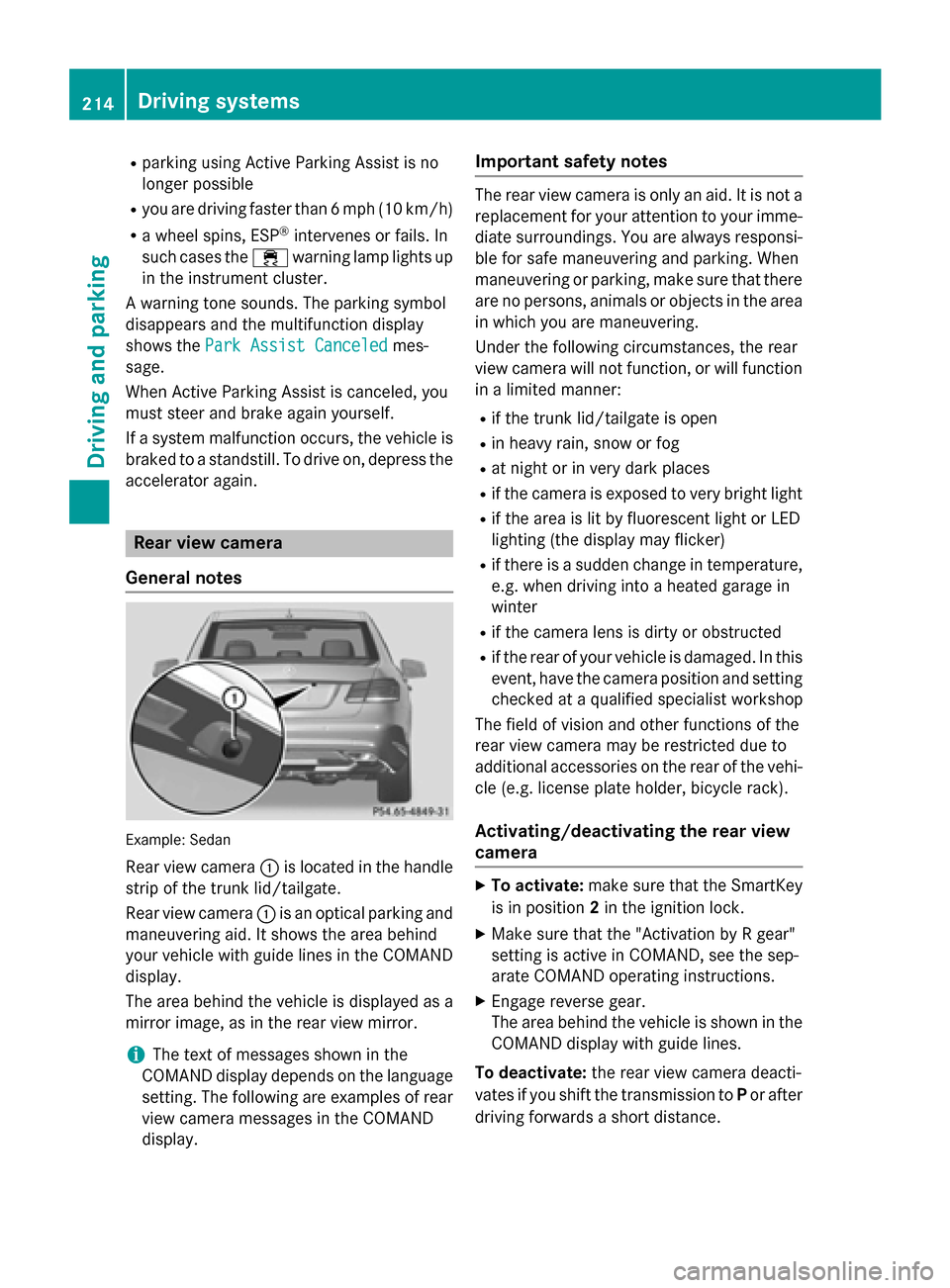
General notes Example: Sedan
Rear view camera 0043is located in the handle
strip of the trunk lid/tailgate.
Rear view camera 0043is an optical parking and
maneuvering aid. It shows the area behind
your vehicle with guide lines in the COMAND display.
The area behind the vehicle is displayed as a
mirror image, as in the rear view mirror.
i The text of messages shown in the
COMAND display depends on the language
setting. The following are examples of rear view camera messages in the COMAND
display. Important safety notes The rear view camera is only an aid. It is not a
replacement for your attention to your imme-
diate surroundings. You are always responsi-
ble for safe maneuvering and parking. When
maneuvering or parking, make sure that there are no persons, animals or objects in the area in which you are maneuvering.
Under the following circumstances, the rear
view camera will not function, or will function
in a limited manner:
R if the trunk lid/tailgate is open
R in heavy rain, snow or fog
R at night or in very dark places
R if the camera is exposed to very bright light
R if the area is lit by fluorescent light or LED
lighting (the display may flicker)
R if there is a sudden change in temperature,
e.g. when driving into a heated garage in
winter
R if the camera lens is dirty or obstructed
R if the rear of your vehicle is damaged. In this
event, have the camera position and setting checked at a qualified specialist workshop
The field of vision and other functions of the
rear view camera may be restricted due to
additional accessories on the rear of the vehi-
cle (e.g. license plate holder, bicycle rack).
Activating/deactivating the rear view
camera X
To activate: make sure that the SmartKey
is in position 2in the ignition lock.
X Make sure that the "Activation by R gear"
setting is active in COMAND, see the sep-
arate COMAND operating instructions.
X Engage reverse gear.
The area behind the vehicle is shown in the
COMAND display with guide lines.
To deactivate: the rear view camera deacti-
vates if you shift the transmission to Por after
driving forwards a short distance. 214
Driving systemsDriving and parking
Page 217 of 426
360° camera
General notes The 360° camera is a system consisting of
four cameras.
The system analyzes images from the follow-
ing cameras:
R Rear view camera
R Front camera
R Two cameras in the exterior rear view mir-
rors
The cameras capture the immediate sur-
roundings of the vehicle. The system sup-
ports you, e.g. when parking or if vision is
restricted at an exit.
The 360° camera images can be shown in full
screen mode or in six different split-screen
views on the COMAND display. A split-screen view also includes a top view of the vehicle.
This view is calculated from the data supplied
by the installed cameras (virtual camera).
The six split-screen views are:
R top view and picture from the rear view
camera (130° viewing angle)
R top view and image from the front camera
(130° viewing angle without displaying the
maximum steering wheel angle)
R top view and enlarged rear view
R top view and enlarged front view
R top view and pictures from the rearward
facing mirror cameras (rear wheel view)
R top view and pictures from the forward
facing mirror cameras (front wheel view)
When the function is active and you shift the
transmission from Dor Rto N, the dynamic
guidelines are hidden.
When you change between transmission
positions Dand R, you see the previously
selected front or rear view.
Important safety notes The 360°camera is only an aid and may show
a distorted view of obstacles, show them incorrectly or not at all. The 360°camera is
not a substitute for attentive driving.
You are always responsible for safe maneu-
vering and parking. When maneuvering or
parking, make sure that there are no persons,
animals or objects in the area in which you are maneuvering.
You are always responsible for safety, and
must always pay attention to your surround-
ings when parking and maneuvering. This
applies to the areas behind, in front of and
beside the vehicle. You could otherwise
endanger yourself and others.
The 360° camera will not function or will
function in a limited manner:
R if the doors are open
R if the exterior mirrors are folded in
R if the trunk lid/tailgate is open
R in heavy rain, snow or fog
R at night or in very dark places
R if the cameras are exposed to very bright
light
R if the area is lit by fluorescent bulbs or LED
lighting (the display may flicker)
R if there is a sudden change in temperature,
e.g. when driving into a heated garage in
winter
R if the camera lenses are dirty or covered
R if the vehicle components in which the
cameras are installed are damaged. In this
event, have the camera position and setting checked at a qualified specialist workshop.
Do not use the 360° camera in this case. You
can otherwise injure others or cause damage to objects or the vehicle.
Guide lines are always shown at road level.
Activation conditions The 360° camera image can be displayed if:
R your vehicle is equipped with a 360° cam-
era
R the SmartKey is in position 2in the ignition
lock Driving systems
215Driving and parking Z
Page 229 of 426
R
you have adopted a sporty driving style with
high cornering speeds.
R you clearly brake or accelerate.
R a driving safety system intervenes, e.g.
ESP ®
or PRE-SAFE ®
Brake.
R ESP ®
is switched off.
R a loss of tire pressure or a defective tire is
detected.
Switching on Active Blind Spot Assist X Make sure that Active Blind Spot Assist
(Y page 242) is activated in the on-board
computer.
X Turn the SmartKey to position 2in the igni-
tion lock.
Warning lamps 0043in the exterior mirrors
light up red for approximately 1.5 seconds
and then turn yellow.
Active Lane Keeping Assist General notes
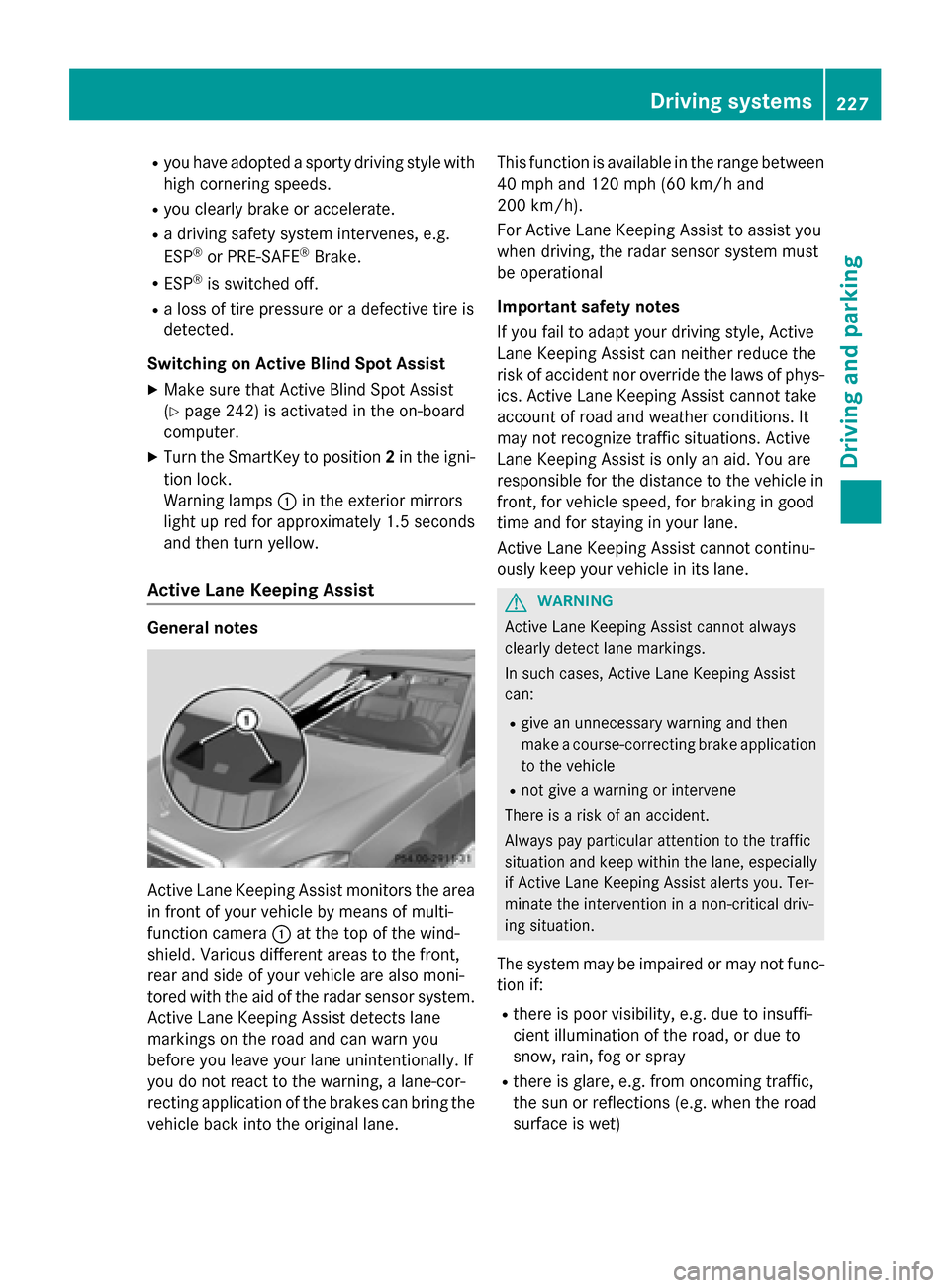
Active Lane Keeping Assist monitors the area
in front of your vehicle by means of multi-
function camera 0043at the top of the wind-
shield. Various different areas to the front,
rear and side of your vehicle are also moni-
tored with the aid of the radar sensor system. Active Lane Keeping Assist detects lane
markings on the road and can warn you
before you leave your lane unintentionally. If
you do not react to the warning, a lane-cor-
recting application of the brakes can bring the
vehicle back into the original lane. This function is available in the range between
40 mph and 120 mph (60 km/h and
200 km/h).
For Active Lane Keeping Assist to assist you
when driving, the radar sensor system must
be operational
Important safety notes
If you fail to adapt your driving style, Active
Lane Keeping Assist can neither reduce the
risk of accident nor override the laws of phys- ics. Active Lane Keeping Assist cannot take
account of road and weather conditions. It
may not recognize traffic situations. Active
Lane Keeping Assist is only an aid. You are
responsible for the distance to the vehicle in
front, for vehicle speed, for braking in good
time and for staying in your lane.
Active Lane Keeping Assist cannot continu-
ously keep your vehicle in its lane. G
WARNING
Active Lane Keeping Assist cannot always
clearly detect lane markings.
In such cases, Active Lane Keeping Assist
can:
R give an unnecessary warning and then
make a course-correcting brake application
to the vehicle
R not give a warning or intervene
There is a risk of an accident.
Always pay particular attention to the traffic
situation and keep within the lane, especially
if Active Lane Keeping Assist alerts you. Ter-
minate the intervention in a non-critical driv-
ing situation.
The system may be impaired or may not func-
tion if:
R there is poor visibility, e.g. due to insuffi-
cient illumination of the road, or due to
snow, rain, fog or spray
R there is glare, e.g. from oncoming traffic,
the sun or reflections (e.g. when the road
surface is wet) Driving syste
ms
227Driving an d parking Z
Page 230 of 426
R
the windshield is dirty, fogged up, damaged
or covered, for instance by a sticker, in the
vicinity of the camera
R the radar sensors in the front or rear bump-
ers or the radiator trim are dirty, e.g.
obscured by snow
R there are no, several or unclear lane mark-
ings for a lane, e.g. in areas with road con-
struction work
R the lane markings are worn away, dark or
covered up, e.g. by dirt or snow
R the distance to the vehicle in front is too
small and the lane markings thus cannot be
detected
R the lane markings change quickly, e.g.
lanes branch off, cross one another or
merge
R the road is narrow and winding
R there are strong shadows cast on the road
If no vehicle is detected in the adjacent lane
and broken lane markings are detected, no
lane-correcting brake application is made.
Warning vibration in the steering wheel
A warning may be given if a front wheel
passes over a lane marking. It will warn you by
means of intermittent vibration in the steer-
ing wheel for up to 1.5 second s.
Lane -correcting brake application G
WARNING
A lane-correcting brake application cannot
always bring the vehicle back into the original lane. There is a risk of an accident.
Always steer, brake or accelerate yourself,
especially if Active Lane Keeping Assist warns
you or makes a lane-correcting brake appli-
cation. G
WARNING
Active Lane Keeping Assist only detects traf-
fic conditions or road users to a limited
extent. In very rare cases, the system may
make an inappropriate brake application, e.g. after intentionally driving over a solid lane
marking. There is a risk of an accident. An inappropriate brake application may be
interrupted at any time if you steer slightly in
the opposite direction. Always make sure that there is sufficient distance on the side for
other traffic or obstacles. If you leave your lane, under certain circum-
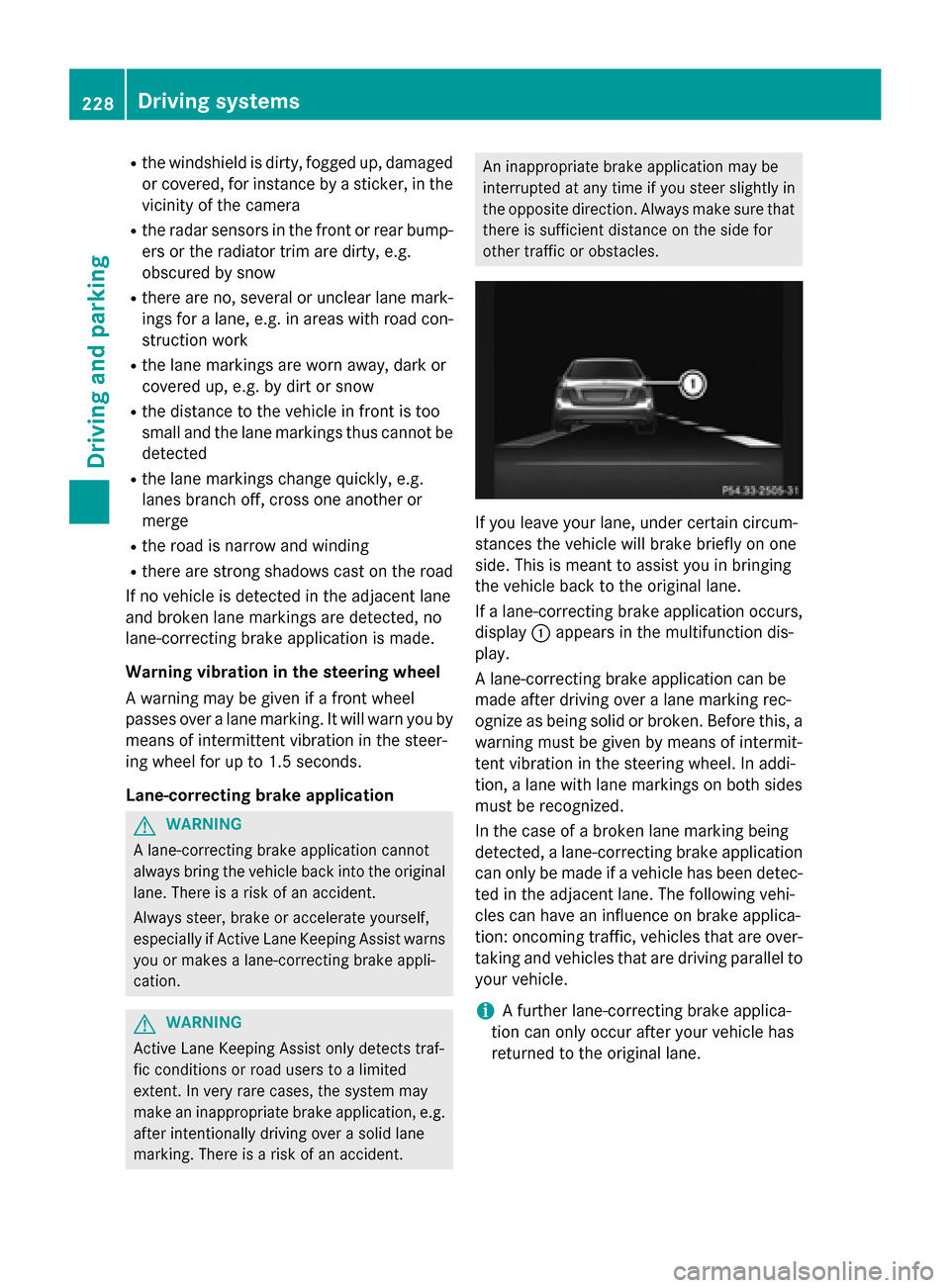
stances the vehicle will brake briefly on one
side. This is meant to assist you in bringing
the vehicle back to the original lane.
If a lane-correcting brake application occurs,
display 0043appears in the multifunction dis-
play.
A lane-correcting brake application can be
made after driving over a lane marking rec-
ognize as being solid or broken. Before this, a
warning must be given by means of intermit-
tent vibration in the steering wheel. In addi-
tion, a lane with lane markings on both sides must be recognized.
In the case of a broken lane marking being
detected, a lane-correcting brake application can only be made if a vehicle has been detec-
ted in the adjacent lane. The following vehi-
cles can have an influence on brake applica-
tion: oncoming traffic, vehicles that are over-
taking and vehicles that are driving parallel to
your vehicle.
i A further lane-correcting brake applica-
tion can only occur after your vehicle has
returned to the original lane. 228
Driving systemsDriving and parking