stop start MERCEDES-BENZ WAGON 2016 Owner's Manual
[x] Cancel search | Manufacturer: MERCEDES-BENZ, Model Year: 2016, Model line: WAGON, Model: MERCEDES-BENZ WAGON 2016Pages: 350, PDF Size: 6.71 MB
Page 141 of 350
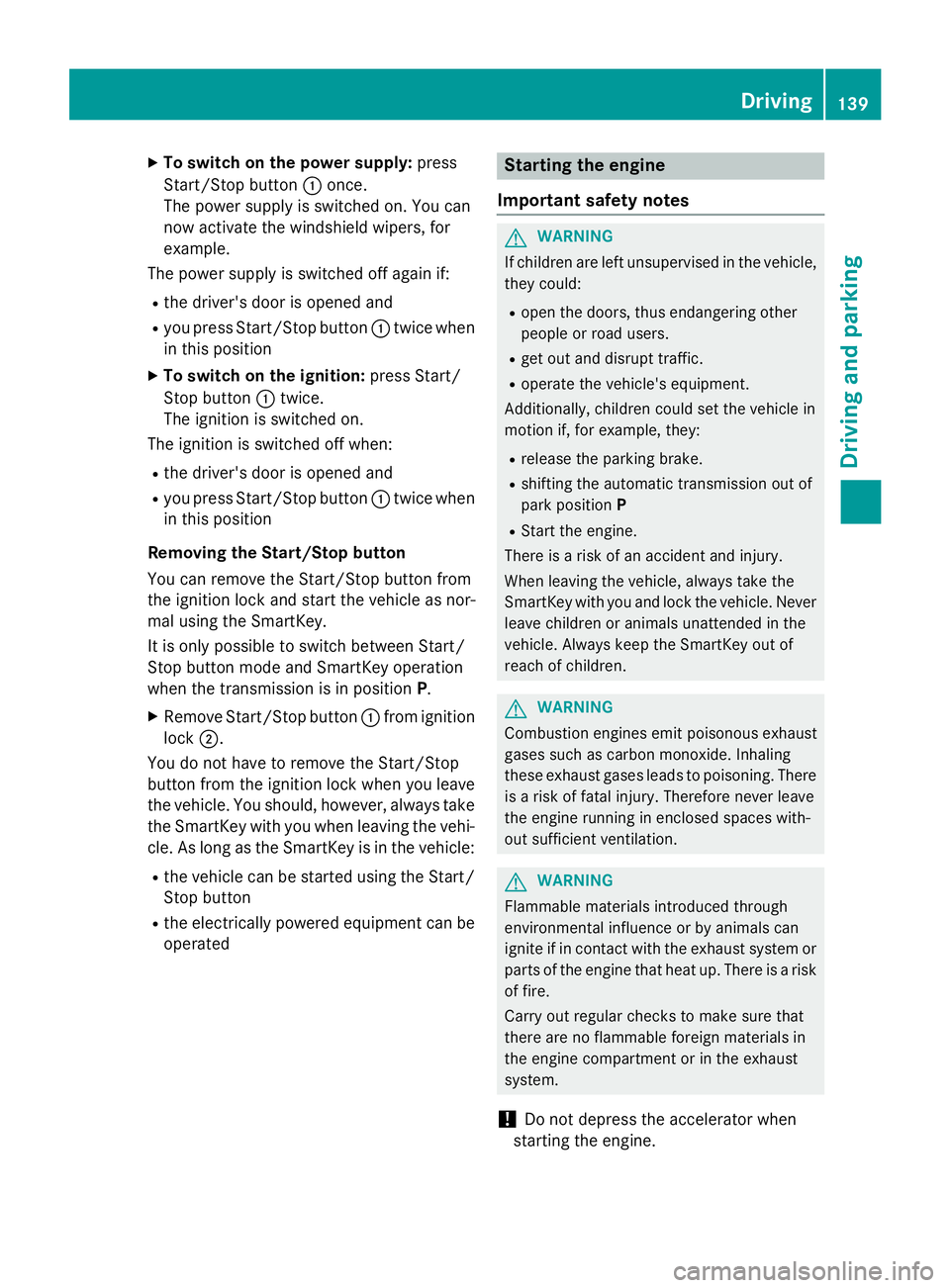
XTo switch on the power supply:press
Start/Stop button :once.
The power supply is switched on. You can
now activate the windshield wipers, for
example.
The power supply is switched off again if:
Rthe driver's door is opened and
Ryou press Start/Stop button :twice when
in this position
XTo switch on the ignition: press Start/
Stop button :twice.
The ignition is switched on.
The ignition is switched off when:
Rthe driver's door is opened and
Ryou press Start/Stop button :twice when
in this position
Removing the Start/Stop button
You can remove the Start/Stop button from
the ignition lock and start the vehicle as nor-
mal using the SmartKey.
It is only possible to switch between Start/
Stop button mode and SmartKey operation
when the transmission is in position P.
XRemove Start/Stop button:from ignition
lock ;.
You do not have to remove the Start/Stop
button from the ignition lock when you leave
the vehicle. You should, however, always take
the SmartKey with you when leaving the vehi-
cle. As long as the SmartKey is in the vehicle:
Rthe vehicle can be started using the Start/
Stop button
Rthe electrically powered equipment can be
operated
Starting the engine
Important safety notes
GWARNING
If children are left unsupervised in the vehicle,
they could:
Ropen the doors, thus endangering other
people or road users.
Rget out and disrupt traffic.
Roperate the vehicle's equipment.
Additionally, children could set the vehicle in
motion if, for example, they:
Rrelease the parking brake.
Rshifting the automatic transmission out of
park position P
RStart the engine.
There is a risk of an accident and injury.
When leaving the vehicle, always take the
SmartKey with you and lock the vehicle. Never
leave children or animals unattended in the
vehicle. Always keep the SmartKey out of
reach of children.
GWARNING
Combustion engines emit poisonous exhaust
gases such as carbon monoxide. Inhaling
these exhaust gases leads to poisoning. There
is a risk of fatal injury. Therefore never leave
the engine running in enclosed spaces with-
out sufficient ventilation.
GWARNING
Flammable materials introduced through
environmental influence or by animals can
ignite if in contact with the exhaust system or
parts of the engine that heat up. There is a risk
of fire.
Carry out regular checks to make sure that
there are no flammable foreign materials in
the engine compartment or in the exhaust
system.
!Do not depress the accelerator when
starting the engine.
Driving139
Driving an d parking
Z
Page 142 of 350
General notes
iVehicles with a gasoline engine:the
catalytic converter is preheated for up to
30 seconds after a cold start. The sound of
the engine may change during this time.
Automatic transmission
XShift the transmission to position P.
The transmission position display in the
multifunction display shows P.
iYou can start the engine in transmission
position Pand N.
Starting procedure with the SmartKey
iTo start the engine using the SmartKey
instead of KEYLESS-GO, pull the Start/
Stop button out of the ignition lock.
XVehicles with diesel engine: turn the key
to position 2in the ignition lock
(
Ypage 137).
The % preglow indicator lamp in the
instrument cluster lights up.
XTurn the key to position 3in the ignition
lock and release it as soon as the engine is
running (
Ypage 137).
iVehicles with a diesel engine: you can
start the engine without preglow if the
engine is warm.
Using KEYLESS-GO to start the engine
iThe Start/Stop button can be used to
start the vehicle manually without inserting
the SmartKey into the ignition lock. The
Start/Stop button must be inserted in the
ignition lock and the SmartKey must be in
the vehicle. This mode for starting the
engine operates independently of the ECO
start/stop automatic engine start function.
XDepress the brake pedal and keep it
depressed.
XPress the Start/Stop button once
(
Ypage 138).
Vehicles with a gasoline engine: the
engine starts.
Vehicles with a diesel engine: preglow is
activated and the engine starts.
Pulling away
General notes
GWARNING
If the engine speed is above the idling speed
and you engage transmission position Dor R,
the vehicle could pull away suddenly. There is
a risk of an accident.
When engaging transmission position Dor R,
always firmly depress the brake pedal and do not simultaneously accelerate.
!If a warning tone sounds and the
Release Park. Brake
message appears
in the multifunction display, the parking
brake is still applied. Release the parking
brake.
Depress the accelerator carefully when pull-
ing away.
The vehicle locks centrally once you have
pulled away. The locking knobs in the doors
drop down.
You can open the doors from the inside at any
time.
You can also deactivate the automatic locking
feature (
Ypage 190).
It is only possible to shift the transmission
from position Pto the desired position if you
depress the brake pedal. If you do not
depress the brake pedal, the DIRECT SELECT
lever can still be moved but the parking lock
remains engaged.
iUpshifts take place at higher engine
speeds after a cold start. This helps the
140Driving
Driving and parking
Page 143 of 350
catalytic converter to reach its operating
temperature more quickly.
Hill start assist
Hill start assist helps you when pulling away
forwards or in reverse on an uphill gradient. It
holds the vehicle for a short time after you
have removed your foot from the brake pedal.
This gives you enough time to move your foot
from the brake pedal to the accelerator pedal
and to depress it before the vehicle begins toroll.
GWARNING
After a short time, hill start assist will no lon-
ger brake your vehicle and it could roll away.
There is a risk of an accident and injury.
Therefore, quickly move your foot from the
brake pedal to the accelerator pedal. Never
leave the vehicle when it is held by hill start
assist.
Hill start assist is not active if:
Ryou are pulling away on a level road or on a downhill gradient.
Rthe transmission is in position N.
Rthe parking brake is applied.
RESP®is malfunctioning.
ECO start/stop function
Introduction
The ECO start/stop function switches the
engine off automatically if the vehicle is stop-
ped under certain conditions.
The engine starts automatically when the
driver wants to pull away again. The ECO
start/stop function thereby helps you to
reduce the fuel consumption and emissions
of your vehicle.
Important safety notes
GWARNING
If the engine is switched off automatically and
you exit the vehicle, the engine is restarted
automatically. The vehicle may begin moving.
There is a risk of accident and injury.
If you wish to exit the vehicle, always turn off
the ignition and secure the vehicle against
rolling away.
General notes
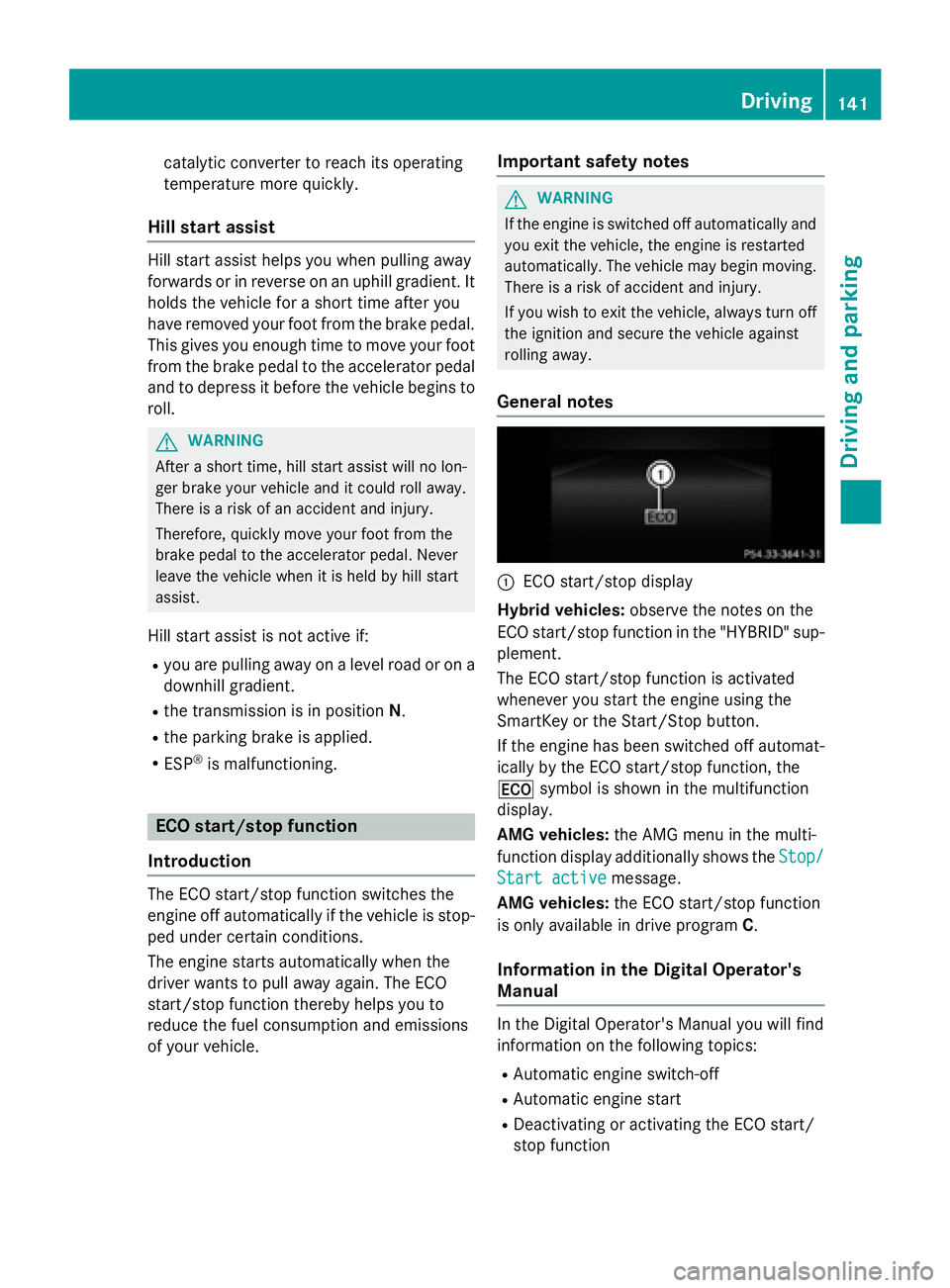
:ECO start/stop display
Hybrid vehicles: observe the notes on the
ECO start/stop function in the "HYBRID" sup-
plement.
The ECO start/stop function is activated
whenever you start the engine using the
SmartKey or the Start/Stop button.
If the engine has been switched off automat-
ically by the ECO start/stop function, the
¤ symbol is shown in the multifunction
display.
AMG vehicles: the AMG menu in the multi-
function display additionally shows the Stop/
Start activemessage.
AMG vehicles: the ECO start/stop function
is only available in drive program C.
Information in the Digital Operator's
Manual
In the Digital Operator's Manual you will find
information on the following topics:
RAutomatic engine switch-off
RAutomatic engine start
RDeactivating or activating the ECO start/
stop function
Driving141
Driving and parking
Z
Page 145 of 350
The DIRECT SELECT lever is on the right of the
steering column.
The DIRECT SELECT lever always returns to
its original position. The current transmission
positionP,R, Nor Dappears in the transmis-
sion position display in the multifunction dis-
play. You can find information about this in
the Digital Operator's Manual.
Information in the Digital Operator's
Manual
In the Digital Operator's Manual you will find
information on the following topics:
RTransmission position and drive program
display
REngaging park position P
REngaging park position P automatically
REngaging reverse gear R
REngaging drive position D
Shifting to neutral N
GWARNING
If children are left unsupervised in the vehicle,
they could:
Ropen the doors, thus endangering other
people or road users.
Rget out and disrupt traffic.
Roperate the vehicle's equipment.
Additionally, children could set the vehicle in
motion if, for example, they:
Rrelease the parking brake.
Rshifting the automatic transmission out of
park position P
RStart the engine.
There is a risk of an accident and injury.
When leaving the vehicle, always take the
SmartKey with you and lock the vehicle. Never
leave children or animals unattended in the
vehicle. Always keep the SmartKey out of
reach of children.
XIf the transmission is in position Dor R:
push the DIRECT SELECT lever up or down to the first point of resistance.
XIf the transmission is in position P: depress
the brake pedal and push the DIRECT
SELECT lever up or down to the first point of
resistance.
If you switch the engine off with the trans-
mission in position Ror D, the automatic
transmission shifts to Nautomatically.
With the SmartKey: if you then open the
driver's door or the front-passenger door or
remove the SmartKey from the ignition, the
automatic transmission shifts to Pautomati-
cally.
With KEYLESS-GO: if you then open the driv-
er's or front-passenger door, the automatic
transmission shifts to P.
If you want the automatic transmission to
remain in neutral N, e.g. when having the
vehicle cleaned in an automatic car wash with
a towing system:
Using the SmartKey:
XSwitch on the ignition.
XDepress the brake pedal and keep it
depressed.
XShift to neutral N.
XRelease the brake pedal.
XRelease the parking brake.
XSwitch off the ignition and leave the Smart-
Key in the ignition lock.
Using KEYLESS-GO:
XRemove the Start/Stop button from the
ignition lock.
XInsert the SmartKey into the ignition lock.
XSwitch on the ignition.
XDepress the brake pedal and keep it
depressed.
XShift to neutral N.
XRelease the brake pedal.
Automatic transmission143
Driving and parking
Z
Page 147 of 350
Shift recommendation
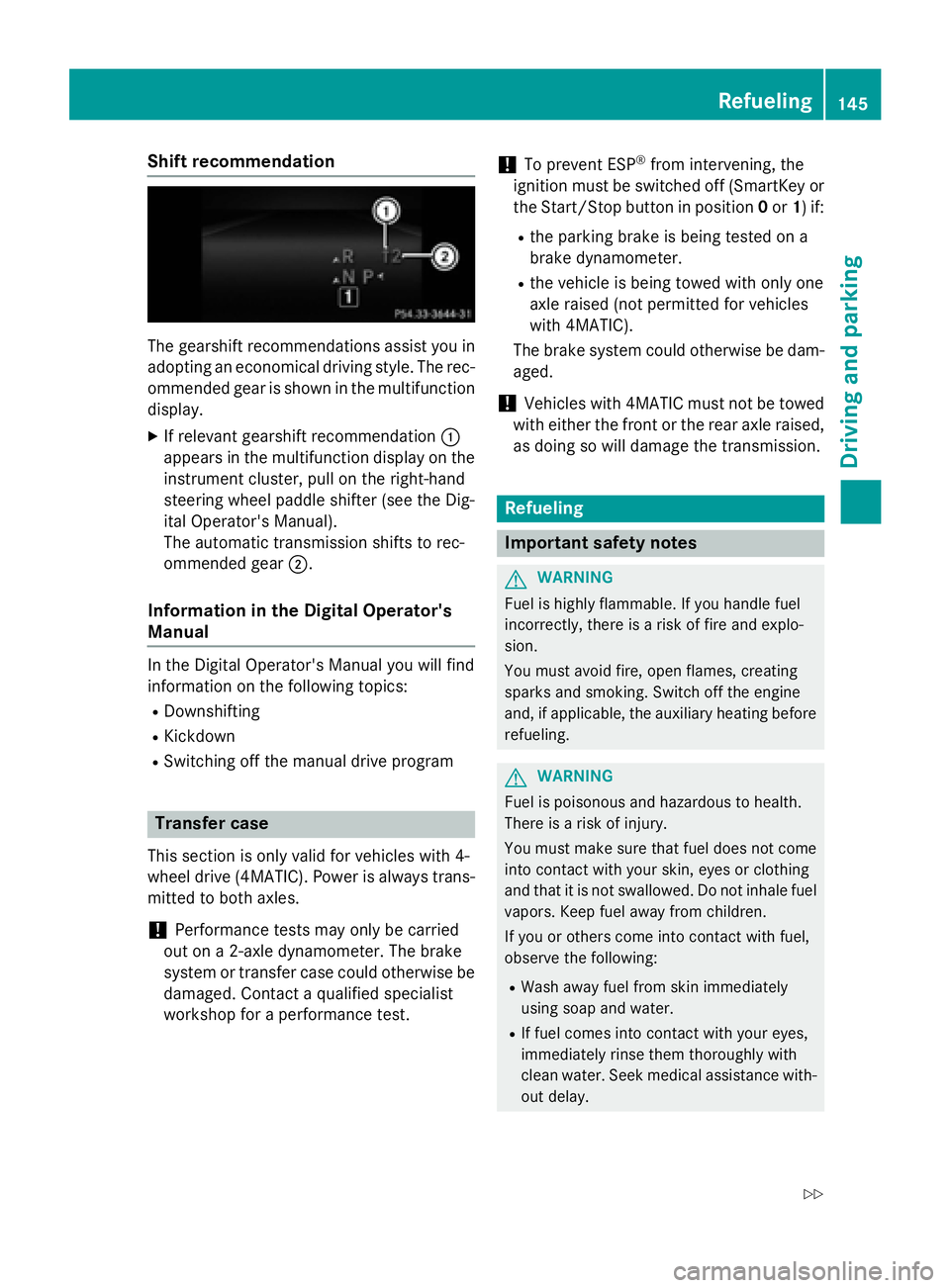
The gearshift recommendations assist you in
adopting an economical driving style. The rec-
ommended gear is shown in the multifunction
display.
XIf relevant gearshift recommendation :
appears in the multifunction display on the
instrument cluster, pull on the right-hand
steering wheel paddle shifter (see the Dig-
ital Operator's Manual).
The automatic transmission shifts to rec-
ommended gear ;.
Information in the Digital Operator's
Manual
In the Digital Operator's Manual you will find
information on the following topics:
RDownshifting
RKickdown
RSwitching off the manual drive program
Transfer case
This section is only valid for vehicles with 4-
wheel drive (4MATIC). Power is always trans-
mitted to both axles.
!Performance tests may only be carried
out on a 2-axle dynamometer. The brake
system or transfer case could otherwise be
damaged. Contact a qualified specialist
workshop for a performance test.
!To prevent ESP®from intervening, the
ignition must be switched off (SmartKey or
the Start/Stop button in position 0or 1) if:
Rthe parking brake is being tested on a
brake dynamometer.
Rthe vehicle is being towed with only one
axle raised (not permitted for vehicles
with 4MATIC).
The brake system could otherwise be dam-
aged.
!Vehicles with 4MATIC must not be towed
with either the front or the rear axle raised,
as doing so will damage the transmission.
Refueling
Important safety notes
GWARNING
Fuel is highly flammable. If you handle fuel
incorrectly, there is a risk of fire and explo-
sion.
You must avoid fire, open flames, creating
sparks and smoking. Switch off the engine
and, if applicable, the auxiliary heating before refueling.
GWARNING
Fuel is poisonous and hazardous to health.
There is a risk of injury.
You must make sure that fuel does not come into contact with your skin, eyes or clothing
and that it is not swallowed. Do not inhale fuel
vapors. Keep fuel away from children.
If you or others come into contact with fuel,
observe the following:
RWash away fuel from skin immediately
using soap and water.
RIf fuel comes into contact with your eyes,
immediately rinse them thoroughly with
clean water. Seek medical assistance with-
out delay.
Refueling145
Driving and parking
Z
Page 155 of 350
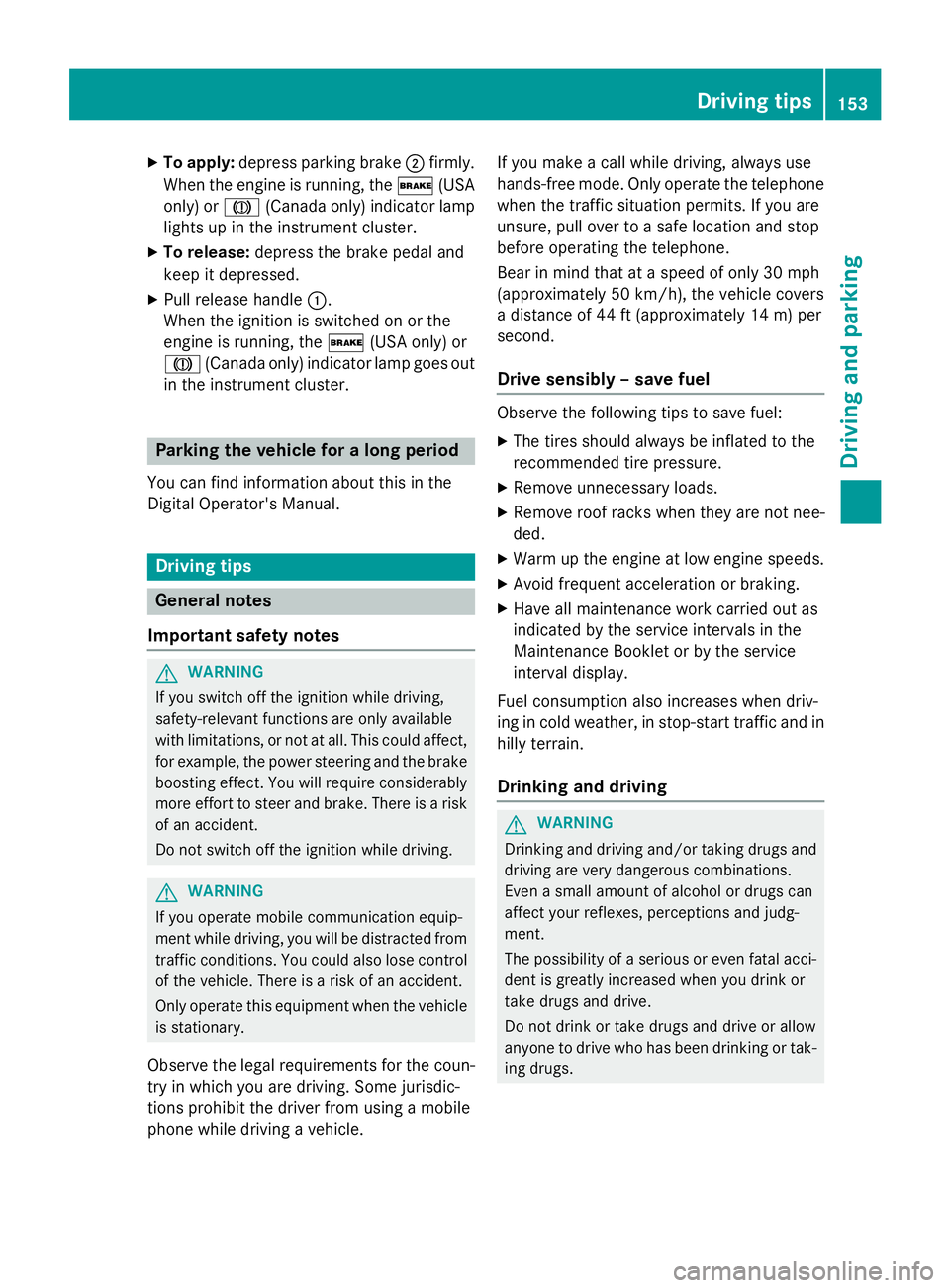
XTo apply:depress parking brake ;firmly.
When the engine is running, the $(USA
only) or J(Canada only) indicator lamp
lights up in the instrument cluster.
XTo release: depress the brake pedal and
keep it depressed.
XPull release handle :.
When the ignition is switched on or the
engine is running, the $(USA only) or
J (Canada only) indicator lamp goes out
in the instrument cluster.
Parking the vehicle for a long period
You can find information about this in the
Digital Operator's Manual.
Driving tips
General notes
Important safety notes
GWARNING
If you switch off the ignition while driving,
safety-relevant functions are only available
with limitations, or not at all. This could affect, for example, the power steering and the brake
boosting effect. You will require considerably
more effort to steer and brake. There is a risk
of an accident.
Do not switch off the ignition while driving.
GWARNING
If you operate mobile communication equip-
ment while driving, you will be distracted from traffic conditions. You could also lose control
of the vehicle. There is a risk of an accident.
Only operate this equipment when the vehicle
is stationary.
Observe the legal requirements for the coun-
try in which you are driving. Some jurisdic-
tions prohibit the driver from using a mobile
phone while driving a vehicle. If you make a call while driving, always use
hands-free mode. Only operate the telephone
when the traffic situation permits. If you are
unsure, pull over to a safe location and stop
before operating the telephone.
Bear in mind that at a speed of only 30 mph
(approximately 50 km/h), the vehicle covers
a distance of 44 ft (approximately 14 m) per
se cond.
Drive sensibly – save fuel
Observe the following tips to save fuel:
XThe tires should always be inflated to the
recommended tire pressure.
XRemove unnecessary loads.
XRemove roof racks when they are not nee-
ded.
XWarm up the engine at low engine speeds.
XAvoid frequent acceleration or braking.
XHave all maintenance work carried out as
indicated by the service intervals in the
Maintenance Booklet or by the service
interval display.
Fuel consumption also increases when driv-
ing in cold weather, in stop-start traffic and in
hilly terrain.
Drinking and driving
GWARNING
Drinking and driving and/or taking drugs and driving are very dangerous combinations.
Even a small amount of alcohol or drugs can
affect your reflexes, perceptions and judg-
ment.
The possibility of a serious or even fatal acci-
dent is greatly increased when you drink or
take drugs and drive.
Do not drink or take drugs and drive or allow
anyone to drive who has been drinking or tak-
ing drugs.
Driving tips153
Driving and parking
Z
Page 162 of 350
If there is no vehicle in front, DISTRONIC
PLUS operates in the same way as cruise
control.
If DISTRONIC PLUS detects that the vehicle in
front has slowed down, it brakes your vehicle.
In this way, the distance you have selected is
maintained.
If DISTRONIC PLUS detects a faster-moving
vehicle in front, it increases the driving speed. However, the vehicle is only accelerated up to
the speed you have stored.
Selecting the drive program
DISTRONIC PLUS supports a sporty driving
style when you have selected the Sor M(AMG
vehicles: S,S+ orM) driving program
(
Ypage 144). Acceleration behind the vehicle
in front or to the set speed is then noticeably
more dynamic. If you have selected the Eor E
+ (AMG vehicles: C) driving program, the vehi-
cle accelerates more gently. This setting is
recommended in stop-and-start traffic.
Selecting the drive program
DISTRONIC PLUS supports a sporty driving
style when you have selected the Sor M(AMG
vehicles: S,S+ orM) driving program
(
Ypage 144). Acceleration behind the vehicle
in front or to the set speed is then noticeably
more dynamic. If you have selected the Eor E
+ (AMG vehicles: C) driving program, the vehi-
cle accelerates more gently. This setting is
recommended in stop-and-start traffic.
Changing lanes
If you change to the passing lane, DISTRONIC
PLUS supports you when:
Ryou are driving faster than 45 mph
(70 km/h)
RDISTRONIC PLUS is maintaining the dis-
tance to a vehicle in front
Ryou have switched on the corresponding
turn signal
RDISTRONIC PLUS does not detect a danger
of collision If these conditions are fulfilled, your vehicle is
accelerated. Acceleration will be interrupted
if changing lanes takes too long or if the dis-
tance between your vehicle and the vehicle in
front becomes too small.
iWhen changing lanes, DISTRONIC PLUS
monitors the left lane on left-hand drive
vehicles and the right lane on right-hand
drive vehicles.
Stopping
GWARNING
When leaving the vehicle, even if it is braked
only by DISTRONIC PLUS, it could roll away if:
Rthere is a malfunction in the system or in
the voltage supply.
RDISTRONIC PLUS has been deactivated
with the cruise control lever, e.g. by a vehi-
cle occupant or from outside the vehicle.
Rthe electrical system in the engine com-
partment, the battery or the fuses have
been tampered with.
Rthe battery is disconnected.
Rthe accelerator pedal has been depressed, e.g. by a vehicle occupant.
There is a risk of an accident.
If you wish to exit the vehicle, always turn off
DISTRONIC PLUS and secure the vehicle
against rolling away.
For further information on deactivating
DISTRONIC PLUS (
Ypage 161).
If DISTRONIC PLUS detects that the vehicle in
front is stopping, it brakes your vehicle until it is stationary.
Once your vehicle is stationary, it remains
stationary and you do not need to depress the
brake.
Depending on the specified minimum dis-
tance, your vehicle will come to a standstill at
a sufficient distance behind the vehicle in
front. The specified minimum distance is set
using the control on the cruise control lever.
160Driving systems
Driving and parking
Page 163 of 350
When DISTRONIC PLUS is activated, the
transmission is shifted automatically to posi-
tionPif:
Rthe driver's door is open and the driver's
seat belt is unfastened.
Rthe engine is switched off, unless it is auto-
matically switched off by the ECO start/
stop function.
Ra system malfunction occurs.
Rthe power supply is not sufficient.
Information in the Digital Operator's
Manual
In the Digital Operator's Manual you will find
information on the following topics:
RSetting a speed
RSetting the specified minimum distance
RDISTRONIC PLUS displays in the instru-
ment cluster
Deactivating DISTRONIC PLUS
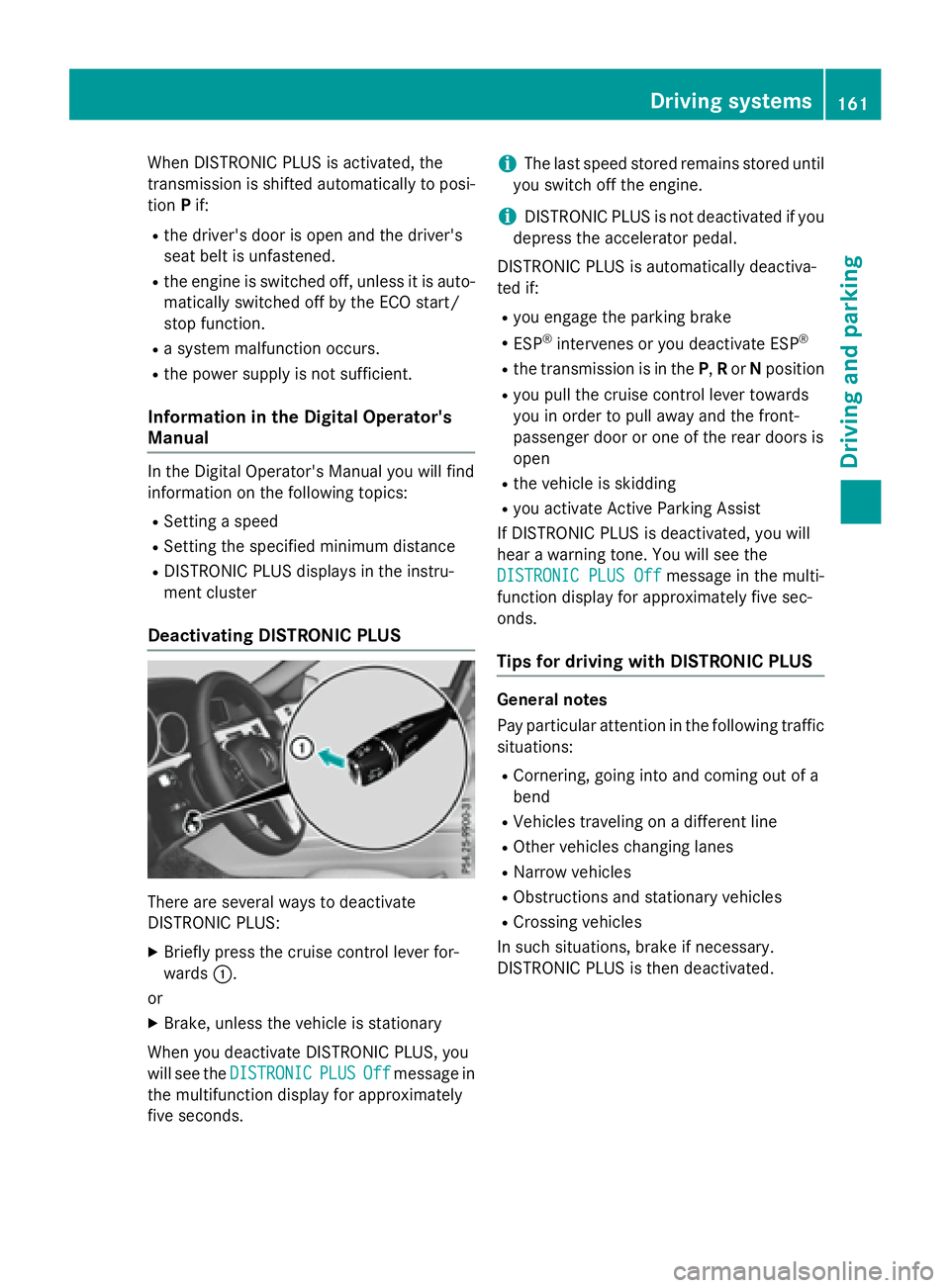
There are several ways to deactivate
DISTRONIC PLUS:
XBriefly press the cruise control lever for-
wards :.
or
XBrake, unless the vehicle is stationary
When you deactivate DISTRONIC PLUS, you
will see the DISTRONIC
PLUSOffmessage in
the multifunction display for approximately
five seconds.
iThe last speed stored remains stored until
you switch off the engine.
iDISTRONIC PLUS is not deactivated if you
depress the accelerator pedal.
DISTRONIC PLUS is automatically deactiva-
ted if:
Ryou engage the parking brake
RESP®intervenes or you deactivate ESP®
Rthe transmission is in the P,Ror Nposition
Ryou pull the cruise control lever towards
you in order to pull away and the front-
passenger door or one of the rear doors is
open
Rthe vehicle is skidding
Ryou activate Active Parking Assist
If DISTRONIC PLUS is deactivated, you will
hear a warning tone. You will see the
DISTRONIC PLUS Off
message in the multi-
function display for approximately five sec-
onds.
Tips for driving with DISTRONIC PLUS
General notes
Pay particular attention in the following traffic
situations:
RCornering, going into and coming out of a
bend
RVehicles traveling on a different line
ROther vehicles changing lanes
RNarrow vehicles
RObstructions and stationary vehicles
RCrossing vehicles
In such situations, brake if necessary.
DISTRONIC PLUS is then deactivated.
Driving systems161
Driving and parking
Z
Page 166 of 350
The support provided by the system can be
impaired if:
Rthere is poor visibility, e.g. due to insuffi-
cient illumination of the road, or due to
snow, rain, fog or spray
Rthere is glare, e.g. from oncoming traffic,
the sun or reflections (e.g. when the road
surface is wet)
Rthe windshield is dirty, fogged up, damagedor covered, for instance by a sticker, in the
vicinity of the camera
Rno, or several, unclear lane markings are
present for one lane, e.g. in a construction
area
Rthe lane markings are worn away, dark or
covered up, e.g. by dirt or snow
Rthe distance to the vehicle in front is too
small and the lane markings thus cannot be
detected
Rthe lane markings change quickly, e.g.
lanes branch off, cross one another or
merge
Rthe road is narrow and winding
Rthere are strong shadows cast on the road
The system is switched to passive and no lon-
ger assists you by performing steering inter-
ventions if:
Ryou actively change lanes
Ryou switch on the turn signal
Rtake your hands off the steering wheel or do
not steer for a prolonged period of time
iAfter you have finished changing lanes,
Steering Assist and Stop&Go Pilot are auto-
matically active again.
DISTRONIC PLUS Steering Assist does not
provide assistance:
Ron very sharp corners
Rwhen a loss of tire pressure or a defective
tire has been detected and displayed.
Pay attention also to the important safety
notes for DISTRONIC PLUS (
Ypage 157).
The steering interventions are carried out
with a limited steering moment. The system requires the driver to keep his hands on the
steering wheel and to steer himself.
If you do not steer yourself or if you take your
hands off the steering wheel for a prolonged
period of time, the system will first alert you
with a visual warning. A steering wheel sym-
bol appears in the multifunction display. If you
have still not started to steer and have not
taken hold of the steering wheel
after five
seconds at t
he latest, a warning tone also
sounds to remind you to take control of the
vehicle. Steering Assist and Stop&Go Pilot are
switched to passive. DISTRONIC PLUS
remains active.
Activating Steering Assist and Stop&Go
Pilot
XActivate the DISTRONIC PLUS with Steer-
ing Assist and Stop&Go Pilot function using
the on-board computer (
Ypage 190).
The DTR+:
SteeringAssistantOnmes-
sage appears in the multifunction display.
Steering Assist and Stop&Go Pilot are
active.
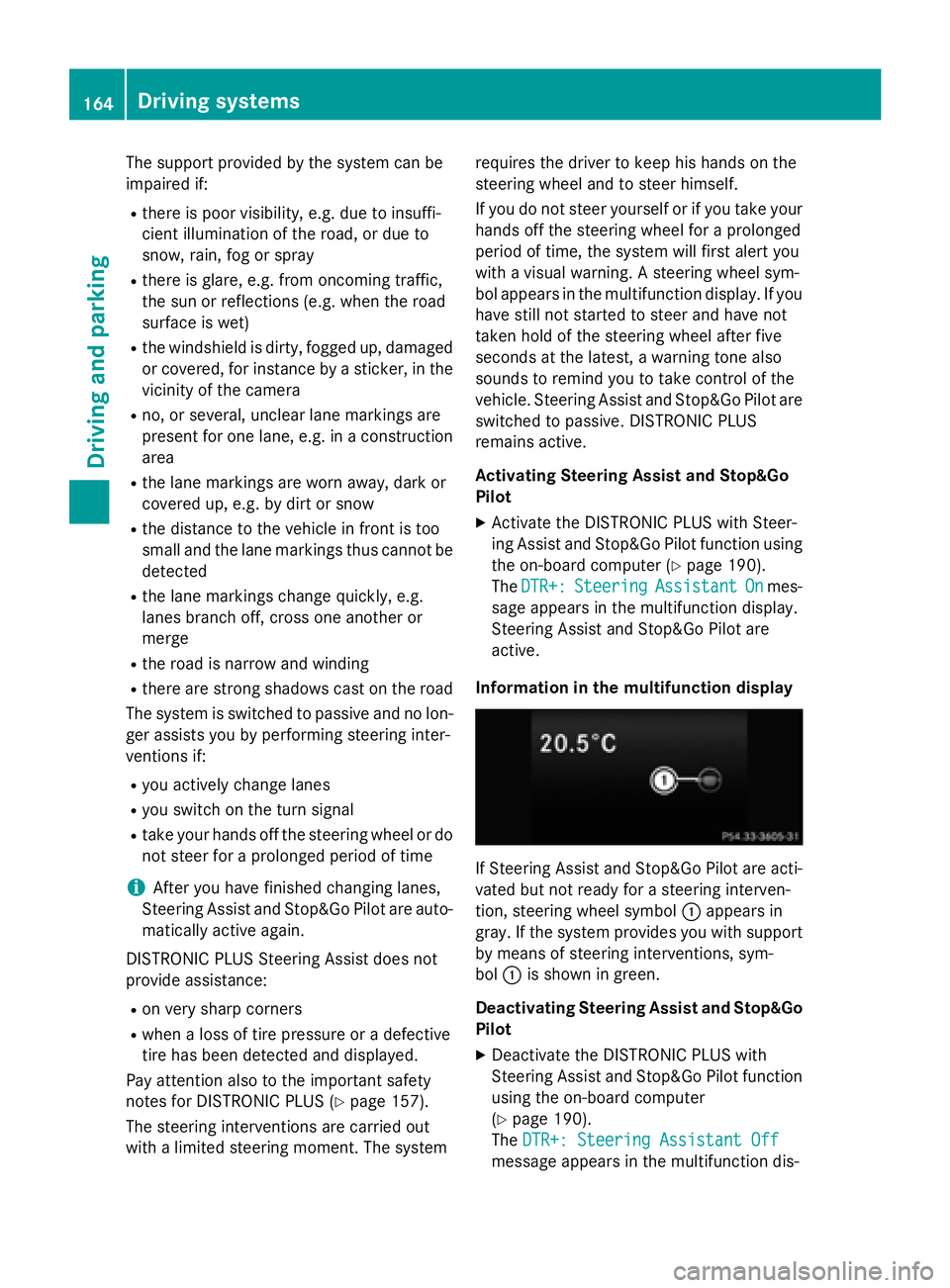
Information in the multifunction display
If Steering Assist and Stop&Go Pilot are acti-
vated but not ready for a steering interven-
tion, steering wheel symbol :appears in
gray. If the system provides you with support
by means of steering interventions, sym-
bol :is shown in green.
Deactivating Steering Assist and Stop&Go Pilot
XDeactivate the DISTRONIC PLUS with
Steering Assist and Stop&Go Pilot function
using the on-board computer
(
Ypage 190).
The DTR+: Steering Assistant Off
message appears in the multifunction dis-
164Driving systems
Driving and parking
Page 167 of 350
play. Steering Assist and Stop&Go Pilot are
deactivated.
When DISTRONIC PLUS is deactivated or not
available, Steering Assist and Stop&Go Pilot
are deactivated automatically.
HOLD function
General notes
The HOLD function can assist the driver in the
following situations:
Rwhen pulling away, especially on steep
slopes
Rwhen maneuvering on steep slopes
Rwhen waiting in traffic
The vehicle is kept stationary without the
driver having to depress the brake pedal.
The braking effect is canceled and the HOLD
function deactivated when you depress the
accelerator pedal to pull away.
Important safety notes
GWARNING
When leaving the vehicle, it can still roll away despite being braked by the HOLD function if:
Rthere is a malfunction in the system or in
the voltage supply.
Rthe HOLD function has been deactivated by
pressing the accelerator pedal or the brake
pedal, e.g. by a vehicle occupant.
Rthe electrical system in the engine com-
partment, the battery or the fuses have
been tampered with.
Rthe battery is disconnected
There is a risk of an accident.
If you wish to exit the vehicle, always turn off the HOLD function and secure the vehicle
against rolling away.
!If DISTRONIC PLUS or the HOLD function
is activated, the vehicle brakes automati-
cally in certain situations. To prevent damage to the vehicle, deacti-
vate DISTRONIC PLUS and the HOLD func-
tion in the following or other similar situa-
tions:
Rwhen towing the vehicle
Rin the car wash
Activation conditions
You can activate the HOLD function if:
Rthe vehicle is stationary
Rthe engine is running or if it has been auto-
matically switched off by the ECO start/
stop function
Rthe driver's door is closed or your seat beltis fastened
Rthe parking brake is released
Rthe transmission is in position D,Ror N
RDISTRONIC PLUS is deactivated
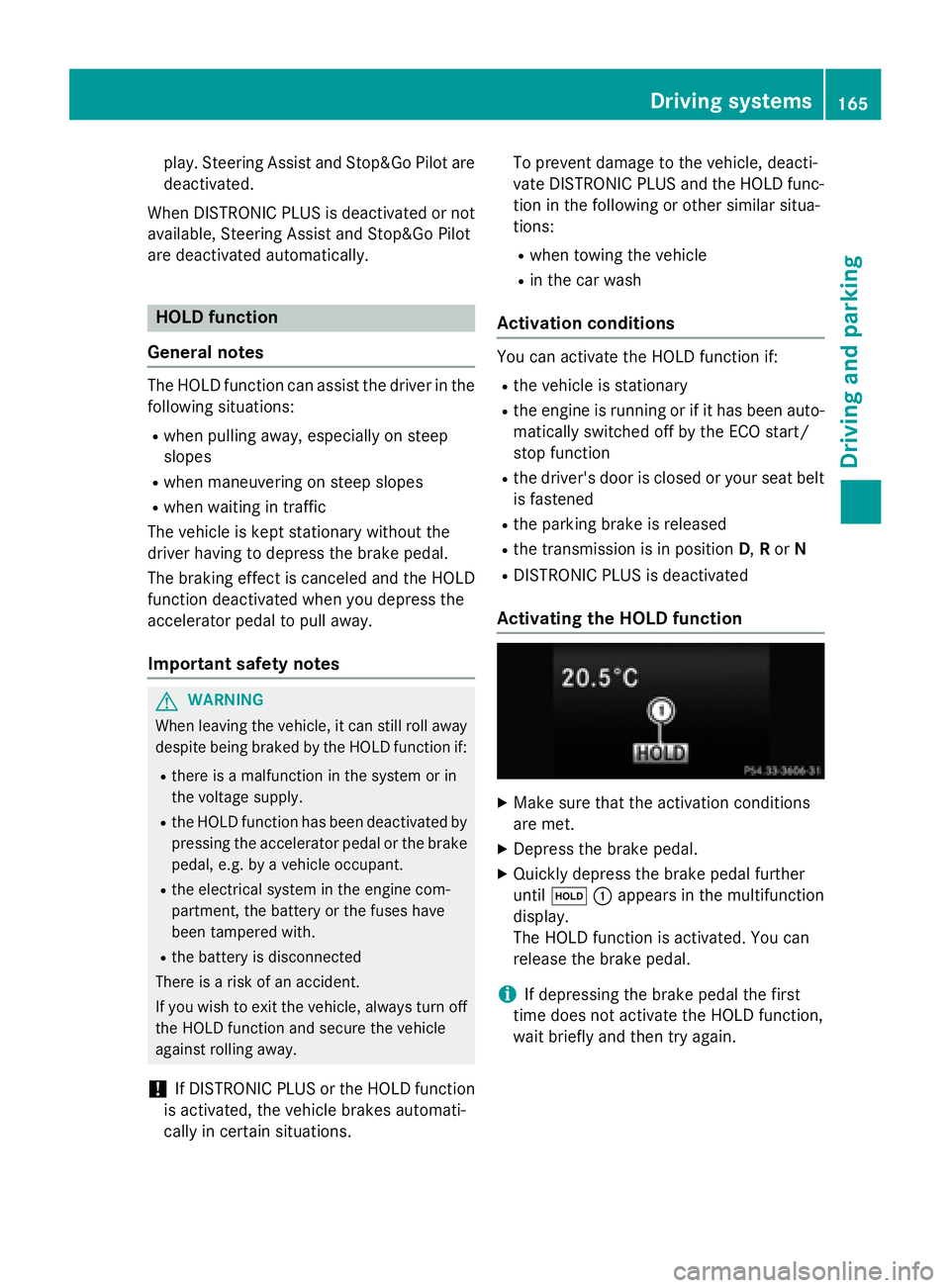
Activating the HOLD function
XMake sure that the activation conditions
are met.
XDepress the brake pedal.
XQuickly depress the brake pedal further
until ë :appears in the multifunction
display.
The HOLD function is activated. You can
release the brake pedal.
iIf depressing the brake pedal the first
time does not activate the HOLD function,
wait briefly and then try again.
Driving systems165
Driving and parking
Z