lock Mercury Mariner Hybrid 2009 s User Guide
[x] Cancel search | Manufacturer: MERCURY, Model Year: 2009, Model line: Mariner Hybrid, Model: Mercury Mariner Hybrid 2009Pages: 333, PDF Size: 2.33 MB
Page 52 of 333
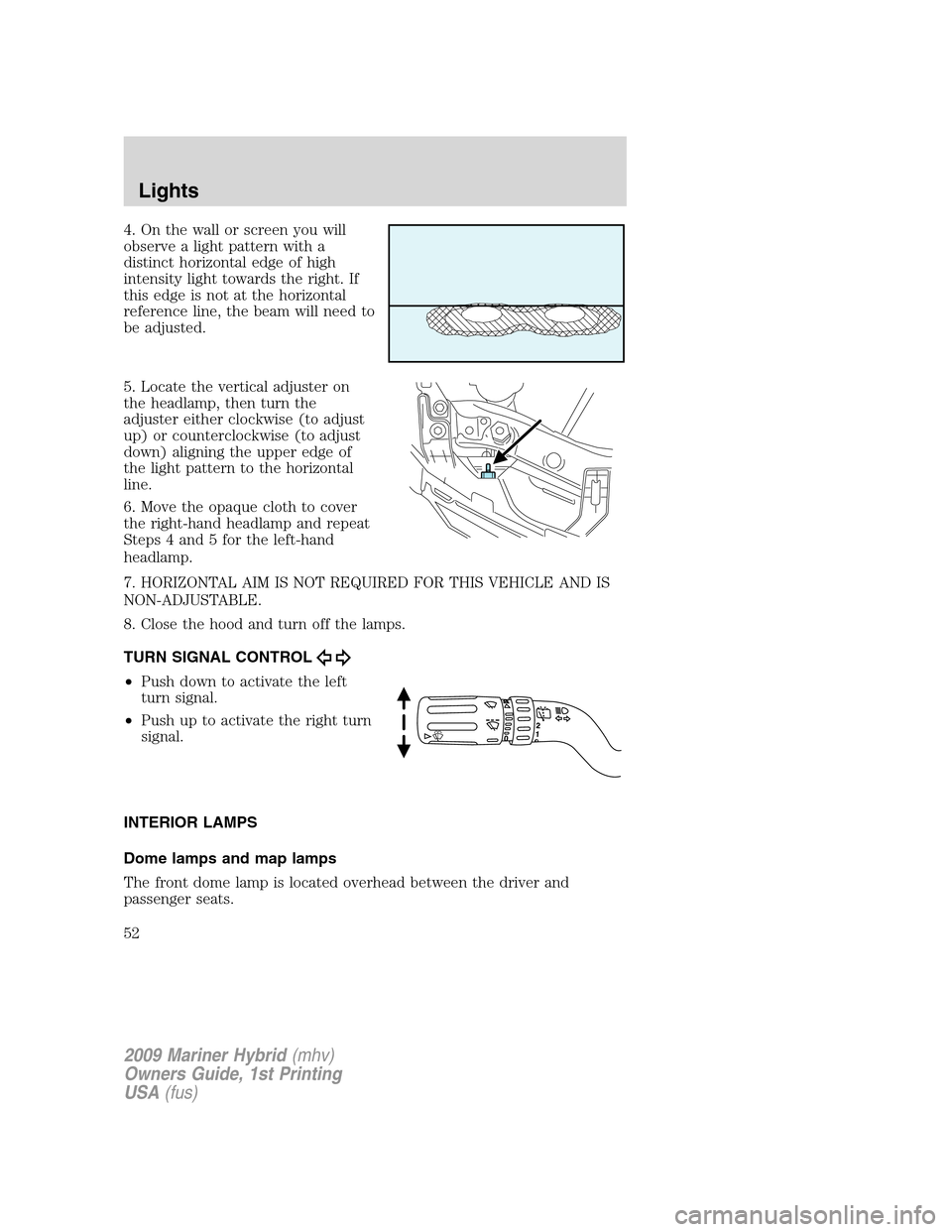
4. On the wall or screen you will
observe a light pattern with a
distinct horizontal edge of high
intensity light towards the right. If
this edge is not at the horizontal
reference line, the beam will need to
be adjusted.
5. Locate the vertical adjuster on
the headlamp, then turn the
adjuster either clockwise (to adjust
up) or counterclockwise (to adjust
down) aligning the upper edge of
the light pattern to the horizontal
line.
6. Move the opaque cloth to cover
the right-hand headlamp and repeat
Steps 4 and 5 for the left-hand
headlamp.
7. HORIZONTAL AIM IS NOT REQUIRED FOR THIS VEHICLE AND IS
NON-ADJUSTABLE.
8. Close the hood and turn off the lamps.
TURN SIGNAL CONTROL
•Push down to activate the left
turn signal.
•Push up to activate the right turn
signal.
INTERIOR LAMPS
Dome lamps and map lamps
The front dome lamp is located overhead between the driver and
passenger seats.
2009 Mariner Hybrid(mhv)
Owners Guide, 1st Printing
USA(fus)
Lights
52
Page 54 of 333

Ambient lighting (if equipped)
Illuminates footwells, cupholders,
the console bin and the console tray
with a choice of seven colors. The
ambient lighting control switch is
located on the floor console. To
activate, press and release the
control switch to cycle through the
seven color choices plus the off
state.
The lights come on whenever the ignition is in either the on or accessory
position.
Note:The ambient lights will stay on until after the ignition is placed in
the off position and either of the front doors are opened or the delay
accessory timer expires.
Interior lighting battery saver
The interior lamps will automatically extinguish after 10 minutes when
the ignition key is in the off/lock position, a door has been left open or
the interior lamp controls are in the on position.
BULB REPLACEMENT
Headlamp condensation
Exterior lamps are vented to accommodate normal changes in pressure.
Condensation can be a natural by-product of this design. When moist air
enters the lamp assembly through the vents, condensation can occur
when the temperature is cold. When normal condensation occurs, a thin
film of mist can form on the interior of the lens. The thin mist eventually
clears and exits through the vents during normal operation. Clearing
time may take as long as 48 hours under dry weather conditions.
Examples of acceptable condensation are:
•Presence of thin mist (no streaks, drip marks or droplets)
•Fine mist covers less than 50% of the lens
Examples of unacceptable moisture (usually caused by a lamp water
leak) are:
•Water puddle inside the lamp
•Large water droplets, drip marks or streaks present on the interior of
the lens
2009 Mariner Hybrid(mhv)
Owners Guide, 1st Printing
USA(fus)
Lights
54
Page 56 of 333
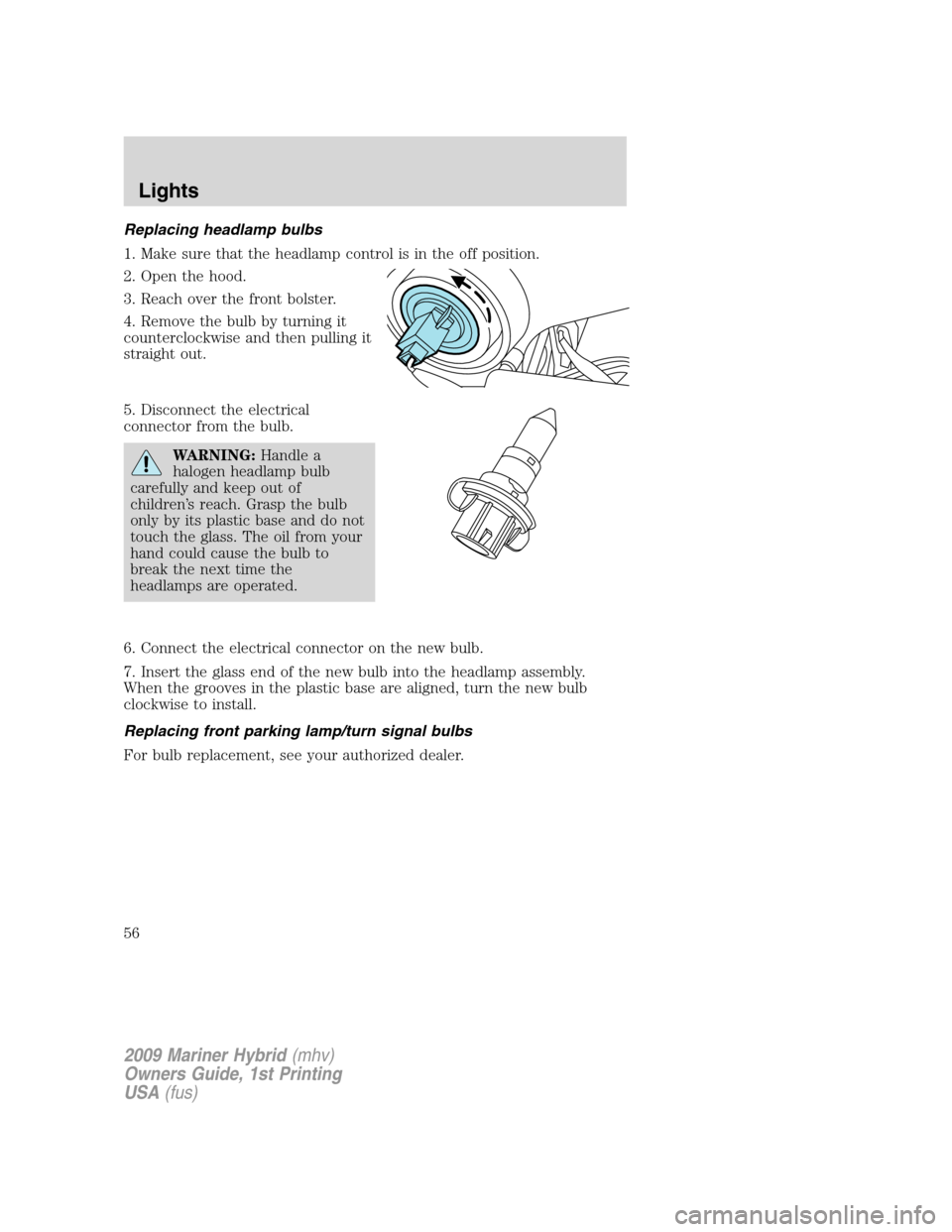
Replacing headlamp bulbs
1. Make sure that the headlamp control is in the off position.
2. Open the hood.
3. Reach over the front bolster.
4. Remove the bulb by turning it
counterclockwise and then pulling it
straight out.
5. Disconnect the electrical
connector from the bulb.
WARNING:Handle a
halogen headlamp bulb
carefully and keep out of
children’s reach. Grasp the bulb
only by its plastic base and do not
touch the glass. The oil from your
hand could cause the bulb to
break the next time the
headlamps are operated.
6. Connect the electrical connector on the new bulb.
7. Insert the glass end of the new bulb into the headlamp assembly.
When the grooves in the plastic base are aligned, turn the new bulb
clockwise to install.
Replacing front parking lamp/turn signal bulbs
For bulb replacement, see your authorized dealer.
2009 Mariner Hybrid(mhv)
Owners Guide, 1st Printing
USA(fus)
Lights
56
Page 57 of 333
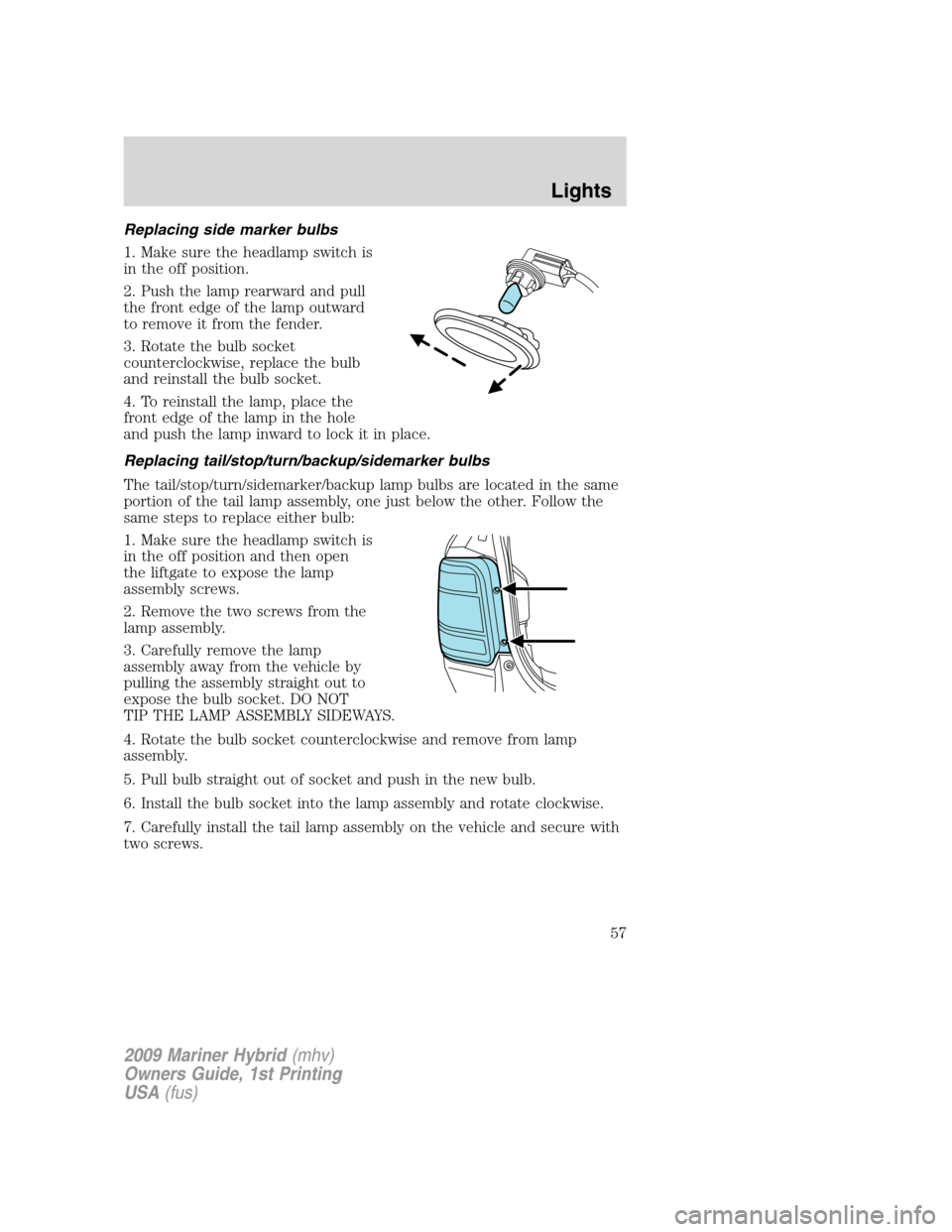
Replacing side marker bulbs
1. Make sure the headlamp switch is
in the off position.
2. Push the lamp rearward and pull
the front edge of the lamp outward
to remove it from the fender.
3. Rotate the bulb socket
counterclockwise, replace the bulb
and reinstall the bulb socket.
4. To reinstall the lamp, place the
front edge of the lamp in the hole
and push the lamp inward to lock it in place.
Replacing tail/stop/turn/backup/sidemarker bulbs
The tail/stop/turn/sidemarker/backup lamp bulbs are located in the same
portion of the tail lamp assembly, one just below the other. Follow the
same steps to replace either bulb:
1. Make sure the headlamp switch is
in the off position and then open
the liftgate to expose the lamp
assembly screws.
2. Remove the two screws from the
lamp assembly.
3. Carefully remove the lamp
assembly away from the vehicle by
pulling the assembly straight out to
expose the bulb socket. DO NOT
TIP THE LAMP ASSEMBLY SIDEWAYS.
4. Rotate the bulb socket counterclockwise and remove from lamp
assembly.
5. Pull bulb straight out of socket and push in the new bulb.
6. Install the bulb socket into the lamp assembly and rotate clockwise.
7. Carefully install the tail lamp assembly on the vehicle and secure with
two screws.
2009 Mariner Hybrid(mhv)
Owners Guide, 1st Printing
USA(fus)
Lights
57
Page 58 of 333
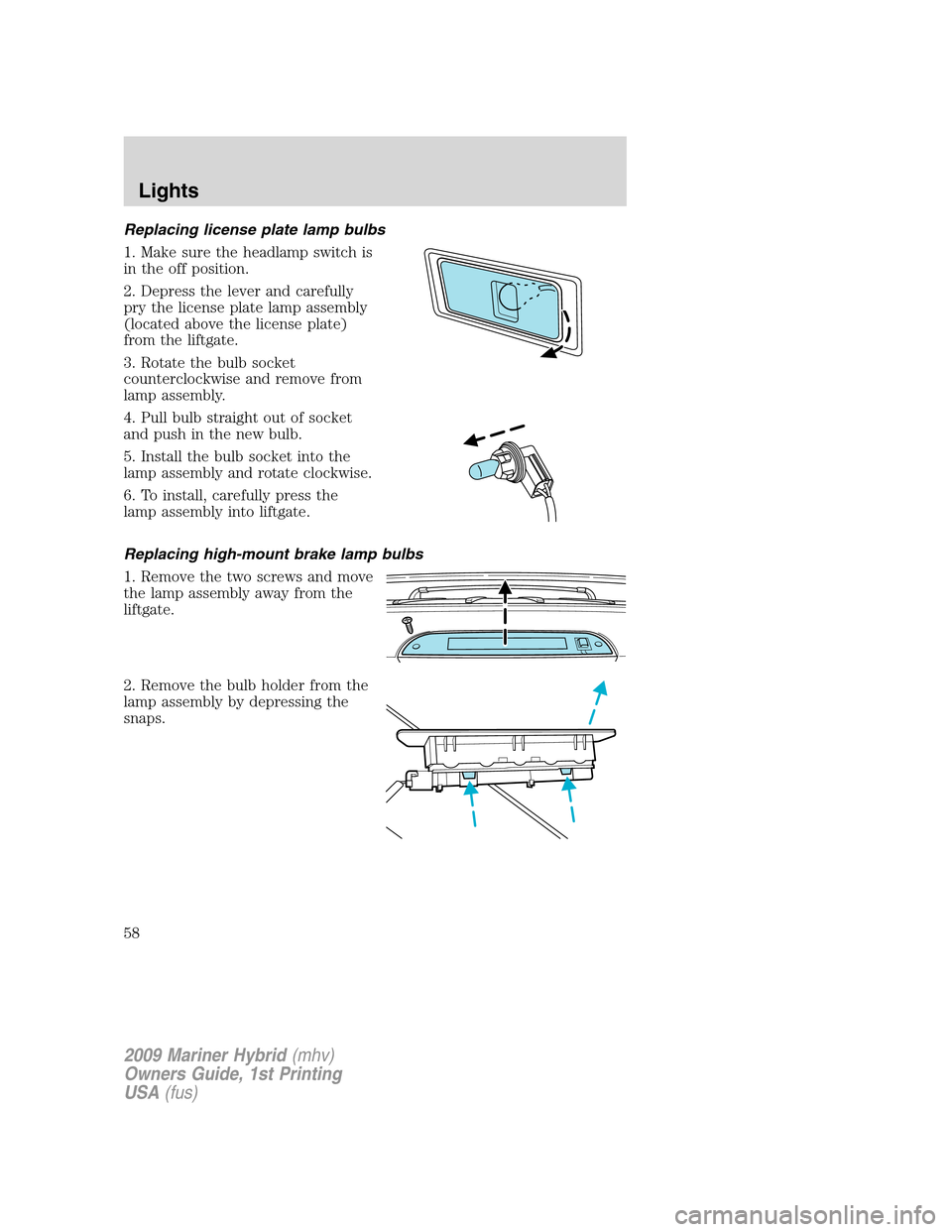
Replacing license plate lamp bulbs
1. Make sure the headlamp switch is
in the off position.
2. Depress the lever and carefully
pry the license plate lamp assembly
(located above the license plate)
from the liftgate.
3. Rotate the bulb socket
counterclockwise and remove from
lamp assembly.
4. Pull bulb straight out of socket
and push in the new bulb.
5. Install the bulb socket into the
lamp assembly and rotate clockwise.
6. To install, carefully press the
lamp assembly into liftgate.
Replacing high-mount brake lamp bulbs
1. Remove the two screws and move
the lamp assembly away from the
liftgate.
2. Remove the bulb holder from the
lamp assembly by depressing the
snaps.
2009 Mariner Hybrid(mhv)
Owners Guide, 1st Printing
USA(fus)
Lights
58
Page 61 of 333

Rear window wiper/washer controls
For rear wiper operation, rotate the
rear window wiper and washer
control to the desired position.
Select:
INT 2 — Normal speed operation of
rear wiper.
INT 1 — Intermittent operation of
rear wiper.
OFF — Rear wiper and washer off.
For rear wash cycle, rotate (and hold as desired) the rear wiper/washer
control to either
position.
From either position, the control will automatically return to the INT 2
or OFF position.
TILT STEERING WHEEL
To adjust the steering wheel:
1. Pull down the steering column tilt
lever.
2. Move the steering wheel up or
down until you find the desired
location.
3. Push the steering column tilt
lever up. This will lock the steering
wheel in position.
WARNING:Never adjust
the steering wheel when the
vehicle is moving.
2009 Mariner Hybrid(mhv)
Owners Guide, 1st Printing
USA(fus)
Driver Controls
61
Page 68 of 333
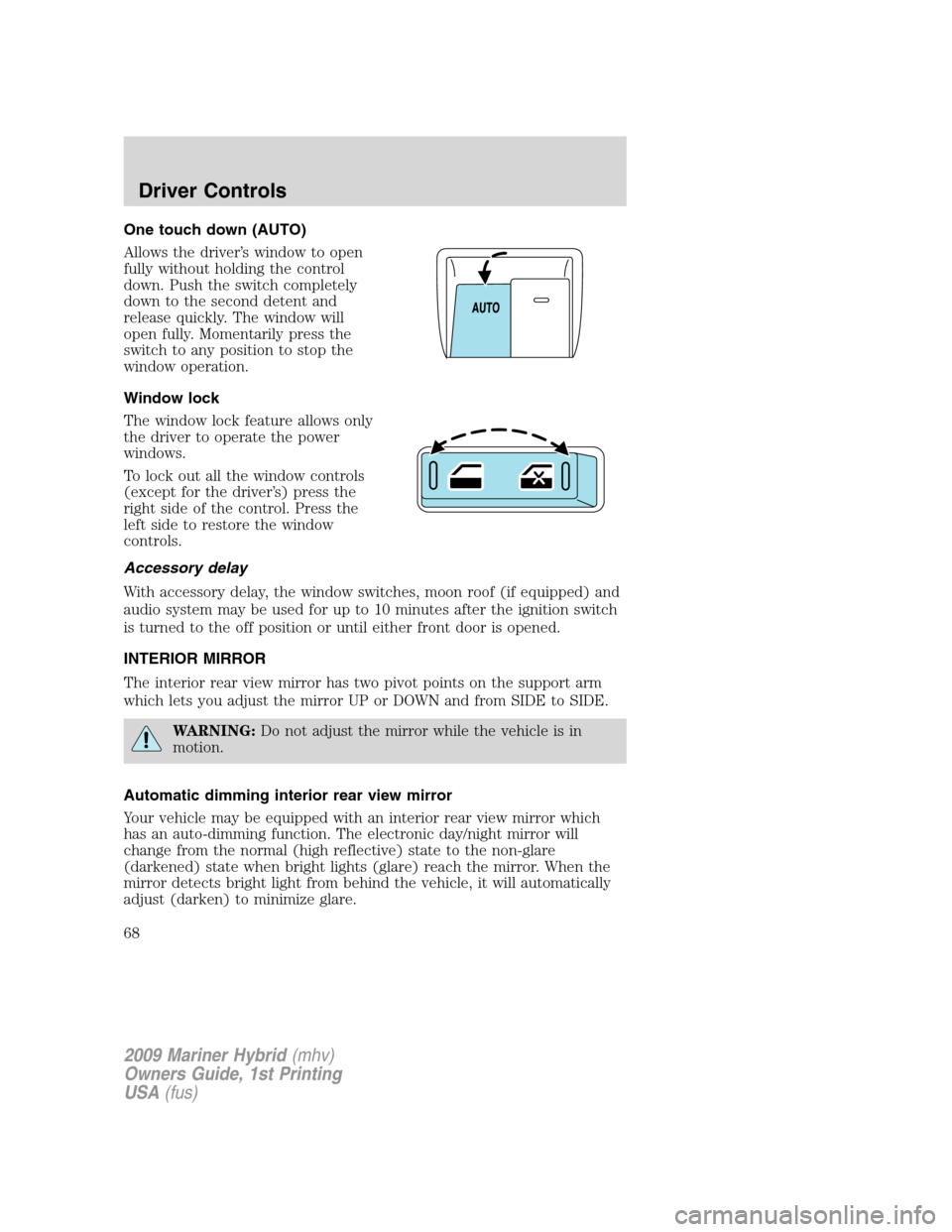
One touch down (AUTO)
Allows the driver’s window to open
fully without holding the control
down. Push the switch completely
down to the second detent and
release quickly. The window will
open fully. Momentarily press the
switch to any position to stop the
window operation.
Window lock
The window lock feature allows only
the driver to operate the power
windows.
To lock out all the window controls
(except for the driver’s) press the
right side of the control. Press the
left side to restore the window
controls.
Accessory delay
With accessory delay, the window switches, moon roof (if equipped) and
audio system may be used for up to 10 minutes after the ignition switch
is turned to the off position or until either front door is opened.
INTERIOR MIRROR
The interior rear view mirror has two pivot points on the support arm
which lets you adjust the mirror UP or DOWN and from SIDE to SIDE.
WARNING:Do not adjust the mirror while the vehicle is in
motion.
Automatic dimming interior rear view mirror
Your vehicle may be equipped with an interior rear view mirror which
has an auto-dimming function. The electronic day/night mirror will
change from the normal (high reflective) state to the non-glare
(darkened) state when bright lights (glare) reach the mirror. When the
mirror detects bright light from behind the vehicle, it will automatically
adjust (darken) to minimize glare.
2009 Mariner Hybrid(mhv)
Owners Guide, 1st Printing
USA(fus)
Driver Controls
68
Page 69 of 333
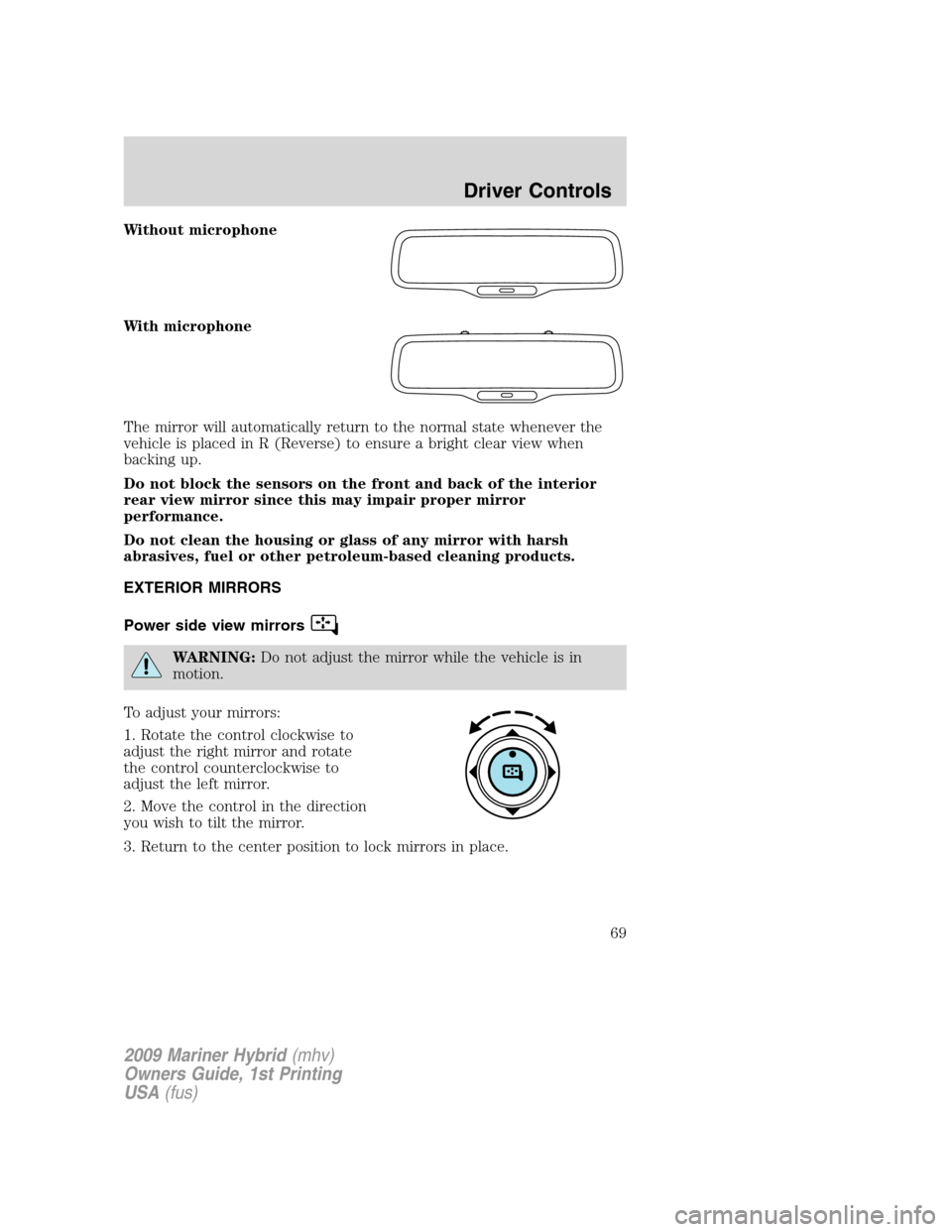
Without microphone
With microphone
The mirror will automatically return to the normal state whenever the
vehicle is placed in R (Reverse) to ensure a bright clear view when
backing up.
Do not block the sensors on the front and back of the interior
rear view mirror since this may impair proper mirror
performance.
Do not clean the housing or glass of any mirror with harsh
abrasives, fuel or other petroleum-based cleaning products.
EXTERIOR MIRRORS
Power side view mirrors
WARNING:Do not adjust the mirror while the vehicle is in
motion.
To adjust your mirrors:
1. Rotate the control clockwise to
adjust the right mirror and rotate
the control counterclockwise to
adjust the left mirror.
2. Move the control in the direction
you wish to tilt the mirror.
3. Return to the center position to lock mirrors in place.
2009 Mariner Hybrid(mhv)
Owners Guide, 1st Printing
USA(fus)
Driver Controls
69
Page 79 of 333
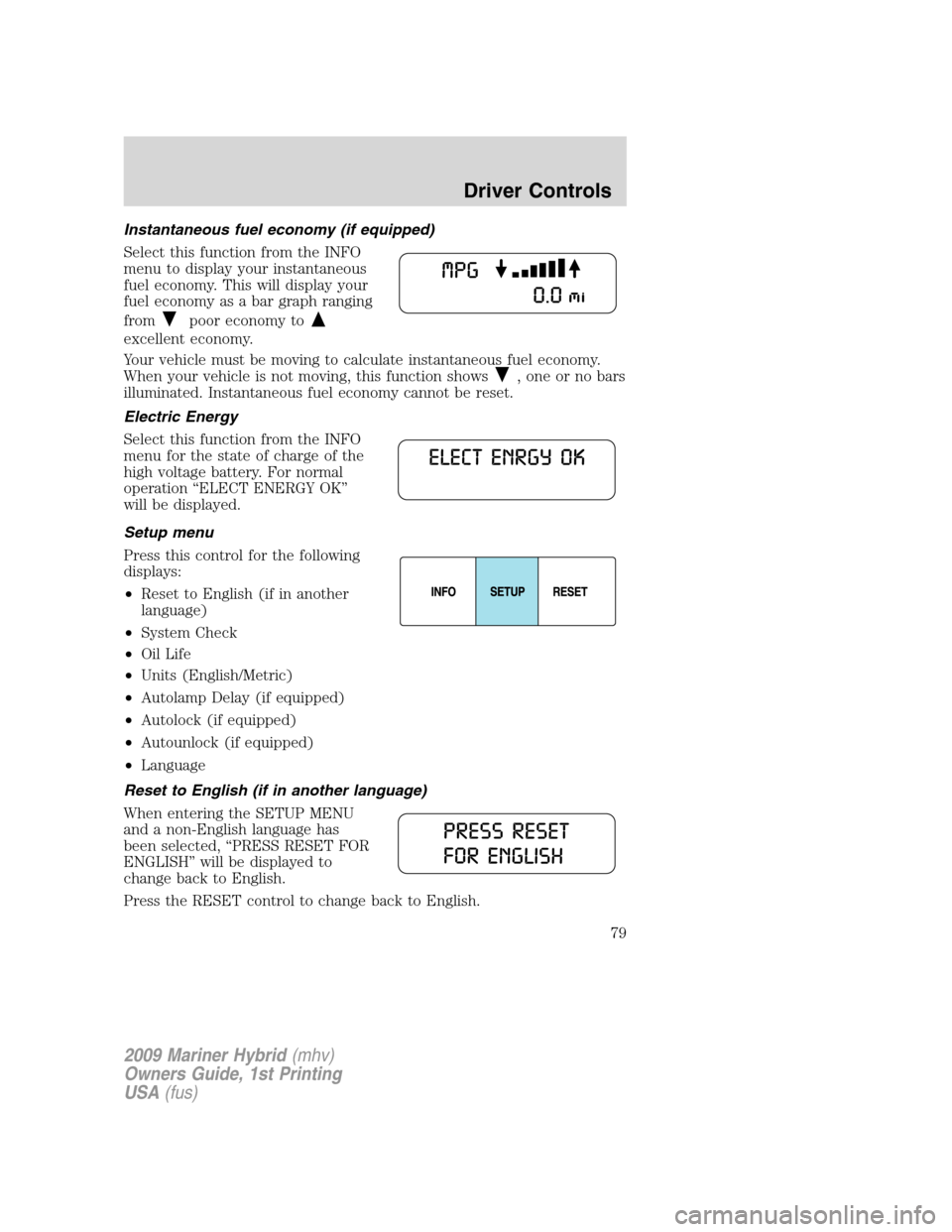
Instantaneous fuel economy (if equipped)
Select this function from the INFO
menu to display your instantaneous
fuel economy. This will display your
fuel economy as a bar graph ranging
from
poor economy to
excellent economy.
Your vehicle must be moving to calculate instantaneous fuel economy.
When your vehicle is not moving, this function shows
, one or no bars
illuminated. Instantaneous fuel economy cannot be reset.
Electric Energy
Select this function from the INFO
menu for the state of charge of the
high voltage battery. For normal
operation “ELECT ENERGY OK”
will be displayed.
Setup menu
Press this control for the following
displays:
•Reset to English (if in another
language)
•System Check
•Oil Life
•Units (English/Metric)
•Autolamp Delay (if equipped)
•Autolock (if equipped)
•Autounlock (if equipped)
•Language
Reset to English (if in another language)
When entering the SETUP MENU
and a non-English language has
been selected, “PRESS RESET FOR
ENGLISH” will be displayed to
change back to English.
Press the RESET control to change back to English.
2009 Mariner Hybrid(mhv)
Owners Guide, 1st Printing
USA(fus)
Driver Controls
79
Page 81 of 333
![Mercury Mariner Hybrid 2009 s User Guide Note:Oil life start value of 100% equals 10,000 miles [16,000 km] or
12 months. For example, setting oil life start value to 60% sets the oil
life start value to 6,000 miles (10,000 km) and 219 days.](/img/33/10940/w960_10940-80.png "Mercury Mariner Hybrid 2009 s User Guide Note:Oil life start value of 100% equals 10,000 miles [16,000 km] or
12 months. For example, setting oil life start value to 60% sets the oil
life start value to 6,000 miles (10,000 km) and 219 days.")
Note:Oil life start value of 100% equals 10,000 miles [16,000 km] or
12 months. For example, setting oil life start value to 60% sets the oil
life start value to 6,000 miles (10,000 km) and 219 days.
Units (English/Metric)
1. Select this function from the
SETUP menu for the current units
to be displayed.
2. Press the RESET control to
change the message display from
English to Metric.
Autolamp delay
This feature keeps your headlights on for up to three minutes after the
ignition is switched off.
1. To disable/enable the autolamp
delay feature, select this function
from the SETUP control for the
current display mode.
2. Press the RESET control to select
the new Autolamp delay values of 0,
10, 20, 30, 60, 90, 120 or 180 seconds.
Autolock
This feature automatically locks all vehicle doors when the vehicle is
shifted into any gear, putting the vehicle in motion.
1. To disable/enable the autolock
feature, select this function from the
SETUP control for the current
display mode.
2. Press the RESET control to turn
the autolock ON or OFF.
Autounlock
This feature automatically unlocks all vehicle doors when the driver’s
door is opened within 10 minutes of the ignition being turned off.
2009 Mariner Hybrid(mhv)
Owners Guide, 1st Printing
USA(fus)
Driver Controls
81