warning Mercury Milan 2008 s User Guide
[x] Cancel search | Manufacturer: MERCURY, Model Year: 2008, Model line: Milan, Model: Mercury Milan 2008Pages: 304, PDF Size: 2.83 MB
Page 13 of 304
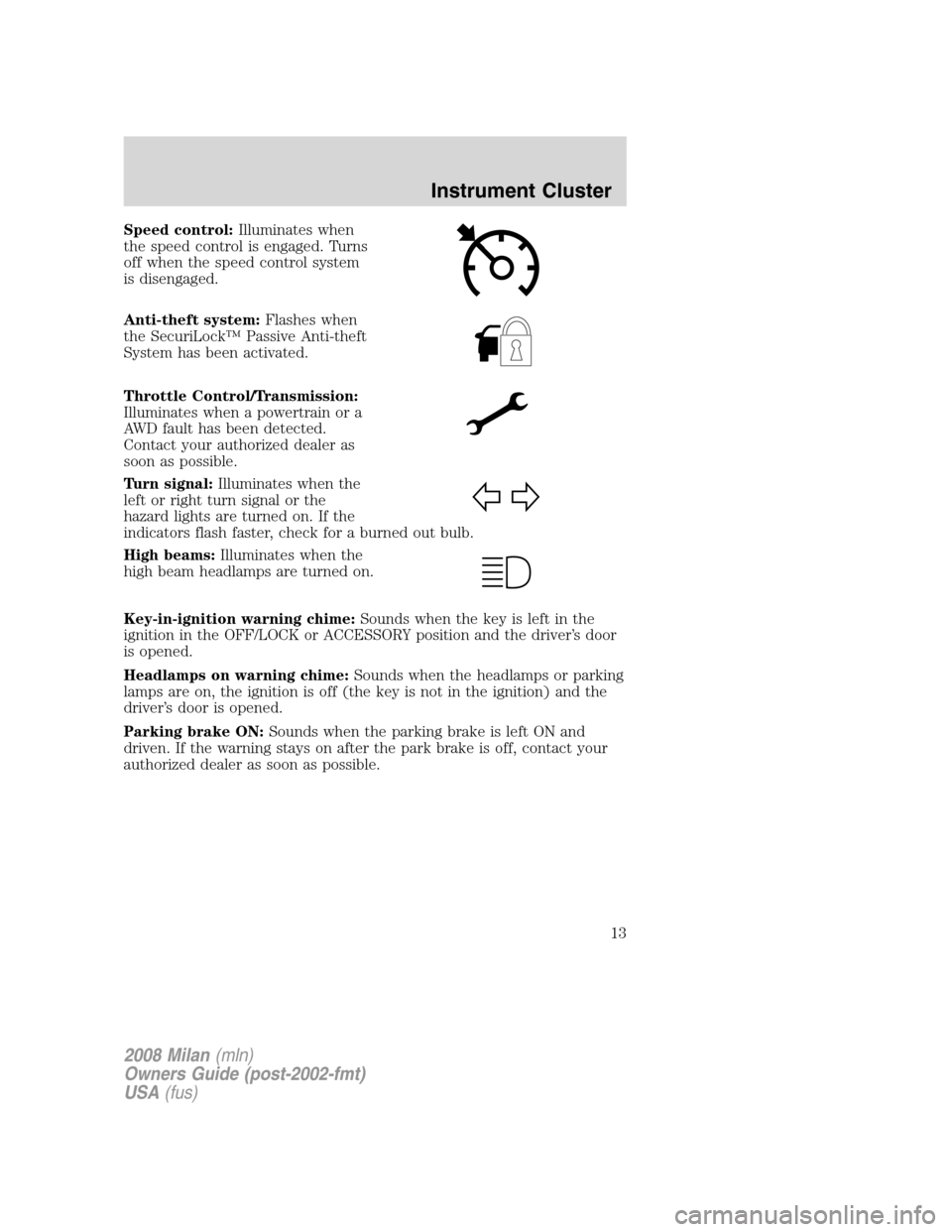
Speed control:Illuminates when
the speed control is engaged. Turns
off when the speed control system
is disengaged.
Anti-theft system:Flashes when
the SecuriLock™ Passive Anti-theft
System has been activated.
Throttle Control/Transmission:
Illuminates when a powertrain or a
AWD fault has been detected.
Contact your authorized dealer as
soon as possible.
Turn signal:Illuminates when the
left or right turn signal or the
hazard lights are turned on. If the
indicators flash faster, check for a burned out bulb.
High beams:Illuminates when the
high beam headlamps are turned on.
Key-in-ignition warning chime:Sounds when the key is left in the
ignition in the OFF/LOCK or ACCESSORY position and the driver’s door
is opened.
Headlamps on warning chime:Sounds when the headlamps or parking
lamps are on, the ignition is off (the key is not in the ignition) and the
driver’s door is opened.
Parking brake ON:Sounds when the parking brake is left ON and
driven. If the warning stays on after the park brake is off, contact your
authorized dealer as soon as possible.
2008 Milan(mln)
Owners Guide (post-2002-fmt)
USA(fus)
Instrument Cluster
13
Page 82 of 304
•To close the moon roof from the vent position, press and hold the rear
portion of the control until the glass panel stops moving.
The moon roof has a sliding shade that can be opened or closed when
the glass panel is shut. To close the shade, pull it toward the front of the
vehicle
Accessory delay:
With accessory delay, the window switches, audio system, and moon roof
(if equipped) may be used for up to 10 minutes after the ignition switch
is turned to the 1 (LOCK) (OFF) position or until any door is opened
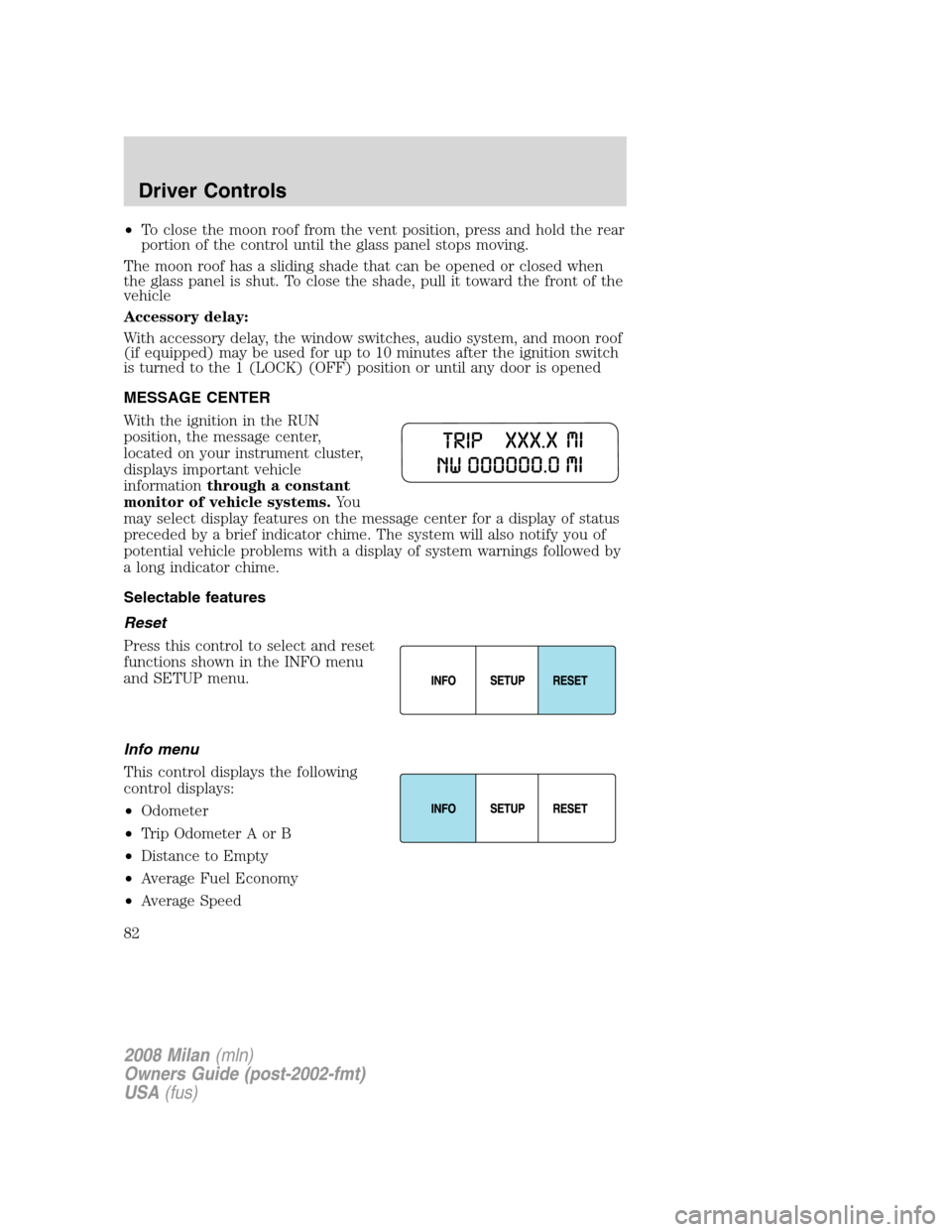
MESSAGE CENTER
With the ignition in the RUN
position, the message center,
located on your instrument cluster,
displays important vehicle
informationthrough a constant
monitor of vehicle systems.Yo u
may select display features on the message center for a display of status
preceded by a brief indicator chime. The system will also notify you of
potential vehicle problems with a display of system warnings followed by
a long indicator chime.
Selectable features
Reset
Press this control to select and reset
functions shown in the INFO menu
and SETUP menu.
Info menu
This control displays the following
control displays:
•Odometer
•Trip Odometer A or B
•Distance to Empty
•Average Fuel Economy
•Average Speed
2008 Milan(mln)
Owners Guide (post-2002-fmt)
USA(fus)
Driver Controls
82
Page 83 of 304
•Trip Elapsed Drive Time 1 or 2
•Compass (if equipped)
Odometer/Trip odometer
Refer toGaugesin theInstrument Clusterchapter.
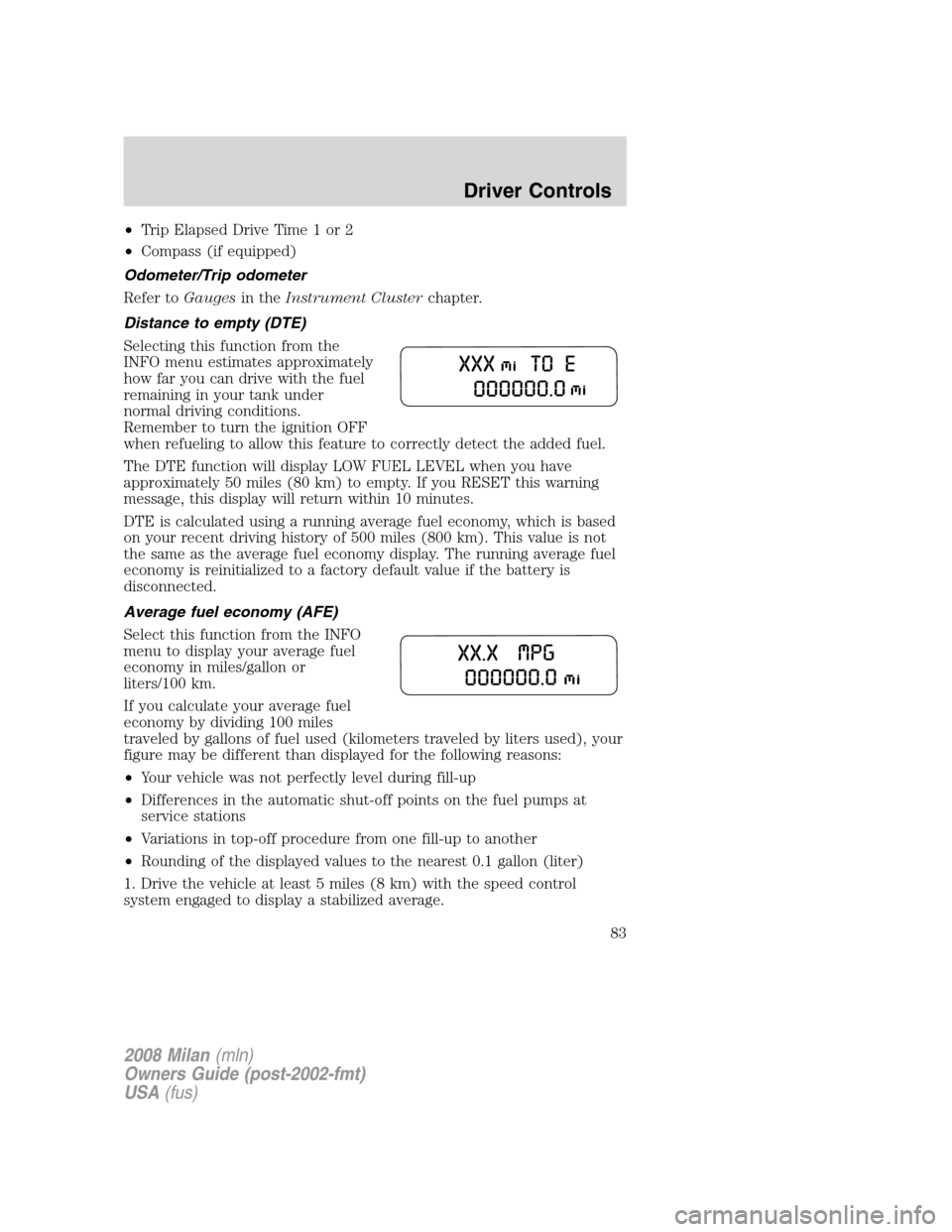
Distance to empty (DTE)
Selecting this function from the
INFO menu estimates approximately
how far you can drive with the fuel
remaining in your tank under
normal driving conditions.
Remember to turn the ignition OFF
when refueling to allow this feature to correctly detect the added fuel.
The DTE function will display LOW FUEL LEVEL when you have
approximately 50 miles (80 km) to empty. If you RESET this warning
message, this display will return within 10 minutes.
DTE is calculated using a running average fuel economy, which is based
on your recent driving history of 500 miles (800 km). This value is not
the same as the average fuel economy display. The running average fuel
economy is reinitialized to a factory default value if the battery is
disconnected.
Average fuel economy (AFE)
Select this function from the INFO
menu to display your average fuel
economy in miles/gallon or
liters/100 km.
If you calculate your average fuel
economy by dividing 100 miles
traveled by gallons of fuel used (kilometers traveled by liters used), your
figure may be different than displayed for the following reasons:
•Your vehicle was not perfectly level during fill-up
•Differences in the automatic shut-off points on the fuel pumps at
service stations
•Variations in top-off procedure from one fill-up to another
•Rounding of the displayed values to the nearest 0.1 gallon (liter)
1. Drive the vehicle at least 5 miles (8 km) with the speed control
system engaged to display a stabilized average.
2008 Milan(mln)
Owners Guide (post-2002-fmt)
USA(fus)
Driver Controls
83
Page 86 of 304
is displayed on the message center. To exit the zone setting mode press
and release the RESET control.
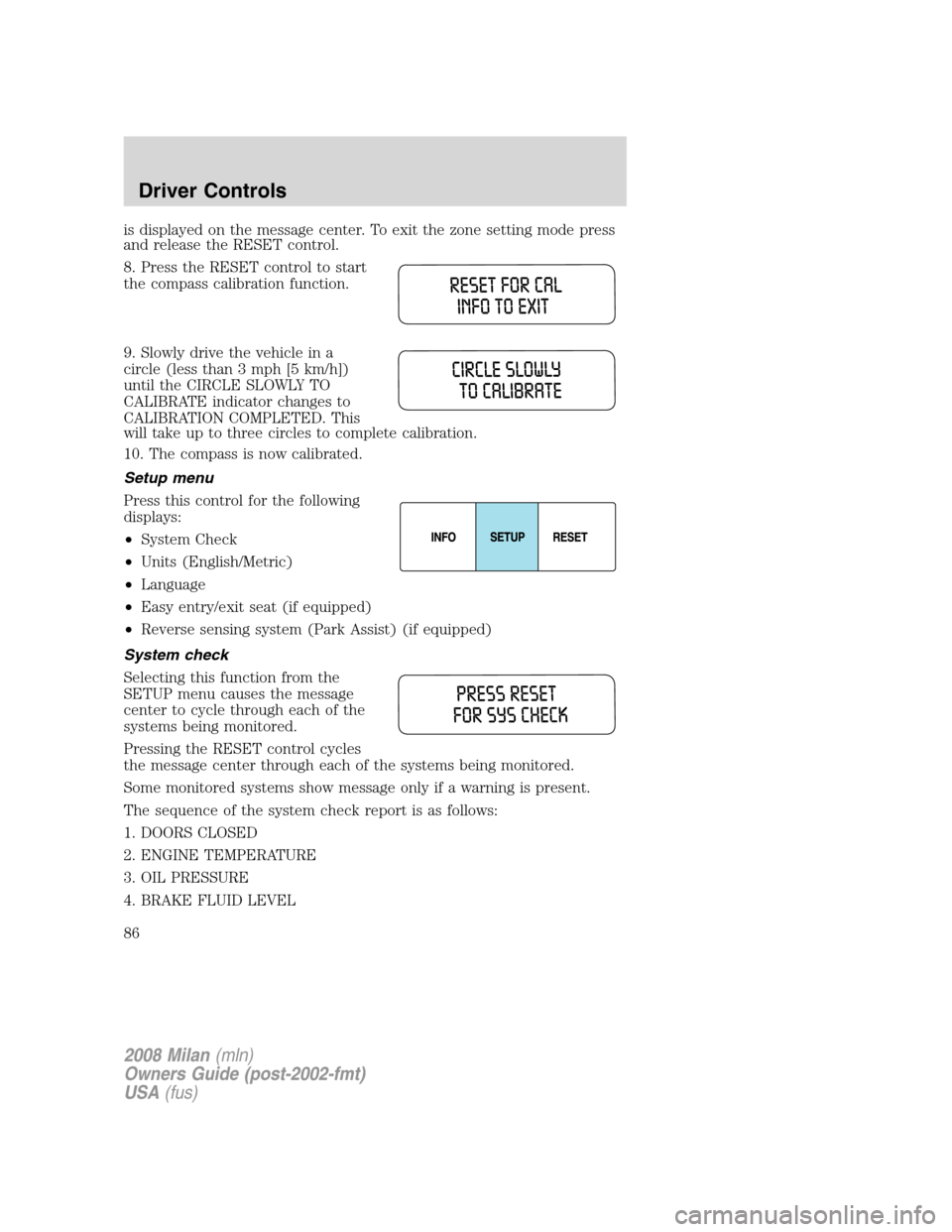
8. Press the RESET control to start
the compass calibration function.
9. Slowly drive the vehicle in a
circle (less than 3 mph [5 km/h])
until the CIRCLE SLOWLY TO
CALIBRATE indicator changes to
CALIBRATION COMPLETED. This
will take up to three circles to complete calibration.
10. The compass is now calibrated.
Setup menu
Press this control for the following
displays:
•System Check
•Units (English/Metric)
•Language
•Easy entry/exit seat (if equipped)
•Reverse sensing system (Park Assist) (if equipped)
System check
Selecting this function from the
SETUP menu causes the message
center to cycle through each of the
systems being monitored.
Pressing the RESET control cycles
the message center through each of the systems being monitored.
Some monitored systems show message only if a warning is present.
The sequence of the system check report is as follows:
1. DOORS CLOSED
2. ENGINE TEMPERATURE
3. OIL PRESSURE
4. BRAKE FLUID LEVEL
2008 Milan(mln)
Owners Guide (post-2002-fmt)
USA(fus)
Driver Controls
86
Page 87 of 304

5. TIRE PRESSURE MONITORING SYSTEM (if equipped and warning is
present)
6. EXTERIOR LAMPS (if equipped)
7. REMOVE OBJECT NEAR PASSENGER SEAT (if warning is present)
8. PARKING AID (if equipped and warning is present)
9. FUEL LEVEL
10. DISTANCE TO EMPTY
Units (English/Metric)
1. Select this function from the
SETUP menu for the current units
to be displayed.
2. Press the RESET control to
change from English to Metric.
Language
1. Select this function from the
SETUP menu for the current
language to be displayed.
2. Pressing the RESET control
cycles the message center through
each of the language choices.
3. Press and hold the RESET
control to set the language choice.
Easy entry/exit (if equipped)
This feature automatically moves the drivers seat backwards for easy exit
from the vehicle.
2008 Milan(mln)
Owners Guide (post-2002-fmt)
USA(fus)
Driver Controls
87
Page 88 of 304

1. To disable/enable the easy
entry/exit seat feature, select this
function from the SETUP control for
the current display mode.
2. Press the RESET control to turn
the easy entry/exit seat ON or OFF.
Reverse Sensing System (Park assist) (if equipped)
This feature sounds a warning tone to warn the driver of obstacles near
the rear bumper, and functions only when R (Reverse) gear is selected.
1. Select this function from the
SETUP menu to disable the reverse
sensing system feature.
2. Press the RESET control to turn
the rear park assist OFF. When R
(Reverse) gear is selected, PARK AID OFF will be displayed.
System warnings
System warnings alert you to possible problems or malfunctions in your
vehicle’s operating systems.
In the event of a multiple warning situation, the message center will
cycle the display to show all warnings by displaying each one for several
seconds.
The message center will display the last selected feature if there are no
more warning messages. This allows you to use the full functionality of
the message center after you acknowledge the warning by pressing the
RESET control and clearing the warning message.
Warning messages that have been reset are divided into three categories:
•They will not disappear until a condition is changed.
•They will reappear on the display ten minutes from the reset.
•They will not reappear until an ignition LOCK/OFF-RUN cycle has
been completed.
This acts as a reminder that these warning conditions still exist within
the vehicle.
2008 Milan(mln)
Owners Guide (post-2002-fmt)
USA(fus)
Driver Controls
88
Page 89 of 304
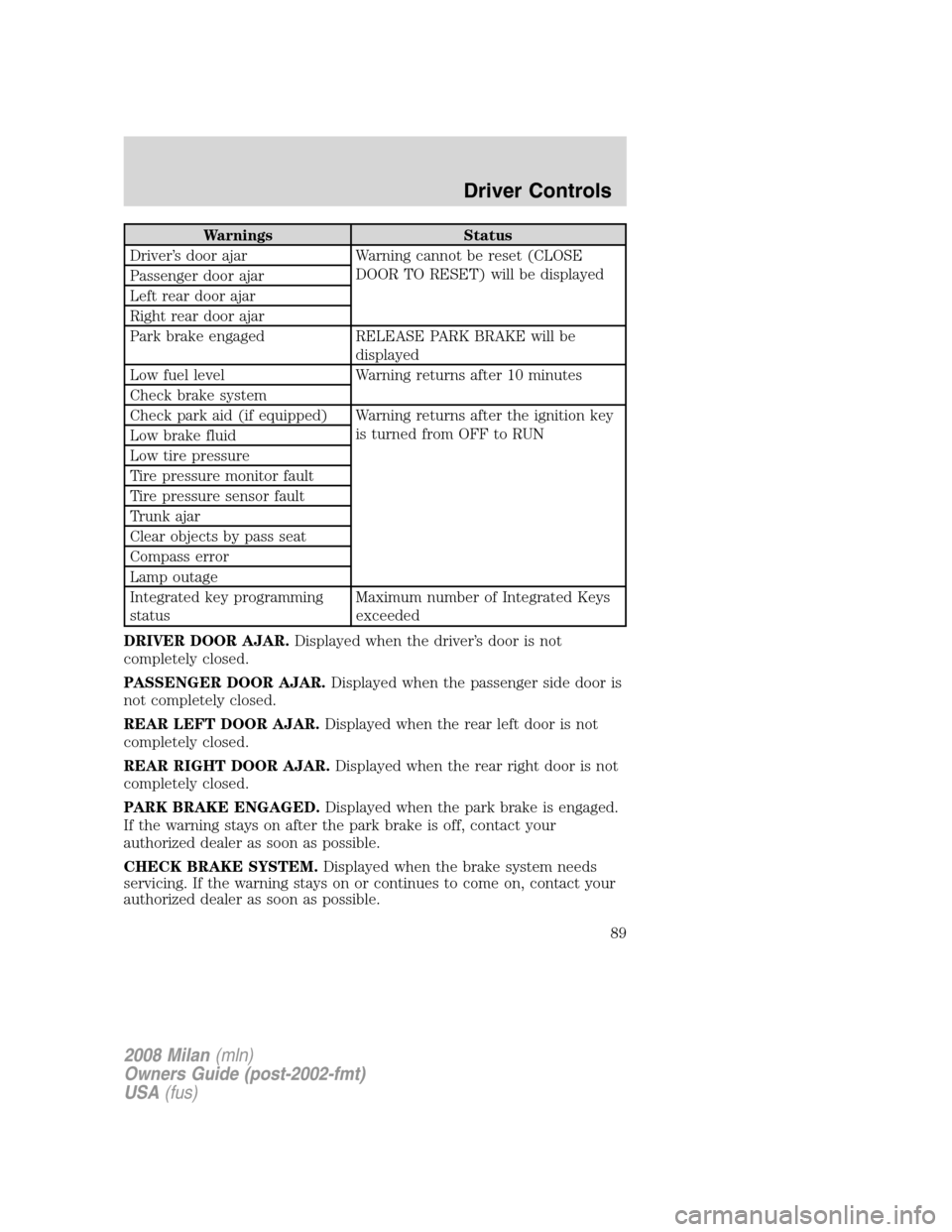
Warnings Status
Driver’s door ajar Warning cannot be reset (CLOSE
DOOR TO RESET) will be displayed
Passenger door ajar
Left rear door ajar
Right rear door ajar
Park brake engaged RELEASE PARK BRAKE will be
displayed
Low fuel level Warning returns after 10 minutes
Check brake system
Check park aid (if equipped) Warning returns after the ignition key
is turned from OFF to RUN
Low brake fluid
Low tire pressure
Tire pressure monitor fault
Tire pressure sensor fault
Trunk ajar
Clear objects by pass seat
Compass error
Lamp outage
Integrated key programming
statusMaximum number of Integrated Keys
exceeded
DRIVER DOOR AJAR.Displayed when the driver’s door is not
completely closed.
PASSENGER DOOR AJAR.Displayed when the passenger side door is
not completely closed.
REAR LEFT DOOR AJAR.Displayed when the rear left door is not
completely closed.
REAR RIGHT DOOR AJAR.Displayed when the rear right door is not
completely closed.
PARK BRAKE ENGAGED.Displayed when the park brake is engaged.
If the warning stays on after the park brake is off, contact your
authorized dealer as soon as possible.
CHECK BRAKE SYSTEM.Displayed when the brake system needs
servicing. If the warning stays on or continues to come on, contact your
authorized dealer as soon as possible.
2008 Milan(mln)
Owners Guide (post-2002-fmt)
USA(fus)
Driver Controls
89
Page 90 of 304
LOW BRAKE FLUID.Indicates the brake fluid level is low and the
brake system should be inspected immediately. Refer toBrake fluid
reservoirin theMaintenance and Specificationschapter.
CHECK PARK AID (if equipped).Displayed when the transmission is
in R (Reverse) and the Reverse Sensing System (Park Aid) is disabled.
Refer toReverse Sensing System (Park Aid)in this section to enable.
CHECK TIRE PRESSURE.Displayed when one or more tires on your
vehicle have low tire pressure. Refer toInflating Your Tiresin the
Tires, Wheels and Loadingchapter.
TIRE PRESSURE MONITOR FAULT.Displayed when the Tire
Pressure Monitoring System is malfunctioning. If the warning stays on or
continues to come on, have the system inspected by your authorized
dealer.
TIRE PRESSURE SENSOR FAULT.Displayed when a tire pressure
sensor is malfunctioning, or your spare tire is in use. For more
information on how the system operates under these conditions, refer to
Understanding Your Tire Pressure Monitoring Systemin theTires,
Wheels and Loadingchapter. If the warning stays on or continues to
come on, have the system inspected by your authorized dealer.
TRUNK AJAR.Displayed when the trunk is not completely closed.
CLEAR OBJECTS BY PASS SEAT.Displayed when objects are by the
passenger seat. After the objects are moved away from the seat, if the
warning stays on or continues to come on contact your authorized
dealer.
COMPASS ERROR (if equipped).Displayed when the compass is not
operating properly. If the warning stays on or continues to come on,
contact your authorized dealer as soon as possible.
CHECK LEFT OR RIGHT HEADLAMPS.Displayed when the
headlamps are activated and at least one low beam is burned out. Check
the lamps as soon as possible and have the burned out lamp replaced.
Refer toReplacing headlamp bulbsin theLightschapter.
CHECK LF OR RF TURN LAMPS.Displayed when the turn signals are
activated and at least one is burned out. Check the lamps as soon as
safely possible and have the burned out lamp replaced. Refer to
Replacing headlamp bulbsin theLightschapter.
CHECK LR OR RR TURN LAMPS.Displayed when the rear turn
signals are activated and at least one is burned out. Check the lamps as
soon as safely possible and have the burned out lamp replaced. Refer to
Replacing headlamp bulbsin theLightschapter.
2008 Milan(mln)
Owners Guide (post-2002-fmt)
USA(fus)
Driver Controls
90
Page 120 of 304
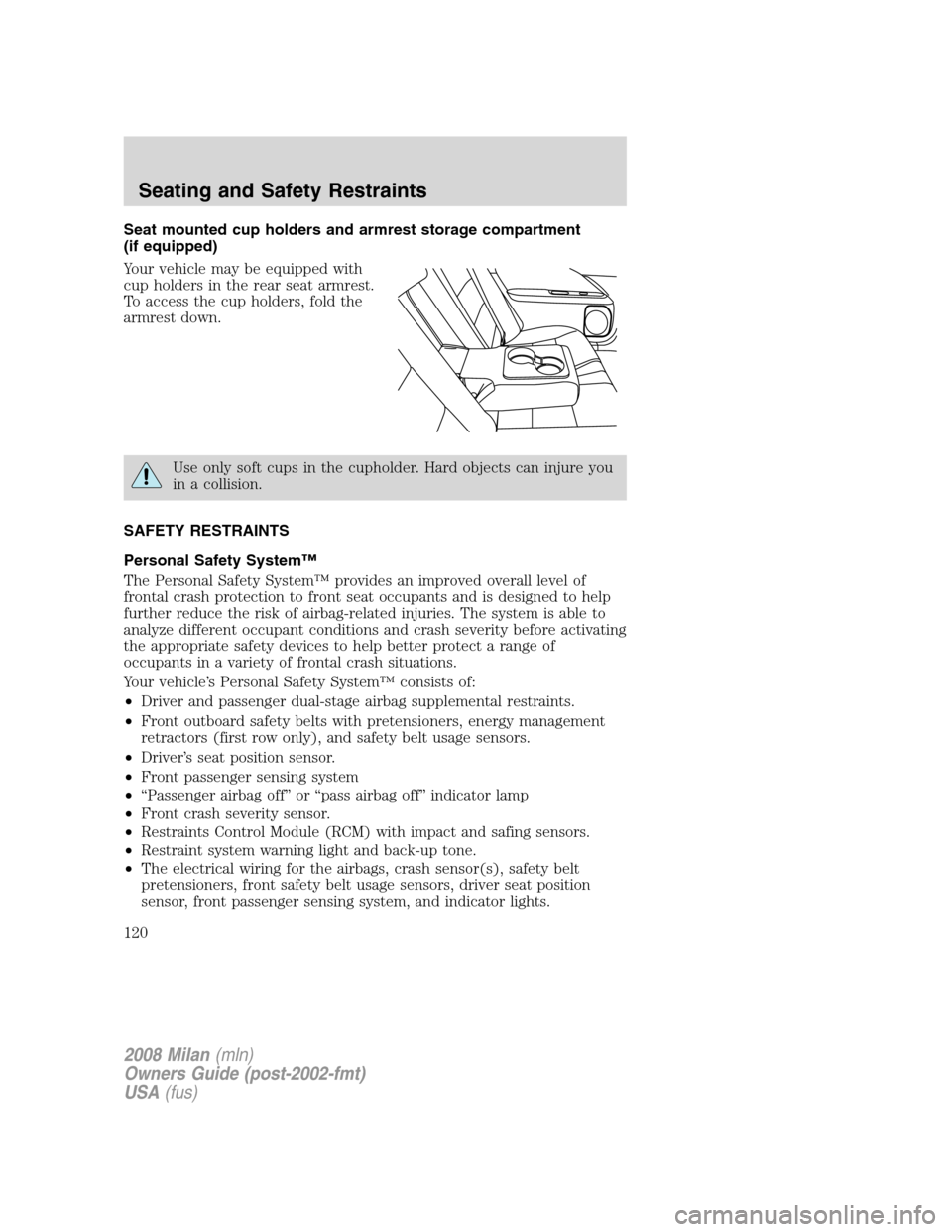
Seat mounted cup holders and armrest storage compartment
(if equipped)
Your vehicle may be equipped with
cup holders in the rear seat armrest.
To access the cup holders, fold the
armrest down.
Use only soft cups in the cupholder. Hard objects can injure you
in a collision.
SAFETY RESTRAINTS
Personal Safety System™
The Personal Safety System™ provides an improved overall level of
frontal crash protection to front seat occupants and is designed to help
further reduce the risk of airbag-related injuries. The system is able to
analyze different occupant conditions and crash severity before activating
the appropriate safety devices to help better protect a range of
occupants in a variety of frontal crash situations.
Your vehicle’s Personal Safety System™ consists of:
•Driver and passenger dual-stage airbag supplemental restraints.
•Front outboard safety belts with pretensioners, energy management
retractors (first row only), and safety belt usage sensors.
•Driver’s seat position sensor.
•Front passenger sensing system
•“Passenger airbag off” or “pass airbag off” indicator lamp
•Front crash severity sensor.
•Restraints Control Module (RCM) with impact and safing sensors.
•Restraint system warning light and back-up tone.
•The electrical wiring for the airbags, crash sensor(s), safety belt
pretensioners, front safety belt usage sensors, driver seat position
sensor, front passenger sensing system, and indicator lights.
2008 Milan(mln)
Owners Guide (post-2002-fmt)
USA(fus)
Seating and Safety Restraints
120
Page 123 of 304
Front safety belt pretensioners
The safety belt pretensioners at the front outboard seating positions are
designed to tighten the safety belts firmly against the occupant’s body
during frontal collisions and in side collisions when the side curtains and
side airbags are activated. This helps increase the effectiveness of the
safety belts. In frontal collisions, the safety belt pretensioners can be
activated alone or, if the collision is of sufficient severity, together with
the front airbags.
Front safety belt energy management retractors
The front outboard safety belt energy management retractors allow
webbing to be pulled out of the retractor in a gradual and controlled
manner in response to the occupant’s forward momentum. This helps
reduce the risk of force-related injuries to the occupant’s chest by
limiting the load on the occupant. Refer toEnergy management feature
section in this chapter.
Determining if the Personal Safety System™ is operational
The Personal Safety System™ uses a warning light in the instrument
cluster or a back-up tone to indicate the condition of the system. Refer
to theWarning lightsection in theInstrument Clusterchapter.
Routine maintenance of the Personal Safety System™ is not required.
The Restraints Control Module (RCM) monitors its own internal circuits
and the circuits for the airbag supplemental restraints, crash sensor(s),
safety belt pretensioners, front safety belt buckle sensors, driver seat
position sensor, and front passenger sensing system. In addition, the
RCM also monitors the restraints warning light in the instrument cluster.
A difficulty with the system is indicated by one or more of the following.
•The warning light will either flash or stay lit.
•The warning light will not illuminate immediately after ignition is
turned on.
•A series of five beeps will be heard. The tone pattern will repeat
periodically until the problem and warning light are repaired.
If any of these things happen, even intermittently, have the Personal
Safety System™ serviced at an authorized dealer immediately. Unless
serviced, the system may not function properly in the event of a
collision.
2008 Milan(mln)
Owners Guide (post-2002-fmt)
USA(fus)
Seating and Safety Restraints
123