light Mercury Milan Hybrid 2010 s Owner's Guide
[x] Cancel search | Manufacturer: MERCURY, Model Year: 2010, Model line: Milan Hybrid, Model: Mercury Milan Hybrid 2010Pages: 329, PDF Size: 2.39 MB
Page 36 of 329
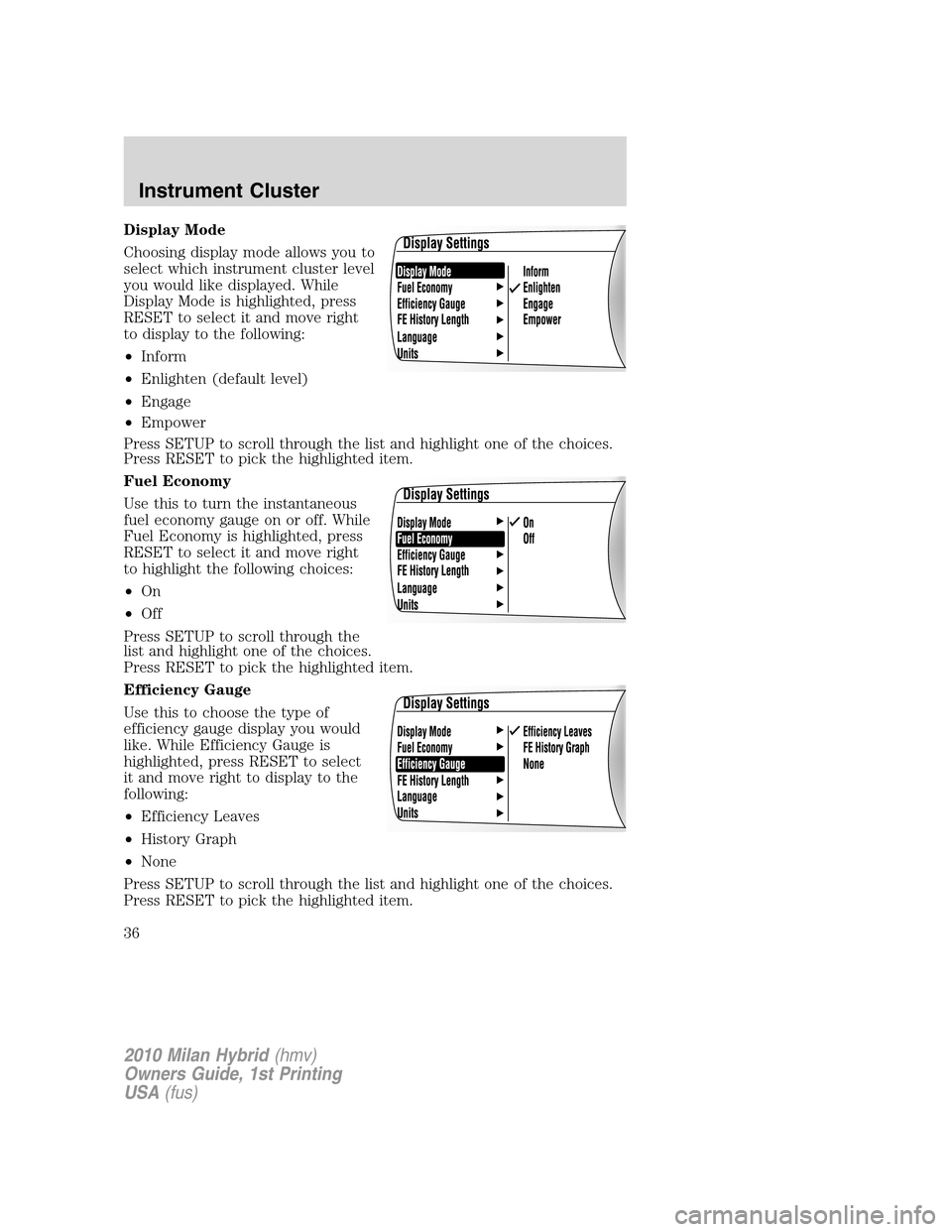
Display Mode
Choosing display mode allows you to
select which instrument cluster level
you would like displayed. While
Display Mode is highlighted, press
RESET to select it and move right
to display to the following:
•Inform
•Enlighten (default level)
•Engage
•Empower
Press SETUP to scroll through the list and highlight one of the choices.
Press RESET to pick the highlighted item.
Fuel Economy
Use this to turn the instantaneous
fuel economy gauge on or off. While
Fuel Economy is highlighted, press
RESET to select it and move right
to highlight the following choices:
•On
•Off
Press SETUP to scroll through the
list and highlight one of the choices.
Press RESET to pick the highlighted item.
Efficiency Gauge
Use this to choose the type of
efficiency gauge display you would
like. While Efficiency Gauge is
highlighted, press RESET to select
it and move right to display to the
following:
•Efficiency Leaves
•History Graph
•None
Press SETUP to scroll through the list and highlight one of the choices.
Press RESET to pick the highlighted item.
2010 Milan Hybrid(hmv)
Owners Guide, 1st Printing
USA(fus)
Instrument Cluster
36
Page 37 of 329
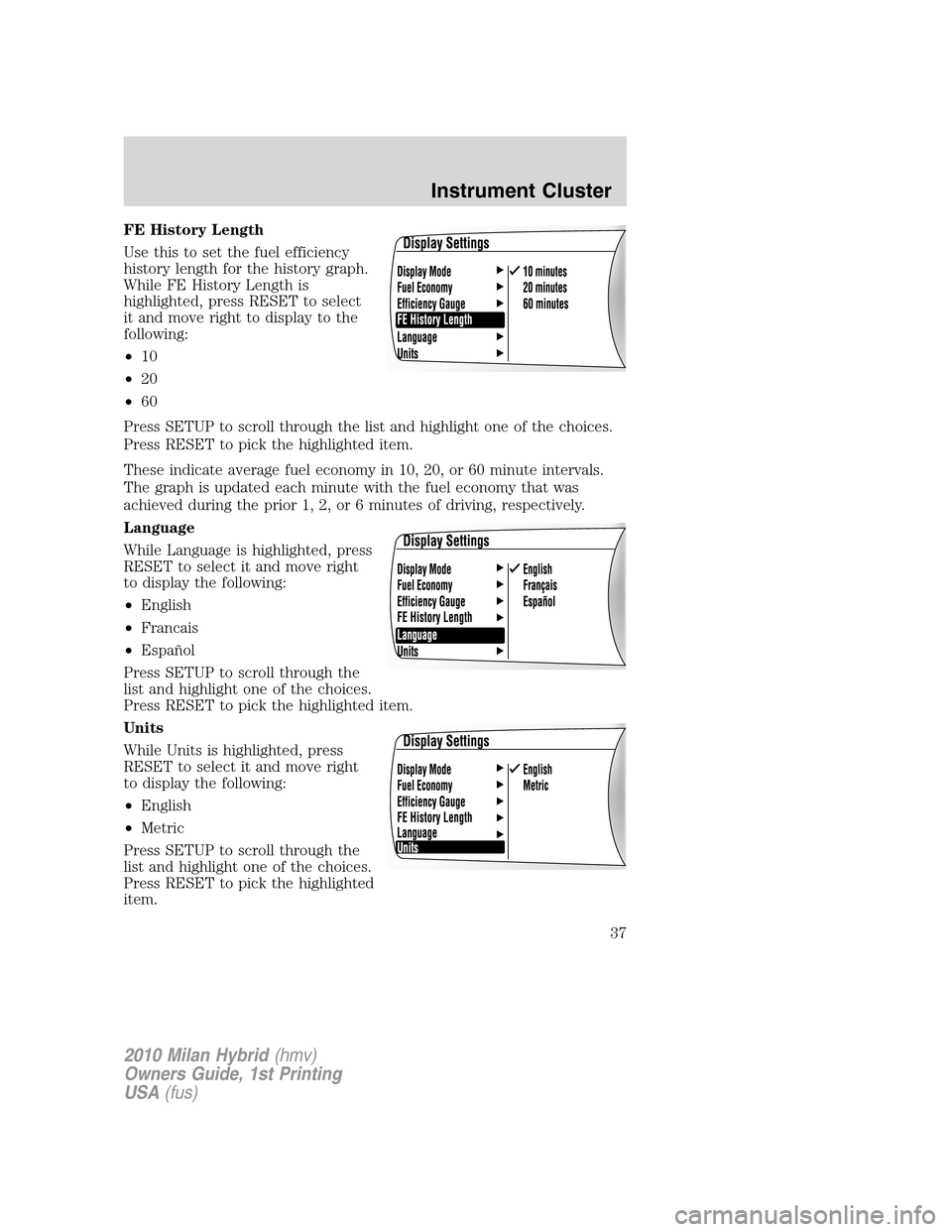
FE History Length
Use this to set the fuel efficiency
history length for the history graph.
While FE History Length is
highlighted, press RESET to select
it and move right to display to the
following:
•10
•20
•60
Press SETUP to scroll through the list and highlight one of the choices.
Press RESET to pick the highlighted item.
These indicate average fuel economy in 10, 20, or 60 minute intervals.
The graph is updated each minute with the fuel economy that was
achieved during the prior 1, 2, or 6 minutes of driving, respectively.
Language
While Language is highlighted, press
RESET to select it and move right
to display the following:
•English
•Francais
•Español
Press SETUP to scroll through the
list and highlight one of the choices.
Press RESET to pick the highlighted item.
Units
While Units is highlighted, press
RESET to select it and move right
to display the following:
•English
•Metric
Press SETUP to scroll through the
list and highlight one of the choices.
Press RESET to pick the highlighted
item.
2010 Milan Hybrid(hmv)
Owners Guide, 1st Printing
USA(fus)
Instrument Cluster
37
Page 38 of 329
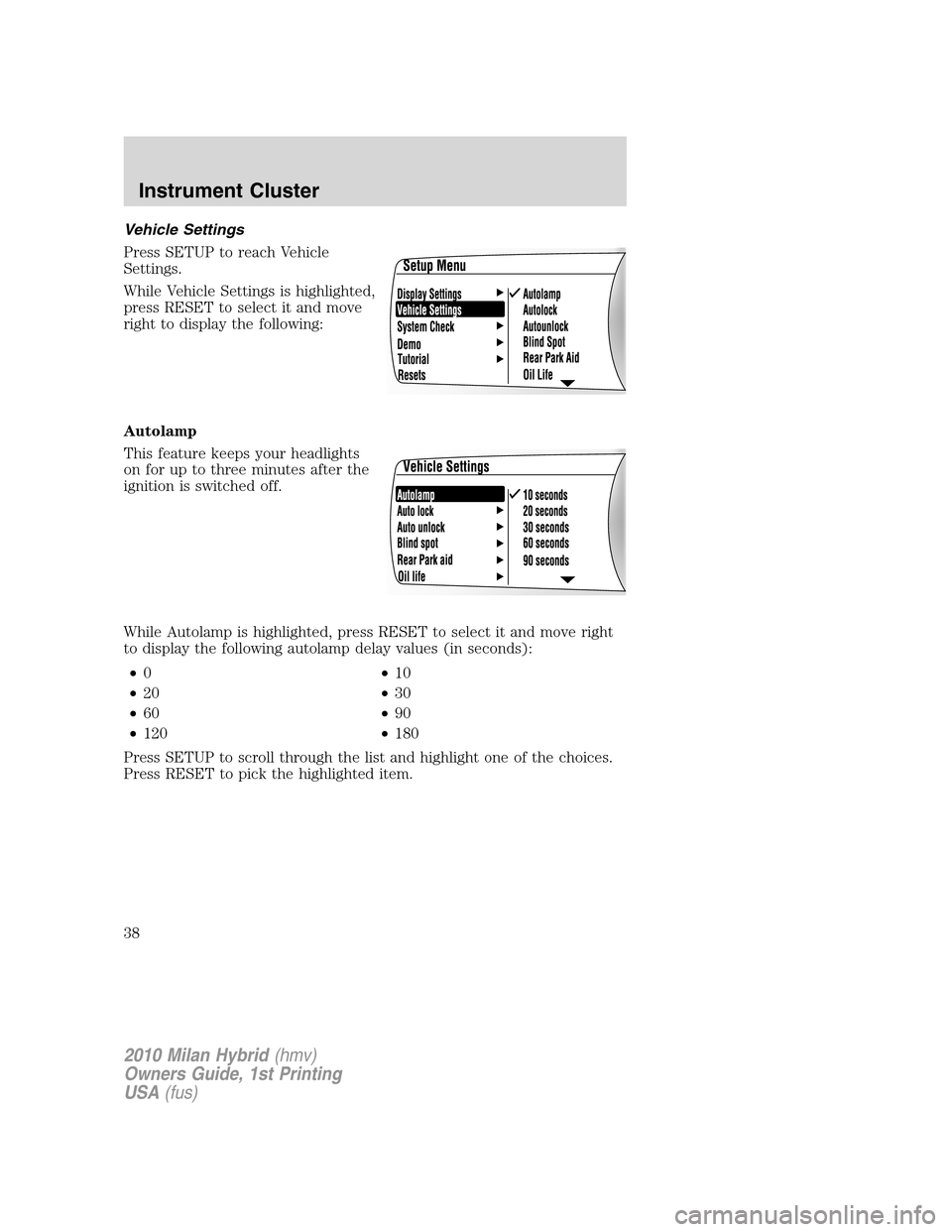
Vehicle Settings
Press SETUP to reach Vehicle
Settings.
While Vehicle Settings is highlighted,
press RESET to select it and move
right to display the following:
Autolamp
This feature keeps your headlights
on for up to three minutes after the
ignition is switched off.
While Autolamp is highlighted, press RESET to select it and move right
to display the following autolamp delay values (in seconds):
•0•10
•20•30
•60•90
•120•180
Press SETUP to scroll through the list and highlight one of the choices.
Press RESET to pick the highlighted item.
2010 Milan Hybrid(hmv)
Owners Guide, 1st Printing
USA(fus)
Instrument Cluster
38
Page 39 of 329
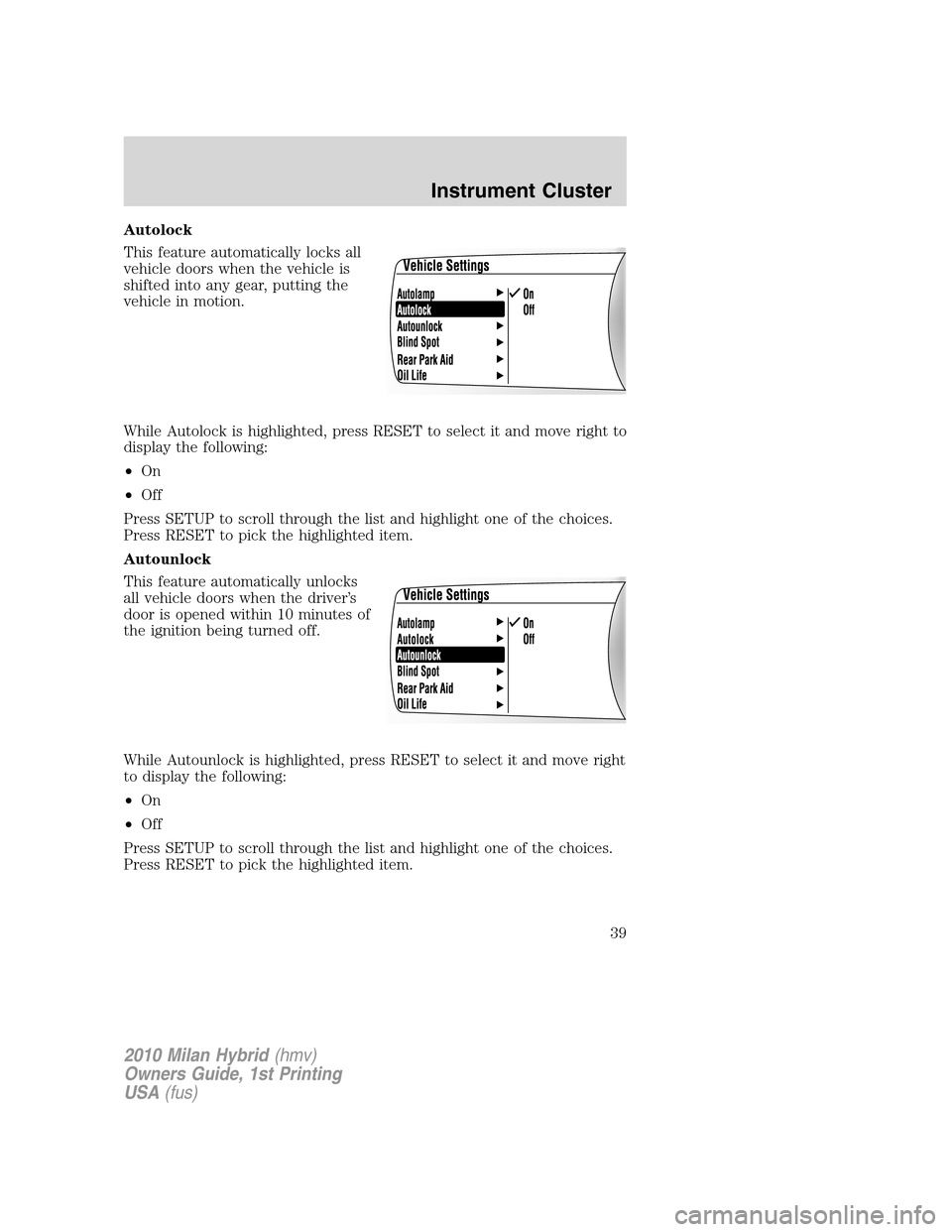
Autolock
This feature automatically locks all
vehicle doors when the vehicle is
shifted into any gear, putting the
vehicle in motion.
While Autolock is highlighted, press RESET to select it and move right to
display the following:
•On
•Off
Press SETUP to scroll through the list and highlight one of the choices.
Press RESET to pick the highlighted item.
Autounlock
This feature automatically unlocks
all vehicle doors when the driver’s
door is opened within 10 minutes of
the ignition being turned off.
While Autounlock is highlighted, press RESET to select it and move right
to display the following:
•On
•Off
Press SETUP to scroll through the list and highlight one of the choices.
Press RESET to pick the highlighted item.
2010 Milan Hybrid(hmv)
Owners Guide, 1st Printing
USA(fus)
Instrument Cluster
39
Page 40 of 329
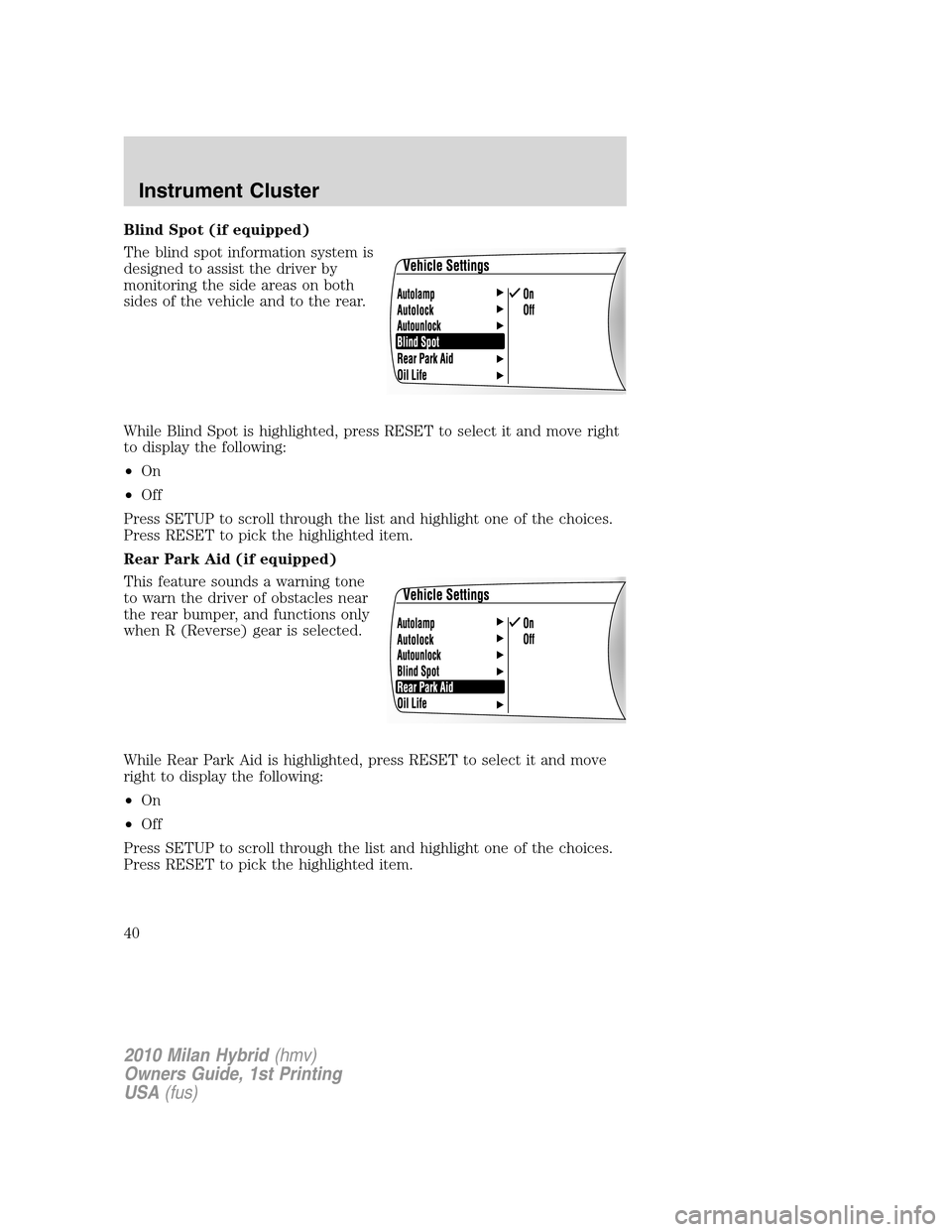
Blind Spot (if equipped)
The blind spot information system is
designed to assist the driver by
monitoring the side areas on both
sides of the vehicle and to the rear.
While Blind Spot is highlighted, press RESET to select it and move right
to display the following:
•On
•Off
Press SETUP to scroll through the list and highlight one of the choices.
Press RESET to pick the highlighted item.
Rear Park Aid (if equipped)
This feature sounds a warning tone
to warn the driver of obstacles near
the rear bumper, and functions only
when R (Reverse) gear is selected.
While Rear Park Aid is highlighted, press RESET to select it and move
right to display the following:
•On
•Off
Press SETUP to scroll through the list and highlight one of the choices.
Press RESET to pick the highlighted item.
2010 Milan Hybrid(hmv)
Owners Guide, 1st Printing
USA(fus)
Instrument Cluster
40
Page 41 of 329
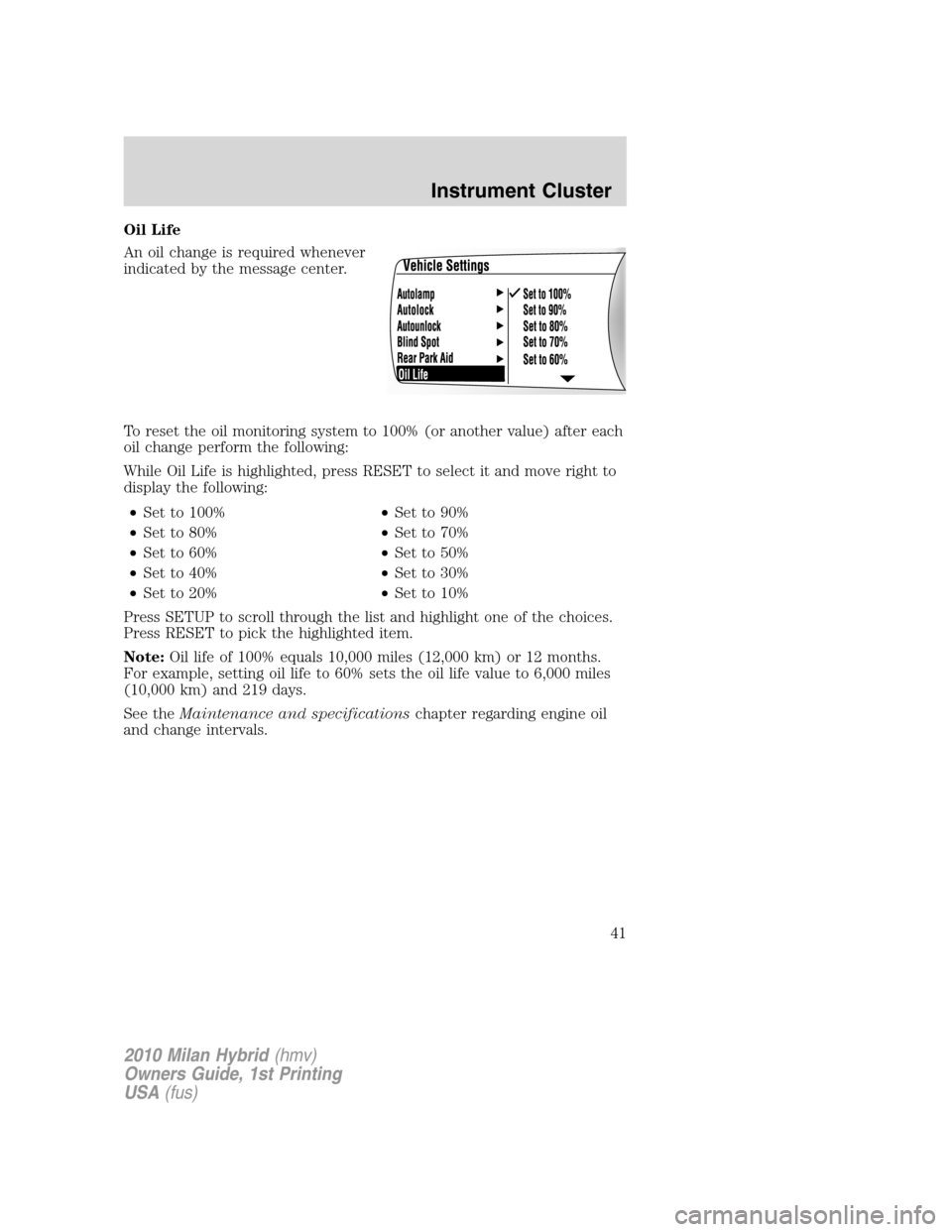
Oil Life
An oil change is required whenever
indicated by the message center.
To reset the oil monitoring system to 100% (or another value) after each
oil change perform the following:
While Oil Life is highlighted, press RESET to select it and move right to
display the following:
•Set to 100%•Set to 90%
•Set to 80%•Set to 70%
•Set to 60%•Set to 50%
•Set to 40%•Set to 30%
•Set to 20%•Set to 10%
Press SETUP to scroll through the list and highlight one of the choices.
Press RESET to pick the highlighted item.
Note:Oil life of 100% equals 10,000 miles (12,000 km) or 12 months.
For example, setting oil life to 60% sets the oil life value to 6,000 miles
(10,000 km) and 219 days.
See theMaintenance and specificationschapter regarding engine oil
and change intervals.
2010 Milan Hybrid(hmv)
Owners Guide, 1st Printing
USA(fus)
Instrument Cluster
41
Page 42 of 329
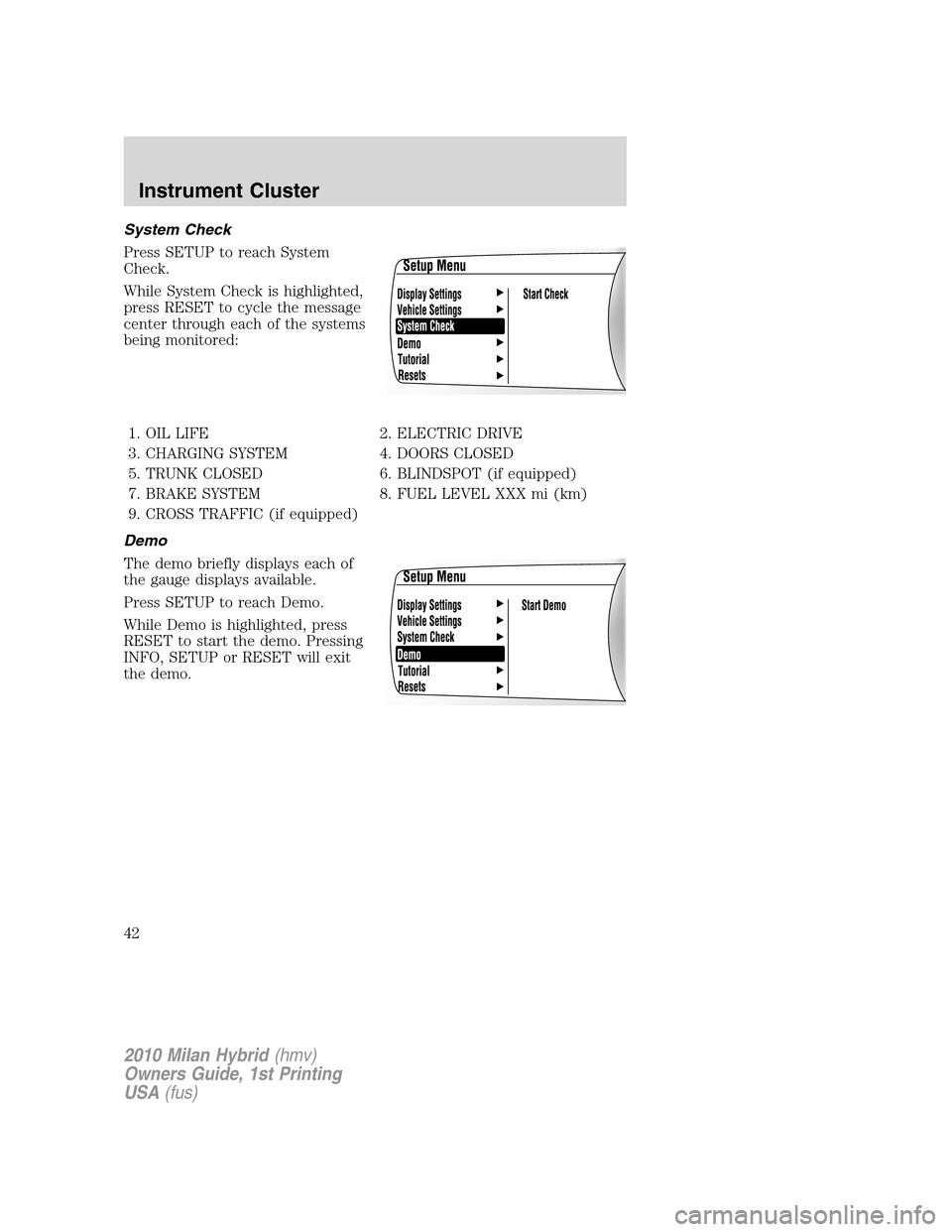
System Check
Press SETUP to reach System
Check.
While System Check is highlighted,
press RESET to cycle the message
center through each of the systems
being monitored:
1. OIL LIFE 2. ELECTRIC DRIVE
3. CHARGING SYSTEM 4. DOORS CLOSED
5. TRUNK CLOSED 6. BLINDSPOT (if equipped)
7. BRAKE SYSTEM 8. FUEL LEVEL XXX mi (km)
9. CROSS TRAFFIC (if equipped)
Demo
The demo briefly displays each of
the gauge displays available.
Press SETUP to reach Demo.
While Demo is highlighted, press
RESET to start the demo. Pressing
INFO, SETUP or RESET will exit
the demo.
2010 Milan Hybrid(hmv)
Owners Guide, 1st Printing
USA(fus)
Instrument Cluster
42
Page 43 of 329
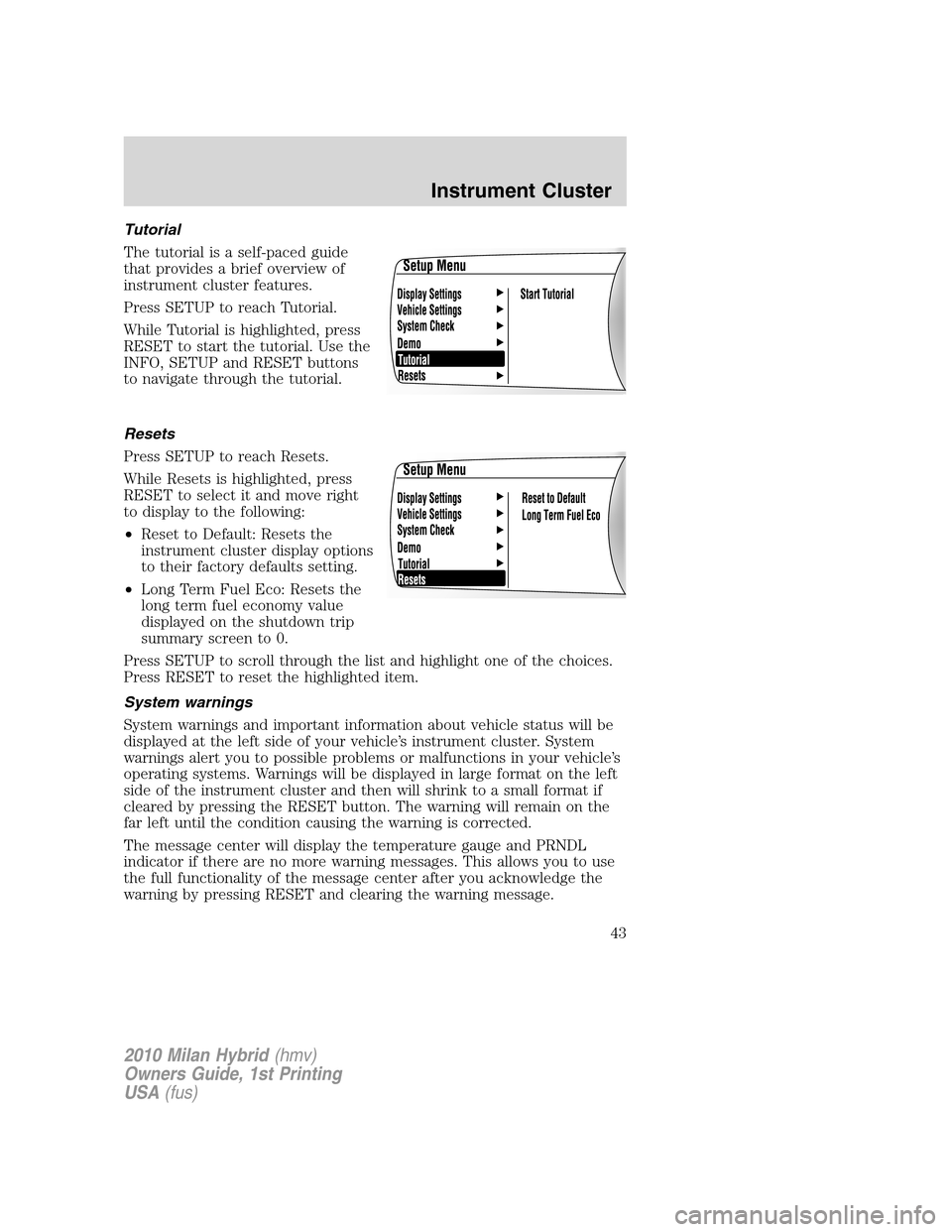
Tutorial
The tutorial is a self-paced guide
that provides a brief overview of
instrument cluster features.
Press SETUP to reach Tutorial.
While Tutorial is highlighted, press
RESET to start the tutorial. Use the
INFO, SETUP and RESET buttons
to navigate through the tutorial.
Resets
Press SETUP to reach Resets.
While Resets is highlighted, press
RESET to select it and move right
to display to the following:
•Reset to Default: Resets the
instrument cluster display options
to their factory defaults setting.
•Long Term Fuel Eco: Resets the
long term fuel economy value
displayed on the shutdown trip
summary screen to 0.
Press SETUP to scroll through the list and highlight one of the choices.
Press RESET to reset the highlighted item.
System warnings
System warnings and important information about vehicle status will be
displayed at the left side of your vehicle’s instrument cluster. System
warnings alert you to possible problems or malfunctions in your vehicle’s
operating systems. Warnings will be displayed in large format on the left
side of the instrument cluster and then will shrink to a small format if
cleared by pressing the RESET button. The warning will remain on the
far left until the condition causing the warning is corrected.
The message center will display the temperature gauge and PRNDL
indicator if there are no more warning messages. This allows you to use
the full functionality of the message center after you acknowledge the
warning by pressing RESET and clearing the warning message.
2010 Milan Hybrid(hmv)
Owners Guide, 1st Printing
USA(fus)
Instrument Cluster
43
Page 55 of 329
number and when the system accepts your entry it will display
ENTER NEW PIN. Enter your new four-digit PIN and the system will
save the new PIN and PIN SAVED will display.
c. UNLOCK ALL CHANNELS:Press OK when UNLOCK ALL
CHANNELS is displayed and the display will read ENTER PIN. Enter
your four-digit PIN and the system will unlock all channels and the
display will read CHANNEL UNLOCKED.
d. RESET PIN:Press OK when RESET PIN is displayed. The display
will read ARE YOUR SURE. Press OK again to automatically reset the
PIN number to its initial password setting (1234). PIN RESET TO
DEFAULT PIN will be displayed.
e. RETURN:Press OK when RETURN is displayed and the system
will exit back to the satellite radio menu.
Sound Adjustments
Press SOUND repeatedly to cycle through the following features:
BASS:Press
SEEK/TRACKto adjust the level of bass.
TREBLE:Press
SEEK/TRACKto adjust the level of treble.
BALANCE:Press
SEEK/TRACKto adjust the audio between
the left (L) and right (R) speakers.
FADE:Press
SEEK/TRACKto adjust the audio between the
back (B) and front (F) speakers.
SPEED COMPENSATED VOLUME:With this feature on, radio volume
automatically gets louder with increasing vehicle speed to compensate
for road and wind noise.
The default setting isoff.
Use
SEEK/TRACKto adjust between SPEED OFF and levels
1–7:Increasing the level from 1 (lowest setting) to 7 (highest setting)
allows the radio volume to automatically change slightly with vehicle
speed to compensate for road and wind noise.
Recommended level is1–3;SPEED OFF turns the feature off and level 7
is the maximum setting.
ALL SEATS (Occupancy mode, if equipped):Press SOUND
repeatedly to reach the Occupancy mode setting. Press
SEEK/TRACKto select and optimize sound for ALL SEATS,
DRIVERS SEAT or REAR SEATS.
2010 Milan Hybrid(hmv)
Owners Guide, 1st Printing
USA(fus)
Entertainment Systems
55
Page 58 of 329
5. For safety reasons, connecting or adjusting the settings on your
portable music player should not be attempted while the vehicle is
moving. Also, the portable music player should be stored in a secure
location, such as the center console or the glove box, when the vehicle is
in motion. The audio extension cable must be long enough to allow the
portable music player to be safely stored while the vehicle is in motion.
USB port
WARNING:Driving while distracted can result in loss of vehicle
control, accident and injury. Ford strongly recommends that
drivers use extreme caution when using any device that may take their
focus off the road. The driver’s primary responsibility is the safe
operation of their vehicle. Only use cell phones and other devices not
essential to the driving task when it is safe to do so.
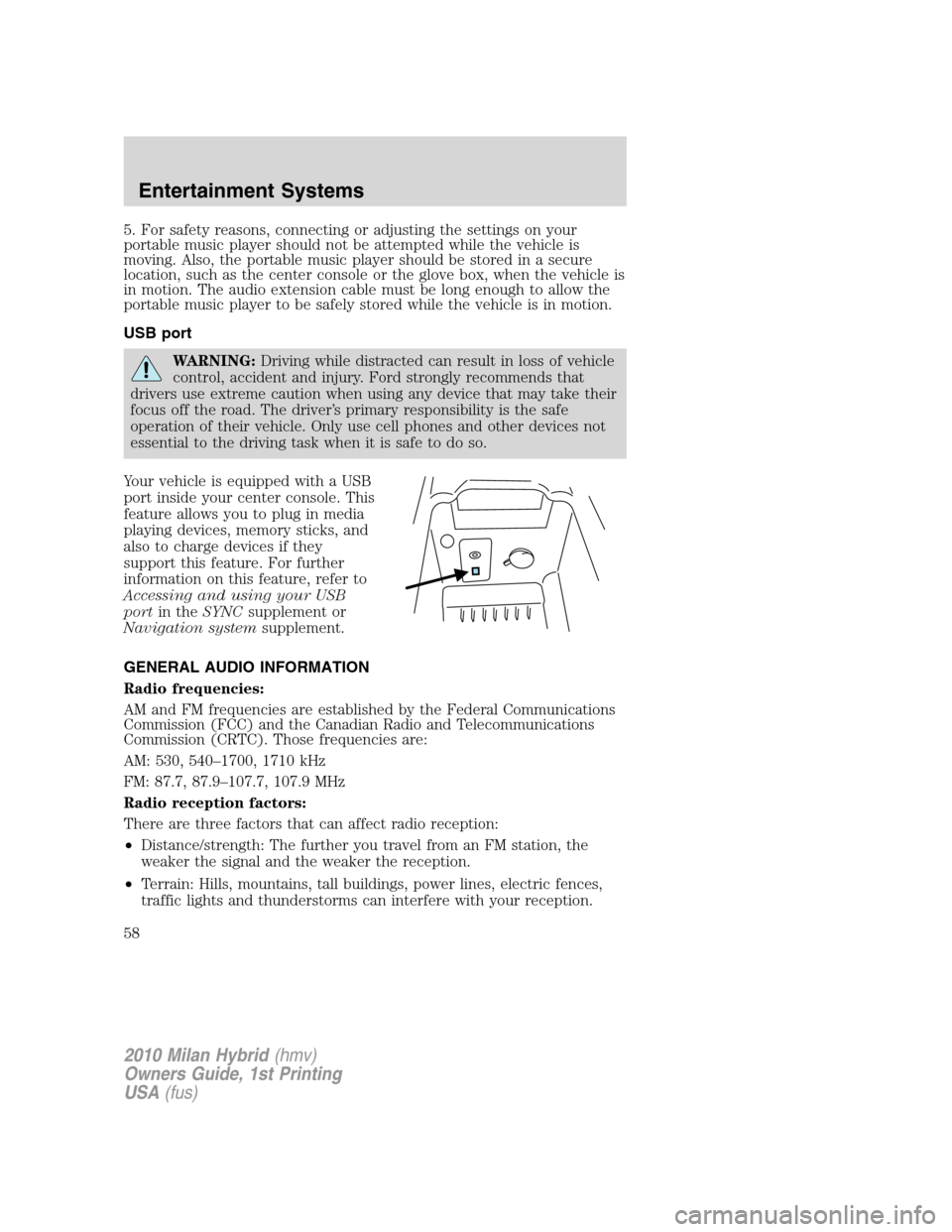
Your vehicle is equipped with a USB
port inside your center console. This
feature allows you to plug in media
playing devices, memory sticks, and
also to charge devices if they
support this feature. For further
information on this feature, refer to
Accessing and using your USB
port in the SYNC supplement or
Navigation system supplement.
GENERAL AUDIO INFORMATION
Radio frequencies:
AM and FM frequencies are established by the Federal Communications
Commission (FCC) and the Canadian Radio and Telecommunications
Commission (CRTC). Those frequencies are:
AM: 530, 540–1700, 1710 kHz
FM: 87.7, 87.9–107.7, 107.9 MHz
Radio reception factors:
There are three factors that can affect radio reception:
• Distance/strength: The further you travel from an FM station, the
weaker the signal and the weaker the reception.
• Terrain: Hills, mountains, tall buildings, power lines, electric fences,
traffic lights and thunderstorms can interfere with your reception.
2010 Milan Hybrid (hmv)
Owners Guide, 1st Printing
USA (fus)
Entertainment Systems
58