cruise control Mercury Villager 1999 Owner's Manuals
[x] Cancel search | Manufacturer: MERCURY, Model Year: 1999, Model line: Villager, Model: Mercury Villager 1999Pages: 264, PDF Size: 2.19 MB
Page 4 of 264
OFFAUTO
1
AUTO
2
PUSH INTERIOR
CEF
H1/2FUELTEMP
NORMAL000020304050
60
70
80
90406080100120
140
0 234
5
6
71
CRUISE
OFF
CANCELRES
ACCEL
COAST
SETVOL
NEXT
VOL
DIM
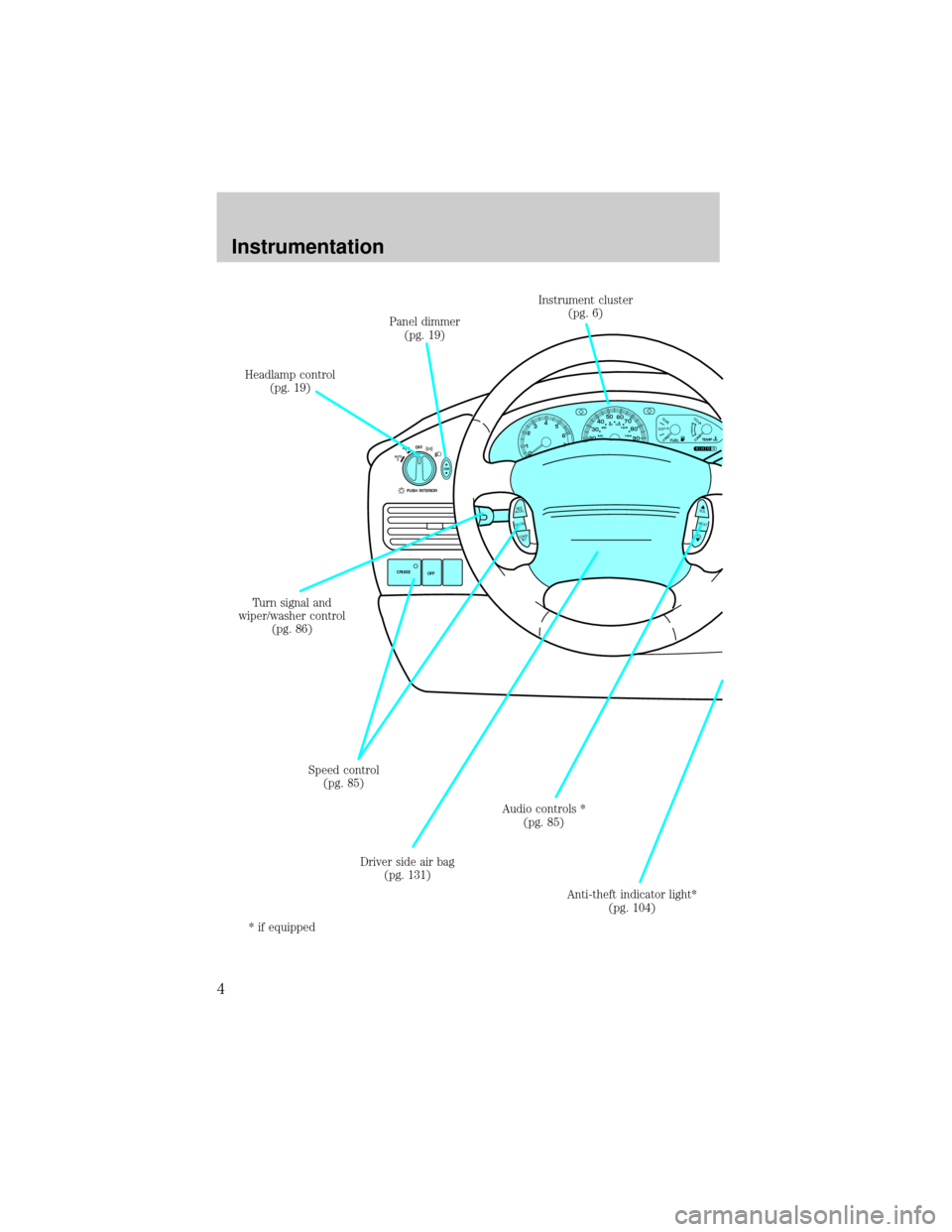
Panel dimmer
(pg. 19)
Headlamp control
(pg. 19)
Speed control
(pg. 85)
Driver side air bag
(pg. 131) Turn signal and
wiper/washer control
(pg. 86)Instrument cluster
(pg. 6)
Audio controls *
(pg. 85)
Anti-theft indicator light*
(pg. 104)
* if equipped
Instrumentation
4
Page 8 of 264
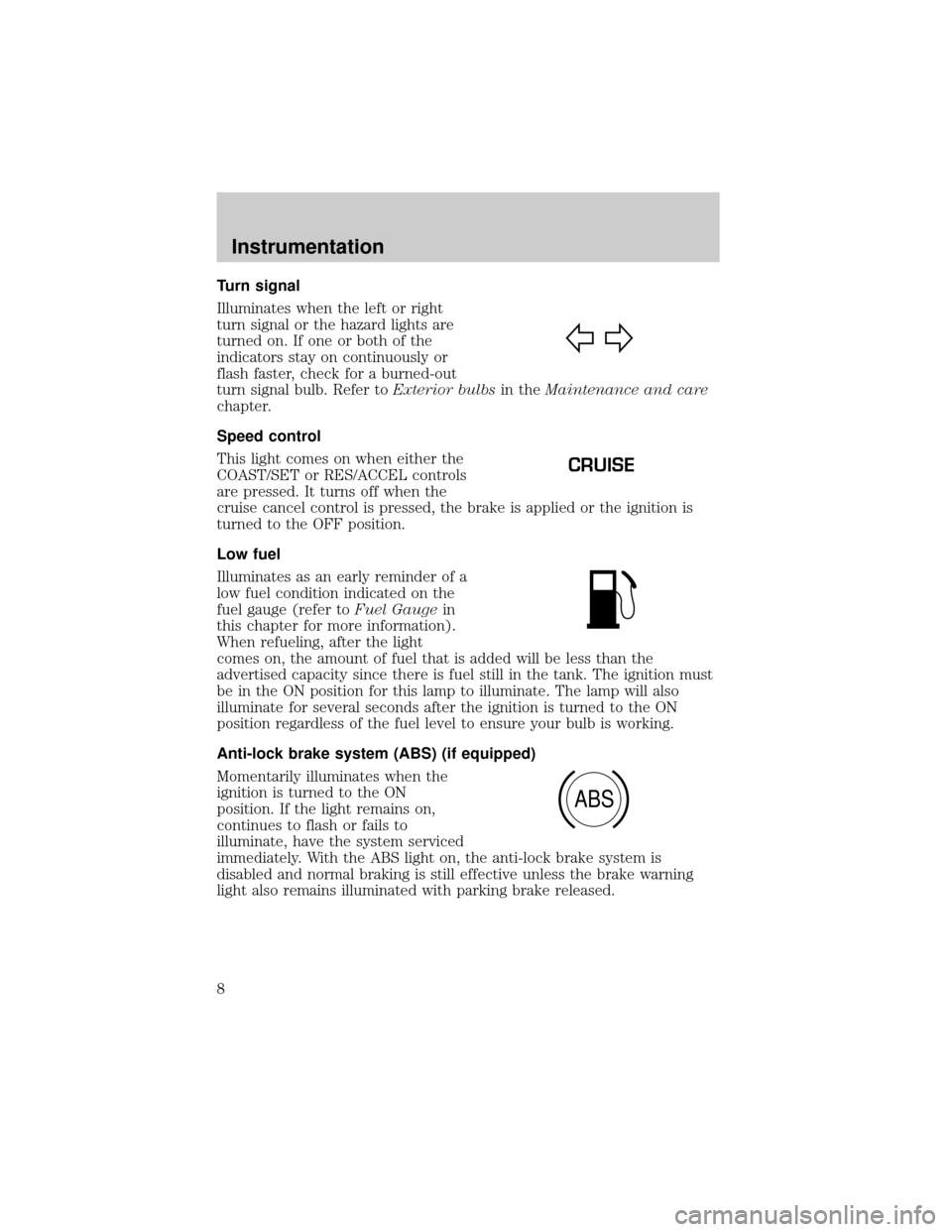
Turn signal
Illuminates when the left or right
turn signal or the hazard lights are
turned on. If one or both of the
indicators stay on continuously or
flash faster, check for a burned-out
turn signal bulb. Refer toExterior bulbsin theMaintenance and care
chapter.
Speed control
This light comes on when either the
COAST/SET or RES/ACCEL controls
are pressed. It turns off when the
cruise cancel control is pressed, the brake is applied or the ignition is
turned to the OFF position.
Low fuel
Illuminates as an early reminder of a
low fuel condition indicated on the
fuel gauge (refer toFuel Gaugein
this chapter for more information).
When refueling, after the light
comes on, the amount of fuel that is added will be less than the
advertised capacity since there is fuel still in the tank. The ignition must
be in the ON position for this lamp to illuminate. The lamp will also
illuminate for several seconds after the ignition is turned to the ON
position regardless of the fuel level to ensure your bulb is working.
Anti-lock brake system (ABS) (if equipped)
Momentarily illuminates when the
ignition is turned to the ON
position. If the light remains on,
continues to flash or fails to
illuminate, have the system serviced
immediately. With the ABS light on, the anti-lock brake system is
disabled and normal braking is still effective unless the brake warning
light also remains illuminated with parking brake released.
CRUISE
ABS
Instrumentation
8
Page 13 of 264
Odometer
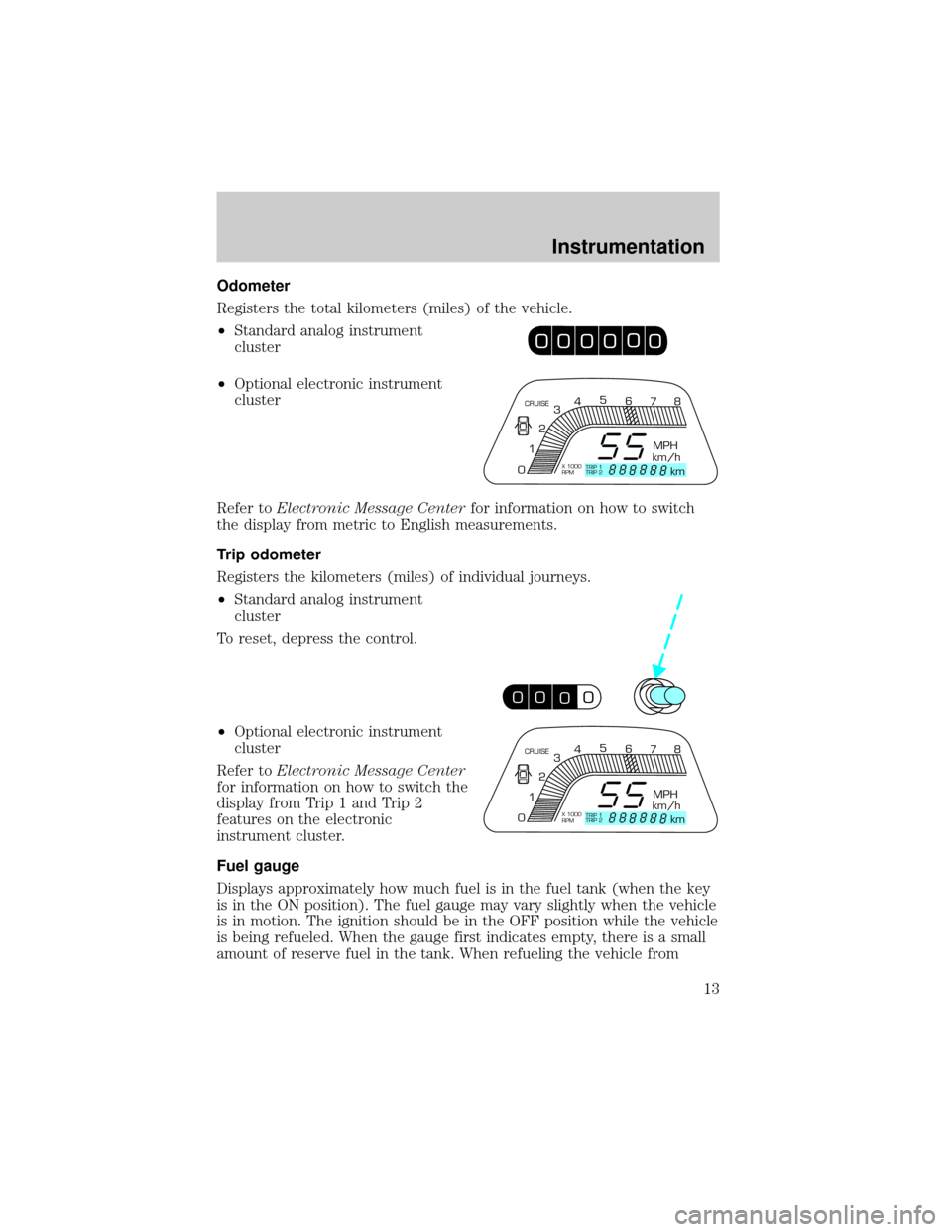
Registers the total kilometers (miles) of the vehicle.
²Standard analog instrument
cluster
²Optional electronic instrument
cluster
Refer toElectronic Message Centerfor information on how to switch
the display from metric to English measurements.
Trip odometer
Registers the kilometers (miles) of individual journeys.
²Standard analog instrument
cluster
To reset, depress the control.
²Optional electronic instrument
cluster
Refer toElectronic Message Center
for information on how to switch the
display from Trip 1 and Trip 2
features on the electronic
instrument cluster.
Fuel gauge
Displays approximately how much fuel is in the fuel tank (when the key
is in the ON position). The fuel gauge may vary slightly when the vehicle
is in motion. The ignition should be in the OFF position while the vehicle
is being refueled. When the gauge first indicates empty, there is a small
amount of reserve fuel in the tank. When refueling the vehicle from
0
00
00
000
000
0
CRUISE
MPH
km/h
km 012345
6
78
X 1000
RPMTRIP 1
TRIP 2
00
0000
00
CRUISE
MPH
km/h
km 012345
6
78
X 1000
RPMTRIP 1
TRIP 2
Instrumentation
13
Page 81 of 264
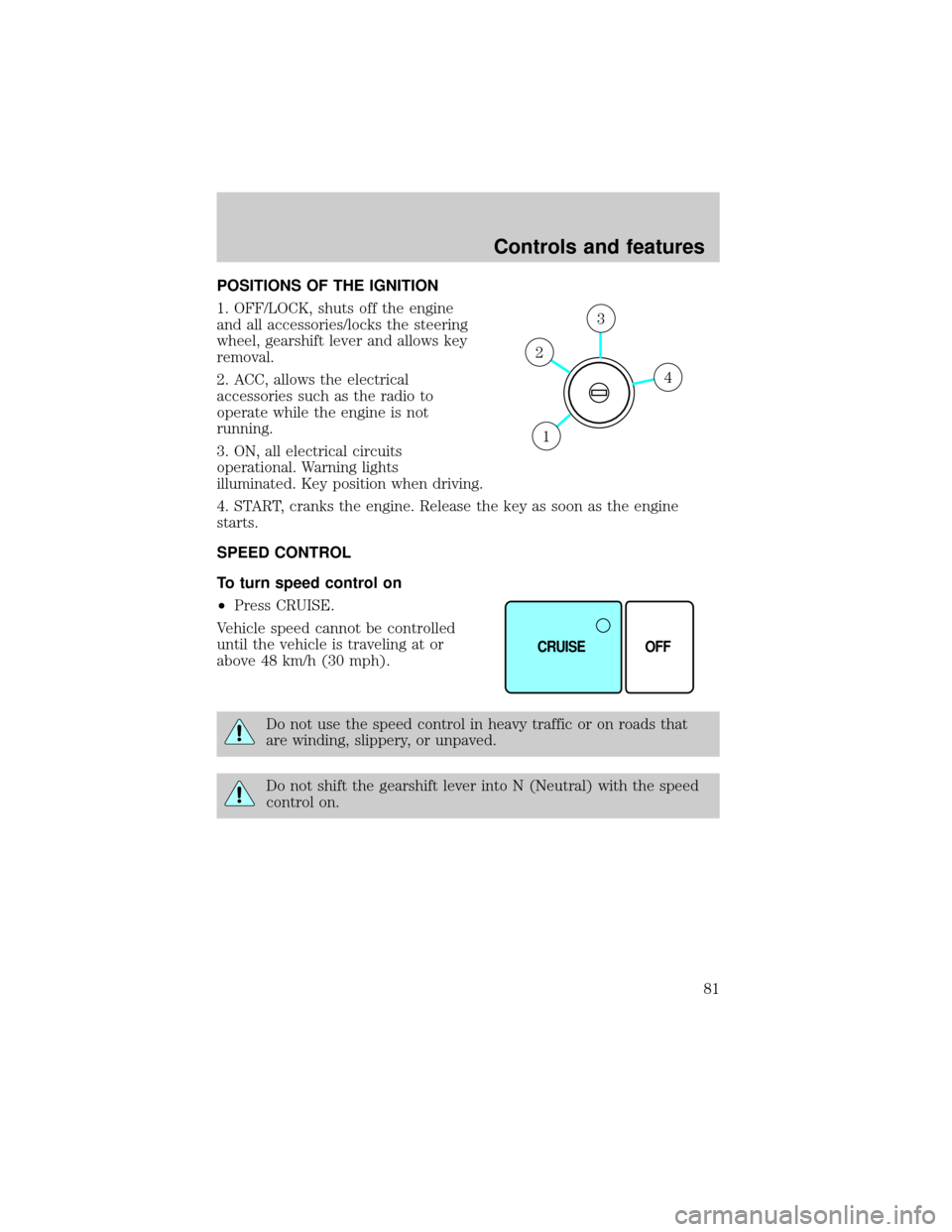
POSITIONS OF THE IGNITION
1. OFF/LOCK, shuts off the engine
and all accessories/locks the steering
wheel, gearshift lever and allows key
removal.
2. ACC, allows the electrical
accessories such as the radio to
operate while the engine is not
running.
3. ON, all electrical circuits
operational. Warning lights
illuminated. Key position when driving.
4. START, cranks the engine. Release the key as soon as the engine
starts.
SPEED CONTROL
To turn speed control on
²Press CRUISE.
Vehicle speed cannot be controlled
until the vehicle is traveling at or
above 48 km/h (30 mph).
Do not use the speed control in heavy traffic or on roads that
are winding, slippery, or unpaved.
Do not shift the gearshift lever into N (Neutral) with the speed
control on.
4
3
2
1
CRUISE OFF
Controls and features
81
Page 82 of 264

To turn speed control off
²Press OFF.
Once speed control is switched off, the previously programmed set speed
will be erased.
To set a speed
²Press COAST/SET. For speed
control to operate, the speed
control must be ON and the
vehicle speed must be greater
than 48 km/h (30 mph).
If you drive up or down a steep hill, your vehicle speed may vary
momentarily slower or faster than the set speed. This is normal.
Speed control cannot reduce the vehicle speed if it increases above the
set speed on a downhill. If your vehicle speed is faster than the set
speed while driving on a downhill, you may want to shift to the next
lower gear or apply the brakes to reduce your vehicle speed.
If your vehicle slows down more than 16 km/h (10 mph) below your set
speed on an uphill, your speed control will disengage. This is normal.
Pressing RES/ACCEL will re-engage it.
Do not use the speed control in heavy traffic or on roads that
are winding, slippery, or unpaved.
CRUISE OFF
CANCELRES
ACCEL
COAST
SET
Controls and features
82
Page 84 of 264

To disengage speed control
²Depress the brake pedal.
²Press CANCEL.
Disengaging the speed control will
not erase the previously
programmed set speed.
²Press OFF.
Pressing OFF will erase the
previously programmed set speed.
CANCELRES
ACCEL
COAST
SET
CRUISE OFF
Controls and features
84
Page 85 of 264
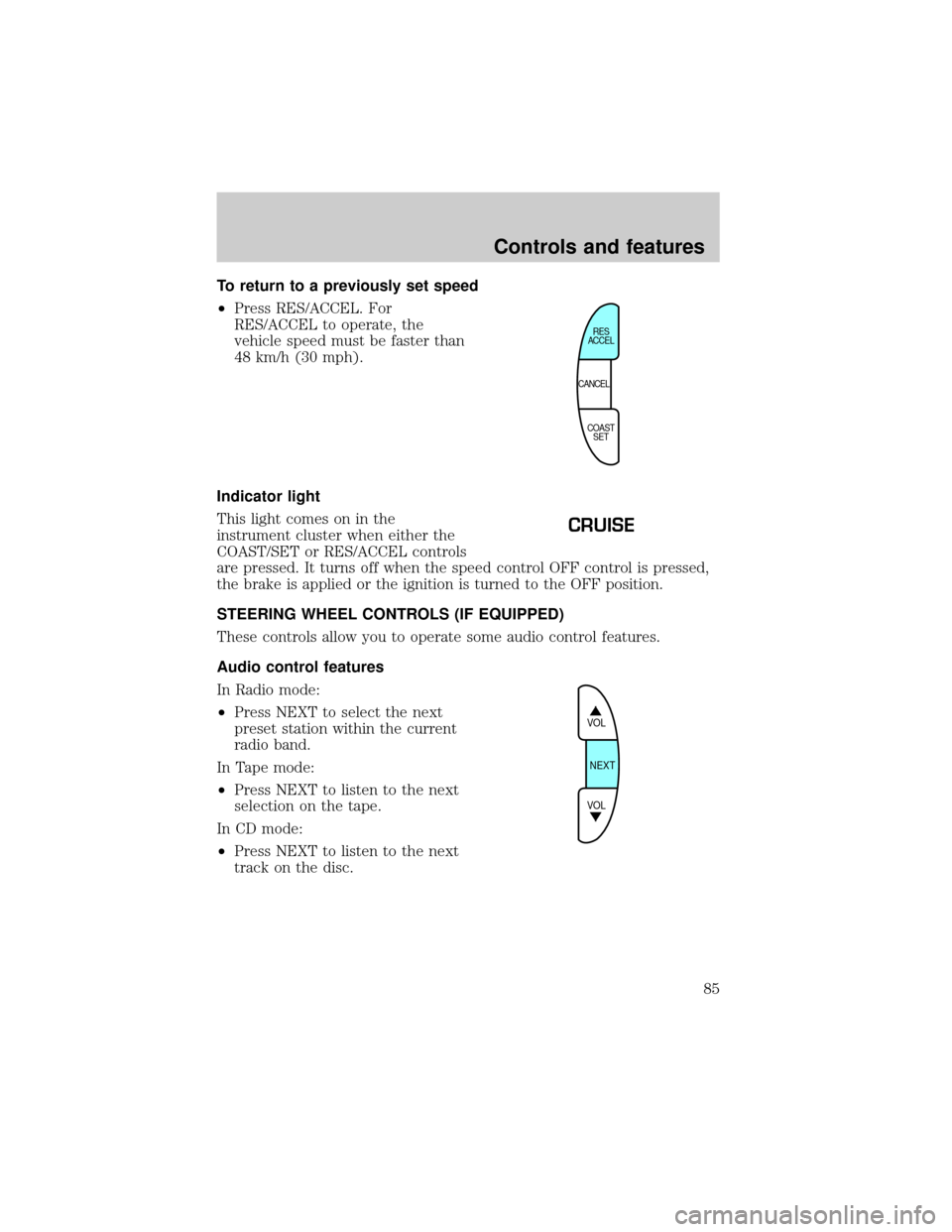
To return to a previously set speed
²Press RES/ACCEL. For
RES/ACCEL to operate, the
vehicle speed must be faster than
48 km/h (30 mph).
Indicator light
This light comes on in the
instrument cluster when either the
COAST/SET or RES/ACCEL controls
are pressed. It turns off when the speed control OFF control is pressed,
the brake is applied or the ignition is turned to the OFF position.
STEERING WHEEL CONTROLS (IF EQUIPPED)
These controls allow you to operate some audio control features.
Audio control features
In Radio mode:
²Press NEXT to select the next
preset station within the current
radio band.
In Tape mode:
²Press NEXT to listen to the next
selection on the tape.
In CD mode:
²Press NEXT to listen to the next
track on the disc.
CANCELRES
ACCEL
COAST
SET
CRUISE
VOL
NEXT
VOL
Controls and features
85
Page 162 of 264
automatic overdrive transaxle. When your vehicle cruises at a constant
speed for any length of time, this fourth gear will increase your fuel
economy.
Overdrive may not be appropriate
for certain terrains. If the transaxle
shifts back and forth between third
and fourth gears while you are
driving hilly roads or if your vehicle
requires additional power for climbing hills, press the O/D OFF switch.
Each time the vehicle is started, the transaxle will automatically return
to normal overdrive mode.
If your vehicle is on an extremely slippery surface, the Transaxle Control
Module may receive a signal indicating a rapid increase or decrease in
wheel speed. When the module detects this condition, it will limit the
transaxle operation to Third and Reverse gears. This reduces tire
slippage and protects the transaxle. The transaxle will operate normally
in Reverse, but will lack power during acceleration in Drive.
If this happens;
1. Stop your vehicle as soon as possible.
2. Turn the ignition off for three seconds.
3. Restart the vehicle.
If the condition still exists, contact your dealer as soon as possible.
If the O/D OFF indicator light is flashing on and off repeatedly when the
vehicle is started or does not come on when the O/D OFF control is
pressed, there may be a transaxle electronic system malfunction. You
should contact your dealer as soon as possible or damage to the
transaxle could occur.
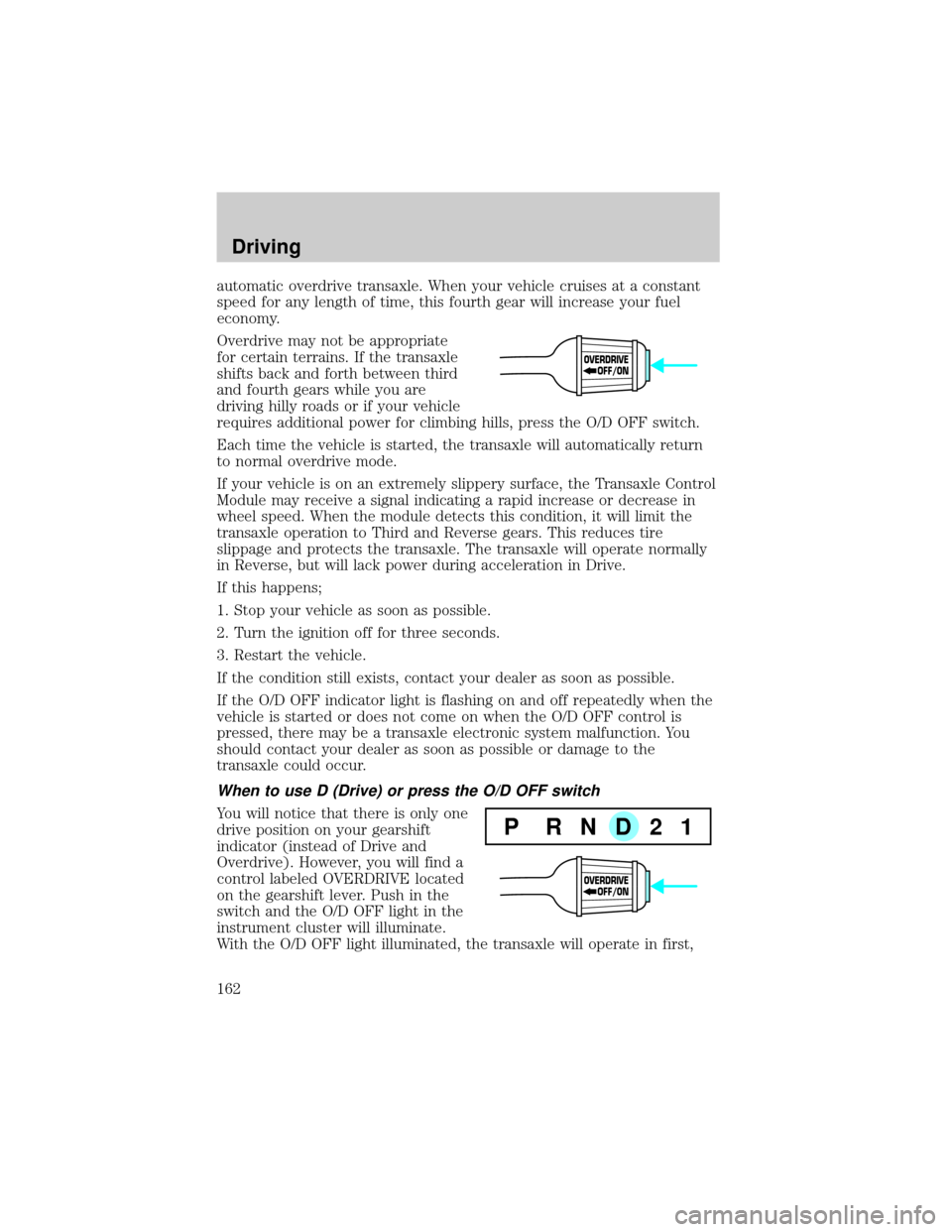
When to use D (Drive) or press the O/D OFF switch
You will notice that there is only one
drive position on your gearshift
indicator (instead of Drive and
Overdrive). However, you will find a
control labeled OVERDRIVE located
on the gearshift lever. Push in the
switch and the O/D OFF light in the
instrument cluster will illuminate.
With the O/D OFF light illuminated, the transaxle will operate in first,
OVERDRIVE
OFF/ON
P RND21
OVERDRIVE
OFF/ON
Driving
162
Page 223 of 264
![Mercury Villager 1999 Owners Manuals ²Carrying unnecessary weight may reduce fuel economy (approximately
0.4 km/L [1 mpg] is lost for every 180 kg [400 lb] of weight carried).
²Adding certain accessories to your vehicle (for example bu](/img/33/11172/w960_11172-222.png "Mercury Villager 1999 Owners Manuals ²Carrying unnecessary weight may reduce fuel economy (approximately
0.4 km/L [1 mpg] is lost for every 180 kg [400 lb] of weight carried).
²Adding certain accessories to your vehicle (for example bu")
²Carrying unnecessary weight may reduce fuel economy (approximately
0.4 km/L [1 mpg] is lost for every 180 kg [400 lb] of weight carried).
²Adding certain accessories to your vehicle (for example bug
deflectors, rollover/light bars, running boards, ski/luggage racks) may
reduce fuel economy.
²Using fuel blended with alcohol may lower fuel economy.
²Fuel economy may decrease with lower temperatures during the first
12±16 km (8±10 miles) of driving.
²Driving on flat terrain offers improved fuel economy as compared to
driving on hilly terrain.
²Transmissions give their best fuel economy when operated in the top
cruise gear and with steady pressure on the gas pedal.
²Close windows for high speed driving.
EPA window sticker
Every new vehicle should have the EPA window sticker. Contact your
dealer if the window sticker is not supplied with your vehicle. The EPA
window sticker should be your guide for the fuel economy comparisons
with other vehicles.
It is important to note the box in the lower left corner of the window
sticker. These numbers represent the Range of L/100 km (MPG)
expected on the vehicle under optimum conditions. Your fuel economy
may vary depending upon the method of operation and conditions.
EMISSION CONTROL SYSTEM
Your vehicle is equipped with various emission control components and a
catalytic converter which will enable your vehicle to comply with
applicable exhaust emission standards. To make sure that the catalytic
converter and other emission control components continue to work
properly:
²Use only unleaded fuel.
²Avoid running out of fuel.
²Do not turn off the ignition while your vehicle is moving, especially at
high speeds.
²Have the items listed in your Scheduled Maintenance Guide performed
according to the specified schedule.
Maintenance and care
223
Page 257 of 264

GVWR (Gross Vehicle Weight
Rating) .......................................165
calculating ...............................165
definition .................................165
driving with a heavy load ......165
location ....................................165
Hazard flashers .........................171
Head restraints .........................110
Headlamps ...................................19
aiming ......................................230
autolamp system .......................20
bulb specifications ..................229
daytime running lights .............19
flash to pass ..............................20
high beam ..............................7,20
turning on and off ....................19
warning chime ..........................11
Heating ........................................21
heating and air conditioning
system .......................................21
Hood ..........................................192
Ignition ................................237,238
positions of the ignition ...........81
Infant seats (see Safety seats) 137
Inspection/maintenance (I/M)
testing ........................................224
Instrument panel
cleaning ...................................233
cluster ..........................................6
lighting up panel and
interior .......................................19
location of components ..............6
Jump-starting your vehicle ......185
Keys
key in ignition chime ...............10
positions of the ignition ...........81
Lamps
autolamp system .......................20
bulb replacement
specifications chart ................229
cargo lamps ...............................19
daytime running light ...............19headlamps .................................19
headlamps, flash to pass ..........20
instrument panel, dimming .....19
interior lamps ...........................99
replacing
bulbs ............225,226,227,228,229
Lane change indicator
(see Turn signal) ........................86
Liftgate ......................................106
Lights, warning and indicator ......6
air bag ..........................................6
anti-lock brakes (ABS) .......8,158
brake ............................................7
charging system ..........................6
cruise indicator ...........................8
door ajar ......................................7
high beam ...................................7
low fuel ........................................8
low washer fluid .......................10
oil pressure .................................7
overdrive off ..............................10
safety belt ...................................7
service engine soon ....................9
speed control ............................85
turn signal indicator ...................8
Load limits .................................165
GAWR ......................................165
GVWR ......................................165
trailer towing ..........................165
Locks
childproof ..................................90
doors ..........................................90
Lubricant specifications ....236,237
Message center ......................15,16
Mirrors .........................................97
cleaning ...................................234
heated ........................................92
side view mirrors (power) .......91
Moon roof ..................................100
Motorcraft parts .................220,235
Octane rating ............................219
Odometer .....................................13
Index
257