Manual trans MINI 3 door 2013 User Guide
[x] Cancel search | Manufacturer: MINI, Model Year: 2013, Model line: 3 door, Model: MINI 3 door 2013Pages: 233, PDF Size: 17.19 MB
Page 58 of 233
The selected drive mode is briefly displayed in
the instrument cluster, followed by the current
one.
Manual mode M/S: prevent automatic upshifting
Once maximum engine speed is attained, M/S
manual mode is automatically upshifted as
needed.
For vehicles with Sport automatic transmission,
automatic shift operations are not performed if
one of the following conditions is met:▷DSC is deactivated.▷TRACTION is activated.
In addition, the kickdown is deactivated.
Ending the sport program/manual
mode
Push the gear selector lever to the right.
D is displayed in the instrument cluster.
Shift paddles for Sport automatic
transmission
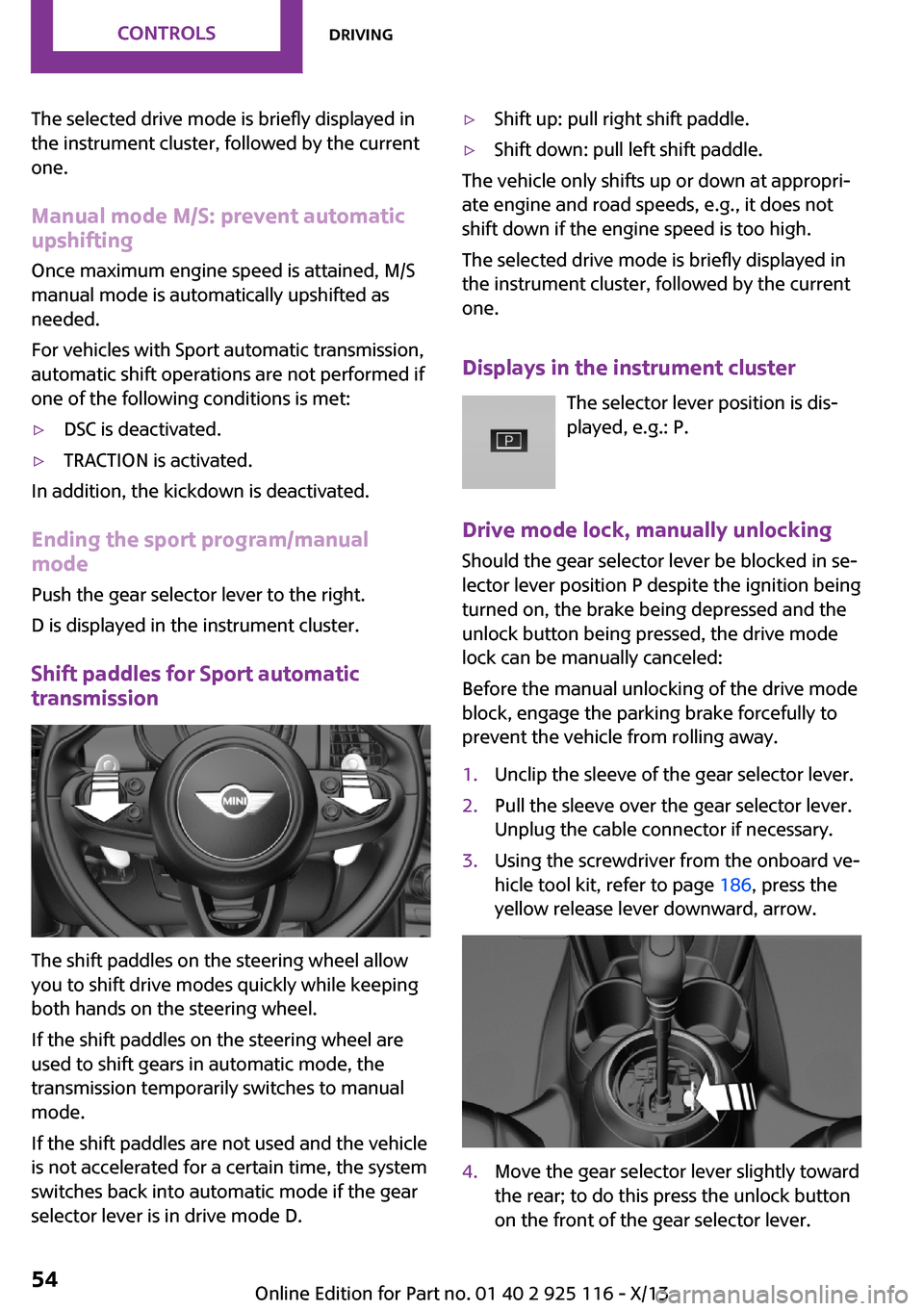
The shift paddles on the steering wheel allow
you to shift drive modes quickly while keeping
both hands on the steering wheel.
If the shift paddles on the steering wheel are
used to shift gears in automatic mode, the
transmission temporarily switches to manual
mode.
If the shift paddles are not used and the vehicle
is not accelerated for a certain time, the system
switches back into automatic mode if the gear
selector lever is in drive mode D.
▷Shift up: pull right shift paddle.▷Shift down: pull left shift paddle.
The vehicle only shifts up or down at appropri‐
ate engine and road speeds, e.g., it does not
shift down if the engine speed is too high.
The selected drive mode is briefly displayed in
the instrument cluster, followed by the current
one.
Displays in the instrument cluster The selector lever position is dis‐
played, e.g.: P.
Drive mode lock, manually unlocking Should the gear selector lever be blocked in se‐
lector lever position P despite the ignition being
turned on, the brake being depressed and the
unlock button being pressed, the drive mode
lock can be manually canceled:
Before the manual unlocking of the drive mode
block, engage the parking brake forcefully to
prevent the vehicle from rolling away.
1.Unclip the sleeve of the gear selector lever.2.Pull the sleeve over the gear selector lever.
Unplug the cable connector if necessary.3.Using the screwdriver from the onboard ve‐
hicle tool kit, refer to page 186, press the
yellow release lever downward, arrow.4.Move the gear selector lever slightly toward
the rear; to do this press the unlock button
on the front of the gear selector lever.Seite 54ControlsDriving54
Online Edition for Part no. 01 40 2 925 116 - X/13
Page 86 of 233
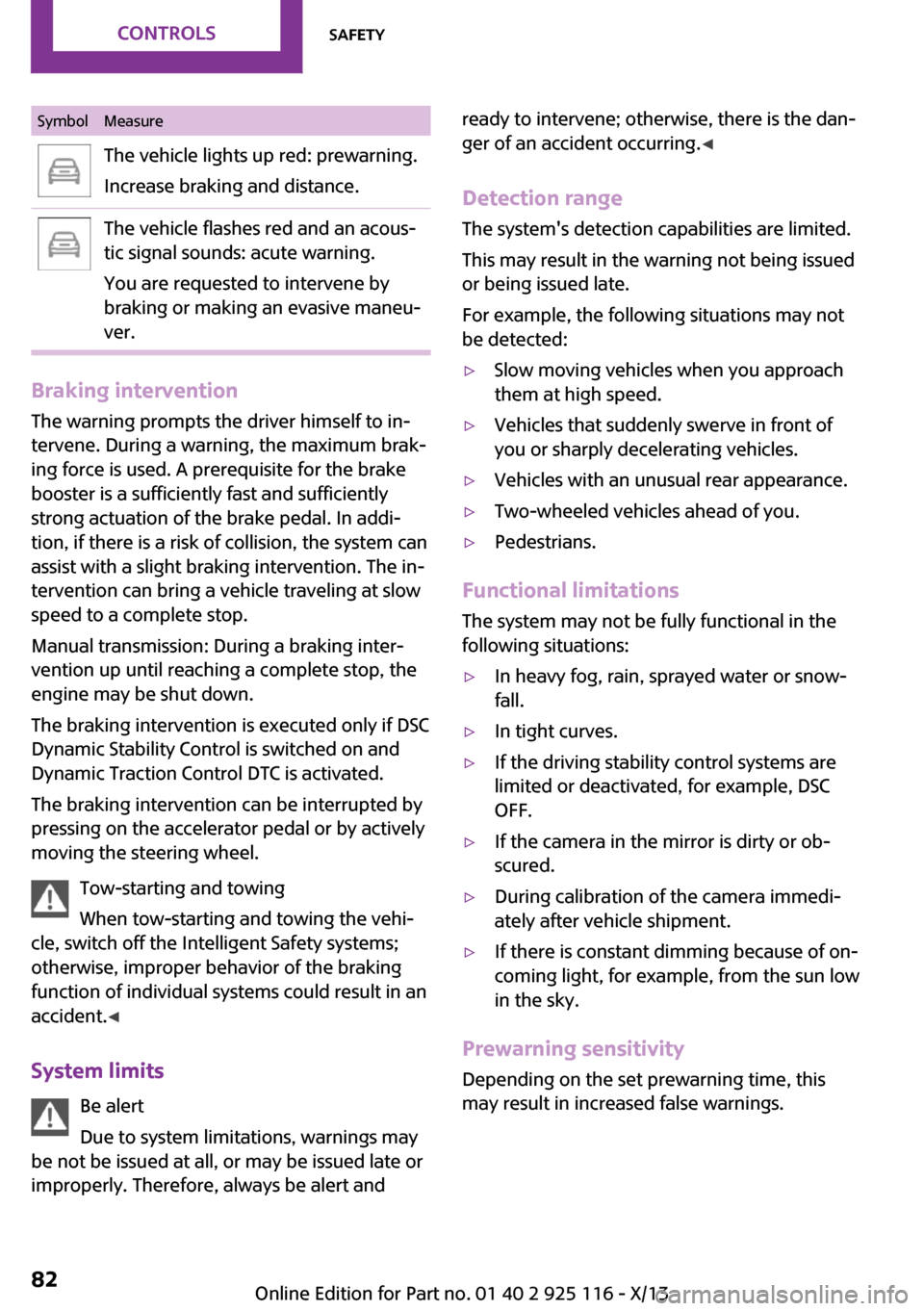
SymbolMeasureThe vehicle lights up red: prewarning.
Increase braking and distance.The vehicle flashes red and an acous‐
tic signal sounds: acute warning.
You are requested to intervene by
braking or making an evasive maneu‐
ver.
Braking intervention
The warning prompts the driver himself to in‐
tervene. During a warning, the maximum brak‐
ing force is used. A prerequisite for the brake
booster is a sufficiently fast and sufficiently
strong actuation of the brake pedal. In addi‐
tion, if there is a risk of collision, the system can
assist with a slight braking intervention. The in‐
tervention can bring a vehicle traveling at slow
speed to a complete stop.
Manual transmission: During a braking inter‐
vention up until reaching a complete stop, the
engine may be shut down.
The braking intervention is executed only if DSC
Dynamic Stability Control is switched on and
Dynamic Traction Control DTC is activated.
The braking intervention can be interrupted by
pressing on the accelerator pedal or by actively
moving the steering wheel.
Tow-starting and towing
When tow-starting and towing the vehi‐
cle, switch off the Intelligent Safety systems;
otherwise, improper behavior of the braking
function of individual systems could result in an
accident. ◀
System limits Be alert
Due to system limitations, warnings may
be not be issued at all, or may be issued late or
improperly. Therefore, always be alert and
ready to intervene; otherwise, there is the dan‐
ger of an accident occurring. ◀
Detection range The system's detection capabilities are limited.
This may result in the warning not being issued
or being issued late.
For example, the following situations may not
be detected:▷Slow moving vehicles when you approach
them at high speed.▷Vehicles that suddenly swerve in front of
you or sharply decelerating vehicles.▷Vehicles with an unusual rear appearance.▷Two-wheeled vehicles ahead of you.▷Pedestrians.
Functional limitations
The system may not be fully functional in the
following situations:
▷In heavy fog, rain, sprayed water or snow‐
fall.▷In tight curves.▷If the driving stability control systems are
limited or deactivated, for example, DSC
OFF.▷If the camera in the mirror is dirty or ob‐
scured.▷During calibration of the camera immedi‐
ately after vehicle shipment.▷If there is constant dimming because of on‐
coming light, for example, from the sun low
in the sky.
Prewarning sensitivity
Depending on the set prewarning time, this
may result in increased false warnings.
Seite 82ControlsSafety82
Online Edition for Part no. 01 40 2 925 116 - X/13
Page 88 of 233
justments can be made. The individual settings
are stored for the remote control currently in
use.
Press the button briefly:▷Intelligent Safety systems are individually
switched off according to individual setting.▷The LED lights up orange.
Press the button again:
▷All Intelligent Safety systems are switched
on.▷The LED lights up green.
Hold the button down:
▷All Intelligent Safety systems are switched
off.▷The LED goes out.
Warning with braking function
Note Adapting your speed and driving style
The warning does not relieve the driver of
the responsibility to adapt his or her driving
speed and style to the traffic conditions. ◀
Display
If a collision with a person detected in this way
is imminent, a warning symbol appears on the
instrument cluster and in the Head-up Display.
The red symbol is displayed and a signalsounds.
Intervene immediately by braking or
making an evasive maneuver.
Braking intervention
The warning prompts the driver himself to in‐
tervene. During a warning, the maximum brak‐ ing force is used. A prerequisite for the brake
booster is a sufficiently fast and sufficiently
strong actuation of the brake pedal. In addi‐
tion, if there is a risk of collision, the system can
assist with a slight braking intervention. The in‐
tervention can bring a vehicle traveling at slow
speed to a complete stop.
Manual transmission: During a braking inter‐
vention up until reaching a complete stop, the
engine may be shut down.
The braking intervention is executed only if DSC
Dynamic Stability Control is switched on and
Dynamic Traction Control DTC is activated.
The braking intervention can be interrupted by
pressing on the accelerator pedal or by actively
moving the steering wheel.
Tow-starting and towing
When tow-starting and towing the vehi‐
cle, switch off the Intelligent Safety systems;
otherwise, improper behavior of the braking
function of individual systems could result in an
accident. ◀
System limits Be alert
Due to system limitations, warnings may
be not be issued at all, or may be issued late or
improperly. Therefore, always be alert and
ready to intervene; otherwise, there is the dan‐
ger of an accident occurring. ◀
Detection range The detection capability of the camera is lim‐
ited.
This may result in the warning not being issued
or being issued late.
For example, the following situations may not
be detected:▷Partially covered pedestrians.▷Pedestrians that are not detected as such
because of the viewing angle or contour.▷Pedestrians outside of the detection range.▷Pedestrians having a body size less than
32 in/80 cm.Seite 84ControlsSafety84
Online Edition for Part no. 01 40 2 925 116 - X/13
Page 103 of 233
Switching on/off manuallyPress the button.▷On: the LED lights up.▷Off: the LED goes out.
Display
Signal tones
When approaching an object, an intermittent
tone is sounded that indicates the position of
the object. For example, if an object is detected
to the left rear of the vehicle, a signal tone
sounds from the left rear speaker.
The shorter the distance to the object becomes,
the shorter the intervals.
If the distance to a detected object is less than
approx. 10 in/25 cm, a continuous tone is
sounded.
If objects are located both in front of and be‐
hind the vehicle, an alternating continuous sig‐
nal is sounded.
The signal tone is switched off:
▷When the vehicle moves away from an ob‐
ject by more than approx. 4 in/10 cm.▷When transmission position P is engaged.
Volume
The volume of the PDC signal can be adjusted,
refer to user's manual for Navigation, Enter‐
tainment and Communication.
The setting is stored for the remote control cur‐
rently in use.
System limits
Limits of ultrasonic measurement The detection of objects can reach the physical
limits of ultrasonic measurement, e.g.:
▷With tow bars and trailer hitches.▷With thin or wedge-shaped objects.▷With low objects.▷With objects with corners and sharp edges.▷When there is snow.▷For objects with porous surfaces.
Low objects already displayed, e.g., curbs, can
move into the blind area of the sensors before
or after a continuous tone sounds.
High, protruding objects such as ledges may
not be detected.
False warnings PDC may issue a warning under the following
conditions even though there is no obstacle
within the detection range:
▷In heavy rain.▷When sensors are very dirty or covered in
ice.▷When sensors are covered in snow.▷On rough road surfaces.▷On uneven surfaces, such as speed bumps.▷In large buildings with right angles and
smooth walls, e.g., in underground garages.▷In heavy exhaust.▷Due to other ultrasound sources, e.g.,
sweeping machines, high pressure steam
cleaners or neon lights.
The malfunction is signaled by a continuous
tone alternating between the front and rear
speakers. As soon as the malfunction due
to other ultrasound sources is no longer
present, the system is again fully functional.
Malfunction
A Check Control message, refer to page 57, is
displayed in the instrument cluster.
PDC has failed. Have the system checked.
To ensure full operability:
▷Keep the sensors clean and free of ice.▷Do not adhere any stickers to the sensors.Seite 99Driving comfortControls99
Online Edition for Part no. 01 40 2 925 116 - X/13
Page 115 of 233
3.Hold the hand-held transmitter for the sys‐
tem to be controlled approx. 1 to 3 in/2.5
to 8 cm away from the buttons on the inte‐
rior rearview mirror. The required distance
depends on the manual transmitter.4.Simultaneously press and hold the button
of the desired function on the hand-held
transmitter and the button to be program‐
med on the interior rearview mirror. The
LED on the interior rearview mirror will be‐
gin flashing slowly.5.Release both buttons as soon as the LED
flashes more rapidly. When the LED is flash‐
ing faster, this indicates that the button on
the interior rearview mirror has been pro‐
grammed.
If the LED does not flash faster after at least
60 seconds, change the distance between
the interior rearview mirror and the hand-
held transmitter and repeat the step. Sev‐
eral more attempts at different distances
may be necessary. Wait at least 15 seconds
between attempts.
Canada: if programming with the hand-
held transmitter was interrupted, hold
down the interior rearview mirror button
and repeatedly press and release the hand-
held transmitter button for 2 seconds.6.To program other functions on other but‐
tons, repeat steps 3 to 5.
The systems can be controlled using the interior
rearview mirror buttons.
Special feature of the alternating-code
wireless system
If you are unable to operate the system after
repeated programming, please check if the sys‐
tem to be controlled features an alternating-
code system.
Read the system's operating manual, or press
the programmed button on the interior rear‐
view mirror longer. If the LED on the interior
rearview mirror starts flashing rapidly and then
stays lit constantly for 2 seconds, the system
features an alternating-code system. Flashing
and continuous illumination of the LED will re‐
peat for approximately 20 seconds.
For systems with an alternating-code system,
the universal garage door opener and the sys‐
tem also have to be synchronized.
Please read the operating manual of the sys‐
tem being set up for information on how to
synchronize the system.
Synchronizing is easier with the aid of a second
person.
To synchronize:1.Park the vehicle within range of the re‐
mote-controlled system.2.Program the relevant button on the interior
rearview mirror as described.3.Locate and press the synchronizing button
on the system being programmed. You
have approx. 30 seconds for the next step.4.Hold down the programmed button on the
interior rearview mirror for approximately
3 seconds and then release it. If necessary,
repeat this work step up to three times in
order to finish synchronization. Once syn‐
chronization is complete, the programmed
function will be carried out.
Reprogramming individual buttons
1.Switch on the ignition.2.Press and hold the interior rearview mirror
button to be programmed.3.As soon as the interior rearview mirror LED
starts flashing slowly, hold the hand-held
transmitter for the system to be controlled
approx. 1 to 3 in/2.5 to 8 cm away from the
buttons on the interior rearview mirror. The
required distance depends on the manual
transmitter.Seite 111Interior equipmentControls111
Online Edition for Part no. 01 40 2 925 116 - X/13
Page 137 of 233
Driving styleIn the instrument cluster, a mark
in the bar display indicates the
current efficiency of the driving
style.
Mark in the left area, arrow 1:
display for energy recovered by coasting or
when braking.
Mark in the right area, arrow 2: display when
accelerating.
The efficiency of the driving style is shown by
the color of the bar:▷Green display: efficient driving style as long
as the mark moves within the blue range.▷Gray display: adjust driving style, e. g. by
backing off the accelerator pedal.
The display switches to blue as soon as all con‐
ditions for fuel-economy-optimized driving are
met.
GREEN tip driving instruction
The instruction indicates that the driving style
can be adjusted to be more fuel efficient by
backing off the accelerator for instance.
Note
The driving style display and GREEN mode tips
in the instrument cluster appear when the
GREEN mode display is activated.
Activating driving style and GREEN mode tips:
1. "Settings"2."Info display"3."GREEN Info"
GREEN tip symbols An additional symbol and a text instruction are
displayed.
SymbolMeasureFor efficient driving style, back off the
accelerator or delay accelerating to
allow time to assess road conditions.Reduce speed to the selected GREEN
speed.Automatic transmission: switch from
S/M to D or avoid manual shift inter‐
ventions.Manual shift transmission: follow
shifting instructions.Manual shift transmission: engage
neutral for engine stop.
Coasting
The concept
The system helps to conserve fuel.
To do this, under certain conditions the engine
is automatically decoupled from the transmis‐
sion when transmission position D is engaged.
The vehicle continues traveling with the engine
idling to reduce fuel consumption. Transmission
position D remains engaged.
This driving condition is referred to as coasting.
As soon as the brake or accelerator pedal is de‐
pressed, the engine is automatically coupled to
the transmission again.
Hints Coasting is a component of the GREEN mode,
refer to page 131, driving mode.
Seite 133Saving fuelDriving tips133
Online Edition for Part no. 01 40 2 925 116 - X/13
Page 138 of 233
Coasting is automatically activated when
GREEN mode is called via the Driving Dynamics
Control, refer to page 88.
The function is available in a certain speed
range.
A forward-looking driving style helps the driver
to use the function as often as possible and
supports the fuel-conserving effect of coasting.
Safety mode
The function is not available if one of the fol‐
lowing conditions is satisfied.▷DSC OFF or TRACTION activated.▷Driving in the dynamic limit range and on
steep uphill or downhill grades.▷Battery charge status temporarily too low
or vehicle electrical system drawing exces‐
sive current.▷Cruise control activated.
Functional requirements
In GREEN mode, this function is available in a
speed range from approximately 30 mph, ap‐
prox. 50 km/h to 100 mph, approx. 160 km/h,
if the following conditions are satisfied:
▷Accelerator pedal and brake pedal are not
operated.▷The selector lever is in transmission position
D.▷Engine and transmission are at operating
temperature.
Display
Display in the instrument cluster The mark in the bar display be‐
low the tachometer is high‐
lighted green and appears at the
zero point. The tachometer ap‐
proximately indicates idle speed.
Deactivating the system manually
The function can be deactivated via the radio,
e.g., to use the braking effect of the engine
when traveling downhill.1. "Settings"2.If necessary, "Driving mode" or "GREEN
Mode"3."Coasting"
The setting is saved for the profile currently be‐
ing used.
Seite 134Driving tipsSaving fuel134
Online Edition for Part no. 01 40 2 925 116 - X/13
Page 144 of 233
All saved stations are stored for the remote
control currently in use.
Selecting a station manually1. Press the button2. "Radio"3."FM" or "AM"4."Manual search ( )"5.Turn the right-hand knob until the desired
frequency is displayed.
Changing the station
Press the button.
The next station with reception or stored sta‐
tion is played. If traffic bulletins are switched
on, the next traffic information station is
played.
Hold the button down.
The waveband is traversed. After the button is
released, the next station with reception is
played.
Storing a station
1. Press the button2. "Radio"3."FM" or "AM"4.Select a station.5.Press the right button.6.Select the memory location.
The stations are stored for the remote control
currently in use.
The stations can also be stored on the pro‐
grammable memory buttons.
Renaming a station
When storing a station with RDS signal, the RDS
information transferred during the storage op‐
eration is accepted as the station name. This
name can be changed.1.Select the station that is to be renamed.2. Press the button.3."Rename to:"
If necessary, wait until the desired name
appears.4.Press the right-hand knob to store this
name.
Displaying additional information
If a radio station broadcasts radio text or radio
text plus, this information can be displayed,
e.g., the track or the performer of the music.
Availability, content and sequence are deter‐
mined by the radio station.
1. Press the button2. "Radio"3."FM" or "AM"4. Press the button.5."Station info"
RDS Radio Data System
The concept
RDS broadcasts additional information, such as
the station name, in the FM wave band.
When playing a station with multiple frequen‐
cies, the system automatically switches to the
frequency with the best reception, if needed.
Switching on/off It is recommended to switch on RDS
1. Press the button2. "Radio"3."FM"Seite 140EntertainmentRadio140
Online Edition for Part no. 01 40 2 925 116 - X/13
Page 185 of 233
If the oil level reaches the minimum level or an
overfilling is detected, a check control message
is displayed.
During the measurement, the idle speed is in‐
creased somewhat.
Requirements▷Vehicle is on level road.▷Manual transmission: shift lever in neutral
position, clutch and accelerator pedals not
depressed.▷Automatic transmission: selector lever in
transmission position N or P and accelera‐
tor pedal not depressed.▷Engine is running and is at operating tem‐
perature.
Performing a detailed measurement
In order to perform a detailed measurement of
the engine oil level:
Confirm message regarding oil level display.
The oil level is checked and displayed via a
scale.
Duration: approx. 1 minute.
Adding engine oil
General information Switch off the ignition and safely park the vehi‐
cle before engine oil is added.
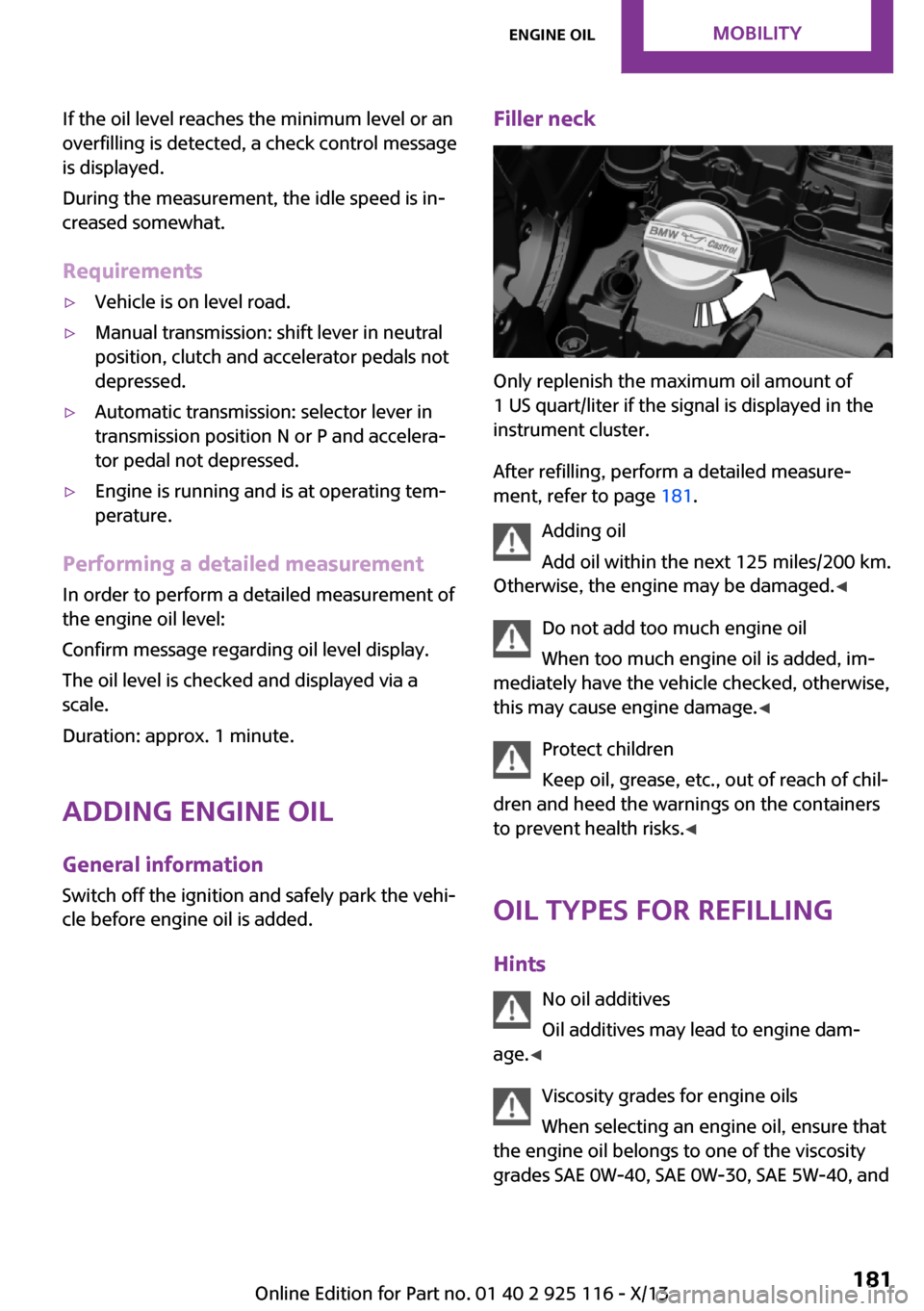
Filler neck
Only replenish the maximum oil amount of
1 US quart/liter if the signal is displayed in the
instrument cluster.
After refilling, perform a detailed measure‐
ment, refer to page 181.
Adding oil
Add oil within the next 125 miles/200 km.
Otherwise, the engine may be damaged. ◀
Do not add too much engine oil
When too much engine oil is added, im‐
mediately have the vehicle checked, otherwise,
this may cause engine damage. ◀
Protect children
Keep oil, grease, etc., out of reach of chil‐
dren and heed the warnings on the containers
to prevent health risks. ◀
Oil types for refilling
Hints No oil additives
Oil additives may lead to engine dam‐
age. ◀
Viscosity grades for engine oils
When selecting an engine oil, ensure that
the engine oil belongs to one of the viscosity
grades SAE 0W-40, SAE 0W-30, SAE 5W-40, and
Seite 181Engine oilMobility181
Online Edition for Part no. 01 40 2 925 116 - X/13
Page 204 of 233
function of individual systems could result in an
accident. ◀
Switching off Intelligent Safety systems, refer to
page 79.
Automatic transmission: transporting
your vehicle
Note Your vehicle must not be towed if the frontwheels are touching the ground. Therefore,
contact a service center in the event of a break‐ down.
Tow the vehicle only with the front axle
raised
Have the vehicle towed only with the front axle
raised or transported on a loading platform; otherwise, damage may occur. ◀
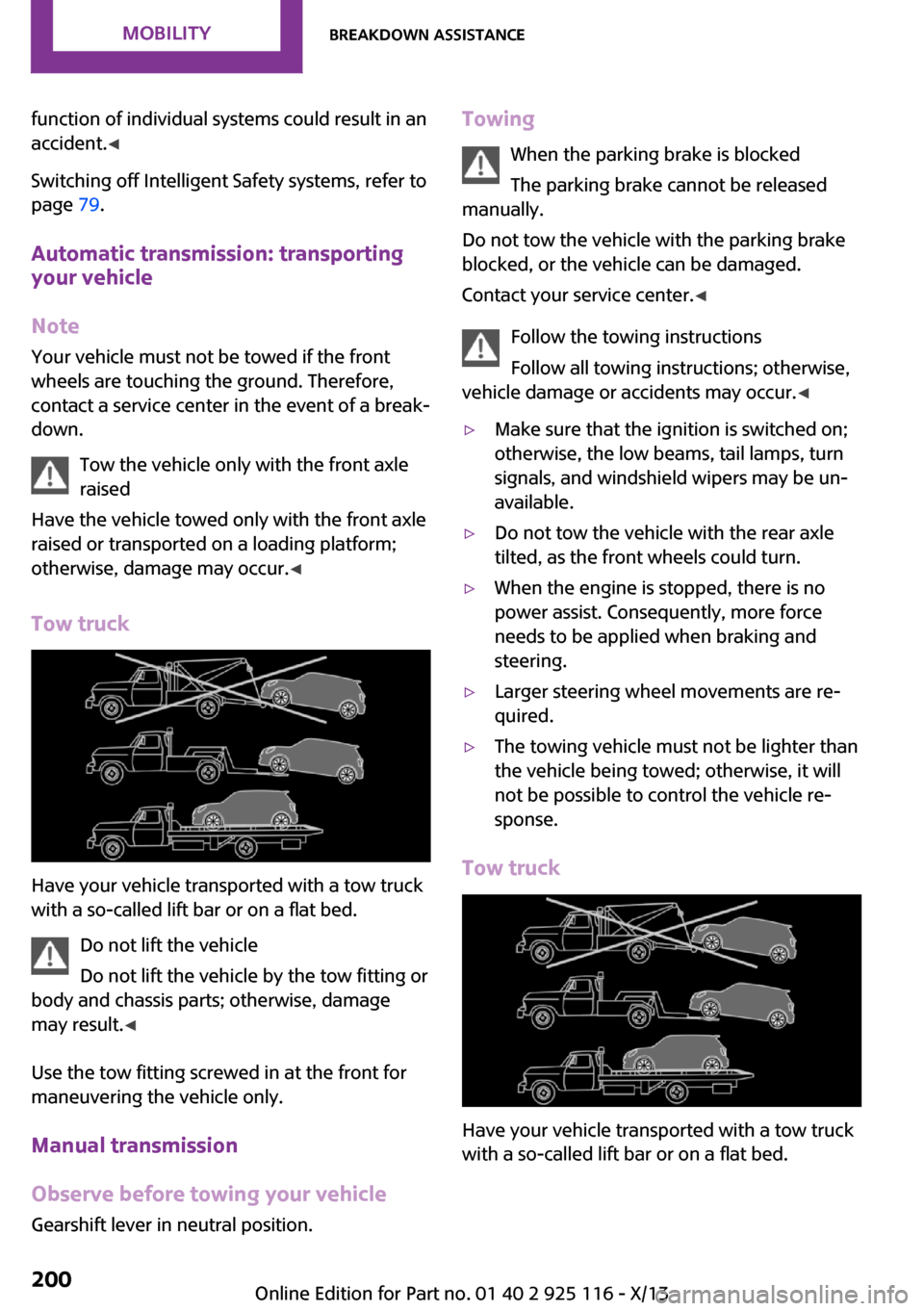
Tow truck
Have your vehicle transported with a tow truck
with a so-called lift bar or on a flat bed.
Do not lift the vehicle
Do not lift the vehicle by the tow fitting or
body and chassis parts; otherwise, damage
may result. ◀
Use the tow fitting screwed in at the front for
maneuvering the vehicle only.
Manual transmission
Observe before towing your vehicle Gearshift lever in neutral position.
Towing
When the parking brake is blocked
The parking brake cannot be released
manually.
Do not tow the vehicle with the parking brake
blocked, or the vehicle can be damaged.
Contact your service center. ◀
Follow the towing instructions
Follow all towing instructions; otherwise,
vehicle damage or accidents may occur. ◀▷Make sure that the ignition is switched on;
otherwise, the low beams, tail lamps, turn
signals, and windshield wipers may be un‐
available.▷Do not tow the vehicle with the rear axle
tilted, as the front wheels could turn.▷When the engine is stopped, there is no
power assist. Consequently, more force
needs to be applied when braking and
steering.▷Larger steering wheel movements are re‐
quired.▷The towing vehicle must not be lighter than
the vehicle being towed; otherwise, it will
not be possible to control the vehicle re‐
sponse.
Tow truck
Have your vehicle transported with a tow truck
with a so-called lift bar or on a flat bed.
Seite 200MobilityBreakdown assistance200
Online Edition for Part no. 01 40 2 925 116 - X/13