maintenance MINI 3 door 2013 User Guide
[x] Cancel search | Manufacturer: MINI, Model Year: 2013, Model line: 3 door, Model: MINI 3 door 2013Pages: 233, PDF Size: 17.19 MB
Page 113 of 233
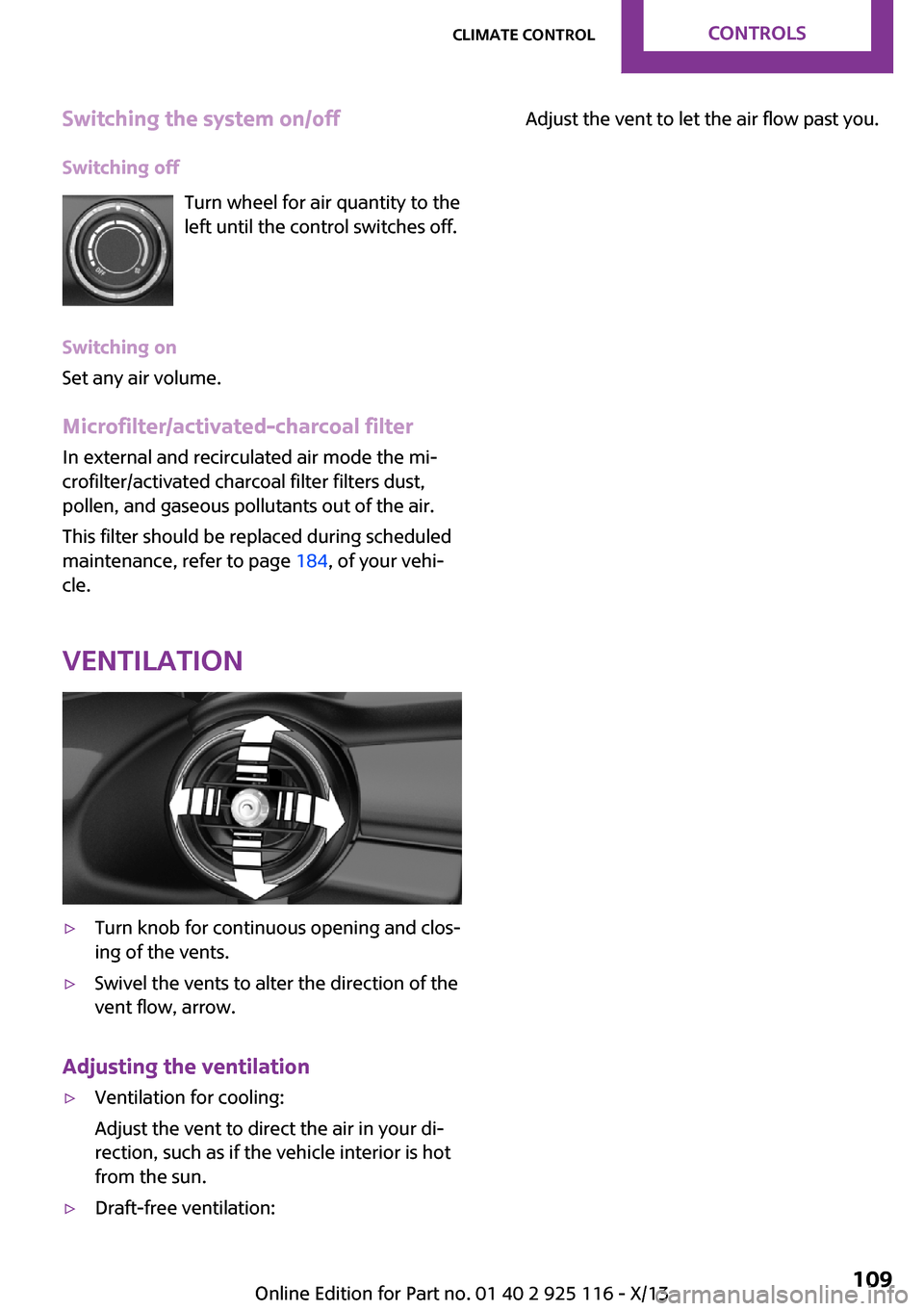
Switching the system on/offSwitching off Turn wheel for air quantity to the
left until the control switches off.
Switching on
Set any air volume.
Microfilter/activated-charcoal filter In external and recirculated air mode the mi‐
crofilter/activated charcoal filter filters dust,
pollen, and gaseous pollutants out of the air.
This filter should be replaced during scheduled
maintenance, refer to page 184, of your vehi‐
cle.
Ventilation▷Turn knob for continuous opening and clos‐
ing of the vents.▷Swivel the vents to alter the direction of the
vent flow, arrow.
Adjusting the ventilation
▷Ventilation for cooling:
Adjust the vent to direct the air in your di‐
rection, such as if the vehicle interior is hot
from the sun.▷Draft-free ventilation:Adjust the vent to let the air flow past you.Seite 109Climate controlControls109
Online Edition for Part no. 01 40 2 925 116 - X/13
Page 134 of 233
Saving fuelVehicle equipment
All standard, country-specific and optional
equipment that is offered in the model series is
described in this chapter. Therefore, equipment
is also described that is not available in a vehi‐
cle, e. g., because of the selected optional
equipment or country variant. This also applies
for safety-related functions and systems.
General information
Fuel consumption depends on a number of dif‐
ferent factors.
The implementation of certain measures, driv‐
ing style and regular maintenance can have an
influence on fuel consumption and on the envi‐
ronmental impact.
Remove unnecessary
cargo
Additional weight increases fuel consumption.
Remove attached partsfollowing use
Remove roof or rear luggage racks which are
no longer required following use.
Attached parts on the vehicle impair the aero‐
dynamics and increase the fuel consumption.
Close the windows andglass sunroof
Driving with the glass sunroof and windows
open results in increased air resistance and
raises fuel consumption.Tires
General information Tires can affect fuel consumption values in vari‐
ous ways, for instance fuel consumption can be
influenced by the size of the tires.
Check the tire inflation pressure
regularly
Check and, if necessary, correct the tire infla‐
tion pressure at least twice a month and before
starting on a long trip.
Low tire inflation pressure increases rolling re‐
sistance and thus raises fuel consumption and
tire wear.
Drive away without de‐lay
Do not wait for the engine to warm-up while
the vehicle remains stationary. Start driving right away, but at moderate engine speeds.
This is the fastest way for the cold engine to
reach its operating temperature.
Look well ahead when
driving
Avoid unnecessary acceleration and braking.
By maintaining a suitable distance to the vehi‐
cle driving ahead of you.
Driving smoothly and looking ahead reduces
fuel consumption.Seite 130Driving tipsSaving fuel130
Online Edition for Part no. 01 40 2 925 116 - X/13
Page 135 of 233
Avoid high engine speeds
Use 1st gear to get the vehicle in motion. Be‐
ginning with 2nd gear, accelerate rapidly. When
accelerating, shift up before reaching high en‐
gine speeds.
When you reach the desired speed, shift into
the highest applicable gear and drive with the
engine speed as low as possible and at a con‐
stant speed.
As a rule: driving at low engine speeds lowers
fuel consumption and reduces wear.
The gear shift indicator, refer to page 61, of
your vehicle indicates the most fuel efficient
gear.
Use coasting conditions
When approaching a red light, take your foot
off the accelerator and let the vehicle coast to a
halt.
On a downhill gradient, take your foot off the
accelerator and let the vehicle roll.
The flow of fuel is interrupted while coasting.
Switch off the engine
during longer stops
Switch off the engine during longer stops, e.g.,
at traffic lights, railroad crossings or in traffic
congestion.
Auto Start/Stop function The Auto Start/Stop function of your vehicle au‐
tomatically switches off the engine during a
stop.
If the engine is switched off and then restarted
rather than leaving the engine running con‐
stantly, fuel consumption and emissions are re‐
duced. Savings can begin within a few seconds
of switching off the engine.In addition, fuel consumption is also deter‐
mined by other factors, such as driving style,
road conditions, maintenance or environmental
factors.
Switch off any functions
that are not currently
needed
Functions such as seat heating and the rear
window defroster require a lot of energy and
consume additional fuel, especially in city and
stop-and-go traffic.
Therefore, switch off these functions if they are
not actually needed.
Have maintenance car‐
ried out
Have vehicles maintained regularly to achieve
optimal vehicle economy and operating life.
Have the maintenance carried out by your
service center.
Please also note the MINI Maintenance System,
refer to page 184.
GREEN mode The concept
The GREEN mode supports a driving style that
saves on fuel consumption. For this purpose,
the engine control and comfort functions, e. g.
the climate control output, are adjusted.
In cars with automatic transmission:
The Coasting driving condition is enabled under
certain conditions.
Thus, under certain conditions the engine is au‐
tomatically decoupled from the transmission
when transmission position D is engaged. The
vehicle continues traveling with the engineSeite 131Saving fuelDriving tips131
Online Edition for Part no. 01 40 2 925 116 - X/13
Page 188 of 233
MaintenanceVehicle equipment
All standard, country-specific and optional
equipment that is offered in the model series is
described in this chapter. Therefore, equipment
is also described that is not available in a vehi‐
cle, e. g., because of the selected optional
equipment or country variant. This also applies
for safety-related functions and systems.
MINI maintenance system
The maintenance system indicates required
maintenance measures, and thereby provides
support in maintaining road safety and the op‐
erational reliability of the vehicle.
Condition Based Service
CBS
Sensors and special algorithms take into ac‐
count the driving conditions of your vehicle.
Based on this, Condition Based Service deter‐
mines the maintenance requirements.
The system makes it possible to adapt the
amount of maintenance you need to your user
profile.
Detailed information on service requirements,
refer to page 60, can be displayed on the radio.
Service data in the remote control
Information on the required maintenance is continuously stored in the remote control. Yourservice center will read out this data and sug‐
gest the right array of service procedures for
your vehicle.
Therefore, hand your service specialist the re‐
mote control that you used most recently.Storage periods
Storage periods during which the vehicle bat‐
tery was disconnected are not taken into ac‐
count.
If this occurs, have a service center update the
time-dependent maintenance procedures, such
as checking brake fluid and, if necessary,
changing the engine oil and the microfilter/acti‐
vated-charcoal filter.
Service and Warranty In‐
formation Booklet for
US models and Warranty
and Service Guide Book‐
let for Canadian models
Please consult your Service and Warranty Infor‐
mation Booklet for US models and Warranty
and Service Guide Booklet for Canadian models
for additional information on service require‐
ments.
Maintenance and repair should be performed
by your service center. Make sure to have regu‐
lar maintenance procedures recorded in the ve‐
hicle's Service and Warranty Information Book‐
let for US models, and in the Warranty and
Service Guide Booklet for Canadian models.
These entries are proof of regular maintenance.
Socket for OBD Onboard
Diagnosis
Note Socket for Onboard Diagnosis
The socket for onboard diagnostics may
only be used by the service center or a work‐ shop that operates in accordance with theSeite 184MobilityMaintenance184
Online Edition for Part no. 01 40 2 925 116 - X/13
Page 189 of 233
specifications of the vehicle manufacturer with
correspondingly trained personnel and other
authorized persons. Otherwise, use may result
in operating problems for the vehicle. ◀
Position
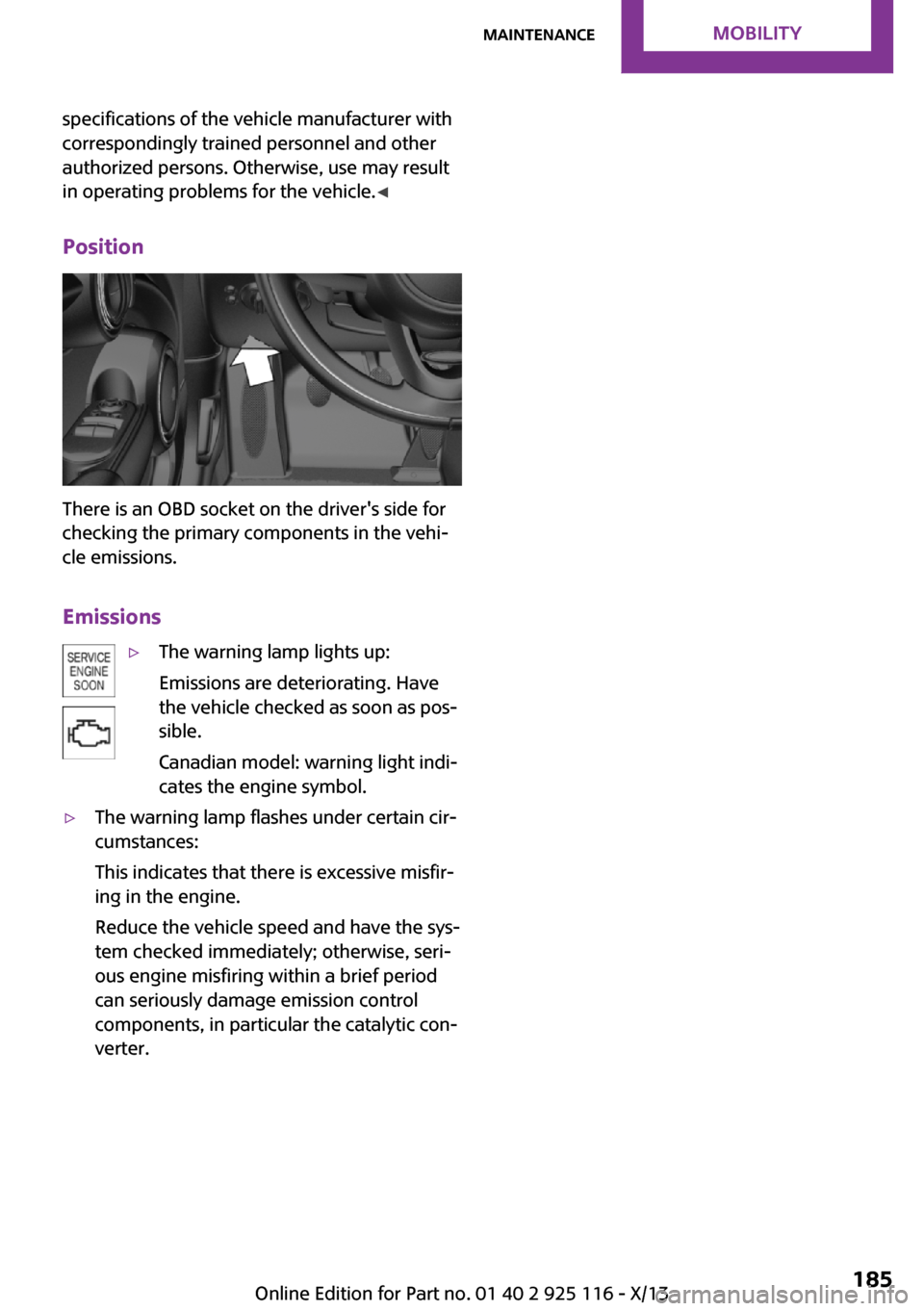
There is an OBD socket on the driver's side for
checking the primary components in the vehi‐
cle emissions.
Emissions
▷The warning lamp lights up:
Emissions are deteriorating. Have
the vehicle checked as soon as pos‐
sible.
Canadian model: warning light indi‐
cates the engine symbol.▷The warning lamp flashes under certain cir‐
cumstances:
This indicates that there is excessive misfir‐
ing in the engine.
Reduce the vehicle speed and have the sys‐
tem checked immediately; otherwise, seri‐
ous engine misfiring within a brief period
can seriously damage emission control
components, in particular the catalytic con‐
verter.Seite 185MaintenanceMobility185
Online Edition for Part no. 01 40 2 925 116 - X/13
Page 200 of 233
while braking, extended braking distance and
changed self-steering properties in the limit
area. ◀
Mounting only one compact wheel
Only a single compact wheel may be
mounted. Reinstall wheels and tires of the orig‐
inal size as quickly as possible; otherwise, there
is a safety risk. ◀
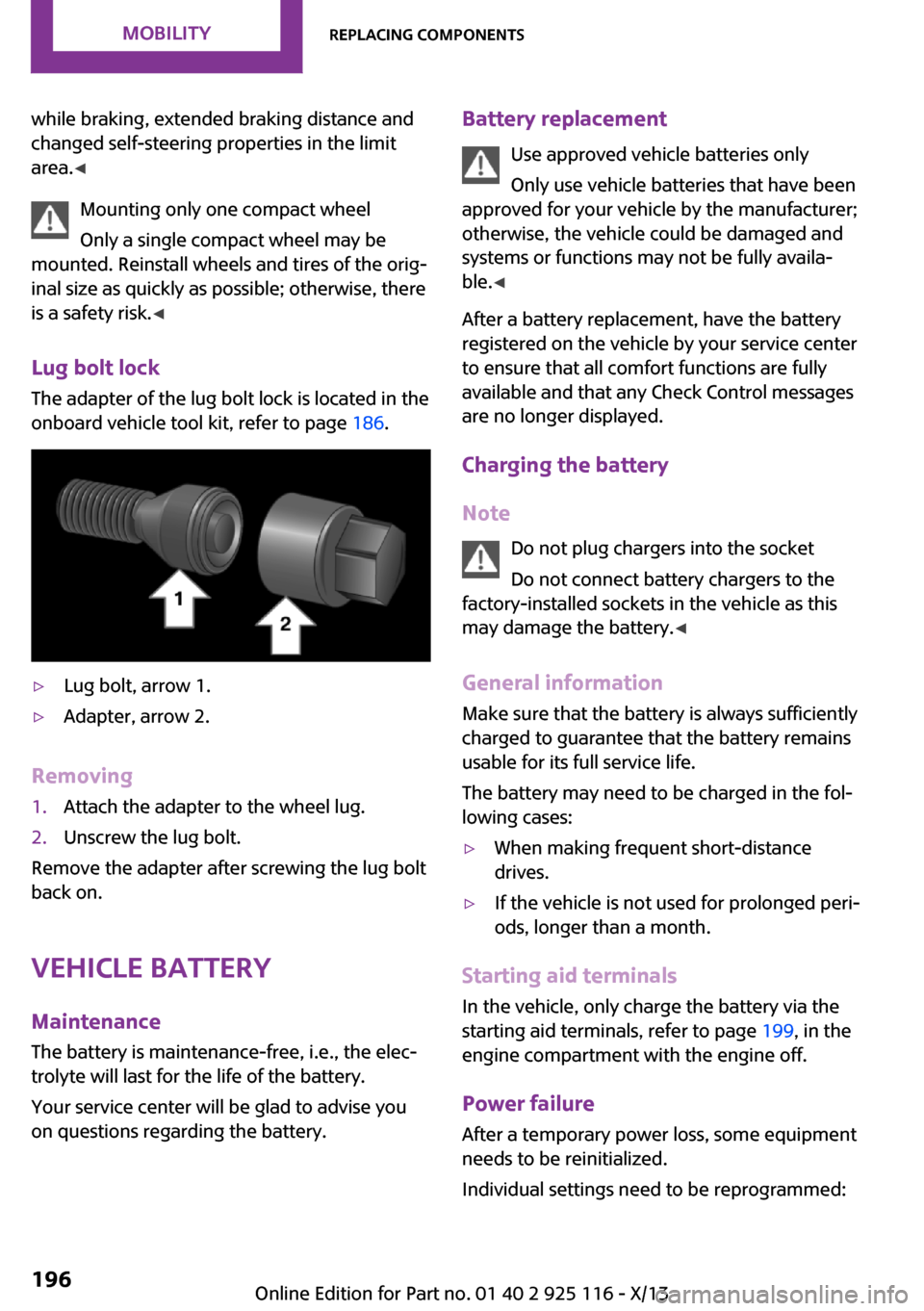
Lug bolt lock
The adapter of the lug bolt lock is located in the
onboard vehicle tool kit, refer to page 186.▷Lug bolt, arrow 1.▷Adapter, arrow 2.
Removing
1.Attach the adapter to the wheel lug.2.Unscrew the lug bolt.
Remove the adapter after screwing the lug bolt
back on.
Vehicle battery
Maintenance
The battery is maintenance-free, i.e., the elec‐
trolyte will last for the life of the battery.
Your service center will be glad to advise you
on questions regarding the battery.
Battery replacement
Use approved vehicle batteries only
Only use vehicle batteries that have been
approved for your vehicle by the manufacturer;
otherwise, the vehicle could be damaged and
systems or functions may not be fully availa‐
ble. ◀
After a battery replacement, have the battery
registered on the vehicle by your service center
to ensure that all comfort functions are fully
available and that any Check Control messages
are no longer displayed.
Charging the battery
Note Do not plug chargers into the socket
Do not connect battery chargers to the
factory-installed sockets in the vehicle as this
may damage the battery. ◀
General information
Make sure that the battery is always sufficiently
charged to guarantee that the battery remains
usable for its full service life.
The battery may need to be charged in the fol‐
lowing cases:▷When making frequent short-distance
drives.▷If the vehicle is not used for prolonged peri‐
ods, longer than a month.
Starting aid terminals
In the vehicle, only charge the battery via the
starting aid terminals, refer to page 199, in the
engine compartment with the engine off.
Power failure
After a temporary power loss, some equipment
needs to be reinitialized.
Individual settings need to be reprogrammed:
Seite 196MobilityReplacing components196
Online Edition for Part no. 01 40 2 925 116 - X/13
Page 228 of 233
K
Key/remote control 20
Keyless Go, refer to Comfort
Access 25
Key Memory, refer to Personal
Profile 21
Kickdown, automatic trans‐
mission 53
Knee airbag 71
L
Lamp replacement 187
Lamp replacement, front 188
Lamp replacement, rear 190
Lamp replacement, side 193
Lamps and bulbs 187
Language, setting 65
Lashing eyes, securing
cargo 128
LATCH child restraint fixing
system 41
Launch Control 55
Leather, care 204
LED bug light 188
LED headlamps 188
LED ring, central instrument
cluster 65
LEDs, light-emitting di‐
odes 187
Left-hand traffic, lamp set‐
ting 69
License Texts and Certifica‐
tions
Light 66
Light-alloy wheels, care 205
Light-emitting diodes,
LEDs 187
Lighter 115
Lighting 66
Lighting via remote con‐
trol 22
Light switch 66
Load 127
Loading 127
Lock, door 23
Locking/unlocking via door
lock 23
Locking/unlocking with re‐
mote control 22
Locking, automatic 27
Locking, settings 26
Low beams 66
Low beams, automatic, refer
to High-beam Assistant 68
Lower back support, mechani‐
cal 33
Low-Sulfur Diesel 165
Lug bolt lock 196
Luggage rack, refer to Roof-
mounted luggage rack 128
Lumbar support, mechani‐
cal 33
M
Maintenance 184
Maintenance require‐
ments 184
Maintenance, service require‐
ments 60
Maintenance system,
MINI 184
Malfunction displays, refer to
Check Control 57
Manual air distribu‐
tion 105, 107
Manual air flow 105, 107
Manual mode, transmis‐
sion 53
Manual operation, door
lock 23
Manual operation, exterior
mirrors 37
Manual operation, fuel filler
flap 162
Manual operation, Park Dis‐
tance Control PDC 99
Manual transmission 52
Manufacturer of the MINI 6
Marking on approved
tires 172
Marking, run-flat tires 173
Master key, refer to Remote
control 20
Maximum cooling 107
Maximum speed, display 61
Maximum speed, winter
tires 172
Medical kit 198
Menu in instrument cluster 63
Microfilter 106, 109
MID - program, driving dy‐
namics 88
MINI maintenance sys‐
tem 184
Minimum tread, tires 170
Mirrors 37
Mobile communication devi‐
ces in the vehicle 125
Mobile phone 152
Mobility System 173
Mode, GREEN Mode 131
Modifications, technical, refer
to Safety 6
Moisture in headlamp 187
Mounting of child restraint fix‐
ing systems 40
Multifunction steering wheel,
buttons 12
N
Neck restraints, front, refer to
Head restraints 35
Neck restraints, rear, refer to
Head restraints 36
New wheels and tires 171
No Passing Information 61
Nylon rope for tow-starting/
towing 201
O
OBD Onboard Diagnos‐
tics 184
Seite 224ReferenceEverything from A to Z224
Online Edition for Part no. 01 40 2 925 116 - X/13
216