transmission MINI 3 door 2013 User Guide
[x] Cancel search | Manufacturer: MINI, Model Year: 2013, Model line: 3 door, Model: MINI 3 door 2013Pages: 233, PDF Size: 17.19 MB
Page 57 of 233
P Park
Select only when the vehicle is stationary. The
drive wheels are blocked.
Before exiting the vehicle, make sure that se‐
lector lever position P of the automatic trans‐
mission is engaged. Otherwise, the vehicle may
begin to roll.
Kickdown Kickdown is used to achieve maximum driving
performance. Press on the accelerator pedal
beyond the resistance point at the full throttle
position.
Selecting drive mode Depress the brake until you start driving
To prevent the vehicle from creeping af‐
ter you select a driving position, maintain pres‐
sure on the brake pedal until you are ready to
start. ◀
The gear selector lever can only taken out of
position P if the ignition is on or the engine is
running.
With the vehicle stationary, press on the brake
pedal before shifting out of P or N; otherwise,
the gear selector lever is blocked: shift lock.
A lock prevents inadvertent shifting into drive
mode R or selector lever position P.
Canceling the lock
Press the button on the front of the gear selec‐
tor lever, arrow.
Sport program and manual mode M/S
Activating the sport program
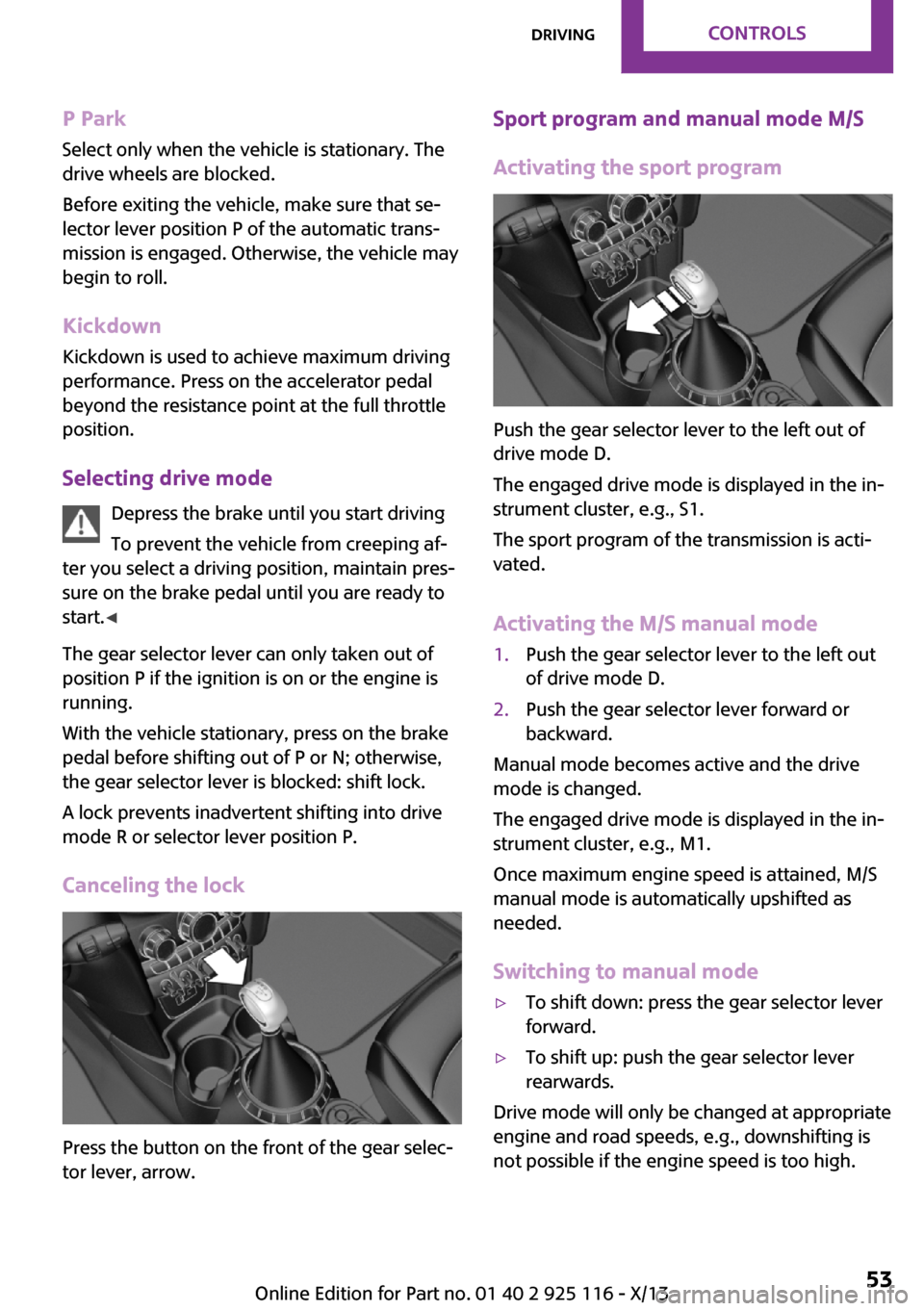
Push the gear selector lever to the left out of
drive mode D.
The engaged drive mode is displayed in the in‐
strument cluster, e.g., S1.
The sport program of the transmission is acti‐
vated.
Activating the M/S manual mode
1.Push the gear selector lever to the left out
of drive mode D.2.Push the gear selector lever forward or
backward.
Manual mode becomes active and the drive
mode is changed.
The engaged drive mode is displayed in the in‐
strument cluster, e.g., M1.
Once maximum engine speed is attained, M/S
manual mode is automatically upshifted as
needed.
Switching to manual mode
▷To shift down: press the gear selector lever
forward.▷To shift up: push the gear selector lever
rearwards.
Drive mode will only be changed at appropriate
engine and road speeds, e.g., downshifting is
not possible if the engine speed is too high.
Seite 53DrivingControls53
Online Edition for Part no. 01 40 2 925 116 - X/13
Page 58 of 233
The selected drive mode is briefly displayed in
the instrument cluster, followed by the current
one.
Manual mode M/S: prevent automatic upshifting
Once maximum engine speed is attained, M/S
manual mode is automatically upshifted as
needed.
For vehicles with Sport automatic transmission,
automatic shift operations are not performed if
one of the following conditions is met:▷DSC is deactivated.▷TRACTION is activated.
In addition, the kickdown is deactivated.
Ending the sport program/manual
mode
Push the gear selector lever to the right.
D is displayed in the instrument cluster.
Shift paddles for Sport automatic
transmission
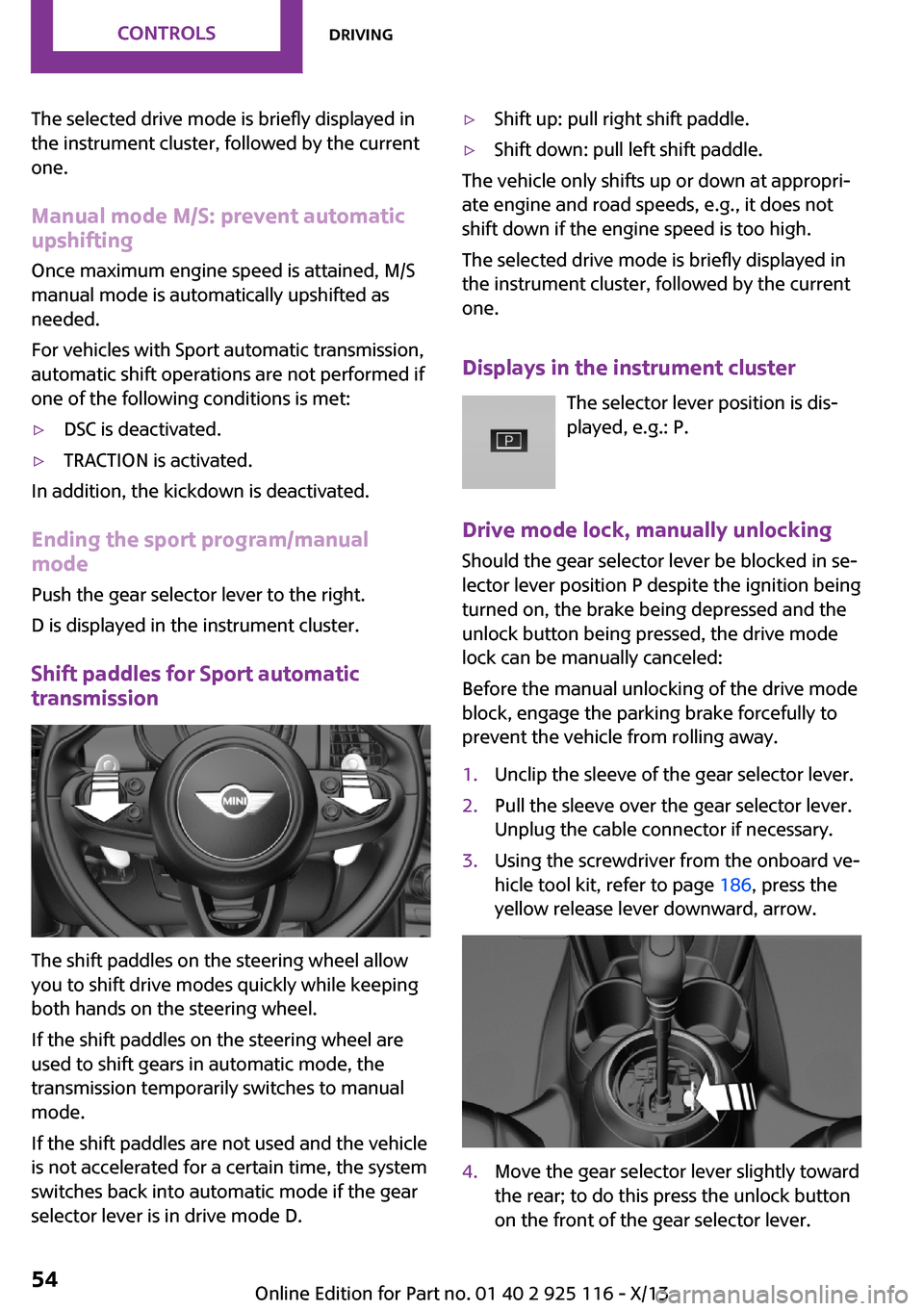
The shift paddles on the steering wheel allow
you to shift drive modes quickly while keeping
both hands on the steering wheel.
If the shift paddles on the steering wheel are
used to shift gears in automatic mode, the
transmission temporarily switches to manual
mode.
If the shift paddles are not used and the vehicle
is not accelerated for a certain time, the system
switches back into automatic mode if the gear
selector lever is in drive mode D.
▷Shift up: pull right shift paddle.▷Shift down: pull left shift paddle.
The vehicle only shifts up or down at appropri‐
ate engine and road speeds, e.g., it does not
shift down if the engine speed is too high.
The selected drive mode is briefly displayed in
the instrument cluster, followed by the current
one.
Displays in the instrument cluster The selector lever position is dis‐
played, e.g.: P.
Drive mode lock, manually unlocking Should the gear selector lever be blocked in se‐
lector lever position P despite the ignition being
turned on, the brake being depressed and the
unlock button being pressed, the drive mode
lock can be manually canceled:
Before the manual unlocking of the drive mode
block, engage the parking brake forcefully to
prevent the vehicle from rolling away.
1.Unclip the sleeve of the gear selector lever.2.Pull the sleeve over the gear selector lever.
Unplug the cable connector if necessary.3.Using the screwdriver from the onboard ve‐
hicle tool kit, refer to page 186, press the
yellow release lever downward, arrow.4.Move the gear selector lever slightly toward
the rear; to do this press the unlock button
on the front of the gear selector lever.Seite 54ControlsDriving54
Online Edition for Part no. 01 40 2 925 116 - X/13
Page 59 of 233
Release the release lever.5.Bring the gear selector lever into the de‐
sired position.
Sport automatic transmission: Launch
Control
The concept
Launch Control enables optimum acceleration
on surfaces with good traction.
Hints Component wear
Do not use Launch Control too often; oth‐
erwise, this may result in premature wear of
components due to the high stress placed on
the vehicle. ◀
Did not use Launch Control during the break-in,
refer to page 124, period.
To increase vehicle stability, activate DSC again
as soon as possible.
Requirements
Launch Control is available when the engine is
warmed up, that is, after uninterrupted driving
of at least 6 miles/10 km.
To start with Launch Control do not steer the
steering wheel.
Start with launch control
While the engine is running:
1. Press button and select with the
Driving Dynamics Control, refer to
page 88, Sport+.
In the instrument cluster, TRACTION is dis‐
played in combination with SPORT. The DSC
OFF indicator lamp lights up.2.Engaging the transmission position S3.With the left foot, forcefully press down on
the brake.4.Press on the accelerator pedal beyond the
resistance point at the full throttle position.
A flag symbol appears in the instrument
cluster.5.The starting engine speed adjusts. Within
3 seconds, release the brake.
Before using Launch Control, allow the trans‐
mission to cool down for approx. 5 minutes.
Seite 55DrivingControls55
Online Edition for Part no. 01 40 2 925 116 - X/13
Page 61 of 233
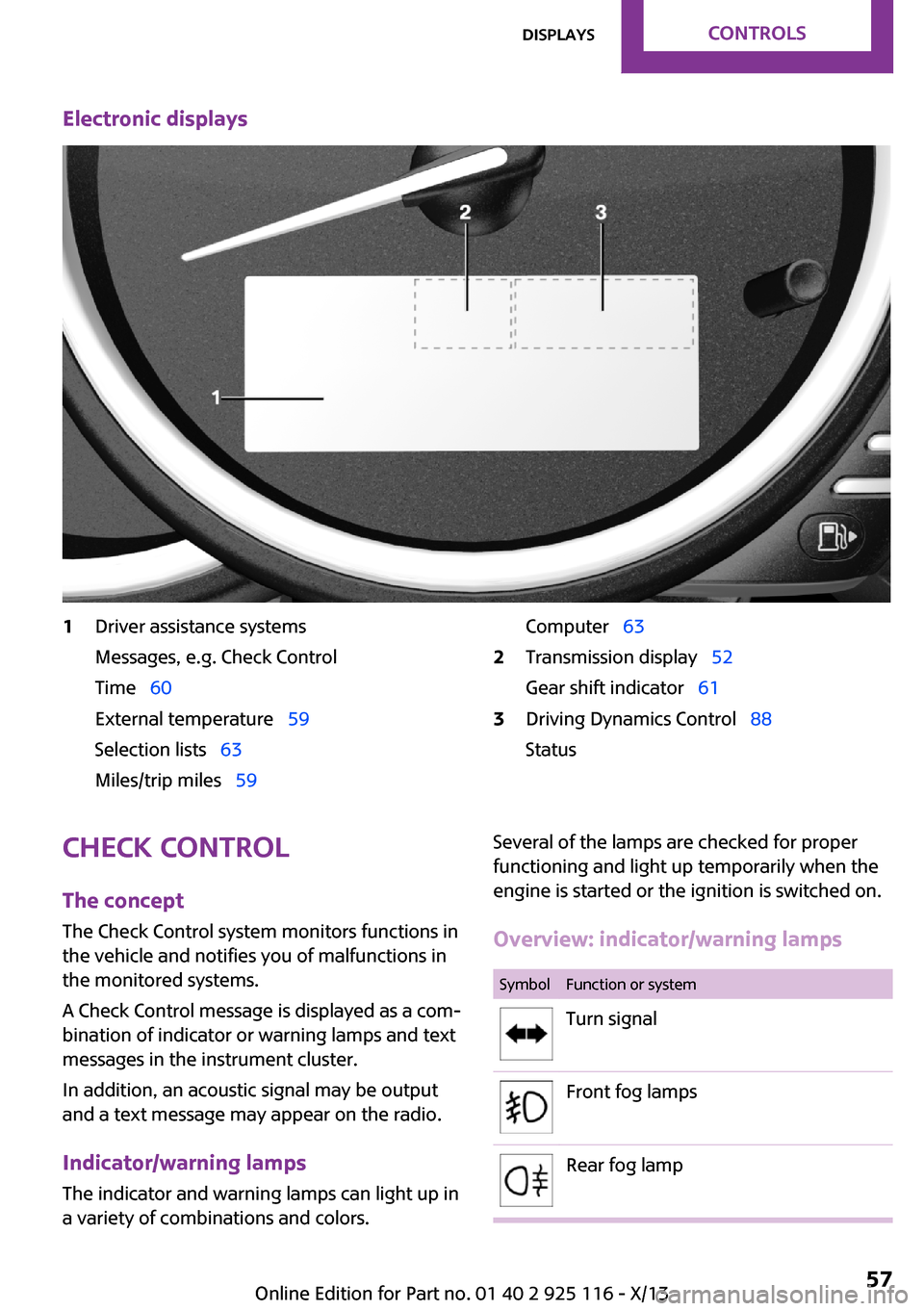
Electronic displays1Driver assistance systems
Messages, e.g. Check Control
Time 60
External temperature 59
Selection lists 63
Miles/trip miles 59Computer 632Transmission display 52
Gear shift indicator 613Driving Dynamics Control 88
StatusCheck Control
The concept
The Check Control system monitors functions in
the vehicle and notifies you of malfunctions in the monitored systems.
A Check Control message is displayed as a com‐
bination of indicator or warning lamps and text
messages in the instrument cluster.
In addition, an acoustic signal may be output
and a text message may appear on the radio.
Indicator/warning lamps The indicator and warning lamps can light up in
a variety of combinations and colors.Several of the lamps are checked for proper
functioning and light up temporarily when the
engine is started or the ignition is switched on.
Overview: indicator/warning lampsSymbolFunction or systemTurn signalFront fog lampsRear fog lampSeite 57DisplaysControls57
Online Edition for Part no. 01 40 2 925 116 - X/13
Page 86 of 233
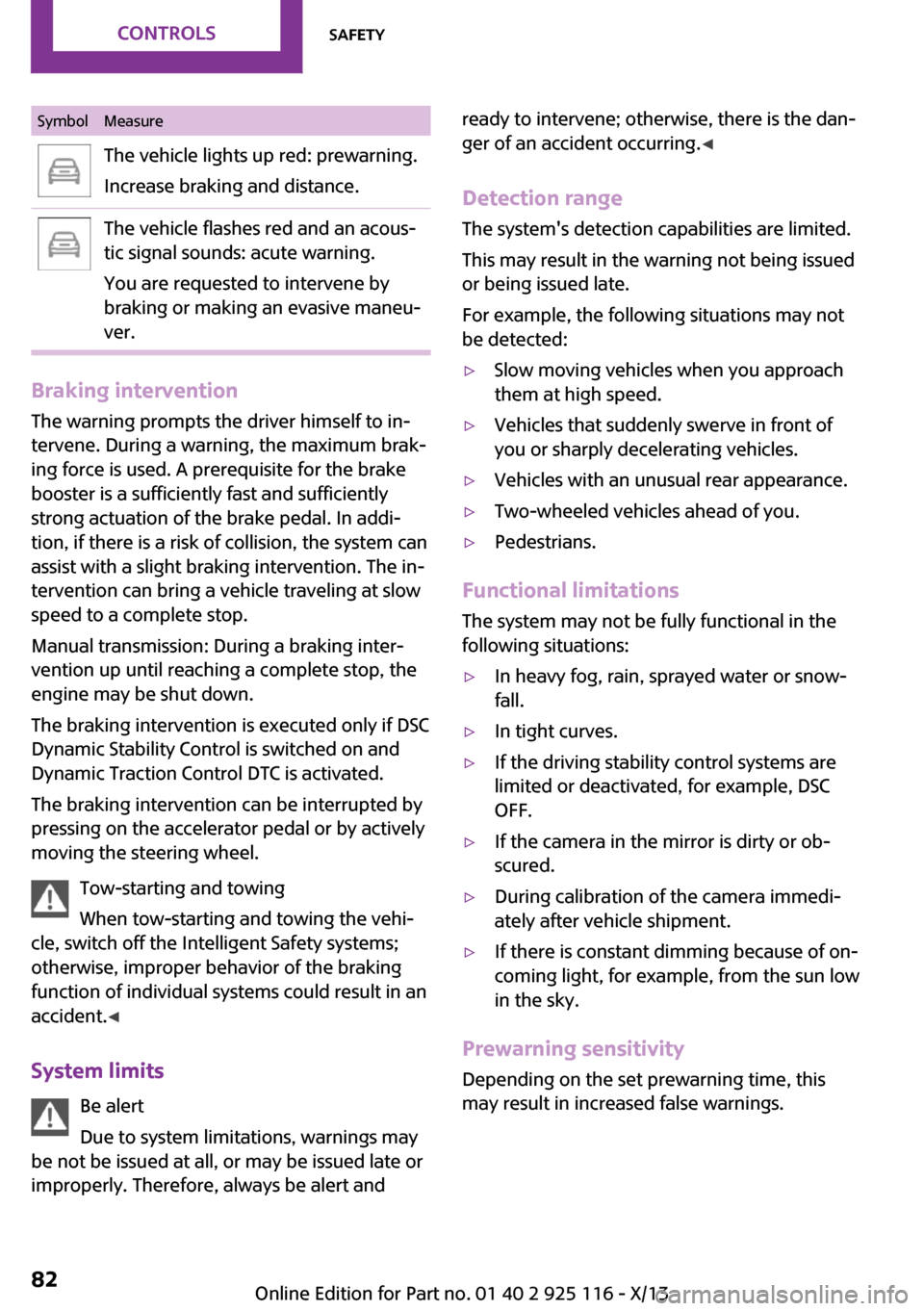
SymbolMeasureThe vehicle lights up red: prewarning.
Increase braking and distance.The vehicle flashes red and an acous‐
tic signal sounds: acute warning.
You are requested to intervene by
braking or making an evasive maneu‐
ver.
Braking intervention
The warning prompts the driver himself to in‐
tervene. During a warning, the maximum brak‐
ing force is used. A prerequisite for the brake
booster is a sufficiently fast and sufficiently
strong actuation of the brake pedal. In addi‐
tion, if there is a risk of collision, the system can
assist with a slight braking intervention. The in‐
tervention can bring a vehicle traveling at slow
speed to a complete stop.
Manual transmission: During a braking inter‐
vention up until reaching a complete stop, the
engine may be shut down.
The braking intervention is executed only if DSC
Dynamic Stability Control is switched on and
Dynamic Traction Control DTC is activated.
The braking intervention can be interrupted by
pressing on the accelerator pedal or by actively
moving the steering wheel.
Tow-starting and towing
When tow-starting and towing the vehi‐
cle, switch off the Intelligent Safety systems;
otherwise, improper behavior of the braking
function of individual systems could result in an
accident. ◀
System limits Be alert
Due to system limitations, warnings may
be not be issued at all, or may be issued late or
improperly. Therefore, always be alert and
ready to intervene; otherwise, there is the dan‐
ger of an accident occurring. ◀
Detection range The system's detection capabilities are limited.
This may result in the warning not being issued
or being issued late.
For example, the following situations may not
be detected:▷Slow moving vehicles when you approach
them at high speed.▷Vehicles that suddenly swerve in front of
you or sharply decelerating vehicles.▷Vehicles with an unusual rear appearance.▷Two-wheeled vehicles ahead of you.▷Pedestrians.
Functional limitations
The system may not be fully functional in the
following situations:
▷In heavy fog, rain, sprayed water or snow‐
fall.▷In tight curves.▷If the driving stability control systems are
limited or deactivated, for example, DSC
OFF.▷If the camera in the mirror is dirty or ob‐
scured.▷During calibration of the camera immedi‐
ately after vehicle shipment.▷If there is constant dimming because of on‐
coming light, for example, from the sun low
in the sky.
Prewarning sensitivity
Depending on the set prewarning time, this
may result in increased false warnings.
Seite 82ControlsSafety82
Online Edition for Part no. 01 40 2 925 116 - X/13
Page 88 of 233
justments can be made. The individual settings
are stored for the remote control currently in
use.
Press the button briefly:▷Intelligent Safety systems are individually
switched off according to individual setting.▷The LED lights up orange.
Press the button again:
▷All Intelligent Safety systems are switched
on.▷The LED lights up green.
Hold the button down:
▷All Intelligent Safety systems are switched
off.▷The LED goes out.
Warning with braking function
Note Adapting your speed and driving style
The warning does not relieve the driver of
the responsibility to adapt his or her driving
speed and style to the traffic conditions. ◀
Display
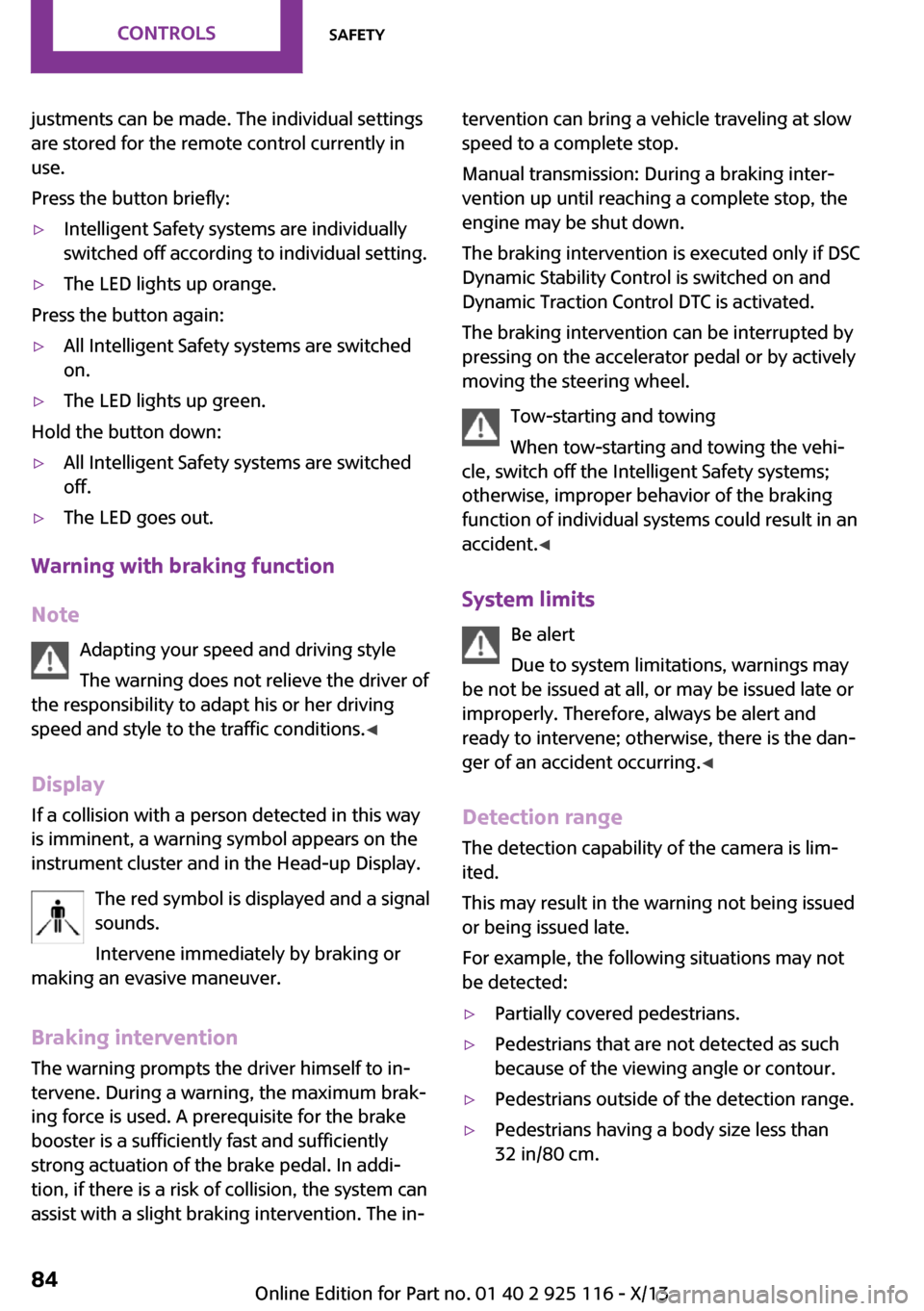
If a collision with a person detected in this way
is imminent, a warning symbol appears on the
instrument cluster and in the Head-up Display.
The red symbol is displayed and a signalsounds.
Intervene immediately by braking or
making an evasive maneuver.
Braking intervention
The warning prompts the driver himself to in‐
tervene. During a warning, the maximum brak‐ ing force is used. A prerequisite for the brake
booster is a sufficiently fast and sufficiently
strong actuation of the brake pedal. In addi‐
tion, if there is a risk of collision, the system can
assist with a slight braking intervention. The in‐
tervention can bring a vehicle traveling at slow
speed to a complete stop.
Manual transmission: During a braking inter‐
vention up until reaching a complete stop, the
engine may be shut down.
The braking intervention is executed only if DSC
Dynamic Stability Control is switched on and
Dynamic Traction Control DTC is activated.
The braking intervention can be interrupted by
pressing on the accelerator pedal or by actively
moving the steering wheel.
Tow-starting and towing
When tow-starting and towing the vehi‐
cle, switch off the Intelligent Safety systems;
otherwise, improper behavior of the braking
function of individual systems could result in an
accident. ◀
System limits Be alert
Due to system limitations, warnings may
be not be issued at all, or may be issued late or
improperly. Therefore, always be alert and
ready to intervene; otherwise, there is the dan‐
ger of an accident occurring. ◀
Detection range The detection capability of the camera is lim‐
ited.
This may result in the warning not being issued
or being issued late.
For example, the following situations may not
be detected:▷Partially covered pedestrians.▷Pedestrians that are not detected as such
because of the viewing angle or contour.▷Pedestrians outside of the detection range.▷Pedestrians having a body size less than
32 in/80 cm.Seite 84ControlsSafety84
Online Edition for Part no. 01 40 2 925 116 - X/13
Page 95 of 233
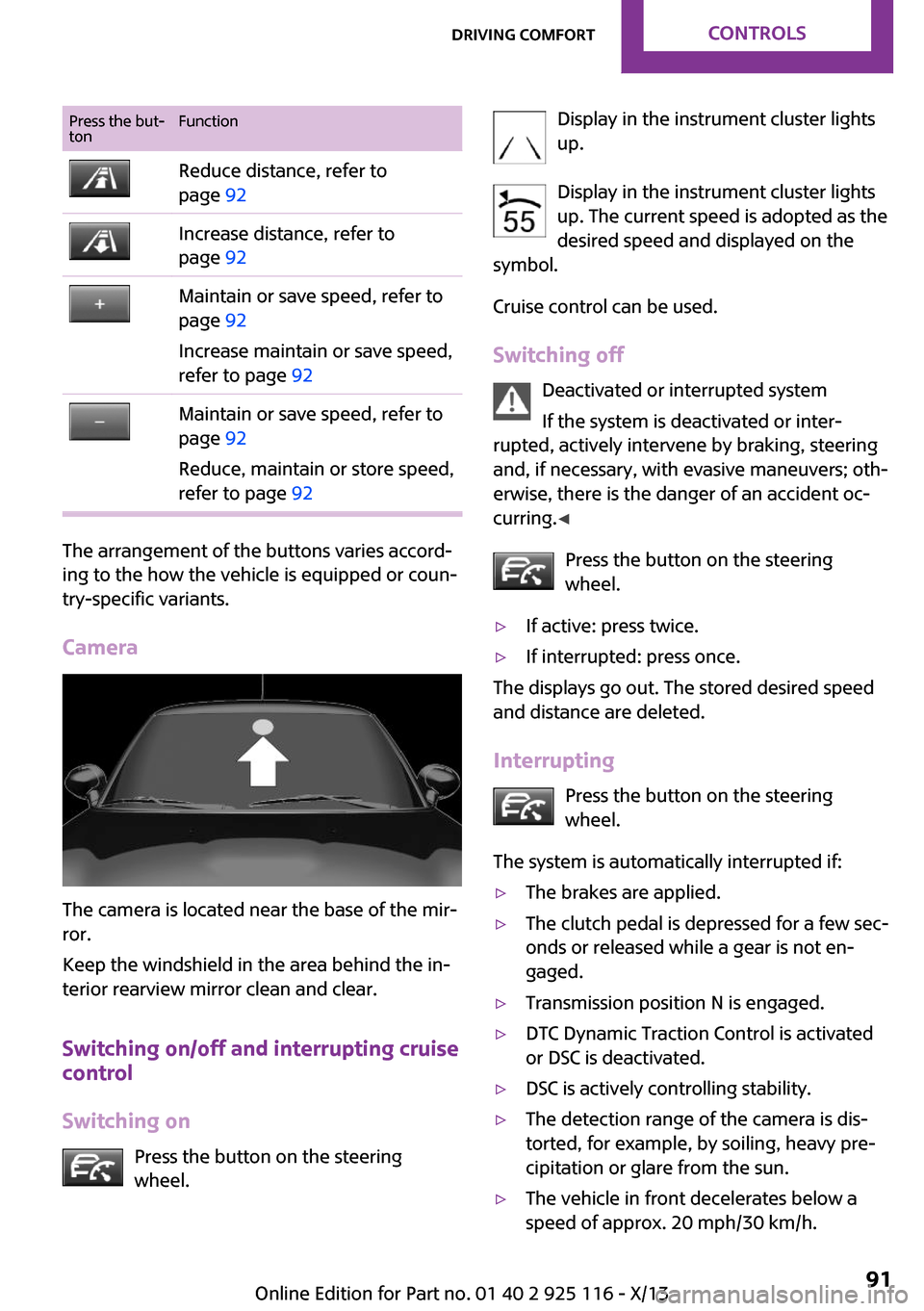
Press the but‐
tonFunctionReduce distance, refer to
page 92Increase distance, refer to
page 92Maintain or save speed, refer to
page 92
Increase maintain or save speed,
refer to page 92Maintain or save speed, refer to
page 92
Reduce, maintain or store speed,
refer to page 92
The arrangement of the buttons varies accord‐
ing to the how the vehicle is equipped or coun‐
try-specific variants.
Camera
The camera is located near the base of the mir‐
ror.
Keep the windshield in the area behind the in‐
terior rearview mirror clean and clear.
Switching on/off and interrupting cruise
control
Switching on Press the button on the steering
wheel.
Display in the instrument cluster lights
up.
Display in the instrument cluster lights up. The current speed is adopted as the
desired speed and displayed on the
symbol.
Cruise control can be used.
Switching off Deactivated or interrupted system
If the system is deactivated or inter‐
rupted, actively intervene by braking, steering
and, if necessary, with evasive maneuvers; oth‐
erwise, there is the danger of an accident oc‐
curring. ◀
Press the button on the steering
wheel.▷If active: press twice.▷If interrupted: press once.
The displays go out. The stored desired speed
and distance are deleted.
Interrupting Press the button on the steering
wheel.
The system is automatically interrupted if:
▷The brakes are applied.▷The clutch pedal is depressed for a few sec‐
onds or released while a gear is not en‐
gaged.▷Transmission position N is engaged.▷DTC Dynamic Traction Control is activated
or DSC is deactivated.▷DSC is actively controlling stability.▷The detection range of the camera is dis‐
torted, for example, by soiling, heavy pre‐
cipitation or glare from the sun.▷The vehicle in front decelerates below a
speed of approx. 20 mph/30 km/h.Seite 91Driving comfortControls91
Online Edition for Part no. 01 40 2 925 116 - X/13
Page 100 of 233
Cruise controlThe concept
The system is functional at speeds beginning at
approx. 20 mph/30 km/h.
It maintains the speed that was set using the
control elements on the steering wheel.
The system brakes on downhill gradients if en‐
gine braking action is insufficient.
Unfavorable conditions
Do not use the system if unfavorable con‐
ditions make it impossible to drive at a constant
speed, for instance:▷On curvy roads.▷In heavy traffic.▷On slippery roads, in fog, snow or rain, or
on a loose road surface.
Otherwise, you could lose control of the vehicle
and cause an accident. ◀
General information
Depending on the set drive mode, refer to
page 88, the characteristics of the cruise con‐
trol can change in certain areas.
Controls
At a glance
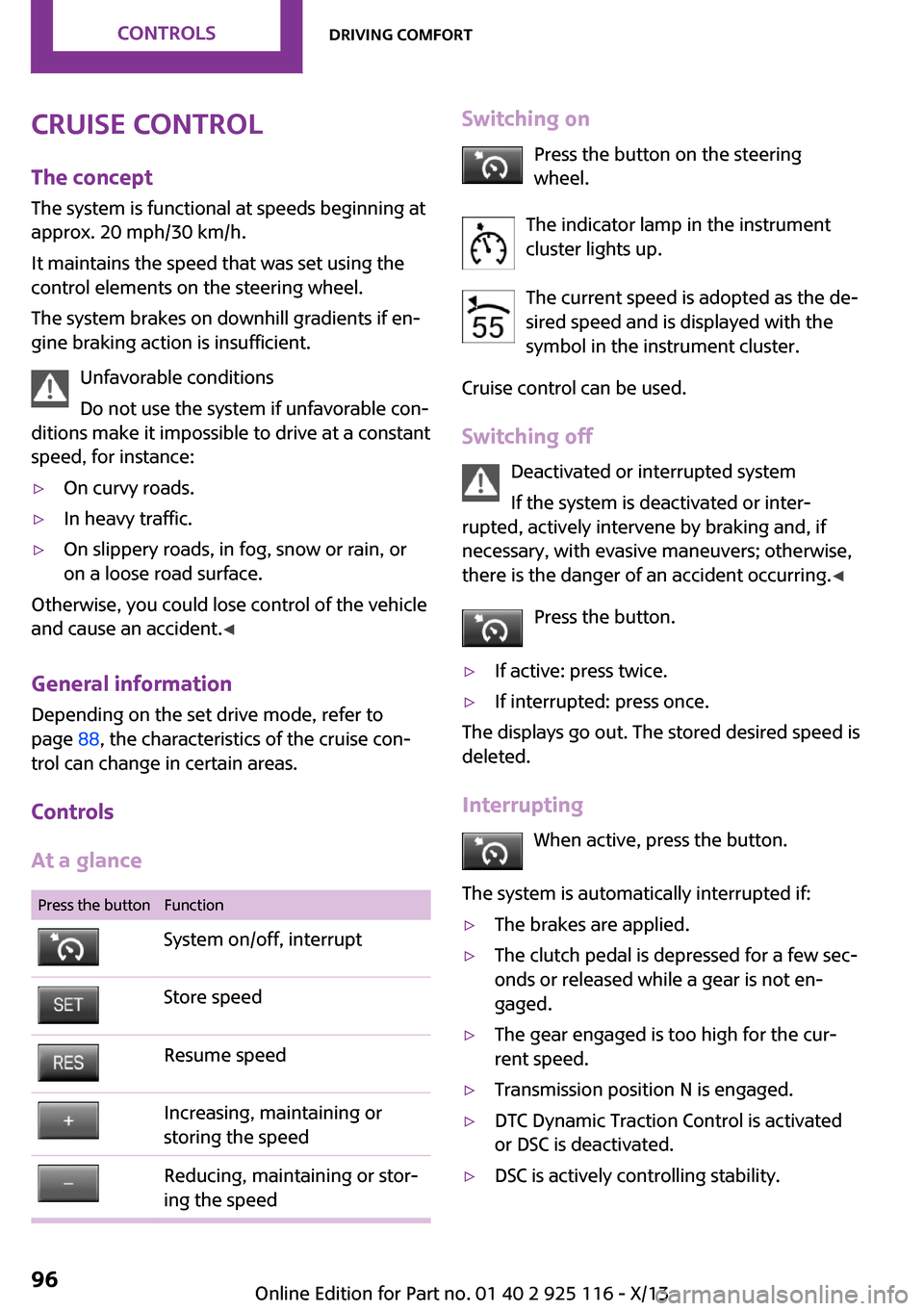
Press the buttonFunctionSystem on/off, interruptStore speedResume speedIncreasing, maintaining or
storing the speedReducing, maintaining or stor‐
ing the speedSwitching on
Press the button on the steering
wheel.
The indicator lamp in the instrument
cluster lights up.
The current speed is adopted as the de‐
sired speed and is displayed with the
symbol in the instrument cluster.
Cruise control can be used.
Switching off Deactivated or interrupted system
If the system is deactivated or inter‐
rupted, actively intervene by braking and, if
necessary, with evasive maneuvers; otherwise,
there is the danger of an accident occurring. ◀
Press the button.▷If active: press twice.▷If interrupted: press once.
The displays go out. The stored desired speed is
deleted.
Interrupting When active, press the button.
The system is automatically interrupted if:
▷The brakes are applied.▷The clutch pedal is depressed for a few sec‐
onds or released while a gear is not en‐
gaged.▷The gear engaged is too high for the cur‐
rent speed.▷Transmission position N is engaged.▷DTC Dynamic Traction Control is activated
or DSC is deactivated.▷DSC is actively controlling stability.Seite 96ControlsDriving comfort96
Online Edition for Part no. 01 40 2 925 116 - X/13
Page 102 of 233
PDC Park Distance Con‐
trol
The concept
PDC supports you when parking. Slowly ap‐
proaching an object behind or, with the appro‐ priate equipment, also in front of your vehicle issignaled by signal tones:
General information Measurements are made by ultrasound sensors
in the bumpers.
The range, depending on the environment, is
approx. 6 ft/2 m.
An acoustic warning is first given:▷By the front middle sensors and the two
corner sensors at approx. 24 in/60 cm.▷By the rear middle sensors at approx.
5 ft/1.50 m.
Hints
Check the traffic situation as well
PDC cannot serve as a substitute for the
driver's personal judgment of the traffic situa‐
tion. Check the traffic situation around the ve‐
hicle with your own eyes. Otherwise, an acci‐
dent could result from road users or objects
located outside of the PDC detection range.
Loud noises from outside and inside the vehicle
may prevent you from hearing the PDC's signal tone. ◀
Avoid driving quickly with PDC
Avoid approaching an object quickly.
Avoid driving away quickly while PDC is not yet
active.
For technical reasons, the system may other‐
wise be too late in issuing a warning. ◀
At a glance
Button in the vehicle
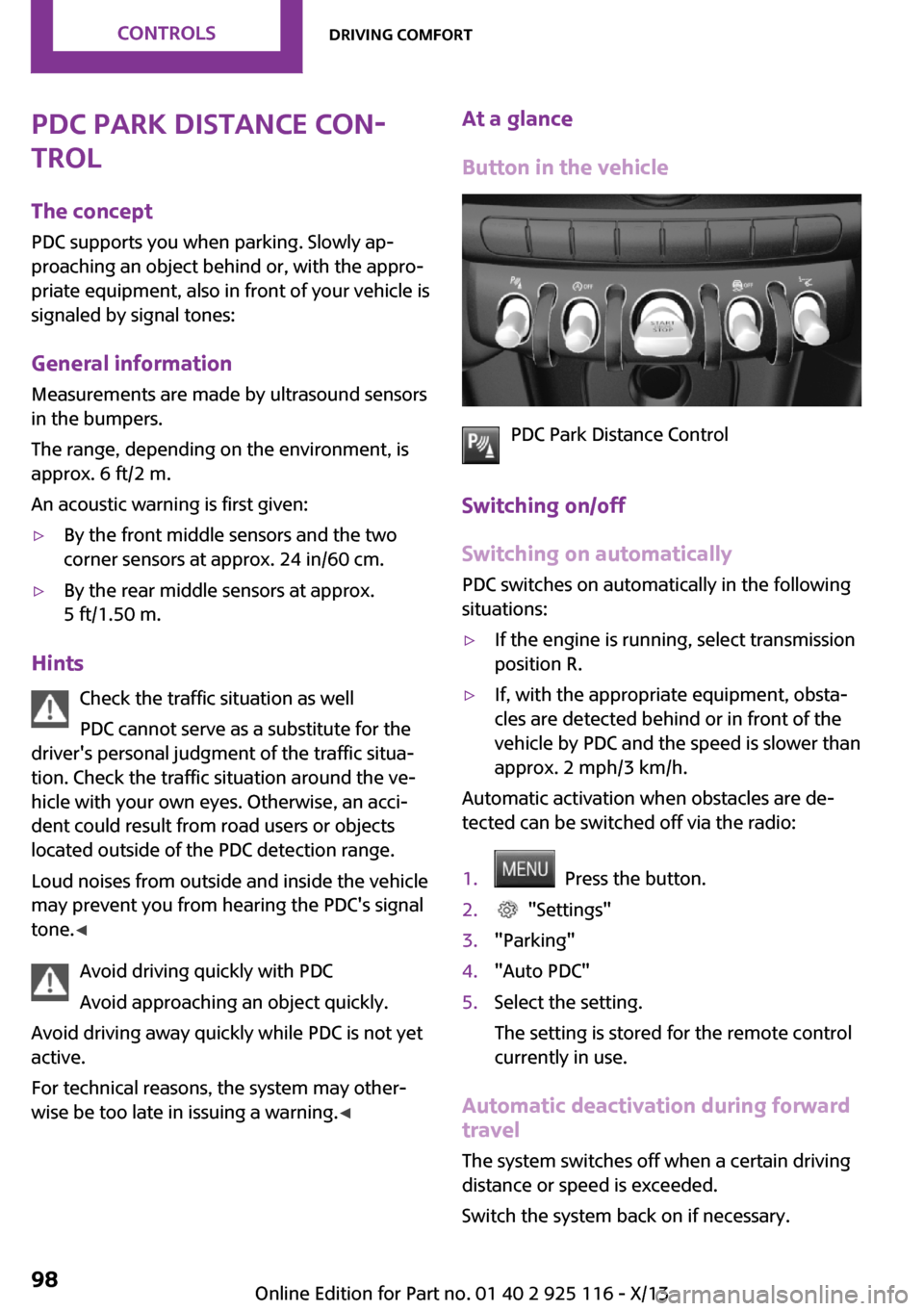
PDC Park Distance Control
Switching on/off
Switching on automatically
PDC switches on automatically in the following
situations:
▷If the engine is running, select transmission
position R.▷If, with the appropriate equipment, obsta‐
cles are detected behind or in front of the
vehicle by PDC and the speed is slower than
approx. 2 mph/3 km/h.
Automatic activation when obstacles are de‐
tected can be switched off via the radio:
1. Press the button.2. "Settings"3."Parking"4."Auto PDC"5.Select the setting.
The setting is stored for the remote control
currently in use.
Automatic deactivation during forward
travel
The system switches off when a certain driving
distance or speed is exceeded.
Switch the system back on if necessary.
Seite 98ControlsDriving comfort98
Online Edition for Part no. 01 40 2 925 116 - X/13
Page 103 of 233
Switching on/off manuallyPress the button.▷On: the LED lights up.▷Off: the LED goes out.
Display
Signal tones
When approaching an object, an intermittent
tone is sounded that indicates the position of
the object. For example, if an object is detected
to the left rear of the vehicle, a signal tone
sounds from the left rear speaker.
The shorter the distance to the object becomes,
the shorter the intervals.
If the distance to a detected object is less than
approx. 10 in/25 cm, a continuous tone is
sounded.
If objects are located both in front of and be‐
hind the vehicle, an alternating continuous sig‐
nal is sounded.
The signal tone is switched off:
▷When the vehicle moves away from an ob‐
ject by more than approx. 4 in/10 cm.▷When transmission position P is engaged.
Volume
The volume of the PDC signal can be adjusted,
refer to user's manual for Navigation, Enter‐
tainment and Communication.
The setting is stored for the remote control cur‐
rently in use.
System limits
Limits of ultrasonic measurement The detection of objects can reach the physical
limits of ultrasonic measurement, e.g.:
▷With tow bars and trailer hitches.▷With thin or wedge-shaped objects.▷With low objects.▷With objects with corners and sharp edges.▷When there is snow.▷For objects with porous surfaces.
Low objects already displayed, e.g., curbs, can
move into the blind area of the sensors before
or after a continuous tone sounds.
High, protruding objects such as ledges may
not be detected.
False warnings PDC may issue a warning under the following
conditions even though there is no obstacle
within the detection range:
▷In heavy rain.▷When sensors are very dirty or covered in
ice.▷When sensors are covered in snow.▷On rough road surfaces.▷On uneven surfaces, such as speed bumps.▷In large buildings with right angles and
smooth walls, e.g., in underground garages.▷In heavy exhaust.▷Due to other ultrasound sources, e.g.,
sweeping machines, high pressure steam
cleaners or neon lights.
The malfunction is signaled by a continuous
tone alternating between the front and rear
speakers. As soon as the malfunction due
to other ultrasound sources is no longer
present, the system is again fully functional.
Malfunction
A Check Control message, refer to page 57, is
displayed in the instrument cluster.
PDC has failed. Have the system checked.
To ensure full operability:
▷Keep the sensors clean and free of ice.▷Do not adhere any stickers to the sensors.Seite 99Driving comfortControls99
Online Edition for Part no. 01 40 2 925 116 - X/13