interior lights MINI 5 door 2015 Owner's Manua
[x] Cancel search | Manufacturer: MINI, Model Year: 2015, Model line: 5 door, Model: MINI 5 door 2015Pages: 248, PDF Size: 5.43 MB
Page 97 of 248
System limits
The automatic headlamp control cannot serve
as a substitute for your personal judgment of
lighting conditions.
E. g. the sensors are unable to detect fog or
hazy weather. To avoid safety risks under these
conditions, you should always switch on the
lights manually.
Daytime running lights General information
Position of switch:
, ,
The daytime running lights light up when the
ignition is switched on. After the ignition is
switched off, the parking lights light up in posi‐
tion
.
Activating/deactivating
In some countries, daytime running lights are
mandatory, so it may not be possible to deacti‐ vate the daytime running lights.
On the Control Display:
1. "Settings"2."Lighting"3."Daytime running lamps"
Settings are stored for the remote control cur‐
rently used.
Cornering lamp General information Position of switch:
When going around corners, the cornering light
also lights the interior area of the curve. Below
a speed of approx. 25 mph/40 km/h when the
turn signal is switched on and the steering an‐
gle is detected, there is automatic activation.
Malfunction
A Check Control message is displayed.
Cornering light is malfunctioning or has failed.
Have the system immediately checked by a
dealer’s service center or another qualified
service center or repair shop.
High-beam Assistant The concept The high-beam Assistant detects other traffic
participants early on and automatically
switches the high beams on or off depending
on the traffic situation. The assistant ensures
that the high beams are switched on, whenever
the traffic situation allows. In the low speed
range, the high beams are not switched on by
the system.
General information The system responds to light from oncoming
traffic and traffic driving ahead of you, and to
adequate illumination, e.g., in towns and cities.
The driver can intervene at any time and switch
the high beams on and off as usual.
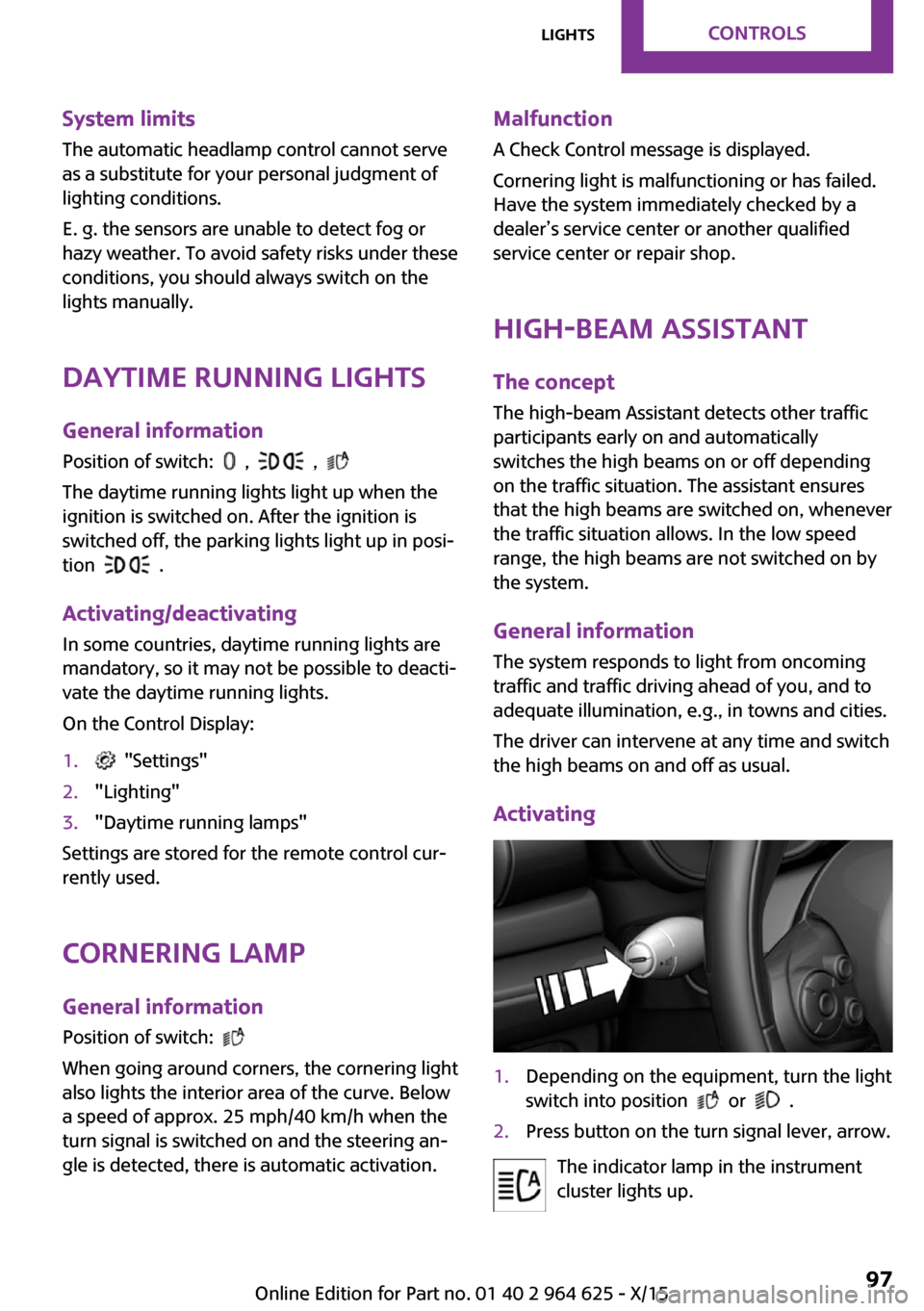
Activating1.Depending on the equipment, turn the light
switch into position
or .
2.Press button on the turn signal lever, arrow.
The indicator lamp in the instrument
cluster lights up.
Seite 97LightsCONTROLS97
Online Edition for Part no. 01 40 2 964 625 - X/15
Page 98 of 248
When the low beams are on, the lights are au‐
tomatically brightened or dimmed.
The blue indicator lamp in the instru‐
ment cluster lights up when the system
switches on the high beams.
Deactivating The High-beam Assistant is deactivated when
manually switching the high beams on and off,
refer to page 68.
To reactivate the High-beam Assistant, press
the button on the turn signal lever.
System limits The High-beam Assistant cannot serve as a
substitute for the driver's personal judgment of when to use the high beams. Therefore, man‐
ually switch off the high beams in situations
where required to avoid a safety risk.
The system is not fully functional in the follow‐
ing situations, and driver intervention may be
necessary:▷In very unfavorable weather conditions,
such as fog or heavy precipitation.▷When detecting poorly-lit road users such
as pedestrians, cyclists, horseback riders
and wagons; when driving close to train or
ship traffic; and at animal crossings.▷In tight curves, on hilltops or in depressions,
in cross traffic or half-obscured oncoming
traffic on highways.▷In poorly-lit towns and cities and in the
presence of highly reflective signs.▷When the windshield behind the interior
mirror is fogged over, dirty or covered with
stickers, etc.
Fog lights
Front fog lights
The low beams must be switched on.
Press button. The green indicator lamp
lights up.
If the automatic headlight control, refer to
page 96, is activated, the low beams will come
on automatically when you switch on the front
fog lights.
When the high beams or headlight flasher are
activated, the front fog lights are not switched
on.
Rear fog lights
The low beams or front fog lights must be
switched on.
Press button. The yellow indicator
lamp lights up.
If the automatic headlight control, refer to
page 96, is activated, the low beams will come
on automatically when you switch on the rear
fog lights.
Instrument lightingAdjusting The parking lights or low beams
must be switched on to adjust
the brightness.
Adjust the brightness with the
thumbwheel.
Interior lights General information
The interior lights, footwell lights, access lights
and courtesy lights are controlled automati‐
cally.
Thumb wheel for the instrument lighting con‐
trols brightness of some of these features.Seite 98CONTROLSLights98
Online Edition for Part no. 01 40 2 964 625 - X/15
Page 99 of 248
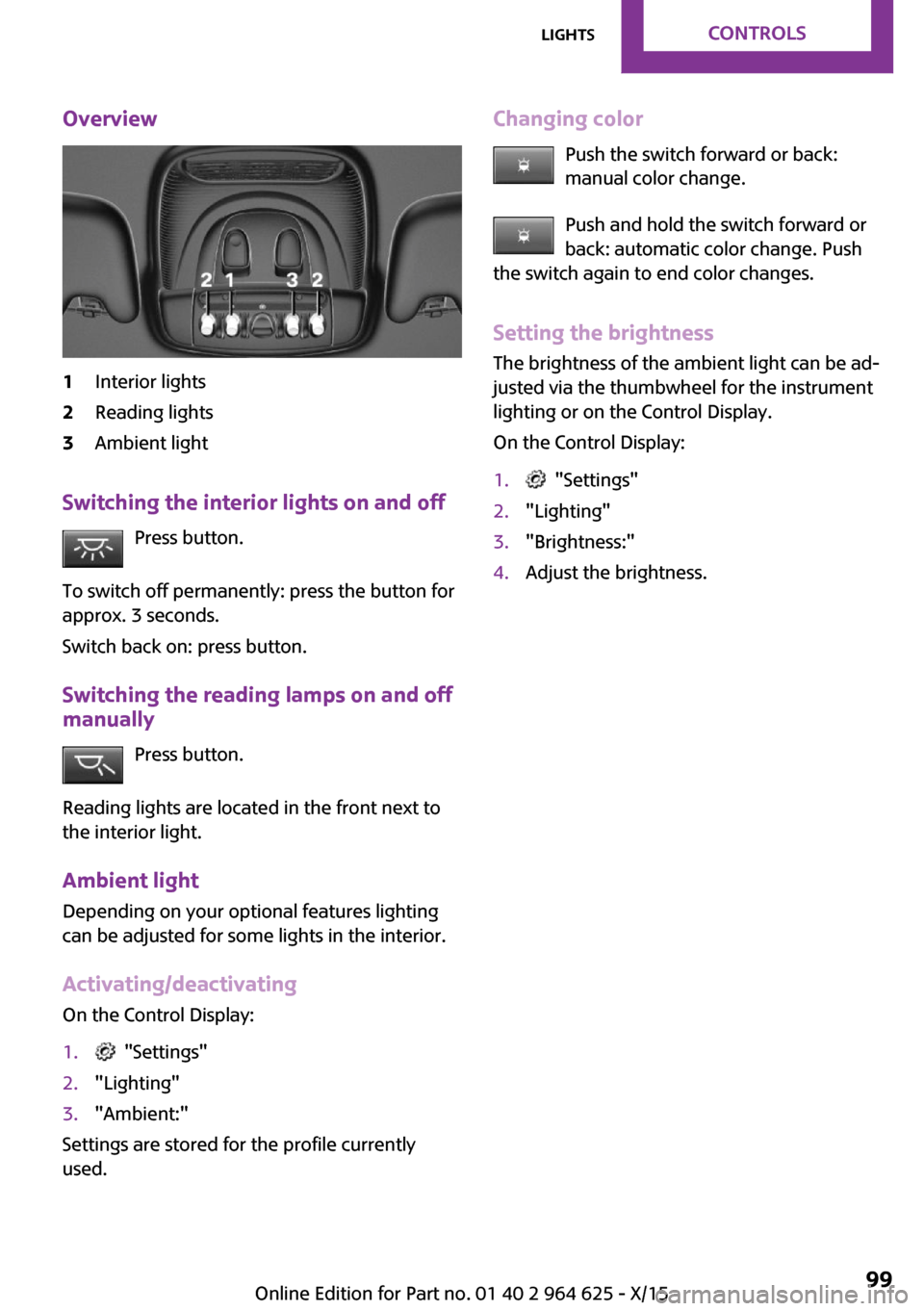
Overview1Interior lights2Reading lights3Ambient light
Switching the interior lights on and offPress button.
To switch off permanently: press the button for
approx. 3 seconds.
Switch back on: press button.
Switching the reading lamps on and off manually
Press button.
Reading lights are located in the front next to
the interior light.
Ambient light
Depending on your optional features lighting
can be adjusted for some lights in the interior.
Activating/deactivating
On the Control Display:
1. "Settings"2."Lighting"3."Ambient:"
Settings are stored for the profile currently
used.
Changing color
Push the switch forward or back:
manual color change.
Push and hold the switch forward or
back: automatic color change. Push
the switch again to end color changes.
Setting the brightness The brightness of the ambient light can be ad‐
justed via the thumbwheel for the instrument
lighting or on the Control Display.
On the Control Display:1. "Settings"2."Lighting"3."Brightness:"4.Adjust the brightness.Seite 99LightsCONTROLS99
Online Edition for Part no. 01 40 2 964 625 - X/15
Page 111 of 248
dent. Switch all Intelligent Safety systems off
prior to tow-starting/towing. ◀
Overview
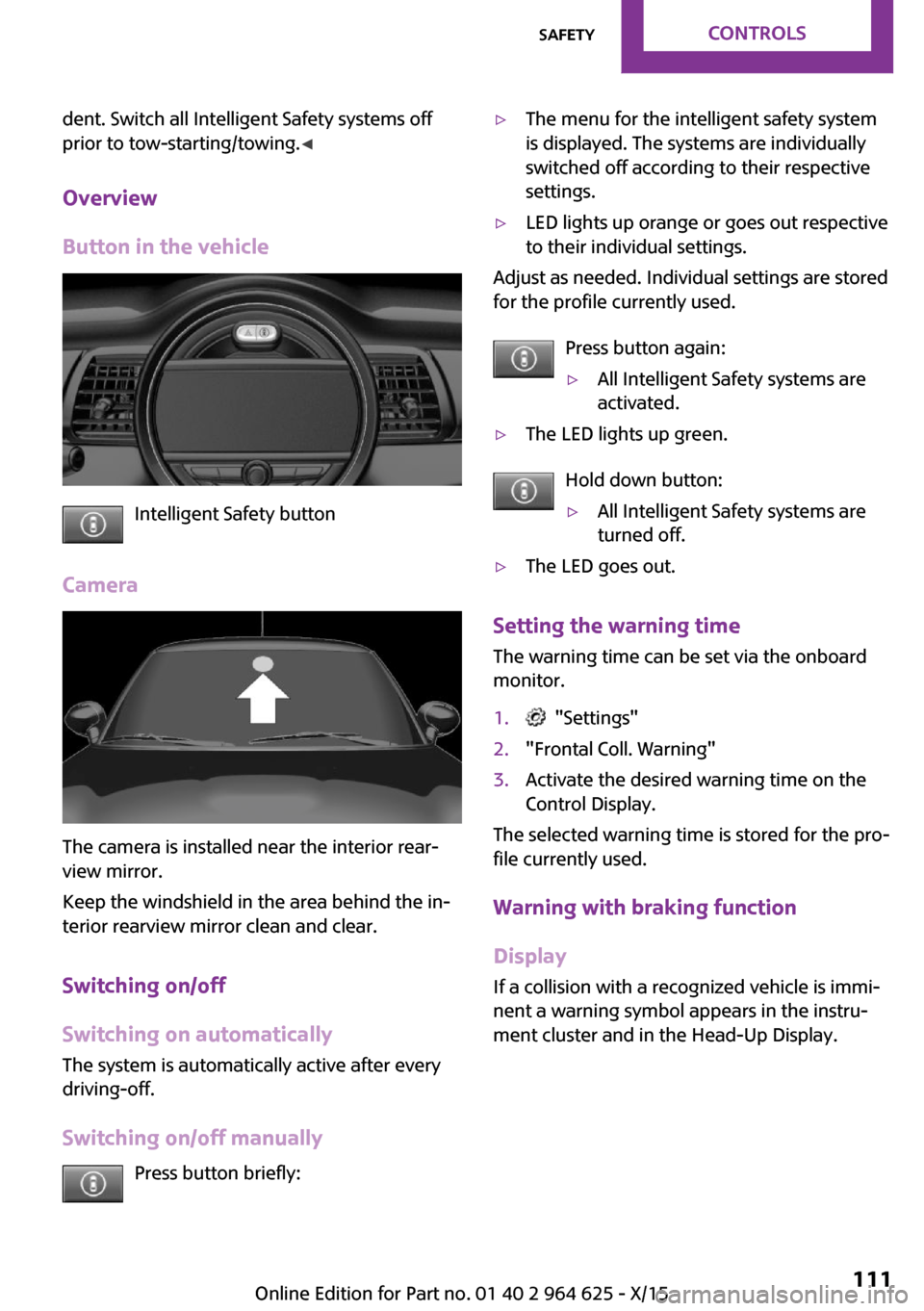
Button in the vehicle
Intelligent Safety button
Camera
The camera is installed near the interior rear‐
view mirror.
Keep the windshield in the area behind the in‐
terior rearview mirror clean and clear.
Switching on/off
Switching on automatically
The system is automatically active after every
driving-off.
Switching on/off manually Press button briefly:
▷The menu for the intelligent safety system
is displayed. The systems are individually
switched off according to their respective
settings.▷LED lights up orange or goes out respective
to their individual settings.
Adjust as needed. Individual settings are stored
for the profile currently used.
Press button again:
▷All Intelligent Safety systems are
activated.▷The LED lights up green.
Hold down button:
▷All Intelligent Safety systems are
turned off.▷The LED goes out.
Setting the warning time
The warning time can be set via the onboard
monitor.
1. "Settings"2."Frontal Coll. Warning"3.Activate the desired warning time on the
Control Display.
The selected warning time is stored for the pro‐
file currently used.
Warning with braking function
Display
If a collision with a recognized vehicle is immi‐
nent a warning symbol appears in the instru‐
ment cluster and in the Head-Up Display.
Seite 111SafetyCONTROLS111
Online Edition for Part no. 01 40 2 964 625 - X/15
Page 114 of 248
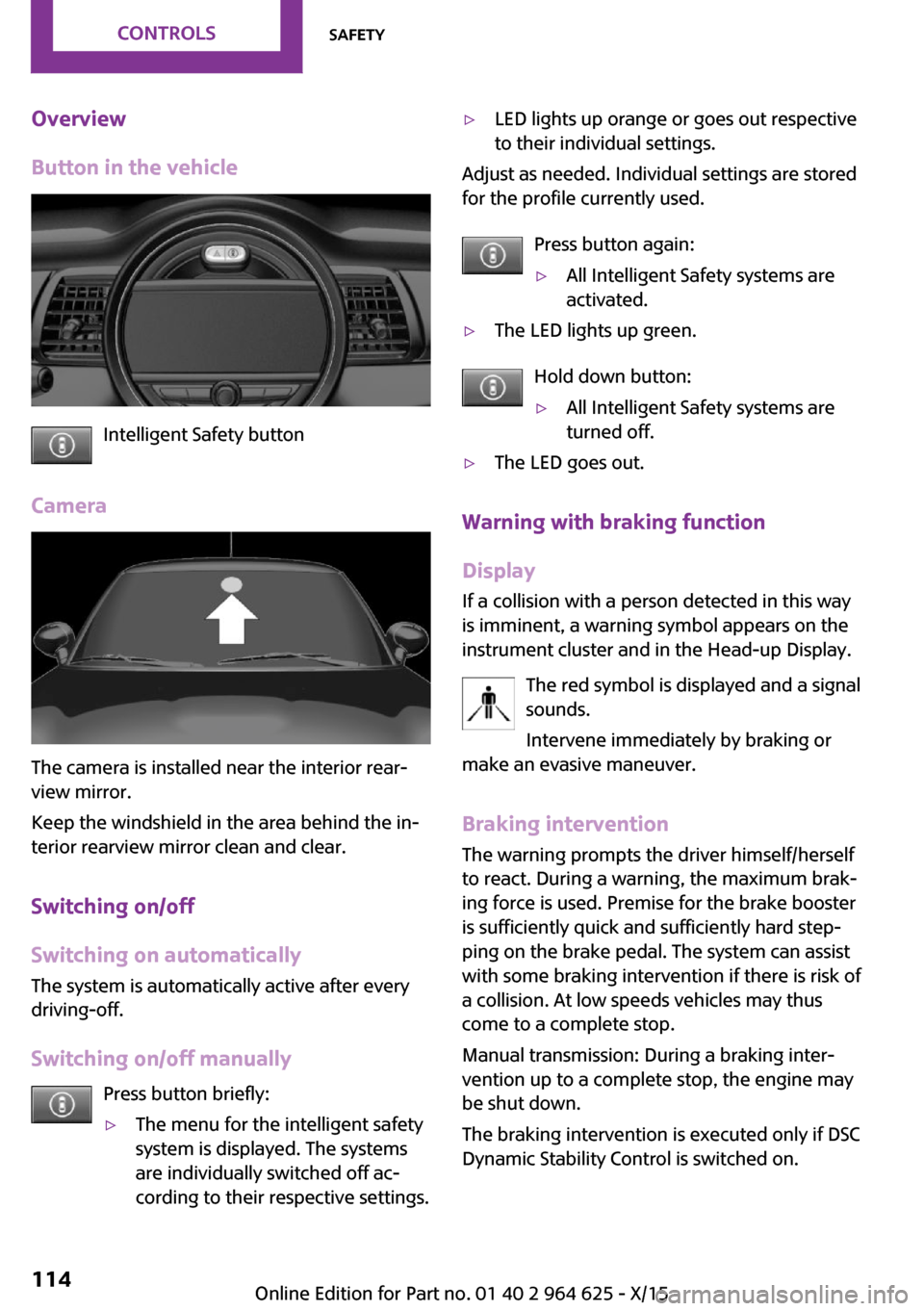
Overview
Button in the vehicle
Intelligent Safety button
Camera
The camera is installed near the interior rear‐
view mirror.
Keep the windshield in the area behind the in‐
terior rearview mirror clean and clear.
Switching on/off
Switching on automatically
The system is automatically active after every
driving-off.
Switching on/off manually Press button briefly:
▷The menu for the intelligent safety
system is displayed. The systems
are individually switched off ac‐
cording to their respective settings.▷LED lights up orange or goes out respective
to their individual settings.
Adjust as needed. Individual settings are stored
for the profile currently used.
Press button again:
▷All Intelligent Safety systems are
activated.▷The LED lights up green.
Hold down button:
▷All Intelligent Safety systems are
turned off.▷The LED goes out.
Warning with braking function
Display
If a collision with a person detected in this way
is imminent, a warning symbol appears on the
instrument cluster and in the Head-up Display.
The red symbol is displayed and a signal
sounds.
Intervene immediately by braking or
make an evasive maneuver.
Braking intervention
The warning prompts the driver himself/herself
to react. During a warning, the maximum brak‐ ing force is used. Premise for the brake booster
is sufficiently quick and sufficiently hard step‐
ping on the brake pedal. The system can assist
with some braking intervention if there is risk of
a collision. At low speeds vehicles may thus come to a complete stop.
Manual transmission: During a braking inter‐
vention up to a complete stop, the engine may
be shut down.
The braking intervention is executed only if DSC Dynamic Stability Control is switched on.
Seite 114CONTROLSSafety114
Online Edition for Part no. 01 40 2 964 625 - X/15
Page 121 of 248
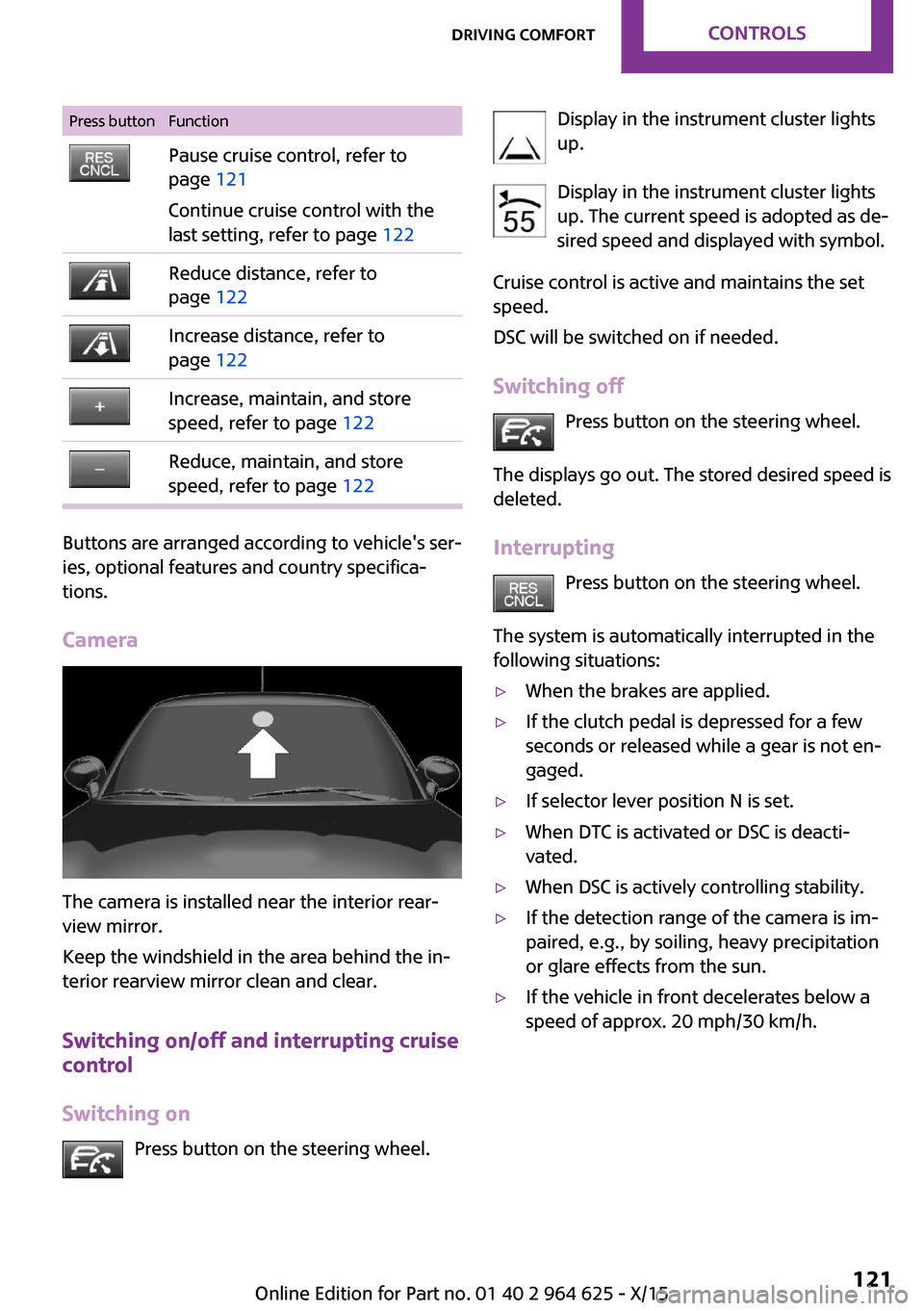
Press buttonFunctionPause cruise control, refer to
page 121
Continue cruise control with the
last setting, refer to page 122Reduce distance, refer to
page 122Increase distance, refer to
page 122Increase, maintain, and store
speed, refer to page 122Reduce, maintain, and store
speed, refer to page 122
Buttons are arranged according to vehicle's ser‐
ies, optional features and country specifica‐
tions.
Camera
The camera is installed near the interior rear‐
view mirror.
Keep the windshield in the area behind the in‐
terior rearview mirror clean and clear.
Switching on/off and interrupting cruise
control
Switching on Press button on the steering wheel.
Display in the instrument cluster lights
up.
Display in the instrument cluster lights up. The current speed is adopted as de‐
sired speed and displayed with symbol.
Cruise control is active and maintains the set
speed.
DSC will be switched on if needed.
Switching off Press button on the steering wheel.
The displays go out. The stored desired speed is
deleted.
Interrupting Press button on the steering wheel.
The system is automatically interrupted in the
following situations:▷When the brakes are applied.▷If the clutch pedal is depressed for a few
seconds or released while a gear is not en‐
gaged.▷If selector lever position N is set.▷When DTC is activated or DSC is deacti‐
vated.▷When DSC is actively controlling stability.▷If the detection range of the camera is im‐
paired, e.g., by soiling, heavy precipitation
or glare effects from the sun.▷If the vehicle in front decelerates below a
speed of approx. 20 mph/30 km/h.Seite 121Driving comfortCONTROLS121
Online Edition for Part no. 01 40 2 964 625 - X/15
Page 150 of 248
CAUTION
If metal objects fall into the socket, they
can cause a short circuit. There is risk of prop‐
erty damage. Replace the cigarette lighter or
socket cover again after using the socket. ◀
Sockets Sockets can be used for the running electrical
devices with the engine running or with the ig‐
nition switched on. The total load of all sockets
must not exceed 140 watts at 12 volts.
Do not damage the socket by using non-com‐
patible connectors.
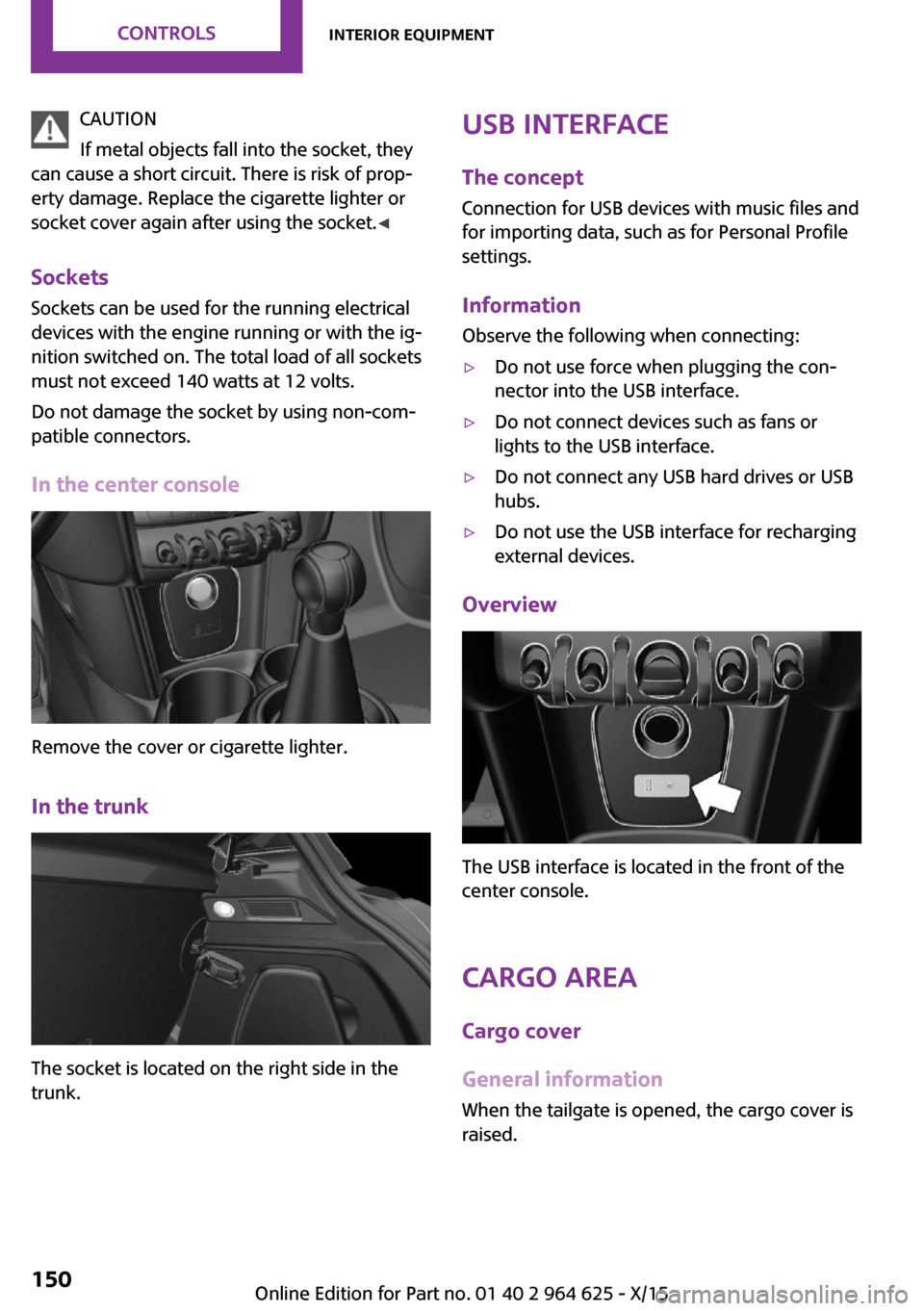
In the center console
Remove the cover or cigarette lighter.
In the trunk
The socket is located on the right side in the
trunk.
USB interface
The concept
Connection for USB devices with music files and
for importing data, such as for Personal Profile
settings.
Information Observe the following when connecting:▷Do not use force when plugging the con‐
nector into the USB interface.▷Do not connect devices such as fans or
lights to the USB interface.▷Do not connect any USB hard drives or USB
hubs.▷Do not use the USB interface for recharging
external devices.
Overview
The USB interface is located in the front of the
center console.
Cargo area
Cargo cover
General information When the tailgate is opened, the cargo cover is
raised.
Seite 150CONTROLSInterior equipment150
Online Edition for Part no. 01 40 2 964 625 - X/15
Page 222 of 248

Before driving into a car washIn order to ensure that the vehicle can roll in a
car wash, take the following steps:
Manual transmission:1.Drive into the car wash.2.Shift to neutral.3.Switch the engine off.4.Switch on the ignition.
Steptronic transmission:
1.Drive into the car wash.2.Engage selector lever position N.3.Make sure that the parking brake is re‐
leased.4.Press the Start/Stop button to switch off the
engine.
In this way, the ignition remains switched
on, and two Check-Control messages are
displayed.
A signal sounds when you leave the vehicle
while in selector lever position N.
The vehicle cannot be locked from the outside
when in selector lever position N. A signal is
sounded when an attempt is made to lock the
vehicle.
To start the engine with manual transmission:
1.Press on the clutch pedal.2.Press the Start/Stop button.
To start the engine with Steptronic transmis‐
sion:
1.Depress the brake pedal.2.Press the Start/Stop button.
Headlights
▷Do not rub dry and do not use abrasive or
acidic cleansers.▷Soak areas that have been dirtied e. g.,
from insects, with shampoo and wash off
with water.▷Thaw ice with de-icing spray; do not use an
ice scraper.
After washing the vehicle
After washing the vehicle, apply the brakes
briefly to dry them; otherwise, braking action
can be reduced and corrosion of the brake
discs can occur.
Completely remove all residues on the win‐
dows, to minimize loss of visibility due to
smearing and to reduce wiper noises and wiper
blade wear.
Vehicle care Car care products
The manufacturer of your vehicle recommends
using care and cleaning products from MINI.
WARNING
Cleansers can contain substances that are
dangerous and harmful to your health. There is
risk of injuries. When cleaning the interior, open
the doors or windows. Only use products in‐
tended for cleaning vehicles. Follow the instruc‐
tions on the container. ◀
Vehicle paint
Regular care contributes to driving safety and
value retention. Environmental influences in
areas with elevated air pollution or natural con‐
taminants, such as tree resin or pollen can af‐
fect the vehicle's paintwork. Tailor the fre‐
quency and extent of your car care to these
influences.
Aggressive substances such as spilled fuel, oil,
grease or bird droppings must be removed im‐
mediately to prevent the finish from being al‐
tered or discolored.
Leather careRemove dust from the leather often, using acloth or vacuum cleaner.
Seite 222MOBILITYCare222
Online Edition for Part no. 01 40 2 964 625 - X/15
Page 239 of 248
Camera-based cruise con‐trol 120
Camera lenses, care 224
Camera, rearview cam‐ era 131
Can holder, see Cu‐ pholder 154
Car battery 214
Car care products 222
Care, displays 224
Care, vehicle 222
Cargo area 150
Cargo area, adapting size 155
Cargo area, enlarging 151
Cargo area lid 40
Cargo area, storage compart‐ ments 155
Cargo cover 150
Cargo, securing 164
Cargo straps, securing cargo 164
Car key, see Remote con‐ trol 34
Carpet, care 224
Car wash 221
Catalytic converter, see Hot exhaust system 161
CBS Condition Based Serv‐ ice 202
Center armrest 154
Center console 16
Central instrument cluster, LED ring 89
Central locking system 40
Central screen, refer to Control Display 18
Changes, technical, refer to Own Safety 7
Changing parts 204
Changing wheels 212
Changing wheels/tires 188
Chassis number, see vehicle identification number 10
Check Control 77
Checking the oil level elec‐ tronically 196 Children, seating position 58
Children, transporting safely 58
Child restraint fixing sys‐ tem 58
Child restraint fixing system LATCH 60
Child restraint fixing systems, mounting 59
Child safety locks 61
Child seat, mounting 59
Child seats 58
Chrome parts, care 223
Chrono package, cockpit 93
Cigarette lighter 149
Cleaning, displays 224
Climate control 138, 140
Clock 81
Closing/opening via door lock 39
Closing/opening with remote control 37
Clothes hooks 155
Coasting 170
Coasting with engine decou‐ pled, coasting 170
Coasting with idling en‐ gine 170
Combination switch, see Turn signals 67
Combi switch, see wiper sys‐ tem 68
Comfort Access 41
Compartments in the doors 154
Compass 147
Compressor 190
Condensation on win‐ dows 142
Condensation under the vehi‐ cle 162
Condition Based Service CBS 202
Configuring driving pro‐ gram 119
Confirmation signal 43 Control Display 18
Control Display, settings 88
Controller 19
Control systems, driving stabil‐ ity 116
Convenient opening 38
Coolant 200
Cooling function 139, 141
Cooling, maximum 141
Cooling system 200
Cornering lamp 97
Corrosion on brake discs 162
Cosmetic mirror 149
Courtesy lamps during unlock‐ ing 37
Courtesy lamps with the vehi‐ cle locked 38
Cruise control 126
Cruise control, active 120
Cruising range 82
Cupholder 154
Current fuel consumption 82
D
Damage, tires 188
Damping control, dy‐ namic 118
Data, technical 228
Date 81
Daytime running lights 97
Defrosting, see defrosting the windows 140
Defrosting, see Windows, de‐ frosting 142
Defrosting the windows 140
Dehumidifying, air 139, 141
Deleting personal data 24
Deletion of personal data 24
Destination distance 86
Digital clock 81
Digital compass 147
Dimensions 228
Dimmable exterior mirrors 56
Dimmable interior mirror 56 Seite 239Everything from A to ZREFERENCE239
Online Edition for Part no. 01 40 2 964 625 - X/15
Page 241 of 248
Front-end collision warningwith City Braking func‐
tion 110
Front fog lights 98
Front-seat passenger airbags, automatic deactivation 102
Front-seat passenger airbags, indicator lamp 102
FTM Flat Tire Monitor 107
Fuel 178
Fuel consumption, see Aver‐ age fuel consumption 86
Fuel filler flap 176
Fuel gauge 81
Fuel lid 176
Fuel quality 178
Fuel recommendation 178
Fuel, tank capacity 232
Fuse 215
G Garage door opener, see Uni‐ versal Integrated Remote
Control 145
Gasoline 178
Gear change, Steptronic trans‐ mission 72
Gear shift indicator 83
General driving notes 161
Glare shield 149
Glass sunroof, refer to Panor‐ amic glass sunroof 47
Glove compartment 153
GREEN Mode 167
GREEN Mode, bonus range 169
GREEN Mode driving style analysis 171
GREEN Mode indicator 167
GREEN - program, driving dy‐ namics 118
GREEN tip 169
Gross vehicle weight, ap‐ proved 229
Ground clearance 162 H
Halogen headlights 206
Handbrake, see parking brake 66
Hand-held transmitter, alter‐ nating code 146
Hazard warning flashers 216
Head airbag 100
Headlight control, auto‐ matic 96
Headlight courtesy delay fea‐ ture 96
Headlight flasher 68
Headlight glass 205
Headlights, care 222
Head restraints 49
Head restraints, front 53
Head restraints, rear 54
Head-up Display 90
Head-Up Display, Shift point indicator 92
Head-up Display, sport dis‐ plays 92
Head-up Display, standard view 91
Heavy cargo, stowing 164
High-beam Assistant 97
High beams 68
High beams/low beams, see High-beam Assistant 97
Hills 162
Hill start assistant, see Drive- off assistant 119
Holder for beverages 154
Homepage 6
Hood 194
Horn 14
Hot exhaust system 161
HUD Head-up Display 90
Hydroplaning 161
I
Ice warning, see External tem‐ perature warning 81 Icy roads, see External tem‐
perature warning 81
Identification marks, tires 186
Identification number, see ve‐ hicle identification num‐
ber 10
Ignition key, see Remote con‐ trol 34
Ignition off 62
Ignition on 62
Illuminated ring, central in‐ strument cluster 89
Indication of a flat tire 104, 107
Indicator lamp, see Check Control 77
Individual air distribu‐ tion 139, 142
Individual settings, see Per‐ sonal Profile 36
Inflation pressure, tires 180
Inflation pressure warning, tires 107
Info display, refer to On-Board computer 85
Information 6
Initialize, Tire Pressure Moni‐ tor TPM 104
Initializing, Flat Tire Monitor FTM 107
Instrument cluster 76
Instrument cluster, electronic displays 77
Instrument lighting 98
Integrated key 34
Integrated Owner's Manual in the vehicle 29
Intelligent Safety 109
Intensity, AUTO program 142
Interior equipment 145
Interior lights 98
Interior lights during unlock‐ ing 37
Interior lights with the vehicle locked 38 Seite 241Everything from A to ZREFERENCE241
Online Edition for Part no. 01 40 2 964 625 - X/15