automatic transmission MINI Clubman 2009 (Mini Connected) User Guide
[x] Cancel search | Manufacturer: MINI, Model Year: 2009, Model line: Clubman, Model: MINI Clubman 2009Pages: 218, PDF Size: 3.69 MB
Page 98 of 218
Things to remember when driving
96
Things to remember when driving
Break-in period
Moving parts need breaking-in time to adjust to
each other. Please follow the instructions below
in order to achieve the optimal service life and
economy of operation for your vehicle.
Engine and differential
Always obey all official speed limits.
Up to 1,200 miles/2,000 km
Drive at varying engine and road speeds, but do
not exceed the following:
>Gasoline engine
4,500 rpm or 100 mph/160 km/h
Avoid full-throttle operation and use of the
transmission's kick-down mode.
After driving 1,200 miles/2,000 km
Engine and vehicle speeds can be gradually
increased.
Tires
Due to technical factors associated with their
manufacture, tires do not achieve their full trac-
tion potential until after an initial break-in
period. Therefore, drive cautiously during the
first 200 miles/300 km.
Brake system
Brakes require an initial break-in period of
approx. 300 miles/500 km to achieve optimized
contact and wear patterns between brake pads
and rotors. Drive cautiously during this break-in
period.
Clutch
The function of the clutch reaches its optimal
level only after a distance driven of approx.
300 miles/500 km. During this break-in period,
engage the clutch gently.
Following part replacement
The same break-in procedures should be
observed if any of the components mentioned
above have to be renewed in the course of the
vehicle's operating life.
General driving notes
Close splitdoor
Drive the vehicle only when the splitdoor
is closed. Otherwise, exhaust fumes could
penetrate the interior of the vehicle.<
If special circumstances make it absolutely nec-
essary to drive with the splitdoor open:
1.Close all windows and the glass sunroof.
2.Switch off the recirculated-air mode and sig-
nificantly increase the air flow rate of the
automatic climate control, page87.
Hot exhaust system
In all vehicles, extremely high tempera-
tures are generated in the exhaust sys-
tem. Do not remove the heat shields installed
adjacent to various sections of the exhaust sys-
tem, and never apply undercoating to them.
When driving, standing at idle and while park-
ing, take care to avoid possible contact between
the hot exhaust system and any highly flamma-
ble materials such as hay, leaves, grass, etc. Such
contact could lead to a fire, with the risk of seri-
ous personal injuries and property damage. Do
not touch hot exhaust tail pipes. Otherwise
there is a risk of burns.<
Hydroplaning
When driving on wet or slushy roads,
reduce road speed. If you do not, a wedge
of water can form between tires and road sur-
face. This situation, known as hydroplaning, can
cause partial or complete loss of tire contact
with the road surface, so that the car cannot be
steered or braked properly.<
Page 99 of 218
MOBILITYAT A GLANCE CONTROLS DRIVING TIPS ENTERTAINMENT
97
NAVIGATION REFERENCE
The risk of hydroplaning increases with declining
tread depth on the tires, refer also to Tread
depth on page163.
Driving through water
Drive through water on the road only if it is
not deeper than 1 ft/30 cm, and then only
at walking speed at the most. Otherwise, the
vehicle's engine, the electrical systems and the
transmission may be damaged.<
Parking brake on inclines
On inclines, do not hold the vehicle with
the clutch; use the parking brake. Other-
wise greater clutch wear will result.<
For information on driving off using Hill Start
Assist*, refer to page73.
Braking safely
Your MINI is equipped with ABS. If you are in a
situation which requires full braking, it is best to
brake using maximum brake pressure. Since the
vehicle maintains steering responsiveness, you
can still avoid possible obstacles with a mini-
mum of steering effort.
The pulsation of the brake pedal, together with
the sound of hydraulic regulation, indicates that
ABS is actively taking effect.
Driving in wet conditions
When roads are wet or there is heavy rain, briefly
exert gentle pressure on the brake pedal every
few miles. Monitor traffic conditions to ensure
that this maneuver does not endanger other
road users. The heat generated in this process
helps dry the pads and rotors to ensure that
Then full braking force will be immediately avail-
able when it is needed.
Hills
To prevent overheating and the resulting
reduced efficiency of the brake system,
drive long or steep downhill gradients in the
gear in which the least braking is required. Even
light but consistent brake pressure can lead to
high temperatures, brake wear and possibly
even brake failure.
sary. This strategy helps you avoid placing
excessive loads on the brake system. Downshift-
ing in manual mode of the automatic transmis-
sion, page49.
Never drive with the clutch held down,
with the transmission in neutral or with
the engine switched off; otherwise, engine brak-
ing action will not be present or there will be no
power assistance to the brakes or steering.
Never allow floor mats, carpets or any other
objects to protrude into the area around the
pedals, otherwise pedal function could be
impaired.<
Corrosion on brake rotors
When the vehicle is driven only occasionally,
during extended periods when the vehicle is not
used at all, and in operating conditions where
brake applications are less frequent, there is an
increased tendency for corrosion to form on
rotors, while contaminants accumulate on the
brake pads. This occurs because the minimum
pressure which must be exerted by the pads
during brake applications to clean the rotors is
not reached.
Should corrosion form on the brake rotors, the
brakes will tend to respond with a pulsating
effect that even extended application will fail
to cure.
When the vehicle is parked
Condensation forms while the automatic climate
control is in operation, and then exits under the
vehicle. Traces of condensed water under the
vehicle are therefore normal.
In the MINI Cooper S, the coolant pump may
continue to run for some time after the engine is
switched off. This will generate noise in the
engine compartment.
Cargo loading
To avoid loading the tires beyond their
approved carrying capacity, never over-
Page 174 of 218
Care
172
Care
Car-care products
Regular cleaning and care helps to maintain the
value of your MINI.
The manufacturer of your MINI recommends
using manufacturer-approved products to clean
and care for your vehicle.
MINI Service would be pleased to advise you
on cleaning and care products and services for
your MINI.
The ingredients of original MINI CareProd-
ucts have been tested, and the products
have been tested in the laboratory and in prac-
tice. They offer optimum care and protection for
your vehicle.<
Do not use any cleansers containing
alcohol or solvents as these may cause
damage.<
Cleaning agents may contain hazardous
or health-damaging substances. Follow
the warning and hazard instructions on the
packaging. For interior cleaning, always open
the doors or windows of the vehicle.
Do not use any products that are not intended
for cleaning the vehicle.<
External care
Washing your vehicle
Especially during the winter months the
vehicle should be frequently washed. Dirt
and road salt can damage the vehicle.<
After washing the vehicle, apply the
brakes briefly to dry them, otherwise
water can reduce braking efficiency over the
short term and the brake rotors can corrode.<
Car washes
Preference should be given to cloth car washes.Do not use automatic high-pressure car
washes, otherwise water may drip into the
vehicle around the windows.<
Before driving into the car wash, check if the sys-
tem is suitable for your MINI. Observe the fol-
lowing points:
>Dimensions of the vehicle, page193
>If necessary: Fold in the outside mirrors,
page40.
>Maximum permissible tire width
Avoid car washes with tracks higher than
4 in/10 cm, otherwise the chassis could be
damaged.<
Preparations for driving into the car wash:
>Unscrew the rod antenna.
>Deactivate the rain sensor
* to prevent unin-
tentional wiping.
>Deactivate the rear window wiper
* and pro-
tect it from damage. Ask the car wash oper-
ator about measures that can be taken to
protect the wipers.
>Remove additional attachments, e.g. spoil-
ers or telephone antennas, if there is a pos-
sibility that they could be damaged.
Automatic transmission
Before driving into the car wash, make sure that
the vehicle can roll:
1.Place the remote control, even with conve-
nient access, in the ignition lock.
2.Move the selector lever to position N.
3.Release the parking brake.
4.Switch off the engine.
5.Insert the remote control in the ignition lock
so that the vehicle can roll.
Steam jets/high-pressure washers
When using steam jets or high-pressure
washers, ensure that you maintain a suffi-
cient distance to the vehicle and do not exceed a
Page 190 of 218
Giving and receiving assistance
188
Access to screw thread
Push out the cover of the towing eye out of the
recess in the bumper.
Front
Rear
Being towed
Make sure that the ignition is switched on,
refer to page46, otherwise the low
beams, tail lamps, turn signal indicators and
windshield wipers may be unavailable. Do not
tow the vehicle with just the rear axle raised, as
this would allow the steering to turn. <
There is no power assist while the engine is off.
Thus, braking and steering will require increased
effort.
Switch on the hazard warning flashers, depend-
ing on local regulations.
Manual transmission
Gearshift lever in neutral position.
Automatic transmission
Tow vehicles with automatic transmission
only with a tow truck or with the front
wheels lifted; otherwise the transmission can be
damaged.<
Towing with a tow bar
The towing vehicle must not be lighter
than the towed vehicle, otherwise it may
be impossible to maintain control.<
The tow fittings used should be on the same side
on both vehicles. Should it prove impossible to
avoid mounting the tow bar at an angle, please
observe the following:
>Clearance and maneuvering capability will
be sharply limited during cornering.
>The tow bar will generate lateral forces if it is
attached offset.
Attach the tow bar to the tow fittings only,
as attaching it to other parts of the vehicle
could result in damage.<
Towing with a tow rope
When starting off in the towing vehicle, make
sure that the tow rope is taut.
To avoid jerking and the associated
stresses on vehicle components when
towing, always use nylon ropes or nylon straps.
Attach the tow rope to the tow fittings only, as
attaching it to other parts of the vehicle could
result in damage.<
Towing with a tow truck
Have the MINI Clubman transported with a tow
truck with a so-called lift bar or on a flat bed.
Do not lift the vehicle by a tow fitting or
body and chassis parts, otherwise damage
may result.<
Tow-starting
Avoid tow-starting the vehicle whenever possi-
ble; instead, jump-start the engine, page186.
Page 191 of 218
MOBILITYAT A GLANCE CONTROLS DRIVING TIPS ENTERTAINMENT
189
NAVIGATION REFERENCE
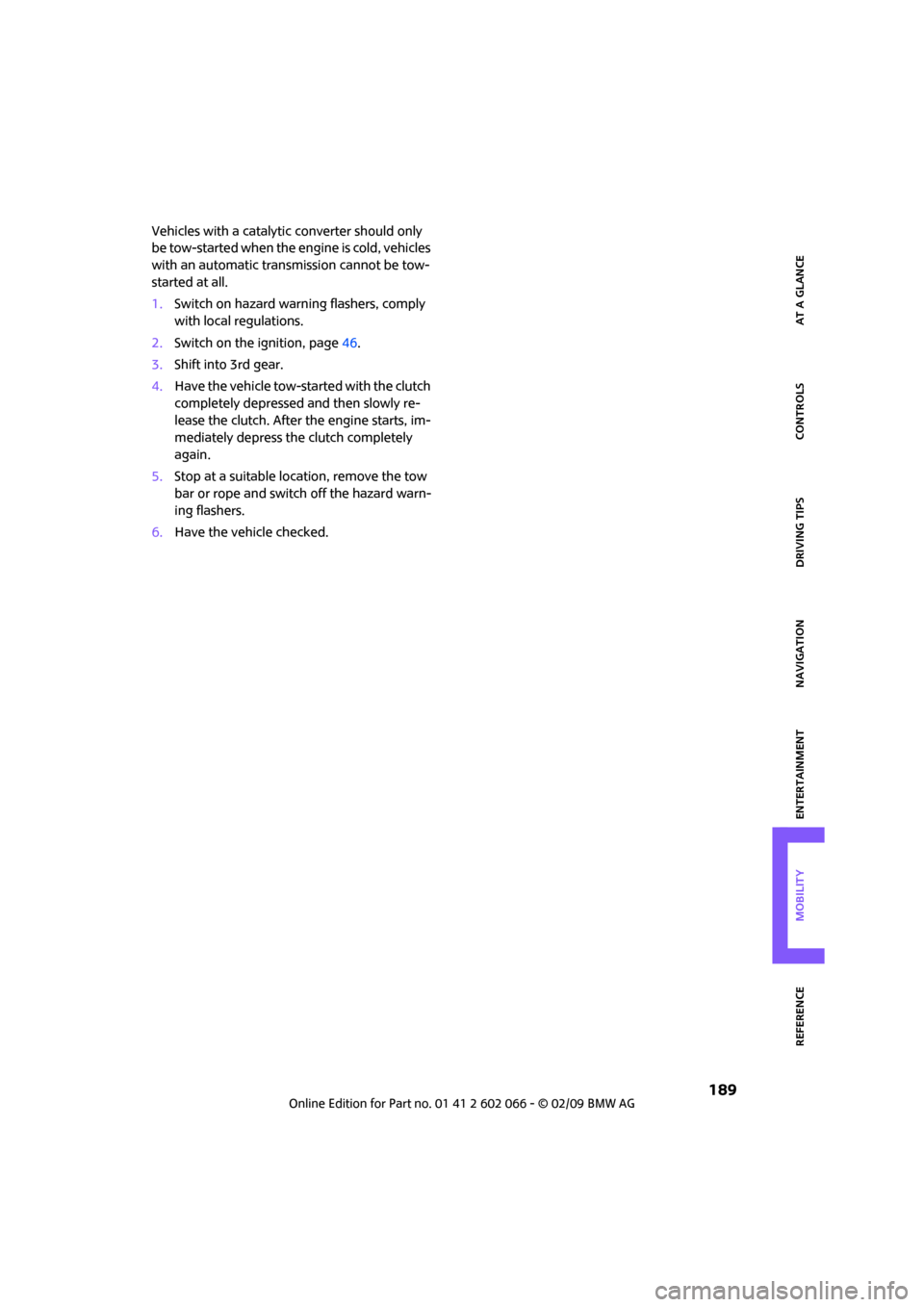
Vehicles with a catalytic converter should only
be tow-started when the engine is cold, vehicles
with an automatic transmission cannot be tow-
started at all.
1.Switch on hazard warning flashers, comply
with local regulations.
2.Switch on the ignition, page46.
3.Shift into 3rd gear.
4.Have the vehicle tow-started with the clutch
completely depressed and then slowly re-
lease the clutch. After the engine starts, im-
mediately depress the clutch completely
again.
5.Stop at a suitable location, remove the tow
bar or rope and switch off the hazard warn-
ing flashers.
6.Have the vehicle checked.
Page 196 of 218
Technical data
194
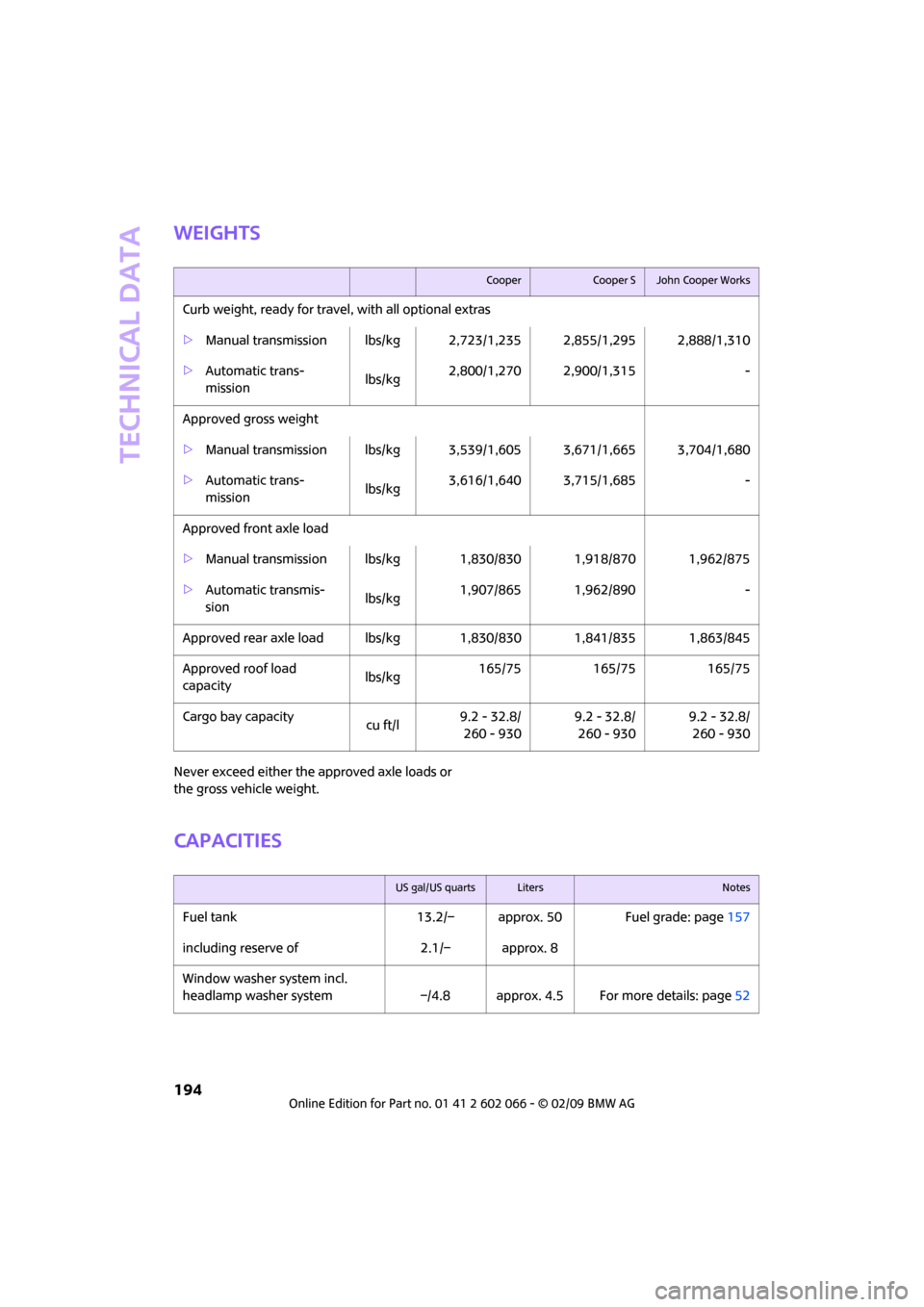
Weights
Never exceed either the approved axle loads or
the gross vehicle weight.
Capacities
CooperCooper SJohn Cooper Works
Curb weight, ready for travel, with all optional extras
>Manual transmission lbs/kg 2,723/1,235 2,855/1,295 2,888/1,310
>Automatic trans-
mission lbs/kg2,800/1,270 2,900/1,315 -
Approved gross weight
>Manual transmission lbs/kg 3,539/1,605 3,671/1,665 3,704/1,680
>Automatic trans-
mission lbs/kg3,616/1,640 3,715/1,685 -
Approved front axle load
>Manual transmission lbs/kg 1,830/830 1,918/870 1,962/875
>Automatic transmis-
sion lbs/kg1,907/865 1,962/890 -
Approved rear axle load lbs/kg 1,830/830 1,841/835 1,863/845
Approved roof load
capacitylbs/kg165/75 165/75 165/75
Cargo bay capacity
cu ft/l9.2 - 32.8/
260 - 9309.2 - 32.8/
260 - 9309.2 - 32.8/
260 - 930
US gal/US quartsLitersNotes
Fuel tank 13.2/– approx. 50 Fuel grade: page157
including reserve of 2.1/– approx. 8
Window washer system incl.
headlamp washer system –/4.8 approx. 4.5 For more details: page52
Page 202 of 218
From A to Z
200
From A to Z
INDEX
„...“ Identifies Control Display
texts used to select
individual functions and
refers you to the page where
these texts can be found.
A
Accessories, refer to Your
individual vehicle4
Activated-charcoal filter for
automatic climate control88
"Add to destination list"111
Additives
– coolant169
– engine oil168
Address for navigation
– deleting117
– entering108,111,116
– selecting117
– storing116
– storing current position116
Adjusting temperature inside
the car, refer to Automatic
climate control87
Adjusting the sound during
audio playback, refer to Tone
control133
Air conditioning mode
– automatic climate control87
– ventilation88
Air distribution
– automatic87
Air flow rate87
– automatic climate control87
Air pressure, checking, refer to
Tire inflation pressure158
Air recirculation, refer to
Recirculated-air mode87
Air supply
– automatic climate control87
– ventilation88
Air vents86Airbags80
– sitting safely37
– warning lamp81
Airing, refer to Ventilation88
AKI, refer to Fuel
specifications157
Alarm system31
"All channels"141
"All stations" on the radio135
All-season tires, refer to Winter
tires165
"AM", waveband132
Ambient air, refer to
Recirculated-air mode87
Ambient lighting85
Antenna, care172
Antifreeze
– coolant169
– washer fluid52
Antilock Brake System ABS71
Anti-theft alarm system, refer
to Alarm system31
Anti-theft system
27
Approved axle loads, refer to
Weights194
Approved engine oils168
Approved gross vehicle
weight, refer to Weights194
Armrest, refer to Center
armrest91
Arrival time
– computer57
– destination guidance120
"Arrow display" in
navigation121
Ashtray92
Assistant systems, refer to
– Dynamic Stability Control
DSC71Audio132
– controls132
– switching on/off132
– tone control133
– volume133
Audio device, external91
AUTO program for automatic
climate control87
Automatic
– air distribution87
– air flow rate87
– cruise control53
– headlamp control82
– storing of stations136
Automatic climate control86
– automatic air distribution87
Automatic station search136
Automatic transmission with
Steptronic48
– interlock48
– overriding selector lever
lock50
– shiftlock48
– sport program49
"Autostore"
– on the radio137
"AUX"149,151
– AUX-In port149
– USB-audio interface150
AUX-In port149
AUX-In, refer to External audio
device91
Average fuel consumption56
– setting the units60
Average speed57
"Avoid ferries" in
navigation119
"Avoid highways" in
navigation118
Avoid highways in
navigation118
"Avoid tollroads" in
navigation118
Page 205 of 218
203
MOBILITYAT A GLANCE CONTROLS DRIVING TIPS ENTERTAINMENT NAVIGATION REFERENCE
Deactivating front passenger
airbags80
Deadlocking, refer to
Locking28
Defect
– door lock29
– fuel filler door156
Defogging windows88
Defrost position, refer to
Defrosting windows88
Defrosting windows88
Defrosting windows and
removing condensation
– automatic climate control88
Destination address
– deleting117
– entering108,111
Destination for navigation
– destination list115
– entry108
– home address117
– manual entry108,111
– selecting from address
book117
– selecting using
information114
– selecting via map113
– storing116
Destination guidance120
– changing specified route118
– displaying route121
– distance and arrival120
– interrupting120
– starting120
– taking detours124
– terminating/continuing120
– voice instructions123
– volume for voice
instructions123
Destination list for navigation
system115
Destinations recently driven
to115
Detour, refer to Driving around
a traffic congestion128
Differential, breaking in96
Digital clock55
Digital radio, refer to HD
Radio138Dimensions193
Dipstick, engine oil167
Direction instructions, refer to
Voice instructions123
Directional indicators, refer to
Turn signals50
Directory for navigation, refer
to Address book116
Displacement, refer to Engine
data192
Display lighting, refer to
Instrument lighting84
"Display off"20
Display, refer to Onboard
monitor controls16
Displays12
– instrument combination12
– on the Control Display16
Displays and controls10
Displays, care174
Disposal
– of coolant169
– remote control battery34
– vehicle battery184
"Dist. to dest."58
Distance remaining to service,
refer to Service
requirements60
Distance warning, refer to Park
Distance Control PDC70
Diving stability control
systems71
Door
– rear, refer to Clubdoor31
Door key, refer to Integrated
key/remote control26
Door lock29
Door lock, confirmation
signals28
"Door locks"28,30
Doors, manual operation29
DOT Quality Grades162
Double doors, refer to
Splitdoor31
Drinks holders, refer to Cup
holders92
Drive-off assistant, refer to Hill
Start Assist73Driving around a traffic
congestion128
Driving dynamics control, refer
to Sport button73
Driving lamps, refer to Parking
lamps/low beams82
Driving notes96
Driving off on inclines, refer to
Hill Start Assist73
Driving route, refer to
Displaying route121
Driving through water97
Driving tips, refer to Driving
notes96
Dry air, refer to Cooling
function88
DTC Dynamic Traction Control
DTC72
DVD for navigation106
Dynamic Brake Control DBC,
refer to Brake assist71
Dynamic Stability Control
DSC71
Dynamic Traction Control72
E
Eject button, refer to Buttons
on the CD player132
Electrical malfunction
– door lock29
– fuel filler door156
Electronic brake-force
distribution71
Electronic Stability Program
ESP, refer to Dynamic
Stability Control DSC71
Emergency operation, refer to
Manual operation
– door lock29
– fuel filler door156
– transmission lock, automatic
transmission50
Emergency services, refer to
Roadside Assistance186
Page 207 of 218
205
MOBILITYAT A GLANCE CONTROLS DRIVING TIPS ENTERTAINMENT NAVIGATION REFERENCE
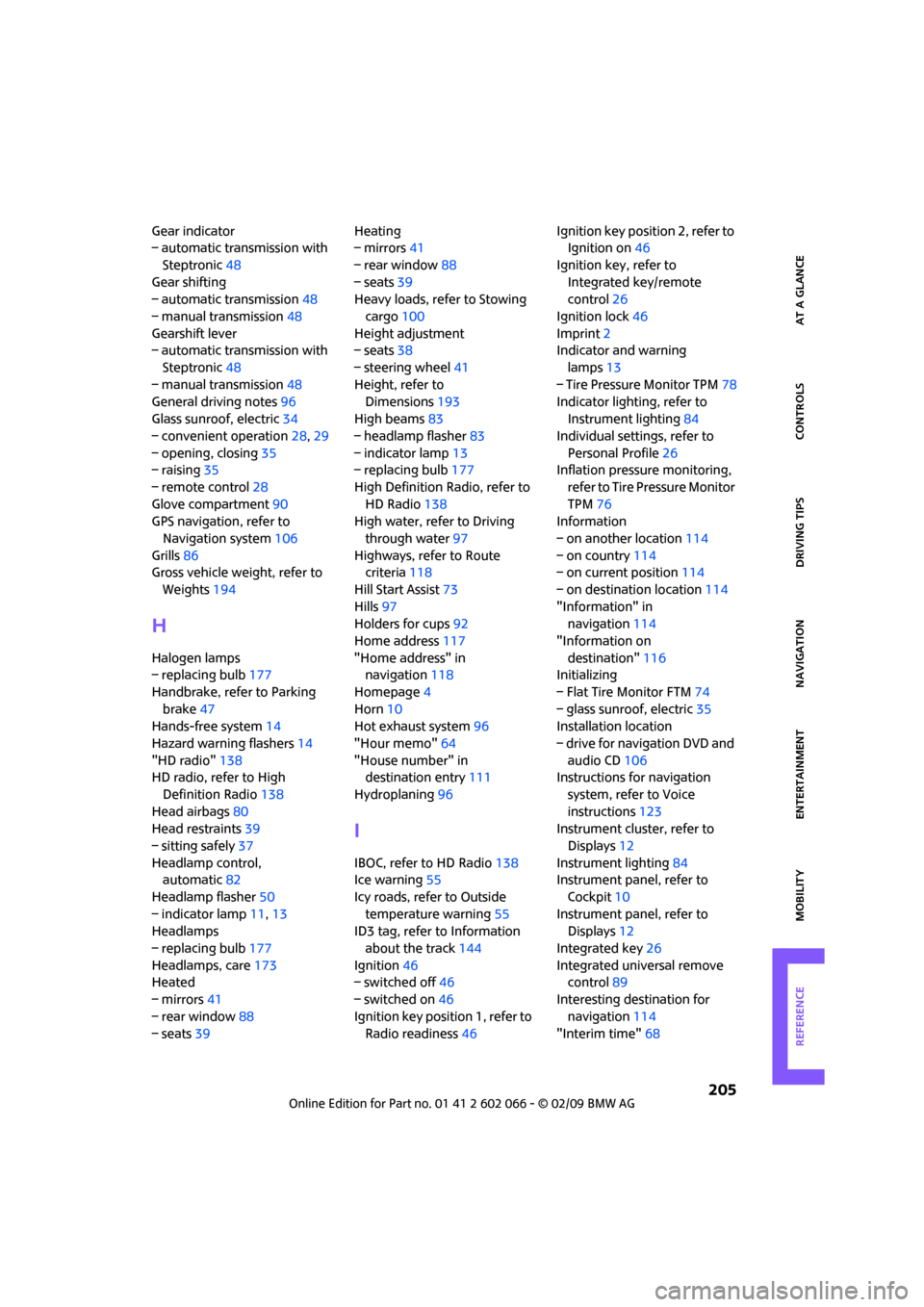
Gear indicator
– automatic transmission with
Steptronic48
Gear shifting
– automatic transmission48
– manual transmission48
Gearshift lever
– automatic transmission with
Steptronic48
– manual transmission48
General driving notes96
Glass sunroof, electric34
– convenient operation28,29
– opening, closing35
– raising35
– remote control28
Glove compartment90
GPS navigation, refer to
Navigation system106
Grills86
Gross vehicle weight, refer to
Weights194
H
Halogen lamps
– replacing bulb177
Handbrake, refer to Parking
brake47
Hands-free system14
Hazard warning flashers14
"HD radio"138
HD radio, refer to High
Definition Radio138
Head airbags80
Head restraints39
– sitting safely37
Headlamp control,
automatic82
Headlamp flasher50
– indicator lamp11,13
Headlamps
– replacing bulb177
Headlamps, care173
Heated
– mirrors41
– rear window88
– seats39Heating
– mirrors41
– rear window88
– seats39
Heavy loads, refer to Stowing
cargo100
Height adjustment
– seats38
– steering wheel41
Height, refer to
Dimensions193
High beams83
– headlamp flasher83
– indicator lamp13
– replacing bulb177
High Definition Radio, refer to
HD Radio138
High water, refer to Driving
through water97
Highways, refer to Route
criteria118
Hill Start Assist73
Hills97
Holders for cups92
Home address117
"Home address" in
navigation118
Homepage4
Horn10
Hot exhaust system96
"Hour memo"64
"House number" in
destination entry111
Hydroplaning96
I
IBOC, refer to HD Radio138
Ice warning55
Icy roads, refer to Outside
temperature warning55
ID3 tag, refer to Information
about the track144
Ignition46
– switched off46
– switched on46
Ignition key position 1, refer to
Radio readiness46Ignition key position 2, refer to
Ignition on46
Ignition key, refer to
Integrated key/remote
control26
Ignition lock46
Imprint2
Indicator and warning
lamps13
– Tire Pressure Monitor TPM78
Indicator lighting, refer to
Instrument lighting84
Individual settings, refer to
Personal Profile26
Inflation pressure monitoring,
refer to Tire Pressure Monitor
TPM76
Information
– on another location114
– on country114
– on current position114
– on destination location114
"Information" in
navigation114
"Information on
destination"116
Initializing
– Flat Tire Monitor FTM74
– glass sunroof, electric35
Installation location
– drive for navigation DVD and
audio CD106
Instructions for navigation
system, refer to Voice
instructions123
Instrument cluster, refer to
Displays12
Instrument lighting84
Instrument panel, refer to
Cockpit10
Instrument panel, refer to
Displays12
Integrated key26
Integrated universal remove
control89
Interesting destination for
navigation114
"Interim time"68
Page 208 of 218
From A to Z
206
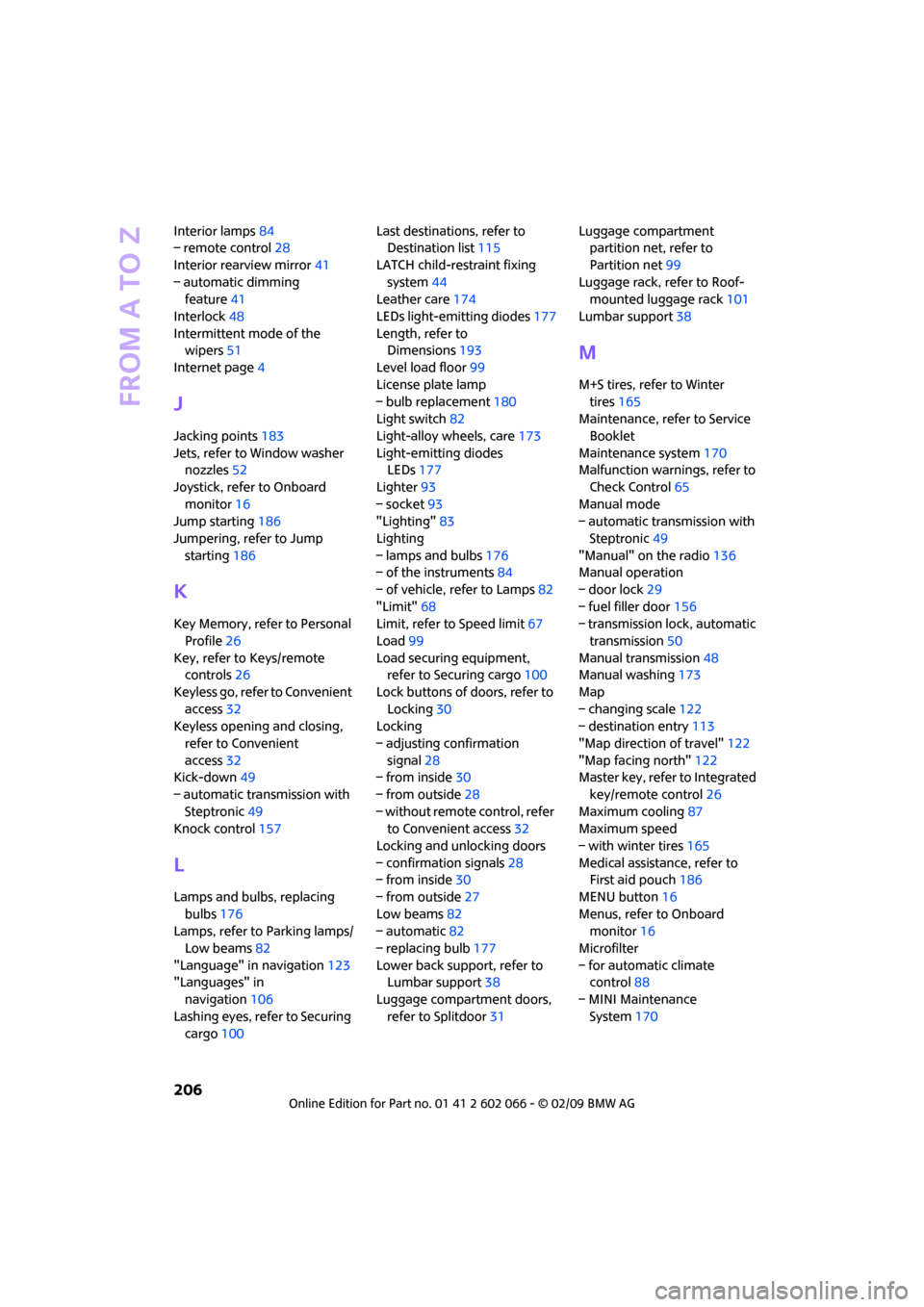
Interior lamps84
– remote control28
Interior rearview mirror41
– automatic dimming
feature41
Interlock48
Intermittent mode of the
wipers51
Internet page4
J
Jacking points183
Jets, refer to Window washer
nozzles52
Joystick, refer to Onboard
monitor16
Jump starting186
Jumpering, refer to Jump
starting186
K
Key Memory, refer to Personal
Profile26
Key, refer to Keys/remote
controls26
Keyless go, refer to Convenient
access32
Keyless opening and closing,
refer to Convenient
access32
Kick-down49
– automatic transmission with
Steptronic49
Knock control157
L
Lamps and bulbs, replacing
bulbs176
Lamps, refer to Parking lamps/
Low beams82
"Language" in navigation123
"Languages" in
navigation106
Lashing eyes, refer to Securing
cargo100Last destinations, refer to
Destination list115
LATCH child-restraint fixing
system44
Leather care174
LEDs light-emitting diodes177
Length, refer to
Dimensions193
Level load floor99
License plate lamp
– bulb replacement180
Light switch82
Light-alloy wheels, care173
Light-emitting diodes
LEDs177
Lighter93
– socket93
"Lighting"83
Lighting
– lamps and bulbs176
– of the instruments84
– of vehicle, refer to Lamps82
"Limit"68
Limit, refer to Speed limit67
Load99
Load securing equipment,
refer to Securing cargo100
Lock buttons of doors, refer to
Locking30
Locking
– adjusting confirmation
signal28
– from inside30
– from outside28
– without remote control, refer
to Convenient access32
Locking and unlocking doors
– confirmation signals28
– from inside30
– from outside27
Low beams82
– automatic82
– replacing bulb177
Lower back support, refer to
Lumbar support38
Luggage compartment doors,
refer to Splitdoor31Luggage compartment
partition net, refer to
Partition net99
Luggage rack, refer to Roof-
mounted luggage rack
101
Lumbar support38
M
M+S tires, refer to Winter
tires165
Maintenance, refer to Service
Booklet
Maintenance system170
Malfunction warnings, refer to
Check Control65
Manual mode
– automatic transmission with
Steptronic49
"Manual" on the radio136
Manual operation
– door lock29
– fuel filler door156
– transmission lock, automatic
transmission50
Manual transmission48
Manual washing173
Map
– changing scale122
– destination entry113
"Map direction of travel"122
"Map facing north"122
Master key, refer to Integrated
key/remote control26
Maximum cooling87
Maximum speed
– with winter tires165
Medical assistance, refer to
First aid pouch186
MENU button16
Menus, refer to Onboard
monitor16
Microfilter
– for automatic climate
control88
– MINI Maintenance
System170