transmission MINI Clubman 2010 (Mini Connected) User Guide
[x] Cancel search | Manufacturer: MINI, Model Year: 2010, Model line: Clubman, Model: MINI Clubman 2010Pages: 218, PDF Size: 3.97 MB
Page 90 of 218
Practical interior accessories
88
Practical interior accessories
Integrated universal
remote control*
The concept
The integrated universal remote control can
replace as many as three hand-held transmitters
for various remote-controlled devices, such as
garage and gate openers and lighting systems.
The integrated universal remote control regis-
ters and stores signals from the original hand-
held transmitters.
The signal of an original hand-held transmitter
can be programmed on one of the three mem-
ory buttons1. The system in question can then
be operated by means of the programmed
memory button1. The LED2 flashes to confirm
transmission of the signal.
If you decide to sell your vehicle one day, in the
interest of your own security, remember to clear
the stored programs before the vehicle leaves
your possession, page89.
To prevent possible damage or injury,
before programming or using the inte-
grated universal remote control, always inspect
the immediate area to make certain that no
people, animals or objects are within the pivot-
ing or travel range of the device being operated.
Comply also with the safety instructions supplied
with the original hand-held transmitter.<
Checking compatibility
If this symbol appears on the package
or in the instructions supplied with the
original hand-held transmitter, you can
assume that the radio remote control device is
compatible with the integrated universal remote
control.
For additional information, please contact your
MINI dealer or call: 1-800-355-3515.
You can also obtain information on the Internet
at:
www.MINI.com orwww.homelink.com
HomeLink is a registered trademark of Johnson
Controls, Inc.
Programming
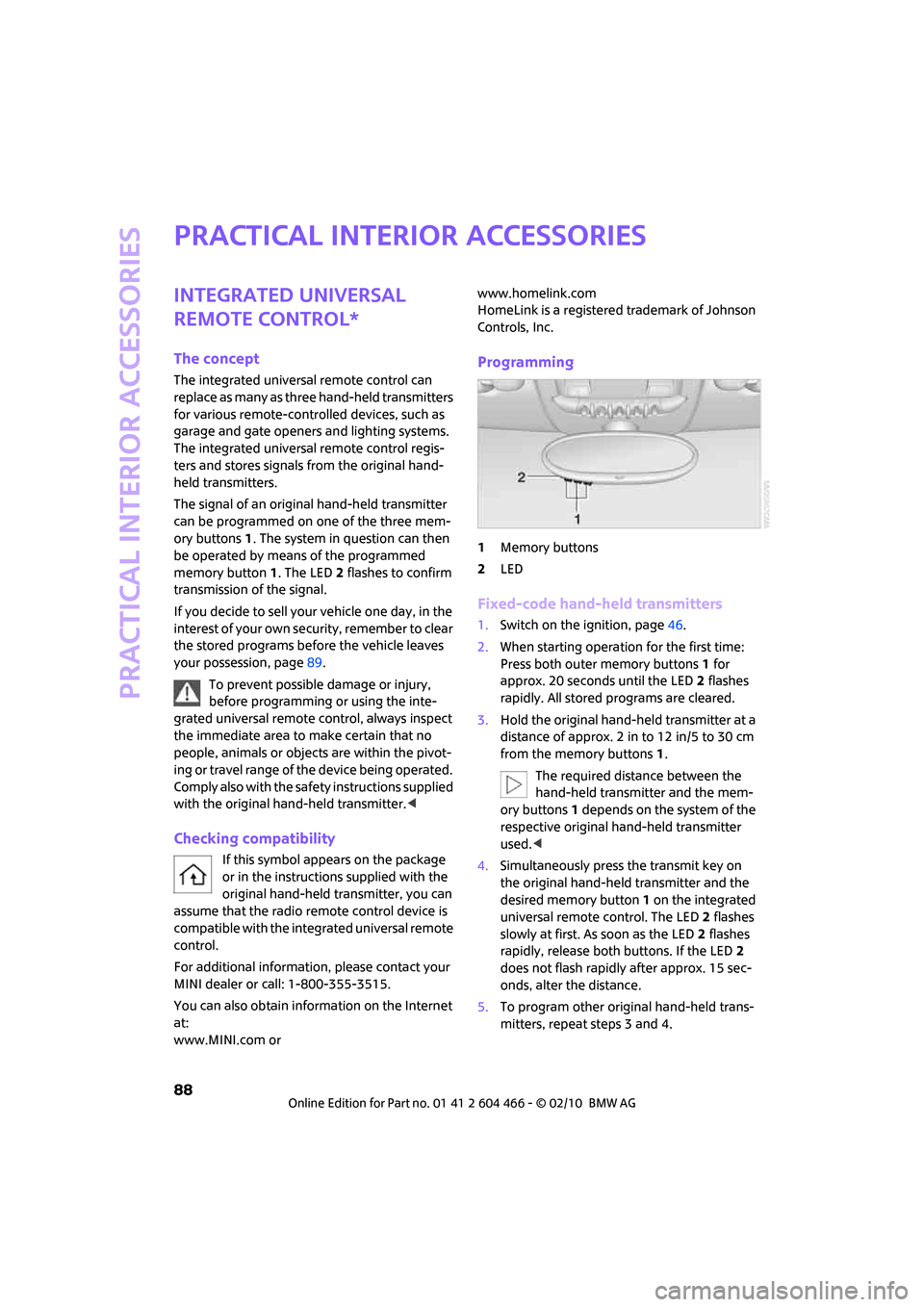
1Memory buttons
2LED
Fixed-code hand-held transmitters
1.Switch on the ignition, page46.
2.When starting operation for the first time:
Press both outer memory buttons1 for
approx. 20 seconds until the LED2 flashes
rapidly. All stored programs are cleared.
3.Hold the original hand-held transmitter at a
distance of approx. 2 in to 12 in/5 to 30 cm
from the memory buttons1.
The required distance between the
hand-held transmitter and the mem-
ory buttons1 depends on the system of the
respective original hand-held transmitter
used.<
4.Simultaneously press the transmit key on
the original hand-held transmitter and the
desired memory button 1 on the integrated
universal remote control. The LED 2 flashes
slowly at first. As soon as the LED2 flashes
rapidly, release both buttons. If the LED2
does not flash rapidly after approx. 15 sec-
onds, alter the distance.
5.To program other original hand-held trans-
mitters, repeat steps 3 and 4.
Page 98 of 218
Things to remember when driving
96
Things to remember when driving
Break-in period
Moving parts need breaking-in time to adjust to
each other. Please follow the instructions below
in order to achieve the optimal service life and
economy of operation for your vehicle.
Engine and differential
Always obey all official speed limits.
Up to 1,200 miles/2,000 km
Drive at varying engine and road speeds, but do
not exceed the following:
>Gasoline engine
4,500 rpm or 100 mph/160 km/h
Avoid full-throttle operation and use of the
transmission's kickdown mode.
After driving 1,200 miles/2,000 km
Engine and vehicle speeds can be gradually
increased.
Tires
Due to technical factors associated with their
manufacture, tires do not achieve their full trac-
tion potential until after an initial break-in
period. Therefore, drive cautiously during the
first 200 miles/300 km.
Brake system
Brakes require an initial break-in period of
approx. 300 miles/500 km to achieve optimized
contact and wear patterns between brake pads
and rotors. Drive cautiously during this break-in
period.
Clutch
The function of the clutch reaches its optimal
level only after a distance driven of approx.
300 miles/500 km. During this break-in period,
engage the clutch gently.
Following part replacement
The same break-in procedures should be
observed if any of the components mentioned
above have to be renewed in the course of the
vehicle's operating life.
General driving notes
Close splitdoor
Drive the vehicle only when the splitdoor
is closed. Otherwise, exhaust fumes could
penetrate the interior of the vehicle.<
If special circumstances make it absolutely nec-
essary to drive with the splitdoor open:
1.Close all windows and the glass sunroof
*.
2.Switch off the recirculated-air mode and sig-
nificantly increase the air flow rate of the
automatic climate control, page86.
Hot exhaust system
In all vehicles, extremely high tempera-
tures are generated in the exhaust sys-
tem. Do not remove the heat shields installed
adjacent to various sections of the exhaust sys-
tem, and never apply undercoating to them.
When driving, standing at idle and while park-
ing, take care to avoid possible contact between
the hot exhaust system and any highly flamma-
ble materials such as hay, leaves, grass, etc. Such
contact could lead to a fire, with the risk of seri-
ous personal injuries and property damage. Do
not touch hot exhaust tail pipes. Otherwise,
there is a risk of burns.<
Hydroplaning
When driving on wet or slushy roads,
reduce road speed. If you do not, a wedge
of water can form between tires and road sur-
face. This situation, known as hydroplaning, can
cause partial or complete loss of tire contact
with the road surface, so that the car cannot be
steered or braked properly.<
Page 99 of 218
MOBILITYAT A GLANCE CONTROLS DRIVING TIPS ENTERTAINMENT
97
NAVIGATION REFERENCE
The risk of hydroplaning increases with declining
tread depth on the tires, refer also to Tread
depth on page164.
Driving through water
Drive through water on the road only if it is
not deeper than 1 ft/30 cm, and then only
at walking speed at the most. Otherwise, the
vehicle's engine, the electrical systems and the
transmission may be damaged.<
Parking brake on inclines
On inclines, do not hold the vehicle with
the clutch; use the parking brake. Other-
wise, greater clutch wear will result.<
For information on driving off using Hill Assist
*,
refer to page73.
Braking safely
Your MINI is equipped with ABS. If you are in a
situation which requires full braking, it is best to
brake using maximum brake pressure. Since the
vehicle maintains steering responsiveness, you
can still avoid possible obstacles with a mini-
mum of steering effort.
The pulsation of the brake pedal, together with
the sound of hydraulic regulation, indicates that
ABS is actively taking effect.
Driving in wet conditions
When roads are wet or there is heavy rain, briefly
exert gentle pressure on the brake pedal every
few miles. Monitor traffic conditions to ensure
that this maneuver does not endanger other
road users. The heat generated in this process
helps dry the pads and rotors to ensure that
Then full braking force will be immediately avail-
able when it is needed.
Hills
To prevent overheating and the resulting
reduced efficiency of the brake system,
drive long or steep downhill gradients in the
gear in which the least braking is required. Even
light but consistent brake pressure can lead to
high temperatures, brake wear and possibly
even brake failure.
sary. This strategy helps you avoid placing
excessive loads on the brake system. Downshift-
ing in manual mode of the automatic transmis-
sion, page49.
Never drive with the clutch held down,
with the transmission in neutral or with
the engine switched off; otherwise, engine brak-
ing action will not be present or there will be no
power assistance to the brakes or steering.
Never allow floor mats, carpets or any other
objects to protrude into the area around the
pedals; otherwise, pedal function could be
impaired.<
Corrosion on brake rotors
When the vehicle is driven only occasionally,
during extended periods when the vehicle is not
used at all, and in operating conditions where
brake applications are less frequent, there is an
increased tendency for corrosion to form on
rotors, while contaminants accumulate on the
brake pads. This occurs because the minimum
pressure which must be exerted by the pads
during brake applications to clean the rotors is
not reached.
Should corrosion form on the brake rotors, the
brakes will tend to respond with a pulsating
effect that even extended application will fail to
cure.
When the vehicle is parked
Condensation forms while the automatic climate
control is in operation, and then exits under the
vehicle. Traces of condensed water under the
vehicle are therefore normal.
In the MINI Cooper S, the coolant pump may
continue to run for some time after the engine is
switched off. This will generate noise in the
engine compartment.
Page 174 of 218
Care
172
Care
Car-care products
Regular cleaning and care helps to maintain the
value of your MINI.
The manufacturer of your MINI recommends
using manufacturer-approved products to clean
and care for your vehicle.
MINI Service would be pleased to advise you on
cleaning and care products and services for your
MINI.
The ingredients of original MINI Care Prod-
ucts have been tested, and the products
have been tested in the laboratory and in prac-
tice. They offer optimum care and protection for
your vehicle.<
Do not use any cleansers containing alco-
hol or solvents as these may cause dam-
age.<
Cleaning agents may contain hazardous
or health-damaging substances. Follow
the warning and hazard instructions on the
packaging. For interior cleaning, always open
the doors or windows of the vehicle.
Do not use any products that are not intended
for cleaning the vehicle.<
External care
Washing your vehicle
Especially during the winter months the
vehicle should be frequently washed. Dirt
and road salt can damage the vehicle.<
After washing the vehicle, apply the
brakes briefly to dry them; otherwise,
water can reduce braking efficiency over the
short term and the brake rotors can corrode.<
Car washes
Preference should be given to cloth car washes.Do not use automatic high-pressure car
washes; otherwise, water may drip into
the vehicle around the windows.<
Before driving into the car wash, check if the sys-
tem is suitable for your MINI. Observe the fol-
lowing points:
>Dimensions of the vehicle, page193
>If necessary: fold in the outside mirrors,
page 41.
>Maximum permissible tire width
Avoid car washes with tracks higher than
4 in/10 cm; otherwise, the chassis could
be damaged.<
Preparations for driving into the car wash:
>Unscrew the rod antenna.
>Deactivate the rain sensor
* to prevent unin-
tentional wiping.
>Deactivate the rear window wiper
* and pro-
tect it from damage. Ask the car wash oper-
ator about measures that can be taken to
protect the wipers.
>Remove additional attachments, e.g. spoil-
ers or telephone antennas, if there is a pos-
sibility that they could be damaged.
Automatic transmission
Before driving into the car wash, make sure that
the vehicle can roll:
1.Place the remote control, even with Comfort
Access, in the ignition lock.
2.Move the selector lever to position N.
3.Release the parking brake.
4.Switch off the engine.
5.Insert the remote control in the ignition lock
so that the vehicle can roll.
Steam jets/high-pressure washers
When using steam jets or high-pressure
washers, ensure that you maintain suffi-
cient clearance to the vehicle and do not exceed
a temperature of 1407/606.
Page 190 of 218
Giving and receiving assistance
188
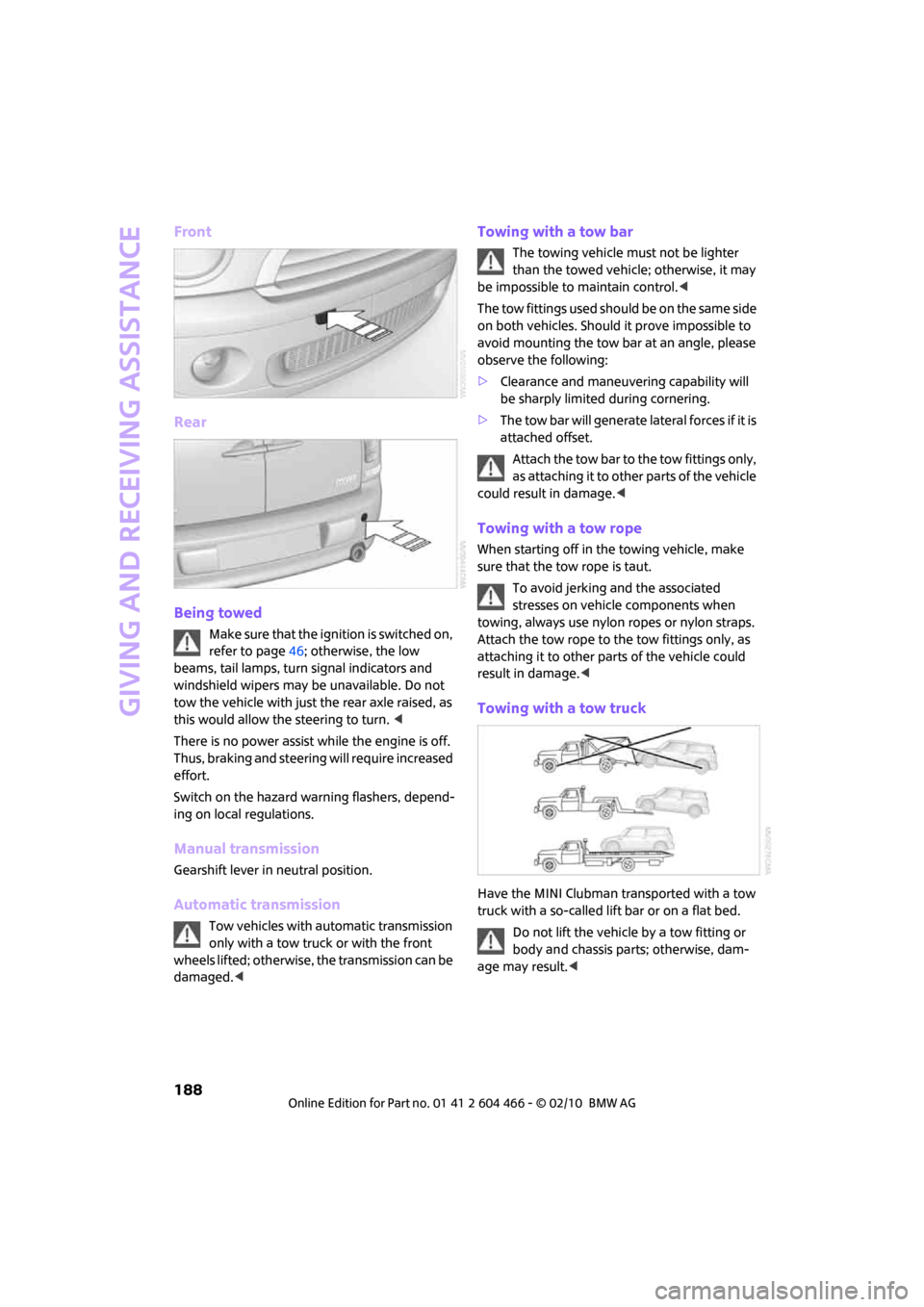
Front
Rear
Being towed
Make sure that the ignition is switched on,
refer to page46; otherwise, the low
beams, tail lamps, turn signal indicators and
windshield wipers may be unavailable. Do not
tow the vehicle with just the rear axle raised, as
this would allow the steering to turn. <
There is no power assist while the engine is off.
Thus, braking and steering will require increased
effort.
Switch on the hazard warning flashers, depend-
ing on local regulations.
Manual transmission
Gearshift lever in neutral position.
Automatic transmission
Tow vehicles with automatic transmission
only with a tow truck or with the front
wheels lifted; otherwise, the transmission can be
damaged.<
Towing with a tow bar
The towing vehicle must not be lighter
than the towed vehicle; otherwise, it may
be impossible to maintain control.<
The tow fittings used should be on the same side
on both vehicles. Should it prove impossible to
avoid mounting the tow bar at an angle, please
observe the following:
>Clearance and maneuvering capability will
be sharply limited during cornering.
>The tow bar will generate lateral forces if it is
attached offset.
Attach the tow bar to the tow fittings only,
as attaching it to other parts of the vehicle
could result in damage.<
Towing with a tow rope
When starting off in the towing vehicle, make
sure that the tow rope is taut.
To avoid jerking and the associated
stresses on vehicle components when
towing, always use nylon ropes or nylon straps.
Attach the tow rope to the tow fittings only, as
attaching it to other parts of the vehicle could
result in damage.<
Towing with a tow truck
Have the MINI Clubman transported with a tow
truck with a so-called lift bar or on a flat bed.
Do not lift the vehicle by a tow fitting or
body and chassis parts; otherwise, dam-
age may result.<
Page 191 of 218
MOBILITYAT A GLANCE CONTROLS DRIVING TIPS ENTERTAINMENT
189
NAVIGATION REFERENCE
Tow-starting
Avoid tow-starting the vehicle whenever possi-
ble; instead, jump-start the engine, page186.
Vehicles with a catalytic converter should only
be tow-started when the engine is cold, vehicles
with an automatic transmission cannot be tow-
started at all.
1.Switch on hazard warning flashers, comply
with local regulations.
2.Switch on the ignition, page46.
3.Shift into 3rd gear.
4.Have the vehicle tow-started with the clutch
completely depressed and then slowly
release the clutch. After the engine starts,
immediately depress the clutch completely
again.
5.Stop at a suitable location, remove the tow
bar or rope and switch off the hazard warn-
ing flashers.
6.Have the vehicle checked.
Page 196 of 218
Technical data
194
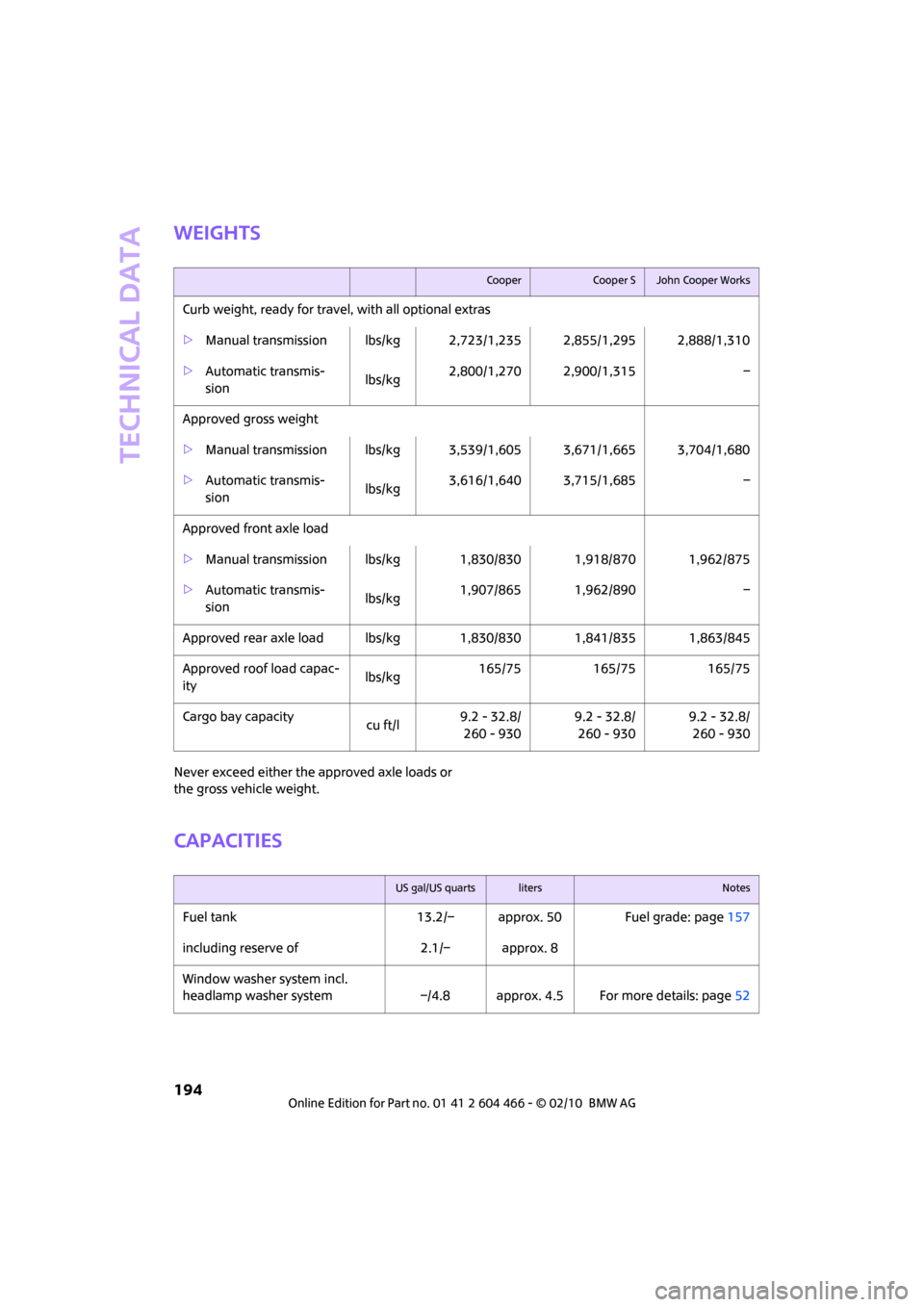
Weights
Never exceed either the approved axle loads or
the gross vehicle weight.
Capacities
CooperCooper SJohn Cooper Works
Curb weight, ready for travel, with all optional extras
>Manual transmission lbs/kg 2,723/1,235 2,855/1,295 2,888/1,310
>Automatic transmis-
sion lbs/kg2,800/1,270 2,900/1,315 –
Approved gross weight
>Manual transmission lbs/kg 3,539/1,605 3,671/1,665 3,704/1,680
>Automatic transmis-
sion lbs/kg3,616/1,640 3,715/1,685 –
Approved front axle load
>Manual transmission lbs/kg 1,830/830 1,918/870 1,962/875
>Automatic transmis-
sion lbs/kg1,907/865 1,962/890 –
Approved rear axle load lbs/kg 1,830/830 1,841/835 1,863/845
Approved roof load capac-
itylbs/kg165/75 165/75 165/75
Cargo bay capacity
cu ft/l9.2 - 32.8/
260 - 9309.2 - 32.8/
260 - 9309.2 - 32.8/
260 - 930
US gal/US quartslitersNotes
Fuel tank 13.2/– approx. 50 Fuel grade: page157
including reserve of 2.1/– approx. 8
Window washer system incl.
headlamp washer system –/4.8 approx. 4.5 For more details: page52
Page 202 of 218
Everything from A to Z
200
Everything from A to Z
INDEX
"..." Identifies Control Display
texts used to select
individual functions and tells
you where to find them.
A
Accessories, refer to Your
individual vehicle4
Acknowledgment signals for
locking/unlocking vehicle28
Activated-charcoal filter for
automatic climate control87
"Add to destination list"111
Additives
– coolant169
– engine oil169
Address for navigation
– deleting117
– entering108,111,116
– selecting116
– storing116
– storing current position116
Adjusting temperature inside
the car, refer to Automatic
climate control86
Adjusting the sound during
audio playback, refer to Tone
control133
Air conditioning mode
– automatic climate control86
– ventilation87
Air distribution
– automatic86
Air flow rate86
– automatic climate control86
Air pressure, checking, refer to
Tire inflation pressure158
Air recirculation, refer to
Recirculated-air mode86Air supply
– automatic climate control86
– ventilation87
Air vents85
Airbags79
– sitting safely37
– warning lamp80
Airing, refer to Ventilation87
AKI, refer to Fuel grade157
Alarm system31
"All channels"141
All-season tires, refer to Winter
tires166
"AM", waveband132
Ambient air, refer to
Recirculated-air mode86
Ambient lighting84
Antenna, care172
Antifreeze
– coolant169
– washer fluid52
Antilock Brake System ABS71
Anti-theft alarm system, refer
to Alarm system31
Anti-theft system27
Approved axle loads, refer to
Weights
194
Approved engine oils169
Approved gross vehicle
weight, refer to Weights194
Armrest, refer to Center
armrest90
Arrival time
– computer57
– destination guidance120
"Arrow display" in
Navigation121
Ashtray91
Assistant systems, refer to
– Dynamic Stability Control
DSC71Audio132
– controls132
– switching on/off132
– tone control133
– volume133
Audio device, external90
AUTO program for automatic
climate control86
Automatic
– air distribution86
– air flow rate86
– cruise control53
– headlamp control81
– storing of stations136
Automatic climate control85
– automatic air distribution86
Automatic station search136
Automatic transmission with
Steptronic48
– interlock48
– overriding selector lever
lock50
– shiftlock48
– sport program49
"Autostore"
– on the radio137
"AUX"149,151
– AUX-IN port149
– USB audio interface150
AUX-IN port149
AUX-IN, refer to External audio
device90
Average fuel consumption56
– setting the units60
Average speed57
"Avoid ferries" in
Navigation118
"Avoid highways" in
Navigation118
Page 206 of 218
Everything from A to Z
204
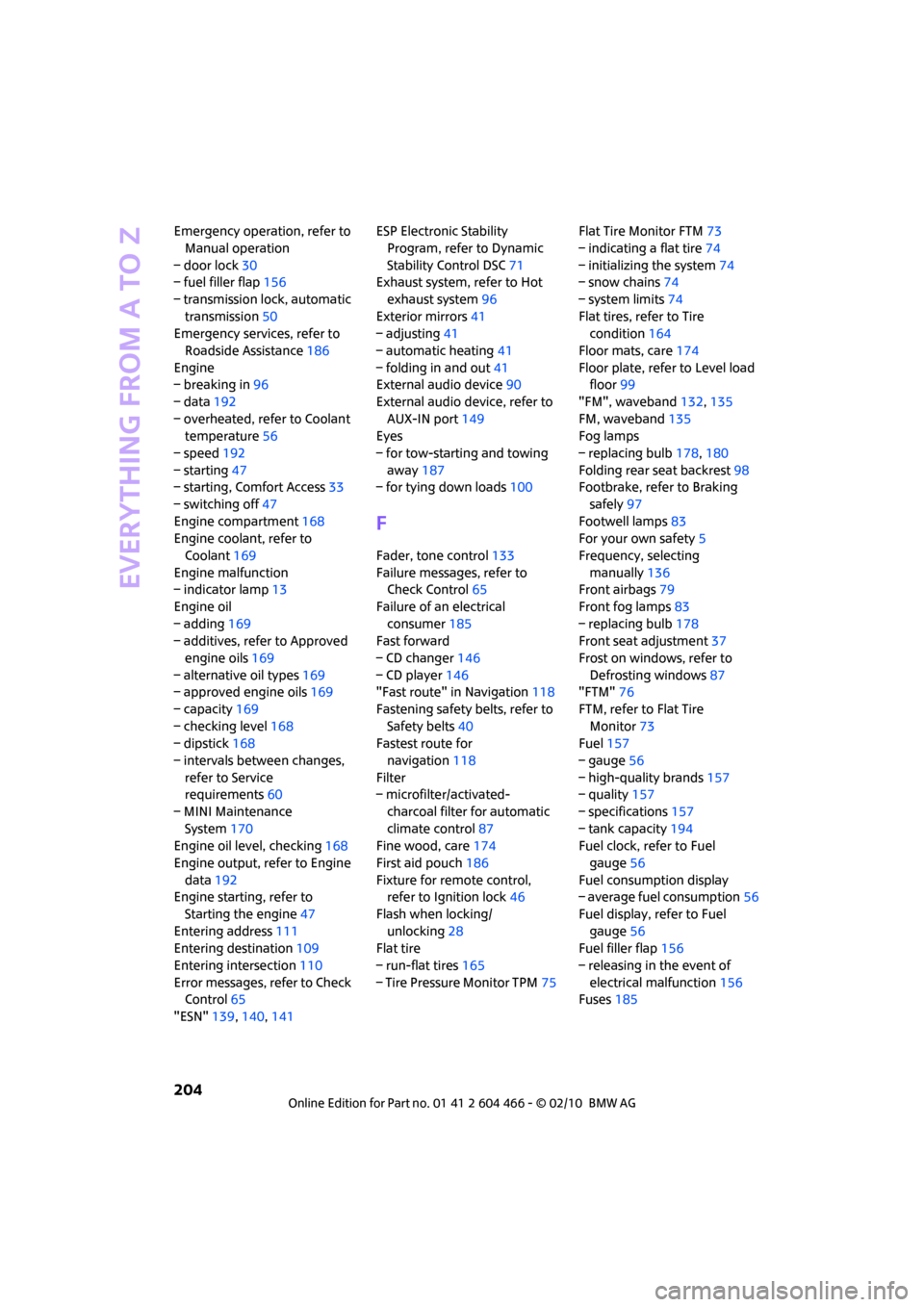
Emergency operation, refer to
Manual operation
– door lock30
– fuel filler flap156
– transmission lock, automatic
transmission50
Emergency services, refer to
Roadside Assistance186
Engine
– breaking in96
– data192
– overheated, refer to Coolant
temperature56
– speed192
– starting47
– starting, Comfort Access33
– switching off47
Engine compartment168
Engine coolant, refer to
Coolant169
Engine malfunction
– indicator lamp13
Engine oil
– adding169
– additives, refer to Approved
engine oils169
– alternative oil types169
– approved engine oils169
– capacity169
– checking level168
– dipstick168
– intervals between changes,
refer to Service
requirements60
– MINI Maintenance
System170
Engine oil level, checking168
Engine output, refer to Engine
data192
Engine starting, refer to
Starting the engine47
Entering address111
Entering destination109
Entering intersection110
Error messages, refer to Check
Control65
"ESN"139,140,141ESP Electronic Stability
Program, refer to Dynamic
Stability Control DSC71
Exhaust system, refer to Hot
exhaust system96
Exterior mirrors41
– adjusting41
– automatic heating41
– folding in and out41
External audio device90
External audio device, refer to
AUX-IN port149
Eyes
– for tow-starting and towing
away187
– for tying down loads100
F
Fader, tone control133
Failure messages, refer to
Check Control65
Failure of an electrical
consumer185
Fast forward
– CD changer146
– CD player146
"Fast route" in Navigation118
Fastening safety belts, refer to
Safety belts40
Fastest route for
navigation118
Filter
– microfilter/activated-
charcoal filter for automatic
climate control87
Fine wood, care174
First aid pouch186
Fixture for remote control,
refer to Ignition lock46
Flash when locking/
unlocking28
Flat tire
– run-flat tires165
– Tire Pressure Monitor TPM75Flat Tire Monitor FTM73
– indicating a flat tire74
– initializing the system74
– snow chains74
– system limits74
Flat tires, refer to Tire
condition164
Floor mats, care174
Floor plate, refer to Level load
floor99
"FM", waveband132,135
FM, waveband135
Fog lamps
– replacing bulb178,180
Folding rear seat backrest98
Footbrake, refer to Braking
safely97
Footwell lamps83
For your own safety5
Frequency, selecting
manually136
Front airbags79
Front fog lamps83
– replacing bulb178
Front seat adjustment37
Frost on windows, refer to
Defrosting windows87
"FTM"76
FTM, refer to Flat Tire
Monitor73
Fuel157
– gauge56
– high-quality brands157
– quality157
– specifications157
– tank capacity194
Fuel clock, refer to Fuel
gauge56
Fuel consumption display
– average fuel consumption56
Fuel display, refer to Fuel
gauge56
Fuel filler flap156
– releasing in the event of
electrical malfunction156
Fuses185
Page 207 of 218
REFERENCEAT A GLANCE CONTROLS DRIVING TIPS MOBILITY
205
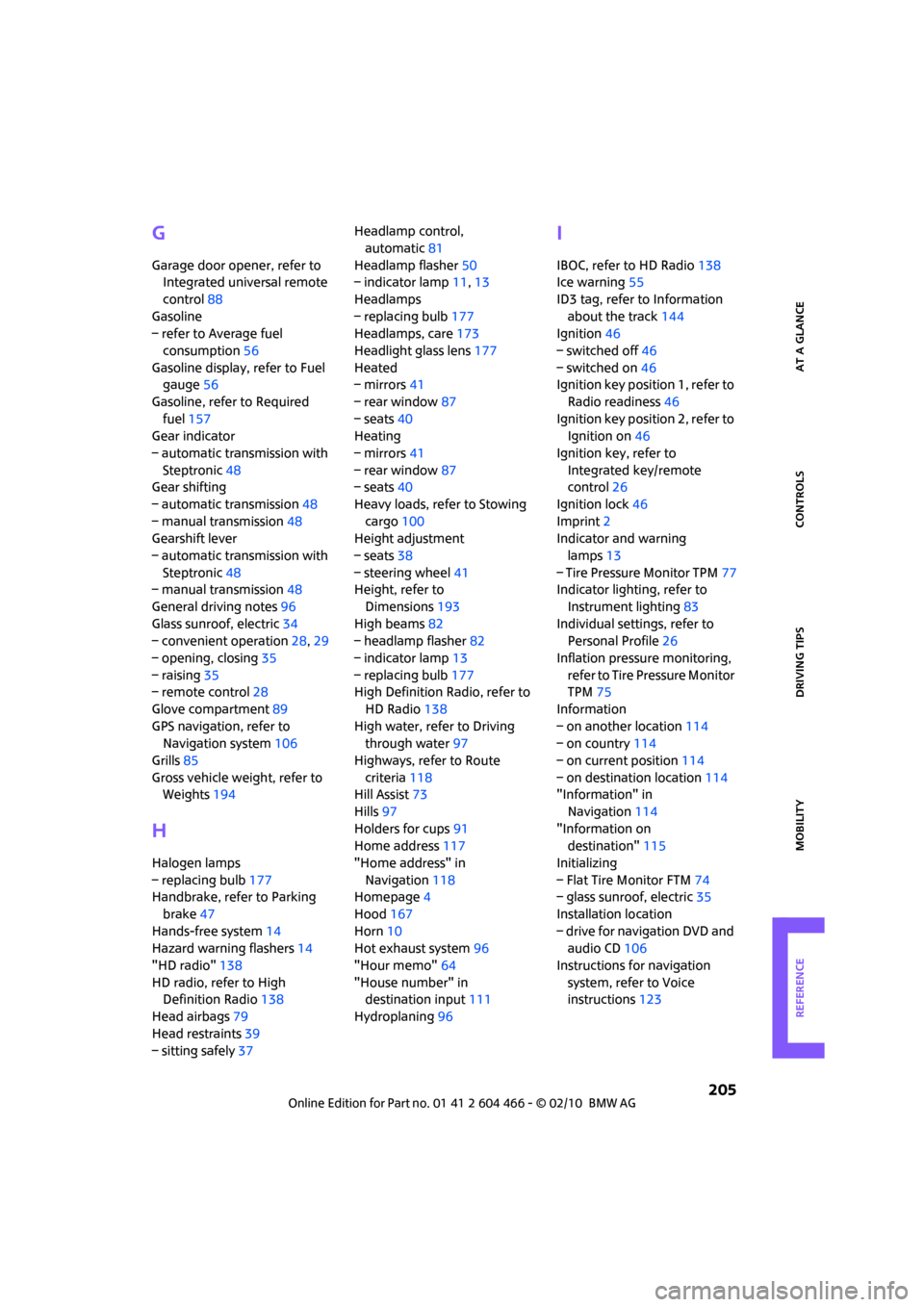
G
Garage door opener, refer to
Integrated universal remote
control88
Gasoline
– refer to Average fuel
consumption56
Gasoline display, refer to Fuel
gauge56
Gasoline, refer to Required
fuel157
Gear indicator
– automatic transmission with
Steptronic48
Gear shifting
– automatic transmission48
– manual transmission48
Gearshift lever
– automatic transmission with
Steptronic48
– manual transmission48
General driving notes96
Glass sunroof, electric34
– convenient operation28,29
– opening, closing35
– raising35
– remote control28
Glove compartment89
GPS navigation, refer to
Navigation system106
Grills85
Gross vehicle weight, refer to
Weights194
H
Halogen lamps
– replacing bulb177
Handbrake, refer to Parking
brake47
Hands-free system14
Hazard warning flashers14
"HD radio"138
HD radio, refer to High
Definition Radio138
Head airbags79
Head restraints39
– sitting safely37Headlamp control,
automatic81
Headlamp flasher50
– indicator lamp11,13
Headlamps
– replacing bulb177
Headlamps, care173
Headlight glass lens177
Heated
– mirrors41
– rear window87
– seats40
Heating
– mirrors41
– rear window87
– seats40
Heavy loads, refer to Stowing
cargo100
Height adjustment
– seats38
– steering wheel41
Height, refer to
Dimensions193
High beams82
– headlamp flasher82
– indicator lamp13
– replacing bulb177
High Definition Radio, refer to
HD Radio138
High water, refer to Driving
through water97
Highways, refer to Route
criteria118
Hill Assist73
Hills97
Holders for cups91
Home address117
"Home address" in
Navigation118
Homepage4
Hood167
Horn10
Hot exhaust system96
"Hour memo"64
"House number" in
destination input
111
Hydroplaning96
I
IBOC, refer to HD Radio138
Ice warning55
ID3 tag, refer to Information
about the track144
Ignition46
– switched off46
– switched on46
Ignition key position 1, refer to
Radio readiness46
Ignition key position 2, refer to
Ignition on46
Ignition key, refer to
Integrated key/remote
control26
Ignition lock46
Imprint2
Indicator and warning
lamps13
– Tire Pressure Monitor TPM77
Indicator lighting, refer to
Instrument lighting83
Individual settings, refer to
Personal Profile26
Inflation pressure monitoring,
refer to Tire Pressure Monitor
TPM75
Information
– on another location114
– on country114
– on current position114
– on destination location114
"Information" in
Navigation114
"Information on
destination"115
Initializing
– Flat Tire Monitor FTM74
– glass sunroof, electric35
Installation location
– drive for navigation DVD and
audio CD106
Instructions for navigation
system, refer to Voice
instructions123