fuel cap MINI Clubman 2010 Owner's Manual (Mini Connected)
[x] Cancel search | Manufacturer: MINI, Model Year: 2010, Model line: Clubman, Model: MINI Clubman 2010Pages: 218, PDF Size: 3.97 MB
Page 58 of 218
Controls overview
56
Coolant temperature
A warning lamp will come on if the coolant, and
therefore the engine, becomes too hot. In addi-
tion, a message will appear on the Control Dis-
play.
Check coolant level, refer to page169.
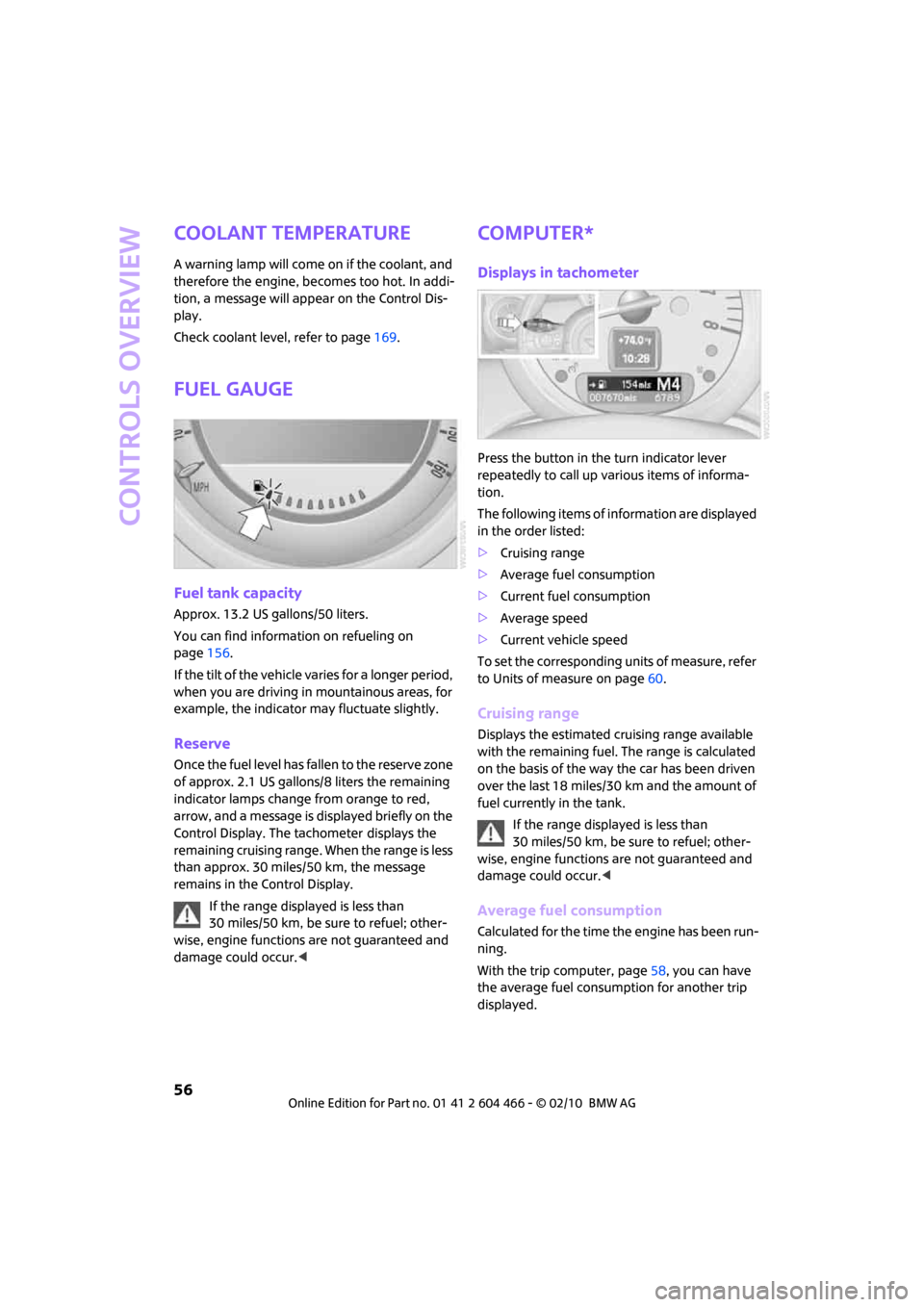
Fuel gauge
Fuel tank capacity
Approx. 13.2 US gallons/50 liters.
You can find information on refueling on
page156.
If the tilt of the vehicle varies for a longer period,
when you are driving in mountainous areas, for
example, the indicator may fluctuate slightly.
Reserve
Once the fuel level has fallen to the reserve zone
of approx. 2.1 US gallons/8 liters the remaining
indicator lamps change from orange to red,
arrow, and a message is displayed briefly on the
Control Display. The tachometer
displays the
remaining cruising range. When the range is less
than approx. 30 miles/50 km, the message
remains in the Control Display.
If the range displayed is less than
30 miles/50 km, be sure to refuel; other-
wise, engine functions are not guaranteed and
damage could occur.<
Computer*
Displays in tachometer
Press the button in the turn indicator lever
repeatedly to call up various items of informa-
tion.
The following items of information are displayed
in the order listed:
>Cruising range
>Average fuel consumption
>Current fuel consumption
>Average speed
>Current vehicle speed
To set the corresponding units of measure, refer
to Units of measure on page60.
Cruising range
Displays the estimated cruising range available
with the remaining fuel. The range is calculated
on the basis of the way the car has been driven
over the last 18 miles/30 km and the amount of
fuel currently in the tank.
If the range displayed is less than
30 miles/50 km, be sure to refuel; other-
wise, engine functions are not guaranteed and
damage could occur.<
Average fuel consumption
Calculated for the time the engine has been run-
ning.
With the trip computer, page58, you can have
the average fuel consumption for another trip
displayed.
Page 103 of 218
MOBILITYAT A GLANCE CONTROLS DRIVING TIPS ENTERTAINMENT
101
NAVIGATION REFERENCE
operating safety is no longer assured and the
vehicle will not be in compliance with the certifi-
cation regulations.
Heavy or hard objects should not be carried
loose inside the car, since they could be thrown
around, for example as a result of heavy braking,
sudden swerves, etc., and endanger the occu-
pants. Do not secure cargo using the fastening
points for the tether strap, page44; they may
become damaged.<
Roof-mounted luggage
rack*
A special rack system is available as an option for
your MINI. Your MINI dealer will be glad to
advise you. Comply with the installation instruc-
tions supplied with the rack system.
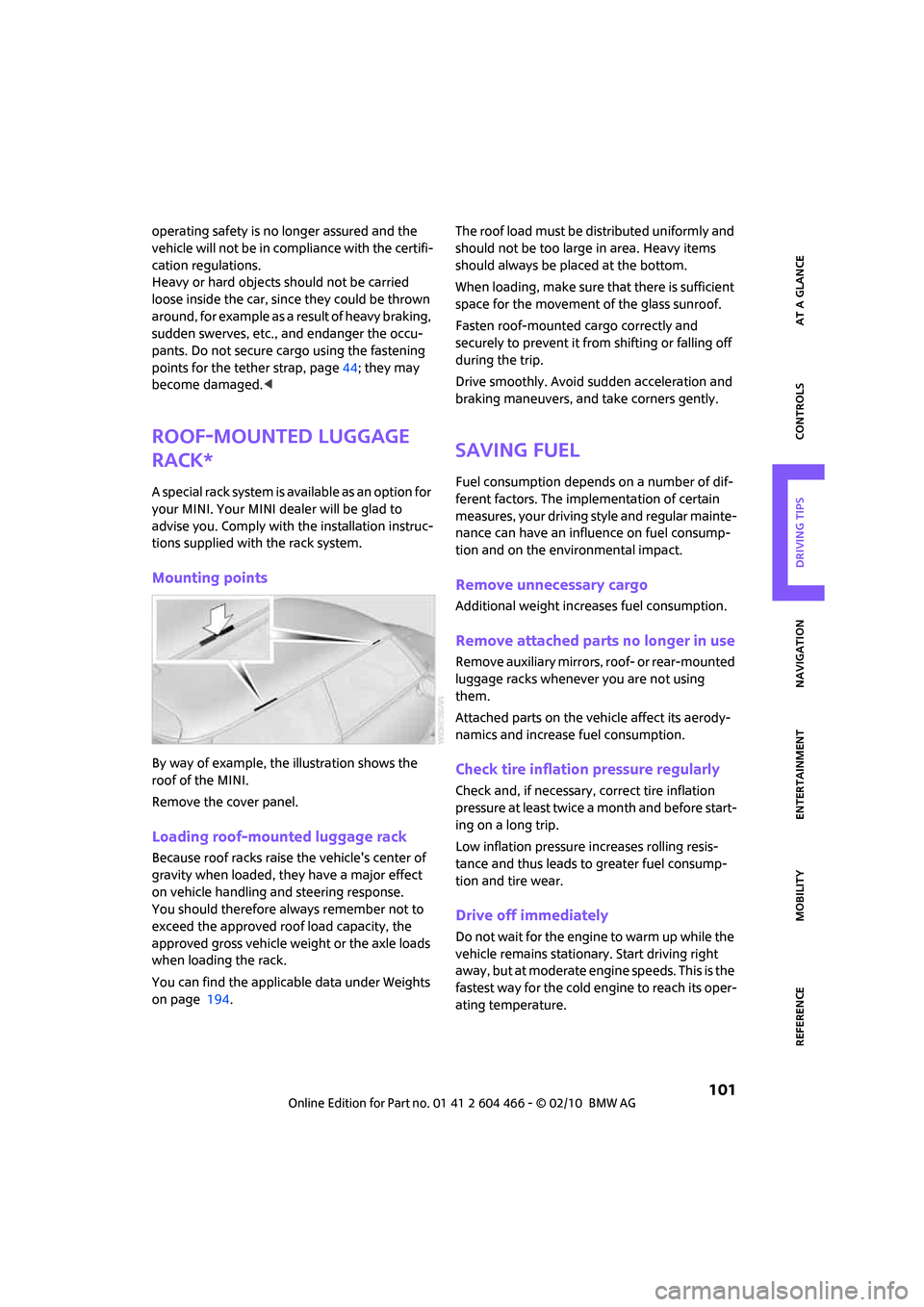
Mounting points
By way of example, the illustration shows the
roof of the MINI.
Remove the cover panel.
Loading roof-mounted luggage rack
Because roof racks raise the vehicle's center of
gravity when loaded, they have a major effect
on vehicle handling and steering response.
You should therefore always remember not to
exceed the approved roof load capacity, the
approved gross vehicle weight or the axle loads
when loading the rack.
You can find the applicable data under Weights
on page 194.The roof load must be distributed uniformly and
should not be too large in area. Heavy items
should always be placed at the bottom.
When loading, make sure that there is sufficient
space for the movement of the glass sunroof.
Fasten roof-mounted cargo correctly and
securely to prevent it from shifting or falling off
during the trip.
Drive smoothly. Avoid sudden acceleration and
braking maneuvers, and take corners gently.
Saving fuel
Fuel consumption depends on a number of dif-
ferent factors. The implementation of certain
measures, your driving style and regular mainte-
nance can have an influence on fuel consump-
tion and on the environmental impact.
Remove unnecessary cargo
Additional weight increases fuel consumption.
Remove attached parts no longer in use
Remove auxiliary mirrors, roof- or rear-mounted
luggage racks whenever you are not using
them.
Attached parts on the vehicle affect its aerody-
namics and increase fuel consumption.
Check tire inflation pressure regularly
Check and, if necessary, correct tire inflation
pressure at least twice a month and before start-
ing on a long trip.
Low inflation pressure increases rolling resis-
tance and thus leads to greater fuel consump-
tion and tire wear.
Drive off immediately
Do not wait for the engine to warm up while the
vehicle remains stationary. Start driving right
away, but at moderate engine speeds. This is the
fastest way for the cold engine to reach its oper-
ating temperature.
Page 158 of 218
Refueling
156
Refueling
Switch off the engine before refueling;
otherwise, fuel cannot be added to the
tank and a message will be displayed.<
Take all precautionary measures and
observe all applicable regulations when
handling fuel. Do not carry any spare fuel con-
tainers in your vehicle. They can develop a leak
and cause an explosion or cause a fire in the
event of an accident.<
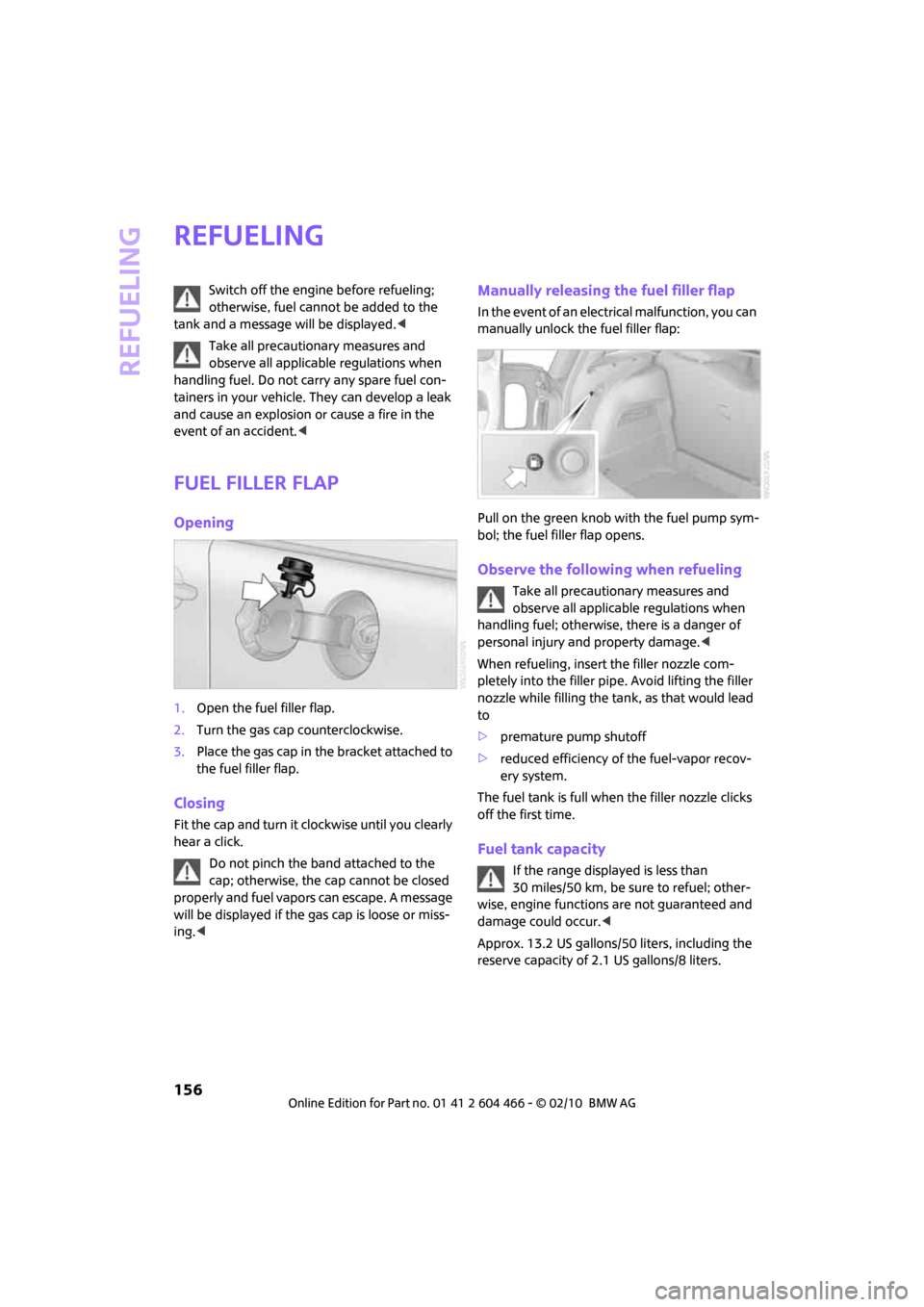
Fuel filler flap
Opening
1.Open the fuel filler flap.
2.Turn the gas cap counterclockwise.
3.Place the gas cap in the bracket attached to
the fuel filler flap.
Closing
Fit the cap and turn it clockwise until you clearly
hear a click.
Do not pinch the band attached to the
cap; otherwise, the cap cannot be closed
properly and fuel vapors can escape. A message
will be displayed if the gas cap is loose or miss-
ing.<
Manually releasing the fuel filler flap
In the event of an electrical malfunction, you can
manually unlock the fuel filler flap:
Pull on the green knob with the fuel pump sym-
bol; the fuel filler flap opens.
Observe the following when refueling
Take all precautionary measures and
observe all applicable regulations when
handling fuel; otherwise, there is a danger of
personal injury and property damage.<
When refueling, insert the filler nozzle com-
pletely into the filler pipe. Avoid lifting the filler
nozzle while filling the tank, as that would lead
to
>premature pump shutoff
>reduced efficiency of the fuel-vapor recov-
ery system.
The fuel tank is full when the filler nozzle clicks
off the first time.
Fuel tank capacity
If the range displayed is less than
30 miles/50 km, be sure to refuel; other-
wise, engine functions are not guaranteed and
damage could occur.<
Approx. 13.2 US gallons/50 liters, including the
reserve capacity of 2.1 US gallons/8 liters.
Page 168 of 218
Wheels and tires
166
When properly used, these tires meet the high-
est standards in terms of safety and handling
characteristics.
Run-flat tires*
When mounting new tires or changing over from
summer to winter tires and vice versa, mount
run-flat tires for your own safety. Keep in mind
that no space-saver spare tire is available in the
event of a flat. Your MINI dealer will be glad to
advise you.
Special characteristics of winter tires
The manufacturer of MINI recommends the use
of winter tires on snowy roads or if temperatures
drop below 457/ +76. Although all-season
M+S tires provide better winter traction than
summer tires, they generally fail to provide the
same levels of cold-weather performance as
winter tires.
Pay attention to speed
Always comply with the speed limit for the
winter tires mounted on your car; failure
to do so could result in tire damage and acci-
dents.<
If the car is capable of speeds higher than that
permitted for the winter tires, a label stating the
maximum permitted speed for the mounted
tires must be displayed in your field of view. Spe-
cialist tire dealers and your MINI dealer can sup-
ply these labels.
Storage
Always store wheels and tires in a cool, dry place
with as little exposure to light as possible.
Always protect tires against all contact with oil,
grease and fuels.
Do not exceed the maximum tire inflation pres-
sure indicated on the sidewall of the tire.
Swapping wheels among the axles
Depending on the individual use, front and rear
tires may exhibit different wear and tear.
In order to maintain an even wear and tear, the
wheels may be rotated between the axles. Your
MINI dealer will be glad to advise you.Always check the inflation pressure after the tire
rotation, if necessary change the pressure.
Snow chains*
Only certain types of fine-link snow chains have
been tested by the manufacturer of your MINI,
classified as road-safe and recommended. Con-
tact your MINI dealer for more details.
Only attach snow chains in pairs to the front
wheels with the following tires.
>175/65 R 15 M+S
>175/60 R 16 M+S
John Cooper Works:
>185/50 R 17 86 H M+S XL RSC
Observe the manufacturer's instructions when
mounting snow chains. Do not exceed a speed
of 30 mph or 50 km/h.
Do not initialize the Flat Tire Monitor if
snow chains are mounted; otherwise, the
instrument might issue an incorrect reading.
When driving with snow chains, it can be useful
to briefly deactivate the DSC or activate the DTC,
refer to page72.<
Page 173 of 218
MOBILITYAT A GLANCE CONTROLS DRIVING TIPS ENTERTAINMENT
171
NAVIGATION REFERENCE
Emissions
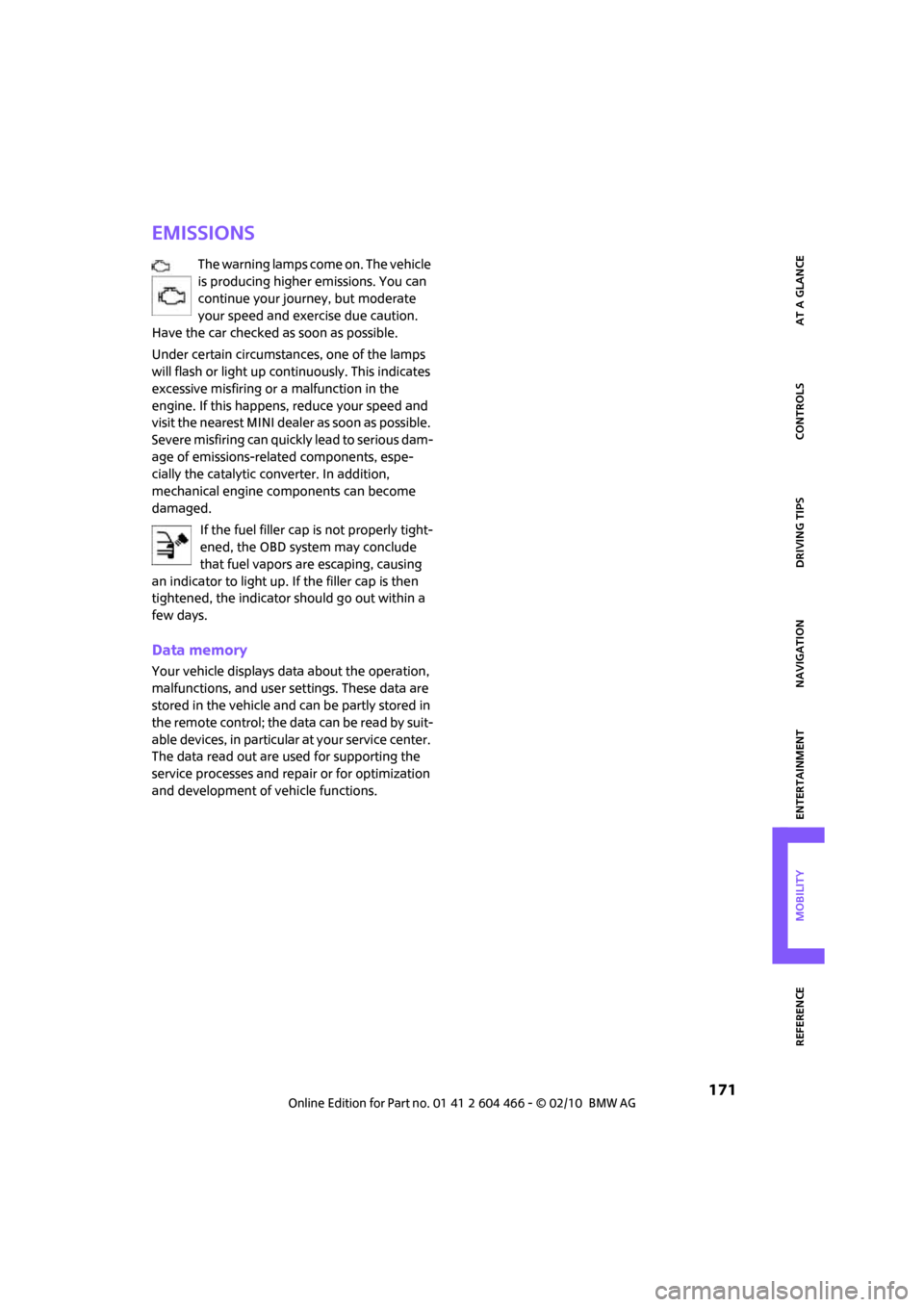
The warning lamps come on. The vehicle
is producing higher emissions. You can
continue your journey, but moderate
your speed and exercise due caution.
Have the car checked as soon as possible.
Under certain circumstances, one of the lamps
will flash or light up continuously. This indicates
excessive misfiring or a malfunction in the
engine. If this happens, reduce your speed and
visit the nearest MINI dealer as soon as possible.
Severe misfiring can quickly lead to serious dam-
age of emissions-related components, espe-
cially the catalytic converter. In addition,
mechanical engine components can become
damaged.
If the fuel filler cap is not properly tight-
ened, the OBD system may conclude
that fuel vapors are escaping, causing
an indicator to light up. If the filler cap is then
tightened, the indicator should go out within a
few days.
Data memory
Your vehicle displays data about the operation,
malfunctions, and user settings. These data are
stored in the vehicle and can be partly stored in
the remote control; the data can be read by suit-
able devices, in particular at your service center.
The data read out are used for supporting the
service processes and repair or for optimization
and development of vehicle functions.
Page 196 of 218
Technical data
194
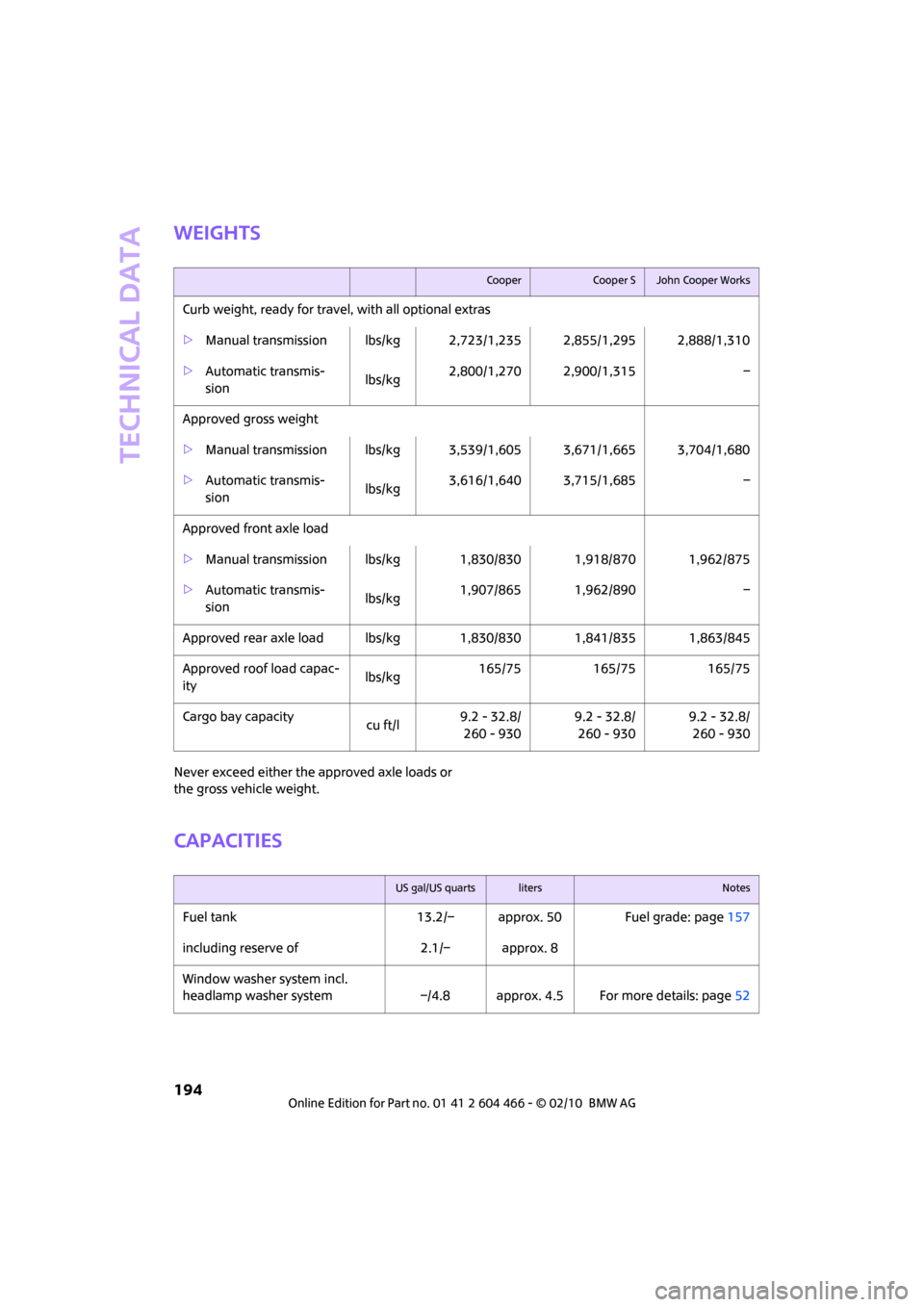
Weights
Never exceed either the approved axle loads or
the gross vehicle weight.
Capacities
CooperCooper SJohn Cooper Works
Curb weight, ready for travel, with all optional extras
>Manual transmission lbs/kg 2,723/1,235 2,855/1,295 2,888/1,310
>Automatic transmis-
sion lbs/kg2,800/1,270 2,900/1,315 –
Approved gross weight
>Manual transmission lbs/kg 3,539/1,605 3,671/1,665 3,704/1,680
>Automatic transmis-
sion lbs/kg3,616/1,640 3,715/1,685 –
Approved front axle load
>Manual transmission lbs/kg 1,830/830 1,918/870 1,962/875
>Automatic transmis-
sion lbs/kg1,907/865 1,962/890 –
Approved rear axle load lbs/kg 1,830/830 1,841/835 1,863/845
Approved roof load capac-
itylbs/kg165/75 165/75 165/75
Cargo bay capacity
cu ft/l9.2 - 32.8/
260 - 9309.2 - 32.8/
260 - 9309.2 - 32.8/
260 - 930
US gal/US quartslitersNotes
Fuel tank 13.2/– approx. 50 Fuel grade: page157
including reserve of 2.1/– approx. 8
Window washer system incl.
headlamp washer system –/4.8 approx. 4.5 For more details: page52
Page 204 of 218
Everything from A to Z
202
CD changer143
– controls132
– fast forward/reverse146
– playing a track144
– random order146
– repeating a track145
– selecting a CD143
– selecting a track144
– switching on/off132
– tone control133
– volume133
CD player143
– controls132
– fast forward/reverse146
– playing a track144
– random order146
– repeating a track145
– selecting a track144
– switching on/off132
– tone control133
– volume133
Center armrest90
Center brake lamp180
Center console, refer to
Around the center
console14
"Central locking"28
Central locking system27
– Comfort Access33
– from inside30
– from outside27
Changing bulbs176
Changing the language on the
Control Display68
Changing the measurement
units on the Control
Display60
Changing wheels183
Chassis number, refer to
Engine compartment168
Check Control65
"Check Control messages"67
Child restraint systems43
Child seats43
Child-restraint fixing system
LATCH44
Chrome parts, care173
Chrome parts, refer to
Care172Cigarette lighter92
Cleaning headlamps52
– washer fluid52
Clock55
– 12h/24h mode64
– hour signal
64
– setting time63
Closing
– from inside30
– from outside27
Clothes hooks91
Clubdoor31
Cockpit10
Cold start, refer to Starting the
engine47
Comfort Access33
– replacing the battery34
– what to observe before
entering a car wash34
Comfort area, refer to Around
the center console14
Compact disc, refer to
– CD changer143
– CD player143
Compartment for remote
control, refer to Ignition
lock46
Computer56
– displays on Control
Display57
– hour signal64
Condensation, refer to When
the vehicle is parked97
Condition Based Service
CBS170
Configuring settings, refer to
Personal Profile26
Connecting vacuum cleaner,
refer to Connecting electrical
appliances92
Consumption, refer to Average
fuel consumption56
Control Display
– settings59
– switching off/on20
Control Display, refer to
Onboard monitor16
Control stick, refer to Onboard
monitor16Control unit, refer to Onboard
monitor16
Controls and displays10
Convenient access, refer to
Comfort Access33
Convenient operation
– windows28
Convenient start, refer to
Starting the engine47
Coolant169
– checking level169
– filling169
Coolant temperature56
Cooling fluid, refer to
Coolant169
Cooling, maximum86
Copyright2
Country of destination for
navigation109
Cross-hairs in navigation
113
Cruise control
– indicator lamp13
Cruising range56
Cupholders91
Curb weight, refer to
Weights194
Current fuel consumption57
"Current position"127
Current position
– displaying127
– entering116
– storing116
D
Dashboard instruments, refer
to Displays12
Dashboard lighting, refer to
Instrument lighting83
Dashboard, refer to Cockpit10
Data192
– capacities194
– dimensions193
– engine192
– weights194
Data memory171
"Date"65
Page 206 of 218
Everything from A to Z
204
Emergency operation, refer to
Manual operation
– door lock30
– fuel filler flap156
– transmission lock, automatic
transmission50
Emergency services, refer to
Roadside Assistance186
Engine
– breaking in96
– data192
– overheated, refer to Coolant
temperature56
– speed192
– starting47
– starting, Comfort Access33
– switching off47
Engine compartment168
Engine coolant, refer to
Coolant169
Engine malfunction
– indicator lamp13
Engine oil
– adding169
– additives, refer to Approved
engine oils169
– alternative oil types169
– approved engine oils169
– capacity169
– checking level168
– dipstick168
– intervals between changes,
refer to Service
requirements60
– MINI Maintenance
System170
Engine oil level, checking168
Engine output, refer to Engine
data192
Engine starting, refer to
Starting the engine47
Entering address111
Entering destination109
Entering intersection110
Error messages, refer to Check
Control65
"ESN"139,140,141ESP Electronic Stability
Program, refer to Dynamic
Stability Control DSC71
Exhaust system, refer to Hot
exhaust system96
Exterior mirrors41
– adjusting41
– automatic heating41
– folding in and out41
External audio device90
External audio device, refer to
AUX-IN port149
Eyes
– for tow-starting and towing
away187
– for tying down loads100
F
Fader, tone control133
Failure messages, refer to
Check Control65
Failure of an electrical
consumer185
Fast forward
– CD changer146
– CD player146
"Fast route" in Navigation118
Fastening safety belts, refer to
Safety belts40
Fastest route for
navigation118
Filter
– microfilter/activated-
charcoal filter for automatic
climate control87
Fine wood, care174
First aid pouch186
Fixture for remote control,
refer to Ignition lock46
Flash when locking/
unlocking28
Flat tire
– run-flat tires165
– Tire Pressure Monitor TPM75Flat Tire Monitor FTM73
– indicating a flat tire74
– initializing the system74
– snow chains74
– system limits74
Flat tires, refer to Tire
condition164
Floor mats, care174
Floor plate, refer to Level load
floor99
"FM", waveband132,135
FM, waveband135
Fog lamps
– replacing bulb178,180
Folding rear seat backrest98
Footbrake, refer to Braking
safely97
Footwell lamps83
For your own safety5
Frequency, selecting
manually136
Front airbags79
Front fog lamps83
– replacing bulb178
Front seat adjustment37
Frost on windows, refer to
Defrosting windows87
"FTM"76
FTM, refer to Flat Tire
Monitor73
Fuel157
– gauge56
– high-quality brands157
– quality157
– specifications157
– tank capacity194
Fuel clock, refer to Fuel
gauge56
Fuel consumption display
– average fuel consumption56
Fuel display, refer to Fuel
gauge56
Fuel filler flap156
– releasing in the event of
electrical malfunction156
Fuses185
Page 211 of 218
REFERENCEAT A GLANCE CONTROLS DRIVING TIPS MOBILITY
209
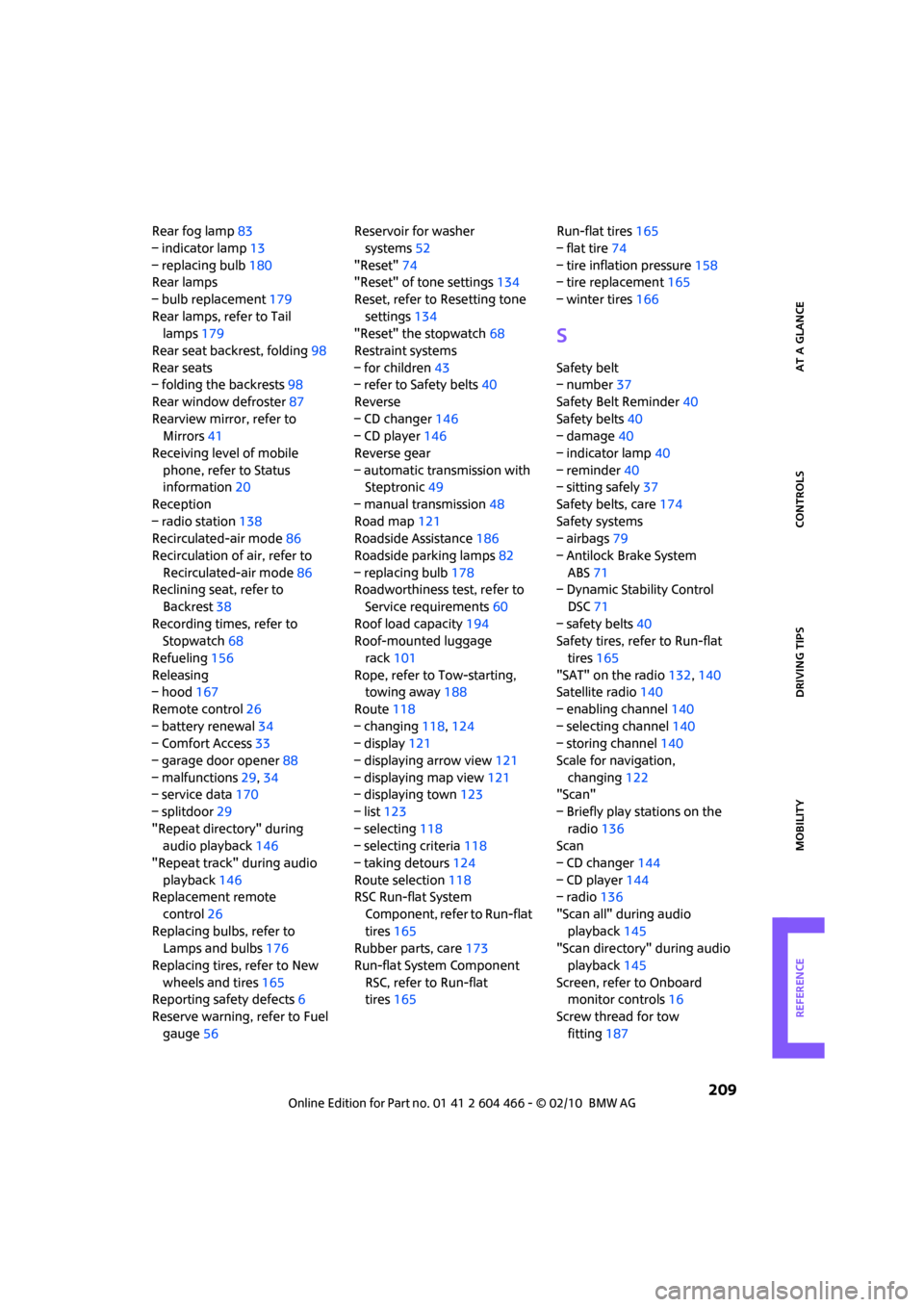
Rear fog lamp83
– indicator lamp13
– replacing bulb180
Rear lamps
– bulb replacement179
Rear lamps, refer to Tail
lamps179
Rear seat backrest, folding98
Rear seats
– folding the backrests98
Rear window defroster87
Rearview mirror, refer to
Mirrors41
Receiving level of mobile
phone, refer to Status
information20
Reception
– radio station138
Recirculated-air mode86
Recirculation of air, refer to
Recirculated-air mode86
Reclining seat, refer to
Backrest38
Recording times, refer to
Stopwatch68
Refueling156
Releasing
– hood167
Remote control26
– battery renewal34
– Comfort Access33
– garage door opener88
– malfunctions29,34
– service data170
– splitdoor29
"Repeat directory" during
audio playback146
"Repeat track" during audio
playback146
Replacement remote
control26
Replacing bulbs, refer to
Lamps and bulbs176
Replacing tires, refer to New
wheels and tires165
Reporting safety defects6
Reserve warning, refer to Fuel
gauge56Reservoir for washer
systems52
"Reset"74
"Reset" of tone settings134
Reset, refer to Resetting tone
settings134
"Reset" the stopwatch68
Restraint systems
– for children43
– refer to Safety belts40
Reverse
– CD changer146
– CD player146
Reverse gear
– automatic transmission with
Steptronic49
– manual transmission48
Road map121
Roadside Assistance186
Roadside parking lamps82
– replacing bulb178
Roadworthiness test, refer to
Service requirements60
Roof load capacity194
Roof-mounted luggage
rack101
Rope, refer to Tow-starting,
towing away188
Route118
– changing118,124
– display121
– displaying arrow view121
– displaying map view121
– displaying town123
– list123
– selecting118
– selecting criteria118
– taking detours124
Route selection118
RSC Run-flat System
Component, refer to Run-flat
tires165
Rubber parts, care173
Run-flat System Component
RSC, refer to Run-flat
tires165Run-flat tires165
– flat tire74
– tire inflation pressure158
– tire replacement165
– winter tires166
S
Safety belt
– number37
Safety Belt Reminder40
Safety belts40
– damage40
– indicator lamp40
– reminder40
– sitting safely37
Safety belts, care174
Safety systems
– airbags79
– Antilock Brake System
ABS71
– Dynamic Stability Control
DSC71
– safety belts40
Safety tires, refer to Run-flat
tires165
"SAT" on the radio132,140
Satellite radio140
– enabling channel140
– selecting channel140
– storing channel140
Scale for navigation,
changing122
"Scan"
– Briefly play stations on the
radio136
Scan
– CD changer144
– CD player144
– radio136
"Scan all" during audio
playback145
"Scan directory" during audio
playback145
Screen, refer to Onboard
monitor controls16
Screw thread for tow
fitting187
Page 214 of 218
Everything from A to Z
212
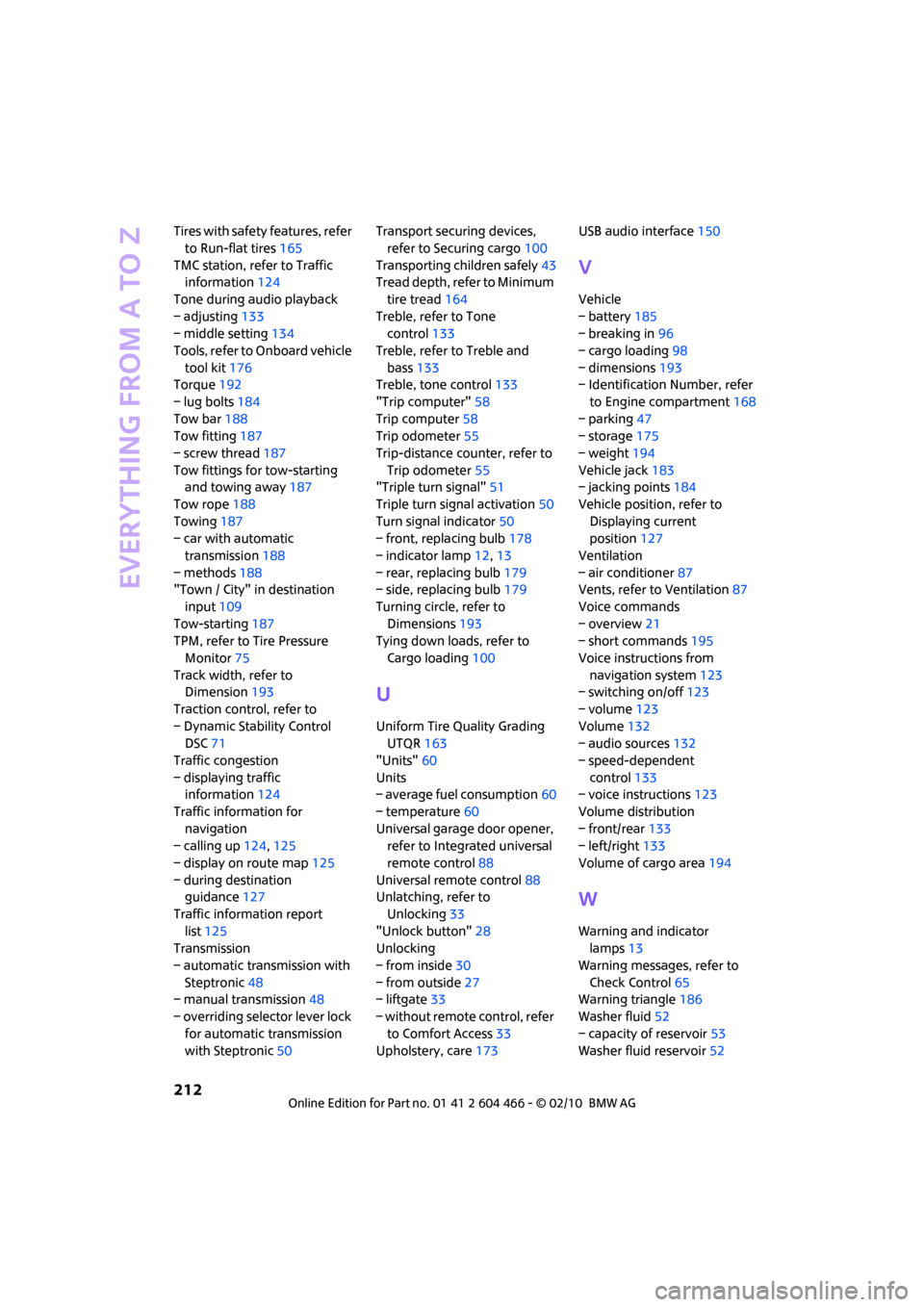
Tires with safety features, refer
to Run-flat tires165
TMC station, refer to Traffic
information124
Tone during audio playback
– adjusting133
– middle setting134
Tools, refer to Onboard vehicle
tool kit176
Torque192
– lug bolts184
Tow bar188
Tow fitting187
– screw thread187
Tow fittings for tow-starting
and towing away187
Tow rope188
Towing187
– car with automatic
transmission188
– methods188
"Town / City" in destination
input109
Tow-starting187
TPM, refer to Tire Pressure
Monitor75
Track width, refer to
Dimension193
Traction control, refer to
– Dynamic Stability Control
DSC71
Traffic congestion
– displaying traffic
information124
Traffic information for
navigation
– calling up124,125
– display on route map125
– during destination
guidance127
Traffic information report
list125
Transmission
– automatic transmission with
Steptronic48
– manual transmission48
– overriding selector lever lock
for automatic transmission
with Steptronic50Transport securing devices,
refer to Securing cargo100
Transporting children safely43
Tread depth, refer to Minimum
tire tread164
Treble, refer to Tone
control133
Treble, refer to Treble and
bass133
Treble, tone control133
"Trip computer"58
Trip computer58
Trip odometer55
Trip-distance counter, refer to
Trip odometer55
"Triple turn signal"51
Triple turn signal activation50
Turn signal indicator50
– front, replacing bulb178
– indicator lamp12,13
– rear, replacing bulb179
– side, replacing bulb179
Turning circle, refer to
Dimensions193
Tying down loads, refer to
Cargo loading100
U
Uniform Tire Quality Grading
UTQR163
"Units"60
Units
– average fuel consumption60
– temperature60
Universal garage door opener,
refer to Integrated universal
remote control88
Universal remote control88
Unlatching, refer to
Unlocking33
"Unlock button"28
Unlocking
– from inside30
– from outside27
– liftgate33
– without remote control, refer
to Comfort Access33
Upholstery, care173USB audio interface150
V
Vehicle
– battery185
– breaking in96
– cargo loading98
– dimensions193
– Identification Number, refer
to Engine compartment168
– parking47
– storage175
– weight194
Vehicle jack183
– jacking points184
Vehicle position, refer to
Displaying current
position127
Ventilation
– air conditioner87
Vents, refer to Ventilation87
Voice commands
– overview21
– short commands195
Voice instructions from
navigation system123
– switching on/off123
– volume123
Volume132
– audio sources132
– speed-dependent
control133
– voice instructions123
Volume distribution
– front/rear133
– left/right133
Volume of cargo area194
W
Warning and indicator
lamps13
Warning messages, refer to
Check Control65
Warning triangle186
Washer fluid52
– capacity of reservoir53
Washer fluid reservoir52