park assist MINI Clubman 2010 Owner's Manual
[x] Cancel search | Manufacturer: MINI, Model Year: 2010, Model line: Clubman, Model: MINI Clubman 2010Pages: 160, PDF Size: 2.58 MB
Page 59 of 160
REFERENCEAT A GLANCE CONTROLS DRIVING TIPS MOBILITY
57
Technology for driving comfort and
safety
Park Distance
Control PDC*
The concept
PDC assists you with parking backwards. Acous-
tic signals warn you of the presence of an object
behind the vehicle. To measure the distance,
there are four ultrasonic sensors in either
bumper.
However, an acoustic warning does not
sound until an object is approx. 24 in/
60 cm from the corner sensors, or approx. 5 ft/
1.50 m from the center sensors.PDC is a parking
aid that can indicate objects when they are
approached slowly, as is usually the case when
parking. Avoid approaching an object at high
speed; otherwise, physical circumstances
may lead to the system warning being issued
too late.<
Automatic mode
With the engine running or the ignition switched
on, the system is activated automatically after
approx. 1 second when you engage reverse gear
or move the automatic transmission selector
lever to position R. Wait this short period before
driving.
Acoustic signals
As the distance between vehicle and object
decreases, the intervals between the tones
become shorter. If the distance to the nearest
object falls to below roughly 1 ft/30 cm, then a
continuous tone sounds.
If the distance remains constant, e.g. when driv-
ing parallel to a wall, the acoustic signal stops
after approx. 3 seconds.
Adjustments
The volume of the acoustic signals can be
adjusted, refer to the Owner's Manual for Radio.
Malfunction
Indicator lamp comes on: PDC is mal-
functioning. Have the system checked.
To avoid this problem, keep the sensors
clean and free of ice or snow in order to ensure
that they will continue to operate effectively.
When using a high-pressure cleaner, do not
direct the jet toward the sensors for lengthy
periods and only spray from a distance of at least
4in/10cm.
System limitations
Even with PDC, final responsibility for esti-
mating the distance between the vehicle
and any obstructions always remains with the
driver. Sensors, too, have blind spots in which
objects cannot be detected. Moreover, ultra-
sonic detection can reach its physical limits with
objects such as trailer tow bars and couplings,
thin and wedge-shaped objects, etc. Low
objects already indicated, such as curbs, may
enter the sensors' blind spots before or after a
continuous audible signal is given. Higher, pro-
truding objects, such as wall ledges, may not be
detectable. Therefore, always drive cautiously;
otherwise, there is a risk of personal injury or
property damage. Loud sound sources outside
or inside the car can drown out the PDC signal.<
Driving stability control
systems
Your MINI has a number of systems that help to
maintain the vehicle's stability even in adverse
driving conditions.
The laws of physics cannot be repealed,
even with driving stability control systems.
An appropriate driving style always remains the
responsibility of the driver. Therefore do not
reduce the additional safety margin by engaging
Page 61 of 160
REFERENCEAT A GLANCE CONTROLS DRIVING TIPS MOBILITY
59
Dynamic Traction Control DTC*
DTC is a type of DSC that is propulsion optimized
for special road conditions such as uncleared
snowy roads. The system ensures maximum
propulsion though with restricted driving stabil-
ity. You therefore need to drive with suitable
caution.
In the following exceptional situations, it can be
useful to briefly activate DTC:
>when driving on snow-covered inclines, in
slush, or on uncleared snowy roads
>when rocking the vehicle free, driving out of
deep snow or on loose surfaces
>when driving with snow chains
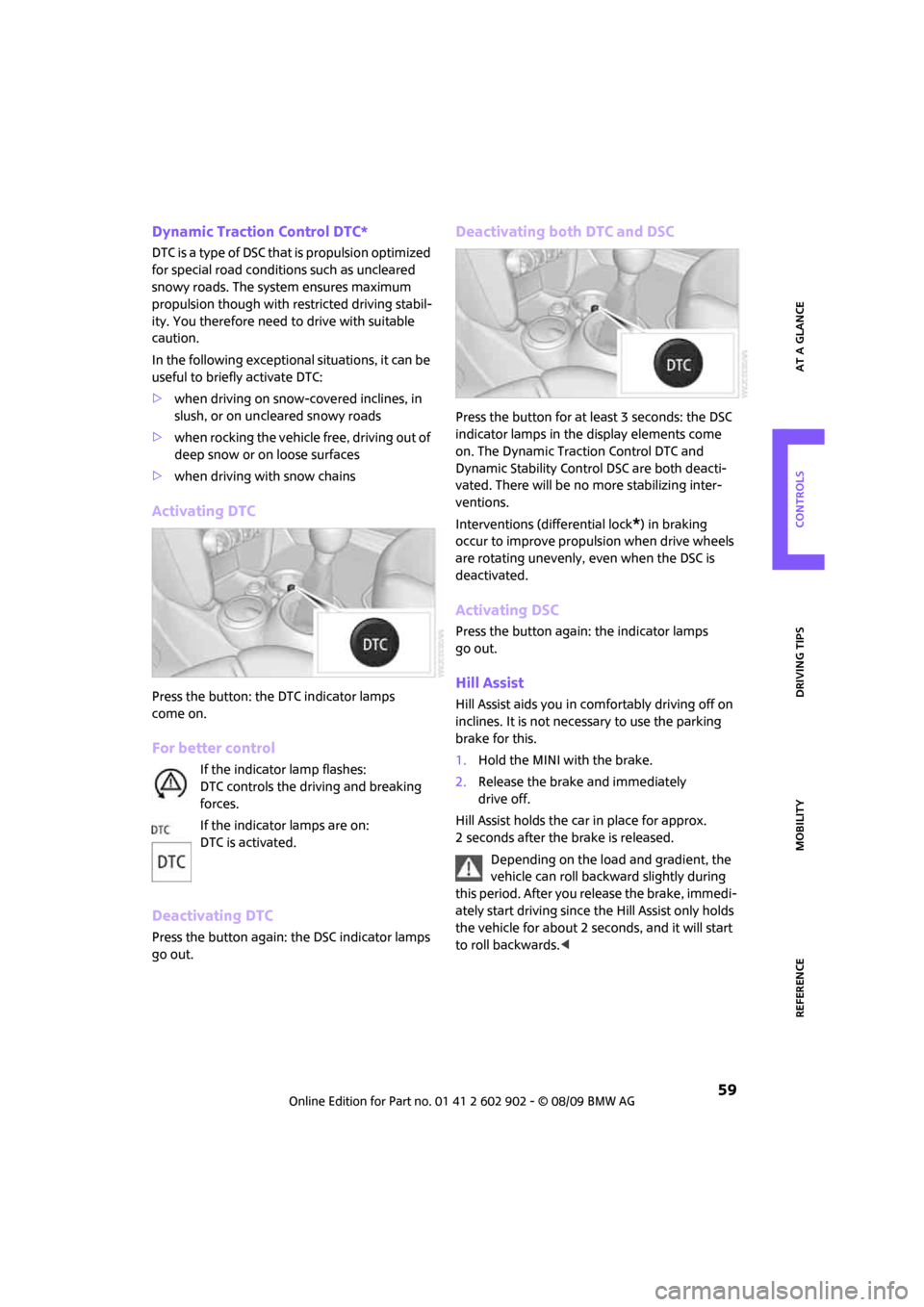
Activating DTC
Press the button: the DTC indicator lamps
come on.
For better control
If the indicator lamp flashes:
DTC controls the driving and breaking
forces.
If the indicator lamps are on:
DTC is activated.
Deactivating DTC
Press the button again: the DSC indicator lamps
go out.
Deactivating both DTC and DSC
Press the button for at least 3 seconds: the DSC
indicator lamps in the display elements come
on. The Dynamic Traction Control DTC and
Dynamic Stability Control DSC are both deacti-
vated. There will be no more stabilizing inter-
ventions.
Interventions (differential lock
*) in braking
occur to improve propulsion when drive wheels
are rotating unevenly, even when the DSC is
deactivated.
Activating DSC
Press the button again: the indicator lamps
go out.
Hill Assist
Hill Assist aids you in comfortably driving off on
inclines. It is not necessary to use the parking
brake for this.
1.Hold the MINI with the brake.
2.Release the brake and immediately
drive off.
Hill Assist holds the car in place for approx.
2 seconds after the brake is released.
Depending on the load and gradient, the
vehicle can roll backward slightly during
this period. After you release the brake, immedi-
ately start driving since the Hill Assist only holds
the vehicle for about 2 seconds, and it will start
to roll backwards.<
Page 87 of 160
REFERENCEAT A GLANCE CONTROLS DRIVING TIPS MOBILITY
85
with the road surface, so that the car cannot be
steered or braked properly.<
The risk of hydroplaning increases with declining
tread depth on the tires, refer also to Tread
depth on page102.
Driving through water
Drive through water on the road only if it is
not deeper than 1 ft/30 cm, and then only
at walking speed at the most. Otherwise, the
vehicle's engine, the electrical systems and the
transmission may be damaged.<
Parking brake on inclines
On inclines, do not hold the vehicle with
the clutch; use the parking brake. Other-
wise, greater clutch wear will result.<
For information on driving off using Hill Assist*,
refer to page59.
Braking safely
Your MINI is equipped with ABS. If you are in a
situation which requires full braking, it is best to
brake using maximum brake pressure. Since the
vehicle maintains steering responsiveness, you
can still avoid possible obstacles with a mini-
mum of steering effort.
The pulsation of the brake pedal, together with
the sound of hydraulic regulation, indicates that
ABS is actively taking effect.
Driving in wet conditions
When roads are wet or there is heavy rain, briefly
exert gentle pressure on the brake pedal every
few miles. Monitor traffic conditions to ensure
that this maneuver does not endanger other
road users. The heat generated in this process
helps dry the pads and rotors to ensure that
Then full braking force will be immediately avail-
able when it is needed.
Hills
To prevent overheating and the resulting
reduced efficiency of the brake system,
drive long or steep downhill gradients in the
gear in which the least braking is required. Even
light but consistent brake pressure can lead to high temperatures, brake wear and possibly
even brake failure.<
You can increase the engine's braking effect by
shifting down, all the way to first gear if neces-
sary. This strategy helps you avoid placing
excessive loads on the brake system. Downshift-
ing in manual mode of the automatic transmis-
sion, page43.
Never drive with the clutch held down,
with the transmission in neutral or with
the engine switched off; otherwise, engine brak-
ing action will not be present or there will be no
power assistance to the brakes or steering.
Never allow floor mats, carpets or any other
objects to protrude into the area around the
pedals; otherwise, pedal function could be
impaired.<
Corrosion on brake rotors
When the vehicle is driven only occasionally,
during extended periods when the vehicle is not
used at all, and in operating conditions where
brake applications are less frequent, there is an
increased tendency for corrosion to form on
rotors, while contaminants accumulate on the
brake pads. This occurs because the minimum
pressure which must be exerted by the pads
during brake applications to clean the rotors is
not reached.
Should corrosion form on the brake rotors, the
brakes will tend to respond with a pulsating
effect that even extended application will fail
to cure.
When the vehicle is parked
Condensation forms while the automatic climate
control is in operation, and then exits under the
vehicle. Traces of condensed water under the
vehicle are therefore normal.
In the MINI Cooper S, the coolant pump may
continue to run for some time after the engine is
switched off. This will generate noise in the
engine compartment.
Page 127 of 160

REFERENCEAT A GLANCE CONTROLS DRIVING TIPS MOBILITY
125
Connecting jumper cables
Connect the jumper cables in the correct
order, so that no sparks which could cause
injury occur.<
1.Open the battery cover in the engine com-
partment to access the positive terminal of
your MINI.
2.Attach one terminal clamp of the plus/+
jumper cable to the positive terminal of the
battery or to a starting-aid terminal of the
vehicle providing assistance.
3.Attach the second terminal clamp of the
plus/+ jumper cable to the positive terminal
of the battery or a starting-aid terminal of
the vehicle to be started.
4.Attach one terminal clamp of the minus/–
jumper cable to the negative terminal of the
battery or to an engine or body ground of
the assisting vehicle.
Body ground in MINI:
5.Attach the second terminal clamp of the
minus/– jumper cable to the negative termi-
nal of the battery or to the engine or body
ground of the vehicle to be started.
Starting the engine
1.Start the engine of the donor vehicle and
allow it to run for a few minutes at slightly
increased idle speed.
2.Start the engine of the other vehicle in the
usual manner.
If the first start attempt is not successful,
wait a few minutes before another attempt
in order to allow the discharged battery to
recharge.
3.Let the engines run for a few minutes.
4.Disconnect the jumper cables by reversing
the above connecting sequence.
If necessary, have the battery checked and
recharged.
Never use spray fluids to start the
engine.<
Tow-starting,
towing away
Observe the applicable laws and regu-
lations for tow-starting and towing
vehicles.<
Do not transport any passengers other
than the driver in a vehicle that is being
towed.<
Using a tow fitting
The screw-in tow fitting must always be carried
in the car. It can be screwed in at the front or
rear of the MINI.
It is stored in the onboard vehicle tool kit in the
cargo bay underneath the cover on the right-
hand side, page114.
Use only the tow fitting provided with the
vehicle and screw it all the way in. Use the
tow fitting for towing on paved roads only. Avoid
lateral loading of the tow fitting, e.g. do not lift
the vehicle by the tow fitting. Otherwise, the tow
fitting and the vehicle could be damaged.<
Page 149 of 160
REFERENCEAT A GLANCE CONTROLS DRIVING TIPS MOBILITY
147
Bottle holders, refer to
Cupholders81
Brake Assist58
Brake fluid, refer to Service
requirements53
Brake lamps
– replacing bulbs117
Brake pads, breaking in84
Brake rotors85
– brakes84
– breaking in84
Brake system84
– breaking in84
– disc brakes85
– MINI Maintenance
System108
Brakes
– ABS58
– breaking in84
– MINI Maintenance
System108
– parking brake41
– service requirements53
Brakes, refer to Braking
safely85
Breakdown service, refer to
Roadside Assistance124
Break-in period84
Breaking in the clutch84
Bulb changing, refer to Lamps
and bulbs114
Button for starting the
engine40
Buttons on the steering
wheel11
C
California Proposition 65
warning5
Can holders, refer to
Cupholders81
Capacities144
Car battery, refer to Vehicle
battery123
Car care110
Car key, refer to Keys/remote
controls20Car phone
– installation location, refer to
Center armrest79
– refer to separate Owner's
Manual
Car wash, care110
Car washes110
Care110
– car washes110
– car-care products110
– CD/DVD drives113
– external110
– high-pressure washers111
– internal112
– leather112
– manual washing111
– upholstery and fabrics112
– windows111
– wiper blades111
Cargo area
– capacity144
Cargo bay86
– Comfort Access28
– doors, refer to Splitdoor25
– lamp70
– opening from outside26
– trunk lid, refer to Splitdoor25
Cargo bay doors, refer to
Splitdoor25
Cargo bay, expanding86
Cargo bay lamp70
Cargo bay partition net, refer
to Partition net87
Cargo loading87
– securing cargo88
– stowing cargo88
– vehicle86
Cargo, securing88
Carpets, care112
Catalytic converter, refer to
Hot exhaust system84
Center armrest79
Center brake lamp118
Center console, refer to
Around the center
console14Central locking system21
– Comfort Access27
– from inside24
– from outside21
Changing bulbs114
Changing wheels121
Chassis number, refer to
Engine compartment106
Check Control55
Child restraint systems37
Child seats37
Child-restraint fixing system
LATCH38
Chrome parts, care111
Chrome parts, refer to
Care110
Cigarette lighter81
Cleaning headlamps46
– washer fluid47
Clock49
– 12h/24h mode52
– setting time55
Closing
– from inside24
– from outside21
Clothes hooks80
Clubdoor25
Cockpit10
Cold start, refer to Starting the
engine41
Comfort Access27
– replacing the battery29
Comfort access
– what to observe before
entering a car wash28
Comfort area, refer to Around
the center console14
Compartment for remote
control, refer to Ignition
lock40
Computer50
Condensation, refer to When
the vehicle is parked85
Condition Based Service
CBS108
Configuring settings, refer to
Personal Profile20
Confirmation signals for
vehicle locking/unlocking22
Page 150 of 160
From A to Z
148
Connecting vacuum cleaner,
refer to Connecting electrical
appliances81
Consumption indicator
– average fuel consumption50
Consumption, refer to Average
fuel consumption50
Control Display
– settings51
Controls and displays10
Convenient access, refer to
Comfort Access27
Convenient operation
– windows22
Convenient start, refer to
Starting the engine41
Coolant107
– checking level107
– filling107
Coolant temperature49
Cooling fluid, refer to
Coolant107
Cooling, maximum75
Copyright2
Cruising range50
Cupholders81
Curb weight, refer to
Weights144
Current fuel consumption50
D
Dashboard instruments, refer
to Displays12
Dashboard lighting, refer to
Instrument lighting70
Dashboard, refer to Cockpit10
Data142
– capacities144
– dimensions143
– engine142
– weights144
Data recorders109
Date
– setting55
Daytime running lights68
DBC Dynamic Brake Control,
refer to Brake Assist58Deactivating front passenger
airbags65
Deadlocking, refer to
Locking22
Defect
– door lock24
– fuel filler flap94
Defogging windows74,75
Defrost position, refer to
Defrosting windows74,75
Defrosting windows74,75
Defrosting windows and
removing condensation
– air conditioner74
– automatic climate control75
Differential, breaking in84
Digital clock49
Dimensions143
Dipstick, engine oil106
Directional indicators, refer to
Turn signals44
Displacement, refer to Engine
data142
Display lighting, refer to
Instrument lighting70
Displays12
– instrument combination12
Displays and controls10
Displays, care113
Disposal
– of coolant107
– remote control battery29
– vehicle battery123
Distance remaining to service,
refer to Service
requirements53
Distance warning, refer to Park
Distance Control PDC57
Diving stability control
systems57
Door
– rear, refer to Clubdoor25
Door key, refer to Integrated
key/remote control
20
Door lock24
Door lock, confirmation
signals22Doors, manual operation24
DOT Quality Grades101
Double doors, refer to
Splitdoor25
Drinks holders, refer to
Cupholders81
Drive-off assistant, refer to Hill
Assist59
Driving dynamics control, refer
to Sport button60
Driving lamps, refer to Parking
lamps/low beams67
Driving notes84
Driving off on inclines, refer to
Hill Assist59
Driving through water85
Driving tips, refer to Driving
notes84
Dry air, refer to Cooling
function76
DTC Dynamic Traction Control
DTC59
Dynamic Brake Control DBC,
refer to Brake Assist58
Dynamic Stability Control
DSC58
Dynamic Traction Control59
E
Electrical malfunction
– door lock24
– fuel filler flap94
Electronic brake-force
distribution58
Electronic Stability Program
ESP, refer to Dynamic
Stability Control DSC58
Emergency operation, refer to
Manual operation
– door lock24
– fuel filler flap94
– transmission lock, automatic
transmission44
Emergency services, refer to
Roadside Assistance124
Page 152 of 160
From A to Z
150
Glove compartment78
Grills, refer to Air vents72
Gross vehicle weight, refer to
Weights144
H
Halogen lamps
– replacing bulb115
Handbrake, refer to Parking
brake41
Hands-free system14
Hazard warning flashers14
Head airbags65
Head restraints33
– sitting safely31
Headlamp control,
automatic67
Headlamp flasher44
– indicator lamp11,128
Headlamps
– replacing bulb115
Headlamps, care111
Heated
– mirrors35
– rear window73,75
– seats34
Heating72
– mirrors35
– rear window73,75
– seats34
Heavy loads, refer to Stowing
cargo88
Height adjustment
– seats32
– steering wheel36
Height, refer to
Dimensions143
High beams69
– headlamp flasher69
– indicator lamp128
– replacing bulb115
High water, refer to Driving
through water85
Hill Assist59
Hills85
Holders for cups81
Homepage4Horn10
Hot exhaust system84
Hydroplaning84
I
Ice warning49
Icy roads, refer to Outside
temperature warning49
Ignition40
– switched off40
– switched on40
Ignition key position 1, refer to
Radio readiness40
Ignition key position 2, refer to
Ignition on40
Ignition key, refer to
Integrated key/remote
control20
Ignition lock40
Imprint2
Indicator and warning
lamps13,128
– Tire Pressure Monitor TPM63
Indicator lighting, refer to
Instrument lighting70
Individual air distribution74
Individual settings, refer to
Personal Profile20
Inflation pressure monitoring,
refer to Tire Pressure Monitor
TPM62
Initializing
– Flat Tire Monitor FTM60
– glass sunroof, electric30
Instrument cluster, refer to
Displays12
Instrument lighting70
Instrument panel, refer to
Cockpit10
Instrument panel, refer to
Displays12
Integrated key20
Integrated universal remote
control77
Interior lamps70
– remote control23Interior rearview mirror35
– automatic dimming
feature35
Interlock42
Intermittent mode of the
wipers45
Internet page4
J
Jacking points122
Jets, refer to Window washer
nozzles47
Jumpering, refer to Jump-
starting124
Jump-starting124
K
Key Memory, refer to Personal
Profile20
Key, refer to Keys/remote
controls20
Keyless go, refer to Comfort
Access27
Keyless opening and closing,
refer to Comfort Access27
Kickdown43
– automatic transmission with
Steptronic43
Knock control95
L
Lamps and bulbs, replacing
bulbs114
Lamps, refer to Parking lamps/
Low beams67
Lashing eyes, refer to Securing
cargo88
LATCH child-restraint fixing
system38
Leather care112
LEDs light-emitting diodes115
Length, refer to
Dimensions143
Level load floor87
License plate lamp
– bulb replacement118
Page 154 of 160
From A to Z
152
Outlets
– refer to Ventilation76
Outlets, refer to Air vents72
Output, refer to Engine
data142
Outside temperature
display49
– changing unit of measure52
– on onboard computer52
Outside-air mode
– automatic climate control75
Overheated engine, refer to
Coolant temperature49
P
Paintwork, care111
Park Distance Control PDC57
Parking
– vehicle41
Parking aid, refer to Park
Distance Control PDC57
Parking brake41
Parking lamps, replacing
bulb116
Parking lamps/low beams67
Partition net87
Parts and accessories, refer to
Your individual vehicle4
Pathway lighting67
Personal Profile20
Pinch protection system
– windows30
Plastic parts, care112
Pollen
– refer to Microfilter for air
conditioner74
– refer to Microfilter/activated-
charcoal filter for automatic
climate control76
Power failure123
Power windows30
Power windows, refer to
Windows30
Pressure monitoring of tires,
refer to Tire Pressure Monitor
TPM62
Pressure monitoring, tires60
– Flat Tire Monitor60Pressure, tires96
Protective function, refer to
Pinch protection system
– windows30
Puncture
– Flat Tire Monitor60
R
Radio key, refer to Integrated
key/remote control20
Radio position, refer to Radio
readiness40
Radio readiness40
– switched off40
– switched on40
Rain sensor46
Range, refer to Cruising
range50
Reading lamps70
Rear door, refer to
Clubdoor25
Rear doors, refer to
Splitdoor25
Rear double doors, refer to
Splitdoor25
Rear fog lamp70
– indicator lamp128
– replacing bulb118
Rear lamps
– bulb replacement117
Rear lamps, refer to Tail
lamps117
Rear seat backrest, folding86
Rear seats
– folding the backrests86
Rear window heating73,75
Rearview mirror, refer to
Mirrors35
Recirculated-air mode73,75
Recirculation of air, refer to
Recirculated-air
mode73,75
Reclining seat, refer to
Backrest32
Refueling94Releasing
– bonnet105
Remote control20
– battery renewal29
– Comfort Access27
– garage door opener77
– malfunctions23,28
– service data108
– splitdoor23
Replacement remote
control20
Replacing bulbs, refer to
Lamps and bulbs114
Replacing tires, refer to New
wheels and tires103
Reporting safety defects6
Reserve warning, refer to Fuel
gauge50
Reservoir for washer
systems
47
Restraint systems
– for children37
– refer to Safety belts34
Reverse gear
– automatic transmission with
Steptronic43
– manual transmission42
Roadside Assistance124
Roadside parking lamps69
– replacing bulb116
Roadworthiness test, refer to
Service requirements53
Roof load capacity144
Roof-mounted luggage
rack89
Rope, refer to Tow-starting,
towing away126
RSC Runflat System
Component, refer to Run-flat
tires103
Rubber parts, care111
Runflat System Component
RSC, refer to Run-flat
tires103
Run-flat tires103
– flat tire61
– new tires103
– tire inflation pressure96
– winter tires104