open hood MINI Clubman 2011 Owner's Manual
[x] Cancel search | Manufacturer: MINI, Model Year: 2011, Model line: Clubman, Model: MINI Clubman 2011Pages: 196, PDF Size: 3.08 MB
Page 5 of 196
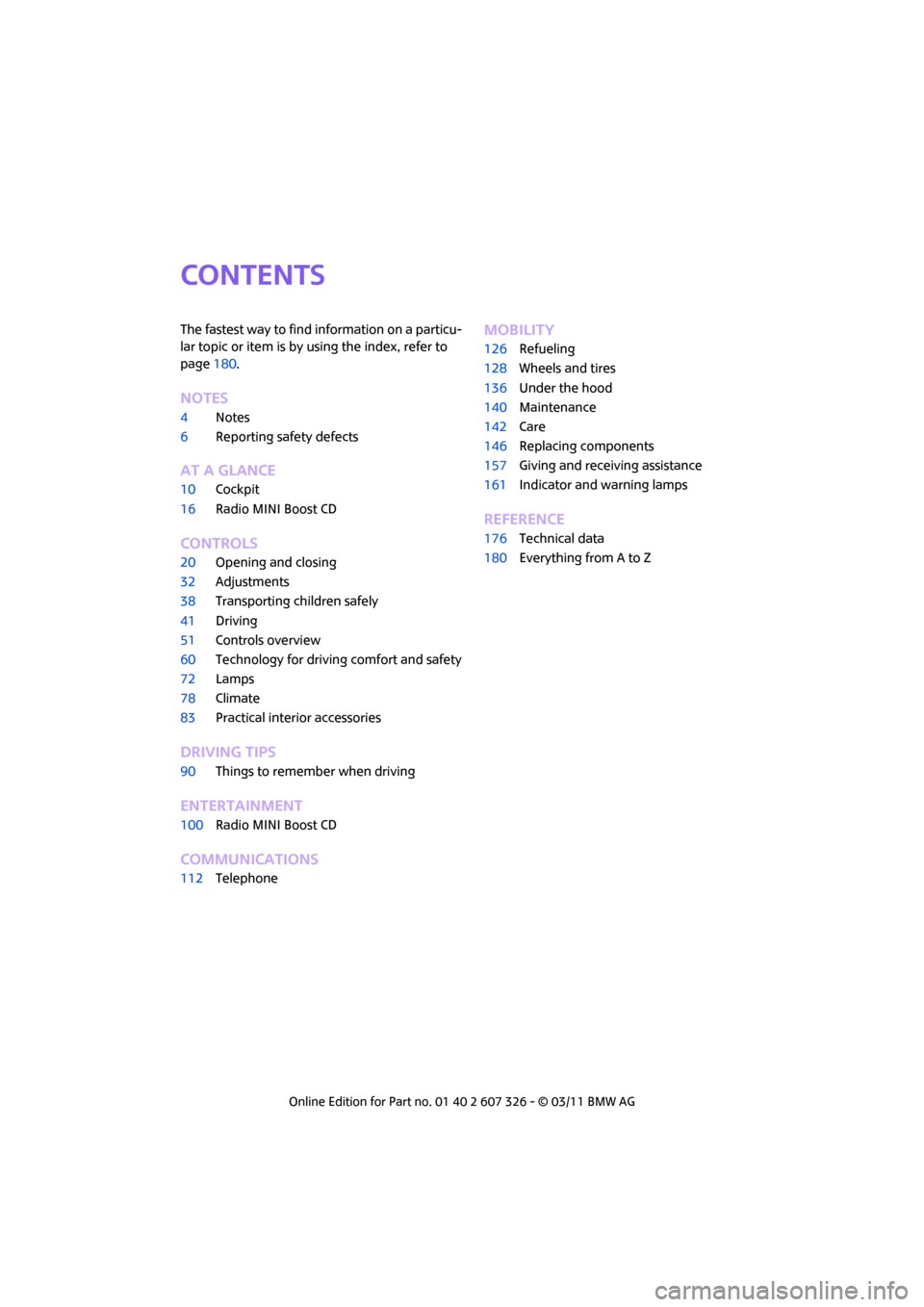
CONTENTS
The fastest way to find information on a particu-
lar topic or item is by using the index, refer to
page180.
NOTES
4 Notes
6 Reporting safety defects
AT A GLANCE
10Cockpit
16 Radio MINI Boost CD
CONTROLS
20Opening and closing
32 Adjustments
38 Transporting children safely
41 Driving
51 Controls overview
60 Technology for drivin g comfort and safety
72 Lamps
78 Climate
83 Practical interior accessories
DRIVING TIPS
90Things to remember when driving
ENTERTAINMENT
100Radio MINI Boost CD
COMMUNICATIONS
112Telephone
MOBILITY
126Refueling
128 Wheels and tires
136 Under the hood
140 Maintenance
142 Care
146 Replacing components
157 Giving and receiving assistance
161 Indicator and warning lamps
REFERENCE
176Technical data
180 Everything from A to Z
Page 29 of 196

Opening and closingCONTROLS
27
Alarm system*
The concept
The alarm system, when activated, reacts if:
>A door, the engine compartment lid or the
liftgate is opened
> There is movement inside the car
> The car's inclination changes, for instance if
an attempt is made to jack it up and steal the
wheels or to raise it prior to towing away
> There is an interruption in the power supply
from the battery
The alarm system briefly indicates unauthorized
entry or tampering by means of:
> An acoustic alarm
> Switching on the hazard warning flashers
Arming and disarming
Whenever the car is locked or unlocked, the
alarm system is armed or disarmed.
Even when the alarm syst em is armed, you can
open the liftgate by means of the button
on the remote control.
When you subsequently close the liftgate it is
again locked and monitored.
In certain market-specific versions,
unlocking via the door lock triggers the
alarm. <
Panic mode*
You can activate the alarm system if you find
yourself in a da ngerous situation.
Press the button for at least two seconds.
Switching off the alarm:
Press any button.
Switching off an alarm
> Unlock the car with the remote control.
> Insert the key fully into the ignition lock.
> In cars with Comfort Access
*, press the but-
ton on the door lock.
Display on the revolution counter
When the system is armed, all LEDs pulse. After
approx. 16 minutes one LED flashes.
> LEDs pulse or LED flashes: system is armed.
> One LED flashes at short intervals:
A door, the hood or the liftgate is not prop-
erly closed. Even if these are not closed fully,
the remaining items are deadlocked and the
LEDs pulse after approx. 10 seconds for
approx. 16 minutes. Afterwards, one LED
flashes.
The interior movement detector is not acti-
vated.
> LEDs go out after the vehicle is unlocked:
No attempt was made to tamper with the
car.
> LEDs flash after unlocking until the key is
inserted in the ignition, but for no longer
than approx. 5 minutes: an attempt was
made to tamper with the car.
Tilt alarm sensor
The vehicle's inclination is monitored. The alarm
is triggered, for instance, if an attempt is made
to steal the car's wheels or tow it away.
Interior movement detector
Before the interior mo vement detector can
operate correctly, the windows and glass roof
must be closed.
Avoiding false alarms
The tilt alarm sensor an d the interior movement
detector can be switched off together.
Page 50 of 196

CONTROLSDriving
48
4.Press the button as often as necessary until
the symbol and "SET" are displayed.
5. Press and hold the button until the display
changes.
6. Press the button to se lect the desired sensi-
tivity.
7. Wait, or press and hold the button until the
display changes.
The settings are stored.
Deactivating intermittent wipe or rain
sensor
Press the button again, arrow 3.
Brief wipe
Press the lever downward once, arrow 2.
Cleaning windshield and headlamps*
Pull the lever, arrow 4.
Washer fluid is sprayed onto the windshield and
the wipers are operated briefly.
When the vehicle lighting system is switched on,
the headlamps are cleaned at regular and
appropriate intervals. In cars equipped with an alarm system, the
headlamps cannot be cleaned when the hood is
open.
Do not use the washers when the washer
fluid reservoir is emp ty; otherwise, you will
damage the washer pump.
Only use the washers if the hood has been com-
pletely closed; otherwise, the headlamp washer
system
* may be damaged. Do not use the
washers if there is any danger that the fluid will
freeze on the windshield. If you do, your vision
could be obscured. For this reason, use anti-
freeze. <
Window washer nozzles
The window washer nozzles are heated auto-
matically
* while the engine is running or the
ignition is switched on.
Rear window wiper
0 Rear wipers parked
1 To switch on intermittent wipe :
Turn the cap to level 1.
Operation is continuous in reverse gear.
The rear wiper does not move if the cap is in
interval stage 1 before the ignition is switched
on.
Cleaning the rear window
2 To clean the rear window during intermit-
tent wipe :
Turn the cap further to level 2 and hold it
there.
3 To clean the rear window when wipers are
parked :
Turn the cap to level 3 and hold it there.
Page 138 of 196

MOBILITYUnder the hood
136
Under the hood
Never attempt to perform any service or
repair operations on your vehicle without
the required professional technical training. If
you are not familiar with the regulations to be
observed, have the necessary work on your
vehicle carried out only by a MINI dealer or a
workshop that has specially trained personnel
working in accordance with the specifications of
the MINI manufacturer. If this work is not carried
out properly, there is a danger of subsequent
damage and related safety hazards. <
Hood
Releasing
Pull the lever.
Do not clean the windshield and head-
lamps if the hood is unlocked as this may
damage the headlamp washer system
*. <
Opening
To avoid damage, make sure that the
wiper arms are against the windshield
before you open the hood. <
Press the release handle and open the hood.
Closing
Close the hood from a height of approx. 16 in/
40 cm with momentum. It must be clearly heard
to engage.
If you notice any signs while driving your
vehicle that the hood is not completely
closed, stop at once and close it securely.
Make sure that the closing path of the hood is
clear; otherwise, injuries may result. <
Page 141 of 196

Under the hoodMOBILITY
139
Coolant
Coolant consists of half water and half additive.
Not all commercially available additives are suit-
able for your MINI. Your MINI dealer knows
which additives are suitable and will be glad to
advise you.Only use suitable additives; otherwise,
engine damage may result. Because addi-
tives are harmful to your health, it is important
to follow the instructions on the containers. <
Comply with the appropriate environmen-
tal protection regulations when disposing
of coolant additives. <
Coolant temperature
If the coolant, and therefore the engine, should
overheat, then a warning li ght will go on, refer to
page 164.
Checking coolant level
Do not add coolant to the cooling system
when the engine is hot. Escaping coolant
can cause burns. <
Do not open the hood until the engine has
cooled down.
The coolant level is correct if it is between the
Min and Max markings.
Topping off
1. Turn the cap of the expansion tank a little
counterclockwise to allow any accumulated pressure to escape, then continue turning to
open.
2. Slowly fill to the correct fluid level; do not
overfill.
3. Close by turning the cap.
Have the reason for the coolant loss eliminated
as soon as possible.
Page 149 of 196

Replacing componentsMOBILITY
147
4.Unhook the wiper blade toward the wind-
shield.
5. Pull the wiper blade past the wiper arm
toward the top.
6. Insert the new wiper blade.
7. Press into position until you hear it engage.
8. Fold down the wiper arm.
To avoid damage, make sure that the
wiper arms are against the windshield
before you open the hood. <
Changing the rear wiper blade
1.Fold out the wiper arm and hold it.
2. Press together the locking spring, arrow 1,
and fold out the wiper blade.
3. Pull the wiper blade away from and out of
the catch mechanism, arrow 2.
4. Press the new wiper blade into the fixture
until it engages audibly.
Lamps and bulbs
Lamps and bulbs make an essential contribution
to vehicle safety. They should, therefore, be
handled carefully. The manufacturer of your
MINI recommends having your MINI dealer per-
form any work that you do not feel competent to
perform yourself or that is not described here.
Never touch the glass of new bulbs with
your bare fingers, as even minute
amounts of contaminatio n will burn into the
bulb's surface and reduce its service life. Use a clean tissue, cloth or some
thing similar, or hold
the bulb by its base.<
You can obtain a selectio n of replacement bulbs
at your MINI dealer.
When working on electrical systems,
always begin by switching off the con-
sumer in question; otherwise, short circuits
could result. To avoid possible injury or equip-
ment damage when replacing bulbs, observe
any instructions provided by the bulb manufac-
turer. <
Caring for headlamps, refer to page 143.
For any bulb replacement not described
below, contact a MINI dealer or a work-
shop that has specially trained personnel work-
ing in accordance with th e specifications of the
MINI manufacturer. <
For checking and adjusting headlamp aim,
please contact your MINI dealer. <
Light-emitting diodes LEDs
Light-emitting diodes installed behind translu-
cent lenses serve as the light sources for many of
the controls and displays in your vehicle. These
light-emitting diodes are related to conven-
tional laser diodes, and legislation defines them
as Class 1 light-emitting diodes.
Do not remove the covers or expose the
eyes directly to the unfiltered light source
for several hours; otherwise, this could cause
irritation of the retina. <
Headlamp glass lens
In cool or humid weather, condensation may
occur on the interior of outside lights. The con-
densation disappears a short time after the light
is switched on. The headlamp glasses do not
need to be changed. If a lot of moisture is
present, e.g. water droplets in the light, have
them checked by your service center.
Page 164 of 196
MOBILITYIndicator and warning lamps
162
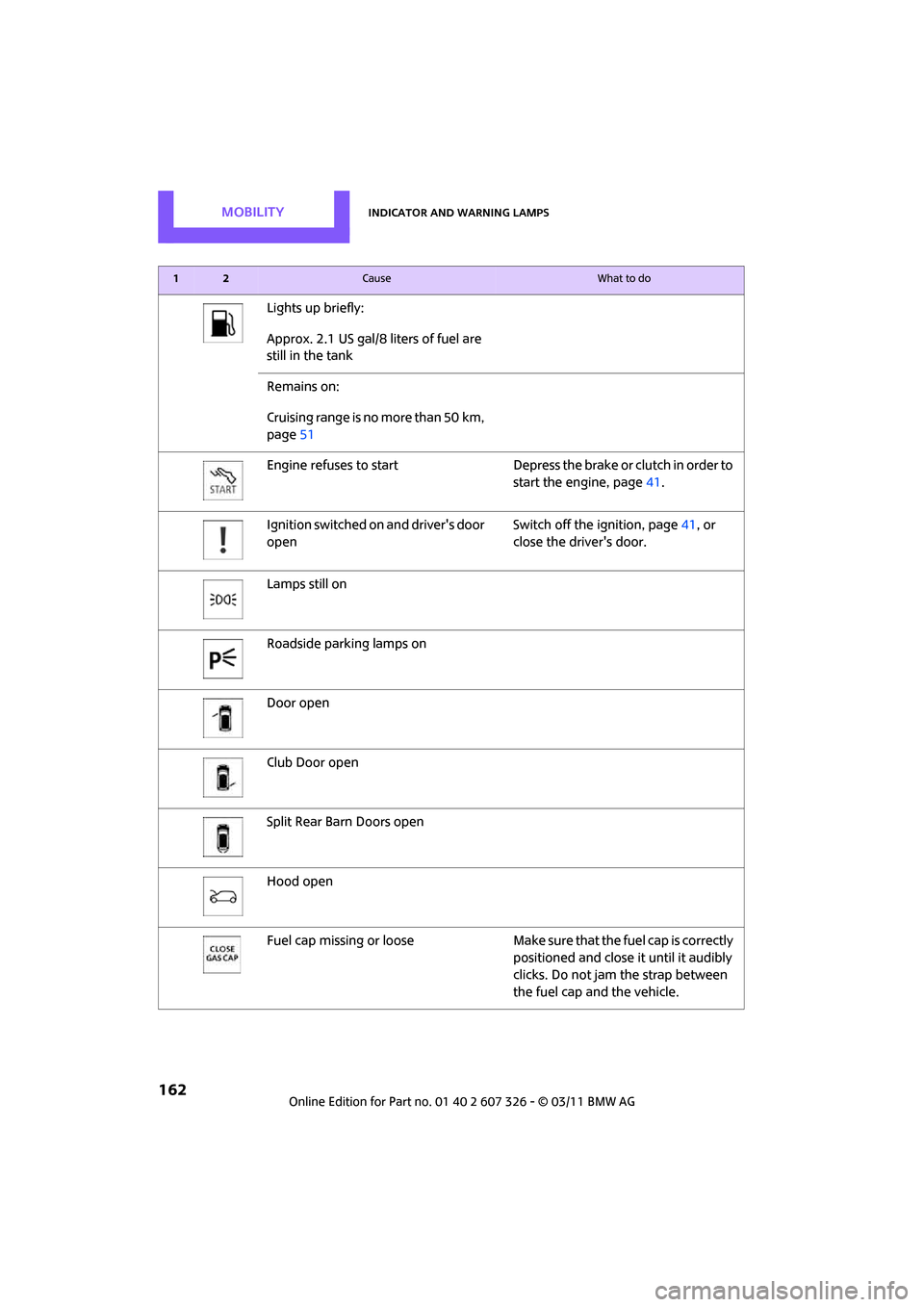
Lights up briefly:
Approx. 2.1 US gal/8 liters of fuel are
still in the tank
Remains on:
Cruising range is no more than 50 km,
page51
Engine refuses to start Depress th e brake or clutch in order to
start the engine, page 41.
Ignition switched on and driver's door
open Switch off the ignition, page
41, or
close the driver's door.
Lamps still on
Roadside parking lamps on
Door open
Club Door open
Split Rear Barn Doors open
Hood open
Fuel cap missing or loose Make sure that the fuel cap is correctly
positioned and close it until it audibly
clicks. Do not jam the strap between
the fuel cap and the vehicle.
12Cause What to do
Page 166 of 196
MOBILITYIndicator and warning lamps
164
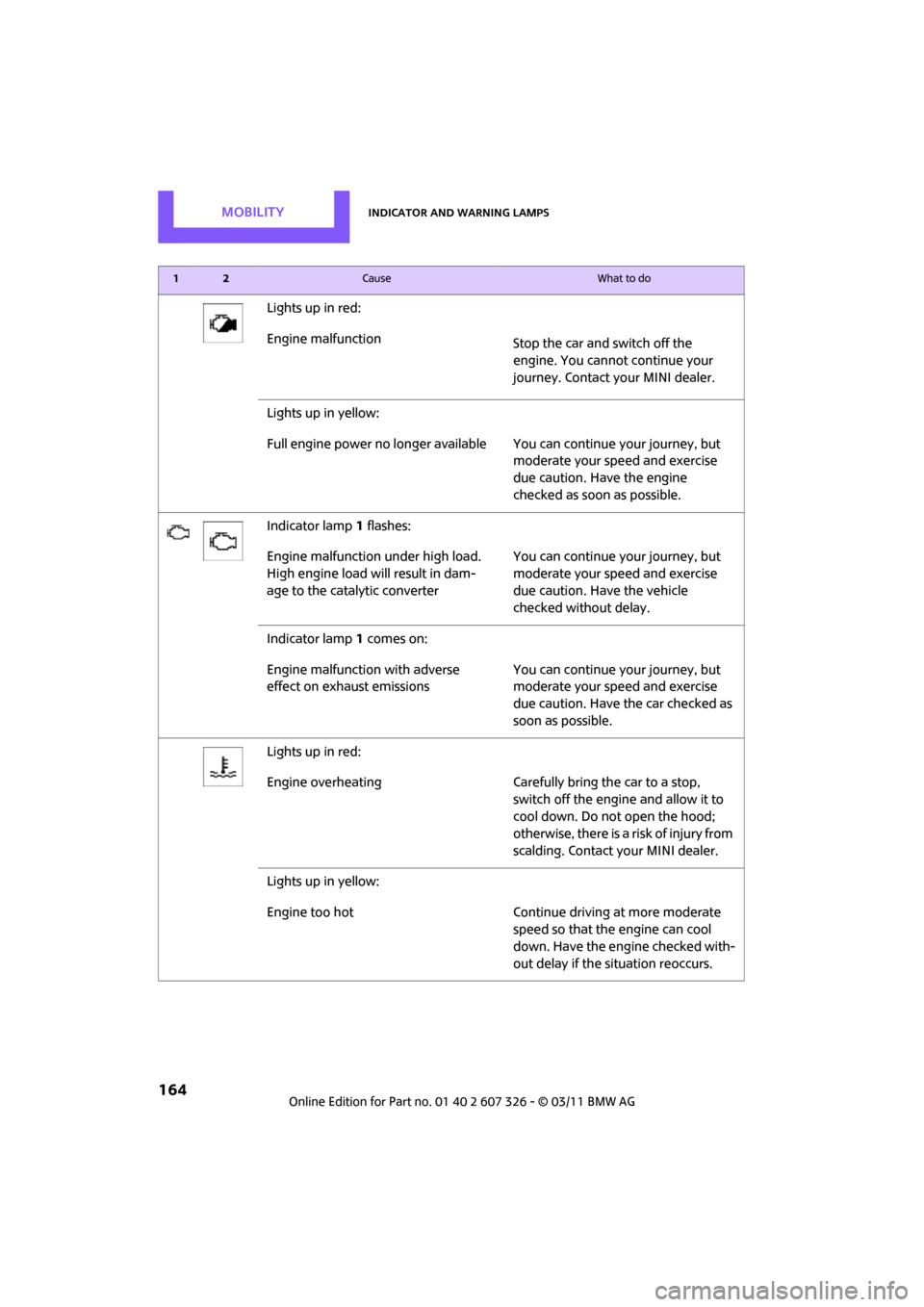
Lights up in red:
Engine malfunctionStop the car and switch off the
engine. You cannot continue your
journey. Contact your MINI dealer.
Lights up in yellow:
Full engine power no longer available Y ou can continue your journey, but
moderate your speed and exercise
due caution. Have the engine
checked as soon as possible.
Indicator lamp 1 flashes:
Engine malfunction under high load.
High engine load will result in dam-
age to the catalytic converter You can continue your journey, but
moderate your speed and exercise
due caution. Have the vehicle
checked without delay.
Indicator lamp 1 comes on:
Engine malfunction with adverse
effect on exhaust emissions You can continue your journey, but
moderate your speed and exercise
due caution. Have the car checked as
soon as possible.
Lights up in red:
Engine overheating Carefully bring the car to a stop, switch off the engine and allow it to
cool down. Do not open the hood;
otherwise, there is a risk of injury from
scalding. Contact your MINI dealer.
Lights up in yellow:
Engine too hot Continue driving at more moderate speed so that the engine can cool
down. Have the engine checked with-
out delay if the situation reoccurs.
12Cause What to do
Page 186 of 196
REFERENCEEverything from A to Z
184
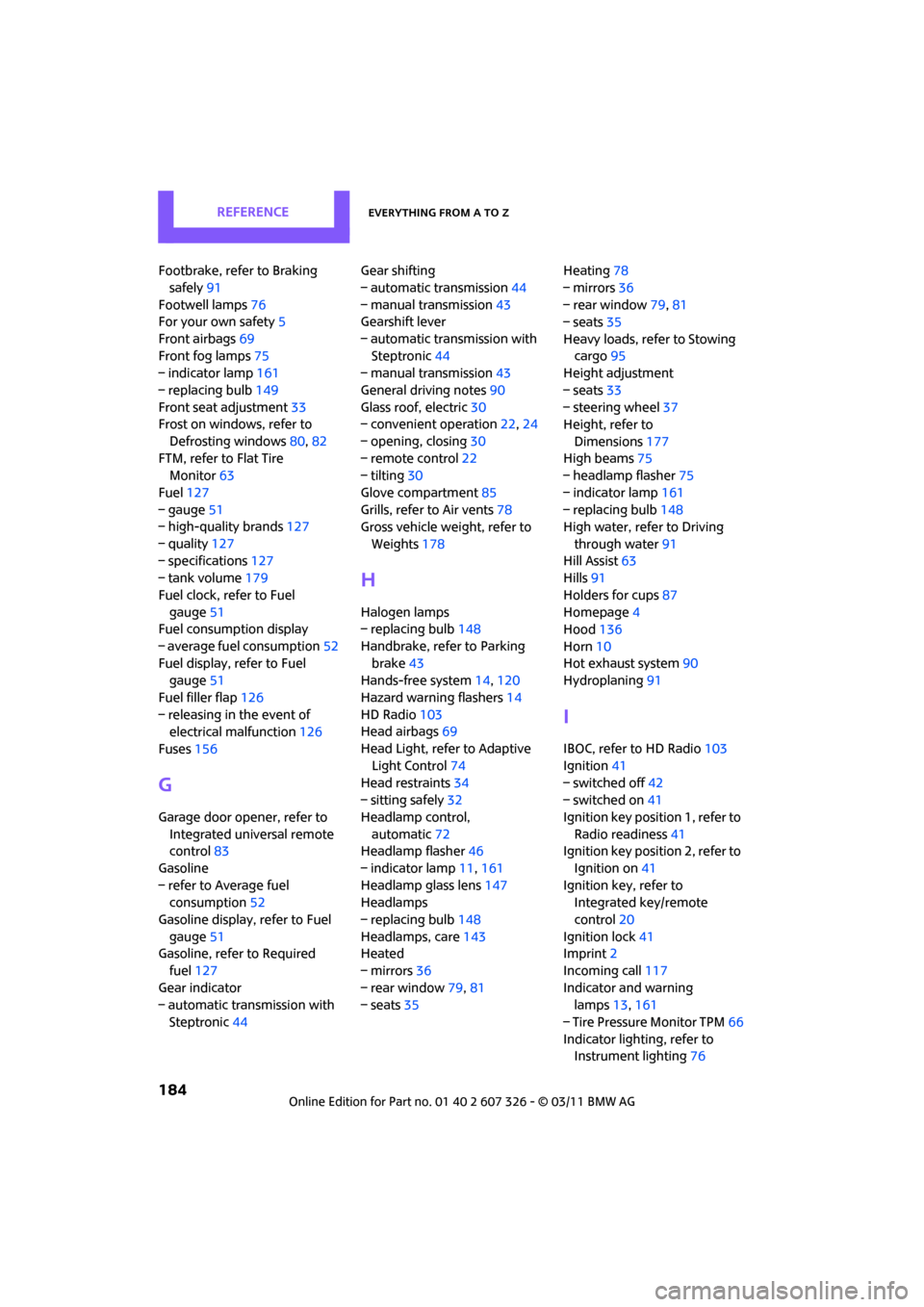
Footbrake, refer to Braking safely 91
Footwell lamps 76
For your own safety 5
Front airbags 69
Front fog lamps 75
– indicator lamp 161
– replacing bulb 149
Front seat adjustment 33
Frost on windows, refer to
Defrosting windows 80,82
FTM, refer to Flat Tire Monitor 63
Fuel 127
– gauge 51
– high-quality brands 127
– quality 127
– specifications 127
– tank volume 179
Fuel clock, refer to Fuel gauge 51
Fuel consumption display
– average fuel consumption 52
Fuel display, refer to Fuel gauge 51
Fuel filler flap 126
– releasing in the event of electrical malfunction 126
Fuses 156
G
Garage door opener, refer to
Integrated universal remote
control 83
Gasoline
– refer to Average fuel consumption 52
Gasoline display, refer to Fuel
gauge 51
Gasoline, refer to Required fuel 127
Gear indicator
– automatic transmission with Steptronic 44 Gear shifting
– automatic transmission
44
– manual transmission 43
Gearshift lever
– automatic transmission with Steptronic 44
– manual transmission 43
General driving notes 90
Glass roof, electric 30
– convenient operation 22,24
– opening, closing 30
– remote control 22
– tilting 30
Glove compartment 85
Grills, refer to Air vents 78
Gross vehicle weight, refer to
Weights 178
H
Halogen lamps
– replacing bulb 148
Handbrake, refe r to Parking
brake 43
Hands-free system 14,120
Hazard warning flashers 14
HD Radio 103
Head airbags 69
Head Light, refer to Adaptive Light Control 74
Head restraints 34
– sitting safely 32
Headlamp control,
automatic 72
Headlamp flasher 46
– indicator lamp 11,161
Headlamp glass lens 147
Headlamps
– replacing bulb 148
Headlamps, care 143
Heated
– mirrors 36
– rear window 79,81
– seats 35 Heating
78
– mirrors 36
– rear window 79,81
– seats 35
Heavy loads, refer to Stowing cargo 95
Height adjustment
– seats 33
– steering wheel 37
Height, refer to
Dimensions 177
High beams 75
– headlamp flasher 75
– indicator lamp 161
– replacing bulb 148
High water, refer to Driving
through water 91
Hill Assist 63
Hills 91
Holders for cups 87
Homepage 4
Hood 136
Horn 10
Hot exhaust system 90
Hydroplaning 91
I
IBOC, refer to HD Radio 103
Ignition 41
– switched off 42
– switched on 41
Ignition key position 1, refer to
Radio readiness 41
Ignition key position 2, refer to Ignition on 41
Ignition key, refer to Integrated key/remote
control 20
Ignition lock 41
Imprint 2
Incoming call 117
Indicator and warning lamps 13,161
– Tire Pressure Monitor TPM 66
Indicator lighting, refer to Instrument lighting 76
Page 189 of 196
Everything from A to ZREFERENCE
187
Pollen
– refer to Microfilter for air conditioner 80
– refer to Microfilter/activated-
charcoal filter for automatic
climate control 82
Power failure 155
Power windows 31
Power windows, refer to Windows 30
Pressure monitoring of tires, refer to Tire Pressure Monitor
TPM 65
Pressure monitoring, tires 63
– Flat Tire Monitor 63
Pressure, tires 128
Protective function, refer to Pinch protection system
– windows 31
PTY 103
Puncture
– Flat Tire Monitor 63
R
Radio
– HD Radio103
Radio key, refer to Integrated
key/remote control 20
Radio MINI Boost CD
– playing stations 102
– recalling stations 102
– satellite radio 104
– searching stations 101
– storing stations 102
– switching on/off 100
– tone control 101
– volume 100
Radio position, refer to Radio
readiness 41
Radio readiness 41
– switched off 42
– switched on 41
Rain sensor 47
Range, refer to Cruising
range 52
RDS 102 Reading lamps
76
Rear door, refer to Club Door 26
Rear doors, refer to Split Rear
Barn Doors 26
Rear double doors, refer to Split Rear Barn Doors 26
Rear fog lamp 75
– indicator lamp 161
– replacing bulb 150
Rear lamps
– bulb replacement 150
Rear lamps, refer to Tail
lamps 150
Rear seat backrest, folding 92
Rear seats
– folding down the backrests 92
Rear window defroster 79,81
Rearview mirror, refer to Mirrors 36
Reception
– quality 102
– radio station 101
Recirculated-air mode 79,81
Recirculation of air, refer to Recirculated-air
mode 79,81
Reclining seat, refer to Backrest 33
Refueling 126
Releasing
– hood 136
Remote control 20
– battery renewal 30
– Comfort Access 28
–
garage door opener 83
– malfunctions 23,29
– service data 140
– Split Rear Barn Doors 23
Replacement remote control 20
Replacing bulbs, refer to Lamps and bulbs 147
Replacing tires, refer to New
wheels and tires 134
Reporting safety defects 6Reserve warning, refer to Fuel
gauge 51
Reservoir for washer systems 49
Reset, resetting tone settings 101
Restraint systems
– for children 38
– refer to Safety belts 35
Reverse
– CD 106
Reverse gear
– automatic transmission with
Steptronic 44
– manual transmission 43
Roadside Assistance 157
Roadside parking lamps 75
– replacing bulb 149
Roadworthiness te st, refer to
Service requirements 56
Roof load capacity 178
Roof-mounted luggage
rack 95
Rope, refer to Tow-starting, towing away 159
RSC Run-flat System Component, refer to Run-flat
tires 134
Rubber parts, care 143
Run-flat System Component
RSC, refer to Run-flat
tires 134
Run-flat tires 134
– flat tire 64
– tire inflation pressure 128
– tire replacement 134
– winter tires 135
S
Safety belt
– number32
Safety Belt Reminder 35