radio MINI Clubman 2012 Owner's Guide
[x] Cancel search | Manufacturer: MINI, Model Year: 2012, Model line: Clubman, Model: MINI Clubman 2012Pages: 207, PDF Size: 3.26 MB
Page 72 of 207
Technology for driving comfort and safetyCONTROLS
71
Drive cautiously and do not exceed a
speed of 50 mph/80 km/h.
A loss of tire inflation pressure results in a
change in the handling characteristics, e.g.
reduced lane stability du ring braking, a longer
braking distance and altered self-steering
properties. <
Vibrations or loud noises while driving can
indicate complete failure of the tire.
Reduce your speed and bring the vehicle to a
stop; otherwise, pieces of tire may come off,
which could result in an accident. Do not con-
tinue driving and contact your MINI dealer. <
Malfunction
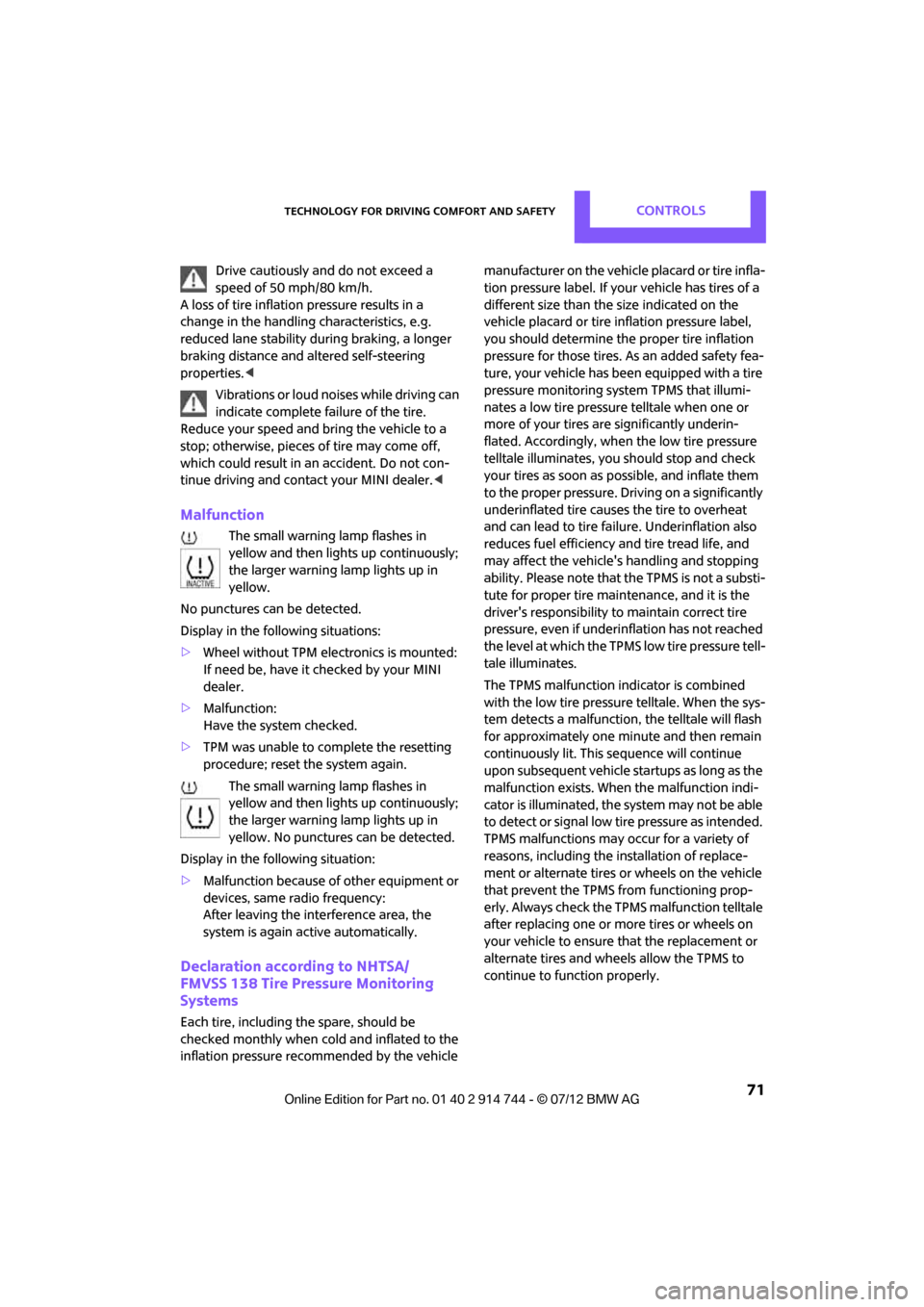
The small warning lamp flashes in
yellow and then lights up continuously;
the larger warning lamp lights up in
yellow.
No punctures can be detected.
Display in the following situations:
> Wheel without TPM electronics is mounted:
If need be, have it checked by your MINI
dealer.
> Malfunction:
Have the system checked.
> TPM was unable to complete the resetting
procedure; reset the system again.
The small warning lamp flashes in
yellow and then lights up continuously;
the larger warning lamp lights up in
yellow. No punctures can be detected.
Display in the following situation:
> Malfunction because of other equipment or
devices, same radio frequency:
After leaving the interference area, the
system is again active automatically.
Declaration according to NHTSA/
FMVSS 138 Tire Pressure Monitoring
Systems
Each tire, including the spare, should be
checked monthly when cold and inflated to the
inflation pressure recommended by the vehicle manufacturer on the vehicle placard or tire infla-
tion pressure label. If your vehicle has tires of a
different size than the
size indicated on the
vehicle placard or tire in flation pressure label,
you should determine the proper tire inflation
pressure for those tires. As an added safety fea-
ture, your vehicle has been equipped with a tire
pressure monitoring syst em TPMS that illumi-
nates a low tire pressure telltale when one or
more of your tires are significantly underin-
flated. Accordingly, when the low tire pressure
telltale illuminates, you should stop and check
your tires as soon as po ssible, and inflate them
to the proper pressure. Driving on a significantly
underinflated tire causes the tire to overheat
and can lead to tire failure. Underinflation also
reduces fuel efficiency and tire tread life, and
may affect the vehicle's handling and stopping
ability. Please note that the TPMS is not a substi-
tute for proper tire maintenance, and it is the
driver's responsibility to maintain correct tire
pressure, even if underi nflation has not reached
the level at which the TPMS low tire pressure tell-
tale illuminates.
The TPMS malfunction indicator is combined
with the low tire pressure telltale. When the sys-
tem detects a malfunction, the telltale will flash
for approximately one minute and then remain
continuously lit. This sequence will continue
upon subsequent vehicle startups as long as the
malfunction exists. When the malfunction indi-
cator is illuminated, the system may not be able
to detect or signal low tire pressure as intended.
TPMS malfunctions may occur for a variety of
reasons, including the in stallation of replace-
ment or alternate tires or wheels on the vehicle
that prevent the TPMS from functioning prop-
erly. Always check the TP MS malfunction telltale
after replacing one or mo re tires or wheels on
your vehicle to ensure that the replacement or
alternate tires and wheels allow the TPMS to
continue to function properly.
Online Edition for Part no. 01 40 2 914 744 - \251 07/12 BMW AG
Page 74 of 207
Technology for driving comfort and safetyCONTROLS
73
airbags for the front passenger are activated or
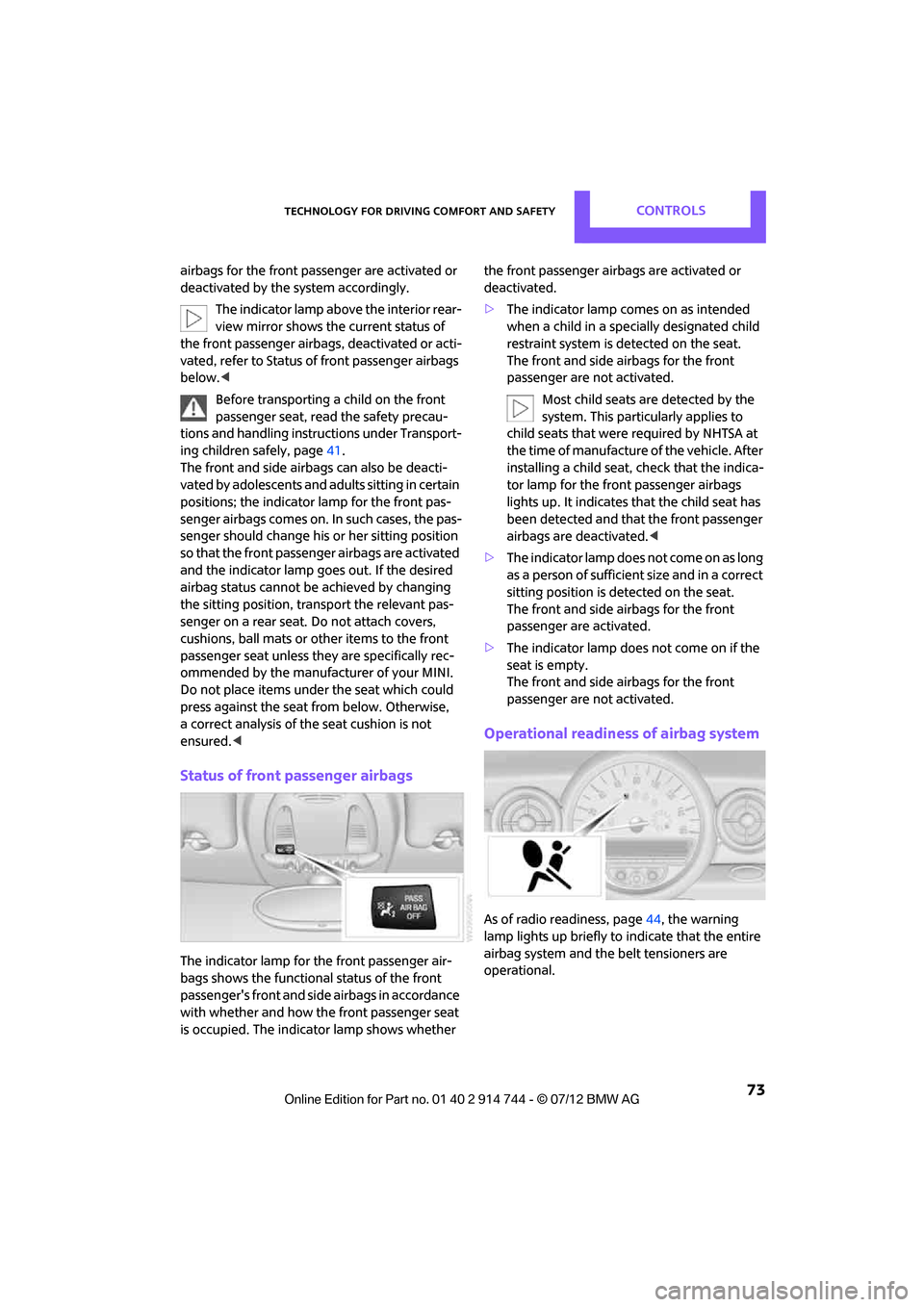
deactivated by the system accordingly.The indicator lamp above the interior rear-
view mirror shows th e current status of
the front passenger airbags, deactivated or acti-
vated, refer to Status of front passenger airbags
below. <
Before transporting a child on the front
passenger seat, read the safety precau-
tions and handling instructions under Transport-
ing children safely, page 41.
The front and side airbags can also be deacti-
vated by adolescents and adults sitting in certain
positions; the indicator lamp for the front pas-
senger airbags comes on. In such cases, the pas-
senger should change his or her sitting position
so that the front passenger airbags are activated
and the indicator lamp goes out. If the desired
airbag status cannot be achieved by changing
the sitting position, transport the relevant pas-
senger on a rear seat. Do not attach covers,
cushions, ball mats or other items to the front
passenger seat unless they are specifically rec-
ommended by the manufacturer of your MINI.
Do not place items under the seat which could
press against the seat fr om below. Otherwise,
a correct analysis of the seat cushion is not
ensured. <
Status of front passenger airbags
The indicator lamp for the front passenger air-
bags shows the functional status of the front
passenger's front and side airbags in accordance
with whether and how th e front passenger seat
is occupied. The indica tor lamp shows whether the front passenger airbags are activated or
deactivated.
>
The indicator lamp co mes on as intended
when a child in a specially designated child
restraint system is detected on the seat.
The front and side airbags for the front
passenger are not activated.
Most child seats are detected by the
system. This particularly applies to
child seats that were required by NHTSA at
the time of manufacture of the vehicle. After
installing a child seat, check that the indica-
tor lamp for the front passenger airbags
lights up. It indicates that the child seat has
been detected and that the front passenger
airbags are deactivated. <
> The indicator lamp does not come on as long
as a person of sufficient size and in a correct
sitting position is detected on the seat.
The front and side airbags for the front
passenger are activated.
> The indicator lamp does not come on if the
seat is empty.
The front and side airbags for the front
passenger are not activated.
Operational readiness of airbag system
As of radio readiness, page 44, the warning
lamp lights up briefly to indicate that the entire
airbag system and the belt tensioners are
operational.
Online Edition for Part no. 01 40 2 914 744 - \251 07/12 BMW AG
Page 75 of 207
CONTROLSTechnology for driving comfort and safety
74
Airbag system malfunction
>The warning lamp does not come on when
radio readiness is switched on.
> The warning lamp stays lit continuously.
In the event of a fault in the airbag system,
have it checked without delay; otherwise,
there is the risk that the system will not function
as intended even if a severe accident occurs. <
Online Edition for Part no. 01 40 2 914 744 - \251 07/12 BMW AG
Page 105 of 207
ENTERTAINMENTRadio MINI Boost CD
104
Radio MINI Boost CD
Vehicle equipment
In this chapter, all production, country, and
optional equipment that is offered in the model
range is described. Equipment is also described
that is not available because of, for example,
selected options or coun try version. This also
applies to safety relate d functions and systems.
Switching radio on/off
Press the left rotary knob. The radio
selects the last set audio source:
> Radio
> HD Radio
> Satellite radio
> CD
> External audio device
> USB audio interface.
Listening to the radi o when the ignition
is switched off
After switching off the radio readiness, the radio
functions are available for approx. 20 minutes.
To do so, switch the radio on again.
To spare the battery, ensure that the radio
is switched off when leaving the vehicle. <
Adjusting volume
Turn left rotary knob. The setting is
stored for the remote control in use.
As soon as you make a phone call using
the hands-free device, the radio will auto-
matically be muted. <
Setting the volume for the PDC and gong
You can raise or lower the audio signals for the
PDC or gong with respect to the volume of the
audio sources.
The audio signals have a set minimum and max-
imum volume, below which they can not fall and
above which they can not go.
Set the audio source to a high volume to
be able to better set the volume of the
audio signals. <
1. Press the button.
2. Press the button if necessary.
3. Press the button.
or
Press the button.
4. Select the desired vo lume and press the
knob on the right.
Setting the speed-dependent volume
The speed-dependent volume controls auto-
matically increases the volume as the speed of
the vehicle increases. You can set different levels
for increasing the volume.
1. Press the button.
2. Press the button if necessary.
3. Press the button.
4. Select the desired vo lume and press the
knob on the right.
Setting the volume for external audio
devices
Your radio has the option of connecting an
external audio device, e.g., an MP3 player, and
playing it over the loudspeakers in the vehicle.
You can set the volume by using the radio.
Online Edition for Part no. 01 40 2 914 744 - \251 07/12 BMW AG
Page 106 of 207
Radio MINI Boost CDENTERTAINMENT
105
Connecting an external device, refer to
page111.
To adjust the volume of an external audio device
to the radio:
1. Press the MODEbutton.
2. Press the button.
3. Press the button.
4. Select the desired volume and press the
knob on the right.
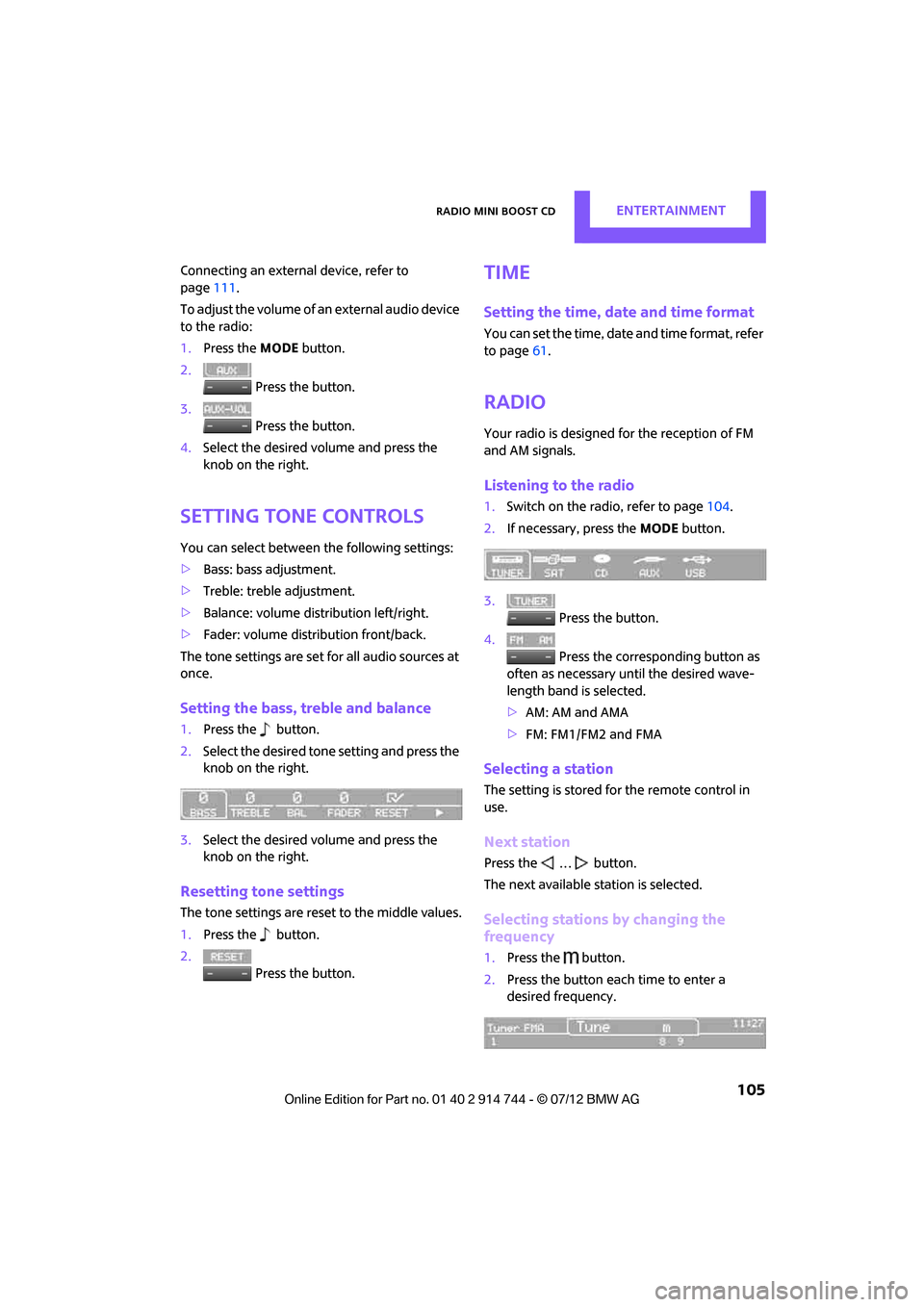
Setting tone controls
You can select between the following settings:
>Bass: bass adjustment.
> Treble: treble adjustment.
> Balance: volume distribution left/right.
> Fader: volume distri bution front/back.
The tone settings are set for all audio sources at
once.
Setting the bass, treble and balance
1. Press the button.
2. Select the desired tone setting and press the
knob on the right.
3. Select the desired volume and press the
knob on the right.
Resetting tone settings
The tone settings are reset to the middle values.
1.Press the button.
2. Press the button.
Time
Setting the time, date and time format
You can set the time, date and time format, refer
to page61.
Radio
Your radio is designed for the reception of FM
and AM signals.
Listening to the radio
1.Switch on the radio, refer to page 104.
2. If necessary, press the MODEbutton.
3. Press the button.
4. Press the corresponding button as
often as necessary until the desired wave-
length band is selected.
> AM: AM and AMA
> FM: FM1/FM2 and FMA
Selecting a station
The setting is stored for the remote control in
use.
Next station
Press the … button.
The next available st ation is selected.
Selecting stations by changing the
frequency
1. Press the button.
2. Press the button each time to enter a
desired frequency.
Online Edition for Part no. 01 40 2 914 744 - \251 07/12 BMW AG
Page 107 of 207
ENTERTAINMENTRadio MINI Boost CD
106
Or, by using the knob on the right:
1.Press the button.
2. Turn the knob on the right until the desired
frequency is reached.
Automatically updating strongest
stations
Press the correspon ding button until
"Autostore" is displayed.
Several seconds may go by until the stations are
stored and one of the stations can be heard.
If you do not wish to use the Autostore
feature, you can store six stations of your
choice in the FMA or AMA memory levels.<
Playing and selecting stations, scan
You can listen to all the receivable stations for
approx. 10 seconds.
Press the button.
Interrupting the scan an d selecting a station:
Press the button.
When a traffic information station is selected,
only traffic information broadcasts will be
played.
Storing and recalling stations
Memory presets
Your radio can store 30 stations:
> FM1, FM2: six stations each of your choice
> AM: six stations each of your choice
> FMA/AMA: the six stro ngest stations auto-
matically
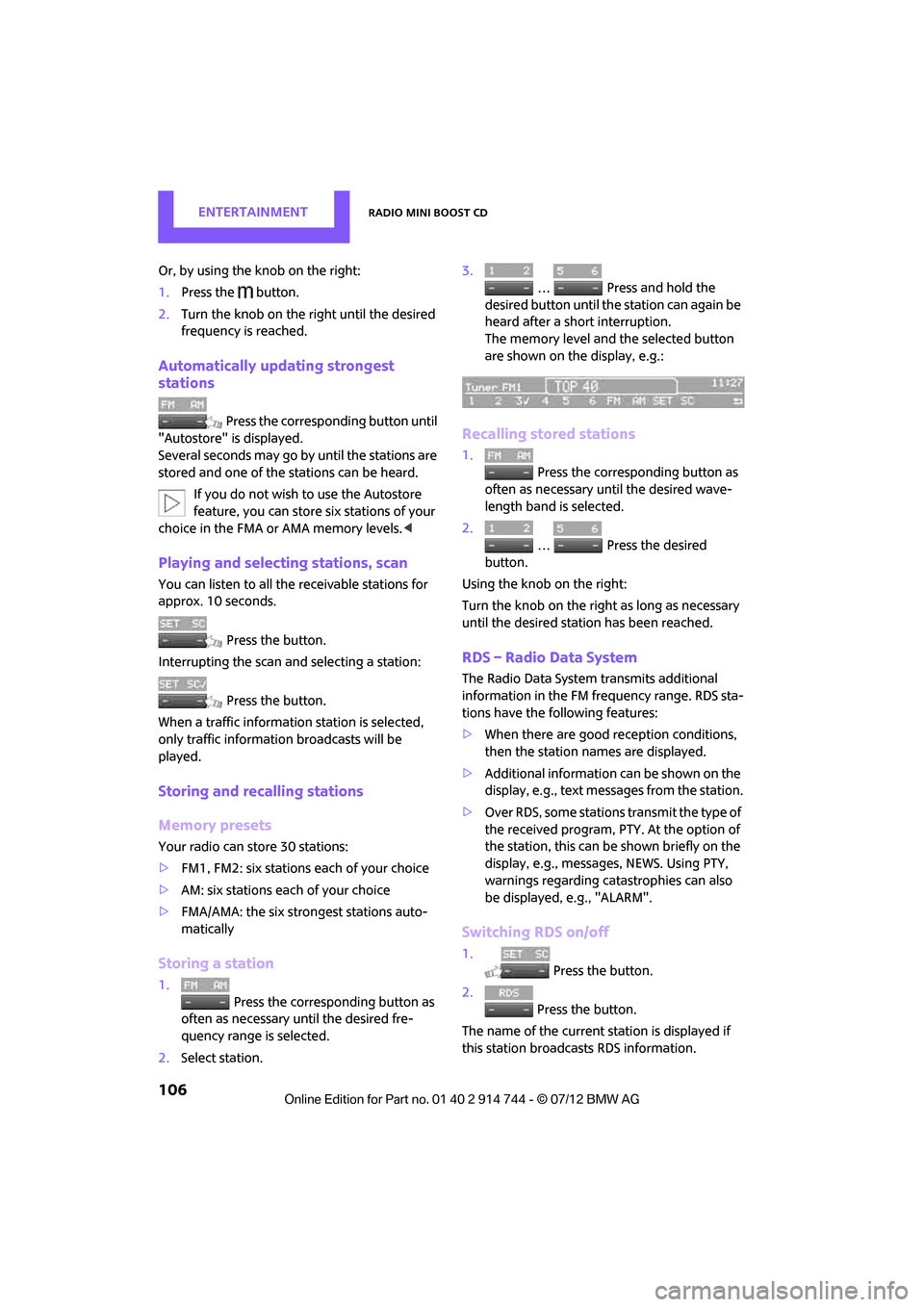
Storing a station
1.
Press the corresponding button as
often as necessary until the desired fre-
quency range is selected.
2. Select station. 3.
… Press and hold the
desired button until th e station can again be
heard after a short interruption.
The memory level and the selected button
are shown on the display, e.g.:
Recalling stored stations
1. Press the corresponding button as
often as necessary until the desired wave-
length band is selected.
2.
… Press the desired
button.
Using the knob on the right:
Turn the knob on the right as long as necessary
until the desired stat ion has been reached.
RDS – Radio Data System
The Radio Data System transmits additional
information in the FM frequency range. RDS sta-
tions have the following features:
>When there are good reception conditions,
then the station names are displayed.
> Additional information can be shown on the
display, e.g., text me ssages from the station.
> Over RDS, some stations transmit the type of
the received program, PTY. At the option of
the station, this can be shown briefly on the
display, e.g., message s, NEWS. Using PTY,
warnings regarding ca tastrophies can also
be displayed, e.g., "ALARM".
Switching RDS on/off
1. Press the button.
2. Press the button.
The name of the current station is displayed if
this station broadcasts RDS information.
Online Edition for Part no. 01 40 2 914 744 - \251 07/12 BMW AG
Page 108 of 207
Radio MINI Boost CDENTERTAINMENT
107
Displaying the program type
1. Press the button.
2. Press the button.
HD Radio™ reception
Many radio stations transmit analog and digital
signals. If a digital radio network is available,
these stations can be received digitally and thus
with improved sound quality.
License conditions
HD Radio™ technology is manufactured under
U.S. and Foreign Patents licensed from iBiquity
Digital Corp. HD Radio™ and the HD and HD
Radio logos are proprietary trademarks of
iBiquity Digital Corp.
Activating/deactivating digital radio
reception
1.Press the MODEbutton.
2. Press the button.
3. Press the button.
4. Press the button.
"HD": a station is received digitally.
"(HD)": a station is broadcasting digital signals;
digital radio reception is , however, switched off.
For some stations, the digital signals are not
broadcast simultaneously with the analog sig-
nals. If you are in an area where the selected sta-
tion can not be continuously received digitally,
then the playback switches between analog and
digital reception. As a result, the reception can
be interrupted and then resume from time to
time. In this type of situation, it is suggested that
digital radio reception be turned off.
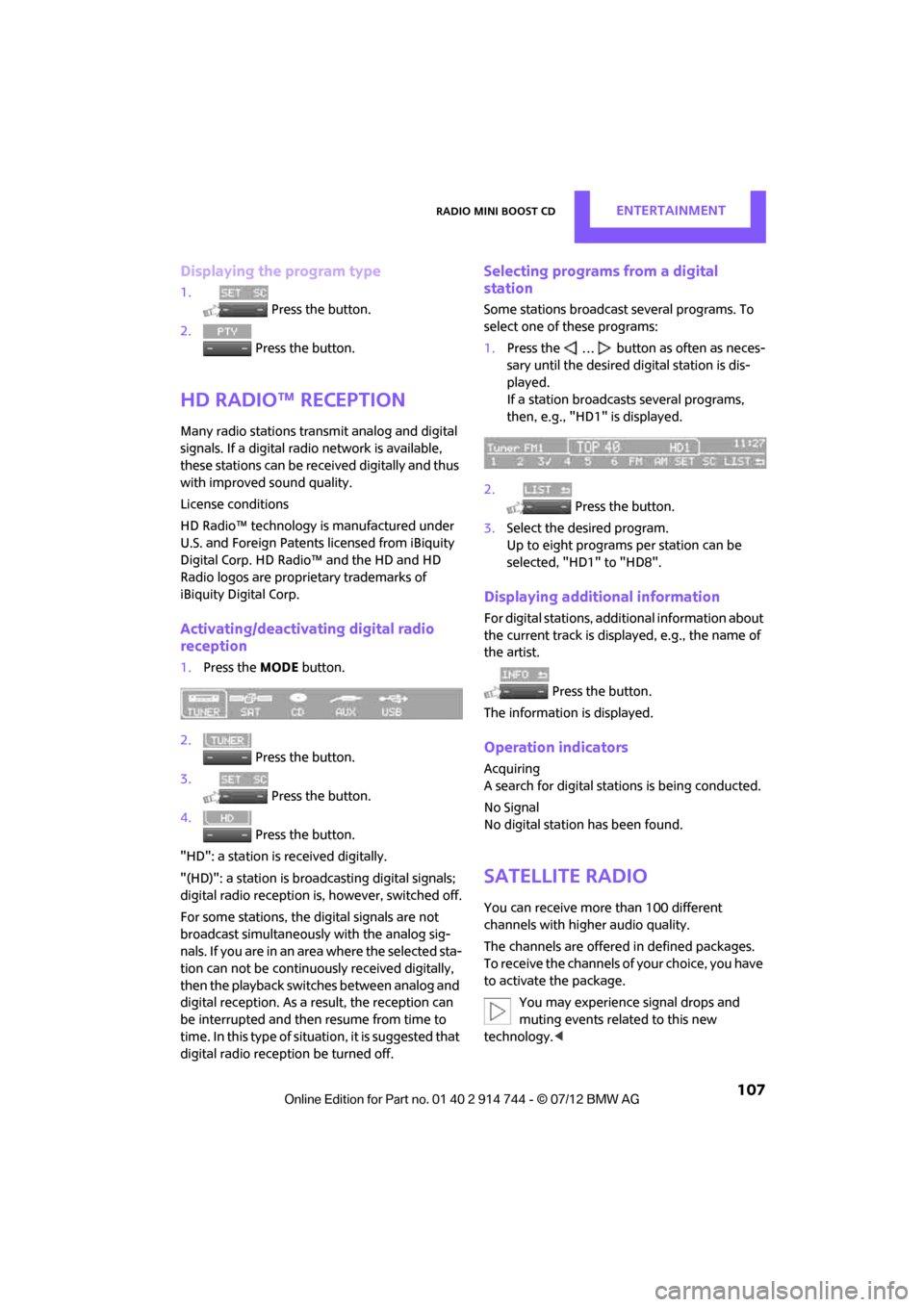
Selecting programs from a digital
station
Some stations broadcast several programs. To
select one of these programs:
1. Press the … button as often as neces-
sary until the desired digital station is dis-
played.
If a station broadcasts several programs,
then, e.g., "HD1" is displayed.
2. Press the button.
3. Select the desired program.
Up to eight programs per station can be
selected, "HD1" to "HD8".
Displaying additional information
For digital stations, addi tional information about
the current track is displayed, e.g., the name of
the artist.
Press the button.
The information is displayed.
Operation indicators
Acquiring
A search for digital stat ions is being conducted.
No Signal
No digital station has been found.
Satellite radio
You can receive more than 100 different
channels with higher audio quality.
The channels are offere d in defined packages.
To receive the channels of your choice, you have
to activate the package.
You may experience signal drops and
muting events related to this new
technology. <
Online Edition for Part no. 01 40 2 914 744 - \251 07/12 BMW AG
Page 109 of 207

ENTERTAINMENTRadio MINI Boost CD
108
Activating or deactivating channels
1.Press the MODEbutton.
2. Press the button.
3. Press the button.
4. Select the desired category.
The channels are displayed. This symbol indicates the current channel.
Activating
1. Turn the knob on the right to select a chan-
nel that is not yet activated.
2. Press the knob on the right to confirm a
channel.
A phone number and th e electronic serial
number, ESN, are displayed. When activat-
ing, the electronic serial number is required.
3. To activate the channels:
Dial the phone number.
Deactivating
1.Press the MODEbutton.
2. Press the button. 3.
Press the button for a longer
period.
A phone number and the electronic serial
number, ESN, are displayed. For deactivat-
ing, the electronic serial number is required.
4. To deactivate channels:
Dial the phone number.
Selecting and storing a channel
1.Press the MODEbutton.
2. Press the button.
3. Press the button.
4. Select the desired category.
5. Select desired channel.
To display all the channels: Press the button.
To store a channel:
1. Press the button.
2. Press the button as often as nec-
essary until the desired memory level, SAT 1
or SAT 2, is reached.
3.
... Press and hold the
desired button until the channel can again
be heard after a short interruption.
Online Edition for Part no. 01 40 2 914 744 - \251 07/12 BMW AG
Page 110 of 207

Radio MINI Boost CDENTERTAINMENT
109
Changing to the current channel
Press the button.
Additional information
The name of the channel and additional infor-
mation about the current track is displayed, e.g.,
the name of the artist.
1.Select the desired channel.
2. Press the button.
Changing channels using buttons
Press the … button for the corresponding
direction.
The next activated channel is recalled.
Search function
1.Press and hold the … button for the
corresponding direction.
The activated channels are shown, one after
another, on the display.
2. Release the button to select the displayed
channel.
Notes
When there is a signal blockage or the transmis-
sion is suspended mome ntarily for more than
4 seconds, a message appears on the Control
Display.
Service may be interrupted or unavailable
for specific reasons such as environmental
or topographic conditions and others that Satel-
lite Radio cannot directly control.
Signals may not be available under tunnels, in
parking garages, next to tall buildings, nearby trees with dense foliage, nearby mountains or
other possible strong so
urces of radio inter-
ference.
Service should resume no rmally after the source
of signal unavailabil ity has been cleared.<
CD player
Starting the CD player
Some time may pass until the CD player starts.
1.Switch on the radio, refer to page 104.
2. Insert the CD with the printed side up into
the CD slot.
If there is already a CD in the CD slot:
1. Switch on the radio, if necessary.
2. Press the MODEbutton.
3. Press the button.
Changing the music track
Skipping tracks
Press the … button as often as necessary
until the desired track is reached.
Using the knob on the right:
Turn the knob on the right until the desired track
has been reached.
Fast forward/reverse
1.Press and hold the … button.
The track can be heard but is distorted.
2. To cancel the fast fo rward/reverse, release
the button.
Random order
Press the button.
To terminate the random generator:
Press the button.
Online Edition for Part no. 01 40 2 914 744 - \251 07/12 BMW AG
Page 111 of 207
ENTERTAINMENTRadio MINI Boost CD
110
Playing a track and selecting, scan
Press the button.
To cancel the scan and select a track:
Press the button.
Selecting MP3 music tracks
The CD player can also play CDs with com-
pressed audio data, such as MP3 and WMA.
Selecting a track
1.
Press button.
2. Use the knob on the right to select the
desired folder.
> : press the knob on the right to open a
folder
> : press the knob on the right to close a
folder
3. Select additional folders if you wish.
4. Select the desired track and press the knob
on the right.
You can browse through the folders during play-
back.
To change to the current track:
Press the button.
Track display
You can call up any input information about the
current music track:
1. Press button.
2. Press button.
Ejecting the CD out of the CD player
Press the button.
The CD is partially ejected from the CD slot.
Operation indicators
>"Insert CD"
The CD slot is empty.
> "Error CD"
The CD can not be read or is defective.
> "Temp. CD"
The operating temperature is too high.
Notes
CD players are laser products of Class 1. Do
not operate if the cover is damaged;
otherwise, serious injury to eyes may result.
Do not use CDs with after-market labels; other-
wise, the labels can loosen as a result of the heat
generated during playback and possibly cause
irreparable damage to the system.
Only use round CDs with a standard diameter of
4.7 in/12 cm and do not pl ay CDs with adapters,
e.g., single CDs; otherwise, the CDs or the adapt-
ers may jam and it may not be possible to eject
them.
Do not use combined CD/DVDs, e.g., DVD
Plus;
otherwise, the CD/DVD may jam and it may not
be possible to eject it. <
General malfunctions
The CD players are optimized for operation in
vehicles. They may be more sensitive to defec-
tive CDs than players for stationary use.
If a CD can not be played, first check if the CD is
properly inserted.
Humidity
If there is high humidity, the CD or the focusing
lens for the laser beam may get fogged up and
playing the CD may temporarily not be possible.
Malfunctions with individual CDs
If there are malfunctions with individual CDs,
then the malfunctions may be due to the
following causes:
Online Edition for Part no. 01 40 2 914 744 - \251 07/12 BMW AG