fuel consumption MINI Clubman 2014 Owner's Manual (Mini Connected)
[x] Cancel search | Manufacturer: MINI, Model Year: 2014, Model line: Clubman, Model: MINI Clubman 2014Pages: 276, PDF Size: 6.44 MB
Page 33 of 276
stored with it are called up and imple‐
mented.▷Your personal settings will be recognized
and called up again even if the vehicle has
been used in the meantime by someone
else with another remote control.▷The individual settings are stored for no
more than three remote controls.
Personal Profile settings
The following functions and settings can be
stored in a profile.
More information on the settings can be found
under:
▷Response of the central locking system
when the car is being unlocked, refer to
page 34.▷Automatic locking of the vehicle, refer to
page 36.▷Triple turn signal activation, refer to
page 57.▷Settings for the displays on the onboard
monitor, in the speedometer, and in the
tachometer:▷12h/24h clock format, refer to
page 68.▷Date format, refer to page 69.▷Brightness of the Control Display, refer
to page 70.▷Language on the Control Display, refer
to page 69.▷Units of measure for fuel consumption,
distance covered/remaining distances,
and temperature, refer to page 68.▷Light settings:▷Headlamp courtesy delay feature, refer
to page 75.▷Daytime running lights, refer to
page 75.▷Automatic climate control, refer to
page 96: AUTO program, activating/deac‐
tivating the cooling function, setting thetemperature, air volume, and air distribu‐
tion.▷Entertainment:▷Tone settings, refer to page 146.▷Volume, refer to page 146.
Central locking system
The concept
The central locking system becomes active
when the driver's door is closed.
The system simultaneously engages and re‐
leases the locks on the following:
▷Doors.▷MINI: tailgate.▷MINI Clubman: split door.▷Fuel filler flap.
Operating from the outside
▷Via the remote control.▷Via the door lock.▷In cars with Comfort Access, via the door
handles on the driver's and front passenger
sides.
The following takes place simultaneously when
locking/unlocking the vehicle via the remote
control:
▷Depending on the vehicle equipment, the
anti-theft protection is switched on and off
as well. The anti-theft protection makes it
impossible to unlock the doors using the
lock buttons or door handles.▷The welcome lamps, interior lamps, and
ambient lighting are switched on and off.▷The alarm system is armed or disarmed, re‐
fer to page 41.
Operating from the inside
Via the button for the central locking system,
refer to page 36.
Seite 33Opening and closingControls33
Online Edition for Part no. 01 40 2 911 452 - VI/13
Page 65 of 276
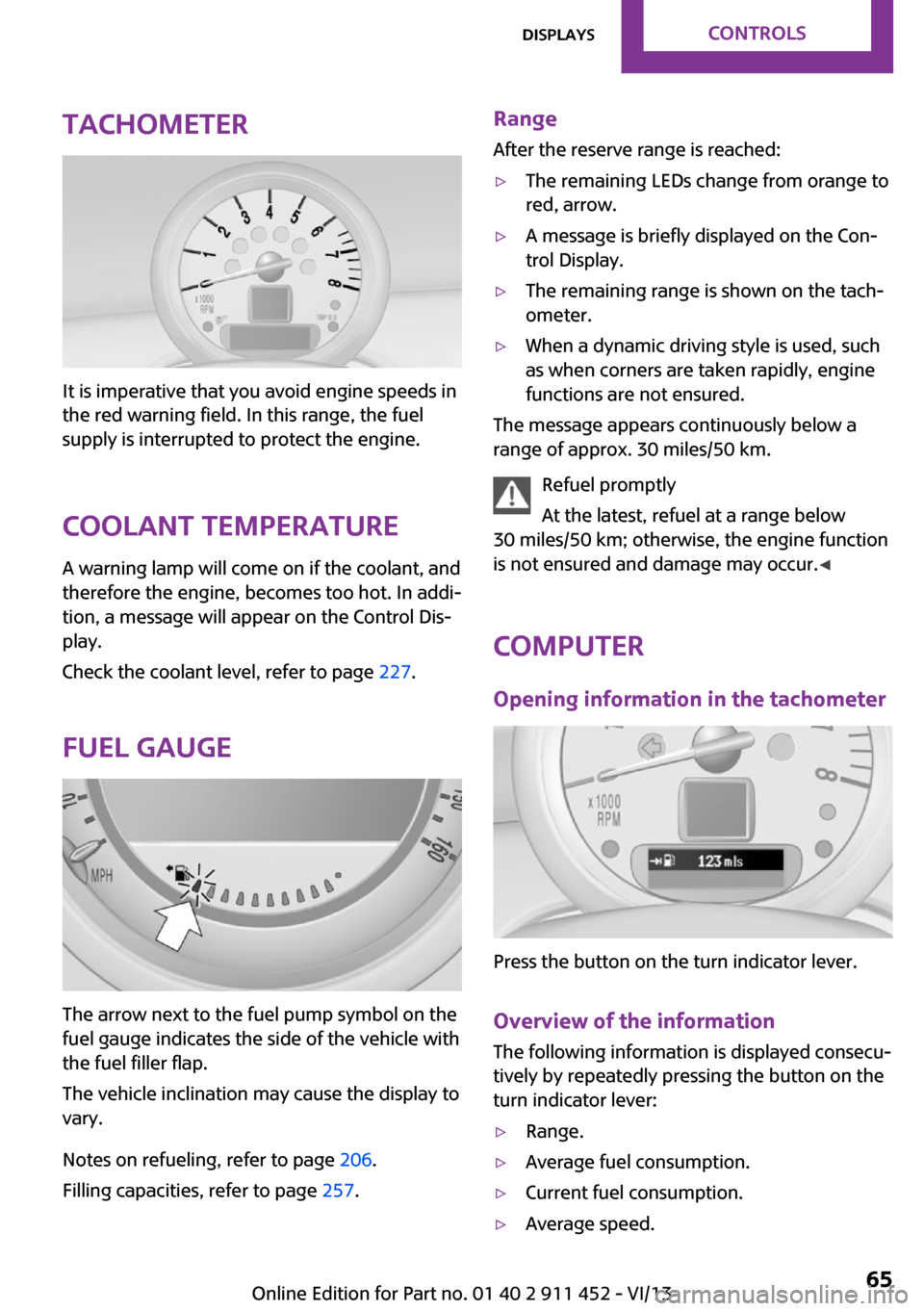
Tachometer
It is imperative that you avoid engine speeds in
the red warning field. In this range, the fuel
supply is interrupted to protect the engine.
Coolant temperature A warning lamp will come on if the coolant, and
therefore the engine, becomes too hot. In addi‐
tion, a message will appear on the Control Dis‐
play.
Check the coolant level, refer to page 227.
Fuel gauge
The arrow next to the fuel pump symbol on the
fuel gauge indicates the side of the vehicle with
the fuel filler flap.
The vehicle inclination may cause the display to
vary.
Notes on refueling, refer to page 206.
Filling capacities, refer to page 257.
Range
After the reserve range is reached:▷The remaining LEDs change from orange to
red, arrow.▷A message is briefly displayed on the Con‐
trol Display.▷The remaining range is shown on the tach‐
ometer.▷When a dynamic driving style is used, such
as when corners are taken rapidly, engine
functions are not ensured.
The message appears continuously below a
range of approx. 30 miles/50 km.
Refuel promptly
At the latest, refuel at a range below
30 miles/50 km; otherwise, the engine function
is not ensured and damage may occur. ◀
Computer
Opening information in the tachometer
Press the button on the turn indicator lever.
Overview of the information
The following information is displayed consecu‐
tively by repeatedly pressing the button on the
turn indicator lever:
▷Range.▷Average fuel consumption.▷Current fuel consumption.▷Average speed.Seite 65DisplaysControls65
Online Edition for Part no. 01 40 2 911 452 - VI/13
Page 66 of 276
To set the corresponding units of measure, re‐
fer to page 68.
Information in detail
Range
Displays the estimated cruising range available
with the remaining fuel.
It is calculated based on your driving style over
the last 18 miles/30 km.
Average fuel consumption
This is calculated for the period during which
the engine is running.
With the trip computer, refer to page 66, the
average consumption can be displayed for an
additional distance.
To reset the average consumption: press the
button on the turn indicator lever for ap‐
prox. 2 seconds.
Current fuel consumption Displays the current fuel consumption. You can
check whether you are currently driving in an
efficient and environmentally-friendly manner.
Average speed Periods in which the vehicle was parked and
the engine was switched off manually are not
included in the average speed calculations.
With the trip computer, refer to page 66, the
average speed can be displayed for an addi‐
tional distance.
To reset the average speed: press the button
on the turn indicator lever for approx. 2 sec‐
onds.
Displays on the Control Display Display the computer or trip computer on the
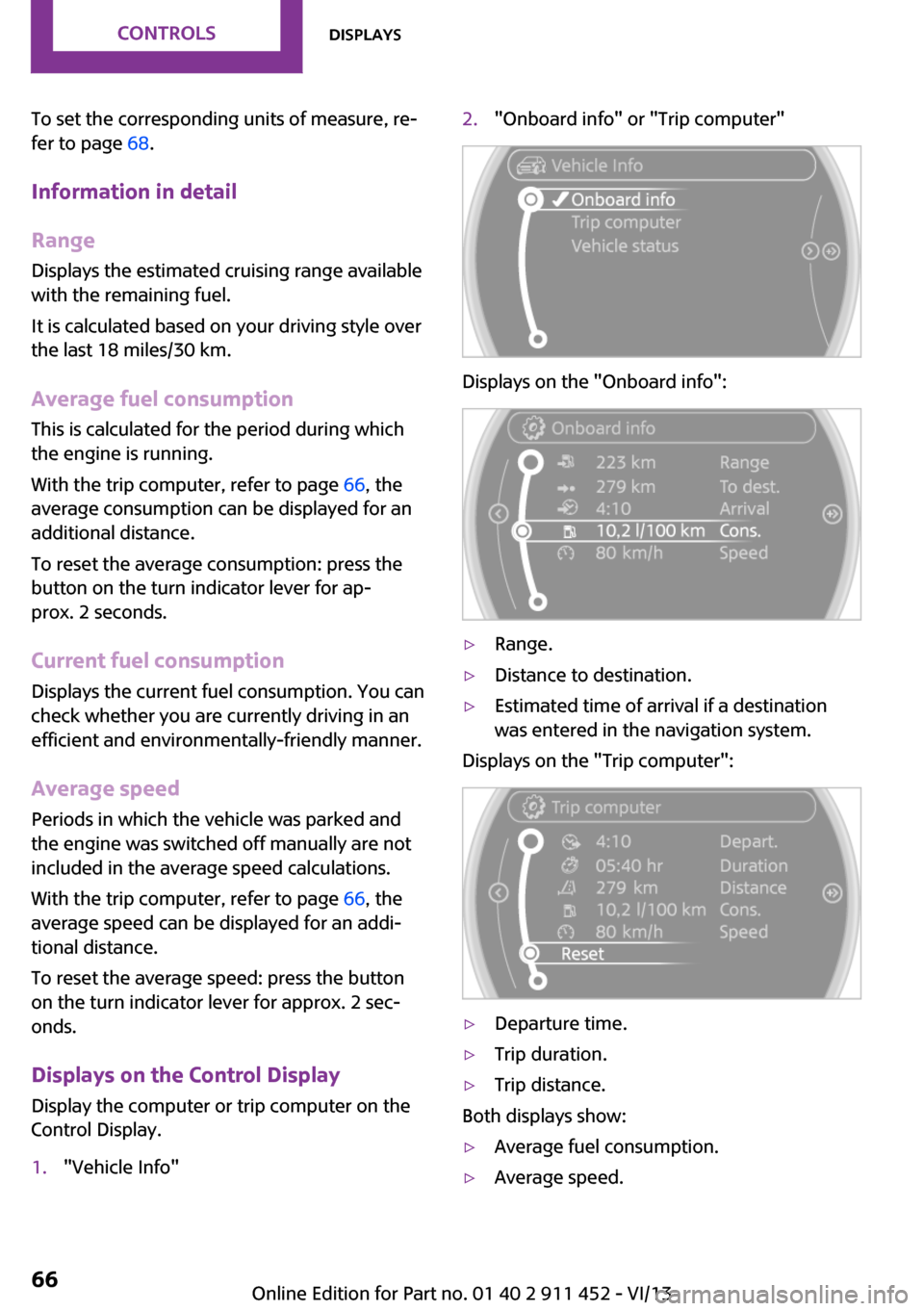
Control Display.1."Vehicle Info"2."Onboard info" or "Trip computer"
Displays on the "Onboard info":
▷Range.▷Distance to destination.▷Estimated time of arrival if a destination
was entered in the navigation system.
Displays on the "Trip computer":
▷Departure time.▷Trip duration.▷Trip distance.
Both displays show:
▷Average fuel consumption.▷Average speed.Seite 66ControlsDisplays66
Online Edition for Part no. 01 40 2 911 452 - VI/13
Page 67 of 276
Resetting the fuel consumption and
speed
Resetting the values for average speed and
average fuel consumption:1.Select the respective menu item and press
the MINI joystick.2.Press the MINI joystick again to confirm
your selection.
Resetting the trip computer
Resetting all values:
1."Vehicle Info"2."Trip computer"3."Reset"
Settings and information
Operating concept
Some settings and information can only be cre‐
ated or opened while the ignition is switched
on, the vehicle is standing, and the doors are
closed.
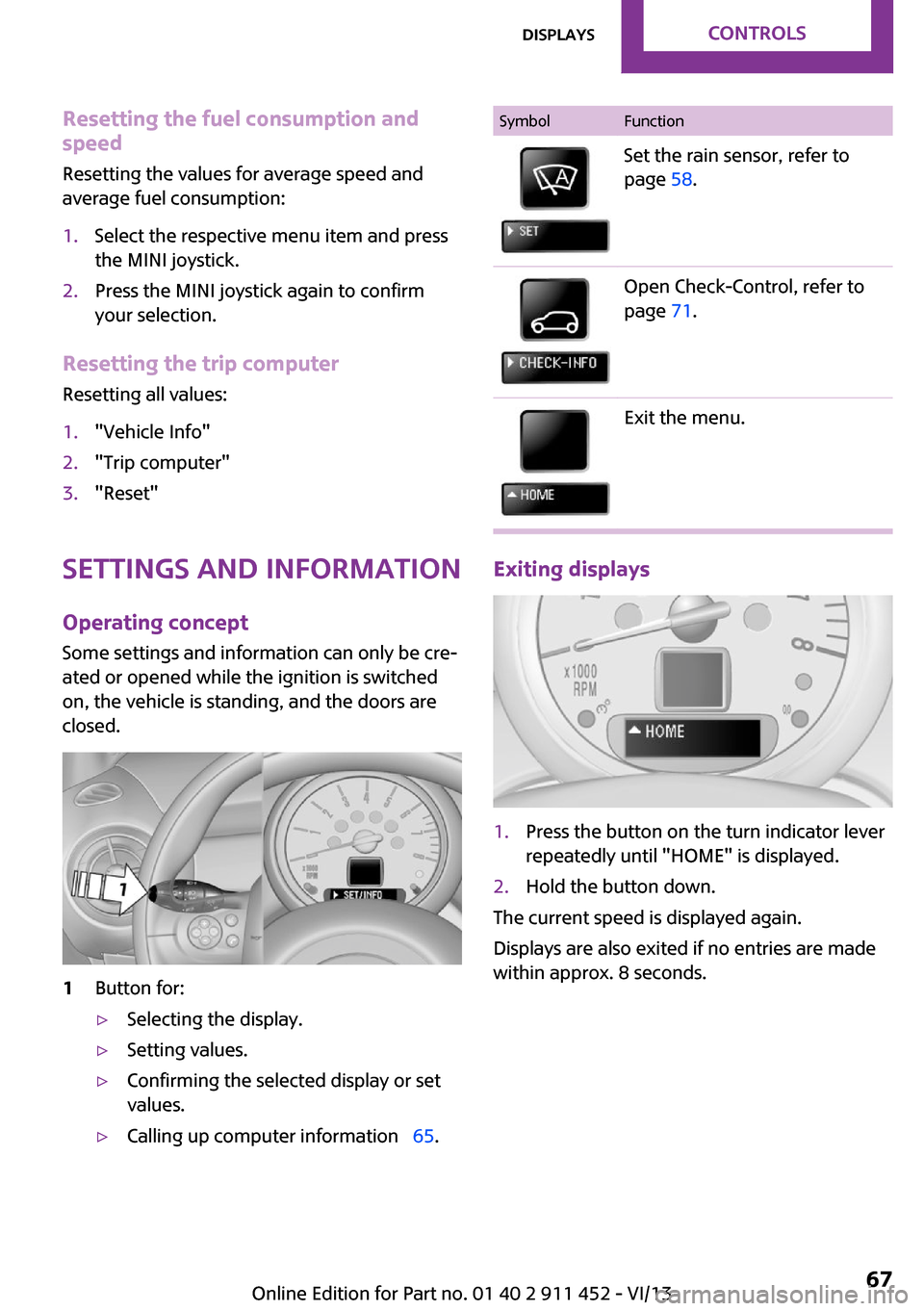
1Button for:▷Selecting the display.▷Setting values.▷Confirming the selected display or set
values.▷Calling up computer information 65.SymbolFunctionSet the rain sensor, refer to
page 58.Open Check-Control, refer to
page 71.Exit the menu.
Exiting displays
1.Press the button on the turn indicator lever
repeatedly until "HOME" is displayed.2.Hold the button down.
The current speed is displayed again.
Displays are also exited if no entries are made
within approx. 8 seconds.
Seite 67DisplaysControls67
Online Edition for Part no. 01 40 2 911 452 - VI/13
Page 120 of 276

Saving fuelVehicle equipment
This chapter describes all series equipment as
well as country-specific and special equipment
offered for this model series.Therefore, it also
describes equipment that may not be found in
your vehicle, for instance due to the selected
special equipment or the country version. This
also applies to safety-related functions and sys‐
tems.
General information Your vehicle contains advanced technology for
the reduction of fuel consumption and emis‐
sions.
Fuel consumption depends on a number of dif‐
ferent factors. The implementation of certain
measures, driving style and regular mainte‐ nance can have an influence on fuel consump‐
tion and on the environmental impact.
Remove unnecessary cargo Additional weight increases fuel consumption.
Remove attached parts following use Remove unneeded auxiliary mirrors, roof or
rear luggage racks after use.
Attached parts on the vehicle impair the aero‐
dynamics and increase the fuel consumption.
Close both windows Open windows causes higher air resistance and
thus increases fuel consumption.
Check the tire inflation pressure
regularly
Check and, if necessary, correct the tire infla‐
tion pressure, refer to page 210, at least twice
a month and before starting on a long trip.Low tire inflation pressure increases rolling re‐
sistance and thus raises fuel consumption and
tire wear.
Drive away without delayDo not wait for the engine to warm-up while
the vehicle remains stationary. Start driving
right away, but at moderate engine speeds.
This is the fastest way for the cold engine to
reach its operating temperature.
Look well ahead when driving Avoid unnecessary acceleration and braking. To
achieve this, maintain a suitable distance to the
vehicle driving ahead of you.
Driving smoothly and looking ahead reduces
fuel consumption.
Avoid high engine speeds Use 1st gear to get the vehicle in motion. Be‐
ginning with 2nd gear, accelerate rapidly. When
accelerating, shift up before reaching high en‐
gine speeds.
When you reach the desired speed, shift into
the highest applicable gear and drive with the
engine speed as low as possible and at a con‐
stant speed.
As a rule: driving at low engine speeds lowers
fuel consumption and reduces wear.
Use coasting conditions
When approaching a red light, take your foot
off the accelerator and coast to a halt in the
highest applicable gear.
On a downhill slope, take your foot off the ac‐
celerator and coast in a suitable gear.
The flow of fuel is interrupted while coasting.Seite 120Driving tipsSaving fuel120
Online Edition for Part no. 01 40 2 911 452 - VI/13
Page 121 of 276

Switch off the engine during longer
stops
Switch off the engine during longer stops, e.g.,
at traffic lights, railroad crossings or in traffic
congestion.
Fuel savings are already achieved after the en‐
gine is turned off for as little as 4 seconds.
Automatic Engine Start/Stop Function
The Automatic Engine Start/Stop Function auto‐
matically switches the engine off during a stop.
If the engine is stopped and then started again,
fuel consumption and emissions drop com‐
pared to an engine that runs permanently.
Stopping the engine even for just a few sec‐
onds can result in savings.
In addition, fuel consumption depends on other
factors as well, such as driving style, road con‐
ditions, maintenance, and environmental fac‐
tors.
Switch off any functions that are not currently needed
Functions such as seat heating and the rear
window defroster require a lot of energy and
consume additional fuel, especially in city and
stop-and-go traffic.
Therefore, switch off these functions if they are
not actually needed.
Have maintenance carried out
Have vehicles maintained regularly to achieve
optimal vehicle economy and operating life.
Have the maintenance carried out by the serv‐
ice center.
Please also note the MINI maintenance system,
refer to page 228.Seite 121Saving fuelDriving tips121
Online Edition for Part no. 01 40 2 911 452 - VI/13
Page 225 of 276

Engine oilVehicle equipment
This chapter describes all series equipment as
well as country-specific and special equipment
offered for this model series.Therefore, it also
describes equipment that may not be found in
your vehicle, for instance due to the selected
special equipment or the country version. This
also applies to safety-related functions and sys‐
tems.
Engine oil General information
Engine oil consumption depends on the driving
style and the conditions of use. A highly sporty
driving style, for example, results in considera‐
bly higher engine oil consumption.
Therefore, regularly check the engine oil level
after refueling.
Checking the oil level with a dip stick1.Park the vehicle on level ground when the
engine is at operating temperature, i.e., af‐
ter driving continuously for at least
6 2 miles/10 km.2.Switch the engine off.3.After approx. 5 minutes, pull out the dip
stick and wipe it off with a lint-free cloth,
paper towel, etc.4.Carefully insert the dip stick all the way into
the measuring tube and pull it out again.The oil level must be between the two
marks on the dip stick.
The oil quantity between the two marks on the
dip stick equals approx. 1 US quart/1 liter.
Do not exceed the high mark.
Do not exceed the high mark of the dip
stick. Overfilling oil damages the engine. ◀
Adding engine oil
Filler neck
Add a maximum quantity of 1 US quart/1 liter
of oil only after the corresponding message ap‐
pears on the Control Display or, in diesel en‐
gines, after the oil level is just above the low
mark of the dip stick, refer to page 225.
Add oil promptly
Add oil within the next 30 miles/50 km;
otherwise, engine damage could result. ◀
Seite 225Engine oilMobility225
Online Edition for Part no. 01 40 2 911 452 - VI/13
Page 264 of 276
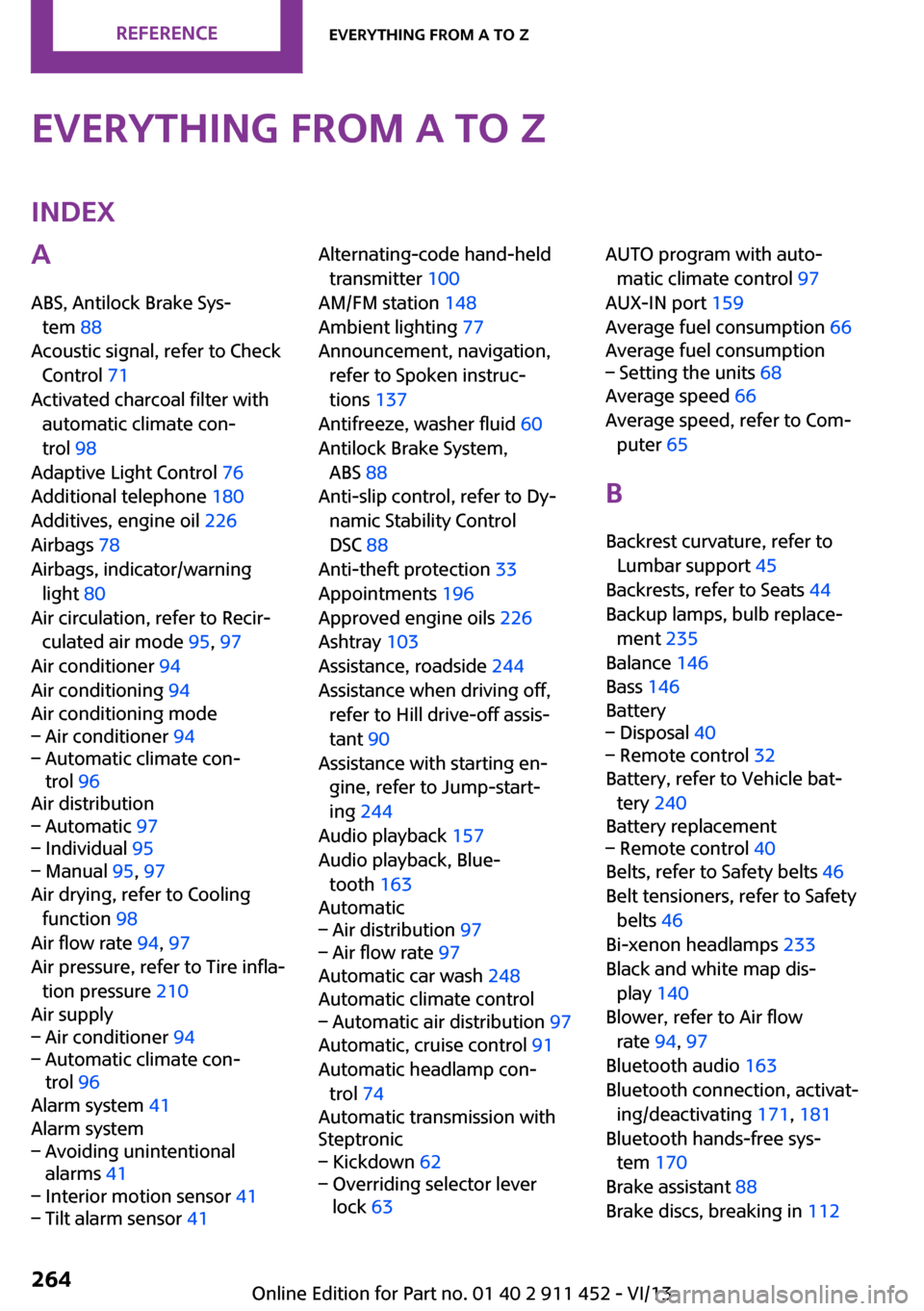
Everything from A to ZIndexA
ABS, Antilock Brake Sys‐ tem 88
Acoustic signal, refer to Check Control 71
Activated charcoal filter with automatic climate con‐
trol 98
Adaptive Light Control 76
Additional telephone 180
Additives, engine oil 226
Airbags 78
Airbags, indicator/warning light 80
Air circulation, refer to Recir‐ culated air mode 95, 97
Air conditioner 94
Air conditioning 94
Air conditioning mode– Air conditioner 94– Automatic climate con‐
trol 96
Air distribution
– Automatic 97– Individual 95– Manual 95, 97
Air drying, refer to Cooling
function 98
Air flow rate 94, 97
Air pressure, refer to Tire infla‐ tion pressure 210
Air supply
– Air conditioner 94– Automatic climate con‐
trol 96
Alarm system 41
Alarm system
– Avoiding unintentional
alarms 41– Interior motion sensor 41– Tilt alarm sensor 41Alternating-code hand-held
transmitter 100
AM/FM station 148
Ambient lighting 77
Announcement, navigation, refer to Spoken instruc‐
tions 137
Antifreeze, washer fluid 60
Antilock Brake System, ABS 88
Anti-slip control, refer to Dy‐ namic Stability Control
DSC 88
Anti-theft protection 33
Appointments 196
Approved engine oils 226
Ashtray 103
Assistance, roadside 244
Assistance when driving off, refer to Hill drive-off assis‐
tant 90
Assistance with starting en‐ gine, refer to Jump-start‐
ing 244
Audio playback 157
Audio playback, Blue‐ tooth 163
Automatic– Air distribution 97– Air flow rate 97
Automatic car wash 248
Automatic climate control
– Automatic air distribution 97
Automatic, cruise control 91
Automatic headlamp con‐ trol 74
Automatic transmission with
Steptronic
– Kickdown 62– Overriding selector lever
lock 63AUTO program with auto‐
matic climate control 97
AUX-IN port 159
Average fuel consumption 66
Average fuel consumption– Setting the units 68
Average speed 66
Average speed, refer to Com‐ puter 65
B Backrest curvature, refer to Lumbar support 45
Backrests, refer to Seats 44
Backup lamps, bulb replace‐ ment 235
Balance 146
Bass 146
Battery
– Disposal 40– Remote control 32
Battery, refer to Vehicle bat‐
tery 240
Battery replacement
– Remote control 40
Belts, refer to Safety belts 46
Belt tensioners, refer to Safety belts 46
Bi-xenon headlamps 233
Black and white map dis‐ play 140
Blower, refer to Air flow rate 94, 97
Bluetooth audio 163
Bluetooth connection, activat‐ ing/deactivating 171, 181
Bluetooth hands-free sys‐ tem 170
Brake assistant 88
Brake discs, breaking in 112
Seite 264ReferenceEverything from A to Z264
Online Edition for Part no. 01 40 2 911 452 - VI/13
Page 265 of 276

Brake fluid, refer to Service re‐quirements 70
Brake force distribution, elec‐ tronic 88
Brake pads, breaking in 112
Brakes– Handbrake 56
Brakes, MINI maintenance
system 228
Brakes, service require‐ ments 70
Brake system, MINI mainte‐ nance system 228
Braking, notes 114
Breakdown assistance, Road‐ side Assistance 244
Breaking in 112
Brightness on the Control Dis‐ play 70
Button for starting the engine, refer to Start/Stop button 54
C
Calendar 196
California Proposition 65 Warning 7
Car battery, refer to Vehicle battery 240
Car care products 249
Care, displays 251
Care, vehicle 249
Cargo area
– Comfort Access 39– Doors, refer to Split door 37– Opening from the out‐
side 37– Tailgate, refer to Split
door 37
Cargo area doors, refer to Split
door 37
Cargo area lamp, refer to Inte‐ rior lamps 77
Cargo area tailgate, refer to Tailgate 37
Car horn, refer to Horn 14
Carpet, care 251
Car phone, refer to Tele‐
phone 170, 180
Car wash 248
CBC, Cornering Brake Con‐ trol 88
CBS Condition Based Serv‐ ice 228
CD 156
CD/DVD drives, care 251
CD player 156
Center console, refer to Around the center con‐
sole 18
Central locking– Comfort Access 38– From the inside 36– From the outside 34
Central locking system
– Concept 33– From the outside 33
Central screen, see Control
Display 20
Changes, technical, refer to
Safety 7
Changing wheels/tires 217
Check Control 71
Children, transporting 50
Child restraint fixing system LATCH 51
Child restraint fixing sys‐ tems 50
Child restraint fixing systems, mounting 50
Child seat, mounting 50
Child seats, refer to Transport‐ ing children safely 50
Chrome parts, care 251
Circulation of air, refer to Re‐ circulated air mode 95, 97
Cleaning, displays 251
Cleaning, refer to Care 248
Climate 94
Climate mode
– Ventilation 98
Clock 64
Clock– 12h/24h format 68– Setting the time and date 68
Closing
– From the inside 36– From the outside 34
Clubdoor 37
Clutch, breaking in 112
Cockpit 14
Cold start, refer to Starting the engine 55
Combination instrument, refer
to Displays 16
Combination switch, refer to Turn signal/high beams/
headlamp flasher 57
Combination switch, refer to Washer/wiper system 57
Comfort Access
– In the car wash 40– Replacing the battery 40
Comfort area, refer to Around
the center console 18
Compact wheel, inflation pres‐ sure 211
Compartment for remote con‐ trol, refer to Ignition lock 54
Compass, digital 101
Computer 65
Computer, displaying informa‐ tion 65
Condition Based Service CBS 228
Confirmation signals for vehi‐ cle locking/unlocking 35
Connecting, mobile phone, re‐ fer to Pairing the mobile
phone 170, 181
Consumption, refer to Aver‐ age fuel consumption 66
Contacts 177, 193
Control Display 20
Control Display, care 251
Control Display, settings 69
Controls and displays 14
Control systems, driving stabil‐ ity 88
Seite 265Everything from A to ZReference265
Online Edition for Part no. 01 40 2 911 452 - VI/13
Page 266 of 276
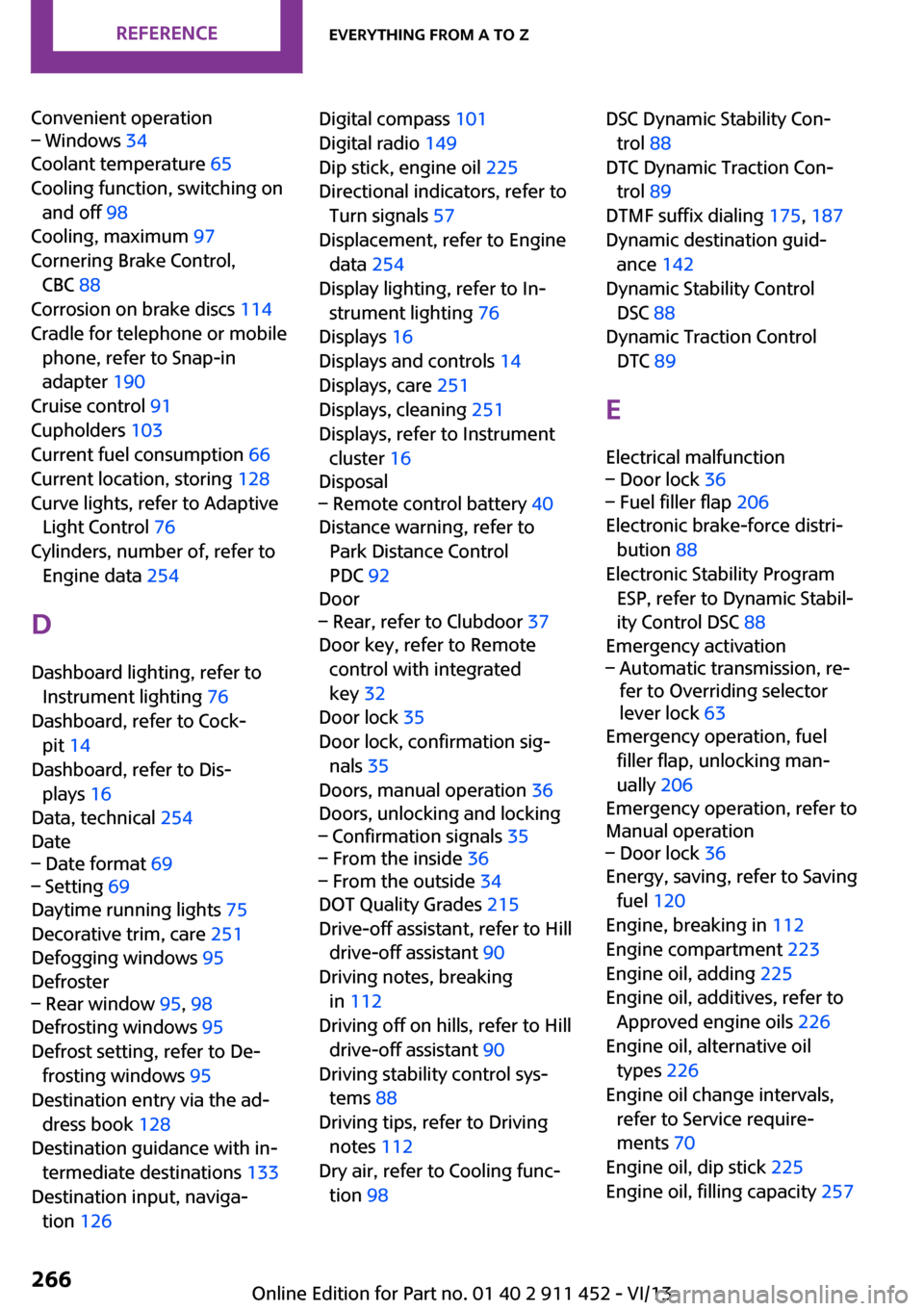
Convenient operation– Windows 34
Coolant temperature 65
Cooling function, switching on and off 98
Cooling, maximum 97
Cornering Brake Control, CBC 88
Corrosion on brake discs 114
Cradle for telephone or mobile phone, refer to Snap-in
adapter 190
Cruise control 91
Cupholders 103
Current fuel consumption 66
Current location, storing 128
Curve lights, refer to Adaptive Light Control 76
Cylinders, number of, refer to Engine data 254
D
Dashboard lighting, refer to Instrument lighting 76
Dashboard, refer to Cock‐ pit 14
Dashboard, refer to Dis‐ plays 16
Data, technical 254
Date
– Date format 69– Setting 69
Daytime running lights 75
Decorative trim, care 251
Defogging windows 95
Defroster
– Rear window 95, 98
Defrosting windows 95
Defrost setting, refer to De‐ frosting windows 95
Destination entry via the ad‐ dress book 128
Destination guidance with in‐ termediate destinations 133
Destination input, naviga‐ tion 126
Digital compass 101
Digital radio 149
Dip stick, engine oil 225
Directional indicators, refer to Turn signals 57
Displacement, refer to Engine data 254
Display lighting, refer to In‐ strument lighting 76
Displays 16
Displays and controls 14
Displays, care 251
Displays, cleaning 251
Displays, refer to Instrument cluster 16
Disposal– Remote control battery 40
Distance warning, refer to
Park Distance Control
PDC 92
Door
– Rear, refer to Clubdoor 37
Door key, refer to Remote
control with integrated
key 32
Door lock 35
Door lock, confirmation sig‐ nals 35
Doors, manual operation 36
Doors, unlocking and locking
– Confirmation signals 35– From the inside 36– From the outside 34
DOT Quality Grades 215
Drive-off assistant, refer to Hill drive-off assistant 90
Driving notes, breaking in 112
Driving off on hills, refer to Hill drive-off assistant 90
Driving stability control sys‐ tems 88
Driving tips, refer to Driving notes 112
Dry air, refer to Cooling func‐ tion 98
DSC Dynamic Stability Con‐
trol 88
DTC Dynamic Traction Con‐ trol 89
DTMF suffix dialing 175, 187
Dynamic destination guid‐ ance 142
Dynamic Stability Control DSC 88
Dynamic Traction Control DTC 89
E Electrical malfunction– Door lock 36– Fuel filler flap 206
Electronic brake-force distri‐
bution 88
Electronic Stability Program ESP, refer to Dynamic Stabil‐
ity Control DSC 88
Emergency activation
– Automatic transmission, re‐
fer to Overriding selector
lever lock 63
Emergency operation, fuel
filler flap, unlocking man‐
ually 206
Emergency operation, refer to
Manual operation
– Door lock 36
Energy, saving, refer to Saving
fuel 120
Engine, breaking in 112
Engine compartment 223
Engine oil, adding 225
Engine oil, additives, refer to Approved engine oils 226
Engine oil, alternative oil types 226
Engine oil change intervals, refer to Service require‐
ments 70
Engine oil, dip stick 225
Engine oil, filling capacity 257
Seite 266ReferenceEverything from A to Z266
Online Edition for Part no. 01 40 2 911 452 - VI/13