ignition MINI Clubman 2014 Owner's Manual
[x] Cancel search | Manufacturer: MINI, Model Year: 2014, Model line: Clubman, Model: MINI Clubman 2014Pages: 210, PDF Size: 5.12 MB
Page 13 of 210
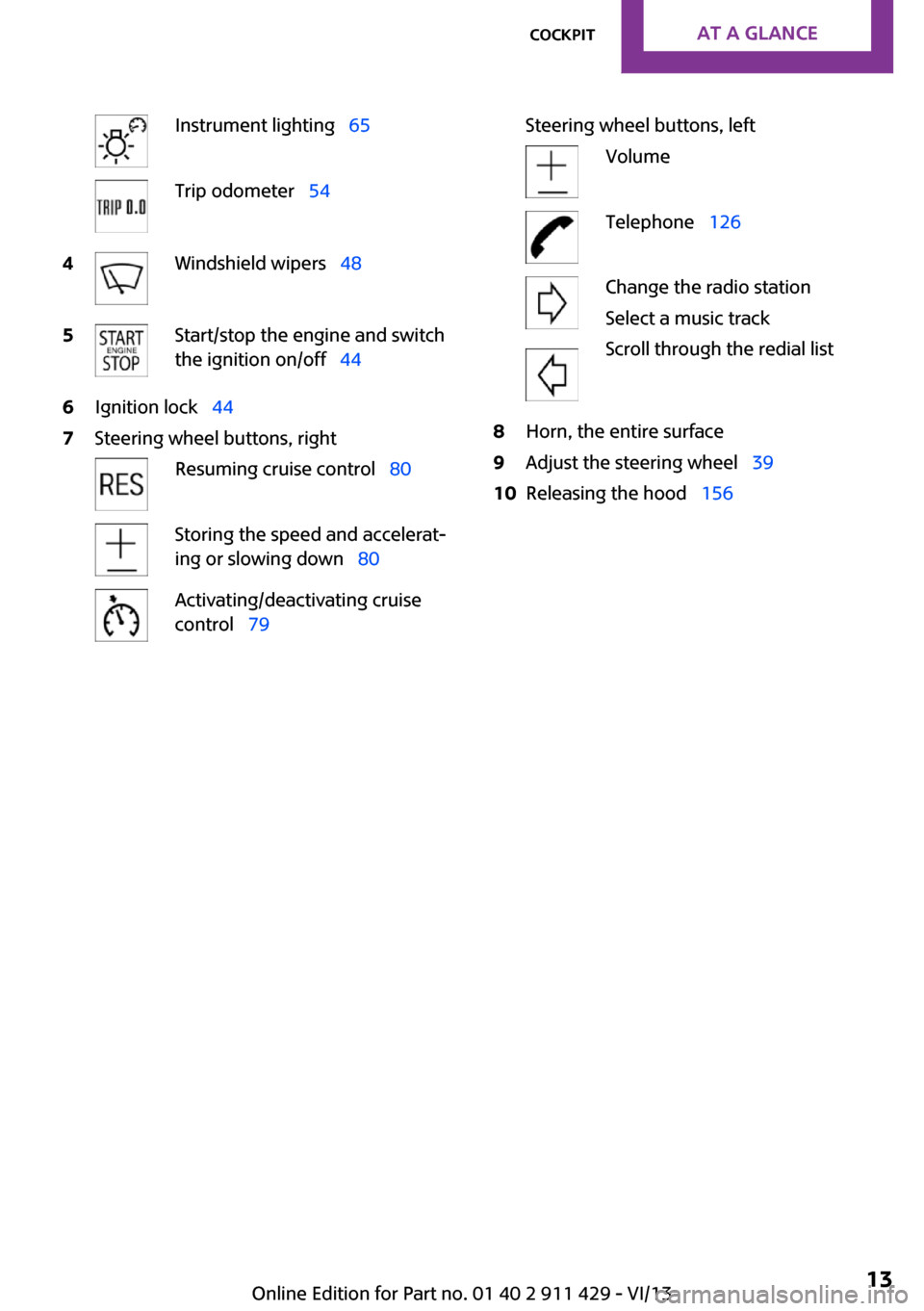
Instrument lighting 65Trip odometer 544Windshield wipers 485Start/stop the engine and switch
the ignition on/off 446Ignition lock 447Steering wheel buttons, rightResuming cruise control 80Storing the speed and accelerat‐
ing or slowing down 80Activating/deactivating cruise
control 79Steering wheel buttons, leftVolumeTelephone 126Change the radio station
Select a music track
Scroll through the redial list8Horn, the entire surface9Adjust the steering wheel 3910Releasing the hood 156Seite 13CockpitAt a glance13
Online Edition for Part no. 01 40 2 911 429 - VI/13
Page 15 of 210
Indicator/warning lamps
The concept
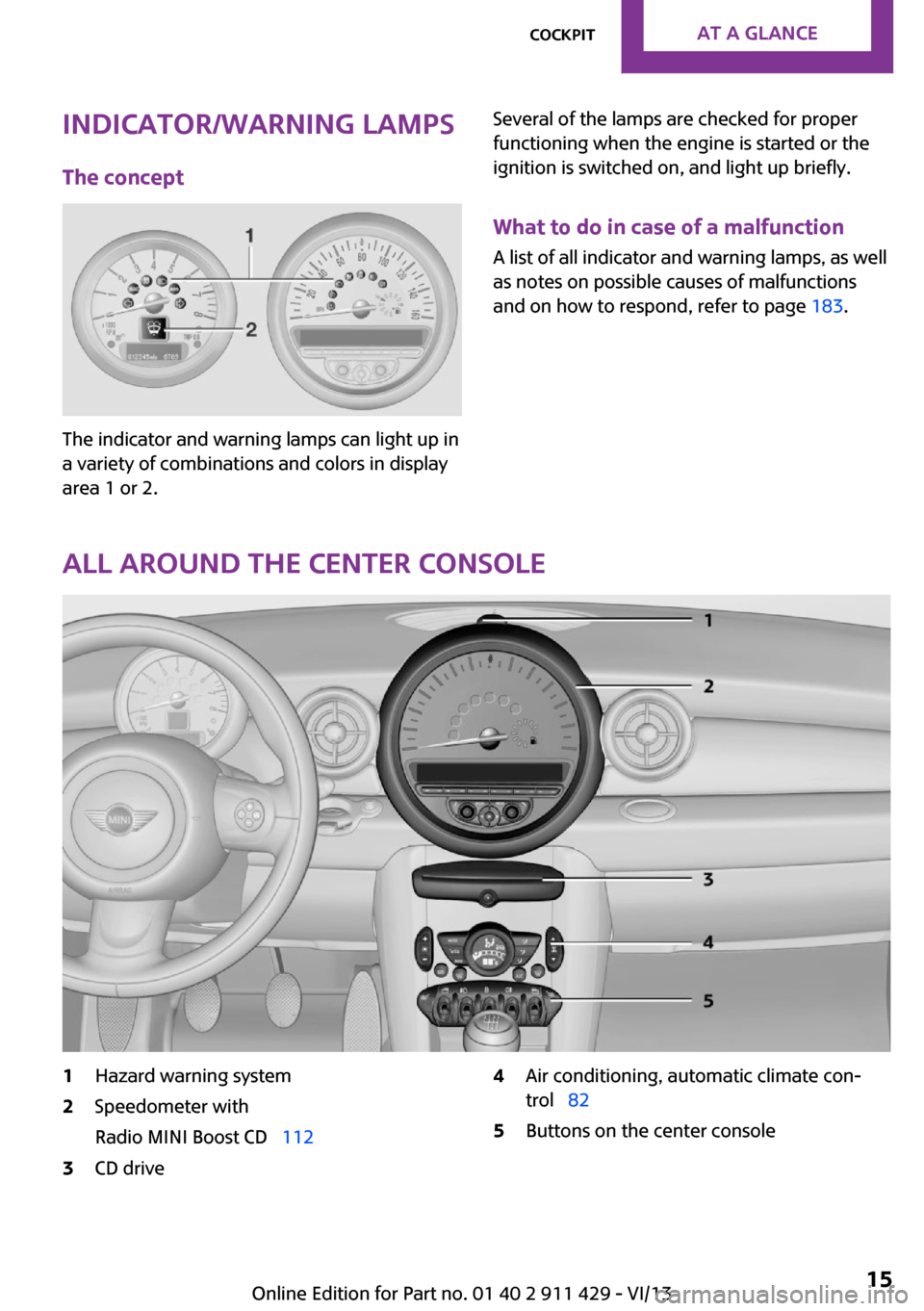
The indicator and warning lamps can light up in
a variety of combinations and colors in display
area 1 or 2.
Several of the lamps are checked for proper
functioning when the engine is started or the
ignition is switched on, and light up briefly.
What to do in case of a malfunction
A list of all indicator and warning lamps, as well
as notes on possible causes of malfunctions
and on how to respond, refer to page 183.
All around the center console
1Hazard warning system2Speedometer with
Radio MINI Boost CD 1123CD drive4Air conditioning, automatic climate con‐
trol 825Buttons on the center consoleSeite 15CockpitAt a glance15
Online Edition for Part no. 01 40 2 911 429 - VI/13
Page 20 of 210
Opening and closingVehicle equipmentThis chapter describes all series equipment as
well as country-specific and special equipment
offered for this model series.Therefore, it also
describes equipment that may not be found in
your vehicle, for instance due to the selected
special equipment or the country version. This
also applies to safety-related functions and sys‐
tems.
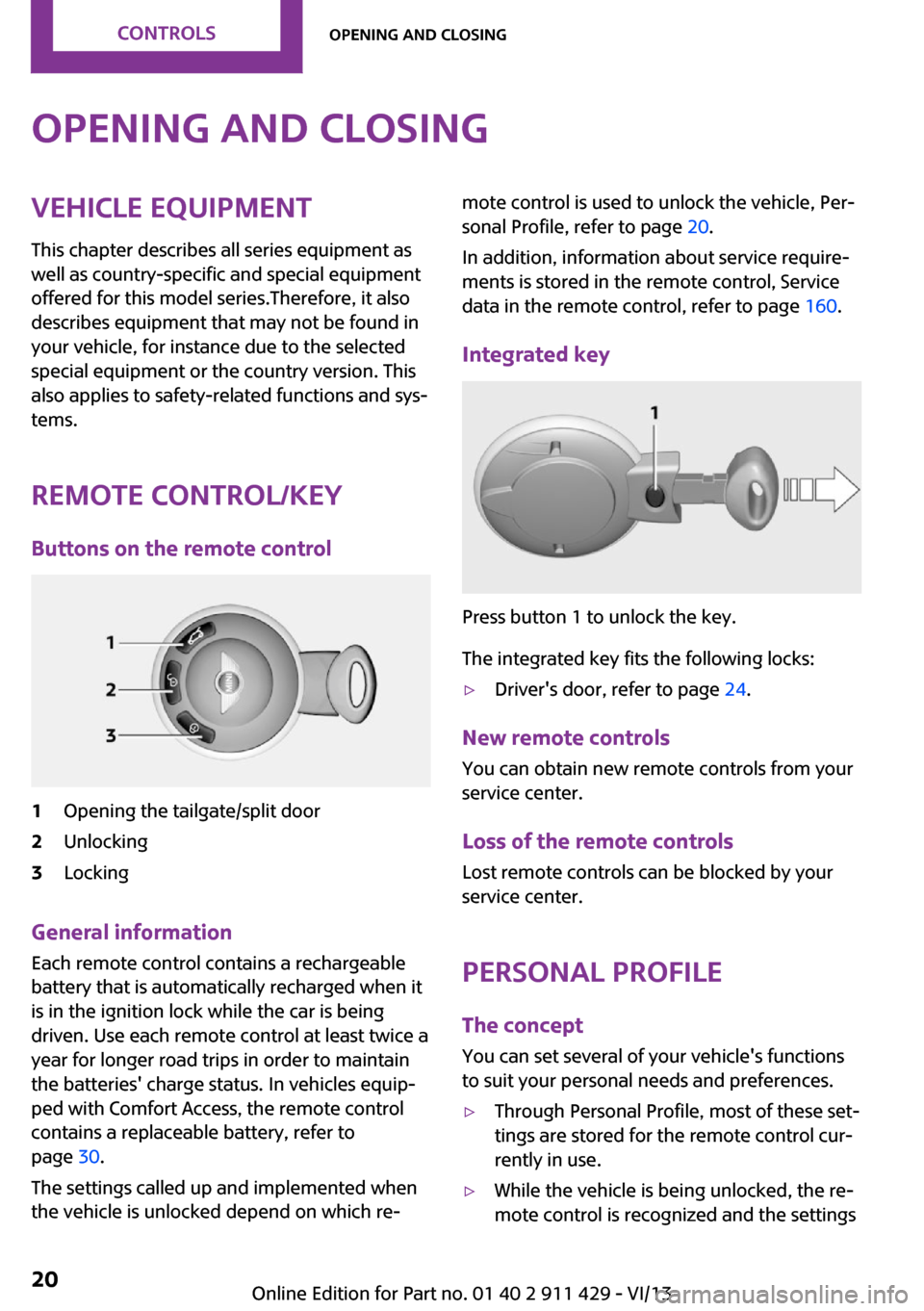
Remote control/key Buttons on the remote control1Opening the tailgate/split door2Unlocking3Locking
General information
Each remote control contains a rechargeable
battery that is automatically recharged when it
is in the ignition lock while the car is being
driven. Use each remote control at least twice a
year for longer road trips in order to maintain
the batteries' charge status. In vehicles equip‐
ped with Comfort Access, the remote control
contains a replaceable battery, refer to
page 30.
The settings called up and implemented when
the vehicle is unlocked depend on which re‐
mote control is used to unlock the vehicle, Per‐
sonal Profile, refer to page 20.
In addition, information about service require‐
ments is stored in the remote control, Service
data in the remote control, refer to page 160.
Integrated key
Press button 1 to unlock the key.
The integrated key fits the following locks:
▷Driver's door, refer to page 24.
New remote controls
You can obtain new remote controls from your
service center.
Loss of the remote controls Lost remote controls can be blocked by your
service center.
Personal Profile
The concept
You can set several of your vehicle's functions
to suit your personal needs and preferences.
▷Through Personal Profile, most of these set‐
tings are stored for the remote control cur‐
rently in use.▷While the vehicle is being unlocked, the re‐
mote control is recognized and the settingsSeite 20ControlsOpening and closing20
Online Edition for Part no. 01 40 2 911 429 - VI/13
Page 22 of 210
The hazard warning system and interior lamps
come on.
Opening and closing:
from the outside
Using the remote control
General information Take the remote control with you
People or animals left unattended in a
parked vehicle can lock the doors from the in‐
side. Always take the remote control with you
when leaving the vehicle so that the vehicle
can then be opened from the outside. ◀
Unlocking
Press the button. The vehicle is un‐
locked.
The welcome lamps and interior lamps are
switched on.
You can set how the vehicle is to be unlocked.
The setting is stored for the remote control cur‐
rently in use.
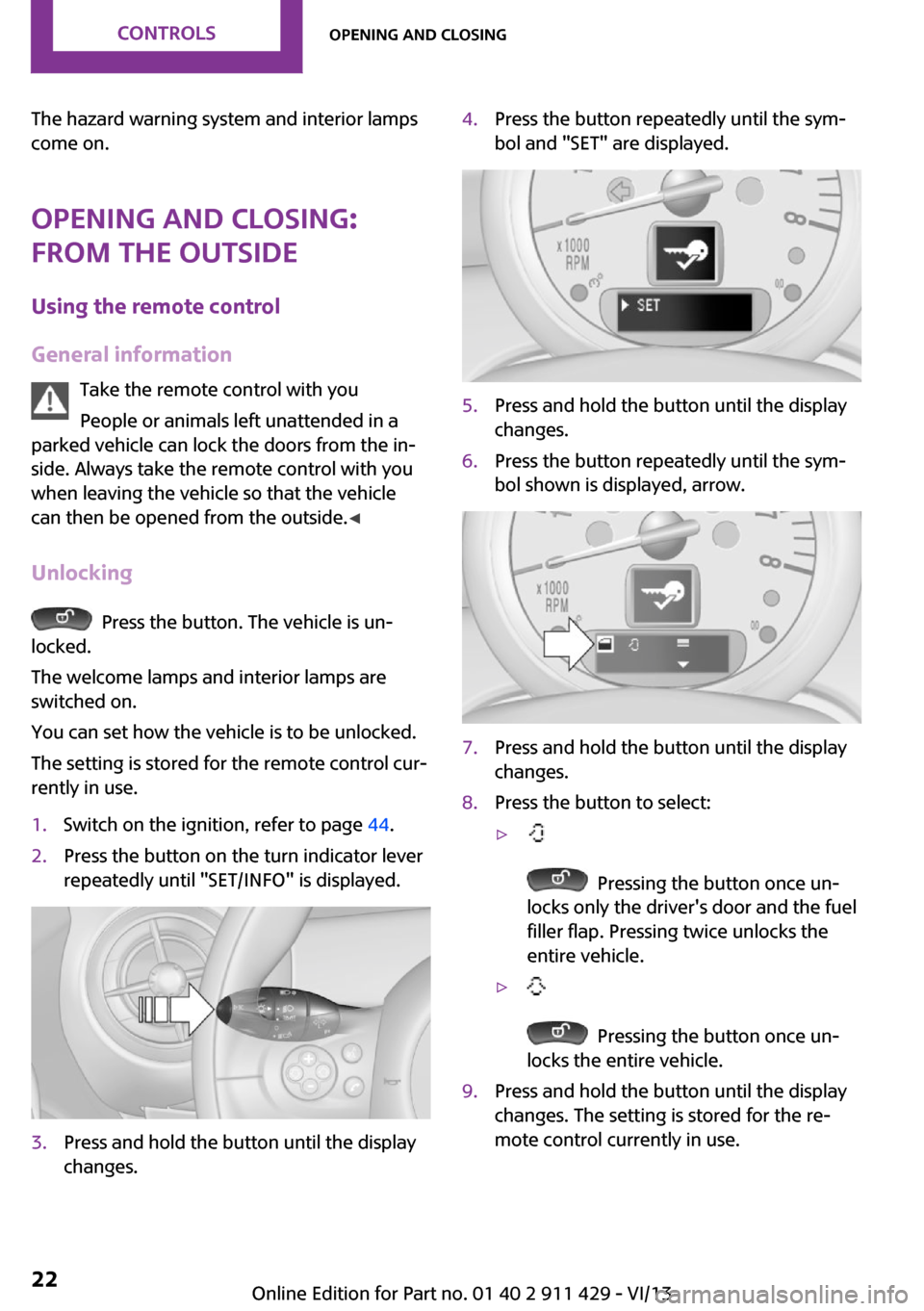
1.Switch on the ignition, refer to page 44.2.Press the button on the turn indicator lever
repeatedly until "SET/INFO" is displayed.3.Press and hold the button until the display
changes.4.Press the button repeatedly until the sym‐
bol and "SET" are displayed.5.Press and hold the button until the display
changes.6.Press the button repeatedly until the sym‐
bol shown is displayed, arrow.7.Press and hold the button until the display
changes.8.Press the button to select:▷
Pressing the button once un‐
locks only the driver's door and the fuel
filler flap. Pressing twice unlocks the
entire vehicle.
▷
Pressing the button once un‐
locks the entire vehicle.
9.Press and hold the button until the display
changes. The setting is stored for the re‐
mote control currently in use.Seite 22ControlsOpening and closing22
Online Edition for Part no. 01 40 2 911 429 - VI/13
Page 23 of 210
Convenient opening
Press and hold the button on the re‐
mote control.
The power windows are opened and the glass
sunroof is raised.
Convenient closing with the remote control is
not possible.
Locking
Press the button.
Locking from the outside
Do not lock the vehicle from the outside if
there are people in it, as the vehicle cannot be
unlocked from inside without special knowl‐
edge. ◀
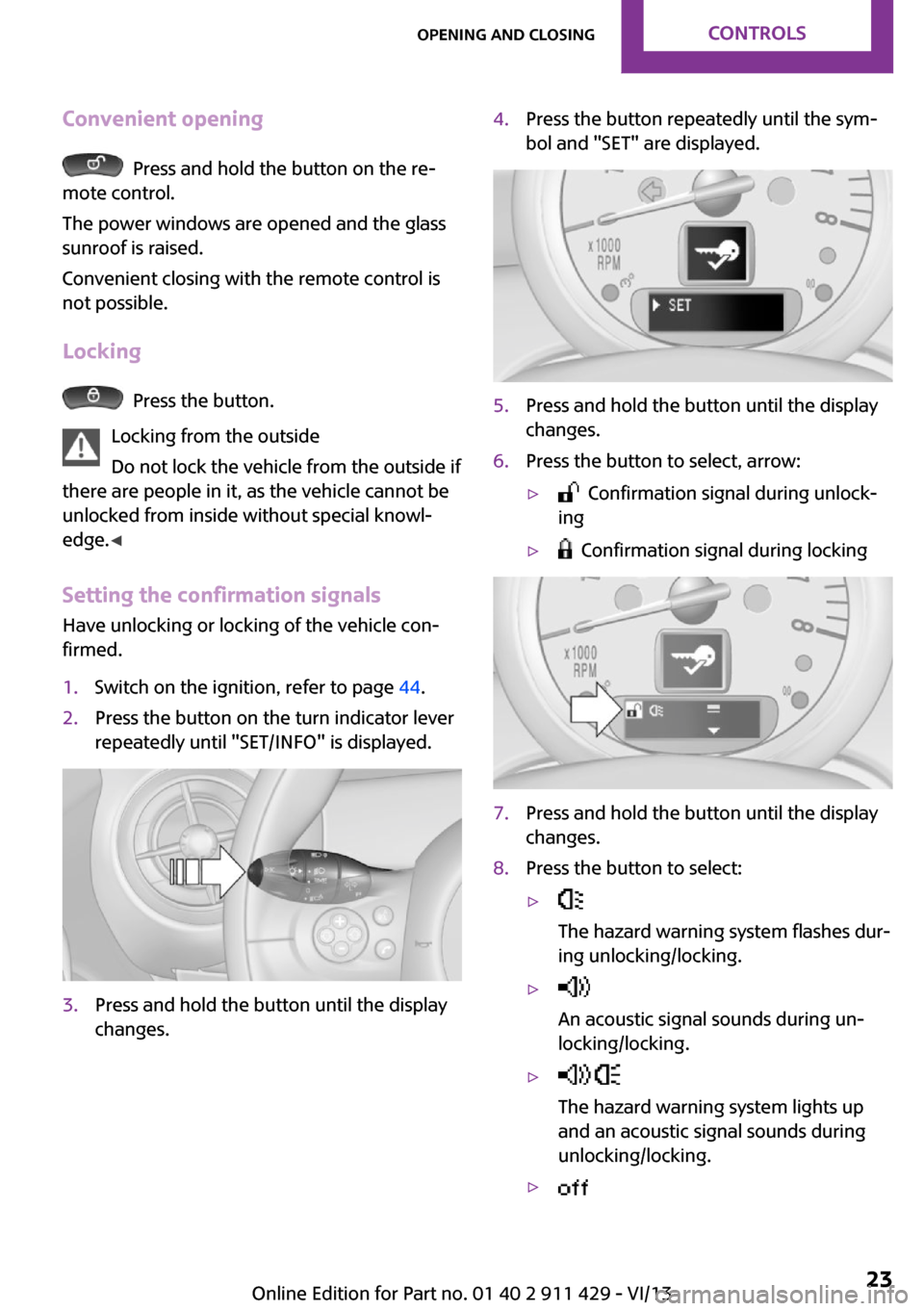
Setting the confirmation signals
Have unlocking or locking of the vehicle con‐
firmed.
1.Switch on the ignition, refer to page 44.2.Press the button on the turn indicator lever
repeatedly until "SET/INFO" is displayed.3.Press and hold the button until the display
changes.4.Press the button repeatedly until the sym‐
bol and "SET" are displayed.5.Press and hold the button until the display
changes.6.Press the button to select, arrow:▷ Confirmation signal during unlock‐
ing▷ Confirmation signal during locking7.Press and hold the button until the display
changes.8.Press the button to select:▷
The hazard warning system flashes dur‐
ing unlocking/locking.▷
An acoustic signal sounds during un‐
locking/locking.▷
The hazard warning system lights up
and an acoustic signal sounds during
unlocking/locking.▷ Seite 23Opening and closingControls23
Online Edition for Part no. 01 40 2 911 429 - VI/13
Page 25 of 210
▷Press down the lock button of the front
passenger door and close the door
from the outside.
Convenient opening and closing
In vehicles with an alarm system or Comfort Ac‐
cess, the windows and the glass sunroof can be
operated via the door lock.
Opening/closing
Turn the key to the unlock or lock position and
hold it there.
Keep the closing area clear
Watch during the opening and closing
process to be sure that no one becomes trap‐
ped. Releasing the key stops the motion. ◀
Manual operation If an electrical malfunction occurs, the driver's
door can be unlocked or locked by turning the
integrated key to the end positions of the door
lock.
Opening and closing:
from the inside
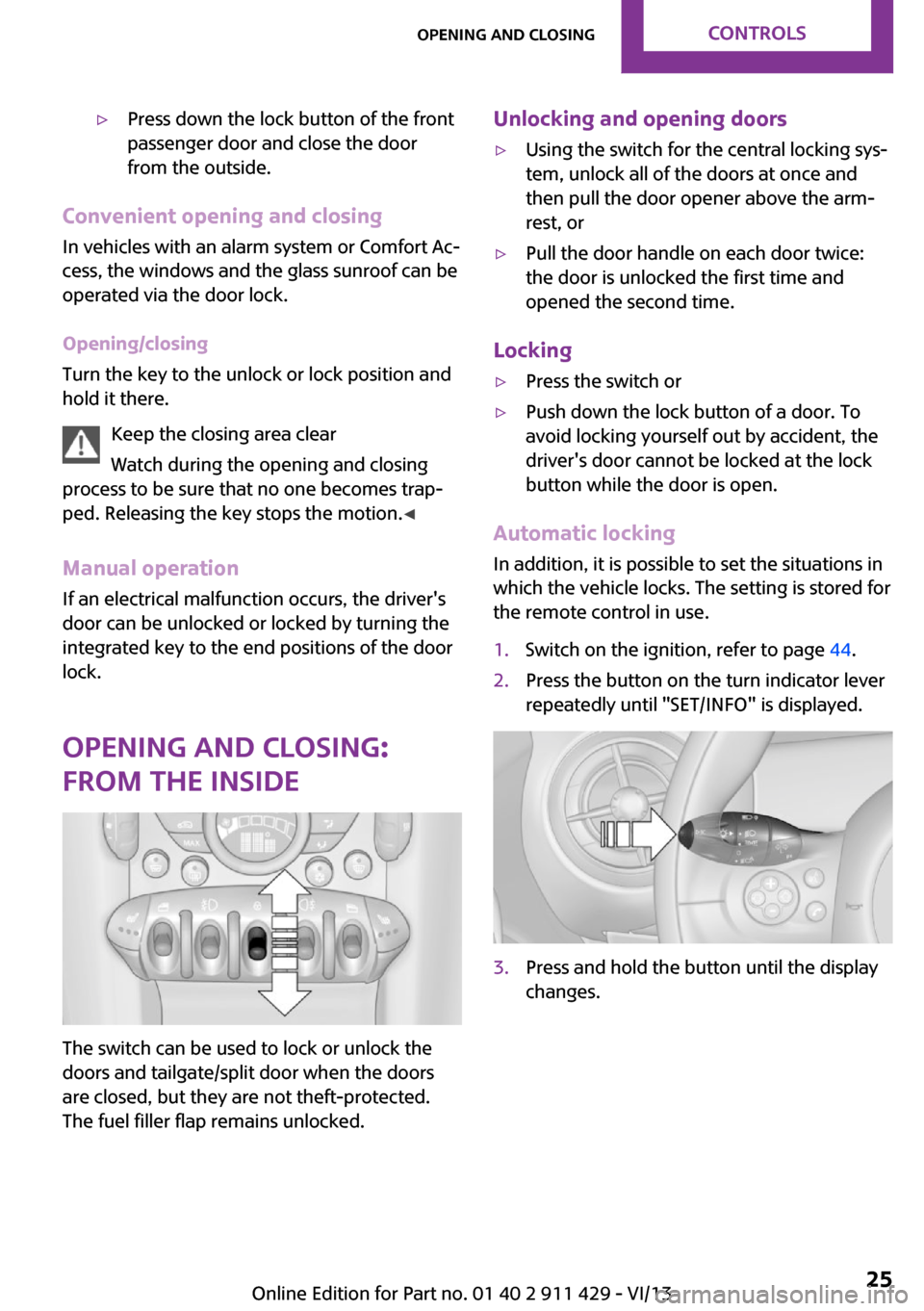
The switch can be used to lock or unlock the
doors and tailgate/split door when the doors
are closed, but they are not theft-protected.
The fuel filler flap remains unlocked.
Unlocking and opening doors▷Using the switch for the central locking sys‐
tem, unlock all of the doors at once and
then pull the door opener above the arm‐
rest, or▷Pull the door handle on each door twice:
the door is unlocked the first time and
opened the second time.
Locking
▷Press the switch or▷Push down the lock button of a door. To
avoid locking yourself out by accident, the
driver's door cannot be locked at the lock
button while the door is open.
Automatic locking
In addition, it is possible to set the situations in
which the vehicle locks. The setting is stored for
the remote control in use.
1.Switch on the ignition, refer to page 44.2.Press the button on the turn indicator lever
repeatedly until "SET/INFO" is displayed.3.Press and hold the button until the display
changes.Seite 25Opening and closingControls25
Online Edition for Part no. 01 40 2 911 429 - VI/13
Page 29 of 210
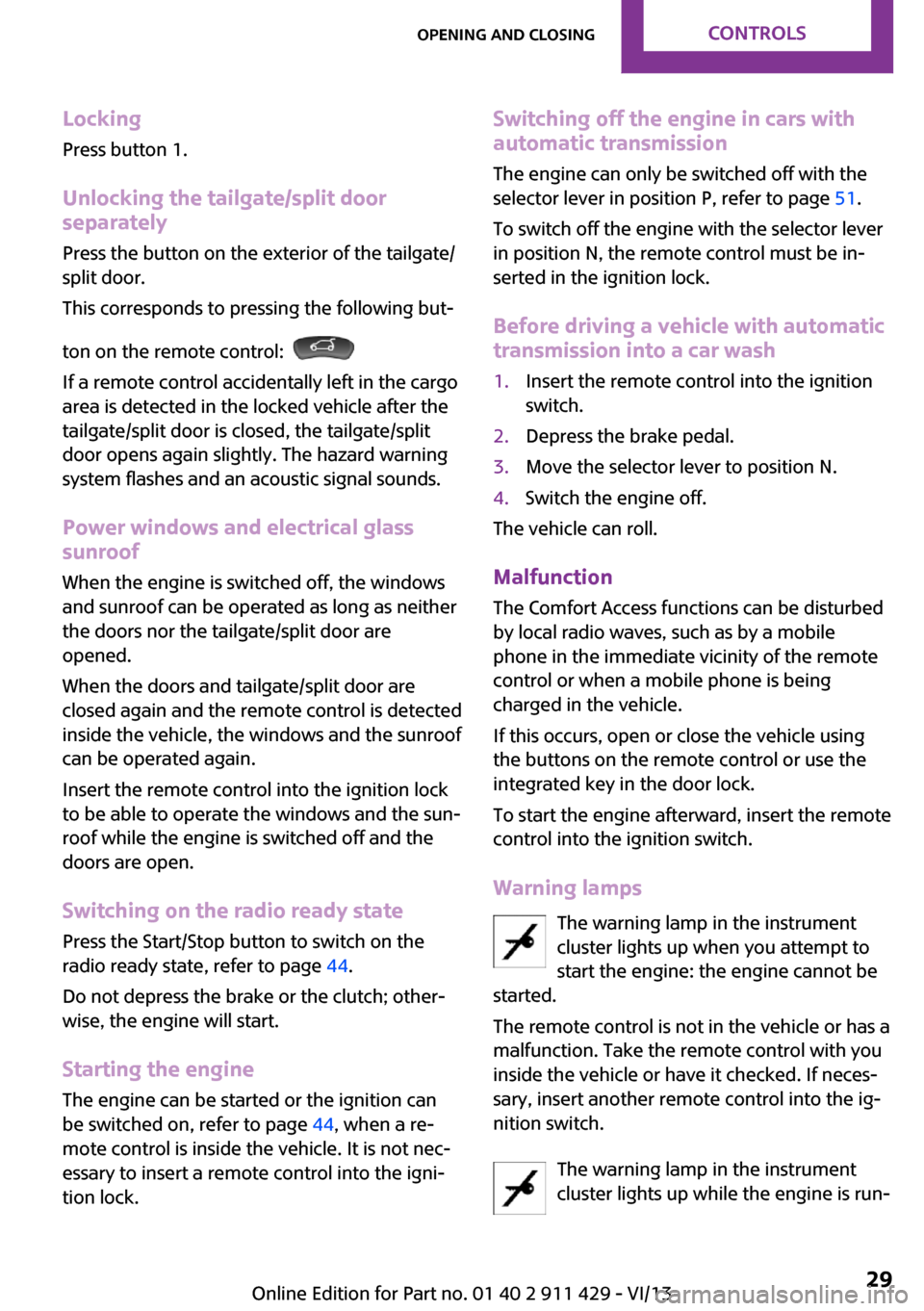
Locking
Press button 1.
Unlocking the tailgate/split door separately
Press the button on the exterior of the tailgate/
split door.
This corresponds to pressing the following but‐
ton on the remote control:
If a remote control accidentally left in the cargo
area is detected in the locked vehicle after the
tailgate/split door is closed, the tailgate/split
door opens again slightly. The hazard warning
system flashes and an acoustic signal sounds.
Power windows and electrical glass
sunroof
When the engine is switched off, the windows
and sunroof can be operated as long as neither
the doors nor the tailgate/split door are
opened.
When the doors and tailgate/split door are
closed again and the remote control is detected
inside the vehicle, the windows and the sunroof
can be operated again.
Insert the remote control into the ignition lock
to be able to operate the windows and the sun‐
roof while the engine is switched off and the
doors are open.
Switching on the radio ready state Press the Start/Stop button to switch on the
radio ready state, refer to page 44.
Do not depress the brake or the clutch; other‐
wise, the engine will start.
Starting the engine The engine can be started or the ignition can
be switched on, refer to page 44, when a re‐
mote control is inside the vehicle. It is not nec‐
essary to insert a remote control into the igni‐
tion lock.
Switching off the engine in cars with
automatic transmission
The engine can only be switched off with the
selector lever in position P, refer to page 51.
To switch off the engine with the selector lever
in position N, the remote control must be in‐
serted in the ignition lock.
Before driving a vehicle with automatic
transmission into a car wash1.Insert the remote control into the ignition
switch.2.Depress the brake pedal.3.Move the selector lever to position N.4.Switch the engine off.
The vehicle can roll.
Malfunction The Comfort Access functions can be disturbed
by local radio waves, such as by a mobile
phone in the immediate vicinity of the remote
control or when a mobile phone is being
charged in the vehicle.
If this occurs, open or close the vehicle using
the buttons on the remote control or use the
integrated key in the door lock.
To start the engine afterward, insert the remote
control into the ignition switch.
Warning lamps The warning lamp in the instrument
cluster lights up when you attempt to
start the engine: the engine cannot be
started.
The remote control is not in the vehicle or has a
malfunction. Take the remote control with you
inside the vehicle or have it checked. If neces‐
sary, insert another remote control into the ig‐
nition switch.
The warning lamp in the instrument
cluster lights up while the engine is run‐
Seite 29Opening and closingControls29
Online Edition for Part no. 01 40 2 911 429 - VI/13
Page 31 of 210
Glass sunroof, electrical
General information Danger of pinching
Monitor the closing process and make
sure that the closing path of the glass sunroof is
clear; otherwise, injuries may result. ◀
Take the remote control with you
Take the remote control with you when
leaving the vehicle so that children, for exam‐
ple, cannot operate the roof and injure them‐
selves. ◀
Convenient operation via:▷Door lock, refer to page 24▷Comfort Access, refer to page 29
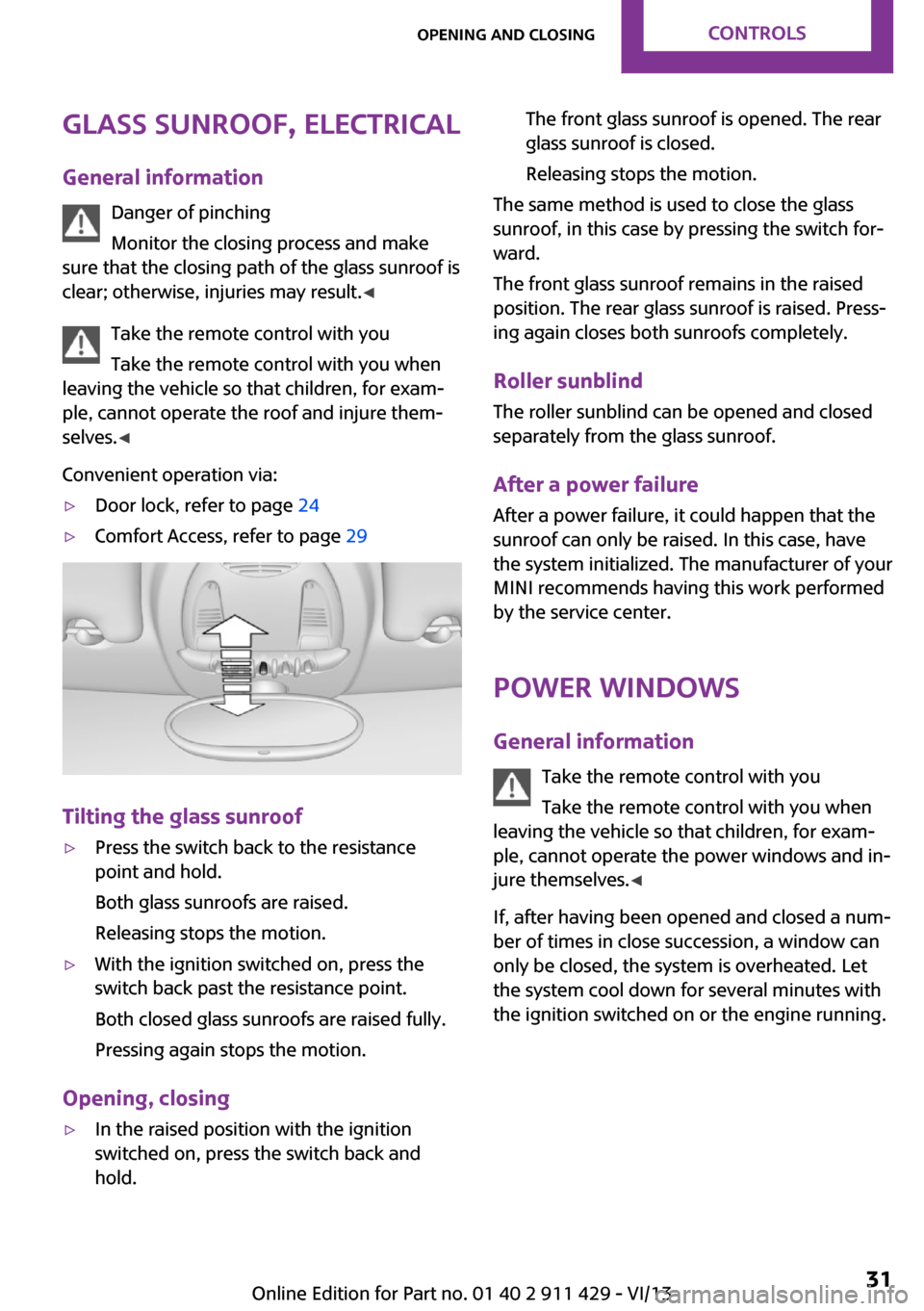
Tilting the glass sunroof
▷Press the switch back to the resistance
point and hold.
Both glass sunroofs are raised.
Releasing stops the motion.▷With the ignition switched on, press the
switch back past the resistance point.
Both closed glass sunroofs are raised fully.
Pressing again stops the motion.
Opening, closing
▷In the raised position with the ignition
switched on, press the switch back and
hold.The front glass sunroof is opened. The rear
glass sunroof is closed.
Releasing stops the motion.
The same method is used to close the glass
sunroof, in this case by pressing the switch for‐
ward.
The front glass sunroof remains in the raised
position. The rear glass sunroof is raised. Press‐
ing again closes both sunroofs completely.
Roller sunblind The roller sunblind can be opened and closed
separately from the glass sunroof.
After a power failure After a power failure, it could happen that the
sunroof can only be raised. In this case, have
the system initialized. The manufacturer of your
MINI recommends having this work performed
by the service center.
Power windows General information Take the remote control with you
Take the remote control with you when
leaving the vehicle so that children, for exam‐
ple, cannot operate the power windows and in‐
jure themselves. ◀
If, after having been opened and closed a num‐
ber of times in close succession, a window can
only be closed, the system is overheated. Let
the system cool down for several minutes with
the ignition switched on or the engine running.
Seite 31Opening and closingControls31
Online Edition for Part no. 01 40 2 911 429 - VI/13
Page 32 of 210
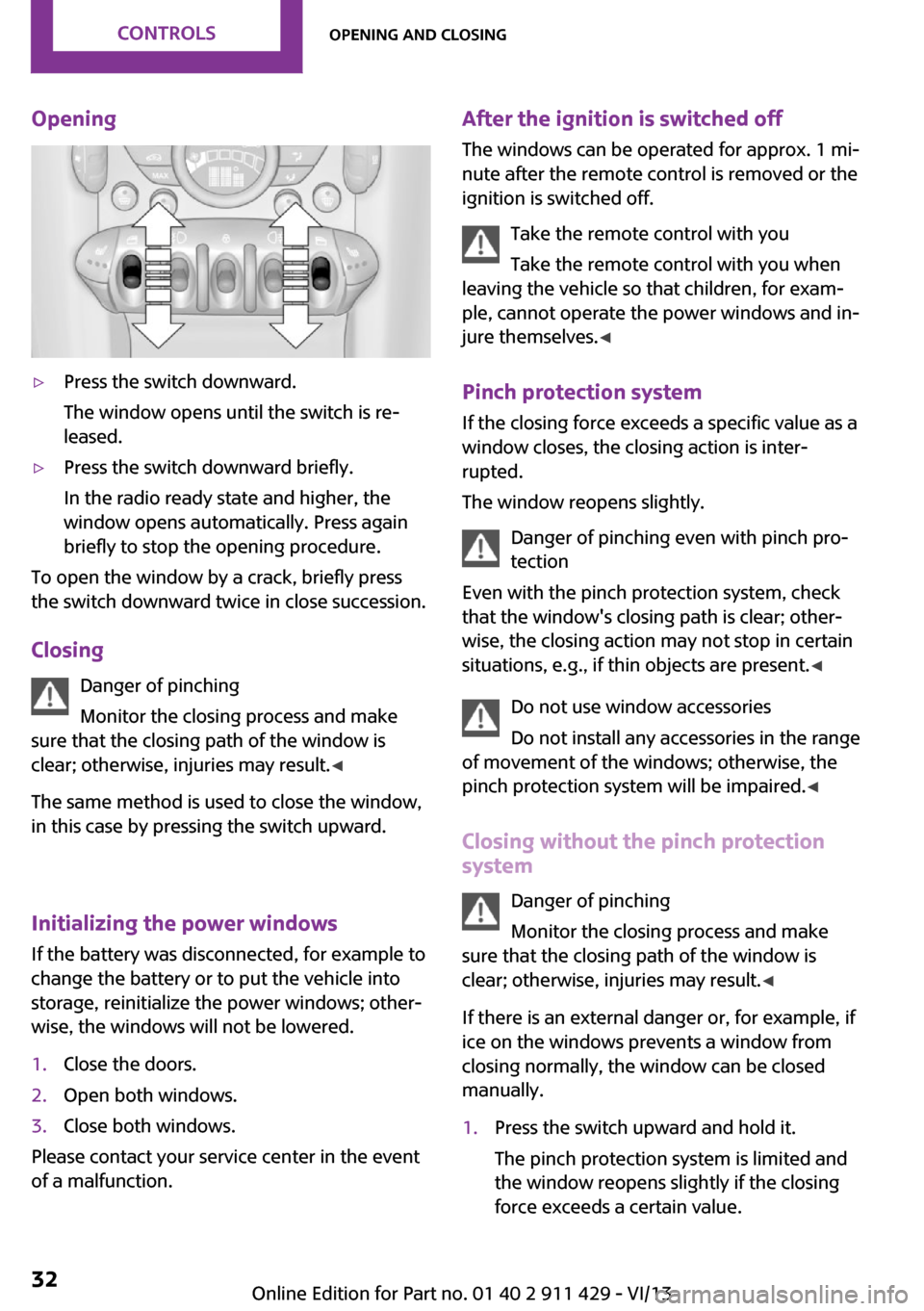
Opening▷Press the switch downward.
The window opens until the switch is re‐
leased.▷Press the switch downward briefly.
In the radio ready state and higher, the
window opens automatically. Press again
briefly to stop the opening procedure.
To open the window by a crack, briefly press
the switch downward twice in close succession.
Closing Danger of pinching
Monitor the closing process and make
sure that the closing path of the window is
clear; otherwise, injuries may result. ◀
The same method is used to close the window,
in this case by pressing the switch upward.
Initializing the power windows
If the battery was disconnected, for example to
change the battery or to put the vehicle into
storage, reinitialize the power windows; other‐
wise, the windows will not be lowered.
1.Close the doors.2.Open both windows.3.Close both windows.
Please contact your service center in the event
of a malfunction.
After the ignition is switched off
The windows can be operated for approx. 1 mi‐
nute after the remote control is removed or the
ignition is switched off.
Take the remote control with you
Take the remote control with you when
leaving the vehicle so that children, for exam‐
ple, cannot operate the power windows and in‐
jure themselves. ◀
Pinch protection system If the closing force exceeds a specific value as a
window closes, the closing action is inter‐
rupted.
The window reopens slightly.
Danger of pinching even with pinch pro‐
tection
Even with the pinch protection system, check
that the window's closing path is clear; other‐
wise, the closing action may not stop in certain
situations, e.g., if thin objects are present. ◀
Do not use window accessories
Do not install any accessories in the range
of movement of the windows; otherwise, the
pinch protection system will be impaired. ◀
Closing without the pinch protection
system
Danger of pinching
Monitor the closing process and make
sure that the closing path of the window is
clear; otherwise, injuries may result. ◀
If there is an external danger or, for example, if
ice on the windows prevents a window from
closing normally, the window can be closed
manually.1.Press the switch upward and hold it.
The pinch protection system is limited and
the window reopens slightly if the closing
force exceeds a certain value.Seite 32ControlsOpening and closing32
Online Edition for Part no. 01 40 2 911 429 - VI/13
Page 38 of 210

Before transporting passengers
Reinstall the head restraint before trans‐
porting anyone in the seat; otherwise, the pro‐
tective function of the head restraint is unavail‐
able. ◀
Mirrors Exterior mirrors
General information
The mirror on the passenger side is more
curved than the driver's mirror.
Estimating distances correctly
Objects reflected in the mirror are closer
than they appear. Do not estimate the distance
to the traffic behind you based on what you see
in the mirror, as this will increase your risk of an
accident. ◀
At a glance1Setting the left or right exterior mirror2Folding the mirror in and out
Adjusting electrically
1.Select the mirror by turning the knob to the
respective position 1.2.To adjust the mirror, move the knob in the
desired direction: to the front, rear, left, or
right.Adjusting manually
If an electrical malfunction occurs, for example,
press the edges of the mirror glass.
Folding the mirror in and out
Turn the knob past the resistance point in di‐
rection 2.
The mirror can be folded in up to a vehicle
speed of approx. 20 mph/30 km/h.
For example, this is advantageous▷In car washes.▷In narrow streets.▷For folding back mirrors that were folded
away manually.
Fold in the mirror in a car wash
Before entering an automatic car wash,
fold in the exterior mirrors by hand or with the
button; otherwise, they could be damaged, de‐
pending on the width of the vehicle. ◀
Automatic heating Both exterior mirrors are heated automatically
while the engine is running or the ignition is
switched on when the external temperature is
below a certain value.
Interior rearview mirror
To reduce the blinding effect from the rear
when driving at night: turn the knob.
Seite 38ControlsAdjusting38
Online Edition for Part no. 01 40 2 911 429 - VI/13