start stop button MINI Clubman 2014 Owner's Manual
[x] Cancel search | Manufacturer: MINI, Model Year: 2014, Model line: Clubman, Model: MINI Clubman 2014Pages: 210, PDF Size: 5.12 MB
Page 13 of 210
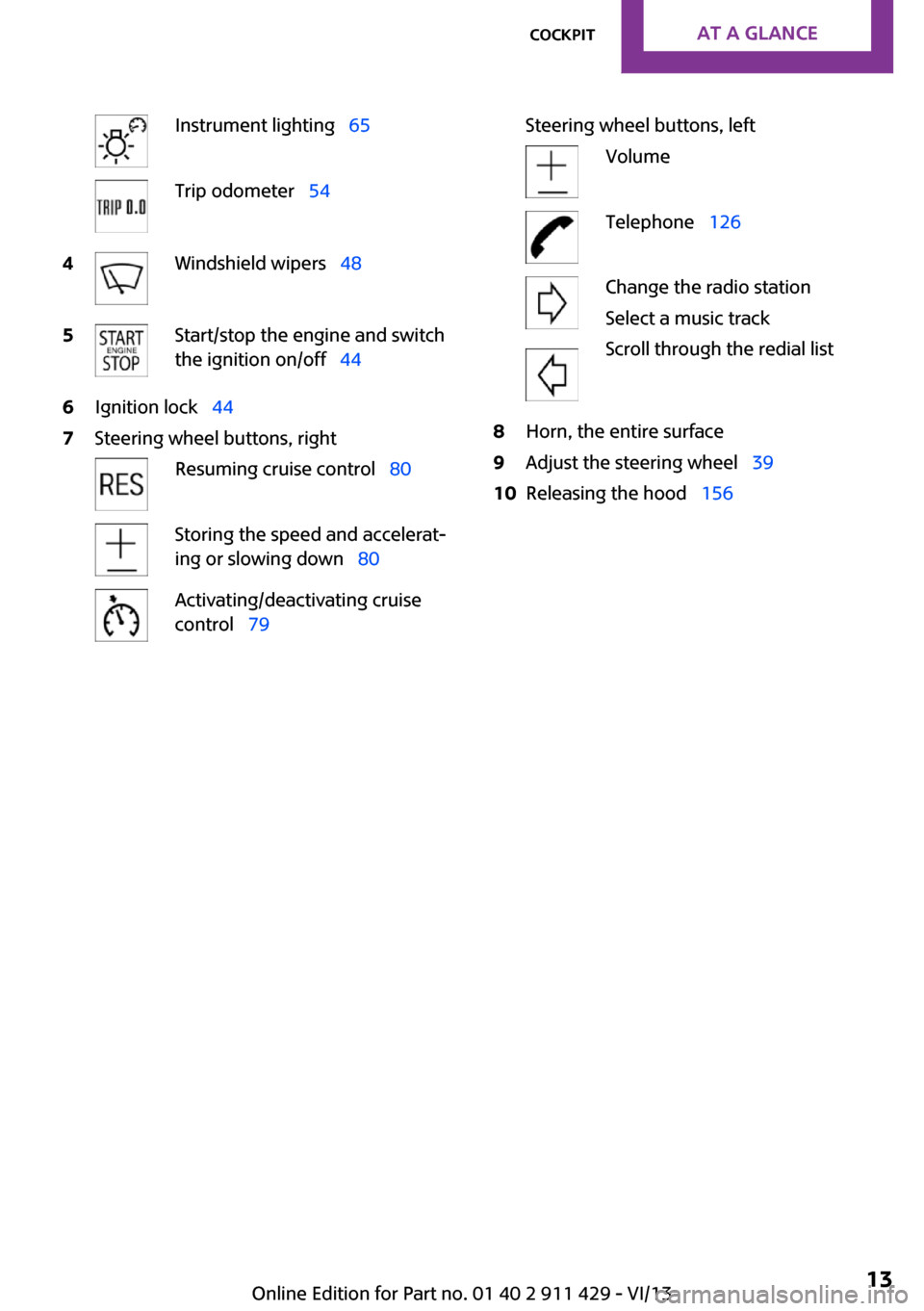
Instrument lighting 65Trip odometer 544Windshield wipers 485Start/stop the engine and switch
the ignition on/off 446Ignition lock 447Steering wheel buttons, rightResuming cruise control 80Storing the speed and accelerat‐
ing or slowing down 80Activating/deactivating cruise
control 79Steering wheel buttons, leftVolumeTelephone 126Change the radio station
Select a music track
Scroll through the redial list8Horn, the entire surface9Adjust the steering wheel 3910Releasing the hood 156Seite 13CockpitAt a glance13
Online Edition for Part no. 01 40 2 911 429 - VI/13
Page 29 of 210
Locking
Press button 1.
Unlocking the tailgate/split door separately
Press the button on the exterior of the tailgate/
split door.
This corresponds to pressing the following but‐
ton on the remote control:
If a remote control accidentally left in the cargo
area is detected in the locked vehicle after the
tailgate/split door is closed, the tailgate/split
door opens again slightly. The hazard warning
system flashes and an acoustic signal sounds.
Power windows and electrical glass
sunroof
When the engine is switched off, the windows
and sunroof can be operated as long as neither
the doors nor the tailgate/split door are
opened.
When the doors and tailgate/split door are
closed again and the remote control is detected
inside the vehicle, the windows and the sunroof
can be operated again.
Insert the remote control into the ignition lock
to be able to operate the windows and the sun‐
roof while the engine is switched off and the
doors are open.
Switching on the radio ready state Press the Start/Stop button to switch on the
radio ready state, refer to page 44.
Do not depress the brake or the clutch; other‐
wise, the engine will start.
Starting the engine The engine can be started or the ignition can
be switched on, refer to page 44, when a re‐
mote control is inside the vehicle. It is not nec‐
essary to insert a remote control into the igni‐
tion lock.
Switching off the engine in cars with
automatic transmission
The engine can only be switched off with the
selector lever in position P, refer to page 51.
To switch off the engine with the selector lever
in position N, the remote control must be in‐
serted in the ignition lock.
Before driving a vehicle with automatic
transmission into a car wash1.Insert the remote control into the ignition
switch.2.Depress the brake pedal.3.Move the selector lever to position N.4.Switch the engine off.
The vehicle can roll.
Malfunction The Comfort Access functions can be disturbed
by local radio waves, such as by a mobile
phone in the immediate vicinity of the remote
control or when a mobile phone is being
charged in the vehicle.
If this occurs, open or close the vehicle using
the buttons on the remote control or use the
integrated key in the door lock.
To start the engine afterward, insert the remote
control into the ignition switch.
Warning lamps The warning lamp in the instrument
cluster lights up when you attempt to
start the engine: the engine cannot be
started.
The remote control is not in the vehicle or has a
malfunction. Take the remote control with you
inside the vehicle or have it checked. If neces‐
sary, insert another remote control into the ig‐
nition switch.
The warning lamp in the instrument
cluster lights up while the engine is run‐
Seite 29Opening and closingControls29
Online Edition for Part no. 01 40 2 911 429 - VI/13
Page 44 of 210
DrivingVehicle equipmentThis chapter describes all series equipment as
well as country-specific and special equipment
offered for this model series.Therefore, it also
describes equipment that may not be found in
your vehicle, for instance due to the selected
special equipment or the country version. This
also applies to safety-related functions and sys‐
tems.
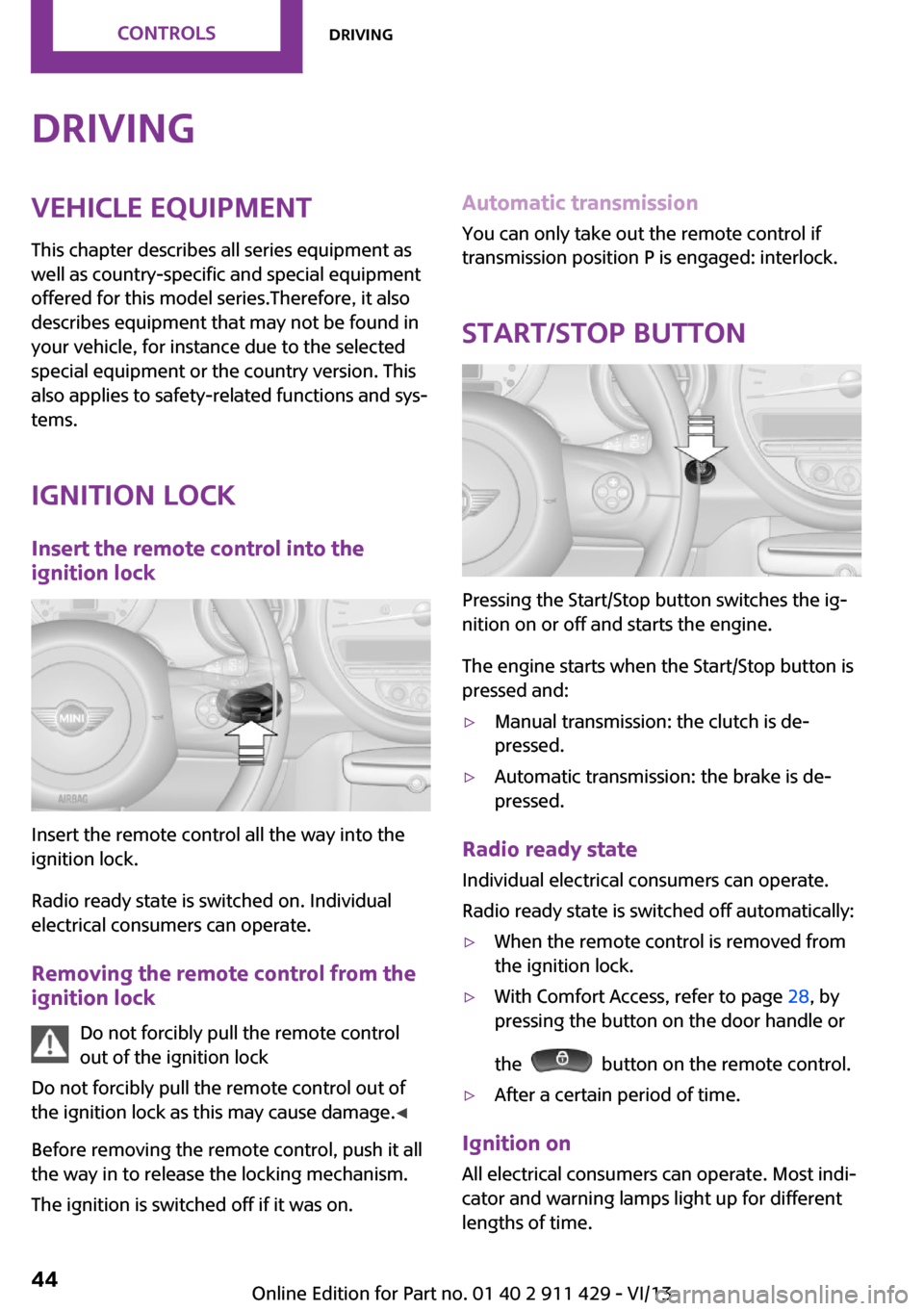
Ignition lock Insert the remote control into the
ignition lock
Insert the remote control all the way into the
ignition lock.
Radio ready state is switched on. Individual
electrical consumers can operate.
Removing the remote control from the
ignition lock
Do not forcibly pull the remote control
out of the ignition lock
Do not forcibly pull the remote control out of
the ignition lock as this may cause damage. ◀
Before removing the remote control, push it all
the way in to release the locking mechanism.
The ignition is switched off if it was on.
Automatic transmission
You can only take out the remote control if
transmission position P is engaged: interlock.
Start/Stop button
Pressing the Start/Stop button switches the ig‐
nition on or off and starts the engine.
The engine starts when the Start/Stop button is
pressed and:
▷Manual transmission: the clutch is de‐
pressed.▷Automatic transmission: the brake is de‐
pressed.
Radio ready state
Individual electrical consumers can operate.
Radio ready state is switched off automatically:
▷When the remote control is removed from
the ignition lock.▷With Comfort Access, refer to page 28, by
pressing the button on the door handle or
the
button on the remote control.
▷After a certain period of time.
Ignition on All electrical consumers can operate. Most indi‐
cator and warning lamps light up for different
lengths of time.
Seite 44ControlsDriving44
Online Edition for Part no. 01 40 2 911 429 - VI/13
Page 45 of 210
To save battery power when the engine is off,
switch off the ignition and any unnecessary
electronic systems/power consumers.
Radio ready state and ignition off All indicator and warning lamps in the displays
go out.
The ignition switches off automatically when
the driver's door is opened. Pressing the Start/
Stop button again switches the ignition back
on.
For example, the ignition is not switched off in
the following situations:▷Depress the clutch or brake pedal.▷The low beams are switched on
Starting the engine
General information Enclosed areas
Do not let the engine run in enclosed
areas; otherwise, breathing of exhaust fumes
may lead to loss of consciousness and death.
The exhaust gases contain carbon monoxide,
an odorless and colorless but highly toxic gas. ◀
Unattended vehicle
Do not leave the car unattended with the
engine running; otherwise, it presents a poten‐
tial source of danger.
Before leaving the car with the engine running,
shift to neutral or engage transmission posi‐
tion P and set the handbrake firmly; otherwise,
the vehicle may begin to roll. ◀
Frequent starting in quick succession
Avoid repeated futile attempts at starting
the car and avoid starting the car frequently in
quick succession. Otherwise, the fuel is not
burned or is inadequately burned, and there is
the danger of overheating and damaging the
catalytic converter. ◀
Do not wait for the engine to warm-up while
the vehicle remains stationary; start driving
right away, but at moderate engine speeds.
Do not depress the accelerator when starting
the engine.
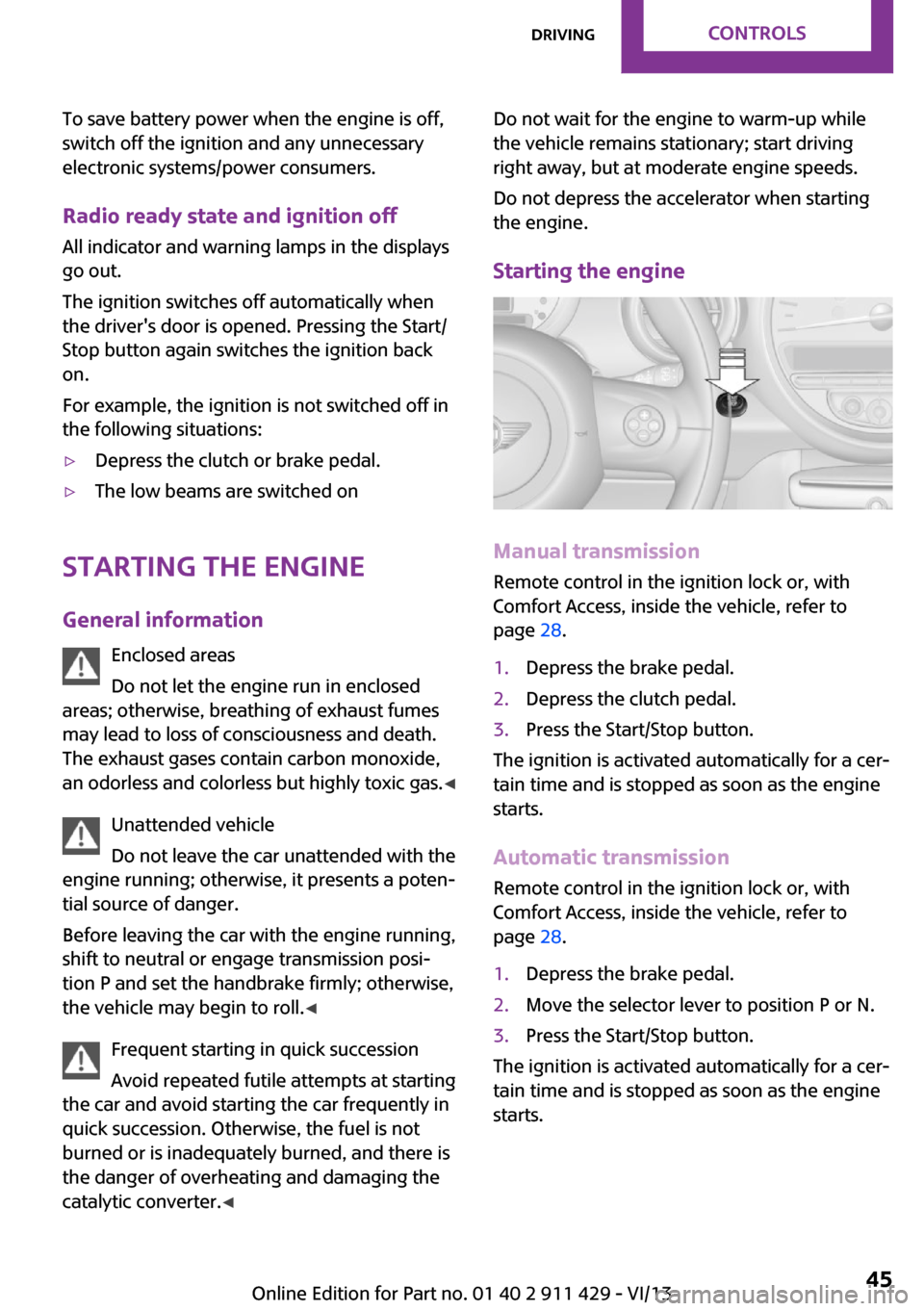
Starting the engine
Manual transmission
Remote control in the ignition lock or, with
Comfort Access, inside the vehicle, refer to
page 28.
1.Depress the brake pedal.2.Depress the clutch pedal.3.Press the Start/Stop button.
The ignition is activated automatically for a cer‐
tain time and is stopped as soon as the engine
starts.
Automatic transmission
Remote control in the ignition lock or, with
Comfort Access, inside the vehicle, refer to
page 28.
1.Depress the brake pedal.2.Move the selector lever to position P or N.3.Press the Start/Stop button.
The ignition is activated automatically for a cer‐
tain time and is stopped as soon as the engine
starts.
Seite 45DrivingControls45
Online Edition for Part no. 01 40 2 911 429 - VI/13
Page 46 of 210
Engine stop
General information Take the remote control with you
Take the remote control with you when
leaving the vehicle so that children, for exam‐
ple, cannot operate the windows and injure
themselves. ◀
Set the handbrake and further secure the
vehicle as required
Set the handbrake firmly when parking; other‐
wise, the vehicle may roll. On steep upward
and downward inclines, further secure the ve‐
hicle, for example, by turning the steering
wheel in the direction of the curb. ◀
Before driving into a car wash
To make it possible for the vehicle to roll in an
automatic car wash, follow the information on
Washing in automatic car washes, refer to
page 179.
Switching off the engine
Manual transmission1.With the vehicle at a standstill, press the
Start/Stop button.2.Shift into first gear or reverse.3.Set the handbrake firmly.4.Remove the remote control from the igni‐
tion lock.
Automatic transmission
1.Engage transmission position P with the ve‐
hicle stopped.2.Press the Start/Stop button.3.Set the handbrake firmly.4.Remove the remote control from the igni‐
tion lock.Handbrake
The concept
The handbrake is primarily intended to prevent
the vehicle from rolling while parked; it brakes
the rear wheels.
Also follow the instructions under Switching off
the engine, refer to page 46.
Setting
The lever engages automatically.
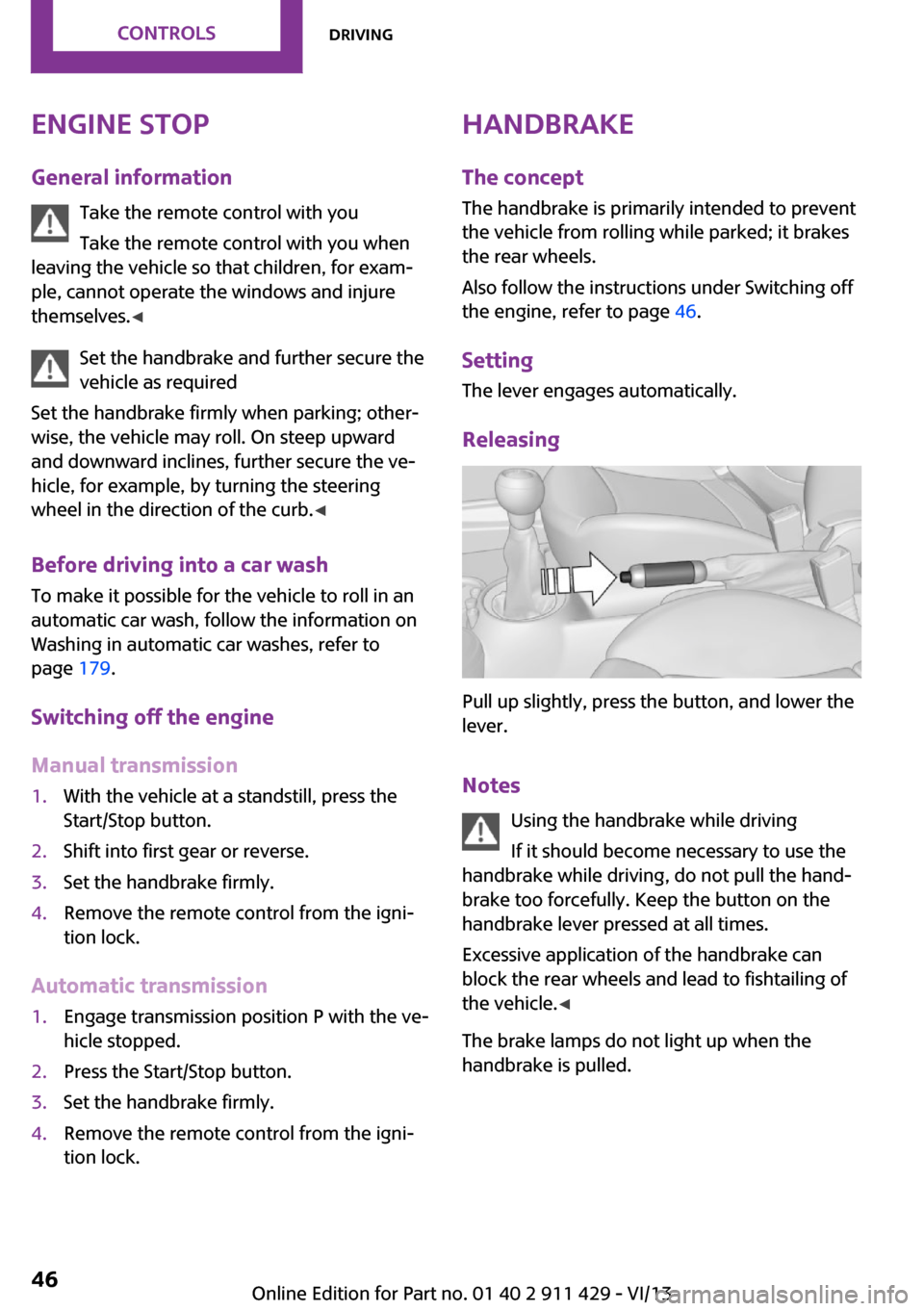
Releasing
Pull up slightly, press the button, and lower the
lever.
Notes Using the handbrake while driving
If it should become necessary to use the
handbrake while driving, do not pull the hand‐
brake too forcefully. Keep the button on the
handbrake lever pressed at all times.
Excessive application of the handbrake can
block the rear wheels and lead to fishtailing of
the vehicle. ◀
The brake lamps do not light up when the
handbrake is pulled.
Seite 46ControlsDriving46
Online Edition for Part no. 01 40 2 911 429 - VI/13
Page 72 of 210
Final tire failure
Vibrations or loud noises while driving
can indicate the final failure of the tire. Reduce
speed and stop; otherwise, pieces of the tire
could come loose and cause an accident. Do
not continue driving, and contact your service
center. ◀
Tire Pressure Monitor
TPM
The concept
The tire inflation pressure is measured in the
four mounted tires. The system notifies you if
there is a significant loss of pressure in one or
more tires.
Functional requirements The system must have been reset while the in‐
flation pressure was correct; otherwise, reliable
signaling of a flat tire is not ensured.
Always use wheels with TPM electronics to en‐
sure that the system will operate properly.
Reset the system after each correction of the
tire inflation pressure and after every tire or
wheel change.
System limits Sudden tire damage
Sudden serious tire damage caused by
external influences cannot be indicated in ad‐
vance. ◀
The system does not operate correctly if it has
not been reset. For example, a flat tire may be
indicated despite correct tire inflation pres‐
sures.
The system is inactive and cannot indicate a flat
tire:▷If a wheel without TPM electronics is
mounted, e.g., compact wheel.▷When the TPM is disturbed by other sys‐
tems or devices with the same radio fre‐
quency.
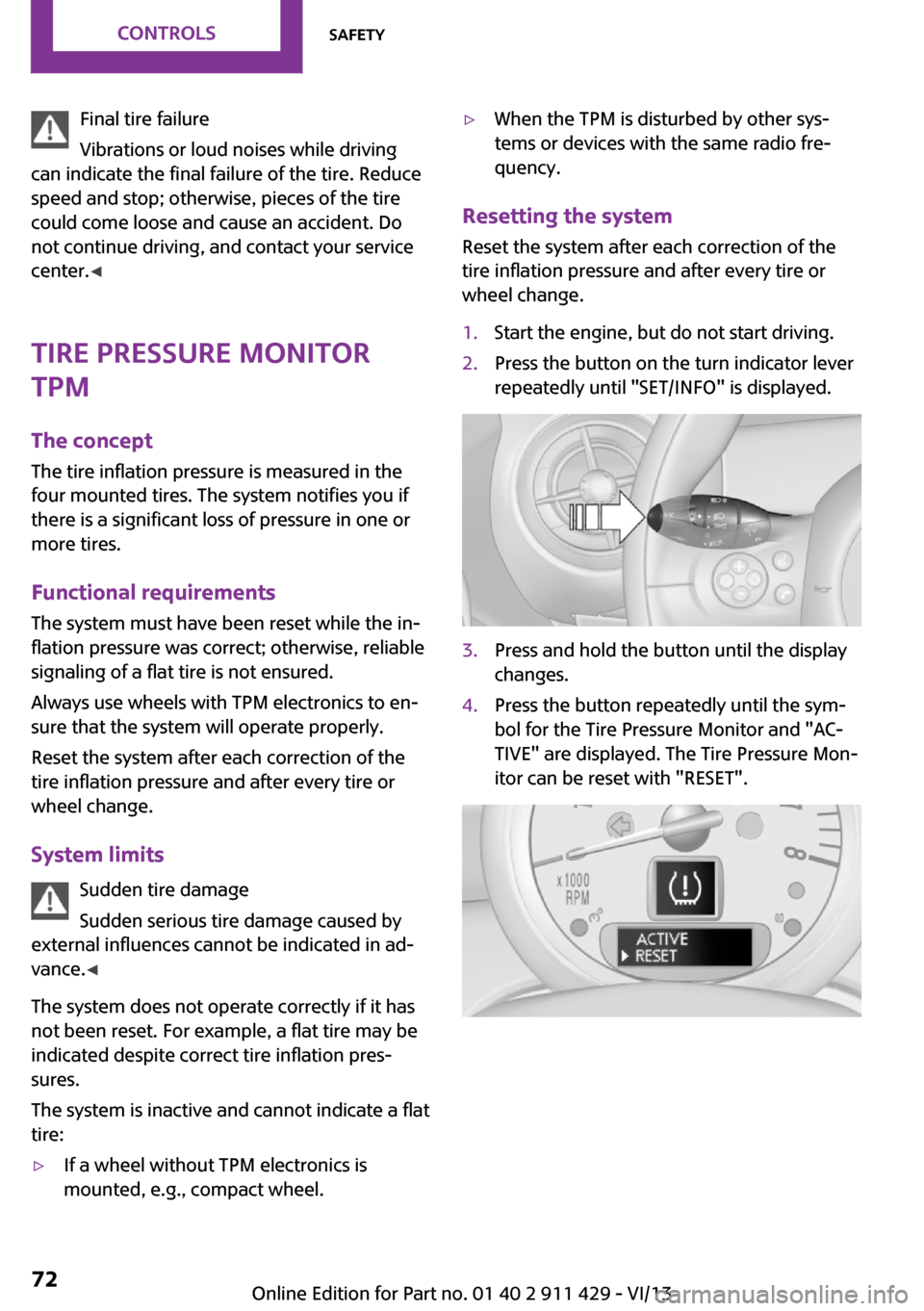
Resetting the system
Reset the system after each correction of the
tire inflation pressure and after every tire or
wheel change.
1.Start the engine, but do not start driving.2.Press the button on the turn indicator lever
repeatedly until "SET/INFO" is displayed.3.Press and hold the button until the display
changes.4.Press the button repeatedly until the sym‐
bol for the Tire Pressure Monitor and "AC‐
TIVE" are displayed. The Tire Pressure Mon‐
itor can be reset with "RESET".Seite 72ControlsSafety72
Online Edition for Part no. 01 40 2 911 429 - VI/13
Page 185 of 210
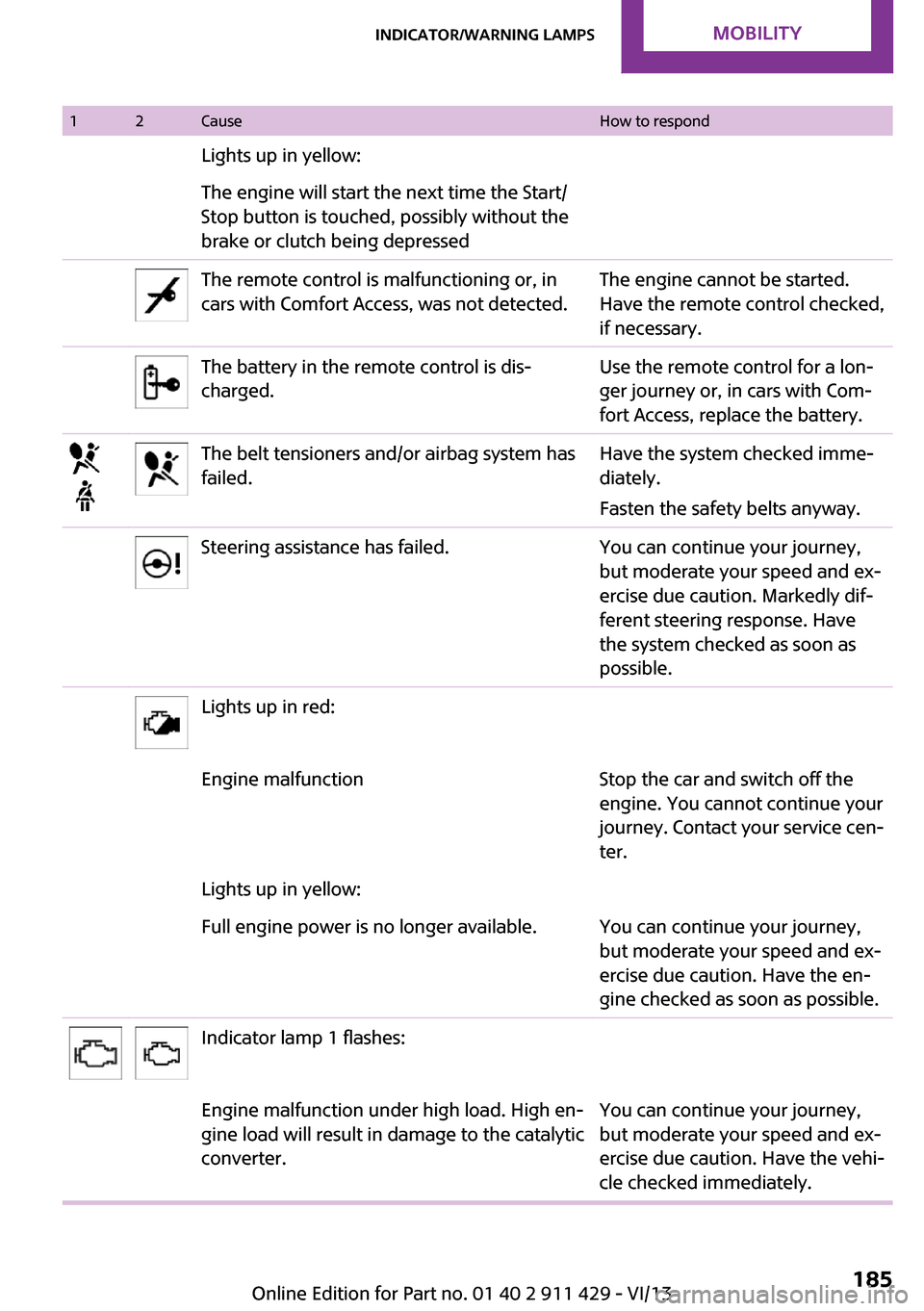
12CauseHow to respondLights up in yellow:The engine will start the next time the Start/
Stop button is touched, possibly without the
brake or clutch being depressedThe remote control is malfunctioning or, in
cars with Comfort Access, was not detected.The engine cannot be started.
Have the remote control checked,
if necessary.The battery in the remote control is dis‐
charged.Use the remote control for a lon‐
ger journey or, in cars with Com‐
fort Access, replace the battery.The belt tensioners and/or airbag system has
failed.Have the system checked imme‐
diately.
Fasten the safety belts anyway.Steering assistance has failed.You can continue your journey,
but moderate your speed and ex‐
ercise due caution. Markedly dif‐
ferent steering response. Have
the system checked as soon as
possible.Lights up in red:Engine malfunctionStop the car and switch off the
engine. You cannot continue your
journey. Contact your service cen‐
ter.Lights up in yellow:Full engine power is no longer available.You can continue your journey,
but moderate your speed and ex‐
ercise due caution. Have the en‐
gine checked as soon as possible.Indicator lamp 1 flashes:Engine malfunction under high load. High en‐
gine load will result in damage to the catalytic
converter.You can continue your journey,
but moderate your speed and ex‐
ercise due caution. Have the vehi‐
cle checked immediately.Seite 185Indicator/warning lampsMobility185
Online Edition for Part no. 01 40 2 911 429 - VI/13
Page 201 of 210
Breaking in 100
Button for starting the engine, refer to Start/Stop button 44
C
California Proposition 65 Warning 7
Car battery, refer to Vehicle battery 172
Car care products 180
Care, displays 182
Care, vehicle 180
Cargo area– Comfort Access 29– Doors, refer to Split door 27– Opening from the out‐
side 27– Tailgate, refer to Split
door 27
Cargo area doors, refer to Split
door 27
Cargo area lamp, refer to Inte‐ rior lamps 65
Cargo area tailgate, refer to Tailgate 27
Car horn, refer to Horn 12
Carpet, care 182
Car phone, refer to Tele‐ phone 126
Car wash 179
CBC, Cornering Brake Con‐ trol 76
CBS Condition Based Serv‐ ice 160
CD/DVD drives, care 182
Center console, refer to Around the center con‐
sole 15
Central locking
– Comfort Access 28– From the inside 25– From the outside 22
Central locking system
– Concept 21– From the outside 21Changes, technical, refer to
Safety 6
Changing wheels/tires 149
Check Control 60
Children, transporting 40
Child restraint fixing system LATCH 41
Child restraint fixing sys‐ tems 40
Child restraint fixing systems, mounting 40
Child seat, mounting 40
Child seats, refer to Transport‐ ing children safely 40
Chrome parts, care 182
Circulation of air, refer to Re‐ circulated air mode 83, 85
Cleaning, displays 182
Cleaning, refer to Care 179
Climate 82
Climate mode– Ventilation 86
Clock 54
Clock
– 12h/24h format 57
Closing
– From the inside 25– From the outside 22
Clubdoor 26
Clutch, breaking in 100
Cockpit 12
Cold start, refer to Starting the engine 45
Combination instrument, refer to Displays 14
Combination switch, refer to Turn signal/high beams/
headlamp flasher 47
Combination switch, refer to Washer/wiper system 48
Comfort Access
– In the car wash 29– Replacing the battery 30
Comfort area, refer to Around
the center console 15
Compact wheel, inflation pres‐ sure 143
Compartment for remote con‐
trol, refer to Ignition lock 44
Compass, digital 89
Computer 55
Computer, displaying informa‐ tion 55
Condition Based Service CBS 160
Confirmation signals for vehi‐ cle locking/unlocking 23
Consumption, refer to Aver‐ age fuel consumption 56
Control Display, care 182
Controls and displays 12
Control systems, driving stabil‐ ity 76
Convenient operation– Windows 23
Coolant temperature 55
Cooling function, switching on and off 86
Cooling, maximum 85
Cornering Brake Control,
CBC 76
Corrosion on brake discs 102
Cradle for telephone or mobile phone, refer to Snap-in
adapter 133
Cruise control 79
Cupholders 91
Current fuel consumption 56
Curve lights, refer to Adaptive Light Control 64
Cylinders, number of, refer to Engine data 196
D
Dashboard lighting, refer to Instrument lighting 65
Dashboard, refer to Cock‐ pit 12
Dashboard, refer to Dis‐ plays 14
Data, technical 196
Seite 201Everything from A to ZReference201
Online Edition for Part no. 01 40 2 911 429 - VI/13
Page 202 of 210
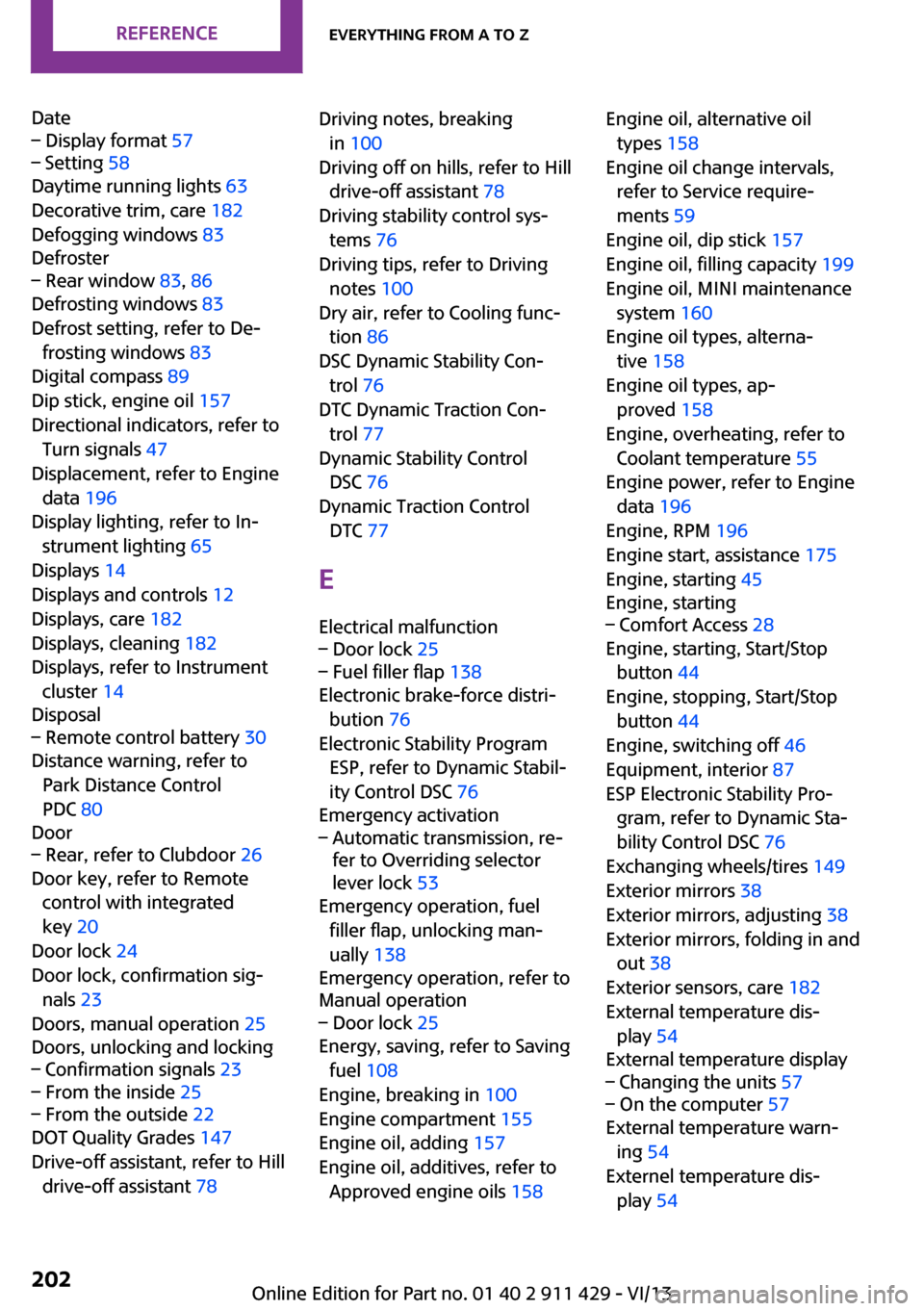
Date– Display format 57– Setting 58
Daytime running lights 63
Decorative trim, care 182
Defogging windows 83
Defroster
– Rear window 83, 86
Defrosting windows 83
Defrost setting, refer to De‐ frosting windows 83
Digital compass 89
Dip stick, engine oil 157
Directional indicators, refer to Turn signals 47
Displacement, refer to Engine data 196
Display lighting, refer to In‐ strument lighting 65
Displays 14
Displays and controls 12
Displays, care 182
Displays, cleaning 182
Displays, refer to Instrument cluster 14
Disposal
– Remote control battery 30
Distance warning, refer to
Park Distance Control
PDC 80
Door
– Rear, refer to Clubdoor 26
Door key, refer to Remote
control with integrated
key 20
Door lock 24
Door lock, confirmation sig‐ nals 23
Doors, manual operation 25
Doors, unlocking and locking
– Confirmation signals 23– From the inside 25– From the outside 22
DOT Quality Grades 147
Drive-off assistant, refer to Hill drive-off assistant 78
Driving notes, breaking
in 100
Driving off on hills, refer to Hill drive-off assistant 78
Driving stability control sys‐ tems 76
Driving tips, refer to Driving notes 100
Dry air, refer to Cooling func‐ tion 86
DSC Dynamic Stability Con‐ trol 76
DTC Dynamic Traction Con‐ trol 77
Dynamic Stability Control DSC 76
Dynamic Traction Control DTC 77
E Electrical malfunction– Door lock 25– Fuel filler flap 138
Electronic brake-force distri‐
bution 76
Electronic Stability Program ESP, refer to Dynamic Stabil‐
ity Control DSC 76
Emergency activation
– Automatic transmission, re‐
fer to Overriding selector
lever lock 53
Emergency operation, fuel
filler flap, unlocking man‐
ually 138
Emergency operation, refer to
Manual operation
– Door lock 25
Energy, saving, refer to Saving
fuel 108
Engine, breaking in 100
Engine compartment 155
Engine oil, adding 157
Engine oil, additives, refer to Approved engine oils 158
Engine oil, alternative oil
types 158
Engine oil change intervals, refer to Service require‐
ments 59
Engine oil, dip stick 157
Engine oil, filling capacity 199
Engine oil, MINI maintenance system 160
Engine oil types, alterna‐ tive 158
Engine oil types, ap‐ proved 158
Engine, overheating, refer to Coolant temperature 55
Engine power, refer to Engine data 196
Engine, RPM 196
Engine start, assistance 175
Engine, starting 45
Engine, starting– Comfort Access 28
Engine, starting, Start/Stop
button 44
Engine, stopping, Start/Stop button 44
Engine, switching off 46
Equipment, interior 87
ESP Electronic Stability Pro‐ gram, refer to Dynamic Sta‐
bility Control DSC 76
Exchanging wheels/tires 149
Exterior mirrors 38
Exterior mirrors, adjusting 38
Exterior mirrors, folding in and out 38
Exterior sensors, care 182
External temperature dis‐ play 54
External temperature display
– Changing the units 57– On the computer 57
External temperature warn‐
ing 54
Externel temperature dis‐ play 54
Seite 202ReferenceEverything from A to Z202
Online Edition for Part no. 01 40 2 911 429 - VI/13
Page 207 of 210
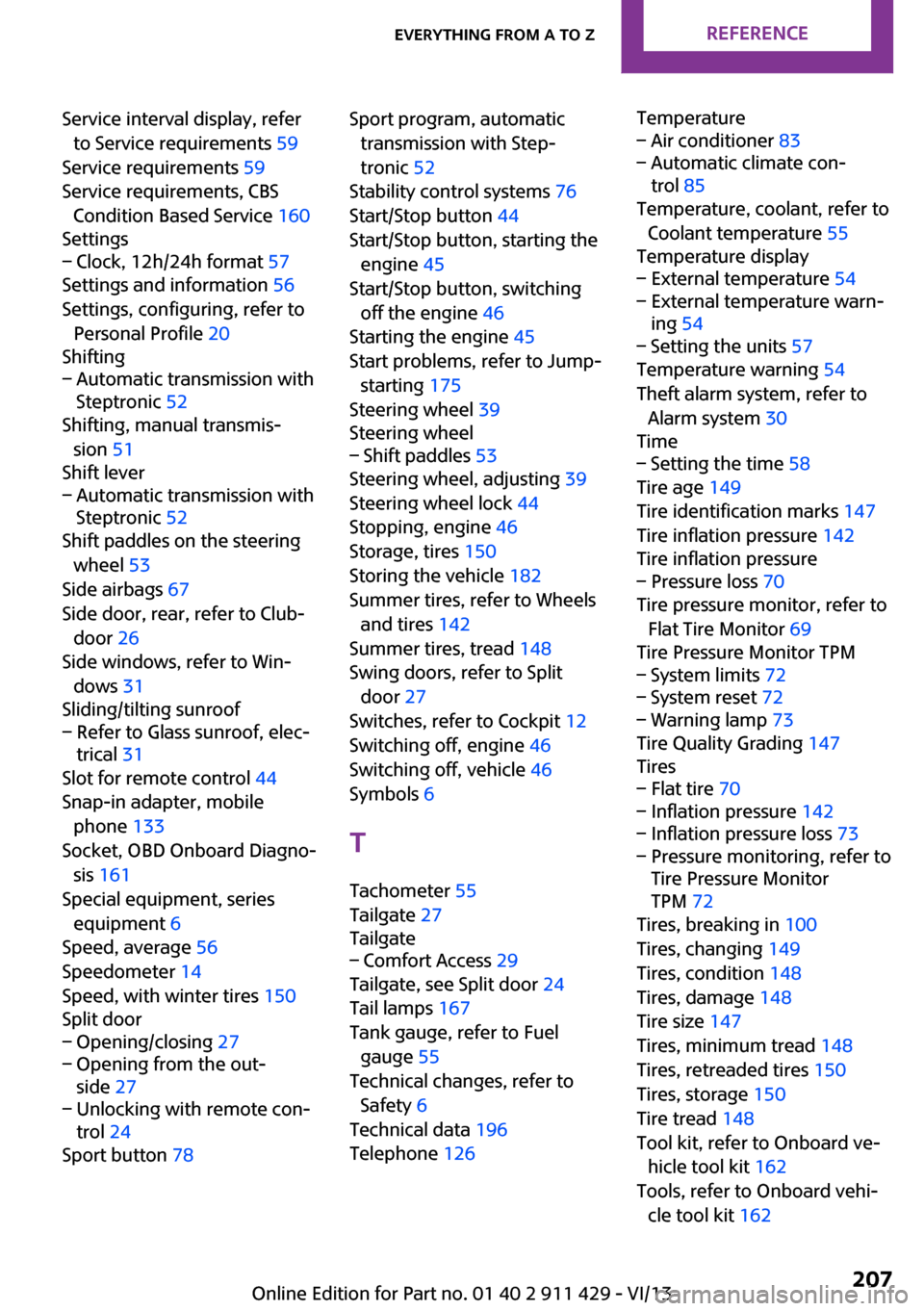
Service interval display, referto Service requirements 59
Service requirements 59
Service requirements, CBS Condition Based Service 160
Settings– Clock, 12h/24h format 57
Settings and information 56
Settings, configuring, refer to Personal Profile 20
Shifting
– Automatic transmission with
Steptronic 52
Shifting, manual transmis‐
sion 51
Shift lever
– Automatic transmission with
Steptronic 52
Shift paddles on the steering
wheel 53
Side airbags 67
Side door, rear, refer to Club‐ door 26
Side windows, refer to Win‐ dows 31
Sliding/tilting sunroof
– Refer to Glass sunroof, elec‐
trical 31
Slot for remote control 44
Snap-in adapter, mobile phone 133
Socket, OBD Onboard Diagno‐ sis 161
Special equipment, series equipment 6
Speed, average 56
Speedometer 14
Speed, with winter tires 150
Split door
– Opening/closing 27– Opening from the out‐
side 27– Unlocking with remote con‐
trol 24
Sport button 78
Sport program, automatic
transmission with Step‐
tronic 52
Stability control systems 76
Start/Stop button 44
Start/Stop button, starting the engine 45
Start/Stop button, switching off the engine 46
Starting the engine 45
Start problems, refer to Jump- starting 175
Steering wheel 39
Steering wheel– Shift paddles 53
Steering wheel, adjusting 39
Steering wheel lock 44
Stopping, engine 46
Storage, tires 150
Storing the vehicle 182
Summer tires, refer to Wheels and tires 142
Summer tires, tread 148
Swing doors, refer to Split door 27
Switches, refer to Cockpit 12
Switching off, engine 46
Switching off, vehicle 46
Symbols 6
T Tachometer 55
Tailgate 27
Tailgate
– Comfort Access 29
Tailgate, see Split door 24
Tail lamps 167
Tank gauge, refer to Fuel gauge 55
Technical changes, refer to Safety 6
Technical data 196
Telephone 126
Temperature– Air conditioner 83– Automatic climate con‐
trol 85
Temperature, coolant, refer to
Coolant temperature 55
Temperature display
– External temperature 54– External temperature warn‐
ing 54– Setting the units 57
Temperature warning 54
Theft alarm system, refer to Alarm system 30
Time
– Setting the time 58
Tire age 149
Tire identification marks 147
Tire inflation pressure 142
Tire inflation pressure
– Pressure loss 70
Tire pressure monitor, refer to
Flat Tire Monitor 69
Tire Pressure Monitor TPM
– System limits 72– System reset 72– Warning lamp 73
Tire Quality Grading 147
Tires
– Flat tire 70– Inflation pressure 142– Inflation pressure loss 73– Pressure monitoring, refer to
Tire Pressure Monitor
TPM 72
Tires, breaking in 100
Tires, changing 149
Tires, condition 148
Tires, damage 148
Tire size 147
Tires, minimum tread 148
Tires, retreaded tires 150
Tires, storage 150
Tire tread 148
Tool kit, refer to Onboard ve‐ hicle tool kit 162
Tools, refer to Onboard vehi‐ cle tool kit 162
Seite 207Everything from A to ZReference207
Online Edition for Part no. 01 40 2 911 429 - VI/13