instrument cluster MINI Clubman 2016 (Mini Connected) User Guide
[x] Cancel search | Manufacturer: MINI, Model Year: 2016, Model line: Clubman, Model: MINI Clubman 2016Pages: 246, PDF Size: 5.21 MB
Page 80 of 246
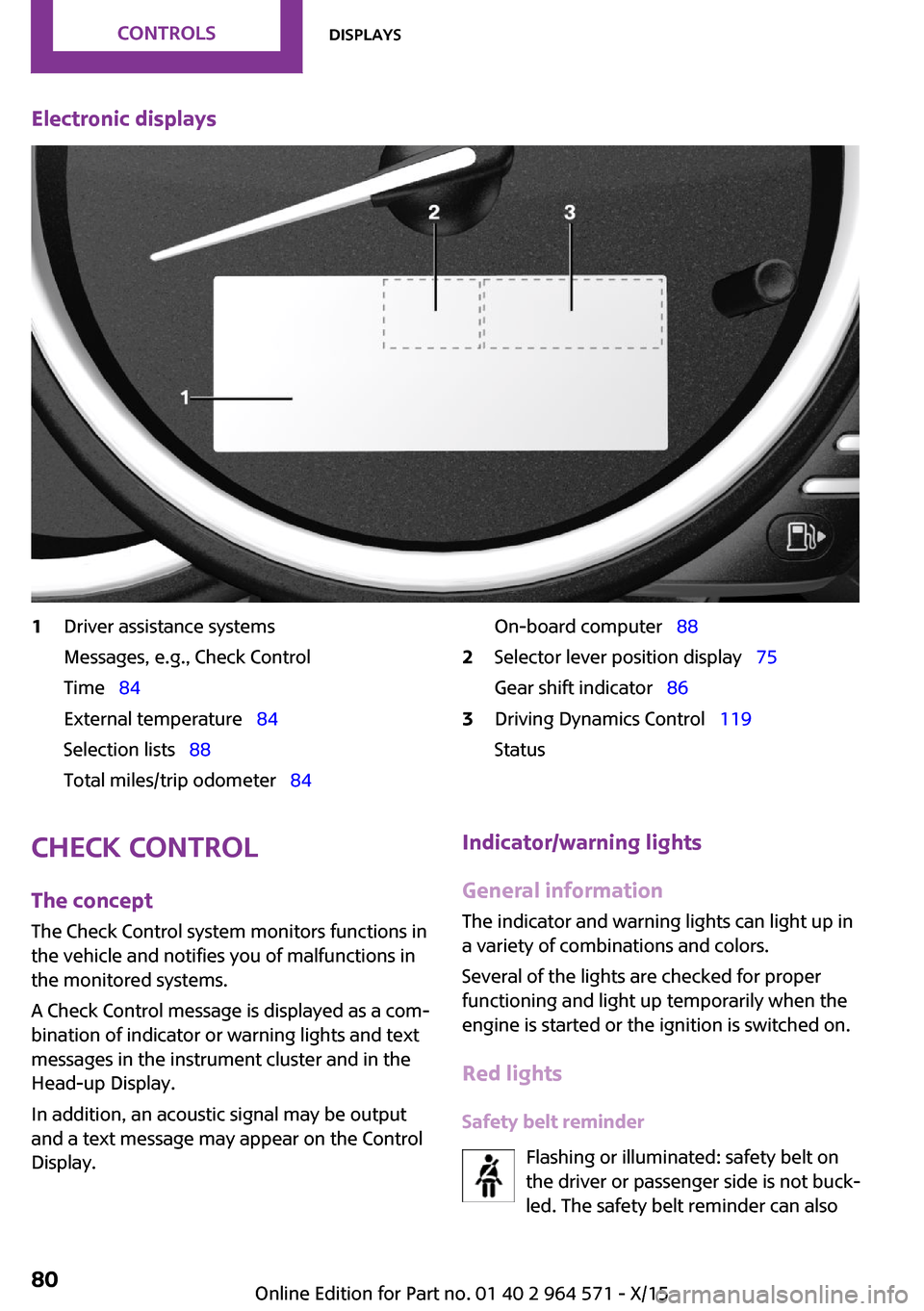
Electronic displays1Driver assistance systems
Messages, e.g., Check Control
Time 84
External temperature 84
Selection lists 88
Total miles/trip odometer 84
On-board computer 882Selector lever position display 75
Gear shift indicator 86
3Driving Dynamics Control 119
Status
Check Control
The concept
The Check Control system monitors functions in
the vehicle and notifies you of malfunctions in
the monitored systems.
A Check Control message is displayed as a com‐
bination of indicator or warning lights and text
messages in the instrument cluster and in the
Head-up Display.
In addition, an acoustic signal may be output
and a text message may appear on the Control
Display.
Indicator/warning lights
General information
The indicator and warning lights can light up in
a variety of combinations and colors.
Several of the lights are checked for proper
functioning and light up temporarily when the
engine is started or the ignition is switched on.
Red lights
Safety belt reminder
Flashing or illuminated: safety belt on
the driver or passenger side is not buck‐
led. The safety belt reminder can also
Seite 80CONTROLSDisplays80
Online Edition for Part no. 01 40 2 964 571 - X/15
Page 83 of 246

Parking lights, headlight control
Parking lights or headlights are acti‐
vated.
For additional information, refer to
Parking lights/low beams, headlight control, re‐
fer to page 96.
Front fog lights
Front fog lights are activated.
For additional information, refer to
Front fog lights, refer to page 99.
High-beam Assistant
High-beam Assistant is switched on.
High beams are activated and off auto‐
matically as a function of the traffic sit‐
uation.
For additional information, refer to High-beam
Assistant, refer to page 98.
Cruise control
The system is switched on. It maintains
the speed that was set using the control
elements on the steering wheel.
Blue lights
High beams
High beams are activated.
For additional information, refer to High
beams, refer to page 71.
General lamps
At least one Check Control message is
displayed or is stored.
Text messages
Text messages in combination with a symbol in
the instrument cluster explain a Check Control
message and the meaning of the indicator and
warning lights.
Supplementary text messages
Additional information, such as on the cause of
an error or the required action, can be called up
via Check Control.
With urgent messages the added text will be
automatically displayed on the Control Display.
Symbols
Within the supplementary text, the following
functions can be selected independent of the
check control message.
▷ Display additional information about
the Check Control message in the
Integrated Owner's Manual.
▷ "Service request"
Contact a dealer’s service center or another
qualified service center or repair shop.
▷ "Roadside Assistance"
Contact Roadside Assistance.
Hiding Check Control messages
Press and hold button on turn signal lever.
▷Some Check Control messages are dis‐
played continuously and are not cleared
until the malfunction is eliminated. If sev‐
eral malfunctions occur at once, the mes‐
sages are displayed consecutively.
These messages can be faded for approx.
8 seconds. After this time, they are dis‐
played again automatically.
Seite 83DisplaysCONTROLS83
Online Edition for Part no. 01 40 2 964 571 - X/15
Page 84 of 246

▷Other Check Control messages are faded
automatically after approx. 20 seconds.
They are stored and can be displayed again
later.
Displaying stored Check Control
messages
On the Control Display:
1. "Vehicle info"2."Vehicle status"3. "Check Control"4.Select the text message.
Messages after trip completion
Special messages displayed while driving are
displayed again after the ignition is switched
off.
Fuel gauge
Vehicle tilt position may cause
the display to vary.
The arrow beside the fuel pump
symbol shows which side of the
vehicle the fuel filler flap is on.
Hints on refueling, refer to page 178.
Tachometer
Always avoid engine speeds in the red warning
field. In this range, the fuel supply is interrupted
to protect the engine.
Odometer and trip odom‐
eter
The concept
Odometer and trip odometer are displayed in
the instrument cluster.
Resetting the trip odometer
Press the knob.
▷The odometer is displayed
when the ignition is switched
off.
▷When the ignition is switched
on, the trip odometer is re‐
set.
External temperature
If the indicator drops to
+37 ℉/+3 ℃, a signal sounds.
A Check Control message is dis‐
played.
There is an increased risk of ice
on roads.
WARNING
Even at temperatures above +37 ℉/+3 ℃
there can be a danger of icy roads, for example
on bridges or shady sections of road. There is
risk of an accident. Adjust your driving style to
the weather conditions at low temperatures.◀
Time
The time is displayed in the in‐
strument cluster.
Setting the time on the Control
Display, refer to page 91.
Date
The date is displayed in the in‐
strument cluster.
Set the date on the Control Dis‐
play, refer to page 91.
Seite 84CONTROLSDisplays84
Online Edition for Part no. 01 40 2 964 571 - X/15
Page 85 of 246

Range
Display
With a low remaining range:
▷A Check Control message is
displayed briefly.
▷The remaining range is
shown on the onboard com‐
puter.
▷With a dynamic driving style, e.g. taking
curves aggressively, the engine function is
not always ensured.
The Check Control message appears continu‐
ously below a range of approx. 30 miles/50 km.
CAUTION
With a range of less than 30 miles/50 km
it is possible that the engine will no longer have
sufficient fuel. Engine functions are not ensured
anymore. There is risk of property damage. Re‐
fuel promptly.◀
Displaying the cruising range
1. "Settings"2."Instrument cluster"3."Range"
Current fuel consump‐
tion
The concept
Displays the current fuel consumption. Check
whether you are currently driving in an efficient
and environmentally-friendly manner.
Displaying the current fuel
consumption
1. "Settings"2."Instrument cluster"3."Current consumption"Service requirements
The concept
After the ignition is turned on the instrument
cluster briefly displays available driving distance
or time to the next scheduled maintenance.
A service advisor can read out the current serv‐
ice requirements from your remote control.
Display
Detailed information on service
requirements
More information on the scope of service re‐
quired can be displayed on the Control Display.
1. "Vehicle info"2."Vehicle status"3. "Service required"
Required maintenance procedures and le‐
gally mandated inspections are displayed.
4.Select an entry to call up detailed informa‐
tion.
Symbols
SymbolsDescriptionNo service is currently required.The deadline for scheduled
maintenance or a legally man‐
dated inspection is approach‐
ing.
The service deadline has al‐
ready passed.
Entering appointment dates
Enter the dates for the required inspections.
Make sure that the vehicle's date and time are
set correctly.
Seite 85DisplaysCONTROLS85
Online Edition for Part no. 01 40 2 964 571 - X/15
Page 86 of 246
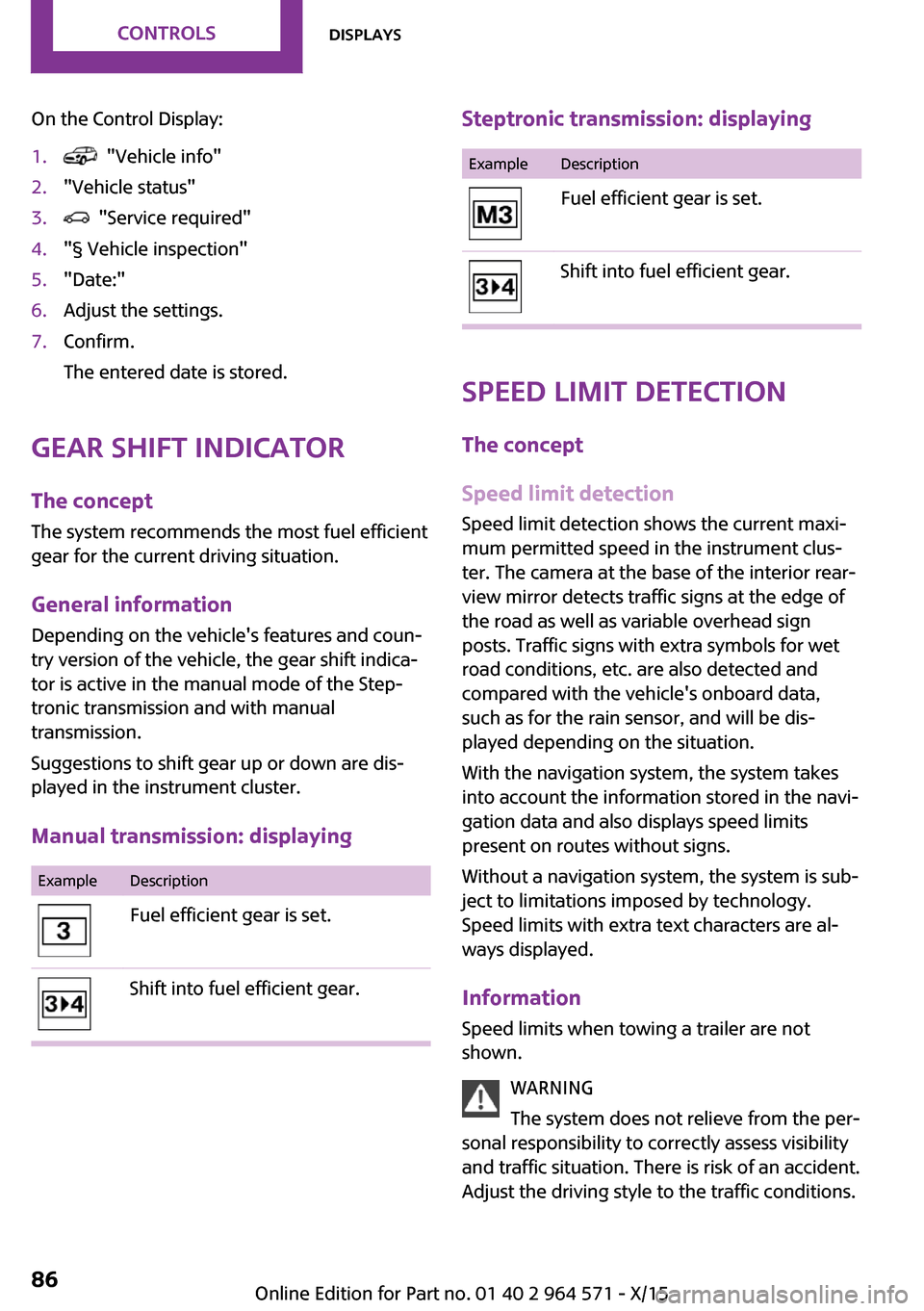
On the Control Display:1. "Vehicle info"2."Vehicle status"3. "Service required"4."§ Vehicle inspection"5."Date:"6.Adjust the settings.7.Confirm.
The entered date is stored.
Gear shift indicator
The concept
The system recommends the most fuel efficient
gear for the current driving situation.
General information
Depending on the vehicle's features and coun‐
try version of the vehicle, the gear shift indica‐
tor is active in the manual mode of the Step‐
tronic transmission and with manual
transmission.
Suggestions to shift gear up or down are dis‐
played in the instrument cluster.
Manual transmission: displaying
ExampleDescriptionFuel efficient gear is set.Shift into fuel efficient gear.Steptronic transmission: displayingExampleDescriptionFuel efficient gear is set.Shift into fuel efficient gear.
Speed limit detection
The concept
Speed limit detection
Speed limit detection shows the current maxi‐
mum permitted speed in the instrument clus‐
ter. The camera at the base of the interior rear‐
view mirror detects traffic signs at the edge of
the road as well as variable overhead sign
posts. Traffic signs with extra symbols for wet
road conditions, etc. are also detected and
compared with the vehicle's onboard data,
such as for the rain sensor, and will be dis‐
played depending on the situation.
With the navigation system, the system takes
into account the information stored in the navi‐
gation data and also displays speed limits
present on routes without signs.
Without a navigation system, the system is sub‐
ject to limitations imposed by technology.
Speed limits with extra text characters are al‐
ways displayed.
Information
Speed limits when towing a trailer are not
shown.
WARNING
The system does not relieve from the per‐
sonal responsibility to correctly assess visibility
and traffic situation. There is risk of an accident.
Adjust the driving style to the traffic conditions.
Seite 86CONTROLSDisplays86
Online Edition for Part no. 01 40 2 964 571 - X/15
Page 87 of 246
Watch traffic closely and actively interfere in
the respective situations.◀
Overview
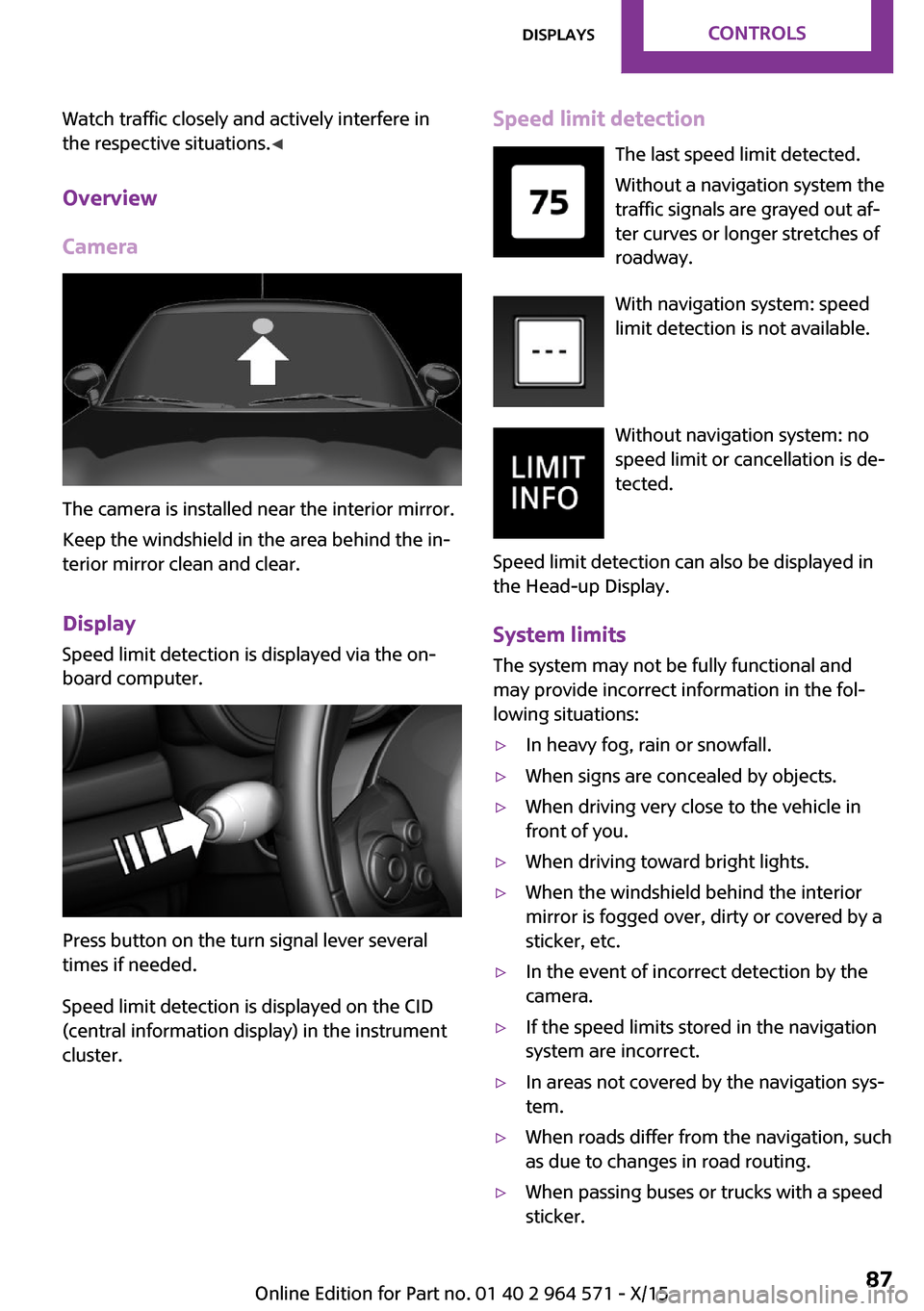
Camera
The camera is installed near the interior mirror.
Keep the windshield in the area behind the in‐
terior mirror clean and clear.
Display
Speed limit detection is displayed via the on‐
board computer.
Press button on the turn signal lever several
times if needed.
Speed limit detection is displayed on the CID
(central information display) in the instrument
cluster.
Speed limit detection
The last speed limit detected.
Without a navigation system the
traffic signals are grayed out af‐
ter curves or longer stretches of
roadway.
With navigation system: speed
limit detection is not available.
Without navigation system: no
speed limit or cancellation is de‐
tected.
Speed limit detection can also be displayed in
the Head-up Display.
System limits
The system may not be fully functional and
may provide incorrect information in the fol‐
lowing situations:
▷In heavy fog, rain or snowfall.▷When signs are concealed by objects.▷When driving very close to the vehicle in
front of you.
▷When driving toward bright lights.▷When the windshield behind the interior
mirror is fogged over, dirty or covered by a
sticker, etc.
▷In the event of incorrect detection by the
camera.
▷If the speed limits stored in the navigation
system are incorrect.
▷In areas not covered by the navigation sys‐
tem.
▷When roads differ from the navigation, such
as due to changes in road routing.
▷When passing buses or trucks with a speed
sticker.
Seite 87DisplaysCONTROLS87
Online Edition for Part no. 01 40 2 964 571 - X/15
Page 88 of 246
▷If the traffic signs are non-conforming.▷During calibration of the camera immedi‐
ately after vehicle delivery.
Selection lists in the in‐
strument cluster
The concept
With the buttons on the steering wheel and the
display in the instrument cluster the following
can be displayed or operated:
▷Current audio source.▷Redial phone feature.▷Turn on voice activation system.
It also displays programs of the Driving Dynam‐
ics Control.
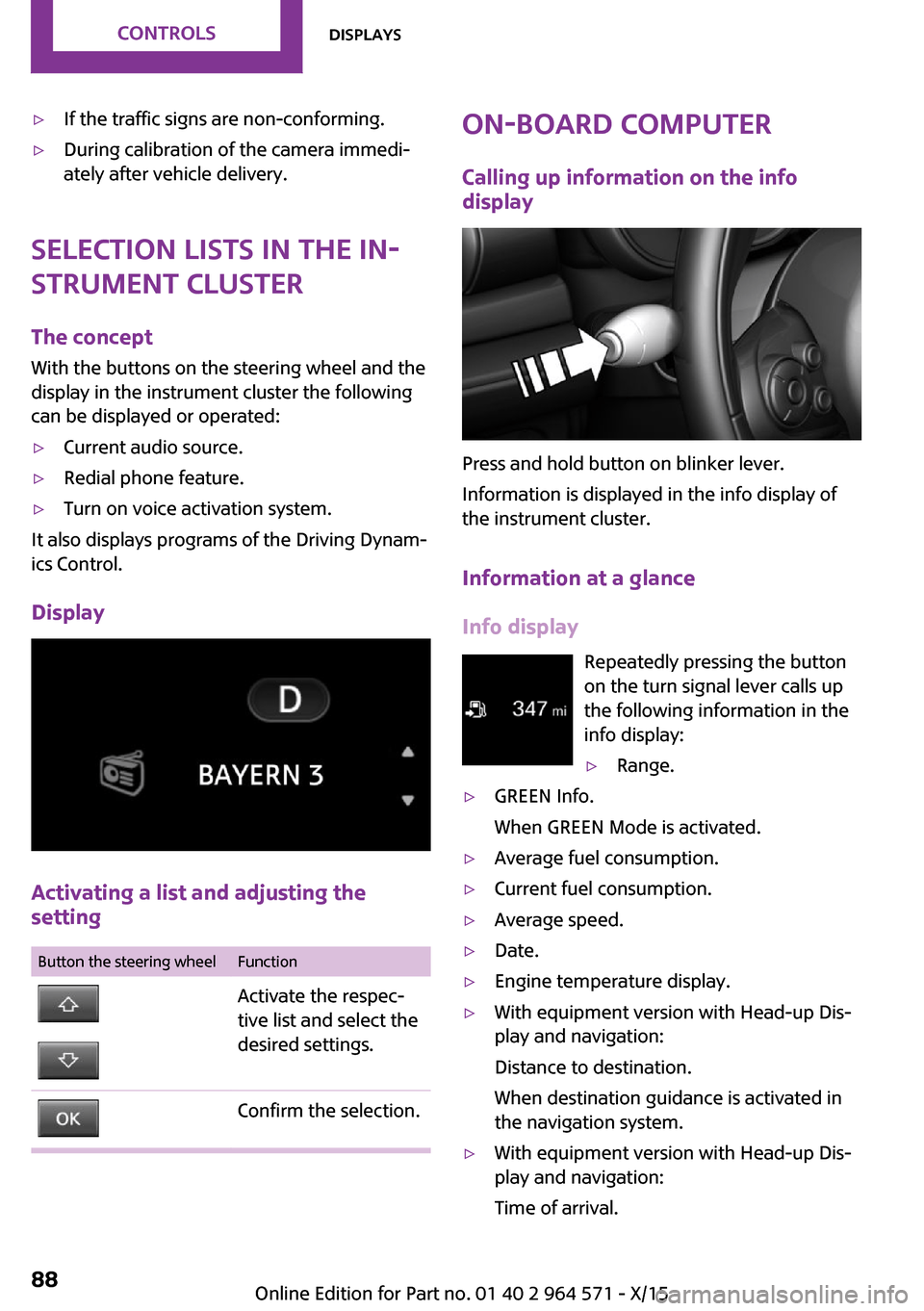
Display
Activating a list and adjusting the
setting
Button the steering wheelFunctionActivate the respec‐
tive list and select the
desired settings.
Confirm the selection.On-board computer
Calling up information on the info
display
Press and hold button on blinker lever.
Information is displayed in the info display of
the instrument cluster.
Information at a glance
Info display
Repeatedly pressing the button
on the turn signal lever calls up
the following information in the
info display:
▷Range.▷GREEN Info.
When GREEN Mode is activated.
▷Average fuel consumption.▷Current fuel consumption.▷Average speed.▷Date.▷Engine temperature display.▷With equipment version with Head-up Dis‐
play and navigation:
Distance to destination.
When destination guidance is activated in
the navigation system.
▷With equipment version with Head-up Dis‐
play and navigation:
Time of arrival.
Seite 88CONTROLSDisplays88
Online Edition for Part no. 01 40 2 964 571 - X/15
Page 89 of 246
When destination guidance is activated in
the navigation system.
▷Speed limit detection.▷Speed.
Selecting information
You can select what information from the on‐
board computer is to be displayed on the CID
(central information display) of the instrument
cluster.
On the Control Display:
1. "Settings"2."Instrument cluster"3.Select the desired information.
Settings are stored for the profile currently
used.
Information in detail
Range
Displays the estimated cruising range available
with the remaining fuel.
It is calculated based on your driving style over
the last 20 miles/30 km.
GREEN info
Description of GREEN info, refer to page 171.
Average fuel consumption
This is calculated for the period while the en‐
gine is running.
The average fuel consumption is calculated for
the distance traveled since the last reset by the
onboard computer.
Average speed
Periods in which the vehicle is parked with the
engine manually stopped are not included in
the calculation of the average speed.
Resetting average values
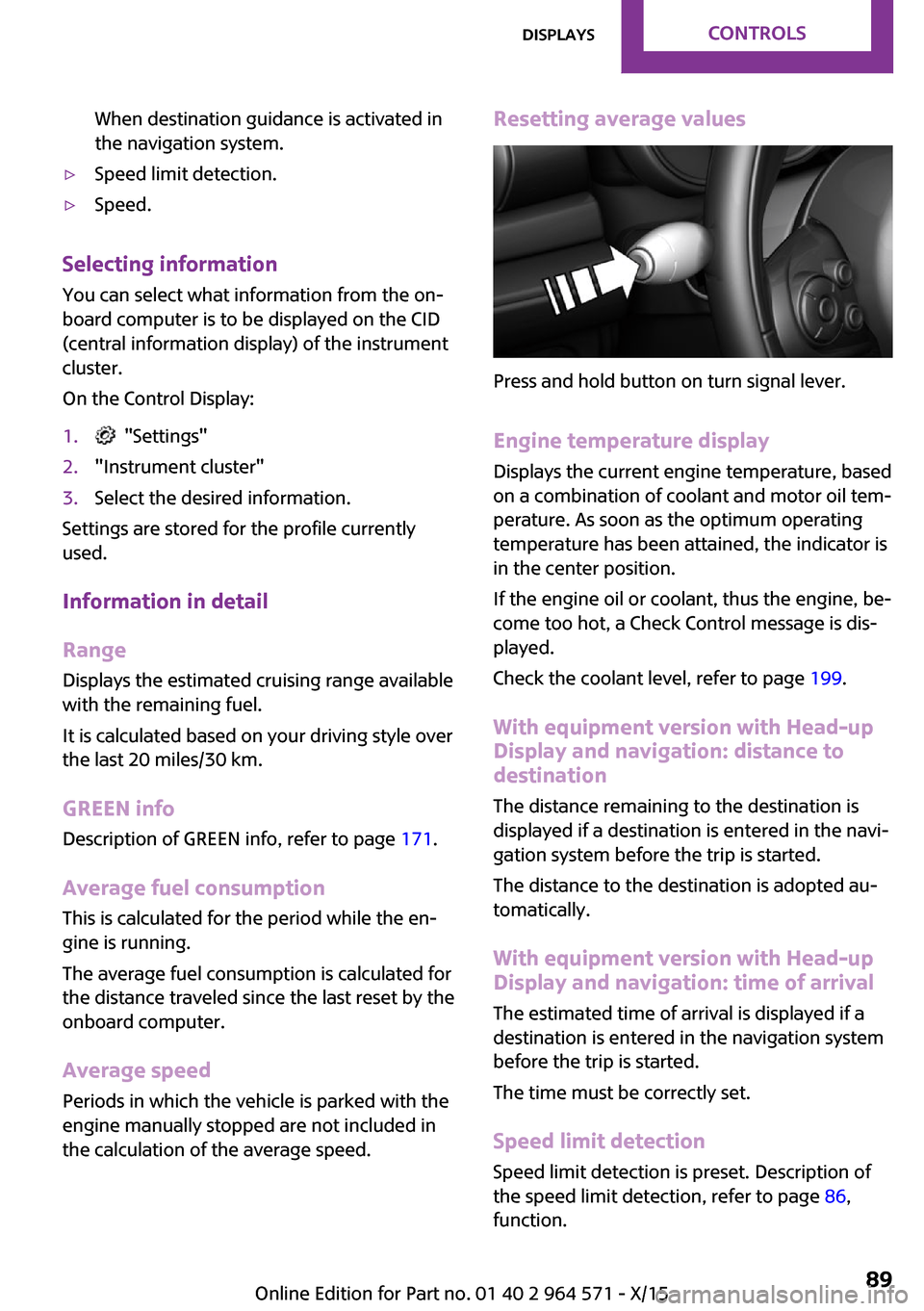
Press and hold button on turn signal lever.
Engine temperature display
Displays the current engine temperature, based
on a combination of coolant and motor oil tem‐
perature. As soon as the optimum operating
temperature has been attained, the indicator is
in the center position.
If the engine oil or coolant, thus the engine, be‐
come too hot, a Check Control message is dis‐
played.
Check the coolant level, refer to page 199.
With equipment version with Head-up
Display and navigation: distance to
destination
The distance remaining to the destination is
displayed if a destination is entered in the navi‐
gation system before the trip is started.
The distance to the destination is adopted au‐
tomatically.
With equipment version with Head-up
Display and navigation: time of arrival
The estimated time of arrival is displayed if a
destination is entered in the navigation system
before the trip is started.
The time must be correctly set.
Speed limit detection
Speed limit detection is preset. Description of
the speed limit detection, refer to page 86,
function.
Seite 89DisplaysCONTROLS89
Online Edition for Part no. 01 40 2 964 571 - X/15
Page 92 of 246
5.Press the Controller.6.Make the necessary settings for the month
and year.
The date is stored.
Setting the date format
1. "Settings"2."Time/Date"3."Format:"4.Select the desired format.
The date format is stored.
Language
Setting the language
To set the language on the Control Display:
1. "Settings"2."Language/Units"3."Language:"4.Select the desired language.
Settings are stored for the profile currently
used.
Setting the voice dialog
Voice dialog for the voice activation system, re‐
fer to page 27.
Units of measurement
Setting the units of measurement
To set the units for fuel consumption, route/
distance and temperature:
1. "Settings"2."Language/Units"3.Select the desired menu item.4.Select the desired unit.
Settings are stored for the profile currently
used.
Brightness
Setting the brightness
To set the brightness of the Control Display:
1. "Settings"2."Control display"3."Brightness"4.Turn the Controller until the desired bright‐
ness is set.
5.Press the Controller.
Settings are stored for the profile currently
used.
Depending on the light conditions, the bright‐
ness settings may not be clearly visible.
LED ring on the central
instrument cluster
The concept
The LED ring displays light animations to repre‐
sent specific functions.
Basic displays
Basic functions, for example the tachometer,
can be set to be displayed continually if so de‐
sired.
Event displays
Functions that are only displayed temporarily,
for example the volume or temperature set‐
tings, can be set as event displays.
Several vehicle assistance functions can also be
displayed on the LED ring. This display corre‐
sponds with the displays of the function in the
respective display.
Example: tachometer
Like the tachometer in the instrument cluster,
the light animations of the tachometer's basic
display show the current RPMs and the respec‐
tive RPM warning margins.
Seite 92CONTROLSDisplays92
Online Edition for Part no. 01 40 2 964 571 - X/15
Page 93 of 246
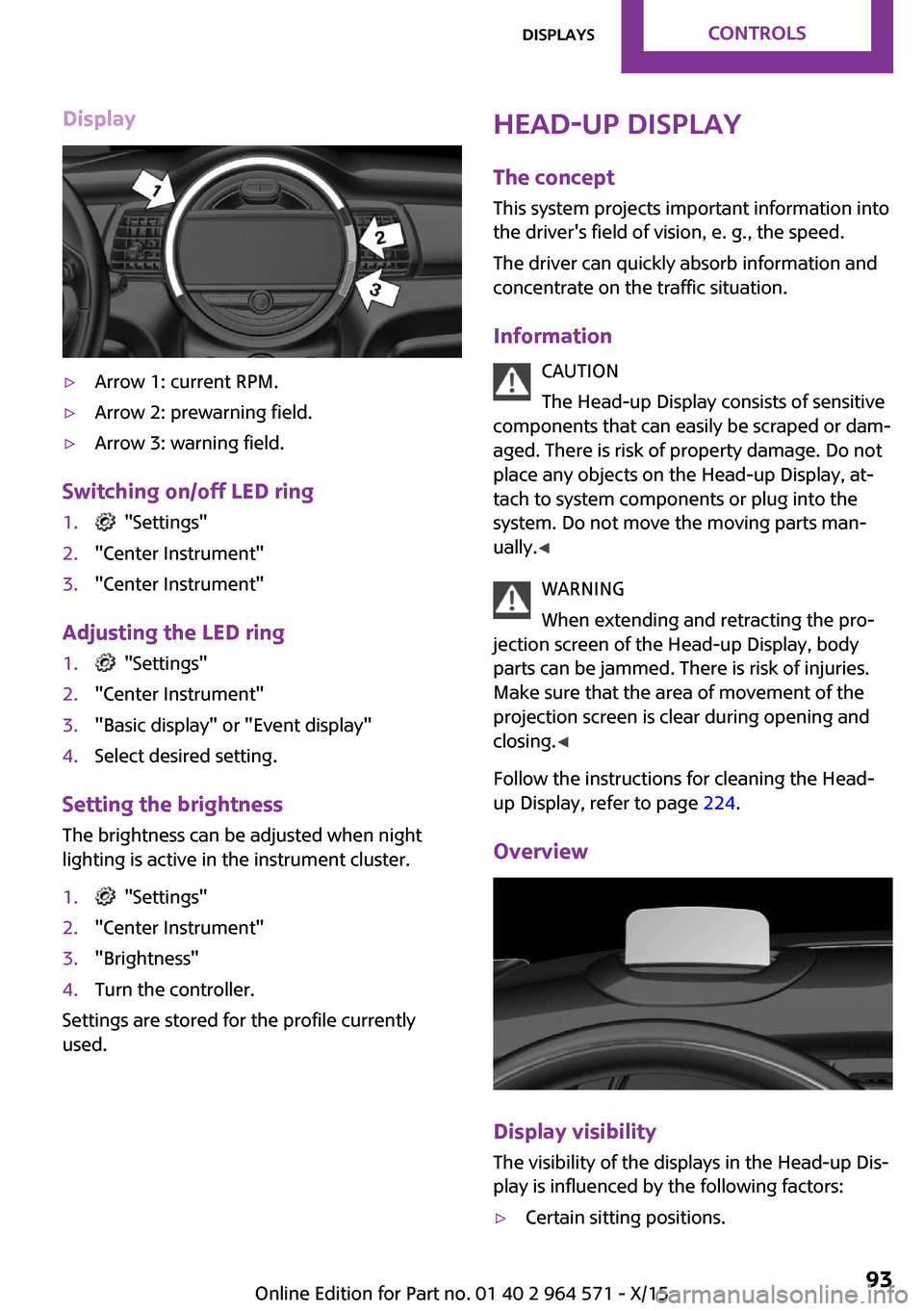
Display▷Arrow 1: current RPM.▷Arrow 2: prewarning field.▷Arrow 3: warning field.
Switching on/off LED ring
1. "Settings"2."Center Instrument"3."Center Instrument"
Adjusting the LED ring
1. "Settings"2."Center Instrument"3."Basic display" or "Event display"4.Select desired setting.
Setting the brightness
The brightness can be adjusted when night
lighting is active in the instrument cluster.
1. "Settings"2."Center Instrument"3."Brightness"4.Turn the controller.
Settings are stored for the profile currently
used.
Head-up Display
The concept
This system projects important information into
the driver's field of vision, e. g., the speed.
The driver can quickly absorb information and
concentrate on the traffic situation.
Information
CAUTION
The Head-up Display consists of sensitive
components that can easily be scraped or dam‐
aged. There is risk of property damage. Do not
place any objects on the Head-up Display, at‐
tach to system components or plug into the
system. Do not move the moving parts man‐
ually.◀
WARNING
When extending and retracting the pro‐
jection screen of the Head-up Display, body
parts can be jammed. There is risk of injuries.
Make sure that the area of movement of the
projection screen is clear during opening and
closing.◀
Follow the instructions for cleaning the Head-
up Display, refer to page 224.
Overview
Display visibility
The visibility of the displays in the Head-up Dis‐
play is influenced by the following factors:
▷Certain sitting positions.Seite 93DisplaysCONTROLS93
Online Edition for Part no. 01 40 2 964 571 - X/15