radio MINI Clubman 2016 (Mini Connected) User Guide
[x] Cancel search | Manufacturer: MINI, Model Year: 2016, Model line: Clubman, Model: MINI Clubman 2016Pages: 246, PDF Size: 5.21 MB
Page 39 of 246

the edges and ensure that pointed objects do
not hit the rear window.◀
Malfunction
Remote control detection by the vehicle can
among others be malfunctioning under the fol‐
lowing circumstances:
▷The battery of the remote control is dis‐
charged. Replace the battery, refer to
page 34.
▷Interference of the radio connection from
transmission towers or other equipment
with high transmit power.
▷Shielding of the remote control due to
metal objects.
▷Interference of the radio connection from
mobile phones or other electronic devices
in direct proximity.
Do not transport the remote control together
with metal objects or electronic devices.
In the case of a malfunction, unlock and lock
the vehicle using the integrated key, refer to
page 39.
For US owners only
The transmitter and receiver units comply with
part 15 of the FCC/Federal Communication
Commission regulations. Operation is governed
by the following:
FCC ID:
▷LX8766S.▷LX8766E.▷LX8CAS.▷LX8CAS2.▷MYTCAS4.
Compliance statement:
This device complies with part 15 of the FCC
Rules. Operation is subject to the following two
conditions:
▷This device may not cause harmful interfer‐
ence, and
▷this device must accept any interference re‐
ceived, including interference that may
cause undesired operation.
Any unauthorized modifications or changes to
these devices could void the user's authority to
operate this equipment.
Without remote control
From the outside
WARNING
Unlocking from the inside is only possible
with special knowledge.
If people must spend a longer time in the vehi‐
cle while it is very hot or cold outside, there is
risk of injuries or danger to life. Do not lock the
vehicle from the outside when there are people
in it.◀
CAUTION
The door lock is permanently joined with
the door. The door handle can be moved.
When pulling the door handle with the
integrated key inserted, paint or key can be
damaged. There is risk of property damage. Re‐
move the integrated key before pulling the
outside door handle.◀
Unlock or lock the driver's door via the door
lock using the integrated key, refer to page 34.
The other doors must be unlocked or locked
from the inside.
1.Remove lid on the door lock.Seite 39Opening and closingCONTROLS39
Online Edition for Part no. 01 40 2 964 571 - X/15
Page 43 of 246

the foot motion, make sure there is steady
stance and do not touch the vehicle.◀
1.Place in the center behind the vehicle,
about an arm's length from the vehicle
rear.
2.Move a foot in the direction of travel as far
under the vehicle as possible and immedi‐
ately pull it back. With this movement, the
leg must pass through the ranges of both
sensors.
Opening
WARNING
Body parts can be jammed when operat‐
ing the split doors. There is risk of injuries.
Make sure that the area of movement of the
split doors is clear during opening and clos‐
ing.◀
CAUTION
The split doors swivel back and to the
side when they open. There is risk of property
damage. Make sure that the area of movement
of the split doors is clear during opening and
closing.◀
Before the opening, the hazard warning system
flashes.
1.Perform the foot movement described ear‐
lier.
The right side of the split doors opens, re‐
gardless of whether it was previously
locked or unlocked.
2.After complete opening of the right side,
make a second foot movement in order to
open the left side of the split doors.
If the remote control is in the sensor area, the
split doors can be opened inadvertently by an
unconscious or alleged recognized foot move‐
ment.
The sensor range reaches approx. 5 ft/1.50 m
behind the area at the rear of the car.
Malfunction
Remote control detection by the vehicle can
among others be malfunctioning under the fol‐
lowing circumstances:
▷The battery of the remote control is dis‐
charged. Replace the battery, refer to
page 34.
▷Interference of the radio connection from
transmission towers or other equipment
with high transmit power.
▷Shielding of the remote control due to
metal objects.
▷Interference of the radio connection from
mobile phones or other electronic devices
in direct proximity.
Do not transport the remote control together
with metal objects or electronic devices.
In the case of a malfunction, unlock and lock
the vehicle using the buttons of the remote
control or using the integrated key, refer to
page 39.
Adjusting
Unlocking
The settings are saved in the active profile. Per‐
sonal Profile, refer to page 36.
Doors
1. "Settings"2."Doors/key"Seite 43Opening and closingCONTROLS43
Online Edition for Part no. 01 40 2 964 571 - X/15
Page 64 of 246
DrivingVehicle features and op‐
tions
This chapter describes all standard, country-
specific and optional features offered with the
series. It also describes features that are not
necessarily available in your car, e. g., due to
the selected options or country versions. This
also applies to safety-related functions and sys‐
tems. The respectively applicable country provi‐
sions must be observed when using the respec‐
tive features and systems.
Start/Stop button
The concept
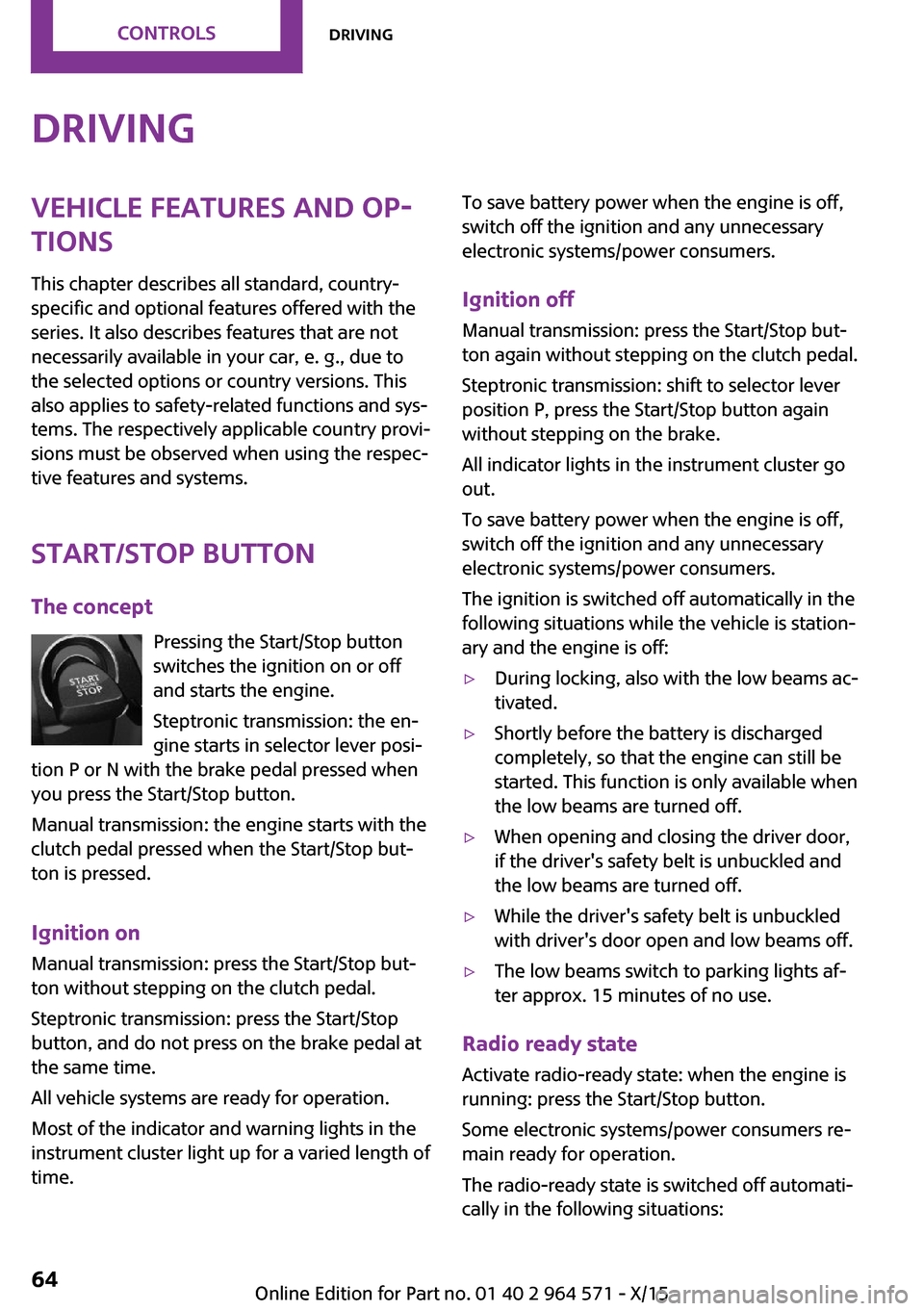
Pressing the Start/Stop button
switches the ignition on or off
and starts the engine.
Steptronic transmission: the en‐
gine starts in selector lever posi‐
tion P or N with the brake pedal pressed when
you press the Start/Stop button.
Manual transmission: the engine starts with the
clutch pedal pressed when the Start/Stop but‐
ton is pressed.
Ignition on
Manual transmission: press the Start/Stop but‐
ton without stepping on the clutch pedal.
Steptronic transmission: press the Start/Stop
button, and do not press on the brake pedal at
the same time.
All vehicle systems are ready for operation.
Most of the indicator and warning lights in the
instrument cluster light up for a varied length of
time.
To save battery power when the engine is off,
switch off the ignition and any unnecessary
electronic systems/power consumers.
Ignition off
Manual transmission: press the Start/Stop but‐
ton again without stepping on the clutch pedal.
Steptronic transmission: shift to selector lever
position P, press the Start/Stop button again
without stepping on the brake.
All indicator lights in the instrument cluster go
out.
To save battery power when the engine is off,
switch off the ignition and any unnecessary
electronic systems/power consumers.
The ignition is switched off automatically in the
following situations while the vehicle is station‐
ary and the engine is off:
▷During locking, also with the low beams ac‐
tivated.
▷Shortly before the battery is discharged
completely, so that the engine can still be
started. This function is only available when
the low beams are turned off.
▷When opening and closing the driver door,
if the driver's safety belt is unbuckled and
the low beams are turned off.
▷While the driver's safety belt is unbuckled
with driver's door open and low beams off.
▷The low beams switch to parking lights af‐
ter approx. 15 minutes of no use.
Radio ready state
Activate radio-ready state: when the engine is
running: press the Start/Stop button.
Some electronic systems/power consumers re‐
main ready for operation.
The radio-ready state is switched off automati‐
cally in the following situations:
Seite 64CONTROLSDriving64
Online Edition for Part no. 01 40 2 964 571 - X/15
Page 65 of 246
▷After approx. 8 minutes.▷When the vehicle is locked using the central
locking system.
▷Shortly before the battery is discharged
completely, so that the engine can still be
started.
The radio-ready state remains active if, for ex‐
ample, the ignition is automatically switched off
for the following reasons:
▷Opening or closing the driver's door.▷Unfastening of the driver's safety belt.▷When automatically switching from low
beams to parking lights.
If the engine is switched off and the ignition is
switched on, the system automatically switches
to the radio-ready state if the lights are turned
off or, if correspondingly equipped, the day‐
time running lights are activated.
Starting the engine
Information
DANGER
If the exhaust pipe is blocked or ventila‐
tion is insufficient, harmful exhaust gases can
enter into the vehicle. The exhaust gases con‐
tain carbon monoxide, an odorless and color‐
less but highly toxic gas. In enclosed areas, ex‐
haust gases can also accumulate outside of the
vehicle. There is danger to life. Keep the ex‐
haust pipe free and ensure sufficient ventila‐
tion.◀
WARNING
An unsecured vehicle can put itself into
motion and roll away. There is risk of an acci‐
dent. Before exiting, secure the vehicle against
rolling.
In order to ensure that the vehicle is secured
against rolling away, observe the following:
▷Set the parking brake.▷On uphill grades or on a slope, turn the
front wheels in the direction of the curb.
▷On uphill grades or on a slope, also secure
the vehicle, for example with a wheel
chock.◀
CAUTION
In the case of repeated starting attempts
or repeated starting in quick succession, the
fuel is not burned or is inadequately burned.
The catalytic converter can overheat. There is
risk of property damage. Avoid repeated start‐
ing in quick succession.◀
Steptronic transmission
Starting the engine
1.Depress the brake pedal.2.Engage selector lever position P or N.3.Press the Start/Stop button.
The ignition is activated automatically for a cer‐
tain time and is stopped as soon as the engine
starts.
Manual transmission
Starting the engine
1.Depress the brake pedal.2.Press on the clutch pedal and shift to neu‐
tral.
3.Press the Start/Stop button.
The ignition is activated automatically for a cer‐
tain time and is stopped as soon as the engine
starts.
Engine stop
Information
WARNING
Unattended children or animals can move
the vehicle and endanger themselves and traf‐
fic, for example with the following actions:
Seite 65DrivingCONTROLS65
Online Edition for Part no. 01 40 2 964 571 - X/15
Page 66 of 246
▷Pressing the Start/Stop button.▷Releasing the parking brake.▷Opening and closing of doors or windows.▷Engaging selector lever position N.▷Using vehicle equipment.
There is risk of accidents or injuries. Do not
leave children or animals unattended in the ve‐
hicle. Carry remote control along when exiting
and lock the vehicle.◀
WARNING
An unsecured vehicle can put itself into
motion and roll away. There is risk of an acci‐
dent. Before exiting, secure the vehicle against
rolling.
In order to ensure that the vehicle is secured
against rolling away, observe the following:
▷Set the parking brake.▷On uphill grades or on a slope, turn the
front wheels in the direction of the curb.
▷On uphill grades or on a slope, also secure
the vehicle, for example with a wheel
chock.◀
Before driving into a car wash
So that the vehicle can roll into a car wash ob‐
serve instructions for going into an automatic
car wash, refer to page 221.
Steptronic transmission
Switching off the engine
1.Engage selector lever position P with the
vehicle stopped.
2.Press the Start/Stop button.
The engine is switched off.
The radio-ready state is switched on.
3.Set the parking brake.Manual transmission
Switching off the engine
1.With the vehicle at a standstill, press the
Start/Stop button.
The engine is switched off.
The radio-ready state is switched on.
2.Shift into first gear or reverse.3.Set the parking brake.
Auto Start/Stop function
The concept
The Auto Start/Stop function helps save fuel.
The system switches off the engine during a
stop, for example, in traffic congestion or at
traffic lights. The ignition remains switched on.
The engine starts again automatically for driv‐
ing off.
Information
After every start of the engine using the Start/
Stop button, the Auto Start/Stop function is in
the last selected state, refer to page 68. When
the Auto Start/Stop function is active, it is avail‐
able when the vehicle is traveling faster than
about 3 mph, approx. 5 km/h.
Depending on the selected driving mode, refer
to page 119, the system is automatically acti‐
vated or deactivated.
Engine stop
The engine is switched off automatically during
a stop under the following conditions:
Manual transmission:
▷Neutral is engaged and the clutch pedal is
not pressed.
▷The driver's safety belt is buckled or the
driver's door is closed.
Steptronic transmission:
Seite 66CONTROLSDriving66
Online Edition for Part no. 01 40 2 964 571 - X/15
Page 82 of 246

Illuminated: DSC failed. Have the system
checked by a dealer’s service center or another
qualified service center or repair shop.
For additional information, refer to Dynamic
Stability Control DSC, refer to page 117.
DSC Dynamic Stability Control is deactivated
or DTC Dynamic Traction Control is activated
Dynamic Stability Control DSC is
switched off or Dynamic Traction Con‐
trol DTC is switched on.
For additional information, refer to Dynamic
Stability Control DSC, refer to page 117, and
Dynamic Traction Control DTC, refer to
page 118.
Flat Tire Monitor FTM
The Flat Tire Monitor signals a loss of
tire inflation pressure in a tire.
Reduce your speed and stop cautiously.
Avoid sudden braking and steering maneuvers.
For additional information, refer to Flat Tire
Monitor, refer to page 108.
Tire Pressure Monitor TPM
Illuminated: the Tire Pressure Monitor
signals a loss of tire inflation pressure in
a tire.
Reduce your speed and stop cautiously. Avoid
sudden braking and steering maneuvers.
Flashing and then continuously illuminated: no
flat tire or loss of tire inflation pressure can be
detected.
▷Interference through systems or devices
with the same radio frequency: After leav‐
ing the area of the interference, the system
automatically becomes active again.
▷TPM was unable to complete the reset. Re‐
set the system again.
▷A wheel without TPM electronics is
mounted: Have it checked by a dealer’s
service center or another qualified service
center or repair shop as needed.
▷Malfunction: have the system checked by a
dealer’s service center or another qualified
service center or repair shop.
For additional information, refer to Tire Pres‐
sure Monitor, refer to page 104.
Steering system
Steering system in some cases not
working.
Have the steering system checked by a
dealer’s service center or another qualified
service center or repair shop.
Engine functions
Have the vehicle checked by a dealer’s
service center or another qualified serv‐
ice center or repair shop.
For additional information, refer to On-board
Diagnostics socket, refer to page 202.
Rear fog lamp
Rear fog lights are activated.
For additional information, refer to Rear
fog lights, refer to page 99.
Green lights
Turn signal
Turn signal switched on.
Unusually rapid flashing of the indicator
lamp indicates that a turn signal bulb
has failed.
For additional information, refer to Turn signal,
refer to page 70.
Seite 82CONTROLSDisplays82
Online Edition for Part no. 01 40 2 964 571 - X/15
Page 97 of 246
Roadside parking lights
The concept
The vehicle can be illuminated on one side.
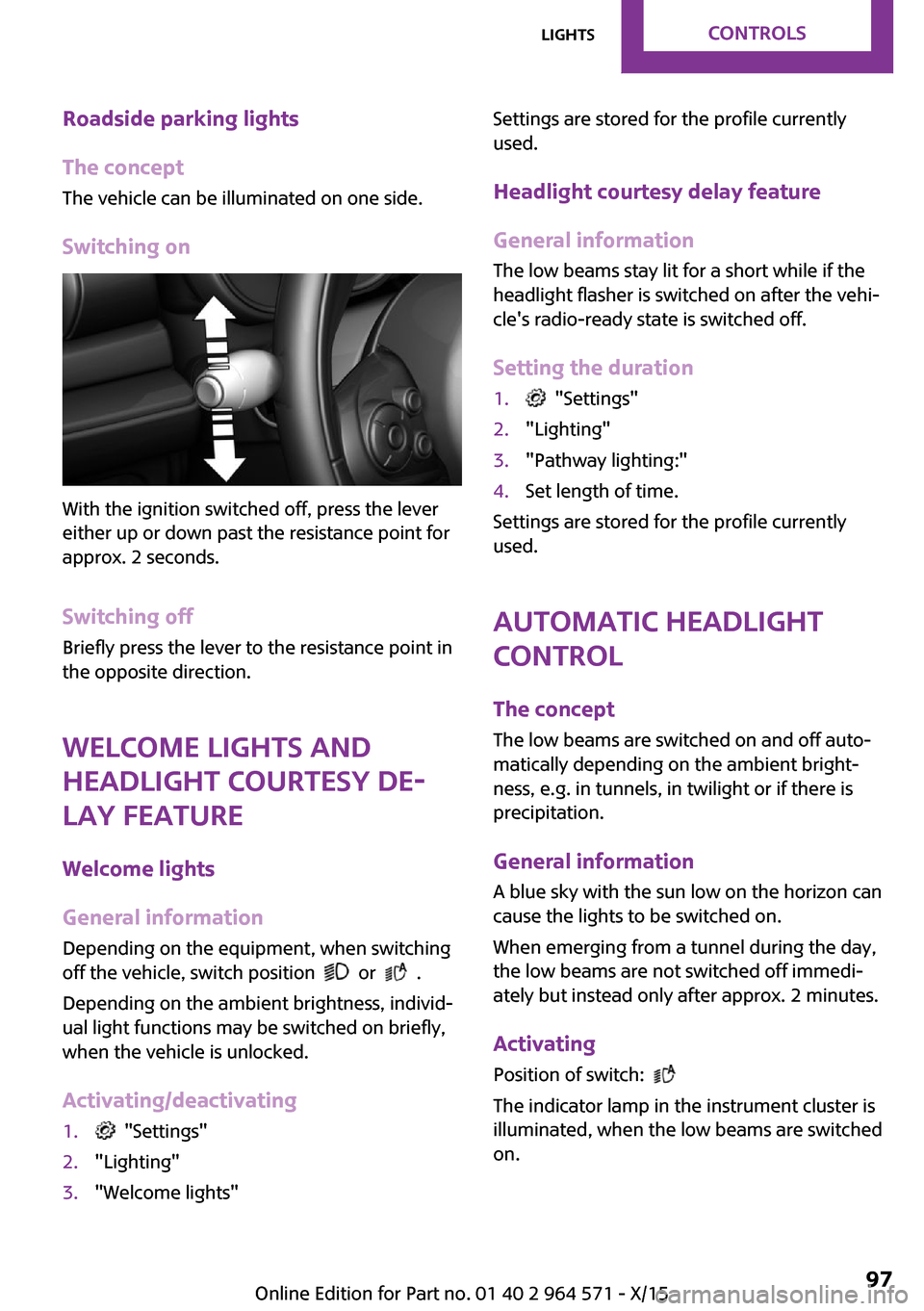
Switching on
With the ignition switched off, press the lever
either up or down past the resistance point for
approx. 2 seconds.
Switching off
Briefly press the lever to the resistance point in
the opposite direction.
Welcome lights and
headlight courtesy de‐
lay feature
Welcome lights
General information
Depending on the equipment, when switching
off the vehicle, switch position or .
Depending on the ambient brightness, individ‐
ual light functions may be switched on briefly,
when the vehicle is unlocked.
Activating/deactivating
1. "Settings"2."Lighting"3."Welcome lights"Settings are stored for the profile currently
used.
Headlight courtesy delay feature
General information
The low beams stay lit for a short while if the
headlight flasher is switched on after the vehi‐
cle's radio-ready state is switched off.
Setting the duration
1. "Settings"2."Lighting"3."Pathway lighting:"4.Set length of time.
Settings are stored for the profile currently
used.
Automatic headlight
control
The concept
The low beams are switched on and off auto‐
matically depending on the ambient bright‐
ness, e.g. in tunnels, in twilight or if there is
precipitation.
General information
A blue sky with the sun low on the horizon can
cause the lights to be switched on.
When emerging from a tunnel during the day,
the low beams are not switched off immedi‐
ately but instead only after approx. 2 minutes.
Activating
Position of switch:
The indicator lamp in the instrument cluster is
illuminated, when the low beams are switched
on.
Seite 97LightsCONTROLS97
Online Edition for Part no. 01 40 2 964 571 - X/15
Page 107 of 246
Final tire failure
Vibrations or loud noises while driving can indi‐
cate the final failure of a tire.
Reduce speed and stop; otherwise, pieces of
the tire could come loose and cause an acci‐
dent.
Do not continue driving. Contact a dealer’s
service center or another qualified service cen‐
ter or repair shop.
Required inflation pressure check
message
A Check Control message is displayed in the fol‐
lowing situations
▷The system has detected a wheel change,
but no reset was done.
▷Inflation was not carried out according to
specifications.
▷The tire inflation pressure has fallen below
the level of the last confirmation.
In this case:
▷Check the tire pressure and correct as
needed.
▷Carry out a reset of the system after a tire
change.
System limits
The system does not function properly if a reset
has not been carried out, e.g., a flat tire is re‐
ported though tire inflation pressures are cor‐
rect.
The tire inflation pressure depends on the tire's
temperature. Driving or exposure to the sun
will increase the tire's temperature, thus in‐
creasing the tire inflation pressure. The tire in‐
flation pressure is reduced when the tire tem‐
perature falls again. These circumstances may
cause a warning when temperatures fall very
sharply.
The system cannot indicate sudden serious tire
damage caused by external circumstances.
Malfunction
The yellow warning lamp flashes and
then lights up continuously. A Check
Control message is displayed. No flat
tire or loss of tire pressure can be detected.
Examples and recommendations in the follow‐
ing situations:
▷A wheel without TPM electronics, for exam‐
ple an emergency wheel, is mounted: Have
it checked by a dealer’s service center or
another qualified service center or repair
shop as needed.
▷Malfunction: Have system checked by a
dealer’s service center or another qualified
service center or repair shop.
▷TPM was unable to complete the reset. Re‐
set the system again.
▷Interference through systems or devices
with the same radio frequency: After leav‐
ing the area of the interference, the system
automatically becomes active again.
Declaration according to NHTSA/FMVSS
138 Tire Pressure Monitoring System
Each tire, including the spare (if provided)
should be checked monthly when cold and in‐
flated to the inflation pressure recommended
by the vehicle manufacturer on the vehicle
placard or tire inflation pressure label. (If your
vehicle has tires of a different size than the size
indicated on the vehicle placard or tire inflation
pressure label, you should determine the
proper tire inflation pressure for those tires.) As
an added safety feature, your vehicle has been
equipped with a tire pressure monitoring sys‐
tem (TPMS) that illuminates a low tire pressure
telltale when one or more of your tires is signifi‐
cantly under-inflated. Accordingly, when the
low tire pressure telltale illuminates, you should
stop and check your tires as soon as possible,
and inflate them to the proper pressure. Driving
on a significantly under-inflated tire causes the
tire to overheat and can lead to tire failure. Un‐
der-inflation also reduces fuel efficiency and
Seite 107SafetyCONTROLS107
Online Edition for Part no. 01 40 2 964 571 - X/15
Page 130 of 246

PDC Park Distance Control
Ultrasound sensors
Ultrasound sensors of the PDC,
for example in the bumpers.
Functional requirements
To ensure full functionality:
▷Do not cover sensors, for example, with
stickers, bicycle racks.
▷Keep the sensors clean and free of ice.
To clean: when using high-pressure washers,
do not spray the sensors for long periods and
maintain a distance of at least 12 inches/30 cm.
Switching on/off
Switching on automatically
PDC switches on automatically in the following
situations:
▷If selector lever position R is engaged when
the engine is running.
The rearview camera also switches on.
▷With front PDC: when obstacles are de‐
tected behind or in front of the vehicle by
PDC and the speed is slower than approx.
2.5 mph/4 km/h.
With front PDC: You can switch off automatic
activation on obstacle detection:
1. "Settings"2."Parking"3.Select setting.
Settings are stored for the profile currently
used.
Automatic deactivation during forward
travel
The system switches off when a certain driving
distance or speed is exceeded.
Switch the system back on if needed.
With front PDC: switching on/off
manually
Press button.
▷On: the LED lights up.▷Off: the LED goes out.
The rearview camera image is displayed when
the reverse gear is engaged by pressing the
button.
Display
Signal tones
When approaching an object, an intermittent
sound indicates the position of the object. E. g.
if an object is detected to the left rear of the ve‐
hicle, a signal tone sounds from the left rear
speaker.
The shorter the distance to the object, the
shorter the intervals.
If the distance to a detected object is less than
approx. 10 inches/25 cm, a continuous tone is
sounded.
With front PDC: if objects are located both in
front of and behind the vehicle, an alternating
continuous signal is sounded.
The signal tone is switched off, when selector
lever position P is engaged on vehicles with
Steptronic transmission.
Volume
The ratio of the PDC signal tone volume to the
entertainment volume can be adjusted.
1. "Multimedia", "Radio" or
"Settings"
2."Tone"Seite 130CONTROLSDriving comfort130
Online Edition for Part no. 01 40 2 964 571 - X/15
Page 137 of 246

Interrupting manually
The parking assistant can be interrupted at any
time:
▷ "Parking Assistant"▷Press button.
Interrupting automatically
The system is interrupted automatically in the
following situations:
▷If the driver grasps the steering wheel or if
he takes over steering.
▷If a gear is selected that does not match the
instruction on the display.
▷If the vehicle speed exceeds approx.
6 mph/10 km/h.
▷Possible on snow-covered or slippery road
surfaces.
▷If a maximum number of parking attempts
or the time taken for parking is exceeded.
▷If the Park Distance Control PDC displays
clearances that are too small.
▷When switching into other functions of the
radio.
A Check Control message is displayed.
Resume
An interrupted parking procedure can be con‐
tinued if needed.
Reactivate the parking assistant, refer to
page 136, and follow the instructions on the
display.
Switching off
The system can be deactivated as follows:
▷Press button.▷Switching off the ignition.System limits
Information
WARNING
The system can react incorrectly or not at
all due to the system limits. There is risk of acci‐
dents or risk of property damage. Observe the
system limits and actively interfere if needed.◀
No parking assistance
The parking assistant does not offer assistance
in the following situations:
▷In tight curves.
Functional limitations
The system may not be fully functional in the
following situations:
▷On bumpy road surfaces such as gravel
roads.
▷On slippery ground.▷With accumulations of leaves/snow in the
parking space.
▷With a mounted emergency wheel.▷With ditches or edges, for example an edge
of a port.
Limits of ultrasonic measurement
Ultrasonic measuring might not function under
the following circumstances:
▷For small children and animals.▷For persons with certain clothing, for exam‐
ple coats.
▷With external interference of the ultra‐
sound, for example from passing vehicles
or loud machines.
▷When sensors are dirty, iced over, damaged
or out of position.
▷If cargo protrudes.▷Under certain weather conditions such as
high relative humidity, rain, snowfall, ex‐
treme heat or strong wind.
Seite 137Driving comfortCONTROLS137
Online Edition for Part no. 01 40 2 964 571 - X/15