door lock MINI COOPER 2009 User Guide
[x] Cancel search | Manufacturer: MINI, Model Year: 2009, Model line: COOPER, Model: MINI COOPER 2009Pages: 160, PDF Size: 2.84 MB
Page 37 of 160
REFERENCEAT A GLANCE CONTROLS DRIVING TIPS MOBILITY
35
Transporting children safely
The right place for
children
Do not leave children unattended in the
vehicle, otherwise they could endanger
themselves and/or other persons by opening the
doors, for example.<
Children should always sit in the rear
Accident research has shown that the safest
place for children is on the rear seat.
Only transport children under the age of
13 or smaller than 5 ft/150 cm in the rear
in a child-restraint system suitable for their age,
weight and size. Otherwise there is an increased
risk of injury in the event of an accident.<
Children 13 years of age or older must be buck-
led in with a safety belt as soon as there no
longer is any child-restraint system that is
appropriate for their age, size and weight.
Only install child seats in the rear when the
rear seat backrest is folded all the way
back and engaged. Otherwise there will be an
increased risk of injury in the event of an acci-
dent.<
Exception for front passenger seat
Front passenger airbags
Should it be necessary to use a child-
restraint system on the front passenger
seat, the front and side airbags must be deacti-
vated. Otherwise, there is an increased risk of
injury to the child if the airbags deploy, even if
the child is seated in a child-restraint system.<
For more information on automatic deactivation
of the front passenger airbags, refer to page65.
Child-restraint systems,
installation
Observe the child-restraint system manu-
facturer's instructions when selecting,
installing and using child-restraint systems. Oth-
erwise the protective effect may be dimin-
ished.<
On the front passenger seat
After installing a child-restraint system on
the front passenger seat, make sure that
the front and side airbags for the front passen-
ger are deactivated, otherwise there is an
increased risk of injury if the airbags deploy.<
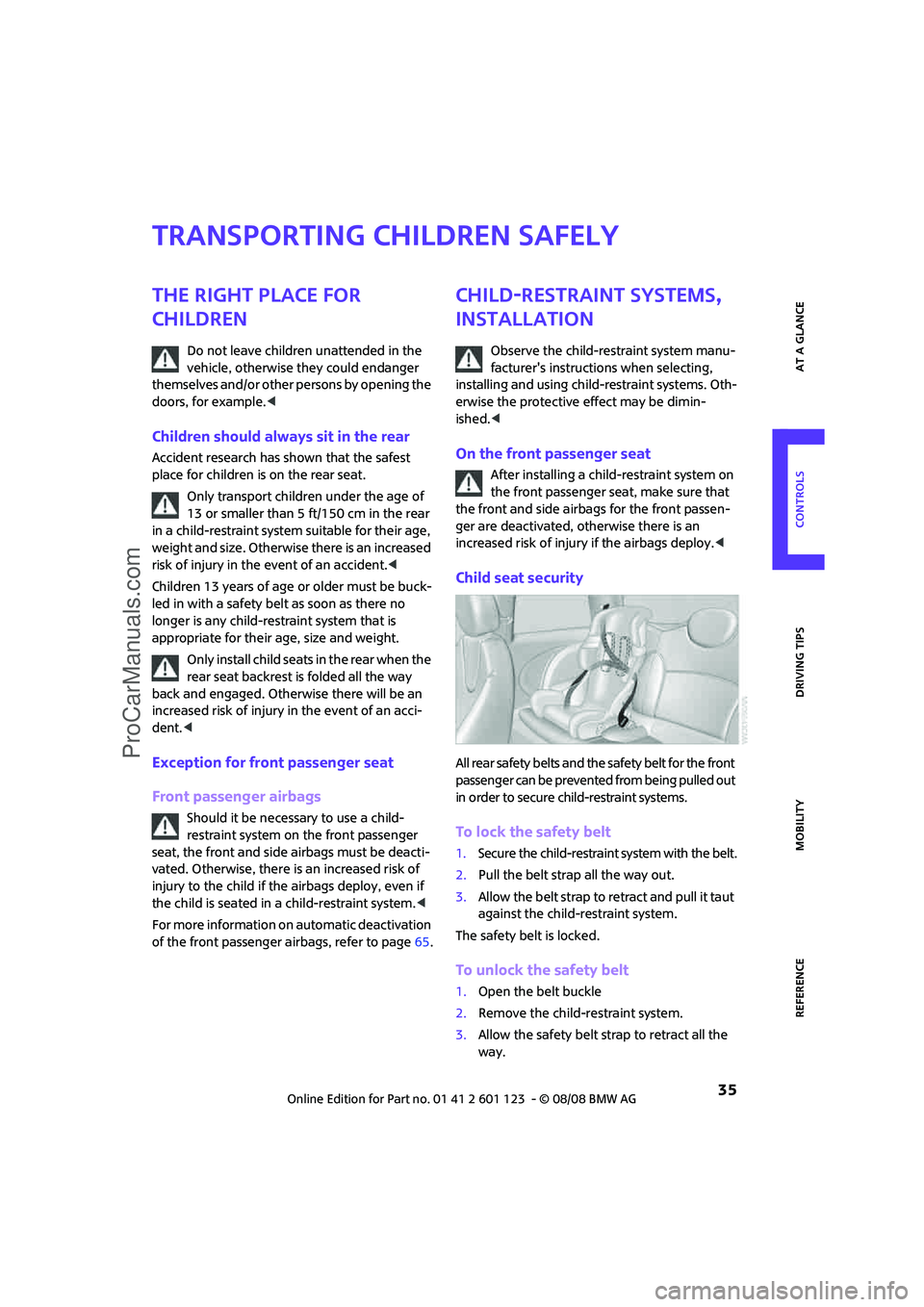
Child seat security
All rear safety belts and the safety belt for the front
passenger can be prevented from being pulled out
in order to secure child-restraint systems.
To lock the safety belt
1.Secure the child-restraint system with the belt.
2.Pull the belt strap all the way out.
3.Allow the belt strap to retract and pull it taut
against the child-restraint system.
The safety belt is locked.
To unlock the safety belt
1.Open the belt buckle
2.Remove the child-restraint system.
3.Allow the safety belt strap to retract all the
way.
ProCarManuals.com
Page 39 of 160
REFERENCEAT A GLANCE CONTROLS DRIVING TIPS MOBILITY
37
Driving
Ignition lock
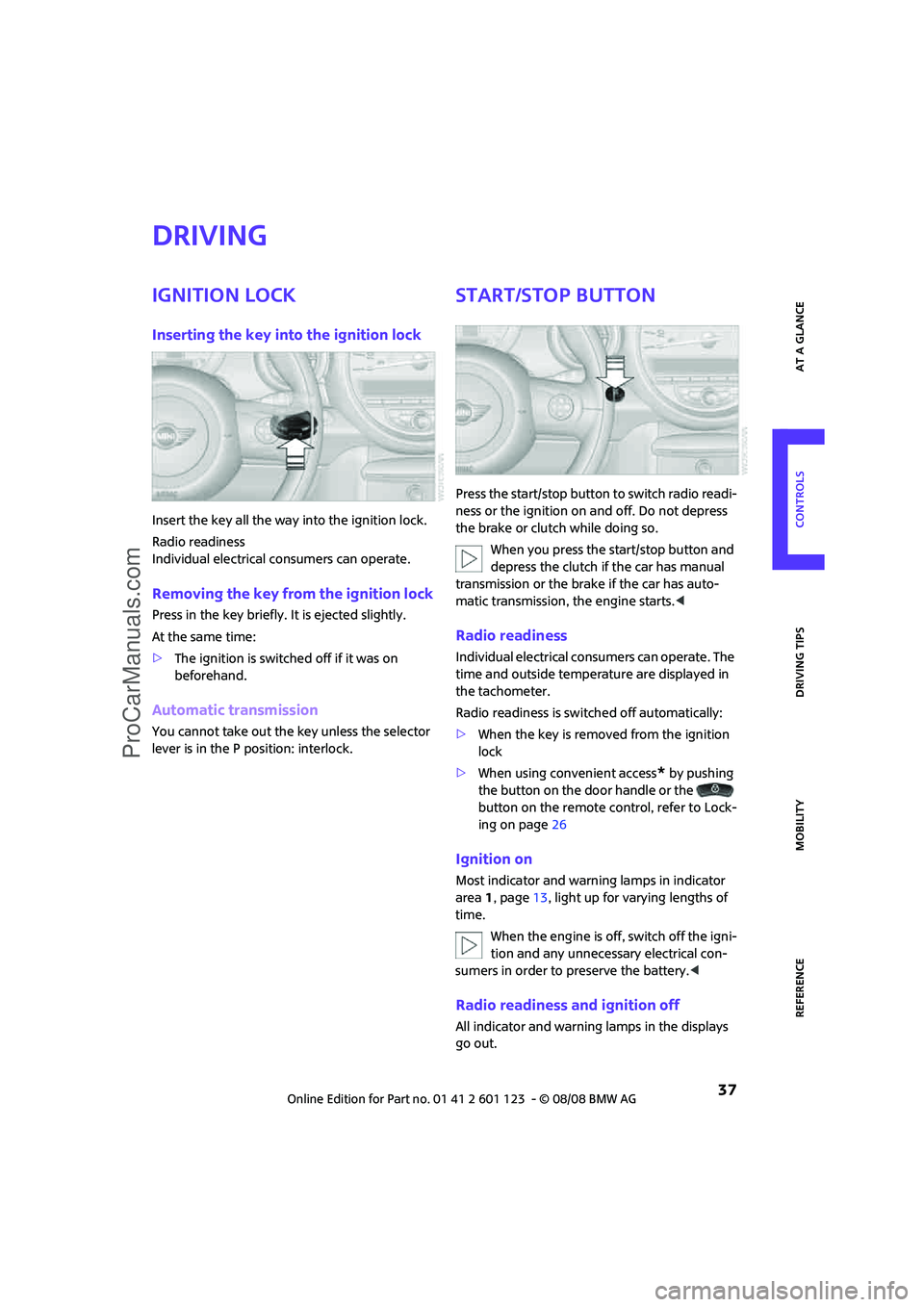
Inserting the key into the ignition lock
Insert the key all the way into the ignition lock.
Radio readiness
Individual electrical consumers can operate.
Removing the key from the ignition lock
Press in the key briefly. It is ejected slightly.
At the same time:
>The ignition is switched off if it was on
beforehand.
Automatic transmission
You cannot take out the key unless the selector
lever is in the P position: interlock.
Start/stop button
Press the start/stop button to switch radio readi-
ness or the ignition on and off. Do not depress
the brake or clutch while doing so.
When you press the start/stop button and
depress the clutch if the car has manual
transmission or the brake if the car has auto-
matic transmission, the engine starts.<
Radio readiness
Individual electrical consumers can operate. The
time and outside temperature are displayed in
the tachometer.
Radio readiness is switched off automatically:
>When the key is removed from the ignition
lock
>When using convenient access
* by pushing
the button on the door handle or the
button on the remote control, refer to Lock-
ing on page26
Ignition on
Most indicator and warning lamps in indicator
area 1, page13, light up for varying lengths of
time.
When the engine is off, switch off the igni-
tion and any unnecessary electrical con-
sumers in order to preserve the battery.<
Radio readiness and ignition off
All indicator and warning lamps in the displays
go out.
ProCarManuals.com
Page 40 of 160
Driving
38
The ignition automatically turns off* when the
driver's door is opened. Pressing the start/stop
button again switches the ignition back on.
The ignition is not switched off in situations such
as the following:
>The clutch or brake is depressed
>The low beams are switched on
Starting the engine
Do not allow the engine to run in enclosed
spaces; otherwise inhalation of the nox-
ious exhaust gases can lead to unconsciousness
and death. Exhaust gases contain carbon mon-
oxide, an odorless and colorless, but highly toxic
gas. Never leave an unattended vehicle with the
engine running, otherwise such a vehicle repre-
sents a potential safety hazard.
Before leaving the car while the engine is run-
ning, place the transmission in neutral or move
the selector lever to position P and forcefully
apply the parking brake to prevent the car from
moving.<
Avoid frequent starting in quick succes-
sion or repeated start attempts in which
the engine does not start. Otherwise, the fuel is
not burned or inadequately burned and there is
a danger of overheating and damaging the cat-
alytic converter.<
Do not let the engine warm up with the vehicle
at a standstill. Move off immediately at a moder-
ate engine speed.
When starting the engine, do not depress the
accelerator pedal.
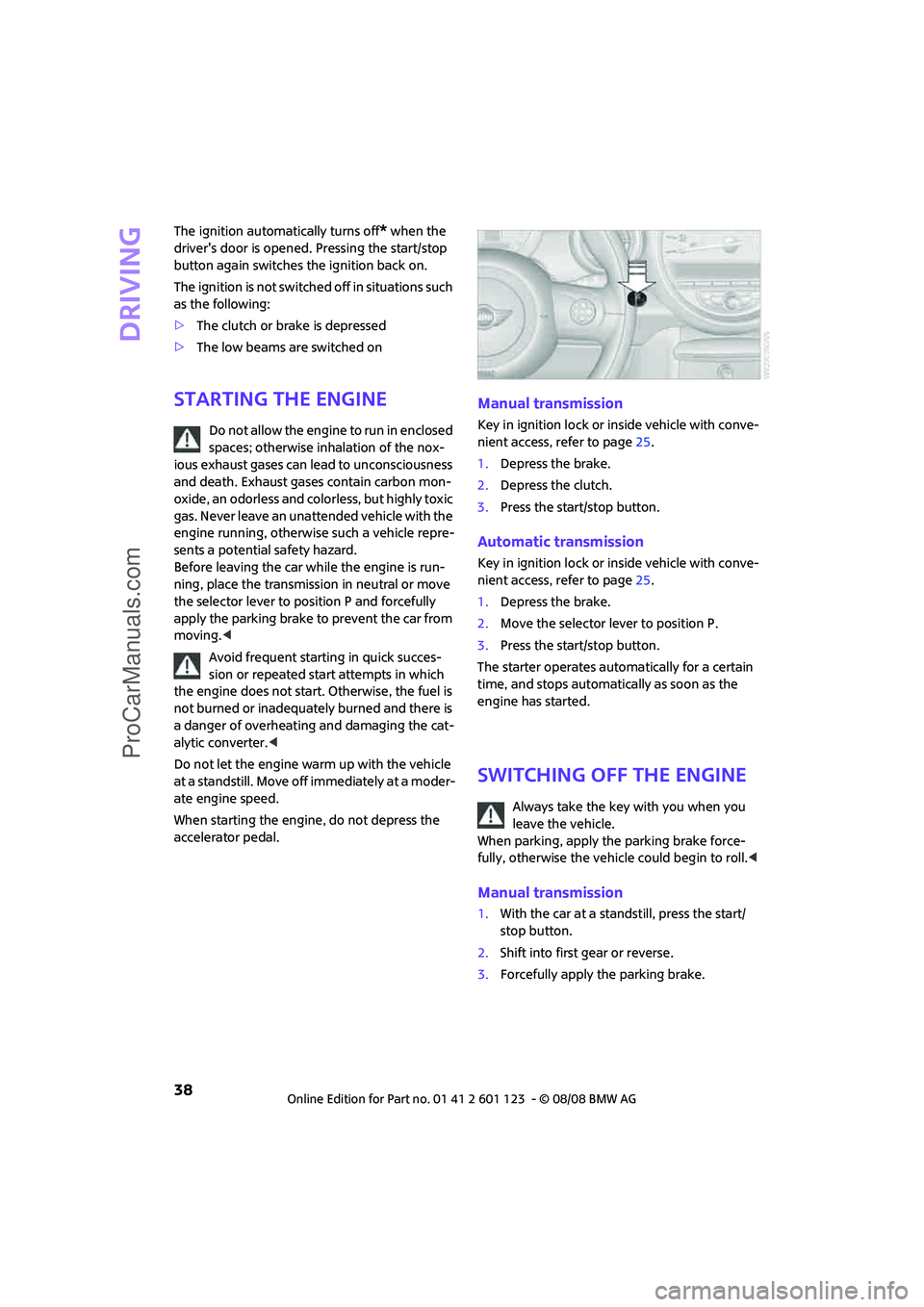
Manual transmission
Key in ignition lock or inside vehicle with conve-
nient access, refer to page25.
1.Depress the brake.
2.Depress the clutch.
3.Press the start/stop button.
Automatic transmission
Key in ignition lock or inside vehicle with conve-
nient access, refer to page25.
1.Depress the brake.
2.Move the selector lever to position P.
3.Press the start/stop button.
The starter operates automatically for a certain
time, and stops automatically as soon as the
engine has started.
switching off the Engine
Always take the key with you when you
leave the vehicle.
When parking, apply the parking brake force-
fully, otherwise the vehicle could begin to roll.<
Manual transmission
1.With the car at a standstill, press the start/
stop button.
2.Shift into first gear or reverse.
3.Forcefully apply the parking brake.
ProCarManuals.com
Page 51 of 160
REFERENCEAT A GLANCE CONTROLS DRIVING TIPS MOBILITY
49
Current fuel consumption
Displays the current fuel consumption to allow
you to see whether your current driving style is
conducive to fuel economy with minimum
exhaust emissions.
Average speed
Periods with the vehicle parked and the engine
switched off are not included in the calculations
of average speed.
To reset average speed: press the button in the
turn indicator lever for approx. 2 seconds.
Current vehicle speed
To have the current speed shown in the upper
display otherwise serving for the outside tem-
perature display and clock.1.Press the button in the turn indicator lever
repeatedly until the current speed appears
in the lower display.
2.Wait for the speed display to automatically
move to the upper display.
The outside temperature then appears in the
lower display of the computer.
Settings and information
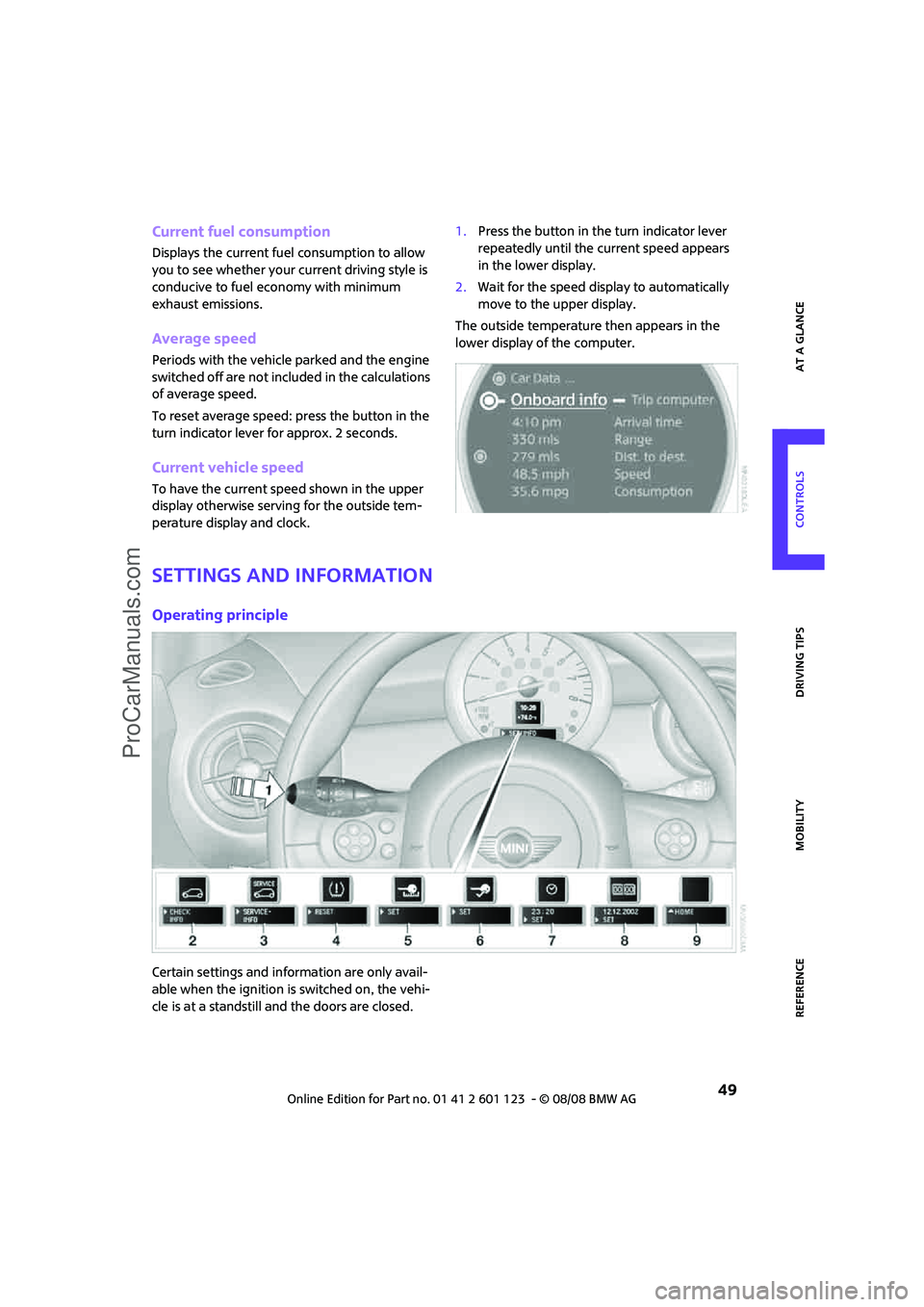
Operating principle
Certain settings and information are only avail-
able when the ignition is switched on, the vehi-
cle is at a standstill and the doors are closed.
ProCarManuals.com
Page 69 of 160

REFERENCEAT A GLANCE CONTROLS DRIVING TIPS MOBILITY
67
Lamps
Parking lamps/low beams
0Lamps off and daytime running lamps
1Parking lamps and daytime running lamps
2Low-beam headlamps and welcome lamps
3Automatic headlamp control
*, daytime run-
ning lamps and welcome lamps
When you open the driver's door with the igni-
tion switched off, the exterior lighting is auto-
matically switched off if the light switch is in
position 0, 2 or 3.
Switch on the parking lamps if necessary, switch
position 1.
Parking lamps
Turn the light switch to position 1.
The front, rear and side vehicle lighting is
switched on.
Activation of lights on one side of the vehicle for
parking, page69.
The parking lamps will discharge the bat-
tery. Therefore, do not leave them on for
unduly long periods of time, otherwise the bat-
tery might not have enough power to start the
engine.<
Low beams
Turn the light switch to position 2.
The low beams come on when the ignition is on.
Automatic headlamp control*
When the switch is in position3, the low beams
are switched on and off automatically depend-
ing on ambient light conditions, e.g. in a tunnel,
in twilight, or if there is precipitation.
The headlamps may also come on when the sun
is sitting low on a blue sky.
When driving into tunnels with bright overhead
lights, there may be a delay before the head-
lamps come on.
The low beams remain switched on indepen-
dent of the ambient lighting conditions when
you switch on the fog lamps
*.
If the daytime running lamps are activated,
page68, the low beams are always switched on
with the light switch in position 3 and the igni-
tion on. The exterior lamps are automatically
switched off after the vehicle is parked.
The automatic headlamp control cannot
serve as a substitute for your personal
judgment in determining when the lamps
should be switched on in response to ambient
lighting conditions. For example, the system
cannot detect fog or hazy weather. To avoid
safety risks, you should respond to these kinds
of low-visibility situations by switching the head-
lamps on manually.<
Welcome lamps
If you leave the light switch in the low beam or
automatic headlamp control position when you
switch off the ignition, the parking lamps and
interior lamps come on for a certain time as soon
as the vehicle is unlocked.
Pathway lighting
If you activate the headlamp flasher after park-
ing the car, with the lights switched off, the low
beams come on and remain on for a certain
time.
The setting is stored for the remote control in
use, refer to Personal Profile, page18.
ProCarManuals.com
Page 94 of 160

Refueling
92
Refueling
Switch off the engine before refueling,
otherwise fuel cannot be added to the
tank and a message will be displayed.<
Take all precautionary measures and
observe all applicable regulations when
handling fuel. Do not carry any spare fuel con-
tainers in your vehicle. They can develop a leak
and cause an explosion or cause a fire in the
event of an accident.<
Fuel filler door
Opening
1.Open fuel filler door.
2.Turn the gas cap counterclockwise.
3.Place the gas cap in the bracket attached to
the fuel filler door.
Closing
Fit the cap and turn it clockwise until you clearly
hear a click.
Do not pinch the band attached to the cap,
otherwise the cap cannot be closed prop-
erly and fuel vapors can escape. A message will
be displayed if the gas cap is loose or missing.<
Manually releasing the fuel filler door
In the event of an electrical malfunction, you can
manually unlock the fuel filler door:
1.Remove the cover from the left-hand side-
wall of the cargo bay.
2.Pull on the green knob with the fuel pump
symbol. The fuel filler door is released.
Observe the following when refueling
Take all precautionary measures and
observe all applicable regulations when
handling fuel, otherwise there is a danger of per-
sonal injury and property damage.<
When refueling, insert the filler nozzle completely
into the filler pipe. Avoid lifting the filler nozzle
while filling the tank, as that would lead to
>premature pump shutoff
>reduced efficiency of the fuel-vapor recov-
ery system.
The fuel tank is full when the filler nozzle clicks
off the first time.
ProCarManuals.com
Page 111 of 160
REFERENCEAT A GLANCE CONTROLS DRIVING TIPS MOBILITY
109
Care
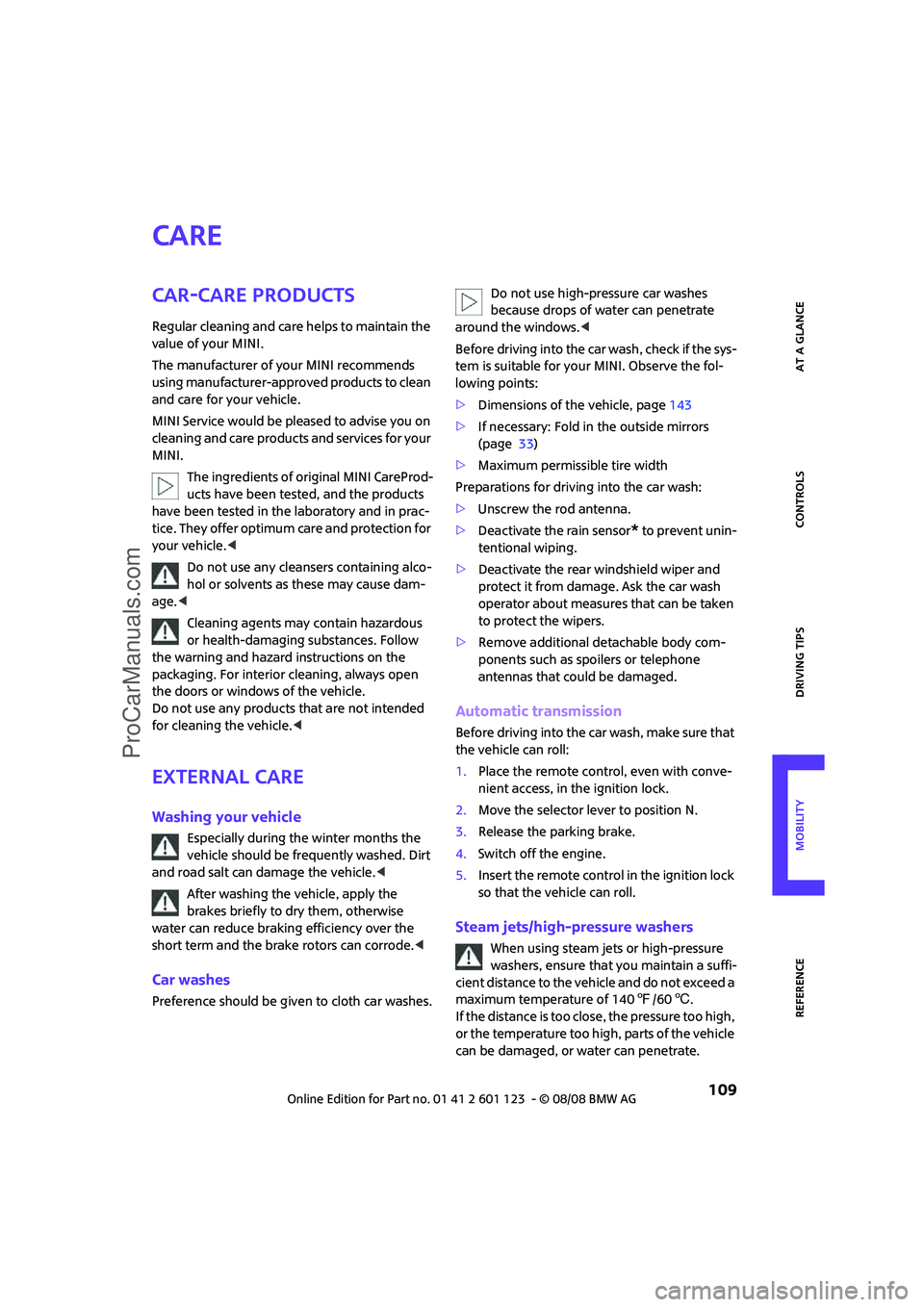
Car-care products
Regular cleaning and care helps to maintain the
value of your MINI.
The manufacturer of your MINI recommends
using manufacturer-approved products to clean
and care for your vehicle.
MINI Service would be pleased to advise you on
cleaning and care products and services for your
MINI.
The ingredients of original MINI CareProd-
ucts have been tested, and the products
have been tested in the laboratory and in prac-
tice. They offer optimum care and protection for
your vehicle.<
Do not use any cleansers containing alco-
hol or solvents as these may cause dam-
age.<
Cleaning agents may contain hazardous
or health-damaging substances. Follow
the warning and hazard instructions on the
packaging. For interior cleaning, always open
the doors or windows of the vehicle.
Do not use any products that are not intended
for cleaning the vehicle.<
External care
Washing your vehicle
Especially during the winter months the
vehicle should be frequently washed. Dirt
and road salt can damage the vehicle.<
After washing the vehicle, apply the
brakes briefly to dry them, otherwise
water can reduce braking efficiency over the
short term and the brake rotors can corrode.<
Car washes
Preference should be given to cloth car washes.Do not use high-pressure car washes
because drops of water can penetrate
around the windows.<
Before driving into the car wash, check if the sys-
tem is suitable for your MINI. Observe the fol-
lowing points:
>Dimensions of the vehicle, page143
>If necessary: Fold in the outside mirrors
(page 33)
>Maximum permissible tire width
Preparations for driving into the car wash:
>Unscrew the rod antenna.
>Deactivate the rain sensor
* to prevent unin-
tentional wiping.
>Deactivate the rear windshield wiper and
protect it from damage. Ask the car wash
operator about measures that can be taken
to protect the wipers.
>Remove additional detachable body com-
ponents such as spoilers or telephone
antennas that could be damaged.
Automatic transmission
Before driving into the car wash, make sure that
the vehicle can roll:
1.Place the remote control, even with conve-
nient access, in the ignition lock.
2.Move the selector lever to position N.
3.Release the parking brake.
4.Switch off the engine.
5.Insert the remote control in the ignition lock
so that the vehicle can roll.
Steam jets/high-pressure washers
When using steam jets or high-pressure
washers, ensure that you maintain a suffi-
cient distance to the vehicle and do not exceed a
maximum temperature of 1407/606.
If the distance is too close, the pressure too high,
or the temperature too high, parts of the vehicle
can be damaged, or water can penetrate.
ProCarManuals.com
Page 150 of 160
From A to Z
148
Consumption indicator
– average fuel consumption48
Consumption, refer to Average
fuel consumption48
Control Display
– settings49
Controls and displays10
Convenience start, refer to
Starting the engine38
Convenient access25
– replacing the battery27
Convenient operation
– windows20
Coolant105
– checking level105
– filling105
Coolant temperature47
Cooling fluid, refer to
Coolant105
Cooling, maximum75
Copyright2
Cruising range48
Cup holders81
Curb weight, refer to
Weights144
Current fuel consumption49
D
Dashboard instruments, refer
to Displays12
Dashboard lighting, refer to
Instrument lighting70
Dashboard, refer to Cockpit10
Data142
– capacities144
– dimensions143
– engine142
– weights144
Date
– setting54
Daytime running lamps68
DBC Dynamic Brake Control,
refer to Brake assist57
Deactivating front passenger
airbags65
Deadlocking, refer to
Locking20Defect
– door lock22
– fuel filler door92
Defogging windows74,76
Defrost position, refer to
Defrosting windows74,76
Defrosting windows74,76
Defrosting windows and
removing condensation
– air conditioner74
– automatic climate control76
Differential, breaking in84
Digital clock47
Dimensions143
Dipstick, engine oil104
Directional indicators, refer to
Turn signals41
Displacement, refer to Engine
data142
Display lighting, refer to
Instrument lighting70
Displays12
– instrument combination12
Displays and controls10
Displays, care111
Disposal
– of coolant105
– remote control battery27
– vehicle battery122
Distance remaining to service,
refer to Service
requirements52
Distance warning, refer to Park
Distance Control PDC56
Diving stability control
systems56
Door key, refer to Integrated
key/remote control18
Door lock
22
Door lock, confirmation
signals20
Doors, manual operation22
DOT Quality Grades99
Drinks holders, refer to Cup
holders81
Drive-off assistant, refer to Hill
Start Assist58
Driving dynamics control, refer
to Sport button59Driving lamps, refer to Parking
lamps/low beams67
Driving notes84
Driving off on inclines, refer to
Hill Start Assist58
Driving through water85
Driving tips, refer to Driving
notes84
Dry air, refer to Cooling
function76
DTC Dynamic Traction Control
DTC58
Dynamic Brake Control DBC,
refer to Brake assist57
Dynamic Stability Control
DSC57
Dynamic Traction Control58
E
Electrical malfunction
– door lock22
– fuel filler door92
Electronic brake-force
distribution57
Electronic Stability Program
ESP, refer to Dynamic
Stability Control DSC57
Emergency operation, refer to
Manual operation
– door lock22
– fuel filler door92
– transmission lock, automatic
transmission41
Emergency services, refer to
Roadside Assistance123
Engine
– breaking in84
– data142
– overheated, refer to Coolant
temperature47
– speed142
– starting38
– starting, convenient
access25
– switching off38
Engine compartment104
Engine coolant, refer to
Coolant105
ProCarManuals.com
Page 151 of 160
REFERENCEAT A GLANCE CONTROLS DRIVING TIPS MOBILITY
149
Engine oil
– adding105
– additives, refer to Approved
engine oils105
– approved engine oils105
– capacity105
– checking level104
– dipstick104
– intervals between changes,
refer to Service
requirements52
– MINI Maintenance
System107
Engine oil level, checking104
Engine output, refer to Engine
data142
Engine starting, refer to
Starting the engine38
Error messages, refer to Check
Control54
ESP Electronic Stability
Program, refer to Dynamic
Stability Control DSC57
Event data recorders108
Exhaust system, refer to Hot
exhaust system84
Exterior mirrors33
– adjusting33
– automatic heating33
– folding in and out33
External audio device79
External care
– 109
Eyes
– for tow-starting and towing
away125
– for tying down loads88
F
Failure messages, refer to
Check Control54
Failure of an electrical
consumer122
Fasten safety belts reminder,
refer to Seat belt
reminder32
Fastening safety belts, refer to
Safety belts32Filter
– microfilter for air
conditioner74
– microfilter/activated-
charcoal filter for automatic
climate control76
Fine wood, care111
First aid pouch123
Fixture for remote control,
refer to Ignition lock37
Flash when locking/
unlocking20
Flat tire
– Run-Flat Tires101
– Tire Pressure Monitor TPM61
Flat Tire Monitor FTM59
– indicating a flat tire60
– initializing the system59
– malfunction60
– snow chains59
– system limits59
Flat tires, refer to Tire
condition100
Floor mats, care111
Fog lamps
– replacing bulb115,117
Folding rear seat backrest86
Footbrake, refer to Braking
safely85
Footwell lamps70
For your own safety4
Front airbags64
Front fog lamps70
– indicator lamp128
– replacing bulb115
Front seat adjustment29
Frost on windows, refer to
Defrosting windows74,76
FTM, refer to Flat Tire
Monitor59
Fuel93
– gauge48
– high-quality brands93
– quality93
– specifications93
– tank capacity144
Fuel clock, refer to Fuel
gauge48Fuel display, refer to Fuel
gauge
48
Fuel filler door92
– releasing in the event of
electrical malfunction92
Fuses122
G
Garage door opener, refer to
Integrated universal remote
control77
Gasoline
– refer to Average
consumption48
Gasoline display, refer to Fuel
gauge48
Gasoline, refer to Required
fuel93
Gear indicator
– automatic transmission with
Steptronic39
Gear shifting
– automatic transmission40
– manual transmission39
Gearshift lever
– automatic transmission with
Steptronic40
– manual transmission39
General driving notes84
Glass sunroof, electric27
– convenient operation20,22
– opening, closing27
– raising27
– remote control20
Glove compartment79
Grills, refer to Air vents72
Gross vehicle weight, refer to
Weights144
H
Halogen lamps
– replacing bulb114
Handbrake, refer to Parking
brake39
Hands-free system14
Hazard warning flashers14
Head airbags64
ProCarManuals.com
Page 152 of 160
From A to Z
150
Head restraints31
– sitting safely29
Headlamp control,
automatic67
Headlamp flasher41
– indicator lamp11,128
Headlamps
– replacing bulb114
Headlamps, care110
Heated
– mirrors33
– rear window73,76
– seats32
Heating72
– mirrors33
– rear window73,76
– seats32
Heavy loads, refer to Stowing
cargo87
Height adjustment
– seats30
– steering wheel34
Height, refer to
Dimensions143
High beams69
– headlamp flasher69
– indicator lamp128
– replacing bulb114
High water, refer to Driving
through water85
Hill Start Assist58
Hills85
Holders for cups81
Homepage4
Horn10
Hot exhaust system84
Hydroplaning84
I
Ice warning47
Icy roads, refer to Outside
temperature warning47
Ignition37
– switched off37
– switched on37
Ignition key position 1, refer to
Radio readiness37Ignition key position 2, refer to
Ignition on37
Ignition key, refer to
Integrated key/remote
control18
Ignition lock37
Imprint2
Indicator and warning
lamps13,128
– Tire Pressure Monitor TPM62
Indicator lighting, refer to
Instrument lighting70
Individual air distribution74
Individual settings, refer to
Personal Profile18
Inflation pressure monitoring,
refer to Tire Pressure Monitor
TPM61
Initializing
– Flat Tire Monitor FTM59
– glass sunroof, electric27
Instrument cluster, refer to
Displays12
Instrument lighting70
Instrument panel, refer to
Cockpit10
Instrument panel, refer to
Displays12
Integrated key18
Integrated universal remove
control77
Interior lamps70
– remote control21
Interior rearview mirror33
– automatic dimming
feature33
Interlock40
Intermittent mode of the
wipers42
Internet page4
J
Jacking points121
Jets, refer to Window washer
nozzles44
Jump starting123
Jumpering, refer to Jump
starting123
K
Key Memory, refer to Personal
Profile18
Key, refer to Keys/remote
controls18
Keyless go, refer to Convenient
access25
Keyless opening and closing,
refer to Convenient
access25
Kick-down40
– automatic transmission with
Steptronic40
Knock control93
L
Lamps and bulbs, replacing
bulbs113
Lamps, refer to Parking lamps/
Low beams67
Lashing eyes, refer to Securing
cargo88
LATCH child-restraint fixing
system36
Leather care111
LEDs light-emitting diodes114
Length, refer to
Dimensions143
License plate lamp
– replacing bulbs in MINI117
Light switch67
Light-alloy wheels, care110
Light-emitting diodes
LEDs114
Lighter81
– socket81
Lighting
– lamps and bulbs113
– of the instruments70
– of vehicle, refer to Lamps67
Limit138
Load87
Load securing equipment,
refer to Securing cargo88
Lock buttons of doors, refer to
Locking22
ProCarManuals.com