ECU MINI COOPER 2010 User Guide
[x] Cancel search | Manufacturer: MINI, Model Year: 2010, Model line: COOPER, Model: MINI COOPER 2010Pages: 174, PDF Size: 2.82 MB
Page 98 of 174

Things to remember when driving
96
2.Determine the combined weight of the
driver and passengers that will be riding in
your vehicle.
3.Subtract the combined weight of the driver
and passengers from XXX kilograms or YYY
pounds.
4.The resulting figure equals the available
amount of cargo and luggage load capacity.
For example, if the XXX amount equals
1,400 lbs. and there will be four 150 lbs. pas-
sengers in your vehicle, the amount of avail-
able cargo and luggage load capacity is
650 lbs:
1,400 lbs. minus 750 lbs. = 650 lbs.
5.Determine the combined weight of luggage
and cargo being loaded on the vehicle. That
weight may not safely exceed the available
cargo and luggage load capacity calculated
in step 4.
6.I f y o u r v e h icl e w i ll be t o w i n g a t r a il e r , pa r t o f
the load from your trailer will be transferred
to your vehicle. Consult the manual for
transporting a trailer to determine how this
may reduce the available cargo and luggage
load capacity of your vehicle.
Load
The permissible load is the sum of the occu-
pants' weights and the weight of the cargo. The
greater the weight of the occupants, the less
cargo/luggage can be transported.
Stowing cargo
>Position heavy objects as low and as far for-
ward as possible, ideally directly behind the
rear seat backrests.
>Cover sharp edges and corners.>For very heavy cargo when the rear seat is
not occupied, secure each safety belt in the
respective opposite buckle.
>Do not stack higher than the top edge of the
backrests.
MINI
MINI Convertible
Securing cargo
>Secure smaller and lighter items using
retaining or draw straps
*.
>Heavy-duty cargo straps
* for securing larger
and heavier objects are available at your
MINI dealer. Four lashing eyes are provided
for attaching the cargo straps. Two of them
are located on the forward wall of the
cargo bay.
Page 99 of 174

REFERENCEAT A GLANCE CONTROLS DRIVING TIPS MOBILITY
97
Comply with the information enclosed with
the load-securing devices.
Always position and secure the cargo as
described above, so that it cannot endan-
ger the car's occupants, for example if sudden
braking or swerves are necessary.
Do not exceed the approved gross weight and
axle loads, page 157; otherwise, the vehicle's
operating safety is no longer assured and the
vehicle will not be in compliance with the certifi-
cation regulations.
Heavy or hard objects should not be carried
loose inside the car, since they could be thrown
around, for example as a result of heavy braking,
sudden swerves, etc., and endanger the occu-
pants. Do not secure cargo using the fastening
points for the tether strap, page44; they may
become damaged.<
MINI: Roof-mounted
luggage rack*
A special rack system is available as an option for
your MINI. Your MINI dealer will be glad to
advise you. Comply with the installation instruc-
tions supplied with the rack system.
Mounting points
Remove the cover panel.
Loading roof-mounted luggage rack
Because roof racks raise the vehicle's center of
gravity when loaded, they have a major effect
on vehicle handling and steering response.
You should therefore always remember not to
exceed the approved roof load capacity, the approved gross vehicle weight or the axle loads
when loading the rack.
You can find the applicable data under Weights
on page 157.
The roof load must be distributed uniformly and
should not be too large in area. Heavy items
should always be placed at the bottom.
When loading, make sure that there is sufficient
space for the movement of the glass sunroof
and that no objects protrude into the swiveling
area of the tailgate; otherwise, damage can
occur.
Fasten roof-mounted cargo correctly and
securely to prevent it from shifting or falling off
during the trip.
Drive smoothly. Avoid sudden acceleration and
braking maneuvers, and take corners gently.
Rear luggage rack*
A specially designed rear luggage rack is avail-
able for your MINI Convertible as optional acces-
sory. Please read the in information provided in
the assembly instructions.
Mounting points
The mounting points can be found under the
covers inside the bumper.
Push out the covers from the respective
recesses.
Loading the rear luggage rack
When loading the rack, please ensure not to
exceed the permissible roof load, the permissi-
ble gross vehicle weight, and the axle weight.
Page 118 of 174

Under the bonnet
116
Under the bonnet
Do not work on the car unless you possess
the necessary technical knowledge. If you
are not familiar with the regulations to be
observed, have the necessary work on your
vehicle carried out only by a MINI dealer or a
workshop that has specially trained personnel
working in accordance with the specifications of
the MINI manufacturer. If this work is not carried
out properly, there is a danger of subsequent
damage and related safety hazards.<
Bonnet
Releasing
Pull the lever.
Do not clean the windshield and head-
lamps if the bonnet is unlocked as this
may damage the headlamp washer system
*.<
Opening
To avoid damage, make sure that the
wiper arms are against the windshield
before you open the bonnet.<
Press the release handle and open the bonnet.
Closing
Close the bonnet from a height of approx. 16 in/
40 cm with momentum. It must be clearly heard
to engage.
If you notice any signs while driving your
vehicle that the bonnet is not completely
closed, stop at once and close it securely.
Make sure that the closing path of the bonnet is
clear; otherwise, injuries may result.<
Page 127 of 174

REFERENCEAT A GLANCE CONTROLS DRIVING TIPS MOBILITY
125
Replacing components
Onboard vehicle tool kit
Your vehicle comes with an onboard vehicle tool
kit that varies with the equipment version; it is
stored underneath the level load floor.
>Mobility System with onboard vehicle tool
kit and tire change set
*130
>Tire change set with onboard vehicle tool kit
for space-saver spare tire132
Wiper blades
Changing the front wiper blades
1.Fold up the wiper arm.
2.Position the wiper blade horizontally.
3.Press the securing spring, arrow.
4.Unhook the wiper blade toward the wind-
shield.
5.Pull the wiper blade past the wiper arm
toward the top.
6.Insert the new wiper blade.7.Press into position until you hear it engage.
8.Fold down the wiper arm.
To avoid damage, make sure that the
wiper arms are against the windshield
before you open the bonnet.<
MINI: Changing the rear wiper blade
1.Fold up the wiper arm.
2.Rotate the wiper blade toward the back as
far as it will go, arrow.
3.Press the wiper blade against the limit and
thus out of the mounting.
4.Press the new wiper blade into the fixture
until it engages audibly.
Lamps and bulbs
Lamps and bulbs make an essential contribution
to vehicle safety. They should, therefore, be
handled carefully. The manufacturer of your
MINI recommends having your MINI dealer per-
f o r m a n y w o r k t h a t y o u d o n o t f e e l c o m p e t e n t t o
perform yourself or that is not described here.
Never touch the glass of new bulbs with
your bare fingers, as even minute
amounts of contamination will burn into the
bulb's surface and reduce its service life. Use a
clean tissue, cloth or something similar, or hold
the bulb by its base.<
You can obtain a selection of replacement bulbs
at your MINI dealer.
Page 135 of 174

REFERENCEAT A GLANCE CONTROLS DRIVING TIPS MOBILITY
133
Removing the space-saver spare tire
The screw connection of the space-saver spare
tire is under the floor mat in the cargo bay, on
the base of the storage compartment for the tire
change set.
1.Unscrew the screw connection with the spe-
cial wrench.
2.Take out the cover panel.
3.Screw the lifting handle from the onboard
vehicle tool kit onto the thread.
4.Raise the lifting handle slightly.
5.Squeeze the securing spring.
6.The space-saver spare tire is released and
must be held by the lifting handle.
7.Lower the space-saver spare tire with the
lifting handle.
8.Unscrew the lifting handle.9.Pull the space-saver spare tire underneath
the vehicle out towards the rear.
10.Position the space-saver spare tire with the
valve facing upward.
11.Unscrew the valve extension from the valve
of the space-saver spare tire.
12.Unscrew the dust cap from the extension
and place it on the valve of the space-saver
spare tire.
Due to its different dimensions, the dam-
aged wheel cannot be placed in the recess
for the space-saver spare tire.<
Driving with the space-saver spare tire
Drive cautiously and do not exceed a
speed of 50 mph/80 km/h. Changes may
occur in vehicle handling such as lower track sta-
bility during braking, longer braking distances
and changes in self-steering properties when
close to the handling limit. These properties are
more noticeable with winter tires.<
Only one space-saver spare tire may be
mounted at one time. Mount a wheel and
tire of the original size as soon as possible, to
avoid any safety risks.<
Check the tire inflation pressure at the ear-
liest opportunity and correct it if neces-
sary. Replace the defective tire as soon as possi-
ble and have the new wheel/tire assembly
balanced.<
Preparing for a tire change
Observe the safety precautions regarding
flat tires on page130.<
Additional safety measures when chang-
ing tires:
Page 136 of 174

Replacing components
134
Only change the tire when parked on a surface
that is level, firm and not slippery.
The vehicle or the jack could slip sideways on
soft or slippery support surfaces, such as snow,
ice, flagstones, etc.
Do not use a wooden block or similar object as a
support base for the jack, as this would prevent
it from extending to its full support height and
reduce its load-carrying capacity.
Do not lie under the vehicle or start the engine
when the vehicle is supported by the jack; other-
wise, there is a risk of fatal injury.<
1.Place the foldable chock
* behind the front
wheel on the other side of the vehicle or in
front of the wheel if the vehicle is on an
incline. If the wheel is changed on a surface
with a more severe slope, take additional
precautions to secure the vehicle from
rolling.
2.Uncover the lug bolts if necessary.
If the wheel is equipped with a hub cover,
pry it off using the screwdriver from the tire
change kit.
3.Loosen the lug bolts by a half turn.
Jacking up the vehicle
The vehicle jack is designed for changing
wheels only. Do not attempt to raise
another vehicle model with it or to raise any load
of any kind. To do so could cause accidents and
personal injury.<
1.Place the jack at the jacking point closest to
the wheel.The jack base must be perpendicular to the
surface beneath the jacking point.
2.During jacking up, insert the jack head in the
square recess of the jacking point.
3.Jack the vehicle up until the wheel you are
changing is raised off the ground.
Mounting the space-saver spare tire
1.Unscrew the lug bolts and remove the
wheel.
2.Remove accumulations of mud or dirt from
the mounting surfaces of the wheel and
hub. Clean the lug bolts.
3.Lift the new wheel into place.
4.Screw at least two lug bolts finger-tight into
opposite bolt holes.
5.Screw in the remaining bolts.
6.Tighten all the lug bolts firmly in a diagonal
pattern.
7.Lower the vehicle.
8.Remove the jack.
Tightening the lug bolts
Tighten the lug bolts in a diagonal pattern.
Immediately have the wheels checked
with a calibrated torque wrench to ensure
that the lug bolts are firmly seated. Otherwise,
incorrectly tightened lug bolts can present a
safety hazard.<
Tightening torque: 103.3 lb ft or 140 Nm.
Replace the defective tire as soon as possible
and have the new wheel/tire assembly bal-
anced.
Page 137 of 174
REFERENCEAT A GLANCE CONTROLS DRIVING TIPS MOBILITY
135
Vehicle battery
Maintenance
The battery is 100 % maintenance-free, the
electrolyte will last for the life of the battery
when the vehicle is operated in a temperate
climate.
Battery replacement
Only use vehicle batteries that have been
approved for your vehicle by the manu-
facturer; otherwise, the vehicle could be dam-
aged and systems or functions may not be fully
available.<
After a battery replacement, have the battery
registered on the vehicle by your dealer to
ensure that all comfort functions are fully
available.
Charging the battery
Only charge the battery in the vehicle when the
engine is off. Connections, refer to Jump-start-
ing on page136.
Disposal
After replacing old batteries, return the
used batteries to your MINI dealer or to a
recycling point. Maintain the battery in an
upright position for transport and storage.
Always secure the battery against tipping over
during transport.<
Power failure
After a temporary power loss, some equipment
may not be fully functional and may require ini-
tialization. Individual settings are also lost and
must be reprogrammed:
>Time and date
These values must be updated, page62.
>Radio
Stations must be stored again, refer to the
separate Owner's Manual for Radio.
>Glass sunroof
*, electric
It may only be possible to raise the sunroof,
if applicable. The system must be initialized.
Contact your nearest MINI dealer.
Fuses
Do not attempt to repair a blown fuse or
replace it with a fuse of a different color or
Ampere rating. To do this could cause a fire in
the vehicle resulting from a circuit overload.
Have the fuse changed only by a MINI dealer or
a workshop that has specially trained personnel
working in accordance with the specifications of
the MINI manufacturer.<
A fuse allocation diagram is located on the inside
of the fuse box cover panels.
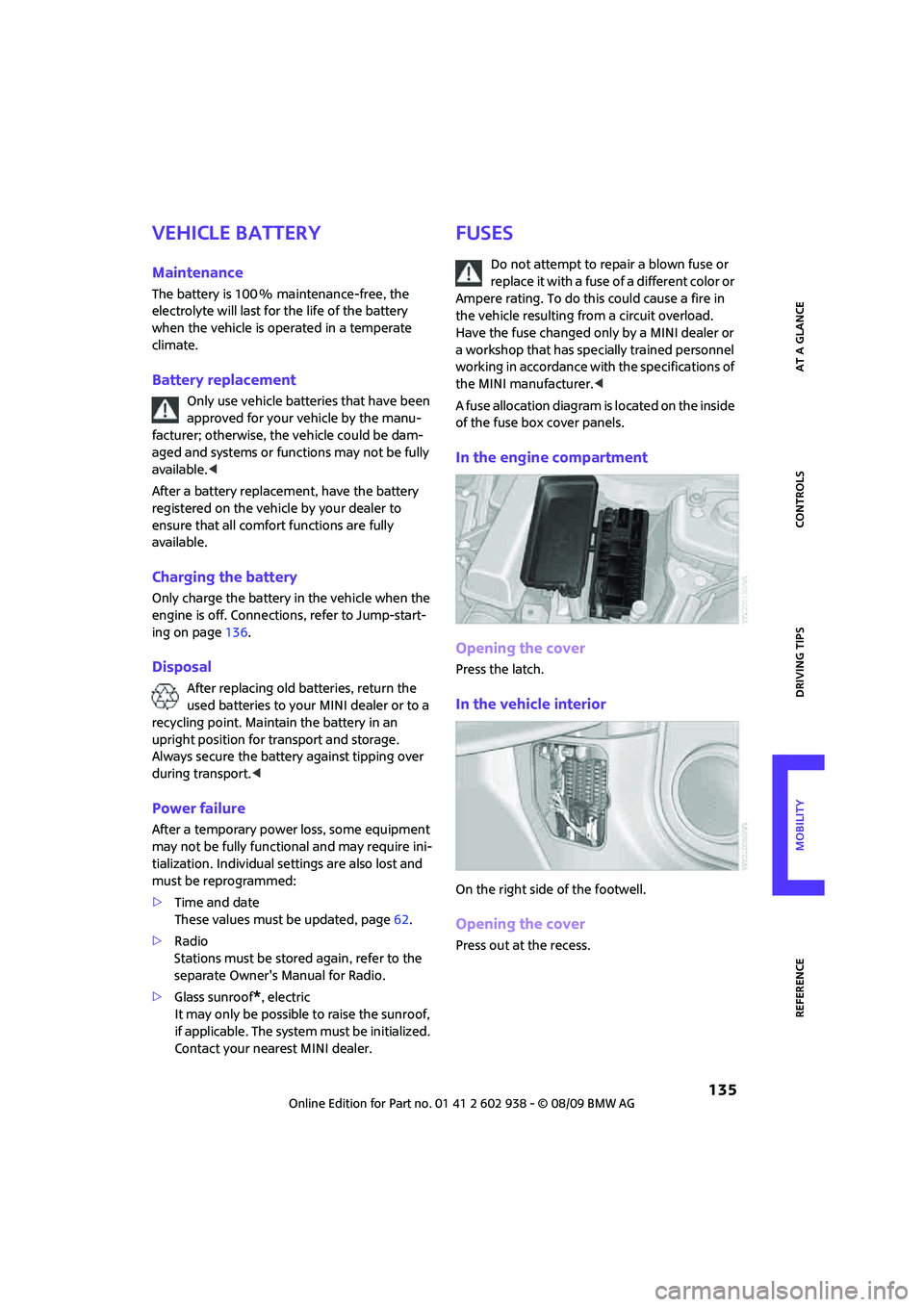
In the engine compartment
Opening the cover
Press the latch.
In the vehicle interior
On the right side of the footwell.
Opening the cover
Press out at the recess.
Page 144 of 174

Indicator and warning lamps
142
Sliding/tilting sunroof or soft top of
MINI ConvertibleExcessive vehicle speed, activation
not possible, reduce speed and con-
tinue activation.
Lights up in red:
Control system for convertible top
failed!Position of convertible top and locking
mechanism not recognized. If con-
vertible top securely locked, drive
may be continued. Manually close
convertible top/sliding roof, refer to
page34. Have your MINI Service
inspect the system.
Lights up in yellow:
Drive of convertible top overheated! Let drive of convertible top cool down,
refer to page34.
Sliding/tilting sunroof or soft top of
MINI ConvertibleControl system of convertible top/tilt
roof malfunctioning. Close convertible
top/tilt roof manually, refer to
page34. Contact your MINI Service.
Tailgate of MINI Convertible not
closedClose the tailgate.
Gas cap missing or loose Make sure that the gas cap is correctly
positioned and close it until it audibly
clicks. Do not jam the strap between
the gas cap and the vehicle.
Window washer fluid level too low Add washer fluid as soon as possible,
page53.
Lights up in red:
Service due Arrange a service appointment.
Check service requirements,
page119.
Lights up in yellow:
The engine will start the next time the
start/stop button is touched, possibly
without the brake or clutch being
depressed
12Cause What to do
Page 146 of 174

Indicator and warning lamps
144
Lights up in red:
Engine overheating Carefully bring the car to a stop,
switch off the engine and allow it to
cool down. Do not open the bonnet;
otherwise, there is a risk of injury from
scalding. Contact your MINI dealer.
Lights up in yellow:
Engine too hot Continue driving at more moderate
speed so that the engine can cool
down. Have the engine checked with-
out delay if the situation reoccurs.
Lights up in red:
Battery is no longer being charged.
Alternator malfunctionSwitch off all unnecessary electrical
consumers. Have the battery checked
without delay.
Lights up in yellow:
Battery charge level very low, battery
aged or not securely connectedHave the battery checked as soon as
possible.
Indication in US models
Parking brake applied
Indication in Canadian models
Parking brake applied
12Cause What to do
Page 163 of 174
REFERENCEAT A GLANCE CONTROLS DRIVING TIPS MOBILITY
161
Bottle holders, refer to
Cupholders89
Brake Assist65
Brake fluid, refer to Service
requirements60
Brake lamps
– replacing bulbs129
Brake pads, breaking in92
Brake rotors93
– brakes92
– breaking in92
Brake system92
– breaking in92
– disc brakes93
– MINI Maintenance
System119
Brakes
– ABS65
– breaking in92
– MINI Maintenance
System119
– parking brake47
– service requirements60
Brakes, refer to Braking
safely93
Breakdown service, refer to
Roadside Assistance136
Break-in period92
Breaking in the clutch92
Bulb changing, refer to Lamps
and bulbs125
Button for starting the
engine46
Buttons on the steering
wheel11
C
California Proposition 65
warning5
Can holders, refer to
Cupholders89
Capacities158
Car battery, refer to Vehicle
battery135
Car care121
Car key, refer to Keys/remote
controls20Car phone
– installation location, refer to
Center armrest87
– refer to separate Owner's
Manual
Car wash, care121
Car washes121
Care121
– car washes121
– car-care products121
– CD/DVD drives124
– external121
– high-pressure washers122
– internal123
– leather123
– manual washing122
– upholstery and fabrics123
– windows122
– wiper blades122
Cargo area
– capacity157
Cargo bay94
– Comfort Access29
– cover94
– lamp78
– opening from outside26
Cargo bay, expanding94
Cargo bay lamp78
Cargo bay lid, refer to
Tailgate26
Cargo loading95
– securing cargo96
– stowing cargo96
– vehicle94
Cargo, securing96
Carpets, care123
Catalytic converter, refer to
Hot exhaust system92
Center armrest87
Center brake lamp129
Center console, refer to
Around the center
console14
Central locking system21
– Comfort Access28
– from inside25
– from outside21
Changing bulbs
125
Changing wheels132Chassis number, refer to
Engine compartment117
Check Control62
Child restraint systems43
Child seats43
Child-restraint fixing system
LATCH44
Chock, folding
– space-saver spare tire132
Chrome parts, care123
Chrome parts, refer to
Care121
Cigarette lighter89
Cleaning headlamps52
– washer fluid53
Clock55
– 12h/24h mode59
– setting time62
Closing
– from inside25
– from outside21
Clothes hooks88
Cockpit10
Cold start, refer to Starting the
engine47
Comfort Access28
– replacing the battery30
– what to observe before
entering a car wash29
Comfort area, refer to Around
the center console14
Compartment for remote
control, refer to Ignition
lock46
Computer56
Condensation, refer to When
the vehicle is parked93
Condition Based Service
CBS119
Configuring settings, refer to
Personal Profile20
Confirmation signals for
vehicle locking/unlocking23
Connecting vacuum cleaner,
refer to Connecting electrical
appliances89
Consumption indicator
– average fuel consumption56