radio MINI COOPER 2010 User Guide
[x] Cancel search | Manufacturer: MINI, Model Year: 2010, Model line: COOPER, Model: MINI COOPER 2010Pages: 174, PDF Size: 2.82 MB
Page 76 of 174
Technology for driving comfort and safety
74
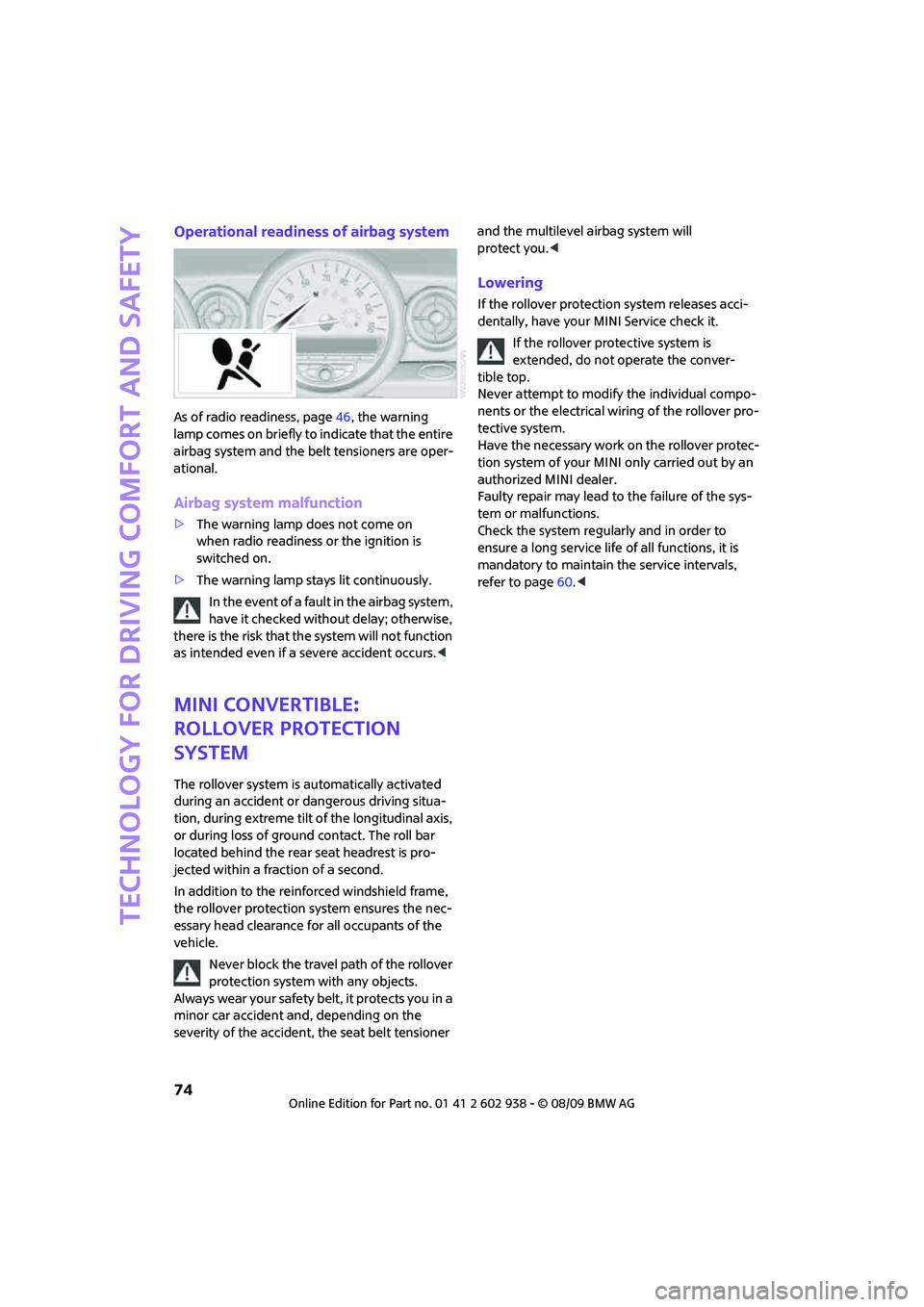
Operational readiness of airbag system
As of radio readiness, page46, the warning
lamp comes on briefly to indicate that the entire
airbag system and the belt tensioners are oper-
ational.
Airbag system malfunction
>The warning lamp does not come on
when radio readiness or the ignition is
switched on.
>The warning lamp stays lit continuously.
In the event of a fault in the airbag system,
have it checked without delay; otherwise,
there is the risk that the system will not function
as intended even if a severe accident occurs.<
MINI Convertible:
Rollover protection
system
The rollover system is automatically activated
during an accident or dangerous driving situa-
tion, during extreme tilt of the longitudinal axis,
or during loss of ground contact. The roll bar
located behind the rear seat headrest is pro-
jected within a fraction of a second.
In addition to the reinforced windshield frame,
the rollover protection system ensures the nec-
essary head clearance for all occupants of the
vehicle.
Never block the travel path of the rollover
protection system with any objects.
Always wear your safety belt, it protects you in a
minor car accident and, depending on the
severity of the accident, the seat belt tensioner and the multilevel airbag system will
protect you.<
Lowering
If the rollover protection system releases acci-
dentally, have your MINI Service check it.
If the rollover protective system is
extended, do not operate the conver-
tible top.
Never attempt to modify the individual compo-
nents or the electrical wiring of the rollover pro-
tective system.
Have the necessary work on the rollover protec-
tion system of your MINI only carried out by an
authorized MINI dealer.
Faulty repair may lead to the failure of the sys-
tem or malfunctions.
Check the system regularly and in order to
ensure a long service life of all functions, it is
mandatory to maintain the service intervals,
refer to page60.<
Page 87 of 174

REFERENCEAT A GLANCE CONTROLS DRIVING TIPS MOBILITY
85
Practical interior accessories
Integrated universal
remote control*
The concept
The integrated universal remote control can
replace as many as three hand-held transmitters
for various remote-controlled devices, such as
garage and gate openers and lighting systems.
The integrated universal remote control regis-
ters and stores signals from the original hand-
held transmitters.
The signal of an original hand-held transmitter
can be programmed on one of the three mem-
ory buttons1. The system in question can then
be operated by means of the programmed
memory button1. The LED2 flashes to confirm
transmission of the signal.
If you decide to sell your vehicle one day, in the
interest of your own security, remember to clear
the stored programs before the vehicle leaves
your possession, page86.
To prevent possible damage or injury,
before programming or using the inte-
grated universal remote control, always inspect
the immediate area to make certain that no
people, animals or objects are within the pivot-
ing or travel range of the device being operated.
Comply also with the safety instructions supplied
with the original hand-held transmitter.<
Checking compatibility
If this symbol appears on the package
or in the instructions supplied with the
original hand-held transmitter, you can
assume that the radio remote control device is
compatible with the integrated universal remote
control.
For additional information, please contact your
MINI dealer or call: 1-800-355-3515.
You can also obtain information on the
Internet at:
www.MINI.com or
www.homelink.comHomeLink is a registered trademark of Johnson
Controls, Inc.
Programming
1Memory buttons
2LED
Fixed-code hand-held transmitters
1.Switch on the ignition, page46.
2.When starting operation for the first time:
press both outer memory buttons1 for
approx. 20 seconds until the LED2 flashes
rapidly. All stored programs are cleared.
3.Hold the original hand-held transmitter at a
distance of approx. 5 to 30 cm/2 in to 12 in
from the memory buttons1.
The required distance between the
hand-held transmitter and the mem-
ory buttons1 depends on the system of the
respective original hand-held transmitter
used.<
4.Simultaneously press the transmit key on
the original hand-held transmitter and the
desired memory button 1 on the integrated
universal remote control. The LED 2 flashes
slowly at first. As soon as the LED2 flashes
rapidly, release both buttons. If the LED2
does not flash rapidly after approx. 15 sec-
onds, alter the distance.
5.To program other original hand-held trans-
mitters, repeat steps 3 and 4.
The corresponding memory button 1 is now
programmed with the signal of the original
hand-held transmitter.
Page 126 of 174
Care
124
Floor mats can be removed to be cleaned. When
putting the floor mats, back in, make sure that
the seat rails do not extend over the floor mats
as this may damage them.
Lint on floor mats arises from manufacturing
and can be removed by repeated vacuuming.
Interior plastic parts
These include:
>Plastic surfaces
>Lamp glass
>Display panes
>Mat parts
Only clean with water and, if necessary, solvent-
free plastic cleaners.
Do not use solvents such as alcohol, lac-
quer thinner, cold cleaners, fuel, or similar,
as these will damage the surfaces.<
Decorative strips*
Only clean decorative strips with moist cloths.
Wipe dry with a soft cloth.
Safety belts
Dirty belt straps impede the reeling action and
thus have a negative impact on safety.
Do not clean chemically, as this may
destroy the webbing.<
Displays
To clean displays such as radios or display ele-
ments, use a display cleaning cloth or a soft,
non-scratching, lint-free cloth.
Avoid pressing too hard when cleaning
the display as this can cause damage.<
Do not use chemical or abrasive house-
hold cleaning agents. Keep fluids of any
kind away from the device. Surfaces or electrical
components may otherwise become corroded
or damaged.<
CD/DVD drives
Do not use cleaning CDs as this could
damage parts of the drive.<
Vehicle storage
If you are not going to drive your car for more
than three months, please ask for advice from
your MINI dealer or a workshop that works
according to MINI manufacturer specifications.
Page 137 of 174
REFERENCEAT A GLANCE CONTROLS DRIVING TIPS MOBILITY
135
Vehicle battery
Maintenance
The battery is 100 % maintenance-free, the
electrolyte will last for the life of the battery
when the vehicle is operated in a temperate
climate.
Battery replacement
Only use vehicle batteries that have been
approved for your vehicle by the manu-
facturer; otherwise, the vehicle could be dam-
aged and systems or functions may not be fully
available.<
After a battery replacement, have the battery
registered on the vehicle by your dealer to
ensure that all comfort functions are fully
available.
Charging the battery
Only charge the battery in the vehicle when the
engine is off. Connections, refer to Jump-start-
ing on page136.
Disposal
After replacing old batteries, return the
used batteries to your MINI dealer or to a
recycling point. Maintain the battery in an
upright position for transport and storage.
Always secure the battery against tipping over
during transport.<
Power failure
After a temporary power loss, some equipment
may not be fully functional and may require ini-
tialization. Individual settings are also lost and
must be reprogrammed:
>Time and date
These values must be updated, page62.
>Radio
Stations must be stored again, refer to the
separate Owner's Manual for Radio.
>Glass sunroof
*, electric
It may only be possible to raise the sunroof,
if applicable. The system must be initialized.
Contact your nearest MINI dealer.
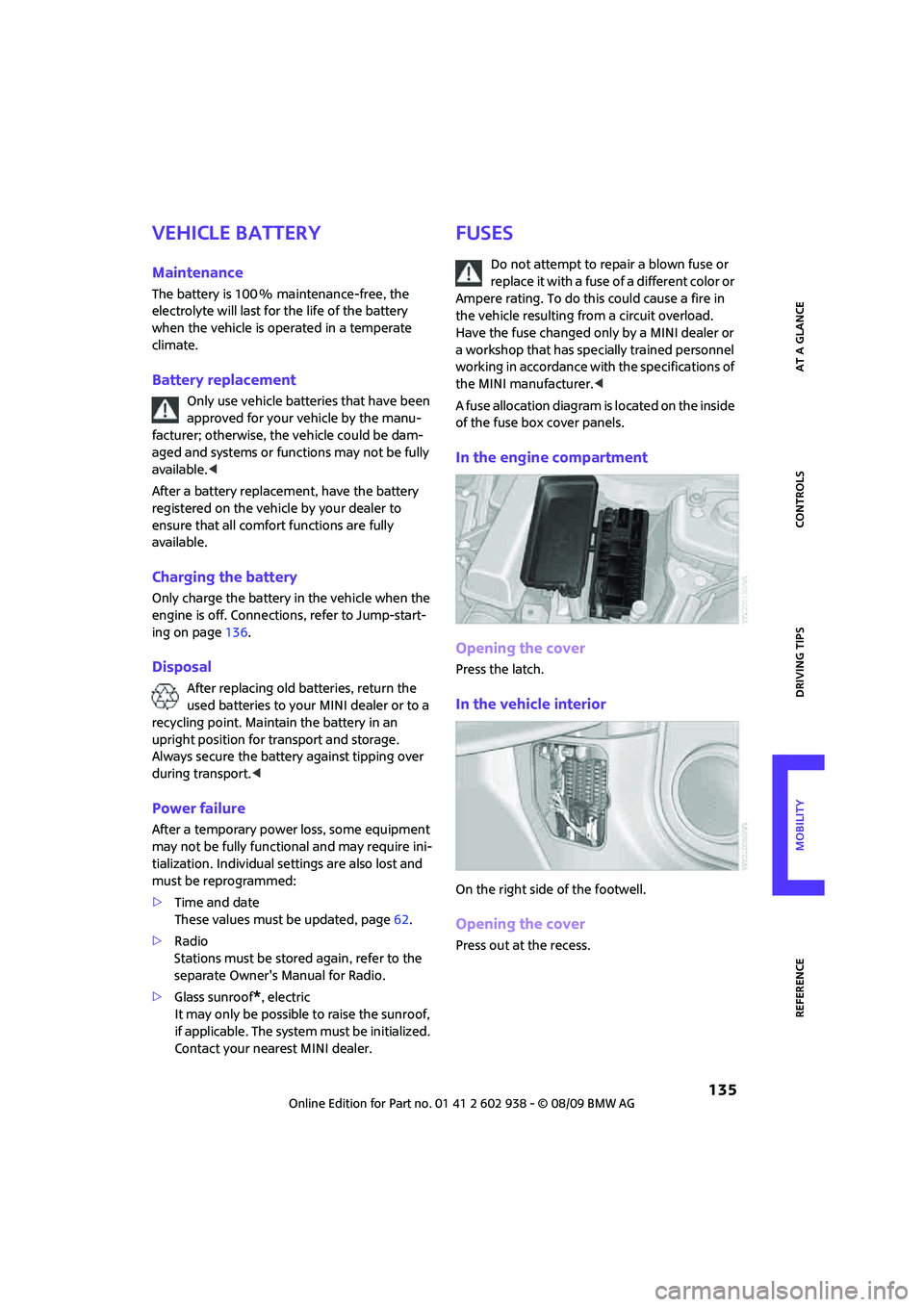
Fuses
Do not attempt to repair a blown fuse or
replace it with a fuse of a different color or
Ampere rating. To do this could cause a fire in
the vehicle resulting from a circuit overload.
Have the fuse changed only by a MINI dealer or
a workshop that has specially trained personnel
working in accordance with the specifications of
the MINI manufacturer.<
A fuse allocation diagram is located on the inside
of the fuse box cover panels.
In the engine compartment
Opening the cover
Press the latch.
In the vehicle interior
On the right side of the footwell.
Opening the cover
Press out at the recess.
Page 150 of 174

Indicator and warning lamps
148
Vehicles with Flat Tire Monitor*
Light up in yellow and red:
>Tire damageCarefully bring the car to a stop.
Observe the information starting on
page67.
>Flat Tire Monitor not initializedInitialize Flat Tire Monitor, page67.
Light up in yellow:
Flat Tire Monitor failed. Punctures are
not indicatedHave the system checked.
Vehicles with Tire Pressure Monitor
*
Light up in yellow and red:
There is a flat tire or substantial loss
in tire pressureCarefully bring the car to a stop.
Observe the information starting on
page69.
Vehicles with Tire Pressure Monitor
*
Light up in yellow:
Tire Pressure Monitor not initializedCheck the inflation pressure and reset
the system, page70.
The small lamp flashes yellow and
then stays on, the large lamp lights
up in yellow:
>Tire Pressure Monitor failed.
Punctures are not indicatedHave the system checked.
>Wheel mounted without TPM
electronicsHave the system checked.
>The TPM is temporarily malfunc-
tioning due to other systems or
devices using the same radio fre-
quency.
12Cause What to do
Page 166 of 174
From A to Z
164
Glove compartment86
Grills, refer to Air vents80
Gross vehicle weight, refer to
Weights157
H
Halogen lamps
– replacing bulb126
Handbrake, refer to Parking
brake47
Hands-free system14
Hazard warning flashers14
Head airbags72
Head restraints39
– sitting safely37
Headlamp control,
automatic75
Headlamp flasher50
– indicator lamp11,140
Headlamps
– replacing bulb126
Headlamps, care122
Heated
– mirrors41
– rear window81,83
– seats40
Heating80
– mirrors41
– rear window81,83
– seats40
Heavy loads, refer to Stowing
cargo96
Height adjustment
– seats38
– steering wheel42
Height, refer to
Dimensions155
High beams77
– headlamp flasher77
– indicator lamp140
– replacing bulb126
High water, refer to Driving
through water93
Hill Assist66
Hills93
Holders for cups89
Homepage4Horn10
Hot exhaust system92
Hydroplaning92
I
Ice warning55
Icy roads, refer to Outside
temperature warning55
Ignition46
– switched off46
– switched on46
Ignition key position 1, refer to
Radio readiness46
Ignition key position 2, refer to
Ignition on46
Ignition key, refer to
Integrated key/remote
control20
Ignition lock46
Imprint2
Indicator and warning
lamps13,140
– Tire Pressure Monitor TPM70
Indicator lighting, refer to
Instrument lighting78
Individual air distribution82
Individual settings, refer to
Personal Profile20
Inflation pressure monitoring,
refer to Tire Pressure Monitor
TPM69
Initializing
– Flat Tire Monitor FTM67
– glass sunroof, electric30
Instrument cluster, refer to
Displays12
Instrument lighting78
Instrument panel, refer to
Cockpit10
Instrument panel, refer to
Displays12
Integrated key20
Integrated universal remote
control85
Interior lamps78
– remote control23Interior rearview mirror41
– automatic dimming
feature42
Interlock48
Intermittent mode of the
wipers51
Internet page4
J
Jacking points134
Jets, refer to Window washer
nozzles53
Jumpering, refer to Jump-
starting136
Jump-starting136
K
Key Memory, refer to Personal
Profile20
Key, refer to Keys/remote
controls20
Keyless go, refer to Comfort
Access28
Keyless opening and closing,
refer to Comfort Access28
Kickdown49
– automatic transmission with
Steptronic49
Knock control103
L
Lamps and bulbs, replacing
bulbs125
Lamps, refer to Parking lamps/
Low beams75
Lashing eyes, refer to Securing
cargo96
LATCH child-restraint fixing
system44
Leather care123
LEDs light-emitting diodes126
Length, refer to
Dimensions155
License plate lamp
– bulb replacement129
Page 168 of 174
From A to Z
166
Oil consumption117
Oil level117
Oil, refer to Engine oil117
Oil types118
Old batteries, refer to
Disposal135
Onboard vehicle tool kit125
Opening and closing
– Comfort Access28
– from inside25
– from outside21
– using the door lock24
– via the remote control21
Opening and unlocking
– from inside25
Outlets
– refer to Ventilation84
Outlets, refer to Air vents80
Output, refer to Engine
data154
Outside temperature
display55
– changing unit of measure59
– on onboard computer59
Outside-air mode
– automatic climate control83
Overheated engine, refer to
Coolant temperature55
P
Paintwork, care122
Park Distance Control PDC64
Parking
– vehicle47
Parking aid, refer to Park
Distance Control PDC64
Parking brake47
Parking lamps, replacing
bulb127
Parking lamps/low beams75
Parts and accessories, refer to
Your individual vehicle4
Pathway lighting75
Personal Profile20
Pinch protection system
– windows32
Plastic parts, care124Pollen
– refer to Microfilter for air
conditioner82
– refer to Microfilter/activated-
charcoal filter for automatic
climate control84
Power convertible top32
Power failure135
Power windows31
Power windows, refer to
Windows31
Pressure monitoring of tires,
refer to Tire Pressure Monitor
TPM69
Pressure monitoring, tires67
– Flat Tire Monitor67
Pressure, tires104
Protective function, refer to
Pinch protection system
– windows32
Puncture
– Flat Tire Monitor67
R
Radio key, refer to Integrated
key/remote control20
Radio position, refer to Radio
readiness46
Radio readiness46
– switched off46
– switched on46
Rain sensor52
Range, refer to Cruising
range56
Reading lamps79
Rear fog lamp78
– indicator lamp140
– replacing bulb129
Rear lamps
– bulb replacement129
Rear lamps, refer to Tail
lamps128
Rear luggage rack97
Rear seat backrest, folding94
Rear seats
– folding the backrests94
Rear window heating81,83Rearview mirror, refer to
Mirrors41
Recirculated-air mode81,83
Recirculation of air, refer to
Recirculated-air
mode81,83
Reclining seat, refer to
Backrest38
Refueling102
Releasing
– bonnet116
Remote control20
– battery renewal30
– Comfort Access28
– garage door opener85
– malfunctions24,29
– service data119
– tailgate23
Replacement remote
control20
Replacing bulbs, refer to
Lamps and bulbs125
Replacing tires, refer to New
wheels and tires114
Reporting safety defects6
Reserve warning, refer to Fuel
gauge56
Reservoir for washer
systems53
Restraint systems
– for children43
– refer to Safety belts40
Reverse gear
– automatic transmission with
Steptronic49
– manual transmission48
Roadside Assistance136
Roadside parking lamps77
– replacing bulb127
Roadworthiness test, refer to
Service requirements60
Roof load capacity157
Roof-mounted luggage
rack97
Rope, refer to Tow-starting,
towing away138
RSC Runflat System
Component, refer to Run-flat
tires114