change time MINI COOPER 2011 User Guide
[x] Cancel search | Manufacturer: MINI, Model Year: 2011, Model line: COOPER, Model: MINI COOPER 2011Pages: 210, PDF Size: 3.19 MB
Page 88 of 210
CONTROLSClimate
86
Air distribution
Direct the flow of air to the
windows , to the upper body
area or to the footwell .
Intermediate settings are possible.
Windshield heating*
The windshield heating is switched
off automatically after a short time.
The front window heating is low-
ered or switched off entirely to reduce the drain
on the battery.
Defrosting windows and removing
condensation
1. Set air flow rate to the maximum level.
2. Set air distribution to position .
Condensation is removed from the windows
more quickly when the cooling function
* is
also activated.
3. Set to the highest temperature, red.
4. Deactivate recirculated-air mode.
5. Turn on windshield heating if necessary.
6. Turn on rear window defroster if necessary.
Microfilter
The microfilter captures dust and pollen. The
microfilter is changed by your MINI dealer
during routine maintenance work.
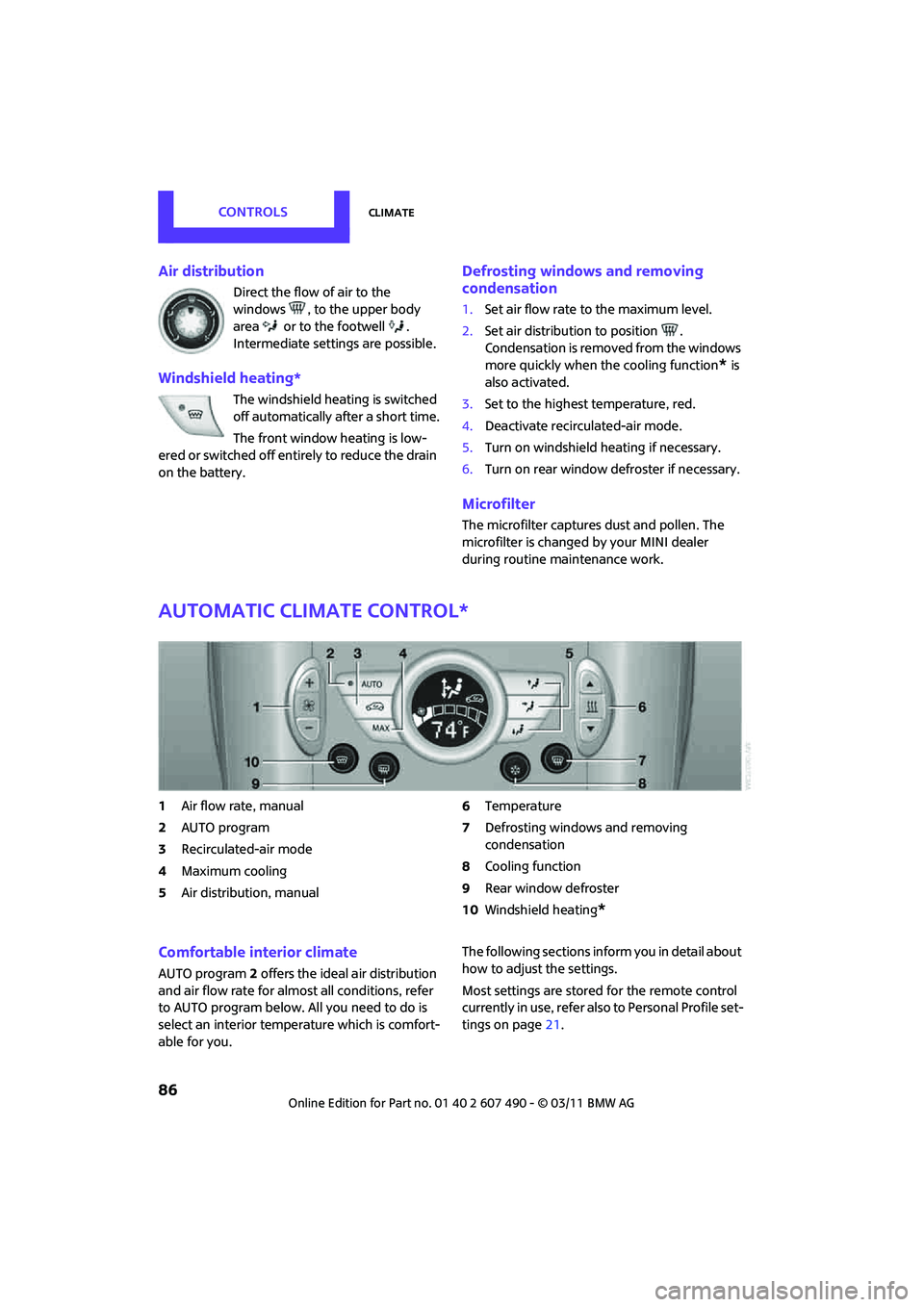
Automatic climate control*
1Air flow rate, manual
2 AUTO program
3 Recirculated-air mode
4 Maximum cooling
5 Air distribution, manual 6
Temperature
7 Defrosting windows and removing
condensation
8 Cooling function
9 Rear window defroster
10 Windshield heating
*
Comfortable interior climate
AUTO program 2 offers the ideal air distribution
and air flow rate for almo st all conditions, refer
to AUTO program below. All you need to do is
select an interior temperature which is comfort-
able for you. The following sections inform you in detail about
how to adjust the settings.
Most settings are stored
for the remote control
currently in use, refer also to Personal Profile set-
tings on page 21.
Page 89 of 210
ClimateCONTROLS
87
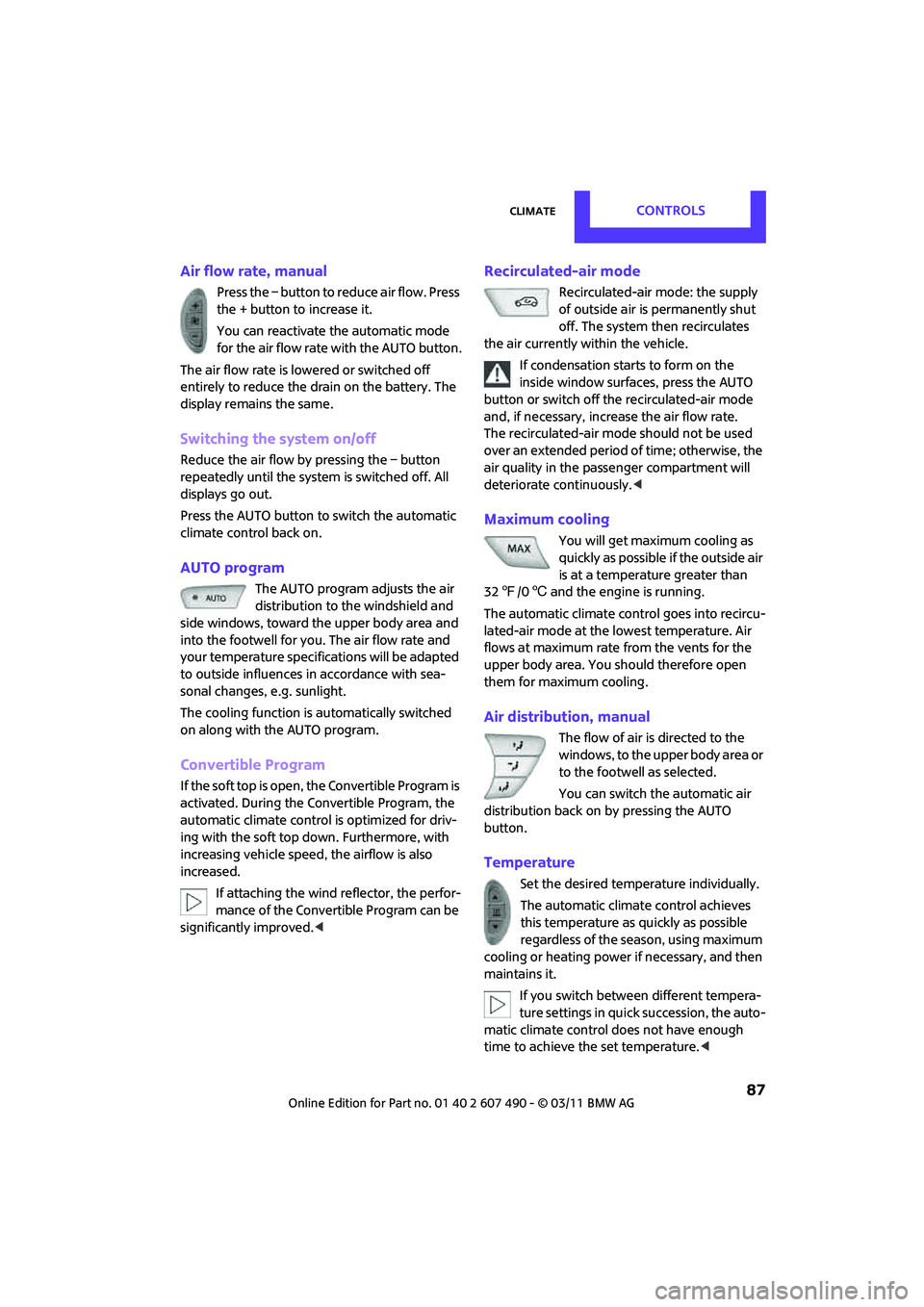
Air flow rate, manual
Press the – button to reduce air flow. Press
the + button to increase it.
You can reactivate the automatic mode
for the air flow rate with the AUTO button.
The air flow rate is lowered or switched off
entirely to reduce the drain on the battery. The
display remains the same.
Switching the system on/off
Reduce the air flow by pressing the – button
repeatedly until the system is switched off. All
displays go out.
Press the AUTO button to switch the automatic
climate control back on.
AUTO program
The AUTO program adjusts the air
distribution to the windshield and
side windows, toward the upper body area and
into the footwell for you. The air flow rate and
your temperature specific ations will be adapted
to outside influences in accordance with sea-
sonal changes, e.g. sunlight.
The cooling function is automatically switched
on along with the AUTO program.
Convertible Program
If the soft top is open, the Convertible Program is
activated. During the Convertible Program, the
automatic climate control is optimized for driv-
ing with the soft top down. Furthermore, with
increasing vehicle speed, the airflow is also
increased.
If attaching the wind reflector, the perfor-
mance of the Convertible Program can be
significantly improved.<
Recirculated-air mode
Recirculated-air mode: the supply
of outside air is permanently shut
off. The system then recirculates
the air currently within the vehicle.
If condensation starts to form on the
inside window surfaces, press the AUTO
button or switch off the recirculated-air mode
and, if necessary, incr ease the air flow rate.
The recirculated-air mode should not be used
over an extended period of time; otherwise, the
air quality in the passenger compartment will
deteriorate continuously. <
Maximum cooling
You will get maximum cooling as
quickly as possible if the outside air
is at a temperature greater than
32 7 /06 and the engine is running.
The automatic climate control goes into recircu-
lated-air mode at the lowest temperature. Air
flows at maximum rate from the vents for the
upper body area. You should therefore open
them for maximum cooling.
Air distribution, manual
The flow of air is directed to the
windows, to the upper body area or
to the footwell as selected.
You can switch the automatic air
distribution back on by pressing the AUTO
button.
Temperature
Set the desired temperature individually.
The automatic climat e control achieves
this temperature as quickly as possible
regardless of the season, using maximum
cooling or heating power if necessary, and then
maintains it.
If you switch between different tempera-
ture settings in quic k succession, the auto-
matic climate control do es not have enough
time to achieve the set temperature. <
Page 93 of 210
Practical interior accessoriesCONTROLS
91
If the LED2 does not flash rapidly after
approx. 60 seconds, alter the distance and
repeat this step.
Canada: if the LED is not flashing rapidly
after 60 seconds, change the distance and
repeat the step or, if the programming was
interrupted by the hand-held transmitter,
press and hold the memory button and
press the button on the hand-held transmit-
ter for 2 seconds and release several times.
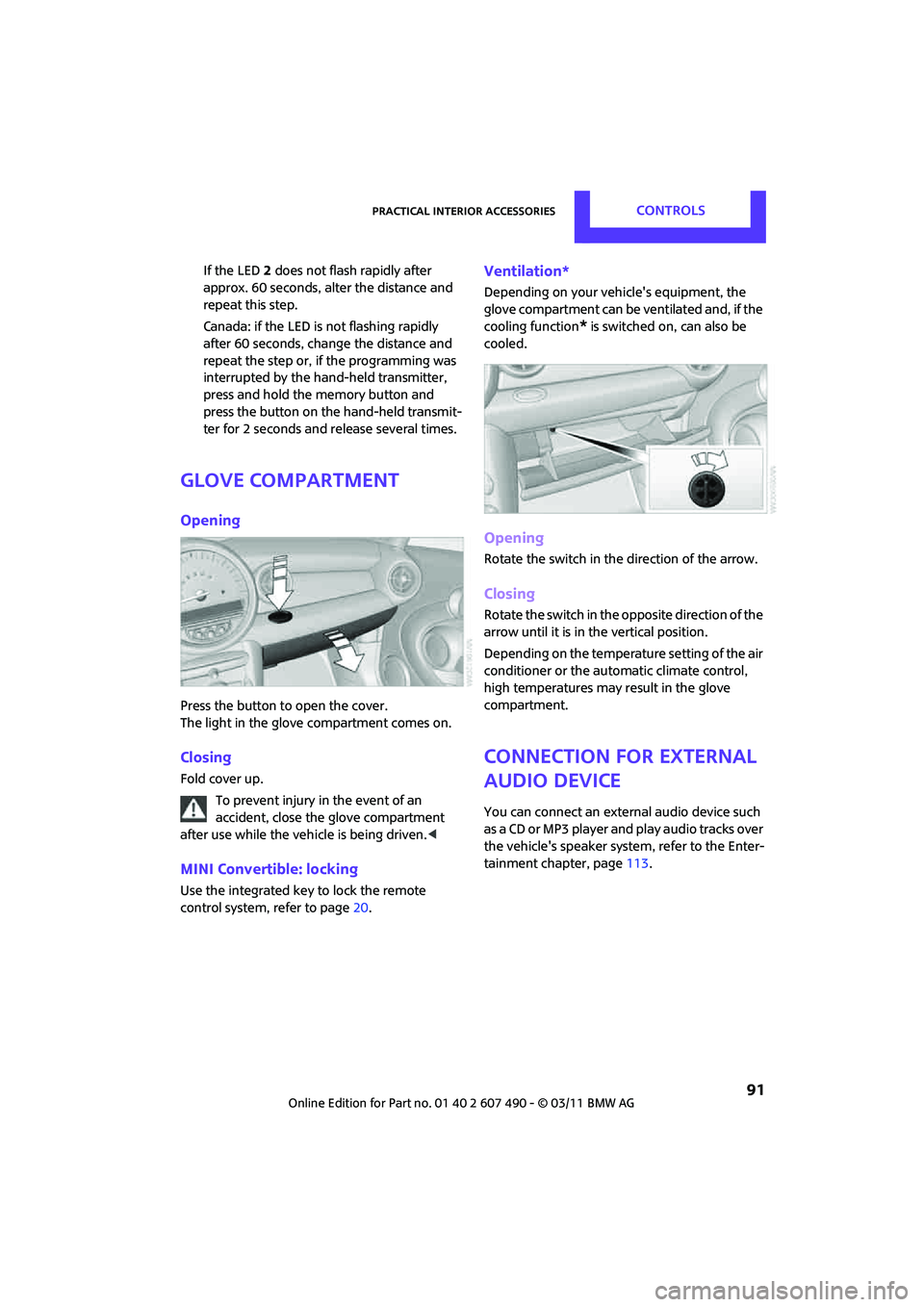
Glove compartment
Opening
Press the button to open the cover.
The light in the glove compartment comes on.
Closing
Fold cover up.
To prevent injury in the event of an
accident, close the glove compartment
after use while the vehi cle is being driven.<
MINI Convertible: locking
Use the integrated key to lock the remote
control system, refer to page20.
Ventilation*
Depending on your vehicle's equipment, the
glove compartment can be ventilated and, if the
cooling function
* is switched on, can also be
cooled.
Opening
Rotate the switch in the direction of the arrow.
Closing
Rotate the switch in the opposite direction of the
arrow until it is in the vertical position.
Depending on the temperature setting of the air
conditioner or the automatic climate control,
high temperatures may result in the glove
compartment.
Connection for external
audio device
You can connect an external audio device such
as a CD or MP3 player an d play audio tracks over
the vehicle's speaker system, refer to the Enter-
tainment chapter, page 113.
Page 124 of 210
COMMUNICATIONSTelephone
122
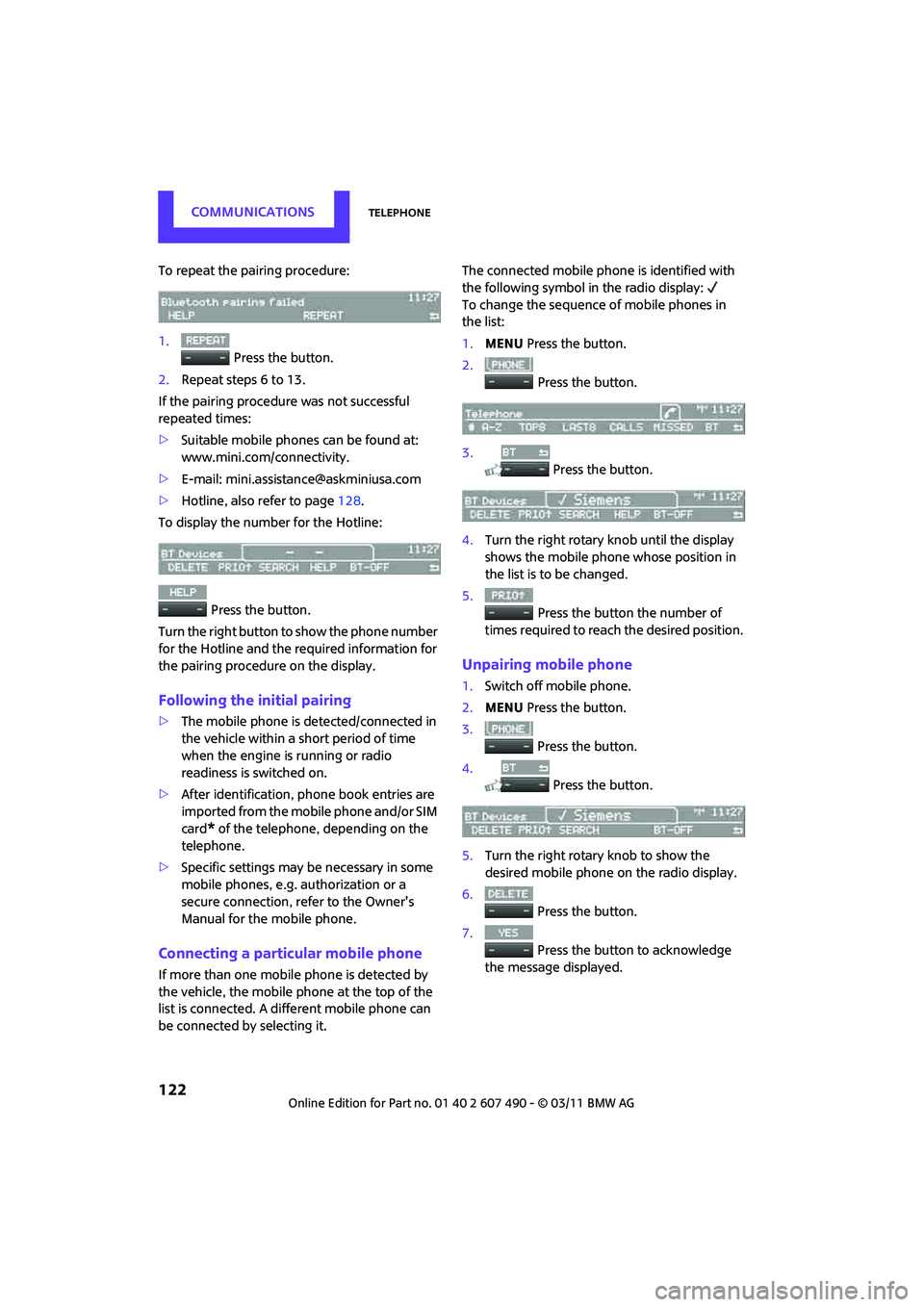
To repeat the pairing procedure:
1. Press the button.
2. Repeat steps 6 to 13.
If the pairing procedure was not successful
repeated times:
> Suitable mobile phones can be found at:
www.mini.com/connectivity.
> E-mail: mini.assistan [email protected]
> Hotline, also refer to page 128.
To display the number for the Hotline:
Press the button.
Turn the right button to show the phone number
for the Hotline and the re quired information for
the pairing procedure on the display.
Following the initial pairing
> The mobile phone is detected/connected in
the vehicle within a short period of time
when the engine is running or radio
readiness is switched on.
> After identification, phone book entries are
imported from the mobile phone and/or SIM
card
* of the telephone, depending on the
telephone.
> Specific settings may be necessary in some
mobile phones, e.g. authorization or a
secure connection, re fer to the Owner's
Manual for the mobile phone.
Connecting a particular mobile phone
If more than one mobile phone is detected by
the vehicle, the mobile phone at the top of the
list is connected. A different mobile phone can
be connected by selecting it. The connected mobile phone is identified with
the following symbol in the radio display:
To change the sequence of mobile phones in
the list:
1.
MENU Press the button.
2. Press the button.
3. Press the button.
4. Turn the right rotary knob until the display
shows the mobile phone whose position in
the list is to be changed.
5. Press the button the number of
times required to reach the desired position.
Unpairing mobile phone
1. Switch off mobile phone.
2. MENU Press the button.
3. Press the button.
4. Press the button.
5. Turn the right rotary knob to show the
desired mobile phone on the radio display.
6. Press the button.
7. Press the button to acknowledge
the message displayed.
Page 156 of 210

MOBILITYCare
154
Steam jets/high-pressure washers
When using steam jets or high-pressure
washers, make sure that you maintain
sufficient distance fr om the vehicle and do
not exceed a maximum temperature of 140 7/
60 6 .
If the distance is too close, the pressure too high,
or the temperature too high, parts of the vehicle
can be damaged, or water can penetrate.
Observe the operating instructions for high-
pressure washers. <
Do not spray sensors such as the Park
Distance Control wi th high-pressure
washers for a long time or at a distance of less
than 1 ft/30 cm. <
Manual washing
Use a great deal of water and, if necessary, car
shampoo when washing your car by hand. Clean
the vehicle with a sponge or a washing brush
applying a slight amount of pressure.
Before cleaning the windshield, deacti-
vate the rain sensor or turn off the ignition
to prevent unintentional wiping. <
Observe local regulations regarding
washing vehicles by hand. <
Headlamps
Do not wipe dry and do not use abrasive or
corrosive cleaning agents. Remove dirt and
contamination, such as in sects, by soaking with
shampoo and then washing with plenty of
water.
Do not remove accumulated ice and snow with
an ice scraper; use window deicers instead.
Windows
Clean the outside and inside of the windows and
mirrors with a window cleaner.
Do not clean the mirrors with cleaners
containing quartz.<
Wiper blades
Clean with soapy water and change regularly to
prevent the formation of streaks.Wax, preservatives and dirt on the win-
dows cause streaks wh en the windshield
wipers are on, and can cause premature wear of
the wiper blades and interfere with the rain
sensor. <
Care of the convertible top
The appearance and service life of the convert-
ible top largely depends on its proper care and
operation.
Please follow these instructions:
>Never attempt to fold and stow the convert-
ible top in the convertible compartment
when the top is wet or frozen. Otherwise,
water stains, mildew, and chafe marks may
occur.
> If water spots occur on the inside headliner
despite precautions, remove them using a
microfiber cloth and interior cleaner.
> If the vehicle is parked in an enclosed area
for a longer period of time, make sure that
there is sufficient ventilation.
> Remove any bird droppings immediately,
since they have corrosive properties which
will corrode the conver tible top and damage
the rubber seals.
When attempting to remove stains from
the convertible top, do not use spot
removers, paint thinners, solvents, gasoline, or
similar fluids. These cleaners may damage the
rubber seals. The improper care or cleaning
methods may cause the convertible top and its
seams to leak. <
Use special convertible top cleaning agents if
attempting to remove heavy stains.
Always read and follow the manufacturer's
instructions.
Use an impregnating agent to treat the convert-
ible top once a year.
Page 161 of 210

Replacing componentsMOBILITY
159
Light-emitting diodes LEDs
Light-emitting diodes installed behind translu-
cent lenses serve as the light sources for many of
the controls and displays in your vehicle. These
light-emitting diodes are related to conven-
tional laser diodes, and legislation defines them
as Class 1 light-emitting diodes.
Do not remove the covers or expose the
eyes directly to the unfiltered light source
for several hours; otherw ise, this could cause
irritation of the retina. <
Headlamp glass lens
In cool or humid weather, condensation may
occur on the interior of outside lights. The con-
densation disappears a short time after the light
is switched on. The headlamp glasses do not
need to be changed. If a lot of moisture is
present, e.g. water droplets in the light, have
them checked by your service center.
Xenon lamps*
The service life of these bulbs is very long and
the probability of failure very low, provided that
they are not switched on and off an excessive
number of times. If a xenon lamp fails neverthe-
less, switch on the fog lamps and continue the
journey with great care, provided that local
legislation does not prohibit this.
Have any work on the xenon lamp system,
including bulb replac ement, carried out
only by a MINI dealer or a workshop that has
specially trained personnel working in accor-
dance with the specifications of the MINI manu-
facturer. Due to high voltage, there is a risk of
fatal injury if work on the xenon lamps is carried
out improperly. <
Halogen low beams and high beams
H13 bulb, 60/55 watts
The H13 bulb is pressurized. Therefore,
wear safety glasses and protective gloves.
Otherwise, there is a risk of injury if the bulb is
damaged. <
Be careful when inst alling the cover;
otherwise, leaks could occur and cause
damage to the headlamp system. <
Accessing the lamp from the engine
compartment
The low-beam/high-beam bulb can be changed
from the engine compartment.
Removing the cover:
1.Press the tab.
2. Flip open the cover and take it out of the
holder.
Follow the same steps in reverse order to
reattach the cover.
Be careful when inst alling the cover;
otherwise, leaks could occur and cause
damage to the headlamp system. <
Page 168 of 210

MOBILITYReplacing components
166
4.Raise the lifting handle slightly.
5. Squeeze the securing spring.
6. The space-saver spare tire is released and
must be held by the lifting handle.
7. Lower the space-saver spare tire with the
lifting handle.
8. Unscrew the lifting handle.
9. Pull the space-saver spare tire underneath
the vehicle out toward the rear.
10. Position the space-save r spare tire with the
valve facing upward.
11. Unscrew the valve extension from the valve
of the space-saver spare tire. 12.
Unscrew the dust cap from the extension
and place it on the valve of the space-saver
spare tire.
Due to its different dimensions, the
damaged wheel cannot be placed in the
recess for the space-saver spare tire. <
Driving with the space-saver spare tire
Drive cautiously and do not exceed a
speed of 50 mph/80 km/h. Changes may
occur in vehicle handling such as lower track
stability during braking, longer braking dis-
tances and changes in self-steering properties
when close to the handling limit. These proper-
ties are more noticeable with winter tires. <
Only one space-saver spare tire may be
mounted at one time. Mount a wheel and
tire of the original size as soon as possible, to
avoid any safety risks. <
Check the tire inflat ion pressure at the
earliest opportunity and correct it if
necessary. Replace the defe ctive tire as soon as
possible and have the ne w wheel/tire assembly
balanced. <
Preparing for a tire change
Observe the safety precautions regarding
flat tires on page 163.<
Additional safety measures when chang-
ing tires:
Only change the tire wh en parked on a surface
that is level, firm and not slippery.
The vehicle or the jack could slip sideways on
soft or slippery support surfaces, such as snow,
ice, flagstones, etc.
Do not use a wooden block or similar object as a
support base for the jack, as this would prevent
it from extending to its full support height and
reduce its load-carrying capacity.
Do not lie under the vehicle or start the engine
when the vehicle is supported by the jack; other-
wise, there is a risk of fatal injury. <
Page 170 of 210

MOBILITYReplacing components
168
Battery replacement
Only use vehicle batteries that have been
approved for your vehicle by the manu-
facturer; otherwise, the vehicle could be dam-
aged and systems or func tions may not be fully
available. <
After a battery replacement, have the battery
registered on the vehicle by your dealer to
ensure that all comfort functions are fully
available.
Charging the battery
Only charge the battery in the vehicle when
the engine is off. Connections, refer to Jump-
starting on page 169.
Disposal
After replacing old ba tteries, return the
used batteries to your MINI dealer or to a
recycling center. Maintain the battery in an
upright position for transport and storage.
Always secure the battery against tipping over
during transport. <
Power failure
After a temporary power loss, some equipment
may not be fully function al and may require ini-
tialization. Individual settings are also lost and
must be reprogrammed:
> Time and date
These values must be updated, page 63.
> Radio
In some cases, statio ns may have to be
stored again, page 108.
> Glass roof
*, electric
It may only be possible to raise the roof, if
applicable. The system must be initialized.
Contact your near est MINI dealer.
Fuses
Do not attempt to repair a blown fuse or
replace it with a fuse of a different color or
Ampere rating. To do this could cause a fire in
the vehicle resulting from a circuit overload.
Have the fuse changed only by a MINI dealer or
a workshop that has specially trained personnel
working in accordance with the specifications of
the MINI manufacturer. <
A fuse allocation diagram is located on the inside
of the fuse box cover panels.
In the engine compartment
Opening the cover
Press the latch.
In the vehicle interior
On the right side of the footwell.
Opening the cover
Press out at the recess.
Page 205 of 210
Everything from A to ZREFERENCE
203
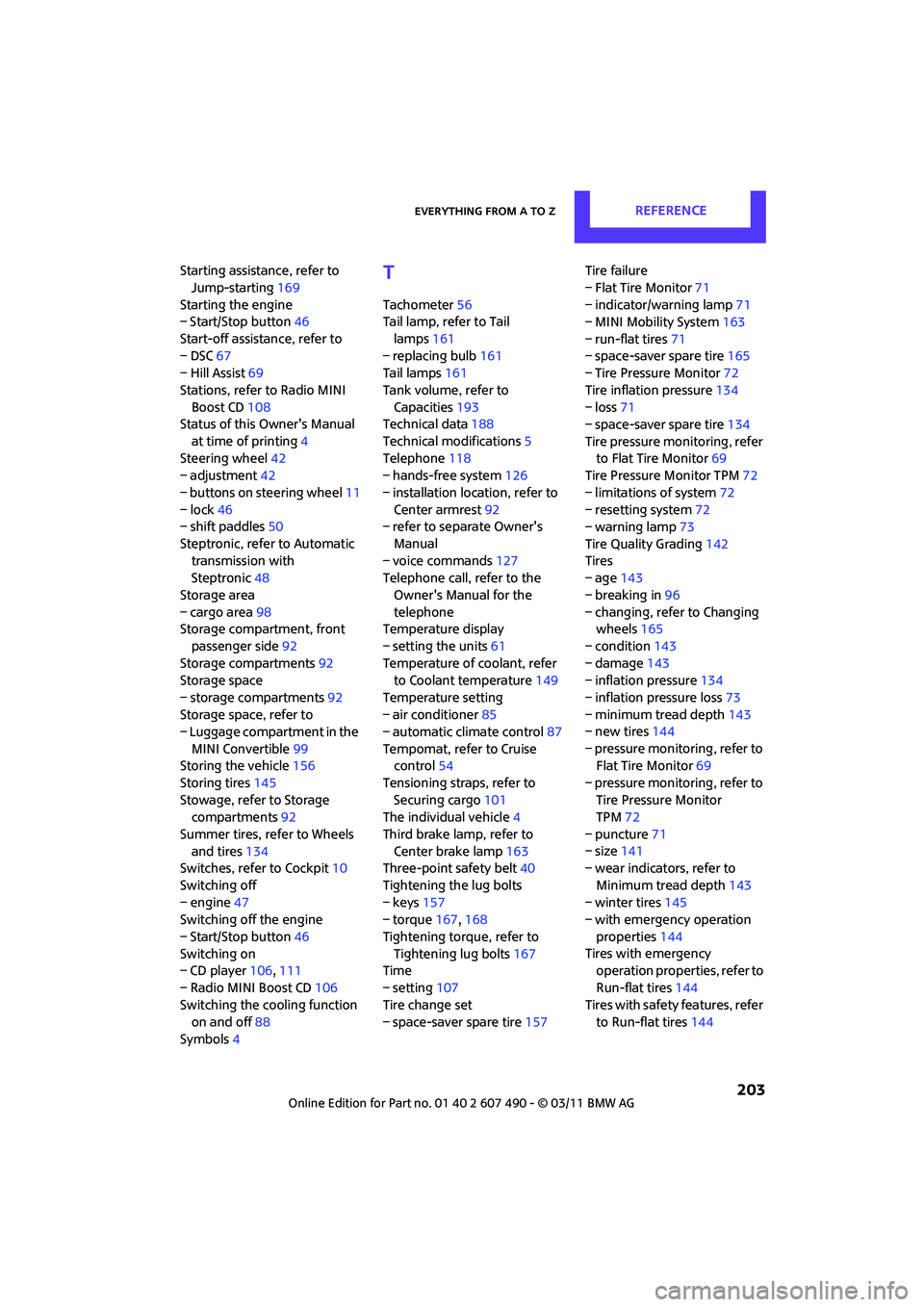
Starting assistance, refer to Jump-starting 169
Starting the engine
– Start/Stop button 46
Start-off assistance, refer to
– DSC 67
– Hill Assist 69
Stations, refer to Radio MINI Boost CD 108
Status of this Owner's Manual
at time of printing 4
Steering wheel 42
– adjustment 42
– buttons on steering wheel 11
– lock 46
– shift paddles 50
Steptronic, refer to Automatic transmission with
Steptronic 48
Storage area
– cargo area 98
Storage compartment, front
passenger side 92
Storage compartments 92
Storage space
– storage compartments 92
Storage space, refer to
– Luggage compartment in the
MINI Convertible 99
Storing the vehicle 156
Storing tires 145
Stowage, refer to Storage compartments 92
Summer tires, re fer to Wheels
and tires 134
Switches, refer to Cockpit 10
Switching off
– engine 47
Switching off the engine
– Start/Stop button 46
Switching on
– CD player 106,111
– Radio MINI Boost CD 106
Switching the cooling function on and off 88
Symbols 4T
Tachometer 56
Tail lamp, refer to Tail
lamps 161
– replacing bulb 161
Tail lamps 161
Tank volume, refer to Capacities 193
Technical data 188
Technical modifications 5
Telephone 118
– hands-free system 126
– installation location, refer to Center armrest 92
– refer to separate Owner's
Manual
– voice commands 127
Telephone call, refer to the
Owner's Manual for the
telephone
Temperature display
– setting the units 61
Temperature of coolant, refer to Coolant temperature 149
Temperature setting
– air conditioner 85
– automatic climate control 87
Tempomat, refer to Cruise control 54
Tensioning straps, refer to Securing cargo 101
The individual vehicle 4
Third brake lamp, refer to Center brake lamp 163
Three-point safety belt 40
Tightening the lug bolts
– keys 157
– torque 167,168
Tightening torque, refer to Tightening lug bolts 167
Time
– setting 107
Tire change set
– space-saver spare tire 157Tire failure
– Flat Tire Monitor
71
– indicator/warning lamp 71
– MINI Mobility System 163
– run-flat tires 71
– space-saver spare tire 165
– Tire Pressure Monitor 72
Tire inflation pressure 134
– loss 71
– space-saver spare tire 134
Tire pressure monitoring, refer to Flat Tire Monitor 69
Tire Pressure Monitor TPM 72
– limitations of system 72
– resetting system 72
– warning lamp 73
Tire Quality Grading 142
Tires
– age 14
3
– breaking in 96
– changing, refe r to Changing
wheels 165
– condition 143
– damage 143
– inflation pressure 134
– inflation pressure loss 73
– minimum tread depth 143
– new tires 144
– pressure monitoring, refer to Flat Tire Monitor 69
– pressure monitoring, refer to Tire Pressure Monitor
TPM 72
– puncture 71
– size 141
– wear indicators, refer to
Minimum tread depth 143
– winter tires 145
– with emergency operation
properties 144
Tires with emergency operation properties, refer to
Run-flat tires 144
Tires with safety features, refer
to Run-flat tires 144