service MINI COOPER 2012 User Guide
[x] Cancel search | Manufacturer: MINI, Model Year: 2012, Model line: COOPER, Model: MINI COOPER 2012Pages: 207, PDF Size: 3.18 MB
Page 110 of 207
Radio MINI Boost CDENTERTAINMENT
109
Changing to the current channel
Press the button.
Additional information
The name of the channel and additional infor-
mation about the current track is displayed, e.g.,
the name of the artist.
1.Select the desired channel.
2. Press the button.
Changing channels using buttons
Press the … button for the corresponding
direction.
The next activated channel is recalled.
Search function
1.Press and hold the … button for the
corresponding direction.
The activated channels are shown, one after
another, on the display.
2. Release the button to select the displayed
channel.
Notes
When there is a signal blockage or the transmis-
sion is suspended mome ntarily for more than
4 seconds, a message appears on the Control
Display.
Service may be interrupted or unavailable
for specific reasons such as environmental
or topographic conditions and others that Satel-
lite Radio cannot directly control.
Signals may not be available under tunnels, in
parking garages, next to tall buildings, nearby trees with dense foliage, nearby mountains or
other possible strong so
urces of radio inter-
ference.
Service should resume no rmally after the source
of signal unavailabil ity has been cleared.<
CD player
Starting the CD player
Some time may pass until the CD player starts.
1.Switch on the radio, refer to page 104.
2. Insert the CD with the printed side up into
the CD slot.
If there is already a CD in the CD slot:
1. Switch on the radio, if necessary.
2. Press the MODEbutton.
3. Press the button.
Changing the music track
Skipping tracks
Press the … button as often as necessary
until the desired track is reached.
Using the knob on the right:
Turn the knob on the right until the desired track
has been reached.
Fast forward/reverse
1.Press and hold the … button.
The track can be heard but is distorted.
2. To cancel the fast fo rward/reverse, release
the button.
Random order
Press the button.
To terminate the random generator:
Press the button.
Online Edition for Part no. 01 40 2 914 744 - \251 07/12 BMW AG
Page 123 of 207

COMMUNICATIONSTelephone
122
Accepting a call
Press the button on the radio or on the
steering wheel.
Alternative: Press the button.
Rejecting a call
Press the button.
Ending a call
Press the button on the radio or on the
steering wheel.
Alternative: Press the button.
Entering phone numbers
Dialing a number
1.Press the MENU button.
2. Press the button
3. Press the button.
4. Enter the desired phone number using the
0-9 buttons.
To delete the last digit:
Press the button.
5. Press the button on the radio or on the
steering wheel.
Alternative:
Press the right rotary knob to dial the phone
number. For your phone number to be displayed to the
person you are calling, the display of phone
numbers must be enabled by your service pro-
vider.
Keypad dialing
Use keypad dialing to gain access to network
services or to control de
vices, e.g. to remotely
access an answering machine. This requires the
DTMF code.
This function is available if a connection has
been established and the call is being made
using the hands-free system.
1. Press the button.
2. Enter the desired code using the 0-9
buttons.
3.
If needed, press and hold the
button on the right or left side to enter
special characters.
Dialing a phone number from the phone
book or from phone numbers stored in a
list
Phone numbers dialed, incoming calls, and
phone book entries are stored in lists when the
mobile phone is connected to the vehicle via
Bluetooth. If the caller is entered in the phone
book, then the name of the entry is displayed
instead of the phone number.
Select the desired name from the list and
establish the connection.
There are five available lists:
> "A-Z"
The entries of the phone book, the SIM card,
or the mobile phone, composed of a name
and phone number, are sorted alphabeti-
cally.
Online Edition for Part no. 01 40 2 914 744 - \251 07/12 BMW AG
Page 125 of 207

COMMUNICATIONSTelephone
124
Dialing a phone number stored in a list
To select an entry and establish a connection:
1.Press the MENU button.
2. Press the button.
3. Press the desired button to select
one of the four lists.
4. Turn the right rotary knob to select an entry
and press the right rotary knob to dial the
phone number.
Deleting an individual entry
1.Select the desired entry from the list.
2. Press the button.
Displaying call duration
To display the duration during a call:
Press the button.
Hands-free system
General information
Calls being conducted using the hands-free
system can be continued using the mobile
phone and vice versa.
From the mobile phone to the hands-
free system
Calls that have been initiated from outside the
Bluetooth range of the ve hicle can be continued
using the hands-free system if the ignition is
switched on.
Depending on the mobile phone, the call is
automatically switched to hands-free mode.
If the switch does not occur automatically, then
follow the instructions that appear on the
display of the mobile phone, also refer to the
Owner's Manual for the mobile phone.
From hands-free system to mobile
phone
Calls being conducted using the hands-free
system can also be cont inued using the mobile
phone if so desired, de pending on the mobile
phone.
At this point, follow the instructions that appear
on the display of the mobile phone, also refer to
the Owner's Manual for the mobile phone.
MINI contact
When the ignition is on, several dealer phone
numbers can be displayed.
> "Road Assist": Roadsi de service, if you
require assistance in th e event of a flat tire.
> "Service": MINI dealer, for example if you
need to make a service appointment.
> "Cust Relat": MINI Hotline for information
about your vehicle.
Displaying phone numbers
1.Press the MENU button.
2. Press the button.
3. Turn the right rotary knob until the desired
phone number is displayed.
Snap-in adapter
The concept
The snap-in adapter makes it possible to do the
following:
>Accommodate the mobile phone.
> Recharge its battery.
> Connect to the outside antenna of the
vehicle.
This assures a better network connection
and constant sound quality.
Online Edition for Part no. 01 40 2 914 744 - \251 07/12 BMW AG
Page 132 of 207
Wheels and tiresMOBILITY
131
Wheels and tires
Vehicle equipment
In this chapter, all production, country, and
optional equipment that is offered in the model
range is described. Equipment is also described
that is not available because of, for example,
selected options or count ry version. This also
applies to safety related functions and systems.
Tire inflation pressures
Information for your safety
It is not merely the tires' service life, but also
driving comfort and, to a great extent, driving
safety that depend on the condition of the tires
and the maintenance of the specified tire pres-
sure.
Checking pressure
Check the tire inflatio n pressure regularly
and correct it, if nece ssary: at least twice a
month and before starting long trips. If you fail
to observe this precaution you may be driving
on tires with incorrect tire pressures, a condition
that can not only compromise your vehicle's
driving stability, but also lead to tire damage and
the risk of an accident. Do not drive with
deflated, i.e. flat tires, except when using run-
flat tires. A flat tire will seriously impair your
vehicle's handling and braking response.
Attempts to drive on a flat tire can lead to loss of
control over the vehicle. <
Check the tire inflation pressures only on cold
tires. This means after a maximum of 1.25 miles/
2 km driving or when the vehicle has been
parked for at least 2 hours. When tires are warm,
the tire inflation pressure is higher. After adjusting the tire inflation pressure,
reinitialize the Flat Tire Monitor, page 67,
or reset the Tire Pressure Monitor, page 69.<
MINI: checking the tire inflation
pressure of the compact tire
A valve extension for checking the inflation
pressure is located behind the bumper.
MINI Clubman: checking the tire
inflation pressure of the compact tire
To check the inflation pressure, fold up the flat
load floor. Remove the toolkit and the space-
saver spare tire, refer to page 163.
Inflation pressure specifications
MINI:
The tables below provide all the correct inflation
pressures for the specified tire sizes at ambient
temperature.
The tire inflation pressures apply to the
tire sizes approved and the tire brands
recommended by the manufacturer of your
MINI. Your MINI dealer will be glad to advise
you. <
For correct identification of the right tire
inflation pressures, observe the following:
> Tire sizes for your vehicle
> Maximum allowable driving speed
Tire inflation pressures for driving up to
100 mph or 160 km/h
For normal driving up to 100 mph or 160 km/h
and to achieve optimum dr iving comfort, adjust
pressures to the respective tire inflation
Online Edition for Part no. 01 40 2 914 744 - \251 07/12 BMW AG
Page 140 of 207

Wheels and tiresMOBILITY
139
Tread wear 200 Traction AA
Temperature A
DOT Quality Grades
Tread wear
Traction AA A B C
Temperature A B CAll passenger car tires must conform to
Federal Safety Requirements in addition
to these grades. <
Tread wear
The tread wear grade is a comparative rating
based on the wear rate of the tire when tested
under controlled conditions on a specified
government test course. For example, a tire
graded 150 would wear one and one-half (1 γ)
times as well on the government course as a tire
graded 100. The relative performance of tires
depends upon the actual conditions of their use,
however, and may depart significantly from the
norm due to variations in driving habits, service
practices and differences in road characteristics
and climate.
Traction
The traction grades, from highest to lowest, are
AA, A, B, and C.
Those grades represent the tire's ability to stop
on wet pavement, as measured under con-
trolled conditions on specified government test
surfaces of asphalt and concrete. A tire marked C
may have poor traction performance.
The traction grade assigned to this tire is
based on straight-ahead braking traction
tests, and does not incl ude acceleration, corner-
ing, hydroplaning, or peak traction characteris-
tics. <
Temperature
The temperature grades are A, the highest, B,
and C, representing the tire's resistance to the
generation of heat and its ability to dissipate
heat when tested under controlled conditions
on a specified indoor laboratory test wheel. Sustained high temperature can cause the
material of the tire to
degenerate and reduce
tire life, and excessive temperature can lead to
sudden tire failure. The grade C corresponds to a
level of performance which all passenger car
tires must meet under the Federal Motor Vehicle
Safety Standard No. 109. Grades B and A repre-
sent levels of performance on the laboratory test
wheel that exceed the minimum required by
law.
The temperature grade for this tire is
established for a tire that is properly
inflated and not overloaded. Excessive speed,
underinflation, or excessive loading, either
separately or in combin ation, can cause heat
buildup and possible tire failure.<
RSC - run-flat tires
You will recognize run-flat tires by a circular
symbol containing the letters RSC on the side of
the tire, page 140.
M+S
Winter and all-season tires.
These have better winter properties than
summer tires.
XL
Designation for specia lly reinforced tires.
Tire condition
Inspect your tires regularly for tread wear, signs
of damage and for foreig n objects lodged in the
tread. Check the tread depth.
Tread depth
The tread depth should not drop below 0.12 in/
3 mm, although, for exam ple, European legisla-
tion only specifies a minimum tread depth of
0.063 in/1.6 mm. At tread depths below
0.12 in/3 mm there is an increased risk of high-
speed hydroplaning, even when only small
amounts of water are present on the road
surface.
Online Edition for Part no. 01 40 2 914 744 - \251 07/12 BMW AG
Page 142 of 207
Wheels and tiresMOBILITY
141
New wheels and tires
Have new wheels and tires mounted only
by your MINI dealer or a specialized tire
shop that has specially trained personnel work-
ing in accordance with th e specifications of the
MINI manufacturer. If this work is not carried out
properly, there is a danger of subsequent
damage and related safety hazards. Make sure
that the new wheels are balanced. <
Retreaded tires
The manufacturer of your MINI recom-
mends that you avoid using retreaded
tires, as this could impair driving safety. The
causes for this include potentially different tire
casing structures and of ten wide variations in
tire age, which can result in a limited service
life.<
Correct wheels and tires
The manufacturer of your MINI recom-
mends mounting only wheels and tires
that it has specifically approved for use on your
particular model. Alth ough other wheels and
tires may theoretically have the same dimen-
sions, variations in factors such as manufactur-
ing tolerances can result in contact between tire
and bodywork, ultimately leading to serious
accidents. The manufacturer of your MINI can-
not evaluate non-approved wheels and tires to
determine if they are su ited for use, and there-
fore cannot ensure the operating safety of the
vehicle if they are mounted. <
Your MINI dealer will be glad to inform you
about the correct wheel an d tire combination for
your vehicle.
The correct combination of wheels and tires is
also necessary to ensure reliable operation of
various vehicle systems such as ABS and DSC.
To maintain good handling and vehicle
response, use only tires of a single brand and
tread configuration. After a tire has been dam-
aged, mount the previous wheel and tire combi-
nation again as soon as possible.
Wheels with Tire Pressure Monitor TPM
electronics
When mounting new tires or changing over from
summer to winter tires, or vice versa, only use
wheels with TPM electronics; otherwise, the Tire
Pressure Monitor may not be able to detect a
puncture, refer to page 70. Your MINI dealer will
be glad to advise you.
Recommended tire brands
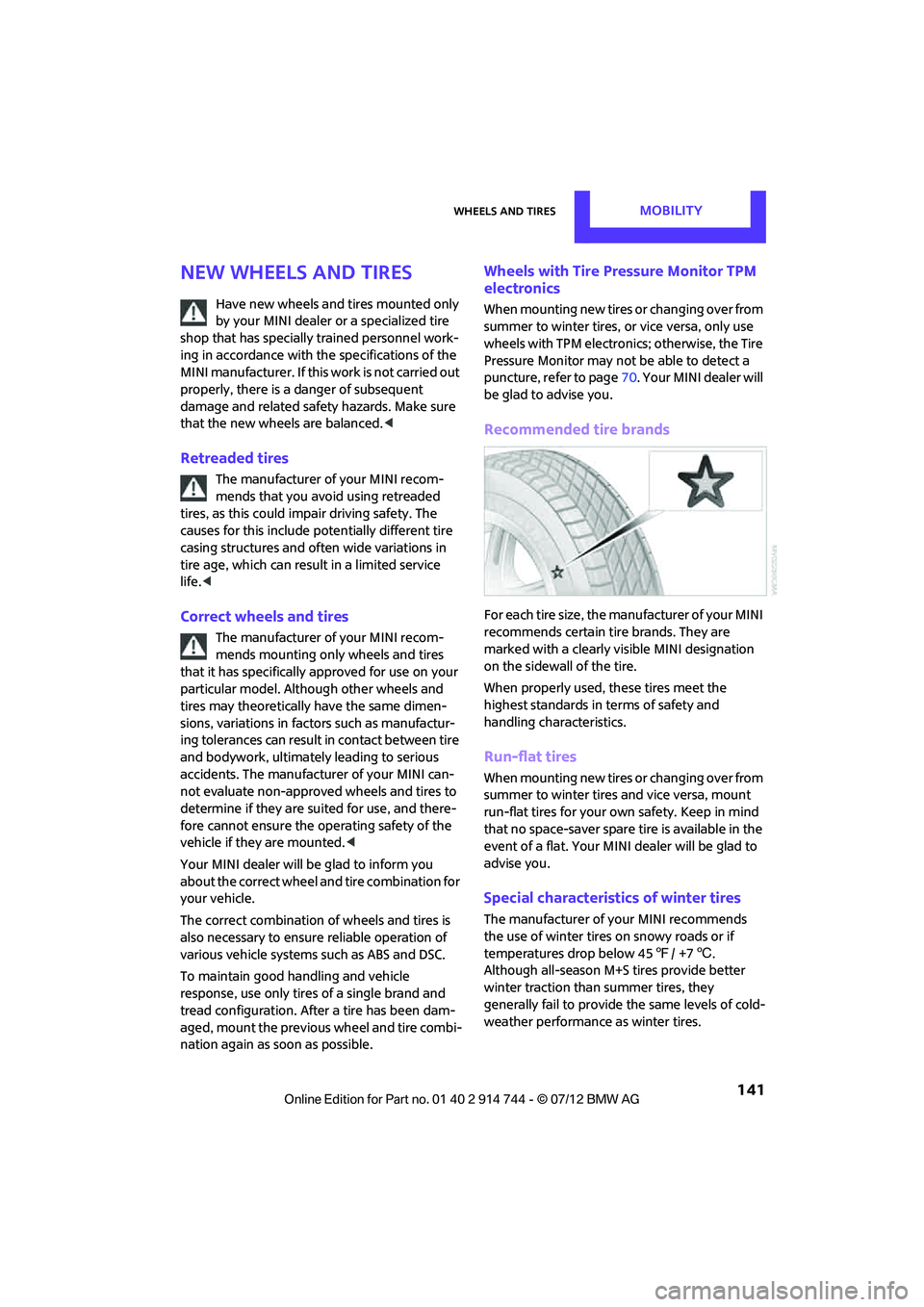
For each tire size, the manufacturer of your MINI
recommends certain tire brands. They are
marked with a clearly visible MINI designation
on the sidewall of the tire.
When properly used, these tires meet the
highest standards in terms of safety and
handling characteristics.
Run-flat tires
When mounting new tires or changing over from
summer to winter tires and vice versa, mount
run-flat tires for your ow n safety. Keep in mind
that no space-saver spare tire is available in the
event of a flat. Your MINI dealer will be glad to
advise you.
Special characteristics of winter tires
The manufacturer of your MINI recommends
the use of winter tires on snowy roads or if
temperatures drop below 45 7/ +7 6.
Although all-season M+S tires provide better
winter traction than summer tires, they
generally fail to provide the same levels of cold-
weather performance as winter tires.
Online Edition for Part no. 01 40 2 914 744 - \251 07/12 BMW AG
Page 144 of 207

Engine compartmentMOBILITY
143
Engine compartment
Vehicle equipment
In this chapter, all production, country, and
optional equipment that is offered in the model
range is described. Equipment is also described
that is not available because of, for example,
selected options or count ry version. This also
applies to safety related functions and systems.
General information
Never attempt to perform any service or
repair operations on your vehicle without
the required professional technical training. If
you do not know how to follow the specified
instructions, then have the work carried out by
your MINI dealer. If this work is not carried out
properly, there is a danger of subsequent
damage and related safety hazards. <
Important parts of the engine compartment
1Vehicle identification number
2 Battery, under the cover 168
3 Engine oil dipstick 144
4 Engine oil filler neck 145 5
Coolant expansion tank 146
6 Reservoir for washer fl uid for the headlamp
and window washer system 52
7 Engine compartment fuse box 166
Online Edition for Part no. 01 40 2 914 744 - \251 07/12 BMW AG
Page 148 of 207

MaintenanceMOBILITY
147
Maintenance
Vehicle equipment
In this chapter, all production, country, and
optional equipment that is offered in the model
range is described. Equipment is also described
that is not available because of, for example,
selected options or count ry version. This also
applies to safety related functions and systems.
MINI Maintenance System
The MINI Maintenance System will remind you
of necessary maintenance measures and by
doing so, will assist you in maintaining the traffic
and operating safety of your vehicle.
If and when you come to sell your MINI, a
comprehensive record of servicing will prove
a significant benefit.
Condition Based Service CBS
Sensors and special algori thms take the different
driving conditions of your MINI into account.
Condition Based Service uses this to determine
the current and future se rvice requirements. By
letting you define a service and maintenance
regimen that reflects your own individual
requirements, the system builds the basis for
trouble-free driving.
In the tachometer, you can have the remaining
times or distances for selected maintenance
tasks and any legally prescribed dates displayed,
page 59.
Service data in the remote control
Your vehicle continuously stores service-
requirement info rmation in the remote control
while you are driving. Your MINI dealer can read
out this data from the remote control unit, and
propose an optimized maintenance approach.
Whenever you take your car in for servicing you
should therefore hand your MINI dealer the
remote control unit that you last used.
Make sure that the date in the tachometer
is always set correctly, page 61; otherwise,
the effectiveness of Condition Based Service CBS
is not assured. <
Service and Warranty Information
Booklet for US models and Warranty and
Service Guide Booklet for Canadian
models
Please consult your Service and Warranty Infor-
mation Booklet for US models and Warranty and
Service Guide Booklet for Canadian models for
additional information on service requirements.
The manufacturer of the MINI recom-
mends that you have service and repair
operations performed at your MINI dealer.
Take the time to ensure that these service
procedures are confirmed by entries in your
vehicle's Service and Warranty Information
Booklet for US models and Warranty and Service
Guide Booklet for Canadian models. These
entries verify that your vehicle has received the
specified regula r maintenance.<
Online Edition for Part no. 01 40 2 914 744 - \251 07/12 BMW AG
Page 149 of 207

MOBILITYMaintenance
148
Socket for On-Board
Diagnosis OBD
The primary components that make up the
emissions can be checked by a device via the
OBD socket.
Emissions
The warning lamps come on. The vehicle
is producing higher emissions. You can
continue your journey, but moderate
your speed and exercise due caution.
Have the car checked as soon as possible.
Under certain circumstances, one of the lamps
will flash or light up cont inuously. This indicates
excessive misfiring or a malfunction in the
engine. If this happens, reduce your speed and
visit the nearest MINI dealer as soon as possible.
Severe misfiring can quickly lead to serious
damage of emissions-related components,
especially the catalytic converter. In addition,
mechanical engine components can become
damaged.
If the fuel cap is not properly tightened,
the OBD system may conclude that fuel
vapors are escaping, causing an indica-
tor to light up. If the fuel cap is then tightened,
the indicator should go out within a few days.
Data memory
Your vehicle displays da ta about the operation,
malfunctions, and user settings. These data are
stored in the vehicle and can be partly stored in
the remote control; the data can be read by suitable devices, in pa
rticular at your MINI
dealer. The data read out are used for support-
ing the service processe s and repair or for
optimization and development of vehicle
functions.
Online Edition for Part no. 01 40 2 914 744 - \251 07/12 BMW AG
Page 150 of 207

CareMOBILITY
149
Care
Vehicle equipment
In this chapter, all production, country, and
optional equipment that is offered in the model
range is described. Equipment is also described
that is not available because of, for example,
selected options or count ry version. This also
applies to safety related functions and systems.
Car-care products
Regular cleaning and care helps to maintain the
value of your MINI.
The manufacturer of your MINI recommends
using manufacturer-approved products to clean
and care for your vehicle.
Your MINI dealer would be pleased to advise
you on cleaning and care products and services
for your MINI.
The ingredients of original MINI Care
Products have been tested, and the
products have been tested in the laboratory
and in practice. They offer optimum care and
protection for your vehicle. <
Do not use any cleansers containing
alcohol or solvents as these may cause
damage. <
Cleaning agents may contain hazardous
or health-damaging substances. Follow
the warning and hazard instructions on the
packaging. For interior cleaning, always open
the doors or windows of the vehicle.
Do not use any products that are not intended
for cleaning the vehicle. <
External care
Washing your vehicle
Especially during the winter months the
vehicle should be frequently washed. Dirt
and road salt can damage the vehicle.<
After washing the vehicle, apply the
brakes briefly to dry them; otherwise,
water can reduce braking efficiency over the
short term and the brake rotors can corrode. <
Car washes
Preference should be given to cloth car washes.
Do not use automatic high-pressure car
washes; otherwise, water may drip into
the vehicle around the windows. <
Before driving into the car wash, check if the
system is suitable for your MINI. Observe the
following points:
> Vehicle dimensions, page 187.
> If necessary: fold in the outside mirrors,
page 39.
> Maximum permissible tire width.
Avoid car washes with tracks higher than
4 in/10 cm; otherwise, the chassis could
be damaged. <
Preparations for driving into the car wash:
> Unscrew the rod antenna.
> Deactivate the rain sensor to prevent
unintentional wiping.
> Deactivate rear window wiper and protect it
from damage. Ask the car wash operator
about measures that can be taken to protect
the wipers.
> Remove additional attachments, e.g.
spoilers or telephone antennas, if there is a
possibility that they could be damaged.
> Insert the remote control into the ignition
lock.
Online Edition for Part no. 01 40 2 914 744 - \251 07/12 BMW AG