belt MINI COOPER 2013 User Guide
[x] Cancel search | Manufacturer: MINI, Model Year: 2013, Model line: COOPER, Model: MINI COOPER 2013Pages: 267, PDF Size: 3.53 MB
Page 106 of 267
Things to remember when drivingDRIVING TIPS
105
3.Subtract the combined weight of the driver
and passengers from XXX pounds or YYY
kilograms.
4. The resulting figure equals the available
amount of cargo and luggage load capacity.
For example, if the XXX amount equals
1,400 lbs and there will be four 150 lb-pas-
sengers in your vehicle, the amount of avail-
able cargo and luggage load capacity is
650 lbs:
1,400 lbs minus 750 lbs = 650 lbs.
5. Determine the combined weight of luggage
and cargo being loaded on the vehicle. That
weight may not safely exceed the available
cargo and luggage load capacity calculated
in step 4.
6. If your vehicle will be towing a trailer, part of
the load from your trail er will be transferred
to your vehicle. Consult the manual for
transporting a trailer to determine how this
may reduce the available cargo and luggage
load capacity of your vehicle.
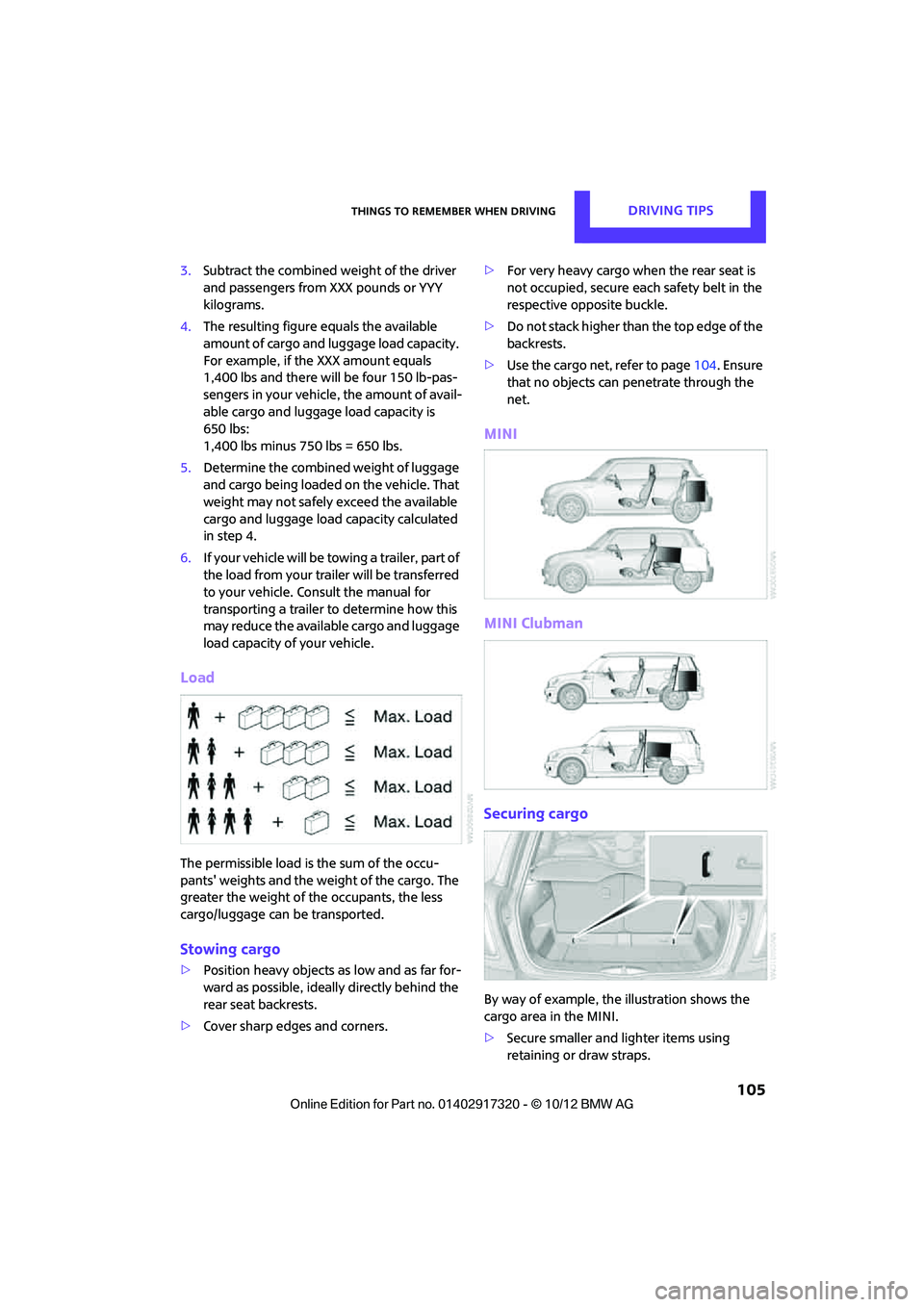
Load
The permissible load is the sum of the occu-
pants' weights and the weight of the cargo. The
greater the weight of the occupants, the less
cargo/luggage can be transported.
Stowing cargo
> Position heavy objects as low and as far for-
ward as possible, ideally directly behind the
rear seat backrests.
> Cover sharp edges and corners. >
For very heavy cargo wh en the rear seat is
not occupied, secure each safety belt in the
respective opposite buckle.
> Do not stack higher than the top edge of the
backrests.
> Use the cargo net, refer to page 104. Ensure
that no objects can penetrate through the
net.
MINI
MINI Clubman
Securing cargo
By way of example, the illustration shows the
cargo area in the MINI.
> Secure smaller and lighter items using
retaining or draw straps.
00320051004F004C00510048000300280047004C0057004C005200510003
Page 134 of 267
On/off and toneENTERTAINMENT
133
Adjusting volume
Turn the knob to the desired volume.
The volume can also be adjusted on the steering
wheel, refer to page10.
The setting is stored for the remote control cur-
rently in use; refer to Personal Profile, page 26.
Setting tone controls
Various tone settings can be changed, e.g. treble
and bass or the speed-dependent volume con-
trol.
The tone settings are set for all audio sources at
once.
The settings are stored for the remote control
currently in use; refer to Personal Profile,
page 26.
Treble, bass, balance, fader
> "Treble": treble adjustment.
> "Bass": bass adjustment.
> "Balance": volume distribution right/left.
> "Fader": volume distribution front/back.
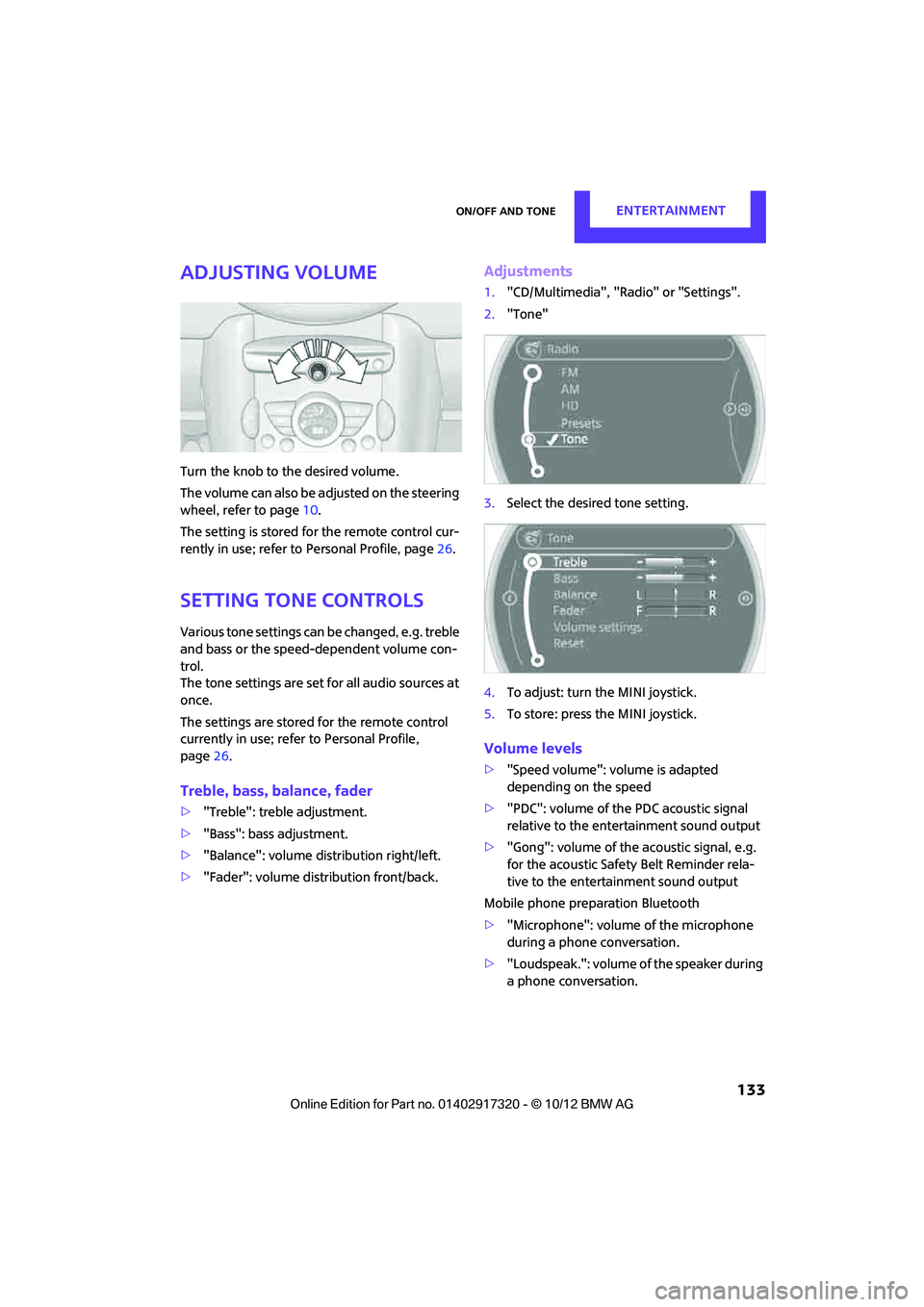
Adjustments
1."CD/Multimedia", "Rad io" or "Settings".
2. "Tone"
3. Select the desired tone setting.
4. To adjust: turn the MINI joystick.
5. To store: press the MINI joystick.
Volume levels
>"Speed volume": vo lume is adapted
depending on the speed
> "PDC": volume of the PDC acoustic signal
relative to the entertainment sound output
> "Gong": volume of the acoustic signal, e.g.
for the acoustic Safety Belt Reminder rela-
tive to the entertainment sound output
Mobile phone preparation Bluetooth
> "Microphone": volume of the microphone
during a phone conversation.
> "Loudspeak.": volume of the speaker during
a phone conversation.
00320051004F004C00510048000300280047004C0057004C005200510003
Page 203 of 267
MOBILITYWheels and tires
202
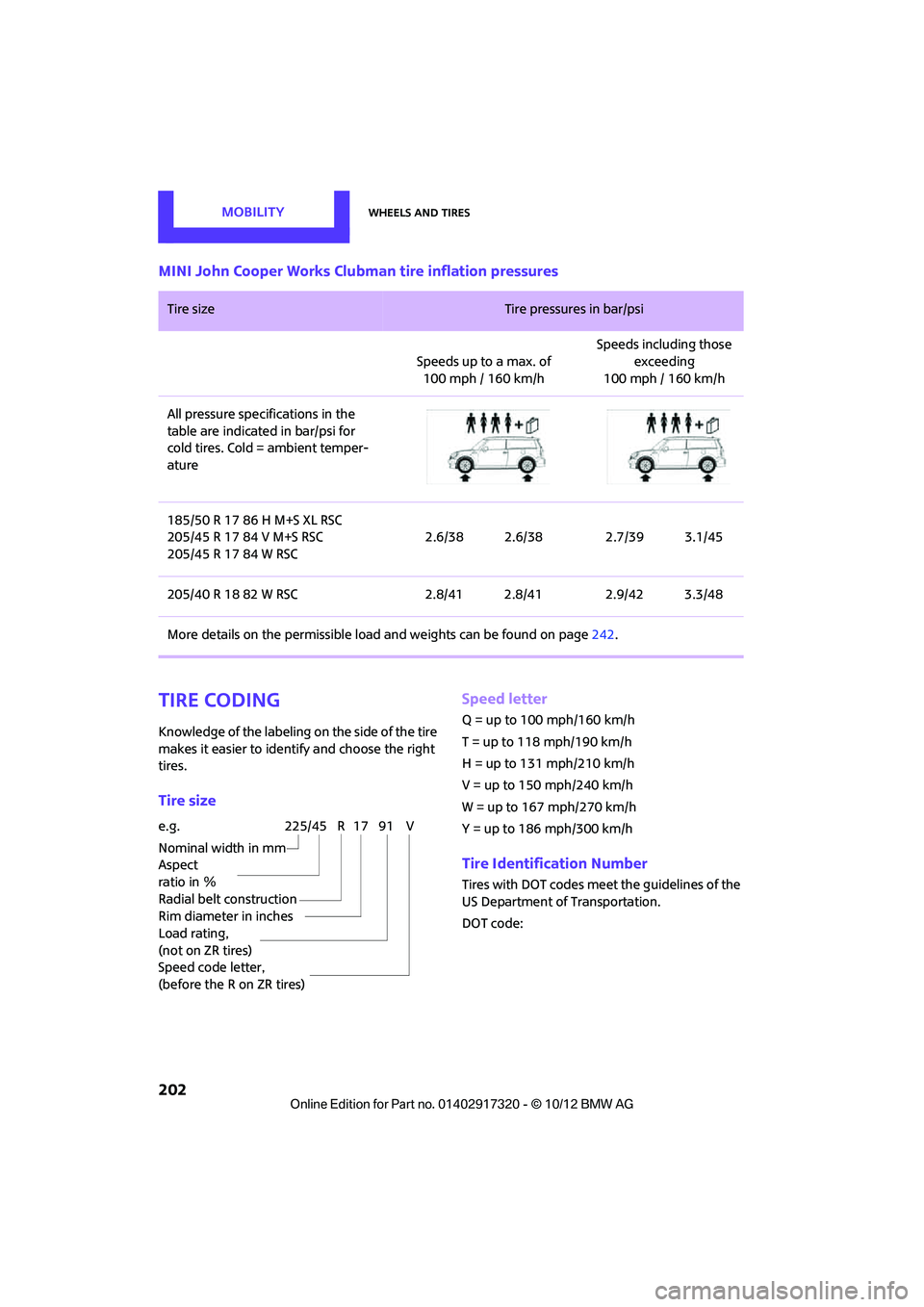
MINI John Cooper Works Clubman tire inflation pressures
Tire coding
Knowledge of the labeling on the side of the tire
makes it easier to identify and choose the right
tires.
Tire size Speed letter
Q = up to 100 mph/160 km/h
T = up to 118 mph/190 km/h
H = up to 131 mph/210 km/h
V = up to 150 mph/240 km/h
W = up to 167 mph/270 km/h
Y = up to 186 mph/300 km/h
Tire Identification Number
Tires with DOT codes meet the guidelines of the
US Department of Transportation.
DOT code:
Tire size Tire pressures in bar/psi
Speeds up to a max. of 100mph / 160km/h Speeds including those
exceeding
100 mph / 160 km/h
All pressure specifications in the
table are indicated in bar/psi for
cold tires. Cold = ambient temper-
ature
185/50 R 17 86 H M+S XL RSC
205/45 R 17 84 V M+S RSC
205/45 R 17 84 W RSC 2.6/38 2.6/38 2.7/39 3.1/45
205/40 R 18 82 W RSC 2.8/41 2.8/41 2.9/42 3.3/48
More details on the permissible load and weights can be found on page242.
e.g.
Nominal width in mm
Aspect
ratio in Ξ
Radial belt construction
Rim diameter in inches
Load rating,
(not on ZR tires)
Speed code letter,
(before the R on ZR tires)225/45 R 17 91 V
00320051004F004C00510048000300280047004C0057004C005200510003
Page 217 of 267
MOBILITYCare
216
tened again after they have been removed, e.g.
for cleaning. <
Floor mats can be removed to be cleaned.
If the carpets are very di rty, clean with a microfi-
ber cloth and water or an interior cleaner. When
doing so, rub forward and back in the driving
direction; otherwise, the carpet may become
matted.
Interior plastic parts
These include:
> Plastic surfaces
> Lamp glass
> Display panes
> Mat parts
Only clean with water an d, if necessary, solvent-
free plastic cleaners.
Do not use solvents such as alcohol, lac-
quer thinner, cold cleaners, fuel, or similar,
as these will damage the surfaces. <
Decorative strips
Only clean decorative strips and fine wood parts
with damp cloths. Wipe dry with a soft cloth.
Safety belts
Dirty belt straps impede the reeling action and
thus have a negative impact on safety.
Do not clean chemically, as this may
destroy the webbing.<
Displays
To clean displays, such as the radio or display
elements, use an anti-static microfiber cloth.
Avoid pressing too hard when cleaning
the display as this can cause damage. <
Do not use chemical or abrasive house-
hold cleaning agents. Keep fluids of any
kind away from th e device. Surfaces or electrical
components may otherw ise become corroded
or damaged. <
CD/DVD drives
Do not use cleaning CDs as this could
damage parts of the drive. <
Vehicle storage
If you park your vehicle longer than three
months, ask your MINI dealer to advise you.
00320051004F004C00510048000300280047004C0057004C005200510003
Page 254 of 267
Everything from A to ZREFERENCE
253
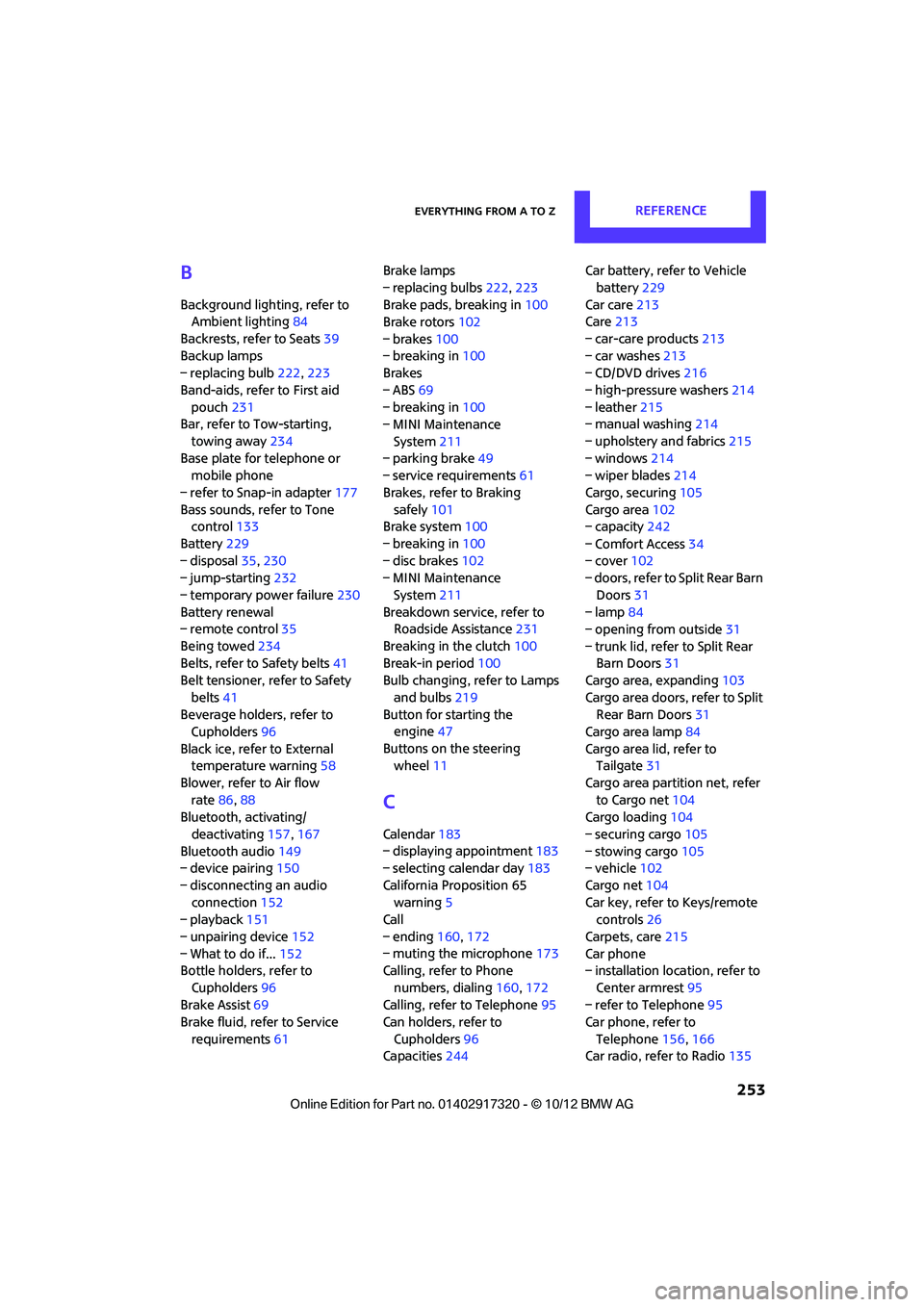
B
Background lighting, refer to
Ambient lighting 84
Backrests, refer to Seats 39
Backup lamps
– replacing bulb 222,223
Band-aids, refer to First aid pouch 231
Bar, refer to Tow-starting,
towing away 234
Base plate for telephone or mobile phone
– refer to Snap-in adapter 177
Bass sounds, refer to Tone control 133
Battery 229
– disposal 35,230
– jump-starting 232
– temporary power failure 230
Battery renewal
– remote control 35
Being towed 234
Belts, refer to Safety belts 41
Belt tensioner, refer to Safety
belts 41
Beverage holders, refer to Cupholders 96
Black ice, refer to External temperature warning 58
Blower, refer to Air flow rate 86,88
Bluetooth, activating/
deactivating 157,167
Bluetooth audio 149
– device pairing 150
– disconnecting an audio connection 152
– playback 151
– unpairing device 152
– What to do if... 152
Bottle holders, refer to
Cupholders 96
Brake Assist 69
Brake fluid, refer to Service
requirements 61 Brake lamps
– replacing bulbs
222,223
Brake pads, breaking in 100
Brake rotors 102
– brakes 100
– breaking in 100
Brakes
– ABS 69
– breaking in 100
– MINI Maintenance
System 211
– parking brake 49
– service requirem ents
61
Brakes, refer to Braking sa fely 101
Br
ake system 100
– breaking in 100
– disc brakes 102
– MINI Maintenance
System 211
Breakdown service, refer to Roadside Assistance 231
Breaking in the clutch 100
Break-in period 100
Bulb changing, refer to Lamps
and bulbs 219
Button for starting the engine 47
Buttons on the steering wheel 11
C
Calendar 183
– displaying appointment 183
– selecting calendar day 183
California Proposition 65 warning 5
Call
– ending 160,172
– muting the microphone 173
Calling, refer to Phone
numbers, dialing 160,172
Calling, refer to Telephone 95
Can holders, refer to
Cupholders 96
Capacities 244 Car battery, refer to Vehicle
battery 229
Car care 213
Care 213
– car-care products 213
– car washes 213
– CD/DVD drives 216
– high-pressure washers 214
– leather 215
– manual washing 214
– upholstery and fabrics 215
– windows 214
– wiper blades 214
Cargo, securing 105
Cargo area 102
– capacity 242
– Comfort Access 34
– cover 102
– doors, refer to Split Rear Barn
Doors 31
– lamp 84
– opening from outside 31
– trunk lid, refer to Split Rear Barn Doors 31
Cargo area, expanding 103
Cargo area doors, refer to Split Rear Barn Doors 31
Cargo area lamp 84
Cargo area lid, refer to Tailgate 31
Cargo area partition net, refer to Cargo net 104
Cargo loading 104
– securing cargo 105
– stowing cargo 105
– vehicle 102
Cargo net 104
Car key, refer to Keys/remote controls 26
Carpets, care 215
Car phone
– installation location, refer to
Ce
nter armrest 95
– refer to Telephone 95
Car phone, refer to
Telephone 156,166
Car radio, refer to Radio 135
00320051004F004C00510048000300280047004C0057004C005200510003
Page 257 of 267
REFERENCEEverything from A to Z
256
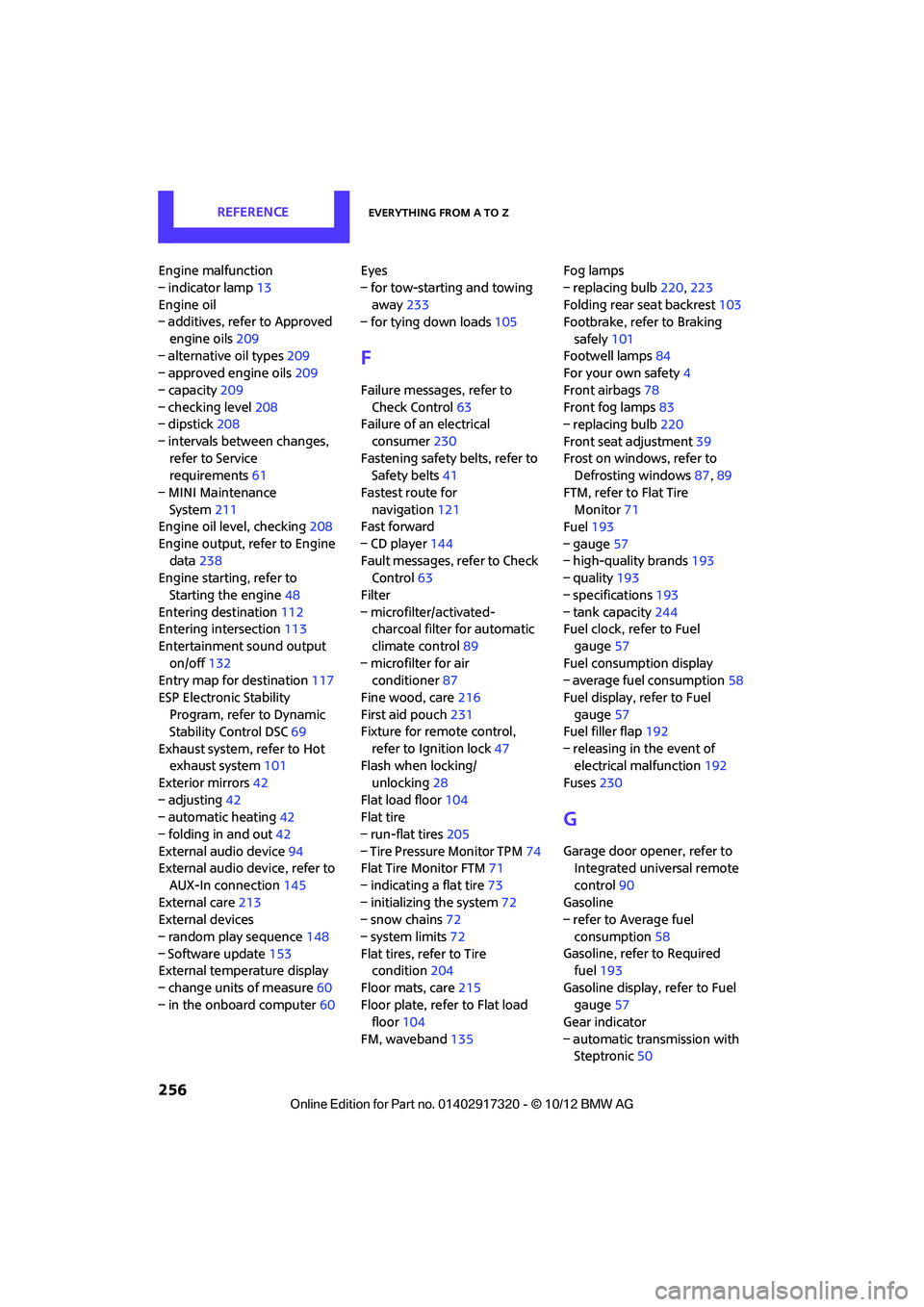
Engine malfunction
– indicator lamp13
Engine oil
– additives, refer to Approved
engine oils 209
– alternative oil types 209
– approved engine oils 209
– capacity 209
– checking level 208
– dipstick 208
– intervals between changes, refer to Service
requirements 61
– MINI Maintenance System 211
Engine oil level, checking 208
Engine output, refer to Engine data 238
Engine starti ng, refer to
Starting the engine 48
Entering destination 112
Entering intersection 113
Entertainment sound output on/off 132
Entry map for destination 117
ESP Electronic Stability Program, refer to Dynamic
Stability Control DSC 69
Exhaust system, refer to Hot exhaust system 101
Exterior mirrors 42
– adjusting 42
– automatic heating 42
– folding in and out 42
External audio device 94
External audio device, refer to
AUX-In connection 145
External care 213
External devices
– random play sequence 148
– Software update 153
External temperature display
– change units of measure 60
– in the onboard computer 60Eyes
– for tow-starting and towing
away 233
– for tying down loads 105
F
Failure messages, refer to
Check Control 63
Failure of an electrical
consumer 230
Fastening safety belts, refer to Safety belts 41
Fastest route for navigation 121
Fast forward
– CD player 144
Fault messages, refer to Check Control 63
Filter
– microfilter/activated- charcoal filter for automatic
climate control 89
– microfilter for air conditioner 87
Fine wood, care 216
First aid pouch 231
Fixture for remote control,
refer to Ignition lock 47
Flash when locking/
unlocking 28
Flat load floor 104
Flat tire
– run-flat tires 205
– Tire Pressure Monitor TPM 74
Flat Tire Monitor FTM 71
– indicating a flat tire 73
– initializing the system 72
– snow chains 72
– system limits 72
Flat tires, refer to Tire condition 204
Floor mats, care 215
Floor plate, refer to Flat load floor 104
FM, waveband 135 Fog lamps
– replacing bulb
220,223
Folding rear seat backrest 103
Footbrake, refer to Braking
safely 101
Footwell lamps 84
For your own safety 4
Front airbags 78
Front fog lamps 83
– replacing bulb 220
Front seat adjustment 39
Frost on windows, refer to Defrosting windows 87,89
FTM, refer to Flat Tire Monitor 71
Fuel 193
– gauge 57
– high-quality brands 193
– quality 193
– specifications 193
– tank capacity 244
Fuel c l
ock, refer to Fuel
gauge 57
Fuel consumption display
– average fuel consumption 58
Fuel display, refer to Fuel gauge 57
Fuel filler flap 192
– releasing in the event of electrical malfunction 192
Fuses 230
G
Garage door opener, refer to
Integrated universal remote
control 90
Gasoline
– refer to Average fuel
consumption 58
Gasoline, refer to Required fuel 193
Gasoline display, refer to Fuel gauge 57
Gear indicator
– automatic transmission with Steptronic 50
00320051004F004C00510048000300280047004C0057004C005200510003
Page 260 of 267
Everything from A to ZREFERENCE
259
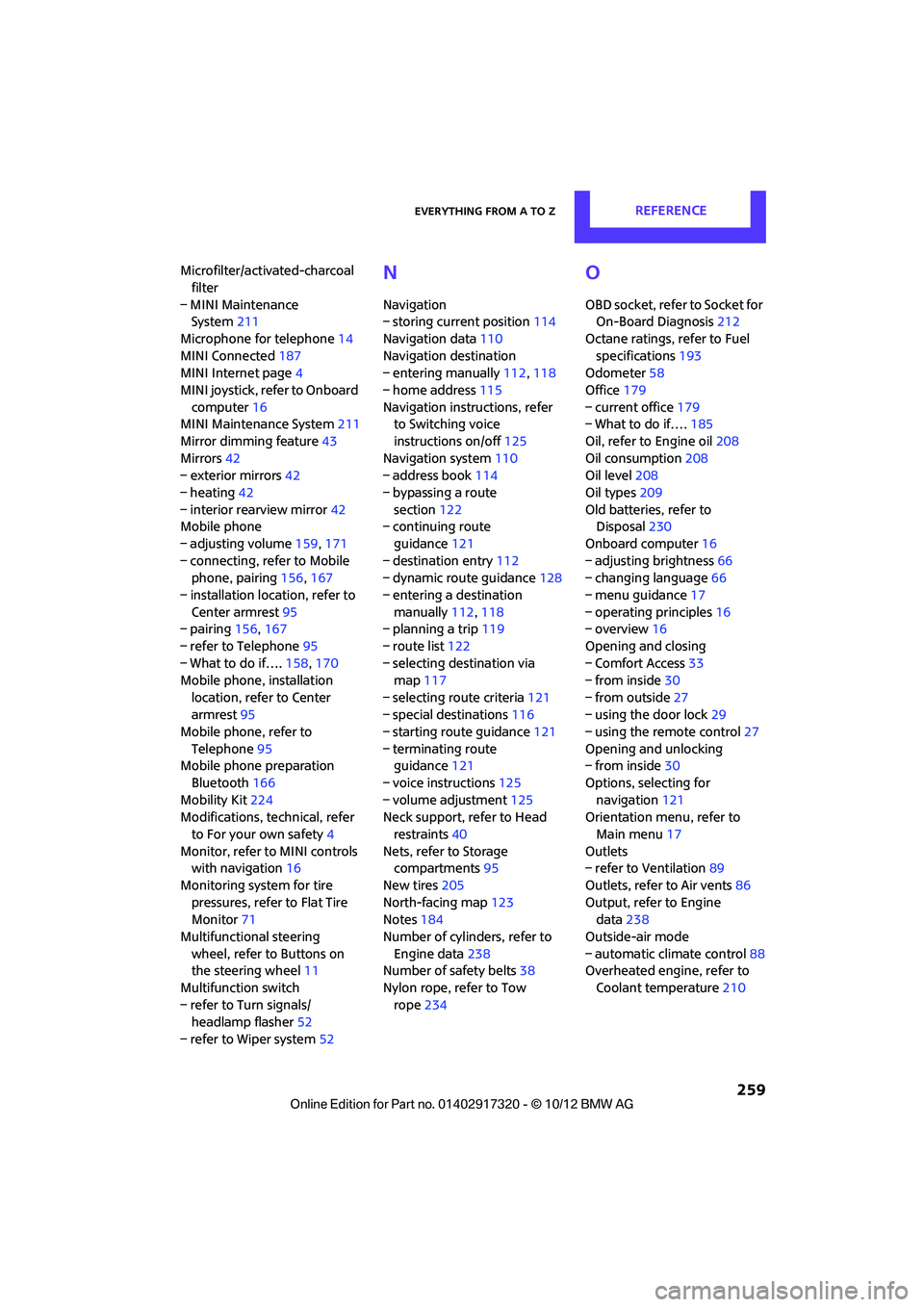
Microfilter/activated-charcoal filter
– MINI Maintenance System 211
Microphone for telephone 14
MINI Connected 187
MINI Internet page 4
MINI joystick, refer to Onboard computer 16
MINI Maintenance System 211
Mirror dimming feature 43
Mirrors 42
– exterior mirrors 42
– heating 42
– interior rearview mirror 42
Mobile phone
– adjusting volume 159,171
– connecting, refer to Mobile phone, pairing 156,167
– installation location, refer to Center armrest 95
– pairing 156,167
– refer to Telephone 95
– What to do if…. 158,170
Mobile phone, installation
location, refer to Center
armrest 95
Mobile phone, refer to
Telephone 95
Mobile phone preparation
Bluetooth 166
Mobility Kit 224
Modifications, te chnical, refer
to For your own safety 4
Monitor, refer to MINI controls with navigation 16
Monitoring system for tire pressures, refer to Flat Tire
Monitor 71
Multifunctional steering wheel, refer to Buttons on
the steering wheel 11
Multifunction switch
– refer to Turn signals/ headlamp flasher 52
– refer to Wiper system 52N
Navigation
– storing current position 114
Navigation data 110
Navigation destination
– entering manually 112,118
– home address 115
Navigation instructions, refer to Switching voice
instructions on/off 125
Navigation system 110
– address book 114
– bypassing a route section 122
– continuing route
guidance 121
– destination entry 112
– dynamic route guidance 128
– entering a destination manually 112,118
– planning a trip 119
– route list 122
– selecting destination via map 117
– selecting route criteria 121
– special destinations 116
– starting route guidance 121
– terminating route guidance 121
– voice instructions 125
– volume adjustment 125
Neck support, refer to Head
restraints 40
Nets, refer to Storage compartments 95
New tires 205
North-facing map 123
Notes 184
Number of cylinders, refer to Engine data 238
Number of safety belts 38
Nylon rope, refer to Tow rope 234
O
OBD socket, refer to Socket for
On-Board Diagnosis 212
Octane ratings, refer to Fuel specifications 193
Odometer 58
Office 179
– current office 179
– What to do if…. 185
Oil, refer to Engine oil 208
Oil consumption 208
Oil level 208
Oil types 209
Old batteries, refer to Disposal 230
Onboard computer 16
– adjusting brightness 66
– changing language 66
– menu guidance 17
– operating principles 16
– overview 16
Opening and closing
– Comfort Access 33
– from inside 30
– from outside 27
– using the door lock 29
– using the remote control 27
Opening and unlocking
– from inside 30
Options, selecting for navigation 121
Orientation menu, refer to
Main menu 17
Outlets
– refer to Ventilation 89
Outlets, refer to Air vents 86
Output, refer to Engine data 238
Outside-air mode
– automatic climate control 88
Overheated engine, refer to
Coolant temperature 210
00320051004F004C00510048000300280047004C0057004C005200510003
Page 261 of 267
REFERENCEEverything from A to Z
260
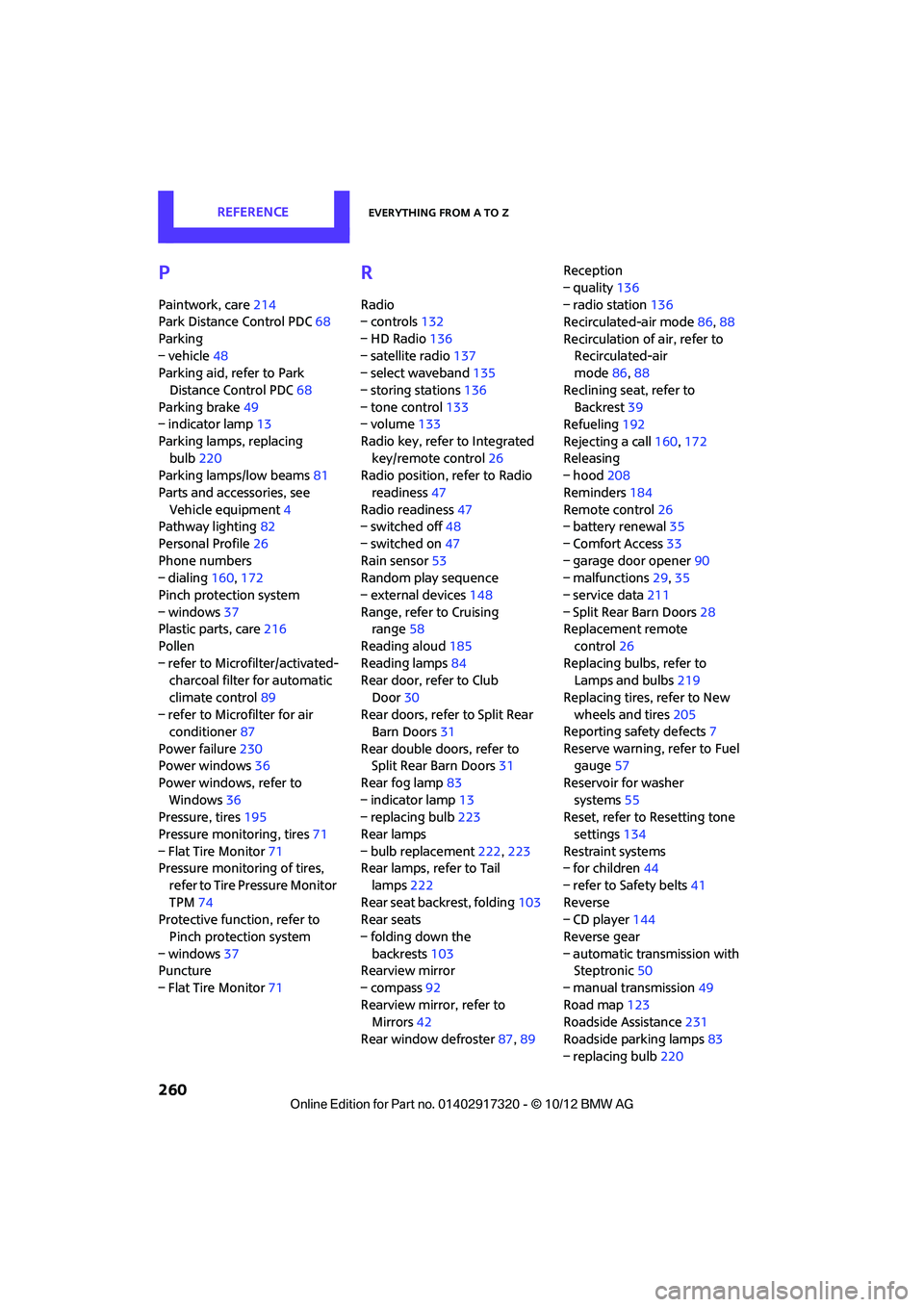
P
Paintwork, care214
Park Distance Control PDC 68
Parking
– vehicle 48
Parking aid, refer to Park
Distance Control PDC 68
Parking brake 49
– indicator lamp 13
Parking lamps, replacing bulb 220
Parking lamps/low beams 81
Parts and accessories, see Vehicle equipment 4
Pathway lighting 82
Personal Profile 26
Phone numbers
– dialing 160,172
Pinch protection system
– windows 37
Plastic parts, care 216
Pollen
– refer to Microfilter/activated- charcoal filter for automatic
climate control 89
– refer to Microfilter for air conditioner 87
Power failure 230
Power windows 36
Power windows, refer to Windows 36
Pressure, tires 195
Pressure moni toring, tires71
– Flat Tire Monitor 71
Pressure monitoring of tires,
refer to Tire Pressure Monitor
TPM 74
Protective function, refer to
Pinch protection system
– windows 37
Puncture
– Flat Tire Monitor 71
R
Radio
– controls132
– HD Radio 136
– satellite radio 137
– select waveband 135
– storing stations 136
– tone control 133
– volume 133
Radio key, refer to Integrated key/remote control 26
Radio position, refer to Radio
readiness 47
Radio readiness 47
– switched off 48
– switched on 47
Rain sensor 53
Random play sequence
– external devices 148
Range, refer to Cruising range 58
Reading aloud 185
Reading lamps 84
Rear door, re fer to Club
Door 30
Rear doors, refer to Split Rear Barn Doors 31
Rear double doors, refer to Split Rear Barn Doors 31
Rear fog lamp 83
– indicator lamp 13
– replacing bulb 223
Rear lamps
– bulb replacement 222,223
Rear lamps, refer to Tail
lamps 222
Rear seat back rest, folding103
Rear seats
– folding down the backrests 103
Rearview mirror
– compass 92
Rearview mirror, refer to Mirrors 42
Rear window defroster 87,89 Reception
– quality
136
– radio station 136
Recirculated-air mode 86,88
Recirculation of air, refer to Recirculated-air
mode 86,88
Reclining seat , refer to
Backrest 39
Refueling 192
Rejecting a call 160,172
Rele asing
– hood 208
Reminders 184
Remote con
trol26
– battery renewal 35
– Comfort Access 33
– garage door opener 90
– malfunctions 29,35
– service data 211
– Split Rear Barn Doors 28
Replacement remote
control 26
Replacing bulbs, refer to Lamps and bulbs 219
Replacing tires, refer to New
wheels and tires 205
Reporting safety defects 7
Reserve warning, refer to Fuel gauge 57
Reservoir for washer systems 55
Reset, refer to Resetting tone
settings 134
Restraint systems
– for children 44
– refer to Safety belts 41
Reverse
– CD player 144
Reverse gear
– automatic transmission with Steptronic 50
– manual transmission 49
Road map 123
Roadside Assistance 231
Roadside parking lamps 83
– replacing bulb 220
00320051004F004C00510048000300280047004C0057004C005200510003
Page 262 of 267

Everything from A to ZREFERENCE
261
Road worthiness test, refer to Service requirements 61
Roof load capacity 242
Roof-mounted luggage
rack 106
Rope, refer to Tow-starting, towing away 234
Route 121,122
– bypassing sections 122
– changing 121,122
– changing criteria 121
– displaying arrow view 122
– displaying map view 123
– displaying streets or towns/ cities 122
– selecting 121
Route guidance 121
– bypassing a route section 122
– changing specified route 121
– distance and arrival 121
– voice instructions 125
– volume of voice instructions 125
Route section, changing 122
Route selection 121
RSC Run-flat System Component, refer to Run-flat
tires 205
Rubber parts, care 215
Run-flat System Component RSC, refer to Run-flat
tires 205
Run-flat tires 205
– flat tire 73
– tire inflation pressure 195
– tire replacement 205
– winter tires 206
S
Safety belt
– number38
Safety Belt Reminder 41 Safety belts
41
– damage 42
– indicator lamp 41
– reminder 41
– sitting safely 38
Safety belts, care 216
Safety systems
– airbags 78
– Antilock Brake System ABS 69
– Dynamic Stability Control DSC 69
– safety belts 41
Safety tires, refer to Run-flat tires 205
Satellite radio 137
– channel, activating or deactivating 138
– channel, selecting 138
– channel, storing 139
– favorites 140
– time shift 139
– Traffic Jump 141
Screen, refer to Onboard computer controls 16
Screw thread for tow fitting 233
SDARS, refer to Satellite
radio 137
Seat adjustment
– mechanical 39
Seats 39
– adjusting the seats 39
– heating 41
– sitting safely 38
Securing the vehicle
– from inside 30
– from outside 27
Selecting navigation
system 110
Selecting new scale for navigation 124
Selector lever
– automatic transmission with Steptronic 50 Selector lever lock
– automatic transmission with
Steptronic, refer to
Shiftlock 50
– overriding manually 51
Selector lever positions
– automatic transmission with
Steptronic 50
Service, refer to Roadside Assistance 231
Service car, refer to Roadside Assistance 231
Service data in the remote
control 211
Service Interval Display, refer to Condition Based Service
CBS 211
Service requ irement display,
refer to Condit i
on Based
Service CBS 211
Service requirements 61
Settings
– clock, 12 h/24 h mode 63
– date format 63
Setting time and date 63
Setting time zone, time, and date 63
Shifting gears
– automatic transmission with Steptronic 51
– manual transmission 49
Shiftlock
– automatic transmission, refer
to Changing selector lever
positions 50
Short commands for the voice
activation system 245
Short route in navigation, refer to Selecting route 121
Shuffled, refer to Random
– CD player 144
Side airbags 78
Side door, rear, refer to Club
Door 30
Side turn signal
– replacing bulb 222
00320051004F004C00510048000300280047004C0057004C005200510003
Page 263 of 267
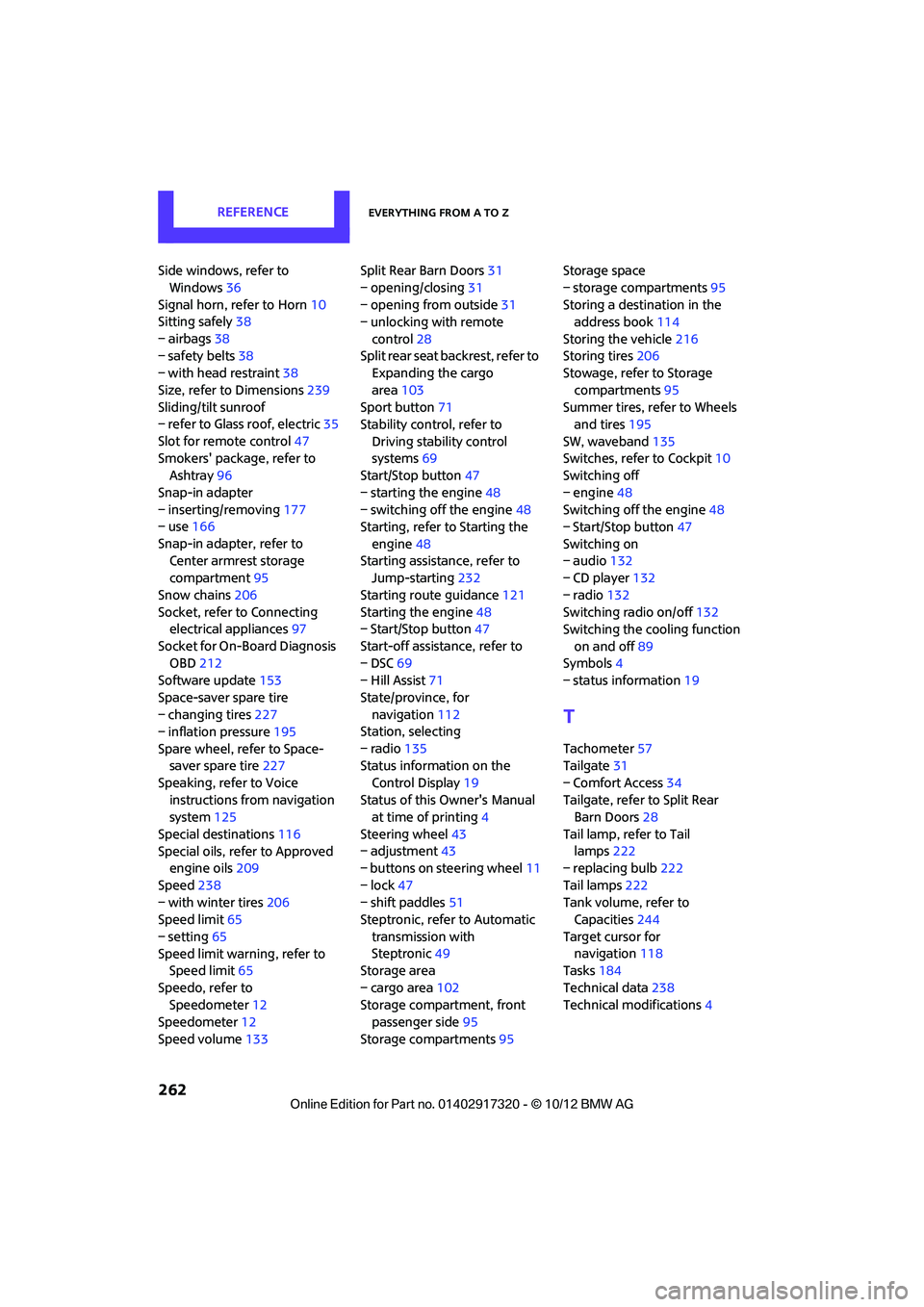
REFERENCEEverything from A to Z
262
Side windows, refer to Windows 36
Signal horn, refer to Horn 10
Sitting safely 38
– airbags 38
– safety belts 38
– with head restraint 38
Size, refer to Dimensions 239
Sliding/tilt sunroof
– refer to Glass roof, electric 35
Slot for remote control 47
Smokers' package, refer to Ashtray 96
Snap-in adapter
– inserting/removing 177
– use 166
Snap-in adapter, refer to Center armrest storage
compartment 95
Snow chains 206
Socket, refer to Connecting electrical appliances 97
Socket for On-Board Diagnosis OBD 212
Software update 153
Space-saver spare tire
– changing tires 227
– inflation pressure 195
Spare wheel, refer to Space- saver spare tire 227
Speaking, refer to Voice instructions from navigation
system 125
Special destinations 116
Special oils, refer to Approved engine oils 209
Speed 238
– with winter tires 206
Speed limit 65
– setting 65
Speed limit warning, refer to Speed limit 65
Speedo, refer to Speedometer 12
Speedometer 12
Speed volume 133 Split Rear Barn Doors
31
– opening/closing 31
– opening from outside 31
– unlocking with remote
control 28
Split rear seat backrest, refer to Expanding the cargo
area 103
Sport button 71
Stability contro l, refer to
Driving stability control
systems 69
Start/Stop button 47
– starting the engine 48
– switching off the engine 48
Starting, refer to Starting the
engine 48
Sta rting assistance, refer to
Jump-sta r
ting232
Starting route guidance 121
Starting the engine 48
– Start/Stop button 47
Start-off assistance, refer to
– DSC 69
– Hill Assist 71
State/province, for navigation 112
Station, selecting
– radio 135
Status information on the
Control Display 19
Status of this Owner's Manual at time of printing 4
Steering wheel 43
– adjustment 43
– buttons on steering wheel 11
– lock 47
– shift paddles 51
Steptronic, refer to Automatic
transmission with
Steptronic 49
Storage area
– cargo area 102
Storage compartment, front passenger side 95
Storage compartments 95Storage space
– storage compartments
95
Storing a destination in the address book 114
Storing the vehicle 216
Storing tires 206
Stowage, refer to Storage
compartments 95
Summer tires, refer to Wheels and tires 195
SW, waveband 135
Switches, refer to Cockpit 10
Switching off
– engine 48
Switching off the engine 48
– Start/Stop button 47
Switching on
– audio 132
– CD player 132
– radio 132
Switching radio on/off 132
Switching the cooling function
on and off 89
Symbols 4
– status information 19
T
Tachometer57
Tailgate 31
– Comfort Access 34
Tailgate, refer to Split Rear Barn Doors 28
Tail lamp, refer to Tail lamps 222
– replacing bulb 222
Tail lamps 222
Tank volume, refer to Capacities 244
Target cursor for navigation 118
Tasks 184
Technical data 238
Technical modifications 4
00320051004F004C00510048000300280047004C0057004C005200510003