tailgate MINI COOPER 2013 User Guide
[x] Cancel search | Manufacturer: MINI, Model Year: 2013, Model line: COOPER, Model: MINI COOPER 2013Pages: 267, PDF Size: 3.53 MB
Page 103 of 267
DRIVING TIPSThings to remember when driving
102
Hills
To prevent overheating and the resulting
reduced efficiency of the brake system,
drive long or steep downhill gradients in the
gear in which the least braking is required. Even
light but consistent brake pressure can lead to
high temperatures, brake wear and possibly
even brake failure. <
You can increase the engine's braking effect by
shifting down, all the way to first gear if neces-
sary. This strategy helps you avoid placing
excessive loads on the brake system. Downshift-
ing in manual mode of the automatic transmis-
sion, page 51.
Never drive with the clutch held down,
with the transmission in neutral or with
the engine switched off; otherwise, engine brak-
ing action will not be present or there will be no
power assistance to the brakes or steering.
Never allow floor mats, carpets or any other
objects to protrude into the area around the
pedals; otherwise, pedal function could be
impaired. <
Corrosion on brake rotors
When the vehicle is driven only occasionally,
during extended periods when the vehicle is not
used at all, and in op erating conditions where
brake applications are less frequent, there is an
increased tendency for corrosion to form on
rotors, while contaminants accumulate on the
brake pads. This occurs because the minimum
pressure which must be exerted by the pads
during brake applications to clean the rotors is
not reached.
Should corrosion form on the brake rotors, the
brakes will tend to respond with a pulsating
effect that even extended application will fail to
cure.
When the vehicle is parked
Condensation forms while the automatic climate
control is in operation, and then exits under the
vehicle. Traces of condensed water under the
vehicle are therefore normal. In the MINI Cooper S, the coolant pump may
continue to run for some time after the engine is
switched off. This will
generate noise in the
engine compartment.
Cargo loading
To avoid loading the tires beyond their
approved carrying capacity, never over-
load the vehicle. Overloading can lead to over-
heating and increases the rate at which damage
develops inside the tires. The ultimate result can
assume the form of a sudden blowout. <
Avoid fluid spills in the cargo area as they
could damage the vehicle. <
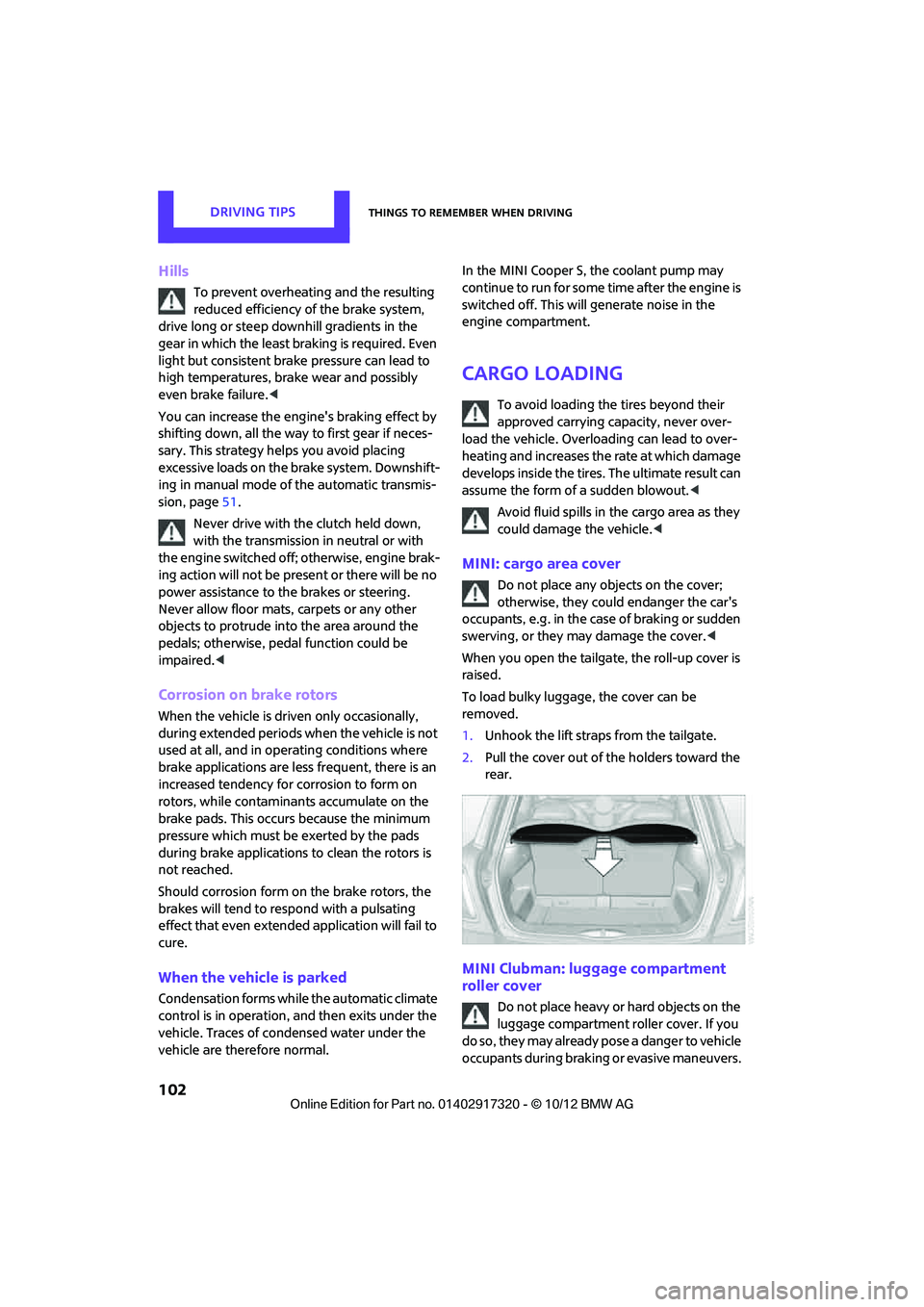
MINI: cargo area cover
Do not place any objects on the cover;
otherwise, they could endanger the car's
occupants, e.g. in the case of braking or sudden
swerving, or they may damage the cover. <
When you open the tailgate, the roll-up cover is
raised.
To load bulky luggage, the cover can be
removed.
1. Unhook the lift straps from the tailgate.
2. Pull the cover out of the holders toward the
rear.
MINI Clubman: luggage compartment
roller cover
Do not place heavy or hard objects on the
luggage compartment roller cover. If you
do so, they may already po s e a d a n g e r t o v e h i c l e
occupants during braking or evasive maneuvers.
00320051004F004C00510048000300280047004C0057004C005200510003
Page 107 of 267
DRIVING TIPSThings to remember when driving
106
>Heavy-duty cargo straps for securing larger
and heavier objects are available at your
MINI dealer. Four lashing eyes are provided
for attaching the cargo straps. Two of them
are located on the forward wall of the cargo
area.
Comply with the inform ation enclosed with
the load-securing devices.
Always position and secure the cargo as
described above, so that it cannot endan-
ger the car's occupants, for example if sudden
braking or swerves are necessary.
Do not exceed the approved gross vehicle
weight and axle loads, page 242; otherwise, the
operating safety of the vehicle is no longer
assured and the vehicle will not be in compli-
ance with the construction and use regulations.
Heavy or hard objects should not be carried
loose inside the car, since they could be thrown
around, for example as a result of heavy braking,
sudden swerves, etc., and endanger the occu-
pants. Do not secure cargo using the fastening
points for the tether strap, page 45; they may
become damaged. <
Roof-mounted luggage
rack
A special rack system is available as an option for
your MINI. Your MINI dealer will be glad to
advise you. Comply with the installation instruc-
tions supplied with the rack system.
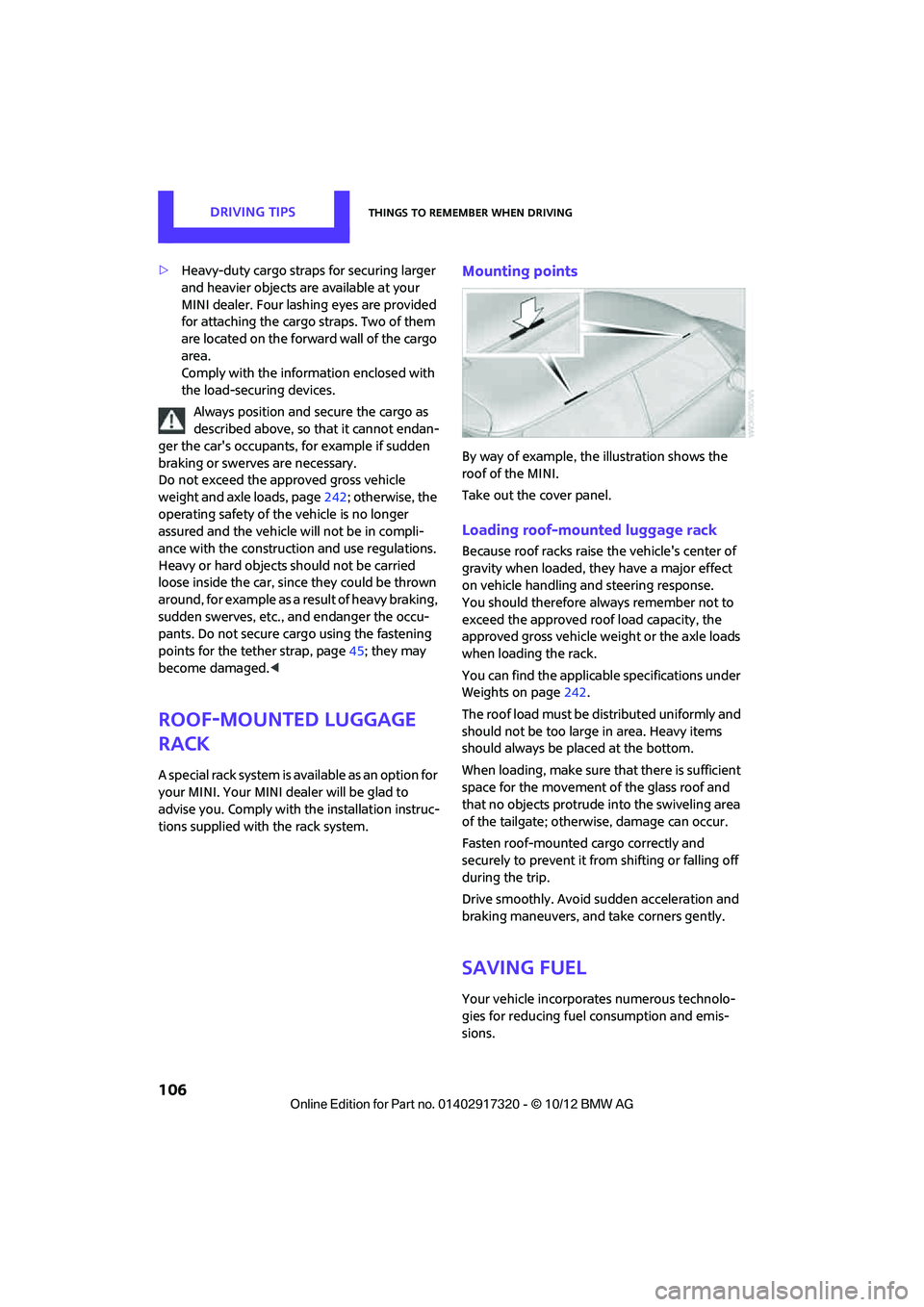
Mounting points
By way of example, the illustration shows the
roof of the MINI.
Take out the cover panel.
Loading roof-mounted luggage rack
Because roof racks raise the vehicle's center of
gravity when loaded, they have a major effect
on vehicle handling and steering response.
You should therefore always remember not to
exceed the approved roof load capacity, the
approved gross vehicle we ight or the axle loads
when loading the rack.
You can find the applicable specifications under
Weights on page 242.
The roof load must be distributed uniformly and
should not be too large in area. Heavy items
should always be placed at the bottom.
When loading, make sure that there is sufficient
space for the movement of the glass roof and
that no objects protrude into the swiveling area
of the tailgate; otherwise, damage can occur.
Fasten roof-mounted cargo correctly and
securely to prevent it from shifting or falling off
during the trip.
Drive smoothly. Avoid su dden acceleration and
braking maneuvers, and take corners gently.
Saving fuel
Your vehicle incorporates numerous technolo-
gies for reducing fuel consumption and emis-
sions.
00320051004F004C00510048000300280047004C0057004C005200510003
Page 232 of 267
Giving and receiving assistanceMOBILITY
231
Giving and receiving assistance
Vehicle equipment
In this chapter, all production, country, and
optional equipment that is offered in the model
range is described. Equipment is also described
that is not available because of, for example,
selected options or count ry version. This also
applies to safety related functions and systems.
Roadside Assistance
Roadside Assistance is available by phone
24 hours a day in many countries. You can
receive assistance there in the event of an emer-
gency.
First aid pouch
Some of the articles co ntained in the first aid
pouch have a limited se rvice life. Therefore,
check the expiration dates of the contents regu-
larly and replace any items in good time, if nec-
essary.
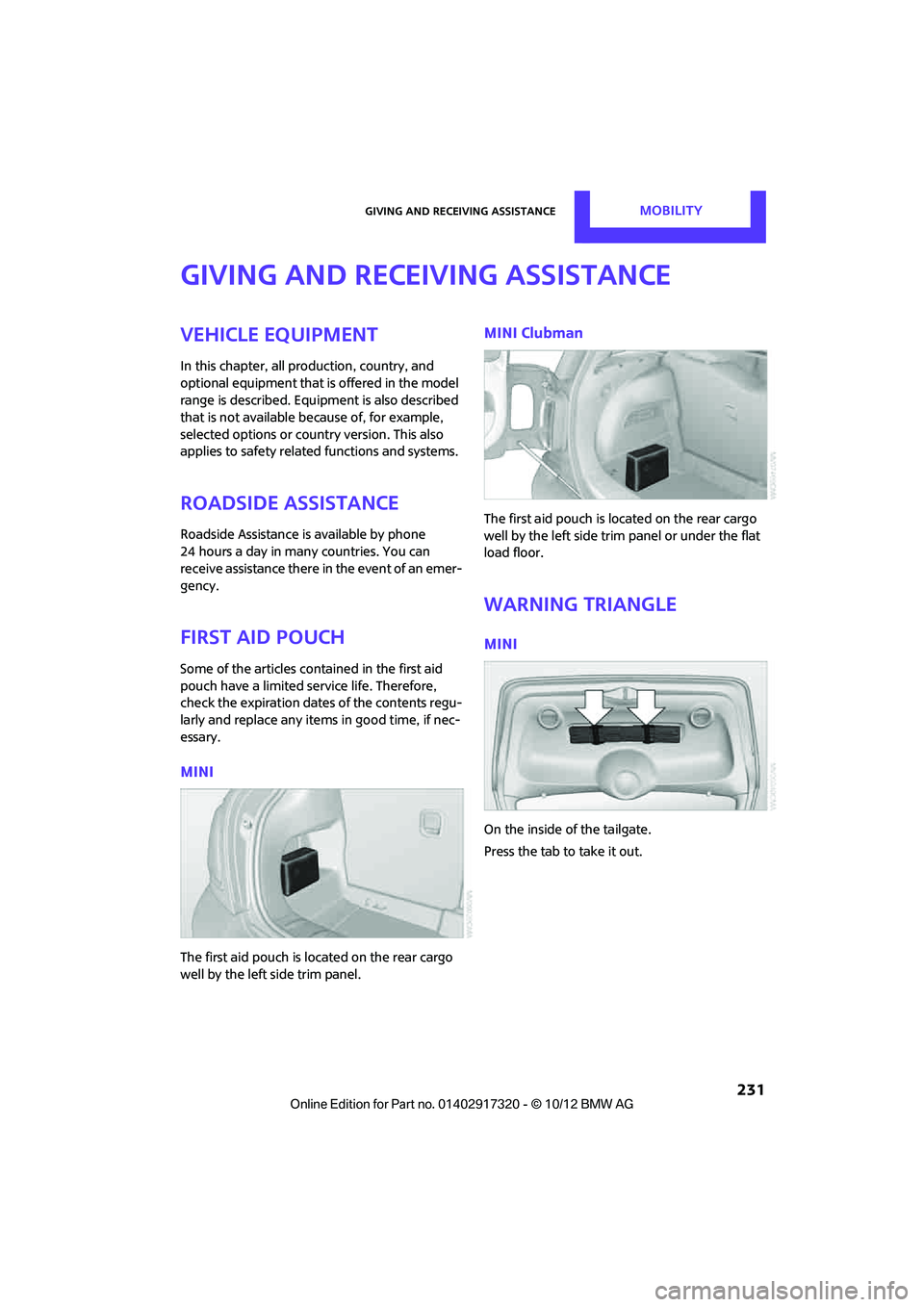
MINI
The first aid pouch is located on the rear cargo
well by the left side trim panel.
MINI Clubman
The first aid pouch is located on the rear cargo
well by the left side trim panel or under the flat
load floor.
Warning triangle
MINI
On the inside of the tailgate.
Press the tab to take it out.
00320051004F004C00510048000300280047004C0057004C005200510003
Page 254 of 267
Everything from A to ZREFERENCE
253
B
Background lighting, refer to
Ambient lighting 84
Backrests, refer to Seats 39
Backup lamps
– replacing bulb 222,223
Band-aids, refer to First aid pouch 231
Bar, refer to Tow-starting,
towing away 234
Base plate for telephone or mobile phone
– refer to Snap-in adapter 177
Bass sounds, refer to Tone control 133
Battery 229
– disposal 35,230
– jump-starting 232
– temporary power failure 230
Battery renewal
– remote control 35
Being towed 234
Belts, refer to Safety belts 41
Belt tensioner, refer to Safety
belts 41
Beverage holders, refer to Cupholders 96
Black ice, refer to External temperature warning 58
Blower, refer to Air flow rate 86,88
Bluetooth, activating/
deactivating 157,167
Bluetooth audio 149
– device pairing 150
– disconnecting an audio connection 152
– playback 151
– unpairing device 152
– What to do if... 152
Bottle holders, refer to
Cupholders 96
Brake Assist 69
Brake fluid, refer to Service
requirements 61 Brake lamps
– replacing bulbs
222,223
Brake pads, breaking in 100
Brake rotors 102
– brakes 100
– breaking in 100
Brakes
– ABS 69
– breaking in 100
– MINI Maintenance
System 211
– parking brake 49
– service requirem ents
61
Brakes, refer to Braking sa fely 101
Br
ake system 100
– breaking in 100
– disc brakes 102
– MINI Maintenance
System 211
Breakdown service, refer to Roadside Assistance 231
Breaking in the clutch 100
Break-in period 100
Bulb changing, refer to Lamps
and bulbs 219
Button for starting the engine 47
Buttons on the steering wheel 11
C
Calendar 183
– displaying appointment 183
– selecting calendar day 183
California Proposition 65 warning 5
Call
– ending 160,172
– muting the microphone 173
Calling, refer to Phone
numbers, dialing 160,172
Calling, refer to Telephone 95
Can holders, refer to
Cupholders 96
Capacities 244 Car battery, refer to Vehicle
battery 229
Car care 213
Care 213
– car-care products 213
– car washes 213
– CD/DVD drives 216
– high-pressure washers 214
– leather 215
– manual washing 214
– upholstery and fabrics 215
– windows 214
– wiper blades 214
Cargo, securing 105
Cargo area 102
– capacity 242
– Comfort Access 34
– cover 102
– doors, refer to Split Rear Barn
Doors 31
– lamp 84
– opening from outside 31
– trunk lid, refer to Split Rear Barn Doors 31
Cargo area, expanding 103
Cargo area doors, refer to Split Rear Barn Doors 31
Cargo area lamp 84
Cargo area lid, refer to Tailgate 31
Cargo area partition net, refer to Cargo net 104
Cargo loading 104
– securing cargo 105
– stowing cargo 105
– vehicle 102
Cargo net 104
Car key, refer to Keys/remote controls 26
Carpets, care 215
Car phone
– installation location, refer to
Ce
nter armrest 95
– refer to Telephone 95
Car phone, refer to
Telephone 156,166
Car radio, refer to Radio 135
00320051004F004C00510048000300280047004C0057004C005200510003
Page 259 of 267
REFERENCEEverything from A to Z
258
Internal care215
Internet page 4
J
Jacking points 228
Jets, refer to Window washer
nozzles 54
Joystick, refer to Onboard computer 16
Jumpering, refer to Jump- starting 232
Jump-starting 232
K
Key, refer to Keys/remote
controls 26
Keyless-Go, refer to Comfort
Access 33
Keyless opening and closing, refer to Comfort Access 33
Key Memory, refer to Personal Profile 26
Keypad dialing 161,173
Kickdown 50
– automatic transmission with Steptronic 50
Knock control 193
L
Lamps, refer to Parking lamps/
Low beams 81
Lamps and bulbs, replacing bulbs 219
Lashing eyes, refer to Securing cargo 105
Last destinations 115
LATCH child restraint fixing system 45
Leather care 215
LEDs light-emitting diodes 219
Length, refer to Dimensions 239
License plate lamp
– bulb replacement 224Light alloy wheels, care
215
Light-emitting diodes LEDs 219
Lighter 96
– socket 97
Lighting
– lamps and bulbs 219
– of the instruments 83
– of vehicle, refer to Lamps 81
Light switch 81
Limit, refer to Speed limit 65
Load 104
Load securing equipment,
refer to Securing cargo 105
Lock buttons of doors, refer to Locking 30
Locking
– adjusting confirmation signal 28
– from inside 30
– from outside 28
– without remote control, refer
to Comfort Access 33
Locking and unlocking doors
– confirmation signals 28
– from inside 30
– from outside 27
Longlife oils
– approved motor oils 209
Low beams 81
– automatic 81
– replacing bulb 220
Lower back support, refer to
Lumbar support 39
Luggage compartment, refer to Cargo area 31
Luggage compartment doors, refer to Split Rear Barn
Doors 31
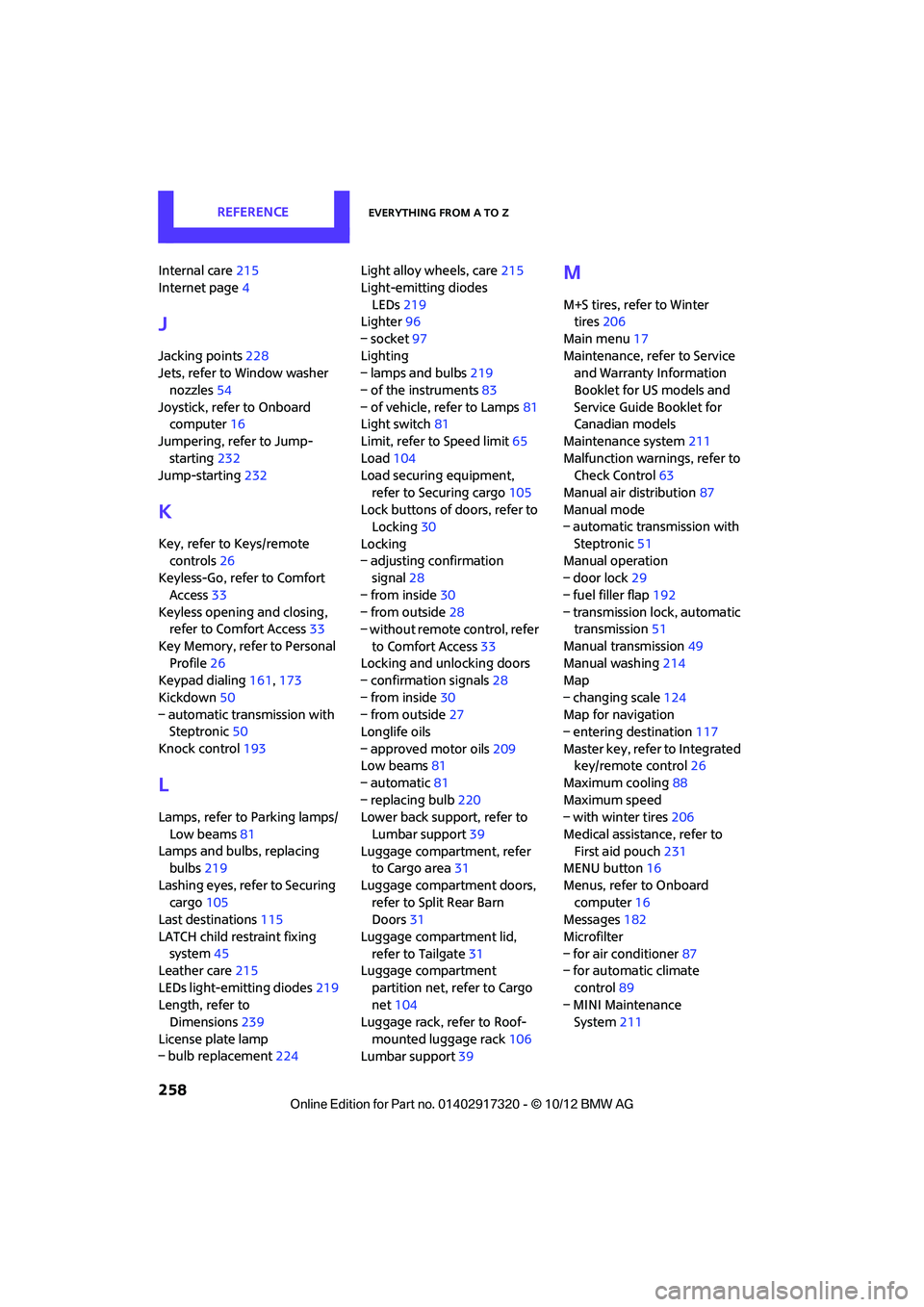
Luggage compartment lid, refer to Tailgate 31
Luggage compartment
partition net, refer to Cargo
net 104
Luggage rack, refer to Roof-
mounted luggage rack 106
Lumbar support 39
M
M+S tires, refer to Winter
tires 206
Main menu 17
Maintenance, refer to Service and Warranty Information
Booklet for US models and
Service Guide Booklet for
Canadian models
Maintenance system 211
Malfunction warnings, refer to Check Control 63
Manual air distribution 87
Manual mode
– automatic transmission with
Steptronic 51
Manual operation
– door lock 29
– fuel filler flap 192
– transmission lock, automatic transmission 51
Manual transmission 49
Manual washing 214
Map
– changing scale 124
Map for navigation
– entering destination 117
Master key, refer to Integrated key/remote control 26
Maximum cooling 88
Maximum speed
– with winter tires 206
Medical assistance, refer to First aid pouch 231
MENU button 16
Menus, refer to Onboard computer 16
Messages 182
Microfilter
– for air conditioner 87
– for automatic climate
control 89
– MINI Maintenance System 211
00320051004F004C00510048000300280047004C0057004C005200510003
Page 263 of 267
REFERENCEEverything from A to Z
262
Side windows, refer to Windows 36
Signal horn, refer to Horn 10
Sitting safely 38
– airbags 38
– safety belts 38
– with head restraint 38
Size, refer to Dimensions 239
Sliding/tilt sunroof
– refer to Glass roof, electric 35
Slot for remote control 47
Smokers' package, refer to Ashtray 96
Snap-in adapter
– inserting/removing 177
– use 166
Snap-in adapter, refer to Center armrest storage
compartment 95
Snow chains 206
Socket, refer to Connecting electrical appliances 97
Socket for On-Board Diagnosis OBD 212
Software update 153
Space-saver spare tire
– changing tires 227
– inflation pressure 195
Spare wheel, refer to Space- saver spare tire 227
Speaking, refer to Voice instructions from navigation
system 125
Special destinations 116
Special oils, refer to Approved engine oils 209
Speed 238
– with winter tires 206
Speed limit 65
– setting 65
Speed limit warning, refer to Speed limit 65
Speedo, refer to Speedometer 12
Speedometer 12
Speed volume 133 Split Rear Barn Doors
31
– opening/closing 31
– opening from outside 31
– unlocking with remote
control 28
Split rear seat backrest, refer to Expanding the cargo
area 103
Sport button 71
Stability contro l, refer to
Driving stability control
systems 69
Start/Stop button 47
– starting the engine 48
– switching off the engine 48
Starting, refer to Starting the
engine 48
Sta rting assistance, refer to
Jump-sta r
ting232
Starting route guidance 121
Starting the engine 48
– Start/Stop button 47
Start-off assistance, refer to
– DSC 69
– Hill Assist 71
State/province, for navigation 112
Station, selecting
– radio 135
Status information on the
Control Display 19
Status of this Owner's Manual at time of printing 4
Steering wheel 43
– adjustment 43
– buttons on steering wheel 11
– lock 47
– shift paddles 51
Steptronic, refer to Automatic
transmission with
Steptronic 49
Storage area
– cargo area 102
Storage compartment, front passenger side 95
Storage compartments 95Storage space
– storage compartments
95
Storing a destination in the address book 114
Storing the vehicle 216
Storing tires 206
Stowage, refer to Storage
compartments 95
Summer tires, refer to Wheels and tires 195
SW, waveband 135
Switches, refer to Cockpit 10
Switching off
– engine 48
Switching off the engine 48
– Start/Stop button 47
Switching on
– audio 132
– CD player 132
– radio 132
Switching radio on/off 132
Switching the cooling function
on and off 89
Symbols 4
– status information 19
T
Tachometer57
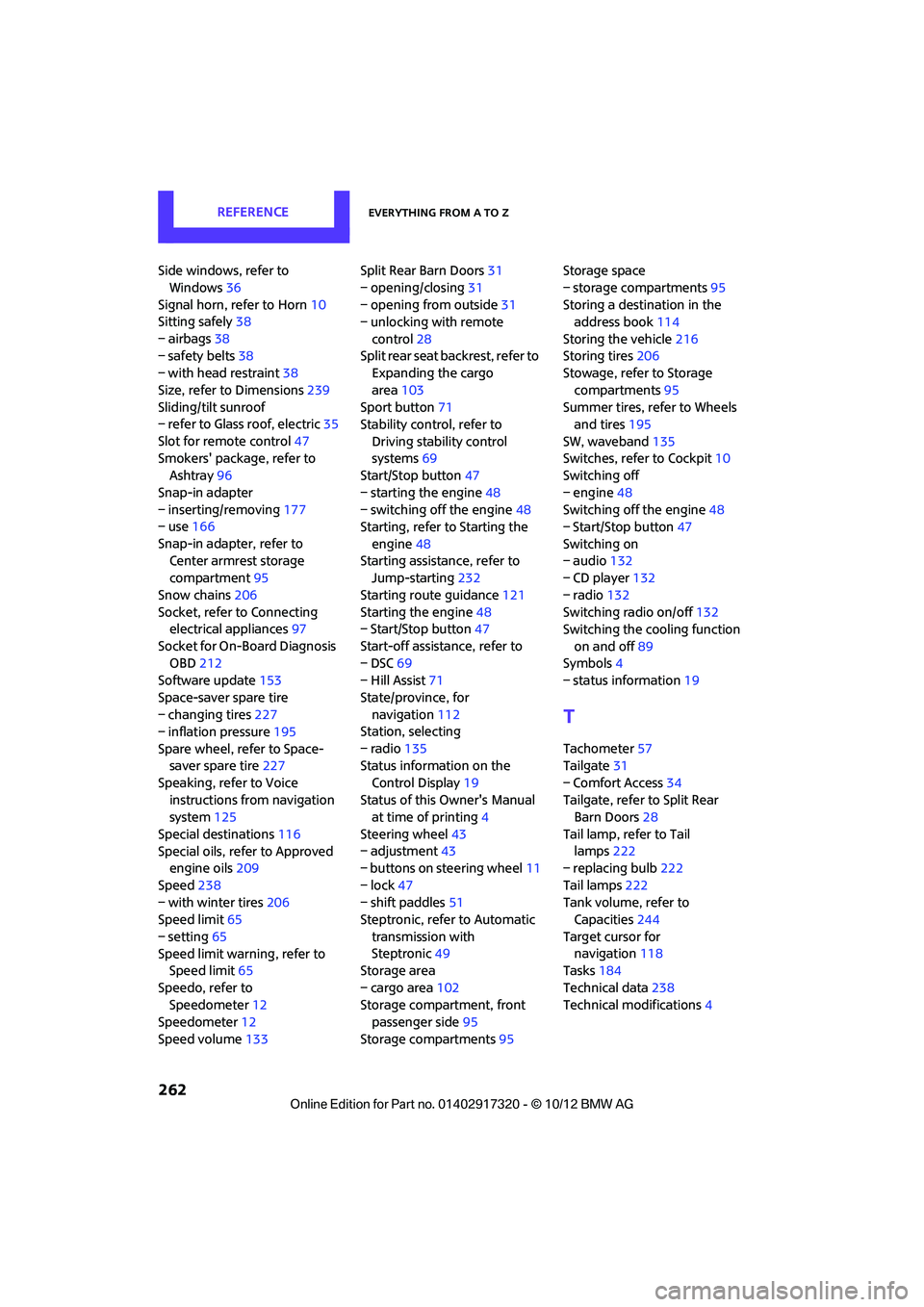
Tailgate 31
– Comfort Access 34
Tailgate, refer to Split Rear Barn Doors 28
Tail lamp, refer to Tail lamps 222
– replacing bulb 222
Tail lamps 222
Tank volume, refer to Capacities 244
Target cursor for navigation 118
Tasks 184
Technical data 238
Technical modifications 4
00320051004F004C00510048000300280047004C0057004C005200510003
Page 265 of 267
REFERENCEEverything from A to Z
264
Trip odometer58
Turning circle, refer to Dimensions 239
Turn signal
– front, replacing bulb 220
– indicator lamp 12,13
– rear, replacing bulb 222
– side, replacing bulb 222
Turn signals 52
Tying down load s, refer to
Cargo loading 105
U
Uniform Tire Quality Grading
UTQR 203
Units
– average fuel consumption 60
– temperature 60
Universal garage door opener, refer to Integrated universal
remote control 90
Universal remote control 90
Unlatching, refer to Unlocking 34
Unlocking
– from inside 30
– from outside 27
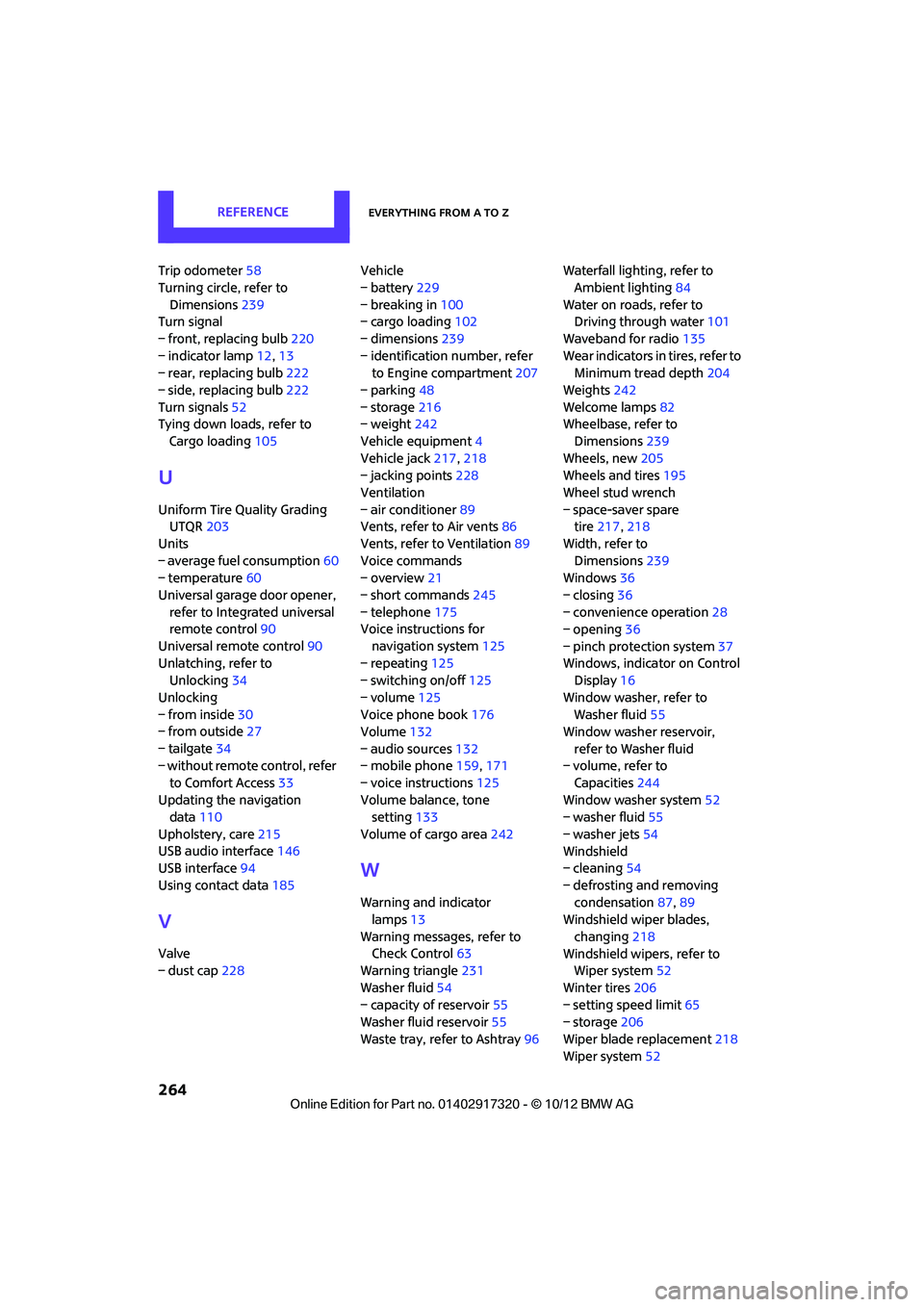
– tailgate 34
– without remote control, refer
to Comfort Access 33
Updating the navigation data 110
Upholstery, care 215
USB audio interface 146
USB interface 94
Using contact data 185
V
Valve
– dust cap228 Vehicle
– battery
229
– breaking in 100
– cargo loading 102
– dimensions 239
– identification number, refer to Engine compartment 207
– parking 48
– storage 216
– weight 242
Vehicle equipment 4
Vehicle jack 217,218
– jacking points 228
Ventilation
– air conditioner 89
Vents, refer to Air vents 86
Vents, refer to Ventilation 89
Voice commands
– overview 21
– short commands 245
– telephone 175
Voice instructions for
navigation system 125
– repeating 125
– switching on/off 125
– volume 125
Voice phone book 176
Volume 132
– audio sources 132
– mobile phone 159,171
– voice instructions 125
Volume balance, tone setting 133
Volume of cargo area 242
W
Warning and indicator
lamps 13
Warning messages, refer to Check Control 63
Warning triangle 231
Washer fluid 54
– capacity of reservoir 55
Washer fluid reservoir 55
Waste tray, refer to Ashtray 96Waterfall lighti
ng, refer to
Ambient lighting 84
Water on roads, refer to Driving through water 101
Waveband for radio 135
Wear indicators in tires, refer to Minimum tread depth 204
Weights 242
Welcome lamps 82
Wheelbase, refer to
Dimensions 239
Wheels, new 205
Wheels and tires 195
Wheel stud wrench
– space-saver spare tire 217, 218
Width, refer to Dimensions 239
Windows 36
– closing 36
– convenience operation 28
– opening 36
– pinch protection system 37
Windows, indicator on Control Display 16
Window washer, refer to Washer fluid 55
Window washer reservoir,
refer to Washer fluid
– volume, refer to
Capacities 244
Window washer system 52
– washer fluid 55
– washer jets 54
Windshield
– cleaning 54
– defrosting and removing condensation 87,89
Windshield wiper blades,
changing 218
Windshield wipers, refer to Wiper system 52
Winter tires 206
– setting speed limit 65
– storage 206
Wiper blade replacement 218
Wiper system 52
00320051004F004C00510048000300280047004C0057004C005200510003