steering MINI COOPER 2013 Owner's Guide
[x] Cancel search | Manufacturer: MINI, Model Year: 2013, Model line: COOPER, Model: MINI COOPER 2013Pages: 267, PDF Size: 3.53 MB
Page 225 of 267
MOBILITYReplacing components
224
MINI: license plate lamps
5 watt bulb, C 5 W
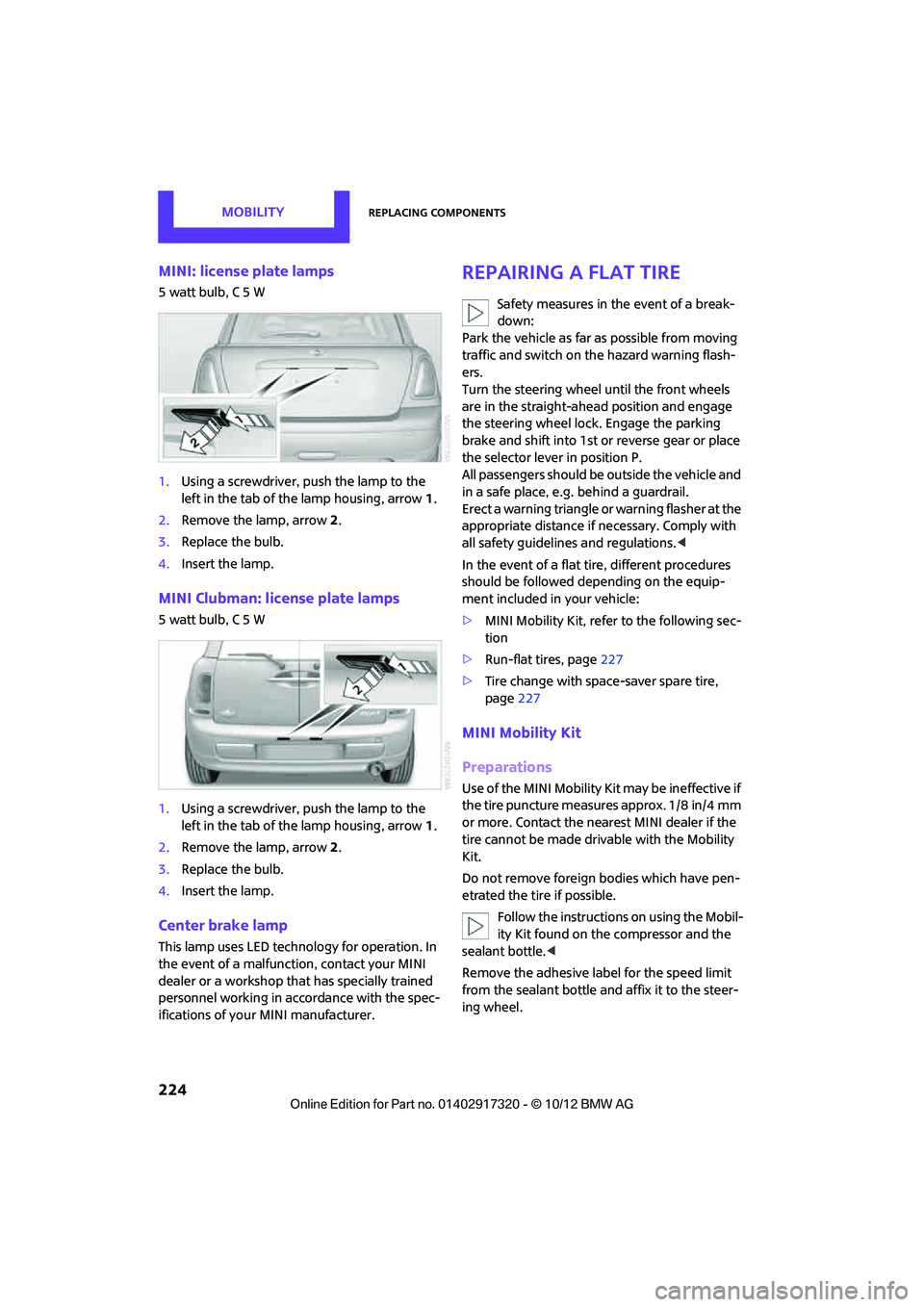
1.Using a screwdriver, push the lamp to the
left in the tab of the lamp housing, arrow 1.
2. Remove the lamp, arrow 2.
3. Replace the bulb.
4. Insert the lamp.
MINI Clubman: license plate lamps
5 watt bulb, C 5 W
1.Using a screwdriver, push the lamp to the
left in the tab of the lamp housing, arrow 1.
2. Remove the lamp, arrow 2.
3. Replace the bulb.
4. Insert the lamp.
Center brake lamp
This lamp uses LED techno logy for operation. In
the event of a malfunction, contact your MINI
dealer or a workshop th at has specially trained
personnel working in acco rdance with the spec-
ifications of your MINI manufacturer.
Repairing a flat tire
Safety measures in the event of a break-
down:
Park the vehicle as far as possible from moving
traffic and switch on the hazard warning flash-
ers.
Turn the steering wheel until the front wheels
are in the straight-ahead position and engage
the steering wheel lock. Engage the parking
brake and shift into 1st or reverse gear or place
the selector lever in position P.
All passengers should be outside the vehicle and
in a safe place, e.g. behind a guardrail.
Erect a warning triangle or warning flasher at the
appropriate distance if necessary. Comply with
all safety guidelines and regulations. <
In the event of a flat ti re, different procedures
should be followed depending on the equip-
ment included in your vehicle:
> MINI Mobility Kit, refer to the following sec-
tion
> Run-flat tires, page 227
> Tire change with space-saver spare tire,
page 227
MINI Mobility Kit
Preparations
Use of the MINI Mobility Kit may be ineffective if
the tire puncture measures approx. 1/8 in/4 mm
or more. Contact the nearest MINI dealer if the
tire cannot be made drivable with the Mobility
Kit.
Do not remove foreign bodies which have pen-
etrated the tire if possible.
Follow the instructions on using the Mobil-
ity Kit found on the compressor and the
sealant bottle. <
Remove the adhesive label for the speed limit
from the sealant bottle an d affix it to the steer-
ing wheel.
00320051004F004C00510048000300280047004C0057004C005200510003
Page 229 of 267

MOBILITYReplacing components
228
12.Unscrew the dust cap from the extension
and place it on the valve of the space-saver
spare tire.
Due to its different dimensions, the dam-
aged wheel cannot be placed in the recess
for the space-saver spare tire. <
MINI Clubman: removing the space-
saver spare tire
The space-saver spare tire is located under the
tire change set in the cargo area.
1.Fold up the floor mat.
2. Unscrew the nut, arrow, and remove the
space-saver spare tire.
Driving with the space-saver spare tire
Drive cautiously and do not exceed a
speed of 50 mph/80 km/h. Changes may
occur in vehicle handling such as lower track sta-
bility during br aking, longer braking distances
and changes in self-steering properties when
close to the handling limit. These properties are
more noticeable with winter tires. <
Only one space-saver spare tire may be
mounted at one time. Mount a wheel and
tire of the original size as soon as possible, to
avoid any safety risks. <
Check the tire inflation pressure at the ear-
liest opportunity and correct it if neces-
sary. Replace the defective tire as soon as possi-
ble and have the new wheel/tire assembly
balanced. <
Preparing for a tire change
Observe the safety precautions regarding
flat tires on page 224.<
Additional safety measures when chang-
ing tires:
Only change the tire wh en parked on a surface
that is level, firm and not slippery.
The vehicle or the jack could slip sideways on
soft or slippery support surfaces, such as snow,
ice, flagstones, etc.
Do not use a wooden block or similar object as a
support base for the jack, as this would prevent
it from extending to its full support height and
reduce its load-carrying capacity.
Do not lie under the vehicle or start the engine
when the vehicle is supported by the jack; other-
wise, there is a risk of fatal injury. <
1. Place the foldable chock behind the front
wheel on the other side of the vehicle or in
front of the wheel if the vehicle is on an
incline. If the wheel is changed on a surface
with a more severe sl ope, take additional
precautions to secure the vehicle from roll-
ing.
2. Uncover the lug bolts if necessary.
3. Loosen the lug bolts by a half turn.
Jacking up the vehicle
The vehicle jack is designed for changing
wheels only. Do not attempt to raise
another vehicle model with it or to raise any load
of any kind. To do so could cause accidents and
personal injury. <
1. Place the jack at the jacking point closest to
the wheel.
00320051004F004C00510048000300280047004C0057004C005200510003
Page 235 of 267
MOBILITYGiving and receiving assistance
234
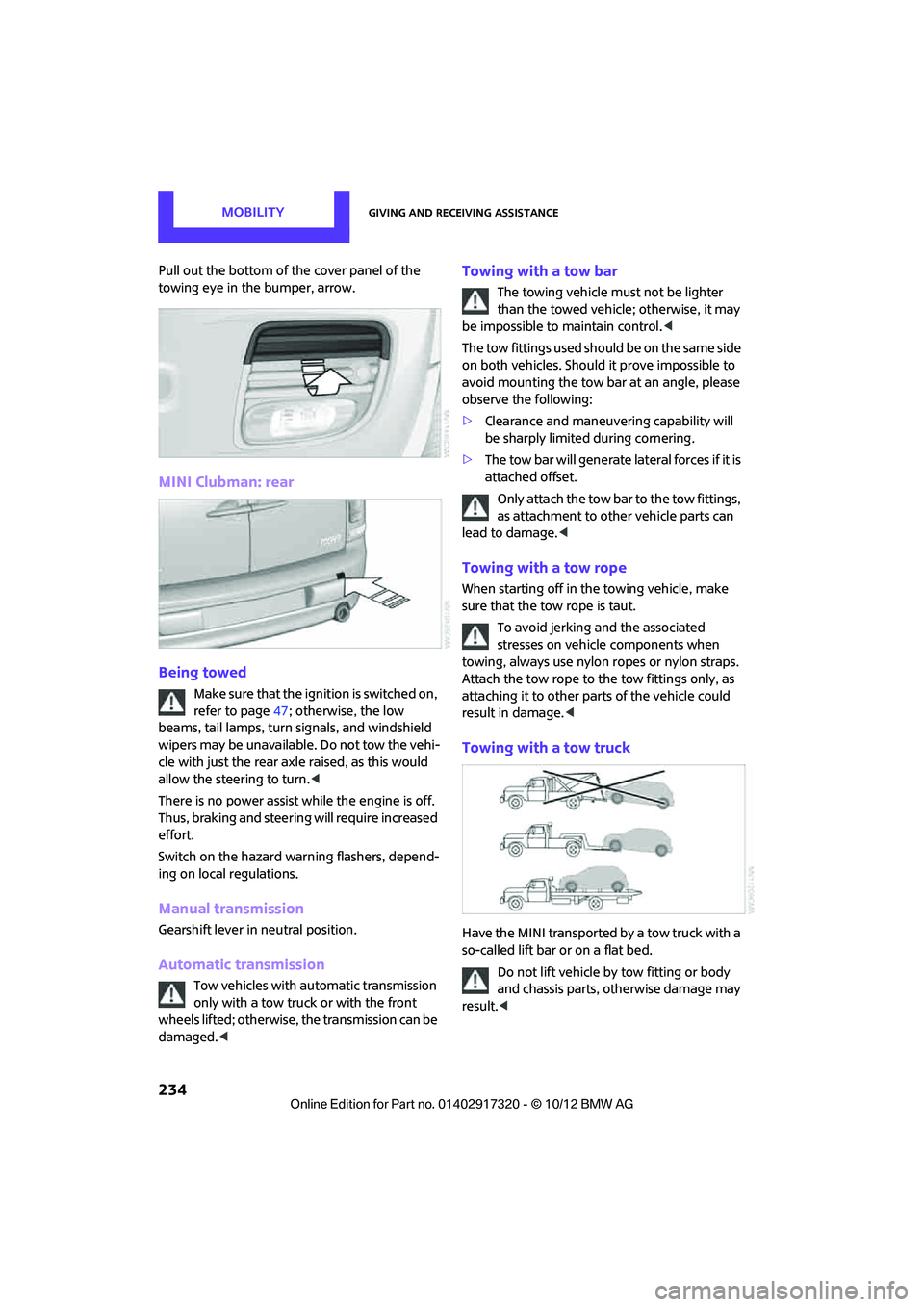
Pull out the bottom of the cover panel of the
towing eye in the bumper, arrow.
MINI Clubman: rear
Being towed
Make sure that the ignition is switched on,
refer to page47; otherwise, the low
beams, tail lamps, turn signals, and windshield
wipers may be unavailable. Do not tow the vehi-
cle with just the rear axle raised, as this would
allow the steering to turn. <
There is no power assist while the engine is off.
Thus, braking and steering will require increased
effort.
Switch on the hazard wa rning flashers, depend-
ing on local regulations.
Manual transmission
Gearshift lever in neutral position.
Automatic transmission
Tow vehicles with automatic transmission
only with a tow truck or with the front
wheels lifted; otherwise, the transmission can be
damaged. <
Towing with a tow bar
The towing vehicle must not be lighter
than the towed vehicle; otherwise, it may
be impossible to maintain control. <
The tow fittings used should be on the same side
on both vehicles. Should it prove impossible to
avoid mounting the tow bar at an angle, please
observe the following:
> Clearance and maneuver ing capability will
be sharply limited during cornering.
> The tow bar will generate lateral forces if it is
attached offset.
Only attach the tow bar to the tow fittings,
as attachment to other vehicle parts can
lead to damage. <
Towing with a tow rope
When starting off in the towing vehicle, make
sure that the tow rope is taut.
To avoid jerking and the associated
stresses on vehicle components when
towing, always use nylon ropes or nylon straps.
Attach the tow rope to the tow fittings only, as
attaching it to other pa rts of the vehicle could
result in damage. <
Towing with a tow truck
Have the MINI transported by a tow truck with a
so-called lift bar or on a flat bed.
Do not lift vehicle by tow fitting or body
and chassis parts, otherwise damage may
result. <
00320051004F004C00510048000300280047004C0057004C005200510003
Page 254 of 267
Everything from A to ZREFERENCE
253
B
Background lighting, refer to
Ambient lighting 84
Backrests, refer to Seats 39
Backup lamps
– replacing bulb 222,223
Band-aids, refer to First aid pouch 231
Bar, refer to Tow-starting,
towing away 234
Base plate for telephone or mobile phone
– refer to Snap-in adapter 177
Bass sounds, refer to Tone control 133
Battery 229
– disposal 35,230
– jump-starting 232
– temporary power failure 230
Battery renewal
– remote control 35
Being towed 234
Belts, refer to Safety belts 41
Belt tensioner, refer to Safety
belts 41
Beverage holders, refer to Cupholders 96
Black ice, refer to External temperature warning 58
Blower, refer to Air flow rate 86,88
Bluetooth, activating/
deactivating 157,167
Bluetooth audio 149
– device pairing 150
– disconnecting an audio connection 152
– playback 151
– unpairing device 152
– What to do if... 152
Bottle holders, refer to
Cupholders 96
Brake Assist 69
Brake fluid, refer to Service
requirements 61 Brake lamps
– replacing bulbs
222,223
Brake pads, breaking in 100
Brake rotors 102
– brakes 100
– breaking in 100
Brakes
– ABS 69
– breaking in 100
– MINI Maintenance
System 211
– parking brake 49
– service requirem ents
61
Brakes, refer to Braking sa fely 101
Br
ake system 100
– breaking in 100
– disc brakes 102
– MINI Maintenance
System 211
Breakdown service, refer to Roadside Assistance 231
Breaking in the clutch 100
Break-in period 100
Bulb changing, refer to Lamps
and bulbs 219
Button for starting the engine 47
Buttons on the steering wheel 11
C
Calendar 183
– displaying appointment 183
– selecting calendar day 183
California Proposition 65 warning 5
Call
– ending 160,172
– muting the microphone 173
Calling, refer to Phone
numbers, dialing 160,172
Calling, refer to Telephone 95
Can holders, refer to
Cupholders 96
Capacities 244 Car battery, refer to Vehicle
battery 229
Car care 213
Care 213
– car-care products 213
– car washes 213
– CD/DVD drives 216
– high-pressure washers 214
– leather 215
– manual washing 214
– upholstery and fabrics 215
– windows 214
– wiper blades 214
Cargo, securing 105
Cargo area 102
– capacity 242
– Comfort Access 34
– cover 102
– doors, refer to Split Rear Barn
Doors 31
– lamp 84
– opening from outside 31
– trunk lid, refer to Split Rear Barn Doors 31
Cargo area, expanding 103
Cargo area doors, refer to Split Rear Barn Doors 31
Cargo area lamp 84
Cargo area lid, refer to Tailgate 31
Cargo area partition net, refer to Cargo net 104
Cargo loading 104
– securing cargo 105
– stowing cargo 105
– vehicle 102
Cargo net 104
Car key, refer to Keys/remote controls 26
Carpets, care 215
Car phone
– installation location, refer to
Ce
nter armrest 95
– refer to Telephone 95
Car phone, refer to
Telephone 156,166
Car radio, refer to Radio 135
00320051004F004C00510048000300280047004C0057004C005200510003
Page 258 of 267
Everything from A to ZREFERENCE
257
Gear shifting
– automatic transmission50
– manual transmission 49
Gearshift lever
– automatic transmission with Steptronic 50
– manual transmission 49
General driving notes 100
Glass roof, electric 35
– convenience operation 28
– opening, closing 36
– remote control 28
– tilting 36
Glove compartment 94
GPS navigation, refer to Navigation system 110
Grills, refer to Air vents 86
Gross vehicle weight, refer to Weights 242
H
Halogen lamps
– replacing bulb 220
Handbrake, refer to Parking
brake 49
Hands-free device Bluetooth 156
Hands-free system 14,163 ,175
Hazard warning flashers 14
HD Radio 136
Head airbags 78
Headlamp control, automatic 81
Headlamp flasher 52
– indicator lamp 11,13,86
Headlamp glass lens 219
Headlamps
– replacing bulb 220
Headlamps, care 214
Head Light, refer to Adaptive
Light Control 82
Head restraints 40
– sitting safely 38 Heated
– mirrors
42
– rear window 87,89
– seats 41
Heating 85
– mirrors 42
– rear window 87,89
– seats 41
Heavy loads, refer to Stowing cargo 105
Height, refer to Dimensions 239
Height adjustment
– seats 39
– steering wheel 43
High beams 83
– headlamp flasher 83
– indicator lamp 13,86
– replacing bulb 220
High water, refer to Driving through water 101
Highway, refer to Route
criteria 121
Hill Assist 71
Hills 102
Holders for cups 96
Homepage 4
Hood 208
Horn 10
Hot exhaust system 101
Hydroplaning 101
I
IBOC, refer to HD Radio 136
iDrive
– status information 19
Ignition 47
– switched off 48
– switched on 47
Ignition key, refer to Integrated key/remote
control 26
Ignition key position 1, refer to Radio readiness 47
Ignition key position 2, refer to Ignition on 47 Ignition lock
47
Imprint 2
Incoming call 159,171
Indicator and warning
lamps 13
– Tire Pressure Monitor TPM 75
Indicator lighting, refer to
Instrument lighting 83
Individual air distribution 87
Individual settings, refer to
Personal Profile 26
Inflation pressure monitoring, refer to Tire Pressure Monitor
TPM 74
Information
– on another location 116
– on current position 116
– on destination location 116
Initializing
– Flat Tire Monitor FTM 72
– glass roof, electric 36
– radio, refer to Station,
storing 136
Initializing the
– compass, see Calibration 93
Instructions for navigation system, refer to Voice
instructions 125
Instrument lighting 83
Instrument pane l, refer to
Cockpit 10
Instrument pane l, refer to
Displays 12
Integrated key 26
Integrated universal remote control 90
Interactive map 118
Interesting destination for navigation 116
Interior lamps 84
– remote control 28
Interior rearview mirror 42
– automatic dimming feature 43
Interlock 50
Intermittent mode of the wipers 53
00320051004F004C00510048000300280047004C0057004C005200510003
Page 260 of 267
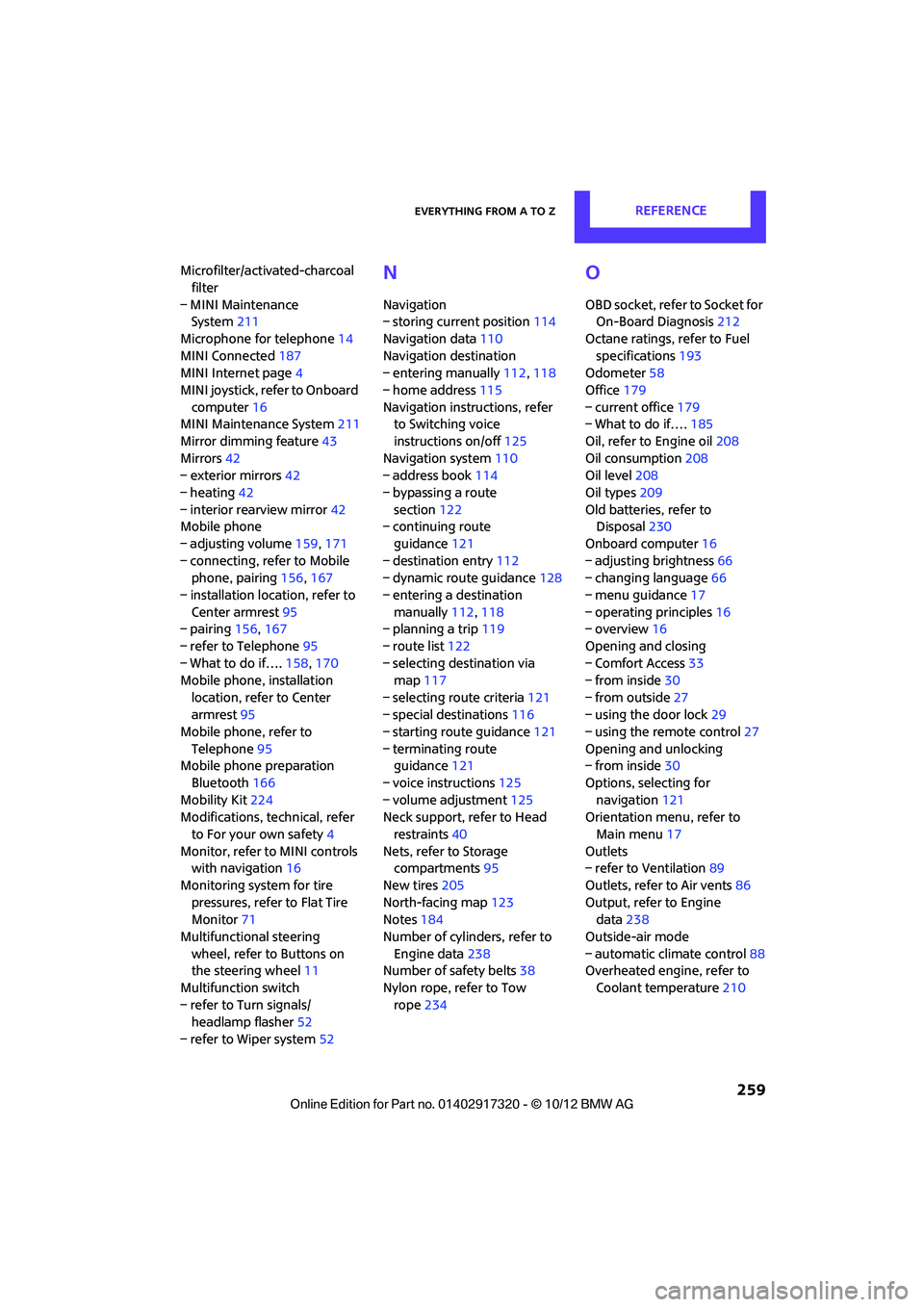
Everything from A to ZREFERENCE
259
Microfilter/activated-charcoal filter
– MINI Maintenance System 211
Microphone for telephone 14
MINI Connected 187
MINI Internet page 4
MINI joystick, refer to Onboard computer 16
MINI Maintenance System 211
Mirror dimming feature 43
Mirrors 42
– exterior mirrors 42
– heating 42
– interior rearview mirror 42
Mobile phone
– adjusting volume 159,171
– connecting, refer to Mobile phone, pairing 156,167
– installation location, refer to Center armrest 95
– pairing 156,167
– refer to Telephone 95
– What to do if…. 158,170
Mobile phone, installation
location, refer to Center
armrest 95
Mobile phone, refer to
Telephone 95
Mobile phone preparation
Bluetooth 166
Mobility Kit 224
Modifications, te chnical, refer
to For your own safety 4
Monitor, refer to MINI controls with navigation 16
Monitoring system for tire pressures, refer to Flat Tire
Monitor 71
Multifunctional steering wheel, refer to Buttons on
the steering wheel 11
Multifunction switch
– refer to Turn signals/ headlamp flasher 52
– refer to Wiper system 52N
Navigation
– storing current position 114
Navigation data 110
Navigation destination
– entering manually 112,118
– home address 115
Navigation instructions, refer to Switching voice
instructions on/off 125
Navigation system 110
– address book 114
– bypassing a route section 122
– continuing route
guidance 121
– destination entry 112
– dynamic route guidance 128
– entering a destination manually 112,118
– planning a trip 119
– route list 122
– selecting destination via map 117
– selecting route criteria 121
– special destinations 116
– starting route guidance 121
– terminating route guidance 121
– voice instructions 125
– volume adjustment 125
Neck support, refer to Head
restraints 40
Nets, refer to Storage compartments 95
New tires 205
North-facing map 123
Notes 184
Number of cylinders, refer to Engine data 238
Number of safety belts 38
Nylon rope, refer to Tow rope 234
O
OBD socket, refer to Socket for
On-Board Diagnosis 212
Octane ratings, refer to Fuel specifications 193
Odometer 58
Office 179
– current office 179
– What to do if…. 185
Oil, refer to Engine oil 208
Oil consumption 208
Oil level 208
Oil types 209
Old batteries, refer to Disposal 230
Onboard computer 16
– adjusting brightness 66
– changing language 66
– menu guidance 17
– operating principles 16
– overview 16
Opening and closing
– Comfort Access 33
– from inside 30
– from outside 27
– using the door lock 29
– using the remote control 27
Opening and unlocking
– from inside 30
Options, selecting for navigation 121
Orientation menu, refer to
Main menu 17
Outlets
– refer to Ventilation 89
Outlets, refer to Air vents 86
Output, refer to Engine data 238
Outside-air mode
– automatic climate control 88
Overheated engine, refer to
Coolant temperature 210
00320051004F004C00510048000300280047004C0057004C005200510003
Page 263 of 267
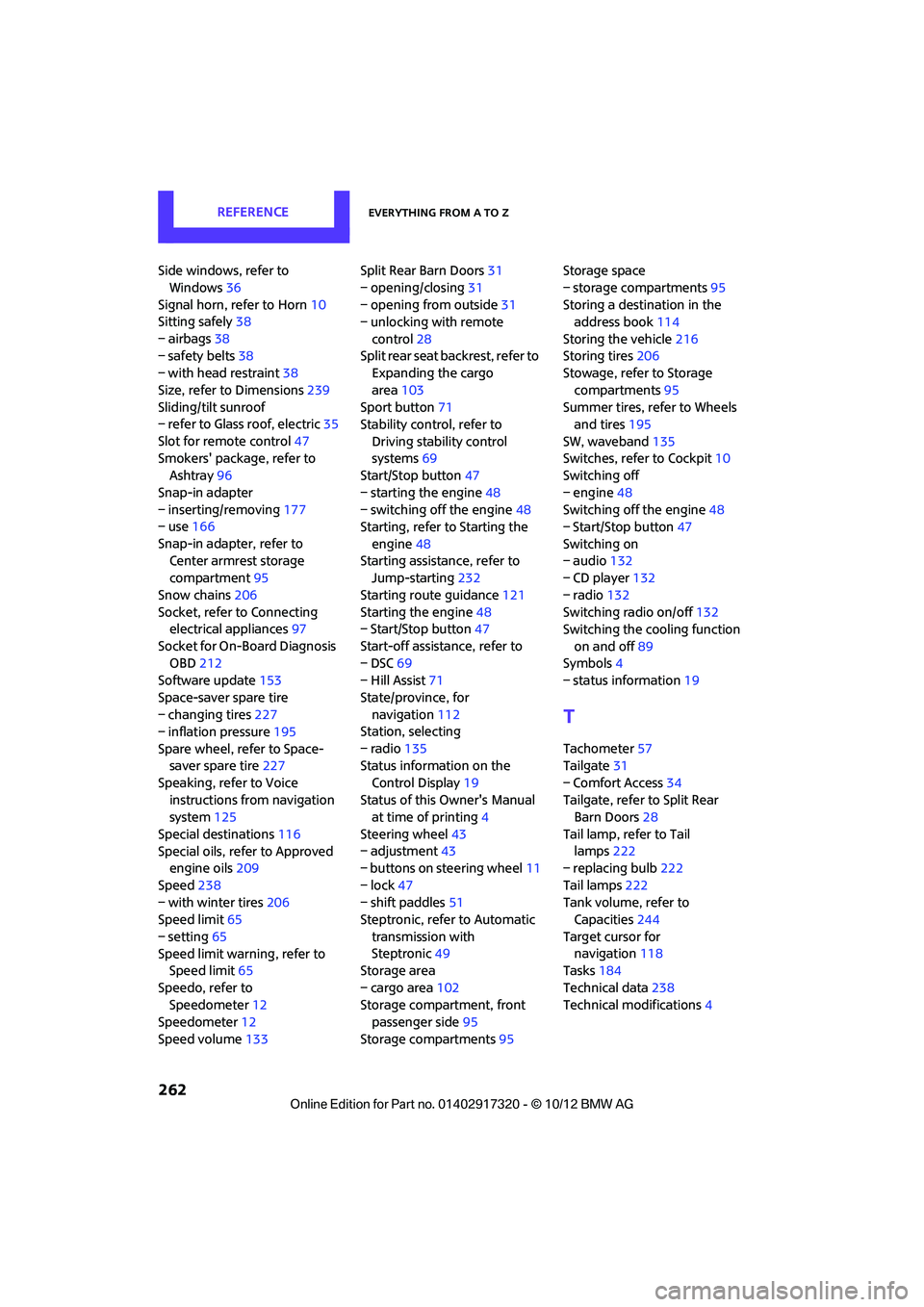
REFERENCEEverything from A to Z
262
Side windows, refer to Windows 36
Signal horn, refer to Horn 10
Sitting safely 38
– airbags 38
– safety belts 38
– with head restraint 38
Size, refer to Dimensions 239
Sliding/tilt sunroof
– refer to Glass roof, electric 35
Slot for remote control 47
Smokers' package, refer to Ashtray 96
Snap-in adapter
– inserting/removing 177
– use 166
Snap-in adapter, refer to Center armrest storage
compartment 95
Snow chains 206
Socket, refer to Connecting electrical appliances 97
Socket for On-Board Diagnosis OBD 212
Software update 153
Space-saver spare tire
– changing tires 227
– inflation pressure 195
Spare wheel, refer to Space- saver spare tire 227
Speaking, refer to Voice instructions from navigation
system 125
Special destinations 116
Special oils, refer to Approved engine oils 209
Speed 238
– with winter tires 206
Speed limit 65
– setting 65
Speed limit warning, refer to Speed limit 65
Speedo, refer to Speedometer 12
Speedometer 12
Speed volume 133 Split Rear Barn Doors
31
– opening/closing 31
– opening from outside 31
– unlocking with remote
control 28
Split rear seat backrest, refer to Expanding the cargo
area 103
Sport button 71
Stability contro l, refer to
Driving stability control
systems 69
Start/Stop button 47
– starting the engine 48
– switching off the engine 48
Starting, refer to Starting the
engine 48
Sta rting assistance, refer to
Jump-sta r
ting232
Starting route guidance 121
Starting the engine 48
– Start/Stop button 47
Start-off assistance, refer to
– DSC 69
– Hill Assist 71
State/province, for navigation 112
Station, selecting
– radio 135
Status information on the
Control Display 19
Status of this Owner's Manual at time of printing 4
Steering wheel 43
– adjustment 43
– buttons on steering wheel 11
– lock 47
– shift paddles 51
Steptronic, refer to Automatic
transmission with
Steptronic 49
Storage area
– cargo area 102
Storage compartment, front passenger side 95
Storage compartments 95Storage space
– storage compartments
95
Storing a destination in the address book 114
Storing the vehicle 216
Storing tires 206
Stowage, refer to Storage
compartments 95
Summer tires, refer to Wheels and tires 195
SW, waveband 135
Switches, refer to Cockpit 10
Switching off
– engine 48
Switching off the engine 48
– Start/Stop button 47
Switching on
– audio 132
– CD player 132
– radio 132
Switching radio on/off 132
Switching the cooling function
on and off 89
Symbols 4
– status information 19
T
Tachometer57
Tailgate 31
– Comfort Access 34
Tailgate, refer to Split Rear Barn Doors 28
Tail lamp, refer to Tail lamps 222
– replacing bulb 222
Tail lamps 222
Tank volume, refer to Capacities 244
Target cursor for navigation 118
Tasks 184
Technical data 238
Technical modifications 4
00320051004F004C00510048000300280047004C0057004C005200510003