battery MINI COOPER 2014 User Guide
[x] Cancel search | Manufacturer: MINI, Model Year: 2014, Model line: COOPER, Model: MINI COOPER 2014Pages: 230, PDF Size: 11.58 MB
Page 128 of 230
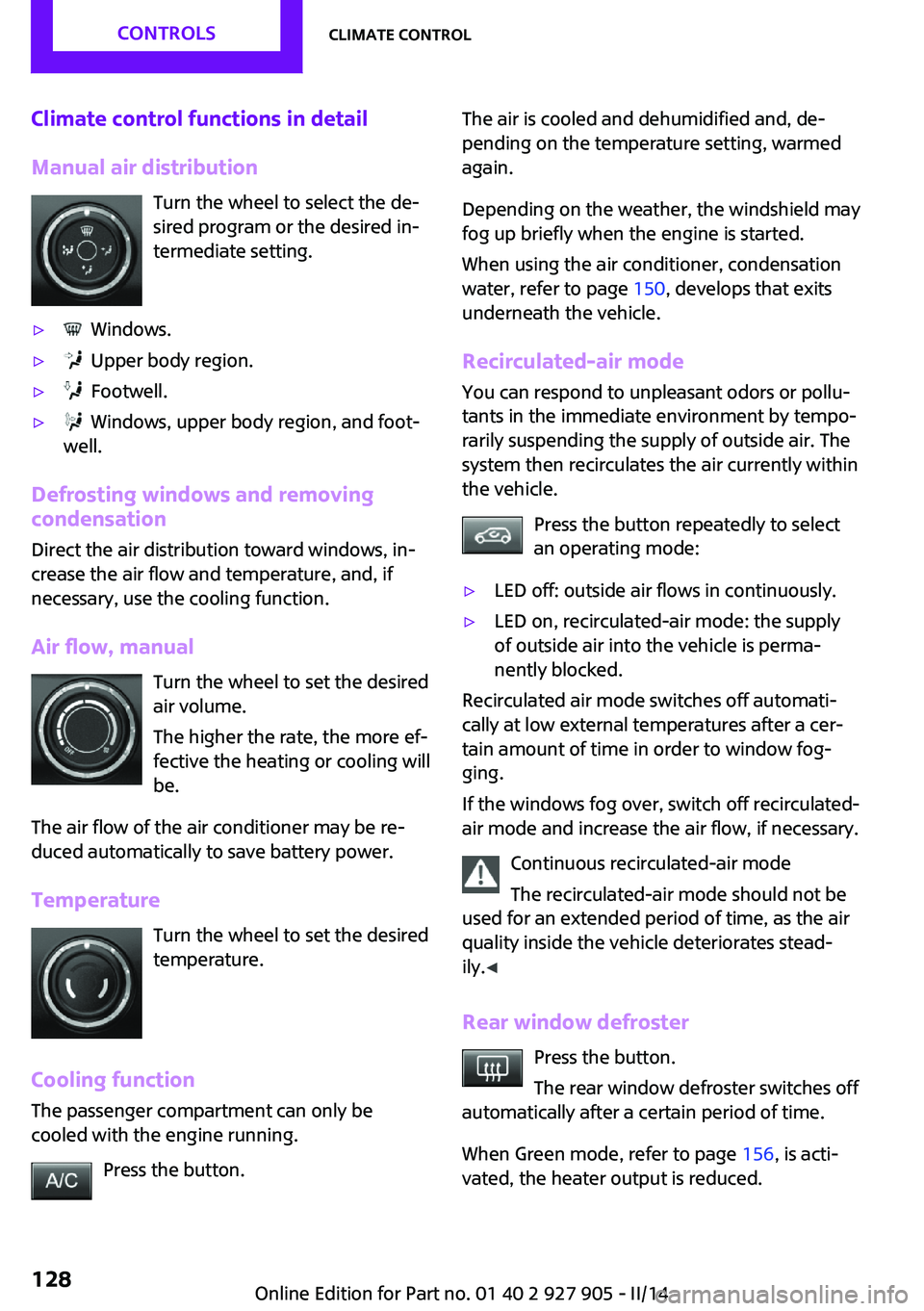
Climate control functions in detail
Manual air distribution Turn the wheel to select the de‐
sired program or the desired in‐
termediate setting.▷ Windows.▷ Upper body region.▷ Footwell.▷ Windows, upper body region, and foot‐
well.
Defrosting windows and removing
condensation
Direct the air distribution toward windows, in‐
crease the air flow and temperature, and, if
necessary, use the cooling function.
Air flow, manual Turn the wheel to set the desired
air volume.
The higher the rate, the more ef‐
fective the heating or cooling will
be.
The air flow of the air conditioner may be re‐
duced automatically to save battery power.
Temperature Turn the wheel to set the desired
temperature.
Cooling function The passenger compartment can only be
cooled with the engine running.
Press the button.
The air is cooled and dehumidified and, de‐
pending on the temperature setting, warmed
again.
Depending on the weather, the windshield may
fog up briefly when the engine is started.
When using the air conditioner, condensation
water, refer to page 150, develops that exits
underneath the vehicle.
Recirculated-air mode
You can respond to unpleasant odors or pollu‐
tants in the immediate environment by tempo‐
rarily suspending the supply of outside air. The
system then recirculates the air currently within
the vehicle.
Press the button repeatedly to select
an operating mode:▷LED off: outside air flows in continuously.▷LED on, recirculated-air mode: the supply
of outside air into the vehicle is perma‐
nently blocked.
Recirculated air mode switches off automati‐
cally at low external temperatures after a cer‐
tain amount of time in order to window fog‐
ging.
If the windows fog over, switch off recirculated-
air mode and increase the air flow, if necessary.
Continuous recirculated-air mode
The recirculated-air mode should not be
used for an extended period of time, as the air
quality inside the vehicle deteriorates stead‐
ily. ◀
Rear window defroster Press the button.
The rear window defroster switches off
automatically after a certain period of time.
When Green mode, refer to page 156, is acti‐
vated, the heater output is reduced.
Seite 128CONTROLSClimate control128
Online Edition for Part no. 01 40 2 927 905 - II/14
Page 130 of 230
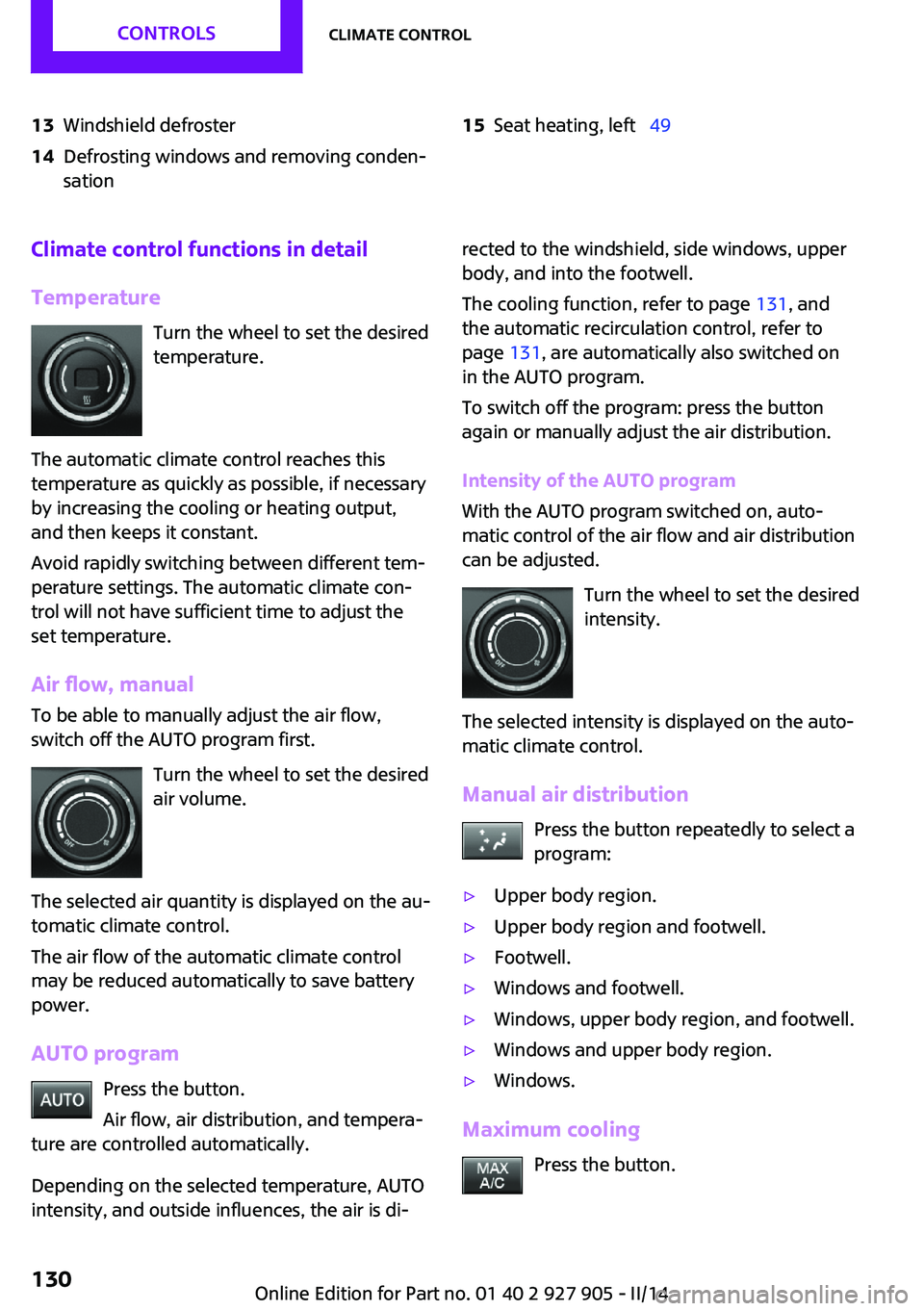
13Windshield defroster14Defrosting windows and removing conden‐
sation15Seat heating, left 49Climate control functions in detail
Temperature Turn the wheel to set the desired
temperature.
The automatic climate control reaches this
temperature as quickly as possible, if necessary
by increasing the cooling or heating output,
and then keeps it constant.
Avoid rapidly switching between different tem‐
perature settings. The automatic climate con‐
trol will not have sufficient time to adjust the
set temperature.
Air flow, manual
To be able to manually adjust the air flow,
switch off the AUTO program first.
Turn the wheel to set the desired
air volume.
The selected air quantity is displayed on the au‐
tomatic climate control.
The air flow of the automatic climate control
may be reduced automatically to save battery
power.
AUTO program Press the button.
Air flow, air distribution, and tempera‐
ture are controlled automatically.
Depending on the selected temperature, AUTO
intensity, and outside influences, the air is di‐rected to the windshield, side windows, upper
body, and into the footwell.
The cooling function, refer to page 131, and
the automatic recirculation control, refer to
page 131, are automatically also switched on
in the AUTO program.
To switch off the program: press the button
again or manually adjust the air distribution.
Intensity of the AUTO program
With the AUTO program switched on, auto‐
matic control of the air flow and air distribution can be adjusted.
Turn the wheel to set the desired
intensity.
The selected intensity is displayed on the auto‐
matic climate control.
Manual air distribution Press the button repeatedly to select a
program:▷Upper body region.▷Upper body region and footwell.▷Footwell.▷Windows and footwell.▷Windows, upper body region, and footwell.▷Windows and upper body region.▷Windows.
Maximum cooling
Press the button.
Seite 130CONTROLSClimate control130
Online Edition for Part no. 01 40 2 927 905 - II/14
Page 137 of 230
The setting is stored automatically after ap‐
proximately 10 seconds.
Connecting electrical de‐
vices
Hints Do not connect charging devices to the
12 volt socket in the vehicle
Do not connect battery chargers to the factory-
installed 12 volt sockets in the vehicle as this
may damage the vehicle battery due to an in‐
creased power consumption. ◀
Replace the cover after use
Reinsert the lighter or socket cover after
use, otherwise objects may get into the lighter
socket or fixture and cause a short circuit. ◀
Keep the airbag unfolding area clear Make sure that the devices and cable are
located outside of the unfolding area of the air‐
bag; otherwise, its unfolding can be hindered
or objects can be hurled through the interior
when the airbag unfolds. ◀
Sockets Sockets can be used for the operation of elec‐
trical devices with the engine running or with
the ignition switched on. The total load of all
sockets must not exceed 140 watts at 12 volts.
Do not damage the socket by using unsuitable
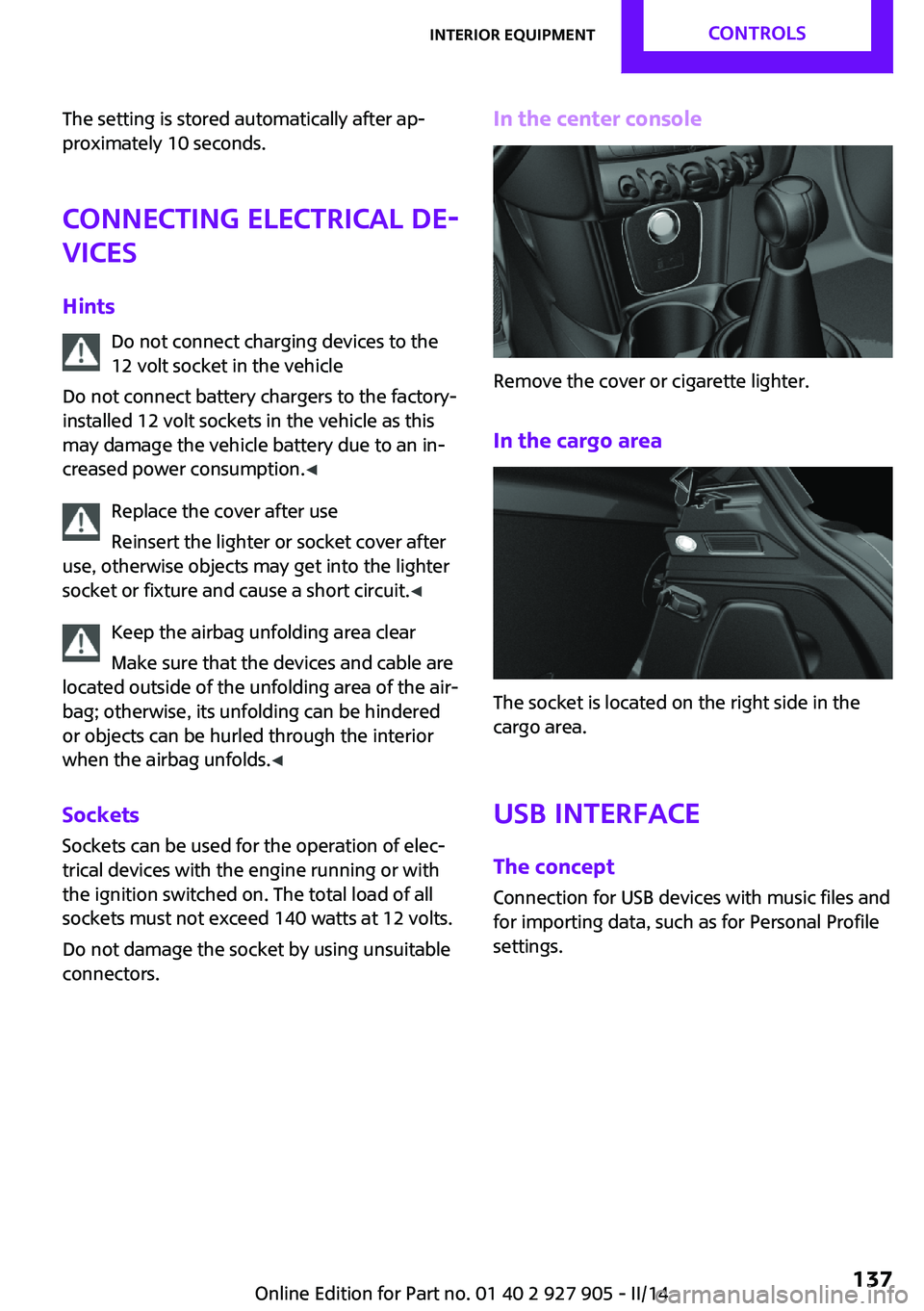
connectors.In the center console
Remove the cover or cigarette lighter.
In the cargo area
The socket is located on the right side in the
cargo area.
USB interface The concept
Connection for USB devices with music files and
for importing data, such as for Personal Profile
settings.
Seite 137Interior equipmentCONTROLS137
Online Edition for Part no. 01 40 2 927 905 - II/14
Page 159 of 230
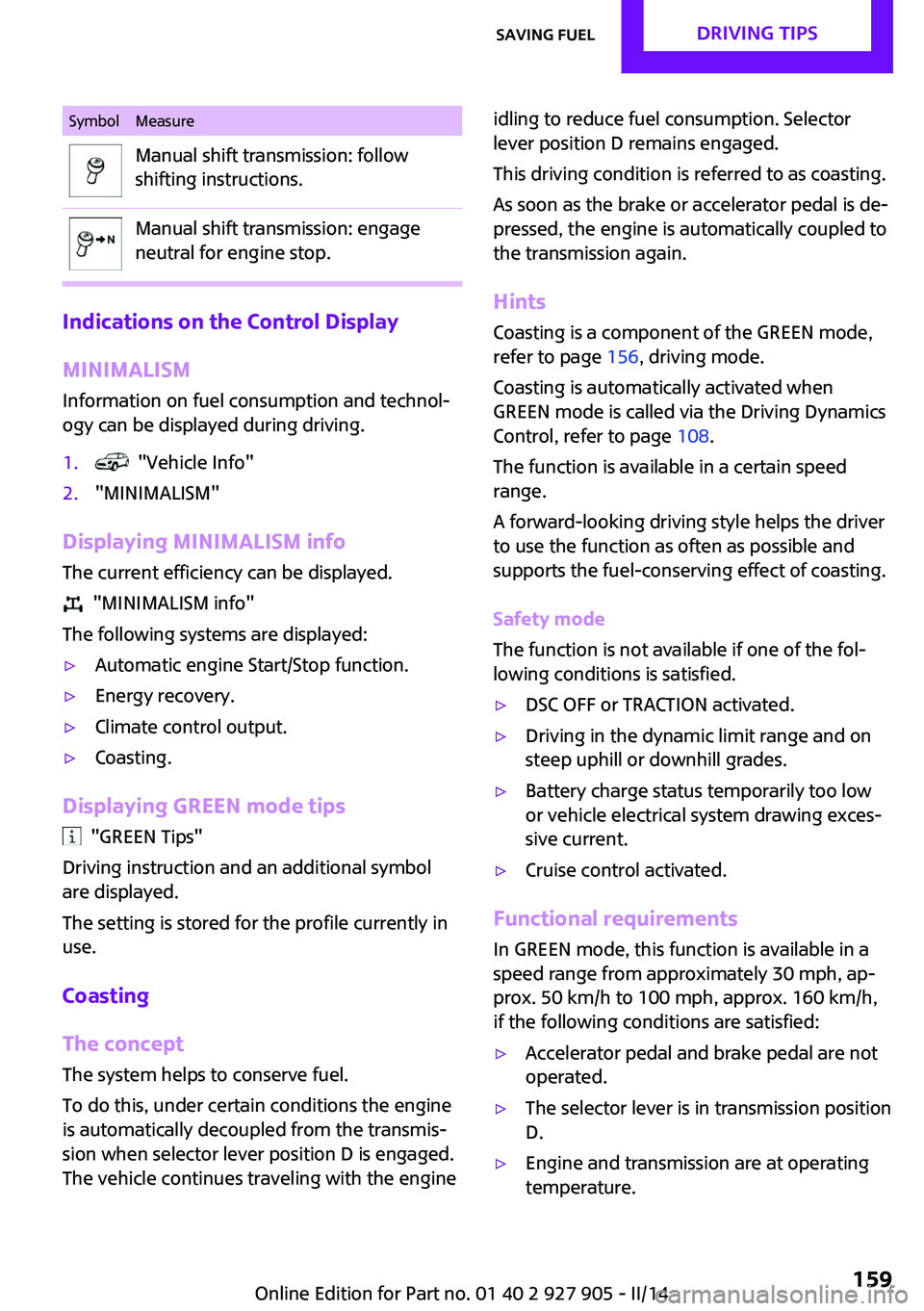
SymbolMeasureManual shift transmission: follow
shifting instructions.Manual shift transmission: engage
neutral for engine stop.
Indications on the Control Display
MINIMALISM
Information on fuel consumption and technol‐
ogy can be displayed during driving.
1. "Vehicle Info"2."MINIMALISM"
Displaying MINIMALISM info
The current efficiency can be displayed.
"MINIMALISM info"
The following systems are displayed:
▷Automatic engine Start/Stop function.▷Energy recovery.▷Climate control output.▷Coasting.
Displaying GREEN mode tips
"GREEN Tips"
Driving instruction and an additional symbol
are displayed.
The setting is stored for the profile currently in
use.
Coasting
The concept
The system helps to conserve fuel.
To do this, under certain conditions the engine
is automatically decoupled from the transmis‐
sion when selector lever position D is engaged.
The vehicle continues traveling with the engine
idling to reduce fuel consumption. Selector
lever position D remains engaged.
This driving condition is referred to as coasting.
As soon as the brake or accelerator pedal is de‐
pressed, the engine is automatically coupled to
the transmission again.
Hints
Coasting is a component of the GREEN mode,
refer to page 156, driving mode.
Coasting is automatically activated when
GREEN mode is called via the Driving Dynamics
Control, refer to page 108.
The function is available in a certain speed
range.
A forward-looking driving style helps the driver
to use the function as often as possible and
supports the fuel-conserving effect of coasting.
Safety mode
The function is not available if one of the fol‐
lowing conditions is satisfied.▷DSC OFF or TRACTION activated.▷Driving in the dynamic limit range and on
steep uphill or downhill grades.▷Battery charge status temporarily too low
or vehicle electrical system drawing exces‐
sive current.▷Cruise control activated.
Functional requirements
In GREEN mode, this function is available in a
speed range from approximately 30 mph, ap‐
prox. 50 km/h to 100 mph, approx. 160 km/h,
if the following conditions are satisfied:
▷Accelerator pedal and brake pedal are not
operated.▷The selector lever is in transmission position
D.▷Engine and transmission are at operating
temperature.Seite 159Saving fuelDRIVING TIPS159
Online Edition for Part no. 01 40 2 927 905 - II/14
Page 198 of 230

Wheel mounting1.Unscrew the wheel lug bolts and remove
the wheel.2.Put the new wheel or compact wheel on
and screw in at least two bolts.
If original MINI light alloy wheels are not
mounted, any accompanying lug bolts also
have to be used.3.Screw in the remaining the lug bolts and
tighten all bolts well in a crosswise pattern.4.Lower the vehicle and remove the vehicle
jack.
After the wheel change
1.Tighten the lug bolts crosswise. The tight‐
ening torque is 101 lb ft/140 Nm.
Check for secure seating of the lug
bolts
For safety reasons, have the secure seating
of the lug bolts checked with a calibrated
torque wrench; otherwise, a safety hazard
results from incorrectly tightened lug
bolts. ◀2.Stow the defective wheel in the cargo area.
The defective wheel cannot be stored in the
compact wheel bracket because of its size.3.Check tire inflation pressure at the next op‐
portunity and correct as needed.4.Reinitialize the Flat Tire Monitor, refer to
page 98.
Reinitialize the Tire Pressure Monitor, refer
to page 95.5.Replace the damaged tires as soon as pos‐
sible.
Driving with the compact wheel
Watch the speed when driving with the
compact wheel
Drive conservatively and do not exceed a speed
of 50 mph/80 km/h; otherwise, changed driving
characteristics such as reduced lane stability
while braking, extended braking distance and
changed self-steering properties in the limit
area. ◀
Mounting only one compact wheel
Only a single compact wheel may be
mounted. Reinstall wheels and tires of the orig‐
inal size as quickly as possible; otherwise, there
is a safety risk. ◀
Lug bolt lock
The adapter of the lug bolt lock is located in the
onboard vehicle tool kit, refer to page 188.▷Lug bolt, arrow 1.▷Adapter, arrow 2.
Removing
1.Attach the adapter to the wheel lug.2.Unscrew the lug bolt.
Remove the adapter after screwing the lug bolt
back on.
Vehicle battery
Maintenance
The battery is maintenance-free, i.e., the elec‐
trolyte will last for the life of the battery.
Your service center will be glad to advise you
on questions regarding the battery.
Seite 198MOBILITYReplacing components198
Online Edition for Part no. 01 40 2 927 905 - II/14
Page 199 of 230
Battery replacementUse approved vehicle batteries only
Only use vehicle batteries that have been
approved for your vehicle by the manufacturer;
otherwise, the vehicle could be damaged and
systems or functions may not be fully availa‐
ble. ◀
After a battery replacement, have the battery
registered on the vehicle by your service center
to ensure that all comfort functions are fully
available and that any Check Control messages
are no longer displayed.
Charging the battery
Note Do not connect charging devices to the
12 volt socket in the vehicle
Do not connect battery chargers to the factory-
installed 12 volt sockets in the vehicle as this
may damage the vehicle battery due to an in‐
creased power consumption. ◀
General information Make sure that the battery is always sufficiently
charged to guarantee that the battery remains
usable for its full service life.
The battery may need to be charged in the fol‐
lowing cases:▷When making frequent short-distance
drives.▷If the vehicle is not used for prolonged peri‐
ods, longer than a month.▷Automatic transmission: when parked for
long periods of time in selector lever posi‐
tion D, R or N.
Starting aid terminals
In the vehicle, only charge the battery via the
starting aid terminals, refer to page 202, in the
engine compartment with the engine off.
Power failure
After a temporary power loss, some equipment
needs to be reinitialized.
Individual settings need to be reprogrammed:▷Time: update.▷Date: update.
Disposing of old batteries Have old batteries disposed of by your
service center or bring them to a recy‐
cling center.
Maintain the battery in an upright position for
transport and storage. Secure the battery so
that it does not tip over during transport.
Fuses Hints Replacing fuses
Never attempt to repair a blown fuse and
do not replace a defective fuse with a substi‐
tute of another color or amperage rating; this
could lead to a circuit overload, ultimately re‐
sulting in a fire in the vehicle. ◀
Replacing fuse
The fuses are located in the passenger footwell
under the dashboard.
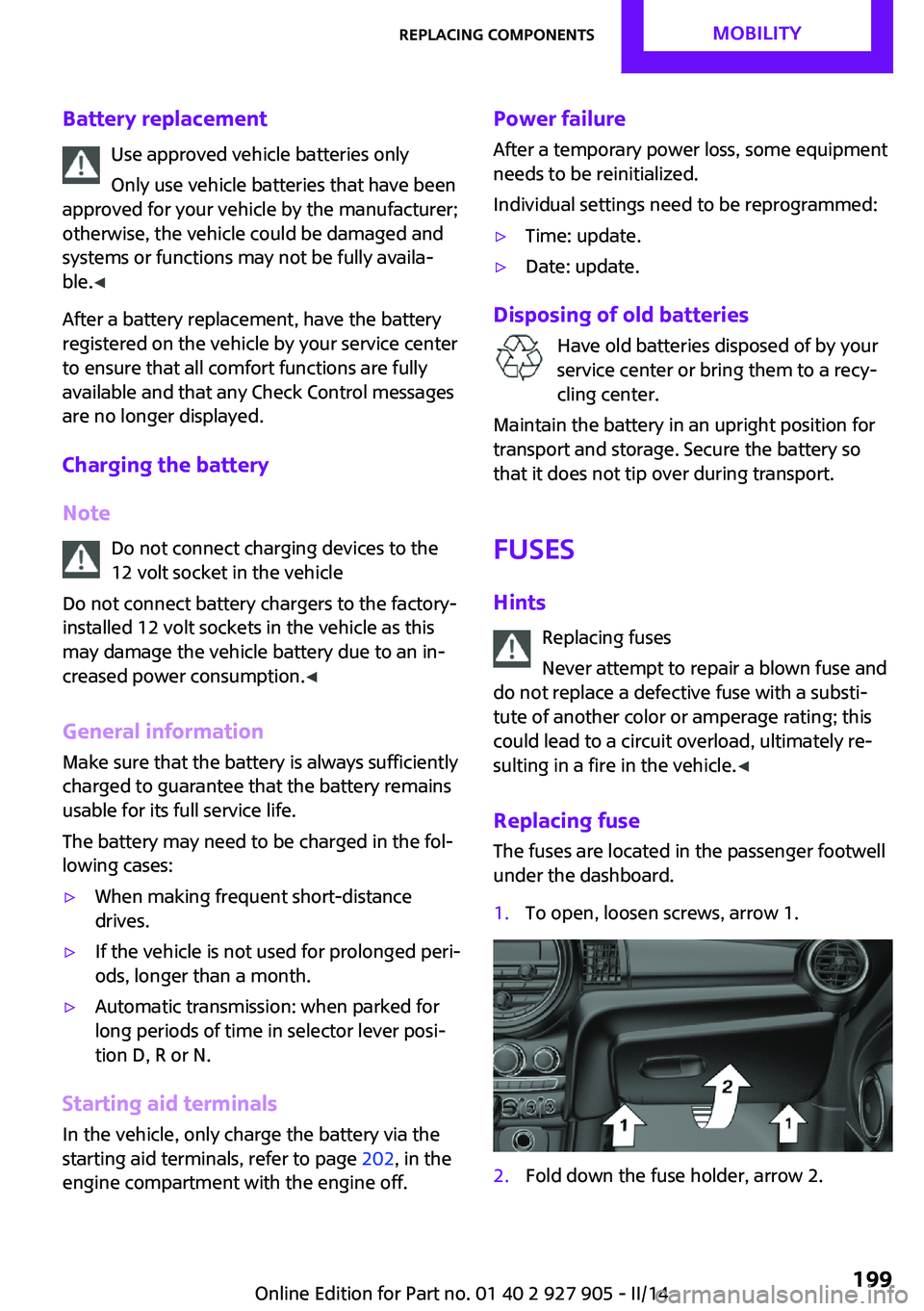
1.To open, loosen screws, arrow 1.2.Fold down the fuse holder, arrow 2.Seite 199Replacing componentsMOBILITY199
Online Edition for Part no. 01 40 2 927 905 - II/14
Page 202 of 230
▷If the LED is flashing but the MINI Response
Center cannot be heard on the speaker, the
hands-free system may be malfunctioning.
However, the MINI Response Center may
still be able to hear you.
Initiating an Emergency Request
automatically
Under certain conditions, an Emergency Re‐
quest is automatically initiated immediately af‐
ter a severe accident. Automatic Collision Noti‐
fication is not affected by pressing the SOS
button.
Warning triangle
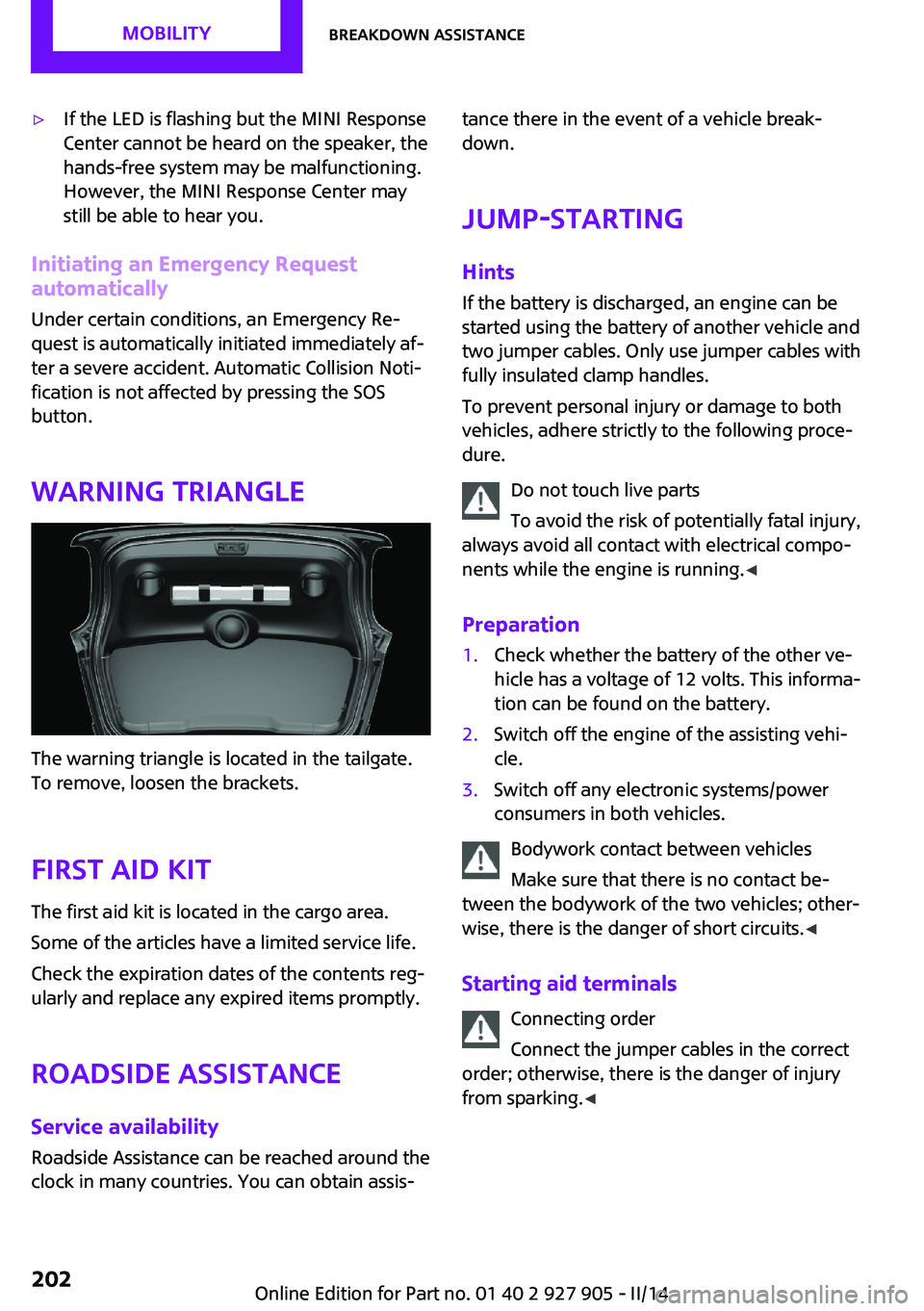
The warning triangle is located in the tailgate.
To remove, loosen the brackets.
First aid kit
The first aid kit is located in the cargo area.
Some of the articles have a limited service life.
Check the expiration dates of the contents reg‐
ularly and replace any expired items promptly.
Roadside Assistance
Service availability Roadside Assistance can be reached around the
clock in many countries. You can obtain assis‐
tance there in the event of a vehicle break‐
down.
Jump-starting
Hints If the battery is discharged, an engine can be
started using the battery of another vehicle and
two jumper cables. Only use jumper cables with
fully insulated clamp handles.
To prevent personal injury or damage to both
vehicles, adhere strictly to the following proce‐
dure.
Do not touch live parts
To avoid the risk of potentially fatal injury,
always avoid all contact with electrical compo‐
nents while the engine is running. ◀
Preparation1.Check whether the battery of the other ve‐
hicle has a voltage of 12 volts. This informa‐
tion can be found on the battery.2.Switch off the engine of the assisting vehi‐
cle.3.Switch off any electronic systems/power
consumers in both vehicles.
Bodywork contact between vehicles
Make sure that there is no contact be‐
tween the bodywork of the two vehicles; other‐
wise, there is the danger of short circuits. ◀
Starting aid terminals Connecting order
Connect the jumper cables in the correct
order; otherwise, there is the danger of injury
from sparking. ◀
Seite 202MOBILITYBreakdown assistance202
Online Edition for Part no. 01 40 2 927 905 - II/14
Page 203 of 230

The so-called starting aid terminal in the engine
compartment acts as the battery's positive ter‐
minal.
Open the cap of the starting aid terminal.
The body ground acts as the negative terminal
of the battery.
Connecting the cables
1.Pull off the cap of the starting aid terminal.2.Attach one terminal clamp of the positive
jumper cable to the positive terminal of the
battery, or to the corresponding starting aid
terminal of the vehicle providing assistance.3.Attach the terminal clamp on the other end
of the cable to the positive terminal of the
battery, or to the corresponding starting aid
terminal of the vehicle to be started.4.Attach one terminal clamp of the negative
jumper cable to the negative terminal of
the battery, or to the corresponding engine
or body ground of assisting vehicle.5.Attach the second terminal clamp to the
negative terminal of the battery, or to thecorresponding engine or body ground of
the vehicle to be started.
Starting the engine
Never use spray fluids to start the engine.
1.Start the engine of the assisting vehicle and
let it run for several minutes at an increased
idle speed.
If the vehicle to be started has a diesel en‐
gine: let the engine of the assisting vehicle
run for approx. 10 minutes.2.Start the engine of the vehicle to be started
in the usual way.
If the first starting attempt is not successful,
wait a few minutes before making another
attempt in order to allow the discharged
battery to recharge.3.Let both engines run for several minutes.4.Disconnect the jumper cables in the reverse
order.
Check the battery and recharge if necessary.
Tow-starting and towing
Note Tow-starting and towing
When tow-starting and towing the vehi‐
cle, switch off the Intelligent Safety systems;
otherwise, improper behavior of the braking
function of individual systems could result in an
accident. ◀
Switching off Intelligent Safety systems, refer to
page 99.
Automatic transmission: transporting your vehicle
Note Your vehicle must not be towed if the front
wheels are touching the ground. Therefore,
Seite 203Breakdown assistanceMOBILITY203
Online Edition for Part no. 01 40 2 927 905 - II/14
Page 220 of 230
Everything from A to ZIndexA
ABS, Antilock Brake Sys‐ tem 106
ACC, Active Cruise Control 110
Acceleration Assistant, refer to Launch Control 70
Accessories and parts 7
Activated-charcoal filter 132
Active cruise control, ACC 110
Additives, oil 183
Adjusting the headlamps 89
Adjustments, seats/head re‐ straints 47
Adjustments, steering wheel 54
After washing vehicle 208
Airbags 91
Airbags, indicator/warning light 92
Air circulation, refer to Recir‐ culated-air mode 128, 131
Air conditioner 127
Air, dehumidifying, refer to Cooling function 128, 131
Air distribution, manual 128, 130
Air flow, air conditioner 128
Air flow, automatic climate control 130
Air pressure, tires 168
Air vents, refer to Ventila‐ tion 132
Alarm system 42
Alarm triggering 42
Alarm, unintentional 43
All around the center con‐ sole 16
All around the headliner 17
All around the steering wheel 14 All-season tires, refer to Win‐
ter tires 174
Alternating-code hand-held transmitter 134
Alternative oil types 184
Antifreeze, washer fluid 66
Antilock Brake System, ABS 106
Anti-slip control, refer to DSC 106
Approved axle load 214
Approved engine oils 184
Arrival time 80
Ash tray 138
Assistance, Roadside Assis‐ tance 202
Assistance when driving off 109
Assist system, refer to Intelli‐ gent Safety 99
AUTO intensity 130
Automatic car wash 207
Automatic climate con‐ trol 129
Automatic cruise control with Stop & Go 110
Automatic Curb Monitor 52
Automatic deactivation, front passenger airbags 93
Automatic headlamp con‐ trol 87
Automatic locking 42
Automatic recirculated-air control 131
Automatic transmission with Steptronic 67
AUTO program, automatic cli‐ mate control 130
AUTO program, intensity 130
Auto Start/Stop function 61
Average fuel consumption 79 Average speed 80
Axle loads, weights 214
B
Backrest curvature, refer to Lumbar support 48
Band-aids, refer to First aid kit 202
Bar for tow-starting/ towing 205
Battery replacement, vehicle battery 199
Battery, vehicle 198
Belts, safety belts 49
Beverage holder, cu‐ pholder 142
Bonus range, GREEN mode 158
Bottle holder, refer to Cu‐ pholder 142
Brake assistant 106
Brake discs, breaking in 148
Brake pads, breaking in 148
Braking, hints 149
Breakdown assis‐ tance 201, 202
Breaking in 148
Brightness of Control Dis‐ play 82
Bug light 190
Bulb replacement 189
Bulb replacement, front 190
Bulb replacement, rear 192
Bulb replacement, side 195
Bulbs and lamps 189
Button, RES 112
Button, Start/Stop 59
Bypassing, refer to Jump- starting 202 Seite 220REFERENCEEverything from A to Z220
Online Edition for Part no. 01 40 2 927 905 - II/14
Page 221 of 230
C
California Proposition 65 Warning 7
Camera-based cruise control, ACC 110
Camera, care 210
Camera, rearview cam‐ era 120
Can holder, refer to Cu‐ pholder 142
Car battery 198
Car care products 208
Care, displays 210
Care, vehicle 208
Cargo 151
Cargo area 138
Cargo area, adapting size 143
Cargo area, enlarging 139
Cargo area lid 39
Cargo area, storage compart‐ ments 143
Cargo cover 138
Cargo, securing 152
Cargo straps, securing cargo 152
Car key, refer to Remote con‐ trol 34
Carpet, care 210
Car wash 207
Catalytic converter, refer to Hot exhaust system 149
CBS Condition Based Serv‐ ice 186
Center armrest 142
Center console 16
Central screen, refer to Control Display 18
Changes, technical, refer to Safety 7
Changing parts 188
Changing wheels 196
Changing wheels/tires 173
Check Control 72
Children, seating position 55 Children, transporting
safely 55
Child restraint fixing sys‐ tem 55
Child restraint fixing system LATCH 56
Child restraint fixing systems, mounting 55
Child seat, mounting 55
Child seats 55
Chrome parts, care 209
Cigarette lighter 138
Cleaning, displays 210
Climate control 127, 129
Clock 75
Closing/opening via door lock 38
Closing/opening with remote control 37
Clothes hooks 143
Coasting 159
Coasting with engine decou‐ pled, coasting 159
Coasting with idling en‐ gine 159
Cold starting, refer to Starting the engine 60
Collision warning with City Braking function 100
Combination switch, refer to Turn signals 64
Combination switch, refer to Wiper system 64
Comfort Access 40
Compact wheel 196
Compartments in the doors 142
Compass 135
Compressor 175
Computer 79
Condensation on win‐ dows 131
Condensation under the vehi‐ cle 150
Condition Based Service CBS 186 Configuring drive pro‐
gram 109
Confirmation signal 42
Control Display 18
Control Display, settings 81
Controller 18, 19
Control systems, driving stabil‐ ity 106
Convenient opening 37
Coolant 185
Coolant temperature 74
Cooling function 128, 131
Cooling, maximum 130
Cooling system 185
Cornering lamp 87
Corrosion on brake discs 150
Cruise control 116
Cruise control, active 110
Cruise control, refer to cam‐ era-based cruise control 110
Cruising range 75
Cupholder 142
Current fuel consumption 75
D
Damage, tires 173
Damping control, dy‐ namic 107
Data, technical 214
Date 75
Daytime running lights 87
Defrosting, refer to defrosting the windows 128
Defrosting, refer to Windows, defrosting 131
Defrosting the windows 128
Dehumidifying, air 128, 131
Destination distance 80
Diesel particulate filter 149
Digital clock 75
Digital compass 135
Dimensions 214
Dimmable exterior mirrors 53
Dimmable interior rearview mirror 53 Seite 221Everything from A to ZREFERENCE221
Online Edition for Part no. 01 40 2 927 905 - II/14