fuel MINI COOPER 2015 User Guide
[x] Cancel search | Manufacturer: MINI, Model Year: 2015, Model line: COOPER, Model: MINI COOPER 2015Pages: 248, PDF Size: 5.43 MB
Page 86 of 248

When destination guidance is activated in
the navigation system.▷Speed limit detection.▷Speed.
Selecting information
You can select what information from the on‐
board computer is to be displayed on the CID
(central information display) of the instrument
cluster.
On the Control Display:
1. "Settings"2."Instrument cluster"3.Select the desired information.
Settings are stored for the profile currently
used.
Information in detail
Range Displays the estimated cruising range available
with the remaining fuel.
It is calculated based on your driving style over
the last 20 miles/30 km.
GREEN info Description of GREEN info, refer to page 169.
Average fuel consumption This is calculated for the period while the en‐
gine is running.
The average fuel consumption is calculated for
the distance traveled since the last reset by the
onboard computer.
Average speed Periods in which the vehicle is parked with the
engine manually stopped are not included in
the calculation of the average speed.
Resetting average values
Press and hold button on turn signal lever.
Engine temperature display
Displays the current engine temperature, based
on a combination of coolant and motor oil tem‐
perature. As soon as the optimum operating
temperature has been attained, the indicator is
in the center position.
If the engine oil or coolant, thus the engine, be‐
come too hot, a Check Control message is dis‐
played.
Check the coolant level, refer to page 200.
With equipment version with Head-up
Display and navigation: distance to
destination
The distance remaining to the destination is
displayed if a destination is entered in the navi‐
gation system before the trip is started.
The distance to the destination is adopted au‐
tomatically.
With equipment version with Head-up
Display and navigation: time of arrival
The estimated time of arrival is displayed if a
destination is entered in the navigation system
before the trip is started.
The time must be correctly set.
Speed limit detection
Speed limit detection is preset. Description of
the speed limit detection, refer to page 83,
function.
Seite 86CONTROLSDisplays86
Online Edition for Part no. 01 40 2 964 625 - X/15
Page 87 of 248
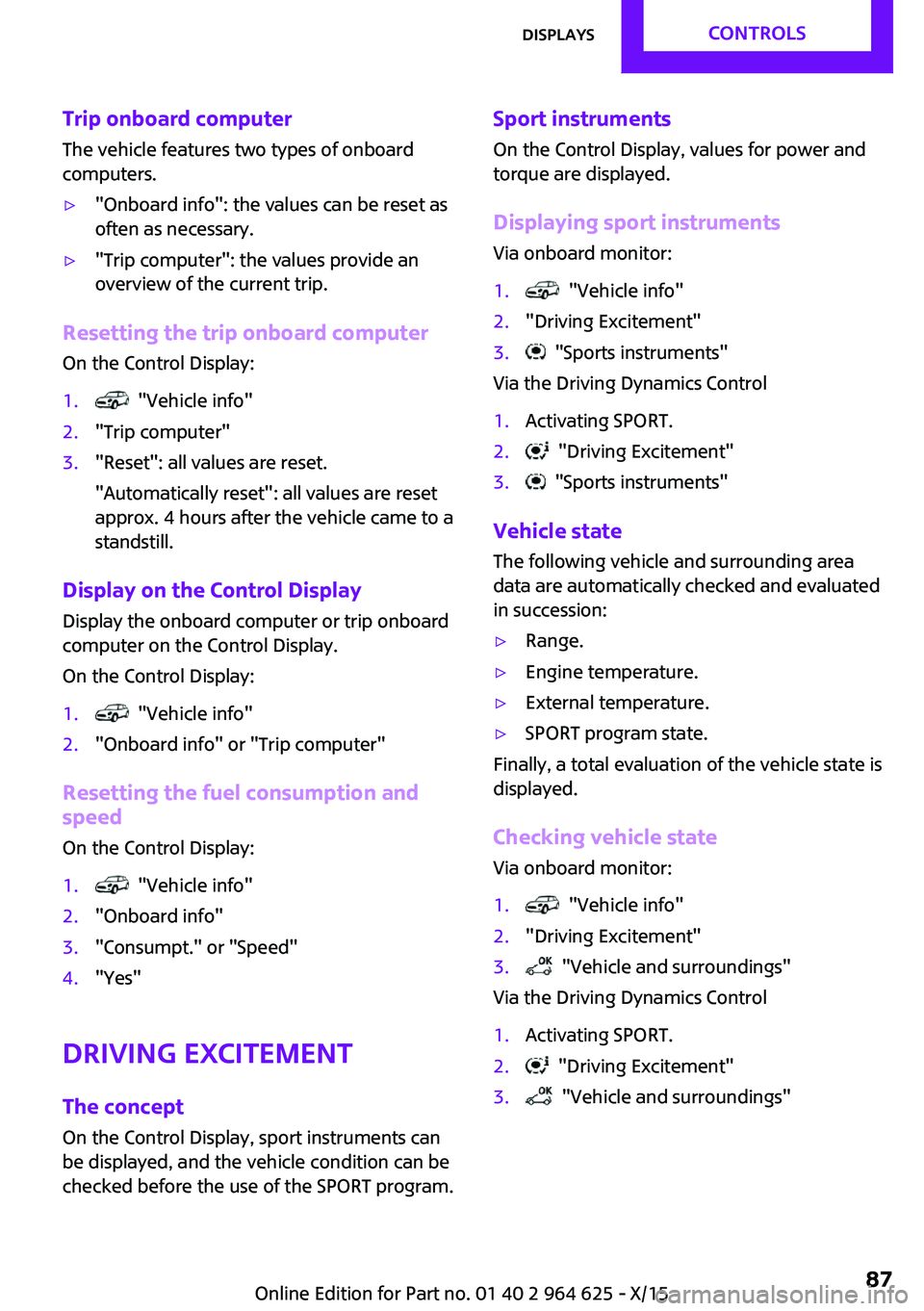
Trip onboard computerThe vehicle features two types of onboard
computers.▷"Onboard info": the values can be reset as
often as necessary.▷"Trip computer": the values provide an
overview of the current trip.
Resetting the trip onboard computer
On the Control Display:
1. "Vehicle info"2."Trip computer"3."Reset": all values are reset.
"Automatically reset": all values are reset
approx. 4 hours after the vehicle came to a
standstill.
Display on the Control Display
Display the onboard computer or trip onboard
computer on the Control Display.
On the Control Display:
1. "Vehicle info"2."Onboard info" or "Trip computer"
Resetting the fuel consumption and
speed
On the Control Display:
1. "Vehicle info"2."Onboard info"3."Consumpt." or "Speed"4."Yes"
Driving Excitement
The concept
On the Control Display, sport instruments can
be displayed, and the vehicle condition can be
checked before the use of the SPORT program.
Sport instruments
On the Control Display, values for power and
torque are displayed.
Displaying sport instruments
Via onboard monitor:1. "Vehicle info"2."Driving Excitement"3. "Sports instruments"
Via the Driving Dynamics Control
1.Activating SPORT.2. "Driving Excitement"3. "Sports instruments"
Vehicle state
The following vehicle and surrounding area
data are automatically checked and evaluated
in succession:
▷Range.▷Engine temperature.▷External temperature.▷SPORT program state.
Finally, a total evaluation of the vehicle state is
displayed.
Checking vehicle state
Via onboard monitor:
1. "Vehicle info"2."Driving Excitement"3. "Vehicle and surroundings"
Via the Driving Dynamics Control
1.Activating SPORT.2. "Driving Excitement"3. "Vehicle and surroundings"Seite 87DisplaysCONTROLS87
Online Edition for Part no. 01 40 2 964 625 - X/15
Page 89 of 248
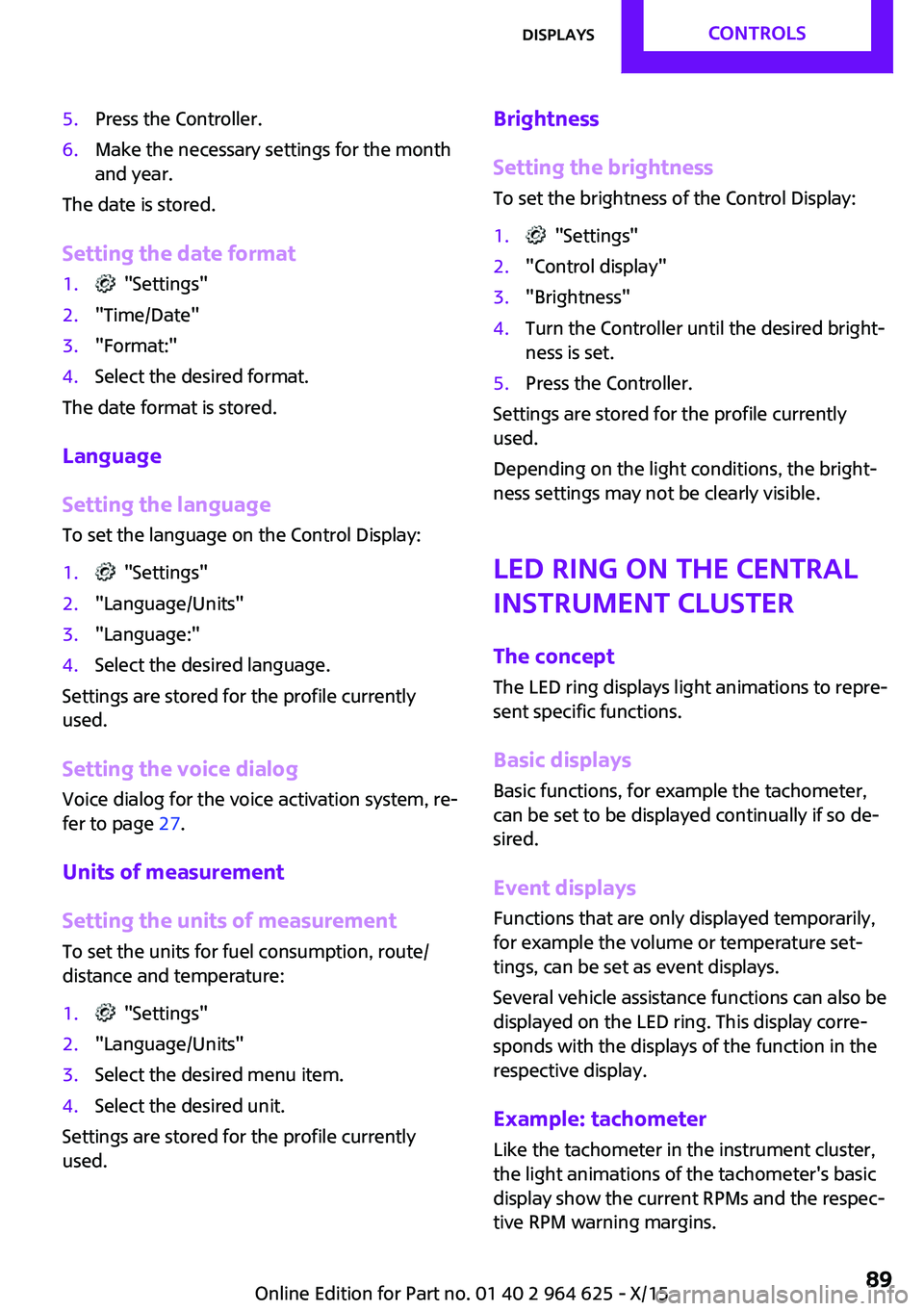
5.Press the Controller.6.Make the necessary settings for the month
and year.
The date is stored.
Setting the date format
1. "Settings"2."Time/Date"3."Format:"4.Select the desired format.
The date format is stored.
Language
Setting the language
To set the language on the Control Display:
1. "Settings"2."Language/Units"3."Language:"4.Select the desired language.
Settings are stored for the profile currently
used.
Setting the voice dialog Voice dialog for the voice activation system, re‐
fer to page 27.
Units of measurement
Setting the units of measurement
To set the units for fuel consumption, route/
distance and temperature:
1. "Settings"2."Language/Units"3.Select the desired menu item.4.Select the desired unit.
Settings are stored for the profile currently
used.
Brightness
Setting the brightness To set the brightness of the Control Display:1. "Settings"2."Control display"3."Brightness"4.Turn the Controller until the desired bright‐
ness is set.5.Press the Controller.
Settings are stored for the profile currently
used.
Depending on the light conditions, the bright‐
ness settings may not be clearly visible.
LED ring on the central
instrument cluster
The concept
The LED ring displays light animations to repre‐
sent specific functions.
Basic displays
Basic functions, for example the tachometer,
can be set to be displayed continually if so de‐
sired.
Event displays Functions that are only displayed temporarily,
for example the volume or temperature set‐ tings, can be set as event displays.
Several vehicle assistance functions can also be displayed on the LED ring. This display corre‐
sponds with the displays of the function in the
respective display.
Example: tachometer Like the tachometer in the instrument cluster,
the light animations of the tachometer's basic
display show the current RPMs and the respec‐
tive RPM warning margins.
Seite 89DisplaysCONTROLS89
Online Edition for Part no. 01 40 2 964 625 - X/15
Page 92 of 248
On the Control Display:1. "Settings"2."Head-Up Display"3."Rotation"4.Turn the Controller until the desired setting
is selected.5.Press the Controller.
Settings are stored for the profile currently
used.
John Cooper Works: Sport displays in
the Head-up Display
General information The sport displays in the Head-up Display assist
with a sporty driving style.
Switching on
1. "Settings"2."Head-Up Display"3."Displayed information"4."Sport displays"
With navigation system: if the sport displays are
switched on, no navigation content will be dis‐
played on the Head-up Display.
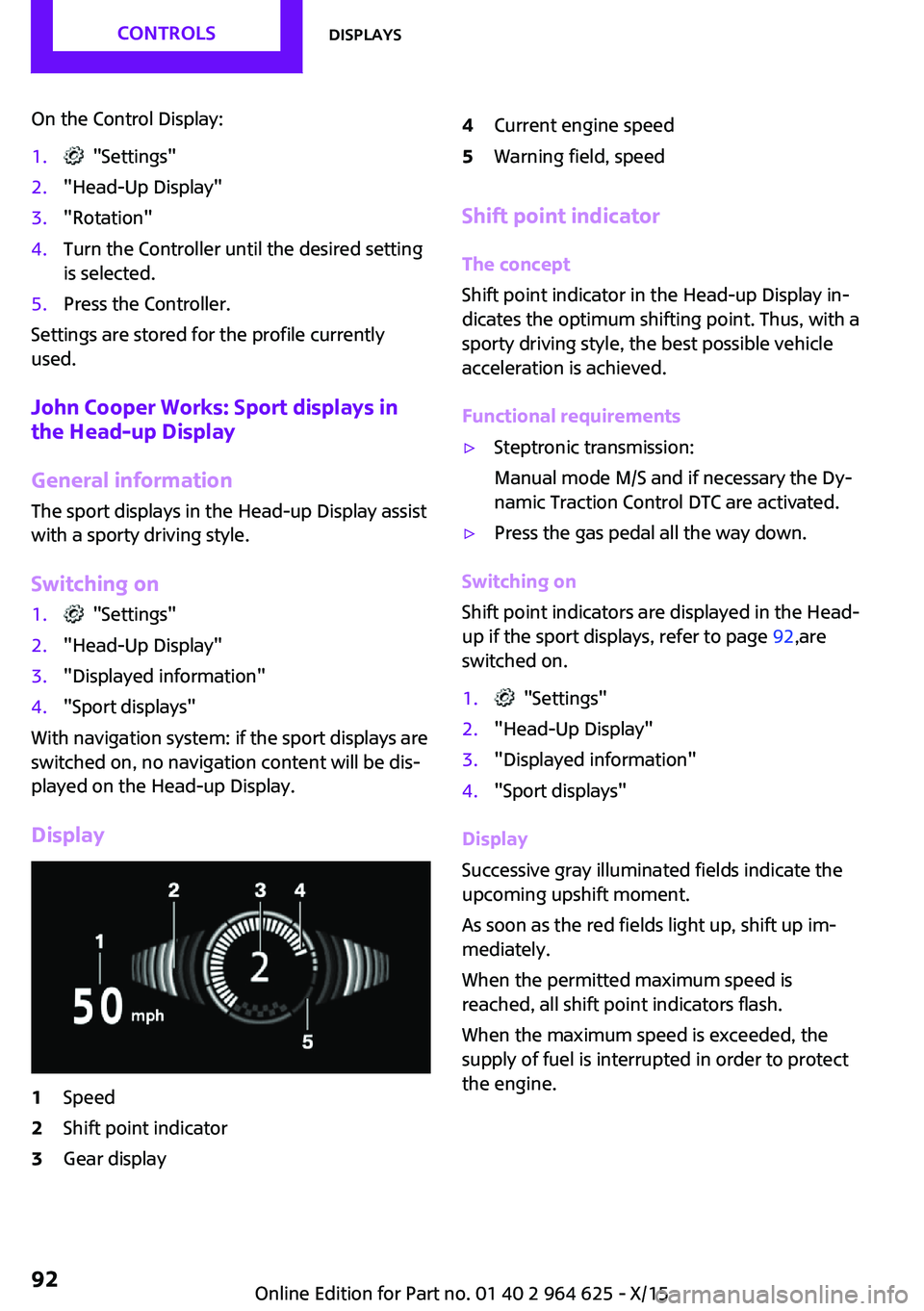
Display
1Speed2Shift point indicator3Gear display4Current engine speed5Warning field, speed
Shift point indicator
The concept
Shift point indicator in the Head-up Display in‐
dicates the optimum shifting point. Thus, with a
sporty driving style, the best possible vehicle
acceleration is achieved.
Functional requirements
▷Steptronic transmission:
Manual mode M/S and if necessary the Dy‐
namic Traction Control DTC are activated.▷Press the gas pedal all the way down.
Switching on
Shift point indicators are displayed in the Head-
up if the sport displays, refer to page 92,are
switched on.
1. "Settings"2."Head-Up Display"3."Displayed information"4."Sport displays"
Display
Successive gray illuminated fields indicate the
upcoming upshift moment.
As soon as the red fields light up, shift up im‐
mediately.
When the permitted maximum speed is
reached, all shift point indicators flash.
When the maximum speed is exceeded, the
supply of fuel is interrupted in order to protect
the engine.
Seite 92CONTROLSDisplays92
Online Edition for Part no. 01 40 2 964 625 - X/15
Page 106 of 248
Final tire failure
Vibrations or loud noises while driving can indi‐
cate the final failure of a tire.
Reduce speed and stop; otherwise, pieces of
the tire could come loose and cause an acci‐
dent.
Do not continue driving. Contact a dealer’s
service center or another qualified service cen‐
ter or repair shop.
Required inflation pressure check
message
A Check Control message is displayed in the fol‐
lowing situations▷The system has detected a wheel change,
but no reset was done.▷Inflation was not carried out according to
specifications.▷The tire inflation pressure has fallen below
the level of the last confirmation.
In this case:
▷Check the tire pressure and correct as
needed.▷Carry out a reset of the system after a tire
change.
System limits
The system does not function properly if a reset
has not been carried out, e.g., a flat tire is re‐
ported though tire inflation pressures are cor‐
rect.
The tire inflation pressure depends on the tire's
temperature. Driving or exposure to the sun
will increase the tire's temperature, thus in‐
creasing the tire inflation pressure. The tire in‐
flation pressure is reduced when the tire tem‐ perature falls again. These circumstances may
cause a warning when temperatures fall very
sharply.
The system cannot indicate sudden serious tire
damage caused by external circumstances.
Malfunction
The yellow warning lamp flashes and
then lights up continuously. A Check
Control message is displayed. No flat
tire or loss of tire pressure can be detected.
Examples and recommendations in the follow‐
ing situations:▷A wheel without TPM electronics, for exam‐
ple an emergency wheel, is mounted: Have
it checked by a dealer’s service center or
another qualified service center or repair
shop as needed.▷Malfunction: Have system checked by a
dealer’s service center or another qualified
service center or repair shop.▷TPM was unable to complete the reset. Re‐
set the system again.▷Interference through systems or devices
with the same radio frequency: After leav‐
ing the area of the interference, the system
automatically becomes active again.
Declaration according to NHTSA/FMVSS
138 Tire Pressure Monitoring System
Each tire, including the spare (if provided)
should be checked monthly when cold and in‐
flated to the inflation pressure recommended
by the vehicle manufacturer on the vehicle
placard or tire inflation pressure label. (If your
vehicle has tires of a different size than the size
indicated on the vehicle placard or tire inflation
pressure label, you should determine the
proper tire inflation pressure for those tires.) As
an added safety feature, your vehicle has been
equipped with a tire pressure monitoring sys‐
tem (TPMS) that illuminates a low tire pressure
telltale when one or more of your tires is signifi‐
cantly under-inflated. Accordingly, when the
low tire pressure telltale illuminates, you should
stop and check your tires as soon as possible,
and inflate them to the proper pressure. Driving
on a significantly under-inflated tire causes the
tire to overheat and can lead to tire failure. Un‐
der-inflation also reduces fuel efficiency and
Seite 106CONTROLSSafety106
Online Edition for Part no. 01 40 2 964 625 - X/15
Page 166 of 248

Saving fuelVehicle features and op‐tions
This chapter describes all standard, country-
specific and optional features offered with the
series. It also describes features that are not necessarily available in your car, e. g., due to
the selected options or country versions. This
also applies to safety-related functions and sys‐
tems. The respectively applicable country provi‐
sions must be observed when using the respec‐
tive features and systems.
General information Your vehicle contains advanced technology for
the reduction of fuel consumption and emis‐
sions.
Fuel consumption depends on a number of dif‐
ferent factors.
The implementation of certain measures, driv‐
ing style and regular maintenance can influ‐
ence fuel consumption and environmental im‐
pact.
Remove unnecessary
cargo
Additional weight increases fuel consumption.
Remove attached parts
following use
Remove roof-mounted or rear luggage racks
which are no longer required following use.
Attached parts on the vehicle impair the aero‐
dynamics and increase the fuel consumption.Close the windows and
glass sunroof
Driving with the glass sunroof and windows
open results in increased air resistance and
raises fuel consumption.
Tires
General information Tires can affect fuel consumption in various
ways, for example, tire size may influence fuel
consumption.
Check the tire inflation pressure
regularly
Check and, if needed, correct the tire inflation
pressure at least twice a month and before
starting on a long trip.
Low tire inflation pressure increases rolling re‐
sistance and thus raises fuel consumption and
tire wear.
Drive away without de‐lay
Do not wait for the engine to warm-up while
the vehicle remains stationary. Start driving
right away, but at moderate engine speeds.
This is the fastest way for the cold engine to
reach its operating temperature.
Look well ahead when
driving
Avoid unnecessary acceleration and braking.Seite 166DRIVING TIPSSaving fuel166
Online Edition for Part no. 01 40 2 964 625 - X/15
Page 167 of 248

By maintaining a suitable distance to the vehi‐
cle driving ahead of you.
Driving smoothly and proactively reduces fuel
consumption.
Avoid high engine speeds
As a rule: driving at low engine speeds lowers
fuel consumption and reduces wear.
Use 1st gear to get the vehicle moving. Starting
with the 2nd gear, accelerate rapidly. When ac‐
celerating, shift up before reaching high engine
speeds.
When you reach the desired speed, shift into
the highest applicable gear and drive with the
engine speed as low as possible and at a con‐
stant speed.
The gear shift indicator, refer to page 83, of
your vehicle indicates the most fuel efficient gear.
Use coasting conditions When approaching a red light, take your foot
off the accelerator and let the vehicle coast to a
halt.
For going downhill take your foot off the accel‐
erator and let the vehicle roll.
The flow of fuel is interrupted while coasting.
Switch off the engine
during longer stops
Switch off the engine during longer stops, for
example, at traffic lights, railroad crossings or in
traffic congestion.
Auto Start/Stop function
The Auto Start/Stop function of your vehicle au‐
tomatically switches off the engine during a
stop.If the engine is switched off and then restarted
rather than leaving the engine running con‐
stantly, fuel consumption and emissions are re‐
duced. Savings can begin within a few seconds
of switching off the engine.
In addition, fuel consumption is also deter‐
mined by other factors, such as driving style,
road conditions, maintenance or environmental
factors.
Switch off any functions
that are not currently
needed
Functions such as seat heating and the rear
window defroster require a lot of energy and
consume additional fuel, especially in city and
stop-and-go traffic.
Therefore, switch off these functions if they are
not actually needed.
Have maintenance car‐
ried out
Have vehicles maintained regularly to achieve
optimal vehicle efficiency and service life. MINI
recommends that maintenance work be per‐
formed by a MINI service center.
Also note the MINI maintenance systems, refer
to page 202.
GREEN Mode
The concept The GREEN Mode supports a driving style that
saves on fuel consumption. For this purpose,
the engine control and comfort features, e. g.
the climate control output, are adjusted.
For Steptronic transmission:Seite 167Saving fuelDRIVING TIPS167
Online Edition for Part no. 01 40 2 964 625 - X/15
Page 168 of 248

The Coasting driving condition is enabled under
certain conditions.
Under certain conditions the engine is auto‐
matically decoupled from the transmission in
selector lever position D. The vehicle continues
traveling with the engine idling to reduce fuel
consumption. Selector lever position D remains
engaged. An indicator provides information
about the distance traveled in Coasting mode.
In addition, context-sensitive instructions are
displayed to assist with an optimized fuel con‐
sumption driving style.
The achieved extended range is displayed in
the instrument cluster.
Overview The system includes the following MINIMAL
functions and displays:▷GREEN bonus range, refer to page 169.▷GREEN tips driving instruction, refer to
page 169.▷GREEN climate control, refer to page 168.▷MINIMALISM analyzer, refer to page 171.▷Coasting driving condition, refer to
page 170.
Activating GREEN Mode
Turn Driving Dynamics Control to
the right until GREEN Mode is
displayed in the instrument clus‐
ter.
Configuring GREEN Mode
Via the Driving Dynamics Control
1.Activating GREEN Mode.2."Configure GREEN"3.Configure the program.
Via onboard monitor:
1. "Settings"2."GREEN Mode"
Or
1. "Settings"2."Driving mode"3."Configure GREEN"
Configure the program.
GREEN tip
▷"Tip at:"
Set the GREEN Mode speed at which a
GREEN Mode tip is to be displayed.▷"GREEN speed warning":
Displays a reminder when the set GREEN
Mode speed is exceeded.
Coasting
Fuel-efficiency can be optimized by disengag‐
ing the engine and Coasting, refer to page 170,
with the engine idling.
This function is only available in GREEN Mode.
GREEN climate control
"GREEN climate control"
Climate control is set to be fuel-efficient.
By making a slight change to the set tempera‐
ture, or adjusting the rate of heating or cooling
of the car's interior fuel consumption can be
economized.
The outputs of the seat heater and the exterior
Additionally heat output to seats and exterior
mirror is reduced.
Exterior mirror heat is available when outside
temperatures are very low.
GREEN potential
The percentage of potential savings that can be
achieved with the current configuration is dis‐
played.
Seite 168DRIVING TIPSSaving fuel168
Online Edition for Part no. 01 40 2 964 625 - X/15
Page 169 of 248
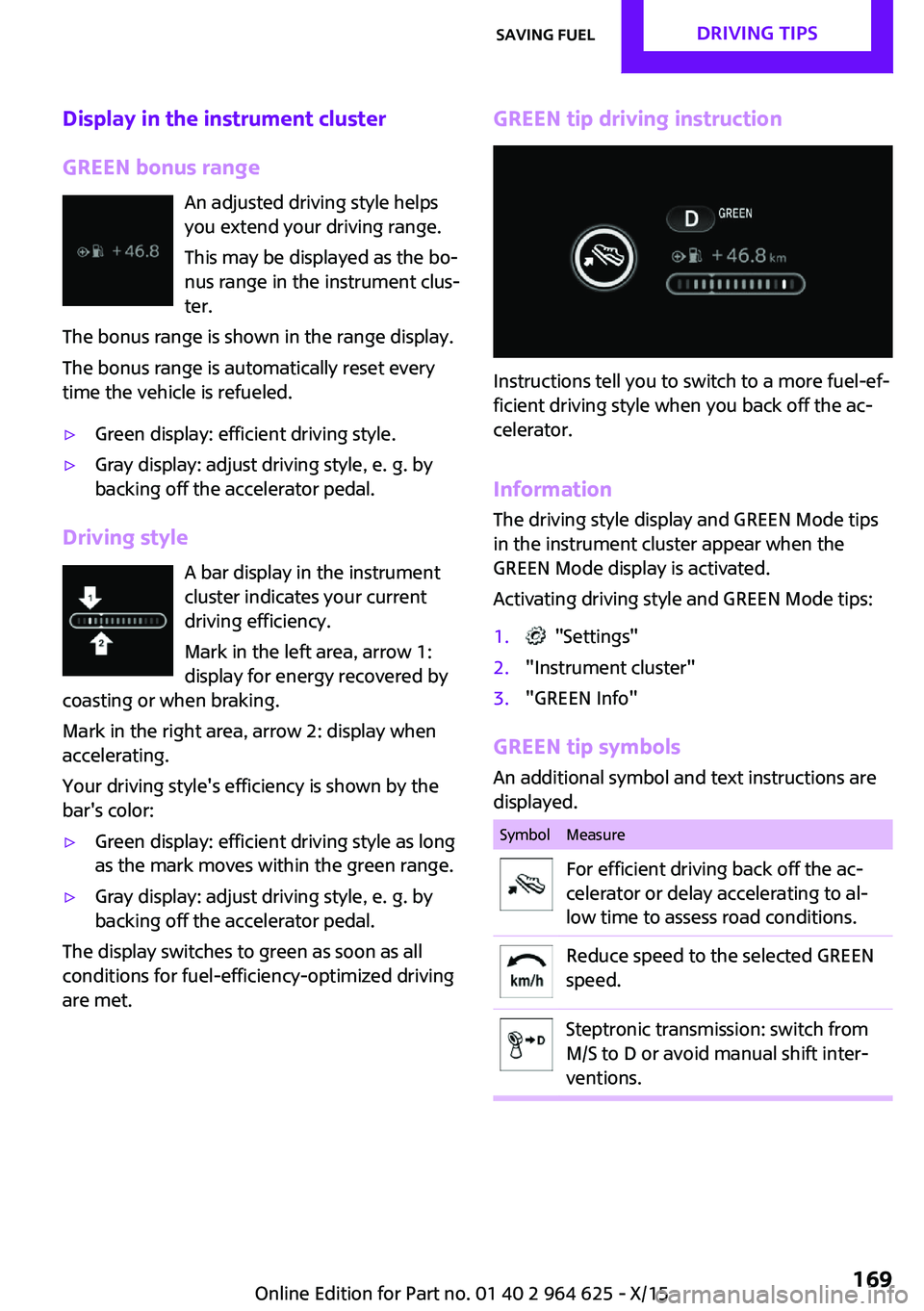
Display in the instrument cluster
GREEN bonus range An adjusted driving style helps
you extend your driving range.
This may be displayed as the bo‐
nus range in the instrument clus‐
ter.
The bonus range is shown in the range display.
The bonus range is automatically reset every
time the vehicle is refueled.▷Green display: efficient driving style.▷Gray display: adjust driving style, e. g. by
backing off the accelerator pedal.
Driving style
A bar display in the instrument
cluster indicates your current
driving efficiency.
Mark in the left area, arrow 1:
display for energy recovered by
coasting or when braking.
Mark in the right area, arrow 2: display when
accelerating.
Your driving style's efficiency is shown by the
bar's color:
▷Green display: efficient driving style as long
as the mark moves within the green range.▷Gray display: adjust driving style, e. g. by
backing off the accelerator pedal.
The display switches to green as soon as all
conditions for fuel-efficiency-optimized driving
are met.
GREEN tip driving instruction
Instructions tell you to switch to a more fuel-ef‐
ficient driving style when you back off the ac‐
celerator.
Information The driving style display and GREEN Mode tips
in the instrument cluster appear when the
GREEN Mode display is activated.
Activating driving style and GREEN Mode tips:
1. "Settings"2."Instrument cluster"3."GREEN Info"
GREEN tip symbols An additional symbol and text instructions aredisplayed.
SymbolMeasureFor efficient driving back off the ac‐
celerator or delay accelerating to al‐
low time to assess road conditions.Reduce speed to the selected GREEN
speed.Steptronic transmission: switch from
M/S to D or avoid manual shift inter‐
ventions.Seite 169Saving fuelDRIVING TIPS169
Online Edition for Part no. 01 40 2 964 625 - X/15
Page 170 of 248
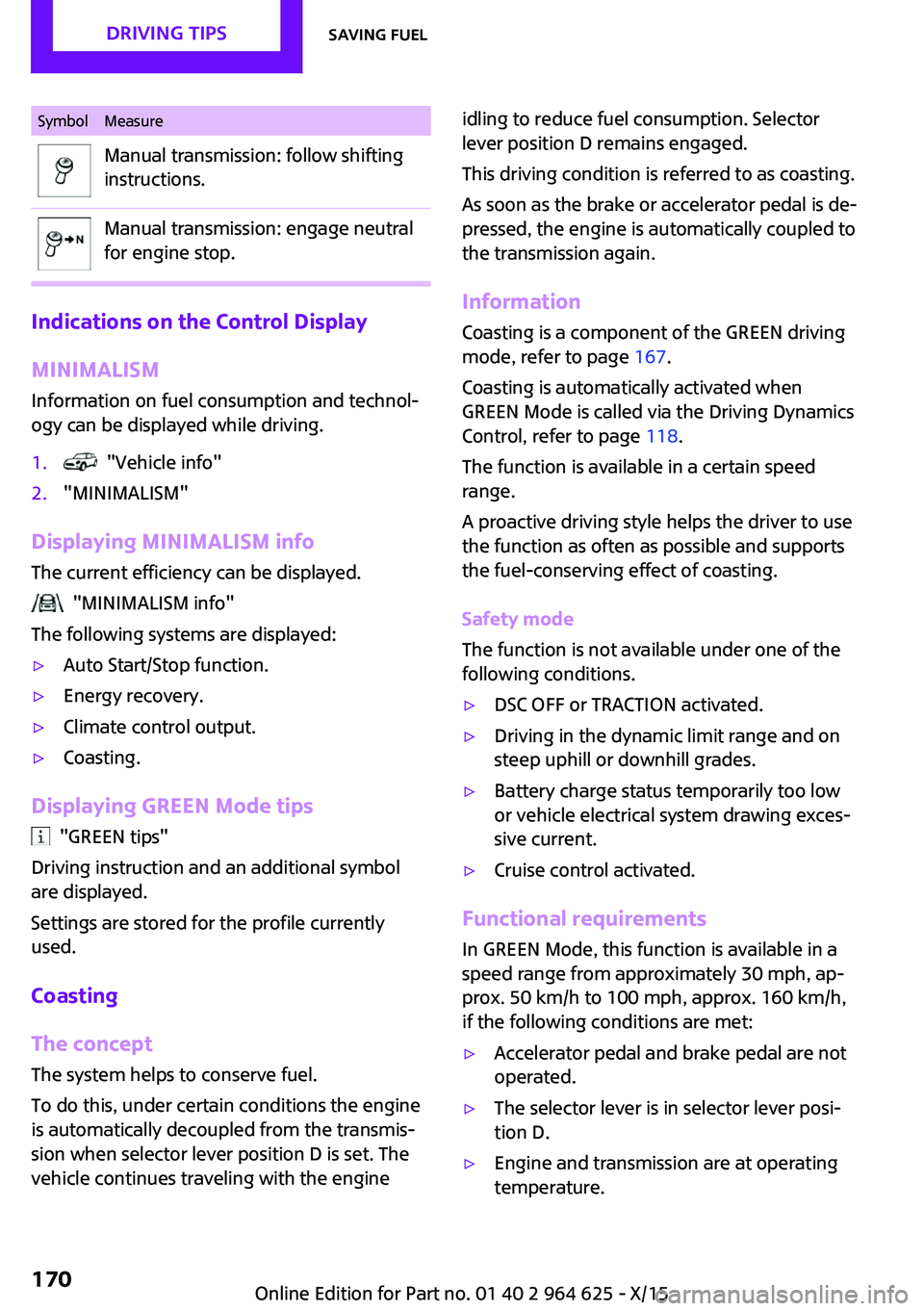
SymbolMeasureManual transmission: follow shifting
instructions.Manual transmission: engage neutral
for engine stop.
Indications on the Control Display
MINIMALISM
Information on fuel consumption and technol‐
ogy can be displayed while driving.
1. "Vehicle info"2."MINIMALISM"
Displaying MINIMALISM info
The current efficiency can be displayed.
"MINIMALISM info"
The following systems are displayed:
▷Auto Start/Stop function.▷Energy recovery.▷Climate control output.▷Coasting.
Displaying GREEN Mode tips
"GREEN tips"
Driving instruction and an additional symbol
are displayed.
Settings are stored for the profile currently
used.
Coasting
The concept The system helps to conserve fuel.
To do this, under certain conditions the engine
is automatically decoupled from the transmis‐ sion when selector lever position D is set. The
vehicle continues traveling with the engine
idling to reduce fuel consumption. Selector
lever position D remains engaged.
This driving condition is referred to as coasting.
As soon as the brake or accelerator pedal is de‐
pressed, the engine is automatically coupled to
the transmission again.
Information
Coasting is a component of the GREEN driving
mode, refer to page 167.
Coasting is automatically activated when
GREEN Mode is called via the Driving Dynamics
Control, refer to page 118.
The function is available in a certain speed
range.
A proactive driving style helps the driver to use
the function as often as possible and supports
the fuel-conserving effect of coasting.
Safety mode
The function is not available under one of the
following conditions.▷DSC OFF or TRACTION activated.▷Driving in the dynamic limit range and on
steep uphill or downhill grades.▷Battery charge status temporarily too low
or vehicle electrical system drawing exces‐
sive current.▷Cruise control activated.
Functional requirements
In GREEN Mode, this function is available in a
speed range from approximately 30 mph, ap‐
prox. 50 km/h to 100 mph, approx. 160 km/h,
if the following conditions are met:
▷Accelerator pedal and brake pedal are not
operated.▷The selector lever is in selector lever posi‐
tion D.▷Engine and transmission are at operating
temperature.Seite 170DRIVING TIPSSaving fuel170
Online Edition for Part no. 01 40 2 964 625 - X/15