seats MINI COOPER 2015 User Guide
[x] Cancel search | Manufacturer: MINI, Model Year: 2015, Model line: COOPER, Model: MINI COOPER 2015Pages: 248, PDF Size: 5.43 MB
Page 153 of 248
Storage compartmentsVehicle features and op‐
tions
This chapter describes all standard, country-
specific and optional features offered with the
series. It also describes features that are not necessarily available in your car, e. g., due to
the selected options or country versions. This
also applies to safety-related functions and sys‐
tems. The respectively applicable country provi‐
sions must be observed when using the respec‐
tive features and systems.
Information WARNING
Loose objects or devices with a cable
connection to the vehicle, for example mobile
phones, can be thrown into the car's interior
while driving, for example in the event of an
accident or during braking and evasive maneu‐
vers. There is risk of injuries. Secure loose ob‐ jects or devices with a cable connection to the
vehicle in the car's interior. ◀
CAUTION
Anti-slip pads such as anti-slip mats can
damage the dashboard. There is risk of prop‐
erty damage. Do not use anti-slip pads. ◀
Overview
The following storage compartments are avail‐
able in the vehicle interior:▷Storage compartment in front of the cu‐
pholders.▷Storage tray in the center console.▷Glove compartment on the front passenger
side.▷Storage compartment in the center arm‐
rest.▷Compartments in the doors.▷Pockets on the backrests of the front seats.
Glove compartment
Information WARNING
Folded open, the glove compartment
protrudes in the car's interior. Objects in the
glove compartment can be thrown into the
car's interior while driving, for example in the
event of an accident or during braking and eva‐
sive maneuvers. There is risk of injuries. Always
close the glove compartment immediately after
using it. ◀
Opening
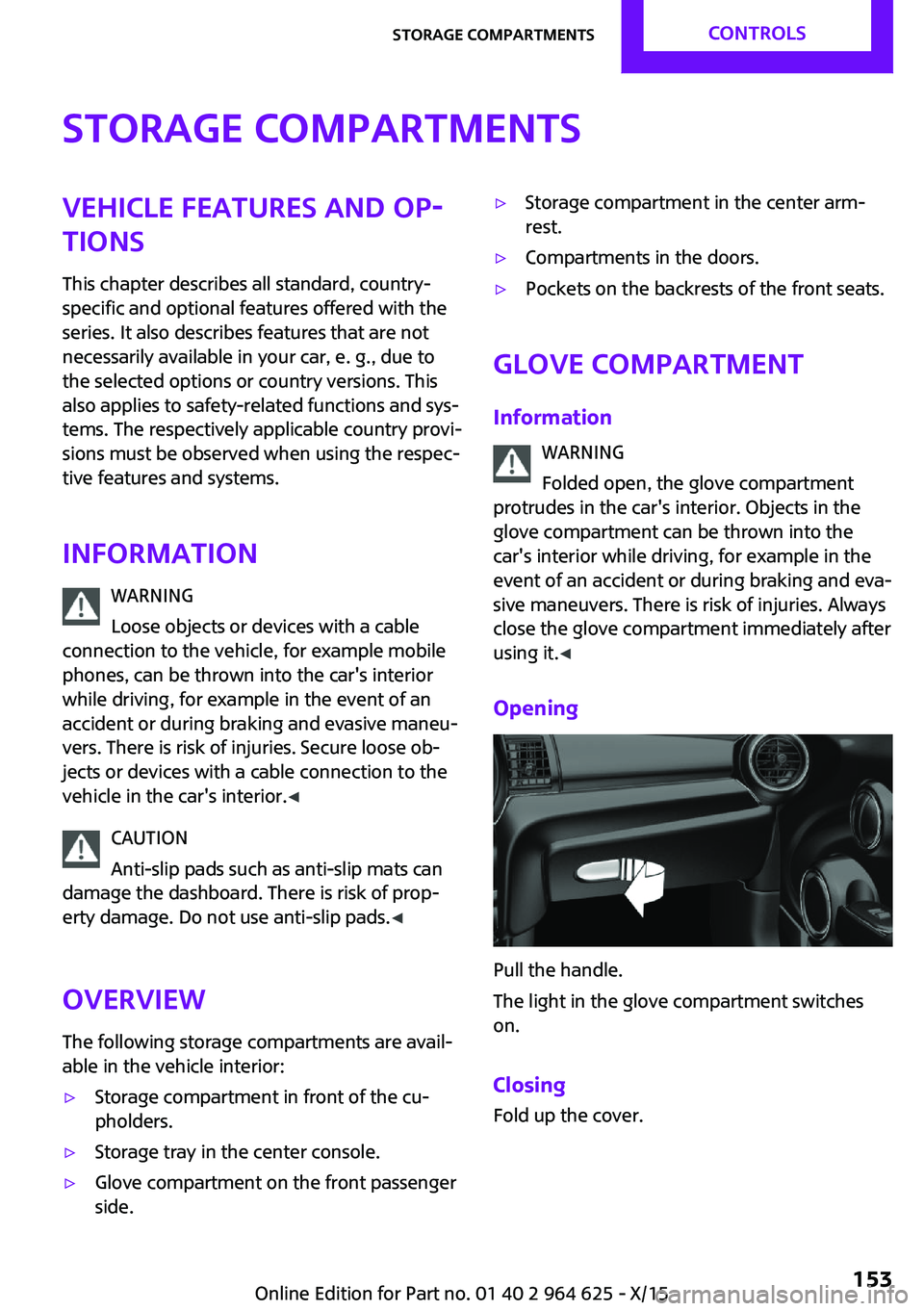
Pull the handle.
The light in the glove compartment switches
on.
Closing Fold up the cover.
Seite 153Storage compartmentsCONTROLS153
Online Edition for Part no. 01 40 2 964 625 - X/15
Page 154 of 248
Compartments in the
doors
WARNING
Breakable object, for example glass bot‐
tle, can break in the event of an accident. Bro‐
ken glass can be scattered in the car's interior.
There is risk of injuries. Do not stow any break‐
able objects in the car's interior. ◀
Center armrest
The center armrest contains a storage compart‐
ment.
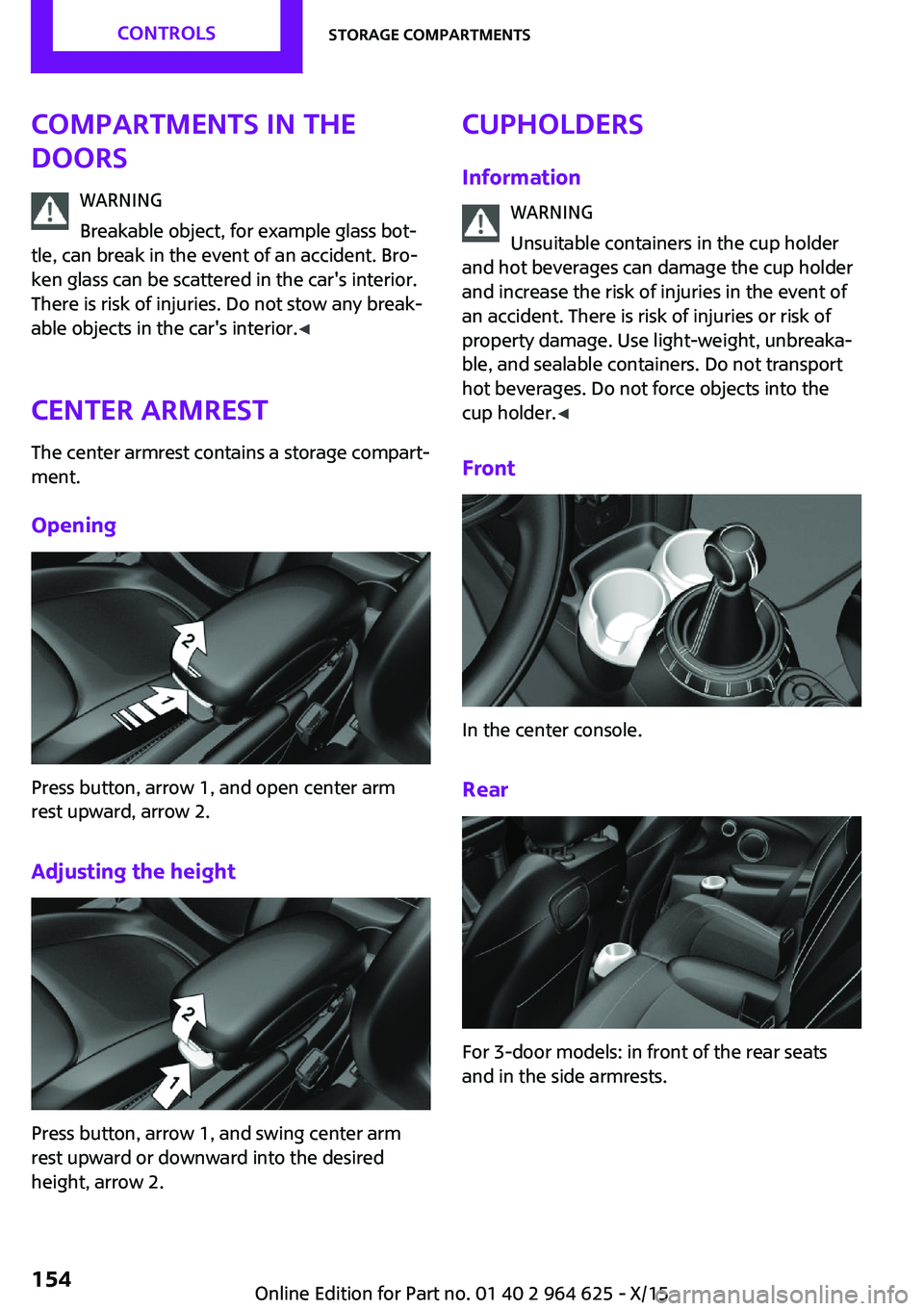
Opening
Press button, arrow 1, and open center arm
rest upward, arrow 2.
Adjusting the height
Press button, arrow 1, and swing center arm
rest upward or downward into the desired
height, arrow 2.
Cupholders
Information WARNING
Unsuitable containers in the cup holder
and hot beverages can damage the cup holder
and increase the risk of injuries in the event of
an accident. There is risk of injuries or risk of
property damage. Use light-weight, unbreaka‐
ble, and sealable containers. Do not transport
hot beverages. Do not force objects into the
cup holder. ◀
Front
In the center console.
Rear
For 3-door models: in front of the rear seats
and in the side armrests.
Seite 154CONTROLSStorage compartments154
Online Edition for Part no. 01 40 2 964 625 - X/15
Page 155 of 248
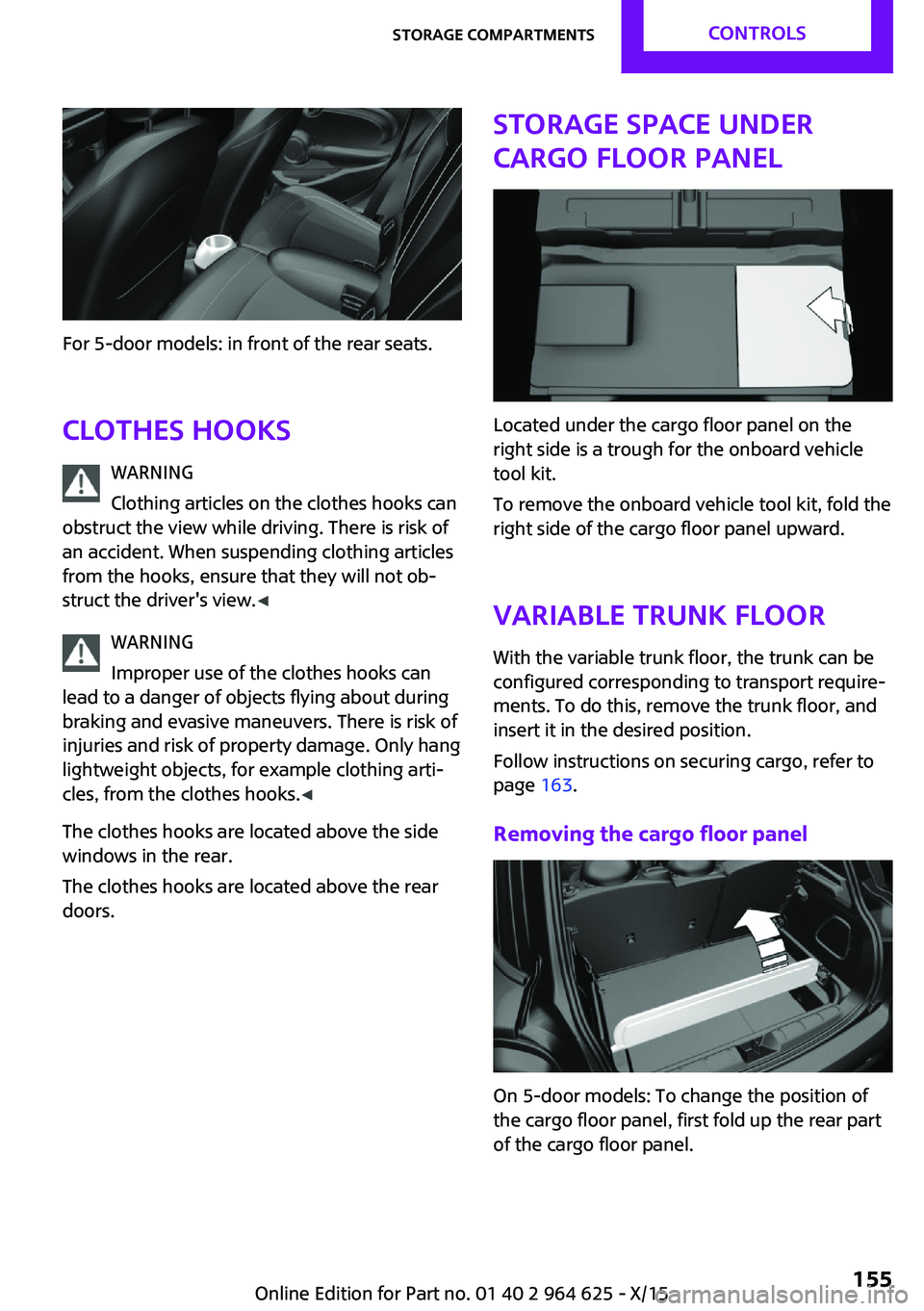
For 5-door models: in front of the rear seats.Clothes hooks WARNING
Clothing articles on the clothes hooks can
obstruct the view while driving. There is risk of
an accident. When suspending clothing articles
from the hooks, ensure that they will not ob‐
struct the driver's view. ◀
WARNING
Improper use of the clothes hooks can
lead to a danger of objects flying about during
braking and evasive maneuvers. There is risk of
injuries and risk of property damage. Only hang
lightweight objects, for example clothing arti‐
cles, from the clothes hooks. ◀
The clothes hooks are located above the side
windows in the rear.
The clothes hooks are located above the rear
doors.
Storage space under
cargo floor panel
Located under the cargo floor panel on the
right side is a trough for the onboard vehicle
tool kit.
To remove the onboard vehicle tool kit, fold the
right side of the cargo floor panel upward.
Variable trunk floor
With the variable trunk floor, the trunk can be
configured corresponding to transport require‐
ments. To do this, remove the trunk floor, and
insert it in the desired position.
Follow instructions on securing cargo, refer to
page 163.
Removing the cargo floor panel
On 5-door models: To change the position of
the cargo floor panel, first fold up the rear part
of the cargo floor panel.
Seite 155Storage compartmentsCONTROLS155
Online Edition for Part no. 01 40 2 964 625 - X/15
Page 168 of 248

The Coasting driving condition is enabled under
certain conditions.
Under certain conditions the engine is auto‐
matically decoupled from the transmission in
selector lever position D. The vehicle continues
traveling with the engine idling to reduce fuel
consumption. Selector lever position D remains
engaged. An indicator provides information
about the distance traveled in Coasting mode.
In addition, context-sensitive instructions are
displayed to assist with an optimized fuel con‐
sumption driving style.
The achieved extended range is displayed in
the instrument cluster.
Overview The system includes the following MINIMAL
functions and displays:▷GREEN bonus range, refer to page 169.▷GREEN tips driving instruction, refer to
page 169.▷GREEN climate control, refer to page 168.▷MINIMALISM analyzer, refer to page 171.▷Coasting driving condition, refer to
page 170.
Activating GREEN Mode
Turn Driving Dynamics Control to
the right until GREEN Mode is
displayed in the instrument clus‐
ter.
Configuring GREEN Mode
Via the Driving Dynamics Control
1.Activating GREEN Mode.2."Configure GREEN"3.Configure the program.
Via onboard monitor:
1. "Settings"2."GREEN Mode"
Or
1. "Settings"2."Driving mode"3."Configure GREEN"
Configure the program.
GREEN tip
▷"Tip at:"
Set the GREEN Mode speed at which a
GREEN Mode tip is to be displayed.▷"GREEN speed warning":
Displays a reminder when the set GREEN
Mode speed is exceeded.
Coasting
Fuel-efficiency can be optimized by disengag‐
ing the engine and Coasting, refer to page 170,
with the engine idling.
This function is only available in GREEN Mode.
GREEN climate control
"GREEN climate control"
Climate control is set to be fuel-efficient.
By making a slight change to the set tempera‐
ture, or adjusting the rate of heating or cooling
of the car's interior fuel consumption can be
economized.
The outputs of the seat heater and the exterior
Additionally heat output to seats and exterior
mirror is reduced.
Exterior mirror heat is available when outside
temperatures are very low.
GREEN potential
The percentage of potential savings that can be
achieved with the current configuration is dis‐
played.
Seite 168DRIVING TIPSSaving fuel168
Online Edition for Part no. 01 40 2 964 625 - X/15
Page 238 of 248
Everything from A to ZIndexA
ABS, Antilock Brake Sys‐ tem 116
Acceleration Assistant, see Launch Control 74
Accessories and parts 8
ACC, see camera-based cruise control 120
Activated-charcoal filter 143
Active Cruise Control, see camera-based cruise con‐
trol 120
Additives, oil 198
Adjustments, seats/head re‐ straints 49
Adjustments, steering wheel 57
After washing vehicle 222
Airbags 100
Airbags, indicator/warning light 101
Air circulation, see Recircu‐ lated-air mode 139, 142
Air conditioner 138
Air, dehumidifying, see Cool‐ ing function 139, 141
Air distribution, manual 139, 142
Air flow, air conditioner 139
Air flow, automatic climate control 142
Air pressure, tires 180
Air vents, see Ventilation 143
Alarm system 43
Alarm triggering 43
Alarm, unintentional 45
All around the center con‐ sole 16
All around the roofliner 17 All around the steering
wheel 14
All-season tires, see Winter tires 189
Alternating-code hand-held transmitter 146
Alternative oil types 198
Antifreeze, washer fluid 70
Antilock Brake System, ABS 116
Anti-slip control, see DSC 116
App, MINI Motorer’s Guide 6
Approved axle load 229
Arrival time 86
Ash tray 149
Assistance when driving off 119
Assist system, see Intelligent Safety 109
AUTO intensity 142
Automatic car wash 221
Automatic climate con‐ trol 140
Automatic Curb Monitor 55
Automatic deactivation, Front- seat passenger airbags 102
Automatic headlight con‐ trol 96
Automatic locking 43
Automatic recirculated-air control 142
Automatic transmission with Steptronic 72
AUTO program, automatic cli‐ mate control 141
AUTO program, intensity 142
Auto Start/Stop function 64
Average fuel consumption 86
Average speed 86
Axle loads, weights 229 B
Backrest curvature, see Lum‐ bar support 50
Band-aids, see First-aid kit 216
Battery replacement, vehicle battery 214
Battery, vehicle 214
Being towed, see Tow-starting and towing 218
Belts, safety belts 51
Beverage holder, cu‐ pholder 154
Bonus range, GREEN Mode 169
Bottle holder, see Cu‐ pholder 154
Brake assistant 116
Brake discs, break-in 160
Brake pads, break-in 160
Braking, hints 161
Breakdown assistance 216
Break-in 160
Brightness of Control Dis‐ play 89
Bug light 206
Bulb replacement 205
Bulb replacement, front 206
Bulb replacement, rear 208
Bulb replacement, side 211
Bulbs and lights 205
Button, Start/Stop 62
Bypassing, see Jump-start‐ ing 216
C
California Proposition 65 Warning 8 Seite 238REFERENCEEverything from A to Z238
Online Edition for Part no. 01 40 2 964 625 - X/15
Page 239 of 248
Camera-based cruise con‐trol 120
Camera lenses, care 224
Camera, rearview cam‐ era 131
Can holder, see Cu‐ pholder 154
Car battery 214
Car care products 222
Care, displays 224
Care, vehicle 222
Cargo area 150
Cargo area, adapting size 155
Cargo area, enlarging 151
Cargo area lid 40
Cargo area, storage compart‐ ments 155
Cargo cover 150
Cargo, securing 164
Cargo straps, securing cargo 164
Car key, see Remote con‐ trol 34
Carpet, care 224
Car wash 221
Catalytic converter, see Hot exhaust system 161
CBS Condition Based Serv‐ ice 202
Center armrest 154
Center console 16
Central instrument cluster, LED ring 89
Central locking system 40
Central screen, refer to Control Display 18
Changes, technical, refer to Own Safety 7
Changing parts 204
Changing wheels 212
Changing wheels/tires 188
Chassis number, see vehicle identification number 10
Check Control 77
Checking the oil level elec‐ tronically 196 Children, seating position 58
Children, transporting safely 58
Child restraint fixing sys‐ tem 58
Child restraint fixing system LATCH 60
Child restraint fixing systems, mounting 59
Child safety locks 61
Child seat, mounting 59
Child seats 58
Chrome parts, care 223
Chrono package, cockpit 93
Cigarette lighter 149
Cleaning, displays 224
Climate control 138, 140
Clock 81
Closing/opening via door lock 39
Closing/opening with remote control 37
Clothes hooks 155
Coasting 170
Coasting with engine decou‐ pled, coasting 170
Coasting with idling en‐ gine 170
Combination switch, see Turn signals 67
Combi switch, see wiper sys‐ tem 68
Comfort Access 41
Compartments in the doors 154
Compass 147
Compressor 190
Condensation on win‐ dows 142
Condensation under the vehi‐ cle 162
Condition Based Service CBS 202
Configuring driving pro‐ gram 119
Confirmation signal 43 Control Display 18
Control Display, settings 88
Controller 19
Control systems, driving stabil‐ ity 116
Convenient opening 38
Coolant 200
Cooling function 139, 141
Cooling, maximum 141
Cooling system 200
Cornering lamp 97
Corrosion on brake discs 162
Cosmetic mirror 149
Courtesy lamps during unlock‐ ing 37
Courtesy lamps with the vehi‐ cle locked 38
Cruise control 126
Cruise control, active 120
Cruising range 82
Cupholder 154
Current fuel consumption 82
D
Damage, tires 188
Damping control, dy‐ namic 118
Data, technical 228
Date 81
Daytime running lights 97
Defrosting, see defrosting the windows 140
Defrosting, see Windows, de‐ frosting 142
Defrosting the windows 140
Dehumidifying, air 139, 141
Deleting personal data 24
Deletion of personal data 24
Destination distance 86
Digital clock 81
Digital compass 147
Dimensions 228
Dimmable exterior mirrors 56
Dimmable interior mirror 56 Seite 239Everything from A to ZREFERENCE239
Online Edition for Part no. 01 40 2 964 625 - X/15
Page 244 of 248

Recommended fuelgrade 178
Recommended tire brands 189
Refueling 176
Remaining range 82
Remote control/key 34
Remote control, blocking 35
Remote control, malfunc‐ tion 39
Remote control, replacing the battery 34
Remote control, univer‐ sal 145
Replacement fuse 215
Replacing parts 204
Replacing the battery, remote control 34
Replacing wheels/tires 188
Reporting safety malfunc‐ tions 10
RES CNCL button, see camera- based cruise control 120
RES CNCL button, see Cruise control 126
Reserve warning, see Range 82
Reset, Tire Pressure Monitor TPM 104
Retaining straps, securing cargo 164
Retreaded tires 189
Roadside parking lights 96
RON recommended fuel grade 178
Roofliner 17
Roof load capacity 229
Roof-mounted luggage rack 164
RSC Run Flat System Compo‐ nent, see Run-flat tires 190
Rubber components, care 223
Run-flat tires 190 S
Safe braking 161
Safety belt reminder for driv‐ er's seat and front passenger
seat 52
Safety belts 51
Safety belts, care 224
Safety switch, windows 46
Safety systems, airbags 100
Saving fuel 166
Screen, refer to Control Dis‐ play 18
Screwdriver 204
Sealant 190
Seat belts, see Safety belts 51
Seat heating, front 51
Seating position for chil‐ dren 58
Seats 49
Selection list in instrument cluster 85
Selector lever, Steptronic transmission 72
Sensors, care 224
Service and warranty 8
Service requirements, Condi‐ tion Based Service CBS 202
Service requirements, dis‐ play 82
SET button, see camera-based cruise control 120
SET button, see Cruise con‐ trol 126
Settings, locking/unlocking 43
Settings, mirrors 55
Settings on Control Display 88
Shift paddles on the steering wheel 73
Shift point indicator, Head-Up Display 92
Side airbag 100
Signaling, horn 14
Signals when unlocking 43
Sitting safely 49
Size 228 Slide/tilt glass roof 47
Snow chains 193
Socket 149
Socket, OBD Onboard Diag‐ nostics 203
Spare fuse 215
Spare tire, see Emergency wheel 212
Speed, average 86
Speed limit detection, on‐ board computer 86
Speed limiter, display 83
Speed Limit Information 83
Speed warning 88
Split screen 23
Sport displays 87
Sport displays, Head-up Dis‐ play 92
Sport instruments, cockpit 93
SPORT program, Dynamic Driving Control 118
Sport program, transmis‐ sion 73
Stability control systems 116
Standard view, Head-up Dis‐ play 91
Start/stop, automatic func‐ tion 64
Start/Stop button 62
Start function during malfunc‐ tion 35
Starting the engine 63
Status control display, tires 104
Status information, onboard monitor 23
Status of Owner's Manual 7
Steering wheel, adjusting 57
Steptronic Sport transmission, see Steptronic transmis‐
sion 72
Steptronic transmission 72
Stopping the engine 63
Storage compartments 153
Storage, tires 189
Storing the vehicle 224 Seite 244REFERENCEEverything from A to Z244
Online Edition for Part no. 01 40 2 964 625 - X/15