steering wheel MINI COOPER 2015 Owner's Manual
[x] Cancel search | Manufacturer: MINI, Model Year: 2015, Model line: COOPER, Model: MINI COOPER 2015Pages: 248, PDF Size: 5.43 MB
Page 120 of 248
Driving comfortVehicle features and op‐
tions
This chapter describes all standard, country-
specific and optional features offered with the
series. It also describes features that are not
necessarily available in your car, e. g., due to
the selected options or country versions. This
also applies to safety-related functions and sys‐
tems. The respectively applicable country provi‐
sions must be observed when using the respec‐
tive features and systems.
Camera-based cruise con‐
trol
The concept
Use this system to select a desired speed that
the vehicle will maintain automatically on clear
roads.
To the extent possible, the system automati‐
cally adjusts the speed to a slower vehicle
ahead of you.
A camera on the interior rear view mirror is
used to detect vehicles driving ahead.
The distance that the vehicle maintains to the
vehicle ahead of you can be varied.
For safety reasons, it depends on the speed.
To maintain a certain distance, the system au‐
tomatically decelerates, applies the brakes
lightly, or accelerates again if the vehicle ahead
begins moving faster.
As soon as the road is clear, the vehicle acceler‐
ates to the desired speed.
The speed is also maintained downhill, but may
not be maintained uphill if engine power is in‐
sufficient.General information
The system is functional at speeds beginning at
approx. 20 mph/30 km/h.
Active cruise control is paused below approx.
20 mph/30 km/h.
The system does not brake to a stop.
Depending on the driving program, refer to
page 118, set, the characteristics of the cruise
control in particular areas can change.
Information WARNING
The system does not relieve from the per‐
sonal responsibility to correctly assess the traf‐
fic situation. Based on the limits of the system,
it cannot independently react to all traffic situa‐
tions. There is risk of an accident. Adjust the
driving style to the traffic conditions. Watch
traffic closely and actively interfere in the re‐
spective situations. ◀
WARNING
The system does not relieve from the per‐
sonal responsibility to correctly assess visibility
and traffic situation. There is risk of an accident. Adjust the driving style to the traffic conditions.
Watch traffic closely and actively interfere in
the respective situations. ◀
Overview
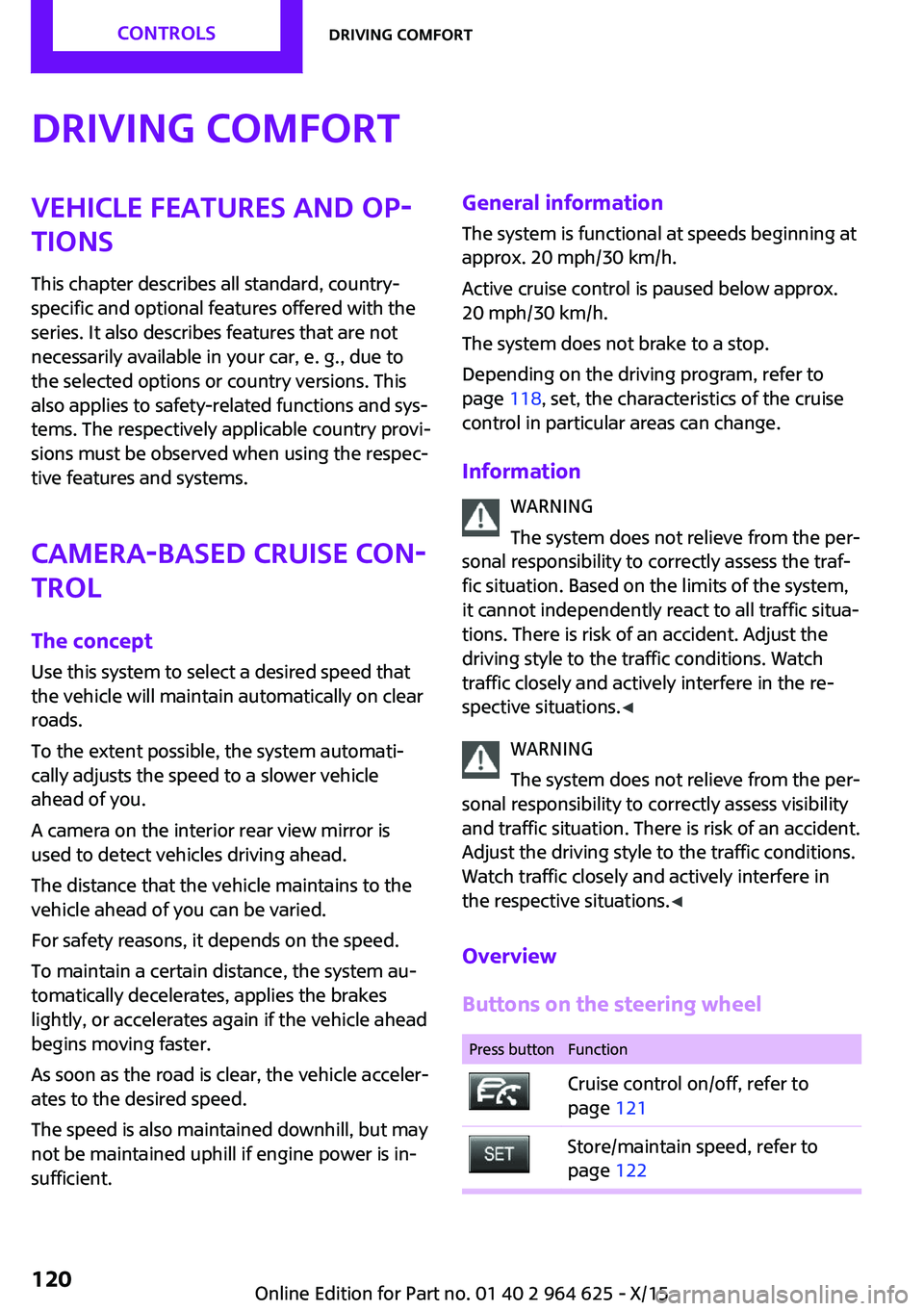
Buttons on the steering wheelPress buttonFunctionCruise control on/off, refer to
page 121Store/maintain speed, refer to
page 122Seite 120CONTROLSDriving comfort120
Online Edition for Part no. 01 40 2 964 625 - X/15
Page 121 of 248
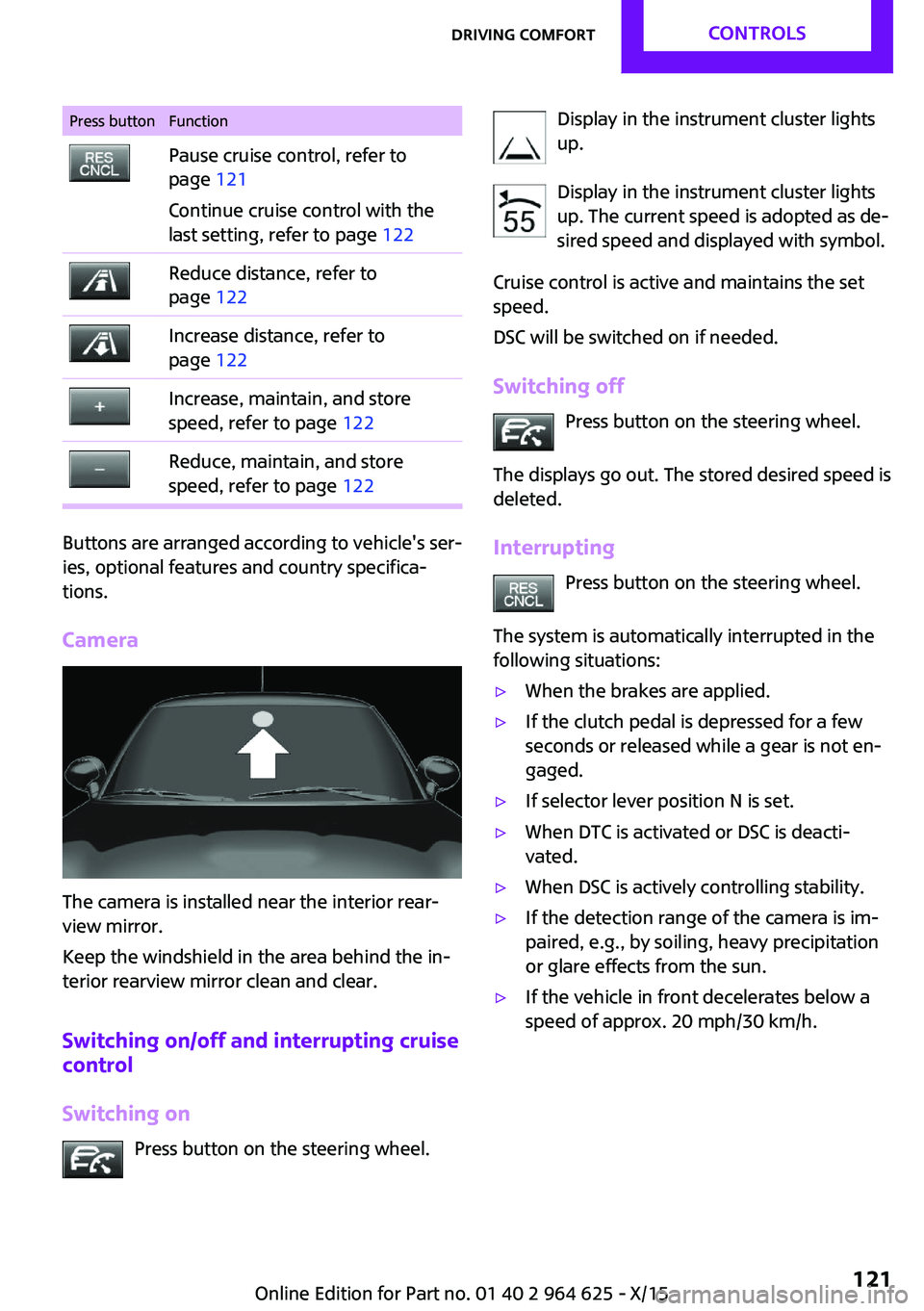
Press buttonFunctionPause cruise control, refer to
page 121
Continue cruise control with the
last setting, refer to page 122Reduce distance, refer to
page 122Increase distance, refer to
page 122Increase, maintain, and store
speed, refer to page 122Reduce, maintain, and store
speed, refer to page 122
Buttons are arranged according to vehicle's ser‐
ies, optional features and country specifica‐
tions.
Camera
The camera is installed near the interior rear‐
view mirror.
Keep the windshield in the area behind the in‐
terior rearview mirror clean and clear.
Switching on/off and interrupting cruise
control
Switching on Press button on the steering wheel.
Display in the instrument cluster lights
up.
Display in the instrument cluster lights up. The current speed is adopted as de‐
sired speed and displayed with symbol.
Cruise control is active and maintains the set
speed.
DSC will be switched on if needed.
Switching off Press button on the steering wheel.
The displays go out. The stored desired speed is
deleted.
Interrupting Press button on the steering wheel.
The system is automatically interrupted in the
following situations:▷When the brakes are applied.▷If the clutch pedal is depressed for a few
seconds or released while a gear is not en‐
gaged.▷If selector lever position N is set.▷When DTC is activated or DSC is deacti‐
vated.▷When DSC is actively controlling stability.▷If the detection range of the camera is im‐
paired, e.g., by soiling, heavy precipitation
or glare effects from the sun.▷If the vehicle in front decelerates below a
speed of approx. 20 mph/30 km/h.Seite 121Driving comfortCONTROLS121
Online Edition for Part no. 01 40 2 964 625 - X/15
Page 126 of 248
MalfunctionA Check Control message is displayed if the sys‐
tem fails or was automatically deactivated.
The system may not be fully functional in the
following situations:▷When an object was not correctly detected.▷In heavy fog, rain, sprayed water or snow‐
fall.▷In tight curves.▷If the field of view of the camera or the
front windshield are dirty or covered.▷When driving toward bright lights.▷Up to 20 seconds after the start of the en‐
gine, via the Start/Stop button.▷During calibration of the camera immedi‐
ately after vehicle delivery.
Cruise control
The concept
The system is functional at speeds beginning at
approx. 20 mph/30 km/h.
It maintains the speed that was set using the
control elements on the steering wheel.
The system brakes on downhill gradients if en‐
gine braking is insufficient.
Information WARNING
The system does not relieve from the per‐
sonal responsibility to correctly assess the traf‐
fic situation. Based on the limits of the system,
it cannot independently react to all traffic situa‐
tions. There is risk of an accident. Adjust the
driving style to the traffic conditions. Watch
traffic closely and actively interfere in the re‐
spective situations. ◀
WARNING
The use of the system can lead to an in‐
creased risk of accidents in the following situa‐
tions:▷On winding roads.▷In heavy traffic.▷On slippery roads, in fog, snow or rain, or
on a loose road surface.
There is risk of accidents or risk of property
damage. Only use the system if driving at con‐
stant speed is possible. ◀
General information Depending on the driving program, refer to
page 118, set, the characteristics of the cruise
control in particular areas can change.
Overview
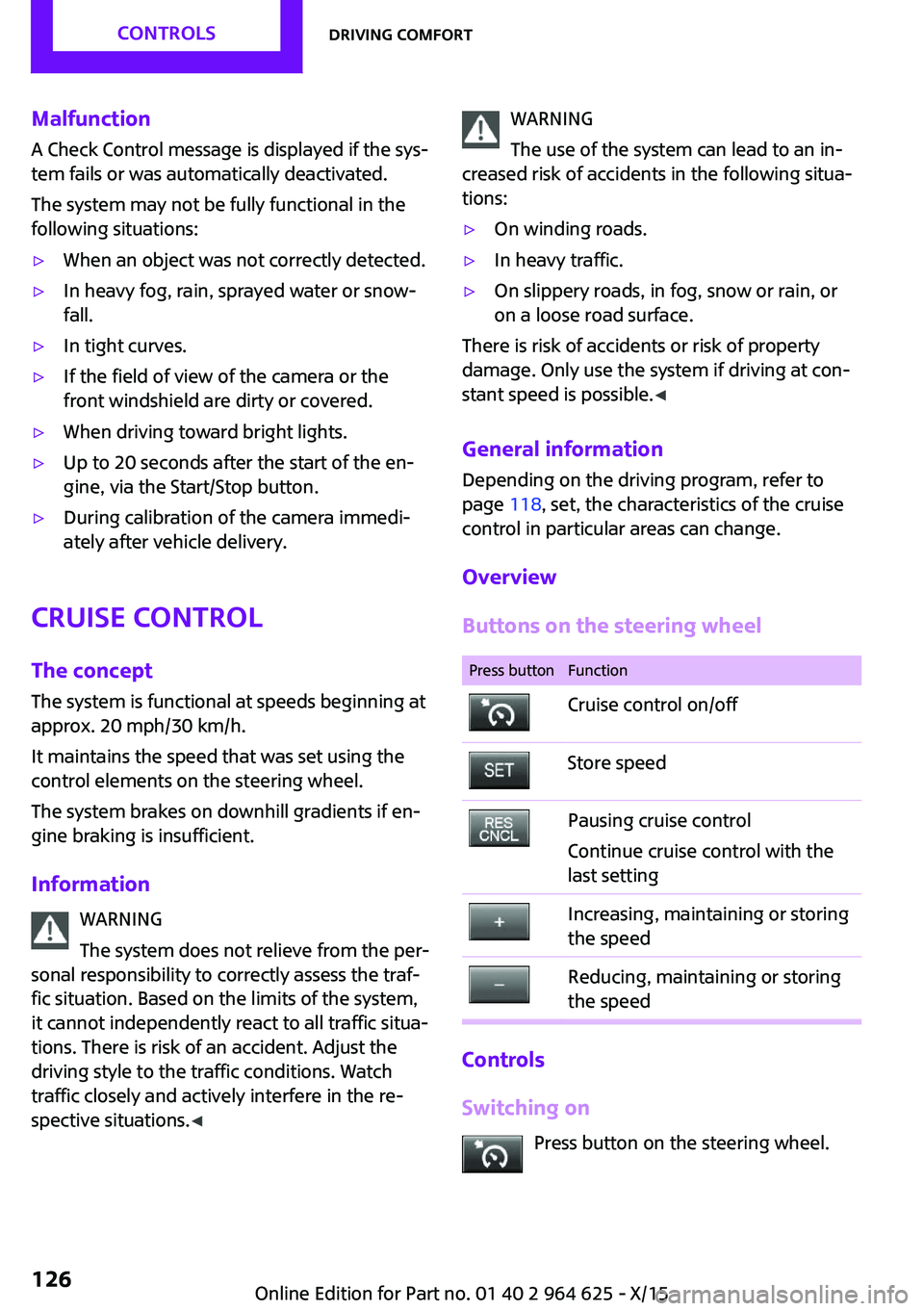
Buttons on the steering wheel
Press buttonFunctionCruise control on/offStore speedPausing cruise control
Continue cruise control with the
last settingIncreasing, maintaining or storing
the speedReducing, maintaining or storing
the speed
Controls
Switching on Press button on the steering wheel.
Seite 126CONTROLSDriving comfort126
Online Edition for Part no. 01 40 2 964 625 - X/15
Page 127 of 248
The indicator lamp in the instrument
cluster lights up.
The current speed is adopted as the de‐
sired speed and is displayed with the symbol in the instrument cluster.
Cruise control is active and maintains the set
speed.
DSC will be switched on if needed.
Switching off Press button on the steering wheel.
The displays go out. The stored desired speed is
deleted.
Interrupting When active, press the button on the
steering wheel.
The system is automatically interrupted in the
following situations:▷When the brakes are applied.▷If the clutch pedal is depressed for a few
seconds or released while a gear is not en‐
gaged.▷If the gear engaged is too high for the cur‐
rent speed.▷If selector lever position N is set.▷When DTC is activated or DSC is deacti‐
vated.▷When DSC is actively controlling stability.
Maintaining, storing, and changing the
speed
Information WARNING
The desired speed can be incorrectly ad‐
justed or called up by mistake. There is risk of
an accident. Adjust the desired speed to the
traffic conditions. Watch traffic closely and ac‐
tively interfere in the respective situations. ◀
Maintaining/storing the speed Press button.
Or
or button: press while the system is in‐
terrupted.
When the system is switched on, the current
speed is maintained and stored as the desired
speed.
This is displayed in the instrument cluster.
DSC will be switched on if needed.
Changing the speed
or button: press repeatedly until the de‐
sired speed is set.
If active, the displayed speed is stored and the
vehicle reaches the stored speed when the
road is clear.
▷ or button: each time it is pressed to
the point of resistance, the desired speed
increases or decreases by approx.
1 mph/1 km/h.▷ or button: each time it is pressed
past the point of resistance, the desired
speed increases or decreases by a maxi‐
mum of 5 mph/10 km/h.
The maximum speed that can be set de‐
pends on the vehicle.▷ or button: pressing it to the resist‐
ance point and holding it there accelerates
or decelerates the vehicle without requiring
pressure on the accelerator pedal. After the
button is released, the vehicle maintains its
final speed. Pressing the switch beyond the
resistance point causes the vehicle to accel‐
erate more rapidly.Seite 127Driving comfortCONTROLS127
Online Edition for Part no. 01 40 2 964 625 - X/15
Page 128 of 248
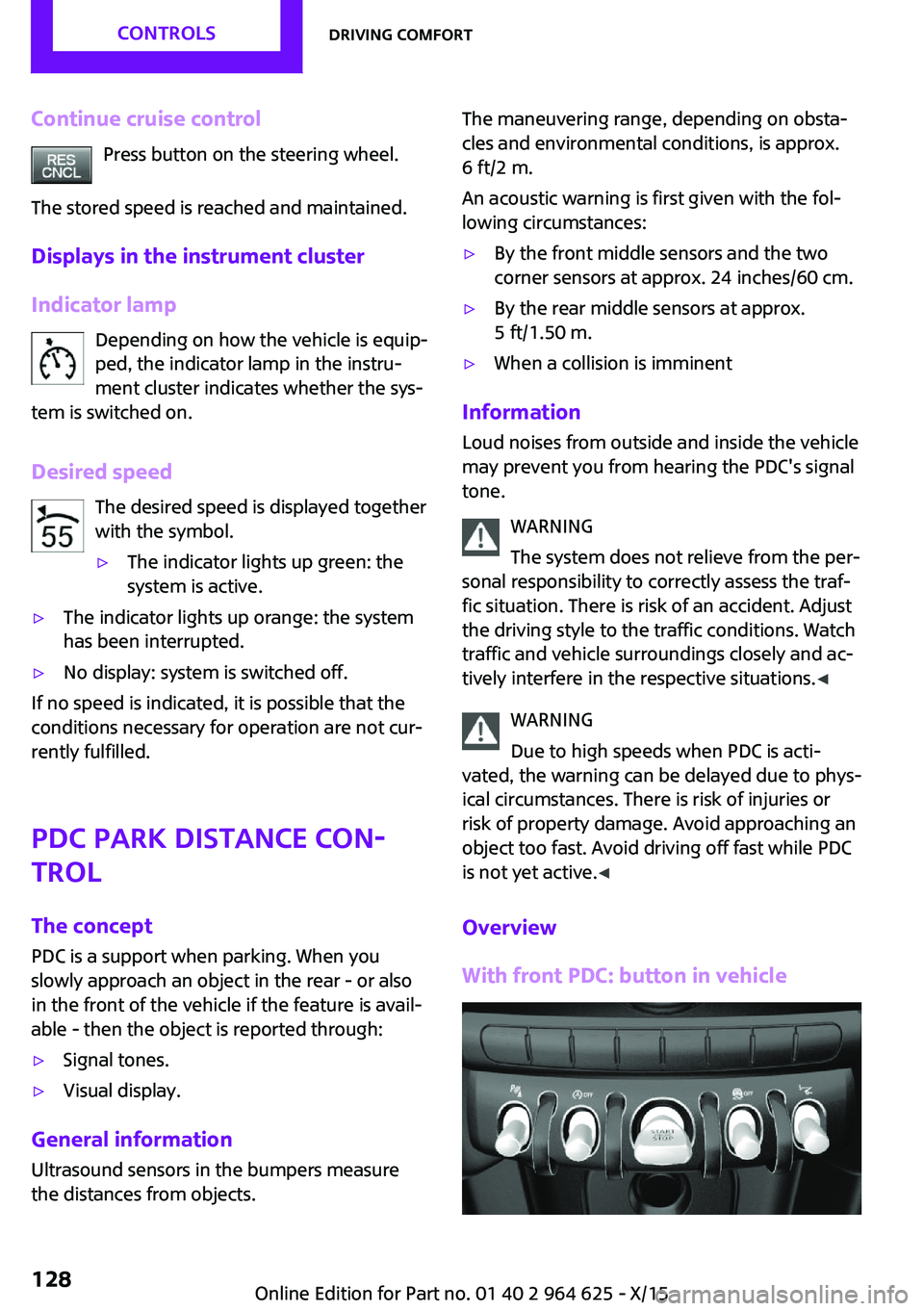
Continue cruise controlPress button on the steering wheel.
The stored speed is reached and maintained.
Displays in the instrument cluster
Indicator lamp Depending on how the vehicle is equip‐
ped, the indicator lamp in the instru‐
ment cluster indicates whether the sys‐
tem is switched on.
Desired speed The desired speed is displayed together
with the symbol.▷The indicator lights up green: the
system is active.▷The indicator lights up orange: the system
has been interrupted.▷No display: system is switched off.
If no speed is indicated, it is possible that the
conditions necessary for operation are not cur‐
rently fulfilled.
PDC Park Distance Con‐
trol
The concept
PDC is a support when parking. When you
slowly approach an object in the rear - or also
in the front of the vehicle if the feature is avail‐
able - then the object is reported through:
▷Signal tones.▷Visual display.
General information
Ultrasound sensors in the bumpers measure
the distances from objects.
The maneuvering range, depending on obsta‐
cles and environmental conditions, is approx.
6 ft/2 m.
An acoustic warning is first given with the fol‐
lowing circumstances:▷By the front middle sensors and the two
corner sensors at approx. 24 inches/60 cm.▷By the rear middle sensors at approx.
5 ft/1.50 m.▷When a collision is imminent
Information
Loud noises from outside and inside the vehicle
may prevent you from hearing the PDC's signal tone.
WARNING
The system does not relieve from the per‐
sonal responsibility to correctly assess the traf‐
fic situation. There is risk of an accident. Adjust
the driving style to the traffic conditions. Watch
traffic and vehicle surroundings closely and ac‐
tively interfere in the respective situations. ◀
WARNING
Due to high speeds when PDC is acti‐
vated, the warning can be delayed due to phys‐
ical circumstances. There is risk of injuries or
risk of property damage. Avoid approaching an
object too fast. Avoid driving off fast while PDC
is not yet active. ◀
Overview
With front PDC: button in vehicle
Seite 128CONTROLSDriving comfort128
Online Edition for Part no. 01 40 2 964 625 - X/15
Page 132 of 248
Switching the view via the onboard
monitor
With PDC activated:
"Rear view camera"
The rearview camera image is displayed.
Display on the Control Display
Functional requirement
▷The rearview camera is switched on.▷The tailgate is fully closed.
Activating the assistance functions More than one assistance function can be ac‐
tive at the same time.
▷Parking aid lines
"Parking aid lines"
Lanes and turning radius are indicated.
▷Obstacle marking
"Obstacle marking"
Spatially-shaped markings are displayed.
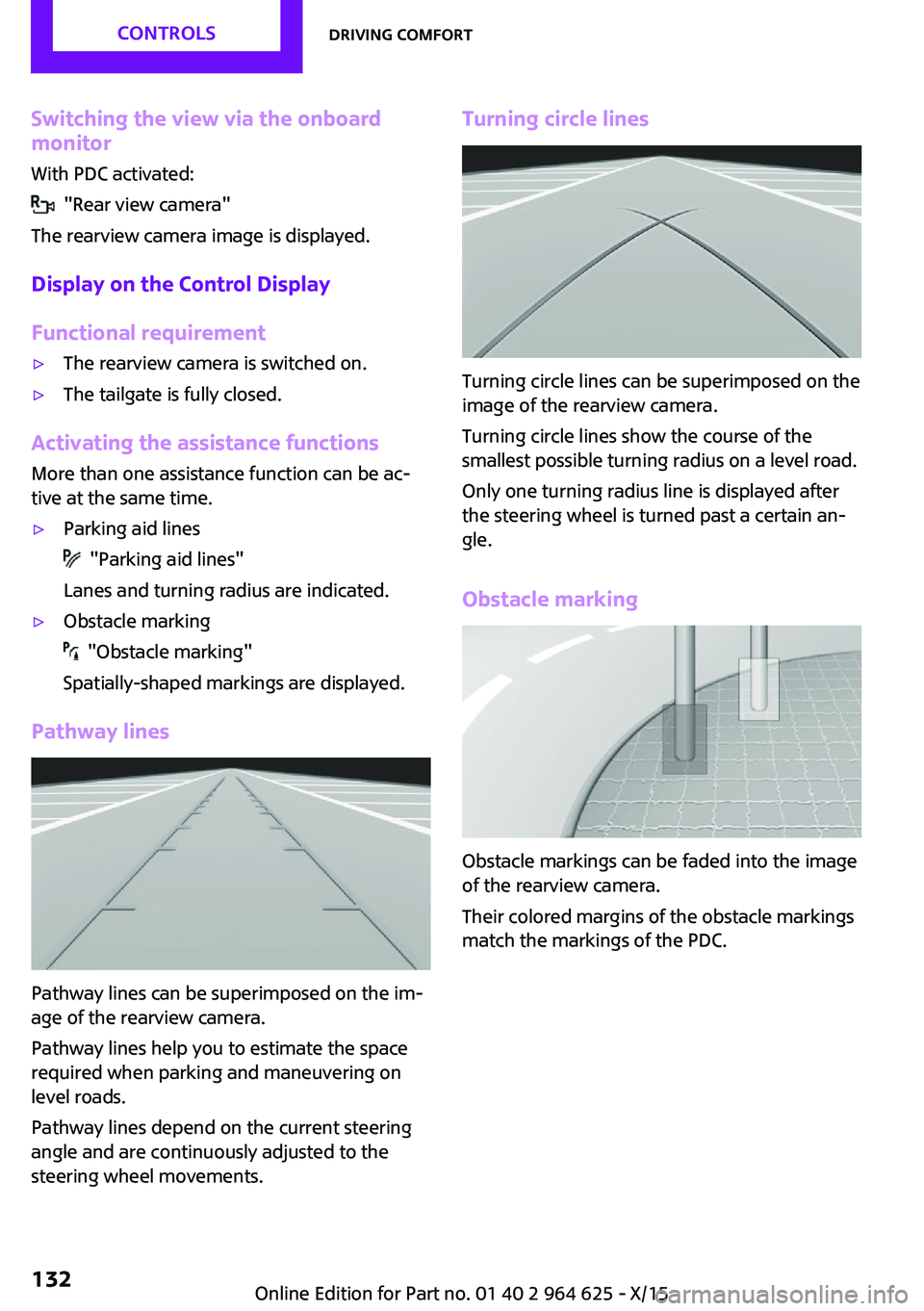
Pathway lines
Pathway lines can be superimposed on the im‐
age of the rearview camera.
Pathway lines help you to estimate the space
required when parking and maneuvering on
level roads.
Pathway lines depend on the current steering
angle and are continuously adjusted to the
steering wheel movements.
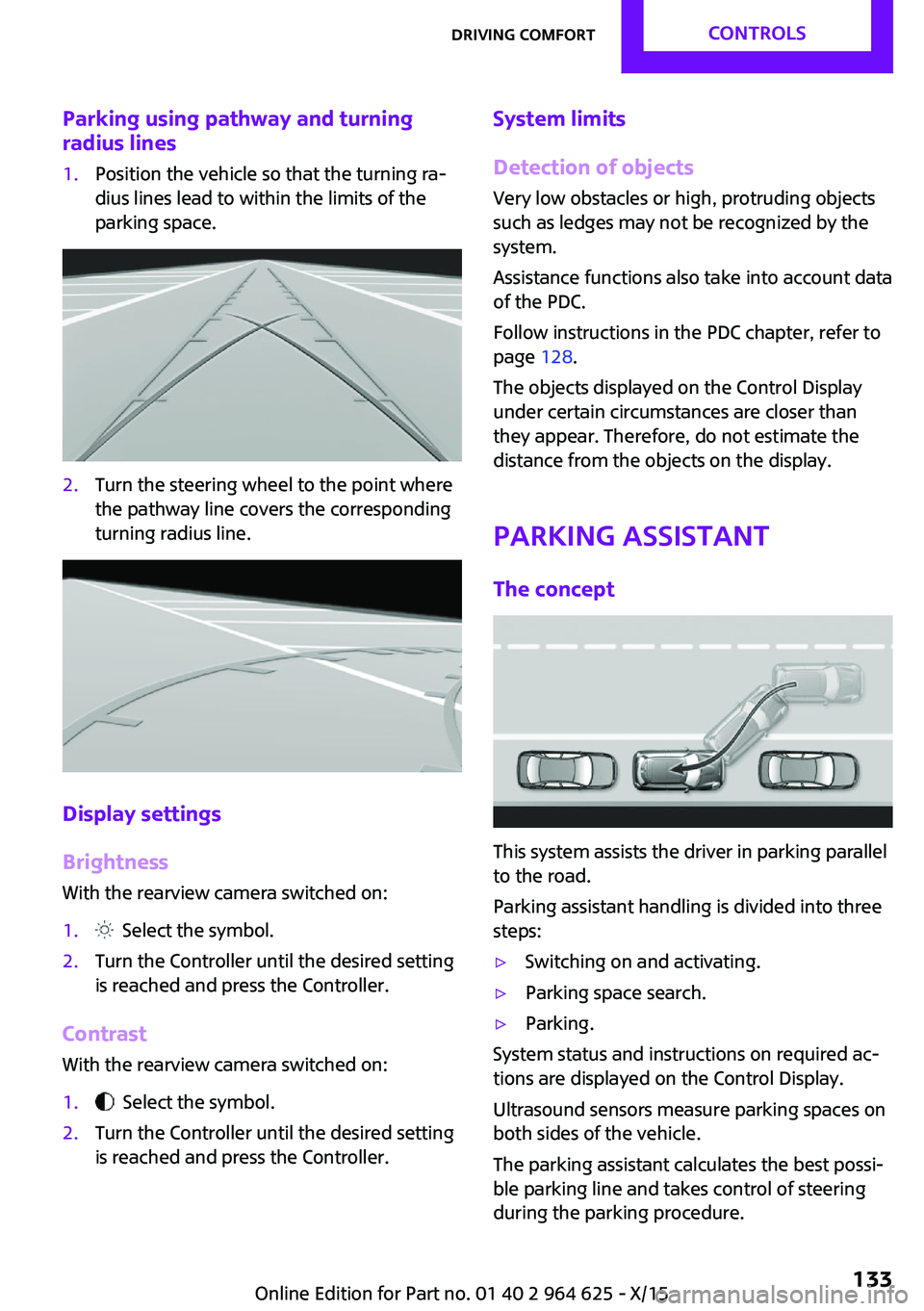
Turning circle lines
Turning circle lines can be superimposed on the
image of the rearview camera.
Turning circle lines show the course of the
smallest possible turning radius on a level road.
Only one turning radius line is displayed after
the steering wheel is turned past a certain an‐
gle.
Obstacle marking
Obstacle markings can be faded into the image
of the rearview camera.
Their colored margins of the obstacle markings
match the markings of the PDC.
Seite 132CONTROLSDriving comfort132
Online Edition for Part no. 01 40 2 964 625 - X/15
Page 133 of 248
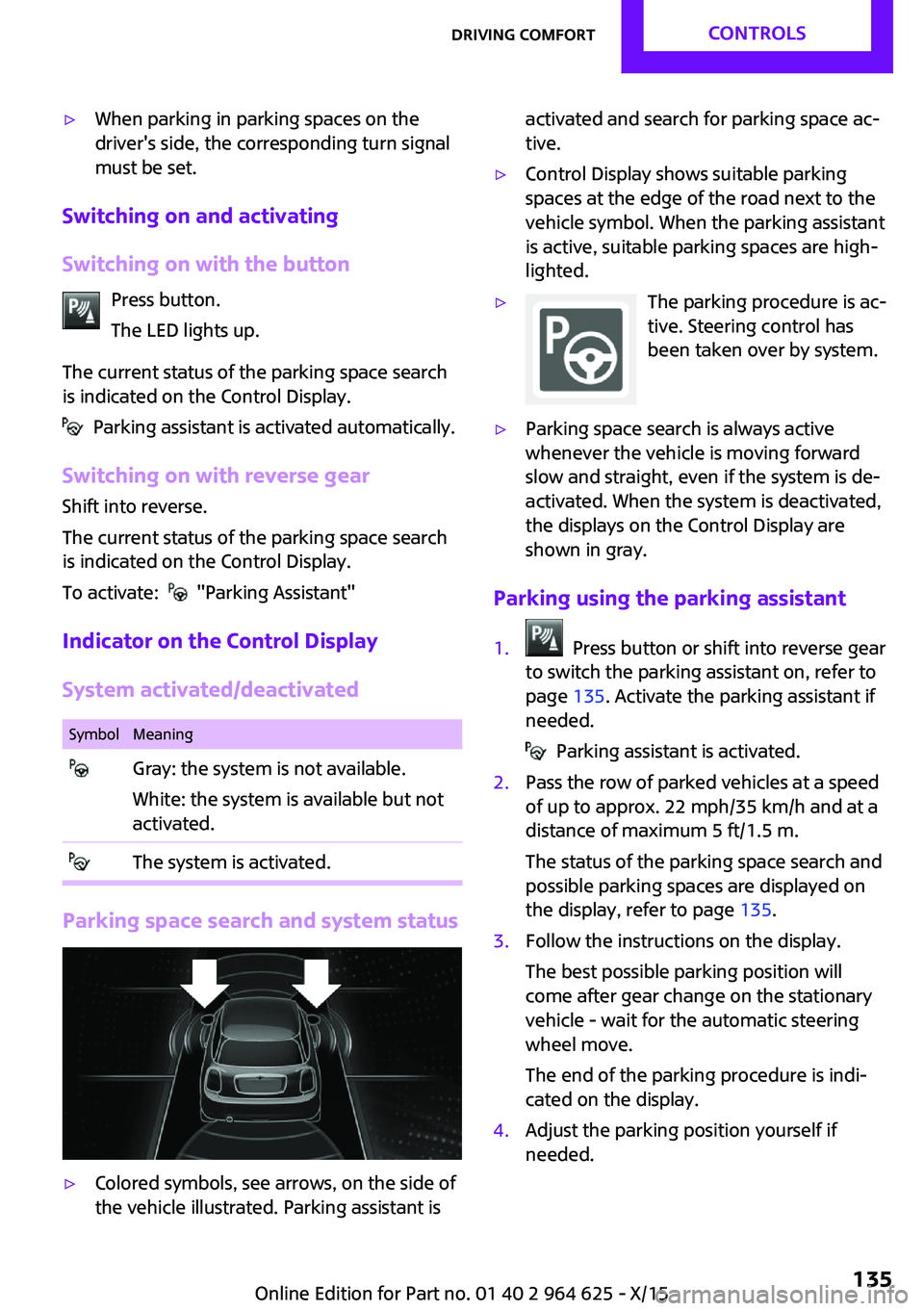
Parking using pathway and turningradius lines1.Position the vehicle so that the turning ra‐
dius lines lead to within the limits of the
parking space.2.Turn the steering wheel to the point where
the pathway line covers the corresponding
turning radius line.
Display settings
Brightness
With the rearview camera switched on:
1. Select the symbol.2.Turn the Controller until the desired setting
is reached and press the Controller.
Contrast
With the rearview camera switched on:
1. Select the symbol.2.Turn the Controller until the desired setting
is reached and press the Controller.System limits
Detection of objects
Very low obstacles or high, protruding objects
such as ledges may not be recognized by the
system.
Assistance functions also take into account data
of the PDC.
Follow instructions in the PDC chapter, refer to
page 128.
The objects displayed on the Control Display
under certain circumstances are closer than
they appear. Therefore, do not estimate the
distance from the objects on the display.
Parking assistant
The concept
This system assists the driver in parking parallel
to the road.
Parking assistant handling is divided into three
steps:
▷Switching on and activating.▷Parking space search.▷Parking.
System status and instructions on required ac‐
tions are displayed on the Control Display.
Ultrasound sensors measure parking spaces on
both sides of the vehicle.
The parking assistant calculates the best possi‐
ble parking line and takes control of steering
during the parking procedure.
Seite 133Driving comfortCONTROLS133
Online Edition for Part no. 01 40 2 964 625 - X/15
Page 135 of 248
▷When parking in parking spaces on the
driver's side, the corresponding turn signal
must be set.
Switching on and activating
Switching on with the button Press button.
The LED lights up.
The current status of the parking space search
is indicated on the Control Display.
Parking assistant is activated automatically.
Switching on with reverse gear
Shift into reverse.
The current status of the parking space search
is indicated on the Control Display.
To activate:
"Parking Assistant"
Indicator on the Control Display
System activated/deactivated
SymbolMeaning Gray: the system is not available.
White: the system is available but not
activated. The system is activated.
Parking space search and system status
▷Colored symbols, see arrows, on the side of
the vehicle illustrated. Parking assistant isactivated and search for parking space ac‐
tive.▷Control Display shows suitable parking
spaces at the edge of the road next to the
vehicle symbol. When the parking assistant
is active, suitable parking spaces are high‐
lighted.▷The parking procedure is ac‐
tive. Steering control has
been taken over by system.▷Parking space search is always active
whenever the vehicle is moving forward
slow and straight, even if the system is de‐
activated. When the system is deactivated,
the displays on the Control Display are
shown in gray.
Parking using the parking assistant
1. Press button or shift into reverse gear
to switch the parking assistant on, refer to
page 135. Activate the parking assistant if
needed.
Parking assistant is activated.
2.Pass the row of parked vehicles at a speed
of up to approx. 22 mph/35 km/h and at a
distance of maximum 5 ft/1.5 m.
The status of the parking space search and
possible parking spaces are displayed on
the display, refer to page 135.3.Follow the instructions on the display.
The best possible parking position will
come after gear change on the stationary
vehicle - wait for the automatic steering
wheel move.
The end of the parking procedure is indi‐
cated on the display.4.Adjust the parking position yourself if
needed.Seite 135Driving comfortCONTROLS135
Online Edition for Part no. 01 40 2 964 625 - X/15
Page 136 of 248
Interrupting manuallyThe parking assistant can be interrupted at any
time:▷ "Parking Assistant"▷Press button.
Interrupting automatically
The system is interrupted automatically in the
following situations:
▷If the driver grasps the steering wheel or if
he takes over steering.▷If a gear is selected that does not match the
instruction on the display.▷If the vehicle speed exceeds approx.
6 mph/10 km/h.▷Possible on snow-covered or slippery road
surfaces.▷If a maximum number of parking attempts
or the time taken for parking is exceeded.▷If the Park Distance Control PDC displays
clearances that are too small.▷When switching into other functions of the
radio.
A Check Control message is displayed.
Resume
An interrupted parking procedure can be con‐
tinued if needed.
Reactivate the parking assistant, refer to page 135, and follow the instructions on the
display.
Switching off The system can be deactivated as follows:
▷Press button.▷Switching off the ignition.System limits
Information WARNING
The system can react incorrectly or not at
all due to the system limits. There is risk of acci‐
dents or risk of property damage. Observe the
system limits and actively interfere if needed. ◀
No parking assistance The parking assistant does not offer assistance
in the following situations:▷In tight curves.
Functional limitations
The system may not be fully functional in the
following situations:
▷On bumpy road surfaces such as gravel
roads.▷On slippery ground.▷With accumulations of leaves/snow in the
parking space.▷With a mounted emergency wheel.▷With ditches or edges, for example an edge
of a port.
Limits of ultrasonic measurement
Ultrasonic measuring might not function under
the following circumstances:
▷For small children and animals.▷For persons with certain clothing, for exam‐
ple coats.▷With external interference of the ultra‐
sound, for example from passing vehicles
or loud machines.▷When sensors are dirty, iced over, damaged
or out of position.▷If cargo protrudes.▷Under certain weather conditions such as
high relative humidity, rain, snowfall, ex‐
treme heat or strong wind.Seite 136CONTROLSDriving comfort136
Online Edition for Part no. 01 40 2 964 625 - X/15
Page 180 of 248
Wheels and tiresVehicle features and op‐
tions
This chapter describes all standard, country-
specific and optional features offered with the
series. It also describes features that are not
necessarily available in your car, e. g., due to
the selected options or country versions. This
also applies to safety-related functions and sys‐
tems. The respectively applicable country provi‐
sions must be observed when using the respec‐
tive features and systems.
Tire inflation pressure Safety informationThe tire characteristics and tire inflation pres‐
sure influence the following:▷The service life of the tires.▷Road safety.▷Driving comfort.
Checking the tire inflation pressure
WARNING
A tire with low or missing tire inflation
pressure impacts handling, such as steering
and braking response. There is risk of an acci‐
dent. Regularly check the tire inflation pressure,
and correct it as needed, for example twice a
month and before a long trip. ◀
Tires have a natural, consistent loss of tire infla‐
tion pressure.
Tires heat up while driving, and the tire inflation
pressure increases along with the tire's temper‐
ature. The tire inflation pressure specifications
relate to cold tires or tires with the ambient
temperature.
Only check the tire inflation pressure when the
tires are cold. This means after driving no more
than 1.25 miles/2 km or when the vehicle has
been parked for at least 2 hours.
The displays of inflation devices may under-
read by up to 0.1 bar.
For Flat Tire Monitor: after correcting the tire
inflation pressure, reinitialize the Flat Tire Moni‐
tor.
For Tire Pressure Monitor: after correcting the
tire inflation pressure, reset the Tire Pressure
Monitor.▷Reinitialize the Flat Tire Monitor.▷Reinitialize the Tire Pressure Monitor.
Checking the inflation pressure of the
emergency wheel
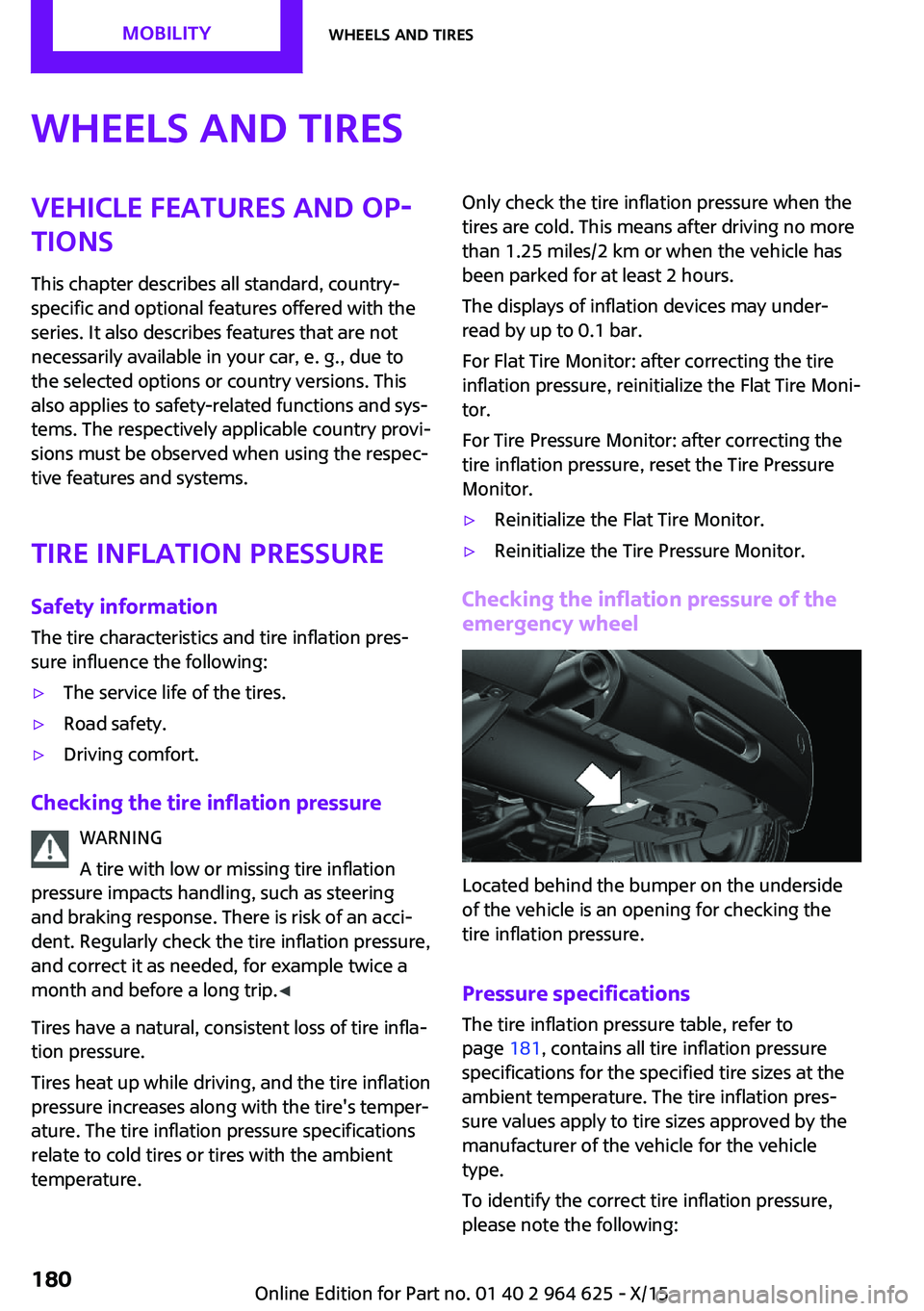
Located behind the bumper on the underside
of the vehicle is an opening for checking the
tire inflation pressure.
Pressure specifications
The tire inflation pressure table, refer to
page 181, contains all tire inflation pressure
specifications for the specified tire sizes at the
ambient temperature. The tire inflation pres‐
sure values apply to tire sizes approved by the
manufacturer of the vehicle for the vehicle
type.
To identify the correct tire inflation pressure,
please note the following:
Seite 180MOBILITYWheels and tires180
Online Edition for Part no. 01 40 2 964 625 - X/15