tires MINI COOPER 2015 Owner's Manual
[x] Cancel search | Manufacturer: MINI, Model Year: 2015, Model line: COOPER, Model: MINI COOPER 2015Pages: 248, PDF Size: 5.43 MB
Page 189 of 248
Recommended tire brands
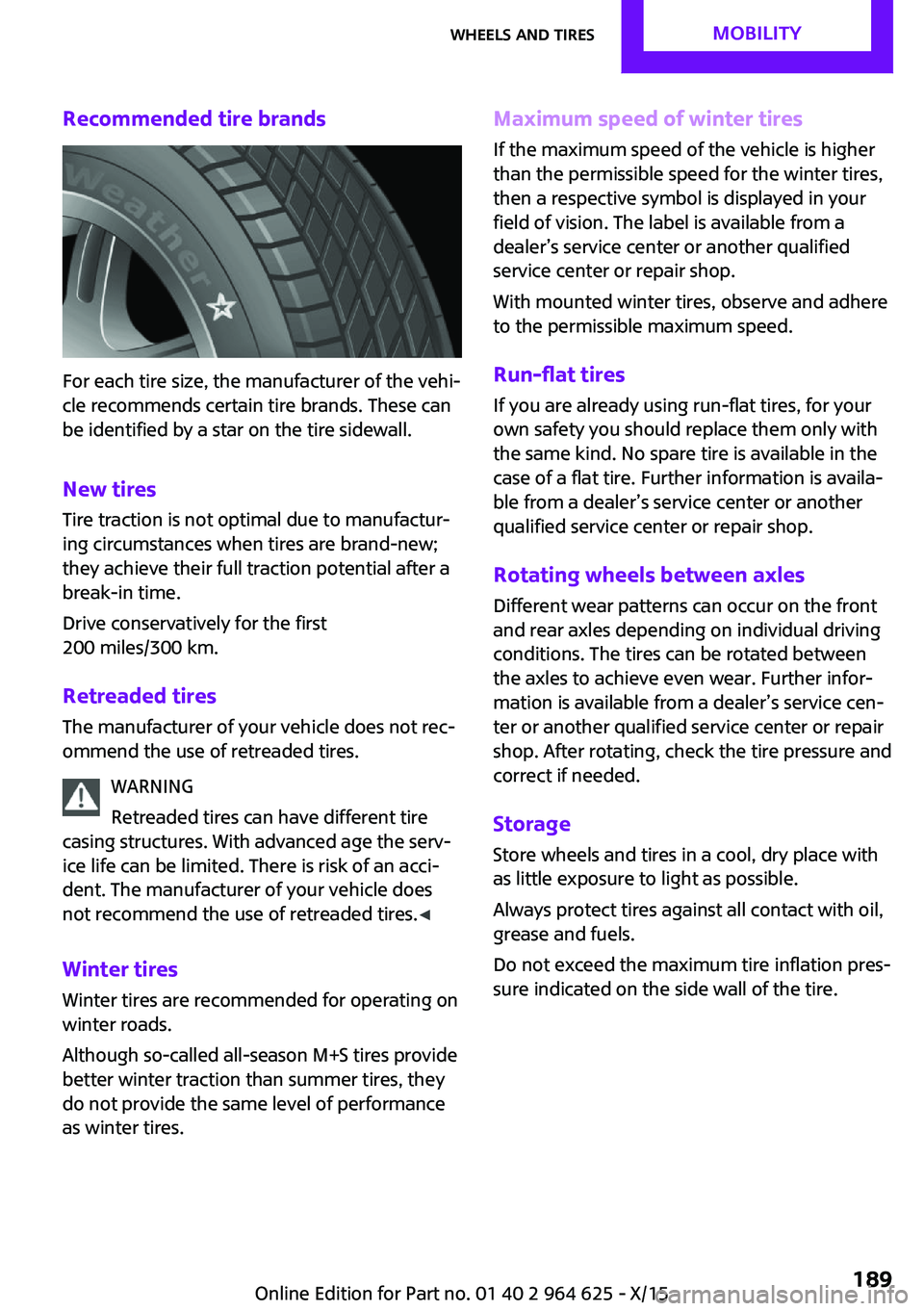
For each tire size, the manufacturer of the vehi‐
cle recommends certain tire brands. These can
be identified by a star on the tire sidewall.
New tires
Tire traction is not optimal due to manufactur‐
ing circumstances when tires are brand-new;
they achieve their full traction potential after a
break-in time.
Drive conservatively for the first
200 miles/300 km.
Retreaded tires The manufacturer of your vehicle does not rec‐
ommend the use of retreaded tires.
WARNING
Retreaded tires can have different tire
casing structures. With advanced age the serv‐
ice life can be limited. There is risk of an acci‐
dent. The manufacturer of your vehicle does
not recommend the use of retreaded tires. ◀
Winter tires
Winter tires are recommended for operating on
winter roads.
Although so-called all-season M+S tires provide
better winter traction than summer tires, they
do not provide the same level of performance
as winter tires.
Maximum speed of winter tires
If the maximum speed of the vehicle is higher
than the permissible speed for the winter tires,
then a respective symbol is displayed in your
field of vision. The label is available from a
dealer’s service center or another qualified
service center or repair shop.
With mounted winter tires, observe and adhere
to the permissible maximum speed.
Run-flat tires If you are already using run-flat tires, for your
own safety you should replace them only with
the same kind. No spare tire is available in the
case of a flat tire. Further information is availa‐
ble from a dealer’s service center or another
qualified service center or repair shop.
Rotating wheels between axles
Different wear patterns can occur on the front
and rear axles depending on individual driving
conditions. The tires can be rotated between
the axles to achieve even wear. Further infor‐
mation is available from a dealer’s service cen‐
ter or another qualified service center or repair
shop. After rotating, check the tire pressure and
correct if needed.
Storage Store wheels and tires in a cool, dry place with
as little exposure to light as possible.
Always protect tires against all contact with oil,
grease and fuels.
Do not exceed the maximum tire inflation pres‐
sure indicated on the side wall of the tire.Seite 189Wheels and tiresMOBILITY189
Online Edition for Part no. 01 40 2 964 625 - X/15
Page 190 of 248
Run-flat tiresLabel
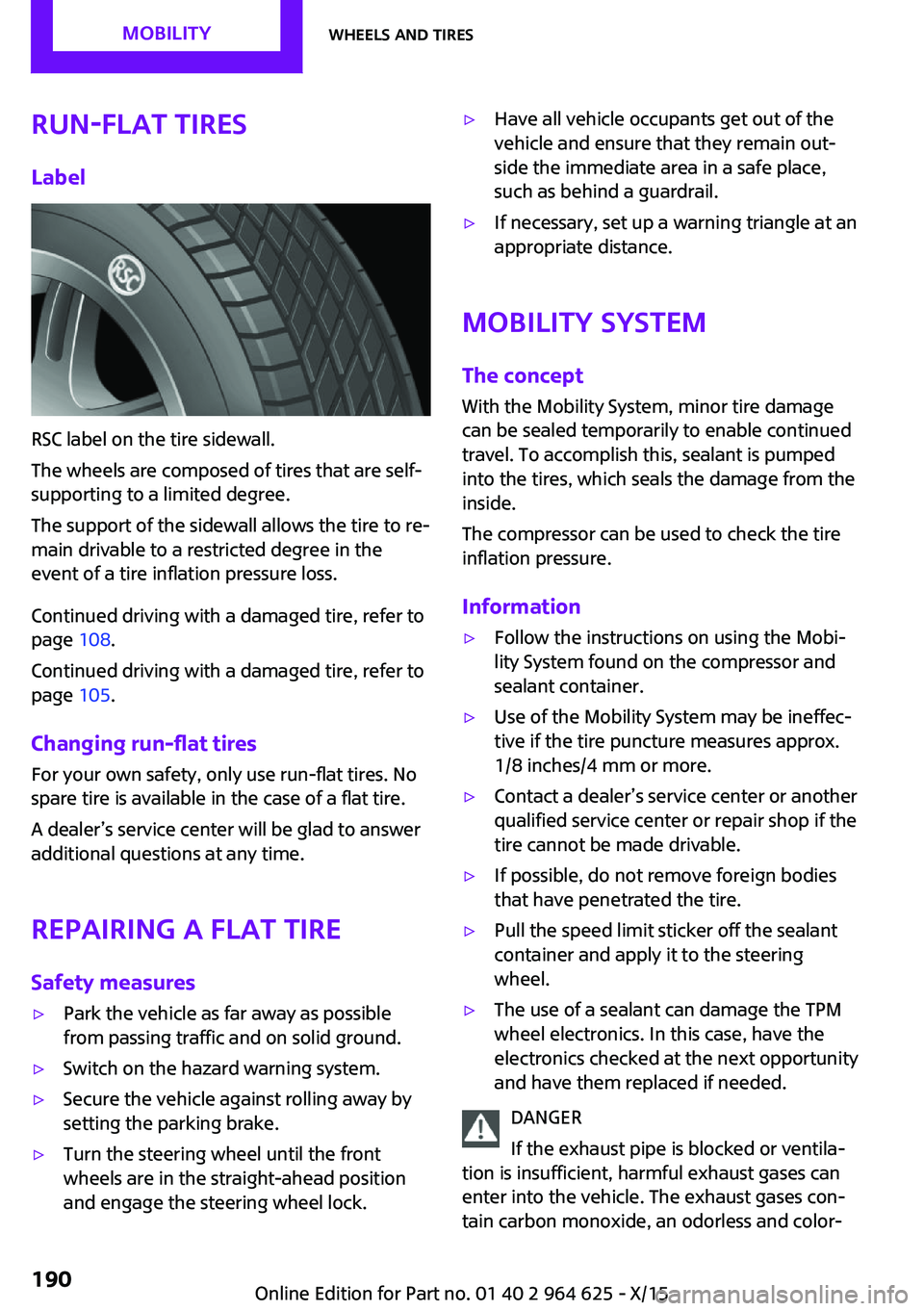
RSC label on the tire sidewall.
The wheels are composed of tires that are self-
supporting to a limited degree.
The support of the sidewall allows the tire to re‐
main drivable to a restricted degree in the
event of a tire inflation pressure loss.
Continued driving with a damaged tire, refer to
page 108.
Continued driving with a damaged tire, refer to
page 105.
Changing run-flat tires
For your own safety, only use run-flat tires. No
spare tire is available in the case of a flat tire.
A dealer’s service center will be glad to answer additional questions at any time.
Repairing a flat tireSafety measures
▷Park the vehicle as far away as possible
from passing traffic and on solid ground.▷Switch on the hazard warning system.▷Secure the vehicle against rolling away by
setting the parking brake.▷Turn the steering wheel until the front
wheels are in the straight-ahead position
and engage the steering wheel lock.▷Have all vehicle occupants get out of the
vehicle and ensure that they remain out‐
side the immediate area in a safe place,
such as behind a guardrail.▷If necessary, set up a warning triangle at an
appropriate distance.
Mobility System
The concept
With the Mobility System, minor tire damage
can be sealed temporarily to enable continued
travel. To accomplish this, sealant is pumped
into the tires, which seals the damage from the
inside.
The compressor can be used to check the tire
inflation pressure.
Information
▷Follow the instructions on using the Mobi‐
lity System found on the compressor and
sealant container.▷Use of the Mobility System may be ineffec‐
tive if the tire puncture measures approx.
1/8 inches/4 mm or more.▷Contact a dealer’s service center or another
qualified service center or repair shop if the
tire cannot be made drivable.▷If possible, do not remove foreign bodies
that have penetrated the tire.▷Pull the speed limit sticker off the sealant
container and apply it to the steering
wheel.▷The use of a sealant can damage the TPM
wheel electronics. In this case, have the
electronics checked at the next opportunity
and have them replaced if needed.
DANGER
If the exhaust pipe is blocked or ventila‐
tion is insufficient, harmful exhaust gases can
enter into the vehicle. The exhaust gases con‐
tain carbon monoxide, an odorless and color‐
Seite 190MOBILITYWheels and tires190
Online Edition for Part no. 01 40 2 964 625 - X/15
Page 191 of 248
less but highly toxic gas. In enclosed areas, ex‐
haust gases can also accumulate outside of the
vehicle. There is danger to life. Keep the ex‐
haust pipe free and ensure sufficient ventila‐
tion. ◀
Storage
The Mobility System is located under the cargo
floor panel.
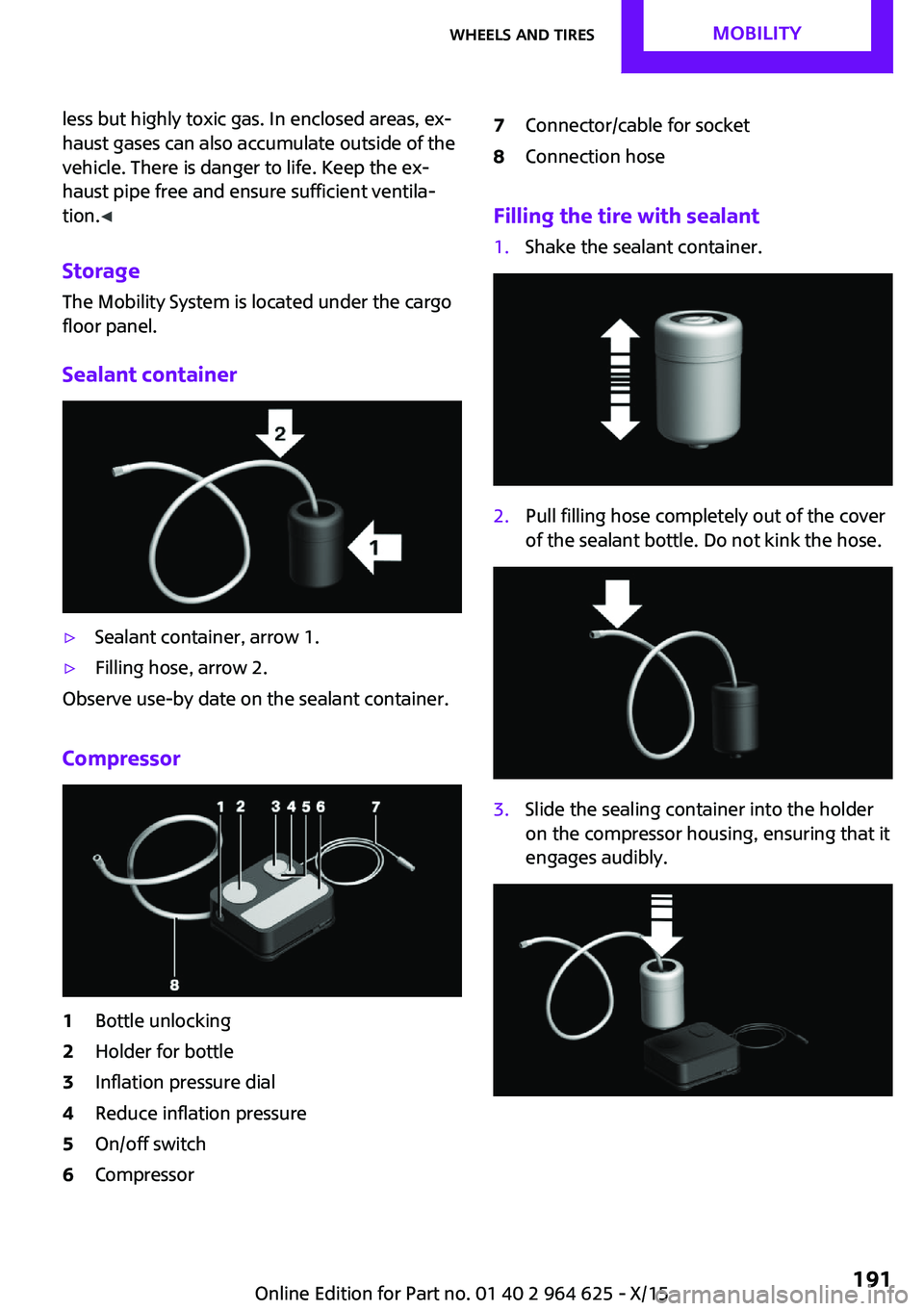
Sealant container▷Sealant container, arrow 1.▷Filling hose, arrow 2.
Observe use-by date on the sealant container.
Compressor
1Bottle unlocking2Holder for bottle3Inflation pressure dial4Reduce inflation pressure5On/off switch6Compressor7Connector/cable for socket8Connection hose
Filling the tire with sealant
1.Shake the sealant container.2.Pull filling hose completely out of the cover
of the sealant bottle. Do not kink the hose.3.Slide the sealing container into the holder
on the compressor housing, ensuring that it
engages audibly.Seite 191Wheels and tiresMOBILITY191
Online Edition for Part no. 01 40 2 964 625 - X/15
Page 192 of 248
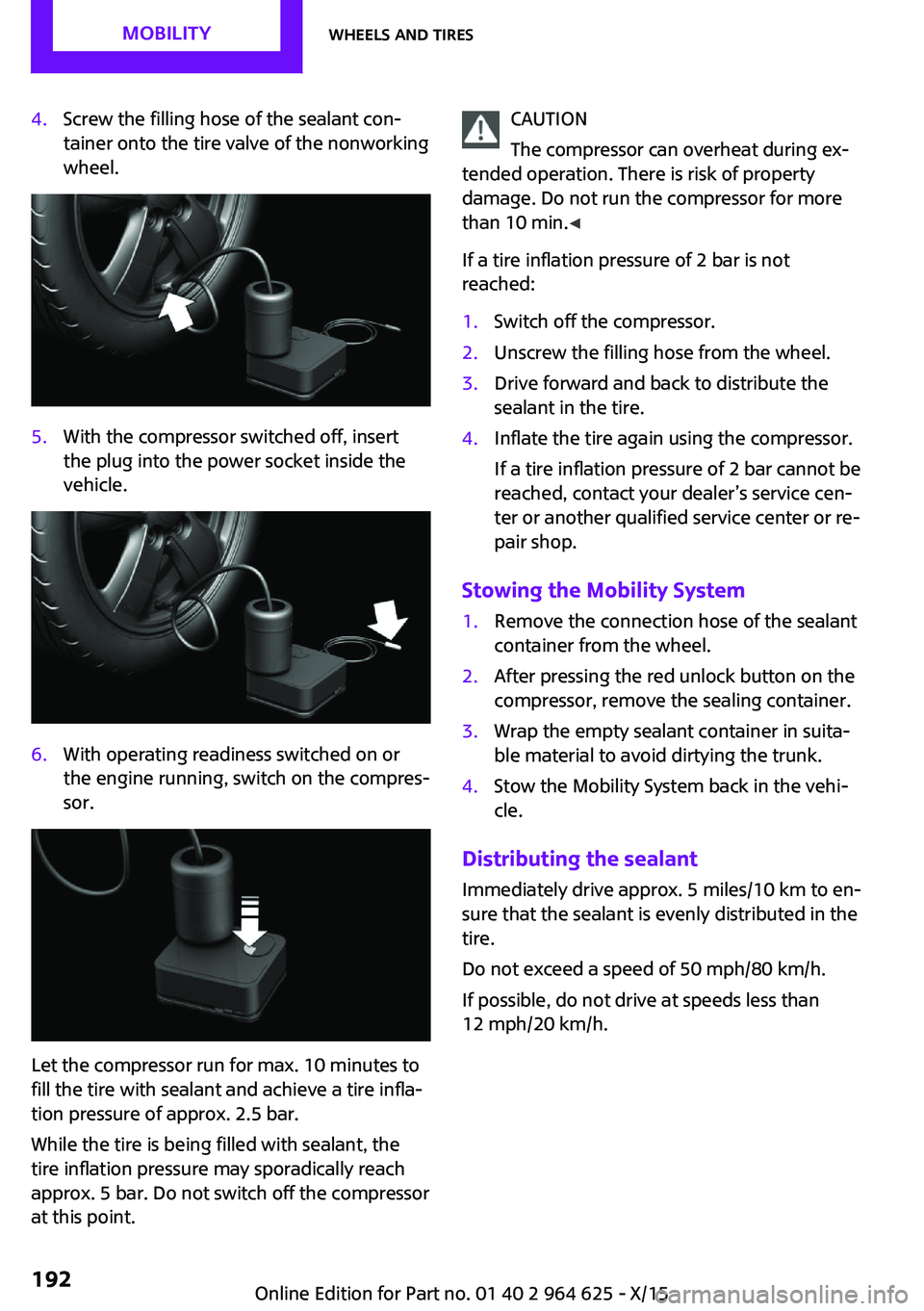
4.Screw the filling hose of the sealant con‐
tainer onto the tire valve of the nonworking
wheel.5.With the compressor switched off, insert
the plug into the power socket inside the
vehicle.6.With operating readiness switched on or
the engine running, switch on the compres‐
sor.
Let the compressor run for max. 10 minutes to
fill the tire with sealant and achieve a tire infla‐
tion pressure of approx. 2.5 bar.
While the tire is being filled with sealant, the
tire inflation pressure may sporadically reach
approx. 5 bar. Do not switch off the compressor
at this point.
CAUTION
The compressor can overheat during ex‐
tended operation. There is risk of property
damage. Do not run the compressor for more
than 10 min. ◀
If a tire inflation pressure of 2 bar is not
reached:1.Switch off the compressor.2.Unscrew the filling hose from the wheel.3.Drive forward and back to distribute the
sealant in the tire.4.Inflate the tire again using the compressor.
If a tire inflation pressure of 2 bar cannot be
reached, contact your dealer’s service cen‐
ter or another qualified service center or re‐
pair shop.
Stowing the Mobility System
1.Remove the connection hose of the sealant
container from the wheel.2.After pressing the red unlock button on the
compressor, remove the sealing container.3.Wrap the empty sealant container in suita‐
ble material to avoid dirtying the trunk.4.Stow the Mobility System back in the vehi‐
cle.
Distributing the sealant
Immediately drive approx. 5 miles/10 km to en‐
sure that the sealant is evenly distributed in the
tire.
Do not exceed a speed of 50 mph/80 km/h.
If possible, do not drive at speeds less than
12 mph/20 km/h.
Seite 192MOBILITYWheels and tires192
Online Edition for Part no. 01 40 2 964 625 - X/15
Page 193 of 248
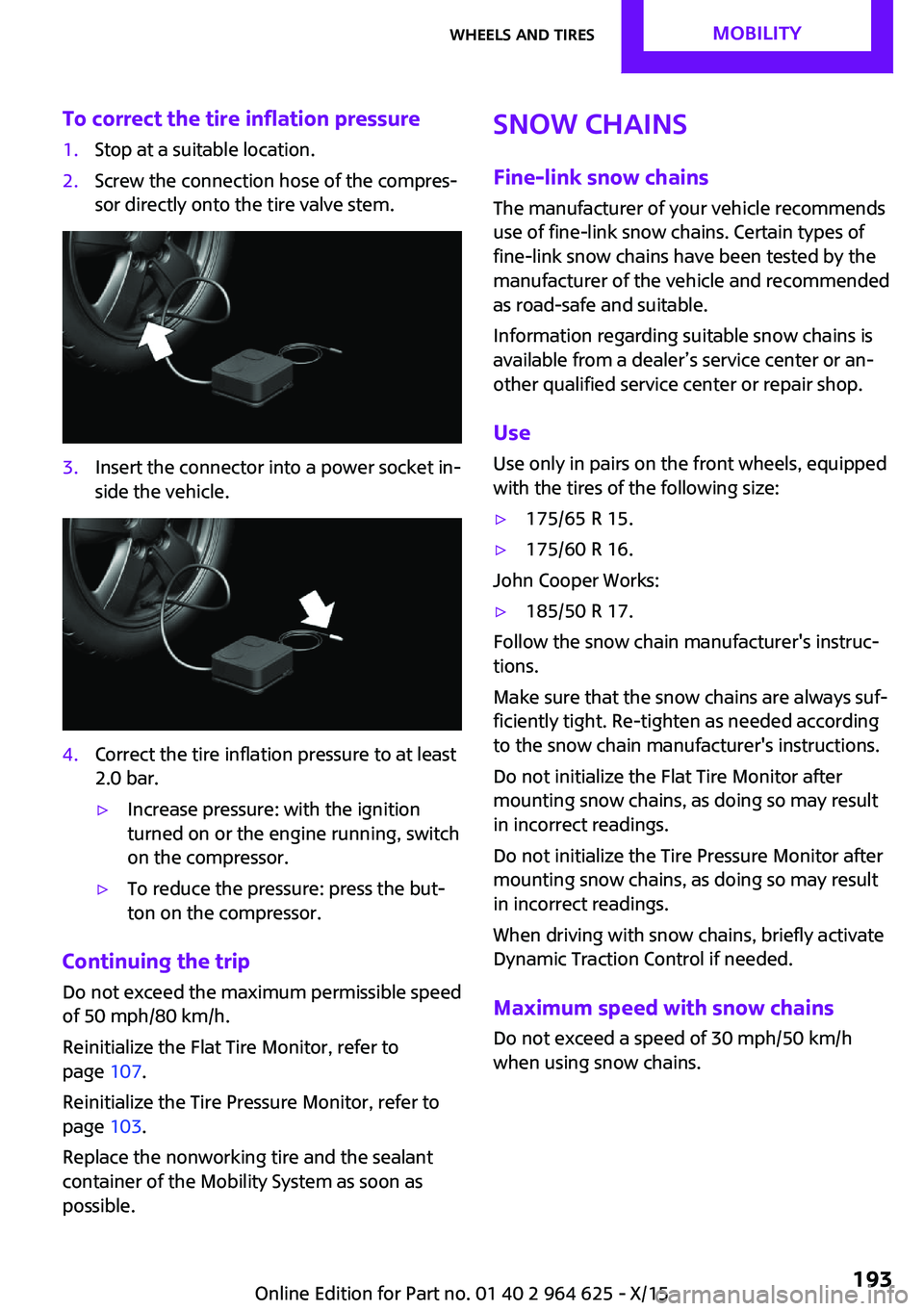
To correct the tire inflation pressure1.Stop at a suitable location.2.Screw the connection hose of the compres‐
sor directly onto the tire valve stem.3.Insert the connector into a power socket in‐
side the vehicle.4.Correct the tire inflation pressure to at least
2.0 bar.▷Increase pressure: with the ignition
turned on or the engine running, switch
on the compressor.▷To reduce the pressure: press the but‐
ton on the compressor.
Continuing the trip
Do not exceed the maximum permissible speed
of 50 mph/80 km/h.
Reinitialize the Flat Tire Monitor, refer to
page 107.
Reinitialize the Tire Pressure Monitor, refer to
page 103.
Replace the nonworking tire and the sealant
container of the Mobility System as soon as
possible.
Snow chains
Fine-link snow chains
The manufacturer of your vehicle recommends use of fine-link snow chains. Certain types of
fine-link snow chains have been tested by the
manufacturer of the vehicle and recommended
as road-safe and suitable.
Information regarding suitable snow chains is
available from a dealer’s service center or an‐ other qualified service center or repair shop.
Use Use only in pairs on the front wheels, equipped
with the tires of the following size:▷175/65 R 15.▷175/60 R 16.
John Cooper Works:
▷185/50 R 17.
Follow the snow chain manufacturer's instruc‐
tions.
Make sure that the snow chains are always suf‐
ficiently tight. Re-tighten as needed according
to the snow chain manufacturer's instructions.
Do not initialize the Flat Tire Monitor after
mounting snow chains, as doing so may result
in incorrect readings.
Do not initialize the Tire Pressure Monitor after
mounting snow chains, as doing so may result
in incorrect readings.
When driving with snow chains, briefly activate
Dynamic Traction Control if needed.
Maximum speed with snow chains
Do not exceed a speed of 30 mph/50 km/h
when using snow chains.
Seite 193Wheels and tiresMOBILITY193
Online Edition for Part no. 01 40 2 964 625 - X/15
Page 212 of 248

Changing wheels/tiresInformationWhen using run-flat tires or tire sealants, a tire
does not need to be changed immediately in
the event of pressure loss due to a flat tire.
Which is why no spare tire is available.
The tools for changing wheels are available as
accessories from your dealer’s service center or
another qualified service center or repair shop.
Jacking points for the vehicle jack
The jacking points for the vehicle jack are lo‐
cated at the positions shown.
Emergency wheel
Safety measures
▷Park the vehicle as far away as possible
from passing traffic and on solid ground.
Switch on the hazard warning system.▷Set the parking brake and engage lever in
position P P.▷Have all vehicle occupants get out of the
vehicle and ensure that they remain out‐
side the immediate area in a safe place,
such as behind a guardrail.▷If necessary, set up a warning triangle or
portable hazard warning lamp at an appro‐
priate distance.▷Perform wheel change only on a flat, solid
and slip-resistant surface. On soft or slip‐
pery ground, for example, snow, ice, tiles,etc., the vehicle or vehicle jack can slip
away to the side.▷Do not place wood blocks or similar items
under the vehicle jack; otherwise, it cannot
reach its carrying capacity because of the
restricted height.▷If the vehicle is raised, do not lie under the
vehicle and do not start the engine; other‐
wise, a fatal hazard exists.
Information
WARNING
The vehicle jack is optimized for lifting
the vehicle and for the jacking points on the ve‐
hicle only. There is risk of injuries. Do not lift
any other vehicle or cargo using the vehicle
jack. ◀
Removing the emergency wheel The emergency wheel is housed in a well on
the underbody of the vehicle. The screw con‐
nection of the emergency wheel is in the cargo
area underneath the floor mat, on the floor of
the storage compartment for the onboard vehi‐
cle tool kit.
1.Loosen the nut using the wheel wrench
from the onboard vehicle tool kit.2.Remove the retaining plate.Seite 212MOBILITYReplacing components212
Online Edition for Part no. 01 40 2 964 625 - X/15
Page 214 of 248
The nonworking wheel cannot be stored in
the emergency wheel bracket because of
its size.3.Check tire inflation pressure at the next op‐
portunity and correct as needed.4.Reinitialize the Flat Tire Monitor, refer to
page 107.
Reinitialize the Tire Pressure Monitor, refer
to page 104.5.Check to make sure the lug bolts are tight
with a calibrated torque wrench.
Driving with emergency wheel
WARNING
The emergency wheel has particular di‐
mensions. When driving with an emergency wheel, changed driving properties may occur at
higher speeds, for example reduced lane stabil‐
ity when braking, longer braking distance and
changed self-steering properties in the limit
area. There is risk of an accident. Drive moder‐
ately and do not exceed a speed of
50 mph/80 km/h. ◀
After the trip with emergency wheel Have the following work performed only by a
dealer's service center or another qualified
service center or repair shop.
1.Replace the damaged tires as soon as pos‐
sible.2.Replace the emergency wheel with a new
wheel.3.Have the tray with the emergency wheel
installed.
Vehicle battery
Maintenance
The battery is maintenance-free.
The added amount of acid is sufficient for the
service life of the battery.
More information about the battery can be re‐
quested from a dealer’s service center or an‐
other qualified service center or repair shop.
Battery replacement CAUTION
Vehicle batteries that are not compatible
can damage vehicle systems and impair vehicle
functions. There is a risk of personal and prop‐
erty damage. Only vehicle batteries that are
compatible with your vehicle type should be in‐
stalled in your vehicle. Information on compati‐
ble vehicle batteries is available at your dealer’s
service center. ◀
After a battery replacement, the manufacturer
of your vehicle recommends that the vehicle
battery be registered on the vehicle by a
dealer’s service center or another qualified
service center or repair shop to ensure that all
comfort features are fully available and that
any Check Control messages of these comfort
features are no longer displayed.
Charging the battery
General information
Make sure that the battery is always sufficiently
charged to guarantee that the battery remains
usable for its full service life.
The battery may need to be charged in the fol‐
lowing cases:▷When making frequent short-distance
drives.▷If the vehicle is not used for more than a
month.▷Steptronic transmission: when parked for
long periods of time in selector lever posi‐
tion D, R or N.Seite 214MOBILITYReplacing components214
Online Edition for Part no. 01 40 2 964 625 - X/15
Page 221 of 248
CareVehicle features and op‐tions
This chapter describes all standard, country-
specific and optional features offered with the series. It also describes features that are not
necessarily available in your car, e. g., due to
the selected options or country versions. This
also applies to safety-related functions and sys‐
tems. The respectively applicable country provi‐
sions must be observed when using the respec‐
tive features and systems.
Car washes
General information Regularly remove foreign objects such as leaves
in the area below the windshield when the
hood is raised.
Wash your vehicle frequently, particularly in
winter. Intense soiling and road salt can dam‐
age the vehicle.
Steam jets or high-pressure washers
Information CAUTION
When cleaning with high-pressure wash‐
ers, components can be damaged due to the
pressure or temperatures being too high. There
is risk of property damage. Maintain sufficient
distance and do not spray too long continu‐
ously. Follow the Owner's Manual for the high-
pressure washer. ◀
Distances and temperature▷Maximum temperature: 140 ℉/60 ℃.▷Minimum distance from sensors, cameras,
seals: 12 inches/30 cm.▷Minimum distance from glass sunroof:
31.5 inches/80 cm.
Automatic car washes
Information CAUTION
Water can penetrate in the windshield
area due to high-pressure washers. There is risk
of property damage. Avoid high-pressure
washers. ◀
CAUTION
Improper use of automatic car washes
can cause damage to the vehicle. There is risk of property damage. Information the following
instructions:
▷Give preference to cloth car washes or
those that use soft brushes in order to
avoid paint damage.▷Avoid car washes with guide rails higher
than 4 in/10 cm to avoid damage to the
chassis.▷Observe the tire width of the guide rail to
avoid damage to tires and rims.▷Fold in exterior mirrors to avoid damage to
the exterior mirrors.▷Unscrew the rod antenna to avoid the rod
antenna breaking off.▷Deactivate rain sensor if necessary to avoid
damage to the wiper system. ◀
In some cases, an unintentional alarm can be
triggered by the interior motion sensor of the
alarm system. Follow the instructions on avoid‐
ing an unintentional alarm, refer to page 45.
With front PDC: to reduce PDC false alarms,
switch off automatic PDC activation on obstacle
detection, for example in car washes, refer to
page 128.
Seite 221CareMOBILITY221
Online Edition for Part no. 01 40 2 964 625 - X/15
Page 228 of 248
Technical dataVehicle features and op‐
tions
This chapter describes all standard, country-
specific and optional features offered with the
series. It also describes features that are notnecessarily available in your car, e. g., due to
the selected options or country versions. This
also applies to safety-related functions and sys‐
tems. The respectively applicable country provi‐
sions must be observed when using the respec‐
tive features and systems.
Information
The technical data and specifications in this
Owner's Manual are used as guidance values.
The vehicle-specific data can deviate from this,
for example, due to the selected special equip‐
ment, country version or country-specific
measurement method. Detailed values can be
found in the approval documents, on labels onthe vehicle or can be obtained from a dealer’s
service center or another qualified service cen‐
ter or repair shop.
The information in the vehicle documents al‐
ways has priority over the information in this
Owner's Manual.
Dimensions
The dimensions can vary depending on the
model version, equipment or country-specific
measurement method.
The specified heights do not take into account
attached parts, for example, a roof antenna,roof racks or spoiler. The heights can deviate,
for example, due to the selected special equip‐
ment, tires, load and chassis version. MINI 3-doorWidth with mirrorsinches/mm76.1/1,932Width without mirrorsinches/mm68/1,727Heightinches/mm55.7/1,414Lengthinches/mm151.1-152.5/3,837-3,874Wheelbaseinches/mm98.2/2,495Smallest turning radius diam.ft/m35.5/10.8Seite 228REFERENCETechnical data228
Online Edition for Part no. 01 40 2 964 625 - X/15
Page 238 of 248
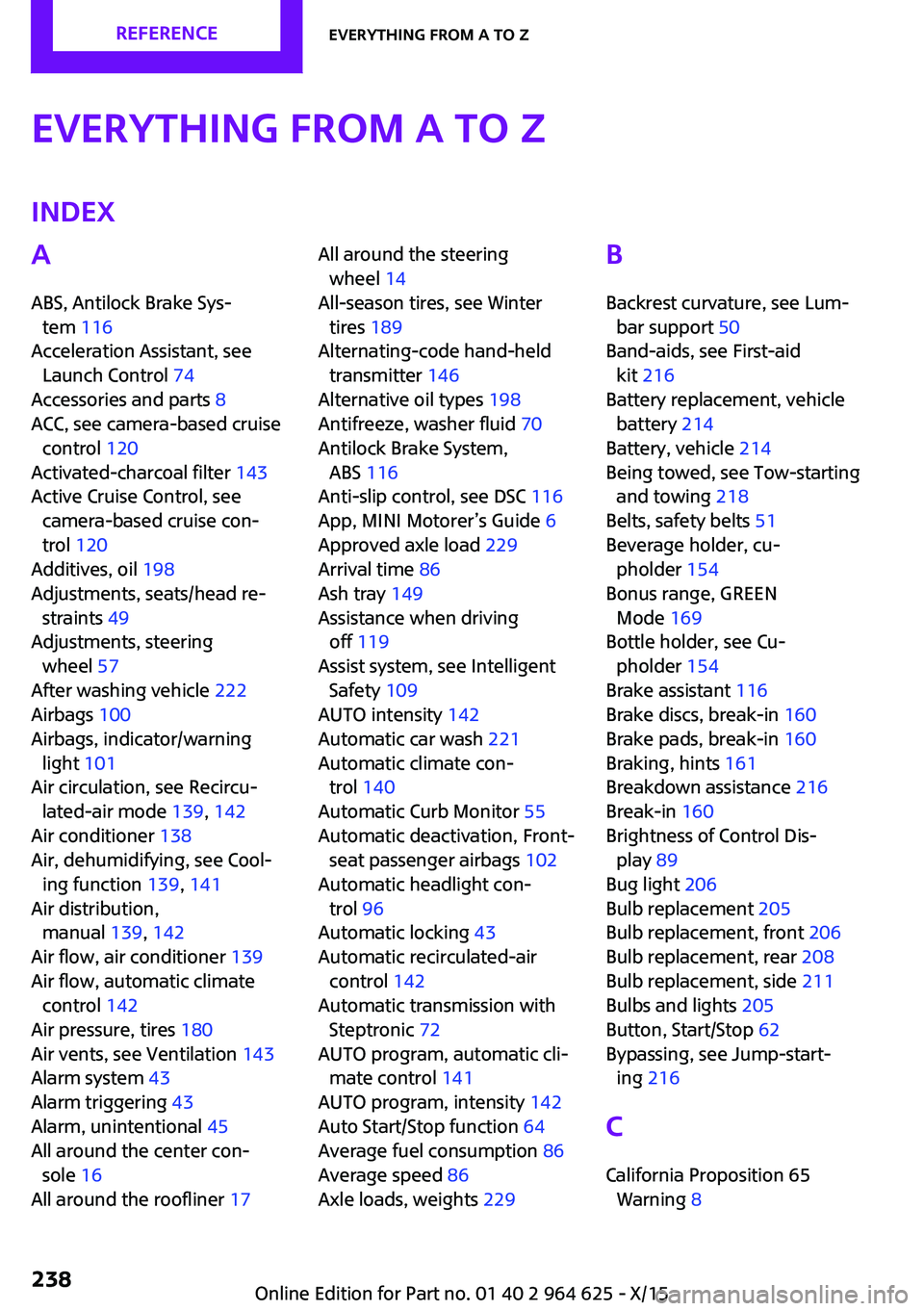
Everything from A to ZIndexA
ABS, Antilock Brake Sys‐ tem 116
Acceleration Assistant, see Launch Control 74
Accessories and parts 8
ACC, see camera-based cruise control 120
Activated-charcoal filter 143
Active Cruise Control, see camera-based cruise con‐
trol 120
Additives, oil 198
Adjustments, seats/head re‐ straints 49
Adjustments, steering wheel 57
After washing vehicle 222
Airbags 100
Airbags, indicator/warning light 101
Air circulation, see Recircu‐ lated-air mode 139, 142
Air conditioner 138
Air, dehumidifying, see Cool‐ ing function 139, 141
Air distribution, manual 139, 142
Air flow, air conditioner 139
Air flow, automatic climate control 142
Air pressure, tires 180
Air vents, see Ventilation 143
Alarm system 43
Alarm triggering 43
Alarm, unintentional 45
All around the center con‐ sole 16
All around the roofliner 17 All around the steering
wheel 14
All-season tires, see Winter tires 189
Alternating-code hand-held transmitter 146
Alternative oil types 198
Antifreeze, washer fluid 70
Antilock Brake System, ABS 116
Anti-slip control, see DSC 116
App, MINI Motorer’s Guide 6
Approved axle load 229
Arrival time 86
Ash tray 149
Assistance when driving off 119
Assist system, see Intelligent Safety 109
AUTO intensity 142
Automatic car wash 221
Automatic climate con‐ trol 140
Automatic Curb Monitor 55
Automatic deactivation, Front- seat passenger airbags 102
Automatic headlight con‐ trol 96
Automatic locking 43
Automatic recirculated-air control 142
Automatic transmission with Steptronic 72
AUTO program, automatic cli‐ mate control 141
AUTO program, intensity 142
Auto Start/Stop function 64
Average fuel consumption 86
Average speed 86
Axle loads, weights 229 B
Backrest curvature, see Lum‐ bar support 50
Band-aids, see First-aid kit 216
Battery replacement, vehicle battery 214
Battery, vehicle 214
Being towed, see Tow-starting and towing 218
Belts, safety belts 51
Beverage holder, cu‐ pholder 154
Bonus range, GREEN Mode 169
Bottle holder, see Cu‐ pholder 154
Brake assistant 116
Brake discs, break-in 160
Brake pads, break-in 160
Braking, hints 161
Breakdown assistance 216
Break-in 160
Brightness of Control Dis‐ play 89
Bug light 206
Bulb replacement 205
Bulb replacement, front 206
Bulb replacement, rear 208
Bulb replacement, side 211
Bulbs and lights 205
Button, Start/Stop 62
Bypassing, see Jump-start‐ ing 216
C
California Proposition 65 Warning 8 Seite 238REFERENCEEverything from A to Z238
Online Edition for Part no. 01 40 2 964 625 - X/15