Door MINI COOPER 2016 Owner's Manual
[x] Cancel search | Manufacturer: MINI, Model Year: 2016, Model line: COOPER, Model: MINI COOPER 2016Pages: 251, PDF Size: 8.4 MB
Page 121 of 251

Interior equipmentVehicle features and op‐
tions
This chapter describes all standard, country-
specific and optional features offered with the
series. It also describes features that are not
necessarily available in your car, e. g., due to
the selected options or country versions. This
also applies to safety-related functions and sys‐
tems. The respectively applicable country provi‐
sions must be observed when using the respec‐
tive features and systems.
Universal Integrated Re‐
mote Control
The concept
The Universal Integrated Remote Control can
operate up to 3 functions of remote-controlled
systems such as garage door drives or lighting
systems. The Universal Integrated Remote Con‐
trol replaces up to 3 different hand-held trans‐
mitters. To operate the remote control, the but‐
tons on the interior rearview mirror must be
programmed with the desired functions. The
hand-held transmitter for the particular system
is required in order to program the remote con‐
trol.
Before selling the vehicle, delete the stored
functions for the sake of security.
Information WARNING
Body parts can be jammed when operat‐
ing remote-controlled systems, e.g. the garage
door, using the universal garage door opener.
There is risk of injuries or risk of property dam‐
age. Make sure that the area of movement of
the respective system is clear during program‐ming and operation. Also follow the safety in‐
structions of the hand-held transmitter. ◀
Compatibility If this symbol is printed on the packag‐
ing or in the instructions of the system
to be controlled, the system is generally
compatible with the Universal Integrated Re‐
mote Control.
If you have any questions, please contact:▷A dealer’s service center or another quali‐
fied service center or repair shop.▷www.homelink.com on the Internet.
HomeLink is a registered trademark of Gentex
Corporation.
Overview
1LED2Programmable keys3Hand-held transmitters of the system
Programming
General information
1.Switch on the ignition.2.Initial setup:
Press and hold the left and right button on
the interior rearview mirror simultaneously
for approximately 20 seconds until the LEDSeite 121Interior equipmentCONTROLS121
Online Edition for Part no. 01 40 2 963 307 - VI/15
Page 123 of 251

4.Likewise, press and hold the button of the
desired function on the hand-held trans‐
mitter.5.Release both buttons as soon as the interior
rearview mirror LED flashes more rapidly.
The LED flashing faster indicates that the
button on the interior rearview mirror has
been programmed. The system can then be
controlled by the button on the interior
rearview mirror.
If the LED does not flash faster after at least
60 seconds, change the distance and re‐
peat the step. Several more attempts at dif‐
ferent distances may be necessary. Wait at
least 15 seconds between attempts.
Canada: if programming with the hand-
held transmitter was interrupted, hold
down the interior rearview mirror button
and repeatedly press and release the hand-
held transmitter button for 2 seconds.
Controls
WARNING
Body parts can be jammed when operat‐
ing remote-controlled systems, e.g. the garage
door, using the universal garage door opener.
There is risk of injuries or risk of property dam‐
age. Make sure that the area of movement of
the respective system is clear during program‐
ming and operation. Also follow the safety in‐
structions of the hand-held transmitter. ◀
The system, such as the garage door, can be
operated using the button on the interior rear‐
view mirror while the engine is running or
when the ignition is started. To do this, hold
down the button within receiving range of the
system until the function is activated. The inte‐
rior rearview mirror LED stays lit while the wire‐
less signal is being transmitted.
Deleting stored functions
Press and hold the left and right button on the
interior rearview mirror simultaneously for ap‐
proximately 20 seconds until the LED flashes
rapidly. All stored functions are deleted. The
functions cannot be deleted individually.
Digital compass
Overview1Control button2Mirror display
Mirror display The point of the compass is displayed in the
mirror when driving straight.
Operating concept Various functions can be called up by pressing
the control button with a pointed object, such
as the tip of a ballpoint pen or similar object.
The following setting options are displayed in
succession, depending on how long the control
button is pressed:
▷Pressed briefly: turns display on/off.▷3 to 6 seconds: compass zone setting.▷6 to 9 seconds: compass calibration.▷9 to 12 seconds: left/right-hand steering
setting.▷12 to 15 seconds: language setting.
Setting the compass zones
Sets the particular compass zones on the vehi‐
cle so that the compass operates correctly; re‐
fer to World map with compass zones.
Seite 123Interior equipmentCONTROLS123
Online Edition for Part no. 01 40 2 963 307 - VI/15
Page 129 of 251

Storage compartmentsVehicle features and op‐
tions
This chapter describes all standard, country-
specific and optional features offered with the
series. It also describes features that are not necessarily available in your car, e. g., due to
the selected options or country versions. This
also applies to safety-related functions and sys‐
tems. The respectively applicable country provi‐
sions must be observed when using the respec‐
tive features and systems.
Information WARNING
Loose objects in the car's interior can be
thrown into the car's interior while driving, e.g.
in the event of an accident or during braking
and evasive maneuvers. There is risk of injuries.
Secure loose objects in the car's interior. ◀
CAUTION
Anti-slip pads such as anti-slip mats can
damage the dashboard. There is risk of prop‐
erty damage. Do not use anti-slip pads. ◀
Overview
The following storage compartments are avail‐
able in the vehicle interior:▷Storage compartment in front of the cu‐
pholders.▷Storage tray in the center console.▷Glove compartment on the front passenger
side.▷Storage compartment in the center arm‐
rest.▷Compartments in the doors.▷Pockets on the backrests of the front seats.
Glove compartment
Information WARNING
Folded open, the glove compartment
protrudes in the car's interior. Objects in the
glove compartment can be thrown into the
car's interior while driving, e.g. in the event of
an accident or during braking and evasive ma‐
neuvers. There is risk of injuries. Always close
the glove compartment immediately after us‐
ing it. ◀
Opening
Pull the handle.
The light in the glove compartment switches
on.
Closing Fold up the cover.
Seite 129Storage compartmentsCONTROLS129
Online Edition for Part no. 01 40 2 963 307 - VI/15
Page 130 of 251
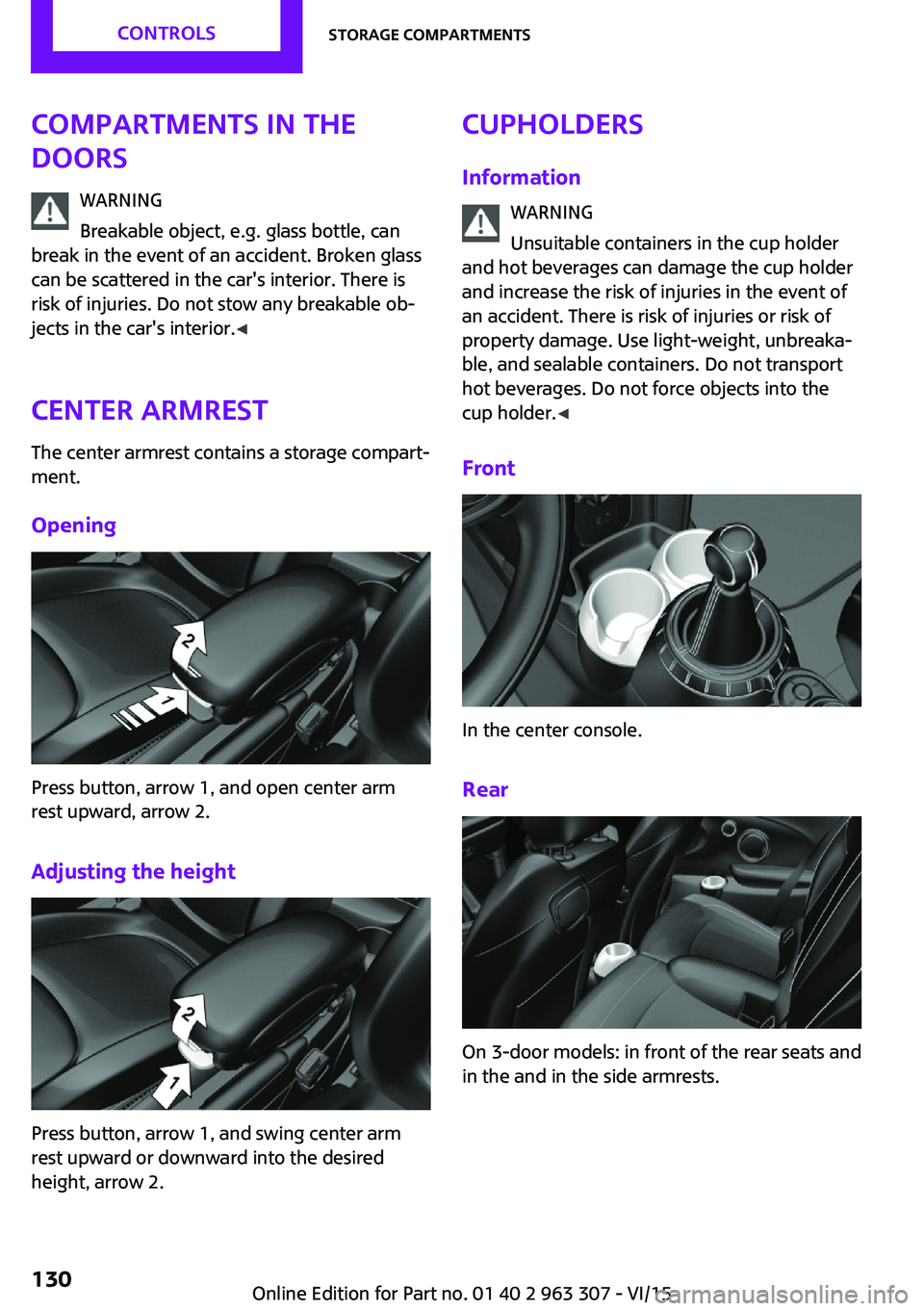
Compartments in the
doors
WARNING
Breakable object, e.g. glass bottle, can
break in the event of an accident. Broken glass
can be scattered in the car's interior. There is
risk of injuries. Do not stow any breakable ob‐
jects in the car's interior. ◀
Center armrest The center armrest contains a storage compart‐
ment.
Opening
Press button, arrow 1, and open center arm
rest upward, arrow 2.
Adjusting the height
Press button, arrow 1, and swing center arm
rest upward or downward into the desired
height, arrow 2.
Cupholders
Information WARNING
Unsuitable containers in the cup holder
and hot beverages can damage the cup holder
and increase the risk of injuries in the event of
an accident. There is risk of injuries or risk of
property damage. Use light-weight, unbreaka‐
ble, and sealable containers. Do not transport
hot beverages. Do not force objects into the
cup holder. ◀
Front
In the center console.
Rear
On 3-door models: in front of the rear seats and
in the and in the side armrests.
Seite 130CONTROLSStorage compartments130
Online Edition for Part no. 01 40 2 963 307 - VI/15
Page 131 of 251
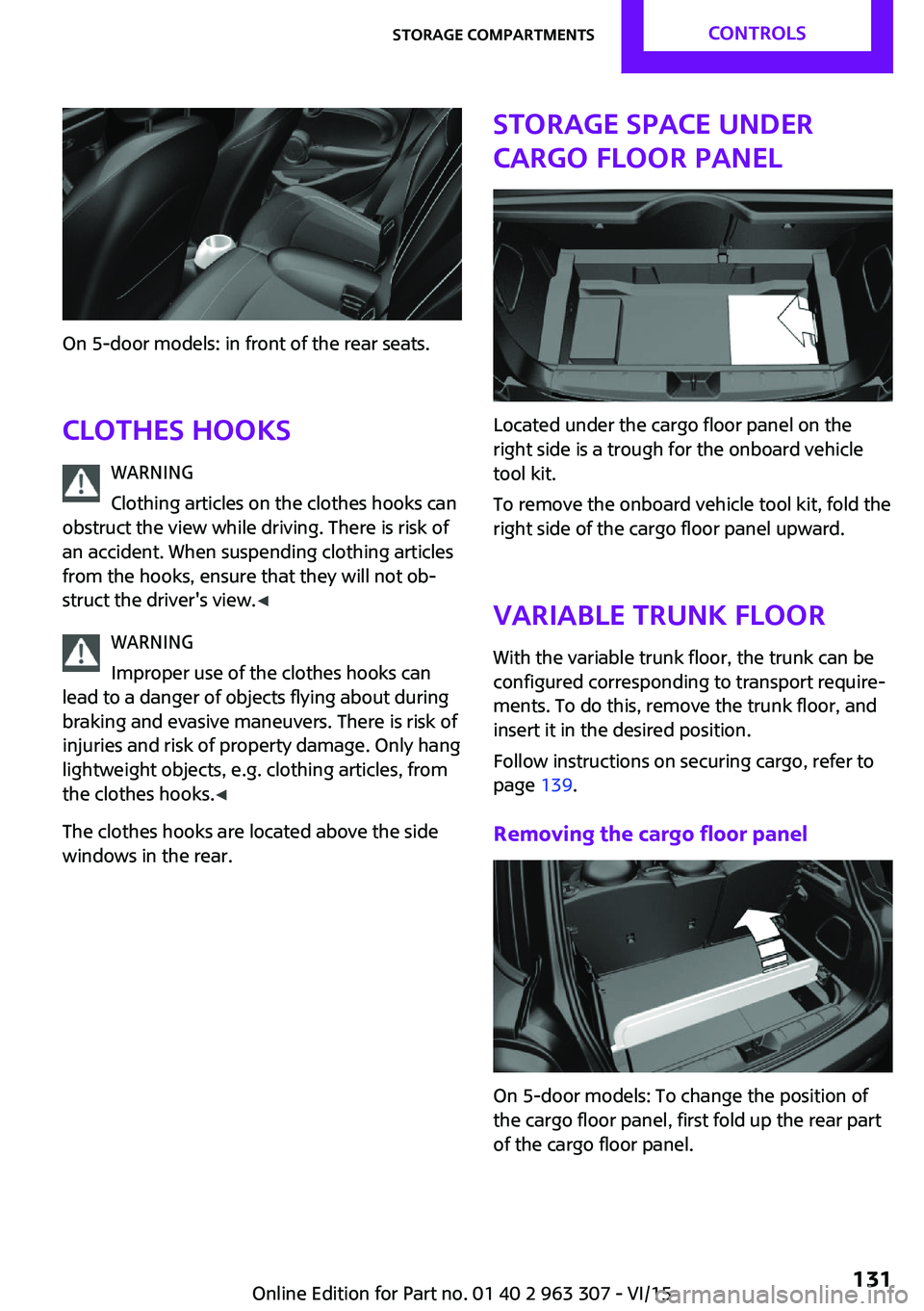
On 5-door models: in front of the rear seats.
Clothes hooks WARNING
Clothing articles on the clothes hooks can
obstruct the view while driving. There is risk of
an accident. When suspending clothing articles
from the hooks, ensure that they will not ob‐
struct the driver's view. ◀
WARNING
Improper use of the clothes hooks can
lead to a danger of objects flying about during
braking and evasive maneuvers. There is risk of
injuries and risk of property damage. Only hang
lightweight objects, e.g. clothing articles, from
the clothes hooks. ◀
The clothes hooks are located above the side
windows in the rear.
Storage space under
cargo floor panel
Located under the cargo floor panel on the
right side is a trough for the onboard vehicle
tool kit.
To remove the onboard vehicle tool kit, fold the
right side of the cargo floor panel upward.
Variable trunk floor
With the variable trunk floor, the trunk can be
configured corresponding to transport require‐
ments. To do this, remove the trunk floor, and
insert it in the desired position.
Follow instructions on securing cargo, refer to
page 139.
Removing the cargo floor panel
On 5-door models: To change the position of
the cargo floor panel, first fold up the rear part
of the cargo floor panel.
Seite 131Storage compartmentsCONTROLS131
Online Edition for Part no. 01 40 2 963 307 - VI/15
Page 132 of 251
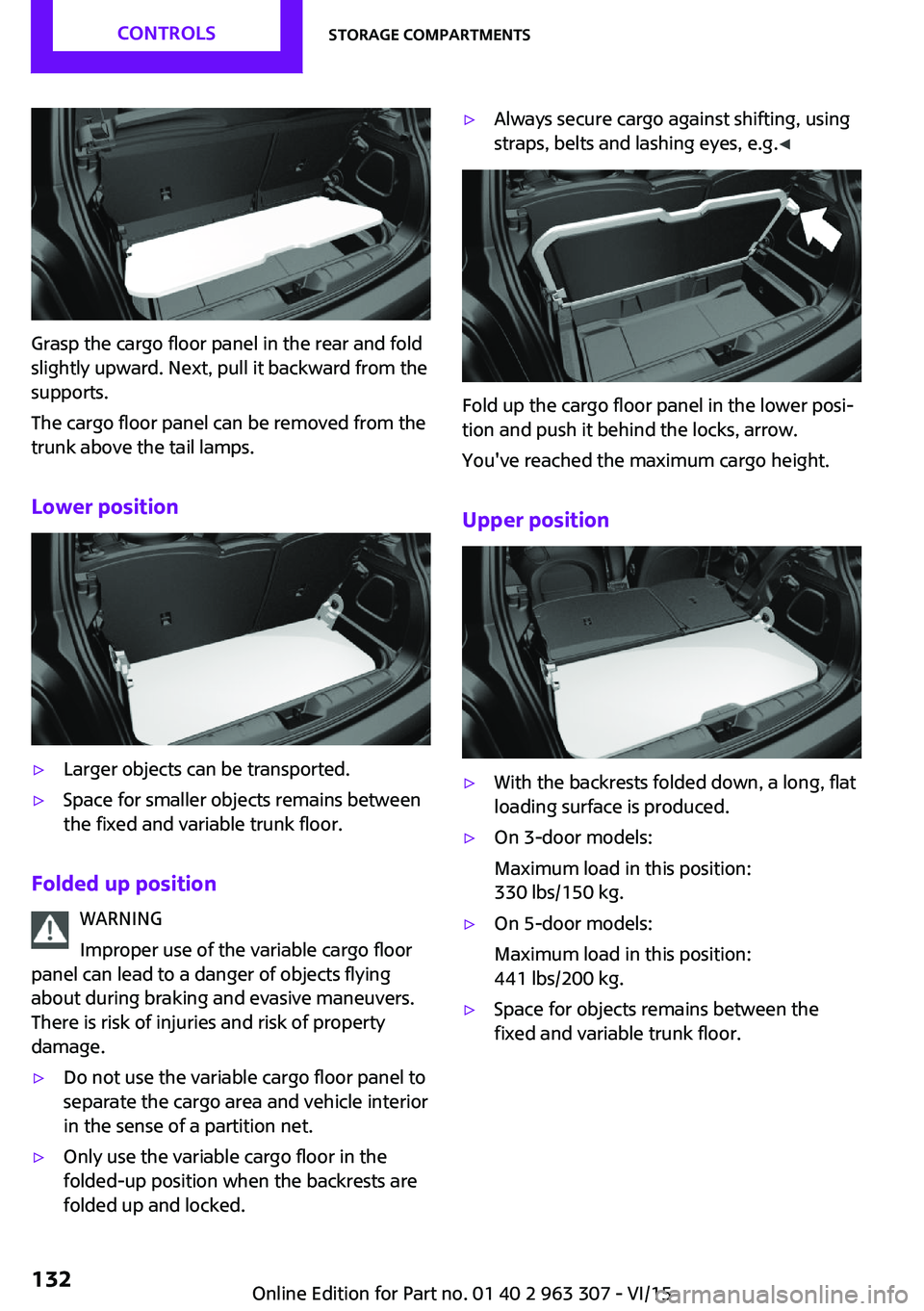
Grasp the cargo floor panel in the rear and fold
slightly upward. Next, pull it backward from the
supports.
The cargo floor panel can be removed from the
trunk above the tail lamps.
Lower position
▷Larger objects can be transported.▷Space for smaller objects remains between
the fixed and variable trunk floor.
Folded up position
WARNING
Improper use of the variable cargo floor
panel can lead to a danger of objects flying
about during braking and evasive maneuvers.
There is risk of injuries and risk of property
damage.
▷Do not use the variable cargo floor panel to
separate the cargo area and vehicle interior
in the sense of a partition net.▷Only use the variable cargo floor in the
folded-up position when the backrests are
folded up and locked.▷Always secure cargo against shifting, using
straps, belts and lashing eyes, e.g. ◀
Fold up the cargo floor panel in the lower posi‐
tion and push it behind the locks, arrow.
You've reached the maximum cargo height.
Upper position
▷With the backrests folded down, a long, flat
loading surface is produced.▷On 3-door models:
Maximum load in this position:
330 lbs/150 kg.▷On 5-door models:
Maximum load in this position:
441 lbs/200 kg.▷Space for objects remains between the
fixed and variable trunk floor.Seite 132CONTROLSStorage compartments132
Online Edition for Part no. 01 40 2 963 307 - VI/15
Page 140 of 251
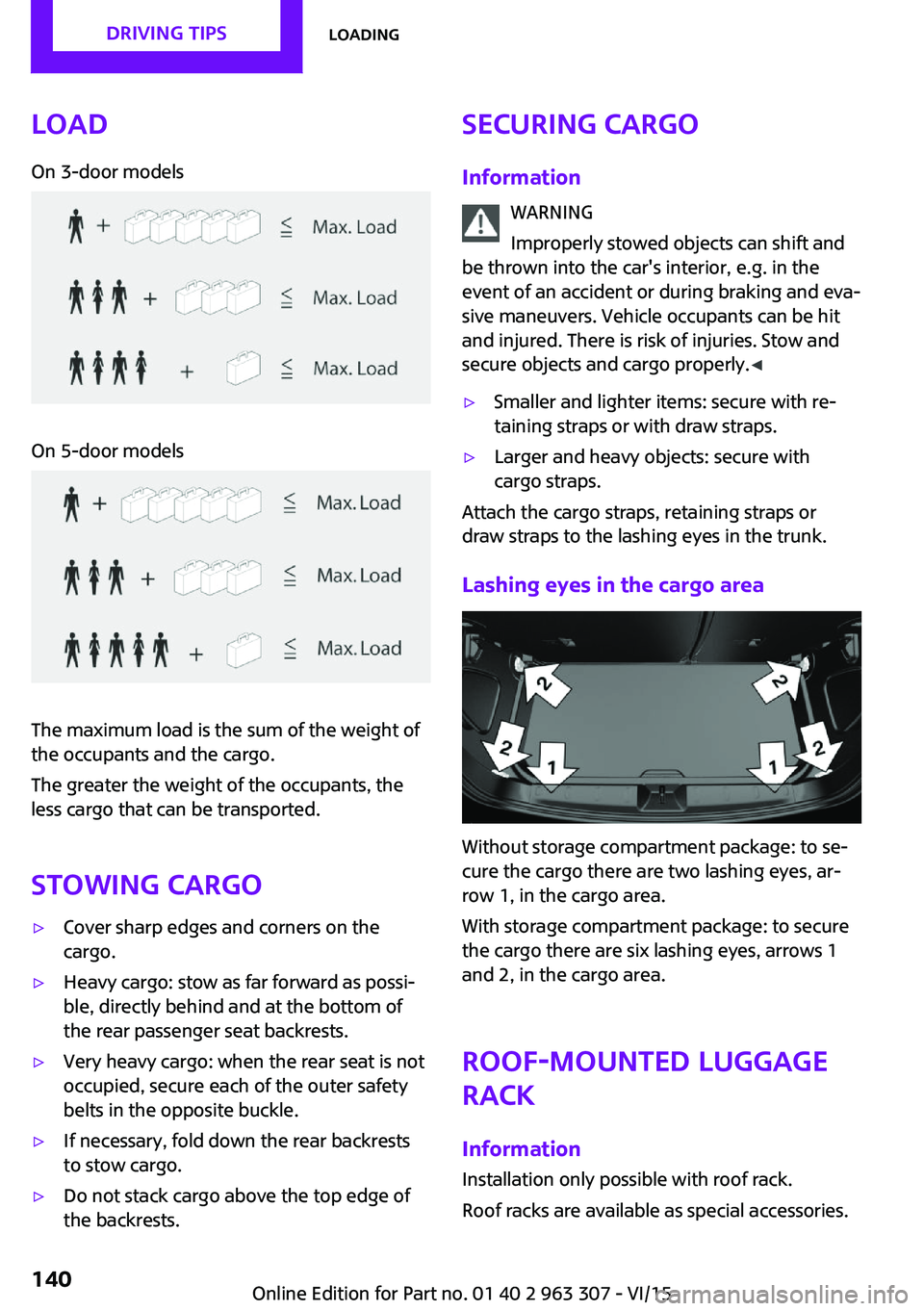
LoadOn 3-door modelsOn 5-door models
The maximum load is the sum of the weight of
the occupants and the cargo.
The greater the weight of the occupants, the
less cargo that can be transported.
Stowing cargo
▷Cover sharp edges and corners on the
cargo.▷Heavy cargo: stow as far forward as possi‐
ble, directly behind and at the bottom of
the rear passenger seat backrests.▷Very heavy cargo: when the rear seat is not
occupied, secure each of the outer safety
belts in the opposite buckle.▷If necessary, fold down the rear backrests
to stow cargo.▷Do not stack cargo above the top edge of
the backrests.Securing cargo
Information WARNING
Improperly stowed objects can shift and
be thrown into the car's interior, e.g. in the
event of an accident or during braking and eva‐
sive maneuvers. Vehicle occupants can be hit
and injured. There is risk of injuries. Stow and
secure objects and cargo properly. ◀▷Smaller and lighter items: secure with re‐
taining straps or with draw straps.▷Larger and heavy objects: secure with
cargo straps.
Attach the cargo straps, retaining straps or
draw straps to the lashing eyes in the trunk.
Lashing eyes in the cargo area
Without storage compartment package: to se‐
cure the cargo there are two lashing eyes, ar‐
row 1, in the cargo area.
With storage compartment package: to secure
the cargo there are six lashing eyes, arrows 1
and 2, in the cargo area.
Roof-mounted luggage
rack
Information Installation only possible with roof rack.
Roof racks are available as special accessories.
Seite 140DRIVING TIPSLoading140
Online Edition for Part no. 01 40 2 963 307 - VI/15
Page 179 of 251

▷Tire sizes of your vehicle.▷Maximum permitted driving speed.
Tire inflation pressures up to 100 mph/
160 km/h
For speeds of up to 100 mph/160 km/h and for
optimum driving comfort, note the pressure
values in the tire inflation pressure table, refer
to page 179, and adjust as necessary.
These pressure values can also be found on the
tire inflation pressure label on the driver's door
pillar.
Do not exceed a speed of 100 mph/160 km/h.
Tire inflation pressure values up to 100 mph/160 km/h
On 3-door models: COOPERTire sizePressure specifications in
bar/PSISpecifications in
bar/PSI with cold
tires175/60 R 16 86 H M
+S XL RSC
175/65 R 15 84 H M
+S A/S Std
175/65 R 15 84 H M
+S Std
175/65 R 15 84 H
Std
195/55 R 16 87 H M
+S RSC
195/55 R 16 87 V M
+S A/S RSC
195/55 R 16 87 W
RSC
205/45 R 17 88 V M
+S XL A/S RSC
205/45 R 17 88 V M
+S XL RSC
205/45 R 17 88 W XL
RSC
205/40 R 18 86 W XL
RSC2.4 / 352.4 / 35Emergency wheel
T 115/70 R 15 90 MSpeed up to a max. of
50 mph / 80 km/h
4.2 / 60Seite 179Wheels and tiresMOBILITY179
Online Edition for Part no. 01 40 2 963 307 - VI/15
Page 180 of 251

On 3-door models: COOPER STire sizePressure specifications inbar/PSISpecifications in
bar/PSI with cold
tires
195/55 R 16 87 H M
+S RSC
195/55 R 16 87 V M
+S A/S RSC
195/55 R 16 87 W
RSC
2.4 / 352.4 / 35175/60 R 16 86 H M
+S XL RSC
205/45 R 17 88 V M
+S XL A/S RSC
205/45 R 17 88 V M
+S XL RSC
205/45 R 17 88 W XL
RSC
205/40 R 18 86 W XL
RSC
2.6 / 382.4 / 35On 3-door models: JOHN COOPER
WORKS
Tire sizePressure specifications inbar/PSISpecifications in
bar/PSI with cold
tires
185/50 R 17 86 H M
+S XL RSC
205/45 R 17 88 W
XL RSC
205/45 R 17 88 V M
+S XL A/S RSC
205/45 R 17 88 V M
+S XL RSC
205/40 R 18 86 W
XL RSC
2.9 /422.7 / 39
On 5-door models: COOPER
Tire sizePressure specifications inbar/PSISpecifications in
bar/PSI with cold
tires
175/65 R 15 84 H M
+S A/S Std
175/65 R 15 84 H M
+S Std
175/65 R 15 84 H
Std
195/55 R 16 87 H M
+S RSC
195/55 R 16 87 V M
+S A/S RSC
195/55 R 16 87 W
RSC
2.5 / 362.3 / 33Seite 180MOBILITYWheels and tires180
Online Edition for Part no. 01 40 2 963 307 - VI/15
Page 181 of 251

Tire sizePressure specifications in
bar/PSI205/45 R 17 88 V M
+S XL A/S RSC
205/45 R 17 88 V M
+S XL RSC
205/45 R 17 88 W
XL RSC2.5 / 362.4 / 35175/60 R 16 86 H M
+S XL RSC
205/40 R 18 86 W
XL RSC2.6 / 382.6 / 38Emergency wheel
T 115/70 R 15 90 MSpeed up to a max. of
50 mph / 80 km/h
4.2 / 60
On 5-door models: COOPER S
Tire sizePressure specifications in
bar/PSISpecifications in
bar/PSI with cold
tires195/55 R 16 87 H M
+S RSC
195/55 R 16 87 V M
+S A/S RSC
195/55 R 16 87 W
RSC2.5 / 362.3 / 33175/60 R 16 86 H M
+S XL RSC
205/45 R 17 88 V M
+S XL A/S RSC
205/45 R 17 88 V M
+S XL RSC
205/45 R 17 88 W XL
RSC
205/40 R 18 86 W XL
RSC2.7 / 392.7 / 39Tire inflation pressures at max. speeds
above 100 mph/160 km/h
WARNING
In order to drive at maximum speeds in
excess of 100 mph/160 km/h, please observe,
and, if necessary, adjust tire pressures for
speeds exceeding 100 mph/160 km/h from the
relevant table on the following pages. Other‐
wise tire damage and accidents could occur. ◀Seite 181Wheels and tiresMOBILITY181
Online Edition for Part no. 01 40 2 963 307 - VI/15