low beam MINI COOPER CONVERTIBLE 2007 Owners Manual
[x] Cancel search | Manufacturer: MINI, Model Year: 2007, Model line: COOPER CONVERTIBLE, Model: MINI COOPER CONVERTIBLE 2007Pages: 172, PDF Size: 1.9 MB
Page 5 of 172
3OVERVIEW REPAIRS OPERATION CONTROLS DATA INDEX
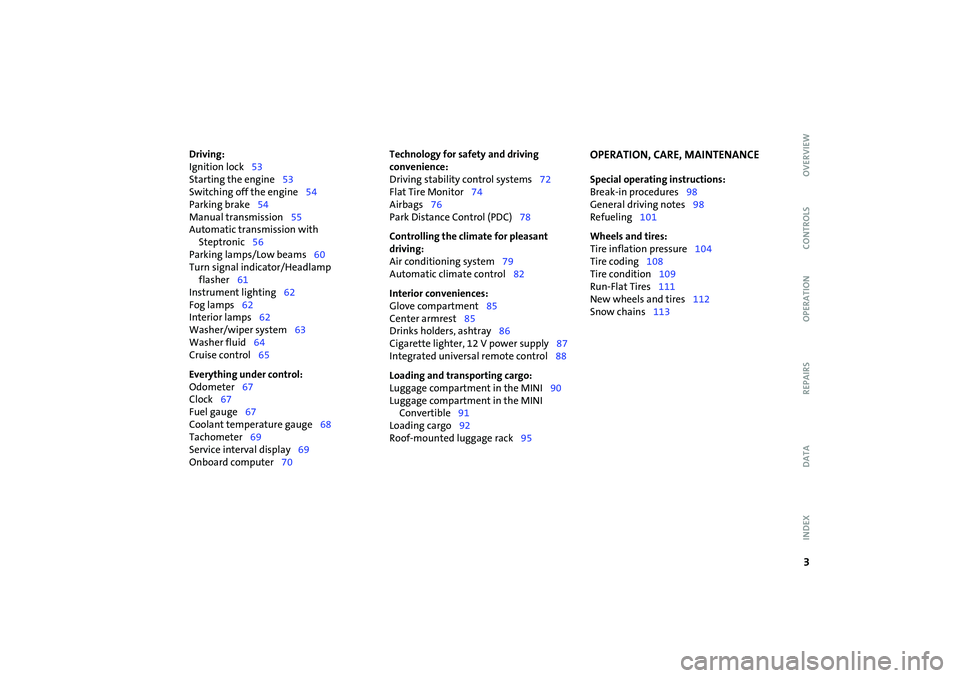
Driving:
Ignition lock53
Starting the engine53
Switching off the engine54
Parking brake54
Manual transmission55
Automatic transmission with
Steptronic56
Parking lamps/Low beams60
Turn signal indicator/Headlamp
flasher61
Instrument lighting62
Fog lamps62
Interior lamps62
Washer/wiper system63
Washer fluid64
Cruise control65
Everything under control:
Odometer67
Clock67
Fuel gauge67
Coolant temperature gauge68
Tachometer69
Service interval display69
Onboard computer70Technology for safety and driving
convenience:
Driving stability control systems72
Flat Tire Monitor74
Airbags76
Park Distance Control (PDC)78
Controlling the climate for pleasant
driving:
Air conditioning system79
Automatic climate control82
Interior conveniences:
Glove compartment85
Center armrest85
Drinks holders, ashtray86
Cigarette lighter, 12 V power supply87
Integrated universal remote control88
Loading and transporting cargo:
Luggage compartment in the MINI90
Luggage compartment in the MINI
Convertible91
Loading cargo92
Roof-mounted luggage rack95
OPERATION, CARE, MAINTENANCESpecial operating instructions:
Break-in procedures98
General driving notes98
Refueling101
Wheels and tires:
Tire inflation pressure104
Tire coding108
Tire condition109
Run-Flat Tires111
New wheels and tires112
Snow chains113
Page 14 of 172

12
1>Parking lamps/Low beams60
>Turn signal indicators61
>Standing lamps60
>High beams61
>Headlamp flasher61
>Onboard computer702 Washer/wiper system63
3 Instrument lighting62
4 Outside mirror adjustment48
5 Hazard warning flashers6 Bonnet release114
7 Adjusting steering wheel47
8Horn
9 Socket for Onboard Diagnostics
OBD122COCKPIT
Page 21 of 172
19
OVERVIEW REPAIRS OPERATION CONTROLS DATA INDEX
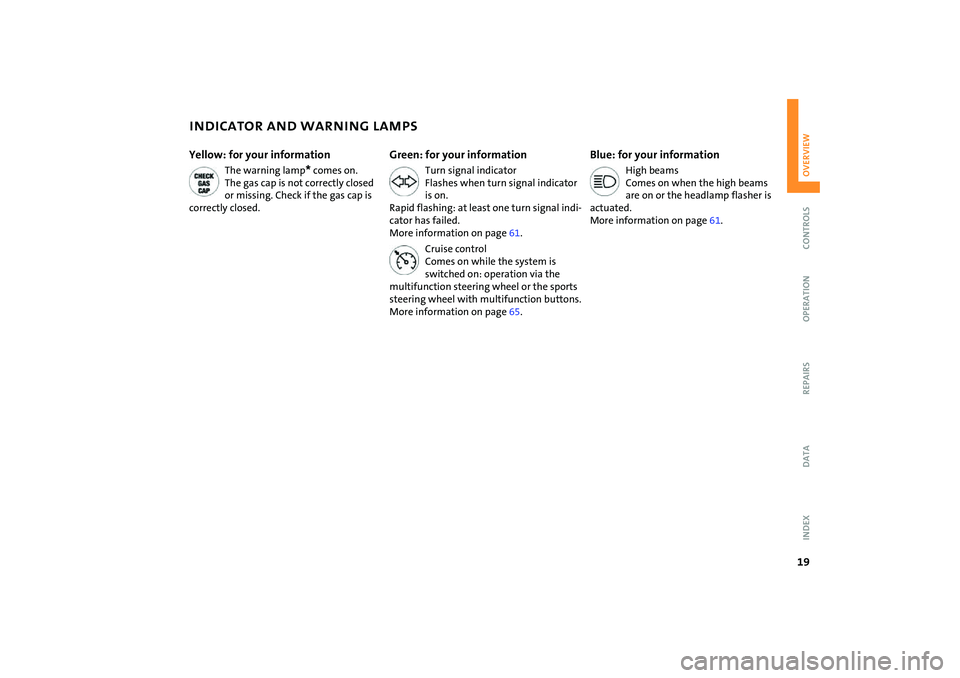
INDICATOR AND WARNING LAMPSYellow: for your information
The warning lamp
* comes on.
The gas cap is not correctly closed
or missing. Check if the gas cap is
correctly closed.
Green: for your information
Turn signal indicator
Flashes when turn signal indicator
is on.
Rapid flashing: at least one turn signal indi-
cator has failed.
More information on page61.
Cruise control
Comes on while the system is
switched on: operation via the
multifunction steering wheel or the sports
steering wheel with multifunction buttons.
More information on page65.
Blue: for your information
High beams
Comes on when the high beams
are on or the headlamp flasher is
actuated.
More information on page61.
Page 62 of 172

60
PARKING LAMPS/LOW BEAMS1Parking lamps
2Low beams
3 Automatic headlamp control
*
Parking lamps
Turn the light switch to position 1.
The front, rear and side vehicle
lighting is switched on.
For the additional option of activating the
lights on one side of the vehicle for parking,
refer to Switching on the standing lamps,
page60.
The parking lamps discharge the bat-
tery.
Avoid using them for longer periods of
time; otherwise, you may not be able to
start the engine.<
Low beams
Turn the light switch to position 2.
With the low beams on and with
the ignition switched off, only the
parking lamps will remain on.
Automatic headlamp control*
In switch position 3, the system
automatically activates and can-
cels the low beams in response to
changes in ambient light, for example in
tunnels, at dusk, and when there is precipi-
tation.
When driving into a tunnel with bright
overhead lights, there may be a delay
before the low beams come on.
The low beams may also come on when the
sun is sitting low on a blue sky.
When you switch on the fog lamps,
the low-beam headlamps remain on
regardless of the ambient light. When the
daytime running lamps are activated, refer
to page61, the low beams come on and
remain lit when the switch is in position 1
and the ignition is switched on.<
Automatic headlamp control cannot
serve as a substitute for the driver's
judgement in determining when the vehi-
cle lights should be switched on. For exam-
ple, the sensors are not able to detect fog or
hazy weather. To avoid safety risks, you
should respond to these kinds of low-visi-
bility situations by switching the head-
lamps on manually.<
You can have the sensitivity of your
vehicle's automatic headlamp con-
trol adjusted.
lights, the low beams will stay lit for a pre-
set period of time.
You can have this function pro-
grammed.
In ignition key position 0:
Move the lever to the adequate turn signal
indicator position.
The standing lamps discharge the
battery. Avoid using them for longer
Page 63 of 172

61
OVERVIEW REPAIRS OPERATIONCONTROLS DATA INDEX
PARKING LAMPS/LOW BEAMS TURN SIGNAL INDICATOR/HEADLAMP FLASHERperiods of time; otherwise, you may not be
able to start the engine.<'Lights on' warning If the lights have not been switched off and
the ignition key is in position 0, an acoustic
signal sounds for a few seconds when you
open the driver's door to remind you that
the lights have not been switched off.Daytime running lamps*If convenient, the light switch can be left in
position 2.
When the ignition is switched off, the
external lights go out.
You can have this function activated/
deactivated.<
1 Turn signal indicators
2 High beams/Headlamp flasherTo signal brieflyGently push the lever up to the point of
resistance and hold it there, if necessary.
The indicator lamp flashes and the
relay clicks faster than normal: flash-
ing bulb has failed.<
Page 64 of 172

62
INSTRUMENT LIGHTING FOG LAMPS INTERIOR LAMPSTo control the instrument lighting, press
the button.Brighter displayPress the button until the desired bright-
ness is achieved.Dimmer displayPress the button briefly.
With each brief pressing of the button, the
illumination is dimmed step by step.
With the parking lamps/low beams
switched on:
Briefly press the switch upward or down-
ward.
Tap it again to switch off.Fog lamps*
The parking lamps or low beams
must be on. The green LED in the
switch lights up.
The fog lamps are on.
Rear fog lamp*
The low beams must be on. The
yellow LED in the switch lights up.
The rear fog lamp is on.
Observe all legal regulations concerning
the use of fog lamps.
Switching the interior light in the MINI
on and off manuallyPress button 1 briefly.
Permanently turn off interior light:
Press button 1 until the interior light comes
on for a short while.
Press button 1 to revert to normal opera-
tion.
Page 132 of 172

130
LAMPS AND BULBS1 Low beamsH7 bulb, 55 watts2High beams H7 bulb, 55 watts
The H7 bulb is pressurized. Therefore,
wear safety glasses and protective
gloves. If the lamp is damaged there is a
risk of injury.<
For checking and adjusting headlamp
aim, please contact your MINI
Dealer.
1. Gently pull the retaining wire of the
headlamp cover and guide it outwards
2. Fold down the headlamp cover
3. Disconnect the cable connector from the
bulb socket and pull out the bulb
4. Place the bulb holder on the lower edge
of the mounting and press it in until it
engages in the bulb socket
5. Reconnect the cable connector and
install the headlamp cover again.Xenon lamps*The service life of these bulbs is very long
and the probability of a failure is very low,
provided that they are not switched on and
off an unusual number of times. If one of
these bulbs should nevertheless fail, it is
possible to continue driving with great cau-
tion using the fog lamps, provided traffic
laws in your area do not prohibit this.
Have any work on the xenon lamp
system, including bulb replacement,
carried out only by a MINI Dealer or a work-
shop that has specially trained personnel
working in accordance with the specifica-
tions of the MINI manufacturer. Due to
high voltage, there is a risk of fatal injury if
work on the xenon lamps is carried out
improperly.<
Turn signal indicators, front 21 watt bulb
1. Open the bonnet
2. Reach into the opening for the turn sig-
nal indicators from above
3. Apply gentle pressure to the bulb holder
while turning it to the left
4. Remove and replace the bulb.Parking lamps and standing lamps5watt bulb
The parking lamps and standing lamps are
integrated in the lamp housing of the turn
signal indicator.
1. Turn the bulb holder to the left and pull
out
2. Remove and replace the bulb.
Page 161 of 172
EVERYTHING FROM A TO Z
159
OVERVIEW REPAIRS OPERATION CONTROLS DATA INDEX
Driving downhill99
Driving hints, refer to Driving
notes98
Driving lamps, refer to Parking
lamps/Low beams60
Driving notes98
Driving stability control
systems72
Driving through water100
Dry air, refer to Cooling
function80,83
Drying air,
refer to Cooling
function80,83
DSC Dynamic Stability
Control72
indicator lamp17
Dynamic Stability Control
(DSC)72
indicator lamp17
E
Easy entry to the rear45
EBD Electronic Brake Force
Distribution72
Electric glass sunroof33
Electric power windows31
initializing32 Electrical malfunction
automatic transmission with
Steptronic58
convertible top38
door lock27
driver's door27
fuel filler door102,103
glass sunroof, electric34
tailgate30
Electronic Brake Force
Distribution (EBD)72
Electronic Stability Program
(ESP), refer to
Dynamic Stability Control
(DSC)72
Emergency operation, refer to
Manual operation
convertible top38
driver's door27
fuel filler door102,103
glass sunroof, electric34
tailgate30
transmission lock, automatic
transmission with
Steptronic56 Engine
break-in procedures98
data148
electronics18
indicator lamp18
overheated, refer to
Coolant temperature
gauge68
speed69
starting53
switching off54
Engine compartment
MINI COOPER and MINI
COOPER Convertible115
MINI COOPER S and MINI
COOPER S Convertible116
Engine coolant118
Engine data148
Engine oil117
adding117
dipstick117
indicator/warning lamp16
recommended oils118
specified oil grades118
Engine oil level117
indicator/warning lamp16
Engine oil level, checking117
Engine oil pressure, indicator/
warning lamp16
Engine output, refer to Engine
data148 Entry to the rear45
ESP Electronic Stability
Program, refer to Dynamic
Stability Control (DSC)72
Exhaust system, refer to
Hot exhaust system100
Exterior mirrors48
adjusting48
automatic heating48
folding in and out48
External audio device85
Eyelet, for towing and tow-
starting143
F
Failure of an electrical
consumer140
Fastening safety belts, refer to
Safety belts46
Filling canister, refer to MINI
Mobility System138
Filling hose, refer to MINI
Mobility System138
Filter, refer to
Microfilter81
Microfilter/Activated-
charcoal filter84
Page 163 of 172
EVERYTHING FROM A TO Z
161
OVERVIEW REPAIRS OPERATION CONTROLS DATA INDEX
I
Ice warning, refer to Outside
temperature warning70
Ignition53
Ignition key24
Ignition key positions, refer to
Ignition lock53
Ignition lock53
Illuminated vanity mirror48
Imitation leather123
Imprint2
Index156
Indicator and warning lamps,
overview16
Indicator/warning lamp
airbags77
ASC73
brakes120
coolant temperature68
DSC73
fasten safety belts46
Flat Tire Monitor75
fog lamps62
reserve fuel capacity67,68
Individual air distribution84
Individual settings, refer to
Vehicle Memory49
Inflation pressure monitor,
refer to Flat Tire Monitor74
Inflation pressure, refer to Tire
inflation pressure104 Inspection69
Instrument cluster, refer to
Display elements13
Instrument lighting62
Instrument panel, refer to
Cockpit12
Integrated universal remote
control88
Interior lamp, remote
control26
Interior lamps62
Interior rearview mirror48
automatic dimming98
Interlock, refer to Steering
locked53
Intermittent operation of the
wipers63
Interval
display, service121
J
Jack133,137
points136
Jack, refer to Tire change set
MINI Mobility System137
Run-Flat Tires111
space-saver spare tire133
Jacking points136
Jets, refer to Ventilation81,84
Jets, refer to Windshield
washer jets64 John Cooper Works Kit148
Jump-starting142
K
Keys24
Kickdown57
Knock control101
L
Lamp defect129
Lamp replacement, refer to
Lamps and bulbs129
Lamps and bulbs129
Lamps, refer to Parking lamps/
Low beams60
Lashing eyelets, refer to
Securing the load94
LATCH child-restraint fixing
system52
Leather care124
LEDs light-emitting diodes132
Length, refer to
Dimensions149,150
License plate lamp, bulb
replacement132
Lifting handle, space-saver
spare tire133
Light switch60
Light-alloy wheels, care123
Light-emitting diodes
(LEDs)132 Lighter87
Lighting
lamps and bulbs129
Lighting of the instruments62
Lights on warning61
Load securing devices, refer to
Securing the load94
Loading
securing cargo94
stowing cargo94
Loading the vehicle92
Loads, refer to Loading cargo92
Locking
from inside28
from outside26
Locking/unlocking the vehicle,
acknowledgment
signals26,27
Low beams60
bulb replacement130
Lower back support, refer to
Lumbar support44
Page 165 of 172

EVERYTHING FROM A TO Z
163
OVERVIEW REPAIRS OPERATION CONTROLS DATA INDEX
models, Warranty and
Service Guide Booklet for
Canadian models
Oil consumption117
Oil level117
indicator lamp16
Oil pressure, indicator lamp16
Oil service69
Onboard computer70
Onboard tool kit128
MINI Mobility System137
Run-Flat Tires128
space-saver spare tire133
Opening and closing
from inside28
from outside25
via remote control26
via the door lock27
Outlets, refer to
Ventilation79,82
Outside air80
air conditioning system80
Outside air mode, automatic
climate control83
Outside temperature
display70
changing units70
in the onboard computer70
Outside temperature
warning70 Overriding the selector lever
lock59
P
Paintwork care, refer to Vehicle
paintwork123
Park Distance Control (PDC)78
Parking
the vehicle100
Parking aid, refer to Park
Distance Control (PDC)78
Parking brake54
warning lamp
17
Parking lamps60
bulb replacement130
Parking lamps/Low beams60
Parking lock, refer to
PParking56
Parts and accessories, refer to
Your individual vehicle6
Pathway lighting60
PDC Park Distance Control78
Pinch protection system,
glass sunroof, electric34
Plastic123
Pollen, refer to
Microfilter81
Microfilter/Activated-
charcoal filter84
Power convertible top35
Power failure140 Power output, refer to Engine
data148
Power supply, refer to Cigarette
lighter socket87
Power windows31
Pressure, tires104
reinflation using MINI
Mobility System138
Protective function, electric
glass sunroof34
Pumping in liquid sealant138
Q
Quality grades, refer to
Uniform Tire Quality
Grading108
R
Radiator, refer to Coolant118
Radio, refer to separate
Owner's Manual
Rain sensor63
Range70
Reading lamps63
Rear backrest, foldable90,91
Rear fog lamp62
bulb replacement132
indicator lamp62
Rear lamps, bulb
replacement131 Rear lamps, refer to Tail
lamps131
Rear seats, adjusting head
restraints44
Rear shelf, refer to Luggage
compartment cover90
Rear turn signal indicators, bulb
replacement131
Rear window wiper64,65
replacement129
Rearview mirror48
Recirculated air mode
air conditioning system80
automatic climate control83
Reclining seat, refer to Backrest
tilt44
Refueling101
fuel filler door101
Remaining distance for
service69
Remaining distance, refer to
Range70
Remote control25,26
garage door opener88
malfunction27
Remote control key, refer to
Master keys with remote
control24
Replacement key24