lights MINI COOPER CONVERTIBLE 2008 User Guide
[x] Cancel search | Manufacturer: MINI, Model Year: 2008, Model line: COOPER CONVERTIBLE, Model: MINI COOPER CONVERTIBLE 2008Pages: 176, PDF Size: 2.4 MB
Page 68 of 176
66
CRUISE CONTROL
*
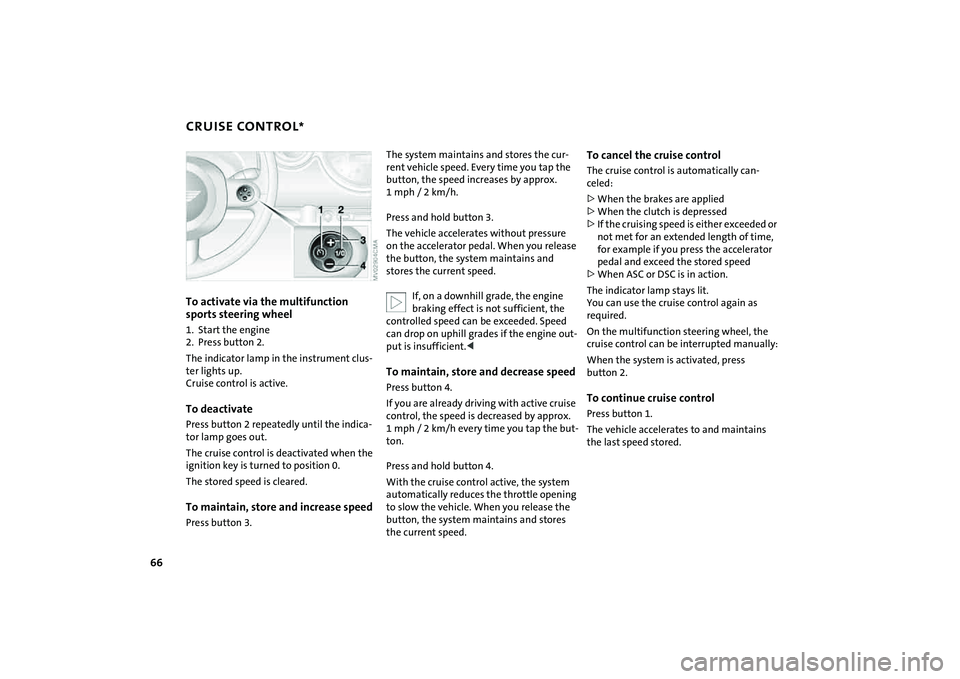
To activate via the multifunction
sports steering wheel
1. Start the engine
2. Press button 2.
The indicator lamp in the instrument clus-
ter lights up.
Cruise control is active.To deactivatePress button 2 repeatedly until the indica-
tor lamp goes out.
The cruise control is deactivated when the
ignition key is turned to position 0.
The stored speed is cleared.To maintain, store and increase speedPress button 3.
The system maintains and stores the cur-
rent vehicle speed. Every time you tap the
button, the speed increases by approx.
1mph/ 2km/h.
Press and hold button 3.
The vehicle accelerates without pressure
on the accelerator pedal. When you release
the button, the system maintains and
stores the current speed.
If, on a downhill grade, the engine
braking effect is not sufficient, the
controlled speed can be exceeded. Speed
can drop on uphill grades if the engine out-
put is insufficient.
control, the speed is decreased by approx.
1 mph / 2 km/h every time you tap the but-
ton.
Press and hold button 4.
With the cruise control active, the system
automatically reduces the throttle opening
to slow the vehicle. When you release the
button, the system maintains and stores
the current speed.
To cancel the cruise controlThe cruise control is automatically can-
celed:
>When the brakes are applied
>When the clutch is depressed
>If the cruising speed is either exceeded or
not met for an extended length of time,
for example if you press the accelerator
pedal and exceed the stored speed
>When ASC or DSC is in action.
The indicator lamp stays lit.
You can use the cruise control again as
required.
On the multifunction steering wheel, the
cruise control can be interrupted manually:
When the system is activated, press
button 2.To continue cruise controlPress button 1.
The vehicle accelerates to and maintains
the last speed stored.
Page 69 of 176

67
OVERVIEW REPAIRS OPERATIONCONTROLS DATA INDEX
ODOMETER CLOCK FUEL GAUGE 1 Trip odometer/clock
2OdometerTrip odometer/clockTo switch between the trip odometer and
the clock:
Press the button.
To reset the trip odometer to zero:
Press the button until the trip odometer
shows zero.
To set the clock, refer to the information
below.OdometerWhen the ignition key is not in the ignition
lock, you can activate the displays shown in
the illustration by pressing the button in
the display elements.
Setting The clock must be shown on the display.
1. If necessary, press button 1 to display
the clock
2. Press button 1 for approx. 5 seconds to
activate the clock-setting mode
3. Press button 1 to select 12-hour or
24-hour mode
4. Wait approx. 5 seconds until the hours
display is shown
5. Press button 1 to set the hour
6. Wait approx. 5 seconds until the min-
utes display is shown
7. Press button 1 to set the minute.
The time entered is stored automatically
after approx. 1 minute.
In the speedometer or Cockpit Chrono
Pack*If the LED begins to be lit continuously,
there are approx. 2.1 gallons/8 liters of fuel
left in the tank.
Fuel tank capacity:
Approx. 13.2 gallons/50 liters.
When you switch on the ignition, the LED
lights up briefly to confirm that the system
is operational.
If the angle of the vehicle varies, for exam-
ple when you are driving in mountainous
areas, the needle may fluctuate slightly.
Refill the gas tank early. If you drive
to the last drop of fuel, engine func-
tions are not guaranteed and damage can
occur.<
Page 70 of 176

68
FUEL GAUGE COOLANT TEMPERATURE GAUGE In the navigation system*
Please also comply with the instruc-
tions in the previous section.<
If the LED changes from orange to red,
there are approx. 2.1 gallons/8 liters of fuel
left in the tank.
Coolant temperature gaugeDepending on the equipment version, a
coolant temperature gauge is located in
the speedometer or the Cockpit Chrono
Pack.
Low temperature:
The engine is still cold. Drive at moderate
engine and vehicle speeds.
Center position:
Normal operating temperature of the
engine.
High temperature:
As soon as there is a deviation from the
center position upwards or to the left:
Drive with moderation and at low engine
speeds. If necessary, switch off the engine
and allow it to cool down.
Checking coolant level, refer to page122.Temperature warning LED 1 comes on while the vehicle is in
motion: engine is too hot. Switch off the
engine immediately and allow it to cool
down.
When you switch on the ignition, the LED 1
lights up briefly to confirm that the system
is operational.Equipment with navigation system* or
Cockpit Chrono Pack*
Coolant temperature warning
lamp 2 comes on while the vehicle
is in motion: engine is too hot.
Switch off the engine immediately and
allow it to cool down.
Page 75 of 176
73
OVERVIEW REPAIRS OPERATIONCONTROLS DATA INDEX
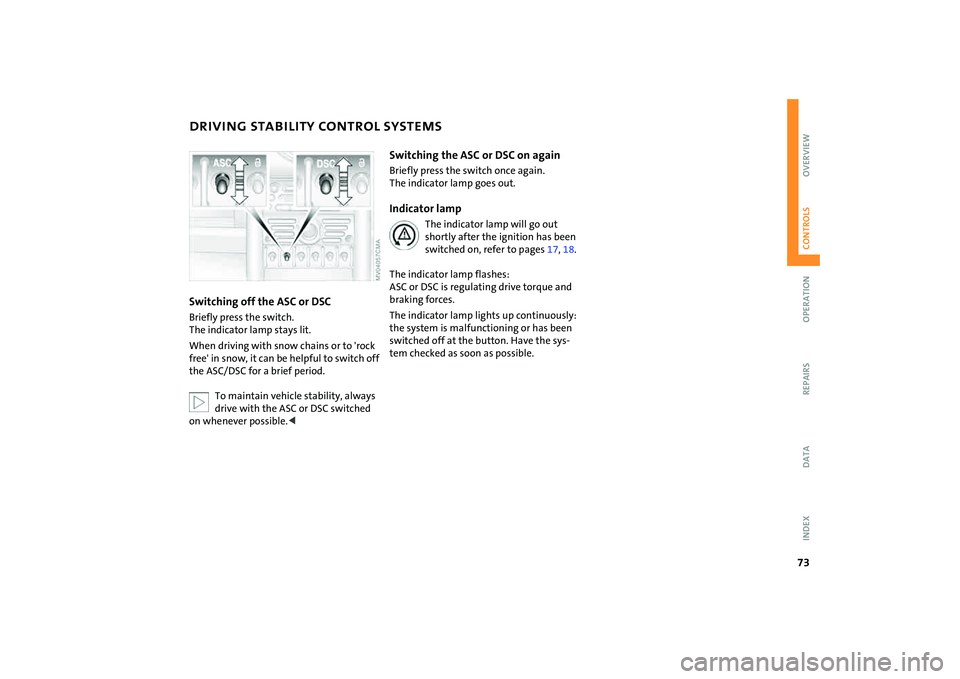
DRIVING STABILITY CONTROL SYSTEMSSwitching off the ASC or DSCBriefly press the switch.
The indicator lamp stays lit.
When driving with snow chains or to 'rock
free' in snow, it can be helpful to switch off
the ASC/DSC for a brief period.
To maintain vehicle stability, always
drive with the ASC or DSC switched
on whenever possible.<
Switching the ASC or DSC on againBriefly press the switch once again.
The indicator lamp goes out.Indicator lamp
The indicator lamp will go out
shortly after the ignition has been
switched on, refer to pages17, 18.
The indicator lamp flashes:
ASC or DSC is regulating drive torque and
braking forces.
The indicator lamp lights up continuously:
the system is malfunctioning or has been
switched off at the button. Have the sys-
tem checked as soon as possible.
Page 76 of 176

74
FLAT TIRE MONITOR The conceptAs you drive, the Flat Tire Monitor keeps
track of the tire inflation pressure in all four
tires. The system alerts you when there is a
substantial pressure loss in one of the tires
relative to another.
In the event of tire pressure loss, the rolling
radius of the tire changes, thereby affect-
ing the rotational speed of the wheels. This
change is detected, and a flat tire warning
is issued to the driver.System requirementsTo ensure the reliability of flat tire warn-
ings, the system must be initialized with
the correct tire inflation pressures.
Each time you correct the pressure in
a tire, or change a wheel or tire, the
system must be reinitialized.<
System limitations
The Flat Tire Monitor cannot alert you
to severe and sudden tire damage
caused by external factors, nor does it
detect the gradual and minor loss of pres-
sure in all four tires.<
The system could issue a false warning or
function in a delayed manner in the follow-
ing situations:
>System was not initialized
>You are driving on a snow-covered or
slippery road surface
>Sporty driving style: slip at the drive
wheels, high lateral acceleration
>You are driving with snow chains.
When driving with a space-saver spare tire,
the Flat Tire Monitor cannot function.
Initializing the system
Initialization is completed while you
are driving, but you can stop the car
at any time. Initialization is automatically
continued when you continue driving. Do
not initialize the system if you are driving
with snow chains or a space-saver spare
tire.<
1. Before a journey, start the engine, but do
not start driving.
2. Press the button until the indicator lamp
in the display elements lights up in yel-
low for several seconds.
3. Drive off.
Initialization is completed during the
drive, without any feedback issued.
Page 77 of 176
75
OVERVIEW REPAIRS OPERATIONCONTROLS DATA INDEX
FLAT TIRE MONITORFlat tire warning
The warning lamp lights up in yel-
low. An acoustic signal also sounds.
There is a flat tire or a significant
loss of pressure in a tire.
1. Reduce speed and stop the vehicle with
caution. Avoid hard brake applications
and steering maneuvers.
2. Determine which tire is damaged.
If this cannot be determined, con-
tact your MINI Dealer.<
3. Repair the flat tire, refer to page137.
Vehicles with Run-Flat Tires:
1. Reduce vehicle speed carefully to under
50 mph / 80 km/h. Avoid hard brake
applications and steering maneuvers. Do
not exceed a speed of 50 mph /
80 km/h.
Do not continue driving if the vehi-
cle is not equipped with Run-Flat
Tires, refer to page115. If you continue
to drive with a flat tire, a serious acci-
dent could result.<
2. Check the tire inflation pressure in all
four tires at the earliest opportunity.
If the tire inflation pressure is cor-
rect in all four tires, it is possible
that the Flat Tire Monitor was not initial-
ized. In this case, initialize the system.<
3. If there is a total loss of tire inflation
pressure, 0 psi/0 kPa, or obvious tire
damage, you can gauge the mileage for
continued driving on the basis of the fol-
lowing indications:
>With a light load:
1 to 2 persons without luggage:
approx. 155 miles/250 km
>With a medium load:
2 persons, luggage compartment full,
or 4 persons without luggage:
approx. 90 miles/150 km
>With a full load:
4 or more persons, luggage compart-
ment full:
approx. 30 miles/50 km.
Drive cautiously. Do not exceed a
speed of 50 mph / 80 km/h. In case of
tire pressure loss you must expect changes
in vehicle handling such as lower track sta-
bility during braking, longer braking dis-
tances and changes in self-steering proper-
ties when close to the handling limit.
For safety reasons, the manufacturer of
your MINI recommends not having dam-
aged Run-Flat Tires repaired, but to consult
a MINI Dealer in such cases.<
Malfunction
The warning lamp lights up in yel-
low. There is a malfunction in the
Flat Tire Monitor or the system has
failed. Have the system checked as soon as
possible.
Page 78 of 176
76
TIRE PRESSURE MONITOR
*
The concept
TPM checks the inflation pressures of the
four mounted tires. The system notifies you
if there is a significant loss of pressure in
one or more tires.System requirementsIn order to assure the reliable reporting of a
flat tire, the system must be reset while all
tire inflation pressures are correct.
Always use wheels with TPM electronics
and a metal valve. Otherwise, the system
may malfunction.
Each time a tire inflation pressure has
been corrected or a wheel or tire has
been changed, reset the system.<
System limitations
TPM cannot warn you in advance of
sudden severe tire damage caused by
outside influences.<
The system does not work correctly if it has
not been reset; for example, a flat tire may
be indicated even though the tire inflation
pressures are correct.
The system is inactive and cannot indicate
a flat tire if a wheel without TPM electron-
ics, such as a compact spare wheel, has
been mounted, or if TPM is temporarily
malfunctioning due to other systems or de-
vices using the same radio frequency.
Resetting the system
Each time a tire inflation pressure has
been corrected or a wheel or tire has
been changed, reset the system.<
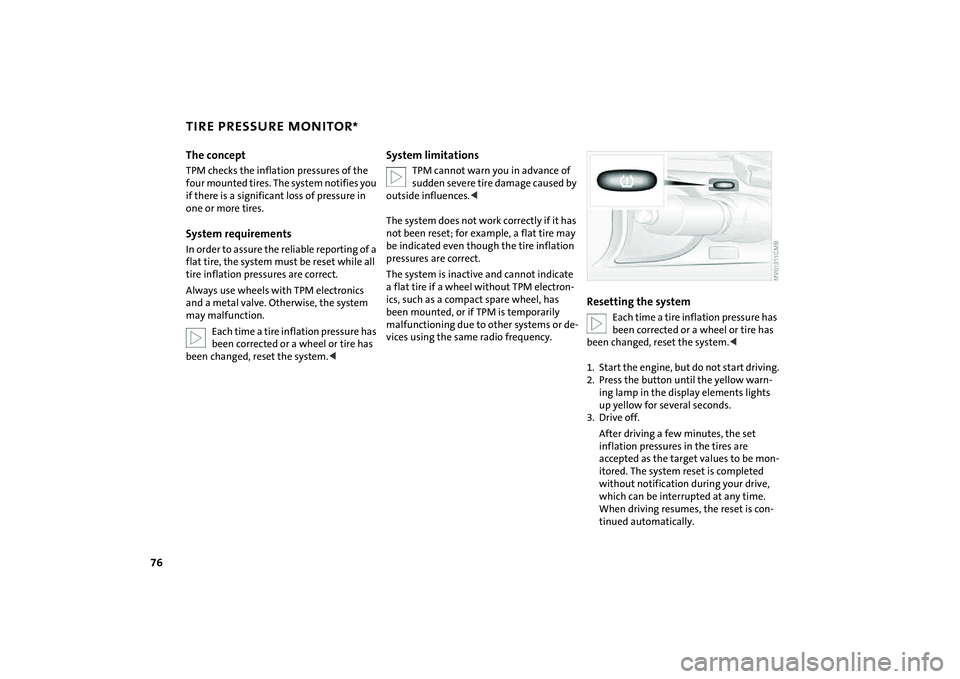
1. Start the engine, but do not start driving.
2. Press the button until the yellow warn-
ing lamp in the display elements lights
up yellow for several seconds.
3. Drive off.
After driving a few minutes, the set
inflation pressures in the tires are
accepted as the target values to be mon-
itored. The system reset is completed
without notification during your drive,
which can be interrupted at any time.
When driving resumes, the reset is con-
tinued automatically.
Page 79 of 176
77
OVERVIEW REPAIRS OPERATIONCONTROLS DATA INDEX
TIRE PRESSURE MONITOR
*
Message for low tire inflation pressure
The warning lamp lights up in yel-
low. An acoustic signal also sounds.
A flat tire or a severe loss in pres-
sure has occurred in one or more tires.
1. Reduce speed and stop the vehicle with
caution. Avoid hard brake applications
and steering maneuvers.
2. Identify the damaged wheel or wheels.
If this cannot be determined, con-
tact your MINI Dealer.<
3. Replace the damaged wheel, refer to
Wheel change on page139.
4. Check the tire inflation pressure and cor-
rect it if necessary.
The compact wheel is not equipped with
the necessary TPM electronics and is not
monitored after it is mounted. When driv-
ing with a compact wheel, the system indi-
cates that a malfunction is occurring.
Vehicles with Run Flat tires:
1. Reduce vehicle speed carefully to under
50 mph / 80 km/h. Avoid hard brake
applications and steering maneuvers.
Do not exceed a speed of 50 mph /
80 km/h.
Do not continue driving if the vehi-
cle is not equipped with Run Flat
tires, refer to page115. If you continue
to drive with a flat tire, a serious acci-
dent could result.<
2. Check the tire inflation pressure in all
four tires at the earliest opportunity.
If the tire inflation pressure is cor-
rect in all four tires, it is possible
that the Tire Pressure Monitor was not
initialized. In this case, initialize the sys-
tem.<
3. If there is a total loss of tire inflation
pressure, 0 psi/0 kPa, or obvious tire
damage, you can gauge the mileage for
continued driving on the basis of the fol-
lowing indications:
>With a light load:
1 to 2 persons without luggage:
approx. 155 miles/250 km
>With a medium load:
2 persons, luggage compartment full, or
4 persons without luggage:
approx. 90 miles/150 km
>With a full load:
4 or more persons, luggage compart-
ment full:
ca. 30 miles/50 km.
Drive cautiously. Do not exceed a
speed of 50 mph / 80 km/h. In case of
tire pressure loss you must expect changes
in vehicle handling such as lower track sta-
bility during braking, longer braking dis-
tances and changes in self-steering proper-
ties when close to the handling limit.
For safety reasons, the manufacturer of
your MINI recommends not having dam-
aged Run Flat tires repaired, but to consult
a MINI Dealer in such cases.
and then lights up permanently.
No punctures can be detected.
This type of message is shown in the fol-
lowing situations:
>If there is a malfunction
Have the system checked.
>If a wheel without TPM electronics is
mounted, e.g. a compact wheel.
Page 82 of 176
80
AIRBAGStivated or activated, refer to Functional sta-
tus of the front passenger airbags below. <
Before transporting a child on the
front passenger seat, read the safety
notes and instructions under Transporting
children safely, refer to page50.
Adolescents and adults sitting in certain
positions could also deactivate the front
and side airbags for the front passenger;
the indicator lamp for the front passenger
airbags comes on. In such cases, the occu-
pant should change his or her sitting posi-
tion so that the front passenger airbags are
activated and the indicator lamp goes out.
If the airbags are not activated although
the seat occupant has changed his or her
position, have the occupant sit on a rear
seat. Do not attach covers, cushions, ball
mats or other items to the front passenger
seat unless they are specifically recom-
mended by the manufacturer of your MINI.
Do not place any objects under the seat
which could press against the seat from
below. Otherwise, a correct analysis of the
seat cushion is not ensured.<
Functional status of the front
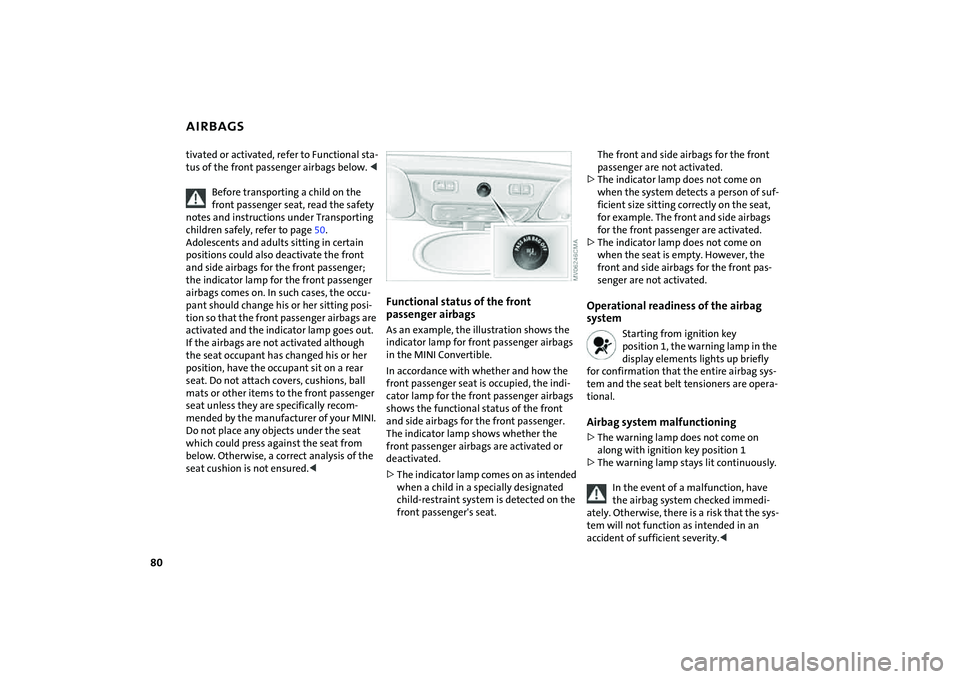
passenger airbagsAs an example, the illustration shows the
indicator lamp for front passenger airbags
in the MINI Convertible.
In accordance with whether and how the
front passenger seat is occupied, the indi-
cator lamp for the front passenger airbags
shows the functional status of the front
and side airbags for the front passenger.
The indicator lamp shows whether the
front passenger airbags are activated or
deactivated.
>The indicator lamp comes on as intended
when a child in a specially designated
child-restraint system is detected on the
front passenger's seat.
The front and side airbags for the front
passenger are not activated.
>The indicator lamp does not come on
when the system detects a person of suf-
ficient size sitting correctly on the seat,
for example. The front and side airbags
for the front passenger are activated.
>The indicator lamp does not come on
when the seat is empty. However, the
front and side airbags for the front pas-
senger are not activated. Operational readiness of the airbag
system
Starting from ignition key
position 1, the warning lamp in the
display elements lights up briefly
for confirmation that the entire airbag sys-
tem and the seat belt tensioners are opera-
tional.
Airbag system malfunctioning>The warning lamp does not come on
along with ignition key position 1
>The warning lamp stays lit continuously.
In the event of a malfunction, have
the airbag system checked immedi-
ately. Otherwise, there is a risk that the sys-
tem will not function as intended in an
accident of sufficient severity.<
Page 92 of 176
90
CIGARETTE LIGHTER, 12 V POWER SUPPLYLighterPress the cigarette lighter in.
Remove as soon as the lighter jumps back
out.
Hold or touch the hot cigarette lighter
by the knob only. Holding or touching it
in other areas could result in burns.
car vacuum cleaners, etc., up to a rating of
approx. 200 watts at 12 volts.
Avoid damaging the socket with plugs of
different shapes or sizes.
If the vehicle is equipped with a MINI
Mobility System, the 12 V socket is also for
supplying the compressor.
12 V socket in the luggage
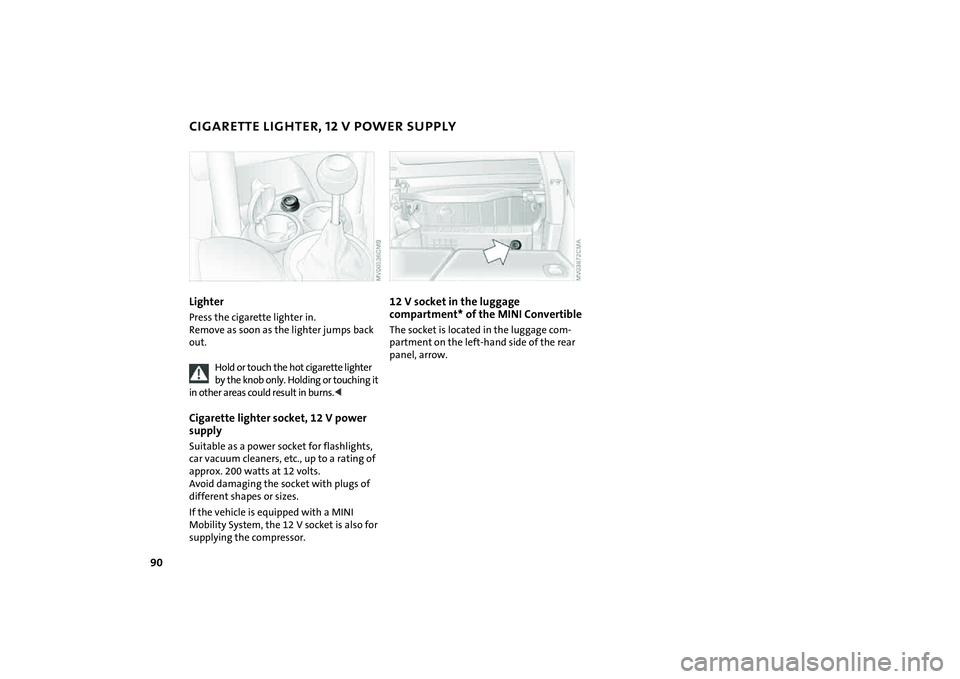
compartment* of the MINI ConvertibleThe socket is located in the luggage com-
partment on the left-hand side of the rear
panel, arrow.