key battery MINI COOPER CONVERTIBLE 2011 Owners Manual
[x] Cancel search | Manufacturer: MINI, Model Year: 2011, Model line: COOPER CONVERTIBLE, Model: MINI COOPER CONVERTIBLE 2011Pages: 186, PDF Size: 3.25 MB
Page 20 of 186
Opening and closing
18
Opening and closing
Keys/remote controls
Remote control
Each remote control contains a rechargeable
battery that is recharged when it is in the igni-
tion lock while the car is being driven. You
should therefore use each remote control at
least twice a year to maintain the charge status.
In vehicles equipped with Comfort Access
*, the
remote control contains a replaceable battery,
page28.
If more than one remote control unit is used, the
settings called up and implemented depend on
which remote control is recognized when the
car is unlocked, refer to Personal Profile,
page18.
In addition, information about service require-
ments is stored in the remote control, refer to
Service data in the remote control, page131.
New remote controls
Your MINI dealer can supply new remote con-
trols as additional units or as replacements in the
event of loss.
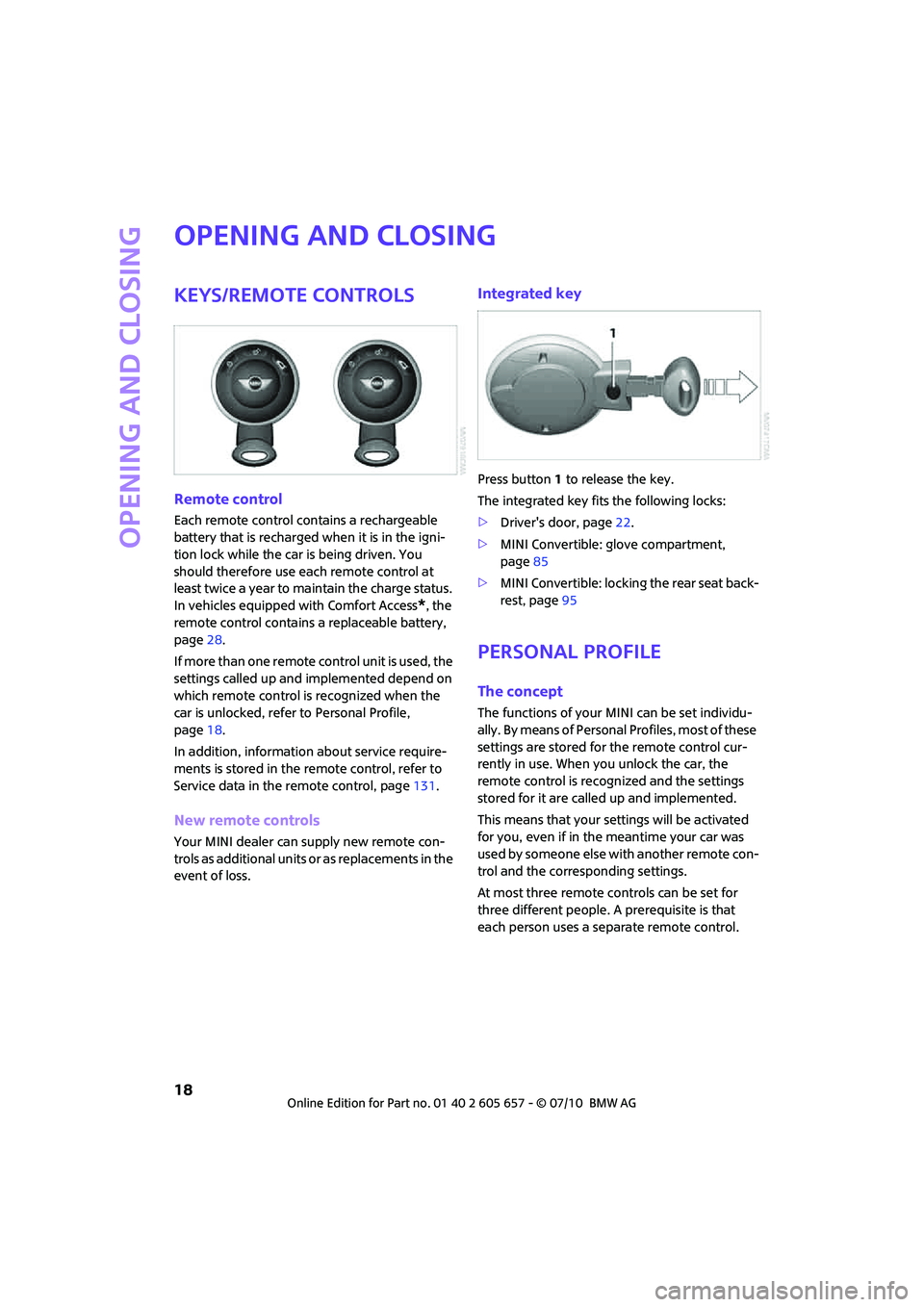
Integrated key
Press button1 to release the key.
The integrated key fits the following locks:
>Driver's door, page22.
>MINI Convertible: glove compartment,
page85
>MINI Convertible: locking the rear seat back-
rest, page95
Personal Profile
The concept
The functions of your MINI can be set individu-
ally. By means of Personal Profiles, most of these
settings are stored for the remote control cur-
rently in use. When you unlock the car, the
remote control is recognized and the settings
stored for it are called up and implemented.
This means that your settings will be activated
for you, even if in the meantime your car was
used by someone else with another remote con-
trol and the corresponding settings.
At most three remote controls can be set for
three different people. A prerequisite is that
each person uses a separate remote control.
Page 24 of 186
Opening and closing
22
Malfunctions
The remote control may malfunction due to
local radio waves. If this occurs, unlock and lock
the car at the door lock with the integrated key.
If the car can no longer be locked with a remote
control, the battery in the remote control is dis-
charged. Use this remote control during an
extended drive; this will recharge the battery,
page18.
For US owners only
The transmitter and receiver units comply with
part 15 of the FCC/Federal Communications
Commission regulations. Operation is governed
by the following:
FCC ID:
LX8766S
LX8766E
LX8CAS
Compliance statement:
This device complies with part 15 of the FCC
Rules. Operation is subject to the following two
conditions:
>This device must not cause harmful interfer-
ence, and
>this device must accept any interference
received, including interference that may
cause undesired operation.
Any unauthorized modifications or
changes to these devices could void the
user's authority to operate this equipment.<
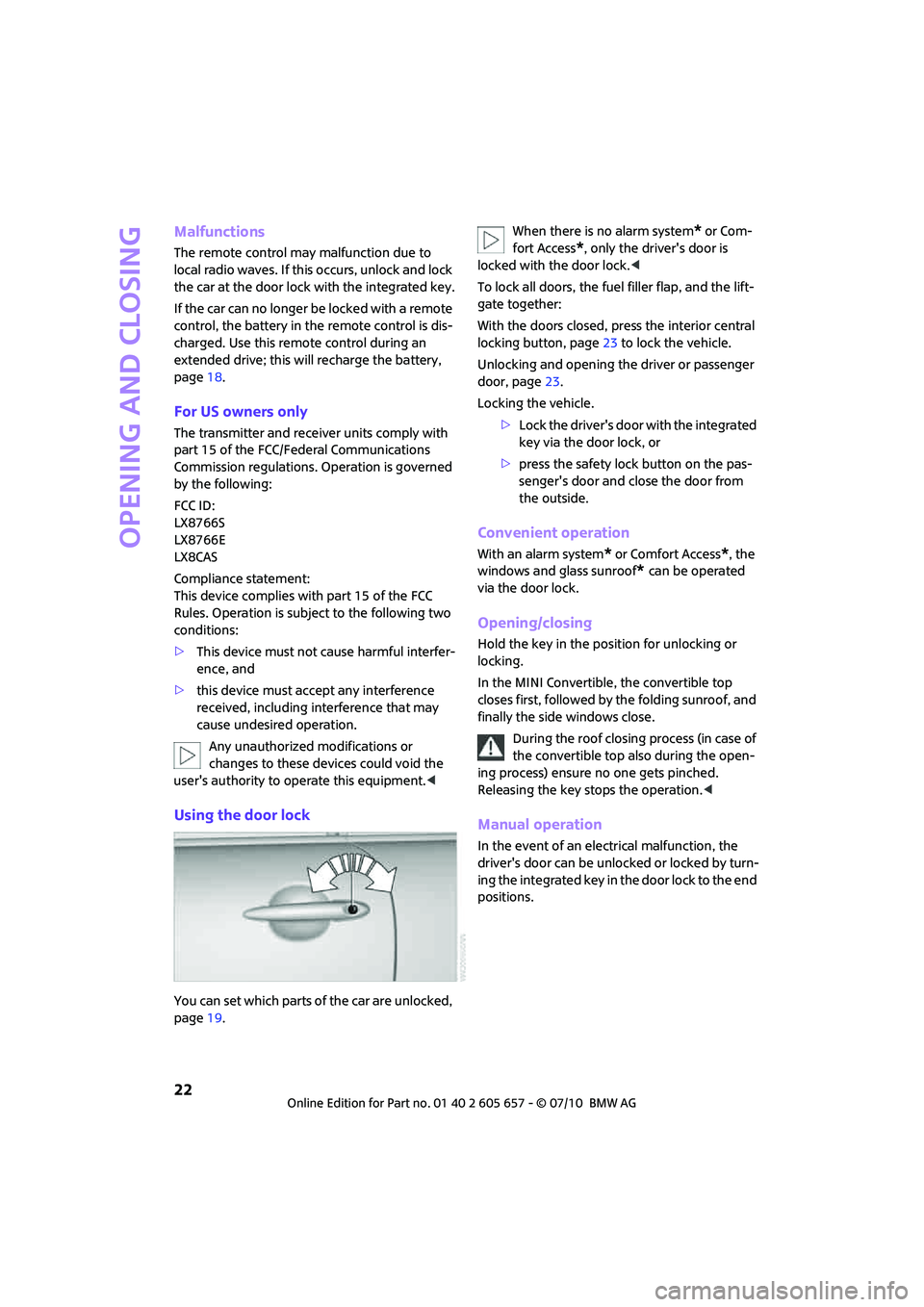
Using the door lock
You can set which parts of the car are unlocked,
page19.When there is no alarm system
* or Com-
fort Access
*, only the driver's door is
locked with the door lock.<
To lock all doors, the fuel filler flap, and the lift-
gate together:
With the doors closed, press the interior central
locking button, page23 to lock the vehicle.
Unlocking and opening the driver or passenger
door, page23.
Locking the vehicle.
>Lock the driver's door with the integrated
key via the door lock, or
>press the safety lock button on the pas-
senger's door and close the door from
the outside.
Convenient operation
With an alarm system* or Comfort Access*, the
windows and glass sunroof
* can be operated
via the door lock.
Opening/closing
Hold the key in the position for unlocking or
locking.
In the MINI Convertible, the convertible top
closes first, followed by the folding sunroof, and
finally the side windows close.
During the roof closing process (in case of
the convertible top also during the open-
ing process) ensure no one gets pinched.
Releasing the key stops the operation.<
Manual operation
In the event of an electrical malfunction, the
driver's door can be unlocked or locked by turn-
ing the integrated key in the door lock to the end
positions.
Page 27 of 186
25
AT A GLANCE REFERENCE MOBILITYCONTROLS DRIVING TIPS COMMUNICATIONS
Closing
Make sure that the closing path of the lift-
gate is clear; otherwise, injuries may
occur.<
The handle recesses on the interior trim panel of
the liftgate make it easier to pull it down.
Alarm system*
The concept
The alarm system, when activated, reacts if:
>A door, the engine compartment lid or the
liftgate is opened
>There is movement inside the car
>The car's inclination changes, for instance if
an attempt is made to jack it up and steal the
wheels or to raise it prior to towing away
>There is an interruption in the power supply
from the battery
The alarm system briefly indicates unauthorized
entry or tampering by means of:
>An acoustic alarm
>Switching on the hazard warning flashers
Arming and disarming
Whenever the car is locked or unlocked, the
alarm system is armed or disarmed.
Even when the alarm system is armed, you can
open the liftgate by means of the button
on the remote control.
When you subsequently close the liftgate it is
again locked and monitored.In certain market-specific versions,
unlocking via the door lock triggers the
alarm.<
Panic mode*
You can activate the alarm system if you find
yourself in a dangerous situation.
Press the button for at least two seconds.
Switching off the alarm:
Press any button.
Switching off an alarm
>Unlock the car with the remote control.
>Insert the key fully into the ignition lock.
>In cars with Comfort Access
*, press the but-
ton on the door lock.
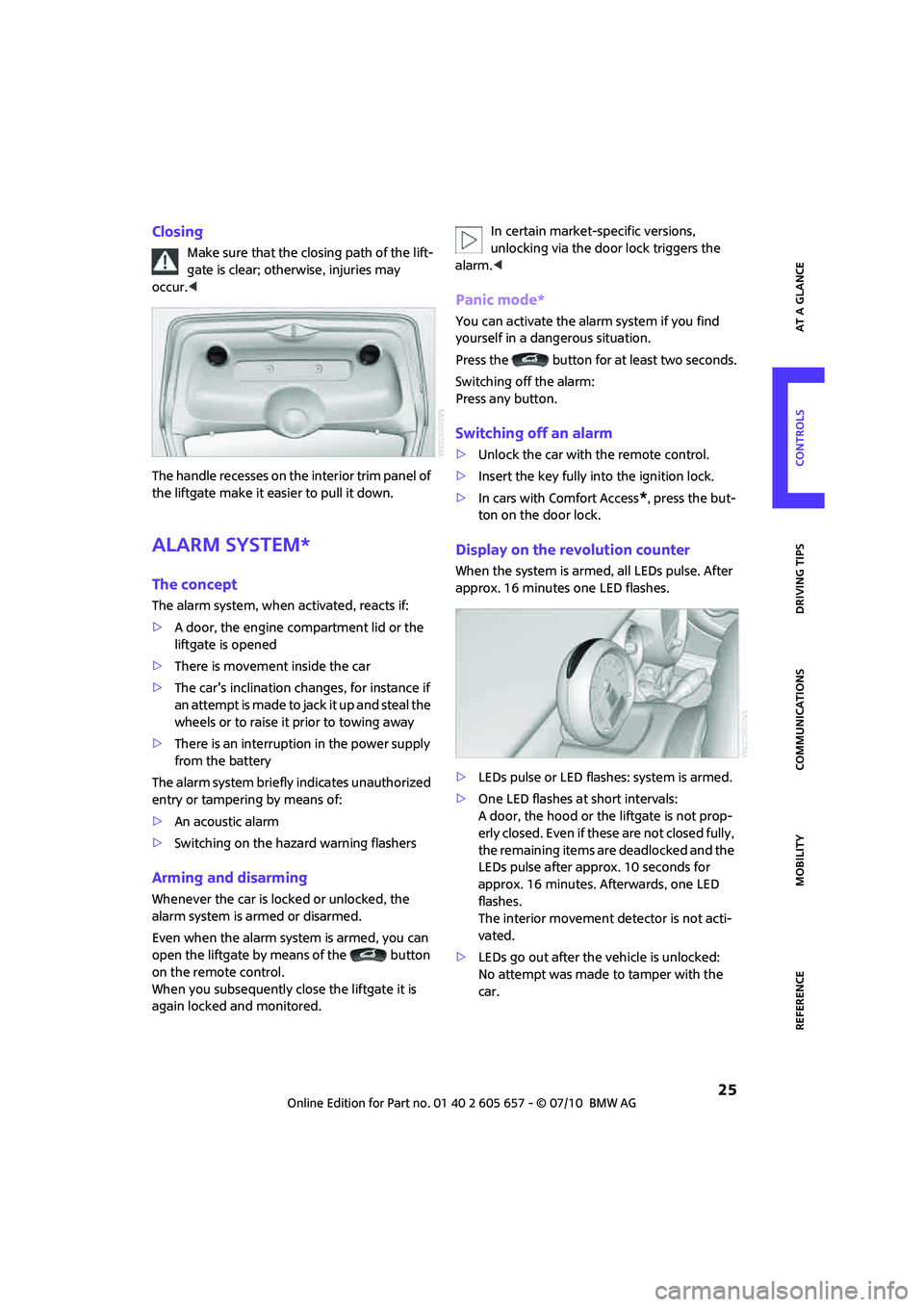
Display on the revolution counter
When the system is armed, all LEDs pulse. After
approx. 16 minutes one LED flashes.
>LEDs pulse or LED flashes: system is armed.
>One LED flashes at short intervals:
A door, the hood or the liftgate is not prop-
erly closed. Even if these are not closed fully,
the remaining items are deadlocked and the
LEDs pulse after approx. 10 seconds for
approx. 16 minutes. Afterwards, one LED
flashes.
The interior movement detector is not acti-
vated.
>LEDs go out after the vehicle is unlocked:
No attempt was made to tamper with the
car.
Page 30 of 186
Opening and closing
28
Warning lamps
The warning lamp comes on when an
attempt is made to start the engine: the
engine cannot be started. The remote
control is not inside the vehicle or is malfunc-
tioning. Take the remote control with you inside
the vehicle or have it checked. If necessary,
insert another remote control into the ignition
lock.
The warning lamp comes on when the
engine is running: the remote control is
no longer inside the vehicle. After the
engine is switched off, the engine can only be
restarted within approx. 10 seconds.
The indicator lamp comes on: replace
the battery in the remote control.
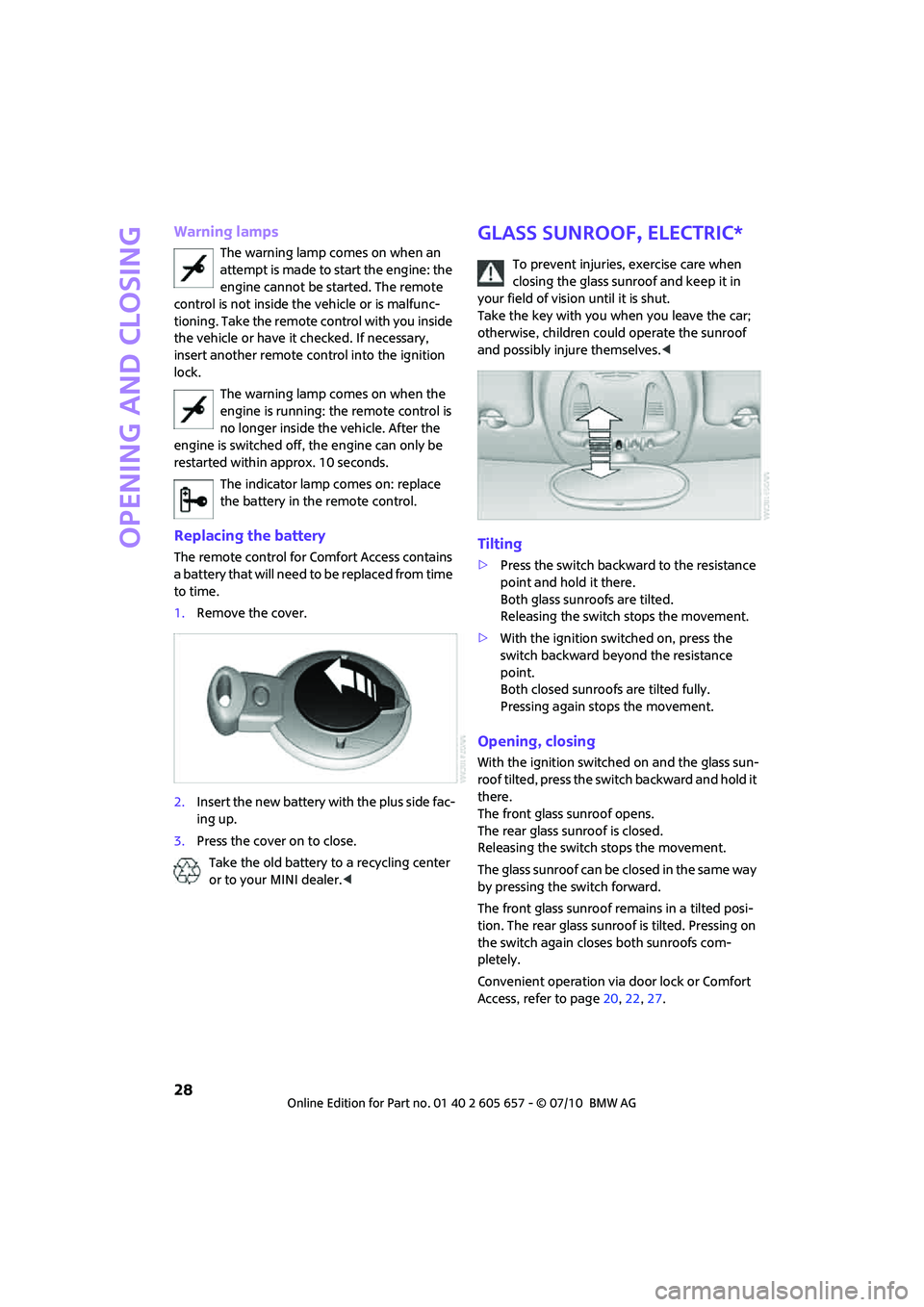
Replacing the battery
The remote control for Comfort Access contains
a battery that will need to be replaced from time
to time.
1.Remove the cover.
2.Insert the new battery with the plus side fac-
ing up.
3.Press the cover on to close.
Take the old battery to a recycling center
or to your MINI dealer.<
Glass sunroof, electric*
To prevent injuries, exercise care when
closing the glass sunroof and keep it in
your field of vision until it is shut.
Take the key with you when you leave the car;
otherwise, children could operate the sunroof
and possibly injure themselves.<
Tilting
>Press the switch backward to the resistance
point and hold it there.
Both glass sunroofs are tilted.
Releasing the switch stops the movement.
>With the ignition switched on, press the
switch backward beyond the resistance
point.
Both closed sunroofs are tilted fully.
Pressing again stops the movement.
Opening, closing
With the ignition switched on and the glass sun-
roof tilted, press the switch backward and hold it
there.
The front glass sunroof opens.
The rear glass sunroof is closed.
Releasing the switch stops the movement.
The glass sunroof can be closed in the same way
by pressing the switch forward.
The front glass sunroof remains in a tilted posi-
tion. The rear glass sunroof is tilted. Pressing on
the switch again closes both sunroofs com-
pletely.
Convenient operation via door lock or Comfort
Access, refer to page20,22,27.
Page 32 of 186
Opening and closing
30
Do not close the windows until the closing
procedure for the convertible top is fin-
ished. Otherwise, it is not ensured that the side
windows will close properly against the rubber
seals of the convertible top. Convertible top,
refer to page31.<
After switching off the ignition
When the ignition is switched off, the windows
can still be operated for approx. 1 minute as
long as no door is opened.
Take the key with you when you leave the
car; otherwise, children could operate the
electric windows and possibly injure them-
selves.<
MINI: pinch protection system
This function does not apply to the MINI Con-
vertible.
If the closing force exceeds a specific value as a
window closes, the closing action is interrupted
and the window reopens slightly.
Even though there is the pinch protection
system, always ensure that the window's
travel path is clear; otherwise, the safety system
might fail to detect certain kinds of obstructions,
such as thin objects, and the window would con-
tinue closing.
Do not install any accessories that might inter-
fere with window movement. Otherwise, the
pinch protection system could be impaired.<
Closing without pinch protection
If there is an external danger, or if ice on the win-
dows, etc., prevents you from closing the win-
dows normally, the window can be closed man-
ually.
1.Press the switch upward and hold it there.
Pinch protection is limited and the window
reopens slightly if the closing force exceeds
a certain value.
2.Press the switch upward again within
approx. 4 seconds and hold it there. The
window closes without pinch protection.
Convertible top with
integrated sliding
sunroof
To conserve battery power, if possible
operate the convertible top only while the
engine is running.
Prior to closing the convertible top, check for
and remove all debris from the windshield
frame; otherwise, the closing of the top may be
hampered.<
Opening and closing the sliding sunroof
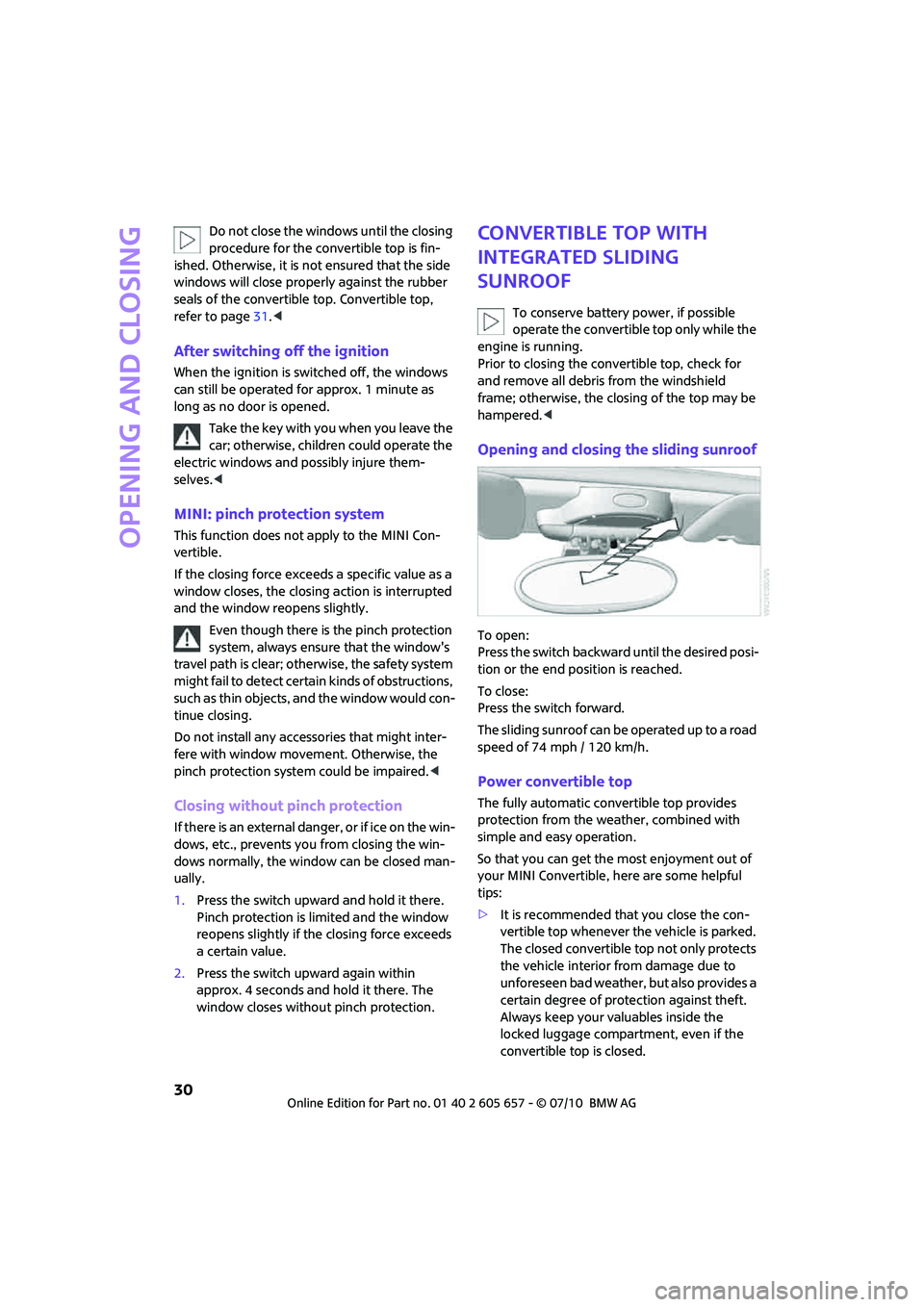
To open:
Press the switch backward until the desired posi-
tion or the end position is reached.
To close:
Press the switch forward.
The sliding sunroof can be operated up to a road
speed of 74 mph / 120 km/h.
Power convertible top
The fully automatic convertible top provides
protection from the weather, combined with
simple and easy operation.
So that you can get the most enjoyment out of
your MINI Convertible, here are some helpful
tips:
>It is recommended that you close the con-
vertible top whenever the vehicle is parked.
The closed convertible top not only protects
the vehicle interior from damage due to
unforeseen bad weather, but also provides a
certain degree of protection against theft.
Always keep your valuables inside the
locked luggage compartment, even if the
convertible top is closed.
Page 34 of 186
Opening and closing
32
Interruption
A convertible top which is not completely
open or closed is hazardous.<
The automatic movement is immediately inter-
rupted when the button for the convertible top
operation is released. The procedure can be
continued in the desired direction by pressing
the appropriate button.
If the opening or closing procedure is inter-
rupted by releasing the respective button, the
convertible top stays in its current position for
several seconds before it slowly moves into a
more stable position. The procedure can be con-
tinued by pressing the appropriate button.
The opening and closing procedure is also inter-
rupted in case of a mechanical blockage. In this
case, in order to operate the convertible top
again:
1.Switch off the ignition and then switch it on
again.
2.Press the button to continue the procedure
in the desired direction.
Opening and closing procedure
Do not interrupt and restart the closing
procedure several times one after
another, or the convertible top mechanism
could be damaged.<
If the convertible top can be moved in only
one direction after several consecutive
attempts to operate it, the convertible top sys-
tem has overheated. Allow the system to cool
down for approx. 4 minutes.<
If the battery was disconnected, e.g. for
changing batteries or vehicle storage,
reinitialize the power windows, refer to page29.
Otherwise, the windows cannot be lowered or
the convertible top cannot be opened.<
Convenient operation
For convenient operation using the remote con-
trol, refer to page19; for operation via the door
lock, refer to page22.
Manual closing in the event of an
electrical malfunction
Only close the convertible top manually if
it is absolutely necessary. Never open it
manually. Improper handling of the convertible
top can result in damage. The closing procedure
must be completely finished. Otherwise, dam-
age or injury could result.<
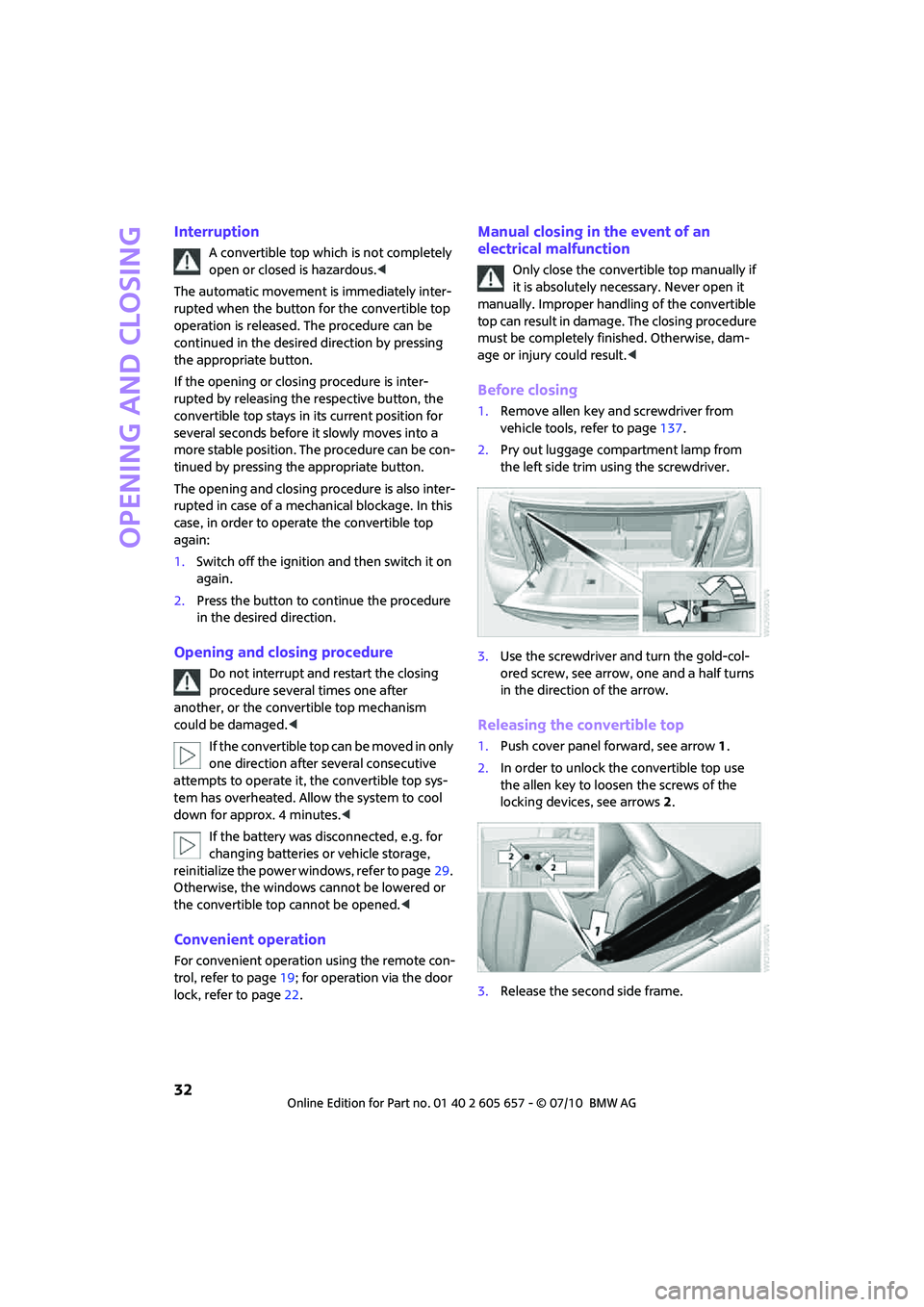
Before closing
1.Remove allen key and screwdriver from
vehicle tools, refer to page137.
2.Pry out luggage compartment lamp from
the left side trim using the screwdriver.
3.Use the screwdriver and turn the gold-col-
ored screw, see arrow, one and a half turns
in the direction of the arrow.
Releasing the convertible top
1.Push cover panel forward, see arrow1.
2.In order to unlock the convertible top use
the allen key to loosen the screws of the
locking devices, see arrows 2.
3.Release the second side frame.
Page 46 of 186
Driving
44
Driving
Ignition lock
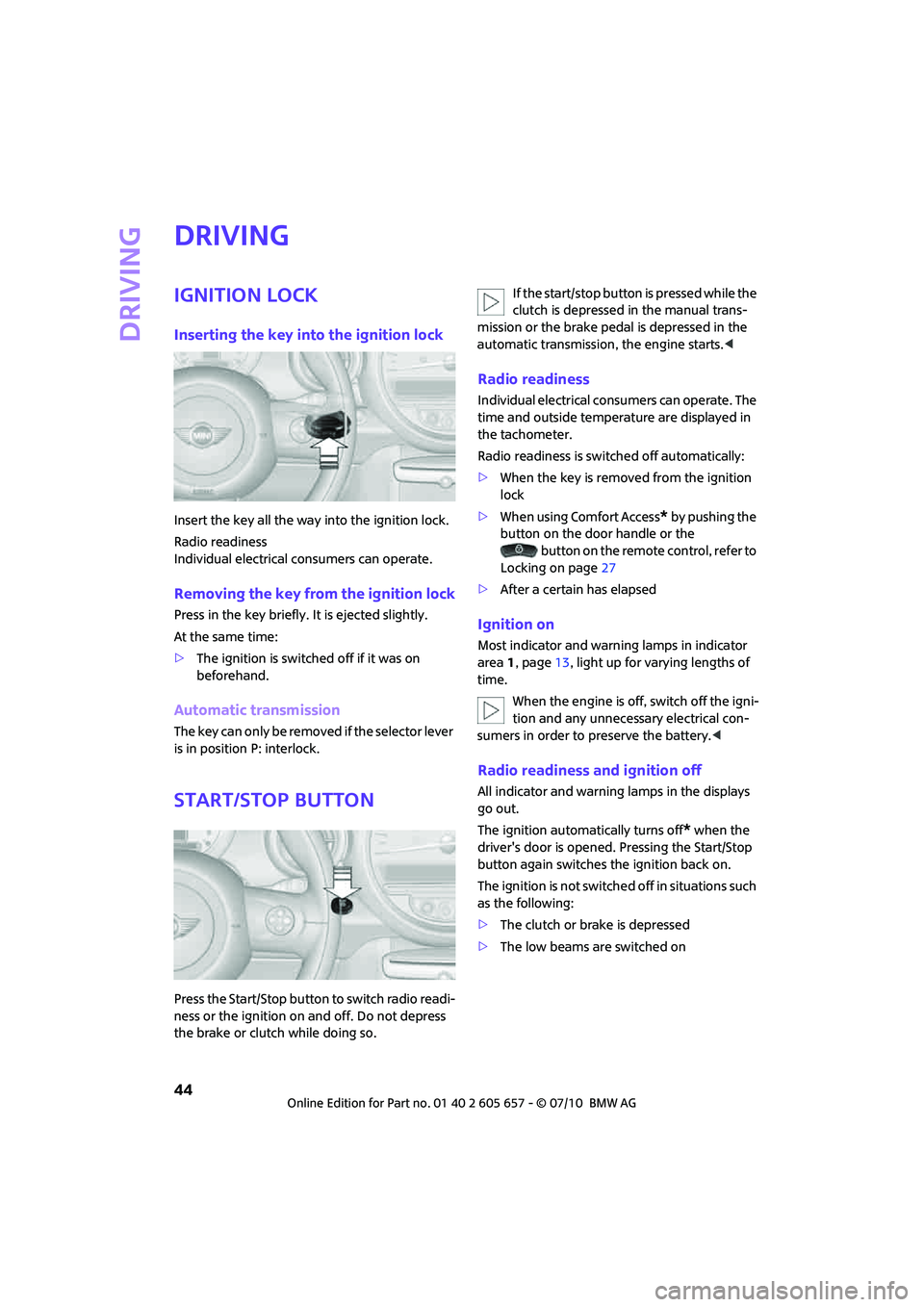
Inserting the key into the ignition lock
Insert the key all the way into the ignition lock.
Radio readiness
Individual electrical consumers can operate.
Removing the key from the ignition lock
Press in the key briefly. It is ejected slightly.
At the same time:
>The ignition is switched off if it was on
beforehand.
Automatic transmission
The key can only be removed if the selector lever
is in position P: interlock.
Start/Stop button
Press the Start/Stop button to switch radio readi-
ness or the ignition on and off. Do not depress
the brake or clutch while doing so.If the start/stop button is pressed while the
clutch is depressed in the manual trans-
mission or the brake pedal is depressed in the
automatic transmission, the engine starts.<
Radio readiness
Individual electrical consumers can operate. The
time and outside temperature are displayed in
the tachometer.
Radio readiness is switched off automatically:
>When the key is removed from the ignition
lock
>When using Comfort Access
* by pushing the
button on the door handle or the
button on the remote control, refer to
Locking on page27
>After a certain has elapsed
Ignition on
Most indicator and warning lamps in indicator
area 1, page13, light up for varying lengths of
time.
When the engine is off, switch off the igni-
tion and any unnecessary electrical con-
sumers in order to preserve the battery.<
Radio readiness and ignition off
All indicator and warning lamps in the displays
go out.
The ignition automatically turns off
* when the
driver's door is opened. Pressing the Start/Stop
button again switches the ignition back on.
The ignition is not switched off in situations such
as the following:
>The clutch or brake is depressed
>The low beams are switched on
Page 104 of 186
Telephone
102
Telephone
Overview
The concept
Mobile phones or other external devices, e.g.
audio players, can be connected to the vehicle
via Bluetooth.
Your MINI is equipped with a complete mobile
phone preparation. After a suitable mobile
phone is paired with the vehicle once, the
mobile phone can be controlled via the radio,
the buttons
* on the steering wheel, and by
voice
*.
It may be necessary for some functions to be
activated by the mobile phone provider.
Only make entries when traffic conditions
permit. Do not hold the mobile phone in
your hand while you are driving; use the hands-
free system instead. If you do not observe this
precaution, your being distracted can endanger
vehicle occupants and other road users.<
Snap-in adapter*
The snap-in adapter, refer to page113, makes it
possible to:
>Accommodate the mobile phone.
>Recharge its battery.
>Connect it to an external antenna of the
vehicle.
This assures a better network connection
and constant sound quality.
A mobile phone that is connected to the vehicle
should not be operated via the mobile phone
keypad; otherwise, malfunctions may occur.
Suitable mobile phones
For precise information about which mobile
phones and external devices can be with a Blue-
tooth interface are supported by the complete
mobile phone preparation, go to
www.mini.com/connectivity.
*
Page 109 of 186
107
AT A GLANCE REFERENCE MOBILITYCONTROLS DRIVING TIPS COMMUNICATIONS
What to do if…
For information on suitable mobile phones, refer
to page102.
The mobile phone could not be paired or con-
nected.
>Is Bluetooth activated in the vehicle and in
the mobile phone? Activate Bluetooth in the
vehicle and in the mobile phone.
>Do the Bluetooth passkeys on the mobile
phone and the vehicle match? Enter the
same passkey on the mobile phone and via
the radio.
>Is the passkey input taking longer than 30
seconds? Repeat the pairing procedure.
>Are too many Bluetooth devices connected
to the mobile phone? If so, delete the con-
nections with other devices on the mobile
phone.
>Is the mobile phone in power economy
m o d e o r d o e s i t o n l y h a v e a s m a l l a m o u n t o f
battery charge remaining? Charge the
mobile phone in the snap-in adapter
* or via
a charging cable.
>Depending on the mobile phone, it may only
be possible to connect one device to the
vehicle. Unpair the connected device from
the vehicle and only pair and connect one
device.
>Is the mobile phone no longer responding?
Switch the mobile phone off and back on
again. Repeat the pairing procedure.
Phone book entries are not displayed, not all of
them are displayed, or they are displayed
incompletely.
>The transfer of phone book entries has not
yet completed.
>It is possible that only the phone book
entries of the mobile phone or the SIM card
*
are transferred.
>It may not be possible to display phone book
entries with special characters.
>The number of phone book entries to be
stored is too high.
>The data volume of the phone book entry is
too great, e.g. due to additionally stored information such as notes? Reduce the data
volume.
The telephone connection quality is low.
>Depending on the mobile phone, it is possi-
ble to adjust the strength of the Bluetooth
signal.
>Insert the mobile phone into the snap-in
adapter
* o r p la ce it in t h e v ic in it y o f t h e ce n -
ter console.
>Adjust the volume of the microphone and
speaker separately.
If you have gone through all items in the list and
still cannot activate the desired function please
contact the Hotline or your MINI center.
Operation
Overview
The following functions can be operated using
the radio:
>Accepting/refusing a call
>Dialing phone numbers
>Dialing a phone number from the phone
book
>Dialing a stored phone number, e.g. from
the list of accepted calls
>Ending a call
When the ignition is switched off and in radio-
ready mode, e.g. after removal of the infrared
remote control, an ongoing conversation can be
continued for a maximum of 25 minutes using
the hands-free system.
Page 175 of 186
173
AT A GLANCE REFERENCEMOBILITYCONTROLS DRIVING TIPS COMMUNICATIONS
Black ice, refer to Outside
temperature warning53
Blower, refer to Air flow
rate79,81
Bluetooth, activating/
deactivating104
Bottle holders, refer to
Cupholders87
Brake Assist63
Brake fluid, refer to Service
requirements58
Brake lamps
– replacing bulbs141
Brake pads, breaking in92
Brake rotors93
– brakes92
– breaking in92
Brake system92
– breaking in92
– disc brakes93
– MINI Maintenance
System131
Brakes
– ABS63
– breaking in92
– MINI Maintenance
System131
– parking brake45
– service requirements58
Brakes, refer to Braking
safely93
Breakdown service, refer to
Roadside Assistance148
Break-in period92
Breaking in the clutch92
Bulb changing, refer to Lamps
and bulbs137
Button for starting the
engine44
Buttons on steering wheel11
C
California Proposition 65
warning5
Call
– accepting108
– ending108
– rejecting108Calling, refer to Phone
numbers, dialing108
Can holders, refer to
Cupholders87
Capacities170
Car battery, refer to Vehicle
battery146
Car care133
Car key, refer to Keys/remote
controls18
Car phone
– installation location, refer to
Center armrest85
– refer to separate Owner's
Manual
Car phone, refer to
Telephone102
Car wash, care133
Car washes133
Care133
– car washes133
– car-care products133
– CD/DVD drives136
– external133
– high-pressure washers134
– internal135
– leather135
– manual washing134
– upholstery and fabrics135
– windows134
– wiper blades134
Cargo area94
– capacity169
– Comfort Access27
– cover94
– lamp77
– opening from outside24
Cargo area, expanding94
Cargo area lamp77
Cargo area lid, refer to
Liftgate24
Cargo loading96
– securing cargo97
– stowing cargo96
– vehicle94
Cargo, securing97
Carpets, care136
Catalytic converter, refer to
Hot exhaust system92Center armrest85
Center brake lamp141
Center console, refer to
Around the center
console14
Central locking system19
– Comfort Access26
– from inside23
– from outside19
Changing bulbs137
Changing wheels144
Chassis number, refer to
Engine compartment128
Check Control60
Child restraint fixing system
LATCH42
Child restraint systems41
Child seats41
Chock, folding
– space-saver spare tire144
Chrome parts, care135
Chrome parts, refer to
Care133
Cigarette lighter87
Cleaning headlamps50
– washer fluid51
Clock
– 12h/24h mode57
– setting time60
Closing
– from inside23
– from outside19
Clothes hooks87
Cockpit10
Cold start, refer to Starting the
engine45
Comfort Access26
– replacing the battery28
– what to observe before
entering a car wash27
Comfort area, refer to Around
the center console14
Compartment for remote
control, refer to Ignition
lock44
Computer54
Condensation, refer to When
the vehicle is parked94