air condition MINI COOPER CONVERTIBLE 2016 User Guide
[x] Cancel search | Manufacturer: MINI, Model Year: 2016, Model line: COOPER CONVERTIBLE, Model: MINI COOPER CONVERTIBLE 2016Pages: 252, PDF Size: 5.41 MB
Page 137 of 252
Rearview camera
The concept
The rearview camera provides assistance in
parking and maneuvering backwards. The area
behind the vehicle is shown on the Control Dis‐
play.
Information WARNING
The system does not relieve from the per‐
sonal responsibility to correctly assess the traf‐
fic situation. There is risk of an accident. Adjust
the driving style to the traffic conditions. Watch
traffic and vehicle surroundings closely and ac‐
tively intervene in the respective situations. ◀
Overview
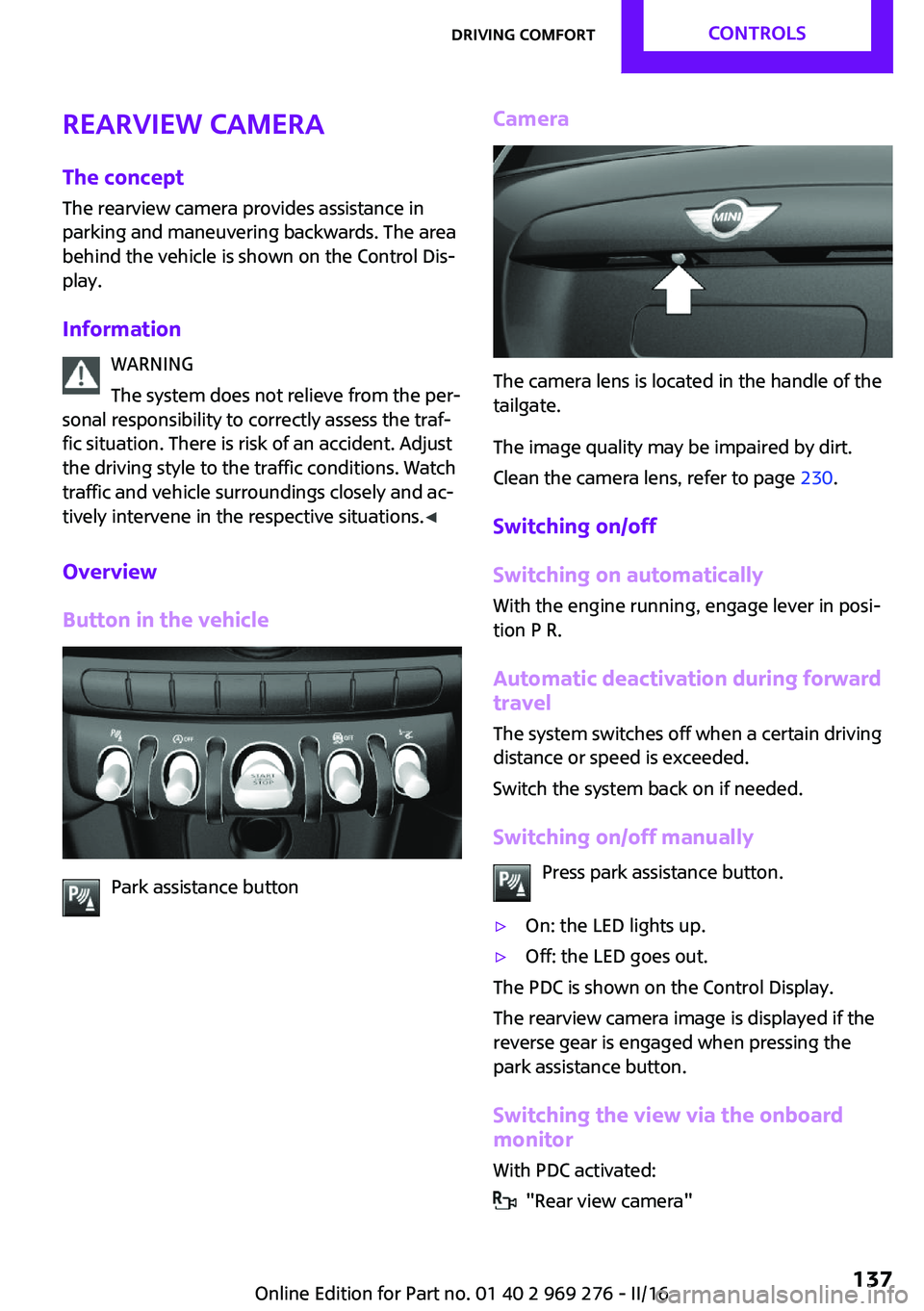
Button in the vehicle
Park assistance button
Camera
The camera lens is located in the handle of the
tailgate.
The image quality may be impaired by dirt.
Clean the camera lens, refer to page 230.
Switching on/off
Switching on automatically
With the engine running, engage lever in posi‐
tion P R.
Automatic deactivation during forward travel
The system switches off when a certain driving
distance or speed is exceeded.
Switch the system back on if needed.
Switching on/off manually Press park assistance button.
▷On: the LED lights up.▷Off: the LED goes out.
The PDC is shown on the Control Display.
The rearview camera image is displayed if the
reverse gear is engaged when pressing the
park assistance button.
Switching the view via the onboard
monitor
With PDC activated:
"Rear view camera"
Seite 137Driving comfortCONTROLS137
Online Edition for Part no. 01 40 2 969 276 - II/16
Page 144 of 252
Climate controlVehicle features and op‐
tions
This chapter describes all standard, country-
specific and optional features offered with the
series. It also describes features that are notnecessarily available in your car, e. g., due to
the selected options or country versions. This
also applies to safety-related functions and sys‐
tems. The respectively applicable country provi‐
sions must be observed when using the respec‐
tive features and systems.
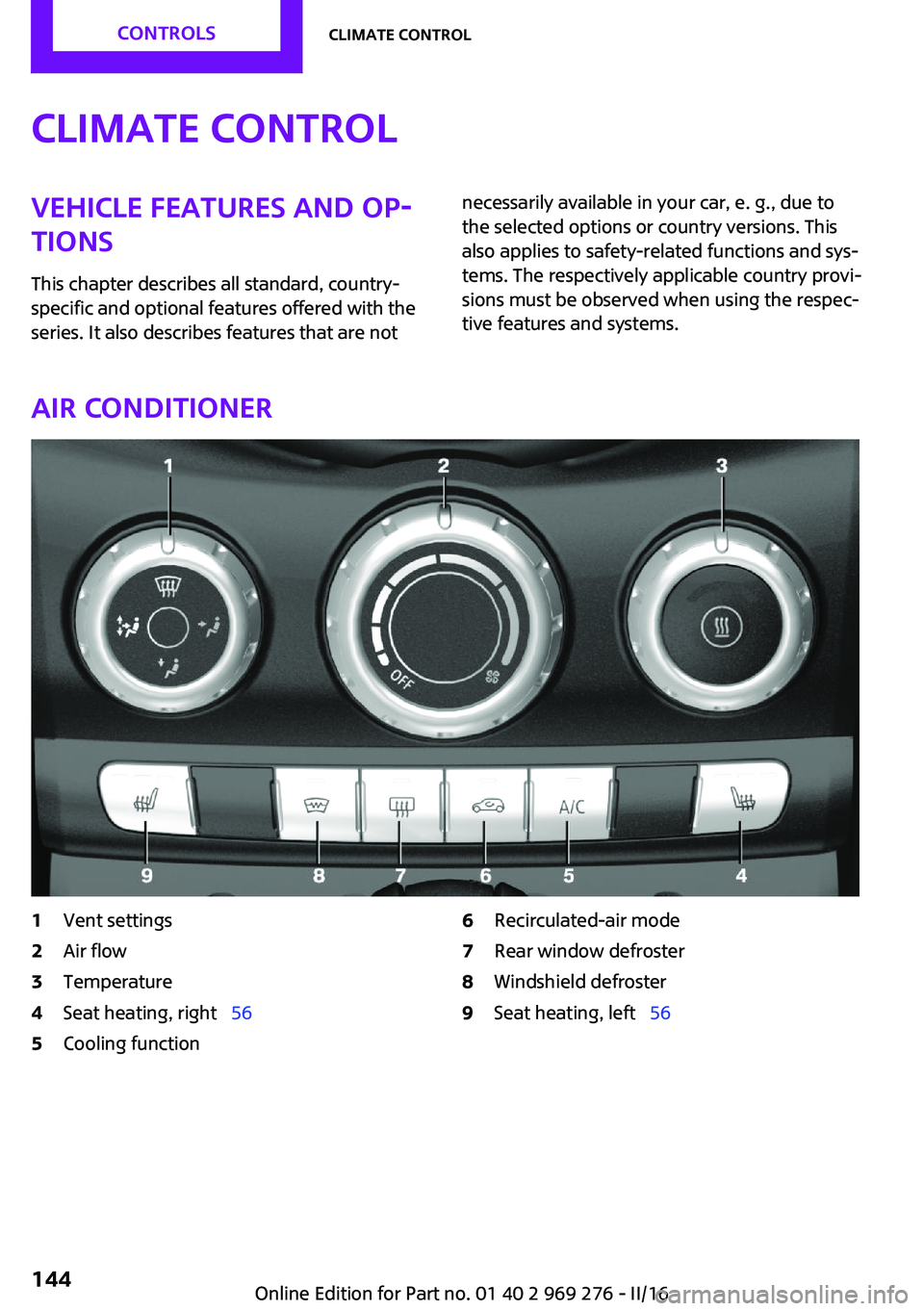
Air conditioner
1Vent settings2Air flow3Temperature4Seat heating, right 565Cooling function6Recirculated-air mode7Rear window defroster8Windshield defroster9Seat heating, left 56Seite 144CONTROLSClimate control144
Online Edition for Part no. 01 40 2 969 276 - II/16
Page 145 of 252
Climate control functions in detail
Switching the system on/off Switching on
Set any air volume.
Switching off Turn wheel for air quantity to the
left until the control switches off.
Temperature Turn the ring to set the desired
temperature.
Cooling function
The air in the car's interior will be cooled and
dehumidified and, depending on the tempera‐
ture setting, warmed again.
The car's interior can only be cooled with the
engine running.
Press button.
Air conditioning is switched on or off.
Depending on the weather, the windshield may
fog up briefly when the engine is started.
The air conditioner produces condensation wa‐
ter, refer to page 168, that will exit from below
the car.
Recirculated-air mode You may respond to unpleasant odors or pollu‐
tants in the immediate environment by tempo‐
rarily suspending the supply of outside air. The
system then recirculates the air currently within
the vehicle.Press button repeatedly to select an
operating mode:▷LED off: outside air flows in continuously.▷LED on, recirculated-air mode: the supply
of outside air into the vehicle is perma‐
nently blocked.
To prevent window condensation, recirculated
air mode switches off automatically after a cer‐
tain amount of time, depending on the external
temperature.
With constant recirculated-air mode, the air
quality in the car's interior deteriorates and the
fogging of the windows increases.
If the windows fog over, switch off recirculated-
air mode and increase the air flow, if needed.
Air flow, manual Turn the ring to set the desired
air volume.
The higher the rate, the more ef‐
fective the heating or cooling will
be.
The air flow from the air conditioner may be re‐
duced automatically to save battery power.
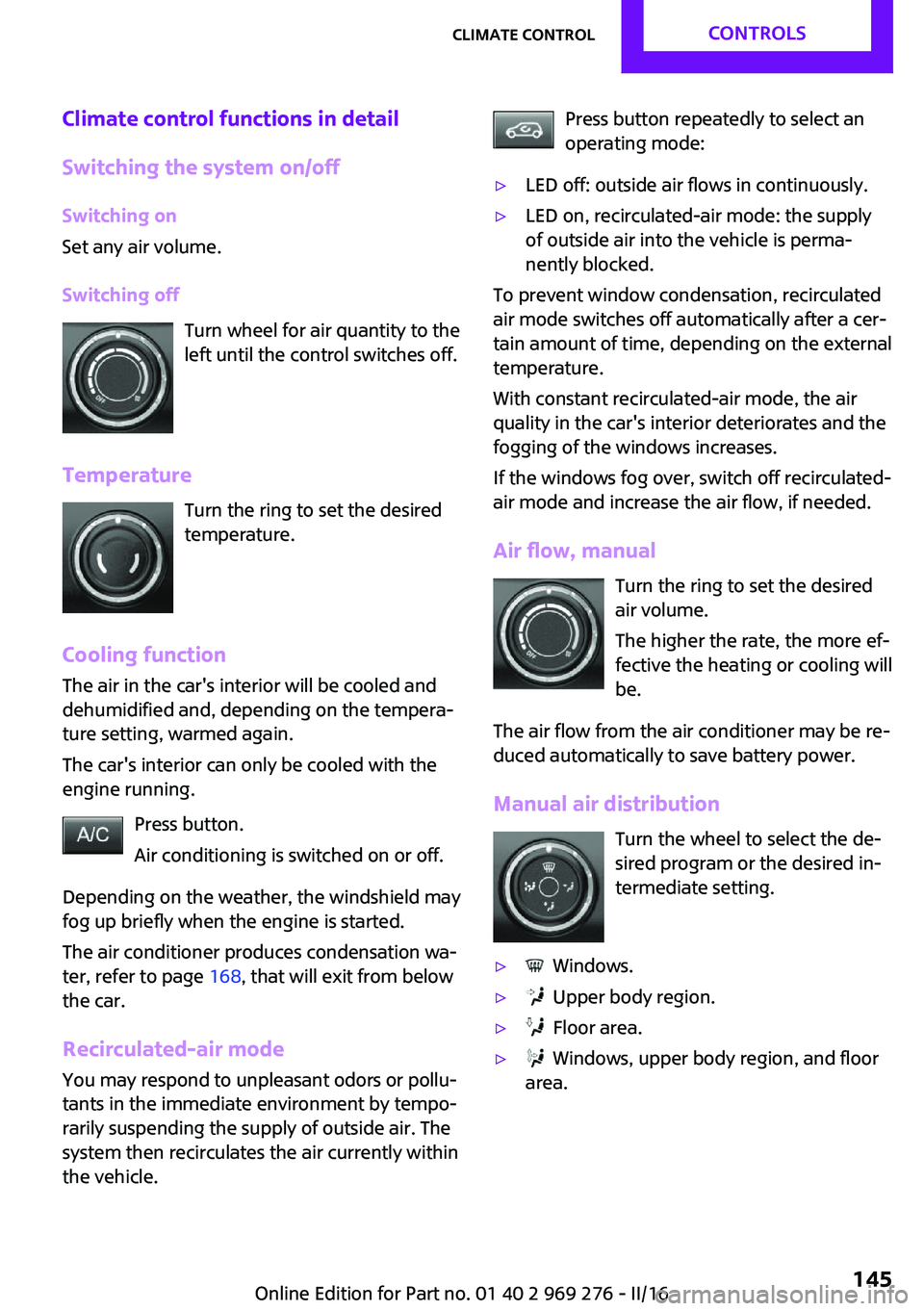
Manual air distribution Turn the wheel to select the de‐
sired program or the desired in‐
termediate setting.
▷ Windows.▷ Upper body region.▷ Floor area.▷ Windows, upper body region, and floor
area.Seite 145Climate controlCONTROLS145
Online Edition for Part no. 01 40 2 969 276 - II/16
Page 147 of 252
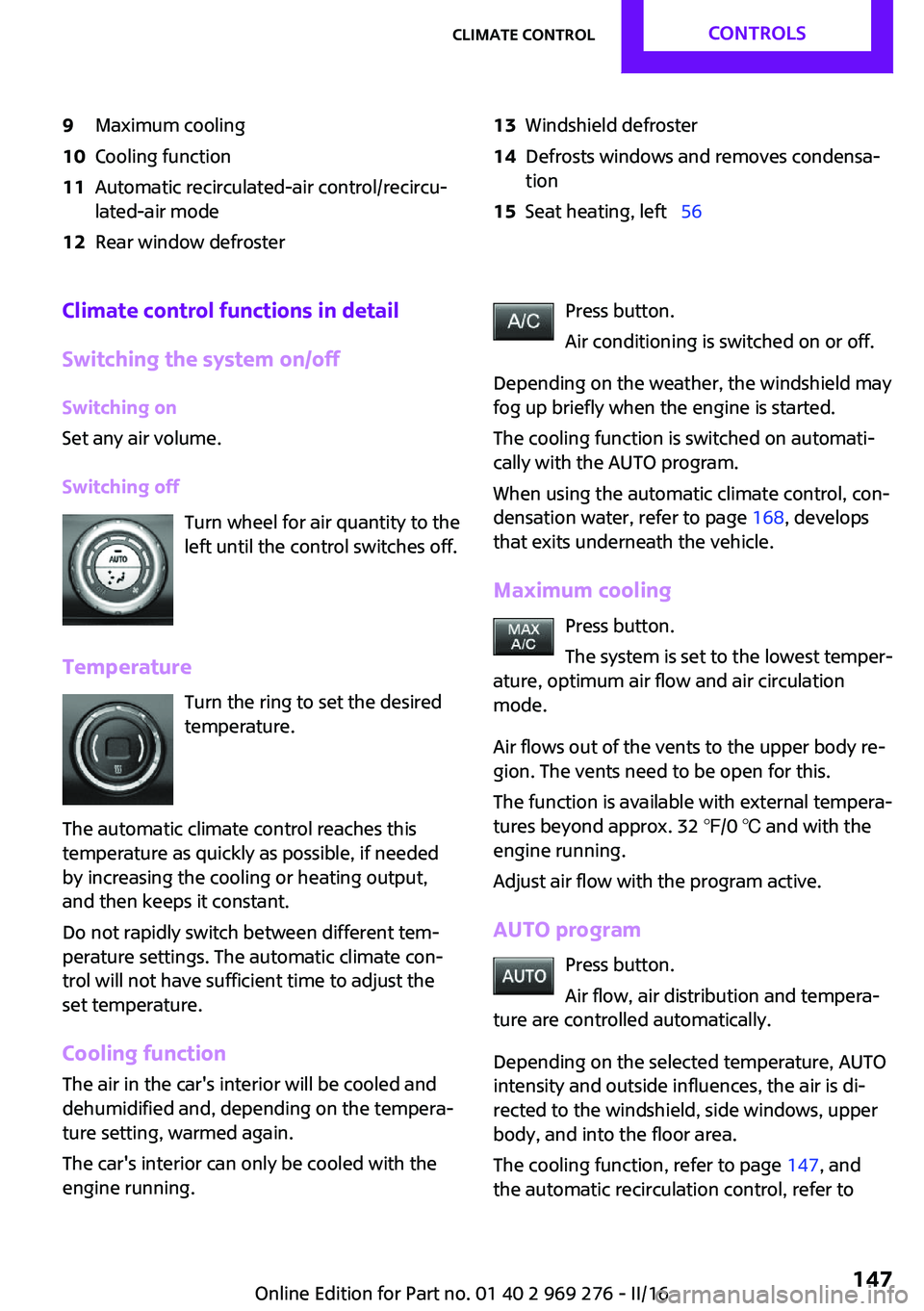
9Maximum cooling10Cooling function11Automatic recirculated-air control/recircu‐
lated-air mode12Rear window defroster13Windshield defroster14Defrosts windows and removes condensa‐
tion15Seat heating, left 56Climate control functions in detail
Switching the system on/off Switching on
Set any air volume.
Switching off Turn wheel for air quantity to the
left until the control switches off.
Temperature Turn the ring to set the desired
temperature.
The automatic climate control reaches this
temperature as quickly as possible, if needed
by increasing the cooling or heating output,
and then keeps it constant.
Do not rapidly switch between different tem‐
perature settings. The automatic climate con‐
trol will not have sufficient time to adjust the
set temperature.
Cooling function The air in the car's interior will be cooled and
dehumidified and, depending on the tempera‐
ture setting, warmed again.
The car's interior can only be cooled with the
engine running.Press button.
Air conditioning is switched on or off.
Depending on the weather, the windshield may
fog up briefly when the engine is started.
The cooling function is switched on automati‐
cally with the AUTO program.
When using the automatic climate control, con‐
densation water, refer to page 168, develops
that exits underneath the vehicle.
Maximum cooling Press button.
The system is set to the lowest temper‐
ature, optimum air flow and air circulation
mode.
Air flows out of the vents to the upper body re‐
gion. The vents need to be open for this.
The function is available with external tempera‐
tures beyond approx. 32 ℉/0 ℃ and with the
engine running.
Adjust air flow with the program active.
AUTO program Press button.
Air flow, air distribution and tempera‐
ture are controlled automatically.
Depending on the selected temperature, AUTO
intensity and outside influences, the air is di‐
rected to the windshield, side windows, upper
body, and into the floor area.
The cooling function, refer to page 147, and
the automatic recirculation control, refer toSeite 147Climate controlCONTROLS147
Online Edition for Part no. 01 40 2 969 276 - II/16
Page 184 of 252
FuelVehicle features and op‐
tions
This chapter describes all standard, country-
specific and optional features offered with the
series. It also describes features that are not
necessarily available in your car, e. g., due to
the selected options or country versions. This
also applies to safety-related functions and sys‐
tems. The respectively applicable country provi‐
sions must be observed when using the respec‐
tive features and systems.
Fuel recommendation General information Depending on the region, many gas stations
sell fuel that has been customized to winter or
summer conditions. Fuel that is available in
winter helps make a cold start easier, for exam‐
ple.
Information ATTENTION
Even fuels that conform to the specifica‐
tions can be of low quality. This may cause en‐
gine problems, e.g., poor engine start-up be‐
havior, poor handling and/or poor
performance. There is a risk of damage to
property. In case of engine problems, switch
gas stations or use a brand name fuel with a
higher octane rating. ◀
Gasoline
General information For the best fuel efficiency, the gasoline should
be sulfur-free or very low in sulfur content.Fuels that are marked on the gas pump as con‐
taining metal must not be used.
Fuels with a maximum ethanol content of
25 %, i. e. E10 or E25, may be used for refuel‐
ing.
Ethanol should meet the following quality
standards:
US: ASTM 4806–xx
CAN: CGSB-3.511–xx
xx: comply with the current standard in each
case.
Information ATTENTION
Do not press the Start/Stop button after
refueling with the wrong fuel. Furthermore, the
catalytic converter is permanently damaged.
There is a risk of damage to property. Do not
refuel or add the following in the case of gaso‐
line engines:▷Leaded gasoline.▷Metallic additives, e.g., manganese or iron.
Do not press the Start/Stop button after refuel‐
ing with the wrong fuel. Contact a dealer’s serv‐
ice center or another qualified service center or
repair shop. ◀
ATTENTION
Incorrect fuels can damage the fuel sys‐
tem and the engine. There is a risk of damage
to property. Do not use a fuel with a higher
ethanol percentage than recommended or one
with other types of alcohol, e.g., M5 to M100. ◀
ATTENTION
Fuel that does not comply with the mini‐
mum quality can compromise engine function
or cause engine damage. There is a risk of
damage to property. Do not fill with fuel that
does not comply with the minimum quality. ◀
Seite 184MOBILITYFuel184
Online Edition for Part no. 01 40 2 969 276 - II/16
Page 193 of 252
they achieve their full traction potential after a
break-in time.
Drive conservatively for the first
200 miles/300 km.
Retreaded tires The manufacturer of your vehicle does not rec‐
ommend the use of retreaded tires.
WARNING
Retreaded tires can have different tire
casing structures. With advanced age the serv‐
ice life can be limited. There is risk of an acci‐
dent. The manufacturer of your vehicle does
not recommend the use of retreaded tires. ◀
Winter tires Winter tires are recommended for operating on
winter roads.
Although so-called all-season M+S tires provide
better winter traction than summer tires, they
do not provide the same level of performance
as winter tires.
Maximum speed of winter tires
If the maximum speed of the vehicle is higher
than the permissible speed for the winter tires,
then a respective symbol is displayed in your
field of vision. The label is available from a
dealer’s service center or another qualified
service center or repair shop.
With mounted winter tires, observe and adhere
to the permissible maximum speed.
Run-flat tires If you are already using run-flat tires, for your
own safety you should replace them only with
the same kind. No spare tire is available in the
case of a flat tire. Further information is availa‐
ble from a dealer’s service center or another
qualified service center or repair shop.Rotating wheels between axles
Different wear patterns can occur on the front
and rear axles depending on individual driving
conditions. The tires can be rotated between
the axles to achieve even wear. Further infor‐
mation is available from a dealer’s service cen‐
ter or another qualified service center or repair
shop. After rotating, check the tire pressure and
correct if needed.
Storage Store wheels and tires in a cool, dry place with
as little exposure to light as possible.
Always protect tires against all contact with oil,
grease and fuels.
Do not exceed the maximum tire inflation pres‐
sure indicated on the side wall of the tire.
Run-flat tires
Label
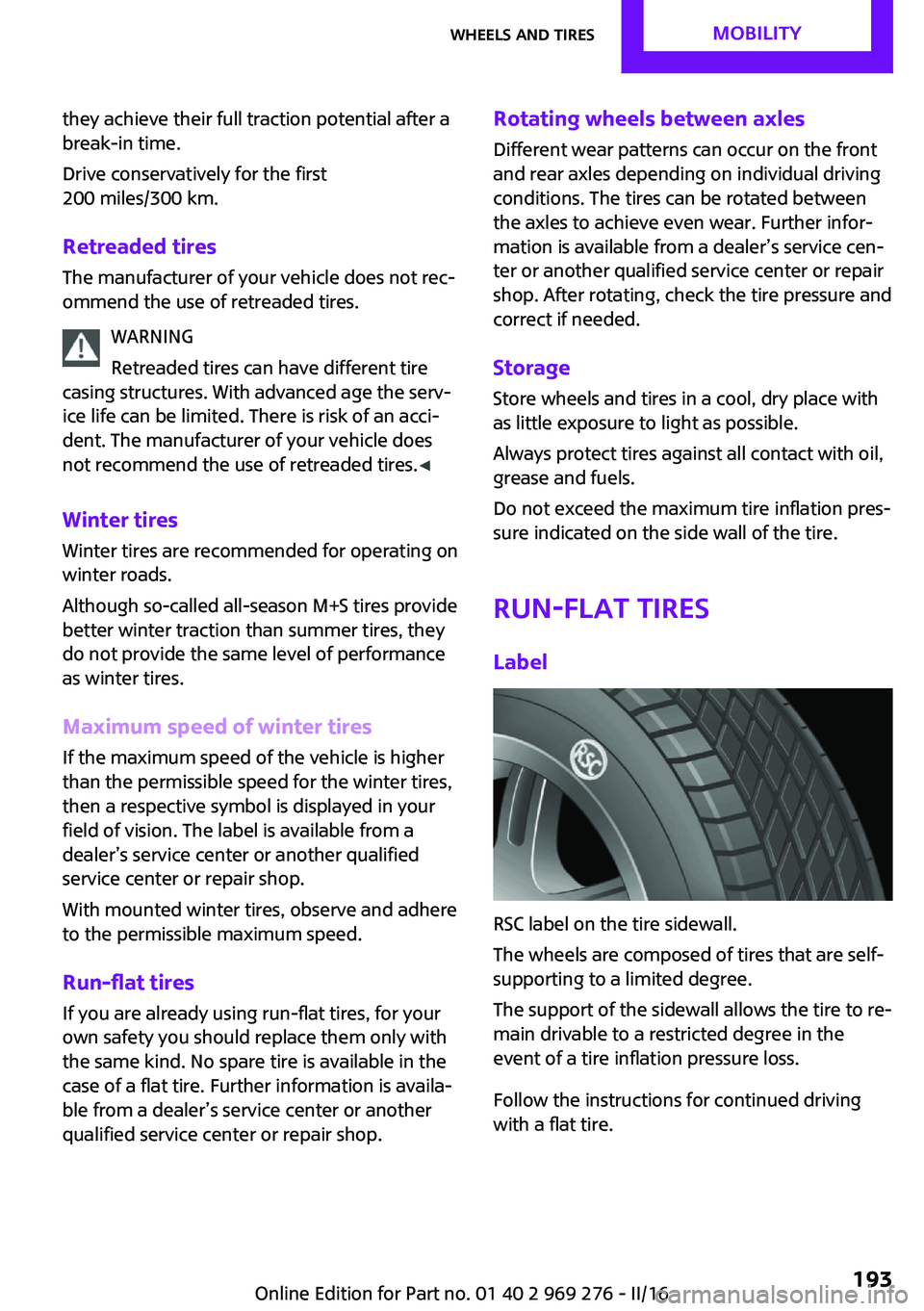
RSC label on the tire sidewall.
The wheels are composed of tires that are self-
supporting to a limited degree.
The support of the sidewall allows the tire to re‐
main drivable to a restricted degree in the
event of a tire inflation pressure loss.
Follow the instructions for continued driving
with a flat tire.
Seite 193Wheels and tiresMOBILITY193
Online Edition for Part no. 01 40 2 969 276 - II/16
Page 206 of 252
MaintenanceVehicle features and op‐
tions
This chapter describes all standard, country-
specific and optional features offered with the
series. It also describes features that are not
necessarily available in your car, e. g., due to
the selected options or country versions. This
also applies to safety-related functions and sys‐
tems. The respectively applicable country provi‐
sions must be observed when using the respec‐
tive features and systems.
MINI maintenance system
The maintenance system indicates required
maintenance measures, and thereby provides
support in maintaining road safety and the op‐
erational reliability of the vehicle.
In some cases scopes and intervals may vary
according to the country-specific version. Re‐
placement work, spare parts, fuels and lubri‐
cants and wear materials are calculated sepa‐
rately. Further information is available from a
dealer’s service center or another qualified
service center or repair shop.
Condition Based Service
CBS
Sensors and special algorithms take into ac‐
count the driving conditions of the vehicle.
Based on this, Condition Based Service recog‐
nizes the maintenance requirements.
The system makes it possible to adapt the
amount of maintenance corresponding to your
user profile.Information on service requirements, refer to
page 86, can be displayed on the Control Dis‐
play.
Service data in the remote control Information on the required maintenance is
continuously stored in the remote control. The
dealer’s service center can read this data out
and suggest an optimized maintenance scope
for the vehicle.
Therefore, hand the service advisor the remote
control with which the vehicle was driven most
recently.
Storage periods
Storage periods during which the vehicle bat‐
tery was disconnected are not taken into ac‐
count.
If this occurs, have a dealer's service center or
another qualified service center or repair shop
update the time-dependent maintenance pro‐
cedures, such as checking brake fluid and, if
necessary, changing the engine oil and the mi‐
crofilter/activated-charcoal filter.
Service and Warranty In‐
formation Booklet for
US models and Warranty
and Service Guide Book‐
let for Canadian models
Please consult your Service and Warranty Infor‐
mation Booklet for US models and Warranty
and Service Guide Booklet for Canadian models
for additional information on service require‐
ments.
The manufacturer of your vehicle recommends
that maintenance and repair be performed by a
dealer’s service center or another qualifiedSeite 206MOBILITYMaintenance206
Online Edition for Part no. 01 40 2 969 276 - II/16
Page 242 of 252
Everything from A to ZIndexA
ABS, Antilock Brake Sys‐ tem 122
Acceleration Assistant, see Launch Control 78
Accessories and parts 8
ACC, see camera-based cruise control 126
Activated-charcoal filter 149
Active Cruise Control, see camera-based cruise con‐
trol 126
Additional information, on‐ board monitor 23
Additives, oil 202
Adjustments, seats/head re‐ straints 54
Adjustments, steering wheel 62
After washing vehicle 227
Airbags 105
Airbags, indicator/warning light 106
Air circulation, see Recircu‐ lated-air mode 145, 148
Air conditioner 144
Air, dehumidifying, see Cool‐ ing function 145, 147
Air distribution, man‐ ual 145 , 148
Air flow, air conditioner 145
Air flow, automatic climate control 148
Air pressure, tires 186
Air vents, see Ventilation 149
Alarm system 44
Alarm triggering 44
Alarm, unintentional 45
All around the center con‐ sole 16 All around the interior mir‐
ror 17
All around the steering wheel 14
All-season tires, see Winter tires 193
Alternating-code hand-held transmitter 152
Alternative oil types 202
Always Open Timer, Control Display 97
Always Open Timer, onboard computer 90
Antifreeze, washer fluid 74
Antilock Brake System, ABS 122
Anti-slip control, see DSC 122
App, MINI Motorer’s Guide 6
Approved axle load 235
Arrival time 91
Ash tray 155
Assistance, Roadside Assis‐ tance 220
Assistance when driving off 125
Assist system, refer to Intelli‐ gent Safety 115
AUTO intensity 148
Automatic car wash 226
Automatic climate con‐ trol 146
Automatic Curb Monitor 60
Automatic deactivation, Front- seat passenger airbags 107
Automatic headlamp con‐ trol 101
Automatic locking 43
Automatic recirculated-air control 148
Automatic transmission with Steptronic 75 AUTO program, automatic cli‐
mate control 147
AUTO program, intensity 148
Auto Start/Stop function 68
AUX-IN port, position in vehi‐ cle 156
Average fuel consumption 90
Average speed 90
Axle loads, weights 235
B
Backrest curvature, see Lum‐ bar support 55
Band-aids, see First-aid kit 220
Battery replacement, vehicle battery 218
Battery, vehicle 217
Being towed, see Tow-starting and towing 222
Belts, safety belts 56
Beverage holder, cup holder 161
Bonus range, GREEN Mode 176
Bottle holder, see Cup holder 161
Brake assistant 122
Brake discs, break-in 166
Brake pads, break-in 166
Braking, information 167
Breakdown assistance 220
Break-in 166
Brightness of Control Dis‐ play 93
Bug light 210
Bulb replacement 209
Bulb replacement, front 209
Bulb replacement, rear 212
Bulb replacement, side 214 Seite 242REFERENCEEverything from A to Z242
Online Edition for Part no. 01 40 2 969 276 - II/16