transmission MINI COOPER CONVERTIBLE 2016 User Guide
[x] Cancel search | Manufacturer: MINI, Model Year: 2016, Model line: COOPER CONVERTIBLE, Model: MINI COOPER CONVERTIBLE 2016Pages: 252, PDF Size: 5.41 MB
Page 76 of 252
▷On uphill grades or on a downhill slope,
turn the front wheels in the direction of the
curb.▷On uphill grades or on a downhill slope,
also secure the vehicle, e.g., with a wheel
chock. ◀
Selector lever positions
D Drive Selector lever position for normal vehicle oper‐
ation. All gears for forward travel are activated
automatically.
R Reverse Select only when the vehicle is stationary.
N Neutral
The vehicle may roll. Use in automatic car
washes, for example.
P Park
Select only when the vehicle is stationary. The
drive wheels are blocked.
Before exiting the vehicle, make sure that se‐
lector lever position P is set. Otherwise, the ve‐
hicle may begin to move.
Kickdown
Kickdown is used to achieve maximum driving
performance. Step on the accelerator pedal be‐
yond the resistance point at the full throttle po‐
sition.
Engaging selector lever positions
General information To prevent the vehicle from creeping after you
select a gear, maintain pressure on the brake
pedal until you are ready to start.
The selector lever can only be taken out of se‐
lector lever position P if the ignition is on or the
engine is running.
With the vehicle stationary, depress the brake
pedal before shifting out of selector lever posi‐
tion P or N; otherwise, the shift block will not be
deactivated and the shift command will not be
executed.
Releasing the selector lever lock A lock prevents the inadvertent switching to se‐
lector lever position R or the inadvertent
change from selector lever position P.
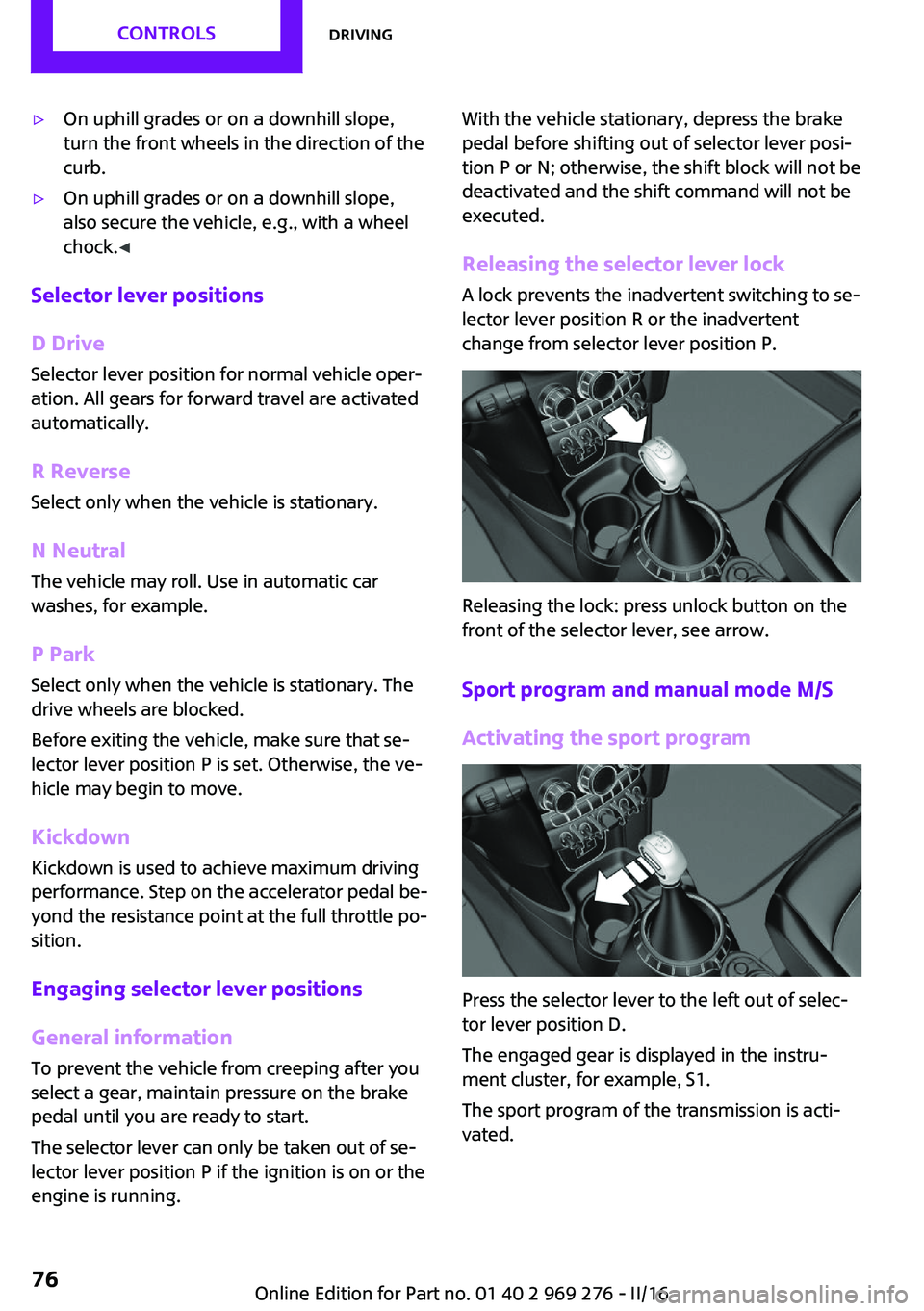
Releasing the lock: press unlock button on the
front of the selector lever, see arrow.
Sport program and manual mode M/S
Activating the sport program
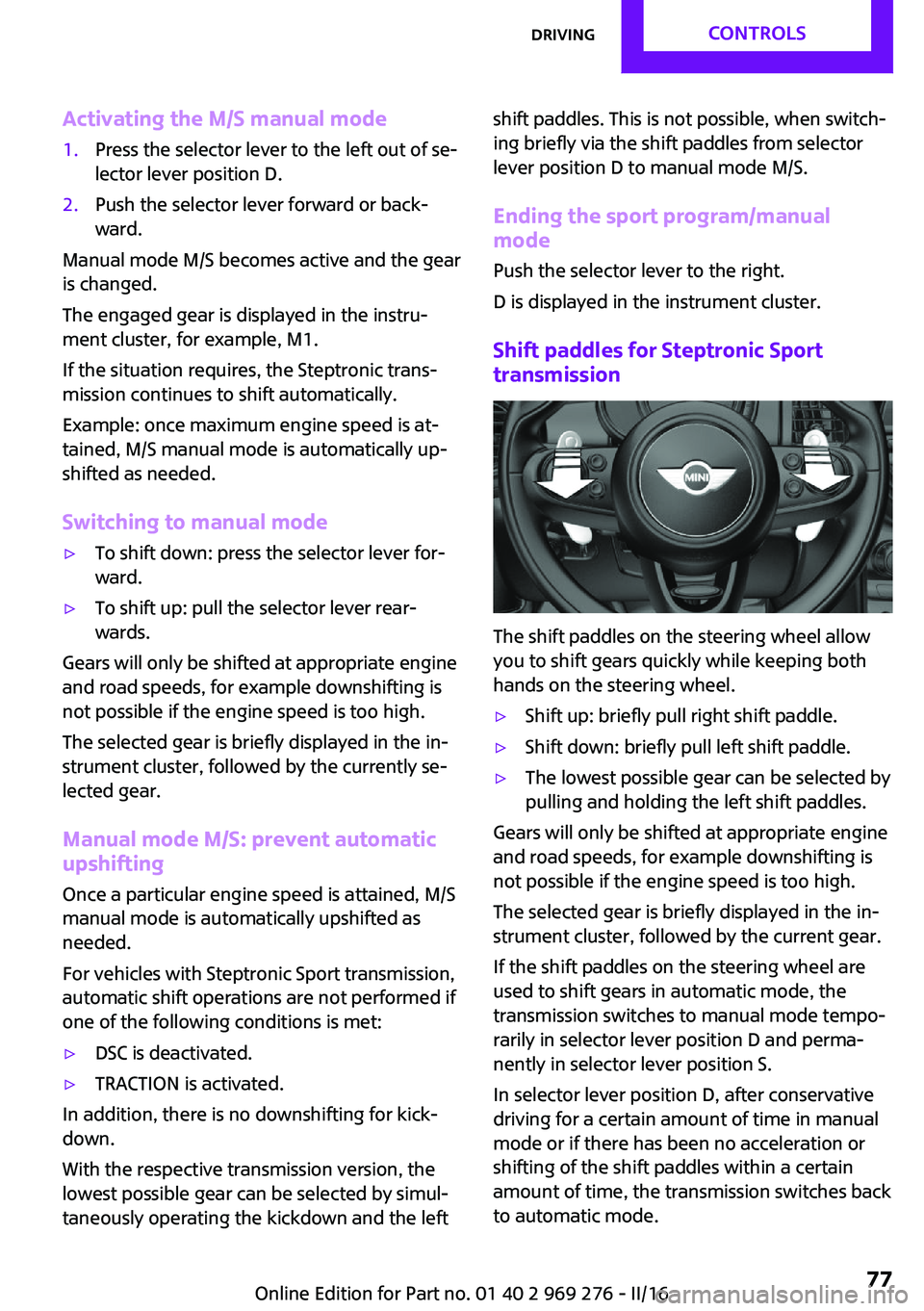
Press the selector lever to the left out of selec‐
tor lever position D.
The engaged gear is displayed in the instru‐
ment cluster, for example, S1.
The sport program of the transmission is acti‐
vated.
Seite 76CONTROLSDriving76
Online Edition for Part no. 01 40 2 969 276 - II/16
Page 77 of 252
Activating the M/S manual mode1.Press the selector lever to the left out of se‐
lector lever position D.2.Push the selector lever forward or back‐
ward.
Manual mode M/S becomes active and the gear
is changed.
The engaged gear is displayed in the instru‐
ment cluster, for example, M1.
If the situation requires, the Steptronic trans‐
mission continues to shift automatically.
Example: once maximum engine speed is at‐
tained, M/S manual mode is automatically up‐
shifted as needed.
Switching to manual mode
▷To shift down: press the selector lever for‐
ward.▷To shift up: pull the selector lever rear‐
wards.
Gears will only be shifted at appropriate engine
and road speeds, for example downshifting is
not possible if the engine speed is too high.
The selected gear is briefly displayed in the in‐
strument cluster, followed by the currently se‐
lected gear.
Manual mode M/S: prevent automatic
upshifting
Once a particular engine speed is attained, M/S manual mode is automatically upshifted as
needed.
For vehicles with Steptronic Sport transmission,
automatic shift operations are not performed if
one of the following conditions is met:
▷DSC is deactivated.▷TRACTION is activated.
In addition, there is no downshifting for kick‐
down.
With the respective transmission version, the
lowest possible gear can be selected by simul‐
taneously operating the kickdown and the left
shift paddles. This is not possible, when switch‐
ing briefly via the shift paddles from selector
lever position D to manual mode M/S.
Ending the sport program/manual mode
Push the selector lever to the right.
D is displayed in the instrument cluster.
Shift paddles for Steptronic Sport
transmission
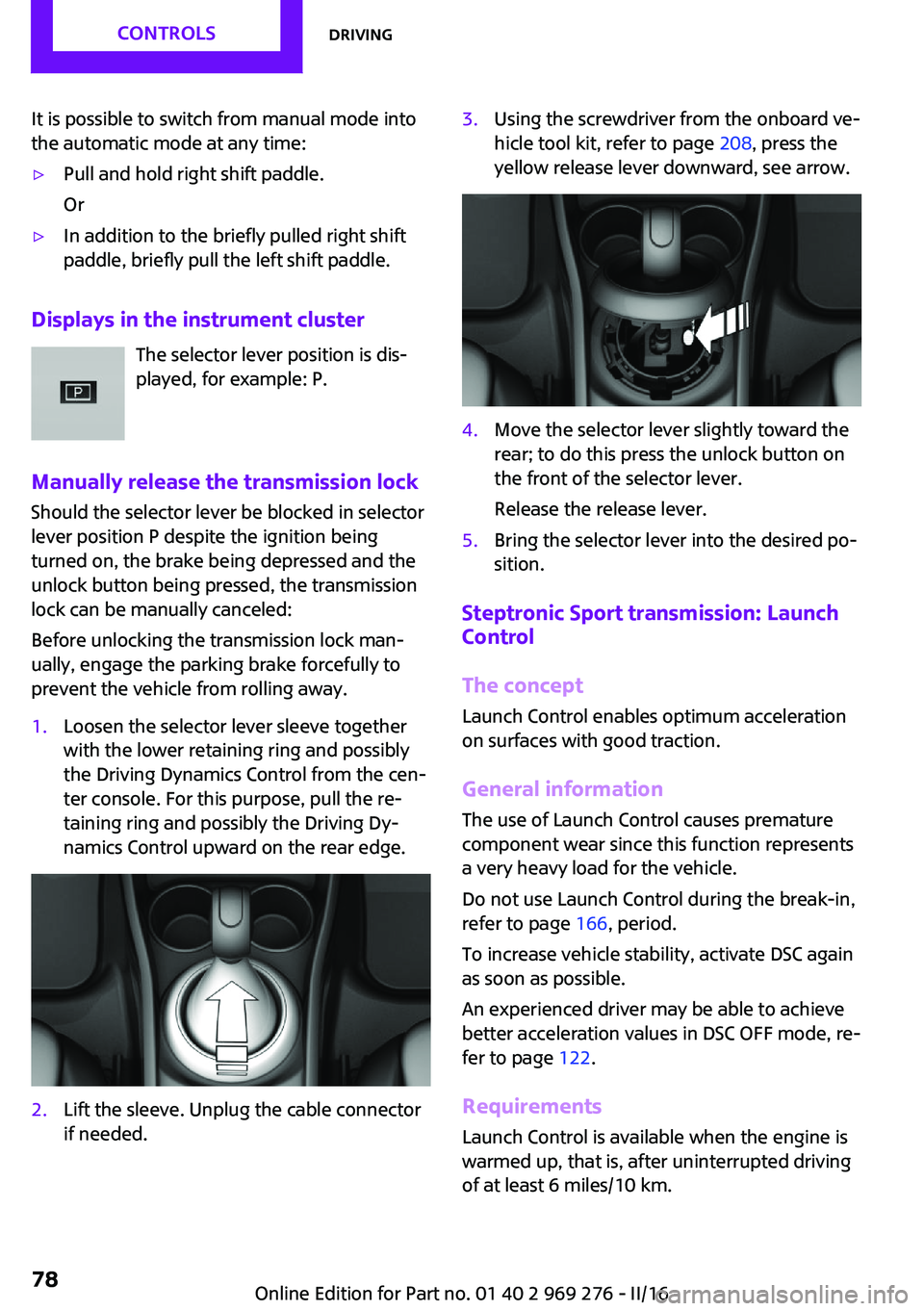
The shift paddles on the steering wheel allow
you to shift gears quickly while keeping both
hands on the steering wheel.
▷Shift up: briefly pull right shift paddle.▷Shift down: briefly pull left shift paddle.▷The lowest possible gear can be selected by
pulling and holding the left shift paddles.
Gears will only be shifted at appropriate engine
and road speeds, for example downshifting is
not possible if the engine speed is too high.
The selected gear is briefly displayed in the in‐
strument cluster, followed by the current gear.
If the shift paddles on the steering wheel are
used to shift gears in automatic mode, the
transmission switches to manual mode tempo‐
rarily in selector lever position D and perma‐
nently in selector lever position S.
In selector lever position D, after conservative
driving for a certain amount of time in manual
mode or if there has been no acceleration or
shifting of the shift paddles within a certain
amount of time, the transmission switches back
to automatic mode.
Seite 77DrivingCONTROLS77
Online Edition for Part no. 01 40 2 969 276 - II/16
Page 78 of 252
It is possible to switch from manual mode into
the automatic mode at any time:▷Pull and hold right shift paddle.
Or▷In addition to the briefly pulled right shift
paddle, briefly pull the left shift paddle.
Displays in the instrument cluster
The selector lever position is dis‐
played, for example: P.
Manually release the transmission lock Should the selector lever be blocked in selector
lever position P despite the ignition being
turned on, the brake being depressed and the
unlock button being pressed, the transmission
lock can be manually canceled:
Before unlocking the transmission lock man‐
ually, engage the parking brake forcefully to
prevent the vehicle from rolling away.
1.Loosen the selector lever sleeve together
with the lower retaining ring and possibly
the Driving Dynamics Control from the cen‐
ter console. For this purpose, pull the re‐
taining ring and possibly the Driving Dy‐
namics Control upward on the rear edge.2.Lift the sleeve. Unplug the cable connector
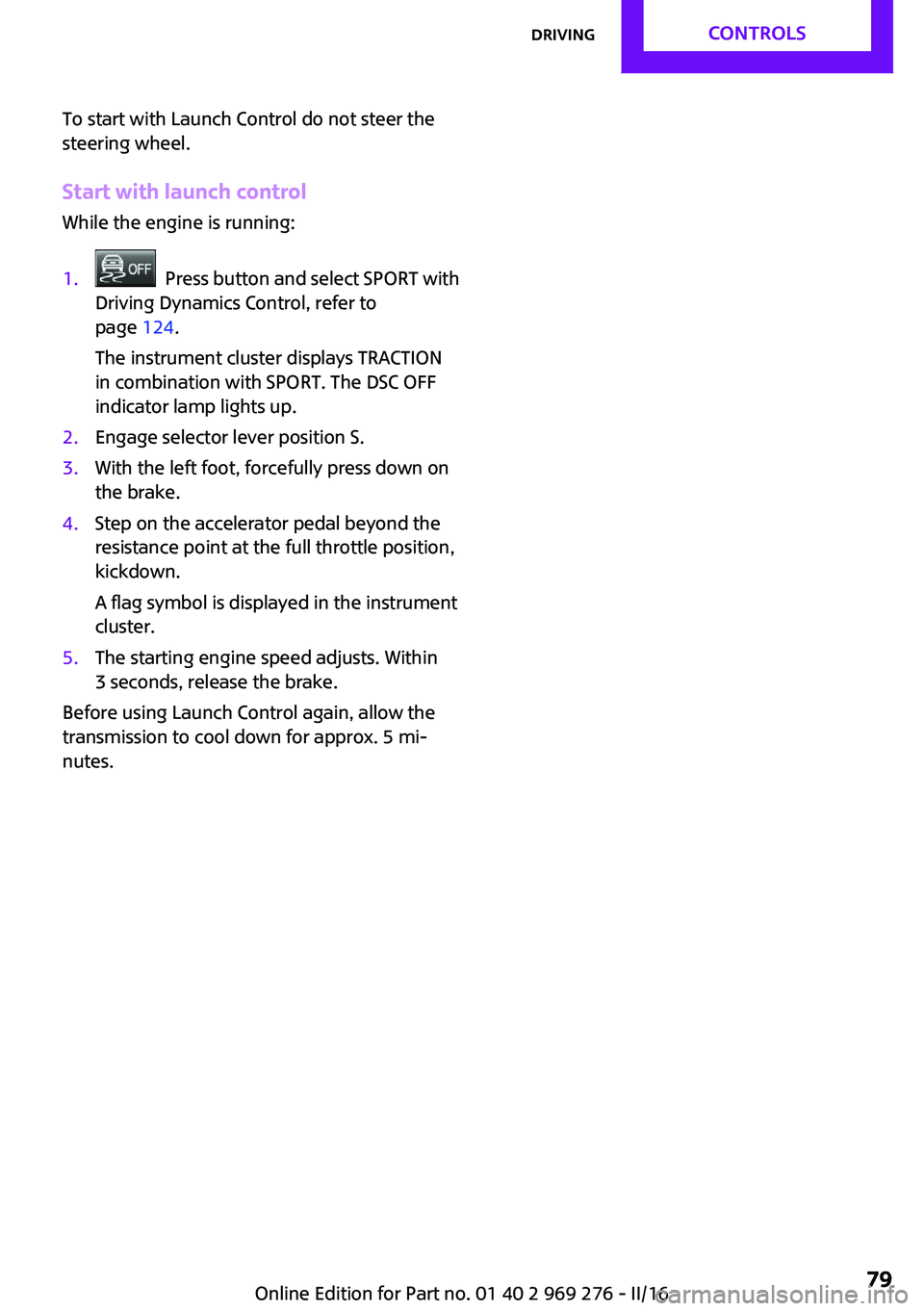
if needed.3.Using the screwdriver from the onboard ve‐
hicle tool kit, refer to page 208, press the
yellow release lever downward, see arrow.4.Move the selector lever slightly toward the
rear; to do this press the unlock button on
the front of the selector lever.
Release the release lever.5.Bring the selector lever into the desired po‐
sition.
Steptronic Sport transmission: Launch
Control
The concept
Launch Control enables optimum acceleration
on surfaces with good traction.
General information
The use of Launch Control causes premature
component wear since this function represents
a very heavy load for the vehicle.
Do not use Launch Control during the break-in,
refer to page 166, period.
To increase vehicle stability, activate DSC again
as soon as possible.
An experienced driver may be able to achieve
better acceleration values in DSC OFF mode, re‐
fer to page 122.
Requirements Launch Control is available when the engine is
warmed up, that is, after uninterrupted driving
of at least 6 miles/10 km.
Seite 78CONTROLSDriving78
Online Edition for Part no. 01 40 2 969 276 - II/16
Page 79 of 252
To start with Launch Control do not steer the
steering wheel.
Start with launch control
While the engine is running:1. Press button and select SPORT with
Driving Dynamics Control, refer to
page 124.
The instrument cluster displays TRACTION
in combination with SPORT. The DSC OFF
indicator lamp lights up.2.Engage selector lever position S.3.With the left foot, forcefully press down on
the brake.4.Step on the accelerator pedal beyond the
resistance point at the full throttle position,
kickdown.
A flag symbol is displayed in the instrument
cluster.5.The starting engine speed adjusts. Within
3 seconds, release the brake.
Before using Launch Control again, allow the
transmission to cool down for approx. 5 mi‐
nutes.
Seite 79DrivingCONTROLS79
Online Edition for Part no. 01 40 2 969 276 - II/16
Page 87 of 252
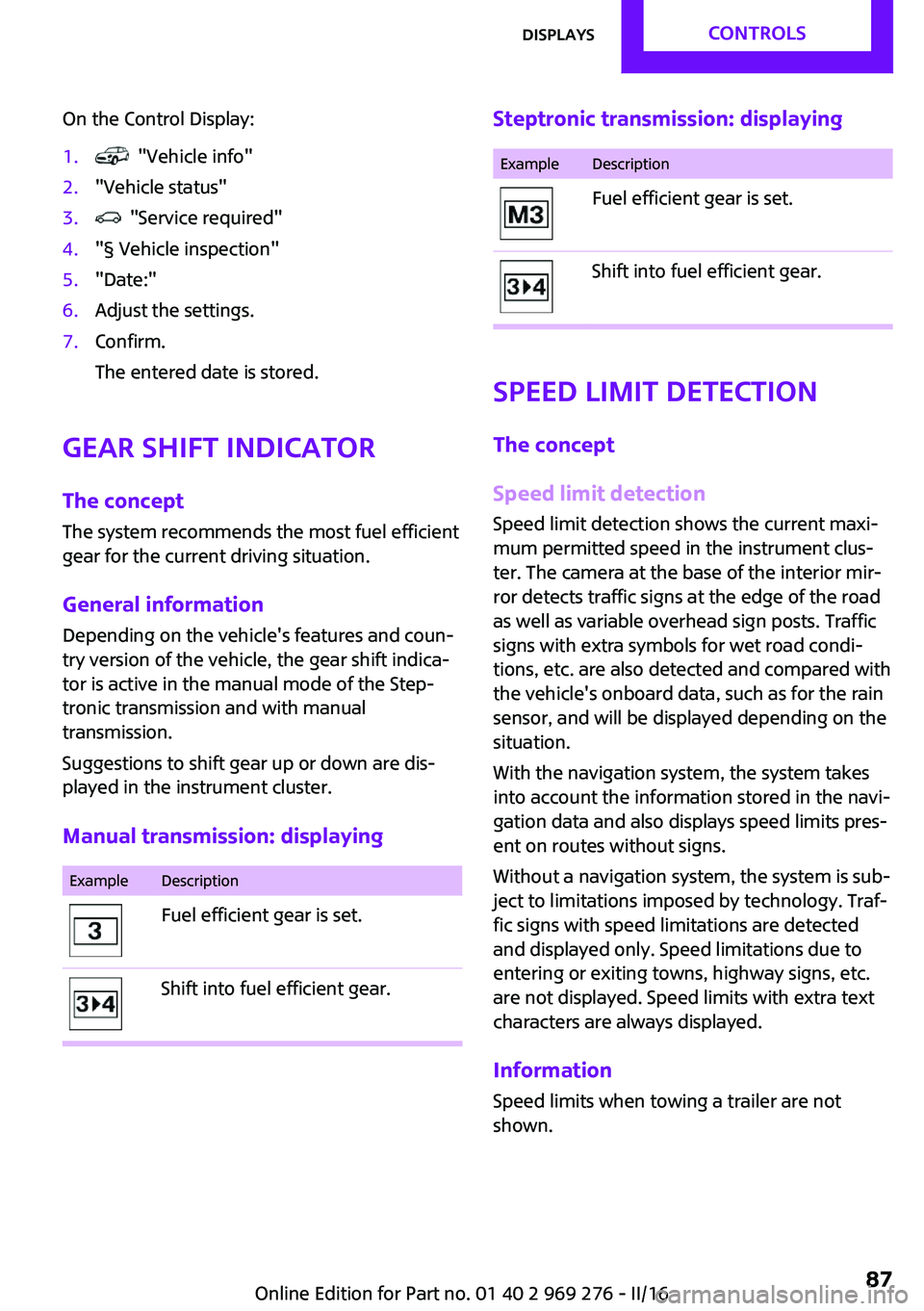
On the Control Display:1. "Vehicle info"2."Vehicle status"3. "Service required"4."§ Vehicle inspection"5."Date:"6.Adjust the settings.7.Confirm.
The entered date is stored.
Gear shift indicator
The concept
The system recommends the most fuel efficient
gear for the current driving situation.
General information Depending on the vehicle's features and coun‐
try version of the vehicle, the gear shift indica‐
tor is active in the manual mode of the Step‐
tronic transmission and with manual
transmission.
Suggestions to shift gear up or down are dis‐
played in the instrument cluster.
Manual transmission: displaying
ExampleDescriptionFuel efficient gear is set.Shift into fuel efficient gear.Steptronic transmission: displayingExampleDescriptionFuel efficient gear is set.Shift into fuel efficient gear.
Speed limit detection
The concept
Speed limit detection
Speed limit detection shows the current maxi‐
mum permitted speed in the instrument clus‐
ter. The camera at the base of the interior mir‐
ror detects traffic signs at the edge of the road
as well as variable overhead sign posts. Traffic
signs with extra symbols for wet road condi‐
tions, etc. are also detected and compared with
the vehicle's onboard data, such as for the rain
sensor, and will be displayed depending on the
situation.
With the navigation system, the system takes
into account the information stored in the navi‐
gation data and also displays speed limits pres‐
ent on routes without signs.
Without a navigation system, the system is sub‐
ject to limitations imposed by technology. Traf‐
fic signs with speed limitations are detected
and displayed only. Speed limitations due to
entering or exiting towns, highway signs, etc.
are not displayed. Speed limits with extra text
characters are always displayed.
Information
Speed limits when towing a trailer are not
shown.
Seite 87DisplaysCONTROLS87
Online Edition for Part no. 01 40 2 969 276 - II/16
Page 97 of 252
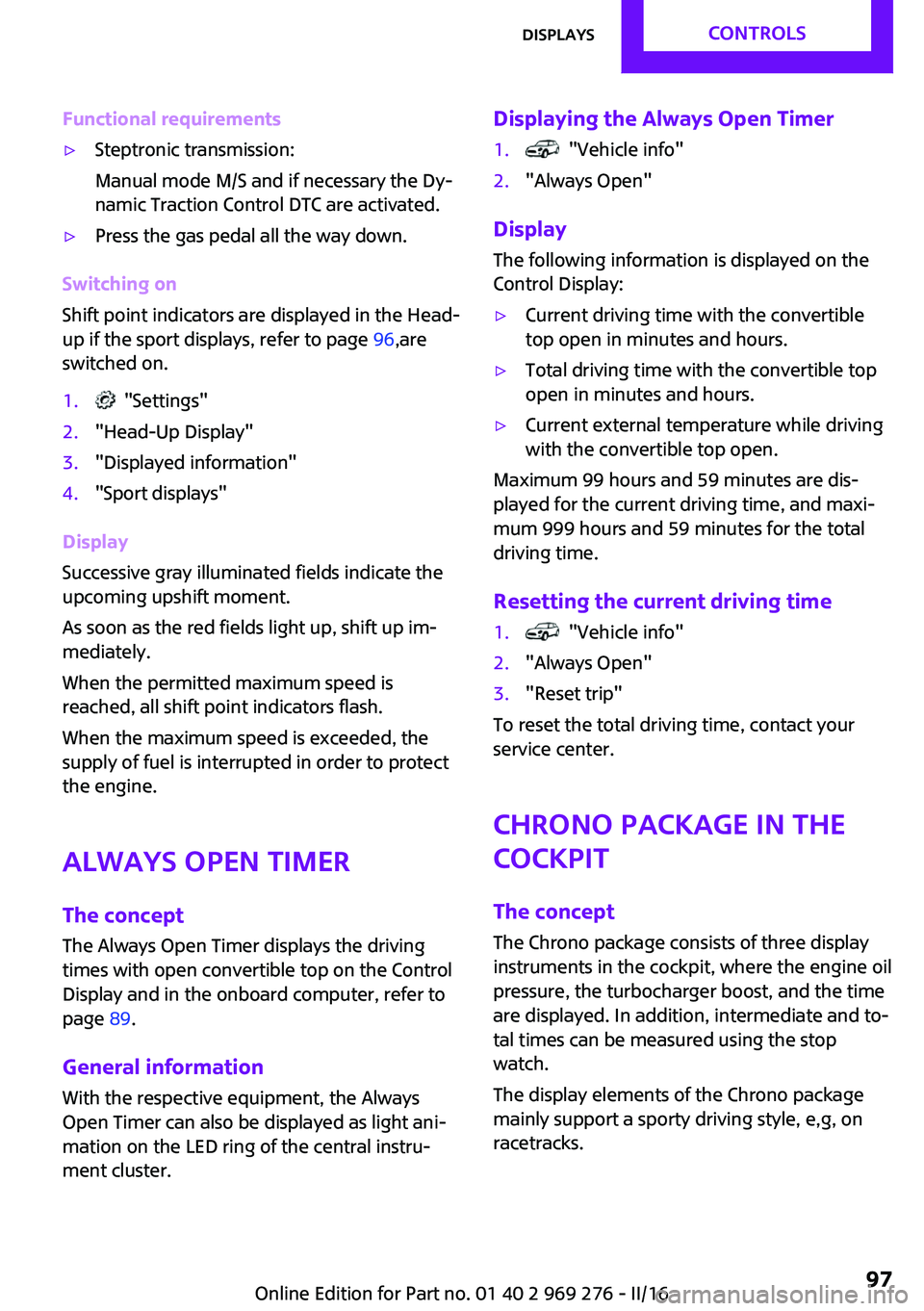
Functional requirements▷Steptronic transmission:
Manual mode M/S and if necessary the Dy‐
namic Traction Control DTC are activated.▷Press the gas pedal all the way down.
Switching on
Shift point indicators are displayed in the Head-
up if the sport displays, refer to page 96,are
switched on.
1. "Settings"2."Head-Up Display"3."Displayed information"4."Sport displays"
Display
Successive gray illuminated fields indicate the
upcoming upshift moment.
As soon as the red fields light up, shift up im‐
mediately.
When the permitted maximum speed is
reached, all shift point indicators flash.
When the maximum speed is exceeded, the
supply of fuel is interrupted in order to protect
the engine.
Always Open Timer The concept
The Always Open Timer displays the driving
times with open convertible top on the Control
Display and in the onboard computer, refer to
page 89.
General information
With the respective equipment, the Always
Open Timer can also be displayed as light ani‐
mation on the LED ring of the central instru‐
ment cluster.
Displaying the Always Open Timer1. "Vehicle info"2."Always Open"
Display
The following information is displayed on the
Control Display:
▷Current driving time with the convertible
top open in minutes and hours.▷Total driving time with the convertible top
open in minutes and hours.▷Current external temperature while driving
with the convertible top open.
Maximum 99 hours and 59 minutes are dis‐
played for the current driving time, and maxi‐
mum 999 hours and 59 minutes for the total
driving time.
Resetting the current driving time
1. "Vehicle info"2."Always Open"3."Reset trip"
To reset the total driving time, contact your
service center.
Chrono package in the
cockpit
The concept The Chrono package consists of three display
instruments in the cockpit, where the engine oil
pressure, the turbocharger boost, and the time
are displayed. In addition, intermediate and to‐
tal times can be measured using the stop
watch.
The display elements of the Chrono package
mainly support a sporty driving style, e,g, on
racetracks.
Seite 97DisplaysCONTROLS97
Online Edition for Part no. 01 40 2 969 276 - II/16
Page 118 of 252
PrewarningThis warning is issued, for example, when there
is the impending danger of a collision or the
distance to the vehicle ahead is too small.
The driver must intervene actively when there is a prewarning.
Acute warning with braking function
Acute warning in displayed in case of the immi‐
nent danger of a collision when the vehicle ap‐
proaches another object at a high differential
speed.
The driver must intervene actively when there
is an acute warning. If necessary, the driver is
assisted by a minor automatic braking inter‐
vention in a possible risk of collision.
Acute warnings can also be triggered without
previous forewarning.
Braking intervention The warning prompts the driver himself/herself
to react. During a warning, the maximum brak‐
ing force is used. Premise for the brake booster
is sufficiently quick and sufficiently hard step‐
ping on the brake pedal. The system can assist
with some braking intervention if there is a risk
of a collision. At low speeds vehicles may thus
come to a complete stop.
Manual transmission: During a braking inter‐
vention up to a complete stop, the engine may
be shut down.
The braking intervention is executed only if ve‐
hicle stability has not been restricted, e.g. by
deactivating the DSC Dynamic Stability Control.
The braking intervention can be interrupted by
stepping on the accelerator pedal or by actively
moving the steering wheel.
Object detection can be restricted. Limitations
of the detection range and functional restric‐
tions are to be considered.System limits
Information WARNING
The system can react incorrectly or not at
all due to the system limits. There is risk of acci‐
dents or risk of property damage. Observe the
information regarding the system limits and ac‐
tively intervene, if needed. ◀
Detection range The system's detection potential is limited.
Thus a system reaction might not come or
might come late.
E. g. the following situations may not be de‐ tected:▷Slow moving vehicles when you approach
them at high speed.▷Vehicles that suddenly swerve in front of
you, or sharply decelerating vehicles.▷Vehicles with an unusual rear appearance.▷Two-wheeled vehicles ahead of you.
Functional limitations
The system may not be fully functional in the
following situations:
▷In heavy fog, rain, sprayed water or snow‐
fall.▷In tight curves.▷If the field of view of the camera or the
windshield are dirty or covered.▷If the driving stability control systems are
deactivated, for example DSC OFF.▷Up to 10 seconds after the start of the en‐
gine, via the Start/Stop button.▷During calibration of the camera immedi‐
ately after vehicle delivery.▷If there are constant blinding effects be‐
cause of oncoming light, e. g., from the sun
low in the sky.Seite 118CONTROLSSafety118
Online Edition for Part no. 01 40 2 969 276 - II/16
Page 120 of 252
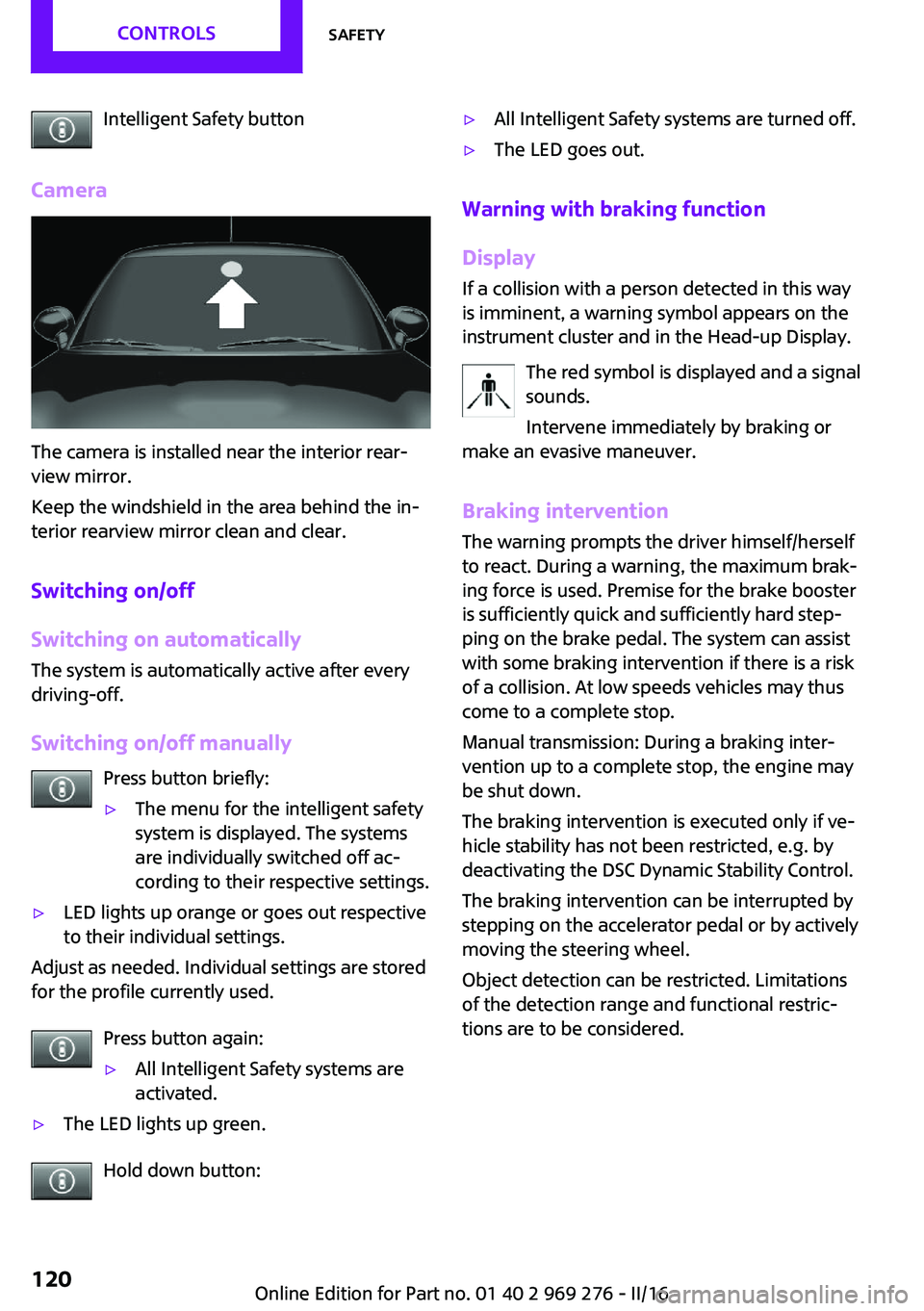
Intelligent Safety button
Camera
The camera is installed near the interior rear‐
view mirror.
Keep the windshield in the area behind the in‐
terior rearview mirror clean and clear.
Switching on/off
Switching on automatically
The system is automatically active after every
driving-off.
Switching on/off manually Press button briefly:
▷The menu for the intelligent safety
system is displayed. The systems
are individually switched off ac‐
cording to their respective settings.▷LED lights up orange or goes out respective
to their individual settings.
Adjust as needed. Individual settings are stored
for the profile currently used.
Press button again:
▷All Intelligent Safety systems are
activated.▷The LED lights up green.
Hold down button:
▷All Intelligent Safety systems are turned off.▷The LED goes out.
Warning with braking function
Display
If a collision with a person detected in this way
is imminent, a warning symbol appears on the
instrument cluster and in the Head-up Display.
The red symbol is displayed and a signal
sounds.
Intervene immediately by braking or
make an evasive maneuver.
Braking intervention
The warning prompts the driver himself/herself
to react. During a warning, the maximum brak‐ ing force is used. Premise for the brake booster
is sufficiently quick and sufficiently hard step‐
ping on the brake pedal. The system can assist
with some braking intervention if there is a risk
of a collision. At low speeds vehicles may thus
come to a complete stop.
Manual transmission: During a braking inter‐
vention up to a complete stop, the engine may
be shut down.
The braking intervention is executed only if ve‐
hicle stability has not been restricted, e.g. by
deactivating the DSC Dynamic Stability Control.
The braking intervention can be interrupted by
stepping on the accelerator pedal or by actively
moving the steering wheel.
Object detection can be restricted. Limitations
of the detection range and functional restric‐
tions are to be considered.
Seite 120CONTROLSSafety120
Online Edition for Part no. 01 40 2 969 276 - II/16
Page 135 of 252
Switching on/off
Switching on automatically PDC switches on automatically in the following
situations:▷If selector lever position R is engaged when
the engine is running.
The rearview camera also switches on.▷With front PDC: when obstacles are de‐
tected behind or in front of the vehicle by
PDC and the speed is slower than approx.
2.5 mph/4 km/h.
With front PDC: You can switch off automatic
activation on obstacle detection:
1. "Settings"2."Parking"3.Select setting.
Settings are stored for the profile currently
used.
Automatic deactivation during forward
travel
The system switches off when a certain driving
distance or speed is exceeded.
Switch the system back on if needed.
With front PDC: switching on/off
manually
Press park assistance button.
▷On: the LED lights up.▷Off: the LED goes out.
The rearview camera image is displayed when
the reverse gear is engaged when pressing the
park assistance button.
Display
Signal tones
When approaching an object, an intermittent sound indicates the position of the object. E. g.
if an object is detected to the left rear of the ve‐
hicle, a signal tone sounds from the left rear
speaker.
The shorter the distance to the object, the
shorter the intervals.
If the distance to a detected object is less than
approx. 10 inches/25 cm, a continuous tone is
sounded.
With front PDC: if objects are located both in
front of and behind the vehicle, an alternating
continuous signal is sounded.
The signal tone is switched off, when selector
lever position P is engaged on vehicles with
Steptronic transmission.
Volume
The ratio of the PDC signal tone volume to the
entertainment volume can be adjusted.1. "Multimedia", "Radio" or
"Settings"2."Tone"3."Volume settings"4."PDC"5.To adjust: turn the Controller.6.To store: press the Controller.
Settings are stored for the profile currently
used.
Visual warning The approach of the vehicle to an object can be
shown on the Control Display. Objects that are
farther away are already displayed on the Con‐
trol Display before a signal sounds.
A display appears as soon as Park Distance
Control (PDC) is activated.
The range of the sensors is represented in col‐
ors: red, green and yellow.
When the image of the rearview camera is dis‐
played, the switch can be made to PDC:
"Rear view camera"
Seite 135Driving comfortCONTROLS135
Online Edition for Part no. 01 40 2 969 276 - II/16
Page 157 of 252
Overview
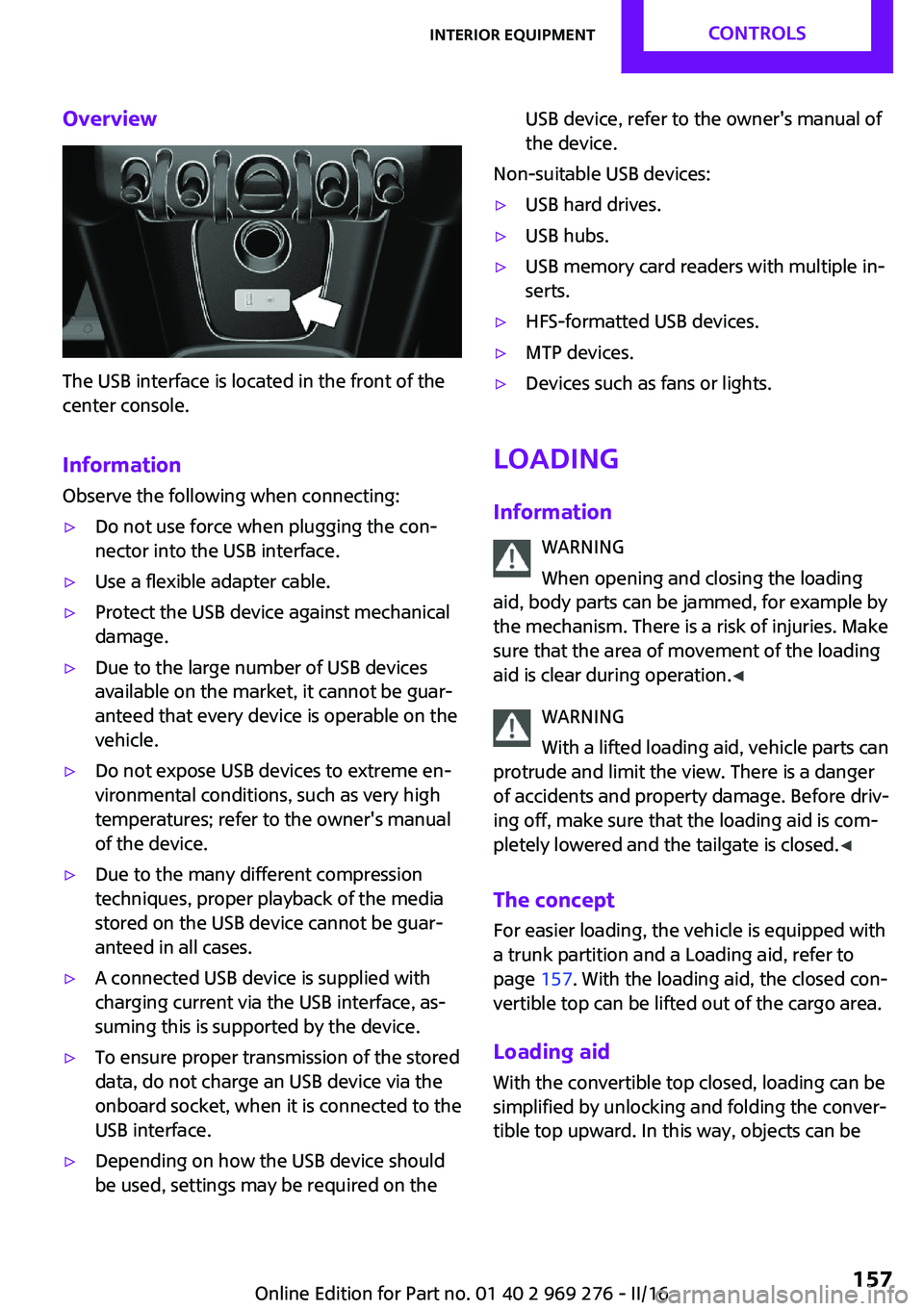
The USB interface is located in the front of the
center console.
Information Observe the following when connecting:
▷Do not use force when plugging the con‐
nector into the USB interface.▷Use a flexible adapter cable.▷Protect the USB device against mechanical
damage.▷Due to the large number of USB devices
available on the market, it cannot be guar‐
anteed that every device is operable on the
vehicle.▷Do not expose USB devices to extreme en‐
vironmental conditions, such as very high
temperatures; refer to the owner's manual
of the device.▷Due to the many different compression
techniques, proper playback of the media
stored on the USB device cannot be guar‐
anteed in all cases.▷A connected USB device is supplied with
charging current via the USB interface, as‐
suming this is supported by the device.▷To ensure proper transmission of the stored
data, do not charge an USB device via the
onboard socket, when it is connected to the
USB interface.▷Depending on how the USB device should
be used, settings may be required on theUSB device, refer to the owner's manual of
the device.
Non-suitable USB devices:
▷USB hard drives.▷USB hubs.▷USB memory card readers with multiple in‐
serts.▷HFS-formatted USB devices.▷MTP devices.▷Devices such as fans or lights.
Loading
Information WARNING
When opening and closing the loading
aid, body parts can be jammed, for example by
the mechanism. There is a risk of injuries. Make
sure that the area of movement of the loading
aid is clear during operation. ◀
WARNING
With a lifted loading aid, vehicle parts can
protrude and limit the view. There is a danger
of accidents and property damage. Before driv‐
ing off, make sure that the loading aid is com‐
pletely lowered and the tailgate is closed. ◀
The concept
For easier loading, the vehicle is equipped with
a trunk partition and a Loading aid, refer to
page 157. With the loading aid, the closed con‐
vertible top can be lifted out of the cargo area.
Loading aid With the convertible top closed, loading can be
simplified by unlocking and folding the conver‐
tible top upward. In this way, objects can be
Seite 157Interior equipmentCONTROLS157
Online Edition for Part no. 01 40 2 969 276 - II/16