light MINI COOPER CONVERTIBLE 2016 Service Manual
[x] Cancel search | Manufacturer: MINI, Model Year: 2016, Model line: COOPER CONVERTIBLE, Model: MINI COOPER CONVERTIBLE 2016Pages: 252, PDF Size: 5.41 MB
Page 97 of 252
Functional requirements▷Steptronic transmission:
Manual mode M/S and if necessary the Dy‐
namic Traction Control DTC are activated.▷Press the gas pedal all the way down.
Switching on
Shift point indicators are displayed in the Head-
up if the sport displays, refer to page 96,are
switched on.
1. "Settings"2."Head-Up Display"3."Displayed information"4."Sport displays"
Display
Successive gray illuminated fields indicate the
upcoming upshift moment.
As soon as the red fields light up, shift up im‐
mediately.
When the permitted maximum speed is
reached, all shift point indicators flash.
When the maximum speed is exceeded, the
supply of fuel is interrupted in order to protect
the engine.
Always Open Timer The concept
The Always Open Timer displays the driving
times with open convertible top on the Control
Display and in the onboard computer, refer to
page 89.
General information
With the respective equipment, the Always
Open Timer can also be displayed as light ani‐
mation on the LED ring of the central instru‐
ment cluster.
Displaying the Always Open Timer1. "Vehicle info"2."Always Open"
Display
The following information is displayed on the
Control Display:
▷Current driving time with the convertible
top open in minutes and hours.▷Total driving time with the convertible top
open in minutes and hours.▷Current external temperature while driving
with the convertible top open.
Maximum 99 hours and 59 minutes are dis‐
played for the current driving time, and maxi‐
mum 999 hours and 59 minutes for the total
driving time.
Resetting the current driving time
1. "Vehicle info"2."Always Open"3."Reset trip"
To reset the total driving time, contact your
service center.
Chrono package in the
cockpit
The concept The Chrono package consists of three display
instruments in the cockpit, where the engine oil
pressure, the turbocharger boost, and the time
are displayed. In addition, intermediate and to‐
tal times can be measured using the stop
watch.
The display elements of the Chrono package
mainly support a sporty driving style, e,g, on
racetracks.
Seite 97DisplaysCONTROLS97
Online Edition for Part no. 01 40 2 969 276 - II/16
Page 98 of 252
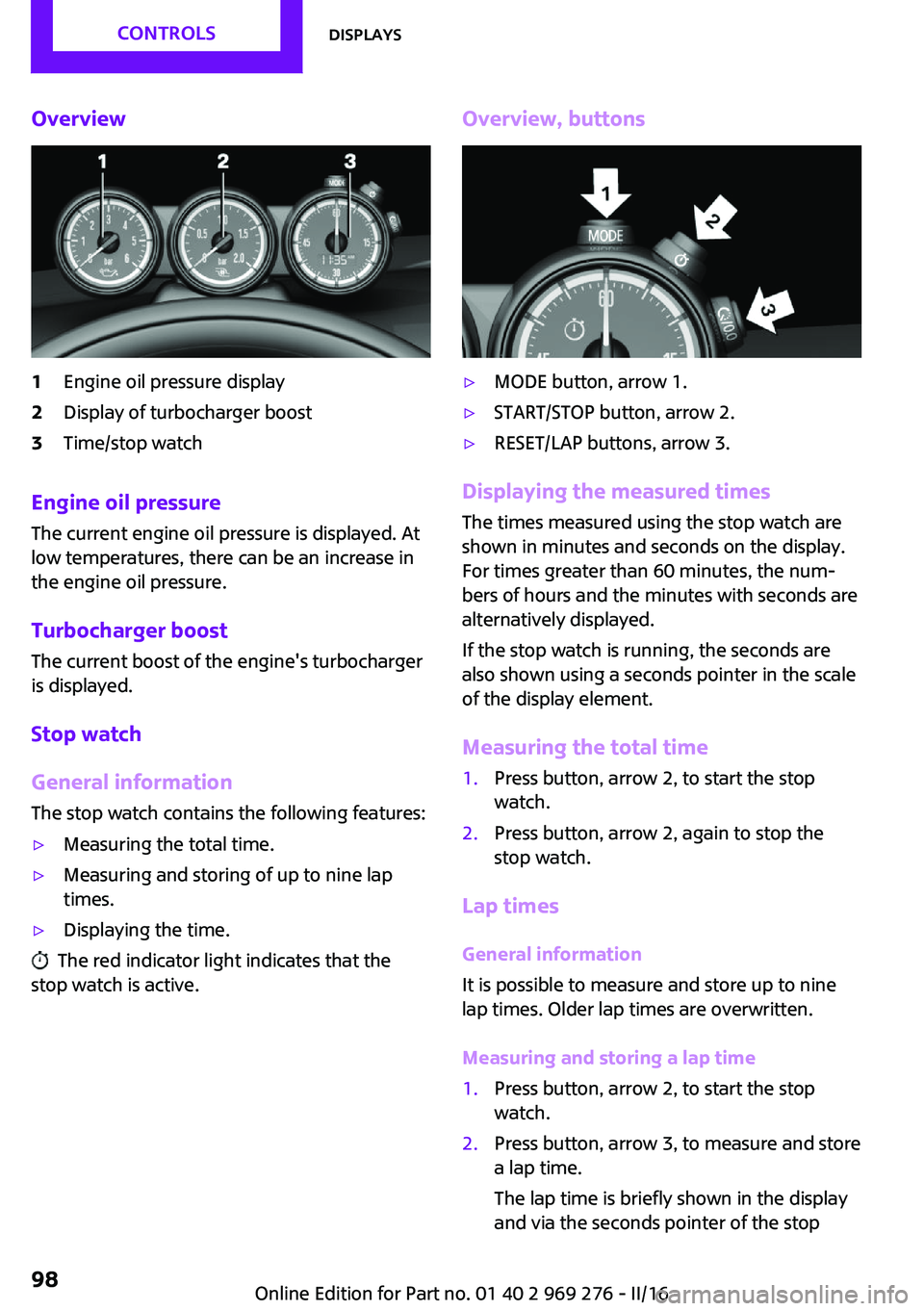
Overview1Engine oil pressure display2Display of turbocharger boost3Time/stop watch
Engine oil pressure
The current engine oil pressure is displayed. At
low temperatures, there can be an increase in
the engine oil pressure.
Turbocharger boostThe current boost of the engine's turbocharger
is displayed.
Stop watch
General information The stop watch contains the following features:
▷Measuring the total time.▷Measuring and storing of up to nine lap
times.▷Displaying the time.
The red indicator light indicates that the
stop watch is active.
Overview, buttons▷MODE button, arrow 1.▷START/STOP button, arrow 2.▷RESET/LAP buttons, arrow 3.
Displaying the measured times
The times measured using the stop watch are
shown in minutes and seconds on the display.
For times greater than 60 minutes, the num‐ bers of hours and the minutes with seconds are
alternatively displayed.
If the stop watch is running, the seconds are
also shown using a seconds pointer in the scale
of the display element.
Measuring the total time
1.Press button, arrow 2, to start the stop
watch.2.Press button, arrow 2, again to stop the
stop watch.
Lap times
General information
It is possible to measure and store up to nine
lap times. Older lap times are overwritten.
Measuring and storing a lap time
1.Press button, arrow 2, to start the stop
watch.2.Press button, arrow 3, to measure and store
a lap time.
The lap time is briefly shown in the display
and via the seconds pointer of the stopSeite 98CONTROLSDisplays98
Online Edition for Part no. 01 40 2 969 276 - II/16
Page 100 of 252
LightsVehicle features and op‐
tions
This chapter describes all standard, country-
specific and optional features offered with the series. It also describes features that are notnecessarily available in your car, e. g., due to
the selected options or country versions. This
also applies to safety-related functions and sys‐
tems. The respectively applicable country provi‐
sions must be observed when using the respec‐
tive features and systems.
Overview Switches in the vehicle
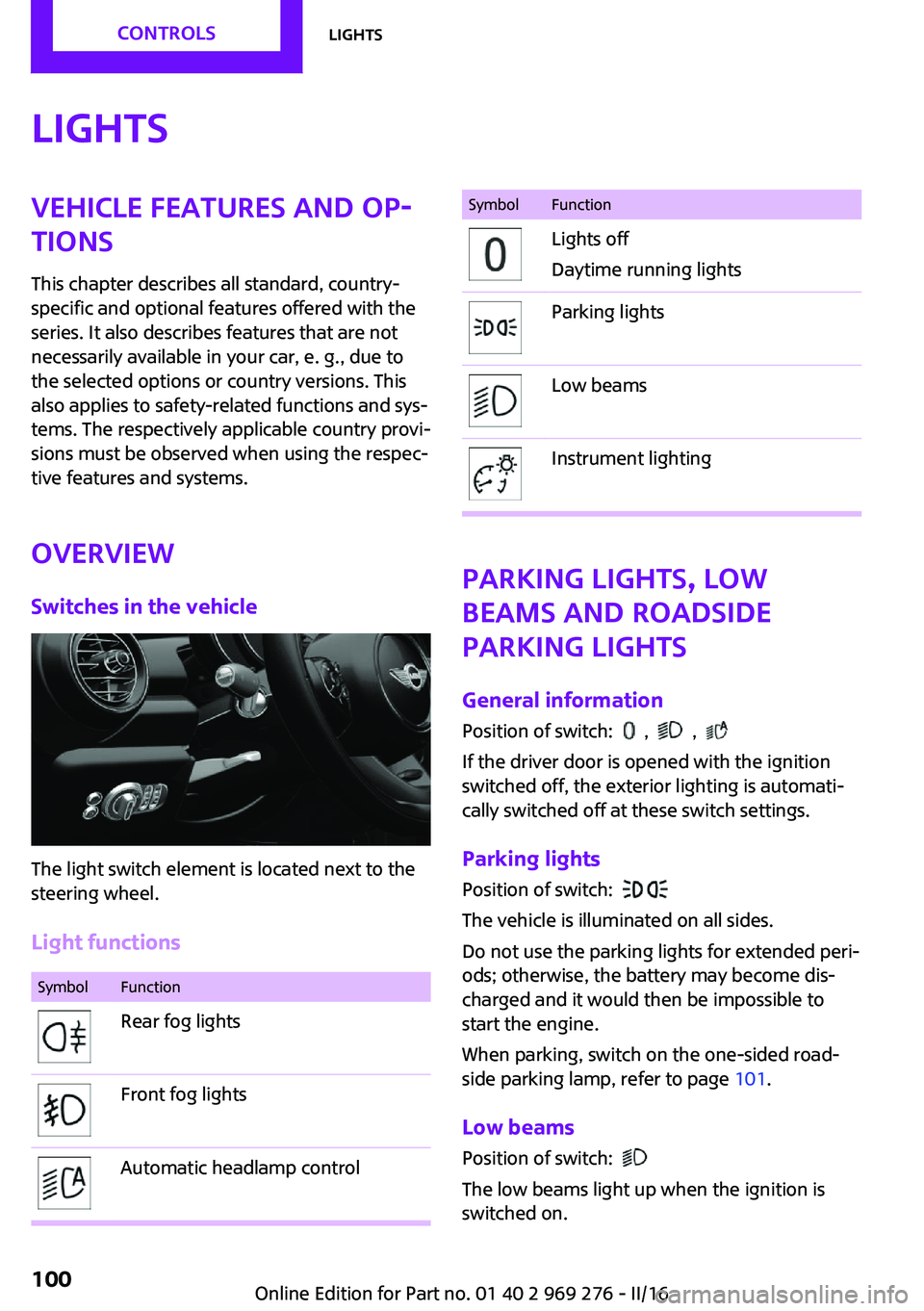
The light switch element is located next to the
steering wheel.
Light functions
SymbolFunctionRear fog lightsFront fog lightsAutomatic headlamp controlSymbolFunctionLights off
Daytime running lightsParking lightsLow beamsInstrument lighting
Parking lights, low
beams and roadside
parking lights
General information Position of switch:
, ,
If the driver door is opened with the ignition
switched off, the exterior lighting is automati‐
cally switched off at these switch settings.
Parking lights
Position of switch:
The vehicle is illuminated on all sides.
Do not use the parking lights for extended peri‐
ods; otherwise, the battery may become dis‐
charged and it would then be impossible to
start the engine.
When parking, switch on the one-sided road‐
side parking lamp, refer to page 101.
Low beams Position of switch:
The low beams light up when the ignition is
switched on.
Seite 100CONTROLSLights100
Online Edition for Part no. 01 40 2 969 276 - II/16
Page 101 of 252
Roadside parking lights
The concept
The vehicle can be illuminated on one side.
Switching on
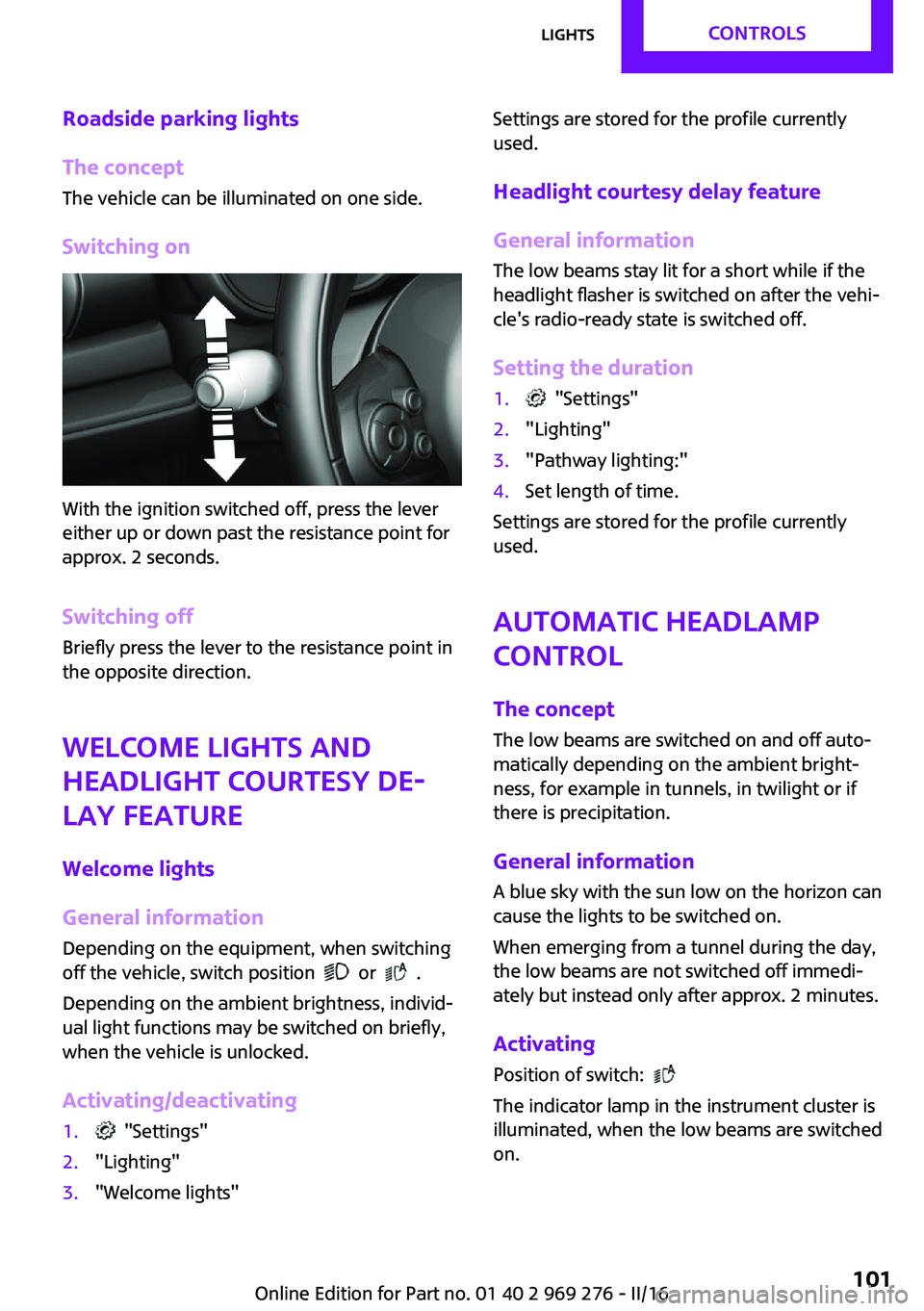
With the ignition switched off, press the lever
either up or down past the resistance point for
approx. 2 seconds.
Switching off Briefly press the lever to the resistance point in
the opposite direction.
Welcome lights and
headlight courtesy de‐ lay feature
Welcome lights
General information
Depending on the equipment, when switching
off the vehicle, switch position
or .
Depending on the ambient brightness, individ‐
ual light functions may be switched on briefly,
when the vehicle is unlocked.
Activating/deactivating
1. "Settings"2."Lighting"3."Welcome lights"Settings are stored for the profile currently
used.
Headlight courtesy delay feature
General information The low beams stay lit for a short while if the
headlight flasher is switched on after the vehi‐
cle's radio-ready state is switched off.
Setting the duration1. "Settings"2."Lighting"3."Pathway lighting:"4.Set length of time.
Settings are stored for the profile currently
used.
Automatic headlamp
control
The concept
The low beams are switched on and off auto‐
matically depending on the ambient bright‐
ness, for example in tunnels, in twilight or if
there is precipitation.
General information
A blue sky with the sun low on the horizon can
cause the lights to be switched on.
When emerging from a tunnel during the day,
the low beams are not switched off immedi‐
ately but instead only after approx. 2 minutes.
Activating
Position of switch:
The indicator lamp in the instrument cluster is
illuminated, when the low beams are switched
on.
Seite 101LightsCONTROLS101
Online Edition for Part no. 01 40 2 969 276 - II/16
Page 102 of 252
System limits
The automatic headlamp control cannot serve
as a substitute for your personal judgment of
lighting conditions.
E.g. the sensors are unable to detect fog or
hazy weather. To avoid safety risks under these
conditions, you should always switch on the
lights manually.
Daytime running lights General information
Position of switch:
, ,
The daytime running lights light up when the
ignition is switched on. After the ignition is
switched off, the parking lights light up in posi‐
tion
.
Activating/deactivating
In some countries, daytime running lights are
mandatory, so it may not be possible to deacti‐ vate the daytime running lights.
On the Control Display:
1. "Settings"2."Lighting"3."Daytime running lamps"
Settings are stored for the remote control cur‐
rently used.
Cornering light General information Position of switch:
When going around corners, the cornering light
also lights the interior area of the curve. Below
a speed of approx. 25 mph/40 km/h when the
turn signal is switched on and the steering an‐
gle is detected, there is automatic activation.
Malfunction
A Check Control message is displayed.
Cornering light is malfunctioning or has failed.
Have the system immediately checked by a
dealer’s service center or another qualified
service center or repair shop.
High-beam Assistant The concept The high-beam Assistant detects other traffic
participants early on and automatically
switches the high beams on or off depending
on the traffic situation. The assistant ensures
that the high beams are switched on, whenever
the traffic situation allows. In the low speed
range, the high beams are not switched on by
the system.
General information The system responds to light from oncoming
traffic and traffic driving ahead of you, and to
adequate illumination, e.g., in towns and cities.
The driver can intervene at any time and switch
the high beams on and off as usual.
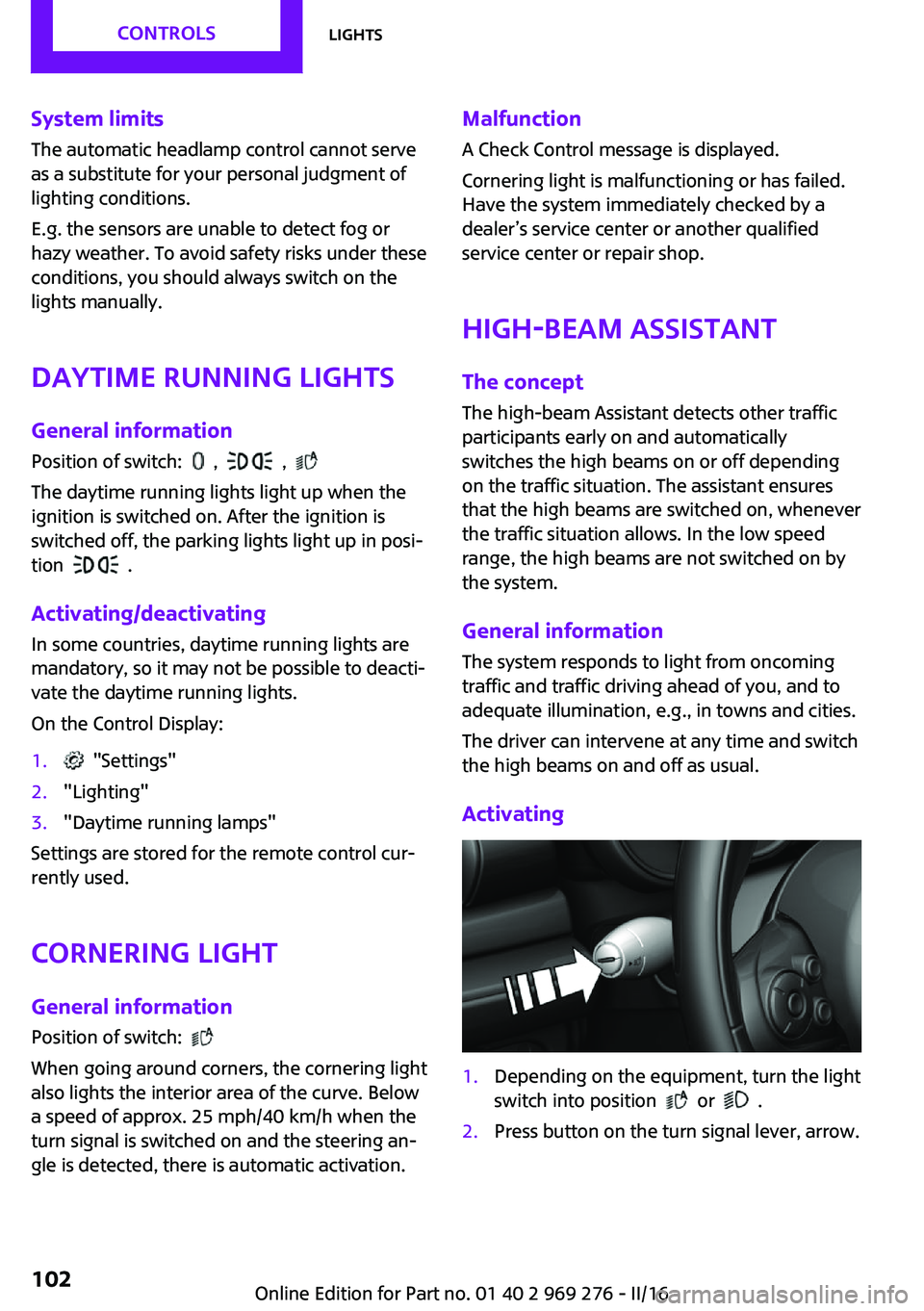
Activating1.Depending on the equipment, turn the light
switch into position
or .
2.Press button on the turn signal lever, arrow.Seite 102CONTROLSLights102
Online Edition for Part no. 01 40 2 969 276 - II/16
Page 103 of 252
The indicator lamp in the instrument
cluster is illuminated, when the low
beams are switched on.
The high beams are switched on and off auto‐
matically.
The blue indicator lamp in the instru‐
ment cluster lights up when the system
switches on the high beams.
Deactivating The High-beam Assistant is deactivated when
manually switching the high beams on and off,
refer to page 72.
To reactivate the High-beam Assistant, press
the button on the turn signal lever.
System limits The High-beam Assistant cannot serve as asubstitute for the driver's personal judgment of
when to use the high beams. Therefore, man‐
ually switch off the high beams in situations
where required to avoid a safety risk.
The system is not fully functional in the follow‐
ing situations, and driver intervention may be
necessary:▷In very unfavorable weather conditions,
such as fog or heavy precipitation.▷When detecting poorly-lit road users such
as pedestrians, cyclists, horseback riders
and wagons; when driving close to train or
ship traffic; and at animal crossings.▷In tight curves, on hilltops or in depressions,
in cross traffic or half-obscured oncoming
traffic on highways.▷In poorly-lit towns and cities and in the
presence of highly reflective signs.▷When the windshield behind the interior
mirror is fogged over, dirty or covered with
stickers, etc.Fog lights
Front fog lights
The low beams must be switched on.
Press button. The green indicator lamp
lights up.
If the automatic headlight control, refer to
page 101, is activated, the low beams will
come on automatically when you switch on the
front fog lights.
When the high beams or headlight flasher are
activated, the front fog lights are not switched
on.
Rear fog lights The low beams or front fog lights must be
switched on.
Press button. The yellow indicator
lamp lights up.
If the automatic headlight control, refer to
page 101, is activated, the low beams will
come on automatically when you switch on the
rear fog lights.
Instrument lighting Adjusting The parking lights or low beams
must be switched on to adjust
the brightness.
Adjust the brightness with the
thumbwheel.Seite 103LightsCONTROLS103
Online Edition for Part no. 01 40 2 969 276 - II/16
Page 104 of 252
Interior lights
General information Depending on the equipment, the interior
lights, footwell lights, entry lamps, and courtesy
lamps are controlled automatically.
Thumb wheel for the instrument lighting con‐
trols brightness of some of these features.
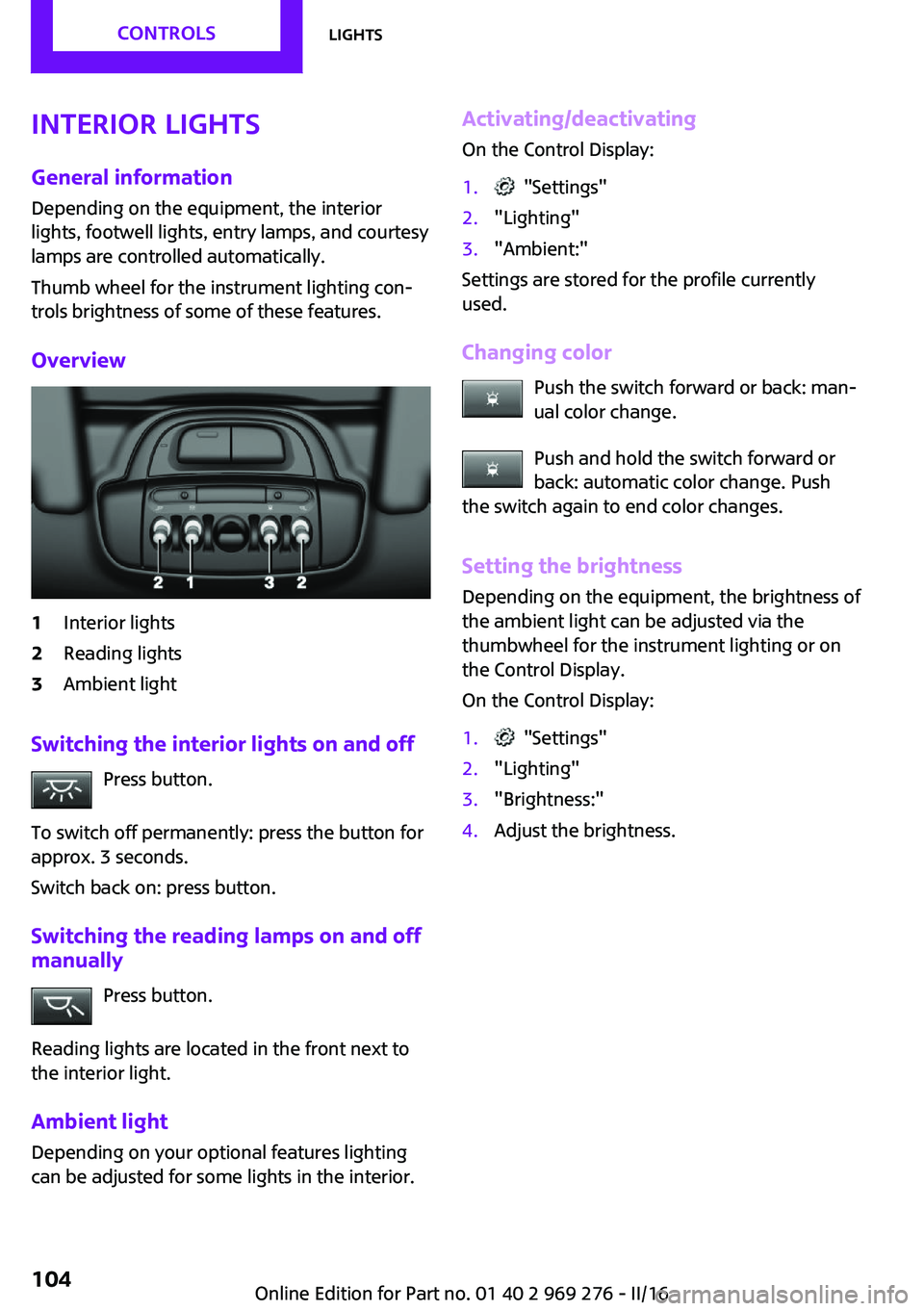
Overview1Interior lights2Reading lights3Ambient light
Switching the interior lights on and off Press button.
To switch off permanently: press the button for
approx. 3 seconds.
Switch back on: press button.
Switching the reading lamps on and off manually
Press button.
Reading lights are located in the front next to
the interior light.
Ambient light
Depending on your optional features lighting
can be adjusted for some lights in the interior.
Activating/deactivating
On the Control Display:1. "Settings"2."Lighting"3."Ambient:"
Settings are stored for the profile currently
used.
Changing color Push the switch forward or back: man‐
ual color change.
Push and hold the switch forward or
back: automatic color change. Push
the switch again to end color changes.
Setting the brightnessDepending on the equipment, the brightness of
the ambient light can be adjusted via the
thumbwheel for the instrument lighting or on
the Control Display.
On the Control Display:
1. "Settings"2."Lighting"3."Brightness:"4.Adjust the brightness.Seite 104CONTROLSLights104
Online Edition for Part no. 01 40 2 969 276 - II/16
Page 107 of 252
Correct functionWhen the ignition is switched on, the
warning lamp in the instrument cluster
lights up briefly and thereby indicates
the operational readiness of the entire airbag
system and the belt tensioner.
Airbag system malfunctioning▷Warning lamp does not come on when the
ignition is turned on.▷The warning lamp lights up continuously.
Automatic deactivation of the front-
seat passenger airbags
The concept
The system reads if the front passenger seat is
occupied by measuring the human body's re‐
sistance.
Front, knee and side airbag on the front pas‐
senger's side are either activated or deacti‐
vated.
Information Before transporting a child on the front passen‐
ger seat, refer to the safety notes and instruc‐
tions for children on the front passenger seat,
see Children.
WARNING
To ensure the front-seat passenger airbag
function, it must be detected, whether a person
occupies the front passenger seat. The entire
seat cushion area must be used for this pur‐ pose. There is a risk of injury or danger to life.
Make sure that the front passenger keeps his or
her feet in the floor area. ◀
Malfunction of the automatic
deactivation system
When transporting older children and adults,
the front-seat passenger airbags may be deac‐
tivated in certain sitting positions. In this case,
the indicator lamp for the front-seat passenger
airbags lights up.
In this case, change the sitting position so that
the front-seat passenger airbags are activated
and the indicator lamp goes out.
If it is not possible to activate the airbags, have
the person sit in the rear.
To enable correct recognition of the occupied
seat cushion.▷Do not attach covers, cushions, ball mats or
other items to the front passenger seat un‐
less they are specifically determined to be
safe for use on the front passenger seat.▷Do not place any electronic devices on the
passenger seat if a child restraint system is
to be installed on it.▷Do not place objects under the seat that
could press against the seat from below.▷No moisture in or on the seat.
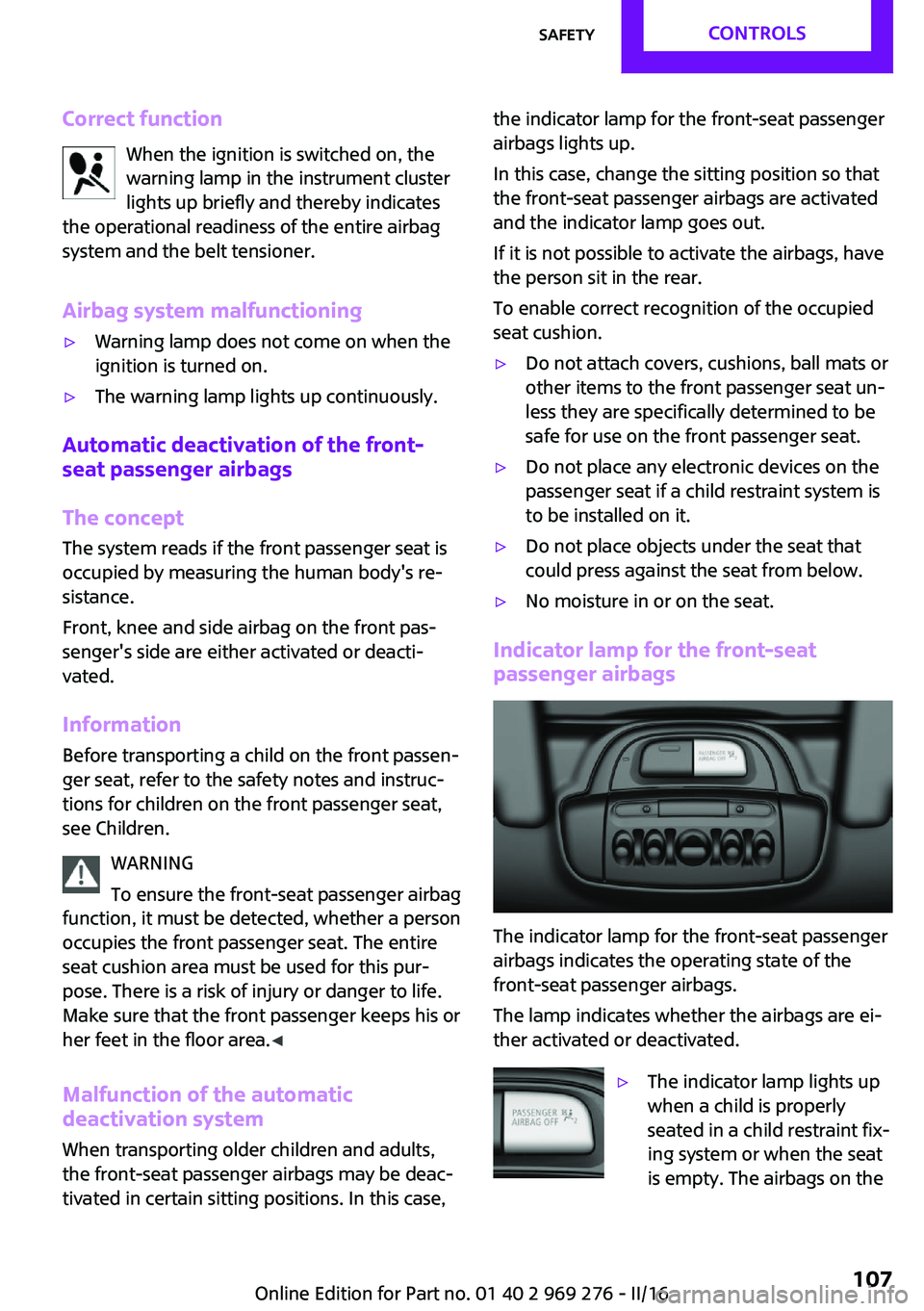
Indicator lamp for the front-seat
passenger airbags
The indicator lamp for the front-seat passenger
airbags indicates the operating state of the
front-seat passenger airbags.
The lamp indicates whether the airbags are ei‐
ther activated or deactivated.
▷The indicator lamp lights up
when a child is properly
seated in a child restraint fix‐
ing system or when the seat
is empty. The airbags on theSeite 107SafetyCONTROLS107
Online Edition for Part no. 01 40 2 969 276 - II/16
Page 108 of 252
front passenger side are not
activated.▷The indicator lamp does not light up when,
for example, a correctly seated person of
sufficient size is detected on the seat. The
airbags on the front passenger side are ac‐
tivated.
Detected child seats
The system generally detects children seated in
a child seat, particularly in child seats required
by NHTSA when the vehicle was manufactured.
After installing a child seat, make sure that the
indicator lamp for the front-seat passenger air‐
bags lights up. This indicates that the child seat
has been detected and the front-seat passen‐
ger airbags are not activated.
Strength of the driver's and front-seat
passenger airbag
The explosive power that activates driver's/
front passenger's airbags very much depends
on the positions of the driver's/front passeng‐
er's seat.
To maintain the accuracy of this function over
the long-term, calibrate the front seats as soon
as a relevant Check Control message is dis‐
played. A message also appears on the Control
Display.
Calibrating the front seats WARNING
There is risk of jamming when moving the
seats. There is a risk of injury or risk of property
damage. Make sure that the area of movement
of the seat is clear prior to any adjustment. ◀
An appropriate Check Control message is dis‐
played.
1.Move the respective seat all the way for‐
ward.2.Move the respective seat forward again. It
moves forward briefly.3.Readjust the seat to the desired position.The calibration procedure is completed when
the Check Control message disappears.
If the message continues to be displayed, re‐
peat the calibration.
If the message does not disappear after a re‐
peat calibration, have the system checked as
soon as possible.
Rollover protection sys‐
tem
The concept
The rollover protection system is automatically
activated in the event of a sufficiently serious
accident or if the longitudinal axis is tilted ex‐
cessively. The safety frames located behind the
rear headrests extend within fractions of a sec‐
ond.
Supplementing the reinforced front windshield
frame, the rollover protection system further in‐
creases passenger safety.
Information WARNING
There can be damage or injuries when
the rollover protection system is triggered.
There is a risk of injuries or a risk of property
damage. Make sure that the area of movement
of the rollover protection system is clear. ◀
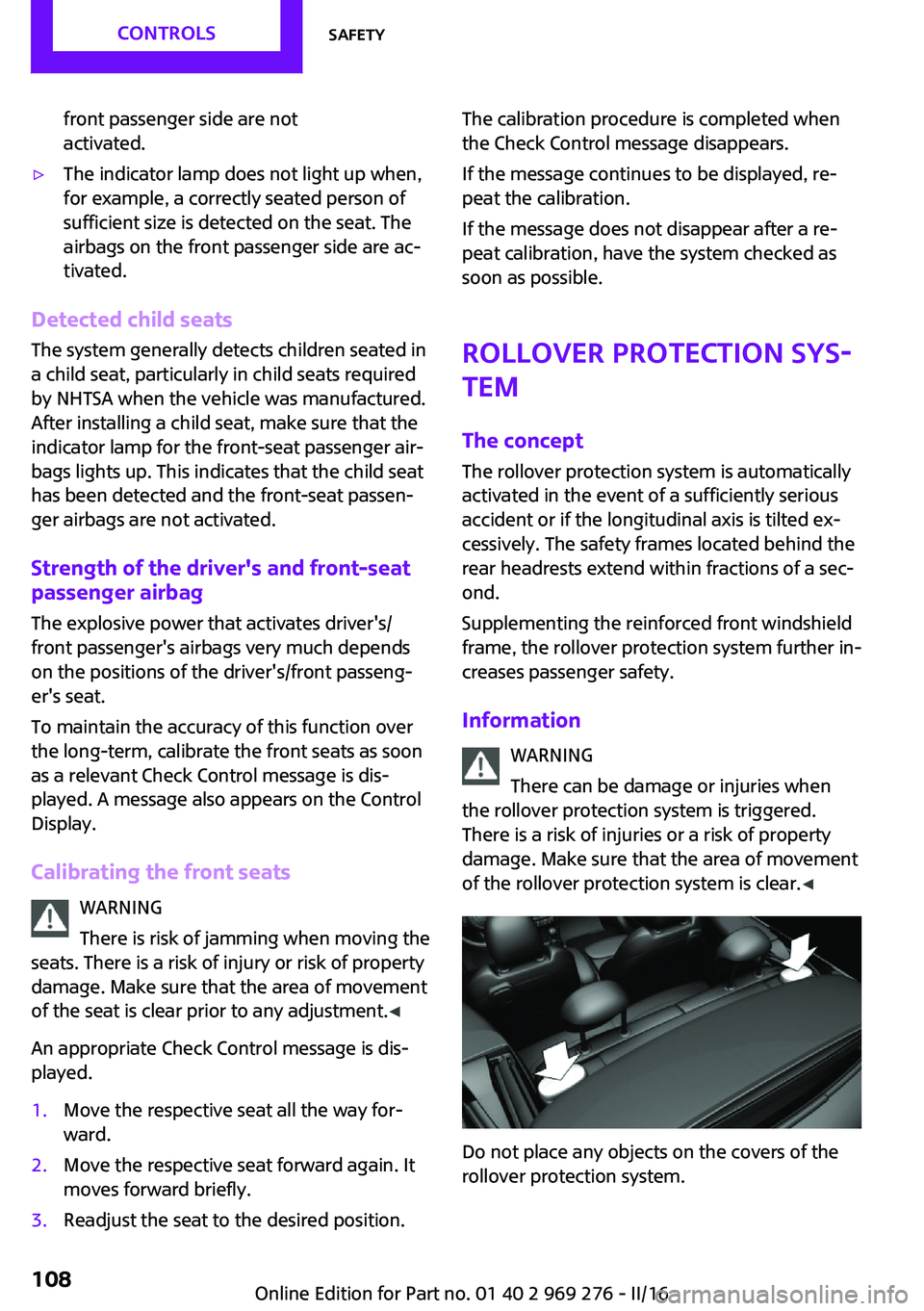
Do not place any objects on the covers of the
rollover protection system.
Seite 108CONTROLSSafety108
Online Edition for Part no. 01 40 2 969 276 - II/16
Page 110 of 252
All wheels are yellowA flat tire or major drop in inflation pressure in
several tires.
Wheels, gray The system cannot detect a flat tire due to a
malfunction.
Additional information The status control display additionally shows
the current tire inflation pressures. It shows the
actual values read; they may vary depending
on driving style or weather conditions.
Carry out reset Reset the system after each adjustment of the
tire inflation pressure and after every tire or
wheel change.
On the Control Display and on the vehicle:1. "Vehicle info"2."Vehicle status"3. "Perform reset"4.Start the engine - do not drive off.5.Reset the tire inflation pressure using
"Perform reset".6.Drive away.
The tires are shown in gray and the status is
displayed.
After driving faster than 19 mph/30 km/h for a
short period, the set tire inflation pressures are
accepted as reference values. The resetting
process is completed automatically while driv‐
ing. After successful completion of the reset,
the tires appear in green on the Control Display
and "Tire Pressure Monitor (TPM) active" is dis‐ played.
The progress of the reset is displayed.
You may interrupt this trip at any time. When
you continue the reset resumes automatically.
Low tire pressure message
The yellow warning lamp lights up. A
Check Control message is displayed.▷There is a flat tire or a major loss in
tire inflation pressure.▷A reset of the system was not carried out
after a wheel was changed. The system
therefore issues a warning based on the tire
pressures before the last reset.1.Reduce your speed and stop cautiously.
Avoid sudden braking and steering maneu‐
vers.2.Check whether the vehicle is fitted with
normal tires or run-flat tires.
Run-flat tires, refer to page 193, are la‐
beled with a circular symbol containing the
letters RSC marked on the tire's sidewall.
WARNING
A damaged regular tire with low or miss‐
ing tire inflation pressure impacts handling,
such as steering and braking response. Run-flat
tires can maintain limited stability. There is risk
of an accident. Do not continue driving if the
vehicle is not equipped with run-flat tires. Fol‐
low the information on run-flat tires and con‐
tinued driving with these tires. ◀
A low tire inflation pressure might turn on DSC
Dynamic Stability Control.
Actions in the event of a flat tireNormal tires
1.Identify the damaged tire.
Check the air pressure in all four tires, e.g.
using the tire pressure gage of a tire repair
kit.
If the tire inflation pressure in all four tires is
correct, the Tire Pressure Monitor may not
have been initialized. In this case, initialize
the system.
If identification of flat tire damage is not
possible, please contact a dealer’s serviceSeite 110CONTROLSSafety110
Online Edition for Part no. 01 40 2 969 276 - II/16