cooling MINI COOPER CONVERTIBLE 2016 Owners Manual
[x] Cancel search | Manufacturer: MINI, Model Year: 2016, Model line: COOPER CONVERTIBLE, Model: MINI COOPER CONVERTIBLE 2016Pages: 252, PDF Size: 5.41 MB
Page 70 of 252
Functional limitationsEven if driving off was not intended, the deacti‐
vated engine starts up automatically in the fol‐
lowing situations:▷Excessive warming of the car's interior
when the cooling function is switched on.▷The steering wheel is turned.▷Steptronic transmission: change from selec‐
tor lever position D to R, N or M/S.▷Steptronic transmission: change from selec‐
tor lever position P to R, N, D or M/S.▷The vehicle begins rolling.▷Fogging of the windows when the auto‐
matic climate control is switched on.▷The vehicle battery charge is very low.▷Excessive cooling of the car's interior when
the heating is switched on.▷Manual transmission: low brake vacuum
pressure; this can occur, for example, if the
brake pedal is depressed a number of times
in succession.
Switching the system on/off
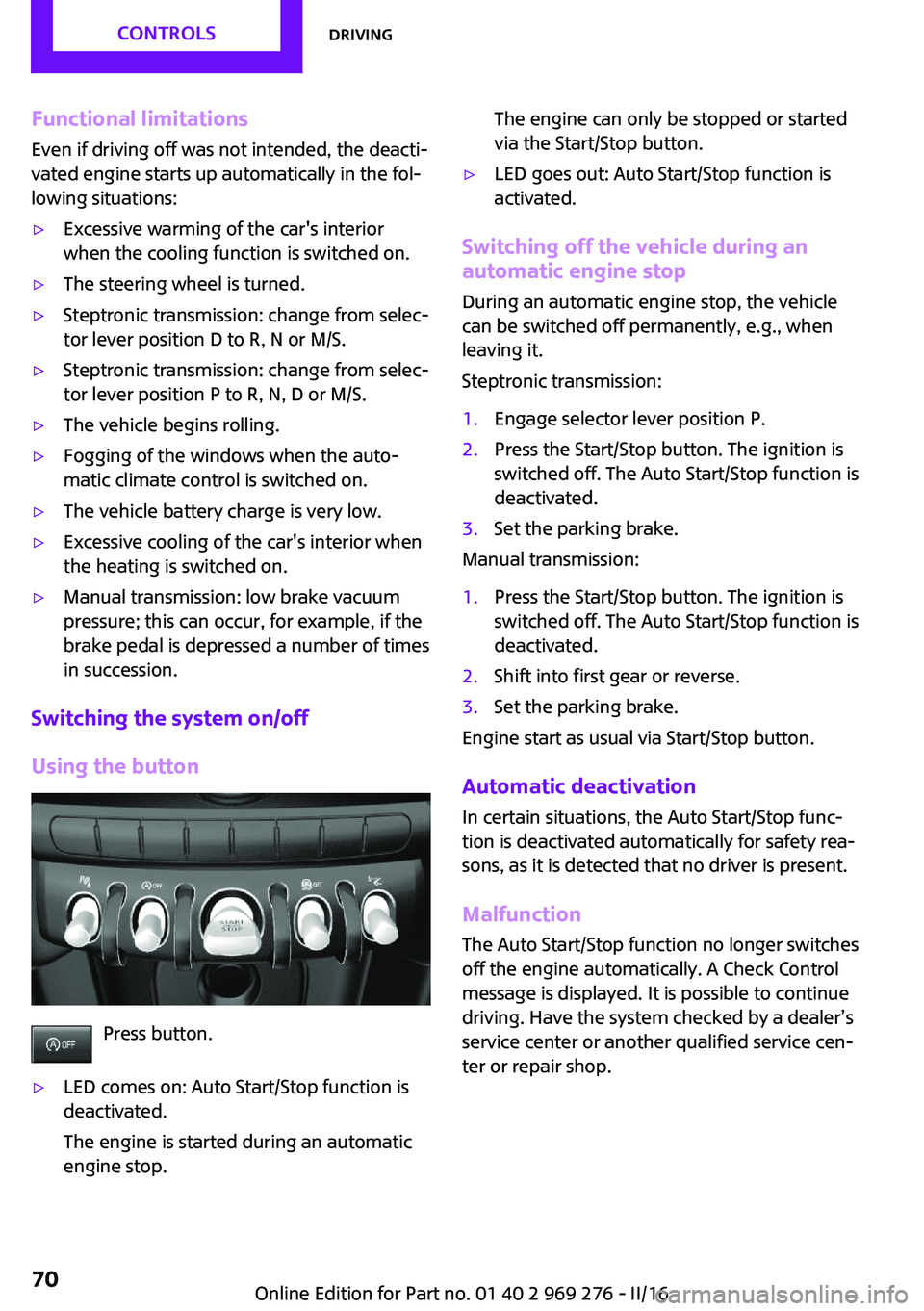
Using the button
Press button.
▷LED comes on: Auto Start/Stop function is
deactivated.
The engine is started during an automatic
engine stop.The engine can only be stopped or started
via the Start/Stop button.▷LED goes out: Auto Start/Stop function is
activated.
Switching off the vehicle during an automatic engine stop
During an automatic engine stop, the vehicle
can be switched off permanently, e.g., when
leaving it.
Steptronic transmission:
1.Engage selector lever position P.2.Press the Start/Stop button. The ignition is
switched off. The Auto Start/Stop function is
deactivated.3.Set the parking brake.
Manual transmission:
1.Press the Start/Stop button. The ignition is
switched off. The Auto Start/Stop function is
deactivated.2.Shift into first gear or reverse.3.Set the parking brake.
Engine start as usual via Start/Stop button.
Automatic deactivation
In certain situations, the Auto Start/Stop func‐
tion is deactivated automatically for safety rea‐
sons, as it is detected that no driver is present.
Malfunction The Auto Start/Stop function no longer switches
off the engine automatically. A Check Control
message is displayed. It is possible to continue
driving. Have the system checked by a dealer’s
service center or another qualified service cen‐
ter or repair shop.
Seite 70CONTROLSDriving70
Online Edition for Part no. 01 40 2 969 276 - II/16
Page 144 of 252
Climate controlVehicle features and op‐
tions
This chapter describes all standard, country-
specific and optional features offered with the
series. It also describes features that are notnecessarily available in your car, e. g., due to
the selected options or country versions. This
also applies to safety-related functions and sys‐
tems. The respectively applicable country provi‐
sions must be observed when using the respec‐
tive features and systems.
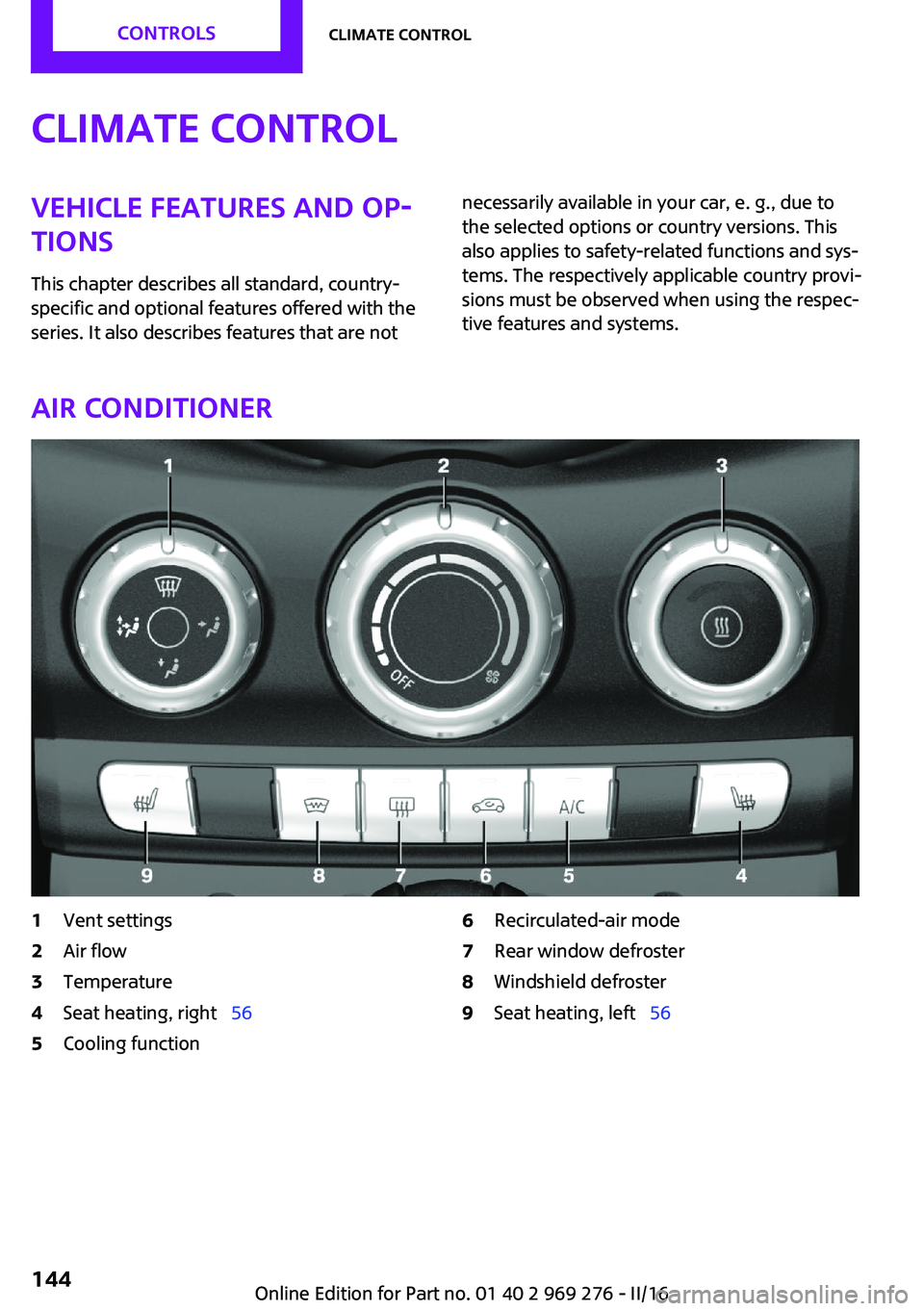
Air conditioner
1Vent settings2Air flow3Temperature4Seat heating, right 565Cooling function6Recirculated-air mode7Rear window defroster8Windshield defroster9Seat heating, left 56Seite 144CONTROLSClimate control144
Online Edition for Part no. 01 40 2 969 276 - II/16
Page 145 of 252
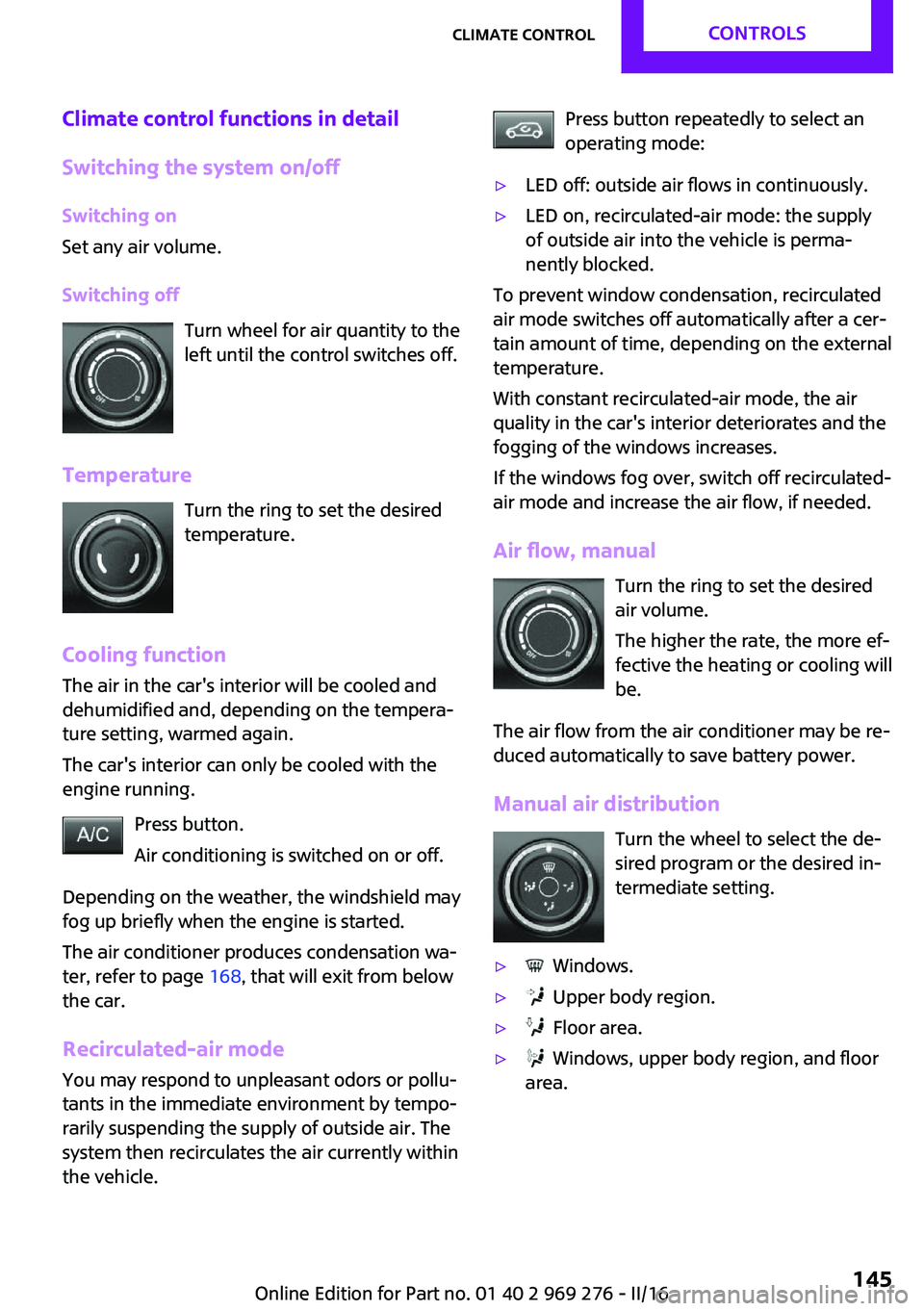
Climate control functions in detail
Switching the system on/off Switching on
Set any air volume.
Switching off Turn wheel for air quantity to the
left until the control switches off.
Temperature Turn the ring to set the desired
temperature.
Cooling function
The air in the car's interior will be cooled and
dehumidified and, depending on the tempera‐
ture setting, warmed again.
The car's interior can only be cooled with the
engine running.
Press button.
Air conditioning is switched on or off.
Depending on the weather, the windshield may
fog up briefly when the engine is started.
The air conditioner produces condensation wa‐
ter, refer to page 168, that will exit from below
the car.
Recirculated-air mode You may respond to unpleasant odors or pollu‐
tants in the immediate environment by tempo‐
rarily suspending the supply of outside air. The
system then recirculates the air currently within
the vehicle.Press button repeatedly to select an
operating mode:▷LED off: outside air flows in continuously.▷LED on, recirculated-air mode: the supply
of outside air into the vehicle is perma‐
nently blocked.
To prevent window condensation, recirculated
air mode switches off automatically after a cer‐
tain amount of time, depending on the external
temperature.
With constant recirculated-air mode, the air
quality in the car's interior deteriorates and the
fogging of the windows increases.
If the windows fog over, switch off recirculated-
air mode and increase the air flow, if needed.
Air flow, manual Turn the ring to set the desired
air volume.
The higher the rate, the more ef‐
fective the heating or cooling will
be.
The air flow from the air conditioner may be re‐
duced automatically to save battery power.
Manual air distribution Turn the wheel to select the de‐
sired program or the desired in‐
termediate setting.
▷ Windows.▷ Upper body region.▷ Floor area.▷ Windows, upper body region, and floor
area.Seite 145Climate controlCONTROLS145
Online Edition for Part no. 01 40 2 969 276 - II/16
Page 146 of 252

Defrosts windows and removes
condensation
Direct the air distribution toward windows, in‐
crease the air flow and temperature, and, if
needed, use the cooling function.
Windshield defroster Press button.
The front window defroster switches
off automatically after a certain period of time.
Rear window defroster Press button.
The rear window defroster switches off
automatically after a certain period of time.When GREEN Mode, refer to page 174, is acti‐
vated, the heater output is reduced.
Microfilter
In external and recirculated air mode the mi‐
crofilter filters dust and pollen from the air.
This filter should be replaced during scheduled
maintenance, refer to page 206, of your vehi‐
cle.
Automatic climate control
1Temperature, left2Display3Air flow, AUTO intensity4AUTO program5Air distribution, manual6Display7Temperature, right8Seat heating, right 56Seite 146CONTROLSClimate control146
Online Edition for Part no. 01 40 2 969 276 - II/16
Page 147 of 252
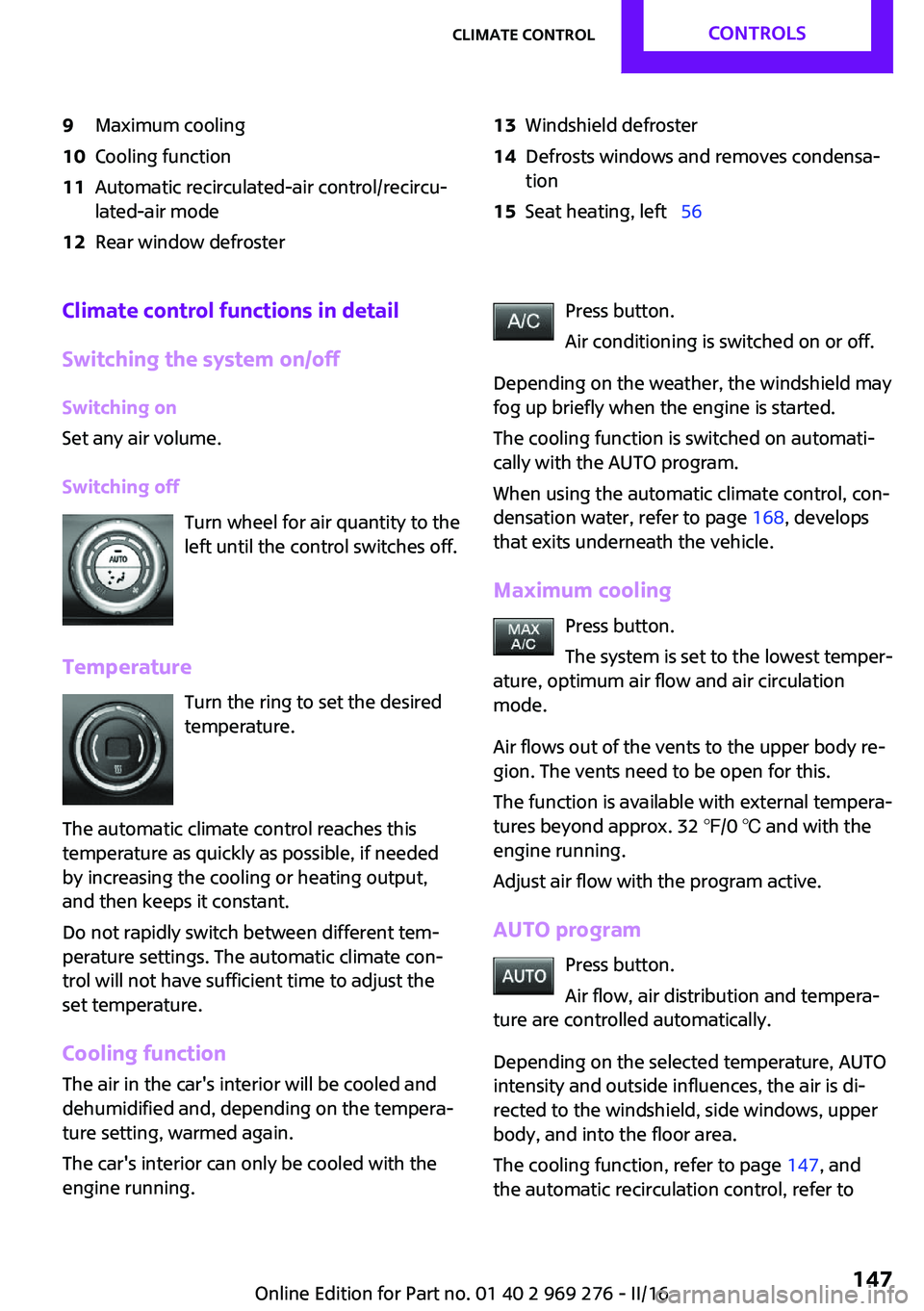
9Maximum cooling10Cooling function11Automatic recirculated-air control/recircu‐
lated-air mode12Rear window defroster13Windshield defroster14Defrosts windows and removes condensa‐
tion15Seat heating, left 56Climate control functions in detail
Switching the system on/off Switching on
Set any air volume.
Switching off Turn wheel for air quantity to the
left until the control switches off.
Temperature Turn the ring to set the desired
temperature.
The automatic climate control reaches this
temperature as quickly as possible, if needed
by increasing the cooling or heating output,
and then keeps it constant.
Do not rapidly switch between different tem‐
perature settings. The automatic climate con‐
trol will not have sufficient time to adjust the
set temperature.
Cooling function The air in the car's interior will be cooled and
dehumidified and, depending on the tempera‐
ture setting, warmed again.
The car's interior can only be cooled with the
engine running.Press button.
Air conditioning is switched on or off.
Depending on the weather, the windshield may
fog up briefly when the engine is started.
The cooling function is switched on automati‐
cally with the AUTO program.
When using the automatic climate control, con‐
densation water, refer to page 168, develops
that exits underneath the vehicle.
Maximum cooling Press button.
The system is set to the lowest temper‐
ature, optimum air flow and air circulation
mode.
Air flows out of the vents to the upper body re‐
gion. The vents need to be open for this.
The function is available with external tempera‐
tures beyond approx. 32 ℉/0 ℃ and with the
engine running.
Adjust air flow with the program active.
AUTO program Press button.
Air flow, air distribution and tempera‐
ture are controlled automatically.
Depending on the selected temperature, AUTO
intensity and outside influences, the air is di‐
rected to the windshield, side windows, upper
body, and into the floor area.
The cooling function, refer to page 147, and
the automatic recirculation control, refer toSeite 147Climate controlCONTROLS147
Online Edition for Part no. 01 40 2 969 276 - II/16
Page 149 of 252
Defrosts windows and removes
condensation
Press button.
Ice and condensation are quickly re‐
moved from the windshield and the front side
windows.
Adjust air flow with the program active.
If the windows fog over, also switch on the
cooling function or press the AUTO button.
Windshield defroster Press button.
The front window defroster switches
off automatically after a certain period of time.
Rear window defroster Press button.
The rear window defroster switches off
automatically after a certain period of time.
When GREEN Mode, refer to page 174, is acti‐
vated, the heater output is reduced.
Microfilter/activated-charcoal filterIn external and recirculated air mode the mi‐
crofilter/activated charcoal filter filters dust,
pollen, and gaseous pollutants out of the air.
This filter should be replaced during scheduled
maintenance, refer to page 206, of your vehi‐
cle.
Ventilation Setting
The air flow directions can be individually ad‐
justed:▷Direct ventilation:
The air flow is directly pointed onto the per‐
son. The air flow heats or cools noticeably,
depending on the adjusted temperature.▷Indirect ventilation:
If the vents are fully or partly closed, the air
is directly routed into the car's interior.
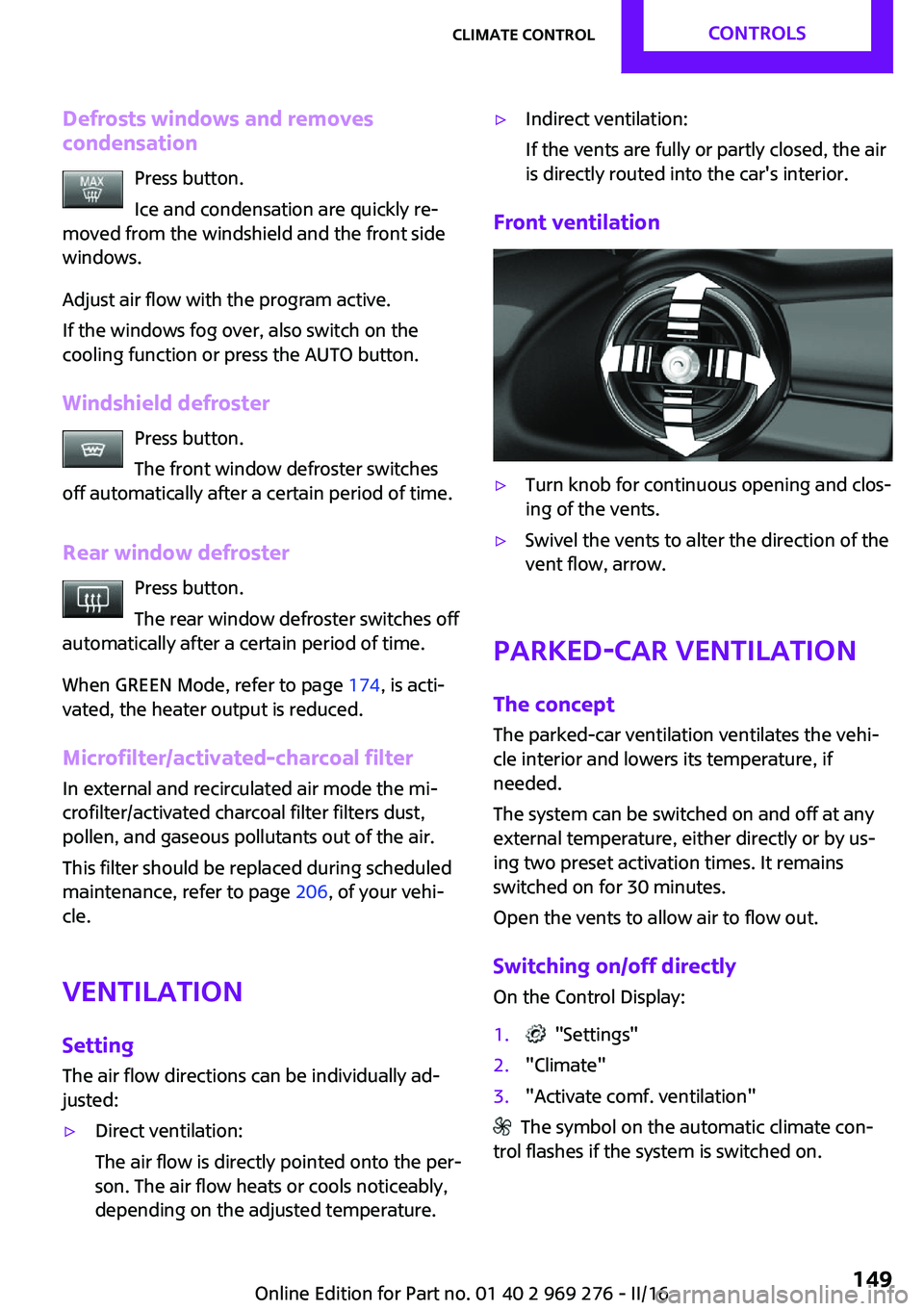
Front ventilation
▷Turn knob for continuous opening and clos‐
ing of the vents.▷Swivel the vents to alter the direction of the
vent flow, arrow.
Parked-car ventilation
The concept
The parked-car ventilation ventilates the vehi‐
cle interior and lowers its temperature, if needed.
The system can be switched on and off at any
external temperature, either directly or by us‐
ing two preset activation times. It remains
switched on for 30 minutes.
Open the vents to allow air to flow out.
Switching on/off directly On the Control Display:
1. "Settings"2."Climate"3."Activate comf. ventilation"
The symbol on the automatic climate con‐
trol flashes if the system is switched on.
Seite 149Climate controlCONTROLS149
Online Edition for Part no. 01 40 2 969 276 - II/16
Page 175 of 252
Under certain conditions the engine is auto‐
matically decoupled from the transmission in
selector lever position D. The vehicle continues
traveling with the engine idling to reduce fuel
consumption. Selector lever position D remains
engaged. An indicator provides information
about the distance traveled in Coasting mode.
In addition, context-sensitive instructions are
displayed to assist with an optimized fuel con‐
sumption driving style.
The achieved extended range is displayed in
the instrument cluster.
Overview The system includes the following MINIMAL
functions and displays:▷GREEN bonus range, refer to page 176.▷GREEN tips driving instruction, refer to
page 176.▷GREEN climate control, refer to page 175.▷MINIMALISM analyzer, refer to page 178.▷Coasting driving condition, refer to
page 177.
Activating GREEN Mode
Turn Driving Dynamics Control to
the right until GREEN Mode is
displayed in the instrument clus‐
ter.
Configuring GREEN Mode
Via the Driving Dynamics Control
1.Activating GREEN Mode.2."Configure GREEN"3.Configure the program.
Via onboard monitor:
1. "Settings"2."GREEN Mode"Or1. "Settings"2."Driving mode"3."Configure GREEN"
Configure the program.
GREEN tip
▷"Tip at:"
Set the GREEN Mode speed at which a
GREEN Mode tip is to be displayed.▷"GREEN speed warning":
Displays a reminder when the set GREEN
Mode speed is exceeded.
Coasting
Fuel-efficiency can be optimized by disengag‐
ing the engine and Coasting, refer to page 177,
with the engine idling.
This function is only available in GREEN Mode.
GREEN climate control
"GREEN climate control"
Climate control is set to be fuel-efficient.
By making a slight change to the set tempera‐
ture, or adjusting the rate of heating or cooling
of the car's interior fuel consumption can be
economized.
The outputs of the seat heater and the exterior
Additionally heat output to seats and exterior
mirror is reduced.
Exterior mirror heat is available when outside
temperatures are very low.
GREEN potential
The percentage of potential savings that can be
achieved with the current configuration is dis‐
played.
Seite 175Saving fuelDRIVING TIPS175
Online Edition for Part no. 01 40 2 969 276 - II/16
Page 204 of 252
CoolantVehicle features and op‐
tions
This chapter describes all standard, country-
specific and optional features offered with the
series. It also describes features that are not
necessarily available in your car, e. g., due to
the selected options or country versions. This
also applies to safety-related functions and sys‐
tems. The respectively applicable country provi‐
sions must be observed when using the respec‐
tive features and systems.
Information WARNING
With the engine hot and the cooling sys‐
tem open, coolant can escape and lead to
scalding. There is a a risk of injury. Only open
the cooling system with the engine cooled
down. ◀
WARNING
Additives are harmful and incorrect addi‐
tives can damage the engine. There is a risk of
injury and risk of property damage. Do not al‐
low additives to come into contact with skin,
eyes or articles of clothing. Use suitable addi‐ tives only. ◀
Coolant consists of water and additives.
Not all commercially available additives are
suitable for the vehicle. Information about suit‐
able additives is available from a dealer’s serv‐
ice center or another qualified service center or
repair shop.Coolant level
Overview
Open the hood, refer to page 198.
The coolant reservoir is in the engine compart‐ ment, refer to page 198.
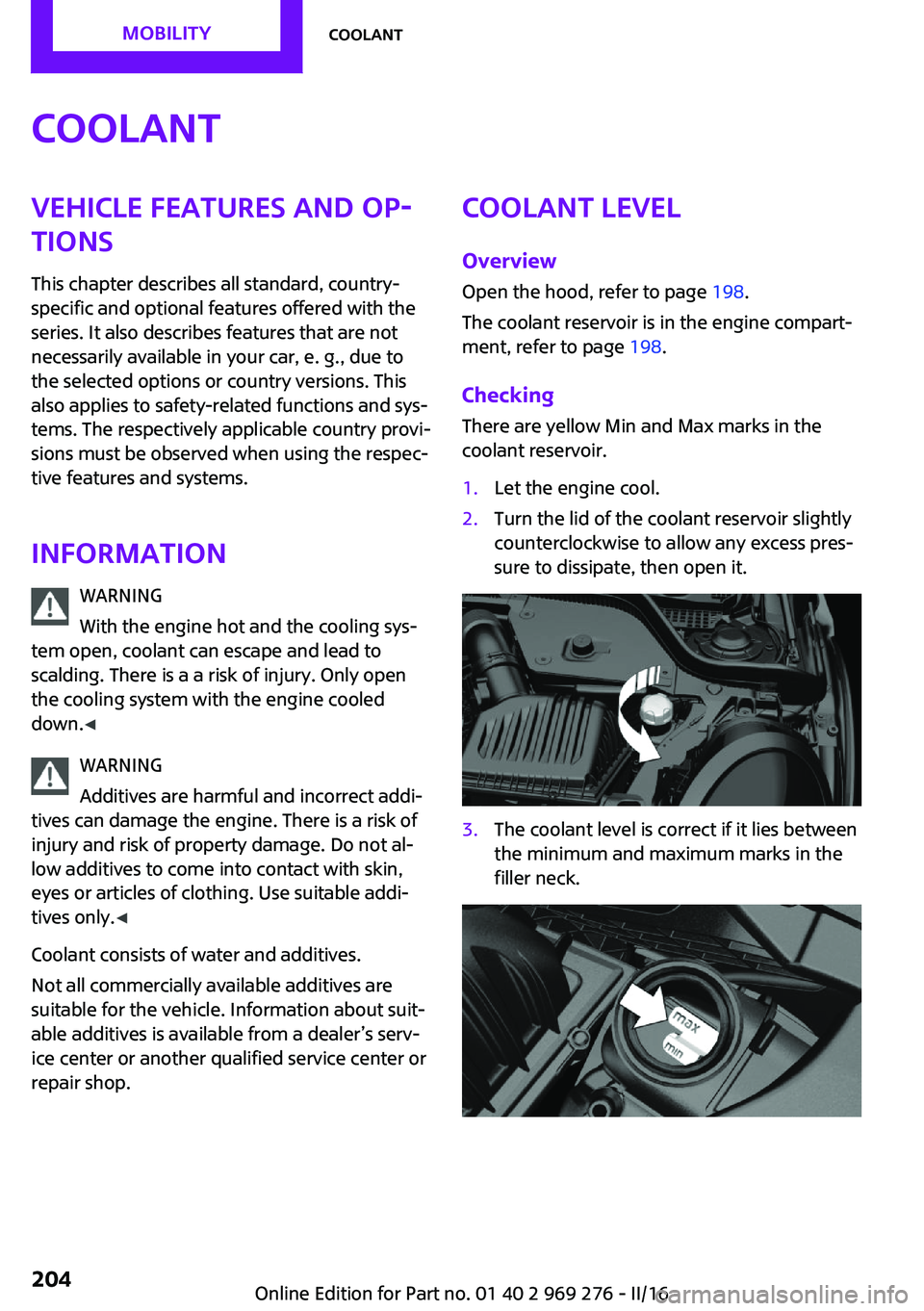
Checking
There are yellow Min and Max marks in the
coolant reservoir.1.Let the engine cool.2.Turn the lid of the coolant reservoir slightly
counterclockwise to allow any excess pres‐
sure to dissipate, then open it.3.The coolant level is correct if it lies between
the minimum and maximum marks in the
filler neck.Seite 204MOBILITYCoolant204
Online Edition for Part no. 01 40 2 969 276 - II/16
Page 243 of 252
Bulbs and lights 209
Button, Start/Stop 66
Bypassing, see Jump-start‐ ing 220
C California Proposition 65 Warning 8
Camera-based cruise con‐ trol 126
Camera lenses, care 230
Camera, rearview cam‐ era 137
Can holder, see Cup holder 161
Car battery 217
Care, displays 230
Care, vehicle 227
Cargo area, enlarging 158
Cargo area partition 158
Cargo area, storage compart‐ ments 162
Cargo straps, securing cargo 171
Car key, see Remote con‐ trol 34
Carpet, care 229
Car wash 226
Catalytic converter, see Hot exhaust system 167
CBS Condition Based Serv‐ ice 206
Center armrest 161
Center console 16
Central instrument cluster, LED ring 94
Central locking system 40
Central screen, refer to Control Display 18
Changes, technical, refer to Own Safety 7
Changing parts 208
Changing wheels 215
Changing wheels/tires 192 Chassis number, see vehicle
identification number 10
Check Control 81
Checking the oil level elec‐ tronically 200
Children, seating position 63
Children, transporting safely 63
Child restraint fixing sys‐ tem 63
Child restraint fixing system LATCH 65
Child restraint fixing systems, mounting 64
Child seat, mounting 64
Child seats 63
Chrome parts, care 229
Chrono package, cockpit 97
Cigarette lighter 155
Cleaning, displays 230
Climate control 144, 146
Clock 85
Closing/opening via door lock 40
Closing/opening with remote control 38
Coasting 177
Coasting with engine decou‐ pled, coasting 177
Coasting with idling en‐ gine 177
Combination switch, see Turn signals 71
Combi switch, see wiper sys‐ tem 72
Comfort Access 41
Comfort entry 38
Compartments in the doors 161
Compass 153
Compressor 194
Condensation on win‐ dows 149
Condensation under the vehi‐ cle 168 Condition Based Service
CBS 206
Configuring driving pro‐ gram 125
Confirmation signal 44
Control Display 18
Control Display, settings 92
Controller 19
Control systems, driving stabil‐ ity 122
Convenient closing with the remote control 39
Convenient opening 38
Convertible, convertible top 47
Convertible mode, automatic climate control 148
Convertible program, auto‐ matic climate control 148
Convertible, roof 47
Convertible top 47
Convertible top, care 227
Convertible top, cargo area partition 50
Convertible top, emergency operation 50
Convertible top, rollover pro‐ tection system 108
Coolant 204
Cooling function 145, 147
Cooling, maximum 147
Cooling system 204
Cornering light 102
Corrosion on brake discs 168
Cosmetic mirror 155
Courtesy lamps during unlock‐ ing 38
Courtesy lamps with the vehi‐ cle locked 39
Cruise control 131
Cruise control, active 126
Cruise control with distance control, see camera-based
cruise control 126 Seite 243Everything from A to ZREFERENCE243
Online Edition for Part no. 01 40 2 969 276 - II/16
Page 247 of 252
Manual mode, transmis‐sion 76
Manual operation, door lock 40
Manual operation, exterior mirrors 60
Manual operation, Park Dis‐ tance Control PDC 135
Manual operation, rearview camera 137
Manual transmission 75
Manufacturer of the MINI 7
Marking, run-flat tires 193
Master key, see Remote con‐ trol 34
Maximum cooling 147
Maximum speed, display 87
Maximum speed, winter tires 193
Measurement, units of 93
Medical kit 220
Menu in instrument cluster 89
Menus, refer to onboard mon‐ itor operating concept 20
Messages, see Check Con‐ trol 81
Microfilter 146, 149
MID - program, driving dy‐ namics 124
MINI Connected, refer to Inte‐ grated Owner's Manual
MINI driving modes 124
MINI logo projection during unlocking 38
MINI maintenance sys‐ tem 206
MINIMALISM Analyser 178
MINIMALISM info 177
MINI Motorer’s Guide app 6
Minimum tread, tires 191
Mirrors 60
Mobile communication devi‐ ces in the vehicle 167
Mobility System 194
Mode, GREEN Mode 174 Modifications, technical, refer
to Own Safety 7
Moisture in headlight 209
Monitor, refer to Control Dis‐ play 18
Mounting of child restraint systems 64
Multifunction steering wheel, buttons 14
Multimedia, refer to Inte‐ grated Owner's Manual
N
Navigation, refer to Integrated Owner's Manual
Neck restraints, front, see Head restraints 58
Neck restraints, rear, see Head restraints 59
New wheels and tires 192
O
OBD Onboard Diagnos‐ tics 207
Obstacle marking, rearview camera 138
Octane rating, see Recom‐ mended fuel grade 185
Odometer 85
Office, refer to Integrated Owner's Manual
Oil 200
Oil, adding 201
Oil additives 202
Oil change 202
Oil change interval, service re‐ quirements 86
Oil filler neck 201
Oil types, alternative 202
Oil types, suitable 202
Old batteries, disposal 218
On-board computer 89
On-board computer, refer to On-board computer 89 Onboard Diagnostics
OBD 207
Onboard monitor 18
Onboard monitor operating concept 18
Onboard vehicle tool kit 208
Opening/closing via door lock 40
Opening/closing with remote control 38
Operating menus, onboard monitor 18
Optional equipment 7
Outside air, see Automatic re‐ circulated-air control 148
Own safety 7
P Paint, vehicle 227
Parallel parking assistant 139
Park Distance Control PDC 134
Parked-car ventilation 149
Parked vehicle, condensa‐ tion 168
Parking aid, see PDC 134
Parking assistant 139
Parking brake 71
Parking lights 100
Parts and accessories 8
Passenger side mirror, tilting downward 60
Pathway lines, rearview cam‐ era 138
PDC Park Distance Con‐ trol 134
Performance Control 123
Personal Profile 36
Person warning with City light braking function 119
Phone, refer to Integrated Owner's Manual
Pinch protection system, win‐ dows 46
Plastic, care 229 Seite 247Everything from A to ZREFERENCE247
Online Edition for Part no. 01 40 2 969 276 - II/16