air condition MINI Countryman 2011 (Mini Connected) User Guide
[x] Cancel search | Manufacturer: MINI, Model Year: 2011, Model line: Countryman, Model: MINI Countryman 2011Pages: 254, PDF Size: 3.84 MB
Page 156 of 254
CommunicationsHands-free device Bluetooth
154
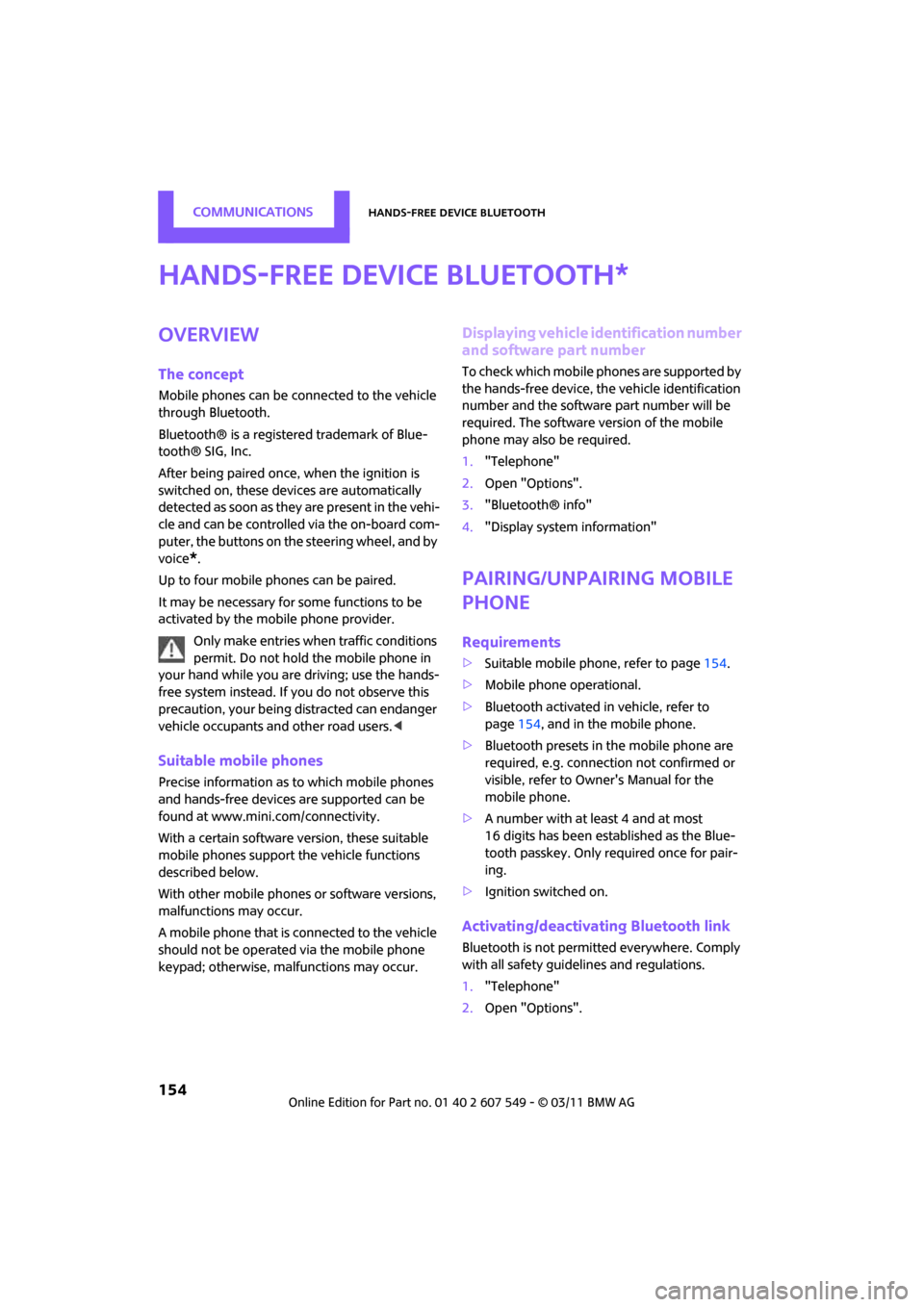
Hands-free device Bluetooth
Overview
The concept
Mobile phones can be connected to the vehicle
through Bluetooth.
Bluetooth® is a registered trademark of Blue-
tooth® SIG, Inc.
After being paired once, when the ignition is
switched on, these devices are automatically
detected as soon as they are present in the vehi-
cle and can be controlled via the on-board com-
puter, the buttons on the steering wheel, and by
voice
*.
Up to four mobile phones can be paired.
It may be necessary for some functions to be
activated by the mobile phone provider. Only make entries when traffic conditions
permit. Do not hold the mobile phone in
your hand while you are driving; use the hands-
free system instead. If you do not observe this
precaution, your being distracted can endanger
vehicle occupants and other road users. <
Suitable mobile phones
Precise information as to which mobile phones
and hands-free devices are supported can be
found at www.mini.com/connectivity.
With a certain software version, these suitable
mobile phones support the vehicle functions
described below.
With other mobile phones or software versions,
malfunctions may occur.
A mobile phone that is connected to the vehicle
should not be operated via the mobile phone
keypad; otherwise, ma lfunctions may occur.
Displaying vehicle identification number
and software part number
To check which mobile phones are supported by
the hands-free device, th e vehicle identification
number and the software part number will be
required. The software version of the mobile
phone may also be required.
1. "Telephone"
2. Open "Options".
3. "Bluetooth® info"
4. "Display system information"
Pairing/unpairing mobile
phone
Requirements
>Suitable mobile phone, refer to page 154.
> Mobile phone operational.
> Bluetooth activated in vehicle, refer to
page 154, and in the mobile phone.
> Bluetooth presets in the mobile phone are
required, e.g. connection not confirmed or
visible, refer to Ow ner's Manual for the
mobile phone.
> A number with at least 4 and at most
16 digits has been established as the Blue-
tooth passkey. Only required once for pair-
ing.
> Ignition switched on.
Activating/deactivating Bluetooth link
Bluetooth is not permitted everywhere. Comply
with all safety guidelines and regulations.
1."Telephone"
2. Open "Options".
*
Page 165 of 254
Mobile phone preparation BluetoothCommunications
163
Mobile phone preparation
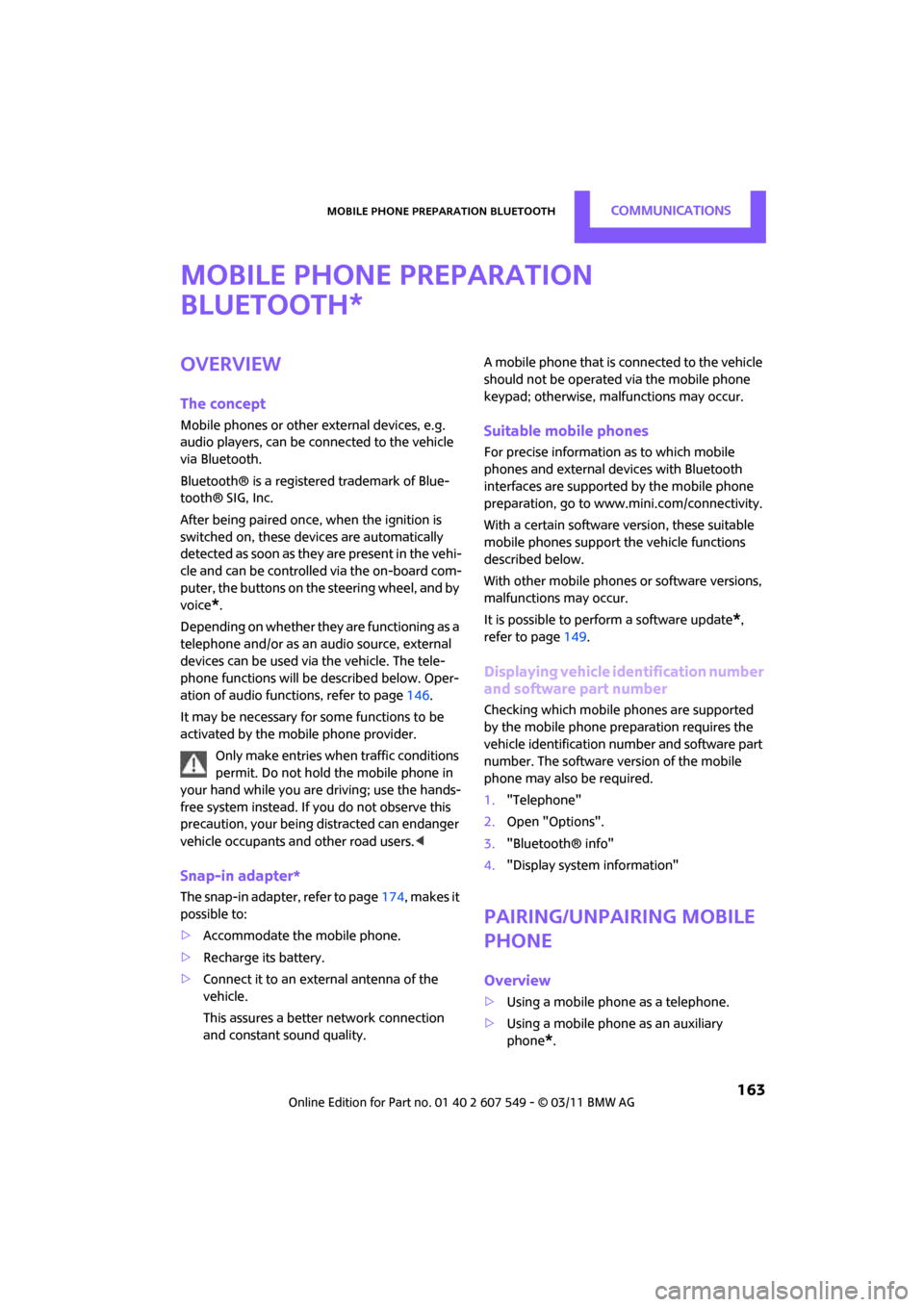
Bluetooth
Overview
The concept
Mobile phones or other external devices, e.g.
audio players, can be connected to the vehicle
via Bluetooth.
Bluetooth® is a registered trademark of Blue-
tooth® SIG, Inc.
After being paired once, when the ignition is
switched on, these devices are automatically
detected as soon as they are present in the vehi-
cle and can be controlled via the on-board com-
puter, the buttons on the steering wheel, and by
voice
*.
Depending on whether they are functioning as a
telephone and/or as an audio source, external
devices can be used via the vehicle. The tele-
phone functions will be described below. Oper-
ation of audio functions, refer to page 146.
It may be necessary for some functions to be
activated by the mobile phone provider.
Only make entries when traffic conditions
permit. Do not hold the mobile phone in
your hand while you are driving; use the hands-
free system instead. If you do not observe this
precaution, your being di stracted can endanger
vehicle occupants and other road users. <
Snap-in adapter*
The snap-in adapter, refer to page174, makes it
possible to:
> Accommodate the mobile phone.
> Recharge its battery.
> Connect it to an exte rnal antenna of the
vehicle.
This assures a better network connection
and constant sound quality. A mobile phone that is connected to the vehicle
should not be operated via the mobile phone
keypad; otherwise, ma
lfunctions may occur.
Suitable mobile phones
For precise information as to which mobile
phones and external devices with Bluetooth
interfaces are supported by the mobile phone
preparation, go to www.mini.com/connectivity.
With a certain software version, these suitable
mobile phones support the vehicle functions
described below.
With other mobile phones or software versions,
malfunctions may occur.
It is possible to perform a software update
*,
refer to page 149.
Displaying vehicle identification number
and software part number
Checking which mobile phones are supported
by the mobile phone preparation requires the
vehicle identification number and software part
number. The software version of the mobile
phone may also be required.
1."Telephone"
2. Open "Options".
3. "Bluetooth® info"
4. "Display system information"
Pairing/unpairing mobile
phone
Overview
>Using a mobile phone as a telephone.
> Using a mobile phone as an auxiliary
phone
*.
*
Page 192 of 254

MOBILITYWheels and tires
190
Wheels and tires
Tire inflation pressures
Information for your safety
It is not merely the tires' service life, but also
driving comfort and, to a great extent, driving
safety that depend on the condition of the tires
and the maintenance of the specified tire pres-
sure.
Checking pressure
Check the tire inflation pressure regularly
and correct it, if necessary: at least twice a
month and before starting long trips. If you fail
to observe this precauti on you may be driving
on tires with incorrect ti re pressures, a condition
that can not only compromise your vehicle's
driving stability, but also l e a d t o t i r e d a m a g e a n d
the risk of an accident. Do not drive with
deflated, i.e. flat tires, except when using run-
flat tires. A flat tire will seriously impair your
vehicle's handling and braking response.
Att empt s to drive o n a flat t ire can lead to lo ss of
control over the vehicle. <
Check the tire inflation pressures only on cold
tires. This means after a maximum of 1.25 miles/
2 km driving or when the vehicle has been
parked for at least 2 hou rs. When tires are warm,
the tire inflation pressure is higher.
After adjusting the tire inflation pressure,
reinitialize the flat tire monitor, page 70,
or reset the Tire Pressure Monitor, page 73.<
Pressure specifications
The tables below provide all the correct inflation
pressures for the specified tire sizes at ambient
temperature.
The tire inflation pressures apply to the
tire sizes approved and the tire brands
recommended by the manufacturer of your
MINI. Your MINI dealer will be glad to advise
you. <
For correct identification of the right tire infla-
tion pressures, ob serve the following:
> Tire sizes for your vehicle
> Maximum allowable driving speed
Tire inflation pressures for driving up to
100 mph or 160 km/h
For normal driving up to 100 mph or 160 km/h
and to achieve optimum driving comfort, adjust
pressures to the respective tire inflation pres-
sures listed on the follo wing pages in the col-
umns for traveling speeds up to a maximum of
100 mph or 160 km/h.
These tire inflation pre ssures can also be found
on the driver's side door pillar when the driver's
door is open.
The maximum permitted speed for these
tire inflation pressures is 100 mph or
160 km/h. Do not exceed this speed; otherwise,
tire damage and accidents may occur. <
Page 197 of 254

Wheels and tiresMOBILITY
195
failure. The grade C corresponds to a level of
performance which all passenger car tires must
meet under the Federal Motor Vehicle Safety
Standard No. 109. Grades B and A represent lev-
els of performance on the laboratory test wheel
that exceed the minimum required by law.The temperature grade for this tire is
established for a tire that is properly
inflated and not overloaded. Excessive speed,
underinflation, or excessive loading, either sep-
arately or in combinat ion, can cause heat
buildup and possible tire failure. <
RSC - run-flat tires*
You will recognize run-flat tires by a circular
symbol containing the letters RSC on the side of
the tire, page196.
M+S
Winter and all-season tires.
These have better winter properties than sum-
mer tires.
XL
Designation for specia lly reinforced tires.
Tire condition
Inspect your tires regula rly for tread wear, signs
of damage and for foreig n objects lodged in the
tread. Check the tread depth.
Tread depth
The tread depth should not drop below 0.12 in/
3 mm, although, for exam ple, European legisla-
tion only specifies a minimum tread depth of
0.063 in/1.6 mm. At tread depths below 0.12 in/
3 mm there is an increased risk of high-speed
hydroplaning, even when only small amounts of
water are present on the road surface.
Winter tires
When winter tires wear down past a tread depth
of 0.16 in/4 mm, they become perceptibly less
suitable for winter conditions. In the interest of
safety, new tires should be installed.
Minimum tread depth
Wear indicators in the base of the tread groove
are distributed around the tire's circumference;
the letters TWI, for Tread Wear Indicator, on the
tire's sidewalls identify tires that incorporate
these wear indicators. If the tire tread has been
driven down to the wear indicators, a tread
depth of 0.063 in/1.6 mm has been reached.
Tire damage
Due to low-profile tires, please note that wheels,
tires and suspensions parts are more susceptible
to road hazards and consequential damages.
Unusual vibrations encountered during normal
vehicle operation can indicate tire failure or
some other vehicle defect . This can, for exam-
ple, be caused by driving over curbs. The same
applies to any other ab normal road behavior,
such as pulling severely to the right or left.
In these cases, reduce speed immediately
and have wheels an d tires thoroughly
checked. To do so, drive carefully to the nearest
MINI dealer or tire shop that works according to
MINI repair procedures with correspondingly
trained personnel. If necessary, have the vehicle
towed there.
Otherwise, tire damage can be extremely dan-
gerous for vehicle occupants and other road
users. <
Page 198 of 254

MOBILITYWheels and tires
196
Tire age
The manufacturing date of tires is contained in
the tire coding:
DOT ... 0211 means that the tire was manufac-
tured in week 2 of 2011.
For various reasons, such as the development of
brittleness, the manufacturer of your MINI rec-
ommends tire replacement after no more than
6 years, regardless of the actual wear of the
tires.
Run-flat tires*
The symbol identifying run-flat tires is a circle
with the letters RSC on the sidewall.
Run-flat tires comprise a conditionally self-sup-
porting tire and a special rim. The reinforcement
in the sidewalls ensures that the tire can con-
tinue to be used subject to certain restrictions,
even if depressurized.
For information on continui ng to drive with a flat
tire, refer to Indication of a flat tire, page 71.
New wheels and tires
Have new wheels and tires mounted only
by your MINI dealer or a specialized tire
shop that has specially trained personnel work-
ing in accordance with the specifications of the
MINI manufacturer. If this work is not carried out
properly, there is a danger of subsequent dam-
age and related safety haza rds. Make sure that
the new wheels are balanced. <
Retreaded tires
The manufacturer of your MINI recom-
mends that you avoid using retreaded
tires, as this could impair driving safety. The
causes for this include potentially different tire
casing structures and often wide variations in
tire age, which can resu lt in a limited service
life. <
Correct wheels and tires
The manufacturer of your MINI recom-
mends mounting only wheels and tires
that it has specifically approved for use on your
particular model. Although other wheels and
tires may theoretically have the same dimen-
sions, variations in factors such as manufactur-
ing tolerances can result in contact between tire
and bodywork, ultimately leading to serious
accidents. The manufacturer of your MINI can-
not evaluate non-approved wheels and tires to
determine if they are suited for use, and there-
fore cannot ensure the operating safety of the
vehicle if they are mounted. <
Your MINI dealer will be glad to inform you
about the correct wheel an d tire combination for
your vehicle.
The correct combin ation of wheels and tires is
also necessary to ensure reliable operation of
various vehicle systems such as ABS and DSC.
To maintain good handling and vehicle
response, use only tires of a single brand and
tread configuration. Afte r a tire has been dam-
aged, mount the previous wheel and tire combi-
nation again as soon as possible.
Wheels with Tire Pr essure Monitor TPM
electronics
When mounting new tires or changing over from
summer to winter tires, or vice versa, only use
wheels with TPM electronics; otherwise, the Tire
Pressure Monitor may not be able to detect a
puncture, refer to page 73. Your MINI dealer will
be glad to advise you.
Page 204 of 254

MOBILITYMaintenance
202
Maintenance
MINI Maintenance System
The MINI Maintenance System supports the
preservation of the traffic and operating safety
of your MINI. The objective is to optimize efforts
with respect to minimal vehicle maintenance
costs.
If and when you come to sell your MINI, a com-
prehensive record of serv icing will prove a signif-
icant benefit.
Condition Based Service CBS
Sensors and special algorithms take the different
driving conditions of your MINI into account.
Condition Based Service uses this to determine
the current and future se rvice requirements. By
letting you define a service and maintenance
regimen that reflects your own individual
requirements, the system builds the basis for
trouble-free driving.
On the Control Display, you can have the
remaining times or distan ces for selected main-
tenance tasks and any le gally prescribed dates
displayed, page 59.
Service data in the remote control
Your vehicle continuously stores service-
requirement information in the remote control
while you are driving. Your MINI dealer can read
out this data from the remote control unit, and
propose an optimized maintenance approach.
Whenever you take your car in for servicing you
should therefore hand your MINI dealer the
remote control unit that you last used.
Make sure that the date is always set cor-
rectly, page 62; otherwise, the effective-
ness of Condition Based Service CBS is not
assured. <
Service and Warranty Information
Booklet for US mode ls and Warranty and
Service Guide Booklet for Canadian
models
Please consult your Service and Warranty Infor-
mation Booklet for US models and Warranty and
Service Guide Booklet for Canadian models for
additional information on service requirements.
The manufacturer of the MINI recom-
mends that you have service and repair
operations performed at your MINI dealer.
Take the time to ensure that these service pro-
cedures are confirmed by entries in your vehi-
cle's Service and Warran ty Information Booklet
for US models and Warranty and Service Guide
Booklet for Canadian models. These entries ver-
ify that your vehicle has received the specified
regular maintenance. <
Page 236 of 254

REFERENCEShort commands for the voice activation system
234
Equipment*
Accessing speed limit settings{Speed }
Activating lighting {Lighting }
Selecting the door lock {Door locks }
FunctionCommand
FunctionCommand
Selecting the air conditioning {Climate }
Page 238 of 254
236
REFERENCEEverything from A to Z
Everything from A to Z
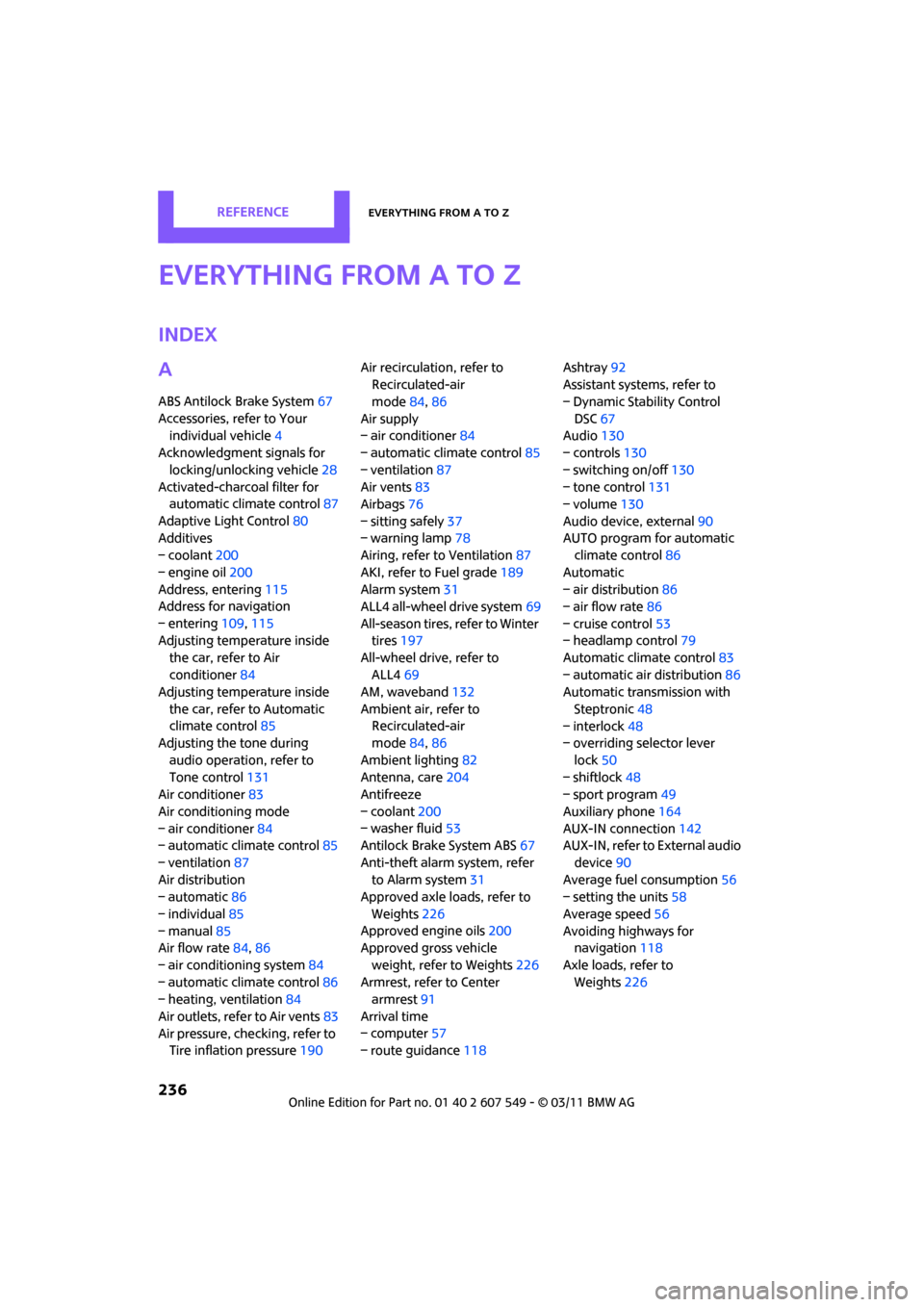
INDEX
A
ABS Antilock Brake System67
Accessories, refer to Your individual vehicle 4
Acknowledgment signals for
locking/unlocking vehicle 28
Activated-charcoa l filter for
automatic climate control 87
Adaptive Light Control 80
Additives
– coolant 200
– engine oil 200
Address, entering 115
Address for navigation
– entering 109,115
Adjusting temperature inside the car, refer to Air
conditioner 84
Adjusting temperature inside
the car, refer to Automatic
climate control 85
Adjusting the tone during
audio operation, refer to
Tone control 131
Air conditioner 83
Air conditioning mode
– air conditioner 84
– automatic cl imate control85
– ventilation 87
Air distribution
– automatic 86
– individual 85
– manual 85
Air flow rate 84,86
– air conditioning system 84
– automatic cl imate control86
– heating, ventilation 84
Air outlets, refer to Air vents 83
Air pressure, checking, refer to Tire inflation pressure 190Air recirculation, refer to
Recirculated-air
mode 84,86
Air supply
– air conditioner 84
– automatic climate control 85
– ventilation 87
Air vents 83
Airbags 76
– sitting safely 37
– warning lamp 78
Airing, refer to Ventilation87
AKI, refer to Fuel grade 189
Alarm system 31
ALL4 all-wheel drive system 69
All-season tires, refer to Winter tires 197
All-wheel drive, refer to
ALL4 69
AM, wa
veband 132
Ambient air, refer to Recirculated-air
mode 84,86
Ambient lighting 82
Antenna, care 204
Antifreeze
– coolant 200
– washer fluid 53
Antilock Brake System ABS 67
Anti-theft alarm system, refer to Alarm system 31
Approved axle loads, refer to
Weights 226
Approved engine oils 200
Approved gross vehicle
weight, refer to Weights 226
Armrest, refer to Center armrest 91
Arrival time
– computer 57
– route guidance 118Ashtray
92
Assistant systems, refer to
– Dynamic Stability Control
DSC 67
Audio 130
– controls 130
– switching on/off 130
– tone control 131
– volume 130
Audio device, external 90
AUTO program for automatic climate control 86
Automatic
– air distribution 86
– air flow rate 86
– cruise control 53
– headlamp control 79
Automatic climate control 83
– automatic air distribution 86
Automatic transmission with
Steptronic 48
– interlock 48
– overriding selector lever
lock 50
– shiftlock 48
– sport program 49
Auxiliary phone 164
AUX-IN connection 142
AUX-IN, refer to External audio
device 90
Average fuel consumption 56
– setting the units 58
Average speed 56
Avoiding highways for navigation 118
Axle loads, refer to Weights 22
6
Page 241 of 254
Everything from A to ZREFERENCE
239
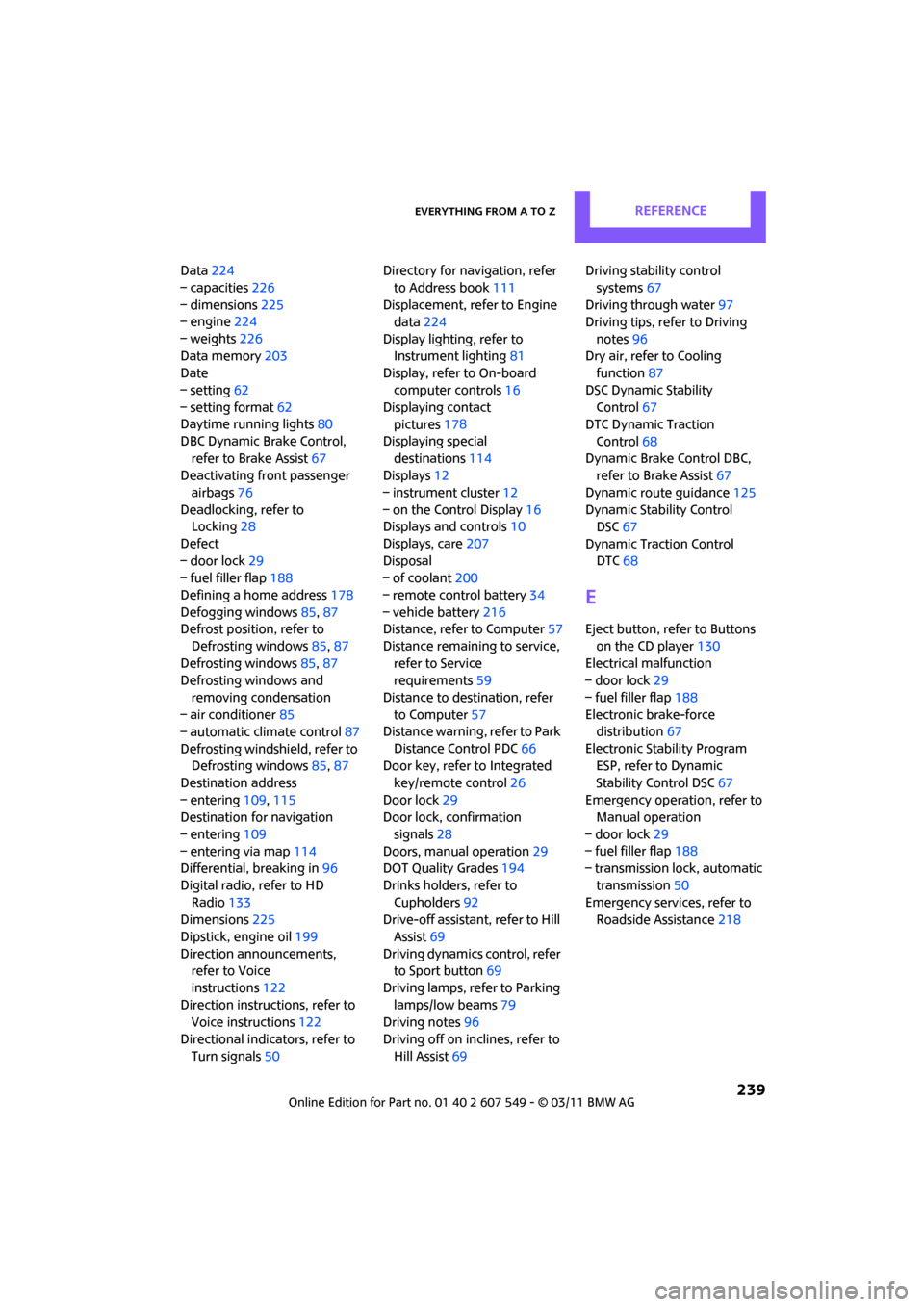
Data224
– capacities 226
– dimensions 225
– engine 224
– weights 226
Data memory 203
Date
– setting 62
– setting format 62
Daytime running lights 80
DBC Dynamic Brake Control, refer to Brake Assist 67
Deactivating front passenger
airbags 76
Deadlocking, refer to Locking 28
Defect
– door lock 29
– fuel filler flap 188
Defining a home address 178
Defogging windows 85,87
Defrost position, refer to
Defrosting windows 85,87
Defrosting windows 85,87
Defrosting windows and
removing condensation
– air conditioner 85
– automatic climate control 87
Defrosting windshield, refer to Defrosting windows 85,87
Destination address
– entering 109,115
Destination for navigation
– entering 109
– entering via map 114
Differential, breaking in 96
Digital radio, refer to HD Radio 133
Dimensions 225
Dipstick, engine oil 199
Direction announcements, refer to Voice
instructions 122
Direction instructions, refer to Voice instructions 122
Directional indicators, refer to Turn signals 50 Directory for navigation, refer
to Address book 111
Displacement, re fer to Engine
data 224
Display lighting, refer to Instrument lighting 81
Display, refer to On-board
computer controls 16
Displaying contact
pictures 17
8
Displaying special destinations 114
Displays 12
– instrument cluster 12
– on the Control Display 16
Displays and controls 10
Displays, care 207
Disposal
– of coolant 200
– remote control battery 34
– vehicle battery 216
Distance, refe r to Computer 57
Distance remaining to service, refer to Service
requirements 59
Distance to dest ination, refer
to Computer 57
Distance warning, refer to Park
Distance Control PDC 66
Door key, refer to Integrated
key/remote control 26
Door lock 29
Door lock, confirmation
signals 28
Doors, manual operation 29
DOT Quality Grades 194
Drinks holders, refer to Cupholders 92
Drive-off assistant, refer to Hill
Assist 69
Driving dynamics control, refer to Sport button 69
Driving lamps, refer to Parking lamps/low beams 79
Driving notes 96
Driving off on inclines, refer to Hill Assist 69 Driving stability control
systems 67
Driving through water 97
Driving tips, refer to Driving
notes 96
Dry air, refer to Cooling function 87
DSC Dynamic Stability Control 67
DTC Dynamic Traction
Control 68
Dynamic Brake Control DBC, refer to Brake Assist 67
Dynamic route guidance 125
Dynamic Stability Control DSC 67
Dynamic Traction Control DTC 68
E
Eject button, refer to Buttons
on the CD player 130
Electrical malfunction
– door lock 29
– fuel filler flap 188
Electronic brake-force distribution 67
Electronic Stability Program ESP, refer to Dynamic
Stability Control DSC 67
Emergency operation, refer to Manual operation
– door lock 29
– fuel filler flap 188
– transmission lock, automatic
transmission 50
Emergency services, refer to Roadside Assistance 218
Page 242 of 254
REFERENCEEverything from A to Z
240
Engine
– breaking in96
– data 224
– overheated, refer to Coolant
temperature 201
– speed 224
– starting 46
– starting, Comfort Access 32
– switching off 47
Engine compartment 199
Engine coolant, refer to Coolant 200
Engine malfunction
– indicator lamp 13
Engine oil
– adding 200
– additives, refer to Approved engine oils 200
– alternative oil types 200
– approved engine oils 200
– capacity 200
– checking level 199
– dipstick 199
– intervals between changes, refer to Service
requirements 59
– MINI Maintenance System 202
Engine oil level, checking 199
Engine output, refer to Engine
data 224
Engine starti ng, refer to
Starting the engine 46
Entering destination 109
Entering intersection 110
Entertainment sound output
on/off 130
Entry map for destination 114
ESP Electronic Stability
Program, refer to Dynamic
Stability Control DSC 67
Exhaust system, refer to Hot
exhaust system 96 Exterior mirrors
41
– adjusting 41
– automatic dimming feature 42
– automatic heating 41
– folding in and out 41
External audio device 90
External audio de vice, refer to
AUX-IN connection 142
External devices
– random play sequence 145
– software update 149
External temperature display
– change units of measure 58
– in the on-board computer 58
External temperature
warning 56
Eyes
– f
or tow-starting and towing
away 220
– for tying down loads 102
F
Failure messages, refer to
Check Control 62
Failure of an electrical consumer 216
Fast forward
– CD player 141
Fastening safety belts, refer to Safety belts 40
Fastest route for
navigation 118
Fault messages, refer to Check Control 62
Faulty
– tire 71
Filter
– microfilter for air conditioner 85
– microfilter/activated-
charcoal filter for automatic
climate control 87
Fine wood, care 207
First aid pouch 218 Fixture for remote control,
refer to Ignition lock 46
Flash when locking/ unlocking 28
Flat load floor 100
Flat tire
– run-flat tires 196
– Tire Pressure Monitor TPM 72
Flat Tire Monitor FTM 69
– indicating a flat tire 71
– initializing the system 70
– snow chains 70
– system limits 70
Flat tires, refer to Tire condition 195
Floor mats, care 206
Floor plate, refer to Flat load floor 100
FM, waveband 132
Fog lamps
– replacing bulb 210
Folding rear seat backrest 98
Footbrake, refer to Braking safely 97
Footwell lamps 82
For your own safety 5
Four-wheel drive, refer to ALL4 69
Front airbags 76
Front fog lamps 81
– replacing bulb 210
Front seat adjustment 38
Frost on windows, refer to
Defrosting windows 85,87
FTM, refer to Flat Tire Monitor 69
Fuel 189
– gauge 55
– high-quality brands 189
–
quality 189
– specifications 189
– tank capacity 226
Fuel clock, refer to Fuel gauge 55
Fuel consumption display
– average fuel consumption 56