roof MINI Countryman 2011 (Mini Connected) User Guide
[x] Cancel search | Manufacturer: MINI, Model Year: 2011, Model line: Countryman, Model: MINI Countryman 2011Pages: 254, PDF Size: 3.84 MB
Page 105 of 254

Things to remember when drivingDRIVING TIPS
103
Roof-mounted luggage
rack*
A special rack system is available as an option for
your MINI. Your MINI dealer will be glad to
advise you. Comply with the installation instruc-
tions supplied with the rack system.
Loading roof-mounted luggage rack
Because roof racks raise the vehicle's center of
gravity when loaded, they have a major effect
on vehicle handling and steering response.
You should therefore always remember not to
exceed the approved roof load capacity, the
approved gross vehicle weight or the axle loads
when loading the rack.
You can find the applicable data under Weights
on page 226.
The roof load must be distributed uniformly and
should not be too large in area. Heavy items
should always be placed at the bottom.
When loading, make sure that there is sufficient
space for the movement of the glass sunroof.
Fasten roof-mounted cargo correctly and
securely to prevent it from shifting or falling off
during the trip.
Drive smoothly. Avoid su dden acceleration and
braking maneuvers, and take corners gently.
Rear luggage rack
A special rear-mounted luggage rack is available
as an optional accessory . It does not require a
trailer hitch.
Please comply with the precautions included
with the installation instructions.
Mounting points
The mounting points ar e located under the cov-
ers in the bumper.
Remove the covers , refer to page220.
Loading rear luggage rack
When loading, make su re that you do not
exceed the approved gross vehicle weight and
axle loads.
You can find the applicable data under Weights
on page 226.
Saving fuel
Fuel consumption depends on a number of dif-
ferent factors. The implementation of certain
measures, your driving style and regular mainte-
nance can have an influence on fuel consump-
tion and on the environmental impact.
Remove unnecessary cargo
Additional weight increases fuel consumption.
Remove attached part s no longer in use
Remove auxiliary mirrors, roof- or rear-mounted
luggage racks whenever you are not using
them.
Attached parts on the ve hicle affect its aerody-
namics and increase fuel consumption.
Check tire inflation pressure regularly
Check and, if necessary, correct tire inflation
pressure at least twice a month and before start-
ing on a long trip.
Page 176 of 254
CommunicationsMobile phone preparation Bluetooth
174
Adjusting volume
Turn knob during announcement.
>The volume remains the same, even if the
volume of other audi o sources is changed.
> The volume is stored for the remote control
currently in use.
Notes
Do not use the voice activation system to initiate
an emergency call. In st ressful situations, the
voice and vocal pitch can change. This can
unnecessarily delay the establishment of a tele-
phone connection.
Ambient conditions
> Say the commands, numbers and letters
smoothly and with normal volume, empha-
sis and speed.
> Always say commands in the language of
the voice activation system. The language
for voice operation is preset and can not be
changed over the Control Display.
> Keep doors, windows, glass sunroof
*/pan-
oramic sunroof
*, or convertible top* closed
to avoid noise interference.
> Avoid ambient noise in the vehicle while
speaking.
Snap-in adapter*
Installation location
In the center armrest.
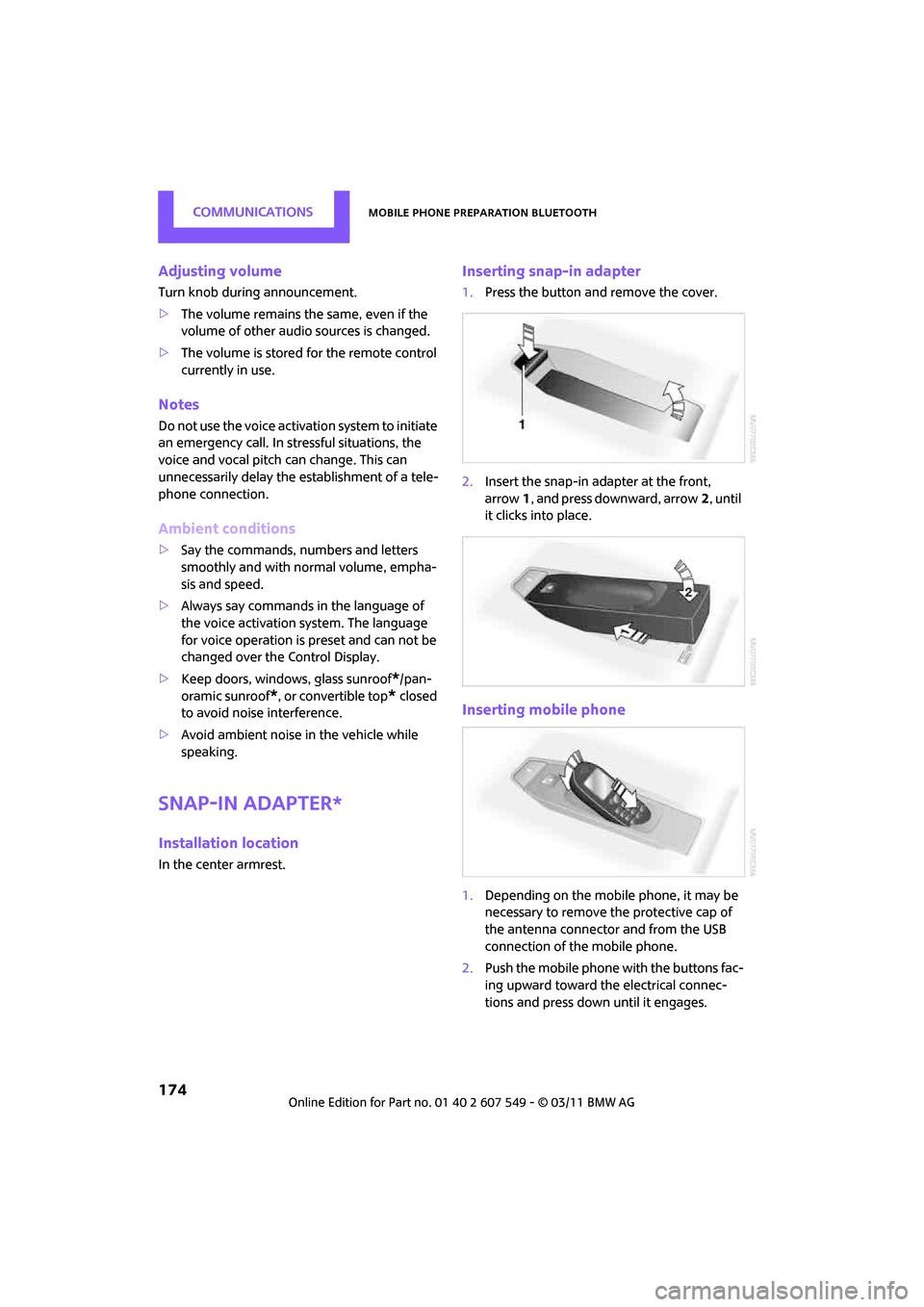
Inserting snap-in adapter
1.Press the button and remove the cover.
2. Insert the snap-in ad apter at the front,
arrow 1, and press downward, arrow 2, until
it clicks into place.
Inserting mobile phone
1. Depending on the mobile phone, it may be
necessary to remove the protective cap of
the antenna connector and from the USB
connection of the mobile phone.
2. Push the mobile phone with the buttons fac-
ing upward toward the electrical connec-
tions and press down until it engages.
Page 218 of 254
MOBILITYReplacing components
216
Tightening the lug bolts
Tighten the lug bolts in a diagonal pattern.
Immediately have the wheels checked
with a calibrated torque wrench to ensure
that the lug bolts are firmly seated. Otherwise,
incorrectly tightened lu g bolts can present a
safety hazard. <
Tightening torque: 103.3 lb ft or 140 Nm.
Replace the defective tire as soon as possible
and have the new wheel/tire assembly bal-
anced.
Vehicle battery
Maintenance
The battery is 100 % maintenance-free, the
electrolyte will last for the life of the battery
when the vehicle is operated in a temperate cli-
mate.
Battery replacement
Only use vehicle batteries that have been
approved for your vehicle by the manu-
facturer; otherwise, the vehicle could be dam-
aged and systems or func tions may not be fully
available. <
After a battery replacement, have the battery
registered on the vehicle by your dealer to
ensure that all comfort functions are fully avail-
able.
Charging the battery
Only charge the battery in the vehicle when the
engine is off. Connectio ns, refer to Jump-start-
ing on page 218.
Disposal
After replacing old ba tteries, return the
used batteries to your MINI dealer or to a
recycling center. Maintain the battery in an
upright position for transport and storage.
Always secure the battery against tipping over
during transport. <
Power failure
After a temporary power loss, some equipment
may not be fully functional and may require ini-
tialization. Individual se ttings are also lost and
must be reprogrammed:
> Time and date
These values must be updated, page 61.
> Radio
In some cases, stations may have to be
stored again, page 132.
> Navigation system
Operability must be waited for, page108.
> Glass sunroof
*, electric
It may only be possible to tilt the sunroof, if
applicable. The system must be initialized.
Contact your near est MINI dealer.
Fuses
Do not attempt to repair a blown fuse or
replace it with a fuse of a different color or
Ampere rating. To do this could cause a fire in
the vehicle resulting from a circuit overload.
Have the fuse changed only by a MINI dealer or
a workshop that has specially trained personnel
working in accordance with the specifications of
the MINI manufacturer. <
A fuse allocation diagram is located on the inside
of the fuse box cover panels.
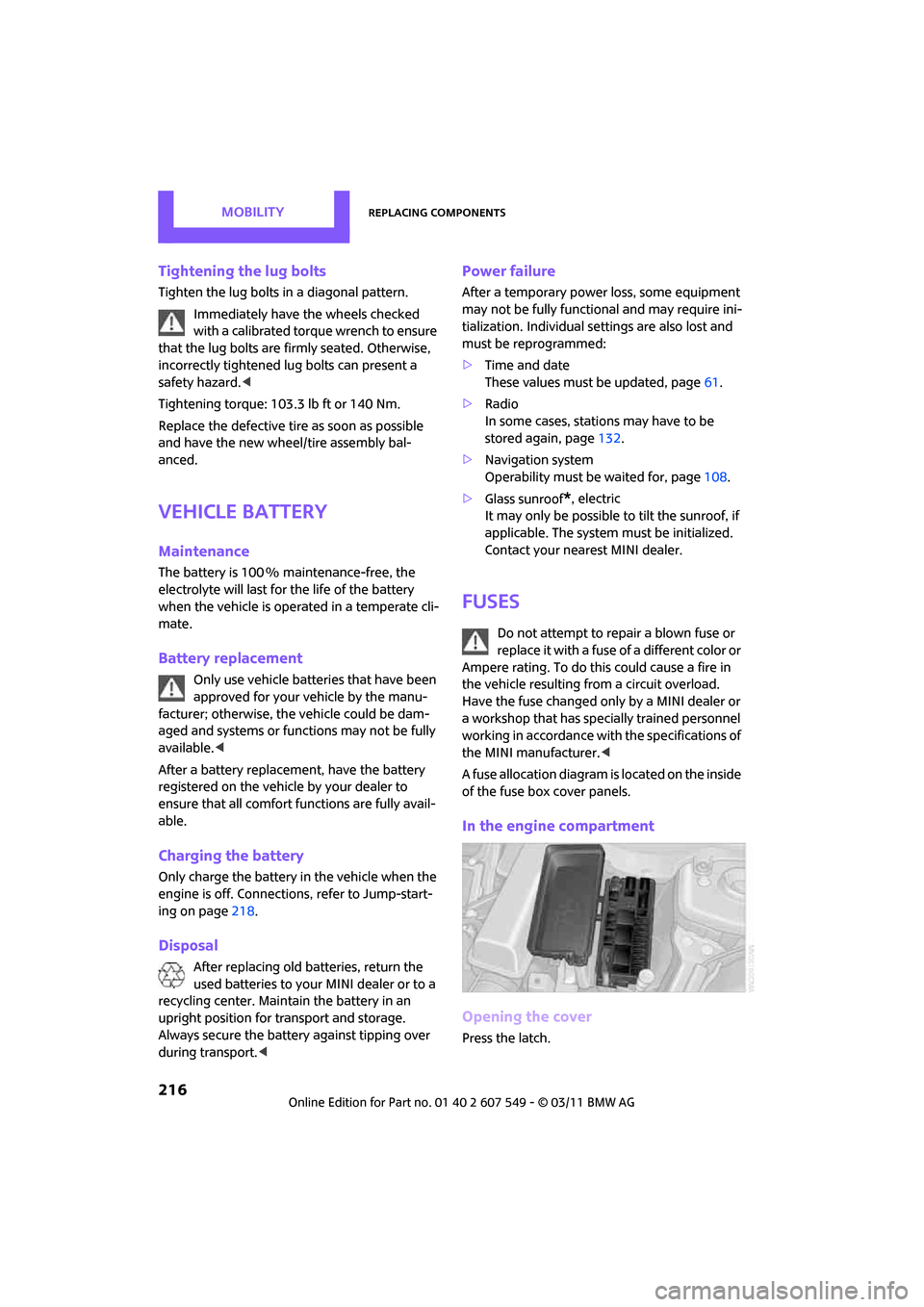
In the engine compartment
Opening the cover
Press the latch.
Page 228 of 254

REFERENCETechnical data
226
Weights
Never exceed either the approved axle loads or
the gross vehicle weight.
Capacities
CooperCooper SCooper S ALL4
Curb weight, ready for travel, with all optional extras
> Manual transmission lbs./kg 2,9 54/1,340 3,053/1,385 3,208/1,455
> Automatic transmis-
sion lbs./kg3,020/1,370 3,097/1,405 3,252/1,475
Approved gross weight
> Manual transmission lbs./kg 3,8 58/1,750 3,990/1,810 4,101/1,860
> Automatic transmis-
sion lbs./kg
3,924/1,780 4,034/1,830 4,145/1,880
Approved front axle load
> Manual transmission lbs./k g 2,028/920 2,105/955 2,161/980
> Automatic transmis-
sion lbs./kg2,094/950 2,150/975 2,205/1,000
Approved rear axle load lb s./kg 1,918/870 1,918/870 2,017/915
Approved roof load capac-
ity lbs./kg
165/75
165/75 165/75
Cargo area capacity cu ft/
liters 12.4 - 41.3/
350 - 1,170 12.4 - 41.3/
350 - 1,170 12.4 - 41.3/
350 - 1,170
US gal/US quartsLitersNotes
Fuel tank 12.4/– approx. 47 Fuel grade: page 189
Including reserve of 2.1/– approx. 8
Window washer system incl.
headlamp washer system –/4.2 approx. 4 For more details: page 53
Page 243 of 254
Everything from A to ZREFERENCE
241
Fuel display, refer to Fuel gauge 55
Fuel filler flap 188
– releasing in the event of
electrical malfunction 188
Fuses 216
G
Garage door op ener, refer to
Integrated universal remote
control 88
Gasoline
– refer to Average fuel consumption 56
Gasoline display, refer to Fuel
gauge 55
Gasoline, refer to Required
fuel 189
Gear indicator
– automatic transmission with Steptronic 48
Gear shifting
– automatic transmission 48
– manual transmission 48
Gearshift lever
– automatic transmission with Steptronic 48
– manual transmission 48
General driving notes 96
Glass roof, electric 34
– convenient operation 28,29
– opening, closing 35
– remote control 28
– tilting 34
Glove compartment 90
GPS navigation, refer to Navigation system 108
Grills, refer to Air vents 83
Gross vehicle weight, refer to Weights 226
H
Halogen lamps
– replacing bulb 209
Handbrake, refer to Parking brake 47
Hands-free device
Bluetooth 154
Hands-free system 14,160 ,172
Hazard warning flashers 14
HD Radio 133
Head airbags 76
Head Light, refer to Adaptive Light Control 80
Head restraints 39
– sitting safely 37
Headlamp control, automatic 79
Headlamp flasher 50
– indicator lamp 11,13
Headlamp glass lens 209
Headlamps
– replacing bulb 209
Headlamps, care 205
Heated
– mirrors 41
– rear window 84,86
– seats 40
Heating 83
– mirrors 41
– rear window 84,86
– seats 40
Heavy loads, refer to Stowing cargo 102
Height adjustment
– seats 38
– steering wheel 42
Height, refer to
Dimensions 225
High beams 81
– headlamp flasher 81
– indicator lamp 13
– replacing bulb 209
High water, refer to Driving
through water 97 Highway, refer to Route
criteria 118
Hill Assist 69
Hills 97
Holders for cups 92
Homepage 4
Hood 198
Horn 10
Hot exhaust system 96
Hy
droplaning 97
I
IBOC, refer to HD Radio 133
Ice warning, refer to External temperature warning 56
Ignition 46
– switched off 46
– switched on 46
Ignition key position 1, refer to Radio readiness 46
Ignition key position 2, refer to
Ignition on 46
Ignition key, refer to Integrated key/remote
control 26
Ignition lock 46
Imprint 2
Incoming call 157,168
Indicator and warning
lamps 13
– Tire Pressure Monitor TPM 73
Indicator lighting, refer to
Instrument lighting 81
Individual air distribution 85
Individual settings, refer to
Personal Profile 26
Inflation pressure monitoring, refer to Tire Pressure Monitor
TPM 72
Information
– on another location 112
– on current position 112
– on destination location 112
Page 244 of 254

REFERENCEEverything from A to Z
242
Initializing
– Flat Tire Monitor FTM70
– glass roof, electric 35
– radio, refer to Station,
storing 133
Instructions for navigation system, refer to Voice
instructions 122
Instrument clus ter, refer to
Displays 12
Instrument lighting 81
Instrument panel, refer to Cockpit 10
Instrument panel, refer to Displays 12
Integrated key 26
Integrated universal remote control 88
Interactive map 114
Interesting destination for navigation 112
Interior lamps 82
– remote control 28
Interior rearview mirror 41
– automatic dimming
feature 42
Interlock 48
Intermittent mode of the
wipers 51
Internet page 4
J
Jacking points 215
Jets, refer to Window washer nozzles 52
Joystick, refer to On-board computer 16
Jumpering, refer to
Jump-starting 218
Jump-starting 218
K
Key Memory, refe r to Personal
Profile 26
Key, refer to Keys/remote controls 26
Keyless opening and closing,
refer to Comfort Access 32
Keyless-Go, refer to Comfort Access 32
Keypad dialing 159,170
Kickdown 49
– automatic transmission with
Steptronic 49
Knock control 189
L
Lamps and bulbs, replacing
bulbs 208
Lamps, refer to Parking lamps/ Low beams 79
Lashing eyes, refe r to Securing
cargo 102
Last destinations 112
LATCH child restraint fixing system 44
Leather care 206
LEDs light-emitting diodes 208
Length, refer to
Dimensions 225
License plate lamp
– bulb replacement 212
Liftgate 30
– Comfort Access 33
– opening from outside 30
– opening/closing 30
– unlocking with remote control 28
Light
– automatic headlamp control 79
Light alloy wheels, care 206
Light switch 79 Light-emitting diodes
LEDs 208
Lighter 92
– socket 92
Lighting
– lamps and bulbs 208
– of the instruments 81
– of vehicle, refer to Lamps 79
Limit, refer to Speed limit 64
Load 101
Load securing equipment, refer to Secu ring cargo102
Lock buttons of doors, refer to
Locking 30
Locking
– adjusting confirmation
signal 28
– from inside 30
– from outside 28
– without remote control, refer to Comfort Access 32
Locking and unlocking doors
– confirmation signals 28
– from inside 30
– from outside 27
Longlife oils
– approved motor oils 200
Low beams 79
– automatic 79
– replacing bulb 209
Lower back support, refer to Lumbar support 38
Luggage compartment
– doors, refer to Liftgate 30
Luggage compartment partition net, refer to Cargo
net 100
L
uggage rack, refer to Roof-mounted luggage
rack 103
Lumbar support 38
Page 247 of 254
Everything from A to ZREFERENCE
245
Recirculation of air, refer to Recirculated-air
mode 84,86
Reclining seat, refer to
Backrest 38
Refueling 188
Releasing
– hood 198
Reminders 181
Remote control 26
– battery renewal 34
– Comfort Access 32
– garage door opener 88
– liftgate 28
– malfunctions 28,34
– service data 202
Replacement remote control 26
Replacing bulbs, refer to
Lamps and bulbs 208
Replacing tires, refer to New
wheels and tires 196
Reporting safety defects 6
Reserve warning, refer to Fuel gauge 55
Reservoir for washer systems 53
Reset, refer to Resetting tone
settings 131
Restraint systems
– for children 43
– refer to Safety belts 40
Reverse
– CD player 141
Reverse gear
– automatic transmission with
Steptronic 49
– manual transmission 48
Road map 120
Roadside Assistance 218
Roadside parking lamps 81
– replacing bulb 210
Roadworthiness te st, refer to
Service requirements 59
Roof load capacity 226
Roof-mounted luggage rack 103 Rope, refer to Tow-starting,
towing away 221
Route 118,119
– bypassing sections 120
– changing 118,120
– changing criteria 118
– displaying arrow view 119
– displaying map view 120
–
displaying streets or towns/ cities 119
– selecting 118
Route guidance 118
– bypassing a route
section 120
– changing specified route 118
– continuing 118
– distance and arrival 118
– starting 118
– voice instructions 122
– volume of voice instructions 122
Route section, changing 120
Route selection 118
RSC Run-flat System Component, refer to Run-flat
tires 196
Rubber parts, care 205
Run-flat System Component
RSC, refer to Run-flat
tires 196
Run-flat tires 196
– flat tire 71
– Flat Tire Monitor 71
– tire inflation pressure 190
– tire replacement 196
– winter tires 197
S
Safety belt
– number37
Safety Belt Reminder 41
Safety belts 40
– damage 41
– indicator lamp 41
– reminder 41
– sitting safely 37 Safety belts, care
207
Safety systems
– airbags 76
– Antilock Brake System
ABS 67
– driving stability control systems 67
– Dynamic Stability Control DSC 67
– safety belts 40
Safety tires, re fer to Run-flat
tires 196
Satellite radio 134
– channel, activating or deactivating 135
– channel, selecting 135
– channel, storing 136
– favorites 137
– time shift 136
– Traffic Jump 138
Screen, refer to On-board computer controls 16
Screw thread for tow fitting 220
SDARS, refer to Satellite
radio 134
Seat adjustment
– mechanical 38
– rear 39
Seats 38
– adjusting the seats 38
– heating 40
– sitting safely 37
Securing the vehicle
– from inside 30
– from outside 27
Selecting new scale for navigation 121
Selector lever
– automatic transmission with Steptronic 48
Selector lever lock
– automatic transmission with Steptronic, refer to
Shiftlock 48
– overriding manually 50
Page 248 of 254
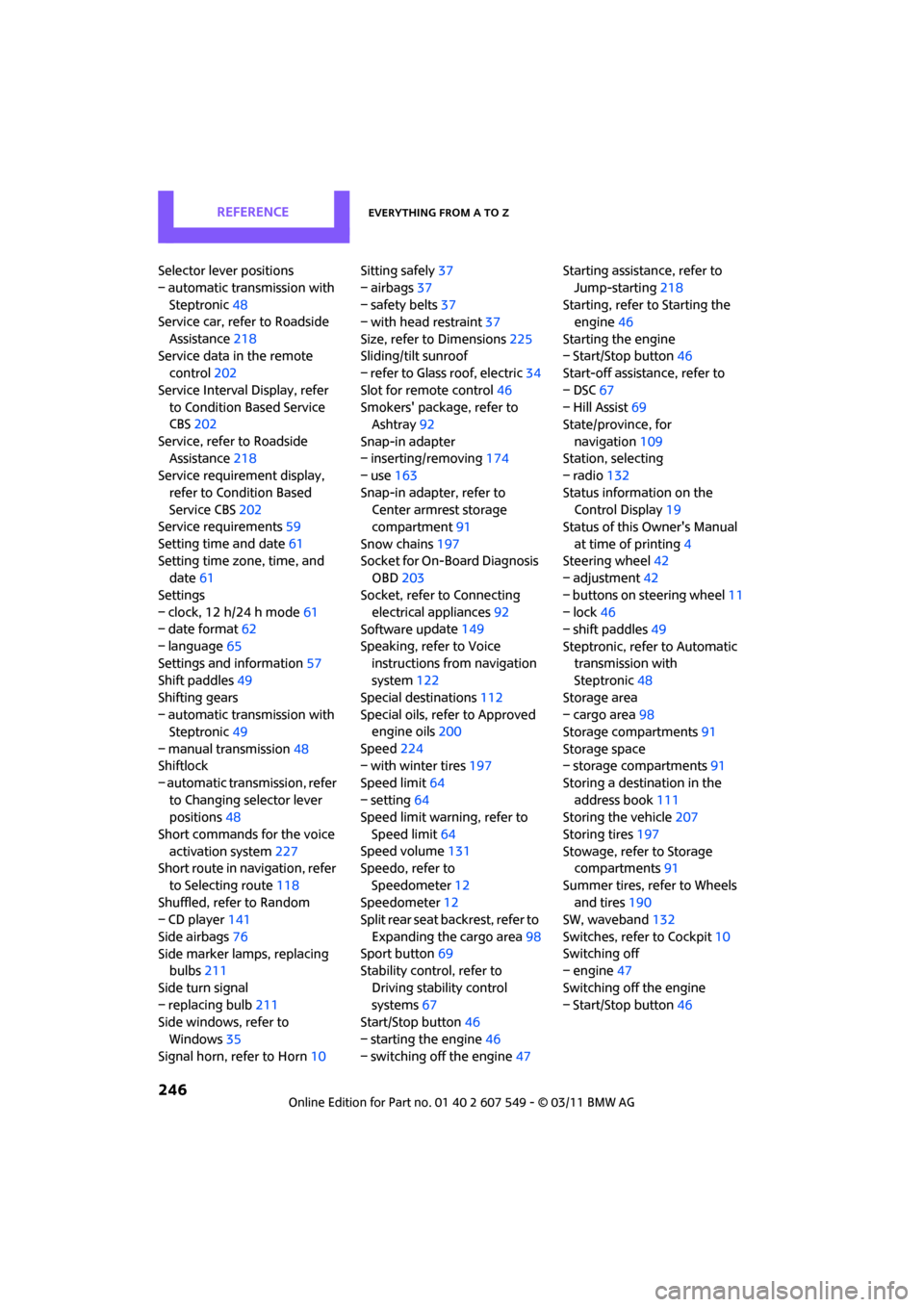
REFERENCEEverything from A to Z
246
Selector lever positions
– automatic transmission with Steptronic 48
Service car, refer to Roadside
Assistance 218
Service data in the remote control 202
Service Interval Display, refer to Condition Based Service
CBS 202
Service, refer to Roadside Assistance 218
Service requirement display,
refer to Condition Based
Service CBS 202
Service requirements 59
Setting time and date 61
Setting time zone, time, and date 61
Settings
– clock, 12 h/24 h mode 61
– date format 62
– language 65
Settings and information 57
Shift paddles 49
Shifting gears
– automatic transmission with Steptronic 49
– manual transmission 48
Shiftlock
– automatic transmission, refer to Changing selector lever
positions 48
Short commands for the voice activation system 227
Short route in navigation, refer
to Selecting route 118
Shuffled, refer to Random
– CD player 141
Side airbags 76
Side marker lamps, replacing bulbs 211
Side turn signal
– replacing bulb 211
Side windows, refer to
Windows 35
Signal horn, refer to Horn 10Sitting safely
37
– airbags 37
– safety belts 37
– with head restraint 37
Size, refer to Dimensions 225
Sliding/tilt sunroof
– refer to Glass roof, electric 34
Slot for remote control 46
Smokers' package, refer to Ashtray 92
Snap-in adapter
– inserting/removing 174
– use 163
Snap-in adapter, refer to Center armrest storage
compartment 91
Snow chains 197
Socket for On-Board Diagnosis OBD 203
Socket, refer to Connecting electrical appliances 92
Software u
pdate 149
Speaking, refer to Voice instructions from navigation
system 122
Special destinations 112
Special oils, refer to Approved engine oils 200
Speed 224
– with winter tires 197
Speed limit 64
– setting 64
Speed limit warning, refer to
Speed limit 64
Speed volume 131
Speedo, refer to
Speedometer 12
Speedometer 12
Split rear seat backrest, refer to
Expanding the cargo area 98
Sport button 69
Stability contro l, refer to
Driving stability control
systems 67
Start/Stop button 46
– starting the engine 46
– switching off the engine 47Starting assistance, refer to
Jump-starting 218
Starting, refer to Starting the engine 46
Starting the engine
– Start/Stop button 46
Start-off assistance, refer to
– DSC 67
– Hill Assist 69
State/province, for
navigation 109
Station, selecting
– radio 132
Status information on the Control Display 19
Status of this Owner's Manual
at time of printing 4
Steering wheel 42
– adjustment 42
– buttons on steering wheel 11
– lock 46
– shift paddles 49
Steptronic, refer to Automatic transmission with
Steptronic 48
Storage area
– cargo area 98
Storage compartments 91
Storage space
– storage compartments 91
Storing a destination in the address book 111
Storing the vehicle 207
Storing tires 197
Stowage, refer to Storage compartments 91
Summer tires, refer to Wheels an
d tires 190
SW, waveband 132
Switches, refer to Cockpit 10
Switching off
– engine 47
Switching off the engine
– Start/Stop button 46