cruise control MINI Countryman 2011 Owner's Manual (Mini Connected)
[x] Cancel search | Manufacturer: MINI, Model Year: 2011, Model line: Countryman, Model: MINI Countryman 2011Pages: 254, PDF Size: 3.84 MB
Page 13 of 254
CockpitAT A GLANCE
11
6Ignition lock 46
7 Buttons
* on steering wheel
8 Horn: the entire surface
9 Adjusting the steering wheel 42
10 Releasing the hood 198
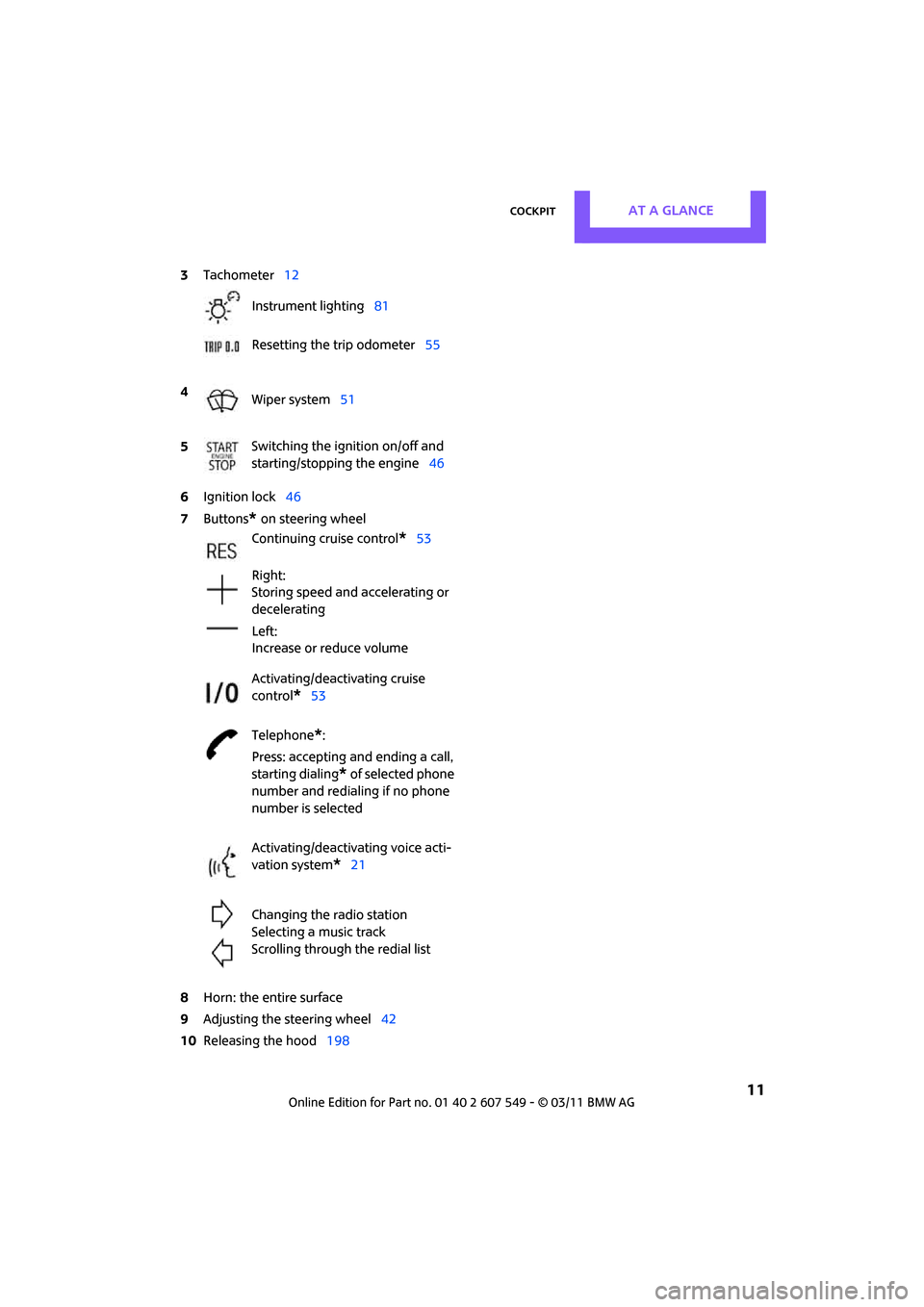
3
Tachometer 12
Instrument lighting 81
Resetting the trip odometer 55
4 Wiper system 51
5 Switching the ignition on/off and
starting/stopping the engine
46
Continuing cruise control
*53
Right:
Storing speed and accelerating or
decelerating
Left:
Increase or reduce volume
Activating/deactivating cruise
control
*53
Telephone
*:
Press: accepting an d ending a call,
starting dialing
* of selected phone
number and redialing if no phone
number is selected
Activating/deactivating voice acti-
vation system
*21
Changing the radio station
Selecting a music track
Scrolling through the redial list
Page 15 of 254
CockpitAT A GLANCE
13
Indicator and warning
lamps
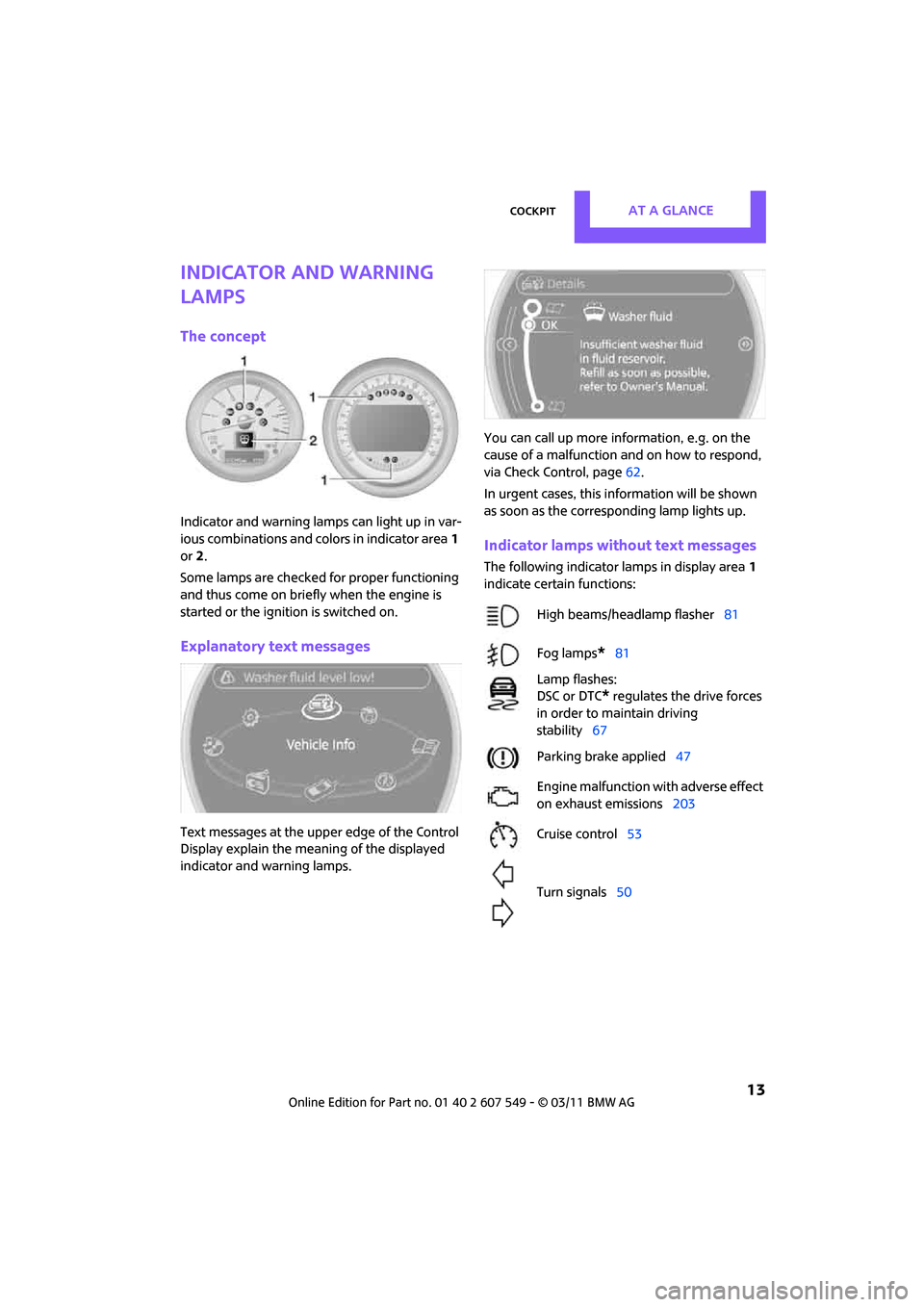
The concept
Indicator and warning lamps can light up in var-
ious combinations and colors in indicator area1
or 2.
Some lamps are checked for proper functioning
and thus come on briefly when the engine is
started or the ignition is switched on.
Explanatory text messages
Text messages at the uppe r edge of the Control
Display explain the mean ing of the displayed
indicator and warning lamps. You can call up more information, e.g. on the
cause of a malfunction and on how to respond,
via Check Control, page
62.
In urgent cases, this information will be shown
as soon as the corresponding lamp lights up.
Indicator lamps without text messages
The following indicator lamps in display area 1
indicate certain functions:
High beams/headlamp flasher 81
Fog lamps
*81
Lamp flashes:
DSC or DTC
* regulates the drive forces
in order to maintain driving
stability 67
Parking brake applied 47
Engine malfunction with adverse effect
on exhaust emissions 203
Cruise control 53
Turn signals 50
Page 55 of 254

DrivingCONTROLS
53
Do not use the washers when the washer
fluid reservoir is empty; otherwise, you will
damage the washer pump. <
Washer fluid
Washer fluid is flammable. Keep it away
from ignition sources, only store it in the
closed, original container, and keep out of reach
of children; otherwise, there is a danger of
injury. Comply with the instructions on the con-
tainer. <
Washer fluid reservoir
Only refill washer flui d that contains anti-
freeze when the engine is cool, to avoid
contact with hot engine parts. Otherwise, fluid
spills constitute a fire hazard and a risk to per-
sonal safety. <
Fill with water and, if required, with a washer
antifreeze, according to manufacturer's recom-
mendations. Mix the water and antifreeze before filling
the washer fluid reservoir to make sure
the correct concentration is maintained. <
Capacity
Approx. 4.2 US quarts/4 liters.
Cruise control*
The concept
Cruise control is available at vehicle speeds of at
least approx. 20 mph or 30 km/h. The car then
stores and maintains the speed that you specify
using the button on the steering wheel.
Do not use cruise control when driving at
constant speed is prevented by adverse
conditions, e.g. winding roads, dense traffic or
poor road conditions due to, e.g., snow, rain, ice
or loose surfaces. Otherwise, you could lose con-
trol of the vehicle and cause an accident as a
result. <
Activating
1Resuming cruise control
2 Activating/deactivating cruise control
3 Maintaining, storing and increasing speed
4 Maintaining, storing and decreasing speed
Indicator lamp in the sp eedometer lights up. The
cruise control system is ready and can be acti-
vated.
Activating/deactivating cruise control
Press button 2.
The system is automatically deactivated if:
> braking takes place
> the clutch is engaged
> the transmission is set on N
> the stability control system is on
Cruise control is not de activated by depressing
the accelerator pedal. Once the accelerator
Page 238 of 254
236
REFERENCEEverything from A to Z
Everything from A to Z
INDEX
A
ABS Antilock Brake System67
Accessories, refer to Your individual vehicle 4
Acknowledgment signals for
locking/unlocking vehicle 28
Activated-charcoa l filter for
automatic climate control 87
Adaptive Light Control 80
Additives
– coolant 200
– engine oil 200
Address, entering 115
Address for navigation
– entering 109,115
Adjusting temperature inside the car, refer to Air
conditioner 84
Adjusting temperature inside
the car, refer to Automatic
climate control 85
Adjusting the tone during
audio operation, refer to
Tone control 131
Air conditioner 83
Air conditioning mode
– air conditioner 84
– automatic cl imate control85
– ventilation 87
Air distribution
– automatic 86
– individual 85
– manual 85
Air flow rate 84,86
– air conditioning system 84
– automatic cl imate control86
– heating, ventilation 84
Air outlets, refer to Air vents 83
Air pressure, checking, refer to Tire inflation pressure 190Air recirculation, refer to
Recirculated-air
mode 84,86
Air supply
– air conditioner 84
– automatic climate control 85
– ventilation 87
Air vents 83
Airbags 76
– sitting safely 37
– warning lamp 78
Airing, refer to Ventilation87
AKI, refer to Fuel grade 189
Alarm system 31
ALL4 all-wheel drive system 69
All-season tires, refer to Winter tires 197
All-wheel drive, refer to
ALL4 69
AM, wa
veband 132
Ambient air, refer to Recirculated-air
mode 84,86
Ambient lighting 82
Antenna, care 204
Antifreeze
– coolant 200
– washer fluid 53
Antilock Brake System ABS 67
Anti-theft alarm system, refer to Alarm system 31
Approved axle loads, refer to
Weights 226
Approved engine oils 200
Approved gross vehicle
weight, refer to Weights 226
Armrest, refer to Center armrest 91
Arrival time
– computer 57
– route guidance 118Ashtray
92
Assistant systems, refer to
– Dynamic Stability Control
DSC 67
Audio 130
– controls 130
– switching on/off 130
– tone control 131
– volume 130
Audio device, external 90
AUTO program for automatic climate control 86
Automatic
– air distribution 86
– air flow rate 86
– cruise control 53
– headlamp control 79
Automatic climate control 83
– automatic air distribution 86
Automatic transmission with
Steptronic 48
– interlock 48
– overriding selector lever
lock 50
– shiftlock 48
– sport program 49
Auxiliary phone 164
AUX-IN connection 142
AUX-IN, refer to External audio
device 90
Average fuel consumption 56
– setting the units 58
Average speed 56
Avoiding highways for navigation 118
Axle loads, refer to Weights 22
6
Page 240 of 254
REFERENCEEverything from A to Z
238
Cargo loading101
– securing cargo 102
– stowing cargo 102
– vehicle 98
Cargo net 100
Cargo, securing 102
Carpets, care 206
Catalytic conver ter, refer to
Hot exhaust system 96
CD, audio playback 140
CD player 140
– controls 130
– fast forward/reverse 141
– random order 141
– selecting a track 140
– switching on/off 130
– tone control 131
– volume 130
Center armrest 91
Center brake lamp 212
Center console, refer to Around the center
console 14
Center Rail 91
Center Rail, refer to Storage
compartments 91
Central locking system 27
– Comfort Access 32
– from inside 30
– from outside 27
– setting unlocking behavior 27
Changing bulbs 208
Changing the language on the Control Display 65
Changing the measurement
units on the Control
Display 58
Changing wheels 214
Chassis number, refer to Engine compartment 199
Check Control 62
Child restraint fixing system LATCH 44
Child restraint systems 43
Child seats 43
Child-safety locks 45Chrome parts, care
206
Chrome parts, refer to Care 204
Cigarette lighter 92
Cleaning headlamps 52
– washer fluid 53
Clock
– 12 h/24 h mode 61
– setting time 61
Closing
– f
rom inside 30
– from outside 27
Clothes hooks 92
Cockpit 10
Cold start, refer to Starting the engine 46
Comfort Access 32
– replacing the battery 34
– what to observe before
entering a car wash 34
Comfort area, refer to Around the center console 14
Compartment for remote control, refer to Ignition
lock 46
Computer 56
– displays on Control Display 57
Condensation, refer to When the vehicle is parked 98
Condition Based Service CBS 202
Configuring settings, refer to
Personal Profile 26
Connecting vacuum cleaner, refer to Connecting electrical
appliances 92
Consumption, refer to Average fuel consumption 56
Contacts 161,176
– deleting 162,179
– displaying 162
– editing 162
– exporting/importing 179
– new contact 178
Control Display
– adjusting brightness 65Control Display, refer to iDrive
– switching on/off
19
Control Display, refer to On- board computer
– adjusting brightness 65
Control Display, refer to On-board computer 16
Control stick, refer to On-board computer 16
Control unit, refer to On-board
computer 16
Controls and displays 10
Convenient access, refer to
Comfort Access 32
Convenient operation
– windows 28
Convenient star t, refer to
Starting the engine 46
Coolant 200
– checking level 201
– filling 201
– temperature 201
Coolant temperature 201
Coo
ling fluid, refer to
Coolant 200
Cooling, maximum 86
Copyright 2
Cornering light, refer to
Adaptive Light Control 80
Criteria for route 118
Cruise control
– indicator lamp 13
Cruising range 56
Cupholders 92
Curb weight, refer to Weights 226
Current fuel consumption 56
Current playback
– external devices 145
D
Dashboard instruments, refer
to Displays 12
Dashboard lighting, refer to
Instrument lighting 81
Dashboard, refer to Cockpit 10
Page 249 of 254
Everything from A to ZREFERENCE
247
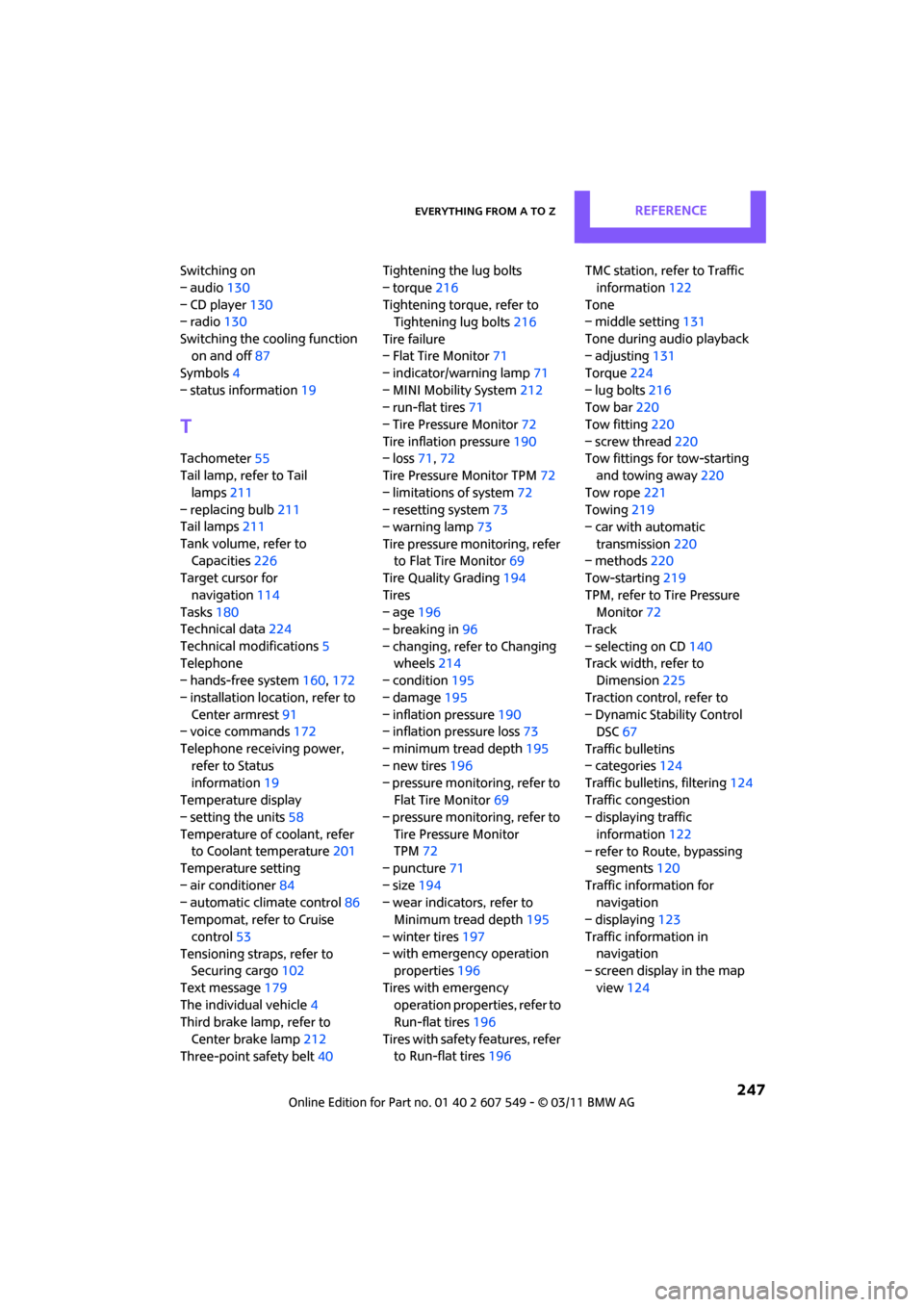
Switching on
– audio130
– CD player 130
– radio 130
Switching the cooling function on and off 87
Symbols 4
– status information 19
T
Tachometer55
Tail lamp, refer to Tail
lamps 211
– replacing bulb 211
Tail lamps 211
Tank volume, refer to Capacities 226
Target cursor for
navigation 114
Tasks 180
Technical data 224
Technical modifications 5
Telephone
– hands-free system 160,172
– installation location, refer to Center armrest 91
– voice commands 172
Telephone receiving power, refer to Status
information 19
Temperature display
– setting the units 58
Temperature of coolant, refer to Coolant temperature 201
Temperature setting
– air conditioner 84
– automatic climate control 86
Tempomat, refer to Cruise
control 53
Tensioning straps, refer to Securing cargo 102
Text message 179
The individual vehicle 4
Third brake lamp, refer to
Center brake lamp 212
Three-point safety belt 40Tightening the lug bolts
– torque
216
Tightening torque, refer to Tightening lug bolts 216
Tire failure
– Flat Tire Monitor 71
– indicator/warning lamp 71
– MINI Mobility System 212
– run-flat tires 71
– Tire Pressure Monitor 72
Tire inflation pressure 190
– loss 71,72
Tire Pressure Monitor TPM 72
– limitations of system 72
– resetting system 73
– warning lamp 73
Tire pressure mo nitoring, refer
to Flat Tire Monitor 69
Tire Quality Grading 194
Tires
– age 196
– breaking in 96
– changing, refe r to Changi
ng
wheels 214
– condition 195
– damage 195
– inflation pressure 190
– inflation pressure loss 73
– minimum tread depth 195
– new tires 196
– pressure monitoring, refer to Flat Tire Monitor 69
– pressure monitoring, refer to
Tire Pressure Monitor
TPM 72
– puncture 71
– size 194
– wear indicators, refer to Minimum tread depth 195
– winter tires 197
– with emergency operation properties 196
Tires with emergency operation properties, refer to
Run-flat tires 196
Tires with safety features, refer
to Run-flat tires 196 TMC station, refer to Traffic
information 122
Tone
– middle setting 131
Tone during audio playback
– adjusting 131
Torque 224
– lug bolts 216
Tow bar 220
Tow fitting 220
– screw thread 220
Tow fittings for tow-starting and towing away 220
Tow rope 221
Towing 219
– car with automatic
transmission 220
– methods 220
Tow-starting 219
TPM, refer to Tire Pressure Monitor 72
Track
– selecting on CD 140
Track width, refer to Dimension 225
Traction control, refer to
– Dynamic Stability Control DSC 67
Traffic bulletins
– categories 124
Traffic bulletins, filtering 124
Traffic congestion
– displaying traffic
information 122
– refer to Route, bypassing segments 120
Traffic information for navigation
– displaying 123
Tr
affic information in
navigation
– screen display in the map
view 124